
To create a memorable yet secure password system, start with meaningful phrases or sentences you can easily recall. Use mnemonic devices like initials or patterns from your favorite lyrics or quotes. Incorporate substitutions, such as replacing “o” with zero or “a” with “@,” to add complexity. Focus on length—aim for at least 12 characters—while making it personal and unique. Keep practicing your system, and you’ll find it becomes second nature over time. If you keep going, you’ll discover even smarter ways to strengthen your passwords.

Get the latest gadgets delivered free — and shop member deals
- Fast, free delivery on millions of items
- Access to Prime Big Deal Days deals on October 6–7
- Prime Video, Amazon Music and more included
Key Takeaways
- Use meaningful phrases or favorite sentences as the base for your passwords to enhance memorability.
- Incorporate mnemonic devices like acronyms or patterns to create strong, memorable password structures.
- Apply consistent substitutions (e.g., “o” to zero, “a” to “@”) to increase complexity while maintaining recall.
- Focus on creating passwords at least 12 characters long, combining length with memorable elements.
- Develop a personalized system that relies on unique, mental shortcuts to minimize the need to write down passwords.
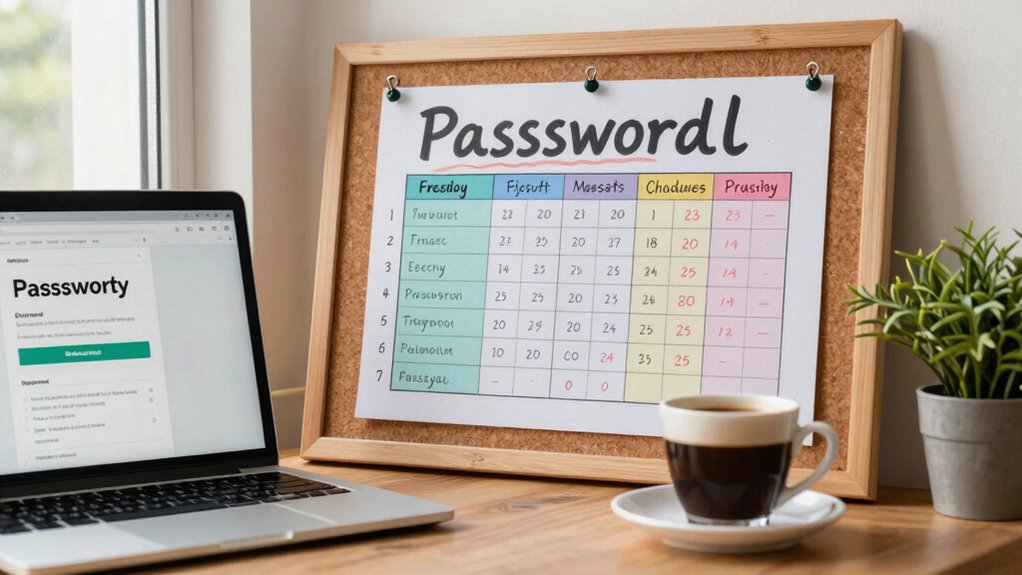
Creating a strong password system that you can actually remember might seem challenging, but it’s entirely possible with the right approach. The key lies in balancing password length and memorability. Longer passwords tend to be more secure, but if they’re too complicated, you’ll struggle to recall them. That’s where mnemonic devices come into play. These memory aids help you craft passwords that are both robust and easy to remember. Instead of forcing yourself to recall a random string of characters, you can use techniques like acronyms, phrases, or patterns that make sense to you. For example, take a favorite sentence or lyric, then use the first letter of each word to form your password. If your phrase is “I love to walk in the park every morning,” your password could be “Il2w1tpeM.” This method creates a password that’s long enough for security but simple enough for you to recall effortlessly.
Another way to utilize mnemonic devices is by replacing certain letters with numbers or symbols that you associate with the phrase. For instance, replacing the “o” in “love” with zero or the “a” in “walk” with “@” can add complexity to your password without making it harder to remember. The trick is to create a consistent system that only you understand. If you always replace “a” with “@” and “o” with “0,” then these substitutions become part of your mental shorthand. Over time, these small modifications will become second nature, enabling you to regenerate your passwords without hesitation. Developing a personalized password strategy that combines mnemonic techniques with a focus on password length can greatly enhance your overall security. When developing your password system, think about combining these mnemonic techniques with a focus on password length. Aim for at least 12 characters, which provides a good balance of security and memorability. Use a phrase that’s meaningful to you, then apply substitutions or pattern rules to make the password more complex. Additionally, practicing your system regularly reinforces your mental shortcuts and helps ensure consistent recall. Building a robust password system that incorporates security best practices such as avoiding common phrases or easily guessable patterns will make your password system even more effective. Keep in mind that the more personalized your mnemonic devices are, the easier they’ll be to remember. Avoid common phrases or easily guessable patterns. Instead, create unique mental shortcuts that only you can decode. By doing so, you’ll develop a password system that’s both strong and sustainable, reducing the temptation to write your passwords down or reuse them across multiple sites.
password manager with mnemonic support
As an affiliate, we earn on qualifying purchases.
As an affiliate, we earn on qualifying purchases.
Frequently Asked Questions
How Often Should I Update My Passwords?
You should update your passwords every three to six months to maintain security. This helps protect your accounts even if a password is compromised. To improve password recall, use memory aids like unique phrases or patterns, making them easier to remember. Regular updates also reduce risks from data breaches. Incorporate these strategies into your routine, ensuring your passwords stay strong and memorable while keeping your online presence secure.
Are Password Managers Safe to Use?
Surprisingly, password managers are quite safe. They use strong password encryption and adhere to strict security protocols, making them more secure than reusing passwords or writing them down. Ironically, trusting a single manager might seem risky, but their advanced security measures protect your data better than manual methods. As long as you choose reputable providers, you can confidently rely on password managers to keep your accounts secure.
What Should I Do if I Forget My Password?
If you forget your password, start with the password recovery options provided by the site or app. You’ll likely need to answer security questions or receive a reset link via email. Make sure your security questions are familiar but not easily guessable. Once you regain access, consider updating your password and using a password manager to prevent future issues. Always verify that recovery methods are secure to protect your account.
Can I Use the Same Password for Multiple Accounts?
Using the same password for multiple accounts is like putting all your eggs in one basket—risky if it breaks. It’s tempting, but password reuse weakens your security. If hackers crack one account, they can access others easily. To stay safe, use unique passwords and rely on security questions or a password manager to keep track. This way, you protect your digital life without the fear of losing everything.
How Do I Create a Strong Password?
To create a strong password, focus on password complexity by mixing uppercase, lowercase, numbers, and symbols. Use mnemonic devices to make complex passwords memorable, like combining initials of a phrase or a favorite quote with special characters. Avoid common words or patterns, and aim for at least 12 characters. This way, your password remains both strong and easy for you to recall, enhancing your overall security.
Conclusion
With a solid password system, you’re building a fortress that’s both strong and memorable. Think of your passwords as keys to a treasure chest—unique, reliable, and easy to recall when you need them most. By creating a personalized pattern, you turn security into a trusted ally rather than a frustrating obstacle. Remember, a well-crafted password system is your secret map—guiding you safely through the digital wilderness with confidence and ease.
Fall Picks
fall essentials
As an affiliate, we earn on qualifying purchases.