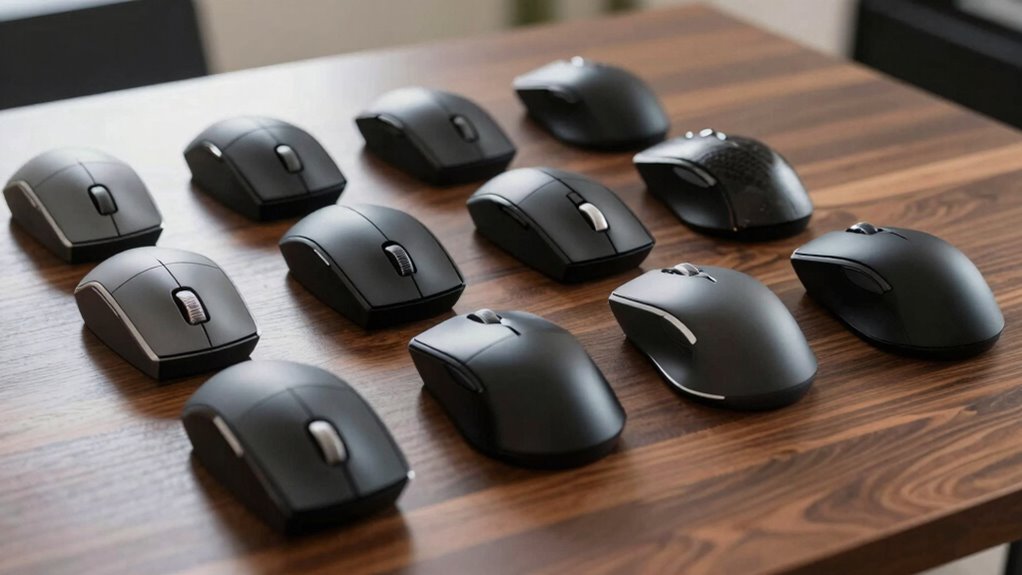

For an ergonomic premium trackball mouse, my best overall pick is the Logitech MX Ergo S for its adjustable tilt and fuller feature set. The Logitech ERGO M575S is a simpler, more approachable alternative, while the ELECOM HUGE Plus suits buyers who want a larger, finger-operated trackball. The main tradeoffs are thumb control versus finger control, adjustable wrist angle versus a simpler shape, and desktop comfort versus portability. I compare all 15 options by fit, control style, connectivity, and practical drawbacks. Read on for the full breakdown and a guide to choosing the right design.

Get the latest gadgets delivered free with Prime
- Fast, free delivery on millions of items
- Prime Video, Amazon Music and more included
- Member-only deals all year
Complete the kit



Key Takeaways
The MX Ergo S leads for adjustability: its tilt-focused design gives it an advantage for buyers willing to pay for a more customizable desktop setup.
The M575S is the simpler entry point: it keeps the familiar thumb-operated layout without the added setup complexity of an adjustable premium model.
Finger-operated models fill a different ergonomic niche: the ELECOM HUGE Plus and Kensington Expert keep cursor control off the thumb, but need more desk space and a different learning curve.
Compactness comes with a control compromise: the ELECOM BITRA favors travel, while larger models offer more room for steady, relaxed operation.
The lineup includes repeated and closely related options: Nulea M501 appears twice, and several Logitech models share a family resemblance, so buyers should compare exact features and variants rather than assume each listing is a distinct design.
| Nulea Wireless Ergonomic Trackball Mouse with 21.7° Tilt Stand |  | Best for a Fixed Tilted Wrist Position | Model: M511 | Hand orientation: Right-handed | Connectivity: Bluetooth and USB receiver | VIEW ON AMAZON | See Our Full Breakdown |
| Nulea M506 Wireless Ergonomic Trackball Mouse | 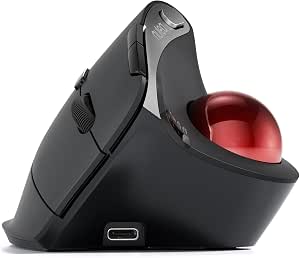 | Best for a Pronounced Vertical Grip | Model: M506 | Design: 54° vertical ergonomic | Trackball control: Thumb-operated, detachable for cleaning | VIEW ON AMAZON | See Our Full Breakdown |
| Logitech Ergo M575S Wireless Ergonomic Trackball Mouse, Black/Blue (910-007026) |  | Best for Refined Everyday Use | Model: ERGO M575S (910-007026) | Connectivity: Bluetooth and Logi Bolt USB receiver | Customizable buttons: 3 | VIEW ON AMAZON | See Our Full Breakdown |
| Nulea M501 Wireless Ergonomic Trackball Mouse |  | Best Value for Multi-Device Basics | Model: M501 | Connectivity: Bluetooth and USB receiver | Device connections: Up to 3 | VIEW ON AMAZON | See Our Full Breakdown |
| SABLUTE MAM1 Pro Ergonomic Wireless Trackball Mouse |  | Best for Adjustable Controls and Tilt | Connectivity: Bluetooth and 2.4 GHz USB receiver | Device connections: Up to 3 | Hand orientation: Right-handed | VIEW ON AMAZON | See Our Full Breakdown |
| Nulea M501 Wireless Ergonomic Trackball Mouse |  | Best for Multi-Device Basics | Connectivity: Bluetooth or USB receiver | DPI levels: 4 | Buttons: 6 | VIEW ON AMAZON | See Our Full Breakdown |
| TECKNET Wireless Trackball Mouse, Bluetooth Mouse with Ergonomic, Black |  | Best for an Angled Hand Position | Connectivity: Bluetooth and 2.4 GHz USB receiver | Device connections: Up to 3 | DPI settings: 5, from 100 to 1200 DPI | VIEW ON AMAZON | See Our Full Breakdown |
| ELECOM HUGE Plus Wireless Trackball Mouse |  | Best Premium Customization | Connectivity: Bluetooth, 2.4 GHz wireless, and wired USB-C | Trackball diameter: 52 mm | Programmable buttons: 10 | VIEW ON AMAZON | See Our Full Breakdown |
| Kensington Expert Wired Trackball Mouse with Detachable Wrist Rest, Black/Silver |  | Best Ambidextrous Desk Setup | Connection: Wired USB-A | Tracking: Optical | Trackball diameter: 55 mm | VIEW ON AMAZON | See Our Full Breakdown |
| ELECOM BITRA Wireless Trackball Mouse with Bluetooth and 2.4 GHz USB Connectivity |  | Best Compact Travel Pick | Connectivity: Bluetooth LE and 2.4 GHz USB receiver | Buttons: 5, silent and programmable | Hand orientation: Right-handed | VIEW ON AMAZON | See Our Full Breakdown |
| Logitech ERGO M575S Wireless Trackball Mouse, Graphite |  | Best for Simple, Low-Maintenance Ergonomics | Connectivity: Bluetooth and USB receiver | Hand orientation: Right-handed | Customizable buttons: 3 | VIEW ON AMAZON | See Our Full Breakdown |
| ProtoArc EM02 Wireless Trackball Mouse, Gray |  | Best for Adjustable Positioning | Connectivity: Bluetooth and 2.4GHz wireless | Adjustable angle: 0° or 15° | Device switching: Up to 3 devices | VIEW ON AMAZON | See Our Full Breakdown |
| Logitech MX Ergo S Advanced Wireless Trackball Mouse |  | Best Premium for Programmable Controls | Connectivity: Bluetooth and Logi Bolt USB receiver | Tilt angle: 20 degrees | Buttons: 8 total; 6 customizable | VIEW ON AMAZON | See Our Full Breakdown |
| Logitech ERGO M575 Wireless Trackball Mouse for Business, Graphite |  | Best for Broad Operating-System Compatibility | Connectivity: Bluetooth and Logi Bolt USB receiver | Hand orientation: Right-handed | Buttons: 5 | VIEW ON AMAZON | See Our Full Breakdown |
| Logitech MX Ergo S Wireless Trackball Mouse |  | Best for Fast USB-C Top-Ups | Connectivity: Bluetooth and USB Logi Bolt receiver | Tilt angle: 20 degrees | Buttons: 8 total; 6 customizable | VIEW ON AMAZON | See Our Full Breakdown |
| trackball mouse ergonomic premium | Connectivity | Hand orientation | Buttons | Battery |
|---|---|---|---|---|
| Nulea Wireless Ergonomic Track | Bluetooth and USB receiver | Right-handed | 6, not programmable | — |
| Nulea M506 Wireless Ergonomic | Bluetooth and USB receiver | Right-handed | — | — |
| Logitech Ergo M575S Wireless E | Bluetooth and Logi Bolt USB receiver | — | — | 1 AA battery, included |
| Nulea M501 Wireless Ergonomic | Bluetooth and USB receiver | — | 6, non-programmable | Rechargeable lithium polymer |
| SABLUTE MAM1 Pro Ergonomic Wir | Bluetooth and 2.4 GHz USB receiver | Right-handed | 8 | — |
| Nulea M501 Wireless Ergonomic | Bluetooth or USB receiver | Right-handed | 6 | Rechargeable lithium-ion |
| TECKNET Wireless Trackball Mou | Bluetooth and 2.4 GHz USB receiver | Right-handed | 6 | 500 mAh rechargeable |
| ELECOM HUGE Plus Wireless Trac | Bluetooth, 2.4 GHz wireless, and wired USB-C | Right-handed | — | Rechargeable lithium-ion |
| Kensington Expert Wired Trackb | — | Ambidextrous | 4 customizable buttons (source also lists quantity as 3) | — |
| ELECOM BITRA Wireless Trackbal | Bluetooth LE and 2.4 GHz USB receiver | Right-handed | 5, silent and programmable | 1 AAA battery, included |
| Logitech ERGO M575S Wireless T | Bluetooth and USB receiver | Right-handed | — | 1 included AA battery |
| ProtoArc EM02 Wireless Trackba | Bluetooth and 2.4GHz wireless | Right-handed | 6 | USB-C rechargeable |
| Logitech MX Ergo S Advanced Wi | Bluetooth and Logi Bolt USB receiver | Right-handed | 8 total; 6 customizable | USB-C rechargeable |
| Logitech ERGO M575 Wireless Tr | Bluetooth and Logi Bolt USB receiver | Right-handed | 5 | 1 AA battery |
| Logitech MX Ergo S Wireless Tr | Bluetooth and USB Logi Bolt receiver | — | 8 total; 6 customizable | — |
More Details on Our Top Picks
Nulea Wireless Ergonomic Trackball Mouse with 21.7° Tilt Stand
The Nulea M511 is a good fit if you want a thumb trackball with a defined wrist angle rather than a more upright vertical grip. Its 21.7° tilt stand gives the hand a modest lift while the trackball keeps cursor movement from requiring repeated arm sweeps. Compared with the Nulea M506, which uses a steeper 54° vertical design, the M511 offers a less dramatic change in hand position; that may feel more approachable, but it provides less vertical rotation. Three-device switching and Bluetooth or receiver connectivity suit a desk shared between a computer and tablet. Silent operation is useful in quiet rooms, though the non-programmable buttons limit workflow shortcuts. Its 1600 DPI ceiling also favors ordinary office navigation over users seeking finer sensitivity options.
Pros:- 21.7° tilt stand supports a less flat wrist position
- Bluetooth and USB receiver connectivity with switching across three devices
- Silent operation suits shared offices and quiet workspaces
- Four DPI settings cover common office cursor speeds
Cons:- Six buttons are not programmable
- Right-handed shape excludes left-handed users
- 1600 DPI maximum offers fewer sensitivity options than the SABLUTE MAM1 Pro
Best for: Right-handed desk workers who want a modest wrist tilt, quiet clicks, and easy switching between up to three devices.
Not ideal for: Left-handed users, or people who want programmable shortcuts or a pronounced vertical-hand posture.
- Model:M511
- Hand orientation:Right-handed
- Connectivity:Bluetooth and USB receiver
- Device switching:Up to 3 devices
- Tilt stand:21.7°
- DPI levels:400, 800, 1200, 1600
- Buttons:6, not programmable
- Weight:128 g
- Power:Rechargeable
Our verdict“Choose the M511 if you want a quiet, multi-device thumb trackball with a moderate built-in tilt rather than a steep vertical grip.”
Nulea M506 Wireless Ergonomic Trackball Mouse
The M506 is the more posture-focused Nulea in this group: its 54° vertical design rotates the hand farther than the M511’s 21.7° tilt. That makes it a stronger candidate for right-handed users specifically seeking a more upright grip, though the larger change in hand position may take adjustment. Like the M511, it provides three-device connectivity and four DPI settings up to 1600, but the M506 adds a removable ball that simplifies cleaning around the trackball mechanism. Its rechargeable battery is rated for up to 21 days per charge, a useful detail for people who prefer fewer charging interruptions. The tradeoff is a 151.5 g body and right-hand-only shape; buyers wanting a lighter, less vertical feel may prefer the M511 instead.
Pros:- 54° vertical form creates a more upright hand position than the M511
- Connects to up to three devices through Bluetooth and USB receiver
- Removable trackball makes cleaning more straightforward
- Rechargeable battery rated for up to 21 days per full charge
Cons:- Right-handed design does not accommodate left-handed use
- 1600 DPI maximum may constrain users who prefer higher sensitivity
- At 151.5 g, it is heavier than the M511
Best for: Right-handed users seeking a strongly angled thumb trackball, multi-device pairing, and a ball that can be removed for cleaning.
Not ideal for: Left-handed buyers, people wary of adapting to a pronounced vertical shape, or users needing sensitivity above 1600 DPI.
- Model:M506
- Design:54° vertical ergonomic
- Trackball control:Thumb-operated, detachable for cleaning
- Connectivity:Bluetooth and USB receiver
- Device connections:Up to 3
- DPI settings:400, 800, 1200, 1600
- Battery life:Up to 21 days per full charge
- Weight:151.5 g
- Hand orientation:Right-handed
Our verdict“Pick the M506 if a pronounced vertical grip matters more to you than a lighter body or a gentler ergonomic angle.”
Logitech Ergo M575S Wireless Ergonomic Trackball Mouse, Black/Blue (910-007026)
The Ergo M575S is the most rounded everyday choice here for buyers who value established ergonomic shaping and useful software features over an adjustable tilt. Its sculpted thumb-control shape keeps the mouse stationary, which is helpful on cramped desks or surfaces where a conventional mouse would be awkward. Unlike the Nulea M511 and M506, it offers three customizable buttons and Smart Actions, giving shortcut-focused users more control over routine tasks. Bluetooth and the included Logi Bolt receiver provide flexible connection options, while the listed battery life reaches up to 18 months on one AA battery. That longevity avoids regular charging, but it means using a replaceable cell rather than USB-C recharging. The shape is designed for most hand sizes, yet it lacks the adjustable angles offered by the SABLUTE MAM1 Pro.
Pros:- Three customizable buttons and Smart Actions support shortcut workflows
- Stationary thumb control works well in tight setups and on varied surfaces
- Bluetooth and included Logi Bolt receiver offer two connection routes
- Up to 18-month battery life from one included AA battery
Cons:- Uses a replaceable AA battery rather than rechargeable USB-C power
- No adjustable tilt option like the SABLUTE MAM1 Pro
- Only three buttons are listed as customizable
Best for: Right-handed office users who want a familiar, sculpted thumb trackball, customizable shortcuts, and long battery life on a compact desk.
Not ideal for: Buyers who want a rechargeable battery, adjustable tilt, or a highly configurable button layout beyond its three customizable buttons.
- Model:ERGO M575S (910-007026)
- Connectivity:Bluetooth and Logi Bolt USB receiver
- Customizable buttons:3
- Total buttons:5
- Maximum sensitivity:2000 DPI
- Battery life:Up to 18 months
- Battery:1 AA battery, included
- Compatible operating systems:Android, Windows, iOS, macOS
- Materials:Certified post-consumer recycled plastic
Our verdict“Choose the M575S for a polished everyday ergonomic trackball with shortcut customization and long battery life, not for tilt adjustment or USB-C charging.”
Nulea M501 Wireless Ergonomic Trackball Mouse
The M501 is the straightforward pick for someone who wants the core ergonomic benefit of a thumb trackball without paying for a steep vertical frame or extra customization. Its stationary trackball control reduces the need to sweep the wrist and arm, while Bluetooth and a USB receiver let it pair with as many as three devices. Compared with the Nulea M506, it skips the 54° upright design and detachable ball, so there is less emphasis on posture adjustment and cleaning access. In return, the M501 has a simpler 128 g body and broad listed support for Windows, macOS, and Linux. Six buttons and four DPI levels cover ordinary work, but those buttons are not programmable, and charging guidance rules out fast chargers. It is a practical basic choice, not the most adjustable option.
Pros:- Thumb trackball reduces repeated wrist and arm movement
- Bluetooth and USB receiver support up to three device connections
- Rechargeable battery avoids routine disposable-cell replacement
- Listed compatibility includes Windows, macOS, and Linux
Cons:- Six buttons are non-programmable
- No steep vertical angle or removable-ball cleaning feature like the M506
- Requires the included cable or a 5V charger; fast chargers are not recommended
Best for: Right-handed users who want a rechargeable, multi-device trackball for everyday work across Windows, macOS, or Linux.
Not ideal for: Buyers seeking a vertical grip, programmable buttons, or clear fast-charging flexibility.
- Model:M501
- Connectivity:Bluetooth and USB receiver
- Device connections:Up to 3
- Movement detection:Trackball
- DPI levels:4
- Buttons:6, non-programmable
- Compatible operating systems:Windows, macOS, Linux
- Battery:Rechargeable lithium polymer
- Weight:128 g
Our verdict“The M501 suits buyers who want dependable multi-device trackball basics and do not need adjustable ergonomics or programmable controls.”
SABLUTE MAM1 Pro Ergonomic Wireless Trackball Mouse
The MAM1 Pro has the broadest adjustment range in this set: you can choose 0° or 18° tilt, tune sensitivity across five levels up to 4800 DPI, and connect to three devices. That flexibility sets it apart from the fixed-angle Nulea M511 and the more upright M506, making it a better match for users who want to experiment with hand position and cursor speed. Its eight quiet buttons also provide more physical controls than the Logitech M575S, while USB-C charging and optional backlighting add convenience and visual flair. The catches matter: it is right-handed, its trackball may take one to two weeks to feel natural, and its customization driver does not support macOS. Although compatibility lists macOS, that software limitation reduces appeal for Mac users who need button or setting changes.
Pros:- Selectable 0° and 18° tilt accommodates different hand positions
- Five DPI levels span 800 to 4800
- Eight quiet buttons provide more controls than the M575S
- USB-C rechargeable with optional ambient backlighting
Cons:- Customization driver is not compatible with macOS
- Right-handed design does not suit left-handed users
- Trackball use may take one to two weeks to get accustomed to
Best for: Right-handed users who want adjustable tilt, higher DPI choices, multiple device connections, and extra buttons on a customizable desk setup.
Not ideal for: Mac users who depend on the customization driver, left-handed users, or anyone unwilling to spend time adapting to trackball control.
- Connectivity:Bluetooth and 2.4 GHz USB receiver
- Device connections:Up to 3
- Hand orientation:Right-handed
- Adjustable tilt:0° or 18°
- DPI:800–4800, 5 levels
- Buttons:8
- Charging:Rechargeable battery, USB-C
- Dimensions:5.36 x 3.94 in
- Compatibility:Windows, macOS, Chrome OS, Linux, Android
Our verdict“Choose the MAM1 Pro if adjustable tilt and extensive controls matter more than seamless Mac driver support or a minimal learning curve.”
Nulea M501 Wireless Ergonomic Trackball Mouse
The Nulea M501 is a straightforward ergonomic pick for right-handed users who want thumb-controlled tracking and an uncluttered desk setup. Its Bluetooth and USB receiver connections let it pair with up to three devices, which is useful when moving between a laptop and desktop without carrying a second mouse. Four DPI levels offer a modest range of cursor sensitivity, while the rechargeable battery avoids routine battery swaps. Compared with the TECKNET Wireless Trackball, the M501 has fewer sensitivity steps and no stated angled palm posture; its appeal is a simpler feature set rather than fine-grained adjustment. The tradeoffs are its non-programmable buttons and a charging caution against fast chargers. It suits buyers who value basic multi-device flexibility over extensive customization.
Pros:- Bluetooth and USB receiver connectivity supports up to three devices
- Thumb-controlled tracking limits the need to move the whole mouse
- Rechargeable battery avoids disposable battery replacements
- Four DPI levels allow basic cursor-speed adjustment
Cons:- Buttons are not programmable
- Charging guidance cautions against using a fast charger
- Right-handed shape does not suit left-handed users
Best for: Right-handed home-office users who switch among a computer, laptop, and tablet and want a rechargeable trackball for a compact desk.
Not ideal for: Users who need programmable shortcuts, left-handed ergonomics, or detailed cursor sensitivity adjustment beyond four DPI levels.
- Connectivity:Bluetooth or USB receiver
- DPI levels:4
- Buttons:6
- Device connections:Up to 3
- Hand orientation:Right-handed
- Battery:Rechargeable lithium-ion
- Wireless range:10 meters
- Weight:4.51 ounces
- Dimensions:5.51 × 4.37 inches
Our verdict“Choose the M501 for simple rechargeable, multi-device trackball use; pick the TECKNET instead if its extra DPI steps and angled design better match your needs.”
TECKNET Wireless Trackball Mouse, Bluetooth Mouse with Ergonomic, Black
The TECKNET Wireless Trackball stands apart in this group through its 16-degree angled form, aimed at buyers who want a more upright hand position than the conventional thumb-trackball shape of the Nulea M501. It also offers five DPI settings, a rechargeable battery, and three-device switching across two Bluetooth connections and a 2.4 GHz receiver. That combination makes it a flexible desk mouse for someone working across several systems, while the silent-click design can keep shared spaces quieter. Its larger-hand fit is a benefit only if the dimensions suit you; smaller hands may find the shape less comfortable. The listed battery average is 24 hours, so it does not match the long interval between charges claimed for the ELECOM HUGE Plus. The steep learning curve and limited sensitivity ceiling also make this less compelling for users seeking advanced customization.
Pros:- 16-degree angle is designed to encourage a more upright forearm posture
- Three-device connectivity spans Bluetooth and 2.4 GHz wireless
- Five DPI settings provide more sensitivity choices than the Nulea M501
- Rechargeable battery and silent clicks suit shared work areas
Cons:- The larger-hand fit may feel awkward for smaller hands
- Listed battery average is 24 hours
- The product advises a one- to two-week adjustment period
Best for: Medium- to large-handed right-handed users who want an angled thumb trackball and frequent switching among up to three devices.
Not ideal for: Small-handed users, buyers seeking programmable controls, or anyone who prioritizes long stated battery life between charges.
- Connectivity:Bluetooth and 2.4 GHz USB receiver
- Device connections:Up to 3
- DPI settings:5, from 100 to 1200 DPI
- Buttons:6
- Hand orientation:Right-handed
- Battery:500 mAh rechargeable
- Wireless range:34 feet
- Weight:60 g
- Dimensions:5 × 4 × 2 inches
Our verdict“Pick the TECKNET if its angled posture and multi-device switching matter more to you than the ELECOM HUGE Plus’s programmable controls and longer stated battery life.”
ELECOM HUGE Plus Wireless Trackball Mouse
For buyers who want a trackball to take on more than basic pointing, the ELECOM HUGE Plus brings the most extensive control set in this batch: a 52 mm ball, 10 programmable buttons, and three connection methods. Bluetooth, 2.4 GHz wireless, and wired USB-C give it more setup flexibility than the Nulea M501, while pairing with up to three devices suits a multi-system workstation. Its silent clicks and stated battery life of up to five months favor long, quiet work sessions. The larger ball and broad footprint are part of the ergonomic proposition, but they also demand desk space and may take adjustment. Unlike the ambidextrous Kensington Expert, this is a right-handed design, so it is not a shared-hand or left-hand-friendly choice. Its strongest case is customization, not compactness.
Pros:- Ten programmable buttons support customized shortcuts
- Bluetooth, 2.4 GHz wireless, and wired USB-C offer three connection choices
- Pairs with up to three devices
- Stated battery life of up to five months per charge and silent clicks
Cons:- Large 52 mm ball and body take up substantial desk space
- Right-handed shape excludes left-handed users
- The large ball may require an adjustment period
Best for: Right-handed power users who want programmable shortcuts, a large trackball, and wired and wireless options at a dedicated workstation.
Not ideal for: Left-handed users, people with limited desk space, or buyers who prefer a compact trackball that is easy to carry.
- Connectivity:Bluetooth, 2.4 GHz wireless, and wired USB-C
- Trackball diameter:52 mm
- Programmable buttons:10
- Device pairing:Up to 3 devices
- Battery life:Up to 5 months per charge
- Battery:Rechargeable lithium-ion
- Hand orientation:Right-handed
- Weight:291 g
- Dimensions:7.2 × 4.5 inches
Our verdict“Choose the HUGE Plus for a feature-rich, right-handed workstation; the Kensington Expert is a better fit if ambidextrous use and a scroll ring matter more.”
Kensington Expert Wired Trackball Mouse with Detachable Wrist Rest, Black/Silver
The Kensington Expert is the strongest fit here for buyers who want an ambidextrous, stationary control setup rather than a thumb-operated mouse. Its 55 mm central ball is paired with a scroll ring, so moving through long documents does not depend on a conventional wheel. The detachable wrist rest adds support at the desk, and customization software can tailor buttons and cursor behavior on supported systems. Compared with the wireless ELECOM HUGE Plus, Kensington gives up cable-free placement and has fewer customizable buttons, but its symmetrical layout is more accommodating for left-handed users or shared workstations. The wired USB-A connection is dependable but less flexible for travel or devices lacking that port. Buyers should also check software compatibility: customization is unsupported on ChromeOS, and Windows ARM computers are currently unsupported.
Pros:- Ambidextrous design supports left- and right-handed use
- 55 mm ball and optical tracking provide a large control surface
- Scroll ring is suited to moving through documents and webpages
- Detachable wrist rest and customizable settings on supported systems
Cons:- Wired USB-A connection restricts placement and device compatibility
- Kensington software customization is not supported on ChromeOS
- Windows ARM computers are currently unsupported
Best for: Left-handed users, shared workstations, and desk-based users who prefer a central trackball, scroll ring, and detachable wrist support.
Not ideal for: People who need wireless portability, use ChromeOS customization, or rely on a Windows ARM computer.
- Connection:Wired USB-A
- Tracking:Optical
- Trackball diameter:55 mm
- Buttons:4 customizable buttons (source also lists quantity as 3)
- Scroll control:Scroll ring
- Hand orientation:Ambidextrous
- Wrist rest:Detachable
- Dimensions:5 × 5-3/4 × 2-1/2 inches
- Warranty:5 years
Our verdict“Choose the Kensington Expert for an ambidextrous wired workstation with a scroll ring; select the ELECOM HUGE Plus for wireless connections and more programmable buttons.”
ELECOM BITRA Wireless Trackball Mouse with Bluetooth and 2.4 GHz USB Connectivity
The ELECOM BITRA trades a roomy ergonomic shape for a compact body that is easier to pack than the ELECOM HUGE Plus or Kensington Expert. At just 2.7 ounces, it includes a storage pouch and an internal space for the USB receiver, helping keep the small parts together in a travel bag. Bluetooth LE and 2.4 GHz receiver connectivity give it two ways to pair, while five silent, programmable buttons add more control than the Nulea M501’s fixed buttons. The compromises are real: its small right-handed form may feel cramped during long desk sessions, and its maximum sensitivity is 750 DPI. It also uses an AAA battery rather than a rechargeable cell. This is a portable secondary mouse first, not the best choice for buyers seeking a full-size ergonomic workstation shape.
Pros:- Compact, lightweight body is easy to carry
- Bluetooth LE and 2.4 GHz receiver provide connection flexibility
- Five silent, programmable buttons
- Storage pouch and receiver compartment help keep travel accessories together
Cons:- Small body may be uncomfortable for extended use or larger hands
- Maximum sensitivity is 750 DPI
- Requires an AAA battery rather than a rechargeable battery
Best for: Traveling right-handed laptop users who want a lightweight trackball, quiet clicks, and both Bluetooth and receiver connectivity.
Not ideal for: Buyers with larger hands who need a roomy all-day desk mouse, left-handed users, or people who only want rechargeable devices.
- Connectivity:Bluetooth LE and 2.4 GHz USB receiver
- Buttons:5, silent and programmable
- Hand orientation:Right-handed
- Maximum sensitivity:750 DPI
- Battery:1 AAA battery, included
- Average battery life:5 months
- Weight:2.7 ounces
- Dimensions:3.5 × 2.9 inches
- Warranty:1 year
Our verdict“Choose the BITRA as a portable travel trackball; for a more spacious, customizable desk setup, the ELECOM HUGE Plus is the better match.”
Logitech ERGO M575S Wireless Trackball Mouse, Graphite
The ERGO M575S is the straightforward pick for a compact desk and a buyer who wants thumb-operated tracking without charging another device. Its sculpted, right-handed shape keeps the hand in place while the ball moves the cursor, and the trackball works on any surface. Compared with the more adjustable ProtoArc EM02, the M575S has no changeable tilt or rechargeable battery, but its included AA battery is rated for up to 18 months. Bluetooth and the Logi Bolt receiver give it useful connection flexibility, while the modest two-button layout keeps controls simple. The tradeoff is limited control customization: the full options depend on Logitech’s Options+ app, and left-handed users need a different design.
Pros:- Thumb control limits mouse movement, useful on crowded or small desks
- Works on any surface
- Bluetooth and included Logi Bolt receiver provide two connection options
- Included AA battery is rated for up to 18 months
Cons:- Right-handed shape excludes left-handed users
- Full button customization requires the Logi Options+ app
- No adjustable tilt or rechargeable battery
Best for: Right-handed laptop and desktop users who want a dependable, compact trackball with long AA-battery life and minimal setup.
Not ideal for: Left-handed users or people who want adjustable tilt, rechargeable power, or extensive onboard controls.
- Connectivity:Bluetooth and USB receiver
- Hand orientation:Right-handed
- Customizable buttons:3
- Maximum sensitivity:2000 dpi
- Battery:1 included AA battery
- Battery life:Up to 18 months
- Compatible operating systems:Windows and macOS
- Recycled plastic content:52% for Graphite
Our verdict“Choose the M575S for uncomplicated, right-handed trackball ergonomics and long battery life; pick the ProtoArc EM02 if adjustable positioning matters more.”
ProtoArc EM02 Wireless Trackball Mouse, Gray
The ProtoArc EM02 suits buyers who want a choice of hand position without stepping up to the more feature-heavy Logitech MX Ergo S. Its base switches between flat and 15-degree angles, so users can try a tilted posture while retaining a level option. Bluetooth and 2.4GHz wireless support switching among as many as three devices, a practical advantage for people sharing a mouse between a computer, tablet, and laptop. The buttons are quiet, and five DPI settings let users adjust cursor speed. The tradeoffs are a learning period for thumb-ball control and periodic ball-and-roller cleaning. Mac users should also note that the forward and back buttons do not work with Mac OS. Its rechargeable design avoids disposable batteries, though standby time is not the same as active-use battery life.
Pros:- Switches between flat and 15-degree positioning
- Bluetooth and 2.4GHz wireless support up to three-device switching
- Quiet buttons and five DPI settings allow control adjustments
- USB-C rechargeable battery
Cons:- Forward and back buttons are not compatible with Mac OS
- Thumb trackball control takes practice for many new users
- Ball and rollers need periodic cleaning
Best for: Right-handed users who alternate between devices and want to compare a flat hand position with a modest tilt.
Not ideal for: Mac users who rely on forward and back buttons, or buyers seeking a steep tilt and a clearly specified active-use battery duration.
- Connectivity:Bluetooth and 2.4GHz wireless
- Adjustable angle:0° or 15°
- Device switching:Up to 3 devices
- DPI settings:200, 400, 800, 1200, and 1600
- Buttons:6
- Battery:USB-C rechargeable
- Standby time:Up to 90 days
- Hand orientation:Right-handed
Our verdict“Pick the EM02 if adjustable positioning and multi-device switching matter more than the MX Ergo S’s steeper tilt and extra controls.”
Logitech MX Ergo S Advanced Wireless Trackball Mouse
The MX Ergo S is the premium choice here for buyers who want ergonomic tilt alongside a broad set of programmable controls. Its 20-degree angle gives the hand a more elevated position than the ProtoArc EM02’s 15-degree setting, while thumb tracking keeps cursor movement from requiring repeated arm sweeps. Eight buttons, including six customizable ones, can put shortcuts within reach for work that involves frequent app or command switching. Bluetooth and the included Logi Bolt receiver offer flexible pairing, and a full charge is rated for up to 120 days. Compared with the simpler ERGO M575S, this model offers more adjustment and control, but brings a rechargeable battery and software setup into the equation. It is right-handed only, and the charging cable is not included.
Pros:- 20-degree tilt supports a more elevated hand position
- Six customizable buttons can streamline repeated tasks
- Bluetooth and included Logi Bolt receiver
- USB-C charging with up to 120 days of battery life per full charge
Cons:- Right-handed design does not suit left-handed users
- Charging cable is not included
- Full customization requires the Logi Options+ app
Best for: Right-handed power users who want a pronounced tilt, programmable shortcuts, and long intervals between charges.
Not ideal for: Left-handed buyers, users who prefer disposable-battery simplicity, or anyone who does not want to supply a USB-C cable or configure software.
- Connectivity:Bluetooth and Logi Bolt USB receiver
- Tilt angle:20 degrees
- Buttons:8 total; 6 customizable
- Maximum sensitivity:2048 DPI
- Battery:USB-C rechargeable
- Battery life:Up to 120 days per full charge
- Wireless range:10 meters
- Hand orientation:Right-handed
Our verdict“Choose the MX Ergo S over the M575S if a 20-degree tilt and programmable controls justify moving to rechargeable power and app-based setup.”
Logitech ERGO M575 Wireless Trackball Mouse for Business, Graphite
The business version of the ERGO M575 is a practical fit for mixed-device setups: its listed compatibility spans Windows, Linux, macOS, iPadOS, and Android, wider than the M575S listing’s Windows and macOS support. Its sculpted shape and thumb ball keep movement anchored to the desk, while adjustable tracking speed helps tune cursor response without changing the mouse’s position. Bluetooth and Logi Bolt connectivity give users a choice of wireless setup, and one AA battery is rated for up to 18 months. Compared with the rechargeable MX Ergo S, this model trades the 20-degree tilt and larger programmable-button set for simpler battery maintenance and a more basic control package. It remains right-handed, and thumb tracking has a learning curve for newcomers.
Pros:- Listed compatibility covers Windows, Linux, macOS, iPadOS, and Android
- Sculpted shape and thumb ball reduce the need to move the mouse across the desk
- Adjustable tracking speed helps adapt cursor response
- One AA battery is rated for up to 18 months
Cons:- Right-handed design does not suit left-handed users
- Thumb-operated tracking may take time to learn
- Lacks the MX Ergo S’s 20-degree tilt and six customizable buttons
Best for: Right-handed workers using a mix of Windows, Linux, Apple, and Android devices who want a low-maintenance ergonomic trackball.
Not ideal for: Left-handed users or buyers seeking a pronounced adjustable tilt, rechargeable power, or extensive shortcut programming.
- Connectivity:Bluetooth and Logi Bolt USB receiver
- Hand orientation:Right-handed
- Buttons:5
- Maximum sensitivity:2000 DPI
- Wireless range:33 feet
- Battery:1 AA battery
- Battery life:Up to 18 months
- Compatible operating systems:Windows 10 or later, Linux, macOS, iPadOS, and Android
Our verdict“Choose this M575 for broad device compatibility and long AA-battery life; choose the MX Ergo S for more tilt and shortcut control.”
Logitech MX Ergo S Wireless Trackball Mouse
This version of the MX Ergo S stands out for buyers who value a comfortable tilt and want a quick way to recover useful battery life. Its 20-degree tilt and sculpted rubber grip pair with thumb control to keep the hand settled during cursor work, while six customizable buttons make frequent actions easier to reach. Bluetooth and the Logi Bolt receiver cover wireless setups across PCs, Macs, phones, and tablets. The listed quick-charge figure—one minute for up to 24 hours of use—makes a brief top-up more useful than on the AA-powered ERGO M575S, though the M575S avoids cable dependence altogether. This is still a right-handed, substantial 259 g mouse, and the USB-C charging cable is not included. Its strengths matter most to users willing to keep it charged and configure shortcuts.
Pros:- 20-degree tilt and sculpted rubber grip support a secure hand position
- Six customizable buttons provide shortcut options
- Bluetooth and Logi Bolt receiver support flexible wireless connections
- One minute of charging provides up to 24 hours of use
Cons:- Charging cable is not included
- Right-handed shape excludes left-handed users
- At 259 g, it may feel heavy to buyers seeking a lighter mouse
Best for: Right-handed users who want a tilted, shortcut-friendly trackball and value quick USB-C charging for a rechargeable device.
Not ideal for: Left-handed users, buyers who want a lightweight mouse, or anyone who prefers included charging accessories and AA-battery operation.
- Connectivity:Bluetooth and USB Logi Bolt receiver
- Tilt angle:20 degrees
- Buttons:8 total; 6 customizable
- Charging:USB-C rechargeable
- Battery life:Up to 120 days
- Quick charge:1 minute provides up to 24 hours of use
- Weight:259 g
- Compatibility:PC, Mac, smartphone, and tablet
Our verdict“Choose this MX Ergo S if tilt, programmable controls, and rapid USB-C top-ups outweigh the M575S’s simpler AA-powered setup.”

How We Picked
I ranked these trackballs by how well their designs address the needs behind a premium ergonomic purchase: hand support, wrist and arm positioning, pointer control, connectivity, build and maintenance practicality, and suitability for a specific desk or travel routine. I gave more weight to meaningful ergonomic choices—such as an adjustable tilt or a distinct finger-operated layout—than to feature lists that do not change how the mouse fits or works. I also considered whether a model’s size, control style, and connection options make sense for its intended user.
The ranking favors options with a clear advantage for a common buyer need and a manageable set of compromises. The MX Ergo S places first for its adjustable positioning and premium desktop role; the M575S ranks as the straightforward alternative for buyers who want a simpler thumb ball. The ELECOM and Kensington finger-trackball designs earn attention for offering a different control approach, while compact or less differentiated models rank lower for buyers prioritizing premium comfort. Two M501 entries are listed, so I treat them as the same named model rather than inventing a distinction.
| trackball mouse ergonomic premium | Hand orientation |
|---|---|
| Nulea Wireless Ergonomic Track | Right-handed |
| Nulea M506 Wireless Ergonomic | Right-handed |
| Logitech Ergo M575S Wireless E | — |
| Nulea M501 Wireless Ergonomic | — |
| SABLUTE MAM1 Pro Ergonomic Wir | Right-handed |
| Nulea M501 Wireless Ergonomic | Right-handed |
| TECKNET Wireless Trackball Mou | Right-handed |
| ELECOM HUGE Plus Wireless Trac | Right-handed |
| Kensington Expert Wired Trackb | Ambidextrous |
| ELECOM BITRA Wireless Trackbal | Right-handed |
| Logitech ERGO M575S Wireless T | Right-handed |
| ProtoArc EM02 Wireless Trackba | Right-handed |
| Logitech MX Ergo S Advanced Wi | Right-handed |
| Logitech ERGO M575 Wireless Tr | Right-handed |
| Logitech MX Ergo S Wireless Tr | — |
Factors to Consider When Choosing Trackball Mouse Ergonomic Premium
The right ergonomic trackball is less about finding the most features and more about matching the control style and shape to your body and routine. I would decide on these points before choosing a model; they can matter more to long-term comfort than small differences in connectivity or appearance.
Choose Thumb Control or Finger Control
Thumb-operated trackballs place cursor movement under the thumb while the fingers handle the buttons, which can feel familiar to people moving from a conventional mouse. Finger-operated designs use the index and middle fingers to move a larger ball, leaving the thumb less involved in cursor control. Neither layout is automatically more comfortable: repeated thumb motion may bother some users, while finger control can take longer to learn. A common mistake is choosing by product photos without considering which digits you use most at work. If possible, try the control style before committing, especially if you have existing hand or thumb discomfort. For shared computers, a familiar thumb layout may also be easier for other users to pick up.
Treat Tilt as a Fit Adjustment, Not a Cure
A tilted mouse can change forearm and wrist orientation, but the best angle depends on your hand, chair, and desk height. Adjustable models offer room to tune the position; a fixed shape may feel more natural to someone who already has a comfortable setup. Paying extra for tilt is less useful if the mouse sits too high or your elbow is held away from your body. Set the device close to the keyboard and keep your shoulder relaxed before judging its angle. Do not assume that a more upright position is always better or that changing the mouse alone will solve discomfort. A small adjustment to desk height or chair position may have a larger effect.
Match the Mouse Size to Your Hand and Desk
A larger trackball can give the hand more room and support steady cursor movement, but it occupies more desk space and may not suit smaller hands. Compact designs are easier to pack and store, though their controls may feel crowded during long sessions. Check where your palm rests, how far your fingers reach the buttons, and whether the device fits beside your keyboard. One frequent buying error is equating a larger ball with a better fit; the overall shell shape matters just as much. If you switch between home and office, measure the available work area rather than assuming every desktop mouse will fit comfortably. For travel, portability can outweigh the extra support of a full-size model.
Decide How Much Connectivity You Actually Need
Wireless models can reduce cable clutter and make it easier to reposition a trackball, while a wired connection avoids battery management and can be straightforward for a fixed workstation. Bluetooth is useful when you want to connect without occupying a USB port, but compatibility and device-switching behavior vary by model. A USB receiver may suit a desktop setup, though it is easy to misplace when moving between computers. Before paying for multiple connection methods, list the devices you will use and how often you switch among them. Also check the operating systems and ports involved; an adapter can add hassle to an otherwise simple setup. Choose for your real work routine rather than a connectivity feature you may never use.
Account for Learning Time and Pointer Setup
A trackball keeps the mouse body still, but cursor movement works differently from a standard mouse, so a short adjustment period is normal. Large cursor movements may feel unfamiliar at first, and pointer speed settings can affect control more than buyers expect. Start with a moderate speed and make small changes rather than raising sensitivity until the pointer becomes difficult to place precisely. Finger-operated models can require a longer adjustment than a familiar thumb-operated layout. If you rely on fine selection for design or spreadsheets, check that the software allows pointer-speed and button customization. Avoid judging comfort solely from the first few minutes of use.
Consider Cleaning and Long-Term Ownership
Trackballs collect skin oils and dust around the ball socket, so routine cleaning is part of owning one. A design that lets you remove the ball easily can make maintenance less awkward, while a wrist rest or extra controls add surfaces that may need attention. Check how the ball is accessed and whether the manufacturer explains cleaning before buying. Another common mistake is focusing on the ball itself while overlooking button placement and the condition of the supporting shell. For a shared or dusty workspace, simple access for cleaning can matter more than a small feature upgrade. Long-term comfort also depends on taking breaks and varying posture rather than relying on one device to solve every issue.
Frequently Asked Questions
Should I choose the MX Ergo S or the M575S?
I would choose the MX Ergo S if adjustable positioning and a more premium desktop setup are priorities. The M575S is the more straightforward pick if you want a familiar thumb-operated layout without making tilt adjustment central to the decision. Both suit buyers who prefer moving the cursor with the thumb rather than the fingers. Compare the exact variant and connection requirements before ordering, since similarly named Logitech models may differ. If you are unsure about trackballs, the simpler M575S layout may be an easier first step.
Is a thumb-operated trackball a good choice if my thumb gets tired?
It may not be the best starting point if thumb movement already causes discomfort, since thumb-operated models use that digit for cursor control. A finger-operated option such as the ELECOM HUGE Plus or Kensington Expert shifts ball movement to the fingers, though that layout also asks your hand to learn a new motion. No design can guarantee relief, and individual fit varies. If symptoms persist or worsen, pause use and seek advice from a qualified health professional. When possible, try the control style before replacing your current mouse.
Can I use a trackball for precise work such as spreadsheets or design?
Yes, but precision depends on pointer settings, the ball’s control, and how quickly you adapt to the motion. A larger finger-operated ball can offer a different feel from a compact thumb-operated design, but size alone does not promise greater accuracy. Start with a moderate pointer speed and adjust in small increments. For detailed work, check whether the mouse’s software or your operating system lets you tailor pointer behavior and button functions. Give yourself time to practice before deciding it cannot handle your workflow.
Is a compact trackball a sensible choice as my main desk mouse?
It can work as a main mouse if its shape fits your hand and you do not need a large support area. Compact options such as the ELECOM BITRA are easier to carry, but their smaller footprint can feel less spacious during extended desk use. A larger model may be more comfortable for long sessions, though it takes up more room and is less convenient to pack. Think about how many hours you use it at a desk compared with how often you travel. If you need one device for both, hand fit should take priority over portability alone.
How should I compare the duplicate Nulea M501 listings and similar Logitech variants?
Start with the exact model name and product identifier rather than the listing title alone. The Nulea M501 appears twice in this roundup, so the repeated entry does not establish a separate design or a different feature set. Logitech’s M575 family also includes closely related versions, which can vary by finish, bundle, or intended sales channel. Verify connectivity, included receiver, compatibility, and any stated hardware differences on the specific listing. If those details match, choose based on availability and your preferred variant rather than treating the names as separate ergonomic designs.
Conclusion
For the best overall premium desktop fit, I recommend the Logitech MX Ergo S, especially for buyers who want an adjustable tilt and a thumb-operated ball. The best value-minded and beginner-friendly choice is the Logitech ERGO M575S: its familiar layout makes it a less complicated way to try a trackball. For a finger-operated alternative, choose the ELECOM HUGE Plus if you have room for its larger form, or the Kensington Expert if its wired setup and detachable wrist rest fit your workspace. The ELECOM BITRA is the best specific pick for portability, while buyers seeking a simpler wireless option can compare the Nulea models and ProtoArc EM02 against their fit and connection needs. My final advice: choose the control style and size first, then pay for premium adjustments only if they solve a real ergonomic preference.