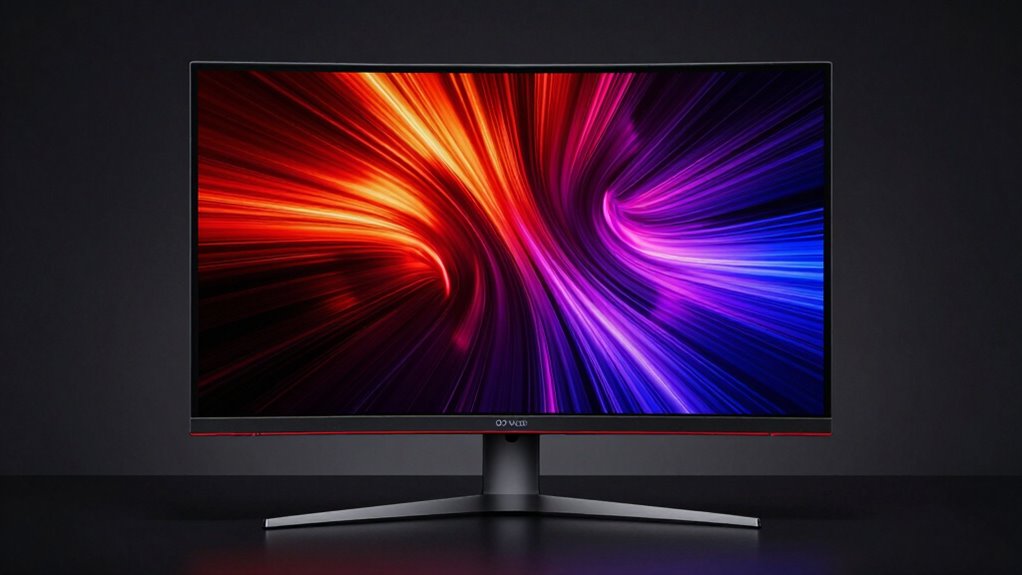

The 32 inch 4k oled monitor market has matured, offering distinct choices for gamers and creators alike. My top pick, the ASUS ROG Swift OLED PG32UCDM3, stands out for its Tandem OLED technology, which delivers higher brightness and improved longevity compared to standard panels. For value-conscious buyers, the MSI MPG 321URX provides a compelling blend of QD-OLED vibrancy and competitive pricing. However, choosing the right model requires balancing refresh rates, panel type (QD-OLED vs. WOLED), and burn-in mitigation features. Continue reading for a detailed breakdown of how these displays compare in real-world scenarios.

Get the latest gadgets delivered free with Prime
- Fast, free delivery on millions of items
- Prime Video, Amazon Music and more included
- Member-only deals all year
Complete the kit



Key Takeaways
- Tandem OLED panels (like the ASUS PG32UCDM3) offer significantly higher peak brightness than traditional QD-OLED or WOLED panels, making them better for HDR content.
- Glossy finishes are becoming standard on high-end 32-inch 4K OLEDs, enhancing color pop but requiring careful management of ambient light sources.
- Dual-mode monitors (such as the LG 32GX850A-B) allow switching between 4K high-resolution and lower-resolution high-refresh-rate modes, offering versatility for competitive gaming.
- QD-OLED panels generally provide wider color gamuts than WOLED panels, but WOLED monitors often feature better anti-glare treatments and are less susceptible to purple tinting in bright rooms.
- Monitor stands vary drastically; many premium OLEDs sacrifice ergonomic adjustability for slim designs, meaning VESA mount compatibility is often a necessary consideration.
| MSI MPG 321URXW 31.5-Inch 4K QD-OLED Gaming Monitor |  | Best All-Rounder for Hybrid Work and Play | Screen Size: 31.5 inches | Resolution: 3840 × 2160 (4K UHD) | Panel Type: QD-OLED | VIEW ON AMAZON | See Our Full Breakdown |
| ASUS ROG PG32UCDMR 32 Inch 4K 240Hz OLED Gaming Monitor QD-OLED |  | Best Premium Gaming Experience | Screen Size: 31.5 inches | Resolution: 3840 x 2160 (4K UHD) | Panel Type: QD-OLED | VIEW ON AMAZON | See Our Full Breakdown |
| ASUS ROG XG32UCWG 32 Inch 4K 165Hz Glossy OLED G-SYNC Gaming Monitor |  | Best Compact Desktop Solution | Screen Size: 32 inches | Resolution: 3840 x 2160 (4K UHD) | Panel Type: WOLED | VIEW ON AMAZON | See Our Full Breakdown |
| LG 32GX850A-B 32″ UltraGear 4K UHD Glossy OLED Gaming Monitor |  | Best Value for Dual-Mode Flexibility | Screen Size: 32 inches | Resolution: 3840 x 2160 (4K UHD) | Panel Type: OLED | VIEW ON AMAZON | See Our Full Breakdown |
| ASUS ROG XG32UCWMG 32 Inch 4K 240Hz Glossy OLED G-SYNC Gaming Monitor |  | Best for Maximum Refresh Rate Enthusiasts | Screen Size: 32 inches | Resolution: 3840 x 2160 (4K UHD) | Panel Type: WOLED | VIEW ON AMAZON | See Our Full Breakdown |
| MSI MPG 321URX QD-OLED 31.5-inch 4K UHD 240Hz Gaming Monitor |  | Best for Color Accuracy | Panel Type: QD-OLED | Resolution: 3840 x 2160 (4K UHD) | Refresh Rate: 240 Hz | VIEW ON AMAZON | See Our Full Breakdown |
| LG 32GX870A-B 32-inch Ultragear 4K UHD OLED Gaming Monitor |  | Best for Competitive Flexibility | Display Type: OLED with Micro Lens Array+ | Resolution Modes: 4K UHD (240Hz) / Full HD (480Hz) | Peak Brightness: 1300 nits | VIEW ON AMAZON | See Our Full Breakdown |
| Samsung 32″ Odyssey OLED G7 (G73SH) Series Gaming Monitor |  | Best for Immersive Gaming Atmosphere | Display Type: OLED | Resolution Modes: 4K UHD (165Hz) / Full HD (330Hz) | Color Certification: PANTONE Validated | VIEW ON AMAZON | See Our Full Breakdown |
| ASUS ROG Swift OLED PG32UCDP 32-inch 4K 240Hz Gaming Monitor |  | Best for Long-Term Durability | Panel Type: WOLED | Cooling System: Custom Heatsink (Passive) | Refresh Rate: 240Hz (4K) / 480Hz (FHD) | VIEW ON AMAZON | See Our Full Breakdown |
| Samsung 32″ Odyssey QD-OLED G8 Gaming Monitor – 4K, 240Hz |  | Best for Bright Room Performance | Panel Type: QD-OLED | Glare Technology: Glare Free (54% less glossy) | Cooling System: Dynamic Cooling with Pulsating Heat Pipe | VIEW ON AMAZON | See Our Full Breakdown |
| MSI MAG 321CUP 32-inch 4K UHD QD-OLED Curved Gaming Monitor |  | Best for Immersive Single-Player Gaming | Screen Size: 32 inches | Resolution: 3840 x 2160 (4K UHD) | Refresh Rate: 165 Hz | VIEW ON AMAZON | See Our Full Breakdown |
| MSI MAG 321UP QD-OLED 32-inch 4K UHD Computer Monitor |  | Best Balanced Performance for Console and PC | Screen Size: 32 inches | Resolution: 3840 x 2160 (4K UHD) | Refresh Rate: 165 Hz | VIEW ON AMAZON | See Our Full Breakdown |
| ASUS ROG PG32UCDM3 32 Inch 4K 240Hz Tandem OLED Gaming Monitor |  | Best Premium High-Refresh Performance | Screen Size: 32 inches | Resolution: 3840 x 2160 (4K UHD) | Refresh Rate: 240 Hz | VIEW ON AMAZON | See Our Full Breakdown |
| inch 4k oled monitor | Refresh Rate | Panel Type | Resolution | Response Time |
|---|---|---|---|---|
| MSI MPG 321URXW 31.5-Inch 4K Q | 240 Hz | QD-OLED | 3840 × 2160 (4K UHD) | 0.03 ms (GtG) |
| ASUS ROG PG32UCDMR 32 Inch 4K | 240 Hz | QD-OLED | 3840 x 2160 (4K UHD) | 0.03 ms (GTG) |
| ASUS ROG XG32UCWG 32 Inch 4K 1 | 165 Hz (4K) / 330 Hz (FHD) | WOLED | 3840 x 2160 (4K UHD) | 0.03 ms |
| LG 32GX850A-B 32" UltraGear 4K | 165 Hz (4K) / 330 Hz (FHD) | OLED | 3840 x 2160 (4K UHD) | 0.03 ms (GtG) |
| ASUS ROG XG32UCWMG 32 Inch 4K | 240 Hz (4K) / 480 Hz (FHD) | WOLED | 3840 x 2160 (4K UHD) | 0.03 ms |
| MSI MPG 321URX QD-OLED 31.5-in | 240 Hz | QD-OLED | 3840 x 2160 (4K UHD) | 0.03 ms |
| LG 32GX870A-B 32-inch Ultragea | — | — | — | — |
| Samsung 32" Odyssey OLED G7 | — | — | — | — |
| ASUS ROG Swift OLED PG32UCDP 3 | 240Hz (4K) / 480Hz (FHD) | WOLED | — | — |
| Samsung 32" Odyssey QD-OLED G8 | 240 Hz | QD-OLED | — | — |
| MSI MAG 321CUP 32-inch 4K UHD | 165 Hz | QD-OLED | 3840 x 2160 (4K UHD) | 0.03 ms (GtG) |
| MSI MAG 321UP QD-OLED 32-inch | 165 Hz | QD-OLED | 3840 x 2160 (4K UHD) | 0.03 ms (GtG) |
| ASUS ROG PG32UCDM3 32 Inch 4K | 240 Hz | — | 3840 x 2160 (4K UHD) | 0.03 ms |
More Details on Our Top Picks
MSI MPG 321URXW 31.5-Inch 4K QD-OLED Gaming Monitor
This monitor distinguishes itself by balancing high-end gaming specs with robust productivity features. Unlike the ASUS ROG PG32UCDMR, which leans heavily into pure gaming aesthetics, the MSI MPG 321URXW includes a KVM switch and 90W USB-C power delivery, making it far more practical for users who connect laptops for work. The 240 Hz refresh rate matches top-tier competitors, ensuring fluid motion in fast-paced titles, while the QD-OLED panel delivers the vibrant colors and deep blacks expected from this technology. However, the glossy finish can be problematic in brightly lit rooms, reflecting ambient light more aggressively than matte alternatives. While the OLED Care 2.0 features help mitigate burn-in risks, the inconsistent documentation regarding power delivery specs suggests a need for careful setup verification. It is a versatile choice, but those working in sun-drenched offices might find the reflection distracting compared to matte-finish options.Pros:- Integrated KVM switch simplifies switching between two computers
- 90W USB-C Power Delivery reduces cable clutter for laptop users
- 240 Hz refresh rate and 0.03 ms response time for competitive gaming
Cons:- Glossy screen finish reflects ambient light significantly
- Inconsistent specifications regarding USB-C power delivery wattage
Best for: Professionals who need a single monitor for both creative work and high-refresh-rate gaming without separate docks.
Not ideal for: Users with bright, uncontrolled lighting environments who cannot manage screen glare.
- Screen Size:31.5 inches
- Resolution:3840 × 2160 (4K UHD)
- Panel Type:QD-OLED
- Refresh Rate:240 Hz
- Response Time:0.03 ms (GtG)
- Color Gamut:99% DCI-P3
- HDR Certification:VESA DisplayHDR True Black 400
- Connectivity:DisplayPort 1.4a, HDMI 2.1, USB-C (90W PD)
Our verdict“Choose this monitor if you value connectivity features like KVM and USB-C charging over a pure gaming-focused design.”
ASUS ROG PG32UCDMR 32 Inch 4K 240Hz OLED Gaming Monitor QD-OLED
The ASUS ROG PG32UCDMR is engineered for gamers who prioritize panel longevity and color accuracy above all else. Compared to the MSI MPG 321URXW, this model introduces the Neo Proximity Sensor, which automatically dims the screen when you step away, adding a layer of burn-in protection that MSI lacks. The inclusion of DisplayPort 2.1 future-proofs the monitor for upcoming graphics cards, offering a tangible advantage over competitors stuck on DP 1.4. While the matte finish reduces glare, it may slightly soften the perceived sharpness compared to glossy panels. The custom heatsink is a significant engineering feat, designed to keep temperatures low during extended sessions. However, the lack of a robust KVM switch means productivity users may find it less convenient than hybrid-focused monitors. This is a display built for intense, long-duration gaming sessions where panel health is a primary concern.Pros:- Neo Proximity Sensor automatically protects against burn-in when idle
- DisplayPort 2.1 connectivity supports future GPU standards
- Advanced custom heatsink improves panel longevity and performance
Cons:- Matte finish may reduce perceived image sharpness compared to glossy panels
- Limited productivity features like KVM switching
Best for: Competitive gamers who play for many hours daily and want advanced burn-in prevention features.
Not ideal for: Productivity-focused users who need a KVM switch or high-wattage USB-C charging for laptops.
- Screen Size:31.5 inches
- Resolution:3840 x 2160 (4K UHD)
- Panel Type:QD-OLED
- Refresh Rate:240 Hz
- Response Time:0.03 ms (GTG)
- Color Gamut:99% DCI-P3
- HDR Certification:VESA DisplayHDR 400 True Black
- Connectivity:DisplayPort 2.1, HDMI 2.1, USB-C (90W PD)
Our verdict“This is the go-to choice for serious gamers who want the most advanced OLED protection features available.”
ASUS ROG XG32UCWG 32 Inch 4K 165Hz Glossy OLED G-SYNC Gaming Monitor
This monitor stands out for its dual-mode functionality, allowing a switch between 4K at 165 Hz and FHD at 330 Hz. While the ASUS ROG XG32UCWMG offers higher refresh rates, the XG32UCWG provides a more balanced performance profile that is often sufficient for most users. The TrueBlack Glossy panel delivers exceptional clarity and depth, avoiding the haze found in some matte OLEDs. However, the 15W USB-C power delivery is a significant limitation compared to the 90W found on the MSI MPG 321URXW, meaning it cannot charge most laptops effectively. The compact stand design saves valuable desk real estate, making it ideal for smaller setups. Burn-in protection is handled by the Neo Proximity Sensor, aligning it with ASUS’s premium safety features. This option suits those who prioritize screen clarity and space-saving design over maximum refresh rates or laptop charging capabilities.Pros:- Dual Mode switching between 4K/165Hz and FHD/330Hz
- TrueBlack Glossy panel offers superior clarity and zero haze
- Compact stand design maximizes desktop workspace
Cons:- USB-C Power Delivery is limited to 15W, insufficient for laptop charging
- Lower base refresh rate of 165Hz compared to 240Hz competitors
Best for: Users with limited desk space who want a glossy, high-clarity display without needing high-wattage laptop charging.
Not ideal for: Laptop users who rely on USB-C for charging, as the 15W output is insufficient for most devices.
- Screen Size:32 inches
- Resolution:3840 x 2160 (4K UHD)
- Panel Type:WOLED
- Refresh Rate:165 Hz (4K) / 330 Hz (FHD)
- Response Time:0.03 ms
- Color Gamut:99% DCI-P3
- HDR Certification:VESA DisplayHDR 400 True Black
- USB-C Power Delivery:15 W
Our verdict“Ideal for desktop-only gamers who value a clean, space-saving setup with a glossy finish.”
LG 32GX850A-B 32″ UltraGear 4K UHD Glossy OLED Gaming Monitor
The LG 32GX850A-B competes directly with ASUS models by offering Dual Mode refresh rates (4K/165Hz and FHD/330Hz). Unlike the ASUS ROG XG32UCWG, which uses a WOLED panel, the LG utilizes its own OLED technology with Micro Lens Array+, claiming improved brightness and viewing angles. The VESA DisplayHDR True Black 400 certification ensures deep blacks and vivid highlights, though the typical brightness of 275 nits is modest for HDR content. LG’s UL certifications for eye comfort (Anti-Glare, Flicker-Free, Low Blue Light) are a unique selling point for long gaming sessions. However, the lack of USB-C Power Delivery mentioned in the specs suggests it may not be suitable for laptop-centric setups compared to the MSI MPG 321URXW. The glossy finish provides sharp images but requires careful lighting management. This monitor is a strong contender for those who want LG’s specific OLED implementation and eye-care features.Pros:- Micro Lens Array+ technology enhances brightness and viewing angles
- Three UL certifications for eye comfort (Anti-Glare, Flicker-Free, Low Blue Light)
- Dual Mode switching between 4K/165Hz and FHD/330Hz
Cons:- Typical brightness of 275 nits may feel dim for some HDR scenarios
- No mention of high-wattage USB-C Power Delivery for laptop charging
Best for: Gamers sensitive to eye strain who want a glossy OLED with specific UL-certified comfort features.
Not ideal for: Users needing USB-C charging for their laptops or those who prefer a matte screen finish.
- Screen Size:32 inches
- Resolution:3840 x 2160 (4K UHD)
- Panel Type:OLED
- Refresh Rate:165 Hz (4K) / 330 Hz (FHD)
- Response Time:0.03 ms (GtG)
- Color Gamut:98.5% DCI-P3
- HDR Certification:VESA DisplayHDR True Black 400
- Stand Adjustments:Tilt, Height, Swivel, Pivot
Our verdict“A solid choice for gamers prioritizing eye comfort and LG’s OLED tuning over raw connectivity features.”
ASUS ROG XG32UCWMG 32 Inch 4K 240Hz Glossy OLED G-SYNC Gaming Monitor
This model pushes the boundaries of speed with Dual Mode capabilities of 4K@240Hz and FHD@480Hz. Compared to the ASUS ROG XG32UCWG, which tops out at 165Hz/330Hz, the XG32UCWMG offers significantly higher frame rates for competitive play. The TrueBlack Glossy WOLED panel ensures that the extra speed does not come at the cost of image clarity. Like its sibling, it features the Neo Proximity Sensor for burn-in protection, a critical feature for high-refresh-rate displays that are often left on. However, the 15W USB-C power delivery remains a weak point, failing to match the productivity-focused MSI MPG 321URXW. The DisplayWidget Center software allows for easy adjustment of OLED care settings via mouse, adding convenience. This monitor is tailored for esports athletes who demand the highest possible frame rates and are willing to compromise on laptop charging capabilities.Pros:- Dual Mode supports up to 4K@240Hz and FHD@480Hz
- TrueBlack Glossy panel maintains sharpness at extreme refresh rates
- DisplayWidget Center software simplifies OLED care management
Cons:- USB-C Power Delivery is limited to 15W, inadequate for most laptops
- High refresh rate requirements may demand top-tier GPU hardware
Best for: Esports players and competitive gamers who require the highest possible refresh rates in both 4K and FHD modes.
Not ideal for: General users or laptop owners who do not need 480Hz and prefer higher USB-C charging wattage.
- Screen Size:32 inches
- Resolution:3840 x 2160 (4K UHD)
- Panel Type:WOLED
- Refresh Rate:240 Hz (4K) / 480 Hz (FHD)
- Response Time:0.03 ms
- Color Gamut:99% DCI-P3
- HDR Certification:VESA DisplayHDR 400 True Black
- USB-C Power Delivery:15 W
Our verdict“The ultimate choice for competitive gamers who prioritize maximum frame rates over connectivity versatility.”
MSI MPG 321URX QD-OLED 31.5-inch 4K UHD 240Hz Gaming Monitor
This monitor stands out for its QD-OLED panel technology, which delivers wider color volume and higher brightness in highlights compared to the WOLED panels found in the ASUS ROG Swift OLED PG32UCDP. While the ASUS model uses a custom heatsink for passive cooling, the MSI MPG 321URX relies on its panel efficiency to maintain the 99% DCI-P3 color gamut essential for creative work alongside gaming. The 240Hz refresh rate ensures competitive smoothness, but the 250-nit listed brightness is a limitation for users in sunlit rooms. I find this model better suited to those who prioritize color fidelity over the dual-mode flexibility seen in LG’s latest releases.
Pros:- Wide 99% DCI-P3 color gamut ideal for media consumption and editing
- High-speed 240Hz refresh rate with 0.03ms response time
- Includes USB-C connectivity and KVM switch for multi-device setups
- Four-way adjustable stand offers ergonomic flexibility
Cons:- Listed brightness of 250 nits is lower than competing OLED models
- Glossy screen finish reflects significant ambient light
- Lacks dual-mode resolution switching found in newer competitors
Best for: Content creators and gamers who prioritize wide color gamut and consistent 4K performance over variable refresh rate modes.
Not ideal for: Users in bright environments, as the 250-nit brightness and glossy finish may cause visibility issues.
- Panel Type:QD-OLED
- Resolution:3840 x 2160 (4K UHD)
- Refresh Rate:240 Hz
- Response Time:0.03 ms
- Color Gamut:99% DCI-P3
- HDR Certification:VESA DisplayHDR True Black 400
- Connectivity:HDMI 2.1, DisplayPort 1.4a, USB-C
Our verdict“Choose this if you need superior color accuracy for creative tasks and don’t mind a glossy screen.”
LG 32GX870A-B 32-inch Ultragear 4K UHD OLED Gaming Monitor
The LG 32GX870A-B introduces a Dual Mode feature that lets you toggle between 4K at 240Hz and Full HD at 480Hz, a capability shared with the ASUS ROG Swift OLED PG32UCDP but implemented here with Micro Lens Array+ technology. This tech boosts the typical brightness to 275 nits with a peak of 1300 nits, making it significantly brighter than the MSI MPG 321URX. The anti-glare coating is a major advantage for office or bright-room use, distinguishing it from the glossy finishes on many Samsung models. However, the reliance on software-based OLED care tools means users must actively manage pixel cleaning to maintain longevity.
Pros:- Dual Mode allows switching between 4K 240Hz and FHD 480Hz
- Micro Lens Array+ delivers higher peak brightness (1300 nits)
- Anti-glare screen reduces reflections in bright environments
- Officially certified G-SYNC Compatible and FreeSync Premium Pro
Cons:- Requires manual activation of OLED care tools for maintenance
- Heavier weight (21.6 lbs) may require a sturdy monitor arm
- Dual mode switching may cause brief black screens during transition
Best for: Competitive gamers who need high refresh rates in lower resolutions for FPS titles without sacrificing 4K visual fidelity.
Not ideal for: Users who prefer a glossy, high-gloss finish for maximum color pop, as the anti-glare coating diffuses light slightly.
- Display Type:OLED with Micro Lens Array+
- Resolution Modes:4K UHD (240Hz) / Full HD (480Hz)
- Peak Brightness:1300 nits
- Screen Finish:Anti-Glare / Low Reflection
- Contrast Ratio:1,500,000:1
- Connectivity:DisplayPort 2.1, HDMI, USB-C
- Warranty:2-Year Limited (OLED Panel)
Our verdict“This is the top choice for players who want the best of both worlds: high-res immersion and ultra-fast competitive speed.”
Samsung 32″ Odyssey OLED G7 (G73SH) Series Gaming Monitor
Samsung’s Odyssey OLED G7 focuses on immersion through its CoreLighting+ ambient lighting system, which syncs colors with on-screen action—a feature absent in the more utilitarian ASUS ROG Swift OLED PG32UCDP. While it offers a Dual Mode similar to the LG 32GX870A-B, its 4K refresh rate is capped at 165Hz compared to the 240Hz found on the LG and MSI models. The PANTONE Validated screen ensures color accuracy, but the lower refresh rate at 4K makes it less appealing for high-end competitive gaming. It serves better as a cinematic centerpiece than a pure speed demon.
Pros:- CoreLighting+ provides immersive ambient sync with gameplay
- PANTONE Validated for professional-grade color accuracy
- Glossy OLED screen offers vivid contrast and deep blacks
- Ergonomic stand with height, tilt, swivel, and pivot adjustments
Cons:- 4K refresh rate is limited to 165Hz, lower than top-tier competitors
- Glossy finish is highly reflective in bright rooms
- Lacks USB-C connectivity for laptop docking
Best for: Single-player gamers and media enthusiasts who value ambient lighting and color accuracy over maximum refresh rates.
Not ideal for: Esports players who require 240Hz+ refresh rates at 4K resolution for competitive titles.
- Display Type:OLED
- Resolution Modes:4K UHD (165Hz) / Full HD (330Hz)
- Color Certification:PANTONE Validated
- HDR Format:HDR10+ Gaming
- Contrast Ratio:1,500,000:1
- Sync Technology:G-Sync Compatible, FreeSync Premium Pro
- Stand Adjustments:Height, Tilt, Swivel, Pivot
Our verdict“Ideal for those who want a visually rich, atmospheric gaming experience with accurate colors, but don’t need 240Hz at 4K.”
ASUS ROG Swift OLED PG32UCDP 32-inch 4K 240Hz Gaming Monitor
The ASUS ROG Swift OLED PG32UCDP differentiates itself with a custom heatsink and passive cooling design, aiming to mitigate burn-in risks better than the LG 32GX870A-B‘s software-based care tools. This WOLED panel supports Dual Mode (4K 240Hz / FHD 480Hz), matching the LG’s flexibility but with a more robust physical thermal solution. The 90W USB-C power delivery is superior to the standard connectivity found on the Samsung Odyssey OLED G7, making it a better hub for laptop users. However, the passive cooling system adds bulk, and the large footprint demands a sturdy desk setup.
Pros:- Custom heatsink and passive cooling reduce thermal stress on the panel
- 3-year warranty includes specific coverage for burn-in
- USB-C port provides 90W power delivery for laptops
- Dual Mode supports 4K 240Hz and FHD 480Hz
Cons:- Large physical size and weight require a sturdy desk or arm
- Requires a high-end GPU to fully utilize 4K 240Hz performance
- WOLED panel may have slightly lower color volume than QD-OLED
Best for: Users concerned about OLED burn-in who want a durable, high-performance monitor with robust laptop connectivity.
Not ideal for: Those with limited desk space, as the custom heatsink and stand design create a larger physical footprint.
- Panel Type:WOLED
- Cooling System:Custom Heatsink (Passive)
- Refresh Rate:240Hz (4K) / 480Hz (FHD)
- USB-C Power Delivery:90W
- Color Gamut:99% DCI-P3
- Warranty:3 Years (Burn-in Coverage)
- Weight:16.1 lbs
Our verdict“Pick this for peace of mind regarding panel longevity and excellent laptop integration, accepting a larger desk footprint.”
Samsung 32″ Odyssey QD-OLED G8 Gaming Monitor – 4K, 240Hz
Samsung’s Odyssey QD-OLED G8 addresses the common OLED weakness of glare with its Glare Free coating, which reduces reflections by 54% compared to standard glossy panels like the MSI MPG 321URX. This makes it the most versatile option for varied lighting conditions. It maintains the 240Hz refresh rate and QD-OLED color vibrancy that the LG 32GX870A-B also offers, but adds a dynamic cooling system with a pulsating heat pipe. The trade-off is that thermal modulation may dim static UI elements, which can be distracting for productivity work despite the gaming benefits.
Pros:- Glare Free coating significantly reduces ambient light reflections
- Dynamic cooling system actively manages panel temperature
- QD-OLED panel delivers superior color volume and brightness
- 240Hz refresh rate with 0.03ms response time for smooth gameplay
Cons:- Thermal modulation can dim static images or UI elements
- Full adaptive sync features require compatible NVIDIA/AMD GPUs
- Limited stand adjustability compared to premium competitors
Best for: Gamers and hybrid workers who need a high-performance OLED that remains visible in bright or variable lighting conditions.
Not ideal for: Graphic designers or video editors who require consistent brightness for static UI elements and color grading.
- Panel Type:QD-OLED
- Glare Technology:Glare Free (54% less glossy)
- Cooling System:Dynamic Cooling with Pulsating Heat Pipe
- Refresh Rate:240 Hz
- HDR Certification:VESA DisplayHDR True Black 400
- Adaptive Sync:G-Sync Compatible, FreeSync Premium Pro
- Burn-in Protection:Logo & Taskbar Detection
Our verdict“The best choice for users who want OLED quality without the glare issues, provided they accept occasional brightness dimming on static content.”
MSI MAG 321CUP 32-inch 4K UHD QD-OLED Curved Gaming Monitor
The MSI MAG 321CUP stands out in this lineup by offering a 1700R curvature, a feature largely absent from the flat panels like the ASUS ROG PG32UCDM3. This curve wraps the 4K QD-OLED image around your peripheral vision, creating a deeper sense of immersion that benefits RPGs and flight simulators more than competitive shooters. While the 165 Hz refresh rate is lower than the 240 Hz found on the top-tier ASUS models, it remains more than sufficient for the majority of gamers, especially when paired with the 0.03 ms response time that virtually eliminates ghosting. The inclusion of USB-C with 15 W power delivery is a convenience for laptop users, though it is far less robust than the 90 W delivery seen in premium competitors. I find this monitor better suited for those who prioritize visual envelopment over raw frame rate ceilings.
Pros:- 1700R curvature enhances immersion for single-player games
- QD-OLED panel delivers vibrant colors and true blacks
- USB-C port adds convenience for laptop connectivity
- OLED Care features help mitigate long-term burn-in risks
Cons:- 15 W USB-C power delivery is too low for most modern laptops
- 165 Hz refresh rate trails behind 240 Hz competitors
- Curved design may not suit users needing precise line accuracy for design work
Best for: Gamers who play story-driven titles and prefer a curved screen for immersion over flat-panel precision.
Not ideal for: Competitive esports players who require 240 Hz+ refresh rates for maximum responsiveness.
- Screen Size:32 inches
- Resolution:3840 x 2160 (4K UHD)
- Refresh Rate:165 Hz
- Response Time:0.03 ms (GtG)
- Curvature:1700R
- Panel Type:QD-OLED
- Connectivity:HDMI 2.1, DisplayPort 1.4a, USB-C
Our verdict“Choose this model if you want an immersive curved 4K OLED experience for casual and single-player gaming.”
MSI MAG 321UP QD-OLED 32-inch 4K UHD Computer Monitor
This flat-panel sibling to the curved 321CUP offers a traditional setup that many professionals and hybrid users prefer. Compared to the ASUS ROG PG32UCDM3, the MSI MAG 321UP lacks the extreme 240 Hz refresh rate, capping out at 165 Hz. However, it compensates with a robust set of connectivity options, including HDMI 2.1, which is critical for achieving 4K at 120 Hz on consoles like the PS5 and Xbox Series X. The VESA DisplayHDR True Black 400 certification ensures that HDR content looks punchy and accurate, rivaling more expensive options in color fidelity. While it shares the same 0.03 ms response time as its faster counterparts, the lower refresh rate makes it a more sensible choice for those who do not chase ultra-high frame rates in competitive titles. It is a solid all-rounder that prioritizes versatility over peak speed.
Pros:- HDMI 2.1 support ensures compatibility with current-gen consoles
- Flat panel design avoids distortion for productivity tasks
- Strong HDR performance with DisplayHDR True Black 400
- MSI OLED Care 2.0 provides peace of mind against burn-in
Cons:- Glossy screen finish reflects light in bright rooms
- Limited port variety compared to premium flagships
- Heavy chassis requires a sturdy desk or VESA mount
Best for: Console gamers and PC users who want high-quality 4K OLED visuals without paying for ultra-high refresh rates.
Not ideal for: Professional graphic designers who need a matte finish to reduce reflections, as this model is glossy.
- Screen Size:32 inches
- Resolution:3840 x 2160 (4K UHD)
- Refresh Rate:165 Hz
- Response Time:0.03 ms (GtG)
- Panel Type:QD-OLED
- HDR Support:VESA DisplayHDR True Black 400
- Connectivity:HDMI 2.1, DisplayPort 1.4a
Our verdict“This monitor is the ideal pick for gamers who split time between console and PC and value versatility over extreme speed.”
ASUS ROG PG32UCDM3 32 Inch 4K 240Hz Tandem OLED Gaming Monitor
The ASUS ROG PG32UCDM3 is the definitive choice for enthusiasts demanding the highest possible specifications. Its 240 Hz refresh rate significantly outpaces the 165 Hz limits of the MSI MAG series, providing smoother motion for competitive esports titles. The integration of Tandem OLED technology and BlackShield Film addresses common OLED weaknesses, offering improved brightness and scratch resistance compared to standard QD-OLED panels. While the MSI MAG 321UP serves casual gamers well, this ASUS model is built for those who need every frame advantage. The inclusion of DisplayPort 2.1 UHBR20 ensures future-proofing for next-generation graphics cards, and the 90 W USB-C Power Delivery allows it to charge high-performance laptops, a feature missing from most competitors. This is a premium investment for those who refuse to compromise on speed or connectivity.
Pros:- 240 Hz refresh rate delivers ultra-smooth motion for esports
- 90 W USB-C Power Delivery supports high-end laptop charging
- DisplayPort 2.1 UHBR20 ensures future-proof bandwidth
- BlackShield Film technology improves durability and black levels
Cons:- Premium positioning makes it a significant financial commitment
- Large footprint may overwhelm smaller desk setups
Best for: Competitive gamers and content creators who need 240 Hz refresh rates and robust laptop charging via USB-C.
Not ideal for: Budget-conscious buyers who do not require ultra-high refresh rates or advanced DisplayPort 2.1 bandwidth.
- Screen Size:32 inches
- Resolution:3840 x 2160 (4K UHD)
- Refresh Rate:240 Hz
- Response Time:0.03 ms
- Panel Technology:Tandem QD-OLED
- USB-C Power Delivery:90 W
- Connectivity:DisplayPort 2.1, HDMI 2.1, USB-C
Our verdict“Select this monitor if you demand the absolute best in high-refresh 4K OLED performance and future-proof connectivity.”
How We Picked
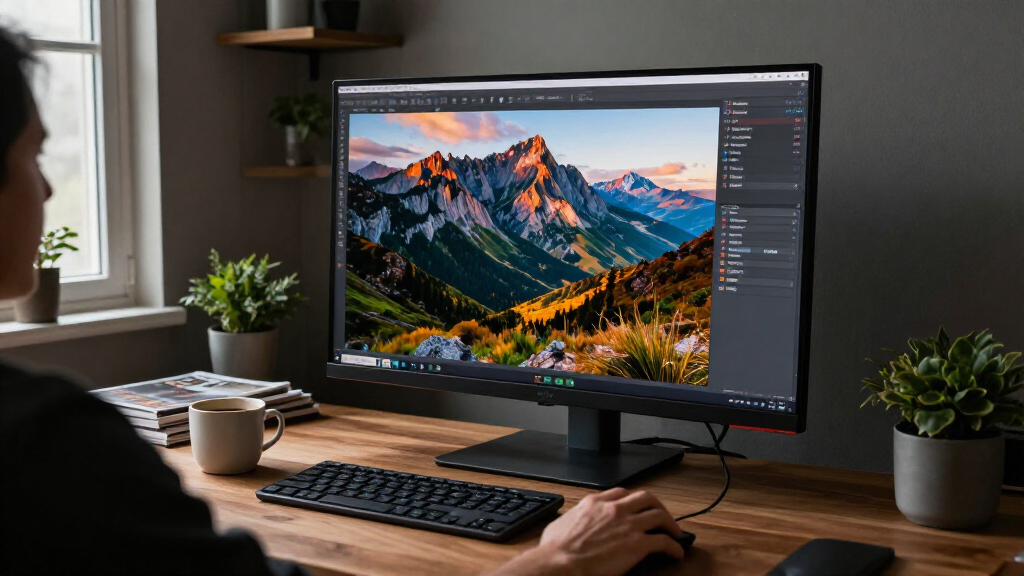
I evaluated these displays based on panel technology, specifically looking at the generation of OLED used (QD-OLED, WOLED, or Tandem OLED). Brightness levels, particularly in HDR highlights, were a primary differentiator, as early OLEDs struggled with peak luminance. I also prioritized burn-in protection mechanisms, examining pixel shifting, screen savers, and panel care software provided by manufacturers. Connectivity options, such as DisplayPort 2.1 and USB-C with power delivery, were assessed for future-proofing and utility in hybrid work setups.
| inch 4k oled monitor | Panel Type | HDR Certification | Connectivity |
|---|---|---|---|
| MSI MPG 321URXW 31.5-Inch 4K Q | QD-OLED | VESA DisplayHDR True Black 400 | DisplayPort 1.4a, HDMI 2.1, USB-C (90W PD) |
| ASUS ROG PG32UCDMR 32 Inch 4K | QD-OLED | VESA DisplayHDR 400 True Black | DisplayPort 2.1, HDMI 2.1, USB-C (90W PD) |
| ASUS ROG XG32UCWG 32 Inch 4K 1 | WOLED | VESA DisplayHDR 400 True Black | — |
| LG 32GX850A-B 32" UltraGear 4K | OLED | VESA DisplayHDR True Black 400 | — |
| ASUS ROG XG32UCWMG 32 Inch 4K | WOLED | VESA DisplayHDR 400 True Black | — |
| MSI MPG 321URX QD-OLED 31.5-in | QD-OLED | VESA DisplayHDR True Black 400 | HDMI 2.1, DisplayPort 1.4a, USB-C |
| LG 32GX870A-B 32-inch Ultragea | — | — | DisplayPort 2.1, HDMI, USB-C |
| Samsung 32" Odyssey OLED G7 | — | — | — |
| ASUS ROG Swift OLED PG32UCDP 3 | WOLED | — | — |
| Samsung 32" Odyssey QD-OLED G8 | QD-OLED | VESA DisplayHDR True Black 400 | — |
| MSI MAG 321CUP 32-inch 4K UHD | QD-OLED | — | HDMI 2.1, DisplayPort 1.4a, USB-C |
| MSI MAG 321UP QD-OLED 32-inch | QD-OLED | — | HDMI 2.1, DisplayPort 1.4a |
| ASUS ROG PG32UCDM3 32 Inch 4K | — | — | DisplayPort 2.1, HDMI 2.1, USB-C |
Factors to Consider When Choosing 32 Inch 4k Oled Monitor
Selecting a 32-inch 4K OLED requires more than just looking at the refresh rate. Here are the critical factors that distinguish a good purchase from a regrettable one.
Understanding Panel Types: QD-OLED vs. WOLED vs. Tandem
Most 32-inch 4K OLEDs use either QD-OLED (Samsung Display) or WOLED (LG Display). QD-OLED panels offer superior color volume and saturation, making them ideal for creative work and immersive gaming. However, they can appear washed out in bright ambient light due to their glossy finish. WOLED panels often include anti-glare coatings and are less prone to color shifts in sunlight, though they may lack the vibrant punch of QD-OLED. Tandem OLED stacks two emitting layers, solving the brightness limitation of previous generations. If you work in a bright office, Tandem or WOLED might be preferable to QD-OLED.
The Importance of Burn-In Protection
Static elements like taskbars, HUDs, and console overlays pose a risk for OLED panels. Manufacturers have implemented various burn-in mitigation strategies, including pixel shifting, global dimming, and panel refresh cycles. Look for monitors with robust software controls that allow you to schedule maintenance without disrupting your workflow. Newer panels have improved organic material lifespan, but user habits still dictate longevity. Avoid leaving static images on screen for extended periods, and utilize the built-in screen saver and logo dimming features aggressively to preserve the panel’s health over years of use.
Glossy vs. Matte Finishes
The debate between glossy and matte finishes has shifted with OLED. Glossy finishes maximize contrast and color clarity, allowing the deep blacks of OLED to truly shine. They eliminate the grainy haze associated with matte coatings. However, they act as mirrors in rooms with strong light sources. Matte or semi-matte finishes diffuse reflections, making them more usable in sunlit rooms but at the cost of slight image softness and reduced perceived contrast. If your setup allows for controlled lighting, a glossy finish delivers a more premium visual experience.
Connectivity and Future-Proofing
Check for DisplayPort 2.1 support if you plan to use high-refresh-rate 4K gaming with uncompressed signals. Many current monitors still rely on DisplayPort 1.4 with Display Stream Compression (DSC), which is generally fine but may limit certain color formats. USB-C connectivity with high power delivery (90W+) is invaluable for laptop users, allowing a single cable to handle video, data, and charging. Ensure the monitor includes sufficient USB downstream ports if you intend to use it as a hub for peripherals.
Ergonomics and Stand Design
Many high-end OLED monitors prioritize aesthetics over functionality, resulting in stands that offer limited height adjustment or no pivot capability. If you require a portrait mode for coding or document editing, verify swivel and pivot support before purchasing. Alternatively, confirm VESA mount compatibility so you can use an articulating arm. This is especially important for 32-inch screens, which have a larger footprint and may not fit comfortably on desks with fixed, bulky stands.
Frequently Asked Questions
Is a 32-inch 4K OLED too large for desk use?
For most users, a 32-inch 4K monitor is the sweet spot for productivity and gaming. The pixel density (approx. 138 PPI) is sharp enough to eliminate visible pixelation at typical viewing distances. However, it requires a desk depth of at least 30 inches to prevent the screen from feeling overwhelming. If you sit closer than 24 inches, a 27-inch model might feel more comfortable, but 32 inches offers more screen real estate for multitasking.
Do I need a high-end graphics card for a 4K OLED monitor?
Yes, driving 4K resolution at high frame rates (144Hz+) in modern AAA titles demands significant GPU power. You will likely need a top-tier GPU (like an RTX 4080 or 4090 class) to fully utilize the refresh rate. For productivity or older games, mid-range cards suffice. If you plan to game at 4K/240Hz, consider using DLSS or FSR upscaling technologies to maintain smooth frame rates without pushing your GPU to its absolute limit.
How does text clarity compare to IPS monitors on OLED?
Early OLED monitors suffered from subpixel alignment issues that made small text look fringed or blurry. Newer 4K OLED panels have much higher pixel density, which largely resolves this problem. Text is crisp and legible for office work. However, some users still prefer the subpixel rendering of IPS for very small fonts. For most professional work, the clarity of a 4K OLED is more than sufficient, but it is worth testing with your specific font sizes if you do heavy data entry.
What is the difference between Dual-Mode and standard refresh rates?
Dual-Mode monitors allow you to switch between a native resolution (e.g., 4K at 165Hz) and a lower resolution (e.g., 1080p at 330Hz). This is beneficial for competitive esports gamers who prioritize speed over visual fidelity in specific titles. For casual gamers and creative professionals, a standard high refresh rate (like 240Hz at 4K) is usually preferred because it offers a consistent experience without needing to change monitor settings mid-game.
Are QD-OLED monitors prone to purple tinting?
QD-OLED panels can exhibit a purple or magenta tint when displaying gray gradients in bright ambient light. This is due to the way the quantum dot layer interacts with external light. It is most noticeable on static desktop backgrounds or web pages with light gray elements. In dark rooms or when viewing dark content, this effect disappears. If you work primarily in bright environments with light-colored interfaces, a WOLED or Tandem OLED panel might be less distracting.
Conclusion
Choosing the right 32 inch 4k oled monitor depends on your primary use case and environment. The ASUS ROG Swift OLED PG32UCDM3 is the Best Overall choice, thanks to its Tandem OLED brightness and robust feature set. For those prioritizing Value, the MSI MPG 321URX offers exceptional performance at a more accessible price point. Best for Competitive Gaming goes to the LG 32GX850A-B for its dual-mode capabilities and high refresh rate flexibility. If you need Best for Creative Work, the Samsung 32″ Odyssey OLED G8 provides stunning color accuracy and a sleek design. Finally, for Beginners entering the OLED space, the ASUS ROG XG32UCWG offers a balanced entry point with reliable burn-in protection. Evaluate your lighting conditions and gaming preferences to make the final decision.