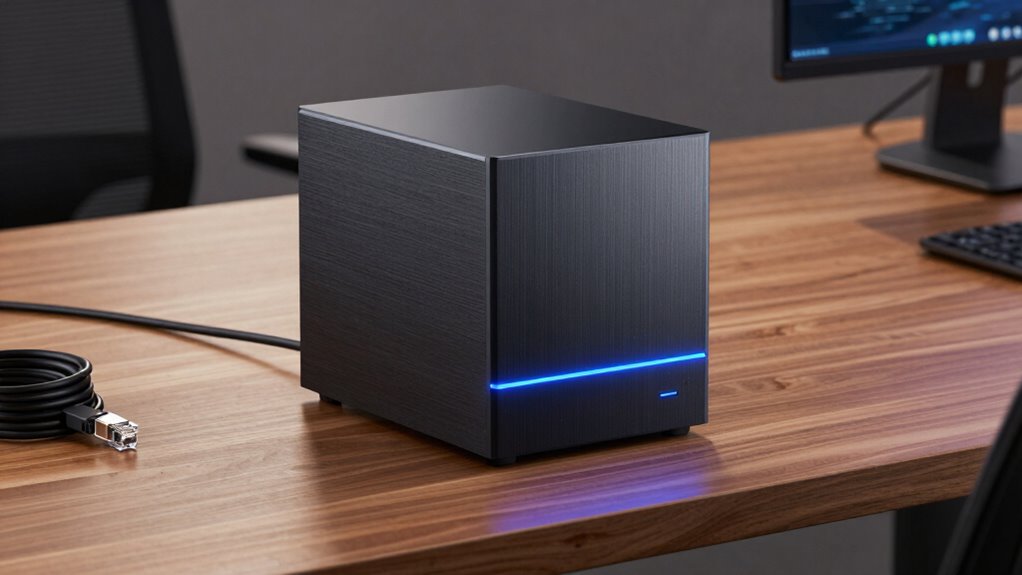

For an 18TB NAS backup drive, my best overall pick is the WD Red Pro 18TB, a NAS-focused internal drive that suits multi-bay systems better than desktop USB models. The Seagate Exos X18 is a strong alternative for buyers who prioritize enterprise-class workload capability, while the WD My Book 18TB is simpler for direct, external backups. The main choice is between a bare internal disk designed for NAS installation and a ready-to-connect desktop drive, with noise, compatibility, warranty condition, and intended workload also shaping the decision. Enterprise drives can offer a fit for heavier use, but renewed models add condition uncertainty and external drives are not substitutes for a NAS-compatible internal disk. Read on for the full comparison and guidance on matching each option to your backup setup.

Get the latest gadgets delivered free with Prime
- Fast, free delivery on millions of items
- Prime Video, Amazon Music and more included
- Member-only deals all year
Complete the kit



Key Takeaways
- WD Red Pro is the clearest NAS-first choice: its NAS positioning makes it the most direct fit for a multi-bay system among these seven options.
- Exos X18 and WD Gold serve heavier-duty priorities: they are enterprise-class alternatives, but buyers should compare their NAS compatibility, operating noise, and workload needs rather than assume enterprise means best for every home NAS.
- Renewed enterprise drives carry a different kind of tradeoff: the Ultrastar HC550 and Exos X20 may suit buyers focused on enterprise models, but their renewed condition makes provenance and return terms especially relevant.
- My Book and Elements are external backup devices, not internal NAS disks: they suit USB-connected backup workflows and should not be treated as direct replacements for a bare 3.5-inch drive inside a NAS enclosure.
- An 18TB label does not settle the full backup plan: usable capacity, drive compatibility, redundancy, and a separate recovery copy all affect how much protection the purchase provides.
| Western Digital WD Red Pro 18TB NAS Internal Hard Drive (WD181KFGX) |  | Best Overall for Multi-Bay NAS | Capacity: 18 TB | Interface: SATA 6 Gb/s | Recording technology: CMR | VIEW ON AMAZON | See Our Full Breakdown |
| WD My Book 18TB Desktop External Hard Drive |  | Best for Simple Desktop Backups | Storage capacity: 18 TB | Interface: USB 3.0; USB 2.0 compatible | Form factor: 3.5-inch desktop | VIEW ON AMAZON | See Our Full Breakdown |
| Western Digital Ultrastar DC HC550 18TB Enterprise Hard Drive (Renewed) |  | Best for Budget-Minded Enterprise Builds | Capacity: 18 TB | Interface: SATA 6 Gb/s | Rotational speed: 7200 rpm | VIEW ON AMAZON | See Our Full Breakdown |
| Western Digital WD Gold 18TB Enterprise Internal Hard Drive | 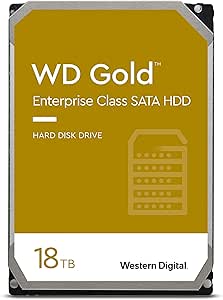 | Best for Enterprise Workloads | Capacity: 18 TB | Interface: SATA 6 Gb/s | Rotational speed: 7200 rpm | VIEW ON AMAZON | See Our Full Breakdown |
| Western Digital 18TB Elements Desktop External Hard Drive |  | Best Plug-and-Play External Backup | Storage capacity: 18 TB | Interface: USB 2.0/3.0 | Data transfer rate: 5 Gbps | VIEW ON AMAZON | See Our Full Breakdown |
| Seagate Exos X18 18TB 7200 RPM Enterprise Hard Drive |  | Best for Unrenewed Enterprise Capacity | Capacity: 18 TB | Form factor: 3.5 inches | Rotation speed: 7200 RPM | VIEW ON AMAZON | See Our Full Breakdown |
| Seagate Exos X20 18TB 7200 RPM 3.5-Inch SATA Enterprise Hard Drive (Renewed) |  | Best Renewed Enterprise Pick | Capacity: 18 TB | Model number: ST18000NM003D | Drive type: Mechanical hard disk | VIEW ON AMAZON | See Our Full Breakdown |
| nas backup drive 18tb | Interface | Form factor | Capacity | Rotational speed |
|---|---|---|---|---|
| Western Digital WD Red Pro 18T | SATA 6 Gb/s | 3.5 inches | 18 TB | 7200 rpm |
| WD My Book 18TB Desktop Extern | USB 3.0; USB 2.0 compatible | 3.5-inch desktop | — | — |
| Western Digital Ultrastar DC H | SATA 6 Gb/s | — | 18 TB | 7200 rpm |
| Western Digital WD Gold 18TB E | SATA 6 Gb/s | 3.5 inches | 18 TB | 7200 rpm |
| Western Digital 18TB Elements | USB 2.0/3.0 | 3.5-inch desktop | — | — |
| Seagate Exos X18 18TB 7200 RPM | — | 3.5 inches | 18 TB | — |
| Seagate Exos X20 18TB 7200 RPM | SATA 6 Gb/s | 3.5 inches | 18 TB | 7200 RPM |
More Details on Our Top Picks
Western Digital WD Red Pro 18TB NAS Internal Hard Drive (WD181KFGX)
For an 18TB NAS backup drive that will stay in a multi-bay enclosure, I’d put the WD Red Pro ahead of the desktop external drives here. Its CMR recording and 7200 rpm speed suit RAID setups and frequent, sustained activity, while its 24/7 workload design fits a NAS that runs around the clock. The supplied transfer rate reaches 285 MB/s, higher than the listed figures for the WD Gold and renewed Ultrastar HC550, though real performance depends on the system and workload. Compared with the WD Gold, this drive is specifically positioned for NAS use rather than broader enterprise storage. The tradeoff is that it is a bare internal SATA drive: I need a compatible NAS or enclosure, and it is not a simple USB backup solution. Its five-year limited warranty is a stronger stated coverage period than the renewed HC550’s 90 days.
Pros:- 18TB capacity for large NAS backup libraries
- CMR recording and NAS-oriented design suit multi-bay RAID use
- Rated for 24/7 high-intensity workloads
- Up to 285 MB/s transfer rate and a five-year limited warranty
Cons:- Requires a compatible NAS or SATA enclosure; it is not a standalone external drive
- NAS-focused design may be unnecessary for occasional desktop backups
Best for: NAS owners building or expanding a multi-bay RAID system that runs continuously and needs an 18TB CMR drive.
Not ideal for: People who want a ready-to-use USB backup drive or do not have a compatible 3.5-inch SATA NAS or enclosure.
- Capacity:18 TB
- Interface:SATA 6 Gb/s
- Recording technology:CMR
- Rotational speed:7200 rpm
- Cache:512 MB
- Transfer rate:Up to 285 MB/s
- Form factor:3.5 inches
- Warranty:5-year limited warranty
Our verdict“Choose the WD Red Pro for an always-on, multi-bay NAS; choose the WD My Book instead if you want external USB storage with less setup.”
WD My Book 18TB Desktop External Hard Drive
The WD My Book is the straightforward pick when an 18TB backup target matters more than a drive installed inside a NAS. It connects by USB 3.0, includes backup and device-management software, and adds 256-bit AES hardware encryption with password protection. That makes it more ready for desktop backup than the WD Red Pro, which needs a NAS or SATA enclosure and is aimed at continuous multi-bay use. The My Book can also connect to USB 2.0 devices, though that compatibility does not make transfers as quick as a suitable USB 3.0 connection. Compared with the simpler WD Elements Desktop, it offers included backup software and encryption, but setup involves downloading and installing software. It also needs its AC adapter, so this is a stationary desktop device, not a compact drive to carry between locations.
Pros:- 18TB capacity in a desktop external drive
- USB 3.0 connection with USB 2.0 compatibility
- 256-bit AES hardware encryption and password protection
- Includes WD backup and device-management software
Cons:- Requires an AC adapter and a fixed desktop setup
- Backup software requires download and installation
- Not an internal NAS drive for direct multi-bay installation
Best for: Desktop PC or Mac owners who want a large, powered USB backup drive with encryption and optional backup software.
Not ideal for: NAS builders who need an internal SATA drive for RAID, or anyone seeking a portable bus-powered backup device.
- Storage capacity:18 TB
- Interface:USB 3.0; USB 2.0 compatible
- Form factor:3.5-inch desktop
- Hardware encryption:256-bit AES
- Compatible devices:Desktop PC, Mac
- Weight:2.8 pounds
- Dimensions:9 × 8 × 3.5 inches
- Included:AC adapter, USB cable, quick start guide, WD Discovery software with WD Backup and WD Security
Our verdict“Choose the My Book for encrypted, software-supported desktop backups; pick the WD Elements if you prefer a simpler plug-and-play external drive.”
Western Digital Ultrastar DC HC550 18TB Enterprise Hard Drive (Renewed)
The renewed Ultrastar HC550 is an internal 18TB CMR enterprise drive for buyers who can verify their hardware and accept more uncertainty about condition and coverage. Its 7200 rpm mechanism, 512 MB cache, and 24×7 rating suit demanding storage systems, while hot-plug support can help with replacement in compatible setups. Against the new WD Red Pro, the HC550 is more enterprise-oriented and its stated sustained transfer rate is lower, at up to 262 MB/s versus the Red Pro’s listed 285 MB/s. The bigger distinction is not speed: it is the renewed condition and 90-day limited warranty, which offer less reassurance than the Red Pro’s five-year coverage. Pin-3 Power Disable can also create a compatibility issue in some systems. I’d choose this only when its specific features fit the build and the shorter coverage is acceptable.
Pros:- 18TB capacity with CMR recording
- Designed for continuous 24×7 operation
- Hot-plug support for compatible systems
- 512 MB cache and up to 262 MB/s sustained transfer rate
Cons:- Renewed condition comes with a 90-day limited warranty
- Pin-3 Power Disable may require a compatible system or workaround
- Requires a compatible 3.5-inch SATA system
Best for: Experienced NAS or server builders who need an 18TB enterprise SATA drive, can check system compatibility, and accept renewed hardware.
Not ideal for: Buyers seeking a new drive, longer stated warranty coverage, or an easy external USB backup device.
- Capacity:18 TB
- Interface:SATA 6 Gb/s
- Rotational speed:7200 rpm
- Recording technology:CMR
- Cache:512 MB
- Sustained transfer rate:Up to 262 MB/s
- Features:Pin-3 Power Disable; hot-plug support
- Condition and warranty:Renewed; 90-day limited warranty
Our verdict“Choose the renewed HC550 only if its enterprise features fit your system and you are comfortable with shorter warranty coverage than the WD Red Pro provides.”
Western Digital WD Gold 18TB Enterprise Internal Hard Drive
The WD Gold is the enterprise-focused choice for a storage system where workload demands and vibration protection matter more than a NAS-specific label. It offers 18TB capacity, 7200 rpm operation, and a helium-sealed design; its stated workload rate reaches 550 TB per year, making it a better fit for demanding systems than a casual single-drive backup setup. The WD Red Pro is the more directly NAS-oriented option, with a stated transfer rate of up to 285 MB/s compared with the Gold’s listed 269 MB/s read speed. The Gold instead emphasizes enterprise workload support and vibration protection. Those benefits may be excessive for a home NAS used for occasional backups, and the supplied data does not specify a warranty. I’d favor it for a compatible server or storage environment, not simply because the capacity is large.
Pros:- 18TB capacity for enterprise storage systems
- Workload rate listed up to 550 TB per year
- Vibration protection for demanding drive environments
- Helium-sealed design and 512 MB cache
Cons:- Enterprise capabilities may be unnecessary for routine home backups
- Requires a compatible 3.5-inch SATA system
- Warranty details are not provided in the supplied product data
Best for: Server and enterprise storage operators who need an 18TB internal drive with vibration protection and a high stated workload rate.
Not ideal for: Home users seeking an uncomplicated external backup drive or a drive selected specifically for a NAS model.
- Capacity:18 TB
- Interface:SATA 6 Gb/s
- Rotational speed:7200 rpm
- Cache:512 MB
- Form factor:3.5 inches
- Workload rate:Up to 550 TB per year
- Read speed:269 MB/s
- Features:Helium-sealed; S.M.A.R.T. support; vibration protection
Our verdict“Choose the WD Gold for a demanding enterprise system; for a NAS-first build, the WD Red Pro is the more specifically targeted option.”
Western Digital 18TB Elements Desktop External Hard Drive
The WD Elements makes sense when I want 18TB of USB storage without NAS installation or extra backup software. Its plug-and-play design is simpler than the WD My Book, which adds bundled backup software and hardware encryption, while both need external power and are intended for desktop use. USB 3.0 provides a straightforward connection, with USB 2.0 compatibility for older devices; the listed 5 Gbps figure describes the interface, not a guaranteed file-copy speed. Unlike the internal WD Red Pro, Elements cannot be installed as a bare drive in a multi-bay NAS. Its broad stated compatibility includes PCs, Macs, laptops, and gaming consoles, but buyers should check the target device’s formatting and capacity support. The plastic enclosure and 2.7-pound weight make this a stationary backup unit rather than a travel drive.
Pros:- 18TB capacity for large desktop backup libraries
- Plug-and-play setup without additional software
- USB 3.0 connection with USB 2.0 compatibility
- Broad stated compatibility with PCs, Macs, laptops, and gaming consoles
Cons:- Requires an external power adapter
- Desktop enclosure is bulky and not suited to frequent travel
- Does not provide the listed encryption and backup software of the WD My Book
Best for: People who want a simple, high-capacity desktop USB backup drive for a compatible PC, Mac, laptop, or gaming console.
Not ideal for: NAS owners needing a bare SATA drive for RAID, or users who need a portable, bus-powered storage device.
- Storage capacity:18 TB
- Interface:USB 2.0/3.0
- Data transfer rate:5 Gbps
- Form factor:3.5-inch desktop
- Read speed:113.5 MB/s
- Compatible devices:PC, Mac, laptop, gaming console
- Enclosure material:Plastic
- Weight:2.7 pounds
Our verdict“Choose WD Elements for simple, software-free desktop backups; choose the WD My Book if hardware encryption and included backup tools matter more.”
Seagate Exos X18 18TB 7200 RPM Enterprise Hard Drive
The Exos X18 is a capacity-first choice for a NAS builder who wants an 18TB enterprise-class internal drive. Its 7200 RPM speed suits storage servers handling frequent access better than a slower archival disk, while the 3.5-inch form factor fits compatible desktop NAS bays. Compared with the renewed Exos X20, the X18 avoids a listed renewed condition, but the supplied details do not specify a seller warranty or connection interface, so check compatibility and coverage before buying. It is also less explicitly NAS-focused than the WD Red Pro 18TB, whose product listing identifies it for NAS use. The X18 makes sense when enterprise-scale capacity is the priority; it is a mechanical drive, not a complete external backup device, and needs a compatible system and a separate backup plan.
Pros:- 18TB capacity provides substantial storage in one drive
- 7200 RPM rotation suits frequently accessed server storage
- Enterprise drive designed for hyperscale cloud scalability
- 3.5-inch form factor fits compatible desktop NAS and server bays
Cons:- Product details do not specify its interface, so NAS compatibility needs verification
- No warranty information is provided in the supplied product data
- Requires a compatible enclosure or NAS and is not a standalone external backup drive
Best for: NAS owners with a compatible 3.5-inch bay who want a high-capacity enterprise drive and prefer a listing that does not identify the drive as renewed.
Not ideal for: Buyers seeking a ready-to-connect desktop backup drive, explicit NAS-specific positioning, or confirmed interface and warranty details.
- Capacity:18 TB
- Form factor:3.5 inches
- Rotation speed:7200 RPM
- Model:ST18000NM00J
- Drive class:Enterprise hard drive
- Product family:Seagate Exos X
Our verdict“Choose the Exos X18 if you need 18TB of enterprise-class internal storage and can verify the interface and warranty for your NAS.”
Seagate Exos X20 18TB 7200 RPM 3.5-Inch SATA Enterprise Hard Drive (Renewed)
The Exos X20 pairs 18TB capacity with a clearly listed SATA 6 Gb/s interface, making compatibility checks more straightforward than with the Exos X18 listing, which does not state its interface. Its 7200 RPM speed and enterprise workload positioning suit a NAS or server that will access stored data regularly. The helium-sealed design and environmental monitoring sensors are additional features, though they do not change the main buying caveat: this unit is renewed, not new. A two-year seller warranty offers a defined coverage period, but it is seller-backed rather than evidence of new condition. Compared with the WD Red Pro 18TB, the X20 is positioned for enterprise and data-center workloads rather than specifically NAS use. Pick it when explicit SATA details and warranty coverage outweigh the preference for a new drive.
Pros:- 18TB capacity for large NAS or server storage pools
- SATA 6 Gb/s interface is specified for compatibility checks
- Enterprise workload design includes environmental monitoring sensors and helium-sealed construction
- Includes a two-year seller warranty
Cons:- Renewed condition may not suit buyers seeking a new drive
- Mechanical storage is less suited to buyers prioritizing solid-state responsiveness
- Enterprise positioning is less explicitly NAS-focused than the WD Red Pro 18TB
Best for: NAS and server owners comfortable buying a renewed drive who want 18TB capacity, a specified SATA interface, and a two-year seller warranty.
Not ideal for: Buyers who require a new drive, want NAS-specific product positioning, or prefer solid-state storage over a mechanical disk.
- Capacity:18 TB
- Model number:ST18000NM003D
- Drive type:Mechanical hard disk
- Interface:SATA 6 Gb/s
- Form factor:3.5 inches
- Rotational speed:7200 RPM
- Warranty:2-year seller warranty
- Condition:Renewed
- Weight:672 g
Our verdict“Choose the renewed Exos X20 if you want a clearly specified SATA enterprise drive and accept renewed condition in exchange for its stated seller warranty.”

How We Picked
I ranked these drives by how directly they fit the search for an 18TB NAS backup drive, then weighed installation type, intended workload, practical usability, and the tradeoffs a buyer must manage. A NAS-rated internal model gets priority for a multi-bay NAS, while enterprise drives earn a place for buyers with workloads that justify that class of hardware. External desktop drives are included for readers who mean an attached USB backup disk, but rank below internal NAS options for in-enclosure use.
I also separated new and renewed listings because condition and seller support affect purchase risk, particularly for a drive expected to hold backup data. The ranking favors a clear role and fewer category mismatches over a spec-sheet contest: an enterprise model is not automatically the best home NAS choice, and a USB desktop drive cannot serve as an internal disk. Buyers should verify their NAS’s compatibility list, drive interface, bay limits, and the exact warranty and return terms before ordering.
| nas backup drive 18tb | Interface |
|---|---|
| Western Digital WD Red Pro 18T | SATA 6 Gb/s |
| WD My Book 18TB Desktop Extern | USB 3.0; USB 2.0 compatible |
| Western Digital Ultrastar DC H | SATA 6 Gb/s |
| Western Digital WD Gold 18TB E | SATA 6 Gb/s |
| Western Digital 18TB Elements | USB 2.0/3.0 |
| Seagate Exos X18 18TB 7200 RPM | — |
| Seagate Exos X20 18TB 7200 RPM | SATA 6 Gb/s |
Factors to Consider When Choosing Nas Backup Drive 18tb
Choosing an 18TB drive starts with defining what “NAS backup” means in your setup. An internal drive installed in a NAS, an external disk connected by USB, and a drive used for a second offline copy solve different problems. These decisions help avoid paying for the wrong form factor or mistaking a large drive for a complete backup strategy.
Internal NAS Drive or USB Desktop Backup?
Start by checking where the drive will live: inside a NAS bay or outside the enclosure, connected to a computer or NAS USB port. Internal models such as the WD Red Pro, WD Gold, and Exos drives use a 3.5-inch SATA connection; the My Book and Elements are complete external USB products instead. A desktop external drive may be useful for a separate copy, but it is not a bare disk you can install in a NAS bay. Some NAS units can manage attached USB storage, though supported features and backup scheduling vary by model. Confirm the device’s supported backup workflow before choosing an external unit. This simple distinction prevents a common buying mistake: ordering a product with the right capacity but the wrong connection and installation method.
Check NAS Compatibility and Bay Limits Before Capacity
Do not assume every 18TB SATA drive will work in every NAS. Check the enclosure manufacturer’s compatibility list, maximum supported drive capacity, bay configuration, and any restrictions on drive models or firmware. A compatibility check matters even when the connector fits, since supported-drive policies and error handling can differ between NAS platforms. Also verify whether your chosen RAID or storage pool can use the drive as intended; mixing capacities or replacing one disk may limit usable space or trigger a rebuild. If the system is older, its capacity ceiling may matter more than the drive’s advertised size. Treat the NAS model number and its current software documentation as part of the shopping checklist.
Plan for Usable Capacity, Redundancy, and Recovery
An 18TB drive does not necessarily provide 18TB of file space after formatting and storage-pool overhead, and redundancy reduces the capacity available for data further. Decide whether the drive will expand a pool, replace a failed disk, or hold a separate copy before estimating how much space you need. RAID can help a NAS remain available after certain drive failures, but it does not protect against accidental deletion, malware, theft, or damage to the whole device. For backup resilience, keep another copy outside the NAS, ideally disconnected or stored elsewhere. Buyers often focus on headline capacity and forget to budget space for future growth and recovery versions. A modest capacity buffer can keep a backup plan useful longer without forcing an early redesign.
Match Drive Class to Workload, Noise, and Location
NAS-focused and enterprise-class drives are built for different workload assumptions, but either can be a poor fit if the enclosure or room does not suit it. Enterprise options such as WD Gold and Seagate Exos may appeal when sustained operation and heavier workloads are priorities; that does not make them automatically preferable for a quiet home office. Rotational vibration, heat, and sound are more noticeable in a multi-drive enclosure and can affect where the NAS should sit. Review the NAS maker’s guidance on drive classes and account for airflow and acoustic tolerance. A backup drive that runs only on a schedule has a different role from disks serving frequent, continuous access. Choose for the actual duty cycle rather than the most imposing product category.
Treat Renewed Status and Warranty as Part of the Spec
Renewed enterprise listings can make higher-end drive families accessible, but the model name alone does not tell you the disk’s operating history or remaining service life. Before buying, inspect the seller’s definition of renewed, the return window, warranty coverage, and how a defective drive is handled. For backup use, run a full health check and a complete data test before trusting the disk with the only copy of anything important. Keep the original backup or source data intact during that process. A new drive may be the calmer choice when predictability and support matter more than access to an enterprise model. With either condition, remember that no single hard drive should be the sole home for irreplaceable files.
Frequently Asked Questions
Can I use a WD My Book or Elements drive inside a NAS?
No. The WD My Book and Elements models listed here are external desktop USB drives, not bare 3.5-inch SATA disks for installation in a NAS bay. You may be able to connect an external drive to a NAS’s USB port for a supported backup task, but that depends on the NAS model and its software. Check whether it can schedule and verify the type of backup you need. If your goal is to add capacity inside the enclosure, choose a compatible internal drive instead.
Is a NAS-rated drive always a better choice than an enterprise drive?
Not always; the right class depends on the NAS, workload, and environment. The WD Red Pro is the most direct NAS-oriented fit in this roundup, while WD Gold and Seagate Exos models may appeal to buyers with heavier-duty requirements. Enterprise positioning alone does not guarantee quieter operation or better compatibility with a particular enclosure. Check the NAS compatibility list and weigh workload expectations against noise, heat, and support. For a home backup pool, the drive that fits the system and duty cycle can be a better choice than a higher-tier label.
Should I buy a renewed Ultrastar HC550 or Exos X20 for backup?
A renewed drive can make sense if the seller provides clear return terms and warranty coverage and you can test it before relying on it. The HC550 and Exos X20 are enterprise models, but renewed status adds questions about prior use and remaining service life that a model name cannot answer. Do not make either one your only copy of important data. Check drive health, run a full surface or data test, and monitor its status in the NAS after installation. If you need predictable support and do not want to evaluate a used or refurbished unit, a new drive may be the safer purchase.
Will one 18TB drive protect my NAS data if the drive fails?
No. A single drive can store a backup, but it cannot provide a second copy of its own contents if it fails. RAID or a mirrored pool can help keep a NAS available after some drive failures, yet it does not replace a separate backup against deletion, malware, or damage to the entire device. Keep another copy on a different device or at another location, and check that files can be restored from it. Plan capacity around both the NAS pool and the separate recovery copy rather than counting one 18TB disk as full protection.
How much usable space will I get from an 18TB drive in my NAS?
The usable amount will be below the advertised capacity after the NAS formats the disk and reserves space for system and storage-pool functions. If the drive joins a RAID or redundant pool, some capacity may be allocated to protection rather than files. The exact result depends on the NAS, filesystem, and pool layout, so use the manufacturer’s capacity calculator or documentation before buying. Also check whether a mixed-capacity pool will restrict how much of the new disk can be used. Leave room for backup versions and growth instead of planning around the full label capacity.
Conclusion
For most buyers installing a drive inside a compatible multi-bay NAS, I recommend the WD Red Pro 18TB as best overall because it is the most direct NAS-focused match in this lineup. The best value depends on the workflow: WD Elements is a straightforward external backup option, while the WD Gold or Exos X18 may fit buyers seeking an enterprise-class internal drive and willing to check noise and compatibility. For a best premium direction, look at WD Gold or Seagate Exos X18 when your workload and NAS support justify enterprise hardware; they are not automatic upgrades for every home setup. The best choice for beginners is WD My Book if the goal is a simple USB-connected backup copy, not an internal NAS disk. For specific needs, consider renewed Ultrastar HC550 or Exos X20 only if their condition, warranty, and return terms are acceptable. Confirm the connection type and NAS compatibility, then keep a second copy of important data outside the drive you choose.