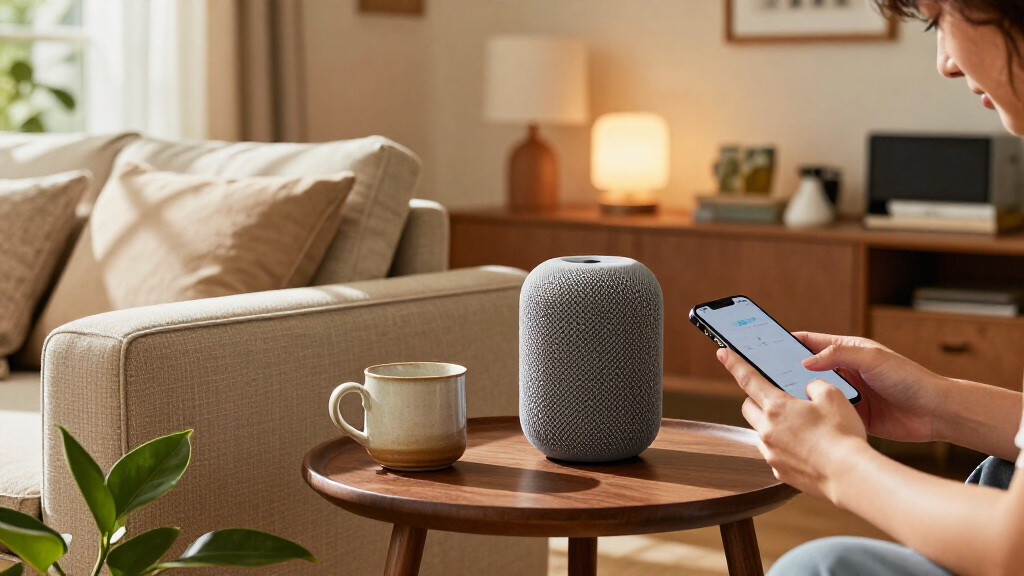

The best Apple Home products make everyday routines easier while working reliably with Apple’s smart-home platform. I rank the Apple HomePod (2nd Generation) as the best overall pick for a central home hub and Siri control, while the Aqara U400 stands out for Apple Home Key access and the TP-Link Tapo P125M for straightforward Matter-based plug control. The main tradeoffs are how much setup a device needs, whether it solves a specific problem, and how well it fits your existing home. A smart plug is an easy starting point, while a lock or garage controller calls for closer compatibility checks. Read on for the full breakdown and help matching each product to your needs.

Get the latest gadgets delivered free with Prime
- Fast, free delivery on millions of items
- Prime Video, Amazon Music and more included
- Member-only deals all year
Complete the kit



Key Takeaways
- HomePod is the most versatile anchor: It combines Siri access, audio, and a role in Apple Home, while most other picks solve a narrower task.
- Matter plugs offer the easiest entry point: The Tapo P125M and Linkind four-pack provide simple ways to add control to existing appliances, but buyers should check hub and platform setup before choosing.
- Specialized devices need more planning: The Aqara U400, Meross garage controller, and Eve Aqua target specific routines and may call for extra compatibility or installation checks.
- Lighting choices depend on the fixture: Linkind bulbs are suited to bulb-level control; the Kasa KS200P3 is a better fit when a wall switch should control existing lights.
- Two HomePod listings serve the same core role: The Midnight and White versions are primarily a finish choice, so buyers should compare appearance and listing details rather than expect different home-control capabilities.
| Meross Smart Garage Door Opener Remote (MSG100HK) |  | Best for Smart Garage Access | Supported devices: 1 | Connectivity: 2.4 GHz Wi-Fi | Smart home compatibility: Apple HomeKit, Amazon Alexa, SmartThings, Google Home | VIEW LATEST PRICE | See Our Full Breakdown |
| Linkind Matter Smart Plug with Night Light, 4-Pack |  | Best Value Multipack with Night Lights | Pack size: 4 | Connectivity: 2.4 GHz Wi-Fi; IPv6 network required | Smart home compatibility: Apple Home, Alexa, Google Home, SmartThings | VIEW LATEST PRICE | See Our Full Breakdown |
| Kasa KS200P3 Apple HomeKit Smart Light Switch, Single Pole |  | Best for Replacing a Standard Wall Switch | Model: KS200P3 | Switch type: Single pole, one-way | Input voltage: 100–120 VAC, 50/60 Hz | VIEW LATEST PRICE | See Our Full Breakdown |
| Kasa EP40A Outdoor Smart Plug with Apple HomeKit, 2 Outlets |  | Best Outdoor Pick | Model: EP40A | Outlets: 2 independently controlled AC outlets | Maximum load per outlet: 15 A / 1875 W | VIEW LATEST PRICE | See Our Full Breakdown |
| Aqara U400 UWB Smart Lock with Apple Home Key and Fingerprint Deadbolt |  | Best Premium Apple Home Lock | Model: U400 (DL-D06E) | Connectivity: Matter over Thread | Unlock methods: UWB, Apple Home Key, fingerprint, passcode, voice assistant, app, NFC card (sold separately), physical key | VIEW LATEST PRICE | See Our Full Breakdown |
| Linkind Matter Smart Plug, 4-Pack |  | Best Value for Multi-Platform Setups | Pack count: 4 plugs | Connectivity: Matter, 2.4 GHz Wi-Fi | Network requirement: IPv6 | VIEW LATEST PRICE | See Our Full Breakdown |
| Apple HomePod (2nd Generation) Smart Speaker with Siri – Midnight |  | Best Premium Apple Home Hub and Speaker | Model number: MDEW4LL/A | Color: Midnight | Mounting type: Tabletop | VIEW LATEST PRICE | See Our Full Breakdown |
| Linkind Matter Smart LED Bulbs, A19 E26, 6-Pack |  | Best for Colorful Whole-Room Lighting | Pack size: 6 bulbs | Bulb type and shape: LED, A19 | Base: E26 | VIEW LATEST PRICE | See Our Full Breakdown |
| QUICKHORSE Rechargeable Wallet Tracker Card with Apple Find My |  | Best Slim Wallet Tracker for iPhone Owners | Compatibility: iPhone with iOS 14.5 or later; no Android support | Thickness: 1.7 mm | Connectivity: Bluetooth | VIEW LATEST PRICE | See Our Full Breakdown |
| Eve Aqua Smart Water Controller for Apple Home, 2-Pack |  | Best for Automated Garden Watering | Pack quantity: 2 controllers | Connectivity: Bluetooth, Thread | Control options: Eve app, Siri, onboard button | VIEW LATEST PRICE | See Our Full Breakdown |
| TP-Link Tapo P125M Matter Smart Plug Mini, 15A/1800W, 3-Pack |  | Best Apple Home Smart Plug Value | Model: Tapo P125M | Pack size: 3 plugs | Maximum load: 15 A / 1800 W | VIEW LATEST PRICE | See Our Full Breakdown |
| Apple HomePod (2nd Generation, 2023) – White |  | Best Premium Apple Home Hub Speaker | Generation: 2nd Generation (2023) | Color: White | Woofer: 4-inch high-excursion woofer | VIEW LATEST PRICE | See Our Full Breakdown |
| Apple Home product | Connectivity |
|---|---|
| Meross Smart Garage Door Opene | 2.4 GHz Wi-Fi |
| Linkind Matter Smart Plug with | 2.4 GHz Wi-Fi; IPv6 network required |
| Kasa KS200P3 Apple HomeKit Sma | 2.4 GHz Wi-Fi |
| Kasa EP40A Outdoor Smart Plug | 2.4 GHz Wi-Fi; 802.11 b/g/n |
| Aqara U400 UWB Smart Lock with | Matter over Thread |
| Linkind Matter Smart Plug | Matter, 2.4 GHz Wi-Fi |
| Apple HomePod | — |
| Linkind Matter Smart LED Bulbs | Matter, 2.4 GHz Wi-Fi |
| QUICKHORSE Rechargeable Wallet | Bluetooth |
| Eve Aqua Smart Water Controlle | Bluetooth, Thread |
| TP-Link Tapo P125M Matter Smar | Matter, Wi-Fi, Bluetooth |
| Apple HomePod | AirPlay, Bluetooth 5.0, Wi-Fi 4, Thread, Matter |
More Details on Our Top Picks
Meross Smart Garage Door Opener Remote (MSG100HK)
The Meross MSG100HK adds Apple Home control to a garage door you already own, so there is no need to replace the opener or give up the existing wall button and remote. Its status sensor helps you check whether the door is open, while auto-close scheduling can handle the common worry of leaving it open by mistake. Compared with the Kasa EP40A Outdoor Smart Plug, which automates powered outdoor devices, Meross is purpose-built for a garage door and reports its open-or-closed state. The tradeoff is compatibility: it supports just one opener, runs on 2.4 GHz Wi-Fi, and some opener models need an extra adapter. I’d choose it for practical garage automation, not as a broad smart-home controller.
Pros:- Adds Apple Home and voice control to a compatible existing garage door opener
- Status sensor provides real-time open-or-closed monitoring
- Auto-close scheduling can reduce the chance of leaving the door open
- Existing wall button and remote remain functional
Cons:- Controls only one garage door opener
- Requires a 2.4 GHz Wi-Fi network
- Some opener models may need an additional adapter
Best for: Apple Home households that want to check and control one compatible existing garage door without replacing its opener
Not ideal for: Homes with multiple garage doors to automate or opener models that need an adapter the buyer does not want to source
- Supported devices:1
- Connectivity:2.4 GHz Wi-Fi
- Smart home compatibility:Apple HomeKit, Amazon Alexa, SmartThings, Google Home
- Control:App and voice control
- Maximum range:200 meters
- Dimensions:3 × 2 × 1 inches
- Weight:311 g
Our verdict“Choose the Meross MSG100HK if you want Apple Home monitoring and control for one compatible garage door while keeping its existing controls.”
Linkind Matter Smart Plug with Night Light, 4-Pack
This four-pack pairs Matter smart outlets with adjustable night lights, making it a distinctive pick for hallways, bedrooms, or several rooms at once. The lights offer dusk-to-dawn sensing and adjustable brightness, while the outlets add scheduling and remote control for compatible devices. Compared with the TP-Link Tapo P125M Matter Smart Plug Mini, Linkind gives up some outlet-only simplicity in exchange for built-in ambient lighting; the Tapo is the cleaner fit when the goal is just to automate appliances. For Apple Home control, Linkind requires a Matter-certified controller, though its AiDot app supports hub-free control. It also relies on 2.4 GHz Wi-Fi and an IPv6 network, so buyers should check their home setup before choosing this multipurpose pack.
Pros:- Combines a controllable outlet and adjustable night light in each plug
- Four plugs support automation across multiple rooms
- Dusk-to-dawn sensing and schedules support hands-off lighting
- Supports up to 15 A and 1800 W
Cons:- Apple Home and other smart platform control require a Matter-certified controller
- Requires 2.4 GHz Wi-Fi and an IPv6 network
- Night-light feature adds little value for buyers who only want outlet automation
Best for: Apple Home users with a Matter controller who want to automate several outlets and add low-level night lighting in multiple rooms
Not ideal for: Buyers without a Matter-certified controller who want direct Apple Home integration, or shoppers who only need basic smart outlets
- Pack size:4
- Connectivity:2.4 GHz Wi-Fi; IPv6 network required
- Smart home compatibility:Apple Home, Alexa, Google Home, SmartThings
- Hub requirement:Matter-certified controller for smart home platforms; AiDot app supports hub-free control
- Maximum load:15 A / 1800 W at 120 V
- Night light:30 lm; adjustable from 1–100%
- Night-light operation:Dusk-to-dawn sensing
- Plug type:Type B
- Certifications:FCC, ETL
Our verdict“Pick this Linkind four-pack if you already have a Matter controller and want outlet automation plus night lighting across several rooms.”
Kasa KS200P3 Apple HomeKit Smart Light Switch, Single Pole
The Kasa KS200P3 is a practical Apple Home choice for controlling a hardwired light from the wall, an app, or Siri. Since it replaces a standard single-pole switch, it can automate a ceiling light or fixture without relying on smart bulbs that someone might turn off at the switch. It also works with Alexa and Google Assistant, and needs no hub. Compared with the Linkind Matter Smart Plug with Night Light, the Kasa handles built-in lighting circuits rather than plug-in lamps, but installation is more involved: a neutral wire is required. HomeKit remote control also depends on a networked Apple device at home. I’d favor this switch for a compatible wiring setup and permanent light control; renters and homes without a neutral wire should look at plug-in options instead.
Pros:- Works with Apple HomeKit, Siri, Alexa, and Google Assistant
- No hub required
- Supports remote control, schedules, timers, and Away Mode
- App-guided installation can help with setup
Cons:- Requires a neutral wire in the switch box
- Designed for single-pole, one-way circuits rather than multi-way control
- HomeKit remote control requires a networked Apple device at home
Best for: Homeowners with a neutral wire who want to put a standard single-pole light circuit into Apple Home without adding a hub
Not ideal for: Renters, homes without a neutral wire, or buyers who need to control a three-way lighting circuit
- Model:KS200P3
- Switch type:Single pole, one-way
- Input voltage:100–120 VAC, 50/60 Hz
- Connectivity:2.4 GHz Wi-Fi
- Neutral wire:Required
- Compatible assistants:Apple HomeKit, Amazon Alexa, Google Assistant
- Hub required:No
- Dimensions:5.04 × 3.33 × 1.41 inches
- Certification:UL
Our verdict“Choose the Kasa KS200P3 for a permanent Apple Home light switch if your wiring has a neutral wire and the circuit is single-pole.”
Kasa EP40A Outdoor Smart Plug with Apple HomeKit, 2 Outlets
For outdoor lighting or other plug-in equipment, the Kasa EP40A brings two independently controlled outlets into Apple Home. That separation matters when, for example, you want patio lights and another device on different schedules instead of switching both together. Its IP64 weather resistance suits outdoor use, and it also supports Siri, Alexa, and Google Assistant. Compared with the Linkind Matter Smart Plug with Night Light, the EP40A is built around outdoor power and independent outlet control rather than indoor ambient lighting. It is still a Wi-Fi device, not a replacement for a weatherproof installation: it requires 2.4 GHz Wi-Fi, and HomeKit remote access needs a networked Apple device at home. I’d choose it for managed outdoor plug-in loads, not permanent wiring or devices exposed beyond its rated conditions.
Pros:- Two outlets can be controlled and scheduled independently
- IP64 weather resistance supports outdoor use
- Works with Apple HomeKit, Siri, Alexa, and Google Assistant
- Supports remote control, grouping, and schedules
Cons:- Connects over 2.4 GHz Wi-Fi only
- HomeKit remote control requires a networked Apple device at home
- Each outlet is limited to a maximum load of 15 A / 1875 W
Best for: Apple Home users who want to schedule two separate outdoor plug-in devices, such as garden and patio lighting
Not ideal for: Buyers who need a hardwired outdoor control, 5 GHz connectivity, or remote HomeKit access without a networked Apple device at home
- Model:EP40A
- Outlets:2 independently controlled AC outlets
- Maximum load per outlet:15 A / 1875 W
- Voltage:125 V AC
- Connectivity:2.4 GHz Wi-Fi; 802.11 b/g/n
- Weather resistance:IP64
- Voice assistants:Siri, Alexa, Google Assistant
- Plug type:Type A
- Certification:ETL
Our verdict“Choose the Kasa EP40A if you want Apple Home schedules and separate control for two outdoor plug-in devices.”
Aqara U400 UWB Smart Lock with Apple Home Key and Fingerprint Deadbolt
The Aqara U400 stands out for offering several ways to enter: UWB hands-free unlocking, Apple Home Key, fingerprint, passcode, app, voice assistant, and a physical key. That flexibility can suit a household where residents and guests need different access methods. Its Matter over Thread connection and BHMA certification also give it a broader smart-home foundation than the plug-in and lighting controls in this roundup. Compared with the Meross MSG100HK, which adds remote access to an existing garage opener, the U400 replaces a front-door deadbolt and makes access itself the automation. The tradeoff is a more demanding setup: UWB needs compatible Apple devices and a Thread-enabled Apple Home hub, while other supported ecosystems also require Thread-capable Matter controllers. The NFC card is sold separately, and charging is part of ownership.
Pros:- Offers UWB, Apple Home Key, fingerprint, passcode, app, voice, and physical-key access
- Matter over Thread supports compatible smart home platforms
- Removable rechargeable battery is rated for up to six months per charge
- BHMA-certified and IP65-rated
Cons:- UWB unlocking requires compatible Apple devices and a Thread-enabled Apple Home hub
- Supported smart home ecosystems require Thread-enabled Matter controllers
- NFC card is sold separately and the rechargeable battery needs periodic charging
Best for: Apple Home households seeking multiple keyless entry methods, especially those with compatible Apple devices and a Thread-enabled Home hub
Not ideal for: Buyers who want a simple retrofit with minimal ecosystem requirements, or those unwilling to manage a rechargeable lock battery
- Model:U400 (DL-D06E)
- Connectivity:Matter over Thread
- Unlock methods:UWB, Apple Home Key, fingerprint, passcode, voice assistant, app, NFC card (sold separately), physical key
- Battery:Removable rechargeable lithium battery; up to 6 months per charge
- Certification:BHMA-certified
- Ingress protection:IP65
- Color:Black
- Included components:Outer panel, inner panel, deadbolt, installation diagram, user manual, strike plate kit, mounting plate, adapter ring, mechanical key, mounting plate screw kit
Our verdict“Choose the Aqara U400 if you want a feature-rich Apple Home deadbolt and already have the compatible Thread and Apple hardware its advanced access features require.”
Linkind Matter Smart Plug, 4-Pack
I’d choose this four-pack when the goal is to add several simple on/off controls across an Apple Home setup without locking the plugs to one ecosystem. Matter support also makes it more flexible than an Apple-only accessory, while local LAN control can keep supported commands working during an internet outage. Scheduling, timers, and voice control cover everyday uses such as lamps and small appliances; the 1800 W, 15 A limit gives a clear ceiling for what to connect.
Compared with the TP-Link Tapo P125M three-pack elsewhere in this roundup, Linkind supplies one more plug, though both need a compatible network setup. The tradeoff is that many platforms require a Matter-compatible hub, and this model only uses 2.4 GHz Wi-Fi with IPv6. I’d skip it if the home network does not meet those requirements or if you need outdoor control.
Pros:- Matter support works across several major smart home platforms.
- Schedules, timers, voice commands, and remote access cover common automation needs.
- Local LAN control can maintain operation when internet access is unavailable.
- Compact design includes short-circuit and overload protection.
Cons:- Most supported platforms require a Matter-compatible hub.
- Requires 2.4 GHz Wi-Fi and IPv6.
- Indoor use only; not suited to garden or patio equipment.
Best for: Apple Home households that want to automate several indoor lamps or other suitable plug-in devices and may also use Alexa, Google Home, or SmartThings.
Not ideal for: Buyers without a compatible Matter hub where required, a 2.4 GHz Wi-Fi network with IPv6, or anyone seeking an outdoor-rated plug.
- Pack count:4 plugs
- Connectivity:Matter, 2.4 GHz Wi-Fi
- Network requirement:IPv6
- Maximum power:1800 W
- Amperage:15 A
- Plug type:Type A
- Certifications:FCC, ETL
Our verdict“Choose this four-pack for flexible indoor Apple Home automations across multiple platforms, provided your network and hub meet its requirements.”
Apple HomePod (2nd Generation) Smart Speaker with Siri – Midnight
I’d place the HomePod at the center of an Apple Home setup when sound quality and voice control matter as much as smart-device access. Its 4-inch woofer and five beamforming tweeters set it apart from the more utility-focused Linkind smart plug and bulbs: this is both a room-filling speaker and a way to reach Siri for everyday home commands. Matter and Thread support also let it contribute to a broader compatible smart-home setup, while room sensing adjusts audio to its surroundings.
Two HomePods can form a stereo pair, a more audio-focused option than using a single speaker for household commands. The tradeoff is that this premium tabletop device is a larger commitment than adding a plug or bulb, and the listed 90-day limited warranty is short. I’d skip it if the priority is low-cost automation rather than music and Siri access.
Pros:- 4-inch woofer and five beamforming tweeters support immersive audio.
- Room sensing adjusts sound to the speaker’s placement.
- Built-in Siri gives voice access to Apple Home controls.
- Matter and Thread support, plus stereo pairing and whole-home audio options.
Cons:- The listed limited warranty is 90 days.
- Tabletop design is less suited to buyers seeking a portable or battery-powered speaker.
- More speaker capability than needed for buyers who only want simple smart-home control.
Best for: Apple households seeking a high-quality shared-room speaker that also provides Siri control and Matter and Thread smart-home support.
Not ideal for: Buyers who only need basic device automation, want a portable speaker, or prefer a longer listed warranty.
- Model number:MDEW4LL/A
- Color:Midnight
- Mounting type:Tabletop
- Microphones:4
- Maximum output power:38 watts
- Audio hardware:4-inch woofer and five beamforming tweeters
- Smart-home connectivity:Matter and Thread
- Warranty:Limited, 90 days
Our verdict“Pick the HomePod if premium audio and Siri-led Apple Home control are both priorities, not if you only need inexpensive automation.”
Linkind Matter Smart LED Bulbs, A19 E26, 6-Pack
This six-pack is the lighting pick for buyers who want scenes and color changes across several fixtures, not just remote on/off control. Matter compatibility brings the bulbs into Apple Home while also supporting Alexa and Google Home, and the 16 million color options and 104 preset scenes allow more variety than a basic smart plug such as the Linkind Matter Smart Plug, 4-Pack. At up to 800 lumens per bulb, they’re intended to replace standard 60-watt-equivalent bulbs rather than serve as high-output task lighting.
The 9-watt draw and 25,000-hour rated life support everyday use, while music synchronization adds an entertainment feature. The tradeoffs are practical: these bulbs need 2.4 GHz Wi-Fi, and they’re generally incompatible with traditional dimmer switches. I’d skip them if existing wall dimmers must stay in control or if you need outdoor lighting.
Pros:- Six bulbs provide color and smart control across several fixtures.
- Matter supports Apple Home alongside Alexa and Google Home.
- 16 million colors, 104 scenes, and music synchronization expand lighting options.
- Uses 9 watts, produces up to 800 lumens, and has a 25,000-hour rated life.
Cons:- Requires a 2.4 GHz Wi-Fi network.
- Generally incompatible with traditional dimmer switches.
- Indoor-use bulbs are not specified for outdoor fixtures.
Best for: Apple Home users updating multiple indoor E26 fixtures who want adjustable colors, lighting scenes, and voice or app control.
Not ideal for: Households with traditional dimmer switches they plan to keep using, or buyers who need outdoor-rated bulbs or brighter task lighting.
- Pack size:6 bulbs
- Bulb type and shape:LED, A19
- Base:E26
- Power:9 watts
- Light output:Up to 800 lumens
- Incandescent equivalent:60 watts
- Connectivity:Matter, 2.4 GHz Wi-Fi
- Color and scenes:16 million colors, 104 preset scenes
Our verdict“Choose this set to add colorful, scene-based Apple Home lighting across several indoor fixtures, as long as you do not rely on traditional dimmer switches.”
QUICKHORSE Rechargeable Wallet Tracker Card with Apple Find My
Unlike the home-control devices elsewhere in this roundup, this tracker earns its place through Apple’s Find My network: it helps iPhone owners locate a wallet rather than automate a room. Its 1.7 mm card shape fits more naturally in a wallet than a conventional tag, and the rechargeable battery lasts up to 120 days per charge. The 80 dB audible alarm can help when the wallet is nearby, while IP68 protection adds resistance to water and dust.
Compared with the Linkind Matter Smart Plug, 4-Pack, this is a personal-item accessory with no Matter or Apple Home device-control role. Its main limitation is platform lock-in: it needs an iPhone running iOS 14.5 or later and has no Android support. Qi charging is convenient only if you already have a compatible charger, and RFID-blocking wallets may interfere unless the card sits in an outer pocket.
Pros:- Works with Apple Find My on compatible iPhones.
- Thin 1.7 mm card format fits a wallet.
- Rechargeable battery lasts up to 120 days.
- IP68 rating and an audible alarm up to 80 dB.
Cons:- Does not support Android.
- Qi wireless charger is not included.
- RFID-blocking wallets may interfere unless the card is placed in an outer pocket.
Best for: iPhone owners who want a rechargeable, thin tracker card for a wallet and already use Apple Find My.
Not ideal for: Android users, buyers seeking an Apple Home automation accessory, or people whose RFID-blocking wallet cannot accommodate the card in an outer pocket.
- Compatibility:iPhone with iOS 14.5 or later; no Android support
- Thickness:1.7 mm
- Connectivity:Bluetooth
- Battery life:Up to 120 days
- Charging:Qi wireless charging; charger not included
- Audible alarm:Up to 80 dB
- Water and dust resistance:IP68
- Warranty:2 years
Our verdict“Choose this tracker for a slim, rechargeable wallet locator if you use an iPhone and Apple Find My rather than seeking a smart-home controller.”
Eve Aqua Smart Water Controller for Apple Home, 2-Pack
The Eve Aqua pair is the most specialized Apple Home pick here: it automates outdoor watering instead of controlling indoor lights or appliances. Schedules run independently of an iPhone and home network, so programmed watering can continue without relying on someone opening an app each time. Siri, the Eve app, and an onboard button offer different ways to control each unit, while auto shut-off and water-consumption tracking add useful oversight for garden routines.
Compared with the indoor-focused Linkind Matter Smart Plug, 4-Pack, these controllers are built around compatible hose systems and outdoor use, with weather and UV resistance. They connect through Bluetooth and Thread without a bridge. The compromise is narrower fit: they suit hose-based irrigation, not every garden setup, and use four AA batteries per controller. I’d skip them if you do not have compatible hose connections or do not need scheduled watering.
Pros:- Watering schedules work independently of the iPhone and home network.
- Control through the Eve app, Siri, or the onboard button.
- Auto shut-off and water-consumption tracking support more controlled watering.
- Weatherproof, UV-resistant design and Bluetooth and Thread connectivity without a bridge.
Cons:- Each controller runs on four AA batteries.
- Requires an iPhone or iPad with the latest iOS or iPadOS.
- Compatibility depends on suitable hose systems and connectors.
Best for: Apple Home gardeners with compatible hose-based sprinklers or irrigation who want recurring schedules, Siri control, and water-use tracking.
Not ideal for: Buyers without compatible hose systems, those seeking a general-purpose smart valve, or anyone who prefers a mains-powered controller.
- Pack quantity:2 controllers
- Connectivity:Bluetooth, Thread
- Control options:Eve app, Siri, onboard button
- Watering schedules:Up to 7 watering periods
- Power source:4 AA batteries per controller
- Weather resistance:Weatherproof and UV resistant
- Compatibility:Popular hose systems and multi-channel distributors, including Gardena and Kärcher
- Included components:2 controllers, 4 AA batteries, 2 hose connectors, quick start guide
Our verdict“Choose this two-pack if you have compatible garden hoses and want scheduled, Apple Home-controlled watering that does not depend on your phone being present.”
TP-Link Tapo P125M Matter Smart Plug Mini, 15A/1800W, 3-Pack
I’d choose the Tapo P125M three-pack for adding straightforward on/off control to several lamps or small appliances without committing to a single smart home platform. Its Matter support lets it work with Apple Home alongside Alexa, Google Home, and SmartThings, giving it broader platform flexibility than a device tied to one ecosystem. The compact shape is useful when two outlets share a wall plate, while scheduling and timers cover everyday routines such as switching lights on at dusk.
Compared with the Linkind Matter Smart Plug, 4-Pack, this set includes one fewer plug, so it suits a smaller rollout rather than outfitting every room at once. It also needs 2.4 GHz Wi-Fi and is limited to 15 A and 1800 W; I wouldn’t use it for loads beyond that rating. Bluetooth onboarding may simplify setup, but it doesn’t remove the Wi-Fi requirement.
Pros:- Matter compatibility supports Apple Home and several other major smart home platforms.
- Compact design helps preserve access to a neighboring outlet.
- App, voice, scheduling, and timer controls support flexible routines.
- UL-certified flame-retardant design and a 2-year limited warranty.
Cons:- Requires a 2.4 GHz Wi-Fi network.
- 15 A and 1800 W maximum limits which devices it can control.
- Three plugs may be insufficient for buyers automating multiple rooms.
Best for: Apple Home households that want to automate a few lamps or other compatible devices while keeping the option to use Alexa, Google Home, or SmartThings.
Not ideal for: Buyers outfitting many outlets at once, homes without 2.4 GHz Wi-Fi, or anyone needing a smart plug for a load above 15 A or 1800 W.
- Model:Tapo P125M
- Pack size:3 plugs
- Maximum load:15 A / 1800 W
- Operating voltage:120 V AC
- Connectivity:Matter, Wi-Fi, Bluetooth
- Wi-Fi band:2.4 GHz
- Compatible platforms:Apple Home, Amazon Alexa, Google Home, Samsung SmartThings
- Warranty:2-year limited warranty
Our verdict“Choose this three-pack for a compact, cross-platform way to bring a handful of compatible lamps and appliances into Apple Home.”
Apple HomePod (2nd Generation, 2023) – White
I’d put the second-generation HomePod near the center of an Apple Home setup when music quality and voice control matter as much as device automation. Its 4-inch high-excursion woofer and five beamforming tweeters are built for fuller, room-filling sound than a plug-in accessory like the Tapo P125M, while room sensing adjusts audio to its placement. Siri can handle compatible smart home commands as well as music, reminders, and messages, making the speaker useful beyond playback.
Thread and Matter support add smart-home connectivity, and a second HomePod can create a stereo pair. That makes this a more capable centerpiece than a basic control accessory, but it is also a larger, 6.4-pound tabletop device. Some features require a compatible Apple device, and its 90-day limited warranty is short compared with the Tapo plug’s two-year coverage. I’d skip it if compact, low-commitment automation is the main goal.
Pros:- Dedicated woofer and five beamforming tweeters deliver room-filling audio.
- Room sensing adjusts sound according to speaker placement.
- Siri handles compatible smart home commands, music, reminders, and messages.
- Thread and Matter support, with the option to pair two HomePods for stereo sound.
Cons:- Some features require a compatible Apple device.
- At 6.4 pounds and tabletop-only, it takes more space than small smart home accessories.
- The 90-day limited warranty is shorter than the Tapo P125M’s 2-year warranty.
Best for: Apple households seeking a substantial music speaker that can also provide Siri voice control and support Matter- and Thread-connected home devices.
Not ideal for: Shoppers who mainly need inexpensive outlet automation, want a compact speaker, or don’t use compatible Apple devices for features that require them.
- Generation:2nd Generation (2023)
- Color:White
- Woofer:4-inch high-excursion woofer
- Tweeters:Five beamforming tweeters
- Connectivity:AirPlay, Bluetooth 5.0, Wi-Fi 4, Thread, Matter
- Dimensions:5.6 × 5.6 × 6.6 inches
- Weight:6.4 pounds
- Mounting type:Tabletop
- Warranty:90-day limited warranty
Our verdict“Pick the HomePod if you want a premium-sounding Apple Home speaker with Siri and smart home connectivity, rather than a low-cost automation accessory.”
How We Picked
I ranked these products by how well each fills a clear role in an Apple Home setup, giving more weight to everyday usefulness, ease of setup, and the likelihood that a buyer can use the product without rebuilding a room or routine around it. I also weighed the breadth of its function: a HomePod can serve several household needs, while a tracker card or irrigation controller has a narrower purpose. Compatibility claims, Matter support, installation demands, and the clarity of the product’s use case all shaped the order.
The ranking favors useful starting points and capable household anchors before specialized add-ons. A product did not rank highly just for offering a distinctive feature: buyers also need to weigh setup, whether a hub or neutral wire may be needed, outdoor or fixture requirements, and overlap with devices they already own. The two HomePod entries appear separately because they are separate listed products, but their shared function means color alone does not make one a more capable Apple Home choice.
Factors to Consider When Choosing Best Apple Home Products
Before choosing a device, I’d start with the job you want Apple Home to handle and the conditions in your home. These checks can prevent buying a compatible product that still needs extra hardware, a wiring change, or a different kind of control.
Check the exact Apple Home and Matter setup
Compatibility is not always as simple as seeing a familiar platform name on the box. Check whether the device connects directly to Apple Home, uses Matter, or relies on a manufacturer app for setup and extra functions. Matter can make a device easier to use across ecosystems, but it does not mean every feature appears in Apple Home. Confirm whether your home needs a compatible controller or border router for the specific device and feature set. Avoid assuming a Matter label removes all network or hub requirements. If you share control with family members, check that everyone can access the device through the home configuration you plan to use.
Match the control method to the thing being controlled
Smart bulbs and smart switches solve different problems, even when both control lights. Bulbs are useful when you want app-based control or scenes at the individual lamp, but someone using a physical switch can cut power to a smart bulb. A smart wall switch preserves familiar wall control, though installation may depend on the wiring and switch type in the home. The same principle applies elsewhere: a smart plug controls power to a compatible appliance, but it cannot add features that appliance does not have. Before buying, decide whether household members should control the device at a switch, by voice, or through automations. Matching the control point to daily habits can matter more than adding extra smart features.
Plan for installation and the location
A plug-in accessory usually asks less of a home than a wired switch, smart lock, or garage controller. Check the installation requirements before ordering: switch wiring, lock dimensions, door compatibility, and garage opener details can all affect whether a device fits. For outdoor products, look at the intended exposure and placement rather than assuming any outdoor-rated accessory can sit anywhere. Water controllers also depend on the irrigation connection and how the garden is laid out. Measure and verify the specific setup instead of relying on a product’s general category. A few minutes spent checking fit can prevent an otherwise capable device from becoming a return or an unfinished project.
Choose between a home hub and individual accessories
If you are building a new setup, an Apple Home hub can provide a central point for voice control and household routines, while accessories add control room by room. A hub is a broader purchase, but it will not automatically make every device compatible or remove the need for product-specific setup. If you already have a suitable home setup, a plug or bulb may offer a more direct improvement than another speaker. Think about the routines you actually want, such as turning lights on at a set time or checking a door, before adding devices. Buying several accessories without a clear control plan can leave you with disconnected functions rather than a more convenient home. Start with one routine, then expand when you know what is missing.
Compare value by coverage and everyday use
Multipacks can be a practical way to outfit several rooms, but the right count depends on how many outlets or fixtures you will use soon. Unused extras do not make a kit a better fit, and a single device may be the smarter choice when you are testing a setup. Check the electrical limits and intended use of plugs before connecting appliances, especially where equipment draws substantial power. Consider whether a device’s specialized feature will be used often enough to justify the added setup and maintenance. For a narrow task, such as tracking a wallet or controlling a watering schedule, match the purchase to that specific need rather than expecting it to improve the whole home. A useful purchase is one that fits both the job and the number of locations you plan to control.
Think about household habits and fallback control
Smart-home convenience depends on everyone being able to use the home when a phone is unavailable or a network is down. Physical controls can be important for lights, while locks and garage devices need clear fallback access suited to the household. Consider who needs entry, whether guests or family members need access, and how you will manage permissions. For trackers, remember that finding an item depends on the product’s supported network and its place in your routine. Automations should also make sense when schedules change or a device is offline. Choosing products with a workable manual option can make a smart setup more dependable for daily life.
Frequently Asked Questions
Do I need a HomePod to use these Apple Home products?
No single speaker is required for every Apple Home accessory, but some functions and remote control can depend on a compatible home hub. Check the requirements for the exact device and feature you want before buying. Matter compatibility does not automatically mean that no controller or network hardware is needed. If you already have Apple Home equipment, confirm whether it can provide the required role. For a small setup focused on local control, you may be able to start with an accessory and add a hub only when your needs call for one.
Should I choose the Tapo or Linkind smart plugs?
Choose based on the number of outlets you need, the specific plug’s Apple Home setup, and the devices you plan to control. The Tapo P125M is listed as a three-pack with a 15A/1800W rating, while the Linkind options come in four-packs and include a separate version with a night light. Compare the electrical rating on the exact model against the appliance requirements, and do not assume every plug has identical features. If you are new to smart-home control, buying only the number you can use is a sensible way to learn how the setup fits your routines. Confirm Matter and Apple Home requirements before choosing between packs.
Are smart bulbs or a smart switch better for Apple Home lighting?
Smart bulbs are a better match when you want to control individual bulbs or create lighting scenes without changing a wall switch. A smart switch makes more sense when you want the existing wall control to remain the main way people operate the lights. Think about what happens when someone turns off a physical switch: a smart bulb may lose power and become unavailable until it is turned on again. A wired switch can involve installation requirements that a bulb avoids. Choose the control method that suits the people using the room, not just the number of features listed.
What should I check before buying the Aqara U400 or Meross garage controller?
These products control access, so compatibility and fallback use deserve more attention than they do for a basic plug. For the lock, check your door’s dimensions, deadbolt configuration, and the access methods that matter to your household. For the garage opener, verify the opener and door setup against the controller’s supported installation requirements. Consider what happens if a phone, network, or smart-home service is unavailable, and make sure household members know the manual method. If the fit or wiring is unclear, check the product documentation or ask a qualified installer before purchase.
Are the two Apple HomePod listings different products?
Both entries identify the Apple HomePod (2nd Generation), with Midnight and White finishes listed separately. The information provided points to a color distinction rather than a different home-control role. Compare the product listings for the exact included accessories, condition, and model details before choosing. If your decision is based on Apple Home capability, the finish should not outweigh the shared function described for these models. Choose the appearance that fits your room and verify the listing matches the second-generation HomePod you intend to buy.
Conclusion
For the broadest mix of home control and everyday use, I’d choose the Apple HomePod (2nd Generation) as the best overall pick. The Linkind Matter Smart Plug four-pack is my best-value direction for buyers outfitting several outlets, while the Aqara U400 is the best premium-style specialist here for people who want Apple Home Key access and fingerprint entry. Beginners can start with the Tapo P125M if they want a small, practical Matter plug pack and have checked their setup requirements. For specific needs, choose the Meross for garage control, Eve Aqua for watering, the QUICKHORSE card for a wallet, or the Kasa switch and Linkind bulbs based on how you want to control lights. If you mainly want a speaker, the Midnight and White HomePod listings serve the same central role, so let room fit and listing details guide the choice.
Halloween Picks
halloween
As an affiliate, we earn on qualifying purchases.