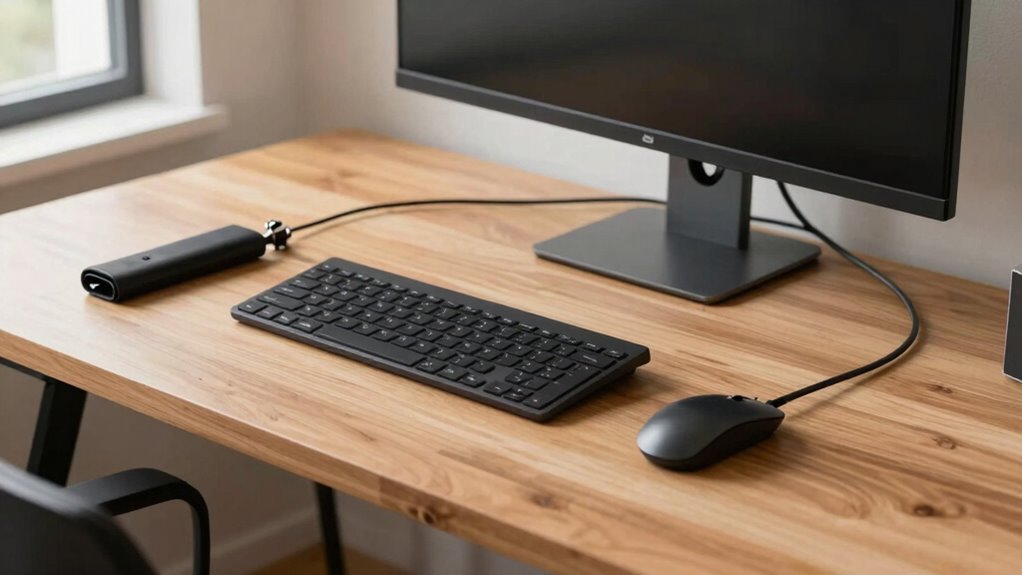

To give your workspace a professional look in just 20 minutes, start by clearing clutter and removing loose cables. Group essential wires and use cable clips or sleeves to bundle them neatly. Position your devices for ergonomic comfort, keeping frequently used cables within reach. Use wireless accessories where possible to reduce clutter. Regularly review and adjust your setup for ongoing tidiness. If you keep going, you’ll discover even more tips for maintaining a sleek, functional workspace.

Get the latest gadgets delivered free with Prime
- Fast, free delivery on millions of items
- Prime Video, Amazon Music and more included
- Member-only deals all year
Key Takeaways
- Remove clutter and loose cables to instantly improve workspace appearance.
- Use cable clips, sleeves, or organizers to bundle and secure wires neatly.
- Incorporate wireless accessories to minimize cable clutter and enhance flexibility.
- Position devices at ergonomic heights to reduce strain and improve workflow.
- Conduct quick cable resets regularly to maintain a tidy, professional desk setup.
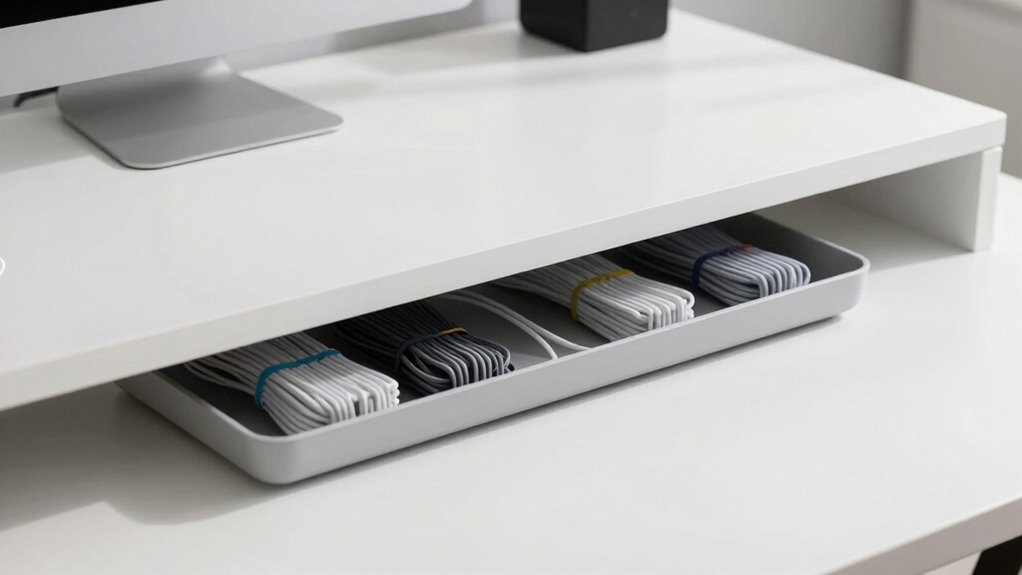
Ever wondered how to keep your workspace tidy and free of tangled cords? The secret lies in a quick, effective desk cable management reset that transforms your area into a clean, professional-looking space. First, take a moment to assess your current setup. Remove any loose cables or clutter, then gather all your wires—power cords, charging cables, and those pesky Ethernet cords—so you can see what you’re working with. Incorporate wireless accessories wherever possible to reduce cable clutter. Wireless keyboards, mice, and even speakers can considerably cut down on the number of cords snaking across your desk. This makes your workspace look neater and also improves your ergonomic setup because you’re not constantly battling tangled wires or reaching awkwardly for a cable.
Simplify your workspace with wireless accessories and a quick cable reset for a cleaner, more ergonomic setup.
Next, designate specific spots for your essential cables and devices. Use cable clips or adhesive cable organizers to secure cords along the back of your desk or along the edge, so they stay out of sight but remain easily accessible. Consider investing in a cable management tray or a cable sleeve to gather multiple cords into one neat bundle. This not only simplifies your setup but also prevents cords from tangling or becoming a tripping hazard. When you’re managing your cables, think about the natural flow of your workstation—place power strips within easy reach but out of sight, under the desk or behind your monitor. This way, you avoid a cluttered look while maintaining accessibility. Additionally, understanding cable management principles can help you create a more organized and efficient workspace. Regularly reviewing your setup can also help you identify new ways to optimize your workspace organization for ongoing tidiness. Incorporating ergonomic principles into your workspace layout can further enhance comfort and reduce fatigue during long work sessions.
Taking a few minutes to reposition your devices for better ergonomics can make a noticeable difference. Position your monitor at eye level and ensure your keyboard and mouse are aligned to prevent strain. Using ergonomic accessories such as adjustable stands or wrist supports can further improve comfort. By reducing the clutter of cables and optimizing the placement of your gear, you create a more comfortable and efficient workspace. Also, keep frequently used cables within easy reach and store less-used ones behind or underneath your desk. This quick reset creates a clean, organized environment that looks professional and invites productivity.
In just twenty minutes, you can transform your workspace into a sleek, functional area that feels as good as it looks. The key is to stay consistent—review your cable management every few weeks to keep everything tidy. With a few simple tools and a little effort, you’ll enjoy a clutter-free desk that supports your workflow and makes your space feel more open and inviting.
wireless keyboard and mouse combo
As an affiliate, we earn on qualifying purchases.
As an affiliate, we earn on qualifying purchases.
Frequently Asked Questions
What Tools Are Needed for Effective Cable Management?
You’ll need basic cable management accessories like zip ties, cable clips, and sleeves. A label maker helps with organizational techniques by keeping cables clearly identified. A pair of scissors or wire cutters guarantees you can trim excess zip ties or cable sleeves. A cable tray or under-desk organizer helps keep everything neat. These tools and accessories make your cable management effective, quick, and professional-looking, transforming your workspace in just 20 minutes.
How Often Should I Reorganize My Desk Cables?
You should reorganize your desk cables every three to six months, much like pruning a plant to keep it healthy. Regular cable labeling and routing help you stay organized and prevent tangles. I once ignored this, and my cables turned into a spaghetti mess. Reassessing periodically maintains your workspace clean and efficient, making future resets quicker and less stressful. Consistent upkeep ensures your setup looks professional and functions smoothly.
Can Cable Management Improve Workspace Safety?
Yes, cable management can considerably improve workspace safety by reducing cable clutter and preventing tripping hazards. It also promotes cable safety by preventing damage to cords that could cause electrical issues. Additionally, organized cables contribute to ergonomic improvements, making your workspace more comfortable and efficient. When you keep cables neat and secure, you minimize risks and enhance your overall work environment, boosting safety and productivity simultaneously.
Are There Eco-Friendly Cable Management Options?
Yes, you can choose eco-friendly cable management options. Look for sustainable solutions made from eco-friendly materials like bamboo, recycled plastics, or biodegradable components. These options promote green practices, reducing environmental impact while keeping your workspace neat. By selecting sustainable solutions, you support eco-conscious initiatives and contribute to a healthier planet. Embracing environmentally responsible choices guarantees your cable management is both functional and friendly to the environment.
How Do I Hide Cables on a Shared Desk?
To hide cables on a shared desk, use cable sleeves to bundle and conceal cords, creating a clean look. Incorporate wireless charging pads to reduce clutter from charging cables. Position the sleeves along the back or underside of the desk, ensuring easy access while keeping everything tidy. This approach not only improves aesthetics but also minimizes disruptions in shared spaces, making your workspace look professional and organized in just minutes.
Conclusion
Now, with just 20 minutes, your desk transforms from chaotic to professional. It’s a simple reset that clears clutter and boosts productivity. Imagine the satisfaction of a clean workspace—like a fresh start—yet it only takes a quick, straightforward fix. While the mess once felt overwhelming, this small effort proves that even messy cables can become organized with a little time. In the end, your workspace looks sharp—and you feel more in control.
Evergreen bestsellers Picks
bestsellers
As an affiliate, we earn on qualifying purchases.