
Many people believe OLED burn-in is unavoidable and simply a flaw, but it actually depends on how you use your display. Burn-in occurs when static images cause uneven pixel wear over time, thinning organic phosphors and leaving ghost images. You can prevent this by avoiding static images for long periods, lowering brightness, and using features like pixel shifting. If you want to learn the truth behind these myths and how to better protect your screen, keep exploring.
Key Takeaways
- OLED burn-in results from uneven pixel wear caused by static images, not from brief or occasional static content.
- Using pixel shifting, screen savers, and moderate brightness can significantly reduce burn-in risk.
- Burn-in is a permanent damage due to phosphor degradation, unlike temporary image retention or ghosting.
- Myths suggest burn-in happens quickly or from normal use; in reality, it develops over prolonged static image exposure.
- Proper device management and avoiding static images for extended periods are key to preventing OLED burn-in.
OLED screen burn-in prevention tools
As an affiliate, we earn on qualifying purchases.
As an affiliate, we earn on qualifying purchases.
What Is OLED Burn-In and Why Should You Care?
OLED burn-in happens when static images leave permanent shadows or ghost images on your screen over time. This issue directly affects your device’s screen durability and overall OLED longevity. If you often display the same icons, logos, or navigation bars, these static elements can cause uneven wear on the organic pixels. As a result, parts of your screen may appear dimmer or discolored long after the static image disappears. While OLED screens offer vibrant colors and deep blacks, understanding how burn-in impacts their lifespan is vital. Ignoring this risk can lead to reduced display quality and the need for costly replacements sooner than expected. Additionally, refresh rates and usage patterns influence the likelihood of burn-in occurring. Being aware helps you take steps to protect your investment and enjoy your OLED device for years to come. Recognizing the importance of screen management techniques can further help in minimizing burn-in risks over time, especially through adaptive brightness adjustments and regular screen refreshes. Properly managing usage patterns can significantly extend the life of your OLED display by reducing static image exposure, and employing screen savers can further mitigate static image retention.
How Does OLED Burn-In Actually Happen? (The Cellular Science)

When static images stay on your screen for prolonged periods, they cause uneven wear at the cellular level of the display. OLED screens are made of organic compounds called pixels, which contain phosphors that emit light. Over time, these phosphors experience cellular degradation, especially in areas where images remain fixed. This degradation results from continuous electrical stimulation, which accelerates phosphor aging, weakening their ability to emit light consistently. As a result, the affected pixels can appear dimmer or retain ghostly traces of previous images. This process is gradual, and the uneven wear leads to burn-in. Understanding this cellular science explains why static images are the main culprit behind burn-in and highlights the importance of avoiding prolonged static content to preserve your display’s lifespan. Additionally, implementing screen refresh techniques can help mitigate the effects of phosphor wear over time. Regularly adjusting your display settings and utilizing built-in pixel shifting features can further protect against uneven wear and extend your screen’s longevity. Being aware of organic compound degradation can also help users make informed decisions about display usage and maintenance, as it relates directly to material fatigue in OLED components. Applying preventative measures promptly can significantly reduce the risk of permanent burn-in.
Common Myths About OLED Burn-In: Busted
Many people believe OLED burn-in is unavoidable, but that’s a myth. Understanding what causes burn-in and common misconceptions helps you prevent it effectively. With the right strategies, you can enjoy your OLED screen without worrying about permanent damage. For example, avoiding static images and using screen savers can significantly reduce the risk of burn-in, especially if you are aware of common causes of damage.
Clarifying Burn‑In Causes
One common misconception is that burn-in results solely from static images being displayed for extended periods. In reality, pixel aging and phosphor wear play significant roles. Over time, when certain pixels display static content, they experience faster pixel aging, causing uneven luminance. This uneven wear leads to ghost images or burn-in effects. Phosphor wear, although less prominent in OLEDs compared to CRTs, still contributes because organic materials degrade with use. However, burn-in isn’t caused just by static images; it’s about how pixels are used over time. Constantly displaying the same content accelerates pixel aging and phosphor degradation, but proper device management and settings can minimize this risk. Understanding these causes helps you prevent burn-in more effectively. Additionally, adopting mind-body techniques like yoga can help reduce stress and improve overall device care habits, indirectly supporting better device maintenance. Recognizing that device usage patterns influence burn-in development encourages more mindful viewing practices. Being aware of pixel wear mechanisms enables users to adopt smarter usage strategies and extend their display lifespan.
Debunking Common Misconceptions
Despite widespread beliefs, OLED burn-in isn’t an inevitable fate for your device. Many think that simply leaving static images or icons on the screen will cause permanent damage, but that’s a myth. Proper screen calibration and maintaining color accuracy can actually diminish the risk of uneven wear. Burn-in isn’t caused by normal use; it results from uneven pixel aging over time. You don’t need to avoid static content entirely, but being mindful of how long certain images stay on-screen helps. Adjusting settings to optimize screen calibration ensures consistent color distribution, preventing localized wear. Additionally, understanding pixel aging and how it occurs can help you make informed decisions about your device’s usage. Recognizing the role of screen calibration in managing display health can also extend your device’s lifespan. Regularly utilizing brightness adjustments can further reduce risks associated with static images. Incorporating wear leveling techniques and avoiding prolonged static images can further safeguard your display. Remember, OLED technology is designed to handle daily use, and with proper care, burn-in becomes a manageable concern rather than an unavoidable disaster.
Effective Prevention Strategies
Effective prevention of OLED burn-in is more about consistent habits than avoiding static images altogether. You should regularly perform screen calibration to guarantee ideal display settings, which helps distribute pixel usage evenly and reduces the risk of pixel aging in specific areas. Adjusting brightness levels and avoiding prolonged static images are practical steps, but maintaining a balanced viewing pattern is key. Using screensavers or shifting content slightly can also help prevent uneven pixel wear. Additionally, understanding sound healing science and applying its principles may contribute to creating a more mindful environment for your devices, indirectly supporting their longevity. Implementing screen management techniques can further enhance your efforts to prevent burn-in. By adopting these habits, you can extend your OLED’s lifespan and prevent burn-in. Remember, focusing on consistent screen calibration and mindful usage patterns makes a real difference in safeguarding your display against burn-in, rather than just trying to avoid static images completely.
Is Image Retention the Same as Burn-In?

Image retention and burn-in aren’t the same, even though they can look similar. You’ll notice differences in visual artifacts, with retention often causing temporary ghost images and burn-in leaving permanent marks. The key is that retention usually lasts a short time and isn’t as intense, unlike burn-in, which can be lasting and more severe. For those concerned about long-term display health, understanding display technology can be a good way to diversify your portfolio and mitigate financial risks.
Visual Artifacts Difference
Many people confuse image retention with burn-in, but they are actually different phenomena. Image retention causes temporary visual artifacts, like ghost images, which fade over time. Burn-in, however, involves permanent damage to the OLED pixels, affecting color accuracy long-term. The key difference lies in permanence and severity. Visual artifacts from retention might look similar but don’t leave lasting marks. Here’s a comparison:
| Aspect | Image Retention | Burn-In |
|---|---|---|
| Permanence | Temporary | Permanent |
| Causes | Prolonged static images | Long-term static content |
| Effect | Ghosting, flickering | Persistent image, color shift |
| Impact on color accuracy | Minimal | Significant |
Understanding this helps you differentiate between harmless artifacts and actual damage, emphasizing why avoiding burn-in is crucial for maintaining display quality. Additionally, proper screen management techniques can significantly reduce the risk of burn-in over time. Regularly changing displayed content and utilizing built-in screen savers can prevent static images from causing damage, ensuring your OLED display remains vibrant and accurate for years to come. Moreover, being aware of visual artifacts can help you identify and address potential issues early, prolonging the lifespan of your device. Implementing best practices for device use further minimizes risks and preserves display integrity. Practicing these preventive measures is essential to extend the longevity of your OLED screen and maintain optimal visual performance.
Duration and Intensity
Although image retention and burn-in may appear similar at first, their duration and intensity differ markedly. Image retention is usually temporary, fading quickly with typical usage patterns, and doesn’t affect your screen’s longevity. Burn-in, however, involves more persistent damage, often caused by prolonged display of static images that can harm the OLED’s organic materials. The key difference lies in how long these effects last and how severe they become. If you follow sensible usage patterns—like avoiding static images for extended periods—you can prevent significant damage and maintain your screen’s longevity. Intensity also plays a role: brighter, static images for long durations increase the risk of burn-in, while moderate use minimizes stress on your display.
Permanent vs Temporary
While both image retention and burn-in involve persistent display issues, they differ considerably in permanence. Image retention is temporary and often disappears with screen use, thanks to OLED screen durability. Burn-in, however, results in permanent image permanence, damaging the display’s pixels. To understand this better, consider these points:
- Image retention usually occurs with static images but fades over time.
- Burn-in causes lasting ghost images due to pixel wear.
- Proper screen care can prevent burn-in and preserve screen durability.
- Recognizing the difference helps you avoid unnecessary repairs or replacements.
What Factors Make OLED Burn-In More Likely?
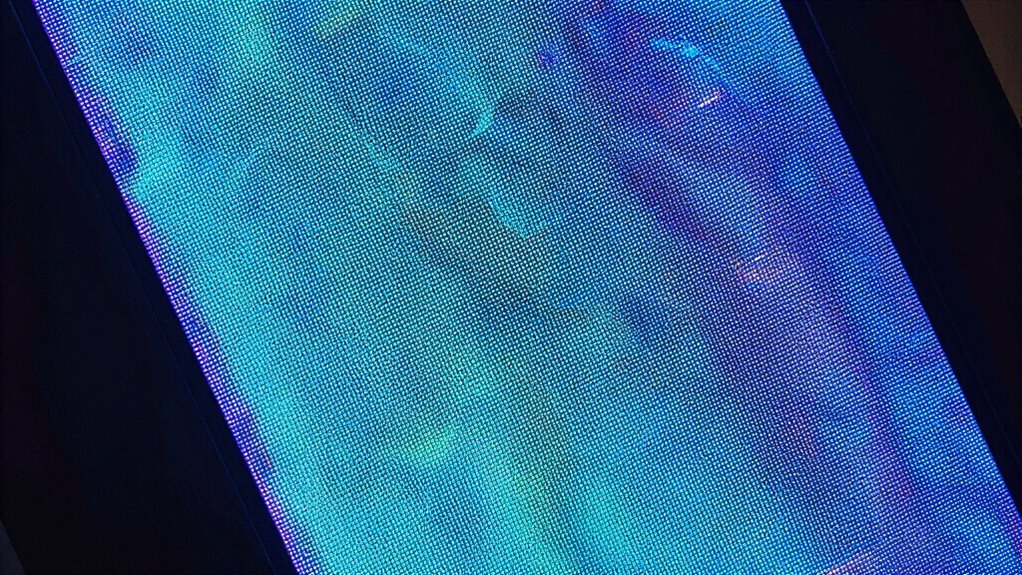
Certain factors can considerably increase the risk of OLED burn-in, especially if you’re not careful. High contrast images, static interface elements, and prolonged displays of the same content can weaken image longevity and reduce display resilience. Over time, these habits lead to uneven pixel wear, making burn-in more likely. To visualize this, consider the following:
| Factor | Effect on OLED Display |
|---|---|
| Static UI Elements | Accelerates pixel wear |
| Brightness Levels | Increases stress on pixels |
| Duration of Display Content | Lowers overall image longevity |
| High Contrast Content | Strains display resilience |
| Frequent Repetition | Causes uneven pixel aging |
Being mindful of these factors helps you preserve your screen’s lifespan.
How Can You Prevent Burn-In on Your OLED Screen?
To prevent burn-in on your OLED screen, adopting simple yet effective habits can make a significant difference. First, regularly calibrate your display to ensure accurate color representation and maintain color uniformity, reducing uneven wear. Second, avoid static images or logos for extended periods; use screensavers or auto-hide features. Third, adjust your screen’s brightness to a moderate level; high brightness accelerates pixel aging. Fourth, enable any built-in settings that shift pixels slightly over time, helping distribute wear evenly. These practices slow down uneven pixel degradation, minimizing burn-in risk. Consistent screen calibration and maintaining color uniformity guarantee your display remains vibrant and even, extending its lifespan effectively.
How Do Usage Habits Affect Burn-In Over Time?
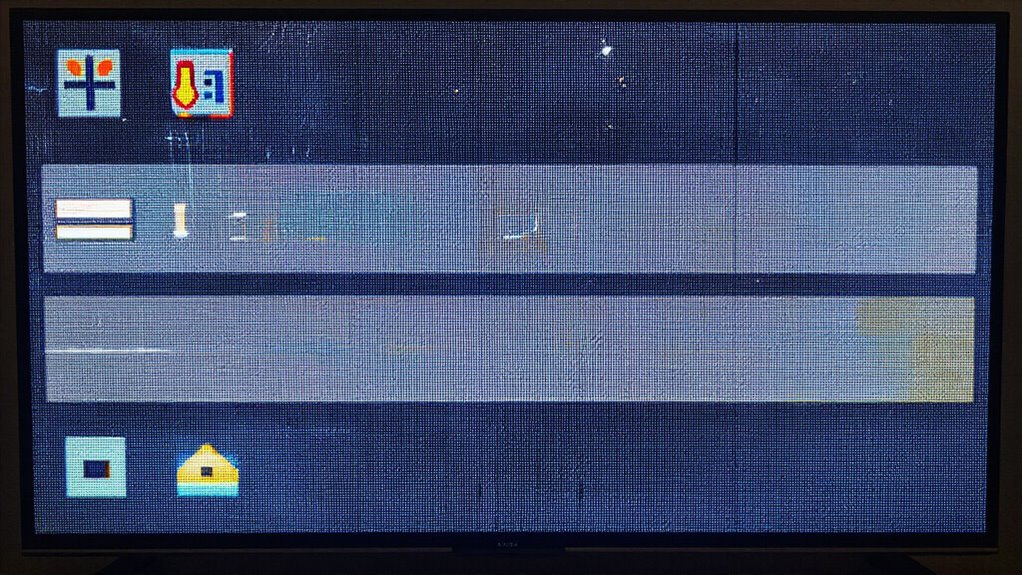
Your daily usage habits play a crucial role in how quickly burn-in develops on your OLED screen. If you often leave static images or icons onscreen for extended periods, your display is more prone to uneven wear, leading to burn-in over time. High viewer engagement with certain apps or channels, like news tickers or gaming HUDs, increases the risk because these elements stay in place longer. Conversely, varying your usage habits—switching between different content types and avoiding prolonged static images—helps distribute pixel wear more evenly. Being mindful of how often and how long you display static images can greatly slow down burn-in. Your habits directly influence the longevity of your screen, so adjusting them can make a meaningful difference in preventing permanent image retention.
Tips to Keep Your OLED Display Looking New
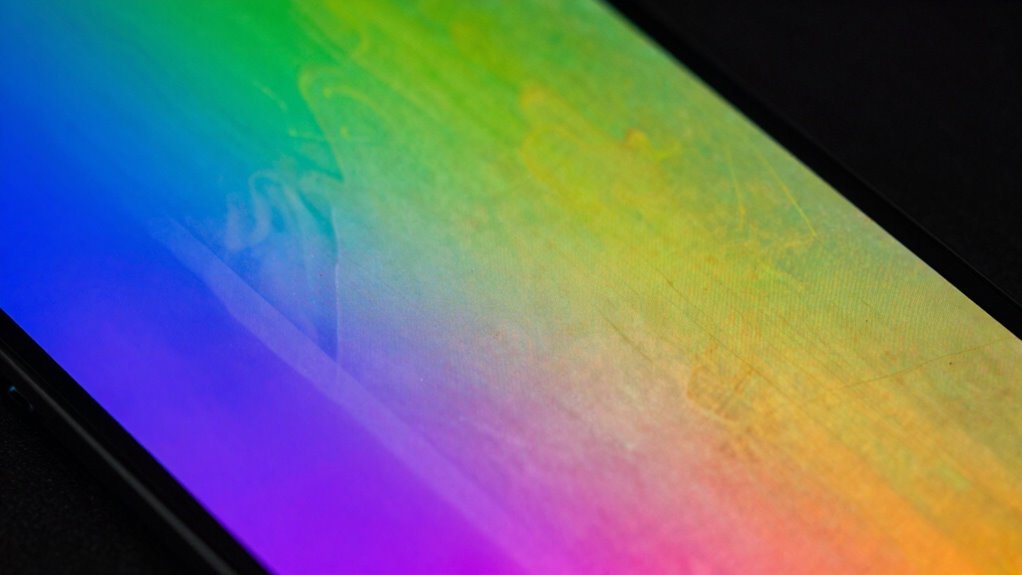
Keeping your OLED display looking like new requires mindful habits and proper care. Regularly calibrate your screen to maintain best color accuracy, ensuring your images stay vibrant and true to life. Adjust brightness settings to prevent unnecessary strain on pixels, reducing the risk of burn-in. Avoid static images for extended periods, and use screensavers or dynamic backgrounds when idle. Limit exposure to high-contrast content, which can accelerate wear. Additionally, enable any built-in features designed to prevent burn-in, such as pixel shifting.
Keep your OLED display pristine with regular calibration, brightness control, and burn-in prevention features.
- Perform routine screen calibration for consistent color accuracy.
- Use screen savers and avoid static images when not in use.
- Adjust brightness to comfortable, moderate levels.
- Activate built-in burn-in prevention features if available.
How to Spot Burn-In and When to Seek Help

Wondering how to tell if your OLED display is developing burn-in? First, look for persistent ghost images or faint afterimages that don’t go away after changing content. Pay attention to signs of color shifting, where certain areas appear more faded or discolored than others. Performing regular screen calibration can help identify uneven brightness or color inconsistency, which might indicate early burn-in. If you notice these issues lingering despite adjustments, it’s time to seek help. Ignoring early signs can lead to permanent damage. Don’t dismiss faint images or subtle color shifts—they’re often the first indicators. Addressing these signs early can save your display from further deterioration and costly repairs down the line.
The Future of OLED Screens and Burn-In Prevention
Advances in OLED technology are driving the development of more effective burn-in prevention methods, ensuring these vibrant displays remain durable over time. Future innovations focus on enhancing screen longevity through technological advancements. You can expect features like adaptive brightness, pixel shifting, and improved pixel response times to become standard. These improvements aim to mitigate burn-in risks proactively.
OLED innovations boost durability with adaptive brightness, pixel shifting, and improved response times to prevent burn-in.
- Integration of AI-powered algorithms for dynamic image management
- Development of more resilient organic materials resistant to burn-in
- Enhanced hardware designs with better heat dissipation for longer lifespan
- Software updates that optimize display usage patterns for longevity
These advancements promise to make OLED screens more reliable, extending their lifespan and maintaining vivid visuals without sacrificing performance.
Frequently Asked Questions
Can Software Updates Reduce or Eliminate OLED Burn-In Risks?
Yes, software updates can help reduce OLED burn-in risks. By implementing software patching, manufacturers optimize display settings and introduce features like screen shift and pixel refreshes. These display optimizations distribute pixel usage more evenly, preventing static images from causing burn-in. Regularly updating your device guarantees you benefit from the latest protections, extending your OLED screen’s lifespan and keeping your visuals clear and vibrant over time.
Does Ambient Temperature Influence OLED Burn-In Severity?
Sure, ambient heat definitely influences OLED burn-in severity. When your device’s ambient heat rises, it’s like giving your screen a sauna session—it accelerates wear and tear. If you want to keep your OLED happy, guarantee proper device cooling and avoid leaving it in hot places. Cooler environments help prevent accelerated burn-in, keeping your display pristine longer. So, next time, think twice before leaving your device in the oven-like heat!
Are There Specific App Types That Cause More Burn-In?
Certain app types, like static image-heavy apps, games with fixed HUD elements, or news apps with persistent sidebars, tend to cause more burn-in. Your screen usage and app behavior matter; apps that display static content for long periods increase risk. To prevent burn-in, avoid leaving the same images or interface elements on the screen for extended times. Regularly switch apps or use screensavers to help protect your OLED display.
How Long Does It Typically Take for Burn-In to Become Noticeable?
You might notice burn-in after around 1,000 to 2,000 hours of static content, like a news ticker. For example, a user who constantly watched the same channel logo saw faint image retention within a few months. Screen longevity depends on pixel fatigue, so avoiding prolonged static images helps prevent early burn-in. By rotating content and utilizing screen savers, you can markedly extend your OLED’s lifespan.
Can Professional Calibration Help Prevent or Mitigate Burn-In?
Professional calibration can help prevent or mitigate burn-in by applying advanced calibration techniques and expert adjustments tailored to your OLED display. These calibration techniques optimize contrast, brightness, and image settings, reducing static images that cause burn-in. An experienced calibrator adjusts your screen to minimize uneven wear, extending your display’s lifespan. While calibration isn’t a complete shield, it markedly reduces the risk, ensuring your OLED looks great longer.
Conclusion
Understanding how OLED burn-in actually occurs helps you take better care of your screen. Did you know that even a few hours of static images daily can increase your risk? By adjusting your usage habits and following expert tips, you can substantially extend your display’s lifespan. Staying informed empowers you to enjoy stunning visuals without worry—keeping your OLED looking brand new for years to come.