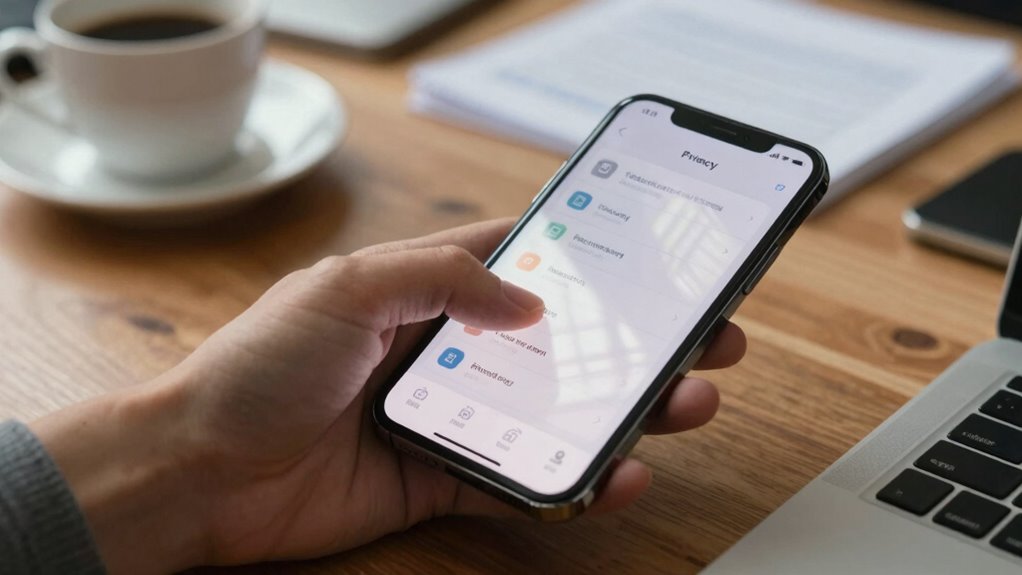

Many mobile users forget to check their privacy settings, risking their personal data unknowingly. App permissions, especially for location, can track you in the background without your knowledge. Disabling unnecessary location access and reviewing app permissions regularly help protect your privacy. Privacy dashboards can give you a clearer view of what data apps access. If you want to stay secure, it’s essential to manage these subtle settings—continue below to learn more details.

Get the latest gadgets delivered free with Prime
- Fast, free delivery on millions of items
- Prime Video, Amazon Music and more included
- Member-only deals all year
Key Takeaways
- Regularly review and disable unnecessary app permissions, especially for location, camera, and microphone access.
- Manage background location access to prevent apps from tracking without your knowledge.
- Use privacy dashboards to monitor data access and permissions across apps.
- Turn off location services for apps that do not require real-time location data.
- Stay informed about privacy policies and adjust settings accordingly for better data control.

In today’s digital age, protecting your privacy on mobile devices is more important than ever. While it’s tempting to focus on major security features like screen locks or antivirus apps, many people overlook the subtle settings that can silently compromise their privacy. Two of the most overlooked areas are app permissions and location tracking, both of which can reveal a lot about you without your realizing it.
When you install new apps, they often request a variety of permissions—some necessary, others invasive. You might agree to allow an app access to your camera, microphone, contacts, or even your calendar without giving it much thought. But these permissions can be a double-edged sword. For example, granting an app access to your location can help it provide better services, but it also opens the door for constant tracking. Many apps request location permissions to deliver targeted ads or gather data for marketing, often even when you aren’t actively using them. If you don’t review these permissions, you might be unknowingly sharing your whereabouts all day long. Regularly checking and managing these permissions can help prevent unintended data sharing.
Review app permissions regularly to prevent unnecessary access and protect your privacy from constant tracking.
Location tracking is particularly sneaky because it can reveal your routines, favorite places, and even daily habits. You might think disabling location services when not needed is enough, but some apps continue to access your location in the background. This can happen without your knowledge, especially if you haven’t checked the app permissions or settings. It’s crucial to regularly review which apps have access to your location and disable permissions for those that don’t need it. Turning off location tracking for apps that don’t require it isn’t just about saving battery; it’s about controlling your personal information and reducing the risk of being tracked. Being aware of background location access and how it impacts your privacy is essential for staying protected. Additionally, understanding privacy settings on your device can help you manage these permissions more effectively. Remember, many devices now offer privacy dashboards that give a comprehensive overview of app permissions and data access, making it easier to stay informed and in control. Moreover, staying updated on the latest privacy policies of your apps can help you make informed decisions about what data you’re sharing.
Products Worth Considering

Bose QuietComfort Wireless Bluetooth Headphones with Active Noise Cancellation, Mic, USB‑C Charging, Deep Bass, 24‑Hour Battery – White Smok

DJI Mic 3 Wireless Microphone System (2 Transmitters, 1 Receiver, Charging Case)

Samsung Galaxy Tab S10 FE 128GB Wi-Fi Android Tablet, Blue
As an affiliate, we earn on qualifying purchases.
Frequently Asked Questions
How Can I Check Which Apps Access My Location?
To check which apps access your location, head to your device’s settings. Look for the “Location” or “Privacy” section, where you’ll find app permission alerts. Review the list of apps with location access, and toggle permissions off for those you don’t want tracking you. Also, check your location history regularly to see where your device has been. This keeps you informed and in control of your privacy.
Are App Permissions Automatically Updated With OS Updates?
Imagine your phone as a busy control tower guiding permissions. App permission policies and user consent procedures typically update with OS updates, but it’s not automatic. You should review app permissions after each update to guarantee they align with your privacy preferences. This way, you stay in control, preventing unexpected access, as updates can reset or change permissions, making it essential to manually verify and adjust settings for your peace of mind.
How Do I Disable Ad Tracking on My Mobile Device?
To disable ad tracking on your mobile device, go to your privacy settings and look for options like “Limit Ad Tracking” or “Personalized Ads.” Turning this off helps prevent companies from tracking your activity, reducing privacy breaches. Keep in mind, though, some targeted ads may still appear. Disabling ad tracking is a simple step you can take to protect your personal data and maintain better control over your privacy.
Can I Recover Privacy Settings After a Factory Reset?
Like Pandora’s box, factory resets erase your settings, but you can restore privacy with proper backup strategies. After a reset, you can recover your privacy settings if you’ve saved them, but data encryption becomes essential to protect your information. To guarantee privacy, regularly back up your device in a secure way, then reapply your preferred privacy settings. This way, your privacy isn’t lost forever, even after a reset.
What Is the Best Way to Manage App Permissions for Multiple Apps?
To manage app permissions effectively, follow app permission best practices by reviewing each app’s permissions regularly. Use permission management tools available on your device or third-party apps for streamlined control. Deny unnecessary permissions and only grant access when needed. Keep your permissions organized to protect your privacy and improve security. Regularly updating your permissions guarantees apps don’t access more than they need, maintaining a safer, more private mobile experience.
Conclusion
So, next time you delve into those sneaky privacy settings, remember—you’re basically playing hide-and-seek with your own data. Sure, you might forget a few options, but your phone’s watching, laughing, and logging every move. Think of it as a high-stakes game of “Guess Who?” where the prize is your personal info. Stay vigilant, or soon enough, your biggest secret might just be a click away—on someone else’s screen. Happy hiding!