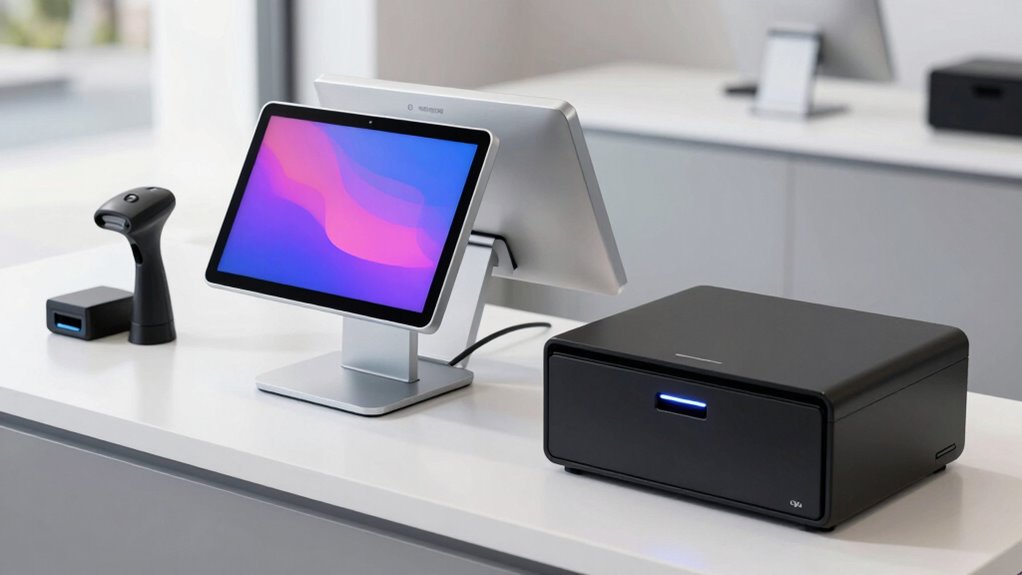

For most small businesses, Square Register (2nd Generation) is the best overall starting point because it offers a purpose-built checkout setup without requiring owners to assemble separate components. Clover Duo stands out for businesses that want a customer-facing screen, while the Datio iPad bundle suits shops already using compatible iPads. The main tradeoff is between an integrated system that is simpler to set up and modular hardware that offers more flexibility but puts more responsibility on the buyer to check compatibility. Windows dual-screen terminals can fit demanding counter workflows, though they need closer scrutiny of software, support, and peripherals. Read on for the full breakdown and advice on matching hardware to your business.

Get the latest gadgets delivered free with Prime
- Fast, free delivery on millions of items
- Prime Video, Amazon Music and more included
- Member-only deals all year
Complete the kit



Key Takeaways
- Integrated checkout kits reduce setup work: Square Register, Clover systems, and the NRS bundle present a more unified path than hardware-only Windows terminals, where software and peripherals may need separate decisions.
- Two screens serve a specific purpose: Clover Duo and the Volcora and HYHDDM dual-screen options can give customers a view of the transaction, but a second display adds little value if the checkout is self-service or space-constrained.
- Existing devices can shape the best value: The Datio bundle is built around compatible iPads, while the Fire tablet kit uses an Amazon tablet; these can make sense only if the device and POS app fit the business’s needs.
- All-in-one bundles vary in what they actually include: Some listings name a printer, drawer, scanner, or label printer, while several terminals are hardware-only. Buyers should confirm every component and software requirement before choosing.
- Portability changes the job, not just the form factor: The POS Store H10 handheld is aimed at mobile checkout and NFC payments, unlike counter-first systems that prioritize a larger screen and fixed peripherals.
| Square Register (2nd Generation) Point-of-Sale System |  | Best Overall for Simple Countertop Checkout | Brand: Square | Model: A-SKU-0908 | Weight: 12.5 pounds | VIEW ON AMAZON | See Our Full Breakdown |
| Clover Duo POS System for Retail Stores |  | Best All-In-One Bundle for Retail Checkout | Staff display: 14-inch HD touchscreen | Customer display: 8-inch touchscreen | Included hardware: Printer and cash drawer | VIEW ON AMAZON | See Our Full Breakdown |
| Volcora Retail and Restaurant POS Terminal for Small Business – Windows 11 Professional, Intel N97 CPU, Dual 15.6″ & 11.6″ Touch Screens, Hardware Only |  | Best for Windows Software Flexibility | Operating system: Windows 11 Professional | Processor: Intel N97 | Memory: 8 GB RAM | VIEW ON AMAZON | See Our Full Breakdown |
| HYHDDM Dual 15.6-Inch Touchscreen POS System |  | Best for Matching Dual Large Displays | Display: Dual 15.6-inch capacitive multi-touch screens | Resolution: 1366 × 768 | Processor: Quad-core | VIEW ON AMAZON | See Our Full Breakdown |
| NRS Point-of-Sale System Bundle for Small Businesses |  | Best Complete Peripheral Bundle with Setup Support | Included components: 15-inch merchant touchscreen monitor, customer-facing display, barcode scanner, metal cash drawer, receipt printer | Weight: 45 pounds | Internet connection: Hardwired | VIEW ON AMAZON | See Our Full Breakdown |
| Datio POS System with Cash Drawer and Receipt Printer for 9.7–10.2-Inch iPads |  | Best for iPad-Based Counters | Compatible devices: Apple iPads from 9.7 to 10.2 inches | Included components: Cash drawer, iPad stand, thermal printer, and cables | Printer type: Thermal | VIEW ON AMAZON | See Our Full Breakdown |
| Clover Station Duo Dual-Screen POS System |  | Best for Customer-Facing Checkout | Merchant display: 14-inch HD | Customer display: 8-inch touchscreen | Included hardware: Printer and cash drawer | VIEW ON AMAZON | See Our Full Breakdown |
| 10-Inch Amazon Fire Tablet POS System with Receipt Printer, Cash Drawer, and Stand |  | Best for Fire Tablet Owners | Compatibility: 10-inch Amazon Fire tablets | Included components: Register base, thermal receipt printer, cash drawer, and stand | Software: Datio POS app | VIEW ON AMAZON | See Our Full Breakdown |
| Volcora Dual-Touchscreen POS Terminal with Windows 11 Professional |  | Best Hardware-Only Dual-Screen Terminal | Operating system: Windows 11 Professional | Processor: Intel Core i5 | Memory: 4 GB | VIEW ON AMAZON | See Our Full Breakdown |
| Retail POS System with Touchscreen PC, Software, Receipt Printer, Barcode Scanner, Cash Drawer, and Label Printer |  | Best for Inventory-Heavy Retail | Touchscreen: 15 inches | Operating system: Windows 10 Pro | Receipt printer: Thermal, USB | VIEW ON AMAZON | See Our Full Breakdown |
| SmartPOS-129 All-in-One Cash Register System for Small Businesses |  | Best Ready-to-Equip Checkout Bundle | Cashier display: 15-inch touchscreen | Customer-facing display: 15 inches | Included hardware: Cash drawer, thermal printer, handheld 2D barcode scanner | VIEW ON AMAZON | See Our Full Breakdown |
| POS Store H10 Android 14 Handheld POS Terminal with 58 mm Thermal Printer and NFC |  | Best for Mobile Checkout | Operating system: Android 14 | Processor: Octa-core | Memory and storage: 3 GB RAM; 32 GB storage | VIEW ON AMAZON | See Our Full Breakdown |
| Volcora Dual-Screen Windows 11 POS Terminal with 15.6-Inch and 11.6-Inch Touchscreens | 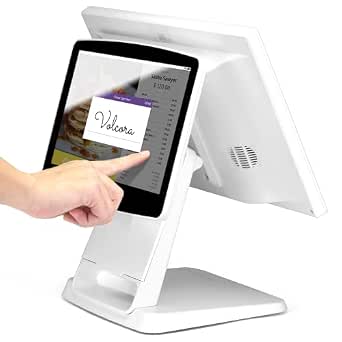 | Best for Windows-Based Dual-Screen Counters | Operating system: Windows 11 Professional | Processor: Intel Core i5 | Memory and storage: 4 GB memory; 128 GB storage | VIEW ON AMAZON | See Our Full Breakdown |
More Details on Our Top Picks
Square Register (2nd Generation) Point-of-Sale System
For a small business that wants a purpose-built checkout station rather than a Windows terminal to configure, I’d put the Square Register first. Its dual touchscreens let staff handle transactions while customers review checkout details, and its built-in tools cover sales, inventory, and customer management. That makes it a more turnkey fit than the Volcora Retail and Restaurant POS Terminal, which is hardware only and needs separate POS software. Square also supports offline selling, a useful fallback when an internet connection drops, and its IP54-rated design is suited to everyday dust and spills. The tradeoff is less flexibility: power must be corded, and the hardware is approved only for its intended country of use. I’d choose it for straightforward counter service, not a business seeking an open Windows platform.
Pros:- Dual touchscreens give staff and customers separate checkout views.
- Built-in tools cover sales, inventory, and customer management.
- Offline selling can help keep transactions moving during an internet outage.
- IP54-rated design offers protection against everyday spills and dust.
Cons:- Requires corded power, limiting placement flexibility.
- Hardware is approved only for its intended country of use.
Best for: Small retailers or cafes that want dual-screen checkout with sales, inventory, and customer tools built in.
Not ideal for: Businesses that need battery-powered checkout, a Windows-based system for custom software, or hardware that can be moved between countries.
- Brand:Square
- Model:A-SKU-0908
- Weight:12.5 pounds
- Compatible devices:POS, smartphone, tablet
- Power:Corded electric
- Connectivity:Bluetooth, USB cable, Wi-Fi
Our verdict“I’d pick Square Register for a small business seeking an integrated, dual-screen countertop checkout without separate POS software setup.”
Clover Duo POS System for Retail Stores
The Clover Duo is the most ready-to-check-out bundle here for a retailer who wants the basic counter hardware in one package: staff and customer touchscreens, a printer, and a cash drawer. Its 14-inch staff display and 8-inch customer screen divide the work clearly, letting customers confirm orders, tip, use rewards, pay, or receive digital receipts while staff manage the sale. Compared with the Square Register, Clover includes a printer and drawer, while Square’s listed hardware strengths center on its dual displays and built-in sales tools. That bundled convenience comes with a firm constraint: the system requires a merchant processing account through Powering POS and cannot be used with another processor. Availability is also limited to the US, Puerto Rico, and the US Virgin Islands. I’d favor it for a retailer comfortable with that processing arrangement, not one seeking processor choice.
Pros:- 14-inch staff and 8-inch customer touchscreens support separate checkout roles.
- Includes a printer and cash drawer.
- Customer display supports order confirmation, tipping, rewards, payments, and digital receipts.
- Can be expanded with additional devices and accessories.
Cons:- Requires a merchant processing account through Powering POS.
- Cannot be used with a different processor.
- Supported use is limited to the US, Puerto Rico, and the US Virgin Islands.
Best for: US-based retail stores that want dual customer and staff displays plus a printer and cash drawer in one package.
Not ideal for: Merchants who need to choose or change their payment processor, or businesses outside the supported regions.
- Staff display:14-inch HD touchscreen
- Customer display:8-inch touchscreen
- Included hardware:Printer and cash drawer
- Processor requirement:Merchant processing account through Powering POS
- Supported regions:US, Puerto Rico, and US Virgin Islands
Our verdict“I’d choose Clover Duo if I want a bundled retail counter setup and am willing to use its required processing account.”
Volcora Retail and Restaurant POS Terminal for Small Business – Windows 11 Professional, Intel N97 CPU, Dual 15.6″ & 11.6″ Touch Screens, Hardware Only
I’d rank this Volcora for owners who want to choose and manage their own POS software rather than receive an integrated checkout system. It runs Windows 11 Professional on an Intel N97 with 8 GB of RAM and a 128 GB SSD, and its mix of USB, serial, HDMI, audio, and LAN ports gives it room to connect varied or older peripherals. The dual displays—a 15.6-inch customer screen and 11.6-inch operator screen—also support a customer-facing checkout without the larger matched screens of the HYHDDM Dual 15.6-Inch Touchscreen POS System. Its compact foldable metal base can suit a crowded counter. The key compromise is substantial: this is hardware only, so buyers must source, install, and configure compatible POS software. I’d skip it if I wanted a ready-to-run system like Square Register.
Pros:- Windows 11 Professional supports a broad range of compatible software.
- Dual displays provide separate operator and customer screens.
- Serial, USB, HDMI, audio, and LAN ports support varied peripherals.
- Foldable metal base is designed to save counter space while providing stability.
Cons:- No POS application is pre-installed, so software selection and setup are the buyer’s responsibility.
- Needs more configuration than integrated options such as Square Register.
- The operator screen is smaller than the 15.6-inch displays on the HYHDDM terminal.
Best for: Small retailers or restaurants with a preferred Windows-compatible POS application and a need to connect varied peripherals.
Not ideal for: First-time owners who want included POS software, guided setup, or a checkout system ready to use out of the box.
- Operating system:Windows 11 Professional
- Processor:Intel N97
- Memory:8 GB RAM
- Storage:128 GB SSD
- Primary touchscreen:15.6-inch capacitive LCD, 1366 × 768
- Secondary touchscreen:11.6-inch capacitive LCD, 1366 × 768
- Ports:2 serial, 4 USB, HDMI, audio input, LAN, DC 12V power input
- Dimensions:4 × 8 × 8 inches (D × W × H)
- Warranty:Limited lifetime warranty
Our verdict“I’d choose this Volcora when Windows compatibility and peripheral flexibility matter more than included POS software.”
HYHDDM Dual 15.6-Inch Touchscreen POS System
The HYHDDM stands out for businesses that want the operator and customer to have equally sized 15.6-inch touchscreens. That matched layout can make customer-facing item or order review more visible than the smaller customer display on the Volcora Retail and Restaurant POS Terminal, whose operator screen is also smaller. With a quad-core processor, 8 GB of DDR3 memory, a 128 GB SSD, and USB, RJ45, COM, and audio ports, this terminal has the basics for connecting checkout peripherals. But its value depends on a buyer who can handle the software side: POS software must be installed separately, unlike the Square Register’s built-in tools. I’d also treat the listing’s conflicting single- versus dual-screen details as a reason to verify the configuration before ordering. It suits a planned Windows LTSC setup more than a first POS purchase.
Pros:- Two 15.6-inch capacitive touchscreens provide matching staff and customer display sizes.
- USB, RJ45, COM, and audio ports support a range of checkout peripherals.
- Includes an SSD for local storage.
- Designed for retail and food-service checkout environments.
Cons:- POS software must be installed separately.
- Listing details conflict about whether the system has one screen or two.
- The supplied package lists the terminal and power adapter, not a printer or cash drawer.
Best for: Retail or food-service businesses that want matching large staff and customer displays and already have a plan for POS software.
Not ideal for: New business owners seeking included checkout software, or buyers who need clear confirmation of the exact display configuration before purchase.
- Display:Dual 15.6-inch capacitive multi-touch screens
- Resolution:1366 × 768
- Processor:Quad-core
- Memory:8 GB DDR3
- Storage:128 GB SSD
- Operating system:Windows LTSC
- Ports:6 × USB, RJ45, COM, audio
- Power supply:DC 12V 5A
- Package includes:POS terminal and power adapter
Our verdict“I’d consider HYHDDM for a business that prioritizes two large displays and can confirm the configuration and supply its own software.”
NRS Point-of-Sale System Bundle for Small Businesses
The NRS bundle is aimed at a small shop that needs more than a screen: it includes a touchscreen, customer-facing display, barcode scanner, metal cash drawer, and receipt printer. Its software adds checkout, store analytics, inventory management, and vendor payments, while setup support and training can help an owner who does not want to assemble a system from separate hardware. Compared with the Clover Duo, NRS lists a barcode scanner and explicitly includes training, but its card-processing hardware is shipped separately after account setup. The system also has a more demanding onboarding path: an NRS PAY merchant account is required before shipping, internet must be hardwired, and use is limited to the USA. I’d choose it for a shop that wants bundled peripherals and guided setup, not for a merchant who values processor flexibility or wireless placement.
Pros:- Bundle includes a touchscreen, customer display, barcode scanner, metal cash drawer, and receipt printer.
- Software includes checkout, analytics, inventory management, and vendor payments.
- Free setup support and training are available in English or Spanish.
- Includes core peripherals that the Clover Duo package description does not list, such as a barcode scanner.
Cons:- Requires an NRS PAY merchant account before shipping.
- Credit card processing hardware is not included in the initial bundle and is shipped separately after account setup.
- USA-only use and hardwired internet limit where it can be deployed.
Best for: US-based small shops that need a touchscreen, scanner, drawer, and printer together and want setup help.
Not ideal for: Businesses outside the USA, shops without hardwired internet, or merchants unwilling to use NRS PAY and its required account setup.
- Included components:15-inch merchant touchscreen monitor, customer-facing display, barcode scanner, metal cash drawer, receipt printer
- Weight:45 pounds
- Internet connection:Hardwired
- Region:USA only
- Merchant account:NRS PAY account required before shipping
- Credit card processing:Processor not included; signup required
- Software features:Checkout, store analytics, inventory management, and vendor payments
- Training and setup:Free support in English or Spanish
Our verdict“I’d pick the NRS bundle for a US shop that wants multiple checkout peripherals and guided setup and accepts its account and wired-network requirements.”
Datio POS System with Cash Drawer and Receipt Printer for 9.7–10.2-Inch iPads
I’d shortlist this bundle for a small shop or quick-service counter that already plans to run checkout on a compatible iPad. It pairs a thermal receipt printer with a locking cash drawer and tabletop stand, so the essentials arrive together without needing to source those pieces separately. Unlike the 10-Inch Amazon Fire Tablet POS System, this version is built for 9.7–10.2-inch Apple iPads, making the choice mainly about which tablet platform suits your operation. The tradeoff is that the iPad is not included, and use requires a monthly Datio POS app subscription. Its plastic enclosure and 16-inch-square footprint also make it a counter setup rather than a compact mobile register. I’d skip it if you want bundled software-free hardware or need to keep recurring software costs out of the plan.
Pros:- Bundles a thermal receipt printer, locking cash drawer, stand, and connection cables
- Thermal printing avoids ink and toner replacement
- Designed for retail and restaurant checkout counters
- Works with compatible 9.7–10.2-inch Apple iPads
Cons:- Compatible iPad must be purchased separately
- Requires a monthly Datio POS app subscription
- Plastic enclosure and tabletop footprint are less suited to mobile or space-constrained checkout
Best for: Small retailers and quick-service businesses that already own a compatible 9.7–10.2-inch iPad and want a matched counter bundle.
Not ideal for: Businesses without a compatible iPad, buyers avoiding monthly software subscriptions, or operators who need portable checkout hardware.
- Compatible devices:Apple iPads from 9.7 to 10.2 inches
- Included components:Cash drawer, iPad stand, thermal printer, and cables
- Printer type:Thermal
- Software requirement:Datio POS app subscription
- Mounting type:Tabletop
- Dimensions:16 x 16 x 10 inches
- Enclosure material:Plastic
- Color:White
Our verdict“Choose this if you want a straightforward iPad-based counter bundle and accept the separate tablet and ongoing app subscription.”
Clover Station Duo Dual-Screen POS System
The Clover Station Duo earns its place for small businesses where customers regularly need to confirm orders, add tips, or choose digital receipts at the counter. Its 14-inch merchant display pairs with an 8-inch customer touchscreen, giving shoppers a direct role in those steps instead of asking staff to turn a single screen around. A printer, cash drawer, and built-in software make it more complete out of the box than the hardware-only Volcora Dual-Touchscreen POS Terminal. That convenience comes with a firm commitment: activation requires a new processing account through Powering POS, and the system cannot be used with another processor. At 45 pounds, it is also a substantial fixed-station choice, not a register to move between service areas. Its supported region is limited to the US, USVI, and Puerto Rico.
Pros:- Separate merchant and customer-facing screens support smoother checkout
- Customer touchscreen handles order confirmation, tips, rewards, payments, and digital receipts
- Includes a printer, cash drawer, and built-in software
- Can be expanded with compatible devices and accessories
Cons:- Requires a new processing account through Powering POS
- Cannot be used with a different processor
- Heavy 45-pound system and limited supported regions restrict placement and availability
Best for: Busy cafes, salons, and retailers in supported regions that want customers to handle order confirmation, tips, and receipt choices on a second screen.
Not ideal for: Businesses that need to keep an existing payment processor, operate outside supported regions, or move their register frequently.
- Merchant display:14-inch HD
- Customer display:8-inch touchscreen
- Included hardware:Printer and cash drawer
- Software:Built-in software
- Processor requirement:New processing account through Powering POS
- Supported regions:US, USVI, and Puerto Rico
- Item weight:45 pounds
- Package dimensions:20 x 20 x 20 inches
Our verdict“Choose the Clover Station Duo if customer interaction at checkout matters more than processor flexibility or portability.”
10-Inch Amazon Fire Tablet POS System with Receipt Printer, Cash Drawer, and Stand
This Datio bundle is a practical match for a small retailer or quick-serve operator who wants a fixed register built around a compatible 10-inch Amazon Fire tablet. The register base, stand, thermal receipt printer, and cash drawer cover the core counter hardware, while the app subscription includes software, updates, support, and warranty. That makes it a more supported package than the Datio POS System for 9.7–10.2-Inch iPads, but it still leaves the tablet purchase to the buyer. The subscription is an ongoing operating commitment, even though the listing says there is no long-term contract and it can be canceled at any time. Payment processing is another choice to plan for: Datio payments through Worldpay or a separate terminal for cash-only tracking. I’d pass if you need processor-neutral payment integration.
Pros:- Includes register base, stand, thermal receipt printer, and cash drawer
- Subscription includes software, updates, support, and warranty
- No long-term contract; subscription can be canceled at any time
- Offers Datio payments through Worldpay or a separate terminal for cash-only tracking
Cons:- Compatible 10-inch Fire tablet is not included
- Requires a monthly Datio POS app subscription
- Payment setup is limited to the listed Datio payments option or cash-only tracking with an own terminal
Best for: Small shops and quick-service counters that already use, or plan to buy, a compatible 10-inch Fire tablet and want bundled support with their POS app.
Not ideal for: Businesses seeking a tablet-included package, avoiding recurring software fees, or needing an unrestricted choice of integrated payment processor.
- Compatibility:10-inch Amazon Fire tablets
- Included components:Register base, thermal receipt printer, cash drawer, and stand
- Software:Datio POS app
- Subscription:$64 per month
- Payment options:Datio payments via Worldpay or own terminal for cash-only tracking
- Tablet included:No
Our verdict“Pick this bundle if you want Datio software support on a Fire-tablet counter and are comfortable supplying the tablet and paying a recurring subscription.”
Volcora Dual-Touchscreen POS Terminal with Windows 11 Professional
I’d choose this Volcora for a small business that wants a Windows-based, dual-screen foundation and already has a plan for POS software and peripherals. The 15.6-inch main touchscreen and 11.6-inch customer display offer more screen area than the Clover Station Duo’s customer display, while the broad selection of USB, serial, HDMI, and Ethernet connections helps accommodate varied counter equipment. Its metal base and limited lifetime warranty also give it a sturdier hardware profile than the bundled tablet systems from Datio. The key distinction is that this package is hardware only: it does not include a receipt printer, cash drawer, or POS software. The 4 GB of memory may also constrain demanding software or heavier multitasking. I’d compare it with the other Volcora dual-screen terminals in this roundup, and select this one only if its specific configuration and ports fit your setup.
Pros:- 15.6-inch main touchscreen plus 11.6-inch customer-facing touchscreen
- Multiple USB and serial ports, HDMI, audio input, and Ethernet
- Metal base and limited lifetime warranty
- Windows 11 Professional and Intel Core i5 processor
Cons:- Hardware only; POS software, printer, and cash drawer are not included
- 4 GB of memory may limit heavier software and multitasking
- Additional setup and peripheral purchases are needed before checkout can run
Best for: Small retailers or restaurants that need a Windows 11 dual-touchscreen terminal, have chosen their POS software, and want flexible peripheral connections.
Not ideal for: New operators seeking a ready-to-run bundle with software, printer, and cash drawer, or businesses expecting memory-intensive workloads.
- Operating system:Windows 11 Professional
- Processor:Intel Core i5
- Memory:4 GB
- Storage:128 GB
- Main display:15.6-inch capacitive LCD touchscreen
- Customer display:11.6-inch capacitive LCD touchscreen
- Display resolution:1366 x 768
- Connectivity:2 serial ports, 4 USB ports, HDMI, audio input, 12V DC power input, and Ethernet
- Warranty:Limited lifetime warranty
Our verdict“Choose this terminal if you want dual touchscreens and flexible Windows hardware connections, and are prepared to supply the software and checkout peripherals.”
Retail POS System with Touchscreen PC, Software, Receipt Printer, Barcode Scanner, Cash Drawer, and Label Printer
For a small retailer managing stocked products, returns, and staff activity at one counter, this bundle offers a more retail-specific toolkit than the Datio tablet systems. Along with a 15-inch touchscreen PC, it includes a thermal receipt printer, laser barcode scanner, cash drawer, mini keyboard, and label printer; its Cash Register Express software covers inventory, sales, returns, and employee tracking, with QuickBooks Desktop integration. Remote setup and training support can make the larger system easier to put into service than the hardware-only Volcora terminal, which leaves software and peripherals to the buyer. The tradeoff is a monthly software subscription and a Windows 10 Pro platform. At 40 pounds with a 20-inch-cube package size, this is a fixed counter installation, not a compact option for pop-ups or mobile checkout.
Pros:- Bundles touchscreen PC, receipt printer, barcode scanner, cash drawer, mini keyboard, and label printer
- Software supports inventory, sales, returns, and employee tracking
- Integrates with QuickBooks Desktop
- Includes remote setup and training support
Cons:- Cash Register Express requires a monthly software subscription
- Windows 10 Pro system may not suit buyers seeking a newer operating system
- Large, heavy bundle is better suited to a permanent checkout counter than mobile sales
Best for: Independent retailers with barcode-based inventory, product labeling needs, and QuickBooks Desktop workflows who want hardware and retail software in one package.
Not ideal for: Mobile sellers, businesses that do not need inventory and label-printing tools, or buyers seeking to avoid monthly software subscriptions.
- Touchscreen:15 inches
- Operating system:Windows 10 Pro
- Receipt printer:Thermal, USB
- Barcode scanner:Laser, USB
- Cash drawer:16 inches
- Additional hardware:USB mini keyboard and USB label printer
- Software:Cash Register Express (CRE), monthly subscription
- Software integration:QuickBooks Desktop
- Hardware warranty:1 year
Our verdict“Choose this bundle if inventory, barcode scanning, and label printing are central to your retail workflow and you accept the recurring software subscription.”
SmartPOS-129 All-in-One Cash Register System for Small Businesses
The SmartPOS-129 makes sense for a small retailer that wants the main checkout hardware in one bundle: cashier and customer-facing displays, cash drawer, thermal printer, and barcode scanner. That is a more complete starting point than the Volcora Dual-Screen Windows 11 POS Terminal, which includes the terminal and displays but not those checkout peripherals. Its support for over 50 card processor integrations gives owners room to choose a processor, though the system does not remove the work of selecting and configuring one. A setup call and Retail360 mobile app add help with initial setup and product or price updates. The tradeoff is a sizable 53.9-pound footprint, and the listed battery’s purpose is unclear. Choose it for a fixed counter that needs bundled hardware; skip it if you want a compact or clearly self-contained payment setup.
Pros:- Bundles cashier and customer displays with a cash drawer, thermal printer, and handheld scanner.
- Supports integrations with over 50 card processors, leaving businesses a broad choice of payment provider.
- Includes an initial setup call for assistance getting the system started.
- Retail360 mobile app supports product and price updates.
Cons:- The owner must choose and set up a compatible card processor.
- Its listed dimensions and 53.9-pound weight make it better suited to a permanent counter than a mobile setup.
- Product information lists an included battery without explaining its function.
Best for: Small retailers setting up a fixed checkout counter who want a customer display, cash drawer, receipt printer, and barcode scanner bundled together.
Not ideal for: Mobile sellers or shops with limited counter space, since the system is a 53.9-pound, 21 x 22 x 35-inch setup; also a poor fit for buyers who want card processing chosen and configured for them.
- Cashier display:15-inch touchscreen
- Customer-facing display:15 inches
- Included hardware:Cash drawer, thermal printer, handheld 2D barcode scanner
- Card processor integrations:Over 50
- Dimensions:21 x 22 x 35 inches
- Item weight:53.9 pounds
- Battery:1 included lithium-ion battery
- Manufacturer:Petrosoft
Our verdict“Choose the SmartPOS-129 if you want bundled checkout peripherals and processor flexibility for a permanent small-business counter.”
POS Store H10 Android 14 Handheld POS Terminal with 58 mm Thermal Printer and NFC
The H10 is the lineup’s mobile-first option: a 345 g handheld terminal that combines barcode scanning, NFC, and receipt printing rather than requiring a counter full of separate equipment. Its 6000 mAh battery, rated for up to 14 hours, plus Wi-Fi and 4G LTE support suit staff taking payment around a shop, market stall, or service area. Compared with the SmartPOS-129, it gives up the fixed cash drawer and dual displays in exchange for portability; it is not a full counter replacement for a retailer that needs those pieces. The integrated camera scans 1D and 2D barcodes, while the 58 mm thermal printer avoids ink cartridges. Buyers should plan for compatible thermal paper and monochrome receipts, and confirm their POS software and payment setup work with the Android terminal before choosing it.
Pros:- Combines NFC, camera-based 1D and 2D barcode scanning, and receipt printing in one handheld device.
- Battery is rated for up to 14 hours of runtime.
- Supports dual-band Wi-Fi, 4G LTE, Bluetooth, and USB for flexible connectivity.
- Direct thermal printing does not require ink cartridges.
Cons:- The 58 mm printer produces monochrome receipts only.
- Requires compatible 58 mm thermal paper.
- Does not include the full counter hardware, such as a cash drawer or customer-facing display, found in the SmartPOS-129 bundle.
Best for: Market vendors, pop-up retailers, and small shop teams that need to take payment and print receipts away from a fixed checkout counter.
Not ideal for: Retailers seeking a full stationary register with a cash drawer and customer-facing display, or businesses that need color receipts or have not confirmed software compatibility.
- Operating system:Android 14
- Processor:Octa-core
- Memory and storage:3 GB RAM; 32 GB storage
- Printer:58 mm direct thermal; 203 x 203 dpi
- Scanner and NFC:5 MP rear camera with 1D and 2D barcode scanning; integrated NFC
- Battery:6000 mAh; up to 14 hours runtime
- Connectivity:Dual-band Wi-Fi, 4G LTE, Bluetooth, USB
- Weight:345 g
Our verdict“Pick the H10 when portability and an all-in-one handheld workflow matter more than a full fixed checkout station.”
Volcora Dual-Screen Windows 11 POS Terminal with 15.6-Inch and 11.6-Inch Touchscreens
This Volcora suits a small retailer or food-service business that wants a Windows 11 Professional terminal with a dedicated customer touchscreen. Its 15.6-inch cashier display and 11.6-inch secondary screen create a two-sided counter setup, while USB, Ethernet, and Wi-Fi offer options for connecting peripherals and a network. Unlike the SmartPOS-129, it is a terminal rather than a bundle with a cash drawer, printer, and barcode scanner, so buyers need to source compatible checkout hardware separately. It also has a smaller customer display than the SmartPOS-129’s 15-inch screen. The Intel Core i5 and 128 GB storage provide a familiar Windows platform, but just 4 GB of memory may constrain heavier software or multitasking. This is a better fit for owners building around Windows than for buyers wanting a complete, ready-to-connect register kit.
Pros:- Provides separate cashier and customer-facing capacitive touchscreens.
- Runs Windows 11 Professional on an Intel Core i5 processor.
- Offers Wi-Fi, Ethernet, USB 2.0, and USB 3.0 connections for network and peripheral options.
- Metal base is designed for stability on a counter.
Cons:- Includes only 4 GB of memory, which may limit heavier POS applications or simultaneous tasks.
- Does not include a cash drawer, receipt printer, or barcode scanner, unlike the SmartPOS-129 bundle.
- The 11.6-inch customer display is smaller than the SmartPOS-129’s 15-inch customer-facing screen.
Best for: Small retailers and food-service counters already committed to Windows POS software who want a dedicated customer touchscreen and plan to select their own peripherals.
Not ideal for: First-time operators looking for a bundle with a cash drawer, receipt printer, and scanner, or businesses that expect memory-intensive software and multitasking.
- Operating system:Windows 11 Professional
- Processor:Intel Core i5
- Memory and storage:4 GB memory; 128 GB storage
- Main display:15.6-inch capacitive LCD touchscreen
- Customer display:11.6-inch capacitive LCD touchscreen
- Resolution:1366 x 768
- Connectivity:Wi-Fi, USB 2.0, USB 3.0, Ethernet, audio
- Warranty:Limited lifetime warranty
Our verdict“Choose this Volcora terminal if you want a Windows-based dual-screen counter and are prepared to source peripherals separately.”

How We Picked
I ranked these options by how well their hardware fits common small-business checkout needs: ease of setup, clarity about included components, screen and counter usability, flexibility, and fit for a defined business type. A ready-to-use register or clearly bundled system generally ranks ahead of a terminal that leaves software selection and peripheral compatibility to the buyer. I also weighed whether a feature—such as a customer display, barcode scanner, label printer, or handheld form—solves a real operational need rather than simply adding equipment.
The order reflects those tradeoffs, not a claim that one device suits every business. Square Register leads as the most straightforward general-purpose choice; Clover’s dual-screen systems follow for businesses that benefit from a customer-facing display. More specialized, hardware-only, tablet-based, and component-heavy options rank lower for general use because buyers must verify compatibility, software, or setup details. Before purchase, confirm what is included and whether the system works with the payment processor and POS software you plan to use.
Factors to Consider When Choosing Pos System Hardware For Small Business
Choosing POS hardware starts with the work happening at checkout, not the number of devices in a bundle. I would map the transaction from item entry to payment, receipt, and inventory update, then buy only the hardware that supports those steps. These factors can help prevent mismatched equipment and unnecessary complexity.
Match the setup to your checkout workflow
A busy counter, a service table, and a pop-up stall place different demands on POS hardware. Fixed registers suit businesses with a consistent checkout station, while a handheld can help staff take payment away from the counter. Before buying, note how often employees scan products, look up items, print receipts, or serve customers in different locations. A common mistake is choosing a large dual-screen terminal for a business that needs mobility, or buying a handheld when staff need a full-size product catalog on screen. Let the most frequent transaction shape the hardware choice.
Check software and payment compatibility first
POS hardware does not automatically include the software or payment processing a business needs. A terminal may require a separate POS application, compatible payment provider, or license, and a listed operating system alone does not establish compatibility. Before ordering, confirm that the exact model supports your preferred POS software, payment methods, and any required integrations. Ask whether updates and technical support cover both the hardware and software or only one part of the setup. This check matters especially for Windows terminals and tablet-based kits, where buyers may assemble the system from components.
Verify every component in a bundle
Bundle names can make a setup sound complete even when a key component, such as a tablet, scanner, or software subscription, is not included. Make a checklist of what arrives in the box: terminal, stand, receipt printer, cash drawer, scanner, cables, and any customer display. Then check whether the listed peripherals connect directly or need extra adapters, a network connection, or a separate power source. A label printer, for example, is useful only if your inventory workflow and software support label creation. Comparing bundles by the tasks they can perform is more reliable than comparing their component count.
Plan for counter space and customer interaction
Screen size and placement affect both staff speed and how much room remains for products, bags, and payment devices. A customer-facing display can make a transaction easier to follow, but it may not help if the checkout counter is narrow or customers cannot see the screen clearly. Measure the available counter area and account for cables, printer placement, and drawer movement before selecting a fixed system. For a small shop, a compact tablet setup may leave more usable space, though its smaller display can be less comfortable for long shifts or complex catalogs. Choose the layout around the physical checkout, not just the screen specification.
Choose peripherals for tasks you actually perform
A cash drawer and receipt printer matter for cash handling and printed receipts, while a barcode scanner can speed up item entry in a stocked retail shop. A label printer is a separate benefit for businesses that create or update product labels; it is not a general replacement for a receipt printer. List the daily tasks staff perform and add peripherals only when they remove a recurring bottleneck. Buying every available add-on can complicate setup and maintenance, while omitting a scanner in a high-volume inventory workflow can slow transactions. Check that the POS software supports each peripheral before building a system around it.
Balance flexibility against support and maintenance
Modular hardware can make it easier to choose a screen size or replace an individual component, but the buyer may need to troubleshoot connections across several brands. An integrated system can simplify the number of parts to manage, though it may leave fewer options if a component fails or the business changes providers. Ask who handles warranty claims, how replacement parts are obtained, and whether setup help covers the full checkout system. Also consider how much downtime the business can tolerate if the register, printer, or network connection stops working. Paying more for a supported, cohesive setup can make sense when reliable checkout matters more than customization.
Frequently Asked Questions
Can I use a Windows POS terminal with any POS software?
No. A Windows operating system does not guarantee that a POS application or payment processor supports a particular terminal. Check the software provider’s supported hardware list and confirm compatibility for the exact model, touchscreen, printer, scanner, and payment device. Also ask whether the terminal arrives with software or is sold as hardware only. This is especially important for dual-screen units, since both displays may not work as intended with every application.
Is a customer-facing screen worth choosing for a small shop?
It can help when customers need to verify items, follow totals, or interact with a checkout prompt. It is less useful when the counter is too small, the display is hard to see, or transactions are simple and staff handle the full process. Consider the customer’s position at the counter and whether the POS software can use the second screen for the information you want to show. A single-screen register may be a better fit if the extra display adds cost and clutter without changing the checkout experience.
What should I verify before buying an iPad or Fire tablet POS bundle?
Confirm the exact tablet model and size supported, whether the tablet is included, and which POS app the setup requires. Check that the printer, drawer, and stand connect to that device and that the app supports the payment methods and business features you need. Also look into software fees, app updates, and what happens if the tablet needs replacement. A tablet bundle can suit a small counter, but compatibility gaps can turn a tidy kit into a collection of parts that do not work together.
Do I need a barcode scanner and label printer for a small retail business?
Not every shop does. A barcode scanner is most useful when staff regularly process stocked items with product codes, while a label printer helps when the business creates or changes item labels in-house. For a small assortment or service business, manual item entry may be adequate; for frequent stock updates, scanning can reduce repetitive work. Check that your POS software supports both devices and the inventory tasks you want them to handle. Do not treat a label printer as a substitute for a receipt printer, since they serve different jobs.
Should I choose a handheld POS or a fixed register?
Choose a handheld when staff need to take payments around a dining room, market stall, or service area; choose a fixed register when most transactions happen at one counter and staff benefit from a larger screen and attached peripherals. The POS Store H10 is the lineup’s portable option, while the other systems are mainly built for counter use. Check how the handheld handles charging, connectivity, receipts, and the POS app during a full working day. A hybrid operation may need both a fixed station and a mobile device rather than asking one form factor to do every job.
Conclusion
For most small businesses, I would start with Square Register (2nd Generation) as the best overall choice for a clear, purpose-built checkout. The 10-Inch Fire Tablet POS bundle is a potential best-value fit for buyers who want named peripherals in one kit and are comfortable confirming app and device compatibility; it is not the right shortcut if those details remain unclear. For a best premium-style dual-screen setup, compare Clover Duo with Clover Station Duo and choose based on the exact configuration and workflow you need. Beginners should favor an integrated system with clearly stated software and support rather than a hardware-only terminal. For specific needs, choose the Datio bundle if you already use a compatible iPad, the POS Store H10 for mobile checkout, or a Volcora, HYHDDM, or full retail kit when its screen arrangement and peripherals match your operation. Before deciding, verify software compatibility, included components, and support for the complete setup.