

For a fast, versatile 4TB internal NVMe SSD, I’d start with the WD_BLACK SN850X as the best overall pick, with the Samsung 990 PRO as a strong PCIe 4.0 alternative and the Samsung 9100 PRO for a compatible PCIe 5.0 system. The main tradeoffs are interface speed, heat management, and whether a bundled heatsink fits your device. Less familiar Gen4 options may suit capacity-focused buyers, but their stated speed alone does not settle questions about support or sustained workloads. Read on for how the 12 drives differ and which one best matches your system and priorities.

Get the latest gadgets delivered free with Prime
- Fast, free delivery on millions of items
- Prime Video, Amazon Music and more included
- Member-only deals all year
Complete the kit



Key Takeaways
PCIe 4.0 is the broad-use baseline: The SN850X and 990 PRO offer high-performance choices without requiring a PCIe 5.0 slot.
PCIe 5.0 only pays off on compatible systems: The Samsung 9100 PRO is the forward-looking pick, but a Gen4 motherboard cannot use its full interface capability.
Cooling changes the fit: The Fikwot, Bestoss, and Lexar listings include heatsinks, while bare-drive models may suit systems with built-in M.2 cooling better.
Recognized lineups make the clearest shortlist: Samsung and WD provide several distinct options here, while the Lufasnd, Bestoss, and Fikwot models need closer checks for compatibility and support details.
Capacity and speed are separate decisions: All 12 options offer 4TB, so buyers should compare interface, cooling, and workload needs rather than treating capacity as the differentiator.
| WD_BLACK SN7100 4TB NVMe SSD, PCIe Gen4, M.2 2280 |  | Best for Laptops and Handheld Gaming | Capacity: 4 TB | Interface: PCIe Gen4 x4 NVMe | Form factor: M.2 2280 | VIEW ON AMAZON | See Our Full Breakdown |
| Fikwot FX910 4TB PCIe 4.0 NVMe M.2 SSD with Heatsink |  | Best Ready-to-Install Heatsink Option | Capacity: 4 TB | Interface: PCIe 4.0 x4 | Form factor: M.2 2280 | VIEW ON AMAZON | See Our Full Breakdown |
| WD_BLACK SN850X 4TB NVMe M.2 SSD |  | Best for Gaming Performance on Gen4 | Capacity: 4 TB | Interface: PCIe x4 NVMe | Form factor: M.2 2280 | VIEW ON AMAZON | See Our Full Breakdown |
| Samsung 990 PRO 4TB NVMe M.2 SSD with Heatsink |  | Best Premium Gen4 Heatsink Drive | Capacity: 4 TB | Interface: PCIe Gen 4×4 | Form factor: M.2 | VIEW ON AMAZON | See Our Full Breakdown |
| Samsung 9100 PRO 4TB PCIe 5.0 NVMe M.2 SSD |  | Best for PCIe 5.0 Workstations | Capacity: 4 TB | Interface: PCIe 5.0 x4 | Form factor: M.2 2280 | VIEW ON AMAZON | See Our Full Breakdown |
| Samsung 990 EVO Plus 4TB NVMe M.2 Internal SSD | 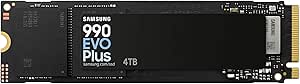 | Best for Flexible Platform Compatibility | Capacity: 4 TB | Interface: PCIe 4.0 x4 / PCIe 5.0 x2 | Form factor: M.2 2280 | VIEW ON AMAZON | See Our Full Breakdown |
| Lufasnd 4TB M.2 NVMe PCIe Gen4 x4 SSD, Up to 5000MB/s |  | Best for a Supplied Installation Tool | Capacity: 4 TB (product information also contains a conflicting 1 TB claim) | Interface: PCIe Gen4 x4 | Form factor: M.2 2280 | VIEW ON AMAZON | See Our Full Breakdown |
| Samsung 990 PRO 4TB PCIe 4.0 NVMe M.2 SSD |  | Best for High-Throughput Gaming and Workloads | Capacity: 4 TB | Interface: PCIe 4.0 NVMe | Form factor: M.2 2280 | VIEW ON AMAZON | See Our Full Breakdown |
| Bestoss 4TB PCIe 4.0 M.2 NVMe SSD with Heatsink |  | Best for Built-In Heatsink Convenience | Storage capacity: 4 TB | Interface: PCIe 4.0 x4 | Form factor: M.2 | VIEW ON AMAZON | See Our Full Breakdown |
| Western Digital WD Blue SN5000 4TB NVMe Internal SSD |  | Best for Documented Endurance and Data Migration | Capacity: 4 TB | Interface: PCIe Gen 4 x4 | Form factor: M.2 2280 | VIEW ON AMAZON | See Our Full Breakdown |
| Lexar NM790 4TB NVMe SSD with Heatsink |  | Best for Fast, Heatsink-Ready Upgrades | Capacity: 4 TB | Interface: NVMe, PCIe Gen 4×4 | Form factor: M.2 2280 | VIEW ON AMAZON | See Our Full Breakdown |
| Fikwot FN960 4TB M.2 NVMe PCIe Gen4 x4 SSD with Heatsink |  | Best for a Straightforward Heatsink-Included Upgrade | Capacity: 4 TB | Interface: NVMe, PCIe Gen4 x4 | Protocol: NVMe 1.4 | VIEW ON AMAZON | See Our Full Breakdown |
| internal ssd 4tb nvme | Interface | Form factor | Capacity |
|---|---|---|---|
| WD_BLACK SN7100 4TB NVMe SSD | PCIe Gen4 x4 NVMe | M.2 2280 | 4 TB |
| Fikwot FX910 4TB PCIe 4.0 NVMe | PCIe 4.0 x4 | M.2 2280 | 4 TB |
| WD_BLACK SN850X 4TB NVMe M.2 S | PCIe x4 NVMe | M.2 2280 | 4 TB |
| Samsung 990 PRO 4TB NVMe M.2 S | PCIe Gen 4×4 | M.2 | 4 TB |
| Samsung 9100 PRO 4TB PCIe 5.0 | PCIe 5.0 x4 | M.2 2280 | 4 TB |
| Samsung 990 EVO Plus 4TB NVMe | PCIe 4.0 x4 / PCIe 5.0 x2 | M.2 2280 | 4 TB |
| Lufasnd 4TB M.2 NVMe PCIe Gen4 | PCIe Gen4 x4 | M.2 2280 | 4 TB (product information also contains a conflicting 1 TB claim) |
| Samsung 990 PRO 4TB PCIe 4.0 N | PCIe 4.0 NVMe | M.2 2280 | 4 TB |
| Bestoss 4TB PCIe 4.0 M.2 NVMe | PCIe 4.0 x4 | M.2 | — |
| Western Digital WD Blue SN5000 | PCIe Gen 4 x4 | M.2 2280 | 4 TB |
| Lexar NM790 4TB NVMe SSD with | NVMe, PCIe Gen 4×4 | M.2 2280 | 4 TB |
| Fikwot FN960 4TB M.2 NVMe PCIe | NVMe, PCIe Gen4 x4 | M.2 2280 | 4 TB |
More Details on Our Top Picks
WD_BLACK SN7100 4TB NVMe SSD, PCIe Gen4, M.2 2280
The WD_BLACK SN7100 suits buyers who want a roomy Gen4 drive for a laptop or handheld gaming device, with listed 4TB-model speeds up to 7,000 MB/s read and 6,700 MB/s write. That makes it a strong fit for loading large games and moving substantial files, though the 7,250/6,900 MB/s figures sometimes associated with the model apply to smaller capacities. Compared with the desktop-leaning Samsung 9100 PRO, the SN7100 avoids requiring a PCIe 5.0 platform, but it cannot match that drive’s peak throughput.
Its up to 2,400 TBW endurance is a useful strength for frequent writes. The tradeoffs are a Windows-only WD_BLACK Dashboard and a product listing that says a newer generation has replaced it. I’d favor it for portable systems; buyers building a high-performance desktop should compare the SN850X or 9100 PRO instead.
Pros:- 4TB capacity for a large game library and other files
- Listed 4TB speeds reach up to 7,000 MB/s read and 6,700 MB/s write
- Designed for laptops and handheld gaming devices
- Up to 2,400 TBW endurance
Cons:- Advertised 7,250 MB/s read and 6,900 MB/s write figures apply to 1–2TB models, not this 4TB version
- WD_BLACK Dashboard is available for Windows only
- Product listing says it has been replaced by a newer generation
Best for: Laptop and handheld gaming owners who need 4TB of internal storage in an M.2 2280 Gen4 drive.
Not ideal for: Buyers seeking the highest available transfer rates, or users who need SSD management software on a non-Windows system.
- Capacity:4 TB
- Interface:PCIe Gen4 x4 NVMe
- Form factor:M.2 2280
- Read speed:Up to 7,000 MB/s
- Write speed:Up to 6,700 MB/s
- Endurance:Up to 2,400 TBW
- Compatible devices:Desktop, laptop, handheld gaming console
- Weight:4.54 g
Our verdict“Choose the SN7100 for fast, high-capacity Gen4 storage in a laptop or handheld, but look to the 9100 PRO for greater peak speed on a PCIe 5.0 desktop.”
Fikwot FX910 4TB PCIe 4.0 NVMe M.2 SSD with Heatsink
The Fikwot FX910 makes a practical case for buyers who want a 4TB Gen4 drive with its graphite heatsink already attached. That can simplify installation in a desktop or PS5 setup compared with a bare drive such as the WD_BLACK SN850X, which may require a compatible motherboard or console cooling solution. Its listed read speed reaches 7,000 MB/s, while write speed tops out at 6,000 MB/s, so it is more compelling for game storage and general use than for write-heavy work where the Samsung 990 PRO has a higher listed write ceiling.
The package also includes screws and a screwdriver, plus a five-year warranty. Those conveniences make the FX910 approachable, but its headline read speed does not tell the whole performance story: its maximum write speed is lower than the SN850X and Samsung 990 PRO figures provided here. I’d check that the attached heatsink fits the intended slot before choosing it.
Pros:- 4TB capacity with PCIe 4.0 x4 connectivity
- Maximum listed read speed of 7,000 MB/s
- Built-in graphite heatsink
- Includes installation accessories and a five-year warranty
Cons:- Maximum write speed of 6,000 MB/s is lower than the listed write ceilings of the SN850X and Samsung 990 PRO
- Attached heatsink may not suit every M.2 slot’s clearance
- No endurance figure is provided in the supplied specifications
Best for: PS5 and desktop PC owners who want a 4TB Gen4 SSD with an included heatsink and installation accessories.
Not ideal for: Buyers with a tight M.2 clearance or those prioritizing higher listed write speeds over an included heatsink.
- Capacity:4 TB
- Interface:PCIe 4.0 x4
- Form factor:M.2 2280
- Maximum read speed:Up to 7,000 MB/s
- Maximum write speed:Up to 6,000 MB/s
- Heatsink:Built-in graphite
- Compatibility:PS5, desktop PC, laptop
- Warranty:5 years
Our verdict“Pick the FX910 when an included heatsink and installation kit matter more than having the highest listed write speed.”
WD_BLACK SN850X 4TB NVMe M.2 SSD
The WD_BLACK SN850X is the Gen4 gaming pick for buyers who want a high listed read ceiling without moving to a PCIe 5.0 drive. Its 7,300 MB/s read speed edges past the SN7100’s 7,000 MB/s figure, while its 6,300 MB/s write speed sits below the Samsung 990 PRO’s 6,900 MB/s. That makes the SN850X a better match for game-heavy systems than for shoppers choosing chiefly on write throughput. It supports PlayStation 5 and PC, giving it broader gaming-system appeal than a desktop-only upgrade.
WD’s Windows dashboard adds Game Mode 2.0, but that software feature is not available to Mac or console users. The supplied description also says the model has been replaced by a newer generation, a point worth weighing against the still-strong listed Gen4 specifications. I’d choose it for a gaming build that values read performance and platform flexibility, not for buyers who need an included heatsink or cross-platform management tools.
Pros:- 4TB capacity for games and other files
- Listed read speed reaches up to 7,300 MB/s
- Compatible with PC and PlayStation 5
- Windows dashboard includes Game Mode 2.0 features
Cons:- Maximum write speed of 6,300 MB/s is below the Samsung 990 PRO’s listed 6,900 MB/s
- Game Mode 2.0 dashboard is Windows only
- Product description says it has been replaced by a newer generation
Best for: PC or PS5 gamers adding a 4TB Gen4 drive who prioritize game loading and a high listed read speed.
Not ideal for: Buyers who need an included heatsink, non-Windows access to Game Mode 2.0, or the highest listed write speed in this group.
- Capacity:4 TB
- Interface:PCIe x4 NVMe
- Form factor:M.2 2280
- Maximum read speed:Up to 7,300 MB/s
- Maximum write speed:Up to 6,300 MB/s
- Compatible devices:Laptop, motherboards
- Compatible console:Sony PlayStation 5
- Software feature:Windows dashboard with Game Mode 2.0
Our verdict“Choose the SN850X for a high-read-speed 4TB Gen4 gaming drive that can serve both a PC and PS5, provided its software and heatsink limitations fit your setup.”
Samsung 990 PRO 4TB NVMe M.2 SSD with Heatsink
The Samsung 990 PRO 4TB with Heatsink is the balanced premium Gen4 choice here: its listed sequential speeds reach 7,450 MB/s read and 6,900 MB/s write, and the integrated heatsink is ready for systems that need onboard cooling. Against the WD_BLACK SN850X, it offers a higher listed write ceiling and avoids relying on a separate cooling solution. The Fikwot FX910 also includes a heatsink, but its listed read and write limits are lower.
Compatibility spans PS5, PC, and Mac, while AES 256-bit encryption adds a data-protection feature beyond raw throughput. The main tradeoff is platform: this remains a PCIe 4.0 drive, so buyers with a PCIe 5.0 system seeking the fastest listed transfers should compare the Samsung 9100 PRO. The supplied information does not state endurance, warranty, or dimensions, so I would verify those details against the intended system and workload.
Pros:- Listed sequential speeds reach 7,450 MB/s read and 6,900 MB/s write
- Integrated heatsink helps manage drive temperatures
- Compatible with PlayStation 5, PC, and Mac
- AES 256-bit encryption
Cons:- PCIe 4.0 interface cannot match the Samsung 9100 PRO’s listed PCIe 5.0 throughput
- Supplied product data does not state endurance or warranty
- M.2 dimensions and heatsink clearance details are not provided
Best for: PS5, PC, and Mac owners who want a fast 4TB Gen4 SSD with an integrated heatsink and hardware encryption.
Not ideal for: Buyers with a PCIe 5.0 system who want the higher listed speeds of the Samsung 9100 PRO, or shoppers who need confirmed endurance details before choosing.
- Capacity:4 TB
- Interface:PCIe Gen 4×4
- Form factor:M.2
- Sequential read speed:Up to 7,450 MB/s
- Sequential write speed:Up to 6,900 MB/s
- Heatsink:Integrated
- Encryption:AES 256-bit
- Compatibility:PlayStation 5, PC, Mac
Our verdict“Choose the 990 PRO when you want a high-performing Gen4 drive with an integrated heatsink and broad device compatibility rather than PCIe 5.0 speeds.”
Samsung 9100 PRO 4TB PCIe 5.0 NVMe M.2 SSD
The Samsung 9100 PRO takes the performance-focused spot because its PCIe 5.0 x4 interface and listed sequential speeds—14,800 MB/s read and 13,400 MB/s write—are well beyond the Gen4 drives in this group. For large media projects, demanding transfers, and workloads that can use that bandwidth, the gap over the Samsung 990 PRO or WD_BLACK SN850X is the main reason to choose it. The catch is compatibility: these peak figures require a PCIe 5.0-capable system, so an older Gen4 platform will not provide the same benefit.
Its 4GB cache memory, hardware encryption, and power and thermal controls add useful workstation-oriented features. Compared with the 990 PRO, it offers a much higher performance ceiling but gives up the simpler case for buyers who only need a fast Gen4 drive. I’d reserve it for a supported desktop or laptop with workloads that can make use of the extra throughput.
Pros:- PCIe 5.0 x4 interface with listed read speeds up to 14,800 MB/s
- Listed write speed reaches up to 13,400 MB/s
- 4TB capacity and 4GB cache memory
- Hardware encryption and power and thermal controls
Cons:- Maximum performance requires a PCIe 5.0-capable system
- Higher listed throughput may offer little practical gain for basic storage and gaming use
- Supplied specifications do not list a heatsink or endurance rating
Best for: Creators and power users with a PCIe 5.0-capable desktop or laptop who move large files or run demanding storage workloads.
Not ideal for: Owners of PCIe 4.0-only systems or everyday users who are unlikely to benefit from speeds beyond the Samsung 990 PRO.
- Capacity:4 TB
- Interface:PCIe 5.0 x4
- Form factor:M.2 2280
- Sequential read speed:Up to 14,800 MB/s
- Sequential write speed:Up to 13,400 MB/s
- Random read speed:Up to 2,200K IOPS
- Random write speed:Up to 2,600K IOPS
- Cache memory:4 GB
- Features:Hardware encryption, power and thermal control
Our verdict“Choose the 9100 PRO when your system supports PCIe 5.0 and your workload can use its substantial speed advantage over Gen4 alternatives.”
Samsung 990 EVO Plus 4TB NVMe M.2 Internal SSD
The Samsung 990 EVO Plus pairs 4TB of space with support for PCIe 4.0 x4 and PCIe 5.0 x2, giving buyers more flexibility across compatible systems than a drive limited to one link configuration. Its rated 7,250 MB/s read and 6,300 MB/s write speeds suit large game libraries and file-heavy work, while Magician software adds firmware updates and drive-health monitoring. Compared with the WD Blue SN5000, this Samsung is positioned for higher sequential throughput and adds the alternate PCIe 5.0 x2 mode; the WD counters with a stated endurance figure and migration software. TurboWrite 2.0 can help with certain large transfers, but its benefit depends on transfer size, and actual speeds vary with system and firmware. Choose it for interface flexibility, not a guarantee of peak speed in every machine.
Pros:- 4TB capacity suits large libraries and working files
- Supports PCIe 4.0 x4 and PCIe 5.0 x2 configurations
- Rated sequential speeds reach 7,250 MB/s read and 6,300 MB/s write
- Samsung Magician supports firmware updates and drive-health monitoring
Cons:- TurboWrite performance applies only within a specific data-transfer size
- Actual performance can vary with system configuration and firmware
Best for: Desktop and laptop owners with a compatible M.2 slot who want 4TB capacity, high sequential speeds, and drive-monitoring software.
Not ideal for: Buyers who prioritize a published endurance rating or need predictable performance for transfers outside TurboWrite’s supported range.
- Capacity:4 TB
- Interface:PCIe 4.0 x4 / PCIe 5.0 x2
- Form factor:M.2 2280
- Protocol:NVMe
- Sequential read speed:Up to 7,250 MB/s
- Sequential write speed:Up to 6,300 MB/s
- Weight:9 g
- Compatible devices:Desktop, laptop
Our verdict“Choose the 990 EVO Plus if you want a fast 4TB drive with flexible PCIe support and Samsung’s monitoring tools.”
Lufasnd 4TB M.2 NVMe PCIe Gen4 x4 SSD, Up to 5000MB/s
The Lufasnd 4TB is a capacity-first option for buyers who want a Gen4 M.2 drive and appreciate having a screwdriver included for installation. Its rated 5,000 MB/s read and 4,800 MB/s write speeds are below the Samsung 990 EVO Plus and Samsung 990 PRO, so it is less suited to shoppers chasing the lineup’s highest sequential throughput. The supplied description lists desktop, laptop, and PS5 compatibility, which broadens its intended fit, but buyers should check their device’s slot and clearance requirements before ordering. There is also a meaningful documentation concern: the NAND is described inconsistently as TLC/QLC, and the product information includes a conflicting 1TB capacity claim despite the 4TB title. The three-year limited warranty is stated, but unclear specifications make this a less reassuring choice than better-documented alternatives.
Pros:- 4TB capacity for games, applications, and files
- Rated speeds of up to 5,000 MB/s read and 4,800 MB/s write
- Screwdriver is included for installation
- Listed compatibility includes desktops, laptops, and PS5
Cons:- Product information conflicts between the 4TB title and a 1TB capacity claim
- NAND is described inconsistently as TLC/QLC
- Rated speeds trail the Samsung 990 EVO Plus and 990 PRO
Best for: Hands-on PC or PS5 owners seeking a 4TB Gen4 drive with an installation screwdriver included and willing to verify specifications before purchase.
Not ideal for: Buyers who need clearly documented NAND type, unambiguous capacity information, or higher rated speeds than 5,000/4,800 MB/s.
- Capacity:4 TB (product information also contains a conflicting 1 TB claim)
- Interface:PCIe Gen4 x4
- Form factor:M.2 2280
- Read speed:Up to 5,000 MB/s
- Write speed:Up to 4,800 MB/s
- Memory:3D NAND TLC/QLC with SLC cache (description is inconsistent)
- Compatibility:Desktop, laptop, Sony PlayStation 5
- Warranty:3-year limited warranty
- Included accessory:Screwdriver
Our verdict“Pick the Lufasnd only if its stated compatibility and included tool fit your needs and you are comfortable confirming its conflicting capacity and NAND details.”
Samsung 990 PRO 4TB PCIe 4.0 NVMe M.2 SSD
Among these five drives, the Samsung 990 PRO 4TB has the highest stated sequential speeds: up to 7,450 MB/s read and 6,900 MB/s write. That makes it the most performance-focused pick here for a compatible PCIe 4.0 desktop or laptop, and the product data also lists PS5 compatibility. Its controller is designed to manage heat and power efficiency, useful in a fast drive that may handle sustained game and work activity. The 990 EVO Plus comes close on paper and offers PCIe 5.0 x2 support, while the 990 PRO posts the stronger listed Gen4 speeds. However, the supplied product information also contains conflicting USB-connectivity and 1,050/1,000 MB/s figures, so verify the exact listing and system fit before buying. Performance remains dependent on hardware, configuration, and firmware.
Pros:- Highest listed sequential speeds in this batch at 7,450 MB/s read and 6,900 MB/s write
- 4TB capacity supports large game and work libraries
- Controller is designed for heat management and power efficiency
- Product data lists compatibility with desktop, laptop, and PS5
Cons:- Supplied product information conflicts with the SSD description, including USB and lower speed claims
- Performance depends on system hardware, configuration, and firmware
Best for: PC gamers and demanding-workload users with a compatible PCIe 4.0 M.2 slot who want the highest stated speeds among these five options.
Not ideal for: Buyers who need uncomplicated, consistent product specifications or whose system cannot take advantage of a PCIe 4.0 NVMe drive.
- Capacity:4 TB
- Interface:PCIe 4.0 NVMe
- Form factor:M.2 2280
- Sequential read speed:Up to 7,450 MB/s
- Sequential write speed:Up to 6,900 MB/s
- Weight:9.07 g
- Compatible devices:Desktop, laptop
- Compatible console:Sony PlayStation 5
Our verdict“Choose the 990 PRO for the strongest stated Gen4 speeds here, after confirming the listing matches the M.2 NVMe model you need.”
Bestoss 4TB PCIe 4.0 M.2 NVMe SSD with Heatsink
The Bestoss 4TB distinguishes itself with a multi-layer metal heatsink already attached, a practical advantage for PS5 expansion or a compatible desktop that needs a cooled M.2 drive. Its rated 7,350 MB/s read and 6,600 MB/s write speeds put it near the Samsung 990 PRO and ahead of the WD Blue SN5000 on stated sequential throughput. That makes it a more performance-oriented option than the WD, while the WD provides a published 1,200 TBW endurance rating and Acronis migration access. The Bestoss listing instead emphasizes cooling, a three-year limited warranty, and lifetime technical support. Its maximum speeds require a PCIe 4.0 connection, and an external USB enclosure can limit transfers. Because the drive includes a heatsink, buyers should also check physical clearance and device requirements before installation.
Pros:- Multi-layer heatsink with metal shell is included
- Rated speeds reach 7,350 MB/s read and 6,600 MB/s write
- Designed for PS5 storage expansion and compatible computers
- Includes a three-year limited warranty and lifetime technical support
Cons:- Maximum rated speed requires a PCIe 4.0 connection
- USB enclosures may limit transfer speeds
- Heatsink dimensions and clearance should be checked for the target device
Best for: PS5 owners and desktop builders who want a 4TB PCIe 4.0 drive with a heatsink already fitted.
Not ideal for: Laptop owners with tight M.2 clearance or buyers who want a published endurance figure like the WD Blue SN5000’s 1,200 TBW.
- Storage capacity:4 TB
- Interface:PCIe 4.0 x4
- Form factor:M.2
- Read speed:Up to 7,350 MB/s
- Write speed:Up to 6,600 MB/s
- Heatsink:Multi-layer design with metal shell
- Compatibility:PS5, desktop, gaming console, laptop
- Warranty:3-year limited warranty
Our verdict“Choose the Bestoss if you want a fast 4TB drive with built-in cooling for a compatible PS5 or desktop and have room for its heatsink.”
Western Digital WD Blue SN5000 4TB NVMe Internal SSD
The WD Blue SN5000 4TB takes a steadier approach than the Samsung 990 PRO: its 5,500 MB/s read speed is lower than the Samsung’s 7,450 MB/s, but WD supplies a clear 1,200 TBW endurance rating and access to Acronis True Image for data migration. That pairing suits a capacity upgrade where drive longevity information and a route for moving files matter more than leading sequential performance. It uses a standard M.2 2280 PCIe Gen 4 x4 format for compatible desktops and laptops. The tradeoff is that the listed specifications provide a read speed but no sequential write figure, making direct performance comparisons less complete. Unlike the heatsink-equipped Bestoss, the WD listing does not include cooling hardware, so check whether your system has an M.2 heatsink or needs one.
Pros:- 4TB capacity in a standard M.2 2280 format
- Up to 5,500 MB/s read speed
- Published endurance rating of up to 1,200 TBW
- Acronis True Image for Western Digital data-migration access
Cons:- Listed read speed is below the Samsung 990 PRO and Bestoss
- Product data does not provide a sequential write-speed figure
- Requires a compatible M.2 2280 PCIe slot
Best for: Desktop and laptop owners upgrading to 4TB who value a stated endurance rating and access to data-migration software.
Not ideal for: Buyers seeking the highest listed sequential speeds, a bundled heatsink, or a product listing with both read and write figures.
- Capacity:4 TB
- Interface:PCIe Gen 4 x4
- Form factor:M.2 2280
- Read speed:Up to 5,500 MB/s
- Endurance:Up to 1,200 TBW
- Weight:5.7 g
- Dimensions:3.15 × 0.87 × 0.1 in
- Compatible devices:Desktop, laptop, PC
- Model number:WDS400T4B0E
Our verdict“Pick the WD Blue SN5000 for a 4TB upgrade when its stated endurance and migration support matter more than the fastest sequential speeds.”
Lexar NM790 4TB NVMe SSD with Heatsink
The Lexar NM790 is a strong fit for a 4TB upgrade where fast transfers and an included heatsink matter. Its rated speeds of up to 7,400 MB/s read and 6,500 MB/s write put it ahead of the Fikwot FN960’s listed 5,000/4,500 MB/s, making the Lexar the more compelling choice for large file moves and demanding game libraries. The integrated heatsink also makes it a convenient candidate for a compatible PS5 or desktop slot, though buyers should check clearance before installation. Its main compromise is HMB 3.0 instead of onboard DRAM, which may be less appealing for sustained, cache-heavy workloads. The advertised lower power use versus DRAM-equipped PCIe Gen 4 drives may suit efficiency-minded upgrades, but this model is best chosen for its speed-and-capacity balance rather than a built-in DRAM cache.
Pros:- High rated sequential speeds of up to 7,400 MB/s read and 6,500 MB/s write
- Integrated heatsink avoids sourcing a separate cooling solution
- 4TB capacity and compatibility with desktops, laptops, and PlayStation 5
- 3,000 TBW endurance rating and five-year limited warranty
Cons:- Uses HMB 3.0 rather than built-in DRAM cache
- Integrated heatsink may not fit every laptop or M.2 slot
- Advertised sequential speeds are maximum ratings, not guaranteed results in every workload
Best for: PS5 and desktop owners who want a fast 4TB PCIe Gen 4 drive with a heatsink already attached and have verified that it fits their slot.
Not ideal for: Buyers with sustained cache-heavy workloads who specifically want an SSD with onboard DRAM, or laptop owners whose M.2 bay cannot accommodate the integrated heatsink.
- Capacity:4 TB
- Interface:NVMe, PCIe Gen 4×4
- Form factor:M.2 2280
- Sequential read:Up to 7,400 MB/s
- Sequential write:Up to 6,500 MB/s
- Cache technology:HMB 3.0, Dynamic SLC Cache
- Endurance:3,000 TBW
- Heatsink:Integrated
- Warranty:Five-year limited warranty
Our verdict“Choose the Lexar NM790 if you want a fast 4TB Gen 4 SSD with an integrated heatsink and do not require onboard DRAM.”
Fikwot FN960 4TB M.2 NVMe PCIe Gen4 x4 SSD with Heatsink
The Fikwot FN960 offers 4TB of storage, a fitted aluminum-alloy heatsink, and compatibility with PS5 and a range of PCs. Its rated 5,000 MB/s read and 4,500 MB/s write speeds are more modest than the Lexar NM790’s 7,400/6,500 MB/s, so I’d favor the Lexar when transfer speed is the priority. The FN960’s appeal is a simpler spec profile for buyers who mainly need extra capacity for games and everyday files, with a thermal pad and dynamic SLC cache included. Its 700 TBW endurance rating is also well below the Lexar’s 3,000 TBW, a meaningful distinction for users who write large amounts of data regularly. Maximum speeds can vary in use, so this is better matched to capacity-focused upgrades than sustained heavy workloads.
Pros:- 4TB capacity for a large game library or file collection
- Aluminum-alloy heatsink and thermal pad are included
- Compatible with PS5, desktops, all-in-one PCs, and laptops
- Five-year limited warranty
Cons:- Rated speeds are lower than the Lexar NM790’s listed sequential speeds
- 700 TBW endurance rating is substantially lower than the Lexar NM790’s 3,000 TBW
- Maximum speed ratings may vary under actual workloads
Best for: PS5 or PC owners seeking a 4TB Gen 4 drive with an included heatsink for game storage and everyday computing.
Not ideal for: Users who frequently write large amounts of data or want higher rated speeds and a substantially higher endurance rating, for whom the Lexar NM790 is a stronger fit.
- Capacity:4 TB
- Interface:NVMe, PCIe Gen4 x4
- Protocol:NVMe 1.4
- Form factor:M.2 2280
- Sequential read:Up to 5,000 MB/s
- Sequential write:Up to 4,500 MB/s
- Cache:Dynamic SLC cache
- Endurance:700 TBW
- Warranty:Five-year limited warranty
Our verdict“Pick the Fikwot FN960 for a 4TB heatsink-equipped drive for general gaming and PC storage, but choose the faster Lexar NM790 for heavier writes or higher rated performance.”

How We Picked
I compared the 12 listed 4TB drives on interface generation, stated performance, heatsink configuration, and practical system fit. I also looked at how clearly each product’s role could be matched to a buyer: everyday storage, gaming, heavy creative workloads, PCIe 5.0 upgrades, or a system that benefits from an included heatsink. Since the supplied product information does not establish independent test results, endurance figures, warranties, or support quality for every model, I avoid treating a headline speed as proof of sustained performance.
The order favors options with a clear use case and broad appeal, then separates premium and specialist choices from capacity-focused alternatives. Similar products are ranked by the differences buyers can act on: for example, the SN850X is a strong Gen4 all-rounder, while the 9100 PRO is aimed at PCIe 5.0 systems; the 990 PRO is available both with and without a heatsink. I give less-established listings a more cautious position where the available details leave more for a buyer to verify.
| internal ssd 4tb nvme | Form factor |
|---|---|
| WD_BLACK SN7100 4TB NVMe SSD | M.2 2280 |
| Fikwot FX910 4TB PCIe 4.0 NVMe | M.2 2280 |
| WD_BLACK SN850X 4TB NVMe M.2 S | M.2 2280 |
| Samsung 990 PRO 4TB NVMe M.2 S | M.2 |
| Samsung 9100 PRO 4TB PCIe 5.0 | M.2 2280 |
| Samsung 990 EVO Plus 4TB NVMe | M.2 2280 |
| Lufasnd 4TB M.2 NVMe PCIe Gen4 | M.2 2280 |
| Samsung 990 PRO 4TB PCIe 4.0 N | M.2 2280 |
| Bestoss 4TB PCIe 4.0 M.2 NVMe | M.2 |
| Western Digital WD Blue SN5000 | M.2 2280 |
| Lexar NM790 4TB NVMe SSD with | M.2 2280 |
| Fikwot FN960 4TB M.2 NVMe PCIe | M.2 2280 |
Factors to Consider When Choosing Internal Ssd 4tb Nvme
Before choosing a 4TB drive, I’d match it to the computer, workload, and cooling already in place. These checks often matter more than a small difference in advertised sequential speed.
Check the M.2 slot and PCIe generation
Confirm that your system has an available M.2 2280 NVMe slot and check which PCIe generation that slot supports. A PCIe 5.0 SSD can operate in some older compatible slots, but it will not deliver Gen5 speeds there. Conversely, a Gen4 drive is often the sensible choice when your motherboard or laptop is limited to Gen4. Check the system manual for supported capacities and any shared-slot restrictions, especially on compact boards. Buying the newest interface without a compatible slot can mean paying for capability you cannot use.
Choose cooling that fits the actual device
Fast NVMe drives can generate heat during long transfers, so cooling matters most when workloads stay heavy rather than during short everyday tasks. A motherboard’s M.2 heatsink may already cover the slot, making a separate drive heatsink unnecessary or physically incompatible. Laptops and handheld devices often have tight clearance, so check thickness and manufacturer guidance before buying a model with a heatsink. Do not remove a bundled heatsink unless the drive maker and device instructions allow it. If your system has no M.2 cooling, an included heatsink can simplify installation, but fit remains the deciding factor.
Match sustained performance to your workload
Sequential read and write figures describe particular transfer conditions, not every task a drive will perform. Game loading, operating-system use, and ordinary file work may not benefit much from choosing the highest advertised number. Large video projects, frequent multi-gigabyte copies, and scratch-disk use make sustained behavior and thermal management more relevant. Check independent testing and the manufacturer’s specifications for endurance and performance details before using a drive for continuous write-heavy work. A premium Gen5 model makes more sense when your applications and system can take advantage of it.
Treat warranty, endurance, and support as part of the purchase
At 4TB, a drive may hold years of work, games, or personal files, so capacity is not a substitute for checking warranty length, endurance rating, and support terms. Compare those details directly in the manufacturer’s documentation; they are not established for every listing in this roundup. A familiar product family can make specifications easier to verify, while lesser-known options call for extra care around seller identity and return policies. Keep a separate backup for irreplaceable files, since an SSD is not a backup system. This check can matter more to a long-term owner than a modest difference in peak speed.
Decide whether 4TB belongs on one drive
A single 4TB SSD gives a desktop or laptop one large, fast volume and avoids managing several internal drives. It can also concentrate your data on one device, making backups and drive replacement more important. Some systems reserve multiple M.2 slots for different jobs, so two smaller drives may offer a more convenient split between operating system, projects, and games. Laptop owners should confirm that their device supports a 4TB module and that installing it will not affect another storage option. Choose one large drive for simplicity; choose multiple drives when separation or future expansion matters more.
Weigh established product details against headline claims
When product listings offer limited information, compare more than the speed printed in the title. Look for a full specification sheet, warranty terms, endurance data, firmware tools, and clear compatibility guidance. This is particularly useful when weighing lesser-known Gen4 models against established options such as the Samsung 990 EVO Plus or WD Blue SN5000. A lower stated maximum may still suit a secondary game or media library, but an operating-system or work drive deserves more attention to support and documented reliability. I would pay for a better-documented drive when downtime or data recovery would be costly.
Frequently Asked Questions
Will a PCIe 5.0 4TB SSD work in a PCIe 4.0 M.2 slot?
It may work if the motherboard supports backward compatibility and the drive’s physical format matches the slot, but it will run within the slot’s limits rather than at full Gen5 capability. Check the motherboard or laptop manual before purchase, since some systems restrict which M.2 slots support NVMe drives or certain capacities. For a Gen4-only system, a Gen4 model such as the WD_BLACK SN850X or Samsung 990 PRO is usually a more direct fit. Confirm cooling needs too, as performance-class drives can run hot under sustained transfers.
Should I buy a 4TB SSD with a heatsink or use my motherboard’s M.2 cover?
Use the motherboard’s built-in M.2 heatsink when the board manual specifies that it covers the slot and the SSD can sit beneath it properly. A drive with its own heatsink may be a better match for a system without M.2 cooling, but it may not fit under a motherboard cover or inside a laptop. Compare the listed dimensions and installation instructions before choosing a heatsink model. The included heatsink is not automatically an upgrade if it creates a clearance problem.
Is a 4TB PCIe 5.0 SSD worth choosing for gaming?
For most gaming builds, I’d first check whether the motherboard supports Gen5 and whether the games or other applications you use benefit from faster storage. A PCIe 5.0 model such as the Samsung 9100 PRO is most compelling when the rest of the system can use that interface and you also have demanding transfer workloads. On a Gen4 system, a Gen4 drive can provide a better-matched upgrade without paying for unused interface capability. Keep enough room for cooling and compare documented endurance and warranty details as well.
Can I replace a smaller SSD with a 4TB drive in a laptop?
Only if the laptop supports an M.2 NVMe drive in the same physical size and accepts a 4TB capacity. Check the service manual for slot format, interface generation, capacity limits, and any thermal or single-sided-drive requirements. A heatsink-equipped model can be too thick for a laptop even when its connector matches. Back up your files before replacing the existing drive, and check whether you will need a fresh operating-system installation or a drive clone.
What should I verify before choosing a lesser-known 4TB NVMe SSD?
Look for a manufacturer specification page that confirms the interface, module size, endurance rating, warranty, and operating-temperature guidance. Check that the seller and return process are clear, and seek independent testing for sustained writes if the drive will hold active project files. A stated maximum transfer speed is only one part of the picture and may not describe extended workloads. For a secondary library, a capacity-focused option may be adequate; for a primary work drive, I would favor documentation and support I can verify.
Conclusion
For most buyers, I’d choose the WD_BLACK SN850X as the best overall because it offers a clear Gen4 role without requiring a PCIe 5.0 platform. The best premium pick is the Samsung 9100 PRO for a compatible Gen5 system, while the Samsung 990 PRO is a strong alternative for buyers who want a high-performance Gen4 drive, with or without a heatsink. For best value, compare the WD Blue SN5000 and Samsung 990 EVO Plus against your workload and verify their full specifications before deciding. Beginners should favor the clearest compatibility and support documentation, then choose between a bare drive for a motherboard-cooled slot and a heatsink model when the system needs one. For a specific need, pick the Lexar NM790 or a heatsink-equipped Fikwot option only after confirming fit, cooling, and warranty details; choose a Gen5 drive only when your system can use it.
Fall Picks
fall essentials
As an affiliate, we earn on qualifying purchases.