
If you’re looking to elevate your gaming in 2025, I recommend checking out the top mice that combine precision, speed, and comfort. The Razer Basilisk V3, Logitech G PRO X SUPERLIGHT 2, and Viper V3 Pro stand out for their high-DPI sensors, wireless tech, and lightweight design. These models offer a mix of customization, durability, and performance to suit any gamer. Keep going — there’s more to discover that can help you find the perfect match for your playstyle.
Key Takeaways
- Highlights top gaming mice with advanced sensors like HERO 2 and Focus Pro for precision and responsiveness.
- Details wireless options with ultra-low latency and long battery life for seamless gameplay.
- Emphasizes ergonomic and lightweight designs suitable for various grips and hand sizes.
- Covers customizable features such as programmable buttons, RGB lighting, and macro support.
- Provides insights on durability, weight, and extra features to help gamers choose the best mouse for 2025.

Razer Basilisk V3 Customizable Ergonomic Gaming Mouse: Fastest Gaming Mouse Switch - Chroma RGB Lighting - 26K DPI Optical Sensor - 11 Programmable Buttons - HyperScroll Tilt Wheel - Classic Black
ICONIC ERGONOMIC DESIGN WITH THUMB REST — PC gaming mouse favored by millions worldwide with a form factor...
As an affiliate, we earn on qualifying purchases.
Razer Basilisk V3 Gaming Mouse with RGB Lighting and 26K DPI

If you’re serious about gaming and need a mouse that combines precision, comfort, and customization, the Razer Basilisk V3 stands out as an excellent choice. Its iconic ergonomic design with a thumb rest supports long sessions comfortably, whether you prefer claw, palm, or fingertip grips. The large size and textured sides offer excellent control, while the heavyweight build provides stability. Equipped with a 26K DPI optical sensor and optical switches, it delivers pixel-perfect accuracy and crisp clicks. With 11 programmable buttons, customizable RGB lighting, and the Razer Synapse software, it’s tailored to enhance your gameplay and overall experience.
Best For: gamers and professionals seeking a high-precision, ergonomic, and customizable mouse for extended gaming or work sessions.
Pros:
- Ergonomic design with thumb rest supports comfortable long-term use across various grip styles
- 26K DPI optical sensor and optical switches provide pixel-perfect accuracy and responsive clicks
- Extensive customization options with 11 programmable buttons and dynamic RGB lighting
Cons:
- Heavyweight design (~3.56 ounces) may not suit users preferring lighter mice
- Some reports of wear over extended use, especially on the mouse wheel
- Wired connection may limit portability compared to wireless alternatives

Logitech G PRO X Superlight 2 Wireless Gaming Mouse, 60g Pro-Grade with 5 Programmable Buttons, 44k DPI Sensor, 8kHz Report Rate, USB-C Charging for PC/Mac - Black
Better Performance: The Logitech Superlight 2, our championship winning wireless mouse gaming is now even better; with 8...
As an affiliate, we earn on qualifying purchases.
Logitech G PRO X SUPERLIGHT 2 Wireless Gaming Mouse
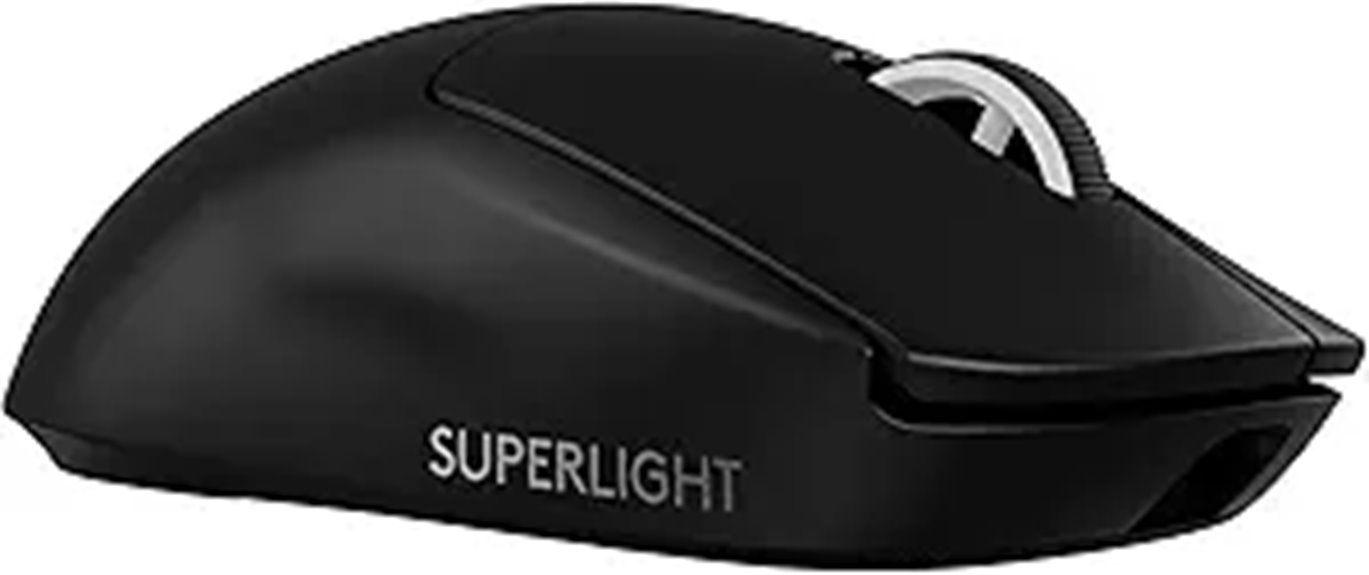
The Logitech G PRO X SUPERLIGHT 2 Wireless Gaming Mouse stands out as the top choice for serious gamers and esports professionals who demand both lightweight agility and precise tracking. Weighing just 60 grams, it offers effortless gliding thanks to its high-quality PTFE feet and ergonomic design that suits various grip styles. Equipped with the HERO 2 sensor, it delivers stunning accuracy with up to 44,000 DPI and over 888 IPS tracking. Its LIGHTFORCE switches provide tactile, reliable clicks, while the long-lasting 95-hour battery and fast USB-C charging keep you in the game. Seamless wireless connection, customizable buttons, and software support complete this powerhouse, making it one of the best lightweight mice of 2025.
Best For: serious gamers and esports professionals seeking a lightweight, highly precise wireless gaming mouse with customizable features.
Pros:
- Ultra-lightweight design at only 60g for enhanced agility and quick movements
- HERO 2 sensor with up to 44,000 DPI and over 888 IPS tracking for exceptional accuracy
- Long-lasting 95-hour battery life with quick USB-C charging and seamless wireless connectivity
Cons:
- Slightly expensive compared to other gaming mice in its category
- Limited to specific software customization options, which may require updates for advanced profiles
- May be too minimalistic for users preferring additional side buttons or larger ergonomics

Logitech G502 Lightspeed Wireless Gaming Mouse with Hero 25K Sensor, PowerPlay Compatible, Tunable Weights and Lightsync RGB - Black
PowerPlay wireless charging: Never worry about your battery life again. Add the power play wireless charging system to...
As an affiliate, we earn on qualifying purchases.
Logitech G502 Lightspeed Wireless Gaming Mouse
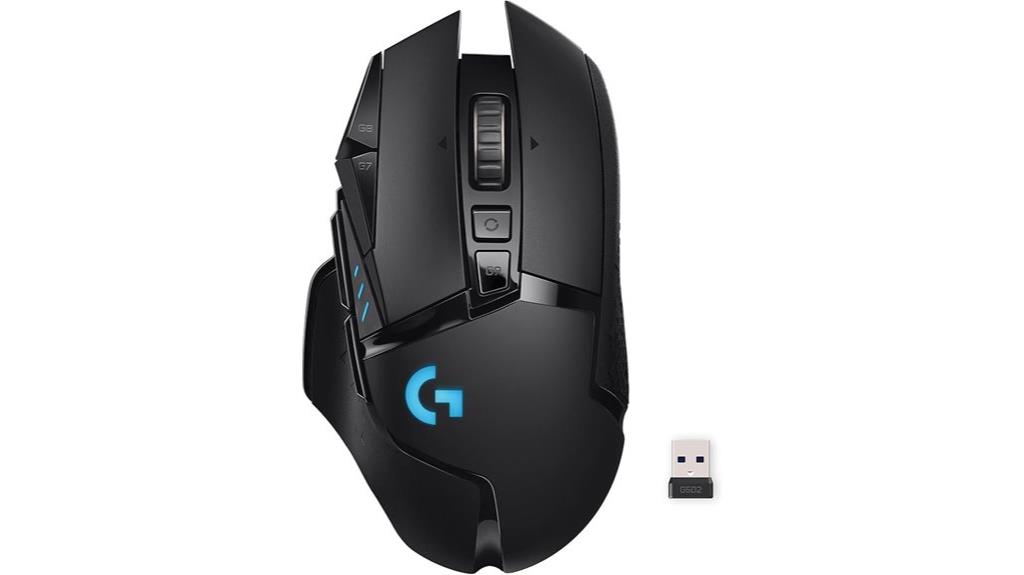
For gamers demanding lightning-fast, reliable wireless performance, the Logitech G502 Lightspeed Wireless Gaming Mouse stands out as an exceptional choice. It uses Logitech G’s exclusive Lightspeed wireless tech, trusted by pros for ultra-fast, low-latency connections. The Hero 25K sensor delivers 1:1 tracking, over 400 IPS, and DPI from 100 to 25,600, with a free software update for even more precision. Its 11 programmable buttons and hyper-fast scroll wheel boost customization, while tunable weights let you personalize the feel. Plus, the PowerPlay system enables continuous wireless charging during use or rest. RGB Lightsync adds customizable lighting effects, making this mouse both high-performing and stylish.
Best For: gamers seeking a high-performance, ultra-reliable wireless mouse with customizable features and advanced tracking capabilities.
Pros:
- Utilizes Logitech G’s exclusive Lightspeed wireless technology for ultra-fast, low-latency connection.
- Equipped with Hero 25K sensor offering precise 1:1 tracking and DPI up to 25,600.
- Features 11 programmable buttons, tunable weights, and RGB Lightsync lighting for customization.
Cons:
- PowerPlay wireless charging system is sold separately.
- May be more expensive compared to standard wired gaming mice.
- The multitude of features and settings might require a learning curve for new users.

Razer Viper V3 Pro Wireless Esports Gaming Mouse: Symmetrical - 54g Lightweight - 8K Polling - 35K DPI Optical Sensor - Gen3 Optical Switches - 8 Programmable Buttons - 95 Hr Battery - Black
54 G ULTRA LIGHTWEIGHT DESIGN — Designed in collaboration with world-class esports pros, the Viper V3 Pro’s perfectly...
As an affiliate, we earn on qualifying purchases.
Razer Viper V3 Pro Wireless Gaming Mouse
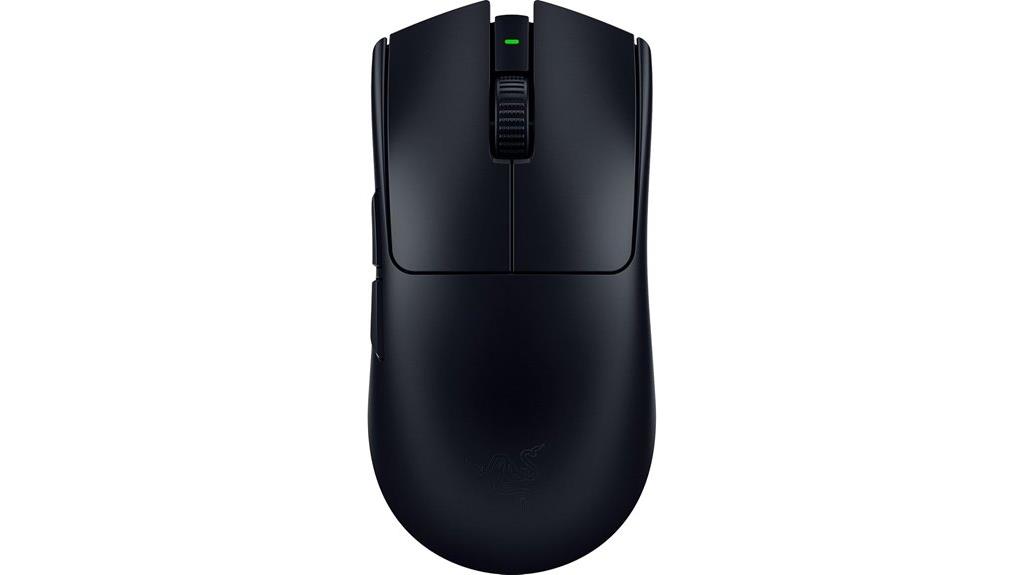
Gamers seeking top-tier precision and responsiveness will find the Razer Viper V3 Pro Wireless Gaming Mouse an ideal choice, thanks to its Focus Pro 35K optical sensor. Weighing only 54 grams, its ultra-lightweight, symmetrical design was developed with esports pros for swift, precise flicks. The mouse offers granular control with 1-DPI step adjustments up to 35,000 DPI, ensuring accuracy across surfaces, including glass. Its Hyperspeed wireless connection, combined with HyperPolling at 8000 Hz, guarantees a smooth, reliable experience. Optical switches with a 90 million click lifespan and a battery life of up to 95 hours make this mouse an exceptional tool for competitive gaming and extended sessions.
Best For: competitive gamers and esports professionals seeking a lightweight, highly precise wireless mouse with customizable controls and exceptional responsiveness.
Pros:
- Ultra-lightweight design (54g) for swift, precise flicks and agility.
- Focus Pro 35K optical sensor provides accurate tracking on various surfaces, including glass.
- Hyperspeed wireless with 8000 Hz HyperPolling ensures a smooth, lag-free connection.
Cons:
- Limited to 8 programmable buttons, which might be restrictive for some users.
- High DPI settings (up to 35,000 DPI) may be unnecessary for casual gamers.
- Premium price point may be a consideration for budget-conscious buyers.
Logitech G502 X Plus Wireless Gaming Mouse

If you’re looking for a wireless gaming mouse that combines precision, durability, and customization, the Logitech G502 X Plus stands out as an excellent choice. Its ergonomic design, lightweight build, and customizable RGB lighting make it both comfortable and visually appealing. The hybrid LIGHTFORCE switches guarantee responsive clicks, while the HERO 25K sensor delivers pinpoint accuracy with 1:1 tracking. With 13 programmable controls and profile swapping, you can tailor it for any game. Plus, its impressive two-week battery life and wireless charging support keep you in the game longer. Overall, the G502 X Plus offers professional-grade performance in a sleek, versatile package.
Best For: gamers and professionals seeking a high-precision, customizable, and durable wireless mouse for multi-gaming and professional tasks.
Pros:
- High-precision HERO 25K sensor with 1:1 tracking for accurate cursor movement
- Customizable RGB lighting and 13 programmable controls for tailored gameplay and workflows
- Long battery life of up to two weeks with wireless charging options for extended use
Cons:
- Narrow side buttons may be less comfortable for some users
- Mushy or notchy feel reported by some regarding the free spin scroll wheel
- Slightly heavier weight (~13.4 ounces) compared to ultra-lightweight gaming mice
Redragon M612 Predator RGB Gaming Mouse with 8000 DPI and Programmable Buttons
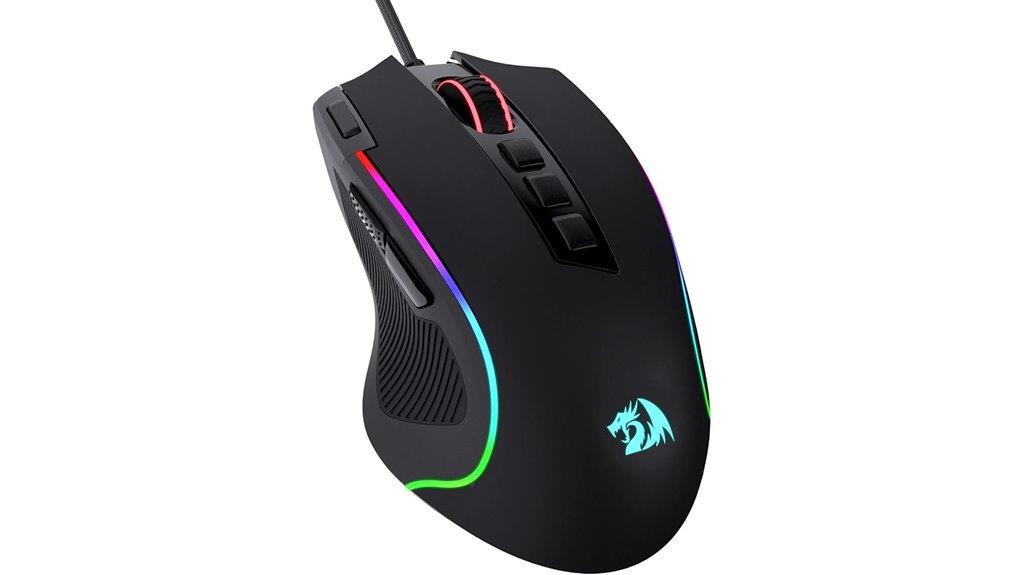
The Redragon M612 Predator RGB Gaming Mouse stands out with its impressive 8,000 DPI and fully customizable buttons, making it an excellent choice for gamers who demand precision and tailored controls. It features five default DPI levels, up to 8,000 via software, and 11 programmable buttons, including macro and rapid-fire options. The ergonomic design with a frosted coating and rubber-textured sides guarantees comfort and control during long sessions. With dynamic RGB lighting, multiple backlit modes, and wireless connectivity via Bluetooth or dongle, it balances performance and style. Users praise its responsiveness, durability, and customization, making it a versatile, feature-rich mouse for gaming and productivity.
Best For: gamers and productivity users seeking a highly customizable, ergonomic mouse with high DPI and wireless convenience.
Pros:
- Fully programmable buttons, including macro and rapid-fire options, for tailored control
- Ergonomic design with frosted coating and rubber-textured sides for comfort and grip during long use
- Wireless connectivity with long battery life and dynamic RGB lighting for style and convenience
Cons:
- Software download required for full customization features
- Slight movement issue on wired models due to front wire, as noted by some users
- Limited color options beyond the standard design, with suggestions for additional variations
Logitech G305 LIGHTSPEED Wireless Gaming Mouse
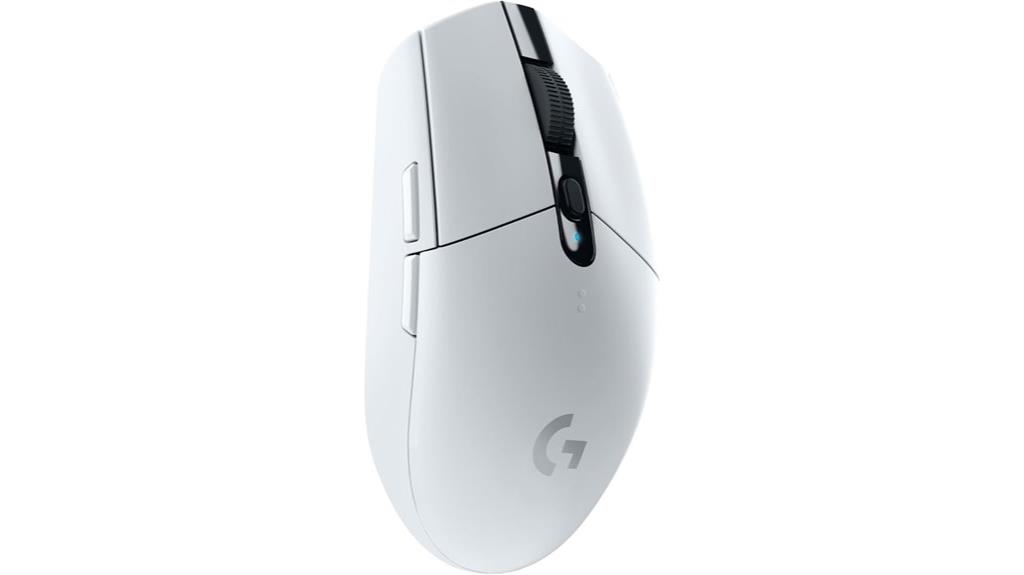
Looking for a gaming mouse that combines wireless freedom with wired-like responsiveness? The Logitech G305 LIGHTSPEED is exactly that. Weighing only 99 grams, it’s lightweight, comfortable, and highly maneuverable—ideal for long gaming sessions. Its compact design includes built-in storage for the USB receiver, making it portable. The HERO 12K sensor offers up to 12,000 DPI with incredible accuracy and speed, while the 1ms LIGHTSPEED wireless tech guarantees lag-free performance. With up to 250 hours of battery life on a single AA battery, it’s efficient too. Plus, its six programmable buttons and straightforward software support make customization a breeze.
Best For: gamers seeking a lightweight, highly responsive wireless mouse with long battery life and customizable controls for competitive gaming.
Pros:
- Ultra-lightweight design at only 99 grams, enhancing maneuverability and comfort during extended play
- Advanced HERO 12K sensor with up to 12,000 DPI for precise, responsive tracking
- Long-lasting battery life of up to 250 hours on a single AA battery, reducing the need for frequent replacements
Cons:
- Some users report color discrepancies, receiving black instead of the advertised white model
- The six programmable buttons can be confusing, with labeling that may not clearly indicate all functions
- Lacks RGB lighting, which might be a drawback for users who prefer customizable lighting effects
Redragon M810 Pro Wireless Gaming Mouse

Gamers seeking a versatile, budget-friendly mouse will find the Redragon M810 Pro Wireless Gaming Mouse to be an excellent choice, thanks to its seamless blend of performance and customization. Its ergonomic design fits large hands comfortably, with a solid build and customizable RGB lighting. The mouse supports wired, wireless, and Bluetooth connections, making it compatible with PC, Mac, and laptops. Equipped with a precise Pixart sensor, adjustable DPI up to 10,000, and a 1000Hz polling rate, it offers smooth, accurate tracking. With 8 programmable buttons, macro options, and up to 45 hours of battery life, it’s a high-value, reliable choice for gamers on a budget.
Best For: gamers and users seeking a versatile, budget-friendly mouse with customizable features and reliable performance for long gaming sessions.
Pros:
- Ergonomic design suitable for large hands ensures comfort during extended use
- Versatile connectivity options including wired, wireless, and Bluetooth compatibility
- Long battery life of up to 45 hours with customizable RGB lighting and macro functions
Cons:
- Initial plastic pealing on skates may affect performance temporarily
- Rapid fire button has software limitations preventing full auto-fire functionality
- Slight texture irritation on the right side can impact comfort for some users
Razer DeathAdder V3 HyperSpeed Wireless Gaming Mouse
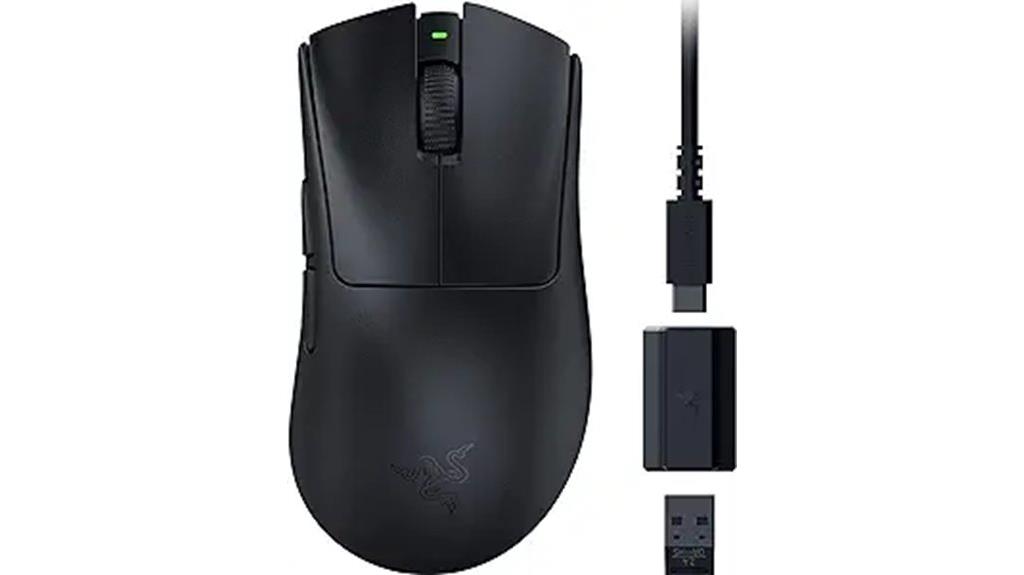
For competitive gamers seeking the perfect balance of speed and comfort, the Razer DeathAdder V3 HyperSpeed Wireless Gaming Mouse stands out with its ultra-lightweight design and advanced wireless performance. Weighing just 55 grams, it offers exceptional control and agility, validated by esports pros. The ergonomic shape and textured coating guarantee a natural grip and comfort during long sessions. With up to 100 hours of battery life and USB-C charging, you won’t worry about downtime. Its hyperspeed wireless tech provides a reliable, lag-free connection even in noisy tournament environments. The Focus X optical sensor and customizable controls make this mouse a precision tool for serious gamers.
Best For: competitive gamers who need a lightweight, highly responsive wireless mouse with customizable controls and long-lasting battery life.
Pros:
- Ultra-lightweight design (55g) for swift movements and control validated by esports professionals
- Hyperspeed wireless technology ensures a smooth, lag-free connection even in noisy environments
- Up to 100 hours of battery life with quick USB-C charging for extended gameplay sessions
Cons:
- May be less suitable for users who prefer heavier, more traditional mouse weights
- Customization options require the Razer Synapse app, which may add complexity for some users
- Higher DPI settings (up to 26,000 DPI) might be unnecessary for casual gamers, possibly leading to over-precision that’s hard to control
Razer Viper V3 HyperSpeed Wireless Gaming Mouse
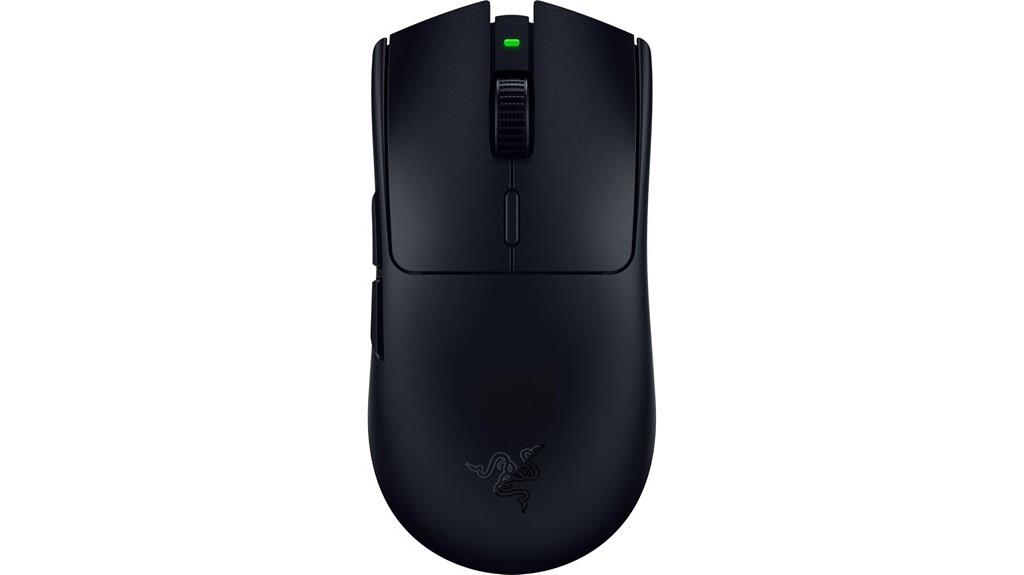
The Razer Viper V3 HyperSpeed Wireless Gaming Mouse stands out as an excellent choice for competitive gamers seeking top-tier performance without the clutter of RGB lighting. Weighing only 82 grams and designed for balanced, precise swipes, it’s optimized for claw or fingertip grips, fitting various hand sizes comfortably. The Focus Pro 30K sensor guarantees flawless tracking, even on glass, with customizable DPI stages for quick adjustments. Its HyperSpeed wireless technology offers wired-like stability, with up to 280 hours of battery life. Durable switches rated for 60 million clicks and a sleek, minimalist black design make this mouse perfect for those who prioritize performance over flashy aesthetics.
Best For: competitive gamers seeking a lightweight, high-performance wireless mouse with precise tracking and minimalistic design.
Pros:
- Ultra-lightweight at 82g, optimized for quick, balanced movements.
- Focus Pro 30K sensor delivers flawless, accurate tracking on various surfaces, including glass.
- Long battery life of up to 280 hours with stable HyperSpeed wireless connection.
Cons:
- Lacks RGB lighting, which may be a downside for users preferring customizable aesthetics.
- Requires a direct PC connection or dongle placement for optimal performance; some users report occasional lag.
- Software customization is limited, with some features needing software adjustments for best performance.
Redragon Wireless Gaming Mouse with 8000 DPI and RGB Backlit
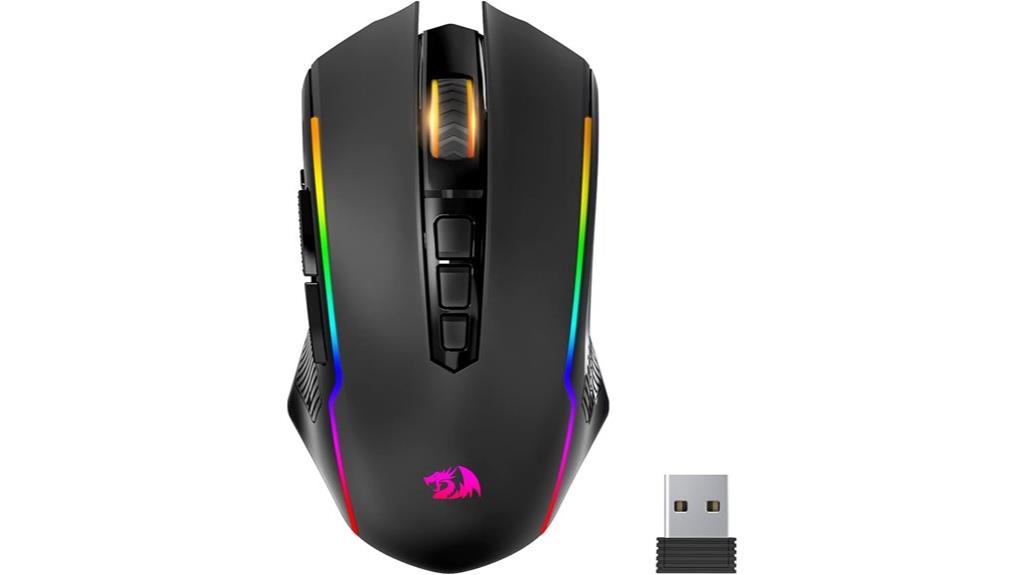
If you’re seeking a versatile wireless gaming mouse that combines precision with customization, the Redragon Wireless Gaming Mouse with 8000 DPI and RGB backlit stands out as an excellent choice. It features fully programmable buttons supporting macro editing, button remapping, and DPI adjustments from 250 to 8000. The RGB lighting supports up to 9 effects with 16.8 million colors, customizable via drivers. With adjustable polling rates and a fire button for FPS games, it offers responsive performance. Its lightweight, ergonomic design ensures comfort during long sessions, while long battery life and seamless connectivity—Bluetooth, 2.4GHz, or wired—make it a reliable, all-in-one gaming companion.
Best For: gamers and professionals seeking a highly customizable, responsive, and ergonomic wireless gaming mouse suitable for long gaming or work sessions.
Pros:
- Fully programmable buttons with macro editing, remapping, and DPI customization up to 8000 for precise control.
- Long battery life (up to 70 hours RGB off) and seamless connectivity via Bluetooth, 2.4GHz, or wired mode.
- Lightweight, ergonomic design with customizable RGB lighting effects to match any gaming setup or desktop environment.
Cons:
- Some users report occasional double-click issues or RGB lighting inconsistencies.
- Limited color options for RGB lighting might not satisfy those seeking more advanced customization.
- Slightly higher price point compared to basic mice, which may be a consideration for budget-conscious buyers.
Logitech G703 Lightspeed Wireless Gaming Mouse
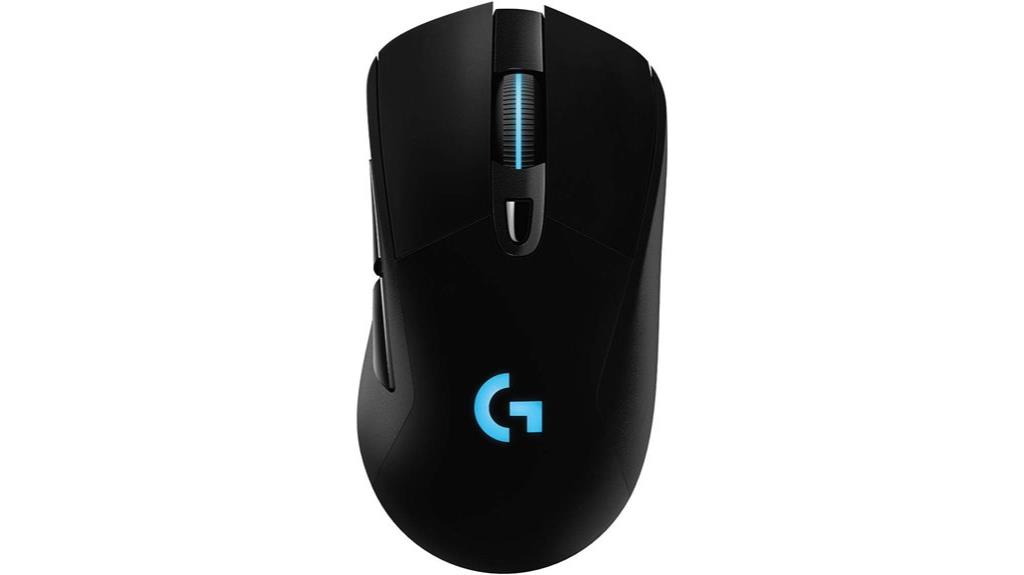
Looking for a wireless gaming mouse that combines professional-grade responsiveness with everyday comfort? The Logitech G703 Lightspeed has you covered. It features the HERO 25K sensor for precise, 1:1 tracking and up to 25,600 DPI, ensuring accuracy in fast-paced games. With Lightspeed wireless tech, it offers near-zero latency, rivaling wired mice. Weighing just 95 grams with an optional 10g weight, it’s lightweight and ergonomic, designed for right-handed users. The mouse’s durable build, RGB lighting, and six programmable buttons make it versatile for gaming or work. Plus, its battery life—up to 48 hours with RGB—keeps you going longer without interruptions.
Best For: gamers and professionals seeking a lightweight, high-precision wireless mouse with customizable features and long battery life.
Pros:
- Exceptional responsiveness with Lightspeed wireless technology and HERO 25K sensor for accurate tracking.
- Lightweight design (95g) with optional 10g weight adjustment for personalized comfort.
- Long battery life of up to 48 hours with RGB lighting, supporting continuous use and PowerPlay charging compatibility.
Cons:
- Scroll wheel chatter may develop after extended use for some users.
- USB-C charging port placement can be inconvenient during gaming sessions.
- Slightly larger size may not be ideal for users with smaller hands or different grip preferences.
ASUS ROG Spatha X Wireless Gaming Mouse
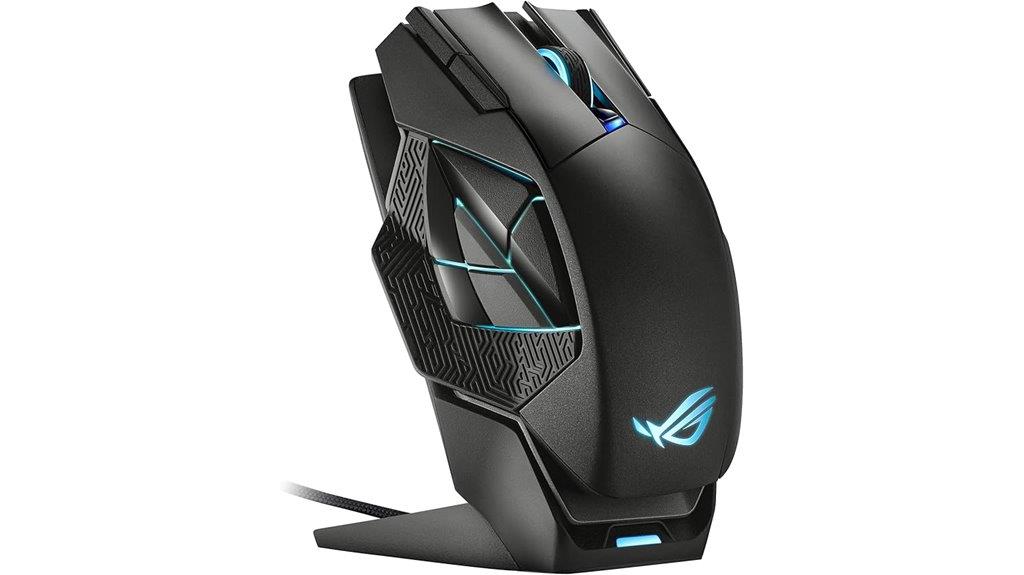
Gamers who demand precision and extensive customization will find the ASUS ROG Spatha X Wireless Gaming Mouse an ideal choice. It offers dual connectivity via 2.4 GHz RF wireless or USB-C wired, giving flexibility during play. Its bold, futuristic design features Aura RGB lighting, a magnetic charging stand, and a hefty build that enhances control. With a 19,000 DPI sensor and 8 kHz polling rate, it delivers exceptional accuracy and responsiveness, perfect for MMOs and control-heavy games. Twelve programmable buttons and hot-swap switches allow tailored setups. Although heavy at 1.9 pounds, its durability and customization options make it a top-tier, long-lasting gaming mouse for dedicated players.
Best For: gamers who prioritize precision, extensive customization, and a durable, premium build for long gaming sessions.
Pros:
- Highly customizable with 12 programmable buttons and hot-swap switches
- Exceptional accuracy with 19,000 DPI sensor and 8 kHz polling rate
- Durable design with magnetic charging stand and premium construction
Cons:
- Heavy weight of 1.9 pounds may be unsuitable for FPS players seeking lighter mice
- Software (Armoury Crate) can be unstable and cause profile resets
- Lack of Bluetooth connectivity limits wireless pairing options
Razer Basilisk V3 X Wireless Gaming Mouse
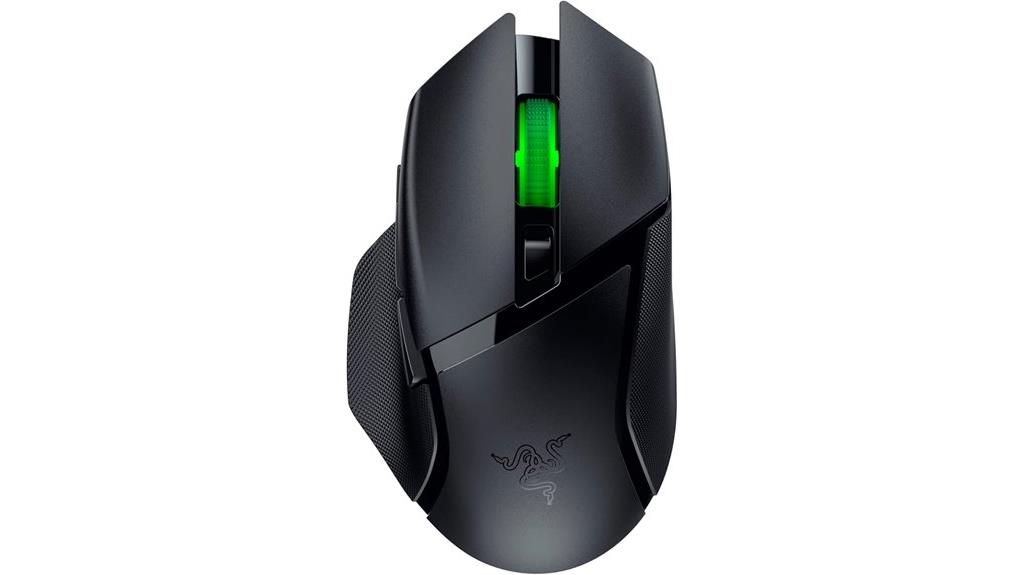
The Razer Basilisk V3 X Wireless Gaming Mouse stands out as an excellent choice for those seeking a comfortable, high-performance mouse with versatile connectivity options. Its ergonomic shape supports various grips, making it ideal for long gaming or work sessions, especially for larger hands. Equipped with the 5G 18K Optical Sensor, it offers pixel-precise tracking and responsive controls. The dual-mode wireless connectivity (Bluetooth and Razer HyperSpeed) guarantees low latency and seamless device switching. With customizable RGB lighting, nine programmable buttons, and impressive battery life, it delivers both style and durability. Although some users note minor issues like scroll wheel skipping, overall, it’s a reliable, feature-rich mouse for serious gamers.
Best For: gamers and professionals seeking a comfortable, high-precision wireless mouse with customizable features and versatile connectivity options.
Pros:
- Ergonomic design supports various grips, ideal for long sessions and larger hands
- Equipped with the 5G 18K Optical Sensor for pixel-precise, responsive tracking
- Dual wireless modes (Bluetooth and HyperSpeed) ensure low latency and seamless device switching
Cons:
- Some users experience scroll wheel skipping at high speeds
- Slightly heavier weight than some competing mice, which may affect long-term comfort for some users
- Battery life can vary based on RGB lighting settings and usage, occasionally falling short of official estimates
Razer DeathAdder Essential Gaming Mouse
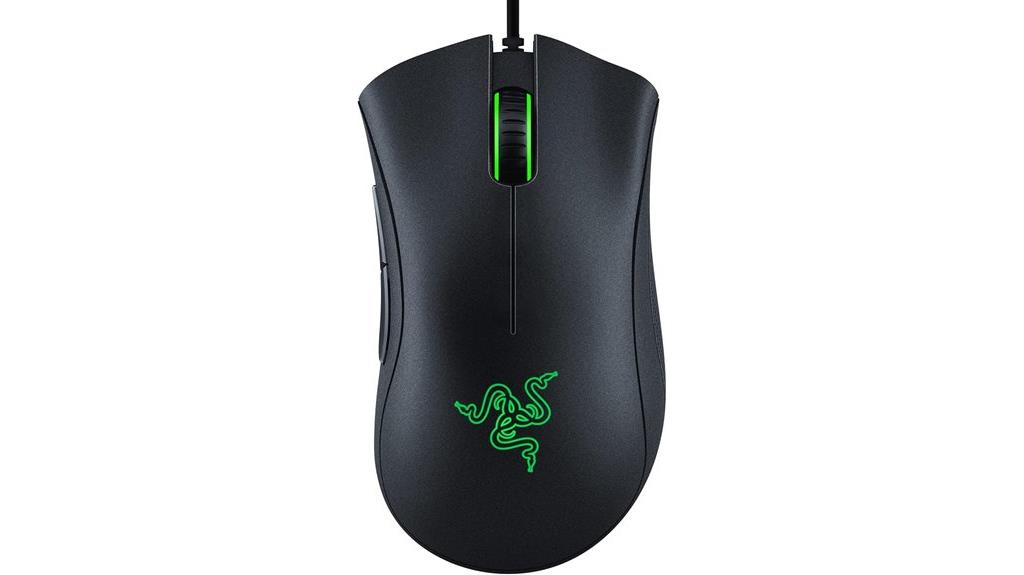
If you’re seeking an affordable gaming mouse that doesn’t sacrifice performance, the Razer DeathAdder Essential is an excellent choice. Its classic ergonomic design offers comfort for long gaming or work sessions, with a sleek black finish that suits any setup. Weighing about 4.6 ounces, it fits comfortably in larger hands and features rubber side grips for better control. The high-precision 6,400 DPI optical sensor ensures smooth, accurate tracking, and the reprogrammable DPI buttons let you switch sensitivity easily. With five programmable buttons, durable switches, and a two-year warranty, it’s reliable for gaming and productivity—offering great value at around $22–$25 during promotions.
Best For: gamers seeking an affordable, reliable mouse with responsive performance for both gaming and productivity tasks.
Pros:
- High-precision 6,400 DPI optical sensor for accurate tracking
- Comfortable ergonomic design with rubber side grips and tactile scroll wheel
- Durable mechanical switches supporting up to 10 million clicks
Cons:
- Minor issues with jittering scroll wheel over time reported by some users
- Limited customization options compared to higher-end mice
- Wired connection may restrict movement compared to wireless alternatives
Factors to Consider When Choosing Gaming Mice

When choosing a gaming mouse, I look at sensor accuracy and DPI to guarantee precise movements, especially in fast-paced games. Comfort is key, so I consider ergonomic design that fits well in my hand, whether wired or wireless options suit my setup, and how customizable the buttons are. I also keep an eye on battery life for wireless models to avoid interruptions during play.
Sensor Accuracy and DPI
Choosing the right gaming mouse hinges on sensor accuracy and DPI because these features directly affect how precisely your movements translate on screen. Sensor accuracy determines how well the mouse tracks your movements, which is vital in fast-paced or aiming-heavy games where every pixel counts. Advanced mice use optical sensors with up to 35,000 DPI or more, giving you ultra-fine control for professional esports or detailed work. Zero smoothing, filtering, or acceleration ensures your cursor moves exactly as you move the mouse, making your gameplay more reliable. Adjustable DPI settings are also essential, letting you switch sensitivity on-the-fly for different scenarios, whether sniping in a shooter or navigating large spreadsheets. Prioritizing these factors helps you find a mouse that offers precision, responsiveness, and versatility.
Ergonomic Design Fits
A well-designed ergonomic gaming mouse supports natural hand positions, reducing strain during extended play sessions. It usually features contoured shapes and textured grips tailored to different grip styles like palm, claw, or fingertip. Proper ergonomic design helps prevent repetitive strain injuries and enhances overall comfort and control. Adjustable elements, such as thumb rests or customizable weights, allow you to fine-tune the fit to your hand size and preferences. A good ergonomic mouse maintains balance and minimizes fatigue, which can boost your precision and endurance during long gaming sessions. When choosing a gaming mouse, prioritize how well it fits your hand and grip style. A comfortable, supportive design isn’t just about comfort; it directly impacts your performance and long-term health.
Wireless or Wired
Deciding between wireless and wired gaming mice depends on your gameplay style and priorities. Wireless mice offer greater freedom of movement and less cable clutter, making them ideal for relaxed or versatile gaming setups. Thanks to advanced tech like LIGHTSPEED and Hyperspeed, many wireless options now match wired mice in latency, ensuring minimal delay during gameplay. However, they rely on batteries or rechargeable power, which means you’ll need to charge or replace them regularly. Wired mice, on the other hand, typically provide lower latency and a more stable connection—crucial for competitive gaming where every millisecond counts. Ultimately, your choice hinges on whether you prioritize convenience and mobility or the utmost reliability and minimal input delay. Consider your gaming environment and preferences to make the best decision.
Customization Options
When selecting a gaming mouse, customization options can substantially enhance your overall experience and performance. Programmable buttons allow me to assign macros, shortcuts, or commands for quick access during intense gameplay. Adjustable DPI settings and profiles help me optimize sensitivity for different games or tasks, and I love customizing these via software for seamless switching. RGB lighting adds a personal touch, letting me synchronize effects with other peripherals or game events for a more immersive setup. On-the-fly DPI switching and profile management enable quick adjustments without software, keeping gameplay smooth. Some advanced mice even offer remappable controls for multi-device setups, adjustable scroll wheels, and hardware profile storage. These features ensure my mouse adapts perfectly to my play style and needs.
Battery Life Span
Long gaming sessions demand a battery life that can keep up without constant recharging. A good battery life means fewer interruptions, so I can focus on my game. Wireless mice with rechargeable batteries usually last between 20 to 100 hours on a single charge, depending on features like RGB lighting and sensor power. Some models include quick-charging or power-saving modes, giving me extra playtime with just a few minutes of charging. Keep in mind, high-performance sensors and RGB lighting drain power faster, reducing overall battery life. The type of battery also matters—lithium-ion internal batteries tend to be more convenient and longer-lasting than AA or other options. Choosing a mouse with a solid battery life ensures my gaming sessions stay smooth and uninterrupted.
Build Quality Durability
A gaming mouse’s build quality directly impacts how well it holds up during intense gaming sessions. High-quality mice use robust materials like reinforced plastics, metal accents, or braided cables to endure prolonged use. Durability is often reflected in switch ratings, with premium models rated for 60 million or more clicks, ensuring the primary buttons last through countless matches. Precise manufacturing, including seamless joint assembly and reinforced scroll wheels, enhances longevity. Protective coatings and textured grips help prevent wear, keeping the mouse looking and functioning like new over time. Additionally, a solid warranty and positive user reviews about long-term performance are good indicators of resilience. Choosing a mouse with these features ensures it withstands the rigors of competitive gaming while maintaining top performance.
Software Compatibility
Choosing a gaming mouse with excellent software compatibility is essential because it allows you to customize settings, remap buttons, and optimize performance across your preferred devices. Compatibility with Windows, macOS, and Linux ensures seamless integration and full access to features. Dedicated software like Razer Synapse or Logitech G Hub offers advanced controls for DPI, macros, lighting, and button remapping, giving you tailored control. Keep in mind, some mice require specific software versions or updates to unlock all features, so long-term usability depends on ongoing support. Cross-platform compatibility and regular updates are crucial for maintaining functionality and security over time. A mouse with solid software compatibility helps you adapt quickly, refine your setup, and stay competitive without technical hiccups.
Price and Value
The price of gaming mice can range from budget-friendly options around $20 to premium models exceeding $150, and this considerably affects the overall value you get. While expensive mice often boast advanced features like higher DPI, customizable buttons, and vibrant RGB lighting, they’re typically aimed at serious gamers who will benefit from these upgrades. On the other hand, budget mice still provide reliable performance for casual gaming, offering excellent value without unnecessary extras. The key is finding a balance—selecting a mouse that’s affordable yet durable, responsive, and suited to your gaming style. Sometimes, investing a little more upfront in a higher-quality mouse pays off in long-term durability and performance, making it a smarter, more cost-effective choice over time.
Frequently Asked Questions
Which Gaming Mouse Offers the Best Battery Life for Long Sessions?
The Logitech G502 Lightspeed offers the best battery life for long sessions, lasting up to 60 hours on a single charge. I’ve used it during marathon gaming sessions, and it consistently delivers reliable power without needing frequent recharges. Its wireless connection is seamless, and the battery life means I can focus on my game without interruptions. If you want endurance and precision, this mouse is a top choice.
How Do Different DPI Settings Impact Gaming Performance?
Did you know that adjusting DPI can change your sensitivity by up to 10 times? Higher DPI settings make your cursor move faster, which is great for quick reactions in shooters, but can be tricky for precision tasks. Lower DPI offers better control for detailed work and accuracy. I recommend customizing your DPI based on the game and your play style to optimize performance and comfort.
Are Gaming Mice Compatible With All Gaming Consoles?
Yes, many gaming mice are compatible with various gaming consoles, but it’s not universal. I always check the product specs first because some mice work seamlessly with Xbox or PlayStation via USB or Bluetooth, while others are designed specifically for PCs. Using a wired or wireless mouse can influence compatibility, so I recommend choosing one explicitly labeled for your console to avoid any issues during gameplay.
What Ergonomic Features Are Essential for Prolonged Gaming Comfort?
For prolonged gaming comfort, I believe ergonomic features like a contoured shape that fits naturally in my hand are essential. I look for adjustable thumb rests and customizable buttons to reduce strain. A lightweight design helps prevent fatigue, and textured grips ensure my hand stays steady. These features make long gaming sessions more comfortable, allowing me to stay focused and perform at my best without discomfort or pain.
How Important Is Customizable Software for Gaming Mouse Functionality?
Customizable software is incredibly important for gaming mice because it allows me to tailor button functions, sensitivity, and profiles to my play style. This flexibility improves my responsiveness and efficiency during intense gaming sessions. With good software, I can easily switch between different setups for various games, ensuring peak performance. Without this feature, I’d miss out on personalized control and quick adjustments, which are vital for staying competitive.
Conclusion
In the end, choosing the right gaming mouse can feel like finding a needle in a haystack—except this needle can boost your gameplay to legendary levels. Whether you crave lightning-fast responsiveness or customizable LEDs, there’s a perfect fit for everyone. Don’t settle for less; your mouse should be an extension of your skills, not a hinderance. Trust me, with the right gear, you’ll be dominating the game like a true champion—almost like cheating!