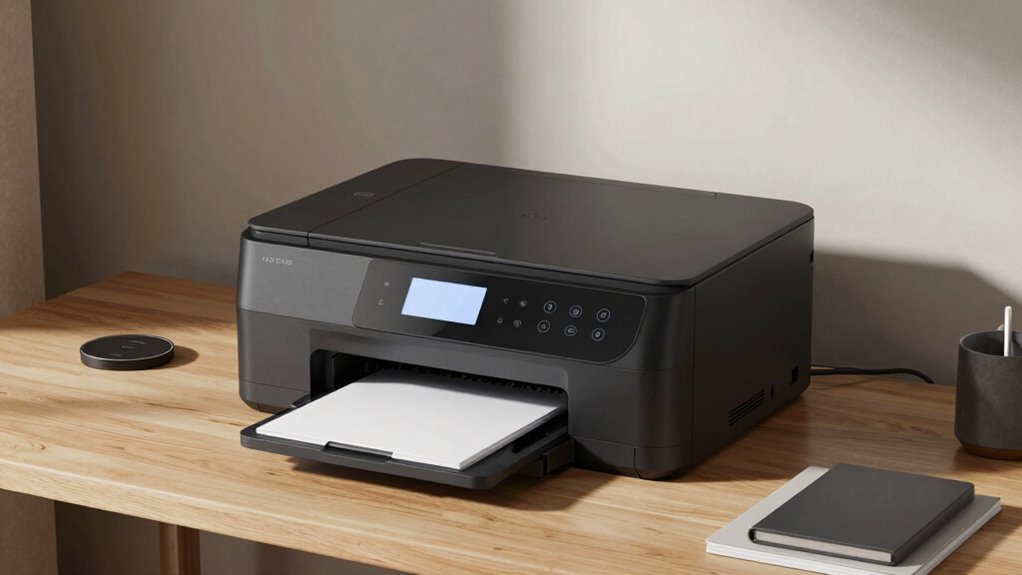

Finding the right all in one printer for home office laser can be challenging, as options vary widely in features, speed, and cost. The HP LaserJet Pro MFP 3101fdw stands out for its reliable performance and ease of use, making it a top overall choice. For those prioritizing color and multifunctionality, the Canon Color imageCLASS MF665Cdw offers impressive versatility, while the Brother HL-L2480DW provides solid monochrome printing at a budget-friendly price. Each of these choices balances performance with practicality, but tradeoffs exist—such as speed, color accuracy, or initial cost. Keep reading for a detailed breakdown to help you pick the best fit for your specific needs.
Complete the kit


Key Takeaways
- The top picks balance print speed, multifunctionality, and budget, with the best overall offering consistent reliability.
- Color laser printers tend to be more expensive but provide greater versatility for mixed media tasks.
- Monochrome models often offer faster, more cost-effective printing for document-centric home offices.
- Warranty and build quality are critical for long-term satisfaction, especially in busy home environments.
- Connectivity options like wireless and mobile printing are standard, but some models include advanced features that may be unnecessary for basic use.
| HP LaserJet Pro MFP 3101fdw Wireless Black & White All-in-One Laser Printer |  | Best Overall for Small Workgroups | Print Speed: Up to 35 pages per minute | Connectivity: Wi-Fi, Ethernet, Bluetooth | Auto Duplex: Yes | VIEW ON AMAZON | See Our Full Breakdown |
| HP LaserJet Pro MFP 3101sdw Wireless Black and White All-in-One Laser Printer |  | Best for Fast, Reliable B&W Office Printing | Print Speed: Up to 35 ppm | Color: Black and White | Functions: Print, Scan, Copy | VIEW ON AMAZON | See Our Full Breakdown |
| HP LaserJet MFP M234sdw Wireless Printer, Print, Scan, Copy for Small Teams |  | Best for Easy Setup and Mobile Security | Print Speed: Up to 30 ppm | Connectivity: Dual-band Wi-Fi, Ethernet | Auto Document Feeder: Yes | VIEW ON AMAZON | See Our Full Breakdown |
| Canon Color imageCLASS MF665Cdw – Wireless All-in-One Duplex Laser Printer with Copier, Scanner, Fax, 3-Year Warranty |  | Best for Color Work in Small Offices | Print Speed: 26 pages per minute | Color: Yes | Wireless: Yes | VIEW ON AMAZON | See Our Full Breakdown |
| Brother HL-L2480DW Wireless Monochrome Laser Printer with Copy and Scan |  | Best Compact All-in-One for Small Spaces | Print Speed: 36ppm | Connectivity: Wi-Fi, Ethernet, USB | Paper Capacity: 250 sheets | VIEW ON AMAZON | See Our Full Breakdown |
| Canon imageCLASS MF462dw II Wireless Monochrome Duplex Laser Printer All-in-One with Scanner, Copier, Fax |  | Best for High-Volume Monochrome Workflows | Print Speed: 37 PPM | First Print Time: Approx. 5 seconds | Wireless: Yes | VIEW ON AMAZON | See Our Full Breakdown |
| Brother MFC-L3720CDW Wireless Color Laser Printer with Scanner, Copier, and Fax |  | Best Color All-in-One for Small Teams | Print Speed: up to 19 ppm | Scan Speed: 29/22 ipm (black/color) | Paper Capacity: 250 sheets | VIEW ON AMAZON | See Our Full Breakdown |
| HP Color LaserJet Pro MFP 3301sdw Wireless All-in-One Color Laser Printer |  | Best for Vivid Color Business Documents | Print Speed: up to 26 ppm | Functions: Print, Scan, Copy | Auto Duplex: Yes | VIEW ON AMAZON | See Our Full Breakdown |
| HP LaserJet MFP M235sdw All-in-One Laser Wireless Printer, Scan/Copy, Black & White, Duplex, Office Use |  | Best Monochrome for Small Office Security | Print Speed: up to 28 ppm | Print Technology: Laser | Connectivity: Wireless, Ethernet | VIEW ON AMAZON | See Our Full Breakdown |
| Xerox C235dni Wireless Color Laser All-in-One Printer |  | Best Overall for Small Offices and Home Use | Print Speed: 24 ppm | Connectivity: Wi-Fi, Apple AirPrint, Mopria, USB | Display: 2.8-inch color touchscreen | VIEW ON AMAZON | See Our Full Breakdown |
| Brother MFC-L2820DW Wireless Monochrome All-in-One Laser Printer with Copy, Scan, Fax |  | Best for Small Offices Prioritizing Speed and Connectivity | Print Speed: Up to 36 ppm | Scan Speed: 23.6/7.9 ipm | Auto Document Feeder: 50 pages | VIEW ON AMAZON | See Our Full Breakdown |
| Brother DCP-L2640DW Wireless Monochrome Multi-Function Laser Printer |  | Best for Small Business Needs with Duplex and Speed | Print Speed: 36 ppm | Scan Speed: 23.6/7.9 ipm | Auto Document Feeder: 50 pages | VIEW ON AMAZON | See Our Full Breakdown |
| Brother MFC-J1360DW Wireless Color Inkjet All-in-One Printer |  | Best for Versatile Home Use and Color Printing | Connectivity: Wireless and USB | Functions: Print, Copy, Scan | Automatic Duplex Printing: Yes | VIEW ON AMAZON | See Our Full Breakdown |
| Canon Color imageCLASS MF753Cdw II – All-in-One Color Duplex Laser Printer, Wireless, Scanner, Copier, Fax, 35 PPM, 3-Year Warranty |  | Best for Fast Color Laser Printing with Large Capacity | Printer Type: Laser | Color: Yes | Wireless: Yes | VIEW ON AMAZON | See Our Full Breakdown |
| all in one printer for home office laser | Print Speed | Connectivity | Auto Document Feeder |
|---|---|---|---|
| HP LaserJet Pro MFP 3101fdw Wi | Up to 35 pages per minute | Wi-Fi, Ethernet, Bluetooth | Yes |
| HP LaserJet Pro MFP 3101sdw Wi | Up to 35 ppm | — | 50 sheets |
| HP LaserJet MFP M234sdw Wirele | Up to 30 ppm | Dual-band Wi-Fi, Ethernet | Yes |
| Canon Color imageCLASS MF665Cd | 26 pages per minute | — | 50 sheets |
| Brother HL-L2480DW Wireless Mo | 36ppm | Wi-Fi, Ethernet, USB | — |
| Canon imageCLASS MF462dw II Wi | 37 PPM | — | — |
| Brother MFC-L3720CDW Wireless | up to 19 ppm | Wi-Fi, Wi-Fi Direct, USB | 50 sheets |
| HP Color LaserJet Pro MFP 3301 | up to 26 ppm | Wireless | — |
| HP LaserJet MFP M235sdw All-in | up to 28 ppm | Wireless, Ethernet | — |
| Xerox C235dni Wireless Color L | 24 ppm | Wi-Fi, Apple AirPrint, Mopria, USB | 50 sheets |
| Brother MFC-L2820DW Wireless M | Up to 36 ppm | Wi-Fi, Ethernet, USB | 50 pages |
| Brother DCP-L2640DW Wireless M | 36 ppm | Wi-Fi, Ethernet, USB | 50 pages |
| Brother MFC-J1360DW Wireless C | Up to 16 ppm black, 9 ppm color | Wireless and USB | — |
| Canon Color imageCLASS MF753Cd | 35 pages per minute | — | — |
More Details on Our Top Picks
HP LaserJet Pro MFP 3101fdw Wireless Black & White All-in-One Laser Printer
This model stands out as the best overall choice for small teams needing reliable monochrome laser printing with versatile features. Its fast speed of up to 35 pages per minute, combined with wireless, Ethernet, and Bluetooth connectivity, makes it highly adaptable for dynamic office environments. The inclusion of auto duplex printing and a built-in security suite like HP Wolf Pro adds value for those prioritizing efficiency and data protection. Compared to the HP LaserJet MFP 3101sdw, it offers similar speed but emphasizes added security, though it limits users to black-and-white output, which might be a drawback for those needing color. Its primary tradeoff is the monochrome-only design, making it less suitable for users requiring color printing. This pick makes the most sense for small teams that need fast, secure, monochrome multifunctionality without the complexity of color management.
Pros:- Fast printing speeds up to 35 ppm for small workgroups
- Wireless, Ethernet, and Bluetooth connectivity for flexible setup
- Built-in security features to protect sensitive data
- Auto duplex printing to save paper
Cons:- Limited to monochrome printing only, not suitable for color needs
- May require firmware updates for security features
Best for: Small businesses or teams focusing on high-volume black-and-white document workflows needing secure, fast printing.
Not ideal for: Home users or small offices requiring color printing, or those needing to print in high volume with a focus on color documents.
- Print Speed:Up to 35 pages per minute
- Connectivity:Wi-Fi, Ethernet, Bluetooth
- Auto Duplex:Yes
- Auto Document Feeder:Yes
- Maximum Users:Up to 7
- Security:HP Wolf Pro Security
Our verdict“This printer is ideal for small teams needing fast, secure monochrome multifunctionality with straightforward connectivity.”
HP LaserJet Pro MFP 3101sdw Wireless Black and White All-in-One Laser Printer
Compared with the 3101fdw, this model emphasizes a slightly larger input tray capacity at 250 sheets and a 50-sheet auto document feeder, making it better suited for higher-volume small office environments. Its consistent speed of up to 35 ppm and reliable wireless connectivity make daily tasks efficient, though it shares the monochrome-only limitation with the 3101fdw. The main tradeoff is its restrictive compatibility requirement—cartridges with HP chips or circuitry—which could limit third-party options. This printer makes the most sense for small teams that prioritize high-volume black-and-white printing with straightforward setup and reliable performance, but it isn’t suitable for users needing color or extensive office features beyond printing, scanning, and copying.
Pros:- High input capacity of 250 sheets for less frequent reloading
- Automatic duplex printing to reduce paper usage
- Reliable wireless connectivity for multiple devices
- All-in-one functions including scanning and copying
Cons:- Limited to monochrome printing, no color option
- Requires HP cartridges with chips, limiting third-party options
Best for: Small office teams needing high-capacity, fast monochrome printing with minimal fuss.
Not ideal for: Home users or small offices requiring color printing or flexible cartridge options.
- Print Speed:Up to 35 ppm
- Color:Black and White
- Functions:Print, Scan, Copy
- Duplex:Auto 2-sided
- Input Tray Capacity:250 sheets
- Auto Document Feeder:50 sheets
Our verdict“This model suits small teams focused on high-volume black-and-white printing with minimal cartridge hassles.”
HP LaserJet MFP M234sdw Wireless Printer, Print, Scan, Copy for Small Teams
This model is ideal for small teams that prioritize quick setup and robust mobile printing options. It offers a slightly lower speed of up to 30 ppm for single-sided pages, but compensates with dual-band Wi-Fi, Ethernet, and strong security features. Its automatic two-sided printing and built-in security make it suitable for professional documents, especially where data protection is crucial. Compared to the 3101fdw, it lacks color capabilities but is easier to connect with mobile devices, thanks to its user-friendly design. The main tradeoff is its focus on black-and-white output, making it less ideal for users needing color or high-volume printing. This pick is perfect for small teams that need reliable, secure monochrome printing with straightforward connectivity and mobile features.
Pros:- Fast printing speeds suitable for small teams
- Easy setup with strong mobile printing options
- Built-in security features to protect sensitive data
- Automatic two-sided printing for efficiency
Cons:- Limited to black-and-white printing, no color option
- No mention of Ethernet connectivity for wired networks
Best for: Small teams seeking easy, secure, monochrome printing with mobile device compatibility.
Not ideal for: Users requiring color printing or high-volume, high-speed workflows in color documents.
- Print Speed:Up to 30 ppm
- Connectivity:Dual-band Wi-Fi, Ethernet
- Auto Document Feeder:Yes
- Security:Built-in security features
- Mobile Printing:Yes
- Instant Ink:Eligible
Our verdict“This printer works well for small teams needing quick, secure monochrome printing with simple mobile integration.”
Canon Color imageCLASS MF665Cdw – Wireless All-in-One Duplex Laser Printer with Copier, Scanner, Fax, 3-Year Warranty
Compared to the HP Color LaserJet Pro 3301cdw, the Canon MF665Cdw offers a more user-friendly interface with its 5-inch color touchscreen and a 3-year warranty, making it attractive for users who want reliability and ease of use. Its 26 ppm speed in both color and monochrome allows for decent productivity, but it’s less fast than some monochrome models like the 3101fdw. Its high-capacity toner and automatic duplexing promote efficiency, while its wireless setup and mobile printing capabilities suit small office environments. The main tradeoff is that it’s designed primarily for small or home office use, not high-volume enterprise needs, and initial setup may require some technical familiarity. This model is ideal for those who need versatile color printing with a focus on ease of use and reliability, rather than high-speed output.
Pros:- Fast 26 ppm print speed in color and monochrome
- Large, intuitive 5-inch color touchscreen
- Automatic duplexing and high-capacity toner for efficiency
- Wireless and mobile device printing support
Cons:- Limited to small/office use, not suitable for high-volume demands
- Initial setup might be complex for some users
Best for: Small offices or home offices needing reliable color printing with a user-friendly interface and good warranty coverage.
Not ideal for: High-volume printing environments or users needing the fastest print speeds or wired network options.
- Print Speed:26 pages per minute
- Color:Yes
- Wireless:Yes
- Duplex Printing:Yes
- Auto Document Feeder:50 sheets
- Warranty:3 years
Our verdict“This printer is best for small offices that value color versatility, ease of use, and reliable performance with a 3-year warranty.”
Brother HL-L2480DW Wireless Monochrome Laser Printer with Copy and Scan
The Brother HL-L2480DW stands out for its space-saving design combined with solid performance for monochrome printing, copying, and scanning. Compared to the Canon MF462dw II, it offers a slightly lower print speed but excels in a smaller footprint, making it ideal for tight home offices. Its wireless and Ethernet options provide flexible connectivity, while automatic duplex printing helps save paper. However, its monochrome-only output limits its versatility, and it requires compatible toner replacements, which could add to ongoing costs. This pick is perfect for users who need a reliable, compact printer for basic document workflows without color or advanced features.
Pros:- Compact and space-efficient design
- Fast printing speed of 36ppm
- Wireless and Ethernet connectivity for versatile use
- Automatic duplex printing saves time and paper
Cons:- Limited to monochrome printing only
- Requires compatible toner replacements
- No color printing capabilities
Best for: Small home offices with limited space that only need black-and-white printing
Not ideal for: Users requiring color printing or multifunction capabilities beyond monochrome scanning and copying
- Print Speed:36ppm
- Connectivity:Wi-Fi, Ethernet, USB
- Paper Capacity:250 sheets
- Touchscreen:2.7-inch
- Functions:Print, Scan, Copy
- Color:Monochrome only
Our verdict“This printer is best suited for those who need a reliable monochrome device in a small footprint without the need for color features.”
Canon imageCLASS MF462dw II Wireless Monochrome Duplex Laser Printer All-in-One with Scanner, Copier, Fax
The Canon imageCLASS MF462dw II offers a high-speed, feature-rich solution for users who need to print, scan, copy, and fax in black and white, making it a step up in capacity and functionality from the Brother HL-L2480DW. Its 5-inch color touchscreen provides intuitive control, while high-capacity toner and expandable paper trays support larger workloads. Compared to the Brother HL-L2480DW, it adds faxing and a more advanced interface but comes with a higher price and potentially steeper learning curve for first-time users. Its monochrome-only output limits versatility, but for heavy document printing, this model’s speed and capacity make it a powerful choice for busy home offices or small teams.
Pros:- Fast print speeds of up to 37 ppm
- High-capacity toner and expandable paper trays
- Intuitive 5-inch color touchscreen
- Includes fax functionality for small offices
Cons:- Limited to monochrome printing
- Complex setup for beginners
- Additional paper cassettes are sold separately
Best for: Users with high-volume monochrome printing needs who also require faxing and advanced management features
Not ideal for: Home users who need color printing or simpler setups without the complexity of multiple functions
- Print Speed:37 PPM
- First Print Time:Approx. 5 seconds
- Wireless:Yes
- Duplex Printing:Yes
- Color Touchscreen:5-inch
- Paper Capacity:250-sheet standard, expandable to 550
Our verdict“Ideal for small offices or high-volume home users who need robust monochrome printing with multifunction capabilities including faxing.”
Brother MFC-L3720CDW Wireless Color Laser Printer with Scanner, Copier, and Fax
The Brother MFC-L3720CDW brings color laser functionality into a compact form, making it suitable for small offices that need vibrant documents along with versatile copying, scanning, and faxing. Its 3.5-inch color touchscreen simplifies operation, and automatic duplex keeps printing costs manageable. Compared to the monochrome options, this model’s ability to produce color makes it a better choice for marketing materials or detailed reports. However, it involves a higher initial investment and can be more complex to set up due to its multiple features. It’s best suited for users who value color quality and need a comprehensive multifunction device without sacrificing space.
Pros:- Vivid color laser printing
- Versatile connectivity including cloud options
- Automatic duplex printing
- Intuitive touchscreen interface
Cons:- Higher initial cost
- Complex setup process
- Subscription service needed for full functionality
Best for: Small teams needing color printing with multifunction features in a compact footprint
Not ideal for: Users who only require black-and-white documents or prefer simple, single-function printers
- Print Speed:up to 19 ppm
- Scan Speed:29/22 ipm (black/color)
- Paper Capacity:250 sheets
- Auto Document Feeder:50 sheets
- Connectivity:Wi-Fi, Wi-Fi Direct, USB
- Display:3.5-inch color touchscreen
Our verdict“This printer suits small teams demanding vibrant color output combined with all-in-one functions in a space-efficient design.”
HP Color LaserJet Pro MFP 3301sdw Wireless All-in-One Color Laser Printer
The HP Color LaserJet Pro 3301sdw delivers professional-quality color printing for small teams, with rapid speeds of up to 26 ppm. Its 250-sheet input tray and auto duplex function support consistent workflow, while wireless connectivity adds convenience for multi-device environments. Compared with the Canon MF462dw II, it offers more vibrant color output but is limited to HP cartridges with chips, which may restrict third-party options and cause ongoing costs. It’s a strong pick for those prioritizing vivid, high-quality color documents, but less suitable for users who prefer open cartridge choices or simpler monochrome setups.
Pros:- Fast color printing at up to 26 ppm
- Automatic duplex for saving paper
- Reliable wireless connection
- Consistent color quality for marketing materials
Cons:- Limited to HP cartridges with chips
- Firmware updates may restrict third-party cartridges
- Higher cost of original toner
Best for: Small office teams needing consistent, vibrant color output for professional documents
Not ideal for: Home users or small businesses seeking a budget-friendly, monochrome-only device
- Print Speed:up to 26 ppm
- Functions:Print, Scan, Copy
- Auto Duplex:Yes
- Input Tray Capacity:250 sheets
- Connectivity:Wireless
- Cartridge:HP 218A, 218X
Our verdict“Best suited for small teams focused on high-quality color documents and reliable wireless operation.”
HP LaserJet MFP M235sdw All-in-One Laser Wireless Printer, Scan/Copy, Black & White, Duplex, Office Use
The HP LaserJet MFP M235sdw is tailored for small office environments that prioritize security and speed in monochrome printing. Its 28 ppm output ensures quick document processing, while wireless and Ethernet options support multiple users. Its robust security features set it apart from basic models like the Brother HL-L2480DW, making it ideal for sensitive business documents. However, it lacks color printing, and its design is primarily geared toward small teams of 1-5 people. Setup can be straightforward but may require initial configuration to maximize security features. This device is a dependable choice for offices needing fast, secure black-and-white printing and copying.
Pros:- Fast print speeds of up to 28 ppm
- Wireless and Ethernet connectivity
- Built-in security features
- Reliable laser quality
Cons:- Limited to black & white printing
- No color output or advanced multifunction options
- Designed mainly for small teams
Best for: Small office environments requiring secure, fast monochrome printing and copying
Not ideal for: Home users or teams needing color output or multifunction features beyond printing and scanning
- Print Speed:up to 28 ppm
- Print Technology:Laser
- Connectivity:Wireless, Ethernet
- Duplex Printing:Yes
- Color:Black & White only
- Suitable for:1-5 people
Our verdict“This printer is best for offices that need quick, secure monochrome printing with minimal fuss.”
Xerox C235dni Wireless Color Laser All-in-One Printer
The Xerox C235dni stands out for its reliable performance and vibrant color output, making it ideal for small offices that need professional-quality prints without high volume demands. Compared with the Canon MF753Cdw II, it offers easier setup and a more intuitive touchscreen, though it’s limited by a lower monthly duty cycle that might not suit frequent high-volume printing. Its auto duplex feature reduces paper use, and wireless connectivity simplifies mobility. However, the small touchscreen can be less responsive for some users, and the starter toner yields only 500 pages, meaning ongoing costs could rise quickly. This pick makes the most sense for users prioritizing ease of use and vibrant color in a modest workload.Pros:- Easy wireless setup with mobile printing options
- Vivid, professional-quality color output
- Auto duplex printing saves paper
- Reliable performance for small workloads
Cons:- Limited monthly duty cycle may not handle frequent high-volume printing
- Small touchscreen might feel less intuitive for some users
- Starter toner yields only 500 pages, increasing refill frequency
Best for: Small offices or home users needing reliable, high-quality color printing with straightforward setup.
Not ideal for: High-volume printing environments or users needing larger touchscreens for frequent adjustments.
- Print Speed:24 ppm
- Connectivity:Wi-Fi, Apple AirPrint, Mopria, USB
- Display:2.8-inch color touchscreen
- Auto Document Feeder:50 sheets
- Automatic Duplex Printing:Yes
- Monthly Duty Cycle:up to 1,500 pages
Our verdict“This is best suited for small offices or home users who value color quality and simplicity over high-volume capacity.”
Brother MFC-L2820DW Wireless Monochrome All-in-One Laser Printer with Copy, Scan, Fax
The Brother MFC-L2820DW offers fast monochrome printing and scanning, making it suitable for busy small offices that need quick turnaround times. Unlike the color-focused Xerox C235dni, it emphasizes speed and efficiency in black-and-white output, with a 36 ppm rate that outpaces many competitors. Its versatile connectivity—including Wi-Fi, Ethernet, and USB—supports multiple device setups. The 2.7-inch touchscreen simplifies operation, though users must accept limited to monochrome printing, which could be a drawback for those needing color. Its high-yield toner minimizes replacements, but initial setup can be a bit complex for some. Overall, this is a smart choice for those who prioritize fast, reliable monochrome printing in a compact form.Pros:- Fast print and scan speeds for increased productivity
- Versatile connectivity options including Ethernet and Wi-Fi
- Compact size fits well into small office spaces
- High-yield toner reduces replacement frequency
Cons:- Limited to monochrome printing, restricting versatility
- Initial setup may be complex for some users
- Toner replacements can be needed frequently without high-yield options
Best for: Small office teams needing rapid monochrome print, scan, and fax capabilities with flexible connectivity.
Not ideal for: Users requiring color printing or high-volume workloads that exceed the duty cycle.
- Print Speed:Up to 36 ppm
- Scan Speed:23.6/7.9 ipm
- Auto Document Feeder:50 pages
- Paper Capacity:250 sheets
- Connectivity:Wi-Fi, Ethernet, USB
- Toner Capacity:700 pages
Our verdict“Ideal for small offices that need quick, reliable monochrome printing and scanning with a focus on speed and connectivity.”
Brother DCP-L2640DW Wireless Monochrome Multi-Function Laser Printer
The Brother DCP-L2640DW combines fast monochrome printing with reliable copying and scanning, making it well-suited for small business environments. Its 36 ppm speed outperforms many color models like the Xerox C235dni, emphasizing efficiency. The 250-sheet paper tray and auto duplex features support larger workloads, though it’s limited strictly to black-and-white, which may restrict certain applications. Its dual-band Wi-Fi and Ethernet options provide flexible connectivity, but initial setup can be demanding for less tech-savvy users. The 700-page toner capacity keeps operating costs manageable. Overall, this model’s focus on speed and durability makes it a great choice for cost-conscious offices that need to handle volume without color.Pros:- High-speed printing and scanning for busy environments
- Large 250-sheet paper tray with auto duplex
- Flexible dual-band Wi-Fi and Ethernet connectivity
- High toner capacity for lower operational costs
Cons:- Limited to monochrome, reducing versatility
- Initial setup may be complex for some users
- No color printing capabilities
Best for: Small business owners or teams prioritizing fast, high-volume monochrome printing with reliable network connectivity.
Not ideal for: Those needing color output or infrequent printing, as the device is optimized for speed and volume in black-and-white.
- Print Speed:36 ppm
- Scan Speed:23.6/7.9 ipm
- Auto Document Feeder:50 pages
- Paper Tray Capacity:250 sheets
- Connectivity:Wi-Fi, Ethernet, USB
- Toner Capacity:700 pages
Our verdict“This printer suits offices that demand rapid monochrome output and dependable network features for high-volume work.”
Brother MFC-J1360DW Wireless Color Inkjet All-in-One Printer
The Brother MFC-J1360DW offers a flexible all-in-one solution with color printing, ideal for home offices or small businesses that need to print in both color and black-and-white. Its 16 ppm black and 9 ppm color speeds are slower than laser models like the Canon MF753Cdw II, but its ability to print in color makes it more versatile for projects that require vibrant visuals. The 150-sheet input tray and 20-sheet automatic document feeder are modest, but suitable for moderate workloads. Cloud connectivity and mobile app support make it convenient for home users. The main tradeoff is the slower speed in color and the need for compatible LC501 series inks, which could increase ongoing costs. This model earns its place for users who need color versatility in a compact, affordable package.Pros:- Versatile color and black-and-white printing
- Automatic duplex printing to save paper
- Cloud and mobile app connectivity for convenience
- Compact design suitable for home spaces
Cons:- Slower color printing speeds compared to laser models
- Limited input tray capacity, not suited for high-volume needs
- Requires specific inks that may increase ongoing costs
Best for: Home users or small offices needing color printing with easy cloud and mobile device integration.
Not ideal for: High-volume printing environments or users who require rapid black-and-white output, as speeds are limited.
- Connectivity:Wireless and USB
- Functions:Print, Copy, Scan
- Automatic Duplex Printing:Yes
- Input Tray Capacity:150 sheets
- Automatic Document Feeder:20 sheets
- Print Speed:Up to 16 ppm black, 9 ppm color
Our verdict“A strong choice for home or small office users who value color versatility and mobile connectivity over high-speed output.”
Canon Color imageCLASS MF753Cdw II – All-in-One Color Duplex Laser Printer, Wireless, Scanner, Copier, Fax, 35 PPM, 3-Year Warranty
The Canon MF753Cdw II excels in delivering quick, high-quality color laser prints, making it a top pick for offices that need speed and color accuracy. Its 35 ppm speed surpasses many monochrome options like the Brother DCP-L2640DW, and the 3-year warranty offers peace of mind for busy environments. The large 850-sheet capacity and robust features like duplex printing, scanning, and faxing support heavy workloads efficiently. The downside is its weight and higher initial cost, which might deter small setups with limited space or tight budgets. This model makes the most sense for users who demand rapid, professional-level color output at a higher price point.Pros:- Fast printing speeds of 35 ppm for color documents
- Large 850-sheet capacity with optional trays
- Wireless connectivity and mobile device compatibility
- 3-year warranty adds durability assurance
Cons:- Relatively heavy at over 60 pounds, requiring sturdy placement
- Higher purchase price compared to monochrome models
- Limited to standard paper sizes without larger options
Best for: Small to medium-sized offices needing fast, high-volume color printing with comprehensive multifunction features.
Not ideal for: Home users with limited space or those on a tight budget, due to its weight and cost.
- Printer Type:Laser
- Color:Yes
- Wireless:Yes
- Duplex:Yes
- Functions:Print, scan, copy, fax
- Print Speed:35 pages per minute
Our verdict“This is best suited for offices needing rapid, high-capacity color printing with multifunction capabilities and durability.”

How We Picked
These printers were evaluated based on performance, ease of use, build quality, maintenance costs, and value for home office users. Priority was given to models that deliver fast printing speeds, reliable wireless connectivity, and multifunction capabilities such as scanning and copying. We also considered user reviews and warranty coverage to ensure durability and support. The ranking reflects a balance between affordability and features, with the top picks excelling in overall reliability and usability for typical home office workflows.Factors to Consider When Choosing All In One Printer For Home Office Laser
When selecting an all in one laser printer for a home office, considering your specific printing needs is vital. Think about the volume of printing, whether color printing is necessary, and if features like scanning, copying, or faxing are required regularly. Budget constraints should be balanced against the importance of speed and print quality, especially if you print frequently. Connectivity options, such as Wi-Fi and mobile printing, can significantly improve convenience, but sometimes add to the cost. Lastly, factor in ongoing costs like toner replacement and warranty terms to avoid surprises down the line.Print Speed and Volume
For a busy home office, a higher pages-per-minute rate and a large paper capacity can save time and prevent interruptions. Monochrome models typically offer faster speeds, which is ideal if you mainly print text documents. Color printers tend to be slower but are essential if color accuracy or marketing materials are needed regularly. Consider your typical monthly print volume to choose a model that balances speed with cost-effectiveness, as overpaying for high speed may not be necessary for low-volume use.
Multifunctional Features
Scanning, copying, and faxing expand the usefulness of an all-in-one device. If your home office handles legal documents or frequently needs to digitize paper files, prioritize models with high-resolution scanners and reliable fax functions. However, additional features often increase the upfront cost and complexity. If these extras are rarely used, a simpler, more streamlined printer may offer better value. Matching features to your actual workflow prevents overspending on unnecessary capabilities.
Color vs. Monochrome
Color laser printers provide vibrant output for presentations, marketing materials, and photo printing, but come at a higher purchase and operating cost. Monochrome models are more budget-friendly and generally faster, making them well-suited for text-heavy documents. If color printing is infrequent or non-essential, opting for a monochrome model can significantly lower your total cost of ownership. Conversely, if visual impact matters for your work, investing in color makes sense despite the premium cost.
Connectivity and Ease of Use
Wireless connectivity, mobile printing, and cloud integration are standard features that boost convenience, especially in a home setting with multiple devices. Look for models with straightforward setup processes and user-friendly interfaces. Some printers include touchscreen controls or app-based management, which can streamline daily tasks. Keep in mind, more advanced connectivity options may add to the initial cost, so assess whether these features are necessary for your routine before paying extra.
Running Costs and Warranty
Ongoing expenses for toner and maintenance can quickly add up, so compare toner yields and costs among models. High-yield cartridges may have a higher upfront price but lower cost per page, which benefits frequent printing. Additionally, warranty coverage and customer support are vital for peace of mind, especially if your printer is a core home office tool. Longer warranties or inclusive support plans can reduce unexpected repair costs and downtime.
Frequently Asked Questions
Is laser printing better than inkjet for a home office?
Laser printers generally outperform inkjet models in speed, cost-per-page, and durability for high-volume printing, making them ideal for home offices that produce a lot of documents. They also tend to have sharper text quality, which is crucial for professional-looking reports. However, laser printers typically come with a higher initial cost and are less suited for printing high-quality photos. For most document-focused home offices, laser offers better efficiency and lower long-term expenses.
How important is wireless connectivity in an all-in-one laser printer?
Wireless connectivity is often essential for modern home offices, allowing multiple devices to print and scan without cumbersome cables. It enables easier placement and supports mobile printing from smartphones and tablets. That said, some models with wired Ethernet or USB options perform just as well if wireless isn’t a priority. If you frequently switch between devices or prefer a clutter-free workspace, prioritizing wireless features can significantly enhance daily convenience.
Should I choose a color or monochrome laser printer for my home office?
The choice depends on your typical printing needs. Monochrome models are cheaper to operate and faster, making them ideal if most of your work involves black-and-white documents. Color laser printers are more versatile for presentations, marketing materials, or any tasks requiring vivid visuals, but they come at a higher cost. Consider how often color printing is necessary versus your budget to determine the best option.
What should I look for in a warranty for my laser printer?
A good warranty covers parts and labor for at least one year, with some models offering extended coverage. Longer warranties and inclusive support plans can lower the risk of costly repairs, especially if your printer will see frequent use. Check for customer reviews on support responsiveness and whether replacement cartridges are included or discounted. A comprehensive warranty provides peace of mind and protects your investment over time.
Are high-yield toner cartridges worth the extra upfront cost?
High-yield toner cartridges generally have a higher purchase price but can deliver a significantly lower cost per page, making them more economical over time. They are especially beneficial if your home office prints frequently, reducing the frequency of replacements and downtime. However, if your print volume is low, standard cartridges may suffice and save you money upfront. Assess your typical monthly print volume and long-term expenses when making this decision.
Conclusion
For most home office users, the HP LaserJet Pro MFP 3101fdw offers a balanced mix of speed, reliability, and affordability, making it the best overall choice. If you prioritize color capabilities and multifunction features, the Canon Color imageCLASS MF665Cdw delivers excellent versatility, albeit at a higher cost. Budget-conscious buyers will find the Brother HL-L2480DW to be a solid monochrome option with low operating costs. For those needing a premium, feature-rich device, the Canon MF753Cdw II provides fast speeds and robust features. Ultimately, your selection should align with your print volume, feature needs, and budget constraints.