
TL;DR

Get the latest gadgets delivered free with Prime
- Fast, free delivery on millions of items
- Prime Video, Amazon Music and more included
- Member-only deals all year
Many Vive 3.0 tracker users are experiencing connectivity and tracking issues. This article offers confirmed troubleshooting steps, explains why the problem matters, and highlights what remains uncertain.
Vive 3.0 trackers are experiencing widespread connectivity and tracking issues, according to recent reports from the VR community on r/Vive. While HTC has not officially acknowledged the problem, users are seeking solutions to restore proper functionality, making troubleshooting guidance essential for affected consumers.
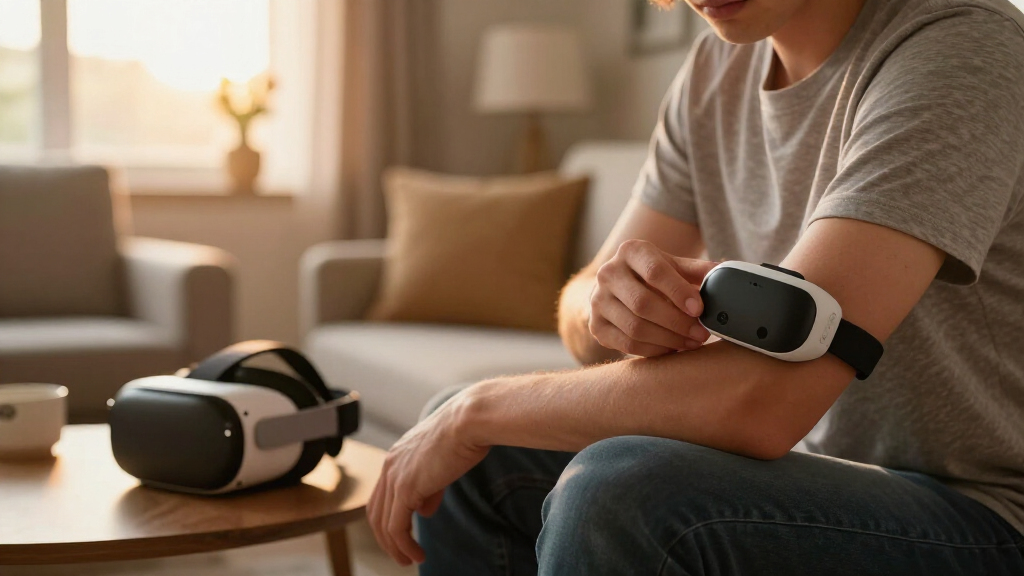
Several users on r/Vive have reported that their Vive 3.0 trackers intermittently disconnect or fail to track accurately during VR sessions. Common symptoms include loss of tracking in specific areas, inconsistent sensor readings, and occasional complete disconnections. These issues appear across multiple hardware batches and software versions, indicating a potentially widespread problem.
Confirmed troubleshooting steps include checking firmware updates, ensuring proper placement and calibration, and resetting the trackers. You can also refer to our guide on Vive tracker troubleshooting for detailed help. Some users have reported success after updating firmware via HTC’s official software, while others have found that repositioning the trackers or replacing batteries improves stability. However, no universal fix has been established, and some users continue to face persistent problems.
HTC has not issued an official statement or recall regarding these issues, and the community remains divided over whether the problem stems from hardware defects, software incompatibilities, or user setup errors. The lack of official guidance complicates troubleshooting efforts for many users. For more detailed troubleshooting, see our article on Vive tracker issues.
Why Tracker Reliability Is Critical for VR Experience
Effective troubleshooting of Vive 3.0 trackers is vital because these devices are central to immersive VR experiences. Tracking failures can cause motion sickness, disrupt gameplay, and diminish the overall value of the VR system. As Vive 3.0 trackers are used in professional and gaming applications, unresolved issues could impact user trust and the device’s reputation.
Products Worth Considering

Apple MacBook Air 15-inch (2025) with M4 Chip, 24GB Memory, 512GB SSD, Midnight

LG UltraGear 32GX850A-B 32-inch 4K UHD OLED Gaming Monitor

Sony WH-1000XM6 Wireless Noise-Canceling Headphones, Black
As an affiliate, we earn on qualifying purchases.
Background of Vive 3.0 Tracker Issues
The Vive 3.0 tracker was launched as an upgrade aimed at improving tracking accuracy and range. Since its release, users have reported various issues, but recent spikes in complaints on r/Vive suggest a possible hardware or software flaw affecting multiple units. The community’s feedback indicates that troubleshooting steps like firmware updates and repositioning are common first responses, but not always effective.
Historically, HTC has released firmware updates to address bugs, but persistent issues with the Vive 3.0 tracker continue to surface, prompting users to seek community-driven fixes and workarounds. The lack of an official statement has left many uncertain about the scope and cause of the problem.
“Many users are experiencing tracking drops that don’t seem to resolve with simple resets or firmware updates. It suggests a deeper hardware or software compatibility issue.”
— an anonymous researcher from r/Vive
Unresolved Questions About Hardware and Software Causes
It is not yet clear whether the tracking issues stem from hardware defects, firmware bugs, or software incompatibilities. HTC has not issued an official statement, and community reports vary widely in their suggested fixes. The scope of the problem—whether it affects all units or only certain batches—is still unknown, as is the potential for a forthcoming official fix.
Expected Developments and Community Guidance
HTC may release firmware updates or official troubleshooting guidance soon, but no official timeline has been announced. Users are advised to monitor HTC’s support channels and community forums for updates. Meanwhile, affected users should follow recommended steps such as firmware updates, proper placement, and battery checks, while awaiting official solutions.
Key Questions
How can I troubleshoot my Vive 3.0 tracker?
Start by updating the firmware through HTC’s official software, ensure the tracker is properly positioned, replace batteries if needed, and reset the device. If issues persist, try recalibrating or repositioning the tracker in different areas.
Are the tracking issues hardware or software related?
It is currently unclear. Community reports suggest both hardware and software factors may be involved, but no official confirmation has been provided by HTC.
Will HTC issue an official fix or recall?
There has been no official announcement from HTC regarding a fix or recall. Users should stay tuned to official support channels for updates.
Is there a way to tell if my tracker is defective?
If your tracker frequently disconnects, fails to track accurately, or shows inconsistent readings despite firmware updates and proper placement, it may be defective. Contact HTC support for further assistance.
What is the impact of these issues on VR experiences?
Tracking failures can cause motion sickness, disrupt gameplay, and reduce immersion, especially in professional or high-precision VR applications. Reliable tracking is essential for a smooth experience.
Source: r/Vive