The Amazon Echo Show 8 is my best overall pick among the best smart home display hubs, balancing a useful screen, Alexa controls, and room-filling audio. The eufy Security Smart Display E10 is a stronger fit for households centered on eufy cameras, while the Amazon Echo Hub suits people who want a dedicated control panel. The main tradeoff is between a general-purpose display for media and voice tasks and a panel built to put smart-home controls first. Platform compatibility, screen size, placement, and camera support can matter more than having the largest display. Read on for the full comparison and guidance on choosing the right hub for your home.

Get the latest gadgets delivered free — and shop member deals
- Fast, free delivery on millions of items
- Access to Prime Big Deal Days deals on October 6–7
- Prime Video, Amazon Music and more included
Complete the kit



Key Takeaways
- Echo Show 8 leads as the general-purpose choice: its mix of Alexa control, a mid-size screen, and spatial audio makes it more balanced for shared rooms than the smaller Echo Show 5 or Echo Spot.
- Dedicated panels serve a different job: Echo Hub, amazon.com/dp/B0BFC7WQ6R?tag=t3chbillion-20&ascsubtag=dc-1116051″ target=”_blank” rel=”nofollow sponsored noopener”>amazon.com/dp/B0F5QKQ6PV?tag=t3chbillion-20&ascsubtag=dc-1116051″ target=”_blank” rel=”nofollow sponsored noopener”>SwitchBot Hub 3, Shelly Wall Display XL, and the SONOFF NSPanel Pro models focus more on at-a-glance control than video and entertainment.
- Camera ecosystems can decide the shortlist: amazon.com/dp/B0C5DPSW5Y?tag=t3chbillion-20&ascsubtag=dc-1116051″ target=”_blank” rel=”nofollow sponsored noopener”>amazon.com/dp/B09B2SRGXH?tag=t3chbillion-20&ascsubtag=dc-1116051″ target=”_blank” rel=”nofollow sponsored noopener”>amazon.com/dp/B0GQH6134D?tag=t3chbillion-20&ascsubtag=dc-1116051″ target=”_blank” rel=”nofollow sponsored noopener”>eufy Security Smart Display E10 is tailored to eufy security viewing, while Google Nest Hub Max adds a camera to Google‘s broader smart display approach.
- A bigger screen brings placement tradeoffs: Echo Show 15 and Shelly Wall Display XL provide more room for information, but need suitable wall or counter space to earn their footprint.
- Product naming and generations matter: the list includes two Echo Hub entries and two SONOFF NSPanel Pro 120 entries, so buyers should verify the exact model and capabilities before choosing.
| Amazon Echo Show 8 (Newest Model) with 8.7-Inch HD Display and Spatial Audio, Graphite |  | Best Overall | Display: 8.7-inch HD touchscreen, 800 x 1340 resolution | Dimensions: 8.2 x 5 x 5.9 inches | Weight: 37 oz (1049 g) | VIEW LATEST PRICE | See Our Full Breakdown |
| eufy Security Smart Display E10, 8-Inch Smart Home Hub and Control Panel |  | Best for Security Monitoring | Screen size: 8 inches | Model: T87A0 | Weight: 2.46 pounds | VIEW LATEST PRICE | See Our Full Breakdown |
| Amazon Echo Show 5 Smart Display with Alexa, Cloud Blue |  | Best Compact Pick | Display: 5.5 inches | Camera: 2 MP | Color: Cloud Blue | VIEW LATEST PRICE | See Our Full Breakdown |
| Amazon Echo Show 15 (Newest Model), 15.6-Inch Full HD Smart Display with Fire TV |  | Best for Family Organization | Display: 15.6-inch Full HD (1080p) | Streaming: Built-in Fire TV | Camera: Centered auto-framing camera with 3.3x zoom and wide field of view | VIEW LATEST PRICE | See Our Full Breakdown |
| Google Nest Hub (1st Gen) 7-Inch Smart Display with Google Assistant, Chalk |  | Best for Google Assistant Households | Generation: 1st Gen | Display size: 7 inches | Color: Chalk | VIEW LATEST PRICE | See Our Full Breakdown |
| Amazon Echo Hub Smart Home Control Panel, 8-Inch |  | Best Ecosystem Hub | Display: 8 inches | Connectivity: Wi-Fi, Bluetooth, Zigbee, Matter, Sidewalk, Thread | Mounting: Wall mount; tabletop stand sold separately | VIEW LATEST PRICE | See Our Full Breakdown |
| SwitchBot Hub 3 Smart Home Hub with IPS Screen and Dial Control |  | Best for Retrofitting Older Appliances | Display: 2.4-inch IPS screen | Connectivity: 2.4 GHz Wi-Fi, Bluetooth, Matter | Sensors: Temperature, humidity, and light | VIEW LATEST PRICE | See Our Full Breakdown |
| Shelly Wall Display XL 10.1-Inch Touchscreen Smart Home Control Panel, Black |  | Best for Home Assistant Tinkerers | Display: 10.1-inch touchscreen | Connectivity: Wi-Fi, Bluetooth | Wattage: 1150 W | VIEW LATEST PRICE | See Our Full Breakdown |
| Amazon Echo Spot Smart Alarm Clock with Alexa, Black |  | Best Bedside Companion | Color: Black | Connectivity: Wi-Fi | Smart assistant: Alexa | VIEW LATEST PRICE | See Our Full Breakdown |
| Amazon Echo Hub 8-Inch Smart Home Control Panel (Certified Refurbished) |  | Best Value Route to a Wall Panel | Display: 8 inches | Connectivity: Wi-Fi, Bluetooth, Zigbee, Matter, Sidewalk, Thread | Voice assistant: Alexa | VIEW LATEST PRICE | See Our Full Breakdown |
| SONOFF NSPanel Pro 120 Smart Home Control Panel with Zigbee Gateway, 4.7-Inch Display, White |  | Best Wall-Installed Energy Monitor | Display: 4.7-inch | Connectivity: Zigbee gateway | Security: 3 configurable modes with alarm and phone notifications | VIEW LATEST PRICE | See Our Full Breakdown |
| Google Nest Hub Max 10-Inch Smart Display with Google Assistant, Chalk |  | Best for Entertainment and Video | Display: 10-inch LCD touchscreen | Display resolution: 1280 x 800 pixels | Camera: 6.5 MP with 1080p video capture | VIEW LATEST PRICE | See Our Full Breakdown |
| SONOFF NSPanel Pro 120 Smart Control Panel |  | Best for Multi-Ecosystem Households | Display: 4.7-inch | Model: NSPanel120PB | Connectivity and compatibility: Zigbee gateway; works with Alexa, Google, Apple, and Home Assistant | VIEW LATEST PRICE | See Our Full Breakdown |
| smart home display hub | Display | Connectivity |
|---|---|---|
| Amazon Echo Show 8 | 8.7-inch HD touchscreen, 800 x 1340 resolution | — |
| eufy Security Smart Display E1 | — | — |
| Amazon Echo Show 5 Smart Displ | 5.5 inches | — |
| Amazon Echo Show 15 | 15.6-inch Full HD (1080p) | — |
| Google Nest Hub | — | — |
| Amazon Echo Hub Smart Home Con | 8 inches | Wi-Fi, Bluetooth, Zigbee, Matter, Sidewalk, Thread |
| SwitchBot Hub 3 Smart Home Hub | 2.4-inch IPS screen | 2.4 GHz Wi-Fi, Bluetooth, Matter |
| Shelly Wall Display XL 10.1-In | 10.1-inch touchscreen | Wi-Fi, Bluetooth |
| Amazon Echo Spot Smart Alarm C | — | Wi-Fi |
| Amazon Echo Hub 8-Inch Smart H | 8 inches | Wi-Fi, Bluetooth, Zigbee, Matter, Sidewalk, Thread |
| SONOFF NSPanel Pro 120 Smart H | 4.7-inch | Zigbee gateway |
| Google Nest Hub Max 10-Inch Sm | 10-inch LCD touchscreen | Bluetooth |
| SONOFF NSPanel Pro 120 Smart C | 4.7-inch | — |
More Details on Our Top Picks
Amazon Echo Show 8 (Newest Model) with 8.7-Inch HD Display and Spatial Audio, Graphite
The Echo Show 8 makes the strongest all-around choice for a household that wants one screen for smart home control, calls, and everyday entertainment. Its built-in support for Zigbee, Matter, and Thread lets it connect with a wider mix of devices than the Echo Show 5, which is better suited to lighter tasks and a smaller counter. The 8.7-inch screen and spatial audio also give camera feeds and streaming more room to breathe without taking over a wall like the Echo Show 15. A 13 MP auto-framing camera helps keep callers in view, while physical camera and microphone controls offer a clear privacy option. The tradeoff is that it still depends on compatible services for some features, and Bluetooth speakers that require a PIN are unsupported.
Pros:- Built-in Zigbee, Matter, and Thread support connects a broad range of smart home devices
- 8.7-inch HD touchscreen balances visibility with a manageable footprint
- 13 MP auto-framing camera supports clearer video calls
- Physical camera and microphone controls make privacy settings easy to access
Cons:- Bluetooth speakers that require PIN entry are not supported
- Some smart home and media features depend on compatible devices or services
Best for: Households building a mixed-brand smart home who want a versatile tabletop display for device control, video calls, and entertainment.
Not ideal for: Buyers who need a wall-sized family dashboard or only want a small screen for a bedside table.
- Display:8.7-inch HD touchscreen, 800 x 1340 resolution
- Dimensions:8.2 x 5 x 5.9 inches
- Weight:37 oz (1049 g)
- Camera:13 MP with auto framing and 3.3x zoom
- Audio:1 x 2.8-inch woofer, 2 full-range drivers, spatial audio
- Wi-Fi:Wi-Fi 6E
- Smart home hub:Zigbee, Matter, and Thread Border Router
- Privacy controls:Microphone and camera enable/disable button; camera controls on device and in app
Our verdict“Choose the Echo Show 8 if you want a capable central display with broad device support without committing to the Echo Show 15’s wall-sized format.”
eufy Security Smart Display E10, 8-Inch Smart Home Hub and Control Panel
The eufy Security Smart Display E10 is the lineup’s most focused pick for people who want a dedicated view of their security system. It can show up to four live camera feeds at once and provides hands-free alerts and quick playback from local storage, giving it a more surveillance-centered role than the Echo Show 8, which balances security with calls, audio, and general smart home control. With a HomeBase 3, it can also compile daily security reports using facial and package recognition. That dependence shapes the buying decision: some of the E10’s richer reporting features require the separate HomeBase 3, so it makes more sense inside an existing eufy setup than as a general-purpose smart display. Its stated controls and feed features are security-led; the product data does not describe the broad protocol support offered by the Echo Show 8.
Pros:- Displays up to four live camera feeds simultaneously
- Hands-free alerts cover doorbell, door, and camera events
- Local storage supports quick playback of recorded events
- HomeBase 3 can add daily reports using facial and package recognition
Cons:- Some reporting features require a separate HomeBase 3
- Its described feature set is more security-focused than the Echo Show 8’s broader smart home and entertainment mix
Best for: eufy camera and doorbell owners who want a dedicated tabletop monitor for alerts, multiple live feeds, and local event playback.
Not ideal for: People seeking a general smart home hub for mixed-brand devices, or buyers who do not plan to use eufy equipment or HomeBase 3 features.
- Screen size:8 inches
- Model:T87A0
- Weight:2.46 pounds
- Storage:64GB
- Power adapter:5V/2A adapter included
- Included components:Charging station, Type-C charging cable, wall mount
- Camera monitoring:Up to four simultaneous live feeds
- HomeBase 3 features:Daily security reports with facial and package recognition
Our verdict“Pick the E10 if monitoring eufy cameras is your main goal and you are comfortable building around that ecosystem.”
Amazon Echo Show 5 Smart Display with Alexa, Cloud Blue
The Echo Show 5 fits buyers who want Alexa and a small screen for quick checks rather than a central household control station. It handles weather, news, photos, compatible camera views, and video calls, while its physical camera shutter and microphone/camera off button make privacy controls straightforward. Compared with the Echo Show 8, the tradeoff is clear: the 5.5-inch display and 2 MP camera suit a bedside or compact surface, but offer less room for video and calls. The supplied details describe control of compatible smart home devices, but do not list the Echo Show 8’s Zigbee, Matter, or Thread hub support. Recycled fabric, aluminum, and recyclable packaging are a plus for buyers who value material choices, though they do not make up for the smaller viewing area.
Pros:- Compact 5.5-inch display fits smaller bedside tables and counters
- Built-in camera supports video calls and compatible camera viewing
- Physical camera shutter and microphone/camera off button
- Uses recycled polyester yarn fabric and recycled aluminum, with recyclable packaging
Cons:- Small screen is less suited to watching shows or viewing several controls at once
- 2 MP camera is more limited than the Echo Show 8’s 13 MP camera
- Some features require compatible devices or services
Best for: Alexa users with limited space who want a bedside display for alarms, weather, photos, and occasional video calls.
Not ideal for: Households wanting a larger shared screen, sharper video calls, or a display with listed Zigbee, Matter, and Thread hub support.
- Display:5.5 inches
- Camera:2 MP
- Color:Cloud Blue
- Smart assistant:Alexa
- Privacy features:Microphone/camera off button and built-in camera shutter
- Recycled materials:100% post-consumer recycled polyester yarn fabric and 100% recycled aluminum
- Packaging:100% recyclable
Our verdict“Choose the Echo Show 5 for a space-saving Alexa display, but choose the Echo Show 8 if screen area and camera capability matter more.”
Amazon Echo Show 15 (Newest Model), 15.6-Inch Full HD Smart Display with Fire TV
The Echo Show 15 earns its place as the roundup’s large-format family board: its 15.6-inch Full HD screen gives calendars, to-do lists, weather, and smart home controls room to stay visible together. The built-in Fire TV adds another job, letting the display serve as a shared streaming screen as well. That makes it a different kind of pick from the Echo Show 8, which is easier to place on a counter and is described with built-in Zigbee, Matter, and Thread support. The Show 15’s auto-framing camera and physical shutter help with calls and privacy, but its scale is best suited to a wall or a roomy shared area. Some streaming content may require subscriptions, so the entertainment side depends partly on services the household already uses.
Pros:- 15.6-inch Full HD screen gives shared calendars and widgets room to remain readable
- Customizable widgets combine household organization and smart home controls
- Built-in Fire TV supports streaming from popular apps
- Auto-framing camera, 3.3x zoom, and physical privacy controls support calls with user control
Cons:- Large format needs more suitable wall or counter space than the Echo Show 8
- Some streaming app content may require a subscription
- The supplied product data does not list Zigbee, Matter, or Thread hub support
Best for: Families who want a shared wall display for household schedules, smart home controls, video calls, and streaming.
Not ideal for: Buyers with limited wall or counter space, or those seeking a compact display with explicitly listed Zigbee, Matter, and Thread hub support.
- Display:15.6-inch Full HD (1080p)
- Streaming:Built-in Fire TV
- Camera:Centered auto-framing camera with 3.3x zoom and wide field of view
- Audio:Noise reduction technology
- Included accessory:Fire TV remote
- Privacy features:Mic/camera-off button and built-in camera shutter
- Smart home features:Voice and touchscreen controls; live camera feeds
Our verdict“Choose the Echo Show 15 when a shared family dashboard and streaming screen matter more than compact placement.”
Google Nest Hub (1st Gen) 7-Inch Smart Display with Google Assistant, Chalk
The Google Nest Hub (1st Gen) is a straightforward match for buyers already using Google Assistant who want a screen for everyday help and basic smart home controls. Its 7-inch display supports music, video, Google Photos, weather, timers, reminders, and recipes, giving it a more general household role than the security-focused eufy E10. Compared with the Echo Show 5, it has a larger listed screen, but the product details do not list a camera for video calls. One setup wrinkle matters: this is a Korean-spec model, and its language can be changed to English after setup. That extra step may be acceptable for a buyer comfortable with setup menus, but the Echo Show 8 is a clearer fit for shoppers who prioritize a built-in camera and listed multi-protocol smart home hub.
Pros:- Google Assistant supports hands-free help and compatible smart home controls
- 7-inch screen supports video, music, and Google Photos
- Useful for everyday tasks such as weather, timers, reminders, and recipes
Cons:- Korean-spec model requires changing the language after setup
- Product details do not list a camera for video calls
- Product data does not specify Zigbee, Matter, or Thread hub support
Best for: Google Assistant users who want a compact shared screen for voice requests, photos, recipes, and compatible device controls.
Not ideal for: Buyers who need a camera for video calls, want an English-configured device out of the box, or require listed Zigbee, Matter, and Thread hub support.
- Generation:1st Gen
- Display size:7 inches
- Color:Chalk
- Weight:1.8 pounds
- Dimensions:7 x 2.65 x 4.65 inches
- Model:H1A
- Assistant:Google Assistant
- Version:Korean spec; language can be changed to English after setup
Our verdict“Pick the Nest Hub if your home already runs on Google Assistant and you are comfortable changing its language after setup.”
Amazon Echo Hub Smart Home Control Panel, 8-Inch
The Echo Hub earns its place as the most complete ecosystem play in this lineup. Unlike the SwitchBot Hub 3, which is built mainly around SwitchBot accessories and infrared devices, this panel speaks nearly every smart home language at once — Zigbee, Matter, Thread, Sidewalk, Bluetooth, and Wi-Fi — so it can replace several dongles and bridges with one wall-mounted screen. Compared with the Shelly Wall Display XL, it trades hardwired relay control for a friendlier, dashboard-driven experience with camera feeds, routines, and resizable widgets.
The tradeoff is that Amazon keeps the good accessories behind the counter: the tabletop stand, power-over-Ethernet adapter, and cable pass-throughs are all sold separately, and some features lean on an Alexa+ account or Ring subscription. Buyers who want everything in the box should look at the Echo Show 8 instead.
Pros:- Built-in hub supports Zigbee, Matter, Thread, Sidewalk, Bluetooth, and Wi-Fi
- Customizable dashboard with resizable device controls and camera feeds
- Controls routines and compatible security systems from one screen
- Wall-mountable and made with 27% recycled materials
Cons:- Tabletop stand and power-over-Ethernet adapter sold separately
- Some features require Alexa+ account and a compatible Ring subscription
Best for: Alexa households with a mixed collection of Zigbee, Matter, and Thread devices who want one wall panel to rule them all
Not ideal for: Budget-conscious buyers or anyone hoping to avoid subscriptions and separate accessory purchases
- Display:8 inches
- Connectivity:Wi-Fi, Bluetooth, Zigbee, Matter, Sidewalk, Thread
- Mounting:Wall mount; tabletop stand sold separately
- Smart home compatibility:Thousands of Alexa-compatible devices
- Recycled materials:27%
- Privacy features:Microphone off button and multiple privacy controls
Our verdict“This pick makes the most sense for deep Alexa households that want a single standards-friendly wall panel and don’t mind paying extra for mounts and subscriptions.”
SwitchBot Hub 3 Smart Home Hub with IPS Screen and Dial Control
Where the Echo Hub is a full dashboard for an Alexa-centric home, the SwitchBot Hub 3 takes a different angle: it bridges older, non-smart appliances into your setup through infrared control of more than 100,000 devices. That means the ancient AC unit or TV remote suddenly becomes voice-controllable — something no other product in this roundup can do. Its small 2.4-inch IPS screen and physical rotary dial also give it a tactile character the Echo Spot can’t match for hands-on scene triggering.
Its built-in temperature, humidity, and light sensors (accurate to ±0.2°C) enable climate automations without buying extra hardware. The compromises: it needs a 2.4 GHz Wi-Fi network, won’t handle RF devices like some blinds and fans, and caps Matter support at 30 devices — tight for larger homes.
Pros:- Controls over 100,000 infrared appliances plus SwitchBot and Matter devices
- Built-in temperature, humidity, and light sensors enable automations
- Physical rotary dial and four customizable scene buttons
- Works with Alexa, Google Assistant, and Apple Home
Cons:- Requires a 2.4 GHz Wi-Fi network and does not support RF devices
- Matter support limited to 30 devices
- Best features require separately sold SwitchBot accessories
Best for: Renters and retrofit-minded buyers who want to smarten up existing air conditioners, TVs, and IR appliances cheaply
Not ideal for: Large smart homes with more than 30 Matter devices or homes running only 5 GHz Wi-Fi
- Display:2.4-inch IPS screen
- Connectivity:2.4 GHz Wi-Fi, Bluetooth, Matter
- Sensors:Temperature, humidity, and light
- Temperature sensor accuracy:±0.2°C
- Infrared compatibility:More than 100,000 appliances
- Matter device capacity:Up to 30 devices
- Controls:Rotary knob and four customizable scene buttons
- Voice assistant compatibility:Alexa, Google Assistant, and Apple Home
Our verdict“This model is better suited to buyers modernizing dumb IR appliances than to anyone building a large whole-home Matter network.”
Shelly Wall Display XL 10.1-Inch Touchscreen Smart Home Control Panel, Black
The Shelly Wall Display XL is the enthusiast’s choice in this lineup. Unlike the Echo Hub, which lives inside Amazon’s ecosystem, this panel integrates natively with Home Assistant and the Shelly Smart Control app — a genuine advantage for self-hosted smart homes that avoid cloud dependence. Its 10.1-inch touchscreen is the largest dedicated control surface here, and it goes a step further than every other pick by including a built-in 5 A relay plus four customizable physical buttons, so it can directly switch a 1150 W load while acting as a display.
That hardware focus comes with real friction: installation demands a neutral wire and a standard wall box, making it a poor fit for renters compared with the plug-and-play Echo Spot. The 5 A relay ceiling also rules out heavier loads like some heaters, so plan the wiring around it.
Pros:- Native Home Assistant and Shelly Smart Control integration
- Built-in 5 A relay can directly switch loads up to 1150 W
- 10.1-inch touchscreen plus four customizable physical buttons
- Can control compatible Bluetooth or Sonos speakers, with a 3-year warranty
Cons:- Requires neutral wire and installation in a standard wall box
- Relay limited to 5 A — insufficient for high-draw appliances
Best for: DIY smart home builders running Home Assistant who want a hardwired panel that doubles as a switch
Not ideal for: Renters or anyone uncomfortable with in-wall electrical work, since it requires a neutral wire and wall box install
- Display:10.1-inch touchscreen
- Connectivity:Wi-Fi, Bluetooth
- Wattage:1150 W
- Buttons:4 customizable buttons
- Mounting type:Wall mount (in-wall box, neutral wire required)
- Certifications:CE, RoHS
- Warranty:3 years
Our verdict“This option stands out for wired-home enthusiasts who want local control and a relay in one panel; everyone else should stick with a simpler smart display.”
Amazon Echo Spot Smart Alarm Clock with Alexa, Black
The Echo Spot isn’t trying to compete with wall panels like the Echo Hub — it wins a spot here as the best bedside option, where a compact screen, solid speaker, and gentle alarm experience matter more than dashboard real estate. Its audio punches above its size, with clear vocals and deep bass that outclass what most alarm-adjacent devices offer, and the customizable display keeps time, weather, and song titles glanceable without lighting up the whole room.
Its smart home role is real but modest: Alexa routines and device controls work well for a bedtime scene or morning lights, though there’s no built-in Zigbee or Thread hub like the Echo Hub offers. The eero Wi-Fi extension (up to 1,000 sq. ft.) is a nice bonus, but only if you already run an eero network — otherwise that feature sits idle.
Pros:- Rich sound with clear vocals and deep bass for music and podcasts
- Customizable display shows time, weather, and song titles
- Supports Alexa smart home controls and routines
- Extends an existing eero network by up to 1,000 sq. ft.
Cons:- Wi-Fi extension only works with an existing eero network
- No built-in Zigbee, Thread, or Matter hub radios
- Small screen limits dashboard-style device management
Best for: Bedside users who want an alarm clock that doubles as a music speaker and simple Alexa control point
Not ideal for: Buyers seeking a primary whole-home control hub, since it lacks Zigbee/Thread radios and a large dashboard
- Color:Black
- Connectivity:Wi-Fi
- Smart assistant:Alexa
- eero Wi-Fi coverage:Up to 1,000 sq. ft.
- Recycled materials:36%
Our verdict“This pick makes the most sense as a nightstand upgrade that happens to control your lights — not as your home’s command center.”
Amazon Echo Hub 8-Inch Smart Home Control Panel (Certified Refurbished)
This certified refurbished Echo Hub is functionally the same machine as the new Echo Hub (B0BCR7M9KX) reviewed earlier — same 8-inch display, same Zigbee, Matter, Thread, Sidewalk, and Bluetooth hub radios, same wall-mount design — but it reaches buyers at a lower entry point while carrying the same limited warranty as a new unit. For anyone who compared the Echo Hub against the Shelly Wall Display XL and balked at the cost, this is the smarter way in.
The tradeoffs mirror the new version and then some: the tabletop stand, power-over-Ethernet adapter, and cable pass-throughs are all sold separately, so a clean wall install still adds cost. Refurbished stock also means availability and cosmetic batches vary, which matters if a flawless finish is non-negotiable for a visible wall placement.
Pros:- Same multi-standard hub (Zigbee, Matter, Thread, Sidewalk, Bluetooth) as the new model
- Certified refurbished with the same limited warranty as new
- Displays camera feeds and controls routines and security devices
- Wall-mountable design with 27% recycled materials
Cons:- Stand, power-over-Ethernet adapter, and cable pass-throughs sold separately
- Refurbished condition means variable availability and cosmetic batches
Best for: Budget-aware Alexa households who want the full Echo Hub feature set and warranty for less
Not ideal for: Buyers who want every accessory bundled, or who insist on factory-sealed cosmetics for a prominent wall
- Display:8 inches
- Connectivity:Wi-Fi, Bluetooth, Zigbee, Matter, Sidewalk, Thread
- Voice assistant:Alexa
- Mounting:Wall mount; tabletop stand sold separately
- Power options:In-wall cable pass-through or PoE adapter (both sold separately)
- Condition:Certified refurbished
- Recycled materials:27%
Our verdict“This model is better suited to value-driven buyers who accept refurbished stock to get flagship Echo Hub capability with a full warranty.”
SONOFF NSPanel Pro 120 Smart Home Control Panel with Zigbee Gateway, 4.7-Inch Display, White
This option stands out for buyers who want a permanently mounted command center rather than a countertop display. The built-in Zigbee gateway means it can control lights, thermostats, and sensors directly without a separate hub — something the Amazon Echo Hub partially matches, but only if you already own Zigbee hardware elsewhere. Its most distinctive trick is week-long energy tracking, which turns the panel into a wall-mounted utility monitor that no Echo Show or Nest Hub can replicate.
The tradeoffs are real: the 4.7-inch screen feels cramped compared with the Echo Show 8’s 8.7-inch display, and energy stats only appear for devices that report them. Camera viewing covers just four camera types, so check compatibility before counting on it as a video hub.
Pros:- Built-in Zigbee gateway eliminates the need for a separate hub
- Tracks daily energy use across a full week for supported devices
- Configurable security modes with alarm and phone notifications
- Compact in-wall form factor keeps counters clear
Cons:- Energy tracking only works with devices that report energy statistics
- Camera support is limited to four camera types
- Small 4.7-inch screen is control-focused, not content-focused
Best for: Zigbee-heavy households that want in-wall control with ongoing energy monitoring
Not ideal for: Buyers wanting a big screen for video calls, recipes, or entertainment — the 4.7-inch display is too small for that
- Display:4.7-inch
- Connectivity:Zigbee gateway
- Security:3 configurable modes with alarm and phone notifications
- Energy monitoring:Tracks daily energy use over a week for supported devices
- Camera support:Live monitoring for four types of cameras
- Color:White
Our verdict“A smart pick for Zigbee users who value energy insight and wall-mounted control over screen size and entertainment.”
Google Nest Hub Max 10-Inch Smart Display with Google Assistant, Chalk
Where the SONOFF NSPanel Pro 120 is a pure control panel, the Nest Hub Max makes the most sense for households where the display is also the living room media center. The 10-inch screen is larger than the Echo Show 8, and the 50W audio system with a 30W subwoofer plays music at a level no compact hub in this lineup can match. The built-in 6.5 MP Nest Cam doubles as a room security camera and video-call lens, something the camera-free Echo Show 15 cannot do.
Tradeoffs: this is a first-generation device with no confirmed software support window, which matters for a screen-and-camera product. It also lacks an obvious in-wall option — unlike the Echo Hub or Shelly Wall Display XL — and the spec sheet lists Bluetooth without clarifying Wi-Fi details.
Pros:- Large 10-inch HD touchscreen for media and control
- Built-in Nest Cam captures 1080p video and enables video calls
- Powerful 50W stereo audio with a dedicated 30W subwoofer
- Deep Google Assistant and Nest ecosystem integration
Cons:- First-generation hardware with no published software update support date
- Wi-Fi connectivity is not clearly specified in the product details
- Not designed for in-wall installation like dedicated control panels
Best for: Google-centric households who want one device for music, video, video calls, and whole-home control
Not ideal for: Privacy-first buyers uncomfortable with an always-capable built-in camera in a shared room
- Display:10-inch LCD touchscreen
- Display resolution:1280 x 800 pixels
- Camera:6.5 MP with 1080p video capture
- Audio:Stereo speakers with 30W subwoofer; 50W total output
- Connectivity:Bluetooth
- RAM / Storage:4 GB / 128 GB
- Generation:1
- Weight:450 g
Our verdict“The strongest pick here if music, video, and video calls matter as much as smart home control — just accept the aging-platform risk.”
SONOFF NSPanel Pro 120 Smart Control Panel
Compared with its sibling, the SONOFF NSPanel Pro 120 (B0D846GGBW), this version’s advantage is breadth of compatibility: it works with Alexa, Google, Apple, and Home Assistant, making it the rare panel that bridges all four ecosystems. That flexibility outpaces the Amazon Echo Hub, which is naturally Alexa-first, and the Nest Hub Max, which leans Google. Home Assistant enthusiasts in particular will appreciate having a compact wall panel that doesn’t lock them into one voice assistant.
The compromises mirror the other NSPanel: a 4.7-inch screen suited to controls rather than content, and live camera viewing limited to four camera types — with the frustrating twist that the supported models aren’t named in the product details, so verification before purchase is a must.
Pros:- Works with Alexa, Google, Apple, and Home Assistant
- Built-in Zigbee gateway consolidates device control
- Configurable security modes with alarm and phone alerts
- Slim, lightweight in-wall design at under 5 inches wide
Cons:- Live camera support covers only four camera types that aren’t identified in the specs
- Small display is impractical for media or detailed dashboards
Best for: Mixed-platform households and Home Assistant users who refuse to commit to a single ecosystem
Not ideal for: Buyers who need guaranteed camera feeds on the panel — the supported camera types aren’t disclosed
- Display:4.7-inch
- Model:NSPanel120PB
- Connectivity and compatibility:Zigbee gateway; works with Alexa, Google, Apple, and Home Assistant
- Product dimensions:4.8 x 3 x 1.7 inches
- Security:Configurable security modes with alarm and phone notifications
- Camera support:Live monitoring for four types of cameras
- Manufacturer:SONOFF
Our verdict“The most ecosystem-flexible wall panel in this roundup — buy it for cross-platform control, not for camera monitoring certainty.”
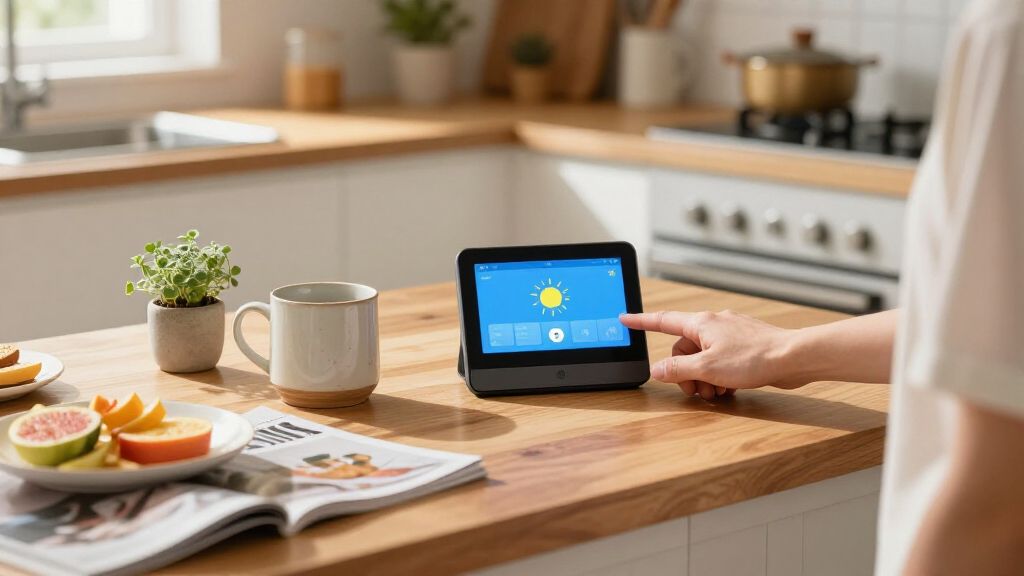
How We Picked
I ranked these displays by how well they serve as everyday smart-home hubs: how quickly a household can reach device controls, how naturally voice and touch work together, how well the screen fits its intended room, and whether the product’s platform matches common connected devices. I also weighed versatility, including video calls, media playback, security camera views, and dedicated automation controls. A larger display did not automatically earn a higher place; screen area only helps when its interface and placement suit the buyer.
The Echo Show 8 ranks first because it offers a balanced mix of control and general use. The E10 and Echo Hub follow for buyers with more specific needs: security viewing and dedicated control, respectively. Smaller and specialist devices rank lower for all-around use, while premium or wall-oriented options make more sense when their particular format is a priority. The two repeated model names are treated cautiously: confirm the precise generation and configuration on the listing, since the names alone do not show a meaningful difference.
Factors to Consider When Choosing Best Smart Home Display Hubs
Start with the job you want the screen to do, then check whether its platform and placement fit your home. These choices often matter more than screen size or a long feature list.
Choose the platform around your existing devices
List the lights, plugs, cameras, thermostats, and routines you already rely on before choosing a display. A hub can look capable and still leave you switching apps if it does not work well with your devices or preferred voice assistant. Check compatibility for the exact device models and features you use, not only broad standards or brand names. If your home is split across ecosystems, prioritize the controls you need most often and accept that some less-used devices may remain in their own apps. This approach avoids buying a screen that becomes an attractive but incomplete dashboard.
Decide whether you need a display or a control panel
General-purpose smart displays combine voice assistance, media, video, and household information with device control. Dedicated panels put controls closer to the center of the experience and can suit a wall near an entrance or a shared room. Consider who will use it: guests and children may find familiar voice commands easier, while household members who want quick manual controls may prefer a touch interface or physical dial. A panel designed for automation can be less satisfying for entertainment, and an entertainment display may take extra steps to reach device controls. Match the interface to the moment when you expect to use it most.
Match screen size to placement and viewing distance
A larger screen helps when you want several controls, camera feeds, or media visible from across a room. It also needs more wall or counter space and may be awkward in a kitchen nook or bedside setup. Small displays fit tighter spaces and work well for simple voice requests, alarms, or a single glance at information, but they can make detailed controls harder to tap. Before buying, measure the intended spot and consider glare, power access, and whether people will interact while standing or seated. The right size is the one that stays visible and convenient without becoming a fixture you work around.
Treat camera and microphone features as a household decision
Video calling and camera viewing can make a display more useful, but they also add privacy and placement questions. Check whether the device includes a camera, whether it has a physical shutter or clear camera controls, and how easily microphones can be muted. A security-focused household may prefer a screen that surfaces its existing camera system, while someone placing a device in a bedroom may favor a model without a camera. Think through who can access camera views and notifications through shared accounts. Make those decisions before mounting a display where visitors or family members will expect privacy.
Check how much setup and maintenance the hub expects
Some displays work mainly through a voice assistant, while specialist panels can involve pairing devices, configuring dashboards, or connecting a gateway. That flexibility can reward a technically confident buyer, but it can also create ongoing setup work when devices or routines change. Look for clarity about supported radios, required apps, account needs, and whether core controls work locally or depend on an internet connection. Consider who will troubleshoot the system if the person who installs it is away. A simpler setup can be the better household choice even when a more configurable panel offers additional control.
Pay for the capabilities you will use repeatedly
Premium screens, larger displays, built-in cameras, and dedicated control hardware can each be worthwhile when they solve a daily problem. They are less compelling when the display will mostly answer occasional questions or show the time. Think about the tasks that happen every day, such as checking the door camera, adjusting lights, or starting a routine, and judge the device against those habits. A compact model may cover a bedside role, while a shared-room hub may justify more screen and audio capability. Focus on repeated use rather than feature count to avoid buying complexity that stays untouched.
Frequently Asked Questions
Should I choose a smart display or a dedicated smart-home control panel?
Choose a general-purpose display if you expect to use voice assistance, media, calls, or household information alongside device controls. A dedicated panel makes more sense when the main goal is quick access to lights, scenes, and other controls from a fixed spot. Check how each device works with your existing ecosystem before deciding, since a panel can be less useful when it cannot reach your devices. Also think about who will use it: touch controls may help guests, while voice can be easier when your hands are occupied. The best fit depends on the tasks you repeat, not the product label.
Will a smart display control devices from different brands?
Some displays can control devices from several brands, but support varies by product, device, and feature. A light may respond to basic on and off commands while a more advanced setting still requires its maker’s app. Before choosing a hub, check compatibility for the exact devices and actions that matter in your home. Pay special attention to camera feeds, sensors, and routines, since broad compatibility claims may not cover every function. If your setup spans multiple ecosystems, prioritize the controls you need most often and verify those first.
Is a larger screen worth choosing for a shared room?
A larger screen can make camera feeds, household information, and touch controls easier to see from a distance. It is a stronger fit for a shared kitchen or living area than for a crowded bedside table. Size alone does not guarantee easier control, so check whether the interface can show the information and devices you want together. Measure the surface or wall space and consider viewing angle and glare before settling on a model. If the display will mostly handle voice commands, a smaller unit may serve the room with less visual and spatial impact.
Do I need a camera in my smart display?
A built-in camera can support video calls and, on some models, add a way to check in on the household. It is not a requirement for controlling smart devices or using voice assistance. Think about where the screen will sit and whether people in that room are comfortable with a camera there. Check for accessible camera and microphone controls, then decide who should have access to calls or camera functions. If those features would rarely be used, a model without a camera may be a more comfortable choice.
How can I avoid choosing the wrong model when product names are similar?
Compare the exact model name, generation, screen size, and included connectivity details on the product page. This roundup includes repeated Echo Hub and SONOFF NSPanel Pro 120 names, which makes careful listing checks especially useful. Confirm that the device has the features you expect, such as a gateway, compatible radio, or a particular display configuration. Do not assume that a similar title means the same hardware or software support. If a listing does not make the configuration clear, check the manufacturer’s model information before buying.
Conclusion
For most households, I recommend the Amazon Echo Show 8 as best overall for its balance of smart-home controls and everyday display features. The Echo Hub is my value-oriented pick for dedicated control, while the Echo Show 15 is the premium choice for buyers who want a larger shared-room screen with Fire TV. Beginners may find the Echo Show 5 an approachable starting point for basic voice and display tasks. For specific needs, choose the eufy Security Smart Display E10 for a eufy-focused camera setup, the SwitchBot Hub 3 for its dial-based controls, or the Shelly Wall Display XL when a larger fixed control panel fits the room. Check platform compatibility and the exact model configuration before making your final choice.
Evergreen bestsellers Picks
bestsellers
As an affiliate, we earn on qualifying purchases.