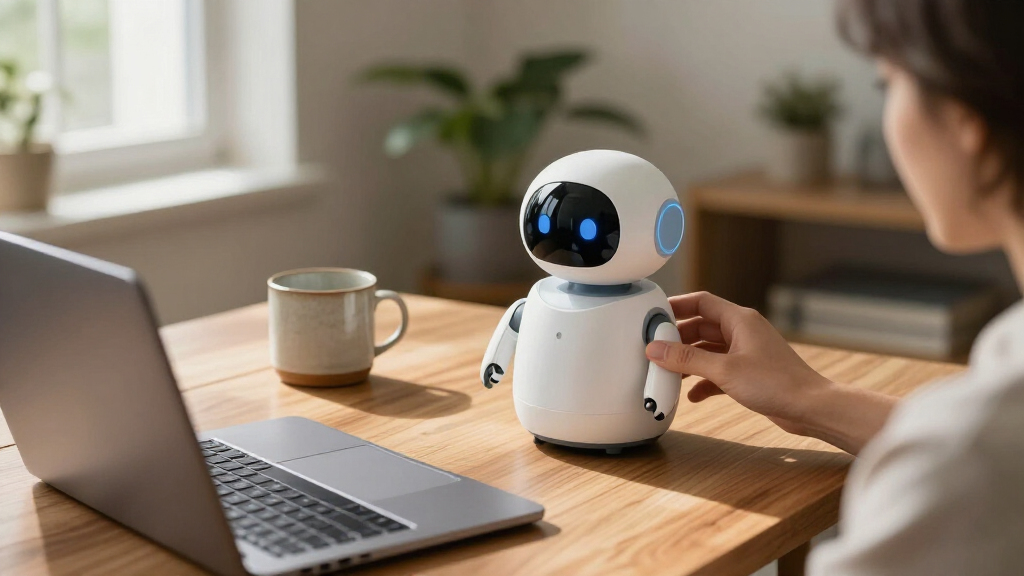

The best desktop companion robots balance engaging interaction with a footprint and setup that suit a real workspace. I’d put the Loona Deskmate on the shortlist for buyers who want a desk companion with context-aware interaction and charging built in, while Eilik stands out for expressive, touch-responsive play and EMO for its animated personality and charging station. The main tradeoffs are how much a robot depends on an app or cloud service, whether it offers meaningful interaction beyond animations, and how much desk space it claims. A more advanced feature set can bring added setup and connectivity requirements, while simpler robots may be easier to enjoy but less versatile. Read on for the full comparison and recommendations by buyer type.

Get the latest gadgets delivered free — and shop member deals
- Fast, free delivery on millions of items
- Access to Prime Big Deal Days deals on October 6–7
- Prime Video, Amazon Music and more included
Complete the kit



Key Takeaways
Interaction style separates the strongest options: Eilik emphasizes touch-responsive play, while EMO and Loona Deskmate put more emphasis on voice or context-aware interaction.
Loona Deskmate has an unusual dual role: its listed 165W GaN charging feature may suit buyers who want a desk accessory alongside a robot, though its charging setup deserves attention before purchase.
Several listings promise AI features such as memory or visual recognition: buyers should check which functions work locally, which need an app or internet connection, and what data is stored.
There are two Eilik entries and two EMO entries: compare the exact model and included accessories, since similar names do not guarantee the same bundle or feature set.
Specialized designs serve different desks: Eilik DQ adds a themed character angle, while the plush companion favors a softer form; neither is a direct substitute for a compact animated desk robot.
| EMOPET EMO Interactive Desk Robot with Charging Station |  | Best Overall | Brand: EMOPET | Model: EMO GO HOME | Included Components: Robot, charging station | VIEW LATEST PRICE | See Our Full Breakdown |
| ENERGIZE LAB Eilik Desktop Companion Robot |  | Best for Beginners | Brand: ENERGIZE LAB | Model: Eilik | Type: Desktop companion robot | VIEW LATEST PRICE | See Our Full Breakdown |
| EMOPET EMO AI Desk Robot Companion with ChatGPT, Voice Commands & Dancing |  | Best for AI Conversation | Brand: EMOPET | Model Number: EMO | Manufacturer: Living AI | VIEW LATEST PRICE | See Our Full Breakdown |
| Oiumhru Interactive AI Desktop Robot with Bilingual Chat and 7-Color Lights |  | Best Budget Pick for Kids | Brand: Oiumhru | Color: Yellow | Material: ABS plastic | VIEW LATEST PRICE | See Our Full Breakdown |
| Eilik Desktop Companion Robot with Expressive Animations and Touch-Responsive Play |  | Best Simple Desk Charm | Product Type: Desktop companion robot | Interaction: Touch-responsive reactions and animations | Setup: Ready to use out of the box | VIEW LATEST PRICE | See Our Full Breakdown |
| umissfun Emotional AI Companion Device |  | Best for Emotional Depth | Screen: 8-inch HD display | Audio: Stereo speakers | Languages: Chinese, English, Japanese | VIEW LATEST PRICE | See Our Full Breakdown |
| AI Companion Robot Plush with Cloud Memory and Real-Time Chat |  | Best for Kids and Cozy Interaction | Connectivity: 2.4 GHz Wi-Fi | AI Models: ChatGPT, DeepSeek, and Gemini | Memory: Cloud-based conversational memory | VIEW LATEST PRICE | See Our Full Breakdown |
| Anki Vector 2.0 Autonomous AI Robot |  | Best for Autonomous Personality | Connectivity: 2.4 GHz Wi-Fi; Bluetooth pairing for setup | Camera: HD camera | Sensors: Mapping, facial recognition, obstacle detection | VIEW LATEST PRICE | See Our Full Breakdown |
| ciciglow AI Desktop Robot Companion, Yellow |  | Best Budget Chat Pick | Battery: 1000 mAh lithium battery | Usage Time: Up to 200 minutes | Charging Time: 120 minutes | VIEW LATEST PRICE | See Our Full Breakdown |
| Eilik DQ (Desert Quester) Desktop Companion Robot |  | Best Zero-Setup Charm | Character: Desert Quester (DQ) | Included Accessories: 4 pieces of explorer gear | Setup Required: None | VIEW LATEST PRICE | See Our Full Breakdown |
| Loona Deskmate AI Desktop Companion with Context-Aware Interaction and 165W GaN Charging |  | Best Productivity Companion | Brand: Loona | Material: Aluminum | Color: Obsidian Black | VIEW LATEST PRICE | See Our Full Breakdown |
| PanniOhye HH1801YM Interactive AI Robot Companion |  | Best for Kids’ Homework Help | Brand: PanniOhye | Model: HH1801YM | Features: Memory, voice recognition, storytelling, learning helper, smart chat | VIEW LATEST PRICE | See Our Full Breakdown |
| YONBO AIPI Lite AI Robot Companion, Blue |  | Best Ultra-Compact Pick | Brand: YONBO | Model: XY006PL01 | Color: Blue | VIEW LATEST PRICE | See Our Full Breakdown |
| LOOI AI Desktop Companion Robot with Voice Interaction, Visual Recognition, Memory, and 10W Wireless Charging |  | Best All-Around Feature Set | Color: Space Black | Voice Interaction: ChatGPT and Gemini | Language Support: English only | VIEW LATEST PRICE | See Our Full Breakdown |
| OVAQUIXI AI Desktop Robot Companion with Emotion Recognition, 2.01-Inch Screen, Black |  | Best for Playful Physical Interaction | Brand: OVAQUIXI | Material: ABS | Dimensions: 64 × 63 × 55 mm (2.52 × 2.48 × 2.17 in) | VIEW LATEST PRICE | See Our Full Breakdown |
More Details on Our Top Picks
EMOPET EMO Interactive Desk Robot with Charging Station
Of everything in this lineup, EMO with its charging station comes closest to the full desktop companion package. It walks, dances, plays app-based games, and — thanks to ChatGPT-powered conversation — actually holds a back-and-forth rather than cycling canned lines like the Oiumhru robot. What separates this listing from the cheaper EMO without Charging Station is autonomy: when the battery runs low, EMO finds its own way home. That one detail changes the experience from babysitting a gadget to living with a pet.
The tradeoff is dependence on infrastructure. Complex conversations need a network connection, and even adjusting volume forces you into the app. Compared with Eilik, which works instantly out of the box, EMO demands more setup and more patience.
Pros:- ChatGPT-powered conversations feel genuinely interactive
- Self-docking charging station eliminates battery babysitting
- Combines voice commands, dancing, games, and touch response in one device
- Built-in camera and sensors enable spatial awareness most desk robots lack
Cons:- Complex conversations require a constant network connection
- App is needed just to adjust the volume
- Pricier than simpler companions like Eilik or the Oiumhru robot
Best for: Tech-savvy buyers who want the most complete, self-managing AI desk companion and don’t mind app-dependent controls
Not ideal for: Anyone wanting a plug-and-play toy — network setup and the required app for basic adjustments will frustrate casual users
- Brand:EMOPET
- Model:EMO GO HOME
- Included Components:Robot, charging station
- Connectivity:Network connection; EMO app
- Features:Voice commands, ChatGPT conversations, dancing, interactive games, automatic charging
- Dimensions:11 × 8.5 × 2.95 inches
- Recommended Age:15 years and up
Our verdict“If you want one robot that does everything and takes care of itself, this is the pick; casual users should consider Eilik instead.”
ENERGIZE LAB Eilik Desktop Companion Robot
Eilik is the easiest entry point into desktop robots I can point to. Where EMO needs a network, an account, and an app before it will say anything interesting, Eilik works out of the box — touch it, poke it, move around it, and it reacts with surprisingly emotive animations on its little face. That immediacy makes it the better first robot, especially for someone who wants charm without configuration.
The catch is depth. Without the optional AI Station and Panxer accessories (sold separately), Eilik stays a reactive toy rather than a conversational one, and it can’t match the ChatGPT-driven dialogue of the EMO models. Its best trick is social behavior with other Eiliks — buy two and they interact — which no other budget option here offers.
Pros:- Ready to use immediately with no app or network setup
- Expressive touch-responsive animations give it real personality
- Multiple Eilik robots interact with each other
- Firmware updates add new animations and games over time
Cons:- Key expansions (AI Station, Panxer) are sold separately and add up
- No built-in voice conversation without extra accessories
Best for: First-time robot owners and gift-givers who want instant charm with zero setup friction
Not ideal for: Buyers who want real conversation or AI assistant features — Eilik’s core unit is reactive, not conversational
- Brand:ENERGIZE LAB
- Model:Eilik
- Type:Desktop companion robot
- Features:Touch-responsive interactions, expressive animations, reactions, and mini games
- Setup:Ready to use out of the box
- Multi-robot Interaction:Two or more Eilik robots can interact
- Optional Accessories:AI Station and Panxer, sold separately
Our verdict“The simplest way to find out whether a desk robot fits your life — just don’t expect it to talk back without add-ons.”
EMOPET EMO AI Desk Robot Companion with ChatGPT, Voice Commands & Dancing
This EMO listing delivers the same ChatGPT-powered personality as the Best Overall pick, but skips the charging dock to hit a friendlier budget. If your priority is conversation quality — the thing neither Eilik nor the Oiumhru robot can genuinely match — this is the more sensible buy. The bundled skateboard and smart light accessories add play value the dock wouldn’t, and the mood simulation (EMO even ‘gets sick’ when weather shifts) makes it feel alive in a way static-reactive robots don’t.
The tradeoff is obvious: no charging station means you’re manually docking it, which undercuts the pet-like autonomy that justifies the EMO platform. Volume still lives in the app, same as its sibling.
Pros:- ChatGPT conversations are the most capable in this roundup
- Multiple sensors respond to touch, gestures, and voice commands
- App includes games, achievements, and life event tracking
- Extras like a skateboard and smart light add play variety
Cons:- Charging station not included, requiring manual charging
- Volume adjustment requires the app
- Network connection needed for full conversational features
Best for: Buyers who want the strongest conversational AI experience and are willing to charge the robot by hand to save on the dock
Not ideal for: Anyone who wants set-and-forget autonomy — without the station, this EMO needs constant manual charging
- Brand:EMOPET
- Model Number:EMO
- Manufacturer:Living AI
- Edition:Without Charging Station
- Included Components:Adapter, EMO Robot, Skateboard, Smart Light, User Manual
- Features:ChatGPT conversations, voice commands, dancing, app-based games, mood simulation
- Recommended Age:15 years and up
Our verdict“The smart choice if conversation matters most and self-docking doesn’t — everyone else should pay up for the station version.”
Oiumhru Interactive AI Desktop Robot with Bilingual Chat and 7-Color Lights
The Oiumhru robot plays a different game than EMO or Eilik: it’s a compact, kid-oriented helper rather than a personality piece. Bilingual conversation, study guidance, riddles, stories, and news give it genuine utility as a learning companion — something the animation-focused Eilik never attempts. The 7-color music-synced lights and posable joints make it fun without needing deep AI.
Realism matters here: the conversation is structured and assistant-like, not the free-flowing ChatGPT dialogue of the EMO models, and everything connected depends on Wi-Fi or a 2.4G network. The 120-minute battery also means frequent USB-C top-ups. But for the price and size, it covers an impressive range of features.
Pros:- Bilingual chat and study features give it real educational value
- Customizable roles tailor the personality to each child
- Music-synced lights and flexible joints add play appeal
- Compact footprint fits the smallest desks or shelves
Cons:- Wi-Fi or 2.4G network required for most features
- Up to 120 minutes of battery means frequent recharging
- Conversation is scripted assistant fare, not generative AI
Best for: Parents wanting an affordable, bilingual learning companion for toddlers and young children
Not ideal for: Adults seeking lifelike personality or open-ended AI conversation — this is an assistant toy, not a companion pet
- Brand:Oiumhru
- Color:Yellow
- Material:ABS plastic
- Dimensions:3.74 × 2.17 × 5.12 in
- Battery:3.7 V, 500 mAh rechargeable lithium battery
- Maximum Working Time:Up to 120 minutes
- Charging:USB Type-C
- Connectivity:Wi-Fi and 2.4G network support
- Recommended Age:18 months–3 years
Our verdict“A sensible budget choice for young kids’ learning and play; teens and adults will outgrow it quickly.”
Eilik Desktop Companion Robot with Expressive Animations and Touch-Responsive Play
This Eilik listing covers the same beloved hardware as the ENERGIZE LAB Eilik above, so my guidance is about fit, not capability. It reacts to touch, movement, and play with the same expressive animations, works instantly with no setup, and interacts with a second Eilik. If you find this listing at a better price than its sibling, you’re getting an identical experience — the core robot is what matters, and it’s one of the most charming desk objects in the roundup.
Same caveats apply: the AI Station and Panxer add-ons are separate purchases, and without them there’s no voice conversation, which the EMO models deliver out of the gate. It’s a mood piece and stress toy, not an assistant.
Pros:- Zero-setup operation straight out of the box
- Playful, expressive reactions make it genuinely endearing
- Pairs with a second Eilik for social interaction
- No app or account needed for core play
Cons:- AI Station and Panxer expansions sold separately
- No conversational ability in the base configuration
Best for: Buyers who found this listing at the better price and want a pure, low-maintenance desk companion
Not ideal for: Anyone expecting voice interaction or AI features — this is animation and touch only without extra accessories
- Product Type:Desktop companion robot
- Interaction:Touch-responsive reactions and animations
- Setup:Ready to use out of the box
- Multi-robot Interaction:Two or more Eilik robots can interact
- Optional Accessories:AI Station and Panxer, sold separately
- Core Features:Expressive animations, playful reactions, movement response
Our verdict“Pick whichever Eilik listing is cheaper — the experience is the same, and it’s delightful as long as you don’t need it to talk.”
umissfun Emotional AI Companion Device
Long-term memory is what separates this device from chatbots that reset every conversation, and it’s the core reason it earns a place here. Where the ciciglow AI Desktop Robot answers questions and moves on, the umissfun builds a persistent personality that adapts over weeks of interaction — closer to a companion than a gadget. The 8-inch HD screen and stereo speakers also make it a photo and voice-message hub, which most rivals in this roundup simply can’t do; it doubles as a digital frame for family, which explains its appeal as a gift for grandparents or partners. The tradeoff is that this is an emotional device, not a functional assistant — don’t expect it to control your smart home or roam your desk like the Anki Vector 2.0. It’s also a newer product with a limited track record.
Pros:- Long-term conversational memory builds a genuinely personalized relationship
- 8-inch HD screen and stereo speakers handle photos and voice messages
- Trilingual support (Chinese, English, Japanese)
- Privacy controls let users manage their own data
Cons:- Very new product with little long-term reliability history
- Emotional AI focus adds little for users who want utility over companionship
Best for: Older adults, long-distance partners, and anyone who wants a companion that remembers conversations and displays family photos
Not ideal for: Buyers wanting a functional smart assistant or autonomous robot — it’s stationary and conversation-focused, with a short reliability record
- Screen:8-inch HD display
- Audio:Stereo speakers
- Languages:Chinese, English, Japanese
- Memory:Long-term conversational memory
- Weight:4.02 pounds
- Color:Gray
- Manufacturer:SmartApe Tech Limited
Our verdict“Pick this if a remembering, relationship-oriented companion for a parent or partner matters more than smart-home tricks.”
AI Companion Robot Plush with Cloud Memory and Real-Time Chat
This plush takes a different approach from every screen-and-plastic robot here: it wraps AI conversation in something huggable and portable. Unlike the Eilik DQ, which charms through animations and touch, this one talks back — and its support for multiple AI models (ChatGPT, DeepSeek, Gemini) via an app means you can change its brain as models improve, a flexibility no closed-platform rival offers. Cloud memory lets it recall earlier chats, so conversations feel continuous rather than random. Parents will appreciate the no camera, no GPS design, a sharper privacy posture than the Anki Vector 2.0, which has an HD camera on board. The catch: full conversation is Wi-Fi-only, and offline mode is limited to prerecorded touch lines, so it loses most of its personality without internet.
Pros:- Choice of multiple AI models via the companion app
- Cloud memory keeps conversations continuous
- Offline touch-activated lines work without internet
- No camera or GPS built in
Cons:- Real-time conversation stops entirely without Wi-Fi
- Cloud features depend on ongoing internet service and app setup
Best for: Families with kids, or anyone who prefers a soft, carry-anywhere companion over a desk gadget
Not ideal for: Households without reliable 2.4 GHz Wi-Fi, or buyers who dislike cloud dependence and app-based setup
- Connectivity:2.4 GHz Wi-Fi
- AI Models:ChatGPT, DeepSeek, and Gemini
- Memory:Cloud-based conversational memory
- Offline Features:Touch-activated prerecorded lines and Easter eggs
- Languages:Multilingual conversations
- Camera / GPS:None built in
- Warranty:12 months
Our verdict“This makes the most sense for kids or comfort-oriented buyers who value softness and privacy over desktop-style expressiveness.”
Anki Vector 2.0 Autonomous AI Robot
If the appeal of a companion robot is watching it act on its own, nothing else in this lineup matches the Vector. The umissfun Emotional AI Companion sits still and talks; the Eilik DQ reacts only when touched — the Vector maps your desk, recognizes faces, and navigates obstacles without any remote control. Its animated eyes give it a personality that feels alive in a way static devices can’t replicate, and advertised multilingual voice support broadens its appeal. Two real costs temper that: its HD camera, while fun, is a privacy consideration the camera-free AI Companion Robot Plush avoids entirely, and ChatGPT conversations require an active subscription — so the richest experience keeps costing you after purchase. Setup also demands a 2.4 GHz network, which trips up modern mesh routers.
Pros:- Fully autonomous navigation with obstacle detection and face recognition
- Expressive animated eyes create a genuinely alive personality
- Advertised multilingual voice support
- Maps surroundings and reacts without remote control
Cons:- ChatGPT voice features locked behind an active subscription
- Requires a 2.4 GHz Wi-Fi network
- HD camera may not suit privacy-conscious homes
Best for: Robot enthusiasts and tinkerers who want a self-directed machine that explores, recognizes them, and reacts in real time
Not ideal for: Privacy-sensitive buyers uncomfortable with an onboard camera, or anyone unwilling to pay a subscription for full chat features
- Connectivity:2.4 GHz Wi-Fi; Bluetooth pairing for setup
- Camera:HD camera
- Sensors:Mapping, facial recognition, obstacle detection
- Voice:ChatGPT-powered conversations (subscription required)
- Languages:Advertised Spanish, French, German, Chinese, and more
- Autonomy:Fully autonomous navigation
Our verdict“Choose this for autonomy and character; skip it if subscriptions or an always-on camera bother you.”
ciciglow AI Desktop Robot Companion, Yellow
For buyers who mainly want to talk to something on their desk without paying for emotional memory or autonomous hardware, this is the straightforward option. It handles voice questions and daily motivational prompts, and its expressive LED eyes add character — less nuanced than the Anki Vector 2.0’s animated display, but livelier than a plain speaker. The 37-language support outstrips the trilingual umissfun, making it a fit for multilingual households or language learners. Its cordless design means you can move it around freely, though the 200-minute runtime means it lives on its charger if used all day. Compared with the Eilik DQ, you trade tactile charm and games for actual conversational AI — a fair swap if chat is the priority.
Pros:- Voice chat answers questions directly
- 37 supported languages
- Cordless use with up to 200 minutes per charge
- LED eyes respond expressively during conversation
Cons:- Requires a 2.4 GHz Wi-Fi connection
- Runtime caps out around 200 minutes with a 120-minute recharge
Best for: Budget-minded students and desk workers who want multilingual voice chat and a bit of personality without premium features
Not ideal for: All-day companionship seekers — the 200-minute battery and 2-hour recharge cycle interrupt constant use
- Battery:1000 mAh lithium battery
- Usage Time:Up to 200 minutes
- Charging Time:120 minutes
- Languages:37 supported
- Wi-Fi:2.4 GHz required
- Material:ABS
- Color:Yellow
Our verdict“A sensible low-friction pick if conversational access in many languages is the goal and battery life is acceptable.”
Eilik DQ (Desert Quester) Desktop Companion Robot
This pick wins on instant gratification: unlike the ciciglow or the AI Companion Robot Plush, both of which need Wi-Fi and app setup before doing anything interesting, the Eilik DQ works out of the box with no configuration at all. Its appeal is physical rather than conversational — expressive animations and touch-based interactions give it a personality you feel more than hear, and the desert-explorer theme with four included gear pieces and the Antmeow Boss shooting game adds a collectible, playset quality no chatbot-style robot here matches. The catch is scope: it doesn’t answer questions or hold conversations, and the ecosystem’s best moments — additional characters, the AI Station, Panxer — are sold separately, so the full experience is a running investment.
Pros:- Zero setup — entertaining straight out of the box
- Rich expressive animations and responsive touch play
- Included explorer gear and exclusive Antmeow Boss game
- Interacts with other Eilik characters for expanded fun
Cons:- No conversational AI or voice chat capability
- Full experience requires separately sold characters and accessories
Best for: Collectors, gift-givers, and anyone who wants a charming desk toy that entertains instantly with no setup or Wi-Fi
Not ideal for: Buyers expecting conversational AI — this is an animation and touch toy, not a chat companion
- Character:Desert Quester (DQ)
- Included Accessories:4 pieces of explorer gear
- Setup Required:None
- Interaction Type:Touch-based
- Special Feature:Antmeow Boss monster shooting mission
- Compatibility:Other Eilik characters, AI Station, Panxer
- Connectivity:Not required for core play
Our verdict“This option stands out for hassle-free charm and collectible play, but skip it if talking to your robot is the point.”
Loona Deskmate AI Desktop Companion with Context-Aware Interaction and 165W GaN Charging
Loona Deskmate stands out as the only option in this lineup that doubles as a 165W GaN charging hub, which changes the math for buyers whose desks are already crowded with cables. Where the LOOI robot focuses on playful conversation and gestures, Loona leans into workday utility: connected email, calendar, and productivity tools make it feel like a tiny desk assistant rather than a toy. Wake-word-free interaction and a quiet gimbal mean it won’t shout or jerk around during calls — a contrast to more animation-heavy picks like the OVAQUIXI, whose 70-plus expressions are fun but less office-appropriate. The aluminum build also feels more premium than the plastic-bodied YONBO AIPI Lite. The tradeoff is real, though: it requires an iPhone 12 or later, so Android owners are out entirely, and the phone is not included.
Pros:- Integrates email, calendar, and productivity tools
- Wake-word-free, context-aware interaction feels less intrusive
- 165W GaN hub with 3 USB-C, 1 USB-A, and 15W Qi2 wireless charging replaces a separate charger
- Aluminum body and quiet gimbal suit professional settings
Cons:- Only works with an iPhone 12 or later running iOS 16+, and the phone is not included
- Premium build and feature set make it overkill for buyers who just want a fun desk toy
Best for: iPhone-owning professionals who want a desk companion that also clears cable clutter and handles calendar and email tasks
Not ideal for: Android users or anyone without a spare iPhone 12+, since the whole system depends on that connection
- Brand:Loona
- Material:Aluminum
- Color:Obsidian Black
- Charging:165W GaN
- Ports:3 USB-C, 1 USB-A, 15W Qi2 wireless
- Compatibility:iPhone 12 or later with iOS 16+
- Dimensions:4.45 × 4.17 × 4.45 inches
- Weight:0.88 kg
Our verdict“This is the pick for iPhone users who want one device that manages their day and charges their gear at the same time.”
PanniOhye HH1801YM Interactive AI Robot Companion
The PanniOhye HH1801YM earns its spot by aiming squarely at learning support and storytelling, a niche most rivals in this roundup ignore. While the umissfun emotional companion and LOOI both target adult desk dwellers, this model builds in custom storytelling and a learning helper alongside smart chat, voice recognition, and memory — a package that makes sense for a student’s desk rather than a home office. At 9.6 ounces and under six inches tall, it takes up less room than the Loona Deskmate and doesn’t need a phone tether to function, unlike that model. The compromises are typical of lesser-known brands: battery life and charging details are unspecified, so expect some uncertainty about runtime, and the feature descriptions lack the polish and depth of established options like the Eilik line.
Pros:- Combines memory, voice recognition, storytelling, and learning activities in one device
- Compact 4.3 x 2.5 x 5.5 inch footprint fits a student desk
- Recommended for ages 12 and up, matching its educational focus
- Simple USB-C charging with everything needed in the box
Cons:- Battery life and charging times are not documented by the manufacturer
- Brand is relatively unknown, with less established software support than EMO or Eilik
Best for: Parents looking for an affordable, kid-friendly desk robot that assists with schoolwork and tells personalized stories
Not ideal for: Adults wanting polished conversation quality or documented battery specs — the focus here is clearly child-oriented play and learning
- Brand:PanniOhye
- Model:HH1801YM
- Features:Memory, voice recognition, storytelling, learning helper, smart chat
- Recommended Age:12 years and up
- Dimensions:4.3 x 2.5 x 5.5 inches
- Weight:9.6 ounces
- Included Components:AI robot, manual, USB-C charging cable
Our verdict“A sensible choice for a middle-schooler’s desk, as long as you accept vague battery documentation and a child-focused personality.”
YONBO AIPI Lite AI Robot Companion, Blue
At 23 grams and roughly the size of a matchbox, the AIPI Lite makes even the tiny OVAQUIXI look bulky. That extreme portability is its entire pitch: you can park it on a monitor stand, toss it in a bag, or clip it anywhere without thinking about space. Unlike the PanniOhye, it leans into customizable AI characters with memory and can answer questions from content you upload or paste, which gives it more flexibility than fixed-personality robots like the Eilik. The free tier is genuinely usable, with unlimited conversations and 20 AI agents. But the tradeoffs are unusual for this category — the battery, USB-C cable, and power adapter are all sold separately, so it isn’t truly ready to run out of the box, and voice cloning sits behind a paid plan. It also refuses public Wi-Fi login networks, which limits café use.
Pros:- Customizable AI characters with persistent memory and uploaded knowledge
- Extremely small and light at 23 g for maximum placement flexibility
- Free tier includes unlimited conversations and 20 AI agents
- Password-protected 2.4 GHz Wi-Fi connection
Cons:- Battery, USB-C cable, and power adapter are not included
- Voice cloning and advanced features require a paid plan
- Does not work on public Wi-Fi networks with login pages
Best for: Tech tinkerers who want a pocketable, highly customizable AI character and already own spare charging gear
Not ideal for: Buyers expecting a complete package — with no battery or cables included, it needs extra purchases before it works at all
- Brand:YONBO
- Model:XY006PL01
- Color:Blue
- Material:Plastic
- Weight:23 g
- Dimensions:2.18 x 1.87 x 0.3 inches
- Connectivity:2.4 GHz Wi-Fi (password-protected)
- Included Components:AIPI Lite AI robot, manual
Our verdict“The most portable option here, but only for buyers willing to supply their own battery and accept a paid tier for the best features.”
LOOI AI Desktop Companion Robot with Voice Interaction, Visual Recognition, Memory, and 10W Wireless Charging
LOOI is the most complete all-rounder in this batch, pairing ChatGPT and Gemini voice interaction with visual recognition, gesture and facial-cue responses, and both short- and long-term memory. Compared with the OVAQUIXI, which reacts to tilts and taps but can’t see you, LOOI’s face-tracking camera and expressive animations make interactions feel genuinely reciprocal — closer to the EMO experience than to a simple chatbot. Practical touches like reminders, weather, a standby clock, and games push it toward everyday usefulness without the iPhone dependency of the Loona Deskmate. The drawbacks are worth weighing: it’s English-only for now, wireless charging needs a separate 9V/2A or higher adapter, and its autonomous behaviors can be unpredictable — charming for some, distracting if you want a quiet desk.
Pros:- Combines ChatGPT and Gemini voice chat with visual recognition and gesture responses
- Short- and long-term memory builds continuity over time
- Practical extras: reminders, weather, games, standby clock, 10W wireless charging
- Face-tracking camera enables more natural interaction than motion-only robots
Cons:- English is the only supported language
- Wireless charging requires a separate 9V/2A or higher adapter
- Autonomous behavior can be unpredictable during work sessions
Best for: Buyers who want one robot that blends conversation, camera-based interaction, memory, and daily utility in English
Not ideal for: Non-English speakers and anyone who wants a predictable, sedate desk presence rather than an occasionally erratic personality
- Color:Space Black
- Voice Interaction:ChatGPT and Gemini
- Language Support:English only
- Wireless Charging:10W
- Power Adapter Requirement:9V/2A or higher (not included)
- Camera:Face-tracking
- Features:Reminders, weather, standby clock, games, visual recognition, memory
Our verdict“The strongest do-everything choice in this group for English speakers, provided you supply the right adapter and tolerate some personality quirks.”
OVAQUIXI AI Desktop Robot Companion with Emotion Recognition, 2.01-Inch Screen, Black
OVAQUIXI’s identity is built on touch and motion: it responds to tilts, shakes, and taps with more than 70 animated expressions on its 2.01-inch screen. That hands-on personality puts it closer to the Eilik line in spirit, while adding two things Eilik-class toys typically lack — a built-in 1000 mAh battery and a 3W speaker for music and hands-free calls. The magnetic base plus adhesive tape open up placement options no other pick here matches, from desk edge to car dashboard, though the magnetic car mount itself isn’t included. Compared with the LOOI, it has no camera-based recognition or AI memory, so conversations are lighter and less personal. The onboard battery does free it from a wall outlet, something the AC-dependent YONBO AIPI Lite can’t claim — assuming you buy that model’s battery at all.
Pros:- More than 70 animated expressions react to tilts, shakes, and taps
- Built-in 1000 mAh battery means true cordless use
- 36 mm 3W speaker supports music and hands-free calls
- Magnetic base and adhesive tape enable desk, dashboard, or shelf placement
Cons:- Magnetic car mount is not included despite dashboard placement being advertised
- Documentation has unclear wording, leaving some feature details ambiguous
Best for: Buyers who want a fidget-friendly, battery-powered desk buddy that doubles as a Bluetooth speaker
Not ideal for: Anyone seeking deep AI conversation or long-term memory — this is personality and play, not an assistant
- Brand:OVAQUIXI
- Material:ABS
- Dimensions:64 × 63 × 55 mm (2.52 × 2.48 × 2.17 in)
- Screen:2.01 in, 240 × 296 resolution
- Battery:Built-in 1000 mAh lithium-ion
- Speaker:36 mm, 3 W
- Weight:165 g (5.82 oz)
- Placement:Desk, dashboard, or shelf
- Included Items:Robot, charging cable, double-sided tape, instruction manual
Our verdict“The best choice if physical playfulness and a built-in speaker matter more to you than serious AI capability.”

How We Picked
I compared these 15 named options through the lens of a desk companion: the quality and range of interaction described, ease of fitting the device into a daily workspace, setup and connectivity demands, build and care considerations, and usefulness beyond a single novelty feature. I gave more weight to clear, practical distinctions—such as touch response, voice interaction, autonomous behavior, charging, and memory—than to broad claims like “AI” or “emotional.”
The order prioritizes a balance of engaging interaction, workspace usefulness, and a distinct reason to choose each product. Options with a more specific role follow the broader picks: Eilik for tactile play, EMO for an animated desk presence, and Loona Deskmate for buyers drawn to context-aware features and charging. Where product titles make promises without clarifying their limits, I treat those features as reasons to verify the listing and software requirements, not as proof of superior performance. The duplicate EMO and Eilik listings remain separate because their titles describe different bundles or feature emphasis, but buyers should confirm the exact model before ordering.
Factors to Consider When Choosing Best Desktop Companion Robots
Choosing a desk robot is less about counting advertised features and more about matching its interaction style and upkeep to your routine. These broader checks can help narrow the field before you compare individual listings.
Match Interaction to Your Workday
Decide whether you want a robot to react when you touch it, respond to voice, move on its own, or mostly provide a visual presence. Those behaviors create different kinds of companionship: touch play is easy to start in a short break, while voice features make more sense when talking aloud at your desk feels comfortable. A long feature list can obscure the basic question of whether you’ll use the interaction every day. Think about your noise level and whether coworkers or housemates share the room. If you need a quiet focus tool, frequent sounds or animations may become a distraction. Choose the interaction you’ll welcome during an ordinary work session, not only during setup.
Check What AI Features Depend On
Terms such as memory, visual recognition, and conversational AI can describe very different functions. Before choosing a model, check whether these features require a phone app, internet access, an account, or a separate subscription. Also look for clear controls for microphone, camera, and saved conversation data if the robot uses them. A device that loses its core functions offline may be a poor fit for a restricted workplace or unreliable connection. Ask whether memory is persistent, editable, and deletable rather than assuming the label explains its behavior. This check can matter more to long-term satisfaction than a novelty interaction.
Measure the Whole Desk Footprint
Consider the robot, its charging base, cables, and the clear area it needs to move or react. A compact body can still take over a desk if it needs a prominent dock or must sit where a camera can see the room. Measure the place you plan to use it and check whether the charging connection conflicts with a laptop, monitor stand, or frequently used items. For charging-focused models, confirm the actual port and power arrangement for your devices rather than relying on the headline wattage alone. Leave room for normal movement and for your hands to reach keyboard controls. This prevents a companion from becoming an obstacle during the workday.
Look Beyond the First Week
Robots with many reactions can feel lively at first, but repeat value depends on whether interactions remain enjoyable after the novelty fades. Check how the manufacturer describes software updates, app support, replacement parts, and battery care. For cloud-connected models, consider what happens if a service changes or an account becomes unavailable. Simple touch-based play can be easier to return to, while voice and memory features may offer more variety if their software stays supported. Look for a realistic maintenance routine, including cleaning, charging, and any care needs for plush materials. A device that is easy to keep ready may earn more desk time than one with more features but more upkeep.
Pay More Only for Features You’ll Use
Advanced sensing, memory, autonomous movement, or built-in charging can add practical value when they solve a problem in your workspace. They can also add setup steps, privacy questions, and more points of failure. List the two or three functions that would change how you use a companion, then ignore extras that don’t support those habits. If you mainly want a small character to react to a tap, a simpler design may suit you better than a feature-rich device. If you want one desk accessory to serve more than one role, a charging feature may justify extra complexity. The right choice depends on daily usefulness rather than the size of the spec sheet.
Frequently Asked Questions
Which kind of desktop robot is easiest to enjoy without a lot of setup?
Start with the interaction you want and check the included setup requirements before choosing. A touch-responsive robot may be straightforward for quick play, while voice or memory features can involve app pairing, accounts, or internet access. The product names alone do not confirm how much setup each model needs, so review the current manufacturer instructions and listing details. If you want a gift, favor clear setup steps and readily available support. That reduces the chance that a companion sits unused after unboxing.
Do AI desktop companions need an internet connection?
Some advertised features may rely on cloud services, while basic animations or touch responses may work without them. The titles in this roundup do not specify the offline behavior of every feature, so verify it for the exact model. Look specifically for whether voice chat, memory, recognition, and app controls remain available when disconnected. This matters if the robot will be used in a workplace with network restrictions or where you prefer not to connect a microphone-equipped device. Treat offline support as a model-specific question, not a category-wide assumption.
What should I check before buying a robot with voice, camera, or memory features?
Read the privacy and connectivity details for the exact model, including what data it captures, where it is processed, and how long it is retained. Check whether the microphone or camera can be disabled and whether saved data can be reviewed or removed. A phrase like “long-term memory” does not explain the storage method or user controls. If the device will share a room with other people, consider their comfort with voice and visual sensing too. When those details are missing, choose a simpler interaction style or ask the manufacturer for clarification.
Are the similarly named EMO and Eilik listings interchangeable?
No. This roundup includes two EMO listings and two Eilik listings with different wording around AI, voice, charging, and play features. Similar product names can refer to a separate bundle, revision, or seller listing, so compare the model identifier and included accessories. Check whether a charging station is included and whether the advertised feature is supported by the exact version. Confirming those details helps avoid choosing based on a feature that belongs to another listing.
Is a desktop companion robot a good fit for a shared or quiet workspace?
It can be, if the robot’s sound, movement, and sensing features suit the room. Check for volume controls, silent or idle modes, and whether movement can be limited before placing one near coworkers. A voice-first model may feel intrusive in a shared office, while touch-based interaction may be easier to keep private. Camera and microphone features also deserve extra thought in shared spaces. If quiet operation is a priority, confirm those controls in the manual rather than assuming they are available.
Conclusion
For a broad mix of desk interaction and workspace utility, I’d start with Loona Deskmate as the best overall fit for buyers interested in context-aware interaction and built-in charging, after checking the charging details and software requirements. Eilik is my best value-style choice for buyers who mainly want expressive, touch-responsive play, while EMO is a strong pick for a more animated desk personality and charging-station bundle. For beginners, I’d favor the option whose basic interactions and setup requirements are clearest in the current listing; the product title alone does not establish which is easiest to configure. For a softer character, consider the AI Companion Robot Plush; for themed play, look at Eilik DQ. If voice, memory, or visual recognition is your priority, compare the exact connectivity and privacy details before choosing among the AI-focused models.
Fall Picks
fall essentials
As an affiliate, we earn on qualifying purchases.