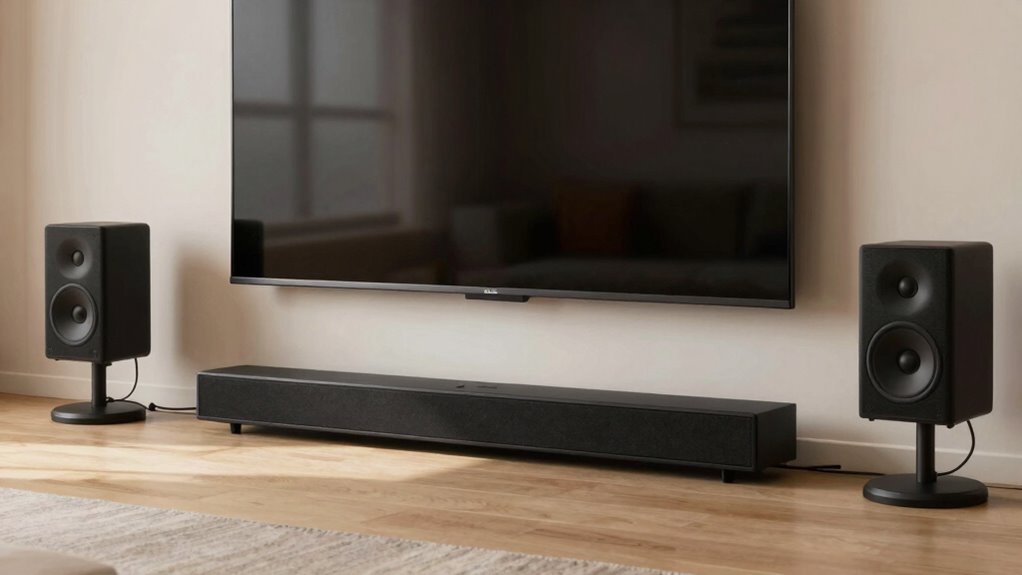

Wireless surround sound may seem effortless, but it’s often not entirely wireless. Interference from household devices can cause audio dropouts and disconnections. Limited range and obstacles like walls weaken signals, leading to lag or interruptions. Plus, power concerns mean you might need to recharge or replace batteries regularly. These issues can cut into the convenience you expect. To find out how to overcome these challenges and enjoy true wireless sound, keep exploring your options.

Get the latest gadgets delivered free with Prime
- Fast, free delivery on millions of items
- Prime Video, Amazon Music and more included
- Member-only deals all year
Key Takeaways
- Wireless surround sound often faces Bluetooth interference, causing dropouts and inconsistent audio quality.
- Power sources like batteries require regular charging or replacement, limiting true wireless freedom.
- Signal range can be weakened by walls and furniture, leading to disconnections despite claims of long-range connectivity.
- Technical issues such as interference and setup complexity can diminish the convenience of wireless systems.
- Overall, wireless systems may require compromises on sound quality, cost, and reliability, challenging their “wireless” promise.

Have you ever wished for a theater-quality sound experience without the clutter of wires? If so, wireless surround sound systems might seem like the perfect solution. They promise to deliver immersive audio without the tangle of cables snaking across your room. But the reality isn’t always as seamless as the marketing suggests. One common issue is Bluetooth interference, which can disrupt your listening experience unexpectedly. Within a household, multiple devices—smartphones, tablets, wireless headphones, and even other speakers—can operate on similar Bluetooth frequencies. This congestion causes audio dropouts, delays, and sometimes complete disconnections, undermining the very convenience wireless systems aim to provide. You might find yourself having to reset connections or reposition your speakers just to get a clear signal. It’s frustrating to think you’re stepping into a wire-free world, only to be hampered by constant interference.
Wireless surround sound often faces Bluetooth interference, causing dropouts and connection issues despite the promise of seamless wireless audio.
Another challenge is power consumption issues. Wireless surround sound systems rely heavily on batteries or rechargeable power sources. Unlike wired setups that draw power directly from an outlet, wireless speakers and subwoofers need regular charging or battery replacements. Over time, this can become inconvenient and costly, especially if your system is large or if you want to maintain a clutter-free aesthetic. You might find yourself constantly monitoring battery levels or dealing with the inconvenience of recharging during an important movie or gaming session. Some systems try to mitigate this by using low-power Bluetooth or Wi-Fi connections, but these often come with trade-offs in sound quality or connection stability.
Furthermore, the range of wireless systems can be limited, adding another layer of complexity. Even if your system claims a long-range connection, walls and furniture can weaken signals, leading to audio lag or disconnections. This means you might have to position your speakers carefully, defeating the purpose of going wireless in the first place. While some newer systems use Wi-Fi for better range and stability, they tend to be more expensive and require a more complex setup process. The promise of true wireless convenience often gets compromised by these technical limitations, making you think twice before dismissing wired options altogether.
In the end, while wireless surround sound can certainly reduce clutter and offer flexibility, it isn’t always entirely wireless in practice. Bluetooth interference and power consumption issues are real hurdles that can diminish your experience. Before investing, it’s worth weighing these potential drawbacks against the benefits to make sure you’re truly getting the wireless freedom you desire.
Products Worth Considering

Bose SoundLink Flex Bluetooth Speaker (2nd Gen) – Portable Outdoor Speaker with Hi‑Fi Audio, Waterproof and Dustproof, USB‑C, Up to 12 Hours

Bose TV Speaker Compact Soundbar with Bluetooth and HDMI-ARC, Black
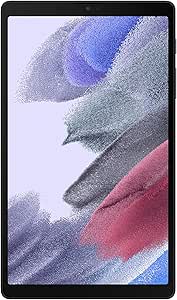
Samsung Galaxy Tab A7 Lite 8.7 32GB Wi‑Fi Android Tablet – Long‑Lasting Battery, Compact Slim Design, Sturdy Metal Frame (US Version)
As an affiliate, we earn on qualifying purchases.
Frequently Asked Questions
How Do Wireless Surround Sound Systems Connect to Different Devices?
You connect wireless surround sound systems to devices through Bluetooth pairing or Wi-Fi, depending on the system. Bluetooth pairing is quick and works over specific frequency bands, usually 2.4 GHz, guaranteeing a stable connection. Some systems use Wi-Fi, which often provides higher bandwidth for better audio quality. Always check your device’s compatibility and confirm your system supports the necessary frequency bands for seamless connection and ideal sound experience.
What Is the Typical Range for Wireless Surround Sound Systems?
The typical range for wireless surround sound systems is usually about 30 feet, but it can vary depending on the technology. When you set up, Bluetooth pairing guarantees a stable connection, but obstacles can reduce the range. Signal encryption keeps your audio secure during transmission. To enjoy seamless sound, keep your devices within this range and avoid interference from other wireless devices.
Are Wireless Surround Sound Systems Compatible With All TVS?
Think of your TV as a grand stage, and the wireless surround sound system as the supporting cast. Compatibility varies; some systems connect via Bluetooth pairing, making setup simple, while others may require specific ports or adapters. Keep in mind, wireless systems often have higher power consumption, which might affect compatibility with older TVs. Always check your TV’s specifications to guarantee seamless pairing and peak performance.
How Do Interference Issues Affect Wireless Surround Sound Quality?
Interference sources like Wi-Fi routers, Bluetooth devices, and microwaves can cause signal disruption in your wireless surround sound system. This interference weakens the wireless connection, leading to audio lag, dropouts, or reduced sound quality. To improve performance, keep your sound system away from these devices, use dual-band networks, or switch to wired connections when possible. Reducing interference sources guarantees clearer, more reliable surround sound.
What Are the Security Concerns With Wireless Audio Transmission?
You should be aware that wireless audio transmission can face security concerns like eavesdropping or unauthorized access. Encryption protocols help protect your signals, but weak security settings can still leave you vulnerable. Additionally, signal interference from other devices may disrupt your connection, potentially exposing your audio stream. To stay safe, make sure your wireless system uses robust encryption and minimize interference by avoiding crowded frequency bands.
Conclusion
So, next time you shop for wireless surround sound, remember that “wireless” isn’t always completely wire-free. About 60% of so-called wireless systems still rely on some cables for power or audio transmission. It’s worth checking the details to guarantee you get the true convenience you want. Don’t assume wireless means zero cables—being informed helps you make smarter choices and enjoy seamless sound without surprises.