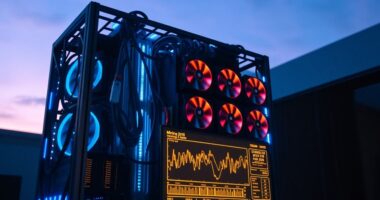
To prevent your receiver from overheating, guarantee your media console has proper ventilation. Keep vents clear of dust and clutter, and use cable organizers to avoid blocking airflow. Position your setup in a well-ventilated area away from direct sunlight or heat sources. Consider using external fans or cooling pads for extra support. Regularly check and maintain your setup to optimize airflow. Stay with us, and you’ll discover even more tips to keep your devices cool and working efficiently.

Get the latest gadgets delivered free with Prime
- Fast, free delivery on millions of items
- Prime Video, Amazon Music and more included
- Member-only deals all year
Key Takeaways
- Ensure your media console has adequate built-in vents or fans to facilitate proper heat dissipation.
- Keep cables organized to prevent airflow obstruction and reduce heat buildup around devices.
- Position the console in a well-ventilated area, away from direct sunlight and heat sources.
- Regularly dust vents and internal components to maintain optimal airflow and cooling efficiency.
- Consider using external cooling pads or fans to enhance airflow and prevent receiver overheating.

Proper ventilation is essential for media consoles to prevent overheating and protect your electronic devices. When your receiver or other components get too hot, their performance can degrade, and their lifespan shortens. Confirming good airflow keeps everything running smoothly and minimizes the risk of costly repairs. One way to optimize ventilation is by choosing a media console that supports remote control compatibility, allowing you to operate your devices without constantly opening the cabinet. This means you don’t have to remove panels or disturb the airflow just to change channels or adjust settings. Additionally, many modern consoles come with built-in ventilation features like vents, fans, or open shelving designed to promote better air circulation. These features help dissipate heat effectively, especially when your system is running for long periods.
Cable management solutions play a big role in maintaining proper ventilation. When cables are tangled or cluttered, they block airflow around your devices, causing heat to build up. Investing in cable organizers, clips, or sleeves ensures cables stay neat and out of the way, improving air movement within the console. Proper cable management not only keeps things tidy but also prevents accidental disconnections or damage caused by tangled wires. When cables are well-organized, air can circulate freely around each component, helping to keep temperatures down and reducing the risk of overheating. Additionally, ensuring adequate space around your setup can further aid in airflow efficiency. Regularly inspecting and adjusting your setup can prevent dust accumulation and ensure optimal heat dissipation. Incorporating effective ventilation strategies can significantly enhance the overall cooling performance of your media area. A well-ventilated setup also minimizes the need for frequent maintenance and cleaning, which can improve the longevity of your equipment. It’s also beneficial to select a media console with built-in cooling features that support your specific needs.
You should also consider the placement of your media console. Position it in a location with good airflow—away from direct sunlight, heaters, or enclosed spaces that trap heat. If your console has adjustable feet or stands, use them to lift it slightly off the floor or shelf, creating extra space underneath for air to flow. Proper placement is crucial for maintaining the longevity of your electronic devices and ensuring they operate at peak performance. Regularly dust the vents and internal components, as dust buildup acts like insulation and hampers heat dissipation. Using a small external fan or installing a cooling pad beneath the console can offer additional airflow support if needed, especially in warmer climates or if your setup runs for extended periods. Ensuring your setup is in a well-ventilated area can make a significant difference in temperature regulation and device lifespan. Additionally, choosing a location with natural airflow can further help in maintaining optimal device temperatures over time.
media console with built-in ventilation
As an affiliate, we earn on qualifying purchases.
As an affiliate, we earn on qualifying purchases.
Frequently Asked Questions
How Often Should I Clean My Media Console Vents?
You should clean your media console vents at least once every three to six months to maintain proper airflow. Regular airflow maintenance helps prevent dust accumulation, which can block vents and cause overheating. If you notice more dust or if your media devices run hotter than usual, increase cleaning frequency. Use a soft cloth or compressed air to remove dust, ensuring your receiver stays cool and functions efficiently.
Can Ventilation Improve Audio Quality?
Ventilation can dramatically boost your audio experience, like turning up the volume on clarity! When your receiver stays cool, it maintains ideal sound quality, ensuring sound clarity and signal stability. Proper airflow prevents overheating, which can cause distortion or signal drops. By keeping your media console well-ventilated, you help your equipment perform at its best, delivering cleaner, crisper audio that makes every movie or song feel like a live concert.
Are There Specific Materials Best for Vent Covers?
You should choose vent cover materials that balance durability and style. Metal, like aluminum or steel, offers high durability and effective heat dissipation, making it great for long-term use. Plastic options are lightweight and versatile, but may not last as long. For aesthetic options, consider wood or decorative metal designs that blend seamlessly with your media console. Selecting the right material guarantees your vent covers are both functional and visually appealing.
Do External Fans Help With Console Overheating?
External fans definitely help with console overheating by improving airflow optimization around your media setup. They actively push cool air into the console area, reducing internal heat buildup. Using these fans can prevent your receiver from overheating, especially during long usage or in warm environments. Just make certain the fans are positioned correctly to maximize airflow and avoid blocking existing vents, which keeps your equipment running smoothly and prolongs its lifespan.
How Do I Know if My Receiver Is Overheating?
You’ll know your receiver is overheating if it feels unusually hot to the touch or if it suddenly shuts down during use. To prevent this, monitor the temperature regularly and check for signs of overheating. Make certain of proper airflow by optimizing ventilation around your console, keeping vents clear, and considering external fans if needed. Maintaining good airflow and watching temperature levels help keep your receiver cool and functioning properly.
Conclusion
To keep your receiver cool, guarantee proper ventilation in your media console—think of it as giving your electronics a gust of fresh air. Just like a car needs a good radiator, your receiver needs space and airflow to prevent overheating. Don’t ignore the signs of heat buildup; it’s like ignoring a warning light on your dashboard. With these simple tips, your media setup will stay cool and run smoothly, providing you with endless entertainment without the risk of damage.
Fall Picks
fall essentials
As an affiliate, we earn on qualifying purchases.