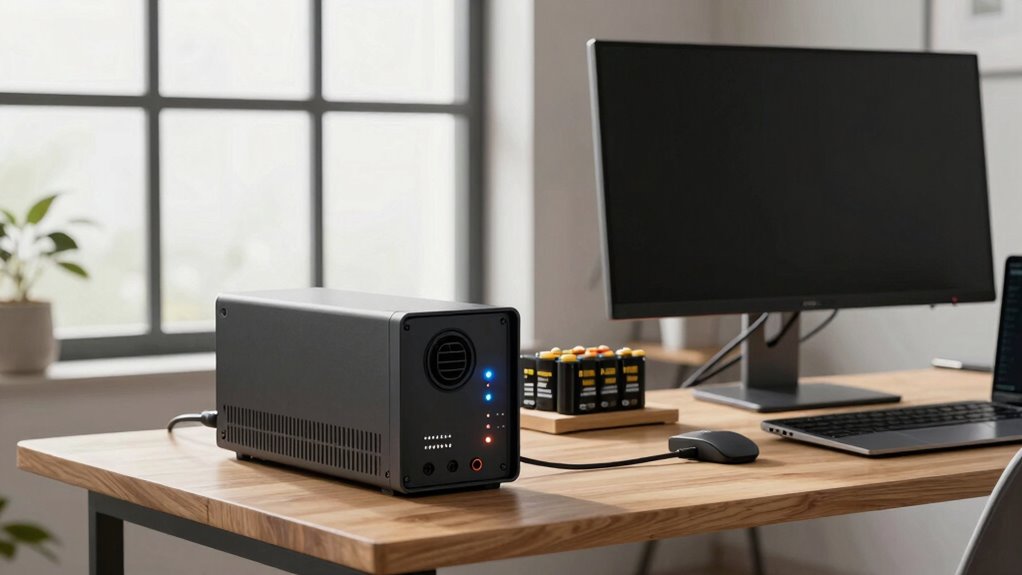

To protect your home office effectively, focus on your most essential equipment first, like your computer, monitor, and backup data. Use surge protectors to guard against voltage spikes and invest in a UPS for immediate backup power during outages. Prioritize devices critical to your work to prevent data loss and hardware damage. Taking these steps now will save you headaches later—stay tuned to learn more about choosing the right backup system for your needs.

Get the latest gadgets delivered free with Prime
- Fast, free delivery on millions of items
- Prime Video, Amazon Music and more included
- Member-only deals all year
Key Takeaways
- Prioritize protecting your computer and essential peripherals to prevent data loss and hardware damage during outages.
- Use surge protectors to guard sensitive equipment from voltage spikes before power failures occur.
- Choose an appropriately sized UPS to ensure sufficient runtime for critical devices during outages.
- Focus on backup power for primary work tools first, then expand to other devices as needed.
- Incorporate both surge prevention and backup systems for comprehensive, sustainable home office protection.

Ever experienced a sudden power outage that disrupted your work? It’s frustrating and can throw off your entire day. That’s why investing in backup power solutions for your home office isn’t just smart—it’s vital. When considering what to protect first, start with your most valuable and sensitive equipment, like your computer, modem, and any essential peripherals. Power surge prevention plays an important role here, as unexpected voltage spikes can damage your devices even before the power goes out. Installing surge protectors or surge suppressors is a straightforward way to shield your equipment from these sudden electrical jolts.
Protect your essential devices first with surge protectors to prevent damage from unexpected voltage spikes.
But protecting hardware from power surges is just one part of the puzzle. You also need a reliable way to keep your work going during outages—enter battery backup systems. These systems, often called uninterruptible power supplies (or UPS), provide immediate power when the grid fails. With a UPS, your computer and critical devices stay powered long enough for you to save your work and shut down properly, preventing data loss and hardware damage. It’s a smart investment because it guarantees your productivity isn’t halted by unpredictable outages.
When choosing a battery backup system, consider the size and capacity you need. A small unit might keep your modem and router active during a brief outage, while a larger one can support a desktop computer and monitor for an extended period. Think about your typical power outage duration and select a system that can handle your essential equipment for at least that long. Also, look for models with automatic voltage regulation (AVR). These systems not only provide backup power but also protect your devices from power fluctuations that can occur during outages, further safeguarding your equipment. Additionally, understanding power outage duration can help you determine the right capacity for your backup system, ensuring it meets your specific needs. Incorporating advanced power management features can optimize your backup setup and extend the runtime during outages.
Prioritizing what to protect first means focusing on your primary work tools. A combination of power surge prevention methods and battery backup systems can give you peace of mind, knowing you’re prepared for anything. Power surges can happen unexpectedly, and outages are inevitable at times, but with the right setup, you can minimize the disruption and protect your investment. Implementing sustainable energy practices in your backup power solutions can also contribute to a more eco-friendly setup, reducing your overall environmental impact. Understanding the importance of proper sizing for backup systems helps ensure you aren’t under or overestimating your needs. It’s about creating a resilient home office setup that keeps you productive, safe, and secure, even when the lights go out. Being proactive in these areas guarantees you aren’t caught off guard, and your work continues smoothly regardless of external electrical issues.
As an affiliate, we earn on qualifying purchases.
Frequently Asked Questions
How Long Should a Backup Power Source Last During an Outage?
During an outage, your backup power source should last at least as long as the expected power outage duration, typically 4-8 hours for most home offices. Focus on the battery lifespan to guarantee reliability, and choose a system that can sustain essential devices throughout the outage. If outages tend to be longer, consider upgrading to a UPS with extended runtime or supplementary power sources to keep your work uninterrupted.
What Is the Most Cost-Effective Backup Power Option for Home Offices?
Think of your home office as a ship in stormy seas—battery storage is your sturdy anchor, offering reliable backup power cost-effectively, especially during short outages. Fuel alternatives like generators can be more expensive and noisy, but they provide longer-lasting power when needed. For the most budget-friendly solution, prioritize a quality battery system paired with renewable options like solar, ensuring you stay afloat without sinking your wallet.
Can Backup Power Systems Be Integrated With Renewable Energy Sources?
Yes, backup power systems can be integrated with renewable energy sources, creating energy synergy. You can connect solar panels or wind turbines to your backup system through renewable integration, guaranteeing a sustainable energy flow. This setup allows your home office to stay powered during outages while reducing reliance on grid energy. Proper planning ensures efficient energy use, minimizes costs, and enhances your eco-friendly efforts, making your backup system both reliable and green.
How Often Should Backup Power Systems Be Maintained or Tested?
You should test your backup power system at least twice a year and follow the manufacturer’s maintenance schedule. Regular testing helps identify issues before emergencies, guaranteeing your battery lifespan remains ideal. Keep an eye on battery health, and replace batteries as recommended to maintain reliable power during outages. Consistent maintenance and testing protect your home office equipment and ensure your backup system functions effectively when needed most.
Are There Any Safety Concerns When Using Backup Generators Indoors?
Using backup generators indoors is extremely dangerous, as it can turn your home into a death trap in seconds. Indoor safety concerns include carbon monoxide buildup, which is deadly, and poor generator ventilation can worsen this risk. Always operate generators outdoors in a well-ventilated area, never inside or in enclosed spaces, to prevent dangerous gas accumulation and guarantee your safety during power outages.
Conclusion
To keep your home office running smoothly during outages, investing in backup power is essential. While some believe it’s only necessary for critical devices, studies show that protecting your entire workspace can actually boost productivity and peace of mind. Don’t wait until the next blackout hits—by safeguarding your most important equipment first, you guarantee your work continues seamlessly. A reliable backup power system isn’t just a convenience; it’s a smart move for your professional stability.
Fall Picks
fall essentials
As an affiliate, we earn on qualifying purchases.