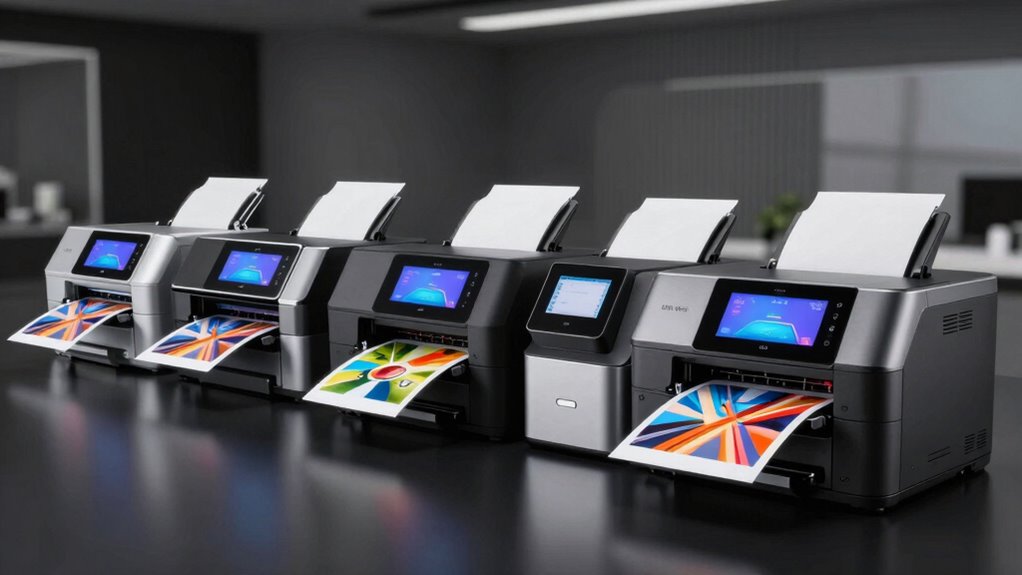

For a wide-format photo printer that handles 13×19-inch prints, I’d start with the Epson Expression Photo HD XP-15000 as the best overall balance of photo-focused features and a relatively compact design. The Epson EcoTank Photo ET-8550 stands out for frequent printing and refillable ink, while the Canon PIXMA PRO-200S is a stronger fit for photographers who prioritize dedicated photo output. The main tradeoffs are print quality versus ongoing ink expense, and photo specialization versus all-in-one convenience. Some models also print up to 13×19 but differ in paper handling, ink systems, and suitability for everyday documents. Read on for the full breakdown and guidance on choosing the right printer for your space and print volume.

Get the latest gadgets delivered free with Prime
- Fast, free delivery on millions of items
- Prime Video, Amazon Music and more included
- Member-only deals all year
Complete the kit



Key Takeaways
- The XP-15000 is the balanced photo-first pick: it offers 13×19 printing without the extra footprint and office features of an all-in-one.
- The ET-8550 changes the cost equation for frequent printing: its refillable ink system suits higher volumes, though its purchase and setup needs may not make sense for occasional prints.
- The PRO-200S is the specialist choice: it prioritizes professional photo output, while models such as the TS9521Ca and ET-15000 add practical scanning and copying.
- 13×19 support does not mean every printer serves the same workflow: paper handling, ink configuration, and photo-focused controls affect how readily a model fits larger prints.
- The lineup splits between value-oriented photo printing and broader utility: the iX6820 and iP8720 focus on printing, while the XP-980, TS9521Ca, ET-15000, and ET-8550 bring all-in-one functions.
| Canon Pixma iX6820 Wireless Inkjet Business Printer |  | Best Value for Straightforward 13 × 19 Printing | Printer type: Wireless inkjet | Maximum media size: 13 × 19 inches | Maximum color resolution: 9600 × 2400 dpi | VIEW ON AMAZON | See Our Full Breakdown |
| Epson Expression Photo HD XP-15000 Wireless Wide-Format Inkjet Printer |  | Best for Borderless Photo Prints | Printer type: Inkjet, print only | Maximum media size: 13 × 19 inches | Ink system: Six-color Claria Photo HD | VIEW ON AMAZON | See Our Full Breakdown |
| Canon PIXMA PRO-100 Professional Photo Printer |  | Best for Grayscale and Color Photo Detail | Printer type: Inkjet photo printer | Ink system: Eight dye-based inks, including three grayscale inks | Resolution: 4800 × 2400 dpi | VIEW ON AMAZON | See Our Full Breakdown |
| Canon PIXMA iP8720 Wireless Inkjet Photo Printer |  | Best for Wireless Photo Printing and Disc Media | Print technology: Inkjet | Maximum print size: 13 × 19 inches | Maximum color resolution: 9600 × 2400 dpi | VIEW ON AMAZON | See Our Full Breakdown |
| Epson EcoTank ET-15000 Wireless Wide-Format All-in-One Supertank Printer |  | Best All-in-One for Small Offices | Printer type: Inkjet all-in-one | Functions: Print, copy, scan, fax | Maximum print size: 13 × 19 inches | VIEW ON AMAZON | See Our Full Breakdown |
| Canon PIXMA PRO-200S Wireless Professional Inkjet Photo Printer |  | Best for Dedicated 13 × 19 Photo Printing | Printer type: Inkjet | Ink system: 8-color dye-based | Maximum print size: 13 × 19 inches | VIEW ON AMAZON | See Our Full Breakdown |
| Canon PIXMA TS9521Ca Wireless All-in-One Inkjet Printer |  | Best for Home Document and Photo Versatility | Printer type: Inkjet | Functions: Print, copy, scan | Maximum media size: 11 × 17 inches | VIEW ON AMAZON | See Our Full Breakdown |
| Epson Expression Photo XP-980 Wireless Wide-Format All-in-One Printer |  | Best 11 × 17 Photo All-in-One | Printer type: Inkjet | Functions: Print, scan, copy | Ink system: 6-color Claria Photo HD | VIEW ON AMAZON | See Our Full Breakdown |
| Epson EcoTank Photo ET-8550 Wireless Wide-Format All-in-One Printer |  | Best Refillable-Ink 13 × 19 All-in-One | Printer type: Inkjet | Functions: Print, scan, copy | Ink system: Refillable 6-color Claria ET Premium ink tank | VIEW ON AMAZON | See Our Full Breakdown |
| wide format photo printer 13×19 | Printer type | Ink system | Connectivity | Maximum media size |
|---|---|---|---|---|
| Canon Pixma iX6820 Wireless In | Wireless inkjet | Five individual ink tanks | Wi-Fi, AirPrint, Google Cloud Print | 13 × 19 inches |
| Epson Expression Photo HD XP-1 | Inkjet, print only | Six-color Claria Photo HD | Wired and wireless | 13 × 19 inches |
| Canon PIXMA PRO-100 Profession | Inkjet photo printer | Eight dye-based inks, including three grayscale inks | Wireless | 13 × 19 inches |
| Canon PIXMA iP8720 Wireless In | — | Six individual ink tanks, including gray | — | — |
| Epson EcoTank ET-15000 Wireles | Inkjet all-in-one | — | USB 2.0, LAN, Wi-Fi | — |
| Canon PIXMA PRO-200S Wireless | Inkjet | 8-color dye-based | Wi-Fi, Ethernet, USB | — |
| Canon PIXMA TS9521Ca Wireless | Inkjet | Five individual ink cartridges | Wi-Fi, USB, Ethernet | 11 × 17 inches |
| Epson Expression Photo XP-980 | Inkjet | 6-color Claria Photo HD | Wireless, Wi-Fi Direct, USB | 11 × 17 inches |
| Epson EcoTank Photo ET-8550 Wi | Inkjet | Refillable 6-color Claria ET Premium ink tank | Wireless; iOS and Android app control | — |
More Details on Our Top Picks
Canon Pixma iX6820 Wireless Inkjet Business Printer
I’d shortlist the Canon Pixma iX6820 for buyers who want 13 × 19-inch output without paying for a scanner, copier, or fax features they will not use. Its five individual ink tanks let you replace a depleted color rather than a whole combined cartridge, and the stated 9600 × 2400 dpi color resolution makes it a capable fit for detailed graphics and photo prints. Compared with the Canon PIXMA PRO-100, it has a simpler ink system and a more office-oriented role, rather than an eight-ink setup aimed at photo-focused color and grayscale work. The tradeoff is limited convenience: the supplied information lists no scanning hardware or automatic document feeder, and the 150-sheet capacity is modest for frequent jobs. I’d choose it for occasional wide prints and routine documents, not an all-in-one workspace.
Pros:- Prints on media up to 13 × 19 inches
- Five individual ink tanks allow color-by-color replacement
- Wireless printing supports AirPrint, Google Cloud Print, and Canon’s mobile app
- Maximum color resolution is 9600 × 2400 dpi
Cons:- No scanning or copying hardware is specified
- No automatic document feeder is specified
- The 150-sheet capacity may require frequent reloading during busy print runs
Best for: Home users and small offices that need occasional 13 × 19-inch prints, wireless access, and individual ink replacement without multifunction features.
Not ideal for: Photographers seeking a dedicated multi-ink photo workflow or households needing scanning, copying, an automatic document feeder, or larger paper capacity.
- Printer type:Wireless inkjet
- Maximum media size:13 × 19 inches
- Maximum color resolution:9600 × 2400 dpi
- Ink system:Five individual ink tanks
- Paper capacity:150 sheets
- Print speed:14.5 ipm black; 10.4 ipm color
- Connectivity:Wi-Fi, AirPrint, Google Cloud Print
- Dimensions:23 × 12.3 × 6.3 inches
Our verdict“Choose the iX6820 if you want an uncomplicated wireless printer for occasional 13 × 19 output and do not need scanning or copying.”
Epson Expression Photo HD XP-15000 Wireless Wide-Format Inkjet Printer
The Epson Expression Photo HD XP-15000 is the photo-first pick here: it supports borderless prints up to 13 × 19 inches and uses six Claria Photo HD inks, including red and gray, for a broader photo-oriented color set than the five-tank Canon Pixma iX6820. Its front and rear trays also make it easier to keep ordinary paper loaded while feeding specialty media from the back. Automatic two-sided printing is a useful extra for documents, though this remains a print-only model, unlike the all-in-one Epson EcoTank ET-15000. That EcoTank adds scanning, copying, faxing, and refillable tanks; the XP-15000 keeps its purpose narrower and its listed weight to 18.7 pounds. The main compromise is cartridge dependence: Epson specifies genuine cartridges, and the description warns that third-party ink may not work properly. I’d favor it for photo output, not a mixed-use office that needs document handling.
Pros:- Prints borderless photos up to 13 × 19 inches
- Six-color Claria Photo HD ink includes red and gray
- Front and rear trays accommodate different paper types
- Automatic two-sided printing
Cons:- Print-only design has no scanning or copying functions
- Designed for genuine Epson cartridges; third-party ink may not function properly
- Its listed footprint is 30.9 inches wide, so it needs substantial desk space
Best for: Photo enthusiasts who want borderless 13 × 19 prints, separate front and rear media feeds, and automatic duplexing for occasional documents.
Not ideal for: Buyers who need scanning, copying, faxing, refillable ink tanks, or flexibility to use third-party cartridges.
- Printer type:Inkjet, print only
- Maximum media size:13 × 19 inches
- Ink system:Six-color Claria Photo HD
- Resolution:5760 × 1440 dpi
- Paper capacity:200-sheet front tray; 50-sheet rear tray
- Duplex printing:Automatic
- Connectivity:Wired and wireless
- Weight:18.7 pounds
Our verdict“Pick the XP-15000 for borderless large photo prints and flexible media feeds, but skip it if you need an all-in-one or refillable tanks.”
Canon PIXMA PRO-100 Professional Photo Printer
For buyers who place photo rendering ahead of office convenience, the Canon PIXMA PRO-100 earns its place with an eight-ink dye system, including three grayscale inks, and support for media up to 13 × 19 inches. That grayscale set gives it a more specialized photo role than the six-ink Canon PIXMA iP8720, whose listed system includes gray but fewer inks overall. Two paper paths—a rear tray and manual feed slot—help accommodate different media without making this an all-in-one. There are practical costs in space and workflow: at 43.4 pounds, it is far less easy to move than the Epson XP-15000, and duplexing is manual. I’d rank it for photographers who want a dedicated photo printer and can leave it set up. Buyers who mostly print documents or need scanning should choose a multifunction model instead.
Pros:- Eight dye-based inks include three grayscale inks for photo work
- Supports print media up to 13 × 19 inches
- Rear tray and manual feed slot handle different paper types
- Wireless connectivity
Cons:- Heavy at 43.4 pounds and awkward to relocate
- Duplex printing is manual
- No scanning or copying functions are listed
Best for: Photographers making detailed color and black-and-white prints up to 13 × 19 inches who can dedicate space to a photo-focused printer.
Not ideal for: People who need an easy-to-move printer, automatic duplexing, scanning, copying, or a general-purpose home-office machine.
- Printer type:Inkjet photo printer
- Ink system:Eight dye-based inks, including three grayscale inks
- Resolution:4800 × 2400 dpi
- Maximum media size:13 × 19 inches
- Connectivity:Wireless
- Paper trays:Two
- Maximum sheet capacity:150 sheets
- Duplex printing:Manual
- Weight:43.4 pounds
Our verdict“Choose the PRO-100 when its eight-ink photo and grayscale system matters more than weight, automatic duplexing, or office features.”
Canon PIXMA iP8720 Wireless Inkjet Photo Printer
The Canon PIXMA iP8720 combines 13 × 19-inch borderless printing with a six-ink system that includes gray, making it a more photo-oriented choice than the five-ink Canon Pixma iX6820. It also supports AirPrint, Google Cloud Print, and Canon mobile printing, so sending a photo from a compatible device does not require a wired setup. A distinctive extra is CD and DVD printing, useful for people who still produce labeled discs. Against the Epson XP-15000, the iP8720 offers a similar six-color count but the supplied details do not list separate front and rear paper trays or automatic duplexing. It is a focused printer rather than a multifunction machine, and its six individual tanks mean more cartridges to keep track of. I’d shortlist it for wireless photo and disc output, but not for scanning or document-centered office work.
Pros:- Supports borderless photo printing up to 13 × 19 inches
- Six individual ink tanks include gray for photo and black-and-white output
- AirPrint, Google Cloud Print, and Canon mobile printing support
- Can print on CDs and DVDs
Cons:- Six separate cartridges require tracking and replacing multiple ink tanks
- No scanning or copying functions are specified
- Automatic duplexing and multiple paper trays are not listed
Best for: Home photographers who want borderless 13 × 19 prints, wireless mobile printing, and the option to print on CDs or DVDs.
Not ideal for: Buyers who need scanning or copying, automatic duplexing, multiple specified paper feeds, or a simpler cartridge setup.
- Print technology:Inkjet
- Maximum print size:13 × 19 inches
- Maximum color resolution:9600 × 2400 dpi
- Ink system:Six individual ink tanks, including gray
- Wireless connectivity:Wi-Fi
- Mobile printing:AirPrint, Google Cloud Print, PIXMA Printing Solutions
- Print speed:14.5 ipm black; 10.4 ipm color
- 4 × 6 photo print time:Approximately 36 seconds
- Additional media support:CD and DVD printing
Our verdict“Pick the iP8720 for wireless 13 × 19 photo output with disc printing, but choose an all-in-one if you also need to scan or copy.”
Epson EcoTank ET-15000 Wireless Wide-Format All-in-One Supertank Printer
The Epson EcoTank ET-15000 is the most capable office hub in this group: it prints up to 13 × 19 inches while also copying, scanning, and faxing. Its refillable ink tanks set it apart from cartridge-based photo printers such as the Epson XP-15000, while the 250-sheet front tray, rear specialty-paper feed, automatic document feeder, and auto-duplexing make it better suited to mixed document workloads. The tradeoff is that this is a broader office machine, not a dedicated photo specialist like the Canon PIXMA PRO-100 with its eight-ink system. Listed color speed is also slower than black-and-white speed at 9 ppm versus 17 ppm, and its maximum scan size is 8.5 × 14 inches, smaller than its print capability. I’d pick it for a small office that needs wide prints alongside everyday document tasks, rather than for photo-only use.
Pros:- Prints up to 13 × 19 inches and scans up to 8.5 × 14 inches
- Refillable ink tanks rather than replaceable ink cartridges
- Print, copy, scan, and fax functions with an automatic document feeder
- 250-sheet front tray, rear specialty-paper feed, and automatic duplexing
Cons:- Color printing is slower than black-and-white printing at 9 ppm versus 17 ppm
- Maximum scan size is smaller than the maximum print size
- Its office-focused ink system is less specialized than the PRO-100’s eight-ink photo setup
Best for: Small-office owners and home-based businesses that need 13 × 19 printing plus scanning, copying, faxing, an ADF, and refillable ink tanks.
Not ideal for: Photographers prioritizing a dedicated multi-ink photo system, or buyers who only need wide-format photo printing and do not need multifunction features.
- Printer type:Inkjet all-in-one
- Functions:Print, copy, scan, fax
- Maximum print size:13 × 19 inches
- Maximum scan size:8.5 × 14 inches
- Print resolution:Up to 4800 × 2400 dpi
- Print speed:17 ppm black and white; 9 ppm color
- Paper capacity:250-sheet front tray
- Connectivity:USB 2.0, LAN, Wi-Fi
- Special features:Refillable ink tank, automatic document feeder, automatic duplexing
Our verdict“Choose the ET-15000 if one refillable-tank machine must handle wide prints and everyday office tasks, rather than serving as a dedicated photo printer.”
Canon PIXMA PRO-200S Wireless Professional Inkjet Photo Printer
The PRO-200S is the most photo-focused choice here for buyers who want borderless prints up to 13 × 19 inches without adding scanning or copying hardware. Its eight-color dye ink system is aimed at vivid color output, and a bordered A3+ print takes about 90 seconds, a useful pace for photographers producing larger prints regularly. Compared with the all-in-one Epson EcoTank Photo ET-8550, the Canon gives up refillable tanks and everyday document functions in favor of a straightforward photo-printing setup. Wi-Fi, Ethernet, USB, and a 3-inch color LCD offer practical connection and control options, but this is still a substantial 32-pound machine. I’d choose it over the 11 × 17-inch PIXMA TS9521Ca when full 13 × 19 output matters more than copying, scanning, or a smaller footprint.
Pros:- Supports borderless photo printing up to 13 × 19 inches
- Eight-color dye ink system targets vibrant color prints
- Prints a bordered A3+ photo in about 90 seconds
- Offers Wi-Fi, Ethernet, USB, and a color LCD
Cons:- Print-only design lacks scanning and copying
- Weighs 32 pounds and needs room for a wide-format paper path
Best for: Photographers and art-print makers who want vivid, borderless 13 × 19 prints and already have separate scanning and copying equipment.
Not ideal for: Home offices that need an all-in-one, or buyers who want refillable ink tanks and a compact printer for limited desk space.
- Printer type:Inkjet
- Ink system:8-color dye-based
- Maximum print size:13 × 19 inches
- Borderless print size range:3.5 × 3.5 inches to 13 × 19 inches
- Resolution:4800 × 2400 dpi
- Connectivity:Wi-Fi, Ethernet, USB
- Paper capacity:100 sheets
- Weight:32 pounds
Our verdict“Choose the PRO-200S if vivid, borderless 13 × 19 photo printing matters more than all-in-one functions or refillable ink.”
Canon PIXMA TS9521Ca Wireless All-in-One Inkjet Printer
The TS9521Ca suits a home that needs one machine for printing, copying, and scanning, with automatic duplexing and a 20-sheet document feeder to help with routine paperwork. Its 4.3-inch touchscreen and wireless, USB, and Ethernet connections make it more of a general-purpose home hub than the photo-only Canon PIXMA PRO-200S. The tradeoff for that versatility is a smaller ceiling: its listed maximum media size is 11 × 17 inches, not the 13 × 19 format this roundup centers on. That makes it a poor match for photographers who specifically need full-size 13 × 19 prints, even though it handles varied media and mobile printing. I’d pick it over the Epson XP-980 for document workflow features, but choose the XP-980 if six-color photo ink and an 11 × 17 photo focus matter more.
Pros:- Combines printing, copying, and scanning
- Automatic two-sided printing reduces manual page handling
- 20-sheet automatic document feeder supports multi-page tasks
- Offers Wi-Fi, USB, Ethernet, and a 4.3-inch touchscreen
Cons:- Maximum media size is 11 × 17 inches, short of 13 × 19
- Five individual cartridges need replacement as each color runs out
Best for: Households and home offices that want duplex document printing, scanning, and copying alongside occasional prints up to 11 × 17 inches.
Not ideal for: Photographers who require 13 × 19 output or buyers who prefer a refillable ink system over replaceable cartridges.
- Printer type:Inkjet
- Functions:Print, copy, scan
- Maximum media size:11 × 17 inches
- Ink system:Five individual ink cartridges
- Print speed:Approximately 15 black and 10 color images per minute
- Display:4.3-inch LCD touchscreen
- Paper capacity:Up to 200 sheets
- Automatic document feeder:20 sheets
- Connectivity:Wi-Fi, USB, Ethernet
Our verdict“Choose the TS9521Ca for a versatile home all-in-one, but skip it if 13 × 19 photo output is a firm requirement.”
Epson Expression Photo XP-980 Wireless Wide-Format All-in-One Printer
The XP-980 is a better fit for buyers whose large prints stop at 11 × 17 inches and who also want a scanner and copier. Its six-color Claria Photo HD ink and 5760 × 1440 dpi maximum resolution make it more photo-oriented than the Canon TS9521Ca, while separate trays and a rear specialty-paper feed give different media a dedicated route. Epson lists a 4 × 6 borderless photo at as little as 11 seconds, which favors small, frequent prints rather than making this a substitute for a full 13 × 19 printer. Compared with the Epson EcoTank Photo ET-8550, it takes less space and adds all-in-one convenience at a smaller print size, but its 120-sheet capacity is limited and it uses Epson 279 cartridges. I’d skip it if 13 × 19 is non-negotiable.
Pros:- Prints borderless photos and documents up to 11 × 17 inches
- Six-color Claria Photo HD ink supports photo-focused output
- Combines printing, scanning, and copying
- Includes separate trays and a rear specialty-paper feed
Cons:- Maximum media size falls short of the 13 × 19 format
- 120-sheet maximum capacity may require frequent reloading
- Uses Epson 279 cartridges rather than refillable ink tanks
Best for: Home photographers who want 11 × 17 borderless output, scanning and copying, and quick small-format photo printing in one machine.
Not ideal for: Photographers who need 13 × 19 prints or buyers seeking a refillable tank system and higher paper capacity.
- Printer type:Inkjet
- Functions:Print, scan, copy
- Ink system:6-color Claria Photo HD
- Maximum media size:11 × 17 inches
- Maximum print resolution:5760 × 1440 dpi
- 4 × 6 photo print speed:As little as 11 seconds
- Paper handling:2 trays, rear specialty-paper feed; 120-sheet maximum capacity
- Connectivity:Wireless, Wi-Fi Direct, USB
- Weight:19.4 pounds
Our verdict“Choose the XP-980 for an all-in-one that prioritizes photo features up to 11 × 17, not full-size 13 × 19 prints.”
Epson EcoTank Photo ET-8550 Wireless Wide-Format All-in-One Printer
The ET-8550 combines the roundup’s key size target with everyday utility: it prints, scans, and copies, and supports borderless output up to 13 × 19 inches. Its refillable six-color Claria ET Premium ink tank system is the main distinction from the cartridge-based Canon PIXMA PRO-200S; bottles are designed to reduce replacement frequency and cartridge waste. That makes the Epson more appealing for people who print photos, graphics, and documents regularly, while the Canon is the more direct choice for a dedicated photo-printing setup. The ET-8550 also accepts media up to 1.3 mm thick, opening up heavier specialty-paper options. The costs are space and ink constraints: its 29.8 × 20.6 × 16.9-inch body needs a generous workstation, and Epson recommends genuine ink. I’d choose it over the 11 × 17 XP-980 when larger prints are essential.
Pros:- Prints borderless media up to 13 × 19 inches
- Refillable six-color ink tanks reduce cartridge waste and replacement frequency
- Prints, scans, and copies
- Supports media up to 1.3 mm thick
Cons:- Large footprint requires a dedicated workstation
- Epson recommends genuine ink to support print quality and performance
Best for: Frequent photo and graphics printers who need borderless 13 × 19 output, all-in-one functions, and refillable ink tanks.
Not ideal for: Buyers with limited desk space, occasional print needs, or a preference for using third-party ink.
- Printer type:Inkjet
- Functions:Print, scan, copy
- Ink system:Refillable 6-color Claria ET Premium ink tank
- Maximum print size:13 × 19 inches
- Supported media thickness:Up to 1.3 mm
- Print speed:Up to 12 color pages per minute; 16 black-and-white pages per minute
- Color print resolution:Up to 1440 dpi
- Connectivity:Wireless; iOS and Android app control
- Dimensions:29.8 × 20.6 × 16.9 inches
Our verdict“Choose the ET-8550 if you need 13 × 19 printing plus all-in-one functions and prefer refillable tanks over cartridges.”

How We Picked
I compared these printers around the needs behind a 13×19 photo workflow: stated maximum media size, photo-oriented ink and print features, paper handling, connectivity, and whether the machine also scans or copies. I also weighed the ongoing ink approach, since cartridge and refillable-tank designs can suit very different print volumes. Space, setup complexity, and the usefulness of extra functions matter too; an all-in-one is not automatically a better photo printer.
The order reflects how well each model balances print-focused capability, usability, and versatility for this particular format. The XP-15000 leads as a broadly suitable photo-first option, while the ET-8550 and PRO-200S rank higher for specific needs such as frequent printing or dedicated photo work. More specialized or older-design choices sit lower when their strengths are narrower, not because they cannot serve the right buyer. I treat the lineup as a comparison of different workflows rather than a claim that one printer suits every 13×19 user.
| wide format photo printer 13×19 | Printer type |
|---|---|
| Canon Pixma iX6820 Wireless In | Wireless inkjet |
| Epson Expression Photo HD XP-1 | Inkjet, print only |
| Canon PIXMA PRO-100 Profession | Inkjet photo printer |
| Canon PIXMA iP8720 Wireless In | — |
| Epson EcoTank ET-15000 Wireles | Inkjet all-in-one |
| Canon PIXMA PRO-200S Wireless | Inkjet |
| Canon PIXMA TS9521Ca Wireless | Inkjet |
| Epson Expression Photo XP-980 | Inkjet |
| Epson EcoTank Photo ET-8550 Wi | Inkjet |
Factors to Consider When Choosing Wide Format Photo Printer 13×19
Before choosing a model, I’d map the printer to the prints you actually make, how often you make them, and what else needs to fit on the desk. These factors can matter more than a headline maximum paper size.
Check the Complete Paper Path, Not Just the Maximum Size
A listed 13×19 maximum tells you the printer can support that sheet size, but it does not describe how easily it handles your chosen paper. Look for supported paper weights, feed options, and whether specialty media need a particular tray or path. Thick fine-art paper and glossy photo stock behave differently, so check the printer’s specifications against the paper you intend to use. A common mistake is buying a printer for its largest size, then discovering your preferred stock is unsupported or awkward to load. If you print large sheets only occasionally, consider how much storage and setup effort that workflow adds. For a regular 13×19 routine, convenient loading can save more frustration than an extra feature you rarely use.
Match the Ink System to Your Print Volume
Cartridge printers and refillable-tank printers ask you to manage ink in different ways. Cartridges can suit intermittent use because they avoid committing to a larger tank system, while tanks are designed around refilling and can be appealing when you print often. Compare the complete ink setup, including how many inks the printer uses and whether replacing supplies is straightforward. Do not judge ongoing cost from one cartridge or bottle alone; estimate your own print mix, including borderless prints, drafts, and documents. Long gaps between print sessions may also make maintenance and nozzle checks more relevant than nominal ink capacity. I’d pay for a tank system when print volume supports it, not just because the word “EcoTank” appears in the model name.
Decide Whether Photo Specialization Beats All-in-One Convenience
A dedicated photo printer makes sense when most of its work is prints, while an all-in-one can earn its space if scanning and copying are part of your routine. Those extra functions may mean a larger body, more controls, and a different balance of features. Think about where original photographs, artwork, or documents will be scanned and whether that task happens often enough to justify an integrated scanner. A multifunction model does not automatically deliver better 13×19 output than a print-focused design. If you already own a capable scanner, a simpler photo printer may be the cleaner fit. If you need one device for a home office and occasional large photos, an all-in-one can reduce equipment clutter.
Choose Print Quality for Your Output, Not a Spec Sheet
Photographers making display prints may value smooth tonal changes and color control more than speed or office convenience. Family snapshots, school projects, and mixed-use printing may place greater weight on easy operation and flexible media support. Consider whether you print color images only or need strong monochrome output as well, then check the manufacturer’s ink and media details for that use. A large sheet can reveal uneven tones or small color differences more clearly than a casual snapshot, so your paper choice and image preparation still matter. Avoid assuming that a higher-resolution figure alone predicts the result you want. Match the printer’s intended role to the finish and consistency your prints need.
Budget for Space, Setup, and Maintenance
A printer that accepts 13×19 paper needs more room than a basic letter-size model, and the usable space must include access to trays and output. Measure the desk or shelf with paper loaded, not only the printer’s closed dimensions. Wireless printing can simplify placement, but setup still depends on your network, computer, and preferred photo workflow. Check how the printer handles cleaning cycles and routine maintenance, especially if it may sit unused between projects. Infrequent printing can make a complex or bulky machine feel like a poor fit even when its output features are appealing. Paying more for a large-format model makes sense when its print capability and workflow benefits will be used regularly.
Think Through Borderless Printing and Finished Print Size
Buyers sometimes confuse support for 13×19 media with a promise that every image will print borderless at that exact size. Borderless options can vary by paper type and selected print settings, so verify the supported combinations in the product documentation. If you frame prints, a narrow white margin may be useful rather than a limitation because it gives you room for mounting. If the print must fill the sheet edge to edge, check that requirement before choosing a model. Also account for image aspect ratio: a photo may need cropping to fill a sheet without borders. Planning the final dimensions first helps prevent wasted paper and unexpected changes to the composition.
Frequently Asked Questions
Does every printer in this roundup print borderless at 13×19 inches?
Not necessarily; support for 13×19 media and borderless printing at that size are separate capabilities. Borderless settings can also depend on paper type and feed path. Check the model’s supported media and driver options before buying if edge-to-edge output is a requirement. If you frame or mount prints, a small margin may be acceptable or even helpful. For artwork with a fixed composition, test the crop and layout before printing on specialty paper.
Should I choose a refillable-tank printer if I only print photos occasionally?
Not automatically. A refillable-tank model such as the ET-8550 is a more natural match for buyers expecting to print regularly, while occasional users may prefer a simpler cartridge workflow. Think about how often you will print and whether the printer will sit idle for long stretches. Also compare the whole ink system and maintenance requirements, rather than focusing only on refill capacity. If your printing comes in short, infrequent bursts, a tank printer’s advantages may not outweigh its larger commitment.
Is an all-in-one a worse choice for 13×19 photography?
No; an all-in-one can be a practical choice when scanning and copying are part of the same household or studio workflow. The key is to separate the convenience of those functions from photo output capability. Consider whether the scanner will be used often enough to justify the extra space and controls. If your main goal is dedicated photo printing and you already have a scanner, a print-focused model may be a better fit. If you want one machine for documents and images, the all-in-one options offer a broader role.
How much room should I leave for a 13×19 printer?
Allow more space than the printer’s footprint suggests. Large sheets need room to load and collect, and some models require access to rear or front trays during printing. Check the manufacturer’s dimensions and setup guidance, then measure the actual shelf or desk with the paper path in mind. Leave space for ink access and routine maintenance as well. A printer that technically fits but blocks a tray can make large-format printing inconvenient.
Which type of printer makes the most sense for art prints I plan to sell?
I’d prioritize a photo-focused model with a workflow suited to repeated, consistent output, then verify its paper support and ink configuration against the exact media and finish you plan to sell. The PRO-200S is the specialist pick in this lineup, while the ET-8550 may appeal if you expect frequent printing and want a refillable-ink approach. Neither choice removes the need to check color management, print settings, and media compatibility. Make sample prints before committing to a run, since paper and image preparation affect the finished result. If scanning and office tasks matter too, weigh those needs against a dedicated photo workflow.
Conclusion
For the broadest match, I recommend the Epson Expression Photo HD XP-15000 as best overall: it keeps the focus on large photo printing without adding all-in-one functions you may not need. The best value for frequent printing is the Epson EcoTank Photo ET-8550, especially if its refillable ink system fits your expected volume; for a dedicated photo workflow, choose the Canon PIXMA PRO-200S as best premium specialist. Beginners who want photo printing without scanner or copier complexity can start with the XP-15000, while buyers who want those extra functions should compare the XP-980, TS9521Ca, and ET-15000. For a straightforward printer-only option, the Canon iX6820 and iP8720 keep the feature set narrower. My final advice: decide first whether your priority is frequent output, specialist photo work, or one machine for the whole desk, then choose the 13×19 model that fits that job.