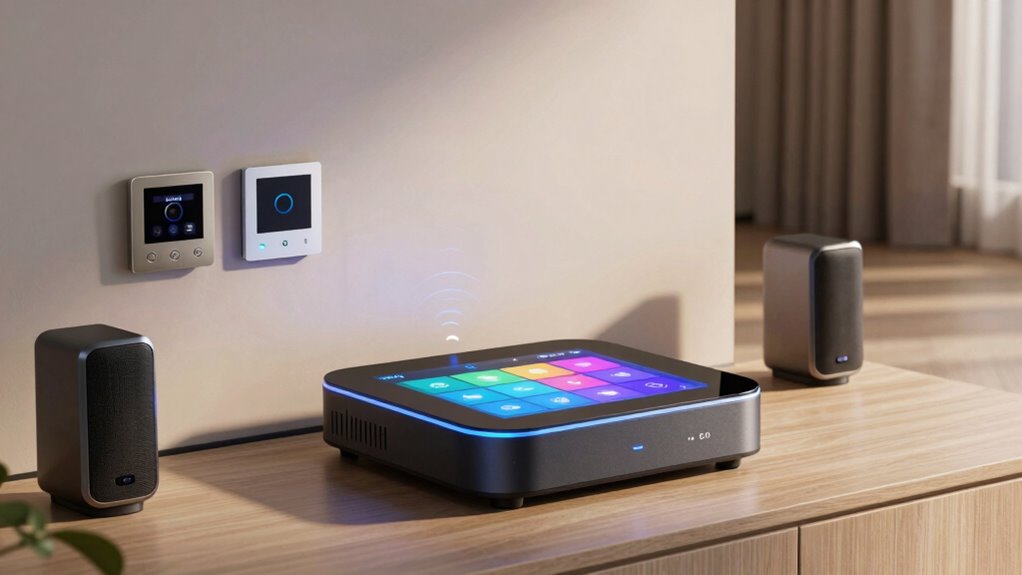
The best smart home hub for Matter in this roundup is the Aqara Smart Home Hub M3, a strong fit for households that want a capable Matter controller alongside broad smart-home support. The Aeotec Smart Home Hub 2 stands out for a SmartThings-centered setup with Zigbee, while the Hubitat Elevation C-8 Pro suits buyers who value detailed local automation control. The main tradeoff is whether you need a hub that simply connects Matter devices or one that also handles older protocols and more complex routines. Thread, Zigbee, Z-Wave, ecosystem compatibility, and setup demands vary across these picks. Read on for the full breakdown and help matching a hub to your devices and comfort with configuration.

Get the latest gadgets delivered free with Prime
- Fast, free delivery on millions of items
- Prime Video, Amazon Music and more included
- Member-only deals all year
Complete the kit



Key Takeaways
- Aqara M3 is the most balanced pick in this lineup for shoppers who want Matter support without giving up broader hub capabilities.
- Aeotec Hub 2 and Aeotec Smart Home Hub serve different priorities: the former emphasizes a Matter-and-Zigbee setup, while the latter adds Z-Wave and a SmartThings focus.
- Thread support is not interchangeable with Matter support. The Aqara M100 and Yeelight E1 pair Matter controller functions with Thread border-router capability, which matters for Thread devices.
- Hubitat C-8 Pro favors control over simplicity. Its appeal is strongest for buyers willing to configure automations, not those seeking the easiest first hub.
- Specialized hubs can be better fits than broad ones. SONOFF Bridge-M, Linkind, and Zemismart may suit narrower device needs, but buyers should confirm compatibility before building around them.
| Aeotec Smart Home Hub 2 (V4) with Matter and Zigbee |  | Best Overall for SmartThings Homes | Brand: Aeotec | Model: V4 – Smart Home Hub 2 (2025) | Model number: GP-AEOHUBV4US | VIEW ON AMAZON | See Our Full Breakdown |
| Aqara Smart Home Hub M3 |  | Best for Advanced Aqara and Thread Setups | Model: HM-G01E | Protocols: Zigbee, Thread, Matter, Bluetooth, Wi-Fi | Connectivity: Dual-band Wi-Fi (2.4/5 GHz), PoE, USB-C | VIEW ON AMAZON | See Our Full Breakdown |
| SONOFF Bridge Max Smart Home Hub (Bridge-M) |  | Best for Local Configuration and Home Assistant | Brand: SONOFF | Model: Bridge-M | Connectivity: Wi-Fi, Ethernet, Zigbee | VIEW ON AMAZON | See Our Full Breakdown |
| Zemismart M6 Matter and Zigbee Smart Home Hub |  | Best for Large Tuya and Google Home Setups | Brand: Blindsmart | Model: M6 – Zigbee | Connectivity: Zigbee, Matter, USB | VIEW ON AMAZON | See Our Full Breakdown |
| Aqara Smart Hub M100 Matter Controller and Thread Border Router |  | Best Compact Aqara Starter Hub | Supported protocols: Aqara Zigbee and Thread | Device capacity: Up to 20 Aqara Zigbee devices and 20 Thread devices | Matter support: Matter Bridge and Controller | VIEW ON AMAZON | See Our Full Breakdown |
| Linkind Matter Smart Hub 2 – Real-Time Battery & Energy Tracking |  | Best for BLE Mesh Outdoor Lights | Connectivity protocols: Bluetooth, Matter, Wi-Fi | Compatible platforms: Alexa, Google Home, Apple Home, SmartThings | Maximum lights: Up to 200 | VIEW ON AMAZON | See Our Full Breakdown |
| Yeelight E1 Smart Home Hub with Matter Controller and Thread Border Router |  | Best for Thread and Local Lighting Automations | Model: YP-0751 | Wireless protocols: Matter, Thread, Wi-Fi | Network connections: Wi-Fi and Ethernet | VIEW ON AMAZON | See Our Full Breakdown |
| Aqara Smart Hub M200 – Matter Controller with Zigbee, Wi‑Fi & IR |  | Best for IR-Controlled Appliances and Backup Options | Model: HM-G03E | Connectivity: Dual-band Wi-Fi (2.4/5 GHz), Thread, Zigbee, PoE, USB-C | Zigbee capacity: Up to 40 devices | VIEW ON AMAZON | See Our Full Breakdown |
| Aeotec Smart Home Hub with SmartThings, Z-Wave, Zigbee, and Matter |  | Best for North American Z-Wave and Zigbee Homes | Model: V3 Smart Home Hub (2020) | Model number: GP-AEOHUBV3US | Connectivity: Ethernet, Wi-Fi, Z-Wave, Zigbee, Matter | VIEW ON AMAZON | See Our Full Breakdown |
| Hubitat Elevation C-8 Pro Smart Home Hub |  | Best for Advanced Local Automation | Model: C-8 Pro | Protocols: Matter 1.5, Z-Wave 800 Series with Long Range, Zigbee 3.0, Bluetooth | Voice assistant compatibility: Amazon Alexa, Google Home, Apple HomeKit | VIEW ON AMAZON | See Our Full Breakdown |
| smart home hub for matter | Model | Connectivity | Warranty |
|---|---|---|---|
| Aeotec Smart Home Hub 2 | V4 – Smart Home Hub 2 (2025) | Wi-Fi, Ethernet | — |
| Aqara Smart Home Hub M3 | HM-G01E | Dual-band Wi-Fi (2.4/5 GHz), PoE, USB-C | 12 months |
| SONOFF Bridge Max Smart Home H | Bridge-M | Wi-Fi, Ethernet, Zigbee | 2 years |
| Zemismart M6 Matter and Zigbee | M6 – Zigbee | Zigbee, Matter, USB | — |
| Aqara Smart Hub M100 Matter Co | — | — | — |
| Linkind Matter Smart Hub 2 | — | — | 1 year |
| Yeelight E1 Smart Home Hub wit | YP-0751 | — | 1 year |
| Aqara Smart Hub M200 | HM-G03E | Dual-band Wi-Fi (2.4/5 GHz), Thread, Zigbee, PoE, USB-C | — |
| Aeotec Smart Home Hub with Sma | V3 Smart Home Hub (2020) | Ethernet, Wi-Fi, Z-Wave, Zigbee, Matter | 1 year |
| Hubitat Elevation C-8 Pro Smar | C-8 Pro | — | — |
More Details on Our Top Picks
Aeotec Smart Home Hub 2 (V4) with Matter and Zigbee
The Aeotec Smart Home Hub 2 is my strongest fit for buyers who want a straightforward Matter hub that also coordinates Zigbee devices inside SmartThings. Its support for Alexa and Google Assistant gives it a useful middle ground between ecosystem flexibility and a familiar app, while local automations can keep supported routines running through temporary internet interruptions. Ethernet is available for a wired connection, though Wi-Fi offers a simpler setup. Compared with the Aqara Smart Hub M3, the Aeotec is less feature-rich: it lacks Thread, infrared control, and Aqara’s larger device capacity. Its key limitation is the absence of Z-Wave, so it is a weaker choice for homes built around that protocol. I’d choose it for a mixed Matter-and-Zigbee SmartThings setup, not as a catch-all for every legacy device.
Pros:- Coordinates compatible Matter and Zigbee devices through the SmartThings app
- Supports Alexa and Google Assistant
- Offers both Wi-Fi and Ethernet connectivity
- Local automations can continue during temporary internet outages
Cons:- Does not support Z-Wave
- Device compatibility is limited to supported Matter and Zigbee standards
Best for: SmartThings households combining compatible Matter and Zigbee devices, especially users who want local routines and a choice of Wi-Fi or Ethernet.
Not ideal for: Homes with Z-Wave devices or buyers who need a Thread border router, since this hub supports neither.
- Brand:Aeotec
- Model:V4 – Smart Home Hub 2 (2025)
- Model number:GP-AEOHUBV4US
- Supported protocols:Matter, Zigbee, SmartThings
- Connectivity:Wi-Fi, Ethernet
- Compatible assistants:Amazon Alexa, Google Assistant
- Local automations:Supported
- Color:White
Our verdict“Choose the Aeotec Smart Home Hub 2 if you want a practical SmartThings base for Matter and Zigbee, but skip it if your setup relies on Z-Wave or Thread.”
Aqara Smart Home Hub M3
The Aqara Smart Home Hub M3 suits buyers who want Matter to connect a substantial Aqara installation with other ecosystems, rather than simply add a few Matter accessories. It bridges Aqara Zigbee and Thread devices, supports local automations, and provides PoE, dual-band Wi-Fi, and 8 GB of encrypted storage. Its 360° IR blaster can also bring compatible infrared-controlled appliances into routines, a capability the Aeotec Smart Home Hub 2 does not offer. Capacity is generous—up to 127 Aqara Zigbee and 127 Thread devices—but Thread devices need repeaters, and the hub exposes only one air conditioner to Matter. The M3 is also more dependent on Aqara’s ecosystem than the simpler Aeotec. I’d pick it for a growing Aqara-centered home; casual users may not need its extra setup options.
Pros:- Bridges Aqara Zigbee and Thread devices to Matter-compatible ecosystems
- Supports local automations and includes 8 GB of encrypted local storage
- 360° IR blaster includes status feedback and learning
- Offers dual-band Wi-Fi, Ethernet over PoE, and USB-C connectivity
Cons:- USB power adapter is not included
- Thread devices need repeaters for network coverage
- Only one air conditioner can be exposed to Matter
Best for: Aqara users building a larger system with Zigbee and Thread devices who want local automations, Matter bridging, and infrared appliance control.
Not ideal for: Buyers seeking a simple, brand-neutral Matter hub, or homes without Thread repeaters where Thread coverage is needed.
- Model:HM-G01E
- Protocols:Zigbee, Thread, Matter, Bluetooth, Wi-Fi
- Connectivity:Dual-band Wi-Fi (2.4/5 GHz), PoE, USB-C
- Device capacity:Up to 127 Aqara Zigbee devices and 127 Thread devices
- Infrared:360° IR blaster with status feedback and learning
- Local storage:8 GB end-to-end encrypted
- Compatibility:Apple HomeKit, Alexa, SmartThings, Home Assistant
- Warranty:12 months
Our verdict“Pick the M3 for a large, feature-rich Aqara setup with Thread and IR control; choose the Aeotec instead for a simpler SmartThings-focused hub.”
SONOFF Bridge Max Smart Home Hub (Bridge-M)
The SONOFF Bridge Max earns its place for buyers who want a Matter bridge with more hands-on local control. It connects Zigbee, BTHome, and eWeLink devices to platforms including Alexa, Google Home, and Apple Home, while a local web console can be used without cloud access. Home Assistant users also get MQTT integration, making this a more configurable choice than the app-oriented Zemismart M6. A built-in 90 dB alarm and mobile alerts can add a security layer when paired with Zigbee sensors. The tradeoff is that setup may involve the local web interface, and the alarm is not useful as a standalone sensor system. I’d favor this bridge for technically confident users who value local configuration over a more guided, appliance-like setup.
Pros:- Bridges Zigbee, BTHome, and eWeLink devices to Matter-compatible platforms
- Local web configuration works without cloud services
- Supports Home Assistant integration through MQTT
- Built-in 90 dB alarm can provide alerts when paired with Zigbee sensors
Cons:- Security alarm requires compatible Zigbee sensors
- Some features require configuration through the local web interface
Best for: Home Assistant users and technically confident smart-home owners who want local configuration, MQTT integration, and Matter bridging for Zigbee or BTHome devices.
Not ideal for: Beginners seeking a fully guided setup, or buyers expecting the alarm to work without compatible Zigbee sensors.
- Brand:SONOFF
- Model:Bridge-M
- Connectivity:Wi-Fi, Ethernet, Zigbee
- Connectivity protocols:IEEE 802.11a/b/g/n/ac/ax (Wi-Fi), IEEE 802.15.4 (Zigbee)
- Voltage:5 volts
- Weight:2.88 ounces
- Alarm volume:90 dB
- Warranty:2 years
Our verdict“Choose the SONOFF Bridge Max if you want local web and MQTT control, but prefer the Zemismart M6 if app-based scenes and schedules matter more than configuration flexibility.”
Zemismart M6 Matter and Zigbee Smart Home Hub
The Zemismart M6 is aimed at homes that need to bring a sizable Zigbee installation into Matter-enabled routines. Its stated capacity of more than 125 devices, along with scenes, schedules, and over-the-air updates, makes it a better fit for broad installations than the Aqara M100, which is capped at 20 Aqara Zigbee and 20 Thread devices. The M6 works with Tuya, Google Home, and SmartThings, but Alexa is not supported, narrowing its appeal for homes organized around Amazon’s assistant. Matter also requires a separate border router, so the hub alone may not complete the setup a buyer expects. Compared with the SONOFF Bridge Max, the M6 leans toward app-based automation rather than local web configuration and MQTT. I’d choose it for capacity and ecosystem fit, after checking border-router needs.
Pros:- Supports Matter and Zigbee with stated capacity for more than 125 devices
- Works with Tuya, Google Home, and SmartThings
- Provides app-based scenes, schedules, and automations
- Supports automatic over-the-air updates
Cons:- Alexa is not supported
- Matter integration requires a separate border router
- Charging plug is not included
Best for: Tuya, Google Home, or SmartThings households with a large Zigbee device collection and a compatible Matter border router already in place.
Not ideal for: Alexa-centered homes or buyers expecting the hub itself to provide all Matter networking without a separate border router.
- Brand:Blindsmart
- Model:M6 – Zigbee
- Connectivity:Zigbee, Matter, USB
- Wi-Fi compatibility:802.11ac, 802.11ax
- Maximum upstream data transfer rate:4800 megabits per second
- Device capacity:125+ devices
- Coverage:Large or multi-story homes
- Matter requirement:Border router required
- Alexa support:Not supported
Our verdict“Choose the M6 for a large Tuya, Google Home, or SmartThings Zigbee setup if you already have a Matter border router; Alexa users should look elsewhere.”
Aqara Smart Hub M100 Matter Controller and Thread Border Router
The Aqara Smart Hub M100 offers a compact route into Matter for people starting with a modest Aqara system. It acts as both a Matter controller and a Thread border router, while bridging supported Aqara Zigbee products to ecosystems such as Apple Home, Alexa, and Home Assistant. Local automation for Zigbee and Matter devices can keep supported routines running without Wi-Fi or cloud access. Its 20-device limits for Aqara Zigbee and Thread make it less suited to expansion than the Aqara Smart Hub M3, which supports up to 127 of each. The M100 also excludes third-party Zigbee devices, so its Matter role does not make it a universal Zigbee bridge. Flexible USB-A power helps with placement, but the adapter is sold separately.
Pros:- Combines Matter controller and Thread border-router functions
- Bridges supported Aqara Zigbee products to Matter-compatible ecosystems
- Supports local automation for Zigbee and Matter devices
- Uses flexible USB-A power and supports adjustable placement
Cons:- Does not support third-party Zigbee devices
- Power adapter is not included
- Some features, including cloud push notifications, require a cloud connection
Best for: Aqara beginners or smaller homes that need a compact Matter controller and Thread border router for up to 20 Aqara Zigbee and 20 Thread devices.
Not ideal for: Buyers with third-party Zigbee devices, larger installations, or anyone who needs the power adapter included.
- Supported protocols:Aqara Zigbee and Thread
- Device capacity:Up to 20 Aqara Zigbee devices and 20 Thread devices
- Matter support:Matter Bridge and Controller
- Wi-Fi:2.4 GHz Wi-Fi 6 (802.11ax)
- Security:WPA3
- Power connection:USB-A; 5 V, 0.5 A adapter required (not included)
- Automation:Local automation for Zigbee and Matter devices
- Operating system:Linux
- Connectivity range:1,500 sq ft
Our verdict“Choose the M100 for a small, Aqara-based Matter and Thread setup; move to the M3 if you need higher device capacity or broader Aqara hub features.”
Linkind Matter Smart Hub 2 – Real-Time Battery & Energy Tracking
I’d choose the Linkind Matter Smart Hub 2 when the main Matter problem is bringing compatible BLE Mesh outdoor lights into a shared smart home setup. It connects those lights to Alexa, Google Home, Apple Home, and SmartThings, while bulk pairing for up to 200 lights can save time in a larger lighting installation. Its app also shows battery levels and energy use, useful for spotting devices that need attention without checking each one. Compared with the more general-purpose Aeotec Smart Home Hub, Linkind is far more specialized; it is not the pick for building a broad mix of Zigbee, Z-Wave, and Matter devices. The tradeoff is that placement matters: the hub needs to sit 2–6 meters from the Wi-Fi router for best performance, and its design is surface-mount only.
Pros:- Bridges compatible BLE Mesh outdoor lights into Matter-based platform control.
- One-touch pairing supports up to 200 lights.
- Specified wireless range reaches 131 ft (40 m).
- AiDot app reports battery levels and energy use.
Cons:- Its device support is focused on compatible BLE Mesh lights rather than a broad range of smart home products.
- Optimal placement requires keeping it 2–6 meters from the Wi-Fi router.
- Surface-mount design offers no wall-mount option.
Best for: Households with many compatible BLE Mesh outdoor lights that want those lights available in Matter-compatible platforms and want app-based battery and energy monitoring.
Not ideal for: Buyers building a mixed-protocol smart home or seeking a general Matter controller; this hub is focused on compatible BLE Mesh lighting.
- Connectivity protocols:Bluetooth, Matter, Wi-Fi
- Compatible platforms:Alexa, Google Home, Apple Home, SmartThings
- Maximum lights:Up to 200
- Specified range:131 ft (40 m)
- Monitoring:Real-time battery level and energy usage via AiDot app
- Power connector:USB Type-C
- Dimensions:2.5 x 2.5 x 0.9 inches
- Warranty:1 year
Our verdict“Choose Linkind if your Matter setup centers on a large compatible BLE Mesh outdoor-light installation, not a diverse mix of smart home devices.”
Yeelight E1 Smart Home Hub with Matter Controller and Thread Border Router
The Yeelight E1 pairs a Matter controller with a Thread border router, making it a more focused choice for buyers adding compatible lighting and Thread devices than the Linkind hub, which targets BLE Mesh outdoor lights. It supports Apple Home, Alexa, Google Home, and SmartThings, and its Ethernet option gives buyers an alternative to Wi-Fi placement. Local automations and offline response are useful when a routine should not depend on cloud access. The main limitation is device breadth: support for non-Yeelight products is described as limited to color-capable and adjustable color-temperature lights. That makes the advertised capacity of up to 150 sub-devices less compelling for anyone assembling a varied sensor-and-switch setup. I’d shortlist it for a lighting-led system, but compare it with the broader Aeotec Smart Home Hub if Z-Wave or more varied device support matters.
Pros:- Combines Matter controller functionality with a Thread border router.
- Supports Wi-Fi and Ethernet connectivity.
- Local automations can respond without relying on cloud access.
- Supports up to 150 sub-devices.
Cons:- Third-party device support is limited to certain color and adjustable color-temperature lights.
- Its stated sub-device capacity does not mean broad compatibility across device categories.
- The supplied information does not specify USB power or backup options.
Best for: Smart-home owners building around Thread and compatible color or tunable-white lights who want local automations and Ethernet connectivity.
Not ideal for: Buyers who need broad third-party device support beyond specified lighting types, or who want a hub centered on Z-Wave and Zigbee devices.
- Model:YP-0751
- Wireless protocols:Matter, Thread, Wi-Fi
- Network connections:Wi-Fi and Ethernet
- Maximum sub-devices:150
- Platform compatibility:Apple Home, Alexa, Google Home, SmartThings
- Home Assistant:Compatible
- Automation:Local automations and offline response
- Warranty:1 year
Our verdict“Pick the Yeelight E1 for a Thread-enabled, lighting-focused system with local routines, but look elsewhere for wider third-party device coverage.”
Aqara Smart Hub M200 – Matter Controller with Zigbee, Wi‑Fi & IR
The Aqara M200 is the most appliance-oriented option in this group: its 360° IR blaster can control compatible infrared equipment, including AC units, and provide status feedback. It also combines Matter controller and bridge functions with Thread and Zigbee, giving it more protocol variety than the lighting-focused Yeelight E1. PoE and a USB-C UPS port offer flexible power arrangements, while local automation can keep routines responsive without cloud access. There are limits, though. Only one AC device can be exposed to Matter at a time, third-party Zigbee devices are not supported, and the USB power adapter is not included. I’d favor the M200 when IR appliances and power resilience matter more than open-ended Zigbee expansion; the Aeotec hub is a better fit for buyers seeking Z-Wave support.
Pros:- Combines Matter controller, Thread border router, and Matter bridge functions.
- 360° IR blaster controls compatible appliances and provides status feedback.
- PoE and a USB-C UPS port provide alternative power and backup arrangements.
- Local automation can operate without cloud access.
Cons:- Only one AC device can be exposed to Matter at a time.
- Third-party Zigbee devices are not supported.
- USB power adapter is not included.
Best for: Aqara-oriented households that want Matter, Thread, and Zigbee functions alongside IR control for an AC or other compatible appliance, plus PoE or UPS power options.
Not ideal for: Buyers who depend on third-party Zigbee devices, need multiple AC units exposed to Matter, or expect a USB power adapter in the box.
- Model:HM-G03E
- Connectivity:Dual-band Wi-Fi (2.4/5 GHz), Thread, Zigbee, PoE, USB-C
- Zigbee capacity:Up to 40 devices
- Thread capacity:Up to 40 devices
- Infrared control:360° IR blaster with status feedback
- Dimensions:3.93 x 3.93 x 1.21 inches
- Weight:4.6 ounces
- Power features:PoE and USB-C UPS port; USB power adapter not included
Our verdict“Choose the M200 if IR appliance control and flexible power are priorities, but skip it if your plan depends on third-party Zigbee expansion.”
Aeotec Smart Home Hub with SmartThings, Z-Wave, Zigbee, and Matter
The Aeotec Smart Home Hub makes the most sense when Matter is one part of an existing SmartThings, Z-Wave, and Zigbee setup. Its mix of protocols gives it a wider role than the Yeelight E1, whose third-party support is limited to certain lights, and its Wi-Fi or Ethernet setup lets buyers choose between wireless convenience and a wired connection. SmartThings routines can bring compatible devices together, with many automations able to run locally. This is not a region-neutral choice: the listing specifies North America, and Z-Wave Plus support applies to the V3 model. It also lacks the Hubitat C-8 Pro’s stated Bluetooth support and more advanced local-automation emphasis. I’d put Aeotec ahead when SmartThings and Z-Wave compatibility lead the decision, but verify the exact model and regional fit before buying.
Pros:- Supports Matter, Zigbee, Wi-Fi, and Z-Wave, with Z-Wave Plus on the V3 model.
- Integrates with the SmartThings app and compatible Alexa and Google Assistant setups.
- Can be set up over Wi-Fi or Ethernet.
- Many automations can run locally.
Cons:- Designed for use in North America.
- Z-Wave Plus support applies to the V3 model, so model details matter.
- The supplied information does not specify Thread support.
Best for: North American SmartThings users who want a hub for compatible Matter, Z-Wave Plus, and Zigbee devices with Wi-Fi or Ethernet setup.
Not ideal for: Buyers outside North America, those requiring guaranteed Z-Wave Plus support from a different model, or users seeking Bluetooth support as specified on the Hubitat C-8 Pro.
- Model:V3 Smart Home Hub (2020)
- Model number:GP-AEOHUBV3US
- Connectivity:Ethernet, Wi-Fi, Z-Wave, Zigbee, Matter
- Z-Wave frequency:908.42 MHz
- Control methods:App and voice
- Compatible assistants:Amazon Alexa, Google Assistant
- Region:North America
- Warranty:1 year
Our verdict“Choose Aeotec for a North American SmartThings home that needs Z-Wave and Zigbee alongside Matter, after confirming the V3 model.”
Hubitat Elevation C-8 Pro Smart Home Hub
The Hubitat Elevation C-8 Pro suits buyers who want local-first automation and are willing to spend time shaping their own routines. Its listed support for Matter, Z-Wave 800 Series with Long Range, Zigbee 3.0, and Bluetooth makes it a broader protocol hub than the Yeelight E1, whose third-party support is limited to particular lights. It also supports Alexa, Google Home, and Apple HomeKit, and does not require a subscription. The tradeoff is a steeper learning curve: the advanced automation tools and AI-assisted routine builder may still take setup and compatible devices to make useful. Compared with the Aeotec Smart Home Hub, this is the stronger match for someone prioritizing local control and detailed automation, rather than a SmartThings-centered setup. Its appeal depends on being willing to configure the system.
Pros:- Local processing keeps automations running without internet access.
- Supports Matter, Z-Wave 800 Series with Long Range, Zigbee 3.0, and Bluetooth.
- Works with Alexa, Google Home, and Apple HomeKit.
- No subscription is required.
Cons:- Advanced automation setup may take time to learn.
- Integrations require compatible smart home devices to be useful.
- The supplied details do not specify Ethernet or Wi-Fi connectivity.
Best for: Technically confident smart-home owners who want local automations across Matter, Z-Wave, Zigbee, and Bluetooth without an ongoing subscription.
Not ideal for: Beginners seeking a simple, guided setup or households without compatible devices to connect to its automation tools.
- Model:C-8 Pro
- Protocols:Matter 1.5, Z-Wave 800 Series with Long Range, Zigbee 3.0, Bluetooth
- Voice assistant compatibility:Amazon Alexa, Google Home, Apple HomeKit
- Device compatibility:1,000+ devices across 100+ brands
- Automation:Local processing and advanced automation tools
- Subscription:Not required
- Dimensions:2.95 x 3.23 x 0.67 inches
- Weight:2.56 ounces
Our verdict“Choose the C-8 Pro if you want deep local automation across several protocols and are comfortable configuring it yourself.”

How We Picked
I ranked these hubs by how well they help a buyer build a dependable Matter-centered home, rather than by protocol count alone. I weighed stated Matter functionality, support for adjacent standards such as Zigbee, Thread, and Z-Wave, compatibility with major smart-home ecosystems, and the usefulness of each hub for bringing existing devices into a shared setup. A hub that advertises Matter may still differ in whether it acts as a controller, supports Thread devices, or bridges other device types, so those distinctions carry weight.
I also considered setup demands, the likely value of local automation, and how clearly each model serves a particular buyer. The Aqara M3 ranks first for its balanced feature set; Aeotec and Hubitat earn attention for different protocol and control priorities. More specialized options rank lower when their strongest use case is narrower or buyers may need to check device compatibility closely. The order is a guide to fit, not a claim that every hub works with every Matter device.
| smart home hub for matter | Connectivity |
|---|---|
| Aeotec Smart Home Hub 2 | Wi-Fi, Ethernet |
| Aqara Smart Home Hub M3 | Dual-band Wi-Fi (2.4/5 GHz), PoE, USB-C |
| SONOFF Bridge Max Smart Home H | Wi-Fi, Ethernet, Zigbee |
| Zemismart M6 Matter and Zigbee | Zigbee, Matter, USB |
| Aqara Smart Hub M100 Matter Co | — |
| Linkind Matter Smart Hub 2 | — |
| Yeelight E1 Smart Home Hub wit | — |
| Aqara Smart Hub M200 | Dual-band Wi-Fi (2.4/5 GHz), Thread, Zigbee, PoE, USB-C |
| Aeotec Smart Home Hub with Sma | Ethernet, Wi-Fi, Z-Wave, Zigbee, Matter |
| Hubitat Elevation C-8 Pro Smar | — |
Factors to Consider When Choosing Smart Home Hub For Matter
Before choosing a hub, I would map the devices and routines it needs to support, then check the hub’s role in the Matter network. A broader protocol list can be useful, but it does not automatically mean easier setup or better compatibility.
Check What “Matter Support” Means
Matter is a common device standard, but hubs can participate in different ways. Check whether a model acts as a Matter controller, bridges non-Matter devices into Matter, or does both; those jobs solve different problems. A controller helps add and manage Matter devices, while bridging can help older Zigbee products appear to other compatible platforms. Do not assume that a hub can expose every connected device to every ecosystem. Confirm the specific device types and functions supported, especially for features such as energy readings, buttons, or advanced sensor states. This extra check can prevent a hub from becoming a controller that technically connects devices but cannot support the routines you planned.
Treat Thread and Matter as Separate Checklist Items
Matter can run over more than one network transport, and Thread devices need a Thread border router in the home. A hub with Matter support is not automatically a Thread border router, so check both capabilities when shopping for Thread sensors, locks, or other low-power devices. Thread coverage also depends on the wider mesh, including compatible powered devices that can relay signals. If your current devices use Wi-Fi or Zigbee, Thread may not be an immediate need, but it can affect future purchases. Avoid paying for a Thread feature unless your intended devices use it or you want that network available. Verify whether the hub supports the device’s Matter transport before you buy.
Choose Protocols Around Your Existing Devices
Start with the radios already in your home rather than selecting a hub by the longest protocol list. Zigbee support can help retain compatible sensors and switches, while Z-Wave may matter if your devices already use that network. These standards are not automatically interchangeable, and a hub’s support for one does not imply support for another. Make a short inventory of device brands, protocol types, and the functions you rely on, then check compatibility against the hub’s current documentation. If you are starting fresh with Matter devices, a simpler controller may be easier to manage than a hub with unused radios. If you have a mixed installation, broader protocol coverage may spare you from running several separate hubs.
Decide How Much Local Control You Need
Some buyers want straightforward app setup and basic routines; others want automations that keep working when internet access is unavailable. Local processing can support more resilient routines, but it may bring a steeper setup and troubleshooting curve. Before paying for advanced control, list the automations you actually need and check whether they run locally on the hub. Also check whether remote access, voice control, or integrations depend on an account or cloud service. A highly configurable hub can be a poor match if household members need simple controls and you do not want to maintain rules. Favor the simplest model that supports your required routines reliably.
Check Ecosystem Fit Before Mixing Platforms
Matter improves cross-platform communication, but it does not erase differences between smart-home apps. Some functions may appear in one ecosystem but not another, and device setup or sharing can involve platform-specific steps. Decide which app will be the main control point and check how the hub works with that platform before purchase. If several people in the household use different assistants, confirm what can be shared and which features remain available in each. Multi-admin support can help a device appear across platforms, but it does not guarantee identical controls everywhere. Keeping one primary ecosystem can reduce duplicate automations and confusing device names.
Plan for Setup, Expansion, and Maintenance
A hub is part of a system, so consider where it will sit, how it connects to your network, and whether it needs updates or ongoing account management. A compact hub may be easy to place but have fewer built-in radios; a larger or more capable model can reduce extra hardware while asking more of the setup process. Think about likely additions over the next few years, not only the devices you own now, but avoid buying features with no clear use. Check how firmware updates are delivered and whether the manufacturer documents supported devices and limitations. If a hub relies on a bridge or an extra border router for your planned setup, include that equipment in your decision. Clear documentation and a manageable app can matter as much as the headline protocol list.
Frequently Asked Questions
If a hub supports Matter, do I still need a Thread border router?
Only if your Matter devices communicate over Thread and your home does not already have a suitable border router. Matter can also use Wi-Fi or Ethernet, so some Matter devices do not need Thread support. A hub acting as a Matter controller does not necessarily provide Thread networking. Check both roles in the hub specifications and confirm the transport used by each device you plan to add. The M100 and Yeelight E1 are listed here with Thread border-router functions, while buyers should verify the same capability separately for other models.
Can one of these hubs bring my Zigbee or Z-Wave devices into a Matter setup?
Possibly, but radio support alone does not confirm that a hub can bridge every device or expose all its features through Matter. Check the hub’s supported-device information and whether the exact device type is available to the platform you use. Zigbee and Z-Wave are separate protocols, so a hub that supports one may not support the other. Aeotec’s Smart Home Hub is the clearest fit in this list for buyers seeking both Zigbee and Z-Wave alongside SmartThings and Matter. For an existing installation, verify compatibility before replacing a working bridge or buying extra hardware.
Should I choose a Matter hub that works with several ecosystems or stay with one platform?
Choose based on how you want to control the home day to day. Matter can help compatible devices work across platforms, but apps may still differ in features, automation tools, and device presentation. A multi-platform setup can be useful if household members rely on different assistants, though it can also create duplicate routines or device entries. Pick a primary app first, then check that the hub and devices expose the functions you need there. If you only use one ecosystem, a hub that integrates cleanly with it may be easier to maintain than one chosen mainly for broad compatibility.
Is Hubitat a good choice for someone buying a first smart home hub?
It can be, but it is better suited to a buyer who wants detailed automation control and is comfortable spending time on setup. A first-time buyer seeking a guided, low-effort experience may prefer a hub with a simpler app and fewer configuration choices. Before choosing Hubitat, decide whether local automation and control flexibility are worth the added learning curve for your household. It also helps to check whether your preferred devices and voice assistants fit the system. If you expect to build rules gradually and troubleshoot them yourself, its control-focused approach may be a strength rather than a drawback.
What should I check before replacing my current hub with a Matter model?
List the devices paired to the old hub, their protocols, and any routines that other household members rely on. Then confirm that the replacement supports those device types and can recreate the automations you need; Matter compatibility by itself does not guarantee a seamless migration. Check whether devices must be reset and paired again, and whether automations or room assignments carry over. Keep the old hub active until you have verified that critical lights, locks, sensors, and schedules work on the new setup. If the new model lacks a needed radio or integration, retaining the old hub may be less disruptive than replacing it outright.
Conclusion
For most buyers wanting a balanced Matter-centered hub, I recommend the Aqara Smart Home Hub M3 as the best overall pick. The SONOFF Bridge-M is the best value-minded choice for shoppers whose devices and needs match its narrower role, while the Hubitat Elevation C-8 Pro is my premium-style pick for hands-on buyers who prioritize automation control. Beginners should look first at a hub that fits their existing ecosystem and offers a straightforward setup, with the Aeotec Smart Home Hub 2 worth a closer look for a SmartThings and Zigbee-focused home. For Thread-specific needs, compare the Aqara M100 and Yeelight E1; for Z-Wave alongside Zigbee, favor the Aeotec Smart Home Hub. I would confirm device-level compatibility before choosing any hub, especially when replacing a bridge or mixing protocols.