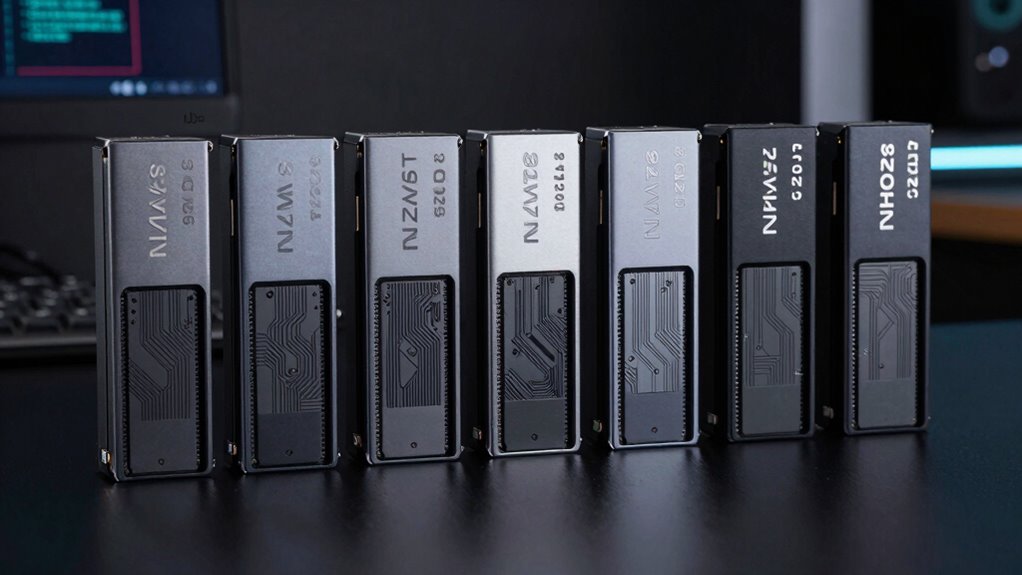

For an 8TB internal NVMe SSD, my best overall pick is the WD_BLACK SN8100 8TB with heatsink, which pairs PCIe 5.0 with a cooling solution for a high-performance desktop build. The WD_BLACK SN850X 8TB is a PCIe 4.0 alternative, while Samsung’s 9100 PRO 8TB gives buyers another premium PCIe 5.0 option, with or without a heatsink. The main tradeoffs are PCIe generation, cooling, motherboard fit, and whether your work benefits from flagship transfer speeds. An 8TB drive also needs enough physical clearance and platform support, so capacity alone is not a complete fit check. Continue reading for the full breakdown and a guide to choosing the right drive for your system.

Get the latest gadgets delivered free with Prime
- Fast, free delivery on millions of items
- Prime Video, Amazon Music and more included
- Member-only deals all year
Complete the kit



Key Takeaways
- The SN8100 and Samsung 9100 PRO are the PCIe 5.0 standouts. Their place at the top reflects their newer interface and premium positioning, but they make most sense when the host system can take advantage of PCIe 5.0.
- The SN850X gives this lineup a PCIe 4.0 path. It is a more balanced choice for compatible systems where 8TB capacity matters more than moving to PCIe 5.0.
- Heatsink versions are not automatic upgrades. They can simplify cooling in a desktop build, but may conflict with a motherboard’s built-in M.2 cover or tight drive clearance.
- Several entries are close product-family comparisons. The Samsung 9100 PRO appears with and without a heatsink, as does the WD_BLACK SN850X, so the choice may come down to cooling fit rather than capacity.
- The SanDisk options target different interface needs. The Optimus GX Pro 8100 is a PCIe 5.0 model, while the GX PRO 850X is PCIe 4.0; check the exact model and host support before choosing.
| Samsung 9100 PRO 8TB PCIe 5.0 M.2 NVMe SSD with Heatsink |  | Best Overall | Capacity: 8TB | Interface: PCIe 5.0 x4 | Form factor: M.2 2280 | VIEW ON AMAZON | See Our Full Breakdown |
| SanDisk Optimus GX Pro 8100 8TB PCIe 5.0 NVMe SSD (M.2 2280) |  | Best for Write-Heavy Workloads | Storage capacity: 8TB | Interface: PCIe 5.0 | Form factor: M.2 2280 | VIEW ON AMAZON | See Our Full Breakdown |
| WD_BLACK SN850X 8TB NVMe SSD with Heatsink, M.2 2280 |  | Best for Heatsink-Equipped Gaming Builds | Storage capacity: 8TB | Interface: PCIe x4, NVMe | Form factor: M.2 2280 | VIEW ON AMAZON | See Our Full Breakdown |
| WD_BLACK SN850X 8TB NVMe M.2 2280 Internal SSD |  | Best for Buyers Reusing a Separate Heatsink | Capacity: 8TB | Interface: NVMe | Form factor: M.2 2280 | VIEW ON AMAZON | See Our Full Breakdown |
| WD_BLACK SN8100 8TB PCIe 5.0 NVMe SSD with Heatsink |  | Best for RGB-Focused PCIe 5.0 Builds | Storage capacity: 8TB | Interface: PCIe 5.0 x4, NVMe | Form factor: M.2 2280 | VIEW ON AMAZON | See Our Full Breakdown |
| SanDisk Optimus GX PRO 850X 8TB NVMe SSD, PCIe 4.0, M.2 2280 |  | Best for PCIe 4.0 Systems | Capacity: Up to 8TB | Interface: PCIe 4.0 NVMe | Form factor: M.2 2280 | VIEW ON AMAZON | See Our Full Breakdown |
| Samsung 9100 PRO 8TB PCIe 5.0 NVMe M.2 SSD |  | Best for Maximum PCIe 5.0 Throughput | Capacity: 8TB | Interface: PCIe 5.0 x4 | Protocol: NVMe | VIEW ON AMAZON | See Our Full Breakdown |
| internal ssd 8tb nvme | Interface | Form factor | Capacity |
|---|---|---|---|
| Samsung 9100 PRO 8TB PCIe 5.0 | PCIe 5.0 x4 | M.2 2280 | 8TB |
| SanDisk Optimus GX Pro 8100 8T | PCIe 5.0 | M.2 2280 | — |
| WD_BLACK SN850X 8TB NVMe SSD w | PCIe x4, NVMe | M.2 2280 | — |
| WD_BLACK SN850X 8TB NVMe M.2 2 | NVMe | M.2 2280 | 8TB |
| WD_BLACK SN8100 8TB PCIe 5.0 N | PCIe 5.0 x4, NVMe | M.2 2280 | — |
| SanDisk Optimus GX PRO 850X 8T | PCIe 4.0 NVMe | M.2 2280 | Up to 8TB |
| Samsung 9100 PRO 8TB PCIe 5.0 | PCIe 5.0 x4 | M.2 2280 | 8TB |
More Details on Our Top Picks
Samsung 9100 PRO 8TB PCIe 5.0 M.2 NVMe SSD with Heatsink
The Samsung 9100 PRO 8TB is my best overall pick for buyers who can use its PCIe 5.0 bandwidth and want an integrated heatsink. Its listed sequential speeds reach 14,800 MB/s read and 13,400 MB/s write, making it a strong fit for large transfers and demanding workloads. Compared with the WD_BLACK SN850X, it offers a substantially faster stated interface and much higher listed throughput, though the SN850X may suit a PCIe 4.0 system better. The heatsink and Samsung Magician support add practical thermal and drive-health management. The tradeoff is platform dependence: older or incompatible systems will not deliver PCIe 5.0 performance, and the listing warns that compatibility varies. I’d choose it for a capable PC or supported PS5 setup, not as a universal upgrade.
Pros:- 8TB capacity in an M.2 2280 drive
- PCIe 5.0 x4 interface with up to 14,800 MB/s read and 13,400 MB/s write
- Integrated heatsink with thermal control
- Magician Software supports firmware updates and drive-health monitoring
Cons:- PCIe 5.0 speeds require a compatible system
- Compatibility varies across PCs, laptops, and PS5 systems
Best for: Owners of a compatible PCIe 5.0 desktop or supported system who need 8TB for large games, media projects, or other high-throughput work.
Not ideal for: Buyers with PCIe 4.0-only systems or uncertain M.2 compatibility who would pay for speed their hardware cannot use.
- Capacity:8TB
- Interface:PCIe 5.0 x4
- Form factor:M.2 2280
- Sequential read speed:Up to 14,800 MB/s
- Sequential write speed:Up to 13,400 MB/s
- Random read/write performance:Up to 2,200K/2,600K IOPS
- Heatsink:Integrated
- Compatibility:Select PCs, laptops, and PlayStation 5 systems
Our verdict“Choose the Samsung 9100 PRO if your system supports PCIe 5.0 and you want a fast, heatsink-equipped 8TB drive with Samsung’s management software.”
SanDisk Optimus GX Pro 8100 8TB PCIe 5.0 NVMe SSD (M.2 2280)
The SanDisk Optimus GX Pro 8100 stands out for its specified 4,800 TBW endurance, which makes it a compelling option for write-heavy creator and AI workflows. Its 8TB capacity and PCIe 5.0 interface pair that endurance with high stated throughput: up to 14,900 MB/s read and 13,200 MB/s write. The Samsung 9100 PRO lists slightly higher write speed at 13,400 MB/s, while the SanDisk’s listed endurance gives buyers a clearer workload-focused differentiator. It is still a poor match for a system without PCIe 5.0 if speed is the reason for choosing it. The listing also describes broad device compatibility, but actual fit and performance depend on the host’s M.2 slot and interface support. I’d favor it when sustained writes matter more than matching the fastest headline figure.
Pros:- 8TB capacity in an M.2 2280 form factor
- PCIe 5.0 performance with up to 14,900 MB/s read and 13,200 MB/s write
- Stated endurance of 4,800 TBW for the 8TB model
- Listing claims improved power efficiency compared with PCIe Gen 4 SSDs
Cons:- PCIe 5.0 performance requires a compatible motherboard and system
- Actual compatibility and performance depend on the host device
- Its listed write speed is slightly below the Samsung 9100 PRO’s stated maximum
Best for: Video creators, AI workstation builders, and other users who expect frequent large writes and want an 8TB drive with a stated 4,800 TBW endurance rating.
Not ideal for: Owners of older PCIe systems who mainly need extra game storage and will not benefit from PCIe 5.0 throughput.
- Storage capacity:8TB
- Interface:PCIe 5.0
- Form factor:M.2 2280
- Read speed:Up to 14,900 MB/s
- Write speed:Up to 13,200 MB/s
- Random IOPS:Up to 2.4 million
- Endurance:4,800 TBW (8TB model)
- Compatibility:Desktop, laptop, PC, Xbox Series S, and PlayStation 5 (as listed)
Our verdict“Pick the SanDisk Optimus GX Pro 8100 for an 8TB PCIe 5.0 build where its stated endurance rating matters more than a small difference in peak write speed.”
WD_BLACK SN850X 8TB NVMe SSD with Heatsink, M.2 2280
The WD_BLACK SN850X 8TB with heatsink is the more measured choice for a gaming PC that needs capacity and a drive-mounted cooling solution rather than PCIe 5.0 headline speeds. Its M.2 2280 format and heatsink suit a straightforward internal installation, while WD software offers drive-health monitoring and Game Mode 2.0 features on Windows. Against the Samsung 9100 PRO and SanDisk Optimus GX Pro 8100, this SN850X is positioned around a PCIe x4 gaming setup instead of the newer PCIe 5.0 throughput tier. A key limitation is that the supplied speed figure—up to 7,300 MB/s read—applies to 1TB–4TB models, not this 8TB version. The listing does not provide a confirmed 8TB read or write maximum, so buyers who need precise performance figures should favor a better-documented option.
Pros:- 8TB storage capacity in an M.2 2280 drive
- Included heatsink helps manage drive temperatures
- Windows software includes drive-health monitoring
- Game Mode 2.0 features are available through WD software
Cons:- The listed 7,300 MB/s read speed applies to 1TB–4TB models, not the 8TB version
- The product data does not specify confirmed 8TB sequential read and write speeds
- WD Dashboard features are limited to Windows
Best for: PC gamers who want 8TB of internal storage, an included heatsink, and Windows drive-management and gaming features.
Not ideal for: Buyers who need verified 8TB-specific speed figures, or users seeking PCIe 5.0 throughput comparable to the Samsung 9100 PRO.
- Storage capacity:8TB
- Interface:PCIe x4, NVMe
- Form factor:M.2 2280
- Heatsink:Included
- Listed maximum read speed:Up to 7,300 MB/s for 1TB–4TB models; not specified for 8TB
- Software features:Drive-health monitoring and Game Mode 2.0 on Windows
- Platform limitation:Dashboard software is available for Windows only
Our verdict“Choose this SN850X if your gaming PC needs an 8TB heatsink-equipped drive and you value WD’s Windows features over PCIe 5.0 speeds or clearer 8TB performance figures.”
WD_BLACK SN850X 8TB NVMe M.2 2280 Internal SSD
This WD_BLACK SN850X 8TB is the simpler fit for a buyer who already has motherboard cooling or wants a bare M.2 drive for a compatible PC. Like the heatsink-equipped SN850X in this roundup, it provides 8TB capacity and WD Dashboard features, including Windows drive-health monitoring and Game Mode 2.0. The difference is installation: this listing does not establish an included heatsink, so it may suit a motherboard with its own thermal cover better than a build needing a self-cooled drive. Its performance data also needs care. The listing gives 7,200 MB/s read and 6,300 MB/s write, while its higher advertised read figure applies to 1TB–4TB models; buyers should not treat that maximum as verified for the 8TB version. Compared with the PCIe 5.0 Samsung 9100 PRO, this is a less speed-focused option with less certain 8TB performance documentation.
Pros:- 8TB capacity in an M.2 2280 form factor
- Suitable for compatible laptops and motherboards, as listed
- WD_BLACK Dashboard supports drive-health monitoring
- Game Mode 2.0 features are available on Windows
Cons:- The listing does not establish that this version includes a heatsink
- Listed 7,300 MB/s read maximum applies to 1TB–4TB models, not the 8TB model
- WD Dashboard features are Windows-only
Best for: PC builders with a motherboard M.2 heatsink who want an 8TB internal NVMe drive and use Windows for WD’s monitoring and gaming features.
Not ideal for: Buyers who need an included heatsink, confirmed 8TB-specific speed guarantees, or PCIe 5.0 performance.
- Capacity:8TB
- Interface:NVMe
- Form factor:M.2 2280
- Listed read speed:7,200 MB/s
- Listed write speed:6,300 MB/s
- Compatible devices:Laptop and motherboard
- Software features:WD_BLACK Dashboard health monitoring and Game Mode 2.0 on Windows
Our verdict“Choose this version if your system supplies its own M.2 cooling and you want 8TB storage, but skip it if you need a confirmed 8TB speed rating or an included heatsink.”
WD_BLACK SN8100 8TB PCIe 5.0 NVMe SSD with Heatsink
The WD_BLACK SN8100 8TB combines PCIe 5.0 throughput with a low-profile aluminum heatsink and customizable RGB lighting, giving it a distinct role among these 8TB drives. Its stated sequential speeds—up to 14,900 MB/s read and 14,000 MB/s write—slightly exceed the Samsung 9100 PRO’s listed maximums, while the WD model also specifies 4,800 TBW endurance for the 8TB capacity. That makes the headline specifications attractive for demanding desktops, but buyers should weigh two listing cautions: it says the product has been replaced by a newer generation, and its title conflicts with the description and specs on write speed. The over-2.3-million IOPS figure applies to 2TB–4TB models, not the 8TB version. I’d choose it for its lighting and stated endurance only after confirming the exact model and specifications.
Pros:- 8TB capacity with a PCIe 5.0 x4 interface
- Listed sequential speeds reach 14,900 MB/s read and 14,000 MB/s write
- Low-profile aluminum heatsink uses passive cooling and has customizable RGB lighting
- 8TB model is rated for up to 4,800 TBW
Cons:- Product listing says it has been replaced by a newer generation
- Title conflicts with the description and specs on maximum write speed
- The listed random IOPS figure applies to 2TB–4TB models, not the 8TB model
Best for: Desktop builders who want an 8TB PCIe 5.0 drive with a low-profile heatsink, customizable RGB, and a stated endurance rating.
Not ideal for: Buyers who need consistent, independently clear model details or want to avoid a product listing that says the drive has been replaced by a newer generation.
- Storage capacity:8TB
- Interface:PCIe 5.0 x4, NVMe
- Form factor:M.2 2280
- Sequential read speed:Up to 14,900 MB/s
- Sequential write speed:Up to 14,000 MB/s in description and specs; title conflicts
- Endurance:Up to 4,800 TBW (8TB model)
- Memory technology:TLC 3D CBA NAND
- Heatsink:Low-profile anodized aluminum, passive cooling, customizable RGB lighting
Our verdict“Pick the WD_BLACK SN8100 if RGB, passive heatsink cooling, and the stated 8TB endurance rating appeal to you, but verify the model and speed details before buying.”
SanDisk Optimus GX PRO 850X 8TB NVMe SSD, PCIe 4.0, M.2 2280
The SanDisk Optimus GX PRO 850X is the capacity-first pick for a compatible PCIe 4.0 desktop or laptop: its 8TB configuration pairs a large game or project library with stated random performance up to 1.2M/1.2M IOPS. DirectStorage support and TCG Opal v2.01 encryption add useful gaming and data-protection features. Its headline sequential figures need careful reading, though: the listed 7,300/6,600 MB/s read/write speeds apply to 2TB and 4TB versions, not the 8TB model. For raw transfer speed, the PCIe 5.0 Samsung 9100 PRO 8TB is the stronger choice, provided the system supports that interface. The SanDisk instead makes more sense for a PCIe 4.0 build, with up to 4,800 TBW specified for its 8TB version. The Windows-only Dashboard also limits software support for other platforms.
Pros:- Up to 8TB capacity for large game and creative-work libraries
- 8TB model lists up to 1.2M/1.2M random read/write IOPS
- Supports Microsoft DirectStorage and TCG Opal v2.01 encryption
- Up to 4,800 TBW endurance listed for the 8TB model
Cons:- The stated 7,300/6,600 MB/s sequential speeds apply to 2TB and 4TB models, not the 8TB version
- SanDisk Dashboard software is available only for Windows
- PCIe 4.0 interface cannot match the Samsung 9100 PRO’s stated PCIe 5.0 sequential speeds
Best for: PCIe 4.0 desktop and laptop owners who want an 8TB internal drive for a large game library or creative files, plus DirectStorage and encryption support.
Not ideal for: PCIe 5.0 system owners chasing maximum sequential throughput, or buyers who need SanDisk Dashboard on a non-Windows computer.
- Capacity:Up to 8TB
- Interface:PCIe 4.0 NVMe
- Form factor:M.2 2280
- Sequential read:Up to 7,300 MB/s on 2TB and 4TB models
- Sequential write:Up to 6,600 MB/s on 2TB and 4TB models
- 8TB random read/write:Up to 1.2M/1.2M IOPS
- NAND:BiCS TLC 3D NAND
- 8TB endurance:Up to 4,800 TBW
- Encryption and software:TCG Opal v2.01; SanDisk Dashboard for Windows
Our verdict“Choose the GX PRO 850X if you need 8TB in a PCIe 4.0 system and value its listed random performance, DirectStorage support, and encryption over PCIe 5.0 transfer speeds.”
Samsung 9100 PRO 8TB PCIe 5.0 NVMe M.2 SSD
For a PCIe 5.0-capable system, the Samsung 9100 PRO 8TB is the speed-led option in this pair, with listed sequential reads up to 14,800 MB/s and writes up to 13,400 MB/s. Those figures suit large transfers and demanding creative workflows, while its 8TB capacity leaves room for extensive media and game libraries. Its advantage over the PCIe 4.0 SanDisk Optimus GX PRO 850X depends on having a compatible PCIe 5.0 platform; in a PCIe 4.0 slot, buyers should not expect the advertised peak speeds. The Samsung also specifies hardware encryption, thermal control, and an 8GB cache. System configuration and firmware can affect performance, and this drive’s speed focus may be more than a typical gaming or everyday desktop needs.
Pros:- 8TB capacity for extensive game, media, and project libraries
- Listed sequential performance reaches 14,800 MB/s read and 13,400 MB/s write
- Hardware encryption and thermal control are specified
- Random performance is listed up to 2,200K read and 2,600K write IOPS
Cons:- Requires PCIe 5.0 support to reach its stated peak interface performance
- Performance can vary with system configuration and firmware
- Its throughput advantage over the SanDisk GX PRO 850X may offer little benefit for lighter workloads
Best for: Desktop builders and laptop owners with PCIe 5.0 support who move large files or run demanding gaming, multimedia, and creative workloads.
Not ideal for: Owners of PCIe 4.0-only systems or buyers whose everyday workloads will not benefit from very high sequential throughput.
- Capacity:8TB
- Interface:PCIe 5.0 x4
- Protocol:NVMe
- Form factor:M.2 2280
- Sequential read:Up to 14,800 MB/s
- Sequential write:Up to 13,400 MB/s
- Random read/write:Up to 2,200K/2,600K IOPS
- Cache memory:8GB
- Encryption and thermal control:Hardware encryption; thermal control
Our verdict“Pick the Samsung 9100 PRO if your system supports PCIe 5.0 and your workloads can use its high transfer speeds; otherwise, the PCIe 4.0 SanDisk may be a better fit.”

How We Picked
I ranked these drives around what matters when buying an 8TB internal NVMe SSD: interface generation, cooling and installation fit, product configuration, and how well each option suits a real system. PCIe 5.0 models lead for buyers with compatible platforms and demanding transfer workloads, while PCIe 4.0 models remain strong picks when the system cannot use the newer interface. I also treated a bundled heatsink as a fit decision, not an automatic performance advantage, since some motherboards already include M.2 cooling.
The ranking distinguishes products by use case rather than brand alone. The SN8100 leads as a PCIe 5.0 desktop-oriented option; Samsung’s 9100 PRO models offer a premium alternative, with the heatsink and bare-drive versions separated by installation needs. The SN850X and SanDisk GX PRO 850X represent PCIe 4.0 choices, while the GX Pro 8100 adds another PCIe 5.0 route. Exact speed, endurance, and warranty comparisons should be checked against the manufacturer specifications for the specific model and configuration.
| internal ssd 8tb nvme | Interface |
|---|---|
| Samsung 9100 PRO 8TB PCIe 5.0 | PCIe 5.0 x4 |
| SanDisk Optimus GX Pro 8100 8T | PCIe 5.0 |
| WD_BLACK SN850X 8TB NVMe SSD w | PCIe x4, NVMe |
| WD_BLACK SN850X 8TB NVMe M.2 2 | NVMe |
| WD_BLACK SN8100 8TB PCIe 5.0 N | PCIe 5.0 x4, NVMe |
| SanDisk Optimus GX PRO 850X 8T | PCIe 4.0 NVMe |
| Samsung 9100 PRO 8TB PCIe 5.0 | PCIe 5.0 x4 |
Factors to Consider When Choosing Internal Ssd 8tb Nvme
Choosing an 8TB NVMe drive is less about buying the newest interface by default and more about matching the drive to your system, workload, and cooling setup. I would check these factors before placing an order.
Match PCIe Generation to Your System
PCIe 5.0 drives such as the SN8100, Samsung 9100 PRO, and SanDisk Optimus GX Pro 8100 are best suited to platforms with a compatible PCIe 5.0 M.2 slot. A newer drive can work in some older PCIe systems, but it will operate within the limits of the host connection, so the interface label alone does not promise a system-wide speed jump. Check your motherboard manual for the slot’s generation, lane connection, and supported M.2 sizes. Also check whether using that slot affects a graphics slot or disables a SATA port. For gaming libraries and general storage, a PCIe 4.0 model may be a more sensible match if the rest of the system cannot use PCIe 5.0 speeds. Choose the generation based on the workloads and hardware you actually have, not just the highest number on the box.
Decide Whether to Buy a Heatsink Version
A bundled heatsink can make installation simpler in a desktop without onboard M.2 cooling, especially for a drive that will handle sustained transfers. It can also create a fit problem if the motherboard already has an M.2 cover or if the drive sits near a large graphics card. Before buying a heatsink model, compare its height and shape with the available space in your case and the motherboard’s installation instructions. A bare drive, such as the versions of the Samsung 9100 PRO and WD_BLACK SN850X listed here, may be the cleaner choice when you plan to use the board’s own thermal hardware. Do not remove a factory heatsink unless the product instructions permit it. For a laptop or compact system, verify physical clearance and manufacturer compatibility rather than assuming every M.2 2280 drive will fit.
Check What the 8TB Capacity Means for Your Build
Eight terabytes can consolidate large game libraries, media projects, and working files, but the system must recognize a drive of that capacity. Check motherboard or device documentation for M.2 capacity support, and confirm that the operating system can initialize and format the drive as intended. A single 8TB drive can simplify storage management, though it also puts more data on one device; it is not a substitute for a separate backup. If you are moving from a smaller system drive, plan the cloning or reinstall process before installation and confirm that the destination layout has enough room. Buyers who only need fast scratch space may be better served by separating active work from long-term storage. Think about capacity as part of a storage plan, not as a backup strategy.
Look Beyond Peak Transfer Claims
Peak sequential speeds describe a particular kind of large, orderly data transfer and may not predict everyday responsiveness. Game launches, operating-system tasks, and many creative applications can depend on other factors, including random access, the host platform, and the application’s own workload. Sustained writes can also behave differently from short bursts, especially as a drive fills or handles extended transfers. For regular large video exports or disk-heavy workflows, look for manufacturer details on endurance, warranty, and sustained performance for the exact model. For a library drive or general desktop use, capacity and compatibility may matter more than paying extra for the highest headline speed. Match the specification that fits your workload rather than treating one speed figure as a universal measure.
Compare Exact Model Names and Configurations
This group includes close model-family variants: the Samsung 9100 PRO and WD_BLACK SN850X each appear with and without a heatsink, while the SanDisk names distinguish PCIe 5.0 and PCIe 4.0 products. Read the full model name and confirm the interface, capacity, form factor, and heatsink configuration before ordering. Similar names do not guarantee the same generation or installation dimensions. Check the manufacturer’s specification page for the exact version, especially for endurance and warranty terms, which can vary by model or region. This step helps avoid paying for a configuration your motherboard cannot accommodate or choosing a drive that does not match your intended slot. Keep the product listing and manufacturer details aligned before making the final choice.
Frequently Asked Questions
Will a PCIe 5.0 8TB SSD work in a PCIe 4.0 M.2 slot?
It may work if the drive and motherboard support backward compatibility, but the connection will run at the host slot’s supported generation. That means a PCIe 5.0 model may not deliver its full interface potential in a PCIe 4.0 system. Check the motherboard manual and the drive maker’s compatibility notes before buying. If you do not plan to upgrade the platform and your workload does not benefit from PCIe 5.0, a PCIe 4.0 drive such as the SN850X or SanDisk GX PRO 850X may be a closer match. Also confirm the slot supports an 8TB drive and the M.2 2280 form factor.
Should I choose the heatsink or bare version of the Samsung 9100 PRO or WD_BLACK SN850X?
Choose based on your system’s cooling hardware and physical clearance. A heatsink version can suit a desktop with an open M.2 slot and no motherboard cover, while a bare drive can fit more cleanly under the board’s own M.2 heatsink. The factory heatsink may be too tall or may conflict with a motherboard shield, so check dimensions and installation guidance first. In compact systems, confirm clearance around the graphics card and other components as well. The matching bare and heatsink variants in this lineup make cooling fit a more useful deciding factor than capacity.
Is PCIe 5.0 worth choosing for an 8TB game library?
For many game libraries, 8TB capacity and system compatibility are more noticeable benefits than moving from PCIe 4.0 to PCIe 5.0. Games do not all make use of the highest sequential transfer rates, and load times depend on more than the SSD interface. PCIe 5.0 can make more sense if the drive will also handle frequent large file transfers or demanding workstation tasks. If your system has a PCIe 4.0 slot, an 8TB PCIe 4.0 model may meet the library-storage need without paying for unused interface capability. Check the requirements of the applications you use before prioritizing generation.
Can I use one 8TB NVMe SSD as my only copy of project files?
An 8TB drive can hold a large active project collection, but a single drive should not be the only copy of valuable files. SSDs can fail, and accidental deletion, system damage, or malware can also make data unavailable. Keep a separate backup on another physical device or a suitable backup service, and verify that files can be restored. For large creative projects, a practical setup may use the NVMe drive for active work and a separate backup for recovery. Check the drive’s rated endurance and warranty for context, but neither replaces a backup plan.
What should I verify before installing an 8TB M.2 2280 drive in a laptop?
Confirm that the laptop supports an M.2 2280 NVMe drive and recognizes an 8TB capacity; some systems have limits or only support particular drive types. Check the service manual for slot clearance, single- or double-sided drive restrictions, and any thermal pad or shield requirements. A desktop heatsink model is usually not the right assumption for a laptop, where space is tighter and the chassis may provide the cooling surface. Also review the manufacturer’s approved configurations if the laptop warranty or service policy has installation rules. If documentation is unclear, contact the laptop maker before opening the system.
Conclusion
For the best overall balance of PCIe 5.0 positioning and a bundled cooling setup, I would start with the WD_BLACK SN8100 8TB with heatsink, provided your system has room for it. For a best premium alternative, the Samsung 9100 PRO 8TB is the other PCIe 5.0 flagship; pick the heatsink or bare version to match your motherboard. For best value in a PCIe 4.0 system, compare the WD_BLACK SN850X and SanDisk Optimus GX PRO 850X, checking exact specifications and configuration. A beginner building a desktop should choose the option that fits the motherboard’s M.2 cooling setup, rather than buying a heatsink by default. For specific PCIe 5.0 needs, the SanDisk Optimus GX Pro 8100 adds another compatible-platform option. My final choice would depend on slot generation, cooling clearance, and workload—not capacity alone.