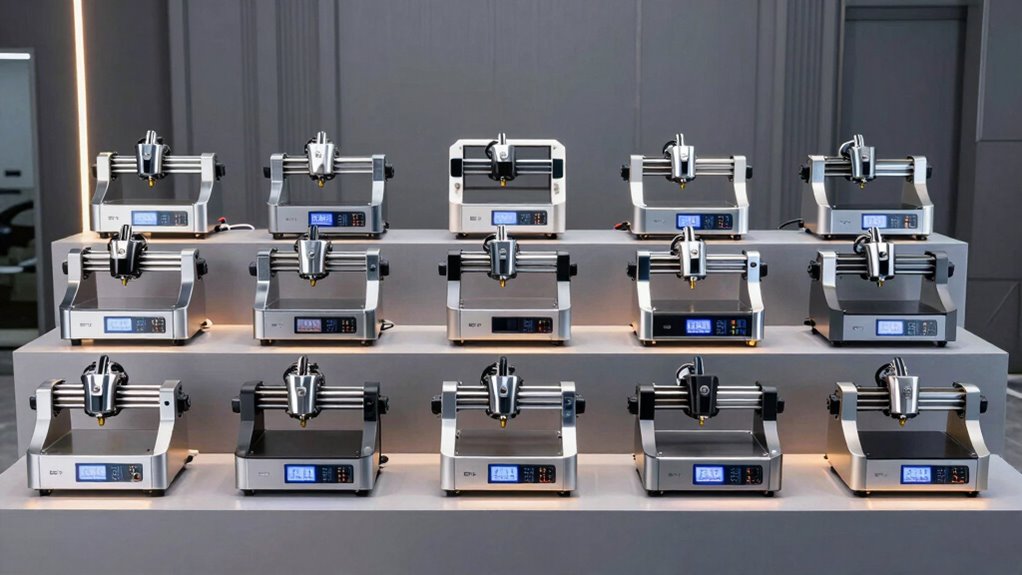
For a diode laser engraver machine that balances cutting power and guided setup, my best overall pick is the WeCreat Vision Pro 45W, with its auto-lifting design and HD camera. The xTool S1 40W is a strong alternative for buyers who want a high-power cutter with a rotary bundle, while the xTool F2 suits makers who need both diode and infrared laser capabilities. The main tradeoffs are power versus footprint, a simple diode setup versus dual-laser material flexibility, and built-in safety features versus add-on equipment. I compare all 15 machines by their practical fit, feature mix, and likely workflow demands. Read on for the full breakdown and a guide to choosing the right machine for your projects.

Get the latest gadgets delivered free with Prime
- Fast, free delivery on millions of items
- Prime Video, Amazon Music and more included
- Member-only deals all year
Complete the kit



Key Takeaways
- High diode power is a clear divider: the Vision Pro 45W, xTool S1 40W, and Aliencell X1 40W are the lineup’s high-output choices for buyers prioritizing cutting capability.
- Dual-laser models serve a different purpose: the xTool F2 and WeCreat Lumos Flex configurations pair diode with infrared or fiber technology, widening material options rather than simply raising diode power.
- Enclosure and workflow features separate home-friendly picks: camera guidance, auto-lifting, and enclosed designs can make setup and operation easier, but they do not replace safe ventilation practices.
- Bundles vary as much as machines: rotary tools, extensions, fume extraction, honeycomb beds, and air purifiers may reduce extra purchases, but buyers should check which accessories their actual projects require.
- There is no single best fit for every workspace: compact options such as the ACMER S1 and LaserPecker LP4 differ sharply from larger cutter-focused models in the room and workflow they suit.
| WeCreat Vision Pro 45W Laser Engraver and Cutter with Rotary Pro, HD Camera, and Auto-Lifting |  | Best Overall for Large, Enclosed Projects | Laser power: 45W diode laser | Laser spot size: 0.08 mm | Maximum engraving speed: 600 mm/s | VIEW ON AMAZON | See Our Full Breakdown |
| Twotrees TTS-55 Pro Laser Engraver |  | Best Value for Software Flexibility | Laser power: 5.5W | Laser class: Class II | Working area: 300 × 300 mm | VIEW ON AMAZON | See Our Full Breakdown |
| xTool M2 20W Color Craft Laser Engraver with CMYK Inkjet Printer |  | Best for Color Craft Projects | Laser power: 20W | Printer: CMYK inkjet module included | Cameras: Dual built-in cameras | VIEW ON AMAZON | See Our Full Breakdown |
| WeCreat Lumos Flex Dual Laser Engraver with Rotary Pro and Slide Extension |  | Best for Portable Dual-Laser Work | Fiber laser power: 15W | Diode laser power: 15W | Maximum speed: 10,000 mm/s | VIEW ON AMAZON | See Our Full Breakdown |
| ACMER S1 2500mW Laser Engraver and Cutter |  | Best Compact Starter Machine | Laser power: 2,500 mW | Machine output: 24W | Wavelength: 455 ± 5 nm | VIEW ON AMAZON | See Our Full Breakdown |
| WeCreat Lumos Flex Dual Laser Engraver with 15W Fiber Laser and 15W Diode Laser |  | Best for Portable Metal-and-Material Versatility | Laser system: 15W fiber laser and 15W diode laser | Maximum speed: Up to 10,000 mm/s | Camera: Built-in 50MP camera | VIEW ON AMAZON | See Our Full Breakdown |
| xTool M2 10W Enclosed Laser Engraver with Dual Cameras |  | Best for Safer Home Crafting | Laser power: 10W diode | Safety class: Class 1 | Design: Fully enclosed | VIEW ON AMAZON | See Our Full Breakdown |
| xTool M2 10W Color Craft Laser Engraver with Dual Cameras |  | Best for Combined Laser and Color Crafting | Laser output power: 10W diode laser (10,000 mW) | Included modules: CMYK inkjet printing module | Included accessory: RA3 Lite rotary | VIEW ON AMAZON | See Our Full Breakdown |
| WeCreat Lumos Flex Dual 15W Fiber & Diode Laser Engraver with Protective Cone, Rotary Pro, Extension, Fume Extractor, 3D Embossing, Metal Cutting & Color Marking |  | Best for Long Rotary Projects | Fiber laser power: 15W | Diode laser power: 15W | Laser class: Class 4 | VIEW ON AMAZON | See Our Full Breakdown |
| xTool F2 Dual-Laser Engraver with 15W Diode and 5W IR Lasers |  | Best Compact Dual-Laser Alternative | Diode laser power: 15W | Infrared laser power: 5W | Camera: 50MP | VIEW ON AMAZON | See Our Full Breakdown |
| BlazeX M3 10W Laser Engraver and Cutter with Enclosure and Honeycomb Bed |  | Best Starter Bundle | Laser power: 10W | Stated accuracy: 0.01 mm | Weight: 8 pounds | VIEW ON AMAZON | See Our Full Breakdown |
| LaserPecker LP4 Ultimate Dual-Laser Engraver with Air Purifier and Extensions |  | Best for Portable Multi-Material Work | Diode laser power: 10W | Infrared laser power: 2W | Maximum speed: 4,000 mm/s | VIEW ON AMAZON | See Our Full Breakdown |
| xTool M2 10W Color Craft Laser Engraver with CMYK Inkjet Printer |  | Best for Color Craft Projects | Laser power: 10W diode (10,000mW) | Printer: CMYK inkjet module included | Cameras: Dual built-in cameras | VIEW ON AMAZON | See Our Full Breakdown |
| xTool S1 40W Laser Cutter and Engraver with Rotary Bundle |  | Best for Large, Powerful Cutting | Laser power: 40W | Bed size: 23.93 × 15.16 inches | Maximum engraving speed: 600 mm/s | VIEW ON AMAZON | See Our Full Breakdown |
| Aliencell X1 40W Laser Engraver and Cutter |  | Best for Offline Large-Format Work | Laser power: 40W | Bed size: 26 × 21 inches | Maximum speed: 600 mm/s | VIEW ON AMAZON | See Our Full Breakdown |
| diode laser engraver machine | Weight | Laser power |
|---|---|---|
| WeCreat Vision Pro 45W Laser E | 35 kg | 45W diode laser |
| Twotrees TTS-55 Pro Laser Engr | — | 5.5W |
| xTool M2 20W Color Craft Laser | 43.9 pounds | 20W |
| WeCreat Lumos Flex Dual Laser | 2.8 kg | — |
| ACMER S1 2500mW Laser Engraver | 2 kg | 2,500 mW |
| WeCreat Lumos Flex Dual Laser | 2.8 kg | — |
| xTool M2 10W Enclosed Laser En | — | 10W diode |
| xTool M2 10W Color Craft Laser | — | — |
| WeCreat Lumos Flex Dual 15W Fi | 2.8 kg | — |
| xTool F2 Dual-Laser Engraver w | — | — |
| BlazeX M3 10W Laser Engraver a | 8 pounds | 10W |
| LaserPecker LP4 Ultimate Dual- | 41.6 pounds | — |
| xTool M2 10W Color Craft Laser | 43.3 pounds | 10W diode (10,000mW) |
| xTool S1 40W Laser Cutter and | — | 40W |
| Aliencell X1 40W Laser Engrave | 104.8 pounds | 40W |
More Details on Our Top Picks
WeCreat Vision Pro 45W Laser Engraver and Cutter with Rotary Pro, HD Camera, and Auto-Lifting
The 45W diode laser, generous 22.83 × 15.75-inch bed, and 140 mm auto-lifting clearance make this the most versatile choice here for larger pieces and repeatable batch work. LiDAR autofocus and the HD camera reduce manual positioning and setup, while the included Rotary Pro adds full-wrap tumbler engraving without buying a separate rotary attachment. Compared with the compact ACMER S1, the Vision Pro can take on much larger work and offers an enclosed Class 1 setup, but it is far heavier and takes up considerably more room. Its 600 mm/s maximum engraving speed suits busy workflows, though the headline speed does not remove material-specific limits. I would factor in the separately sold fume extractor; the optional 2W IR module also adds cost for buyers seeking that capability.
Pros:- Large 22.83 × 15.75-inch bed accommodates projects and batches that exceed the ACMER S1’s 130 × 130 mm workspace.
- Auto-lifting system and LiDAR autofocus reduce manual height adjustment when changing materials.
- Included Rotary Pro supports cylindrical projects such as tumblers.
- Class 1 enclosure, lid sensor, and blue-light-filtering cover add protection during operation.
Cons:- At 35 kg, it is difficult to move and needs a substantial permanent workspace.
- Fume extractor and 2W IR module are sold separately.
- Its enclosure and larger footprint make it less convenient for occasional, small-format engraving.
Best for: Makers and small businesses engraving larger items, batches, and tumblers who want an enclosed machine with guided positioning and autofocus.
Not ideal for: Apartment crafters with limited bench space, or buyers who need a lightweight setup or expect a fume extractor and IR module in the box.
- Laser power:45W diode laser
- Laser spot size:0.08 mm
- Maximum engraving speed:600 mm/s
- Bed dimensions:22.83 × 15.75 inches
- Maximum material height:140 mm
- Laser class:Class 1
- Weight:35 kg
- Included features:Rotary Pro, HD camera, auto-lifting system, LiDAR autofocus
- Optional accessories:2W IR module and fume extractor sold separately
Our verdict“Choose the Vision Pro for a high-capacity, enclosed diode workflow with rotary capability, provided you have room for its weight and budget for the separate extractor.”
Twotrees TTS-55 Pro Laser Engraver
The TTS-55 Pro is a sensible entry into desktop diode engraving for buyers who care more about software choice and connectivity than an enclosure or high power. Its 300 × 300 mm work area gives it more room than the ACMER S1, and Wi-Fi, USB, and TF-card support offer several ways to send jobs, including offline operation. Compatibility with LightBurn and LaserGRBL also makes it a more flexible choice for users who want to build skills in familiar laser software. The stated 0.1 mm engraving accuracy and fine-focus optics are aimed at detailed work, while the included air-assist nozzle can support cleaner cuts. Against the enclosed WeCreat Vision Pro, however, this is a lower-power Class II machine that requires assembly and lacks the same built-in enclosure safeguards. Its material claims should not be mistaken for deep metal cutting capacity.
Pros:- 300 × 300 mm work area is substantially larger than the ACMER S1’s 130 × 130 mm bed.
- Supports LightBurn and LaserGRBL, giving users a choice of established engraving software.
- Wi-Fi, USB, and TF-card connectivity accommodate different computer and offline workflows.
- Included air-assist nozzle can help improve cut quality.
Cons:- 5.5W laser power limits cutting depth compared with higher-power models such as the WeCreat Vision Pro.
- Requires assembly and installation before use.
- Class II open-frame design does not provide the enclosed operating setup of the Vision Pro.
Best for: First-time or hobbyist engravers who want a 300 × 300 mm workspace, established software options, and both connected and offline job transfer.
Not ideal for: Buyers seeking a fully enclosed Class 1 machine, minimal assembly, or substantial cutting performance on thick materials.
- Laser power:5.5W
- Laser class:Class II
- Working area:300 × 300 mm
- Spot size:0.08 × 0.46 mm
- Engraving accuracy:0.1 mm
- Maximum speed:30,000 mm/min
- Connectivity:Wi-Fi, USB, TF card
- Software compatibility:LaserGRBL and LightBurn
- Supported materials:Wood, leather, acrylic, paper, stainless steel
Our verdict“Pick the TTS-55 Pro for a flexible, software-friendly desktop machine, but skip it if you need an enclosed or high-power cutter.”
xTool M2 20W Color Craft Laser Engraver with CMYK Inkjet Printer
The M2 is the outlier in this group: it pairs a 20W diode laser with an included CMYK inkjet module, so its appeal is combining printed color and laser-made cuts or engraving in one craft setup. Dual cameras help preview placement, which is useful when designs need to line up with existing material or printed artwork. Its enclosed Class 1 design and real-time safety monitoring also make it a more contained option than the open-frame Twotrees TTS-55 Pro. This is not the straightforward power pick: the WeCreat Vision Pro offers 45W and a much larger stated bed, making it better suited to larger cutting and batch jobs. The M2’s value is instead in its mixed-media workflow. Buyers wanting IR marking should note that the 3W IR module is sold separately.
Pros:- Included CMYK inkjet module adds color printing alongside laser engraving and cutting.
- Dual cameras support workspace previews and more accurate placement.
- Enclosed Class 1 design includes real-time safety monitoring.
- Supports craft materials including wood, leather, felt, fabric, and paper.
Cons:- Its 20W diode is less powerful than the WeCreat Vision Pro’s 45W laser for power-led cutting work.
- The 3W IR module is sold separately.
- The combined printing and laser workflow may be unnecessary for buyers who only need basic engraving.
Best for: Craft businesses and detail-focused makers who want to combine CMYK inkjet printing with diode-laser cutting or engraving in an enclosed machine.
Not ideal for: Buyers focused mainly on high-power cutting, large-format projects, or a simple diode-only machine without an inkjet workflow.
- Laser power:20W
- Printer:CMYK inkjet module included
- Cameras:Dual built-in cameras
- Safety classification:Class 1 enclosed design
- Additional module:3W IR module sold separately
- Weight:43.9 pounds
- Package dimensions:27.5 × 24.5 × 11 inches
- Warranty:1 year
Our verdict“Choose the M2 when color inkjet and laser crafting belong in the same workflow, rather than when cutting power or bed size is your main priority.”
WeCreat Lumos Flex Dual Laser Engraver with Rotary Pro and Slide Extension
The Lumos Flex stands apart from the conventional diode machines here by combining a 15W diode laser with a 15W fiber laser. That two-laser setup broadens its stated work beyond typical diode engraving to include metal marking, color marking, and 3D relief engraving. The included slide extension and 50MP camera are designed to help position work across an extended area, while the Rotary Pro adds support for cylindrical objects. At 2.8 kg, it is far easier to carry than the 35 kg enclosed WeCreat Vision Pro, though the Vision Pro offers much more diode power and a defined large bed. The tradeoff is that the supplied details do not list compatible materials individually or provide warranty terms, making it harder to judge its fit for a specific production routine before purchase.
Pros:- Combines 15W diode and 15W fiber lasers for a broader range of marking and engraving tasks than a diode-only machine.
- Includes Rotary Pro and slide extension for cylindrical work and expanded positioning.
- 50MP camera supports preview and placement across the work area.
- At 2.8 kg, it is considerably easier to transport than the 35 kg WeCreat Vision Pro.
Cons:- Supplied details do not list compatible materials individually, so buyers have less guidance for matching it to specific jobs.
- Warranty terms are not provided in the supplied product information.
- Its 15W diode rating is lower than the Vision Pro’s 45W, making the Vision Pro a stronger fit for power-led diode cutting.
Best for: Makers who need a lightweight machine with both diode and fiber laser functions for mixed engraving and marking projects.
Not ideal for: Buyers who need clearly specified material compatibility, a fixed enclosed workspace, or published warranty terms before choosing equipment.
- Fiber laser power:15W
- Diode laser power:15W
- Maximum speed:10,000 mm/s
- Camera:50MP
- Weight:2.8 kg
- Included accessories:Rotary Pro and slide extension
Our verdict“Choose the Lumos Flex for portable access to both fiber and diode engraving, but verify material support and warranty details before committing.”
ACMER S1 2500mW Laser Engraver and Cutter
The ACMER S1 is the most compact, straightforward pick in this lineup: its 2 kg frame and 130 × 130 mm work area suit small projects and a desk where a larger engraver would be awkward. With 99% preassembly and included Acmerstudio software, setup is less demanding than the Twotrees TTS-55 Pro, which requires assembly. The S1 also supports LightBurn and LaserGRBL across macOS, Windows, and Linux, leaving room to change software as skills develop. Its 2,500mW laser is described for engraving and cutting thin plywood, MDF, and acrylic, so it should not be treated as a substitute for the 45W WeCreat Vision Pro when thicker stock or larger batches are part of the plan. The small bed is the main constraint: it makes this a focused starter tool rather than a growth-oriented workhorse.
Pros:- Compact 2 kg design is easier to place and move than larger machines such as the Twotrees TTS-55 Pro.
- Arrives 99% preassembled, reducing setup effort.
- Compatible with Acmerstudio, LightBurn, and LaserGRBL on macOS, Windows, and Linux.
- Can engrave varied materials and cut thin plywood, MDF, and acrylic.
Cons:- The 130 × 130 mm working area restricts project size and batch production.
- 2,500mW laser power is aimed at engraving and thin-material cutting, not demanding cuts.
- Maximum engraving speed of 10,000 mm/min is below the TTS-55 Pro’s stated 30,000 mm/min.
Best for: Beginners and hobbyists making small-format engravings who need a lightweight machine, broad computer compatibility, and minimal assembly.
Not ideal for: Makers producing large signs, batch work, or cuts through thicker materials; its small workspace and low laser power are limiting.
- Laser power:2,500 mW
- Machine output:24W
- Wavelength:455 ± 5 nm
- Working area:130 × 130 mm
- Maximum engraving speed:10,000 mm/min
- Repeatable positioning accuracy:0.01 mm
- Weight:2 kg
- Compatible software:Acmerstudio, LightBurn, LaserGRBL
- Warranty:12 months
Our verdict“Choose the ACMER S1 for small projects and easy entry into diode engraving, not for large-format work or deeper cutting.”
WeCreat Lumos Flex Dual Laser Engraver with 15W Fiber Laser and 15W Diode Laser
The WeCreat Lumos Flex pairs a 15W diode laser for materials such as wood with a 15W fiber laser for metal work, making it a more versatile choice than the xTool M2 10W, which focuses on diode engraving and craft materials. Its 50MP camera helps position designs across the work area, while speeds listed up to 10,000 mm/s suit buyers who value quick marking. At 2.8 kg, it is also unusually easy to move between workspaces. That portability and material range come with a narrower focus than a larger shop machine, and the supplied details do not specify a work-area size. I’d shortlist it for mixed-material projects, but buyers who mainly craft at home may prefer the M2’s enclosed Class 1 design.
Pros:- 15W fiber and 15W diode lasers cover metal and a range of nonmetal materials
- 50MP camera supports full-area preview and positioning
- Listed speed reaches 10,000 mm/s
- 2.8 kg weight makes the unit easy to transport
Cons:- The supplied product data does not state the work-area dimensions
- Unlike the enclosed xTool M2 10W, this listing does not specify a Class 1 enclosed design
- A dual-laser setup may be more capability than buyers focused only on basic wood and paper crafts need
Best for: Makers who need a portable machine for both metal marking and diode-compatible materials, and who will move it between workspaces.
Not ideal for: Home crafters who prioritize an enclosed Class 1 setup or buyers who need a stated, generous work area for larger projects.
- Laser system:15W fiber laser and 15W diode laser
- Maximum speed:Up to 10,000 mm/s
- Camera:Built-in 50MP camera
- Weight:2.8 kg
- Features:3D relief engraving, metal cutting, and color marking on metal
- Date first available:April 1, 2026
Our verdict“Choose this Lumos Flex if portable metal and nonmetal engraving matter more than an enclosed home-craft setup.”
xTool M2 10W Enclosed Laser Engraver with Dual Cameras
The xTool M2 10W is the home-craft pick in this group: its Class 1 enclosure and dual cameras make material placement and workspace monitoring more approachable than on the Class 4 WeCreat Lumos Flex bundle. The 10W diode is aimed at cutting and engraving craft materials such as wood, leather, felt, fabric, and paper, while xTool Studio templates and an AI image generator can help users get from idea to project. The tradeoff is modularity: CMYK printing, rotary engraving, and 3W IR engraving require separately sold add-ons. By comparison, the xTool M2 Color Craft version includes a CMYK module and RA3 Lite rotary, so it makes more sense for buyers who already want those functions. This standard M2 is the simpler fit for enclosed diode crafting.
Pros:- Class 1 enclosed design suits a more controlled home-crafting setup
- Dual cameras support workspace previews and accurate placement
- Works with a broad range of listed craft materials
- xTool Studio includes templates and an AI image generator
Cons:- CMYK printing, rotary engraving, and 3W IR engraving require separately sold modules
- The 10W diode is less powerful than the 15W diode in the xTool F2
- The supplied data does not give a maximum engraving speed
Best for: Home crafters who want an enclosed 10W diode machine, camera-assisted placement, and guided software without needing color printing or rotary work immediately.
Not ideal for: Buyers who want CMYK printing, rotary engraving, or IR marking included from the outset, or who need a higher-power diode laser.
- Laser power:10W diode
- Safety class:Class 1
- Design:Fully enclosed
- Cameras:Dual built-in cameras
- Compatible materials:300+ materials, including cardstock, felt, leather, and wood
- Software:xTool Studio
- Optional accessories:CMYK Inkjet module, RA3 Lite Rotary, and 3W IR laser
Our verdict“Pick the standard M2 for enclosed, camera-guided craft work if you do not need the Color Craft bundle’s included printing and rotary modules.”
xTool M2 10W Color Craft Laser Engraver with Dual Cameras
This xTool M2 Color Craft is the most direct choice here for buyers who want laser work and color printing in one enclosed craft setup: its CMYK inkjet module and RA3 Lite rotary are included, unlike the optional modules on the standard xTool M2 10W. The 10W diode handles cutting and engraving across craft materials, and the dual cameras help preview placement before a job. Its Class 1 enclosure also gives it a different home-use profile from the Class 4 WeCreat Lumos Flex models, which offer fiber-laser metal capability instead. The tradeoff is that this M2 is not the pick for metal-focused work, and the provided details give no measured engraving or cutting speeds. Choose it for varied color craft projects, not for maximum diode power or speed data.
Pros:- Includes a CMYK inkjet module for combining printing with laser crafting
- RA3 Lite rotary is included for cylindrical projects
- Dual cameras provide workspace previews
- Class 1 enclosed design is suited to a more controlled craft workspace
Cons:- The 3W IR module is sold separately
- The 10W diode offers less laser power than the 15W diode in the xTool F2
- No measured engraving or cutting speeds are provided
Best for: Crafters who want an enclosed diode engraver with CMYK printing and rotary capability included for mixed-material projects.
Not ideal for: Metal-focused makers, buyers seeking a higher-powered diode, or users who need stated engraving and cutting speeds to plan production.
- Laser output power:10W diode laser (10,000 mW)
- Included modules:CMYK inkjet printing module
- Included accessory:RA3 Lite rotary
- Camera system:Dual cameras
- Safety classification:Class 1 enclosed design
- Compatible materials:Cardstock, felt, leather, wood, fabric, paper, and more
- Optional module:3W IR module sold separately
Our verdict“Choose this M2 bundle if included CMYK printing and rotary crafting matter more than metal work or a higher-power diode.”
WeCreat Lumos Flex Dual 15W Fiber & Diode Laser Engraver with Protective Cone, Rotary Pro, Extension, Fume Extractor, 3D Embossing, Metal Cutting & Color Marking
This Lumos Flex bundle stands apart from the base Lumos Flex by including a Rotary Pro, extension, and enclosed fume extractor, making it better equipped for cylindrical work and longer objects. Its 15W fiber and 15W diode lasers also cover metal and organic materials, while the built-in 50MP camera lists 0.01 mm positioning accuracy. The rotary system supports objects up to 34 inches long, a specific advantage over the xTool F2, whose supplied details do not list a rotary or extension. The tradeoff is safety: this is a Class 4 laser, so buyers need strict operating precautions, and the work area remains limited compared with larger industrial machines. I’d choose this bundle for varied, long-object jobs, not casual use without a safety plan.
Pros:- 15W fiber and 15W diode lasers handle metal and organic materials
- Rotary Pro and extension support cylindrical objects up to 34 inches long
- 50MP camera lists 0.01 mm positioning accuracy
- Includes a protective cone and enclosed fume extractor
Cons:- Class 4 operation calls for strict safety measures and ventilation
- Work area is limited compared with larger industrial machines
- The 2.8 kg portable unit may not suit buyers seeking a fixed, large-format production bed
Best for: Experienced makers and small workshops needing fiber and diode capability plus rotary engraving for cylindrical objects up to 34 inches long.
Not ideal for: Beginners seeking a Class 1 enclosed craft machine, or shops that need a large flat work area for oversized sheet projects.
- Fiber laser power:15W
- Diode laser power:15W
- Laser class:Class 4
- Camera resolution:50MP
- Positioning accuracy:0.01 mm
- Maximum speed:Up to 10,000 mm/s
- Rotary maximum length:34 inches
- Product dimensions:15.2 x 14.4 x 16.9 inches
- Weight:2.8 kg
Our verdict“Choose this bundle over the base Lumos Flex if long cylindrical projects and included fume extraction justify the Class 4 safety demands.”
xTool F2 Dual-Laser Engraver with 15W Diode and 5W IR Lasers
The xTool F2 combines a 15W diode with a 5W infrared laser, giving buyers two laser types in an enclosed portable machine without stepping up to the dual 15W fiber-and-diode arrangement of the WeCreat Lumos Flex. Its 50MP camera supports alignment accuracy up to 0.1 mm, and the listed 6,000 mm/s speed offers a concrete performance figure, though it is below the Lumos Flex’s stated 10,000 mm/s. The F2 arrives assembled with a base plate and material kit, which makes setup more straightforward for a buyer ready to start with supplied essentials. Its Class 4 classification still calls for careful operation, and a fume purifier is optional. I’d favor it for portable diode-plus-IR tasks, not for buyers who need fiber-laser metal capability.
Pros:- 15W diode and 5W IR lasers support different engraving and marking tasks
- 50MP camera lists alignment accuracy up to 0.1 mm
- Maximum speed is listed at 6,000 mm/s
- Enclosed machine arrives assembled with a base plate and material kit
Cons:- Class 4 laser requires careful operation
- Fume purifier is optional
- Its 5W IR laser is not a substitute for the WeCreat Lumos Flex’s 15W fiber laser
Best for: Makers seeking an assembled, portable 15W diode and 5W IR engraver with camera alignment and a supplied base plate and material kit.
Not ideal for: Buyers who need fiber-laser metal work, an included fume purifier, or the higher listed speed and 15W fiber capability of the WeCreat Lumos Flex.
- Diode laser power:15W
- Infrared laser power:5W
- Camera:50MP
- Maximum speed:6,000 mm/s
- Alignment accuracy:Up to 0.1 mm
- Motion accuracy:0.00199 inches
- Supported materials:300+
- Weight and design:4.6 kg; enclosed
- Included items:Machine, base plate, and base material kit
Our verdict“Choose the F2 for an assembled portable diode-and-IR setup, but pick the Lumos Flex if 15W fiber capability and faster listed engraving are priorities.”
BlazeX M3 10W Laser Engraver and Cutter with Enclosure and Honeycomb Bed
The BlazeX M3 is the most ready-to-start pick here: its 10W diode laser comes with an enclosure, honeycomb bed, tool kit, and 13 materials, so a beginner can try several projects without piecing together the basics. Lid-open and tilt stops add safeguards that the more open, entry-level Twotrees TTS-55 Pro may not offer in the same package. It also supports LightBurn, LaserGRBL, and CutLabX, giving buyers a choice of software rather than locking them into one workflow. The tradeoff is limited performance detail: the listing gives no cutting thickness or engraving speed, so I would not choose it for predictable production work. Air assist, a rotary roller, and a purifier are optional, adding cost and setup if those capabilities matter.
Pros:- Includes an enclosure, honeycomb bed, tool kit, and 13 engraving materials
- Automatic stops respond to an open lid or machine tilt
- Supports LightBurn, LaserGRBL, and CutLabX
- Can engrave and cut a range of listed materials
Cons:- No cutting thickness or engraving speed is specified
- Rotary roller, air assist, and purifier are optional upgrades
- The 10W laser is less suited to demanding cutting work than the 40W xTool S1
Best for: First-time diode-laser buyers who want an enclosed 10W machine, basic safety stops, and starter materials in one kit.
Not ideal for: Makers planning frequent thick-material cuts or cylindrical engraving who need published performance limits and included rotary or air-assist hardware.
- Laser power:10W
- Stated accuracy:0.01 mm
- Weight:8 pounds
- Power source:Corded electric
- Included accessories:Protective enclosure, honeycomb bed, tool kit, 13 engraving materials
- Compatible software:LightBurn, LaserGRBL, CutLabX
Our verdict“Choose the BlazeX M3 for a well-equipped first setup, but look to a higher-powered machine if cutting capacity is your priority.”
LaserPecker LP4 Ultimate Dual-Laser Engraver with Air Purifier and Extensions
The LaserPecker LP4 stands apart from the diode-only BlazeX M3 by pairing a 10W diode with a 2W infrared laser, giving it a wider material range that includes metal and plastic alongside wood and ceramics. Its slide and rotary extensions also suit repeat jobs on flat stock and objects, while the included four-layer HEPA purifier addresses fumes without requiring a separate purchase. A stated maximum speed of 4,000 mm/s favors quick marking, though speed alone does not establish results across every material. The compromise is workspace: at 160 × 300 mm, it offers less room than the xTool S1 or Aliencell X1. The purifier’s stated particle-removal rate is a listing claim, and the 41.6-pound unit is portable relative to large-format machines, not especially light to carry.
Pros:- Combines 10W diode and 2W infrared lasers for broader material options
- Slide and rotary extensions support batch and multi-item work
- Includes a four-layer HEPA air purifier
- Lists cutting capacity up to 8 mm wood
Cons:- Expanded workspace is limited to 160 × 300 mm
- The purifier’s 99.97% particle-removal figure is a product claim
- At 41.6 pounds, it is less convenient to move than compact engravers
Best for: Home-studio makers and mobile craft sellers who need diode and infrared marking, repeatable batch setups, and included fume filtration.
Not ideal for: Buyers making large panels or prioritizing a generous work bed; the LP4’s expanded area remains smaller than the xTool S1 and Aliencell X1.
- Diode laser power:10W
- Infrared laser power:2W
- Maximum speed:4,000 mm/s
- Expanded workspace:160 × 300 mm
- Cutting capacity:Up to 8 mm wood
- Air purifier:Four-layer HEPA; listing claims 99.97% particle removal
- Weight:41.6 pounds
- Included accessories:Air purifier, slide extension, rotary extension
Our verdict“Pick the LP4 if material flexibility and included extensions matter more than a large work area.”
xTool M2 10W Color Craft Laser Engraver with CMYK Inkjet Printer
The xTool M2 Color Craft is for buyers who want printed color as well as laser engraving and cutting: its included CMYK inkjet module adds a capability the BlazeX M3 and the 40W xTool S1 do not list. Dual cameras and xTool Studio templates help place designs and lower the setup burden for home crafting, while the Class 1 enclosed design is built for a more contained workflow. Its 10W diode power makes it a different proposition from the S1’s 40W laser; I would choose the M2 for mixed-media personalization, not as a substitute for a higher-powered cutter. It is also a substantial 43.3 pounds, and buyers seeking infrared marking need to purchase the optional 3W IR module separately.
Pros:- Combines a 10W diode laser with an included CMYK inkjet module
- Dual cameras support workspace previews and placement
- Class 1 enclosed design includes real-time monitoring
- xTool Studio provides templates and an AI image generator
Cons:- The optional 3W IR module is sold separately
- At 43.3 pounds, it is not a lightweight desktop tool
- Its 10W diode is a less powerful cutting option than the 40W xTool S1
Best for: Home crafters and small personalized-gift sellers who want laser work plus CMYK color printing and camera-assisted placement.
Not ideal for: Production users focused on faster or heavier cutting, or buyers who need infrared capability included rather than as a separate module.
- Laser power:10W diode (10,000mW)
- Printer:CMYK inkjet module included
- Cameras:Dual built-in cameras
- Safety classification:Class 1 enclosed design
- Supported materials:300+ materials, including wood, leather, felt, fabric, and paper
- Weight:43.3 pounds
- Warranty:1 year
- Optional module:3W IR module sold separately
Our verdict“Choose this M2 for color-forward craft work and guided setup, not for the cutting capacity of a 40W machine.”
xTool S1 40W Laser Cutter and Engraver with Rotary Bundle
For buyers who need a diode machine to cut larger work, the xTool S1’s 40W laser and 23.93 × 15.16-inch bed are a clear step up from the 10W BlazeX M3 and xTool M2 Color Craft. The listing gives a useful material-specific benchmark—up to 18 mm of cherry wood in one pass—rather than leaving cutting capacity entirely unstated, though results can vary with material. Autofocus, guided software, and positioning features reduce setup friction, while the rotary bundle opens up curved-object engraving. Its 118-inch passthrough also accommodates long stock that does not fit entirely on the bed. This capability comes with a large enclosed footprint, so it suits a dedicated workspace better than a compact hobby corner. Its 600 mm/s maximum speed is below the LP4’s listed figure, but the S1 is oriented more toward bed size and cutting power.
Pros:- 40W laser and large bed suit bigger cutting and engraving jobs
- Passthrough supports stock up to 118 inches long
- Autofocus and guided software simplify setup
- Class 1 enclosure includes flame sensors and a lid-open stop
Cons:- Large enclosed format needs substantial workspace and setup
- The stated 18 mm cutting result applies specifically to cherry wood and may vary by material
- Maximum listed speed is lower than the LP4’s 4,000 mm/s figure
Best for: Makers with a dedicated work area who cut larger wood projects, engrave long stock, or need rotary work in one enclosed setup.
Not ideal for: Apartment hobbyists with limited bench space, or buyers who need a compact, lightweight machine for frequent relocation.
- Laser power:40W
- Bed size:23.93 × 15.16 inches
- Maximum engraving speed:600 mm/s
- Maximum passthrough length:118 inches (3000 mm)
- Maximum cherry wood cutting thickness:18 mm in one pass
- Safety classification:Class 1
- Bundle:Rotary bundle
Our verdict“Choose the xTool S1 when cutting power, bed area, passthrough, and rotary capability outweigh space and portability.”
Aliencell X1 40W Laser Engraver and Cutter
The Aliencell X1 pairs 40W power with the largest stated bed in this group, at 26 × 21 inches, making it appealing for batch layouts and oversized pieces. Its dual 8MP cameras, cross-laser positioning, and material previews aim to help place work across that broad surface. Unlike the xTool S1, which lists a passthrough length and a cherry-wood cutting benchmark, the X1’s standout distinction is offline operation: its 6.86-inch touchscreen can run jobs without a PC. The listing also specifies 40 L/min air assist and a Class 1 enclosure with 10 flame sensors. The cost of this scale is substantial: at 104.8 pounds, it is a fixed-workspace machine, and its product details do not name material compatibility or cutting thickness. That makes performance planning less certain than with the S1.
Pros:- 26 × 21-inch bed supports large pieces and batch layouts
- Dual 8MP cameras and cross-laser positioning aid placement
- Touchscreen supports offline operation without a PC
- Class 1 enclosure includes 10 flame sensors and fire-resistant materials
Cons:- At 104.8 pounds, it is difficult to relocate
- Listing does not specify compatible materials or cutting thickness
- Its large footprint calls for a dedicated workspace
Best for: Small workshops and batch makers who need a broad work bed, camera-assisted positioning, and touchscreen control without a connected PC.
Not ideal for: Beginners who need clear material and cutting-capacity guidance, or anyone who needs to move the machine between work locations.
- Laser power:40W
- Bed size:26 × 21 inches
- Maximum speed:600 mm/s
- Acceleration:20,000 mm/s²
- Cameras:Dual 8MP
- Display:6.86-inch touchscreen
- Air assist flow:40 L/min
- Safety:Class 1 enclosed; 10 built-in flame sensors
- Weight:104.8 pounds
Our verdict“Choose the Aliencell X1 for large-format offline work, but favor the xTool S1 if published cutting guidance and passthrough matter more.”

How We Picked
I compared the 15 machines on diode capability, usable work area, material flexibility, and workflow, then weighed build and safety features such as enclosures, cameras, air management, and bed design. I also looked at what each bundle adds—rotaries, extensions, extraction, or other laser sources—and whether those extras match a distinct buyer need. A higher wattage figure can matter for cutting, but it does not tell the whole story: workspace, alignment, software, and safe fume handling affect day-to-day usefulness.
The ranking gives priority to machines with a persuasive balance of capability and usability, not to the longest accessory list or the highest power claim alone. That places versatile, high-output models ahead for broad project use, while specialized dual-laser, compact, and entry-level machines earn their place by serving narrower needs well. Models with overlapping configurations are separated by the buyer problem they solve, so readers can distinguish a machine-first purchase from a bundle-led one.
Factors to Consider When Choosing Diode Laser Engraver Machine
Before choosing a diode laser engraver, I would match the machine to the work, room, and safety setup—not just the headline wattage. These factors help clarify when a larger cutter, a guided enclosed unit, or a dual-laser system is worth the added complexity.
Match Laser Power to the Material and Job
Start with the actual materials and thicknesses you plan to process, then compare machine specifications and manufacturer guidance for those jobs. Higher diode power can help with cutting and may reduce the number of passes, but it does not make every material suitable or guarantee a clean edge. Engraving fine detail can call for different priorities than cutting thicker stock, so avoid paying for power you will rarely use. Check the recommended speed, pass count, and material limits rather than relying on wattage alone. A common mistake is to treat optical power as a complete measure of performance; optics, focus, motion, and workholding also shape results. If your projects span materials that diode lasers do not handle well, consider whether an infrared or fiber source is relevant before choosing a dual-laser model.
Choose an Enclosed or Open Format for Your Space
An enclosure can help contain light and smoke, and camera features can make positioning jobs less fiddly, but the machine still needs a suitable operating area. Open-frame machines may offer easier access to larger workpieces or extensions, though they demand more attention to shielding and access control. Measure the machine, its lid or moving parts, and the clearance needed for loading material before ordering. Plan for ventilation and exhaust routing as part of the footprint, not as an afterthought. Do not assume an enclosure or bundled purifier removes every fume concern; follow the manufacturer’s safety instructions and material restrictions. A compact unit is only a space-saver if its accessories and workpieces also fit your setup.
Decide Whether a Second Laser Source Earns Its Complexity
Dual-laser machines in this lineup combine a diode source with infrared or fiber technology, which can expand the kinds of marking tasks a buyer can tackle. That broader material range may be useful in a mixed-material shop, but it adds cost, setup choices, and another set of operating limits to learn. If most projects involve wood, paper, or other diode-friendly materials, a capable single-diode machine may be the simpler fit. Check which source is intended for each material and whether the relevant accessories are included in the configuration being considered. Do not treat “dual laser” as a guarantee that one machine will replace every specialist tool. Pay for the second source only when its specific use cases are part of your plan.
Account for Work Area, Rotary Jobs, and Extensions
Engraving area determines how large a flat project can be, while rotary tools and slide extensions address different shapes and dimensions. A rotary can support cylindrical items, but it may require setup time and can reduce the convenient flat-bed area while installed. An extension can help with longer stock, yet it also needs clear space around the machine and careful alignment. Before buying a bundle, list the objects you intend to engrave and compare their dimensions with the usable work area and accessory limits. Bundles can look attractive while including tools that stay unused, or omit a rotary that a gift-making workflow depends on. Choose accessories around recurring jobs rather than hypothetical future projects.
Treat Fume Control and Safety as Part of the Machine
Laser work can create smoke and material-specific fumes, so plan the exhaust route and operating location before the machine arrives. An enclosure, air purifier, or extractor can support a safer workflow, but the right setup depends on the material, room, and manufacturer instructions. Verify what a bundled extraction system includes and whether it can be vented or filtered appropriately for your circumstances. Keep unsuitable materials out of the machine, and do not rely on a camera, protective cone, or enclosure as a substitute for supervision and safe operating procedures. Buyers often compare hardware while postponing ventilation decisions; that can leave an otherwise suitable machine impractical to use. Include ongoing filter replacement and cleaning in your ownership plan.
Weigh Guided Workflow Against Expandability
Cameras, auto-lifting mechanisms, and color-craft features can reduce setup steps or help with placement, while open platforms and extensions may suit buyers who value adaptable workholding. Guided features matter most when jobs change frequently or precise placement is part of the routine. A simpler machine may be a better choice if you are comfortable setting focus and alignment manually and want to keep the workflow straightforward. Check software compatibility, supported file formats, and how the machine connects to your computer before choosing based on hardware alone. Consider how much space, time, and maintenance each extra feature adds. The best fit is the one whose workflow you will use consistently, not the one with the most controls.
Frequently Asked Questions
Should I choose a 40W or 45W diode engraver over a 10W or 15W model?
Choose a higher-output model when cutting capability and thicker materials are regular parts of your work, and confirm its published material guidance first. The 40W and 45W options in this roundup are aimed more toward cutter-focused projects than compact, lower-power machines. For engraving small designs or occasional light cutting, a lower-power unit may be easier to accommodate and may better match your workload. Power alone does not predict finished quality, so also compare focus, motion, work area, and workflow features. If you rarely need the extra cutting capacity, the larger machine may take up space without improving your everyday jobs.
Is a dual-laser engraver a better choice than a diode-only machine?
It is a better fit when you have specific projects that benefit from its second source, such as the added marking options offered by the xTool F2 or the WeCreat fiber-and-diode configurations. A dual-laser setup is not automatically better for routine diode work, and it can bring more configuration choices and operating limits. If your materials are mostly suited to diode processing, a single-source machine may be simpler to learn and use. Before deciding, identify which materials require the second laser and check the manufacturer’s guidance for each. That concrete need is a stronger reason to buy than the dual-laser label by itself.
Do I need a camera, auto-lift, or enclosed machine as a beginner?
These features can make positioning and setup more approachable, particularly when you frequently change material size or need to place designs accurately. They do not remove the need to learn focus, material limits, ventilation, and safe operation. An enclosed model may make sense in a shared workspace, while camera guidance can reduce manual layout work. A beginner with a dedicated, well-ventilated workspace and simple projects may prefer a more straightforward machine instead. Compare the workflow tools you will use regularly against the added setup and footprint they bring.
Which accessories should I prioritize in a diode laser bundle?
Prioritize accessories tied to jobs you already expect to run: a rotary for cylindrical pieces, an extension for long stock, or suitable fume extraction for your workspace. A honeycomb bed can support certain cutting workflows, while cameras and protective features address setup or safety needs. Bundles differ, so verify exactly what is included with the chosen configuration rather than relying on a family name or product image. An accessory that sits unused does not improve the value of the machine. Make a short list of planned materials and object shapes, then select the bundle that supports them.
Can an air purifier or enclosure let me run a laser engraver anywhere indoors?
No. An enclosure or purifier may help manage smoke, but it does not make every room or material safe for laser work. Follow the machine maker’s instructions for ventilation, filtration, supervision, and restricted materials, and plan the exhaust arrangement before operating. Consider noise, room access, and how filters are maintained as part of the workspace decision. If you cannot provide the recommended operating conditions, a bundled extractor alone is not a reason to proceed. Safety setup should shape the purchase, not be improvised after delivery.
Conclusion
For the broadest mix of diode power and guided workflow, I would start with the WeCreat Vision Pro 45W as the best overall pick. The Twotrees TTS-55 Pro is the lineup’s value-minded choice for buyers seeking a more straightforward diode-focused machine, while the xTool S1 40W is my premium recommendation for a cutter-led setup with a rotary bundle. Beginners who want help with placement and setup should look at the enclosed, camera-equipped xTool M2 10W configurations and choose between the standard and Color Craft versions based on their workflow. For specific needs, consider the xTool F2 or a WeCreat fiber-and-diode Lumos Flex for mixed-material work, and the ACMER S1 or LaserPecker LP4 when a more compact format matters. Match the machine and bundle to your materials, workspace, and recurring jobs before making the final choice.
Fall Picks
fall essentials
As an affiliate, we earn on qualifying purchases.