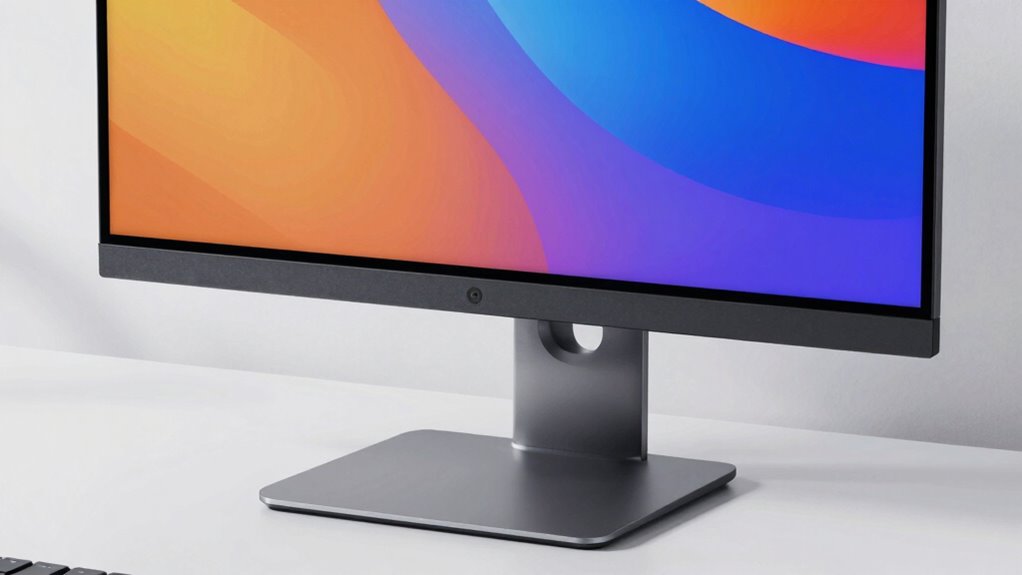

For most people shopping for an all-in-one desktop 27 inch, I’d start with the Acer Aspire C27: its Ryzen 5, 16GB of RAM, and 512GB SSD make a balanced everyday-work setup. The Dell with Core Ultra 7, 32GB RAM, and 1TB SSD is a stronger fit for heavier multitasking, while the Lenovo IdeaCentre touchscreen suits buyers who want direct screen interaction. The main tradeoffs are display resolution and touch capability versus processing power, memory, storage, and the convenience of a single-unit design. Some models offer newer hardware, while others rely on older components or provide fewer details about their configuration. Read on for the full breakdown and a guide to choosing the right 27-inch all-in-one for your needs.

Get the latest gadgets delivered free with Prime
- Fast, free delivery on millions of items
- Prime Video, Amazon Music and more included
- Member-only deals all year
Complete the kit



Key Takeaways
- The Acer Aspire C27 is the balanced starting point: its Ryzen 5 7430U, 16GB RAM, and 512GB SSD cover common home and office tasks without leaning on an unusually specialized feature.
- The Dell Core Ultra 7 configuration leads on listed capacity: 32GB RAM and a 1TB SSD give multitaskers more room than the 16GB-and-512GB configurations found across much of the lineup.
- Touchscreen models earn their place through interaction, not raw power: Suevery and Lenovo IdeaCentre touch options suit hands-on tasks, but buyers should verify resolution and ports before choosing one over a stronger conventional configuration.
- The HP OmniStudio range provides several performance tiers: Ryzen AI 5 and Ryzen AI 7 versions let buyers compare newer processor options, while the Ryzen 5 220 model lists Radeon 740M graphics.
- Older Core i7 labels do not guarantee a better buy: the MECHAZER and other curved FHD listings use the Core i7-7700HQ and DDR3 memory, so their older platform deserves more scrutiny than newer CPU generations.
| Acer Aspire C27 27-Inch All-in-One Desktop, Ryzen 5 7430U, 16GB RAM, 512GB SSD |  | Best Value for Everyday Work | Display: 27-inch IPS, 1920 × 1080, 120Hz | Processor: AMD Ryzen 5 7430U, 6 cores, 12 threads, up to 4.3 GHz | Memory: 16GB DDR4 SODIMM, expandable to 64GB | VIEW ON AMAZON | See Our Full Breakdown |
| Suevery 27-Inch 4K Touchscreen All-in-One Desktop Computer, Intel Core i7 |  | Best for Touch and 4K Detail | Display: 27-inch 4K anti-glare IPS touchscreen | Display tilt: -5 to 25 degrees | Processor: Intel Core i7, 2.8 GHz, up to 3.8 GHz | VIEW ON AMAZON | See Our Full Breakdown |
| Dell 27-Inch All-in-One Desktop, FHD, Intel Core 7 150U, 16GB RAM, Windows 11 Home |  | Best for Video Calls and Shared Spaces | Display: 27-inch FHD IPS, 99% sRGB | Processor: Intel Core 7 150U, 10 cores, 1.8 GHz, up to 5.4 GHz | Memory: 16GB | VIEW ON AMAZON | See Our Full Breakdown |
| Lenovo ThinkCentre 27-inch All-in-One Desktop Computer, FHD IPS, Intel Core i5-13420H, 16GB DDR5, 512GB SSD, Windows 11 Pro |  | Best for Business Desks | Display: 27-inch FHD (1920 × 1080) IPS, non-touch, anti-glare, 100Hz, 300 nits | Processor: Intel Core i5-13420H, 8 cores, 12 threads, up to 4.6 GHz | Memory: 16GB DDR5 | VIEW ON AMAZON | See Our Full Breakdown |
| HP OmniStudio 27-inch All-in-One Desktop, Ryzen AI 7 445, 16GB RAM, 512GB SSD |  | Best for Modern Video Calls | Display: 27-inch FHD, 1920 × 1080 | Processor: AMD Ryzen AI 7 445 | Graphics: AMD Radeon 840M | VIEW ON AMAZON | See Our Full Breakdown |
| Dell 27-Inch All-in-One Desktop with Intel Core Ultra 7, 32GB RAM, and 1TB SSD |  | Best for High-Memory Multitasking | Display: 27-inch Full HD touchscreen, 1920 × 1080, 10-point multi-touch | Refresh rate: Up to 100Hz | Processor: Intel Core Ultra 7 355, 8 cores, up to 4.7GHz | VIEW ON AMAZON | See Our Full Breakdown |
| Lenovo IdeaCentre 27-Inch FHD Touchscreen All-in-One Desktop |  | Best for a Flexible Touchscreen Setup | Display: 27-inch FHD IPS touchscreen, 1920 × 1080, 300 nits, anti-glare | Processor: AMD Ryzen 5 8645HS, 6 cores and 12 threads, up to 5GHz | Graphics: Integrated AMD Radeon 760M | VIEW ON AMAZON | See Our Full Breakdown |
| HP OmniStudio 27-inch FHD All-in-One Desktop, Ryzen AI 5 330, 16GB DDR5 RAM, 512GB SSD |  | Best for an Energy-Conscious Home Office | Display: 27-inch anti-glare LED, 1920 × 1080 | Processor: AMD Ryzen AI 5 330, 4 cores and 8 threads, up to 4.5GHz | Graphics: Integrated AMD Radeon Graphics with shared memory | VIEW ON AMAZON | See Our Full Breakdown |
| Lenovo IdeaCentre 27″ All-in-One Desktop Computer, 10-core Intel i7-13620H, 16GB DDR5, 512GB SSD, Wi-Fi 6, USB-C, HDMI In & Out, Wired Keyboard & Mouse, Windows 11 Pro |  | Best for Productivity and Display Smoothness | Display: 27-inch FHD IPS, 1920 × 1080, 100Hz, 99% sRGB, anti-glare | Processor: 13th Gen Intel Core i7-13620H, 10 cores and 16 threads, up to 4.9GHz | Graphics: Integrated Intel UHD Graphics | VIEW ON AMAZON | See Our Full Breakdown |
| Dell 27-inch All-in-One Desktop, FHD, Intel Core 5 120U, Windows 11 Home |  | Best for Video Calls and a Tidy Desk | Display: 27-inch FHD IPS, 99% sRGB | Processor: Intel Core 5 120U, 10 cores | Memory: Not specified | VIEW ON AMAZON | See Our Full Breakdown |
| MECHAZER 27-inch All-in-One Desktop Computer, Curved FHD Display, 16GB DDR3 RAM, 512GB SSD, Intel Core i7-7700HQ, Bluetooth 5.0, Dual-Band WiFi, Mouse and Wired Keyboard |  | Best Curved-Screen Pick for Hands-On Setups | Display: 27-inch curved FHD, 1920 × 1080, anti-glare | Processor: Intel Core i7-7700HQ, 4 cores, 8 threads, 2.8–3.8 GHz | Memory: 16GB DDR3 | VIEW ON AMAZON | See Our Full Breakdown |
| HP 27-inch All-in-One Desktop PC, FHD, AMD Ryzen 7 7730U, 32 GB RAM, 1 TB SSD, Windows 11 Home (27-cr0012, 2024) |  | Best for Multitasking and Built-In Storage | Display: 27-inch FHD, three-sided micro-edge design | Processor: AMD Ryzen 7 7730U, 8 cores, up to 4.5 GHz | Memory: 32GB | VIEW ON AMAZON | See Our Full Breakdown |
| 27-Inch Curved FHD All-in-One Desktop Computer, Core i7-7700HQ, 16GB DDR3 RAM, 512GB SSD | | Best Budget-Oriented Curved-Screen Alternative | Display: 27-inch curved FHD, anti-glare | Processor: Intel Core i7-7700HQ, 4 cores, 8 threads, 2.8–3.8 GHz | Memory: 16GB DDR3 | VIEW ON AMAZON | See Our Full Breakdown |
| HP OmniStudio 27-inch All-in-One Desktop PC, FHD, AMD Ryzen 5 220, 16GB RAM, 512GB SSD, Radeon 740M, Windows 11 Home |  | Best for Modern Everyday Use and Secure Sign-In | Display: 27-inch IPS, 1920 × 1080 | Processor: AMD Ryzen 5 220 | Memory: 16GB DDR5, 5600 MT/s; maximum 16GB | VIEW ON AMAZON | See Our Full Breakdown |
| all in one desktop 27 inch | Display | Processor | Memory | Operating system |
|---|---|---|---|---|
| Acer Aspire C27 27-Inch All-in | 27-inch IPS, 1920 × 1080, 120Hz | AMD Ryzen 5 7430U, 6 cores, 12 threads, up to 4.3 GHz | 16GB DDR4 SODIMM, expandable to 64GB | Windows 11 Pro 64-bit |
| Suevery 27-Inch 4K Touchscreen | 27-inch 4K anti-glare IPS touchscreen | Intel Core i7, 2.8 GHz, up to 3.8 GHz | 16GB | DOS |
| Dell 27-Inch All-in-One Deskto | 27-inch FHD IPS, 99% sRGB | Intel Core 7 150U, 10 cores, 1.8 GHz, up to 5.4 GHz | 16GB | Windows 11 Home |
| Lenovo ThinkCentre 27-inch All | 27-inch FHD (1920 × 1080) IPS, non-touch, anti-glare, 100Hz, 300 nits | Intel Core i5-13420H, 8 cores, 12 threads, up to 4.6 GHz | 16GB DDR5 | Windows 11 Pro 64-bit |
| HP OmniStudio 27-inch All-in-O | 27-inch FHD, 1920 × 1080 | AMD Ryzen AI 7 445 | 16GB DDR5, 5600 MT/s | Windows 11 Home |
| Dell 27-Inch All-in-One Deskto | 27-inch Full HD touchscreen, 1920 × 1080, 10-point multi-touch | Intel Core Ultra 7 355, 8 cores, up to 4.7GHz | 32GB DDR5, 5600 MT/s | Windows 11 Pro |
| Lenovo IdeaCentre 27-Inch FHD | 27-inch FHD IPS touchscreen, 1920 × 1080, 300 nits, anti-glare | AMD Ryzen 5 8645HS, 6 cores and 12 threads, up to 5GHz | 16GB DDR5 | Windows 11 Home, 64-bit |
| HP OmniStudio 27-inch FHD All- | 27-inch anti-glare LED, 1920 × 1080 | AMD Ryzen AI 5 330, 4 cores and 8 threads, up to 4.5GHz | 16GB DDR5, 4800MHz | Windows 11 |
| Lenovo IdeaCentre 27" All-in-O | 27-inch FHD IPS, 1920 × 1080, 100Hz, 99% sRGB, anti-glare | 13th Gen Intel Core i7-13620H, 10 cores and 16 threads, up to 4.9GHz | 16GB DDR5, expandable to 64GB | Windows 11 Pro 64-bit |
| Dell 27-inch All-in-One Deskto | 27-inch FHD IPS, 99% sRGB | Intel Core 5 120U, 10 cores | Not specified | Windows 11 Home |
| MECHAZER 27-inch All-in-One De | 27-inch curved FHD, 1920 × 1080, anti-glare | Intel Core i7-7700HQ, 4 cores, 8 threads, 2.8–3.8 GHz | 16GB DDR3 | DOS |
| HP 27-inch All-in-One Desktop | 27-inch FHD, three-sided micro-edge design | AMD Ryzen 7 7730U, 8 cores, up to 4.5 GHz | 32GB | Windows 11 Home |
| 27-Inch Curved FHD All-in-One | 27-inch curved FHD, anti-glare | Intel Core i7-7700HQ, 4 cores, 8 threads, 2.8–3.8 GHz | 16GB DDR3 | DOS |
| HP OmniStudio 27-inch All-in-O | 27-inch IPS, 1920 × 1080 | AMD Ryzen 5 220 | 16GB DDR5, 5600 MT/s; maximum 16GB | Windows 11 Home |
More Details on Our Top Picks
Acer Aspire C27 27-Inch All-in-One Desktop, Ryzen 5 7430U, 16GB RAM, 512GB SSD
The Acer Aspire C27 makes a practical choice for buyers who want a complete 27-inch desktop setup without giving up useful connectivity. Its Ryzen 5 7430U, 16GB RAM, and 512GB NVMe SSD suit office work, browsing, video calls, and everyday multitasking, while the included keyboard, mouse, and USB hub reduce the need to source accessories separately. Its 120Hz Full HD screen can make scrolling and motion look smoother than on the Dell 27-inch FHD model, but the Acer’s 1920 × 1080 resolution is less crisp than the Suevery’s 4K touchscreen. Windows 11 Pro is a useful advantage for buyers who want its business-oriented features. The tradeoff is integrated graphics and a screen that prioritizes refresh rate over fine detail; I’d choose another option for demanding graphics work or 4K viewing.
Pros:- 120Hz refresh rate offers smoother motion than standard-refresh FHD options in this group.
- 16GB RAM and a 512GB NVMe SSD provide a capable everyday-work configuration.
- Windows 11 Pro is included.
- Keyboard, mouse, and portable USB hub come in the box.
Cons:- Full HD resolution is less detailed than the Suevery’s 4K screen.
- Integrated Radeon graphics are not suited to demanding 3D work or modern gaming.
Best for: Home-office buyers who want Windows 11 Pro, a fast-refresh 27-inch screen, and the basic accessories included.
Not ideal for: Photo editors, 4K media users, and gamers who need a high-resolution panel or dedicated graphics.
- Display:27-inch IPS, 1920 × 1080, 120Hz
- Processor:AMD Ryzen 5 7430U, 6 cores, 12 threads, up to 4.3 GHz
- Memory:16GB DDR4 SODIMM, expandable to 64GB
- Storage:512GB PCIe NVMe SSD
- Graphics:Integrated AMD Radeon
- Operating system:Windows 11 Pro 64-bit
- Connectivity:Wi-Fi 6, Bluetooth 5.3, Ethernet
- Ports:USB 2.0, USB 3.2 Type-C, HDMI, DisplayPort, headphone/microphone combo
Our verdict“Choose the Acer for a ready-to-use 27-inch work desktop with Windows 11 Pro and 120Hz motion, but skip it if screen detail matters more than refresh rate.”
Suevery 27-Inch 4K Touchscreen All-in-One Desktop Computer, Intel Core i7
The Suevery is the clearest fit here for buyers who value screen detail and direct touch interaction above a polished out-of-box setup. Its 27-inch 4K anti-glare touchscreen gives fine text and images more room for detail than the Full HD panels on the Acer Aspire C27 and Lenovo ThinkCentre. The adjustable display and 5MP camera also suit video calls and hands-on browsing. There is a significant setup caveat: it ships with DOS rather than Windows, so buyers should be ready to install or provide an operating system. Its 256GB SSD also leaves less room for applications and files than the 512GB drives in the Acer and ThinkCentre. I’d pick it for touch and resolution, not for the simplest setup or generous storage.
Pros:- 4K resolution provides finer image and text detail than the Full HD alternatives.
- Touchscreen supports direct interaction with compatible Windows software.
- Anti-glare IPS panel and adjustable tilt support varied desk positions.
- 5MP adjustable camera and keyboard and mouse are included.
Cons:- Ships with DOS, so a standard desktop operating system must be installed or supplied separately.
- 256GB SSD offers less storage than the 512GB drives in the Acer and Lenovo ThinkCentre.
- Integrated graphics limit demanding gaming and graphics workloads.
Best for: Students and home users who want a 27-inch 4K touchscreen and are comfortable handling operating-system setup.
Not ideal for: Buyers who expect Windows ready to use or need ample local storage for large media libraries and applications.
- Display:27-inch 4K anti-glare IPS touchscreen
- Display tilt:-5 to 25 degrees
- Processor:Intel Core i7, 2.8 GHz, up to 3.8 GHz
- Memory:16GB
- Storage:256GB SSD
- Graphics:Integrated graphics, 1GB GDDR3
- Operating system:DOS
- Camera:5MP adjustable front camera
- Ports:6 USB ports, 1 HDMI port
Our verdict“Pick the Suevery for its 4K touch display if you can manage the operating-system setup and accept its smaller SSD.”
Dell 27-Inch All-in-One Desktop, FHD, Intel Core 7 150U, 16GB RAM, Windows 11 Home
Dell gives this 27-inch all-in-one a more meeting-ready character than the Acer Aspire C27 or Lenovo ThinkCentre. Its 5MP+IR pop-up camera can be lowered for privacy, while the keyboard-storage stand helps keep a shared desk tidier. The 99% sRGB display coverage is a useful specification for color-conscious everyday work, though the screen remains Full HD rather than 4K like the Suevery. A 10-core Intel Core 7 150U, 16GB memory, and Windows 11 Home make it a sensible choice for office tasks and multitasking; Dolby Atmos audio adds a stronger media focus than the ThinkCentre’s listed setup. The main tradeoffs are a non-touch display and integrated graphics. Buyers seeking higher resolution or gaming performance should look elsewhere.
Pros:- 5MP+IR pop-up camera supports video calls and can be lowered for privacy.
- 99% sRGB coverage is a useful fit for color-aware everyday work.
- Dolby Atmos audio and wireless connectivity support calls and media use.
- Stand provides a place to store the keyboard.
Cons:- Non-touch Full HD screen is less detailed than the Suevery’s 4K panel.
- Integrated Intel graphics are not intended for demanding graphics workloads.
Best for: Remote workers and households that prioritize camera privacy, video calls, and a tidy shared desk.
Not ideal for: Touchscreen users, 4K-focused creators, and buyers who need dedicated graphics for demanding games or 3D work.
- Display:27-inch FHD IPS, 99% sRGB
- Processor:Intel Core 7 150U, 10 cores, 1.8 GHz, up to 5.4 GHz
- Memory:16GB
- Operating system:Windows 11 Home
- Graphics:Integrated Intel Graphics
- Camera:5MP+IR HDR pop-up camera
- Audio:Dual Bluetooth speakers with Dolby Atmos
- Connectivity:Wi-Fi 802.11ax, Bluetooth, Ethernet
- Ports:5 USB ports, 2 HDMI ports
Our verdict“Choose the Dell if camera privacy and a more organized video-call desk matter more than touch or 4K resolution.”
Lenovo ThinkCentre 27-inch All-in-One Desktop Computer, FHD IPS, Intel Core i5-13420H, 16GB DDR5, 512GB SSD, Windows 11 Pro
The Lenovo ThinkCentre is the more business-focused pick in this group, pairing Windows 11 Pro with a Core i5-13420H, 16GB DDR5, and a 512GB SSD. Its 27-inch Full HD anti-glare panel runs at 100Hz, offering smoother motion than the Dell 27-inch all-in-one’s listed FHD panel, although it cannot match the Suevery’s 4K detail. A 5MP IR camera with e-shutter adds a practical privacy control for office calls, and HDMI-in gives the screen a role as an external display for another device. Compared with the Acer Aspire C27, the ThinkCentre brings DDR5 memory and a stronger set of business-oriented connections, but both use integrated graphics and Full HD screens. Its non-touch display and wired peripherals are less flexible for casual, touch-first use.
Pros:- Windows 11 Pro and 16GB DDR5 support a work-oriented setup.
- 100Hz anti-glare IPS screen provides smoother motion than standard-refresh displays.
- HDMI-in, HDMI-out, USB-C, Wi-Fi 6, and Ethernet provide flexible connections.
- 5MP IR camera includes an e-shutter and dual microphones.
Cons:- Full HD resolution offers less detail than the Suevery’s 4K display.
- Non-touch screen and integrated graphics limit flexibility for touch use and demanding visuals.
- Included keyboard and mouse are wired.
Best for: Small-office buyers who want Windows 11 Pro, business-friendly connectivity, and a 27-inch screen for everyday work.
Not ideal for: Touch-first users, 4K display seekers, and buyers needing dedicated graphics for advanced creative or gaming tasks.
- Display:27-inch FHD (1920 × 1080) IPS, non-touch, anti-glare, 100Hz, 300 nits
- Processor:Intel Core i5-13420H, 8 cores, 12 threads, up to 4.6 GHz
- Memory:16GB DDR5
- Storage:512GB PCIe SSD
- Operating system:Windows 11 Pro 64-bit
- Graphics:Integrated Intel UHD Graphics
- Connectivity:Wi-Fi 6, Bluetooth 5.2, Ethernet
- Camera:5MP IR camera with e-shutter and dual microphone
- Ports:USB-C 3.2 Gen 2, 3 USB-A, HDMI-in, HDMI-out 2.1, Ethernet, headphone/mic combo
Our verdict“Choose the ThinkCentre for a Windows 11 Pro office station with useful ports and a 100Hz screen, not for touch or high-resolution creative work.”
HP OmniStudio 27-inch All-in-One Desktop, Ryzen AI 7 445, 16GB RAM, 512GB SSD
The HP OmniStudio suits buyers who want a current-feeling home desktop with convenient sign-in and video-call features. Its FHD IR camera with Windows Hello can recognize a user for facial sign-in, while Wi-Fi 6, Bluetooth, and a useful selection of USB ports help keep a home setup connected. The Ryzen AI 7 445 and 16GB DDR5 make it the more forward-looking everyday-work choice compared with the Acer Aspire C27’s Ryzen 5 and DDR4 memory, but the available details do not establish a clear performance advantage for every task. The 512GB SSD matches the Acer and Lenovo ThinkCentre. Its Full HD panel is less detailed than the Suevery’s 4K screen, and the listed maximum memory of 16GB leaves less room for later expansion. Integrated Radeon 840M graphics also set a limit for demanding games and creative work.
Pros:- FHD IR camera supports Windows Hello facial recognition.
- 16GB DDR5 and a 512GB PCIe NVMe SSD suit everyday multitasking and file storage.
- Wi-Fi 6, Bluetooth, and USB-C ports offer modern connection options.
- Wired keyboard and mouse are included.
Cons:- Full HD resolution is less detailed than the Suevery’s 4K screen.
- Maximum memory is listed as 16GB, limiting upgrade headroom.
- Radeon 840M integrated graphics are not a substitute for a dedicated GPU.
Best for: Home-office users who want Windows Hello facial sign-in, current wireless connectivity, and a recent processor platform.
Not ideal for: Buyers who need 4K resolution, more than 16GB of memory, or dedicated graphics for demanding workloads.
- Display:27-inch FHD, 1920 × 1080
- Processor:AMD Ryzen AI 7 445
- Graphics:AMD Radeon 840M
- Memory:16GB DDR5, 5600 MT/s
- Storage:512GB PCIe NVMe M.2 SSD
- Operating system:Windows 11 Home
- Camera:FHD IR camera with HDR auto-switch and Windows Hello facial recognition
- Connectivity:Wi-Fi 6, Bluetooth, RJ-45
- Ports:2 USB-C 10Gbps, 1 USB-A 10Gbps, 2 USB 2.0 Type-A, headphone/microphone combo, HDMI-out 2.0b
Our verdict“Choose the HP OmniStudio for Windows Hello and a modern everyday setup, but look elsewhere if you need 4K or memory expansion beyond 16GB.”
Dell 27-Inch All-in-One Desktop with Intel Core Ultra 7, 32GB RAM, and 1TB SSD
I’d choose this Dell when the priority is a well-equipped 27-inch work computer rather than the sharpest screen in the roundup. Its 32GB of DDR5 memory and 1TB NVMe SSD give it more room for demanding multitasking and large local files than the Lenovo IdeaCentre FHD Touchscreen, which has 16GB and 512GB. Windows 11 Pro, Wi-Fi 7, and a broad port selection also suit a home office that needs business-oriented features and flexible connections. The touch display reaches 100Hz, making scrolling feel smoother, but it remains Full HD: at 27 inches, fine text and detailed images won’t look as crisp as they would on a higher-resolution panel. I’d pick this over the Lenovo for memory and storage headroom, but skip it if screen sharpness matters more than those upgrades.
Pros:- 32GB DDR5 memory supports heavier multitasking than the 16GB Lenovo and HP options in this batch.
- 1TB PCIe Gen4 NVMe SSD provides more built-in storage than the 512GB alternatives here.
- Wi-Fi 7, Ethernet, USB-C, and HDMI input and output offer flexible connectivity.
- Touchscreen supports 10-point multi-touch and refresh rates up to 100Hz.
Cons:- Full HD resolution looks less detailed at 27 inches than a higher-resolution screen would.
- Integrated graphics are not suited to demanding 3D work or modern graphics-heavy gaming.
Best for: Home-office users who keep many applications open, store large local files, and want Windows 11 Pro on a 27-inch touchscreen.
Not ideal for: Buyers who prioritize a sharp, detailed 27-inch image; its 1920 × 1080 resolution is the limiting factor.
- Display:27-inch Full HD touchscreen, 1920 × 1080, 10-point multi-touch
- Refresh rate:Up to 100Hz
- Processor:Intel Core Ultra 7 355, 8 cores, up to 4.7GHz
- Memory:32GB DDR5, 5600 MT/s
- Storage:1TB PCIe Gen4 NVMe SSD
- Operating system:Windows 11 Pro
- Wireless:Wi-Fi 7 and Bluetooth
- Camera:8MP RGB + IR camera with manual privacy shutter
- Ports:HDMI 1.4-in, HDMI 2.1-out, 1 USB-C, 4 USB-A, audio jack, RJ45 Ethernet
Our verdict“Choose this Dell for generous memory, storage, and office connectivity, but not if display resolution is your main priority.”
Lenovo IdeaCentre 27-Inch FHD Touchscreen All-in-One Desktop
The Lenovo’s appeal is its combination of a 27-inch IPS touchscreen and a useful everyday setup, including a wireless charging base. That makes it a more hands-on fit than the non-touch Lenovo IdeaCentre with the Core i7-13620H: the latter has a faster-sounding processor specification and a 100Hz display, but gives up touch. This model’s Ryzen 5 8645HS, 16GB of DDR5, and 512GB SSD form a sensible configuration for browsing, office tasks, video calls, and family use. HDMI input also lets the screen serve as a display for another source. The compromise is familiar in this roundup: Full HD spreads across a large 27-inch panel, and the memory and storage are more modest than the Dell Core Ultra 7’s. I’d choose it for touch and included accessories, not for maximum headroom.
Pros:- 27-inch anti-glare IPS touchscreen provides a large, touch-friendly workspace.
- Six-core Ryzen 5 processor and 16GB DDR5 suit common productivity and household tasks.
- Wireless keyboard, mouse, and charging base are included.
- HDMI input and output add flexibility for connecting another display source.
Cons:- 1920 × 1080 resolution offers limited fine-detail clarity across a 27-inch panel.
- 16GB memory and 512GB storage provide less capacity than the Dell Core Ultra 7 configuration.
- Wi-Fi 6 is an older wireless generation than the Wi-Fi 7 included with the Dell.
Best for: Households and home-office users who want a 27-inch touchscreen, included wireless peripherals, and a charging base for compatible devices.
Not ideal for: Users who need more than 16GB of memory, more than 512GB of storage, or a sharper-than-Full-HD 27-inch display.
- Display:27-inch FHD IPS touchscreen, 1920 × 1080, 300 nits, anti-glare
- Processor:AMD Ryzen 5 8645HS, 6 cores and 12 threads, up to 5GHz
- Graphics:Integrated AMD Radeon 760M
- Memory:16GB DDR5
- Storage:512GB PCIe M.2 SSD
- Operating system:Windows 11 Home, 64-bit
- Wireless:Wi-Fi 6 and Bluetooth 5.2
- Camera:5MP IR camera with shutter and dual microphone
- Ports:USB-C, 4 USB-A, HDMI-in, HDMI-out, Ethernet, headphone/microphone combo jack
Our verdict“Pick this Lenovo if touchscreen use and the bundled charging base matter more than extra memory or a sharper display.”
HP OmniStudio 27-inch FHD All-in-One Desktop, Ryzen AI 5 330, 16GB DDR5 RAM, 512GB SSD
I’d put this HP on the shortlist for a straightforward, lower-clutter home office where video calls and everyday tasks matter more than touch controls or high-end performance. Its anti-glare 27-inch screen helps reduce distracting reflections, while the FHD IR camera supports calls and Windows sign-in. The ENERGY STAR certification, EPEAT Gold registration, and use of recycled materials give it a distinct environmental profile among the touch-focused Lenovo models in this batch. Performance is more restrained: the Ryzen AI 5 330 has four cores and eight threads, while the Dell Core Ultra 7 offers 32GB of memory and a larger SSD for heavier workloads. The HP’s 16GB and 512GB suit routine office use, but its shared-memory graphics and Full HD resolution limit demanding visual work and fine-detail viewing. It is a practical, simpler choice, not a performance leader.
Pros:- 27-inch anti-glare Full HD screen is suited to everyday desk work in varied lighting.
- FHD IR camera supports video calls and compatible biometric sign-in.
- ENERGY STAR certified and EPEAT Gold registered, with recycled materials in its design.
- 16GB DDR5 memory and a 512GB NVMe SSD cover common productivity needs.
Cons:- Four-core processor is less suited to demanding multitasking than the Dell Core Ultra 7 or Lenovo Core i7 model.
- Integrated Radeon graphics use shared memory and are not a strong fit for graphics-heavy workloads.
- The screen is Full HD and is not described as a touchscreen.
Best for: Home-office buyers who mainly use browser-based work, documents, and video calls and value energy and materials certifications.
Not ideal for: Users who need touchscreen interaction, strong graphics performance, or extensive local storage for large projects.
- Display:27-inch anti-glare LED, 1920 × 1080
- Processor:AMD Ryzen AI 5 330, 4 cores and 8 threads, up to 4.5GHz
- Graphics:Integrated AMD Radeon Graphics with shared memory
- Memory:16GB DDR5, 4800MHz
- Storage:512GB NVMe SSD
- Operating system:Windows 11
- Wireless:Wi-Fi 6
- Camera:HP True Vision FHD IR camera
- Certifications:ENERGY STAR certified; EPEAT Gold registered
Our verdict“Choose this HP for routine office work and its sustainability credentials, but look elsewhere for touch, high-resolution detail, or heavier performance.”
Lenovo IdeaCentre 27″ All-in-One Desktop Computer, 10-core Intel i7-13620H, 16GB DDR5, 512GB SSD, Wi-Fi 6, USB-C, HDMI In & Out, Wired Keyboard & Mouse, Windows 11 Pro
This Lenovo earns its place through a strong combination of 10-core processing and a 100Hz IPS display with 99% sRGB coverage. Compared with the Dell Core Ultra 7 all-in-one, it has half the listed memory and storage and lacks a touchscreen, but its refresh rate and stated color coverage make it a more targeted choice for office work that involves frequent scrolling and color-conscious screen tasks. The Core i7-13620H and Windows 11 Pro suit busy productivity setups; HDMI input also lets the all-in-one accept a signal from another device. Buyers should not mistake the processor for a graphics workstation, though: Intel UHD integrated graphics limit GPU-heavy applications and gaming. The wired keyboard and mouse are another practical difference from the wireless accessories included with the touch Lenovos. I’d favor this model for its panel and processor, not for touch or graphics.
Pros:- 10-core, 16-thread Core i7-13620H is suited to demanding productivity and multitasking.
- 100Hz IPS display with 99% sRGB coverage combines smooth motion with specified color coverage.
- Memory and storage are listed as expandable, offering a path to higher capacity.
- USB-C, HDMI input and output, Ethernet, and Wi-Fi 6 support varied desk setups.
Cons:- No touchscreen, unlike the Lenovo IdeaCentre FHD Touchscreen in this batch.
- Integrated Intel UHD graphics are a constraint for GPU-heavy work and gaming.
- Comes with a wired keyboard and mouse rather than wireless peripherals.
Best for: Office users who want a fast-refresh 27-inch IPS screen, Windows 11 Pro, and a processor suited to demanding multitasking.
Not ideal for: Buyers who want touchscreen control, wireless peripherals, or discrete graphics for intensive gaming and GPU-based creative work.
- Display:27-inch FHD IPS, 1920 × 1080, 100Hz, 99% sRGB, anti-glare
- Processor:13th Gen Intel Core i7-13620H, 10 cores and 16 threads, up to 4.9GHz
- Graphics:Integrated Intel UHD Graphics
- Memory:16GB DDR5, expandable to 64GB
- Storage:512GB PCIe M.2 SSD, expandable up to 4TB
- Operating system:Windows 11 Pro 64-bit
- Wireless:Wi-Fi 6 and Bluetooth 5.2
- Camera:5MP IR camera with shutter and dual microphones
- Ports:4 USB-A, 1 USB-C, HDMI-in, HDMI-out, RJ45 Ethernet, headphone/mic combo
Our verdict“Choose this Lenovo for its 100Hz color-conscious display and Core i7 productivity performance, provided you do not need touch or stronger graphics.”
Dell 27-inch All-in-One Desktop, FHD, Intel Core 5 120U, Windows 11 Home
This Dell is the most call-focused choice in this group: its 5MP+IR HDR pop-up camera adds a physical privacy measure, and the adjustable stand helps tailor a 27-inch setup to a desk. The screen’s stated 99% sRGB coverage is another useful detail for general color-conscious work, although the panel is still Full HD rather than a higher-resolution display. Compared with the Lenovo IdeaCentre FHD Touchscreen, this Dell trades touch capability and bundled wireless accessories for a pop-up camera, Dolby Atmos-branded speakers, and one-year onsite service. Its Core 5 120U is specified as a 10-core processor, but the listing does not state memory or SSD capacity, making it harder to judge how well it will handle multitasking or large files. I’d consider it for calls and daily home-office use, but the unspecified configuration deserves caution.
Pros:- 5MP+IR HDR pop-up camera provides a privacy-conscious design for frequent video calls.
- 27-inch FHD IPS display lists 99% sRGB coverage.
- Integrated speakers support Dolby Atmos, reducing reliance on separate speakers for everyday audio.
- One-year onsite service is specified.
Cons:- Memory and SSD capacity are not specified, making performance and storage value difficult to assess.
- Full HD resolution provides limited detail across a 27-inch screen.
- Integrated graphics are not suited to demanding graphics workloads.
Best for: Remote workers who prioritize a privacy-conscious webcam, adjustable stand, and integrated speakers for regular video calls.
Not ideal for: Buyers who need confirmed memory and storage capacity, a touchscreen, or a clearly specified configuration for demanding workloads.
- Display:27-inch FHD IPS, 99% sRGB
- Processor:Intel Core 5 120U, 10 cores
- Memory:Not specified
- Storage:SSD; capacity not specified
- Operating system:Windows 11 Home
- Graphics:Integrated Intel Graphics
- Webcam:5MP+IR HDR pop-up camera
- Audio:Dual Bluetooth speakers with Dolby Atmos
- Ports:5 USB ports, 2 HDMI ports, Ethernet, Secure Digital Card
Our verdict“Consider this Dell for video calls and its privacy-focused camera, but confirm the memory and SSD configuration before choosing it over better-specified alternatives.”
MECHAZER 27-inch All-in-One Desktop Computer, Curved FHD Display, 16GB DDR3 RAM, 512GB SSD, Intel Core i7-7700HQ, Bluetooth 5.0, Dual-Band WiFi, Mouse and Wired Keyboard
The MECHAZER is a fit for buyers who want a curved 27-inch screen and a ready-to-connect collection of ports, including USB-C, VGA, and Ethernet. Its 16GB of memory and 512GB SSD suit everyday multitasking, but the Core i7-7700HQ is an older processor, so the i7 label should not be mistaken for a modern high-performance chip. Compared with the HP OmniStudio 27, it offers a curved display and more varied listed ports, while the HP is a more straightforward choice with Windows 11, DDR5 memory, and a newer platform. The biggest setup catch is that MECHAZER lists DOS, not Windows, so buyers need to supply and install an operating system. Integrated graphics also limit it to light gaming and routine creative work.
Pros:- Curved 27-inch anti-glare FHD display offers a more enveloping viewing shape than the HP OmniStudio 27’s flat IPS screen.
- 16GB RAM and a 512GB SSD cover common multitasking and file-storage needs.
- USB-C, USB-A, HDMI, VGA, and Ethernet provide a broad range of wired connections.
- Wired keyboard and mouse are included.
Cons:- DOS is listed as the operating system, so buyers must arrange a modern OS installation.
- The older Core i7-7700HQ and DDR3 memory are less compelling than newer platforms in this roundup.
- Integrated graphics are a poor fit for demanding games or professional video work.
Best for: Buyers who specifically want a curved 27-inch all-in-one for web, office, and media use and are comfortable installing an operating system.
Not ideal for: People seeking a ready-to-use Windows PC, demanding gaming performance, or a compact setup for a shallow desk.
- Display:27-inch curved FHD, 1920 × 1080, anti-glare
- Processor:Intel Core i7-7700HQ, 4 cores, 8 threads, 2.8–3.8 GHz
- Memory:16GB DDR3
- Storage:512GB SSD
- Graphics:Integrated UHD Graphics
- Operating system:DOS
- Wireless:Wi-Fi 6 dual-band, Bluetooth 5.0
- Ports:4 USB 3.0, 2 USB 2.0, USB-C 3.0, HDMI, VGA, RJ-45, audio jacks
Our verdict“Choose the MECHAZER for its curved screen and varied ports only if you are prepared to install an operating system and accept older hardware.”
HP 27-inch All-in-One Desktop PC, FHD, AMD Ryzen 7 7730U, 32 GB RAM, 1 TB SSD, Windows 11 Home (27-cr0012, 2024)
For buyers who keep many apps open or store a large working library locally, this HP brings together 32GB of memory and a 1TB SSD in a 27-inch all-in-one. Its Ryzen 7 7730U and Windows 11 Home make it a more complete out-of-box work setup than the DOS-based MECHAZER or the similar-curved-screen alternative, both of which require an OS installation. The pop-up privacy camera and noise-reducing microphones also suit frequent video calls without leaving a camera visibly exposed between meetings. The tradeoff is graphics: integrated Radeon graphics are aimed at everyday use, not demanding games or heavy visual workloads. Compared with the HP OmniStudio 27, this model doubles the listed memory and storage, while the OmniStudio offers DDR5 memory and newer connectivity features. The display is FHD, and refresh rate and color coverage are not specified.
Pros:- 32GB RAM gives more headroom for heavy multitasking than the 16GB HP OmniStudio 27.
- 1TB SSD provides twice the listed capacity of the HP OmniStudio 27 and the DOS-based curved options.
- Windows 11 Home is included, avoiding the OS setup required by the MECHAZER models.
- Pop-up privacy camera and noise-reducing microphones are useful for frequent video meetings.
Cons:- Integrated Radeon graphics are not suited to demanding gaming or graphics-intensive production.
- The FHD display’s refresh rate and color coverage are not specified.
- Its larger memory and storage do not make it a better fit for buyers who need strong discrete graphics.
Best for: Remote workers and home users who keep numerous applications open, need ample local storage, and make regular video calls.
Not ideal for: Gamers, graphics professionals, and buyers who need a specified high-refresh or wide-color-gamut display.
- Display:27-inch FHD, three-sided micro-edge design
- Processor:AMD Ryzen 7 7730U, 8 cores, up to 4.5 GHz
- Memory:32GB
- Storage:1TB SSD
- Graphics:Integrated AMD Radeon Graphics
- Operating system:Windows 11 Home
- Camera and audio:Tiltable pop-up privacy camera, stereo speakers, dual-array microphones
- Ports:5 USB ports, 1 HDMI port
Our verdict“Pick this HP if multitasking, local storage, and video-call privacy matter more than high-end graphics or display specifications.”
27-Inch Curved FHD All-in-One Desktop Computer, Core i7-7700HQ, 16GB DDR3 RAM, 512GB SSD
This curved-screen all-in-one has much the same core appeal as the MECHAZER: a 27-inch anti-glare FHD display, 16GB DDR3 RAM, a 512GB SSD, and an older Core i7-7700HQ. Its listed USB-C, HDMI, VGA, and Ethernet ports give it flexibility for common peripherals and wired networking. The supplied keyboard and mouse help complete a basic desk setup, but the central drawback is the same as on the MECHAZER: DOS is listed instead of Windows, so this is not a ready-to-use Windows purchase. The listing provides less wireless detail than the MECHAZER, which specifies Wi-Fi 6 and Bluetooth 5.0. Compared with the HP 27-inch Ryzen 7, this model has half the listed memory and storage, an older platform, and no included Windows license. Its role is therefore narrow: a curved display matters more than modern performance or easy setup.
Pros:- Curved, anti-glare 27-inch FHD display suits buyers who prefer a wraparound screen shape.
- 16GB RAM and 512GB SSD are adequate for ordinary office tasks and everyday file storage.
- USB-C, HDMI, VGA, Ethernet, and multiple USB-A ports support varied peripherals.
- Wired keyboard and mouse are included.
Cons:- DOS is listed, requiring the buyer to provide and install an operating system.
- Core i7-7700HQ and DDR3 memory are an older foundation than the Ryzen 7 HP 27-inch model.
- Integrated UHD graphics are unsuitable for demanding games or professional graphics workloads.
Best for: DIY-minded buyers who want a curved 27-inch all-in-one for basic home or office tasks and can handle OS installation.
Not ideal for: Buyers who want a current Windows setup, strong graphics, or a clearly specified wireless standard.
- Display:27-inch curved FHD, anti-glare
- Processor:Intel Core i7-7700HQ, 4 cores, 8 threads, 2.8–3.8 GHz
- Memory:16GB DDR3
- Storage:512GB SSD
- Graphics:Integrated UHD Graphics
- Operating system:DOS
- Connectivity:Dual-band Wi-Fi, Bluetooth
- Ports:4 USB 3.0, 2 USB 2.0, USB-C, HDMI, VGA, RJ-45, audio jacks
Our verdict“Consider this model if you value a curved screen and can manage OS setup, but choose the HP 27-inch Ryzen 7 for a more capable, ready-to-use system.”
HP OmniStudio 27-inch All-in-One Desktop PC, FHD, AMD Ryzen 5 220, 16GB RAM, 512GB SSD, Radeon 740M, Windows 11 Home
The HP OmniStudio is the most straightforward everyday pick here for buyers who want a 27-inch Windows all-in-one without taking on OS installation. Its Ryzen 5 220, 16GB DDR5 memory, and 512GB NVMe SSD are a more current-feeling foundation than the DDR3/Core i7-7700HQ configuration in either curved-screen model. The infrared camera with facial recognition adds convenient Windows Hello sign-in, and Wi-Fi 7 supports newer wireless networks. Compared with the HP 27-inch Ryzen 7, this OmniStudio has half the listed RAM and storage, so it is less suited to heavy multitasking or large local libraries. Its Full HD resolution also limits desktop detail on a 27-inch panel, and the memory is listed at a maximum of 16GB. This is a balanced home-office choice, not a graphics workstation.
Pros:- Windows 11 Home is ready to use, unlike the DOS-based MECHAZER and curved-screen alternatives.
- 16GB DDR5 memory and a 512GB NVMe SSD support everyday work and responsive file access.
- Infrared camera enables Windows Hello facial recognition.
- Wi-Fi 7 and included wireless keyboard and mouse make for a tidy desk setup.
Cons:- 27-inch resolution is limited to Full HD, which provides less desktop detail than a higher-resolution panel.
- Maximum memory is listed as 16GB, limiting headroom for demanding multitasking.
- Radeon 740M integrated graphics are not a substitute for discrete graphics in demanding games or professional visual work.
Best for: Home-office buyers who want Windows 11, current-generation DDR5 memory, wireless peripherals, and quick facial-recognition sign-in.
Not ideal for: Power users needing more than 16GB RAM, buyers who want a higher-resolution 27-inch display, or demanding gamers.
- Display:27-inch IPS, 1920 × 1080
- Processor:AMD Ryzen 5 220
- Memory:16GB DDR5, 5600 MT/s; maximum 16GB
- Storage:512GB PCIe NVMe M.2 SSD
- Graphics:AMD Radeon 740M
- Operating system:Windows 11 Home
- Connectivity:Wi-Fi 7, Bluetooth, RJ-45
- Camera:FHD camera with HDR auto-switch and infrared facial recognition
- Ports:2 USB-C 10Gbps, 1 USB-A 10Gbps, 2 USB 2.0 Type-A, HDMI-out 2.0b, headphone/microphone combo
Our verdict“Choose the OmniStudio for a modern, ready-to-use home-office PC with facial recognition, provided Full HD resolution and 16GB of memory meet your needs.”

How We Picked
I ranked these 27-inch all-in-ones by how clearly their listed hardware supports the jobs buyers are likely to do: everyday browsing and office work, sustained multitasking, touch-based interaction, and higher-capacity storage needs. I gave more weight to identifiable processor generations, memory, and SSD capacity than to broad labels such as “Core i7,” since the two curved models list an older Core i7-7700HQ and DDR3 memory. Screen size alone does not tell the whole story, so I also considered whether a listing identifies FHD, 4K, touch, or IPS characteristics and whether it names useful connections.
The ranking favors balanced, well-specified configurations first, then models with a clear advantage for a particular buyer, such as higher capacity or a touchscreen. Products with sparse specifications or older platform details rank lower because buyers have less evidence to judge their long-term fit. Several listings do not state every detail, including exact display behavior or all ports; I treat those as unknowns rather than assumed strengths. The order reflects the information supplied for each model, not hands-on testing.
| all in one desktop 27 inch | Operating system |
|---|---|
| Acer Aspire C27 27-Inch All-in | Windows 11 Pro 64-bit |
| Suevery 27-Inch 4K Touchscreen | DOS |
| Dell 27-Inch All-in-One Deskto | Windows 11 Home |
| Lenovo ThinkCentre 27-inch All | Windows 11 Pro 64-bit |
| HP OmniStudio 27-inch All-in-O | Windows 11 Home |
| Dell 27-Inch All-in-One Deskto | Windows 11 Pro |
| Lenovo IdeaCentre 27-Inch FHD | Windows 11 Home, 64-bit |
| HP OmniStudio 27-inch FHD All- | Windows 11 |
| Lenovo IdeaCentre 27" All-in-O | Windows 11 Pro 64-bit |
| Dell 27-inch All-in-One Deskto | Windows 11 Home |
| MECHAZER 27-inch All-in-One De | DOS |
| HP 27-inch All-in-One Desktop | Windows 11 Home |
| 27-Inch Curved FHD All-in-One | DOS |
| HP OmniStudio 27-inch All-in-O | Windows 11 Home |
Factors to Consider When Choosing All In One Desktop 27 Inch
I’d choose a 27-inch all-in-one by matching the screen and configuration to how the computer will be used, then checking the details that are easy to overlook in a one-piece desktop. These decisions matter beyond any single model: a large display can make work more comfortable, but a fixed internal configuration can limit future changes.
Match the Display to Your Work
A 27-inch panel gives documents, browser windows, and video calls more room than a small laptop screen, but size does not guarantee sharpness. FHD is generally a practical fit for routine office tasks and streaming, while 4K can show finer detail and provide more workspace for compatible apps. If you spend hours reading or editing, check the stated resolution and panel type rather than relying on the diagonal measurement. Touch can help with quick navigation or shared, hands-on tasks, but it is not a substitute for a good keyboard and mouse during long work sessions. I’d prioritize a clearly specified screen over an appealing feature label when the listing leaves resolution or panel details unclear.
Buy Processor and Memory for Your Actual Workload
For email, browsing, video calls, and standard office apps, a current mainstream processor paired with 16GB of RAM is a sensible baseline among these options. If you regularly keep many apps open, work with larger files, or expect to keep the desktop for several years, additional memory can reduce the need to close tasks as you work. A processor name by itself can mislead: compare the generation and the rest of the configuration instead of assuming any Core i7 beats a newer Core 5 or Ryzen option. The older Core i7-7700HQ systems in this roundup illustrate why model age and memory type matter alongside the tier name. Pay extra for stronger hardware only when your workload can use it.
Choose Storage with Room for Your Files
A 512GB SSD is a useful starting point for everyday documents, applications, and a moderate collection of media, while 1TB offers more breathing room for large files and local archives. Buyers often focus on processor speed and forget that a nearly full drive can make routine file management frustrating. Think about whether photos, video projects, or work files need to stay on the computer or can live on external or cloud storage. Before buying, check whether the listing names the drive type and capacity, and look for connection options that support external storage if the internal drive is fixed. I’d favor a larger SSD when the computer will serve as the household’s main file hub.
Check Ports and Peripherals Before Replacing a Setup
An all-in-one reduces desk clutter, but it still needs to connect to the accessories and displays you use. List the devices you plan to attach, such as external drives, a webcam, a printer, or a second monitor, then compare that list with the model’s stated USB, USB-C, HDMI, and audio connections. HDMI input and HDMI output serve different purposes, so buyers who want to connect a console or use the computer with another display should confirm which function is present. Some listings identify bundled keyboards and mice, while others do not; do not assume accessories are included. A few minutes spent checking connectivity can prevent the inconvenience of relying on adapters or replacing familiar peripherals.
Consider Placement, Service, and Future Changes
A single-screen computer can simplify a desk, but the stand, screen angle, cable routing, and available desk depth affect day-to-day comfort. Measure the space and check whether the stand offers the adjustment you need, especially if several people will share the computer. All-in-one designs can be less straightforward to upgrade than a tower, so confirm which components, if any, can be serviced or changed before purchase. Warranty coverage and access to support matter more when the computer is difficult to open or when downtime would interrupt work. If you expect to keep the machine for years, favor a configuration with enough memory and storage at purchase rather than counting on upgrades later.
Frequently Asked Questions
Is a 27-inch FHD all-in-one sharp enough for everyday work?
For email, web browsing, video calls, and standard office documents, FHD can be a practical choice at 27 inches, especially when you sit at a comfortable distance. Text and fine details will not look as crisp as on a 4K panel, so people who edit high-resolution images or want more on-screen workspace may prefer the Suevery 4K listing, after checking its full configuration. Screen clarity also depends on panel quality and viewing position, details that are not supplied for every model here. If you are unsure, prioritize the resolution you will use every day over a processor upgrade that your workload may not notice.
Should I choose a touchscreen over a faster processor?
Choose touch when your daily tasks benefit from tapping, drawing, or sharing the screen with someone nearby. For long stretches of typing, spreadsheets, and browser work, a standard display with a stronger processor or more memory may be more useful. The Lenovo IdeaCentre and Suevery listings stand out for touch, while the Dell Core Ultra 7 configuration emphasizes 32GB of RAM and a 1TB SSD. Check whether the exact touchscreen model also meets your needs for resolution, ports, and processing power rather than treating touch as an automatic upgrade.
How much RAM and storage should I look for in a 27-inch desktop?
For common household and office use, 16GB of RAM and a 512GB SSD provide a sensible baseline in this roundup. Consider 32GB of RAM if you keep many demanding apps open or handle large projects, and look for a 1TB SSD if you store substantial media or work files locally. The Dell Core Ultra 7 and HP Ryzen 7 7730U configurations both list 32GB and 1TB, though their processors differ. Before choosing, check whether memory or storage can be upgraded; if that information is absent, make the initial configuration fit your likely use.
Are the curved all-in-ones with a Core i7 a good choice?
Not based on the Core i7 label alone. Both curved listings specify the Core i7-7700HQ and 16GB of DDR3 memory, which identify an older hardware platform than the newer processor options elsewhere in this group. Their curved FHD screens may appeal if that shape suits your desk, but the product details provide less reason to choose them for long-term performance. I’d compare their ports, support information, and upgrade options carefully against a newer, better-specified model before buying. They make more sense only when their exact configuration and intended use fit your needs.
Can a 27-inch all-in-one replace my laptop or a desktop tower?
It can replace a laptop as your main work computer if you do not need portability and the listed processor, memory, storage, and connections suit your tasks. It can replace a tower for buyers who value a cleaner desk and do not expect frequent hardware upgrades. A laptop remains the better choice when you need to work in multiple locations, while a tower offers more room for component changes in many setups. Check the all-in-one’s ports and camera or peripheral needs before moving your existing setup over. For demanding creative work or specialist software, verify that the exact configuration supports the applications you rely on.
Conclusion
Best overall: I’d choose the Acer Aspire C27 for its clear, balanced everyday configuration of Ryzen 5 7430U, 16GB RAM, and a 512GB SSD. Best value-minded pick: the Dell Core 5 120U is the simpler route for routine home or office use, provided its listed configuration meets your memory and storage needs. Best premium: the Dell Core Ultra 7 stands out for buyers who want 32GB RAM and a 1TB SSD. Best for beginners: I’d point new desktop buyers toward the HP OmniStudio Ryzen AI 5 as a straightforward 16GB-and-512GB option, while checking ports and display details before ordering. Best for specific needs: pick the Suevery 4K touchscreen if high resolution and touch are your priorities, or the Lenovo IdeaCentre touchscreen if touch matters more than a clearly stated 4K panel. If none of those strengths match your routine, compare the remaining models by exact screen, connections, and processor details rather than by brand or processor tier alone.