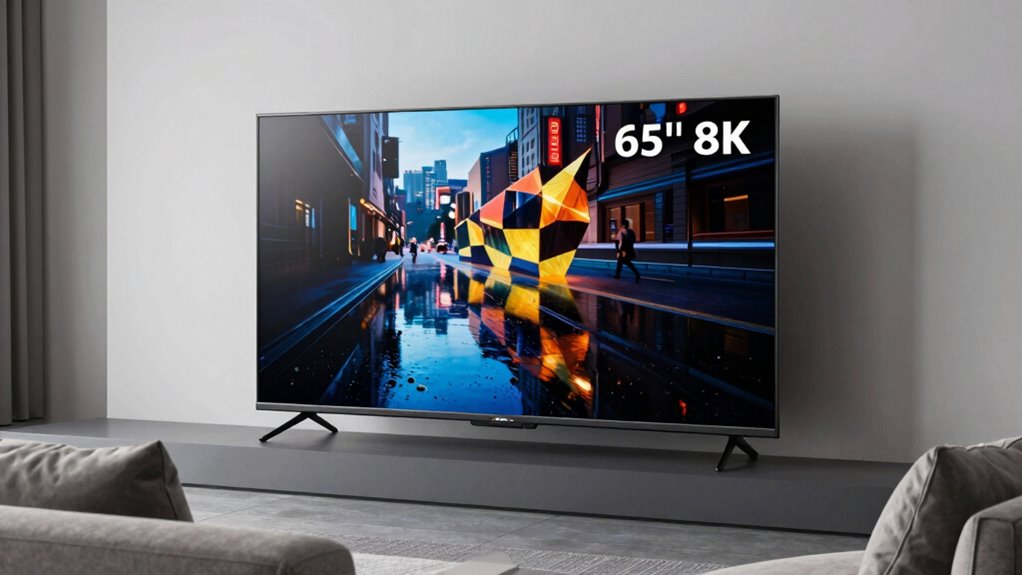

A 65-inch 8K TV can offer fine detail, strong upscaling, and advanced gaming features, but the differences between these four Samsung models matter more than the shared resolution. I’d start with the QN900F for its balance of glare control and gaming, or the QN990F if you want the strongest listed gaming support and a cable-reducing hub. The QN800D is a simpler route to Mini LED and 8K, while the QN900D puts more emphasis on built-in sound and a slim design.

Get the latest gadgets delivered free with Prime
- Fast, free delivery on millions of items
- Prime Video, Amazon Music and more included
- Member-only deals all year
The main tradeoff is how much you value extras around an 8K panel. Native 8K material is limited, so AI upscaling will affect everyday viewing more often than the resolution label. Gaming claims also need context: the higher refresh rates require compatible PC hardware and supported games, and some are specified at 4K rather than 8K. I’ve ranked these choices by how clearly their features serve a distinct 65-inch buyer, while weighing their practical limitations.
Complete the kit



Key Takeaways
- The QN900F is my balanced pick for a bright room, thanks to its matte, glare-reducing screen and 4K-at-165Hz PC gaming support.
- The QN990F has the most advanced listed gaming ceiling, reaching 4K at 240Hz with compatible PC equipment, but its Wireless One Connect hub still needs power and a clear signal path.
- The QN800D pairs Mini LED backlighting with a 165Hz motion specification, though its 71.9-pound weight makes mounting and installation a bigger task.
- The QN900D is the audio-focused choice, with 90-watt, 6.2.4-channel Dolby Atmos sound and Object Tracking Sound Pro.
- All four are 8K TVs, but most viewing will depend on upscaling; source quality and room conditions matter more than the resolution number alone.
| Samsung 65-Inch Neo QLED 8K QN900F Smart TV (2025) |  | Best Overall: balanced glare control, upscaling, and PC gaming | Screen size: 65 inches | Display and resolution: QLED; 8K | Refresh rate: 120Hz; VRR gaming up to 4K at 165Hz with compatible PC content | VIEW ON AMAZON | See Our Full Breakdown |
| Samsung 65-Inch Neo QLED QN990F 8K Smart TV (2025) |  | Best Premium: 240Hz PC gaming support and a wireless connection hub | Screen size: 65 inches | Display and resolution: QLED with Mini LED backlighting; 8K | Refresh rate: 120Hz; VRR gaming up to 4K at 240Hz with compatible PC content | VIEW ON AMAZON | See Our Full Breakdown |
| Samsung 65-Inch QN800D Series 8K QLED Smart TV (2024) |  | Best Straightforward Mini LED Pick: 8K detail tools without a wireless hub | Screen size: 65 inches | Display and resolution: QLED with Mini LED backlighting; 8K | Refresh rate: Up to 165Hz; 4K PC gaming requires compatible content | VIEW ON AMAZON | See Our Full Breakdown |
| Samsung 65-Inch Neo QLED 8K QN900D Smart TV (2024) |  | Best Built-In Audio: a substantial speaker system and slim-framed design | Screen size: 65 inches | Display and resolution: QLED with Mini LED backlight; 8K | Refresh rate: 120Hz; Motion Xcelerator 240Hz feature for compatible 4K PC content | VIEW ON AMAZON | See Our Full Breakdown |
| inch 8k tv | Screen size | Display and resolution | Refresh rate | Audio |
|---|---|---|---|---|
| Samsung 65-Inch Neo QLED 8K QN | 65 inches | QLED; 8K | 120Hz; VRR gaming up to 4K at 165Hz with compatible PC content | 4.2.2-channel Dolby Atmos; 70 watts |
| Samsung 65-Inch Neo QLED QN990 | 65 inches | QLED with Mini LED backlighting; 8K | 120Hz; VRR gaming up to 4K at 240Hz with compatible PC content | 6.2.4-channel Dolby Atmos; 90 watts |
| Samsung 65-Inch QN800D Series | 65 inches | QLED with Mini LED backlighting; 8K | Up to 165Hz; 4K PC gaming requires compatible content | 4.2.2-channel Dolby Atmos with Object Tracking Sound+; 70 watts |
| Samsung 65-Inch Neo QLED 8K QN | 65 inches | QLED with Mini LED backlight; 8K | 120Hz; Motion Xcelerator 240Hz feature for compatible 4K PC content | 6.2.4-channel Dolby Atmos; 90 watts; Object Tracking Sound Pro |
More Details on Our Top Picks
Samsung 65-Inch Neo QLED 8K QN900F Smart TV (2025)
The QN900F is my best overall choice because its feature mix helps with everyday viewing as well as gaming. Its AI processor is designed to upscale lower-resolution material toward 8K, while the matte, glare-reducing screen speaks directly to rooms where reflections distract from daytime viewing. Neither feature makes a weak source look like native 8K, but together they target two issues buyers are more likely to encounter than a shortage of panel resolution.
For PC players, the set supports VRR gaming up to 4K at 165Hz with compatible hardware and games. That is a strong ceiling, but it is not 8K at 165Hz, and console or PC performance depends on the source. Compared with the QN990F, the QN900F gives up the listed 240Hz-at-4K ceiling and Wireless One Connect; in exchange, its setup is less dependent on a separate wireless hub. Its 4.2.2-channel, 70-watt Dolby Atmos system is also less substantial on paper than the QN900D’s 90-watt, 6.2.4-channel audio.
I’d choose this model for a mixed-use room where glare and varied content matter as much as gaming. I’d skip it if the priority is the highest listed PC refresh rate, stronger built-in speaker hardware, or a less expensive way to get an 8K Mini LED panel. Upscaling quality varies by source, and access to some Art Store content requires a paid subscription.
Pros:- Matte screen is designed to reduce distracting reflections.
- AI processing can enhance lower-resolution content for the 8K panel.
- VRR gaming support reaches 4K at 165Hz with compatible PC equipment and games.
- Built-in 4.2.2-channel Dolby Atmos audio and Alexa.
Cons:- Upscaling results depend on the source and do not turn every program into native 8K.
- The 165Hz gaming mode requires compatible PC hardware and supported games.
- Some Art Store content requires a paid subscription.
Best for: Viewers who want a well-rounded 65-inch 8K TV for a bright or mixed-use room, streaming, and compatible high-refresh-rate PC gaming.
Not ideal for: Buyers focused on 240Hz PC gaming, the strongest built-in audio specification, or 8K content at high refresh rates.
- Screen size:65 inches
- Display and resolution:QLED; 8K
- Refresh rate:120Hz; VRR gaming up to 4K at 165Hz with compatible PC content
- Processor:NQ8 AI Gen2
- HDR:HDR10+
- Audio:4.2.2-channel Dolby Atmos; 70 watts
- Dimensions:10.1 × 57.3 × 34.1 inches
- Weight and VESA:57.1 pounds; 400 × 300 mm
Our verdict“I’d pick the QN900F for the most balanced blend of glare control, AI upscaling, and practical high-refresh PC gaming in this group.”
Samsung 65-Inch Neo QLED QN990F 8K Smart TV (2025)
The QN990F is the specialist choice for buyers who want the most ambitious combination of gaming and cable management in this lineup. Its NQ8 AI Gen3 processor and Quantum Matrix Mini LED backlighting are intended to improve detail and picture control, while the glare-free screen shares the QN900F’s appeal for rooms with reflections. Its standout specification is VRR gaming up to 4K at 240Hz with compatible PC equipment and games—the highest listed ceiling here.
That advantage is narrow rather than universal. The 240Hz figure applies to compatible 4K PC content, so it should not be read as an all-source 8K refresh rate. Compared with the QN900F’s 165Hz gaming support, the QN990F offers more headroom for a suitably equipped PC, but asks the buyer to plan around Wireless One Connect. The hub can reduce cable clutter near the display, yet both it and the TV need power; walls, metal enclosures, and other obstructions may affect the wireless connection.
The QN990F also has a more substantial listed speaker array than the QN900F: 6.2.4 channels and 90 watts with Dolby Atmos. That makes it a stronger fit for buyers who want capable built-in sound, although room acoustics and listening preferences still matter. I would not select it solely for the 8K label; I’d choose it when the high-refresh PC feature and hub-based layout solve actual needs. If neither does, the QN900F is the more straightforward all-rounder.
Pros:- VRR gaming support reaches 4K at 240Hz with compatible PC hardware and games.
- Glare-free screen is aimed at reducing reflections.
- Wireless One Connect can help reduce visible device cabling near the TV.
- 6.2.4-channel, 90-watt Dolby Atmos audio.
Cons:- The 240Hz feature is limited to compatible 4K PC content, not general 8K viewing.
- The hub and TV each need their own power connection.
- Wireless performance can be affected by walls, metal enclosures, and other obstructions.
Best for: PC gamers with compatible equipment who want the highest listed gaming refresh support, glare reduction, and a hub that can move some device connections away from the screen.
Not ideal for: Buyers who do not need 240Hz PC gaming or who cannot conveniently power and position the wireless hub.
- Screen size:65 inches
- Display and resolution:QLED with Mini LED backlighting; 8K
- Refresh rate:120Hz; VRR gaming up to 4K at 240Hz with compatible PC content
- Processor:NQ8 AI Gen3
- HDR:HDR10+
- Audio:6.2.4-channel Dolby Atmos; 90 watts
- Wireless hub:Wireless One Connect
- Dimensions and mount:10.5 × 56.4 × 35.1 inches; VESA 400 × 300 mm
Our verdict“I’d choose the QN990F when 4K-at-240Hz PC gaming and a more flexible device layout justify its more involved setup.”
Samsung 65-Inch QN800D Series 8K QLED Smart TV (2024)
The QN800D is the practical choice for shoppers who want 8K, Mini LED backlighting, and Samsung’s picture-processing approach without making a wireless connection hub the center of the setup. Its Quantum Matrix Pro system and AI upscaling are intended to improve contrast and detail, while its motion specification reaches up to 165Hz. That combination makes it a broad-use option for films, sport, and compatible gaming, though the gaming figure needs the same qualification as the newer models: 165Hz is limited to 4K PC content with compatible equipment.
Compared with the QN900F, the QN800D lacks the listed matte screen that makes the newer model an easier recommendation for reflection-prone rooms. It also weighs 71.9 pounds, substantially more than the QN900F’s listed 57.1 pounds, so planning for a mount or a two-person lift matters. Its Dolby Atmos and Object Tracking Sound+ offer a more spatial audio approach than a basic TV speaker setup, but the supplied information does not list the same 90-watt, 6.2.4-channel system found on the QN990F and QN900D.
This is a sensible option if you want a Mini LED 8K set with high-refresh motion support and do not need the newest model’s specific extras. I’d compare it closely with the QN900D if built-in sound matters more, or with the QN900F if glare control and a lighter listed weight matter more. Some smart services require a Samsung Account, which may not suit viewers seeking an account-free connected setup.
Pros:- Mini LED backlighting and Quantum Matrix Pro are designed to support contrast control.
- AI upscaling is intended to enhance lower-resolution sources for the 8K display.
- Up to 165Hz motion support, with compatible 4K PC gaming content.
- Dolby Atmos with Object Tracking Sound+.
Cons:- The listed weight is 71.9 pounds, making installation and mounting more demanding.
- The 165Hz gaming capability requires compatible PC content and is specified at 4K.
- Some smart services require a Samsung Account.
Best for: Buyers who want a 65-inch 8K Mini LED TV with AI upscaling and high-refresh PC gaming support, without prioritizing the newest model’s hub or glare-screen features.
Not ideal for: Anyone who needs a lighter set for installation, wants glare reduction as a leading feature, or prefers smart services without a Samsung Account.
- Screen size:65 inches
- Display and resolution:QLED with Mini LED backlighting; 8K
- Refresh rate:Up to 165Hz; 4K PC gaming requires compatible content
- Picture features:Quantum Matrix Pro and AI upscaling
- HDR formats:HDR10+, HDR10, Hybrid Log Gamma
- Audio:4.2.2-channel Dolby Atmos with Object Tracking Sound+; 70 watts
- Dimensions:10.5 × 56.8 × 35.4 inches
- Weight:71.9 pounds
Our verdict“I’d choose the QN800D for a straightforward Mini LED 8K setup, provided its weight and account-dependent smart features suit your installation and preferences.”
Samsung 65-Inch Neo QLED 8K QN900D Smart TV (2024)
The QN900D stands apart because its supplied specifications put built-in sound near the center of the decision. It combines a 6.2.4-channel, 90-watt Dolby Atmos system with Object Tracking Sound Pro, alongside 8K resolution, AI upscaling, and Mini LED local dimming. For a buyer who wants a cleaner-looking installation and may postpone adding a soundbar, that is a more compelling case than simply repeating the 8K specification shared by every model here.
Its slim Infinity Air design minimizes visible borders, giving the 65-inch screen a restrained appearance on a stand or wall. Compared with the QN800D, it has a stronger listed audio configuration and a narrower-bezel design, but the QN800D’s description highlights Quantum Matrix Pro and its up-to-165Hz motion rate. Compared with the QN990F, the QN900D shares a 90-watt, 6.2.4-channel audio specification yet does not list Wireless One Connect or 4K-at-240Hz VRR gaming. The motion feature called Motion Xcelerator 240Hz is not a promise of native 8K at 240Hz; the supplied detail ties the 240Hz feature to compatible PC content at 4K.
I’d put this model on the shortlist for viewers who value the built-in speaker array, local dimming, and slim frame more than the newest gaming ceiling or a wireless hub. Its 120Hz display remains suitable for ordinary viewing, but shoppers chasing the QN990F’s stated 240Hz PC capability should choose that model instead. The QN900F is also the clearer pick when a matte screen is a priority.
Pros:- 6.2.4-channel, 90-watt Dolby Atmos audio with Object Tracking Sound Pro.
- Mini LED backlighting with local dimming.
- Slim Infinity Air design minimizes the visible borders.
- AI processing is designed to enhance lower-resolution content on the 8K panel.
Cons:- The display’s listed refresh rate is 120Hz; the 240Hz motion feature is tied to compatible 4K PC content.
- It does not list the QN990F’s Wireless One Connect hub.
- It does not list the QN900F’s matte, glare-reducing screen.
Best for: Viewers who want an 8K Mini LED set with a slim frame and a substantial built-in Dolby Atmos speaker system.
Not ideal for: PC gamers who specifically want the QN990F’s 4K-at-240Hz VRR support or buyers who need a matte glare-reducing screen.
- Screen size:65 inches
- Display and resolution:QLED with Mini LED backlight; 8K
- Refresh rate:120Hz; Motion Xcelerator 240Hz feature for compatible 4K PC content
- Processor:NQ8 AI Gen3
- HDR formats:HDR10, HDR10+, Hybrid Log Gamma
- Audio:6.2.4-channel Dolby Atmos; 90 watts; Object Tracking Sound Pro
- Dimensions:10.5 × 56.4 × 35.1 inches
- Weight and VESA:66.6 pounds; 400 × 300 mm
Our verdict“I’d pick the QN900D when its stronger listed built-in audio and slim design matter more than glare control or the highest PC gaming ceiling.”
How We Picked
I compared these four 65-inch 8K TVs around the decisions buyers actually face: how they handle ordinary lower-resolution content, how useful their gaming specifications are, what they offer for glare and room setup, and whether their built-in audio changes the need for a separate sound system. Shared 8K resolution and Samsung smart-TV features do not make the models interchangeable.
My ranking favors a useful balance of features over a single headline specification. The QN900F leads because its matte screen, upscaling, and capable PC gaming support address several common needs without relying on a wireless hub. The QN990F ranks next for buyers who want the strongest stated gaming ceiling and tidier connections, with setup caveats. The QN800D offers Mini LED and a high refresh specification in a more straightforward package, but is notably heavier. The QN900D earns a distinct place for its substantial speaker system and slim frame, even though its gaming feature is less compelling as a reason to choose it.
I treated advertised gaming refresh rates carefully: the supplied details tie 165Hz or 240Hz performance to compatible PC games at 4K, not universal 8K viewing. I also weighed limitations such as variable upscaling results, account requirements, and the QN990F hub’s power and obstruction needs. Since the product information does not establish performance in every room or with every source, I describe likely fit rather than claiming firsthand results.
| inch 8k tv | Display and resolution | Processor | HDR formats |
|---|---|---|---|
| Samsung 65-Inch Neo QLED 8K QN | QLED; 8K | NQ8 AI Gen2 | — |
| Samsung 65-Inch Neo QLED QN990 | QLED with Mini LED backlighting; 8K | NQ8 AI Gen3 | — |
| Samsung 65-Inch QN800D Series | QLED with Mini LED backlighting; 8K | — | HDR10+, HDR10, Hybrid Log Gamma |
| Samsung 65-Inch Neo QLED 8K QN | QLED with Mini LED backlight; 8K | NQ8 AI Gen3 | HDR10, HDR10+, Hybrid Log Gamma |
Factors to Consider When Choosing 65 Inch 8k Tv
For a 65-inch 8K TV, I’d make the choice by matching the feature set to the room and sources you actually use. Each model here shares the same broad resolution category, but glare handling, PC gaming limits, sound, and installation differ.Treat 8K as a display capability, not a guarantee about every source
All four models have an 8K panel, but much everyday streaming, broadcast, and gaming content will not be native 8K. AI upscaling can process lower-resolution material for the screen, yet the result depends on the original source. Clean, high-quality material generally gives a processor more useful detail to work with than a heavily compressed or soft image. I would buy one of these sets for its overall picture and features, not on the assumption that all content will suddenly look like native 8K.
The QN900F and QN990F highlight newer processing generations in their supplied descriptions, while the QN800D and QN900D also include AI upscaling. Those labels alone do not establish how a particular program will look. If most viewing comes from lower-quality feeds, realistic expectations about source quality matter more than small differences in processor naming.
Match gaming specifications to your actual hardware
Refresh-rate claims need context. The QN900F and QN800D list gaming or motion support up to 4K at 165Hz with compatible PC content; the QN990F reaches 4K at 240Hz under compatible conditions. The QN900D also lists a 240Hz motion feature tied to compatible 4K PC content, while its panel refresh rate is specified as 120Hz. None of these details should be read as 8K gaming at those rates.
Before choosing around a headline number, check your graphics hardware, connection requirements, and the games you intend to play. If those games and equipment cannot use the higher mode, the QN990F’s extra ceiling may not change your experience. A mixed-use viewer may get more value from the QN900F’s glare-reducing screen, while someone who rarely plays PC games may prefer the QN900D’s listed speaker hardware.
Consider reflections and room lighting
Screen finish can matter as much as processing if a window or lamp reflects in the display. The QN900F and QN990F are the two models specifically described as having matte or glare-free screens. That makes them the more direct fits for a bright room or a seating arrangement where reflections are hard to avoid. The descriptions for the QN800D and QN900D do not list the same glare-focused feature, so I would not assume the four screens behave identically in a reflective space.
Room lighting still affects viewing, and a glare-reducing finish does not remove every reflection or replace sensible placement. If the TV will sit opposite a large window, screen treatment deserves more attention than a small difference in a gaming specification you may never use.
Choose sound and cable layout before buying add-ons
The QN900D and QN990F list the largest built-in speaker arrangements here: 6.2.4 channels and 90 watts, with Dolby Atmos. The QN900F and QN800D list 4.2.2-channel, 70-watt audio. These specifications make the QN900D and QN990F the stronger candidates if you want more substantial TV-integrated sound, though a room’s shape and your preference for a separate sound system still matter.
For connection layout, the QN990F’s Wireless One Connect can move some device connections away from the display and reduce visible cable clutter. It is not a no-cable solution: the hub and television each require power, and obstructions can affect the wireless link. The other models may be easier to plan around if you prefer not to add a separate hub to the setup.
Plan the installation and smart-TV setup
Weight and room dimensions affect delivery, lifting, and mounting. The QN800D is listed at 71.9 pounds, while the QN900F is 57.1 pounds; the QN990F and QN900D are listed at 66.6 pounds. Confirm that the furniture or wall mount can support the chosen set and check the specified mounting pattern. The QN900D’s slim frame can appeal to buyers who care about the screen’s appearance on the wall, but a slim look does not remove the need for careful installation.
Smart-TV access is another practical factor. The QN800D description notes that some services require a Samsung Account, and the QN900F’s Art Store access includes some content that requires a paid subscription. Review which services you actually plan to use and whether account setup or subscription-based extras fit your preferences.
Frequently Asked Questions
Is an 8K resolution useful on a 65-inch TV?
An 8K panel can display very fine detail, but the benefit depends on viewing distance, source quality, and the material available. Much everyday content is below native 8K, so upscaling plays a large part in what buyers see. I would compare the complete feature set—screen finish, local dimming, gaming support, and sound—rather than choosing solely because a television is labeled 8K.
Do these TVs support 8K gaming at 165Hz or 240Hz?
The supplied gaming specifications do not describe 8K gaming at those refresh rates. The QN900F and QN800D list support reaching 4K at 165Hz with compatible PC content, and the QN990F lists VRR support up to 4K at 240Hz with compatible equipment and games. The QN900D lists a 120Hz display and a Motion Xcelerator 240Hz feature associated with compatible 4K PC content. Buyers should match the mode to their PC and games.
Which 65-inch 8K model is best for a bright room?
I would look first at the QN900F or QN990F because their descriptions specifically call out a matte or glare-free screen. That feature is intended to reduce reflections, making these models a more direct fit for rooms with windows or persistent light sources. It cannot remove every reflection, so placement and room lighting still matter.
Which model has the strongest listed built-in audio?
The QN990F and QN900D both list 6.2.4-channel speakers, 90 watts, and Dolby Atmos, placing them ahead of the QN900F and QN800D on the supplied speaker specifications. The QN900D also lists Object Tracking Sound Pro, while the QN990F pairs its audio with Wireless One Connect and higher specified PC gaming support. Speaker specifications do not replace listening in your own room, but they help distinguish these options.
What is the main setup drawback of the QN990F?
The QN990F’s Wireless One Connect hub can reduce device cabling beside the screen, but it adds another component to position. Both the hub and the TV need power, and walls, metal enclosures, or other obstructions may affect the wireless connection. I would choose it for a layout where the hub is genuinely useful, not on the assumption that the system needs no cables or placement planning.
Conclusion
For a balanced 65-inch 8K TV that accounts for glare, varied content, and PC gaming, I’d start with the QN900F. Choose the QN990F if your compatible PC can use its 4K-at-240Hz support and the wireless hub fits your room. The QN800D suits buyers who want Mini LED, AI upscaling, and a direct setup, provided its heavier listed weight is manageable. Pick the QN900D if a substantial built-in speaker system and slim frame are higher priorities than a matte screen or the QN990F’s gaming ceiling. In every case, base the decision on the sources and room you have, not on an expectation that all content will be native 8K.
Halloween Picks
halloween
As an affiliate, we earn on qualifying purchases.