
For a 34-inch OLED monitor, I’d start with the Alienware AW3425DW as my best overall pick: its 240Hz QD-OLED panel balances ultrawide immersion with a fast gaming refresh rate. The ASUS ROG Swift PG34WCDN stands out for buyers who want the highest listed refresh rate, while the LG UltraGear 34GX90SA-W adds smart-TV-style functions to the mix. The main tradeoffs are speed versus the features you’ll actually use, plus OLED care and the space a curved ultrawide needs. I compare all eight options by panel, refresh rate, usability, and fit for different setups below. Read on for the full breakdown and help matching a monitor to your priorities.

Get the latest gadgets delivered free with Prime
- Fast, free delivery on millions of items
- Prime Video, Amazon Music and more included
- Member-only deals all year
Complete the kit



Key Takeaways
- 240Hz is the clearest all-around balance in this lineup: the Alienware AW3425DW pairs that refresh rate with QD-OLED, while the ASUS ROG Swift PG34WCDN is aimed at buyers who prioritize its listed 360Hz ceiling.
- The fastest option is not automatically the best match: the PG34WCDN’s 360Hz specification matters most to players with a system and games capable of feeding it; many buyers may value usability or panel features more.
- Smart features set the LG 34GX90SA-W apart: its smart-platform focus makes it a different kind of choice from the more gaming-first models, though buyers who only need a PC display may not benefit from that extra layer.
- QD-OLED appears across several distinct choices: Alienware, AOC, ASUS ROG Strix, and MSI share the panel category, so refresh rate, care features, and the rest of the setup become key separators.
- These monitors are not interchangeable just because they are 34-inch OLED ultrawides: the listed refresh rates range from the MSI’s 280Hz to the ASUS ROG Swift’s 360Hz, and screen curvature, smart features, and panel-related extras vary.
| Alienware AW3425DW 34.2-Inch 240Hz QD-OLED Curved Gaming Monitor |  | Best Overall | Screen size: 34.2 inches | Panel type: QD-OLED | Resolution: 3440 × 1440 | VIEW ON AMAZON | See Our Full Breakdown |
| LG UltraGear 34GX900A-B 34-Inch Curved WQHD OLED Gaming Monitor |  | Best for Bright HDR Highlights | Screen size: 34 inches | Panel type: OLED | Resolution: 3440 × 1440 (WQHD) | VIEW ON AMAZON | See Our Full Breakdown |
| LG UltraGear 34GX90SA-W 34-Inch WQHD Curved OLED Gaming Monitor |  | Best Smart Monitor | Screen size: 34 inches | Panel type: OLED | Resolution: 3440 × 1440 (WQHD) | VIEW ON AMAZON | See Our Full Breakdown |
| AOC AGON PRO AG346UCD 34-Inch Curved QD-OLED Gaming Monitor |  | Best for a More Moderate Refresh Rate | Screen size: 34 inches | Panel type: QD-OLED | Resolution: 3440 × 1440 | VIEW ON AMAZON | See Our Full Breakdown |
| ASUS ROG Swift OLED PG34WCDN 34-Inch 360Hz Ultrawide Gaming Monitor |  | Best for Maximum Refresh Rate | Screen size: 34 inches | Panel type: QD-OLED | Resolution: 3440 × 1440 | VIEW ON AMAZON | See Our Full Breakdown |
| LG UltraGear 34GS95QE 34-Inch Curved OLED Gaming Monitor | 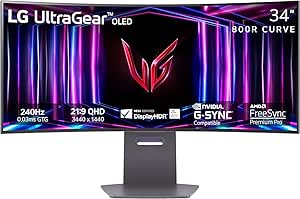 | Best for Fast Competitive Gaming | Screen size: 33.9 inches | Panel and resolution: OLED, QHD Wide 1440p | Aspect ratio and curvature: 21:9, 800R | VIEW ON AMAZON | See Our Full Breakdown |
| ASUS ROG Strix XG34WCDG 34-Inch QD-OLED Ultrawide Gaming Monitor |  | Best for Burn-In Coverage and Color Work | Screen size and panel: 34 inches, QD-OLED | Resolution and aspect ratio: 3440 × 1440, 2.39:1 | Refresh rate and response time: 175Hz, 0.03ms | VIEW ON AMAZON | See Our Full Breakdown |
| MSI MAG 341CQP QD-OLED X28 34″ UWQHD Monitor |  | Best for Maximum Refresh Rate and HDR | Screen size and panel: 34 inches, fifth-generation QD-OLED Tandem with RGB Stripe | Resolution and aspect ratio: 3440 × 1440 UWQHD, 21:9 | Curvature: 1800R | VIEW ON AMAZON | See Our Full Breakdown |
| inch oled monitor | Screen size | Panel type | Resolution | Refresh rate |
|---|---|---|---|---|
| Alienware AW3425DW 34.2-Inch 2 | 34.2 inches | QD-OLED | 3440 × 1440 | 240 Hz |
| LG UltraGear 34GX900A-B 34-Inc | 34 inches | OLED | 3440 × 1440 (WQHD) | Up to 240Hz |
| LG UltraGear 34GX90SA-W 34-Inc | 34 inches | OLED | 3440 × 1440 (WQHD) | Up to 240Hz |
| AOC AGON PRO AG346UCD 34-Inch | 34 inches | QD-OLED | 3440 × 1440 | 175Hz |
| ASUS ROG Swift OLED PG34WCDN 3 | 34 inches | QD-OLED | 3440 × 1440 | 360Hz |
| LG UltraGear 34GS95QE 34-Inch | 33.9 inches | — | — | — |
| ASUS ROG Strix XG34WCDG 34-Inc | — | — | — | — |
| MSI MAG 341CQP QD-OLED X28 34" | — | — | — | — |
More Details on Our Top Picks
Alienware AW3425DW 34.2-Inch 240Hz QD-OLED Curved Gaming Monitor
The Alienware AW3425DW earns my Best Overall spot by pairing a 240Hz QD-OLED panel with broad support for variable refresh rates. Its 3440 × 1440 resolution gives games and desktop windows an ultrawide layout, while the 1800R curve is less aggressive than the 800R curve on the LG UltraGear 34GX900A-B. That makes Alienware a more flexible fit for mixed gaming and everyday use. The 0.03ms response time and 99.3% DCI-P3 coverage suit fast play and colorful content, and height, swivel, and tilt adjustments help with desk setup. The tradeoff is its listed 250-nit brightness, which may be limiting in bright rooms; the LG lists a much higher peak brightness, though under a specific test condition. Choose Alienware for balance, not maximum brightness or the highest refresh rate.
Pros:- 240Hz refresh rate and 0.03ms response time support fast, responsive gameplay.
- QD-OLED panel with 99.3% DCI-P3 color coverage and a 1,500,000:1 contrast ratio.
- Supports G-SYNC Compatible, FreeSync Premium Pro, and VESA AdaptiveSync.
- Height, swivel, and tilt adjustments provide useful positioning options.
Cons:- Listed brightness of 250 nits may be a drawback in brightly lit rooms.
- Its 240Hz refresh rate is below the 360Hz ASUS ROG Swift OLED PG34WCDN.
Best for: PC gamers who want a 34-inch QD-OLED for both fast-paced play and general desktop use, with a moderate curve and adjustable stand.
Not ideal for: Gamers in bright rooms or buyers chasing the highest refresh rate; the listed brightness is 250 nits and the ASUS ROG Swift OLED PG34WCDN reaches 360Hz.
- Screen size:34.2 inches
- Panel type:QD-OLED
- Resolution:3440 × 1440
- Aspect ratio:21:9
- Refresh rate:240 Hz
- Response time:0.03 ms
- Curvature:1800R
- Color coverage:99.3% DCI-P3
- Warranty:3 years
Our verdict“Choose the Alienware AW3425DW for a well-rounded 34-inch QD-OLED gaming setup with a less aggressive curve and broad adaptive-sync support.”
LG UltraGear 34GX900A-B 34-Inch Curved WQHD OLED Gaming Monitor
The LG UltraGear 34GX900A-B is the pick for buyers who value HDR highlight capability alongside OLED contrast. LG lists peak brightness of up to 1300 nits at APL 1.5%, a measurement tied to a small bright area rather than full-screen brightness. That gives it a different appeal from the Alienware AW3425DW, whose listed brightness is 250 nits, while both offer 240Hz and 0.03ms response times. The LG also adds USB-C with 65W power delivery, handy for connecting and charging a compatible laptop through one cable. Its sharp 800R curve can make games feel more enveloping, but it is far more pronounced than the Alienware’s 1800R and may be awkward for some desk layouts or viewers. This is a strong fit for HDR-focused gaming, not for anyone who wants a gentle curve.
Pros:- 240Hz refresh rate and 0.03ms GtG response time.
- Listed peak brightness reaches up to 1300 nits at APL 1.5%.
- USB-C provides up to 65W power delivery for compatible laptops.
- Supports FreeSync Premium Pro and NVIDIA G-SYNC compatibility.
Cons:- The 800R curve may feel too steep for some users and desk setups.
- Its two-year limited OLED warranty is shorter than the Alienware AW3425DW’s three-year warranty.
Best for: HDR-focused PC gamers who want a steeply curved 34-inch OLED and USB-C laptop charging from the monitor.
Not ideal for: Buyers who prefer a subtle curve or use the screen for geometry-sensitive work; its 800R curvature is more aggressive than the Alienware AW3425DW’s 1800R.
- Screen size:34 inches
- Panel type:OLED
- Resolution:3440 × 1440 (WQHD)
- Curvature:800R
- Refresh rate:Up to 240Hz
- Response time:0.03ms GtG
- Peak brightness:Up to 1300 nits at APL 1.5%
- USB-C power delivery:65W
- Warranty:2-year limited OLED warranty
Our verdict“Pick this LG if HDR highlight capability and laptop-friendly USB-C matter more to you than a gentle screen curve.”
LG UltraGear 34GX90SA-W 34-Inch WQHD Curved OLED Gaming Monitor
The LG UltraGear 34GX90SA-W stands apart from the other gaming-first options by including webOS 24 for streaming and cloud gaming. That can reduce reliance on a separate streaming device when the monitor is also used for casual viewing. Its core gaming package resembles the LG 34GX900A-B: 34-inch WQHD OLED, 800R curvature, 240Hz, and 0.03ms response time. The 34GX900A-B is the clearer choice if FreeSync Premium Pro is a priority, while this model specifies FreeSync Premium and also lists G-SYNC compatibility. Both include USB-C with 65W power delivery. The very steep curve is a real fit issue, and the product information does not specify stand adjustments, so I would not choose it for a setup that depends on extensive screen positioning. Its appeal is the blend of gaming and built-in smart features.
Pros:- webOS 24 supports streaming and cloud gaming.
- 240Hz refresh rate and 0.03ms GtG response time suit fast gaming.
- OLED contrast and up to 98.5% DCI-P3 color coverage.
- USB-C offers up to 65W power delivery.
Cons:- The 800R curve may not suit every desk or viewing preference.
- Stand adjustment features are not specified in the supplied product data.
- It lists FreeSync Premium rather than the FreeSync Premium Pro support specified for the LG 34GX900A-B.
Best for: Gamers who also want built-in streaming and cloud gaming features without relying on a separate media device.
Not ideal for: Buyers who want a gentler curve, confirmed stand adjustments, or the specified FreeSync Premium Pro support listed for the LG 34GX900A-B.
- Screen size:34 inches
- Panel type:OLED
- Resolution:3440 × 1440 (WQHD)
- Curvature:800R
- Refresh rate:Up to 240Hz
- Response time:0.03ms GtG
- Smart platform:webOS 24
- USB-C power delivery:65W
- Color coverage:Up to 98.5% DCI-P3
Our verdict“Choose the 34GX90SA-W if webOS streaming and cloud gaming are worth more to you than a gentler curve or clearly specified stand adjustments.”
AOC AGON PRO AG346UCD 34-Inch Curved QD-OLED Gaming Monitor
The AOC AGON PRO AG346UCD makes sense for buyers who want the contrast and response speed of QD-OLED without prioritizing a 240Hz or 360Hz ceiling. Its 175Hz refresh rate is lower than the Alienware AW3425DW’s 240Hz, but the AOC retains a listed 0.03ms response time and the same 3440 × 1440 ultrawide format. It also offers practical desk features: height adjustment up to 150mm, tilt, swivel, and built-in 8W stereo speakers. Unlike the LG 34GX900A-B’s 800R curve, the AOC’s supplied data does not state curvature, so buyers comparing curve shape should verify that detail before choosing. Its glossy finish can reflect windows and lamps, making room lighting more relevant than with a matte screen. Pick it for flexible ergonomics and OLED contrast, not maximum refresh rate.
Pros:- QD-OLED panel with 3440 × 1440 resolution and a 1,500,000:1 contrast ratio.
- 0.03ms GtG response time and 175Hz refresh rate.
- Stand supports tilt, swivel, and up to 150mm of height adjustment.
- Built-in 8W stereo speakers reduce the need for separate basic audio.
Cons:- 175Hz is lower than the 240Hz Alienware AW3425DW and LG UltraGear options.
- Glossy screen finish can reflect ambient light.
- Supplied product data does not specify USB port details.
Best for: Gamers who want a 34-inch QD-OLED with useful stand adjustments and built-in speakers, and do not need a 240Hz-plus refresh rate.
Not ideal for: Competitive players seeking the highest refresh rate or buyers with bright, reflective rooms; the AOC runs at 175Hz and has a glossy screen.
- Screen size:34 inches
- Panel type:QD-OLED
- Resolution:3440 × 1440
- Aspect ratio:21:9
- Refresh rate:175Hz
- Response time:0.03ms GtG
- Brightness:400 nits
- Screen finish:Glossy
- Stand adjustment:Tilt, swivel, and up to 150mm height adjustment
Our verdict“Choose the AOC if ergonomic adjustments and built-in speakers matter more than matching the 240Hz refresh rates of the Alienware and LG options.”
ASUS ROG Swift OLED PG34WCDN 34-Inch 360Hz Ultrawide Gaming Monitor
The ASUS ROG Swift OLED PG34WCDN is the clear specialist for buyers chasing the highest refresh rate in this group: it reaches 360Hz, compared with 240Hz on the Alienware AW3425DW and both LG UltraGear models. That headroom is most relevant to players with a powerful PC and games that can deliver very high frame rates; for many users, the other monitors’ refresh rates may be a more practical match. ASUS also brings DisplayPort 2.1, HDMI 2.1, and 90W USB-C power delivery, giving it strong connectivity for a mixed gaming and laptop setup. Its 1800R curve is less aggressive than the LG models’ 800R curve. The tradeoffs are the desk space a 34-inch ultrawide needs and the general long-term burn-in risk associated with OLED panels.
Pros:- 360Hz refresh rate and 0.03ms GTG response time.
- QD-OLED panel with 99% DCI-P3 color gamut and VESA DisplayHDR 500 True Black.
- DisplayPort 2.1 and HDMI 2.1 support.
- USB-C provides up to 90W power delivery.
Cons:- The 34-inch ultrawide format requires substantial desk space.
- OLED panels can be susceptible to burn-in over time.
- The 360Hz ceiling is most useful with a PC able to produce very high frame rates.
Best for: Competitive PC gamers with hardware capable of driving very high frame rates, especially those who also want modern video connections and high-power USB-C.
Not ideal for: Casual gamers, buyers whose systems cannot approach very high frame rates, or anyone who wants to minimize OLED burn-in concerns.
- Screen size:34 inches
- Panel type:QD-OLED
- Resolution:3440 × 1440
- Aspect ratio:21:9
- Refresh rate:360Hz
- Response time:0.03ms GTG
- Curvature:1800R
- Color gamut:99% DCI-P3
- USB-C power delivery:90W
Our verdict“Pick the ASUS ROG Swift OLED PG34WCDN if you can make practical use of 360Hz and want 90W USB-C alongside a 34-inch QD-OLED.”
LG UltraGear 34GS95QE 34-Inch Curved OLED Gaming Monitor
The LG UltraGear 34GS95QE pairs a 240Hz refresh rate with a 0.03ms response time, making it a strong fit for players who want quick motion on a wide OLED screen. Its 800R curve wraps more tightly around your field of view than the MSI MAG 341CQP X28’s 1800R curve, though that more pronounced shape may take adjustment for desktop work. The matte finish helps manage reflections, and the adjustable stand offers more positioning flexibility than a fixed setup.
Compared with the ASUS ROG Strix XG34WCDG, this LG prioritizes a higher refresh rate over the ASUS’s stated 10-bit color, OLED Care Pro sensor, and burn-in coverage warranty. The tradeoff is that reaching 240Hz calls for a capable graphics card, and its listed 275 cd brightness is less compelling for bright rooms or HDR highlights. I’d choose it for speed and immersion, not as the most feature-complete long-term ownership package.
Pros:- 240Hz refresh rate and 0.03ms response time suit fast-paced games.
- OLED contrast delivers deep blacks across the ultrawide screen.
- G-SYNC and FreeSync Premium Pro support adaptive sync with compatible systems.
- Matte screen and height, tilt, and swivel adjustments help with room lighting and positioning.
Cons:- A compatible graphics card is needed to make full use of the 240Hz refresh rate.
- The 800R curve is more pronounced than the MSI MAG 341CQP X28’s 1800R curve and may not suit every desk setup.
- Listed brightness of 275 cd may be limiting in bright rooms compared with the MSI’s stated 1300-nit peak.
Best for: PC gamers with a graphics card suited to high-refresh ultrawide gaming who want a tightly curved OLED display and matte finish.
Not ideal for: Buyers who prioritize burn-in warranty coverage, vivid HDR highlights, or a gentler curve for mixed work and gaming.
- Screen size:33.9 inches
- Panel and resolution:OLED, QHD Wide 1440p
- Aspect ratio and curvature:21:9, 800R
- Refresh rate and response time:240Hz, 0.03ms GtG
- HDR:DisplayHDR True Black 400
- Screen finish:Matte
- Connectivity:HDMI 2.1, DisplayPort 1.4
- Stand adjustments:Height, tilt, and swivel
Our verdict“Choose the LG UltraGear 34GS95QE if high-refresh competitive gaming and a tight curve matter more to you than burn-in warranty coverage or HDR brightness.”
ASUS ROG Strix XG34WCDG 34-Inch QD-OLED Ultrawide Gaming Monitor
The ASUS ROG Strix XG34WCDG is the balanced choice here for buyers who split time between gaming and color-focused work. Its 175Hz refresh rate is below the LG UltraGear 34GS95QE’s 240Hz and the MSI MAG 341CQP X28’s 280Hz, but it still pairs with a 0.03ms response time for responsive play. ASUS adds True 10-bit color and 99.3% DCI-P3 coverage, giving creative users a clearer reason to choose it beyond gaming.
Its strongest ownership distinction is OLED Care Pro with a proximity sensor, alongside a three-year warranty that includes burn-in coverage. That does not remove OLED’s burn-in risk, but it adds protections absent from the listed LG warranty details. The tradeoff is a lower refresh ceiling than the other two picks and a 3440 × 1440 resolution that still asks a gaming PC to push a wide, detailed image. I’d favor it when color and coverage matter more than maximum frame rate.
Pros:- True 10-bit color and 99.3% DCI-P3 coverage suit color-rich games and creative work.
- 175Hz refresh rate and 0.03ms response time provide responsive gaming.
- OLED Care Pro proximity sensor adds a burn-in reduction measure.
- Three-year warranty includes burn-in coverage and Advance Replacement.
Cons:- Its 175Hz refresh rate is lower than the LG UltraGear 34GS95QE and MSI MAG 341CQP X28.
- OLED burn-in remains a consideration even with care features and warranty coverage.
- The 3440 × 1440 ultrawide resolution may require a capable graphics setup for demanding games.
Best for: Ultrawide gamers and creative users who want wide-gamut 10-bit color, OLED care features, and explicit burn-in warranty coverage.
Not ideal for: Competitive players chasing the highest refresh rate, or buyers unwilling to use OLED-care habits despite the sensor and coverage.
- Screen size and panel:34 inches, QD-OLED
- Resolution and aspect ratio:3440 × 1440, 2.39:1
- Refresh rate and response time:175Hz, 0.03ms
- Color:True 10-bit, 99.3% DCI-P3
- HDR certification:VESA DisplayHDR 400 True Black
- Screen finish:Matte
- Connectivity:2 HDMI ports, 2 USB ports
- Warranty:3 years with Advance Replacement and burn-in coverage
Our verdict“Pick the ASUS ROG Strix XG34WCDG if color depth and burn-in coverage matter more than matching the faster refresh rates of the LG or MSI.”
MSI MAG 341CQP QD-OLED X28 34″ UWQHD Monitor
The MSI MAG 341CQP X28 has the highest stated refresh rate in this three-monitor group: 280Hz, paired with a 0.03ms response time. That gives it the clearest appeal for high-frame-rate PC gaming, while its fifth-generation QD-OLED panel, RGB Stripe layout, and stated 1300-nit brightness target colorful, high-impact HDR. Compared with the LG UltraGear 34GS95QE, MSI raises the refresh ceiling and lists more extensive connectivity, including USB-C and two HDMI 2.1 ports.
Its 1800R curve is gentler than the LG’s 800R shape, which may feel more natural for mixed desktop use. MSI also lists both FreeSync Premium Pro and G-SYNC compatibility. The tradeoffs are its substantial 28-pound weight and the need for a capable graphics setup to feed 3440 × 1440 at very high frame rates. Its AI Care Sensor and three-year warranty are useful additions, but the provided details do not specify burn-in warranty coverage as the ASUS does.
Pros:- 280Hz refresh rate is the highest among these three picks, with a 0.03ms response time.
- QD-OLED RGB Stripe panel is designed to reduce color fringing while delivering deep blacks.
- Lists 1300-nit brightness and DisplayHDR True Black 500 for HDR viewing.
- Includes FreeSync Premium Pro, G-SYNC compatibility, HDMI 2.1, and USB-C.
Cons:- At 28 pounds, it is heavier than both the LG UltraGear 34GS95QE and ASUS ROG Strix XG34WCDG.
- A powerful graphics setup is needed to take advantage of very high frame rates at 3440 × 1440.
- The listed three-year warranty does not specify burn-in coverage, unlike the ASUS warranty.
Best for: PC gamers with powerful graphics hardware who want the highest listed refresh rate, vivid QD-OLED color, and broad adaptive-sync support.
Not ideal for: Small-desk owners, buyers who need a lightweight monitor, or those who prioritize explicit burn-in warranty coverage over refresh rate.
- Screen size and panel:34 inches, fifth-generation QD-OLED Tandem with RGB Stripe
- Resolution and aspect ratio:3440 × 1440 UWQHD, 21:9
- Curvature:1800R
- Refresh rate and response time:280Hz, 0.03ms GtG
- Brightness and HDR:1300 nits; DisplayHDR True Black 500
- Adaptive sync:AMD FreeSync Premium Pro, NVIDIA G-SYNC Compatible
- Connectivity:DisplayPort 1.4a, 2 HDMI 2.1 ports, USB Type-C, 4 USB ports total
- Weight:28 pounds
Our verdict“Choose the MSI MAG 341CQP X28 if you have the desk space and PC hardware for its 280Hz performance and want stronger stated HDR brightness.”

How We Picked
I compared these eight monitors on factors that affect the day-to-day buying decision: OLED panel type, listed resolution and refresh rate, gaming-oriented features, extra functions, and how clearly each model serves a distinct setup. I gave weight to the fit between a monitor’s headline specification and its likely audience rather than treating the highest refresh rate as an automatic win. I also considered whether a feature adds practical flexibility or mostly adds complexity for someone who only wants a straightforward desktop display.
The ordering favors balance first, then models with a clear advantage for a particular buyer. That puts the Alienware AW3425DW at the top as a strong middle ground, with the ASUS ROG Swift PG34WCDN positioned for extreme refresh-rate priorities. Smart functionality, OLED care tools, and alternative gaming feature sets shape the remaining placements; buyers should check the exact model’s current specifications and connectivity before purchase, since similar names do not guarantee identical features.
| inch oled monitor | Panel type |
|---|---|
| Alienware AW3425DW 34.2-Inch 2 | QD-OLED |
| LG UltraGear 34GX900A-B 34-Inc | OLED |
| LG UltraGear 34GX90SA-W 34-Inc | OLED |
| AOC AGON PRO AG346UCD 34-Inch | QD-OLED |
| ASUS ROG Swift OLED PG34WCDN 3 | QD-OLED |
| LG UltraGear 34GS95QE 34-Inch | — |
| ASUS ROG Strix XG34WCDG 34-Inc | — |
| MSI MAG 341CQP QD-OLED X28 34" | — |
Factors to Consider When Choosing 34 Inch Oled Monitor
I’d choose a 34-inch OLED by working backward from the games, computer, and desk it will serve. A headline refresh rate or panel label can be useful, but neither answers whether the monitor fits your room, workload, or maintenance preferences.
Match Refresh Rate to Your PC and Games
A high refresh rate is most useful when your computer can deliver frame rates that take advantage of it. Competitive games and a powerful graphics card can make the faster options in this group more appealing, while demanding single-player games may spend more time below the panel’s maximum. Avoid choosing solely by the biggest number: the monitor cannot create frames your system does not render. Check the refresh-rate support of your graphics card and the connection you plan to use. If your frame rates vary widely, adaptive sync support may matter more to your experience than a small step up in maximum refresh rate. I’d pay extra for a faster panel only when it matches a real gaming or hardware need.
Understand QD-OLED Versus OLED Naming
“OLED” is a broad category, while QD-OLED identifies a particular panel approach used by several monitors here. A label alone does not settle which screen is right for you; look at the model’s complete feature set, supported formats, and intended use. QD-OLED models in this roundup differ in refresh rate and extras, so treating them as one uniform tier misses the practical distinctions. Check how your room’s lighting and the monitor’s coating suit your setup, especially if you work near windows or bright lamps. Also verify the exact panel specification on the manufacturer’s current product page, since product names and configurations can be easy to confuse. Choose on the full package, not the panel acronym alone.
Check Desk Fit, Curve, and Viewing Distance
A 34-inch ultrawide takes more horizontal space than a conventional 16:9 screen, and its curve can change how close you want to sit. Measure desk width and depth, including room for the stand, keyboard, and speakers, before ordering. Compare the stated curvature across models rather than assuming every curved screen feels the same. A stronger curve may suit a centered gaming position, but it can be less convenient if several people regularly view the display from different angles. Think about whether you need space beside the monitor for another screen or work materials. A screen that dominates the desk can be a poor fit even when its image specifications look appealing.
Plan for OLED Care and Static Desktop Use
OLED care deserves attention if the monitor will show fixed interface elements for long stretches, such as taskbars, dashboards, or editing tool palettes. Check what screen-care functions the specific model provides and read its guidance before disabling prompts or automatic routines. Features such as the MSI’s AI Care Sensor may appeal to buyers looking for added care-related tools, but they do not remove the need to follow manufacturer instructions. Varying content and allowing built-in maintenance features to run can be sensible habits. If your work involves a static interface for most of the day, compare OLED with other panel types as part of the decision. The best gaming screen may not be the easiest choice for an always-on office desktop.
Decide Whether Smart Features Add Real Value
Smart functions can let a monitor serve more than one role, which is useful if you want streaming or other built-in services without turning on a computer. They can also bring menus, software support, and setup steps you may never use. The LG UltraGear 34GX90SA-W is the most distinctive choice in this roundup for buyers interested in that kind of flexibility. If your monitor will connect to a gaming PC and nothing else, a smart platform may matter less than ports, refresh rate, or ergonomic fit. List the devices you expect to connect and check their input and audio needs against the monitor’s specifications. Pay for added functions only when they replace a separate device or simplify your actual setup.
Compare the Whole Setup, Not Just the Panel
Before deciding, compare connectivity, stand adjustment, warranty terms, and the manufacturer’s OLED-care guidance for the exact model. Those details can influence daily satisfaction more than a small difference in a headline specification. Confirm that the inputs support your intended resolution and refresh rate, particularly if you plan to connect both a PC and a console. Check whether the stand fits your desk and offers the height or tilt adjustment you need, or whether you should budget for a monitor arm. Similar product names can conceal meaningful differences, so use the complete model code when checking specifications. This final check can prevent buying a fast panel that lacks the connections or ergonomics your setup needs.
Frequently Asked Questions
Is a 360Hz 34-inch OLED monitor worth choosing over a 240Hz model?
It can be, but mainly if you play fast-paced games, have hardware capable of producing very high frame rates, and will notice the difference in motion handling. In this lineup, the ASUS ROG Swift PG34WCDN lists 360Hz, while the Alienware AW3425DW lists 240Hz and offers a more balanced pitch for many gaming setups. If your games usually run well below 240 frames per second, the higher ceiling may deliver little practical benefit. Consider whether your budget and computer are better spent improving frame rates or other parts of the setup. I’d choose 360Hz for a specific performance goal, not simply because it is the largest number.
Can I use a 34-inch OLED monitor for office work all day?
Yes, but the kind of office work matters. Ultrawide space can help with side-by-side windows, though fixed toolbars and taskbars make OLED care guidance more relevant than it is for varied gaming content. Check the model’s screen-care functions and follow the manufacturer’s recommendations rather than assuming every OLED handles static images the same way. If your work is dominated by unchanging spreadsheets or dashboards, compare an LCD alternative as well. An OLED can be a versatile mixed-use display, but it is not automatically the lowest-maintenance choice for a static desktop.
Should I choose QD-OLED or another OLED model from this list?
Start with the complete monitor rather than using the panel label as a shortcut. Several entries here use QD-OLED, but they differ in refresh rate, gaming extras, and other features; panel type alone does not determine the best fit. Compare the exact model’s display specifications, connections, coating, and manufacturer guidance for your lighting and usage patterns. If you are deciding between two similar models, prioritize the features that affect your setup every day, such as refresh rate or smart functions. Confirm the full model number before buying, since closely related product names can refer to different configurations.
Will a 34-inch OLED ultrawide work well with a console?
It may work as a display, but a 34-inch ultrawide’s aspect ratio does not match the usual 16:9 console output. Depending on the console and monitor, games may appear with unused space at the sides or use a mode that does not fill the screen. Check the monitor’s supported input formats and the console’s output options before choosing one primarily for console play. Also confirm which refresh rates and features the console can use through the selected connection. If you mainly play on console and want a full-screen image, a 16:9 OLED may be a better fit than an ultrawide.
What should I check before replacing my current monitor with a 34-inch ultrawide?
Measure the desk and viewing distance, then check whether your PC can run games at 3440×1440 and at the refresh rate you want. Confirm that your graphics card and cables support the intended resolution and refresh rate through the monitor’s available inputs. Think about how your current games handle ultrawide aspect ratios, since support can vary and some content may show side borders or require adjustments. For work, check that the extra width helps your applications rather than making the screen feel too broad at your seating distance. Finally, plan for OLED care if the monitor will display static interface elements for long periods.
Conclusion
For most gaming-focused buyers, I’d choose the Alienware AW3425DW as the best overall because its 240Hz QD-OLED specification makes a balanced case without hinging on the highest refresh rate. The MSI MAG 341CQP is my best value-style pick for shoppers drawn to a 280Hz QD-OLED with added care features, though value here means feature fit rather than a price claim. For a best premium, speed-first choice, the ASUS ROG Swift PG34WCDN is the standout when its listed 360Hz refresh rate matches your PC and games. I’d point beginners toward the LG UltraGear 34GX900A-B as a straightforward gaming-focused option, while buyers who want built-in smart functions should look at the LG UltraGear 34GX90SA-W. For specific needs, choose the ASUS ROG Strix XG34WCDG or AOC AGON PRO AG346UCD after checking their exact feature sets against your setup; select the LG UltraGear 34GS95QE if its particular balance of gaming features suits you better than chasing the highest refresh rate. The right pick is the one whose speed, extras, and OLED-care expectations fit how you’ll actually use a 34-inch ultrawide.
Fall Picks
fall essentials
As an affiliate, we earn on qualifying purchases.