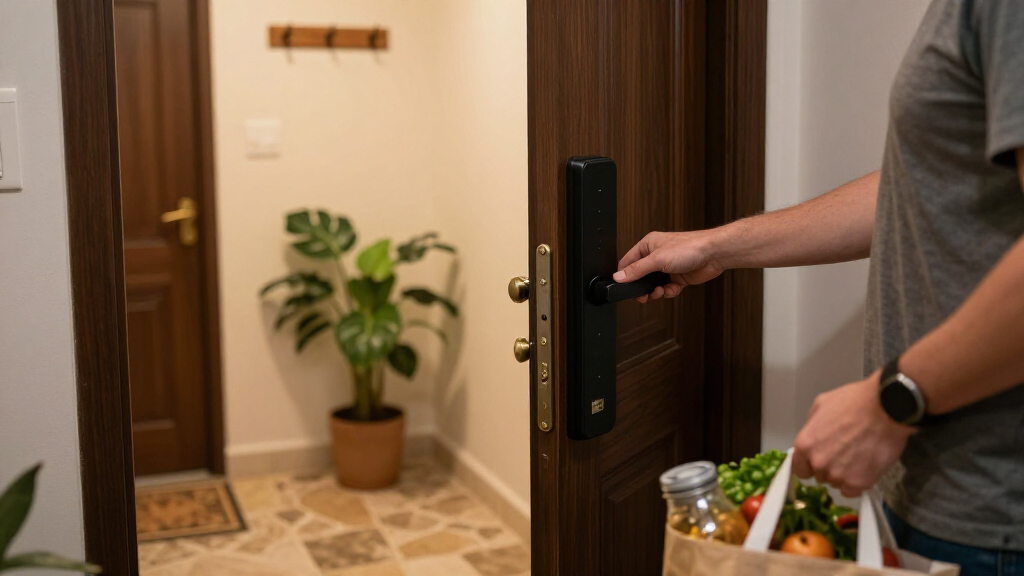
The Yale Assure Lock 2 WiFi is my best overall pick in this lineup for buyers who want keypad access and built-in Wi-Fi in a familiar deadbolt format. The Schlage Encode stands out for a straightforward connected deadbolt, while the Tapo DL110 adds fingerprint entry for households that want several ways to get inside. The main tradeoffs are whether you prefer a keypad, fingerprint, palm recognition, or phone-based access, and how much smart home integration your setup needs. Handle sets and video features add convenience, but can bring more installation and upkeep than a basic deadbolt. Read on for how each of the 15 models fits a different kind of home.

Get the latest gadgets delivered free — and shop member deals
- Fast, free delivery on millions of items
- Access to Prime Big Deal Days deals on October 6–7
- Prime Video, Amazon Music and more included
Complete the kit



Key Takeaways
- Conventional deadbolts lead the practical choices: Yale Assure Lock 2 WiFi and Schlage Encode focus on connected keypad access without adding palm recognition or a video doorbell to the lock.
- Fingerprint models suit households that want quick local entry: Tapo DL110, eufy C220, and Wyze Auto-Lock Bolt v2 make biometrics a central feature, so check whether every household member will find that method convenient.
- Smart home compatibility changes the shortlist: ULTRALOQ Bolt SE highlights Matter over Thread, while Aqara U400 is positioned around Apple Home Key; buyers should verify their hub and phone support before choosing.
- Video and palm recognition bring a different level of complexity: eufy FamiLock S3 Max combines video with palm vein recognition, while Wyze Palm Lock focuses on palm entry and keypad access.
- Many Philips entries differ by configuration: several listings pair a keypad deadbolt with a handle set, so compare the included hardware and finish rather than assuming the similar names describe separate capabilities.
| Yale Assure Lock 2 WiFi Smart Lock Deadbolt with Keypad, Keyless Entry, Black Suede |  | Best for Flexible Guest Access | Connectivity: 2.4 or 5 GHz Wi-Fi; no hub required | Entry methods: Keypad, Yale Access app, Apple Watch app, Auto-Unlock, backup key | Code capacity: Unlimited entry codes with scheduling and expiration | VIEW LATEST PRICE | See Our Full Breakdown |
| ULTRALOQ Bolt SE Wi-Fi Smart Lock with Matter over Thread |  | Best for Matter and Multiple Entry Methods | Access methods: Fingerprint, passcodes, app, web portal, eKey/code sharing, voice control, mechanical keys | Fingerprint capacity: Up to 50 fingerprints | Passcode capacity: Up to 50 passcodes | VIEW LATEST PRICE | See Our Full Breakdown |
| Tapo DL110 Smart Wi-Fi Deadbolt Door Lock with Fingerprint Recognition |  | Best for Fingerprint Capacity | Lock type: Deadbolt | Access methods: Fingerprint, keypad passcode, Wi-Fi, Bluetooth, smart-home assistant, backup key | Fingerprint capacity: Up to 100 registered fingerprints | VIEW LATEST PRICE | See Our Full Breakdown |
| Schlage Encode Smart WiFi Deadbolt Lock with Century Trim, Satin Nickel |  | Best for Built-In Entry Alerts | Connectivity: Built-in Wi-Fi | Access code capacity: Up to 100 codes | Voice assistants: Alexa and Google Home | VIEW LATEST PRICE | See Our Full Breakdown |
| Philips WiFi Keypad Door Lock with Handle, App-Controlled Smart Deadbolt |  | Best for Cold-Weather Doorways | Connectivity: Built-in Wi-Fi | Unlock methods: Voice, passcode, key, mobile app | Password capacity: Up to 100 custom passwords | VIEW LATEST PRICE | See Our Full Breakdown |
| Philips Wi-Fi Smart Deadbolt Lock with Keyless Entry |  | Best for Flexible Entry | Connectivity: Built-in 2.4GHz Wi-Fi | Unlock methods: App, passcode, fingerprint, physical key, Alexa or Google Assistant voice control | Passcode capacity: Up to 100 custom codes | VIEW LATEST PRICE | See Our Full Breakdown |
| Schlage Encode Smart WiFi Deadbolt Lock with Century Trim, Matte Black |  | Best for Certified Security | Connectivity: Built-in Wi-Fi | Compatible apps: Schlage Home app, Key by Amazon app | Voice assistants: Alexa, Google Home | VIEW LATEST PRICE | See Our Full Breakdown |
| eufy Security FamiLock S3 Max Video Smart Lock with Palm Vein Recognition |  | Best All-in-One Door System | Unlock method: Palm vein recognition; 0.6-second unlock | Camera: 2K HD, f/1.8 lens | Field of view: 150° head-to-toe | VIEW LATEST PRICE | See Our Full Breakdown |
| Aqara UWB Smart Lock U400 with Apple Home Key and Fingerprint, Black |  | Best for Apple Home Hands-Free Entry | Unlocking methods: UWB, Apple Home Key, fingerprint, touchscreen passcode, voice, app, NFC card, physical key | Connectivity: Matter over Thread | Battery: Removable rechargeable lithium battery; up to six months per charge | VIEW LATEST PRICE | See Our Full Breakdown |
| Philips 4200 Series WiFi Keypad Door Lock with Handle, Satin Nickel |  | Best Complete Door Upgrade | Series: Philips 4200 Series | Connectivity: 2.4GHz Wi-Fi, no hub required | Unlock methods: Fingerprint, PIN code, app, voice | VIEW LATEST PRICE | See Our Full Breakdown |
| Wyze Auto-Lock Bolt v2 Fingerprint Keyless Entry Smart Lock |  | Best for Fast Fingerprint Entry | Unlock methods: Fingerprint, app, keypad code, physical key | Fingerprint unlock speed: 0.5 seconds | Code and fingerprint capacity: Up to 50 | VIEW LATEST PRICE | See Our Full Breakdown |
| Philips Wi-Fi Smart Deadbolt Lock Set with Keypad and Handles |  | Best for Flexible Guest Access | Unlock methods: App, fingerprint, PIN code, physical key, voice | Voice assistants: Alexa and Google Assistant | User PIN codes: Up to 100, plus unlimited one-time PINs | VIEW LATEST PRICE | See Our Full Breakdown |
| eufy Security Smart Lock C220, Fingerprint Keyless Entry Door Lock |  | Best for Apple Watch Access | Unlock methods: Fingerprint, app, keypad, physical key, Apple Watch, voice assistant | Connectivity: Built-in Wi-Fi; no bridge required | Battery life: Approximately 8 months; 8 AA batteries | VIEW LATEST PRICE | See Our Full Breakdown |
| Wyze Palm Lock Smart Door Lock with Palm Vein Recognition and Keypad |  | Best for Contactless Entry | Unlock methods: Palm vein recognition, keypad, mechanical key | Guest access codes: Up to 50 unique or one-time codes | Battery life: Main battery: up to 6 months; secondary battery: up to 2 weeks | VIEW LATEST PRICE | See Our Full Breakdown |
| Philips 4200 Series WiFi Keypad Deadbolt with Handle |  | Best for Fast Fingerprint Unlocking | Connectivity: Built-in 2.4GHz Wi-Fi; no hub required | Fingerprint unlock speed: 0.3 seconds | Auto-lock timer: 0–180 seconds; off by default | VIEW LATEST PRICE | See Our Full Breakdown |
| smart lock | Connectivity | Battery life |
|---|---|---|
| Yale Assure Lock 2 WiFi Smart | 2.4 or 5 GHz Wi-Fi; no hub required | — |
| ULTRALOQ Bolt SE Wi-Fi Smart L | Built-in 2.4 GHz Wi-Fi and Matter over Thread | Up to 18 months |
| Tapo DL110 Smart Wi-Fi Deadbol | — | Up to 1 year in Wi-Fi mode; up to 2 years in Bluetooth mode |
| Schlage Encode Smart WiFi Dead | Built-in Wi-Fi | Up to 6 months |
| Philips WiFi Keypad Door Lock | Built-in Wi-Fi | Up to 6 months |
| Philips Wi-Fi Smart Deadbolt L | Built-in 2.4GHz Wi-Fi | — |
| Schlage Encode Smart WiFi Dead | Built-in Wi-Fi | — |
| eufy Security FamiLock S3 Max | — | — |
| Aqara UWB Smart Lock U400 with | Matter over Thread | — |
| Philips 4200 Series WiFi Keypa | 2.4GHz Wi-Fi, no hub required | — |
| Wyze Auto-Lock Bolt v2 Fingerp | Built-in Wi-Fi | Up to 8 months; 8 AA batteries |
| Philips Wi-Fi Smart Deadbolt L | Wi-Fi | — |
| eufy Security Smart Lock C220 | Built-in Wi-Fi; no bridge required | Approximately 8 months; 8 AA batteries |
| Wyze Palm Lock Smart Door Lock | Wi-Fi | Main battery: up to 6 months; secondary battery: up to 2 weeks |
| Philips 4200 Series WiFi Keypa | Built-in 2.4GHz Wi-Fi; no hub required | Up to 6 months |
More Details on Our Top Picks
Yale Assure Lock 2 WiFi Smart Lock Deadbolt with Keypad, Keyless Entry, Black Suede
The Yale Assure Lock 2 suits households that regularly give temporary access to guests, cleaners, or contractors: it supports unlimited entry codes with schedules and expiration. It also connects directly to Wi-Fi, so remote control does not depend on a separate hub, and Auto-Unlock can reduce fumbling when arriving with full hands. Compared with the Schlage Encode, Yale offers more code capacity and hands-free unlocking, while Schlage includes a built-in forced-entry alarm and supports up to 100 codes. Yale’s BHMA Grade 2 certification and broad operating range add practical durability, but its app is limited to the US and Canada. Buyers should also expect periodic battery replacement, even with low-power alerts.
Pros:- Unlimited entry codes with schedules and expiration
- Direct Wi-Fi connection without a hub
- Auto-Unlock and DoorSense auto-lock features
- BHMA Grade 2 certification and backup key
Cons:- Yale Access app functionality is limited to the US and Canada
- Batteries need periodic replacement
Best for: Households that frequently issue and schedule access codes for guests, service providers, or short-term visitors
Not ideal for: Buyers outside the US and Canada, or households that want a built-in forced-entry alarm
- Connectivity:2.4 or 5 GHz Wi-Fi; no hub required
- Entry methods:Keypad, Yale Access app, Apple Watch app, Auto-Unlock, backup key
- Code capacity:Unlimited entry codes with scheduling and expiration
- Certification:BHMA Grade 2
- Operating temperature:-22°F to 140°F
- Door thickness:1-3/4 to 2-1/4 inches
- App availability:Yale Access; US and Canada only
Our verdict“Choose the Yale Assure Lock 2 if flexible guest codes and hands-free arrival matter more than a built-in alarm.”
ULTRALOQ Bolt SE Wi-Fi Smart Lock with Matter over Thread
The ULTRALOQ Bolt SE stands out for buyers who want several ways into one door: it combines fingerprint access, passcodes, app control, voice assistants, and mechanical keys. Its built-in Wi-Fi enables remote access, while Matter over Thread gives compatible smart homes another integration path. That Thread feature depends on a Thread Border Router, though, so the lock’s broad compatibility is most useful to people who already have the right setup. Compared with the Tapo DL110, ULTRALOQ offers Matter over Thread and a stated battery life of up to 18 months; Tapo instead supports up to 100 fingerprints and includes USB-C recharging. ULTRALOQ is IP65-rated and DIY installation is described as taking about 10 minutes, but it uses only 2.4 GHz Wi-Fi and has no included door sensor.
Pros:- Combines fingerprint, passcode, app, voice, and key access
- Built-in Wi-Fi supports remote access without a separate hub
- Matter over Thread support for compatible smart-home setups
- IP65 weather resistance and stated battery life up to 18 months
Cons:- Matter over Thread features require a compatible Thread Border Router
- Wi-Fi support is limited to 2.4 GHz
- Door sensor is not included
Best for: Smart-home owners who want fingerprint entry, remote access, and Matter over Thread support in one lock
Not ideal for: Buyers without a Thread Border Router who want Matter features, or homes relying on 5 GHz Wi-Fi
- Access methods:Fingerprint, passcodes, app, web portal, eKey/code sharing, voice control, mechanical keys
- Fingerprint capacity:Up to 50 fingerprints
- Passcode capacity:Up to 50 passcodes
- Connectivity:Built-in 2.4 GHz Wi-Fi and Matter over Thread
- Voice assistants:Siri, Alexa, and Google Assistant
- Battery life:Up to 18 months
- Weather resistance:IP65
- Certification:ANSI BHMA certified
Our verdict“Pick the ULTRALOQ Bolt SE if you want many entry options and can make use of its Thread support.”
Tapo DL110 Smart Wi-Fi Deadbolt Door Lock with Fingerprint Recognition
For a busy household that would rather use fingerprints than distribute codes, the Tapo DL110 offers room for up to 100 registered fingerprints and six access methods. Its fingerprint sensor is specified to unlock in 0.42 seconds, and the rechargeable battery can last up to a year in Wi-Fi mode or two years in Bluetooth mode. Those figures are stated estimates; usage and recognition conditions can affect actual results. Compared with the ULTRALOQ Bolt SE, Tapo allows more fingerprints and recharges over USB-C, while ULTRALOQ adds Matter over Thread and a longer stated maximum battery life. Tapo’s Alexa, Google Home, and SmartThings support may fit existing setups, but buyers should weigh its recognition variability and remember that its longest battery estimate applies to Bluetooth mode, not Wi-Fi.
Pros:- Stores up to 100 registered fingerprints
- Six access methods, including fingerprint and backup key
- Rechargeable battery with USB-C charging
- Compatible with Alexa, Google Home, and SmartThings
Cons:- Battery-life estimates vary by mode and real-world use
- Fingerprint speed and accuracy may vary with conditions and enrollment count
Best for: Families or shared households that want fingerprint access for many residents and a rechargeable lock
Not ideal for: Buyers who need Matter over Thread integration or prefer a replaceable-battery lock with less dependence on fingerprint conditions
- Lock type:Deadbolt
- Access methods:Fingerprint, keypad passcode, Wi-Fi, Bluetooth, smart-home assistant, backup key
- Fingerprint capacity:Up to 100 registered fingerprints
- Fingerprint recognition time:0.42 seconds
- Battery life:Up to 1 year in Wi-Fi mode; up to 2 years in Bluetooth mode
- Charging:USB-C rechargeable battery
- Smart-home compatibility:Amazon Alexa, Google Home, Samsung SmartThings
- Access code types:Permanent, one-time, and scheduled
Our verdict“Choose the Tapo DL110 if fingerprint capacity and USB-C recharging matter more than Matter over Thread.”
Schlage Encode Smart WiFi Deadbolt Lock with Century Trim, Satin Nickel
The Schlage Encode is a strong fit for buyers who want remote lock control paired with a built-in alarm for forced entry. It connects over Wi-Fi without a bridge, accepts up to 100 access codes, and has a fingerprint-resistant touchscreen. That alarm gives it a security feature the Yale Assure Lock 2 does not list, while Yale offers unlimited codes and Auto-Unlock. Schlage’s screwdriver-only installation and standard residential door fit keep setup straightforward, but its stated battery life is up to six months on four AA batteries. Full functionality also relies on the Schlage Home app and Wi-Fi. Compared with more access-method-heavy options such as the ULTRALOQ Bolt SE, Schlage keeps the feature set more focused, which may suit buyers who value monitoring and a conventional keypad experience over fingerprint entry or Matter support.
Pros:- Built-in Wi-Fi enables remote control without a hub
- Forced-entry alarm adds an alert-focused feature
- Stores up to 100 access codes
- Screwdriver-only installation with included backup key
Cons:- Battery life is stated as up to six months on four AA batteries
- Full feature set depends on the Schlage Home app and Wi-Fi
Best for: Homeowners who want remote monitoring, a touchscreen keypad, and a built-in forced-entry alarm
Not ideal for: Buyers seeking fingerprint access, Matter support, or longer intervals between battery changes
- Connectivity:Built-in Wi-Fi
- Access code capacity:Up to 100 codes
- Voice assistants:Alexa and Google Home
- Alarm:Built-in alarm for forced entry
- Battery:Four AA batteries, included
- Battery life:Up to 6 months
- Door thickness:1-3/8 to 1-3/4 inches
- Certification:BHMA highest residential Security, Durability, and Finish rating
Our verdict“The Schlage Encode is a good match for buyers who prioritize an entry alarm and remote monitoring over biometric access.”
Philips WiFi Keypad Door Lock with Handle, App-Controlled Smart Deadbolt
The Philips DDL242X-15HW-L pairs a smart deadbolt with two lever handles, making it a practical choice when replacing both the lock and the door hardware. Its built-in Wi-Fi supports remote control and notifications, and the keypad can hold up to 100 custom passwords with permanent, one-time, or timed access. Its stated operating range, from -31°F to 150°F, is broader at the cold end than the Yale Assure Lock 2, which is rated down to -22°F. Philips also offers voice, app, key, and keypad entry, but it lacks the fingerprint access of the Tapo DL110. The tradeoff is power: it uses eight AA batteries, not included, and the stated life is up to six months. Its 15-minute installation claim applies to most standard US deadbolts, so check door fit before buying.
Pros:- Rated for temperatures down to -31°F
- Includes two lever handles alongside the deadbolt
- Supports up to 100 permanent, one-time, or timed passwords
- Built-in Wi-Fi enables remote control and notifications
Cons:- Eight AA batteries are required and are not included
- Stated battery life is up to six months
- Does not offer fingerprint access
Best for: Homeowners replacing a deadbolt and handles together, especially where the entry faces very cold weather
Not ideal for: Buyers who want fingerprint unlocking, longer battery life, or a lock supplied with batteries
- Connectivity:Built-in Wi-Fi
- Unlock methods:Voice, passcode, key, mobile app
- Password capacity:Up to 100 custom passwords
- Password options:Permanent, one-time, and timed
- Power source:Eight AA batteries, not included
- Battery life:Up to 6 months
- Operating temperature:-31°F to 150°F
- Water resistance:IP54
- Door compatibility:1-3/8 to 2 inches thick; 1-1/2 or 2-1/8 inch cross bore
Our verdict“Choose this Philips lock if you need a deadbolt-and-handle set rated for cold conditions and can accept frequent battery changes.”
Philips Wi-Fi Smart Deadbolt Lock with Keyless Entry
The Philips Wi-Fi Smart Deadbolt suits households where people want different ways through the door: fingerprint for quick entry, passcodes for guests, and a key as backup. Its built-in Wi-Fi enables remote access without an extra hub, while support for up to 100 custom codes gives hosts room to manage regular visitors and temporary access. Compared with the Schlage Encode, it adds fingerprint unlocking; Schlage, in turn, offers a stated BHMA residential certification and includes batteries. This Philips lock’s useful flexibility comes with practical limits: it only connects to 2.4GHz Wi-Fi, the router should be within 65 feet, and there is no door sensor to confirm whether the door is shut. It makes sense for buyers who value entry choice over a simpler keypad-first setup.
Pros:- Five entry methods, including fingerprint and a physical key
- Built-in Wi-Fi supports remote locking and unlocking without a hub
- Stores up to 100 custom passcodes
- Auto-lock timer can be set from 10 to 180 seconds
Cons:- Requires AA alkaline batteries, which are not included
- Works only on 2.4GHz Wi-Fi, with a stated 65-foot router range
- Door sensor is not included
Best for: Households that want fingerprint access plus many guest codes and remote control without buying a separate hub.
Not ideal for: Buyers with a 5GHz-only network, a router more than 65 feet away, or a need for a door-open sensor.
- Connectivity:Built-in 2.4GHz Wi-Fi
- Unlock methods:App, passcode, fingerprint, physical key, Alexa or Google Assistant voice control
- Passcode capacity:Up to 100 custom codes
- Auto-lock timer:10–180 seconds
- Door thickness:1-3/8–2 inches (38–50 mm)
- Batteries:AA alkaline (LR6), not included
- Recommended router distance:Within 65 feet
- Door sensor:Not included
Our verdict“Choose this Philips if your household wants fingerprint access and extensive guest-code options in a hub-free lock and can work within its Wi-Fi limits.”
Schlage Encode Smart WiFi Deadbolt Lock with Century Trim, Matte Black
The Schlage Encode is the straightforward pick for buyers who place more weight on documented residential security and durability credentials than on biometric entry. It combines built-in Wi-Fi, remote app control, and room for up to 100 access codes, so family members and visitors can use individual codes without a separate hub. Its BHMA certification is a meaningful distinction in this group; the Philips Wi-Fi Smart Deadbolt adds fingerprint unlocking, but its supplied data does not list the same certification. The Schlage also includes a backup key and four AA batteries, though typical battery life is stated as up to six months, so replacements are part of ownership. The touchscreen and built-in alarm add useful access and alert features, while app and remote functions depend on Wi-Fi. Pick it for a keypad-centered setup with strong stated credentials, rather than fingerprint convenience.
Pros:- BHMA-certified at the highest stated residential Security, Durability, and Finish ratings
- Built-in Wi-Fi enables remote control without an extra hub
- Supports up to 100 access codes
- Includes four AA batteries and one backup key
Cons:- Typical battery life is stated as up to six months
- Remote and advanced app features depend on Wi-Fi connectivity
- Does not list fingerprint unlocking
Best for: Homeowners who want a keypad smart deadbolt with built-in Wi-Fi, a physical backup key, and a stated high-level BHMA residential certification.
Not ideal for: Buyers who want fingerprint or palm recognition, or who prefer a rechargeable lock with less frequent battery replacement.
- Connectivity:Built-in Wi-Fi
- Compatible apps:Schlage Home app, Key by Amazon app
- Voice assistants:Alexa, Google Home
- Access codes:Up to 100
- Door thickness:1-3/8–1-3/4 inches
- Backset:2-3/8 or 2-3/4 inches
- Power:Four AA batteries included; up to six months typical use
- Certification:BHMA highest residential Security, Durability, and Finish rating
- Finish and trim:Matte Black, Century
Our verdict“Choose the Schlage Encode if certification, keypad codes, and hub-free remote access matter more to you than biometric entry.”
eufy Security FamiLock S3 Max Video Smart Lock with Palm Vein Recognition
The eufy FamiLock S3 Max is for buyers who want the lock to handle visitor viewing as well as entry. Its 2K camera, video doorbell with a 150° head-to-toe view, and indoor screen bring several front-door tasks into one device; the screen also lets people check visitors without opening a phone app. Palm vein recognition stores data locally and is specified to unlock in 0.6 seconds. That broader setup sets it apart from the Aqara U400, which emphasizes hands-free UWB and multiple access methods rather than an integrated camera and indoor display. The tradeoff is a more app-dependent experience: full features require the eufy app, camera streams are not supported through Matter, and HomeBase 2 is incompatible. Its rechargeable battery is rated for up to four months, with AAA batteries as backup.
Pros:- Combines a smart lock, 2K camera, and video doorbell
- 150° view is designed to show visitors head to toe
- Indoor screen allows visitor checks without a smartphone app
- Palm vein data is stored locally; AAA batteries provide backup power
Cons:- Full feature access requires the eufy app
- Camera streams are not supported through Matter
- Not compatible with HomeBase 2
Best for: Families who want a front-door camera, visitor alerts, and a way to view visitors from indoors alongside smart-lock access.
Not ideal for: Buyers seeking a simple deadbolt, full camera access through Matter, or compatibility with HomeBase 2.
- Unlock method:Palm vein recognition; 0.6-second unlock
- Camera:2K HD, f/1.8 lens
- Field of view:150° head-to-toe
- Indoor display:Rear lock video screen for app-free visitor checks
- Battery:Rechargeable, up to four months; four AAA backup batteries add up to one month
- Compatibility:eufy HomeBase 3, Matter, Apple Home, Google Home, Alexa, SmartThings
- Data storage:Local
- Matter camera support:Camera streams are not supported via Matter
Our verdict“Choose the FamiLock S3 Max if you want an integrated visitor-viewing system and accept its eufy app and ecosystem requirements.”
Aqara UWB Smart Lock U400 with Apple Home Key and Fingerprint, Black
The Aqara U400 stands out for Apple households that want the door to respond to compatible devices without reaching for a keypad. Its UWB hands-free unlocking and Apple Home Key sit alongside fingerprint, passcode, app, voice, NFC card, and physical-key access. This is a broader set of entry choices than the Schlage Encode’s keypad-focused approach, while the eufy FamiLock S3 Max adds a camera and indoor display that the U400 does not list. The Aqara’s Matter over Thread support helps it fit into connected-home setups, and its rechargeable battery is rated for up to six months. However, UWB needs a Thread-enabled Apple Home hub and supported Apple hardware and software; buyers without that setup should not count on the hands-free feature. The NFC card is sold separately, though a physical key is included as an access method.
Pros:- Offers UWB hands-free unlocking plus Apple Home Key and fingerprint
- Supports Matter over Thread
- Rechargeable battery is rated for up to six months per charge
- BHMA certification and IP65-rated exterior
Cons:- UWB and Apple Home Key depend on compatible Apple devices, software, and a Thread-enabled hub
- NFC card is sold separately
- Does not include the integrated camera and indoor screen found on the eufy FamiLock S3 Max
Best for: Apple Home users with compatible iPhone or Apple Watch hardware and a Thread-enabled Apple Home hub who want hands-free unlocking.
Not ideal for: Buyers without compatible Apple devices and a Thread-enabled hub, or anyone who expects the NFC card to be included.
- Unlocking methods:UWB, Apple Home Key, fingerprint, touchscreen passcode, voice, app, NFC card, physical key
- Connectivity:Matter over Thread
- Battery:Removable rechargeable lithium battery; up to six months per charge
- Charging:USB-C
- Security certification:BHMA-certified
- Weather resistance:IP65-rated exterior
- UWB requirements:Thread-enabled Apple Home hub, supported Apple Watch or iPhone, and specified operating system versions
- Additional features:Auto Lock, Night Latch Mode, Do Not Disturb Mode, rekeyable design
Our verdict“Choose the Aqara U400 if you have the required Apple Home setup and want hands-free entry with several backup methods.”
Philips 4200 Series WiFi Keypad Door Lock with Handle, Satin Nickel
The Philips 4200 Series makes the most sense when the project includes replacing the handle as well as adding smart access. Its matching satin nickel handle set gives the entry a coordinated update, while fingerprint, PIN, app, and voice options cover everyday use and guest access. The fingerprint reader is specified to unlock in 0.3 seconds, and Wi-Fi connects directly without a separate hub. Compared with the Philips Wi-Fi Smart Deadbolt reviewed above, this model includes a handle set and lists a faster fingerprint response, but it takes eight AA batteries, which are not included. It also connects only to 2.4GHz networks. Buyers who already have a suitable handle may prefer a deadbolt-only option; this one is better suited to a combined lock-and-handle replacement where its included hardware earns its place.
Pros:- Includes a matching satin nickel handle set
- Fingerprint unlocking is specified at 0.3 seconds
- Built-in 2.4GHz Wi-Fi supports remote access without a hub
- PIN codes support permanent, one-time, periodic, and recurring use
Cons:- Requires eight AA alkaline batteries, not included
- Works only with 2.4GHz Wi-Fi
- Listed door thickness range is 1-3/8 to 1-3/4 inches
Best for: Homeowners replacing both a deadbolt and front-door handle who want fingerprint access, guest PIN options, and remote app control.
Not ideal for: Buyers who only need a deadbolt or who want to avoid buying and replacing eight AA batteries.
- Series:Philips 4200 Series
- Connectivity:2.4GHz Wi-Fi, no hub required
- Unlock methods:Fingerprint, PIN code, app, voice
- Fingerprint unlock speed:0.3 seconds
- Voice assistants:Alexa, Google Assistant
- Auto-lock timer:0–180 seconds
- Door thickness:1-3/8–1-3/4 inches (38–50 mm)
- Batteries:Eight AA alkaline, not included
- Finish:Satin Nickel
Our verdict“Choose the Philips 4200 Series if you are updating the handle and deadbolt together and want fast fingerprint entry with remote control.”
Wyze Auto-Lock Bolt v2 Fingerprint Keyless Entry Smart Lock
The Wyze Auto-Lock Bolt v2 suits households that want quick fingerprint access alongside keypad, app, and physical-key backups. Its scanner is specified to unlock in 0.5 seconds and learn over time, while built-in Wi-Fi allows remote control without a separate bridge. Compared with the eufy Security Smart Lock C220, it offers a similar set-and-forget battery estimate and direct Wi-Fi, but the C220 adds Apple Watch access. Wyze supports up to 50 fingerprints or codes, which should cover a typical home but falls short of the Philips DDL240X’s 100 user codes. The tradeoffs are its reliance on eight AA batteries and the dependence of remote features on Wi-Fi and the Wyze app.
Pros:- Fingerprint scanner is specified to unlock in 0.5 seconds and adapt over time
- Fingerprint, app, keypad code, and physical-key access
- Built-in Wi-Fi supports remote control without a separate bridge
- Up to eight months of battery life, with USB-C emergency power
Cons:- Uses eight AA batteries rather than a rechargeable built-in battery
- Remote control depends on Wi-Fi and the Wyze app
- Capacity is limited to 50 codes or fingerprints
Best for: Households that want quick fingerprint entry, remote app access, and several backup ways to unlock
Not ideal for: Apple Watch users or homes that need more than 50 stored codes or fingerprints
- Unlock methods:Fingerprint, app, keypad code, physical key
- Fingerprint unlock speed:0.5 seconds
- Code and fingerprint capacity:Up to 50
- Connectivity:Built-in Wi-Fi
- Battery life:Up to 8 months; 8 AA batteries
- Emergency power:USB-C port
- Weather resistance:IP53
Our verdict“Choose the Wyze Bolt v2 if fast fingerprint entry and direct Wi-Fi matter more to you than Apple Watch access or a larger code library.”
Philips Wi-Fi Smart Deadbolt Lock Set with Keypad and Handles
The Philips DDL240X-1HW-H2 is a strong fit for homes that regularly share access with visitors, cleaners, or delivery guests. It offers five unlocking methods, including fingerprint and voice commands, plus up to 100 user codes and one-time PINs. That larger code capacity gives it an advantage over the Wyze Bolt v2, which supports up to 50 codes or fingerprints. The included handle set also makes this a more complete door refresh than a deadbolt-only option such as the eufy Security Smart Lock C220. Auto-lock timing can be set from 30 to 180 seconds, giving users a little control over how quickly the door secures itself. Check door thickness before buying: this lock is listed for 35–50 mm doors, and its remote functions rely on Wi-Fi and the Philips app.
Pros:- Five access methods, including fingerprint and Alexa or Google Assistant voice commands
- Supports up to 100 user codes and unlimited one-time PINs
- Includes both a deadbolt and matching handle set
- Adjustable auto-lock timer from 30 to 180 seconds
Cons:- Requires a compatible door thickness of 35–50 mm
- Remote control and notifications depend on Wi-Fi and the Philips app
- Listed customer support hours are limited to weekdays and Saturdays
Best for: Hosts and busy households that need many guest PINs, temporary access, and a matching handle set
Not ideal for: Buyers who cannot confirm their door is 35–50 mm thick or who want app-independent remote access
- Unlock methods:App, fingerprint, PIN code, physical key, voice
- Voice assistants:Alexa and Google Assistant
- User PIN codes:Up to 100, plus unlimited one-time PINs
- Auto-lock timer:30–180 seconds
- Door thickness:35–50 mm
- Connectivity:Wi-Fi
- Included components:Door lock, handle set, 4 batteries
Our verdict“Pick the Philips DDL240X if you share access often and want a handle set and a larger range of guest PIN options in one package.”
eufy Security Smart Lock C220, Fingerprint Keyless Entry Door Lock
The eufy Security Smart Lock C220 stands out for giving households several ways to get in, including Apple Watch, fingerprint, app, keypad, key, and voice assistant access. Built-in Wi-Fi avoids the extra bridge that some smart locks need for remote control. Its roughly eight-month battery estimate matches the Wyze Bolt v2, while the C220 adds Apple Watch access and a stated BHMA Grade 3 certification. It is designed to fit most standard deadbolts and install in about 15 minutes without drilling, so it can be a practical upgrade for renters or owners who want to retain their existing setup. The fingerprint reader may need a few attempts while its self-learning recognition adapts, and battery life varies with use. Buyers who want a paired handle should look at the Philips DDL240X instead.
Pros:- Six access methods, including Apple Watch
- Built-in Wi-Fi supports remote control without a separate bridge
- Fits most standard deadbolts and is specified for installation in about 15 minutes
- BHMA Grade 3 certified
Cons:- Fingerprint recognition may take several attempts while the scanner adapts
- Battery life can vary with usage frequency
- Does not include a matching handle set
Best for: Apple Watch owners who want multiple entry methods and a bridge-free upgrade for a standard deadbolt
Not ideal for: Buyers who want a bundled handle set or expect consistent fingerprint recognition immediately
- Unlock methods:Fingerprint, app, keypad, physical key, Apple Watch, voice assistant
- Connectivity:Built-in Wi-Fi; no bridge required
- Battery life:Approximately 8 months; 8 AA batteries
- Certification:BHMA Grade 3
- Compatibility:Most standard deadbolts; bores under 54 mm
- Installation time:Approximately 15 minutes; no drilling required
- Operating temperature:-22°F to 158°F (-30°C to 70°C)
Our verdict“Choose the C220 if Apple Watch entry and flexible access on a standard deadbolt matter more than an included handle or immediate fingerprint consistency.”
Wyze Palm Lock Smart Door Lock with Palm Vein Recognition and Keypad
The Wyze Palm Lock is the distinctive choice here for households that prefer contactless palm vein recognition over fingerprints. It also includes keypad and mechanical-key access, Wi-Fi control, and up to 50 guest codes with anti-peep PIN entry. The dual-battery setup and USB-C emergency charging offer a different backup approach from the AA-powered Wyze Bolt v2 and eufy C220. Its gyroscope-based auto-lock and door-ajar alarm can help users keep track of whether the door has closed and secured. The tradeoff is that palm recognition may not suit everyone, particularly in extreme weather, and emergency charging calls for a power bank if the batteries run down. Like other Wyze picks, remote features depend on Wi-Fi and the Wyze app.
Pros:- Contactless palm vein recognition offers an alternative to fingerprint readers
- Supports up to 50 guest codes with anti-peep PIN protection
- Dual-battery system includes a secondary battery rated for up to two weeks
- Includes gyroscope-based auto-lock, tamper alarm, and door-ajar alarm
Cons:- Palm recognition may not work well for all users in extreme weather
- Emergency charging requires a separate power bank
- Remote features depend on Wi-Fi and the Wyze app
Best for: Households that want contactless access and guest PINs without relying on fingerprint recognition
Not ideal for: Buyers who prefer fingerprint or watch-based entry, or who do not keep a USB-C power bank available
- Unlock methods:Palm vein recognition, keypad, mechanical key
- Guest access codes:Up to 50 unique or one-time codes
- Battery life:Main battery: up to 6 months; secondary battery: up to 2 weeks
- Emergency charging:USB-C; power bank compatible
- Connectivity:Wi-Fi
- Auto-lock:Gyroscope-based door sensing
- Certification and weather resistance:BHMA Grade 3; IP53
Our verdict“Pick the Wyze Palm Lock if you want contactless palm entry and door-state alerts, and are comfortable keeping a power bank ready for emergencies.”
Philips 4200 Series WiFi Keypad Deadbolt with Handle
The Philips 4200 Series pairs a deadbolt with a matching handle and is the quickest fingerprint option in this group by its stated unlock speed: 0.3 seconds. It connects directly to 2.4GHz Wi-Fi without a hub, adding remote controls and code management through the Philips Home Access app. Compared with the Philips DDL240X, it specifies more code schedules, including periodic and recurring options, while the DDL240X lists support for up to 100 user codes and unlimited one-time PINs. This model’s auto-lock can be set for up to 180 seconds, but it is off by default, so buyers need to enable it themselves. It also requires batteries that are not included and is designed for a nearby router, with 33 feet recommended.
Pros:- Fingerprint unlocking is specified at 0.3 seconds
- Direct 2.4GHz Wi-Fi connection requires no hub
- Supports permanent, one-time, periodic, and recurring passcodes
- Includes a matching handle and supports Alexa and Google Assistant
Cons:- Batteries are not included and rechargeable or lithium batteries are unsupported
- Router is recommended within 33 feet, and the lock requires 2.4GHz Wi-Fi
- Auto-lock is off by default and must be enabled manually
Best for: Buyers upgrading a right- or left-opening front door who prioritize fast fingerprint entry and scheduled access codes
Not ideal for: Households without nearby 2.4GHz Wi-Fi or buyers who want batteries included and auto-lock enabled by default
- Connectivity:Built-in 2.4GHz Wi-Fi; no hub required
- Fingerprint unlock speed:0.3 seconds
- Auto-lock timer:0–180 seconds; off by default
- Battery life:Up to 6 months
- Battery requirements:1.5V alkaline batteries recommended; not included
- Door thickness:1-3/8 to 1-3/4 inches (38–50 mm)
- Voice assistants:Alexa and Google Assistant
Our verdict“Choose the Philips 4200 if fast fingerprint entry and scheduled passcodes suit your household and your router is close enough for its Wi-Fi connection.”

How We Picked
I ranked these locks by how well their access methods, connectivity, and included hardware serve a clear buyer need. I gave more weight to models with a familiar deadbolt setup and a clear reason to choose them, then considered fingerprint access, smart home standards, handle configurations, and expanded features such as video. The Yale Assure Lock 2 WiFi leads as a balanced keypad-and-Wi-Fi option; Schlage Encode remains a simpler connected deadbolt alternative, while the specialized models rank according to the buyers their added features suit.
I also considered the tradeoffs buyers face after installation: whether a lock depends on a particular ecosystem, whether a feature adds setup or maintenance, and whether the listing includes handles or only a deadbolt. Similar models and finish variants are grouped by their practical differences rather than treated as separate categories of performance. Product listings do not establish that every smart feature works with every phone, hub, or door, so compatibility and fit checks remain part of the decision.
| smart lock | Battery life |
|---|---|
| Yale Assure Lock 2 WiFi Smart | — |
| ULTRALOQ Bolt SE Wi-Fi Smart L | Up to 18 months |
| Tapo DL110 Smart Wi-Fi Deadbol | Up to 1 year in Wi-Fi mode; up to 2 years in Bluetooth mode |
| Schlage Encode Smart WiFi Dead | Up to 6 months |
| Philips WiFi Keypad Door Lock | Up to 6 months |
| Philips Wi-Fi Smart Deadbolt L | — |
| Schlage Encode Smart WiFi Dead | — |
| eufy Security FamiLock S3 Max | — |
| Aqara UWB Smart Lock U400 with | — |
| Philips 4200 Series WiFi Keypa | — |
| Wyze Auto-Lock Bolt v2 Fingerp | Up to 8 months; 8 AA batteries |
| Philips Wi-Fi Smart Deadbolt L | — |
| eufy Security Smart Lock C220 | Approximately 8 months; 8 AA batteries |
| Wyze Palm Lock Smart Door Lock | Main battery: up to 6 months; secondary battery: up to 2 weeks |
| Philips 4200 Series WiFi Keypa | Up to 6 months |
Factors to Consider When Choosing Best Smart Locks
Choosing among smart locks starts with the way people actually enter your home and the door hardware you need to replace. These broader checks can narrow the field before you compare individual models.
Choose an entry method your household will use
Keypads work for visitors and family members who may not want to install an app, while fingerprints can speed up entry for people who use the door often. Palm recognition and phone-based keys offer other ways in, but they are less universal if someone has an older phone or does not want to use biometrics. A frequent mistake is choosing the most novel entry method without deciding what happens when a guest, child, or caregiver needs access. Keep a backup method in mind, such as a physical key or another supported credential. The best access setup is the one that works for the least tech-comfortable person who needs to enter.
Check your door and the hardware in the box
A deadbolt replacement and a full handle set solve different installation needs, even if both listings are described as smart locks. Before ordering, compare the lock’s fit requirements with your door thickness, bore hole, backset, and existing handle layout. Do not assume that a keypad lock includes a matching lever or that a handle set will fit the holes already drilled in your door. If you rent or plan to move, a simpler replacement may be easier to restore than a set requiring more hardware changes. When the listing leaves a fit detail unclear, confirm it with the manufacturer before buying.
Match connectivity to the home you already have
Built-in Wi-Fi can make remote access more direct, while Thread and Matter depend on compatible devices and a suitable home setup. Apple Home Key is most compelling when the household already relies on supported Apple devices and Home configuration. A label such as Matter does not mean every feature is available in every app or ecosystem. Check which functions you expect to use, including remote locking, notifications, and guest access, then verify support for your phone and hub. This avoids paying for a connection standard that your home cannot currently use.
Think through power, upkeep, and backup entry
Every connected lock needs a plan for power and a way to enter if its usual method is unavailable. Fingerprint sensors and video functions can add useful access options, but they also add components to set up and maintain. Before choosing, find out what the product provides for low-battery alerts and emergency access. Households with frequent visitors may value a keypad backup more than a single biometric method. If you expect to travel or leave the home unattended, decide who can respond if a lock needs attention.
Pay for features that change how you use the door
Video, palm recognition, and ecosystem-specific keys can make a meaningful difference for some homes, but more features do not automatically make a lock a better fit. Video may suit a buyer who wants a view of the entrance, while a basic connected deadbolt may be easier to manage for someone who only wants keyless entry. Consider who will configure accounts, manage guest access, and handle future troubleshooting. A feature is worth prioritizing when it replaces a separate task or solves a routine access problem. Otherwise, a simpler lock may leave fewer things for the household to maintain.
Frequently Asked Questions
Should I choose a fingerprint lock or a keypad lock for a shared household?
A keypad can be easier to share with visitors, children, or helpers because they do not need to register a biometric credential. Fingerprint access can be quicker for regular users, but each person must be comfortable enrolling and using it. For a mixed household, a model that offers more than one entry method can reduce dependence on a single person’s phone or fingerprint. Check how guest credentials are added and removed before choosing. That matters especially when access changes often.
Do I need a smart home hub to use a Matter over Thread lock?
Do not assume that the Matter or Thread label alone gives you every connected feature. Thread-based devices generally rely on compatible home equipment, and Matter support depends on the controller and app you plan to use. Check the lock’s current compatibility details against your specific hub and phone before purchase. Also distinguish basic local entry from remote control, which may require additional connected equipment. This check is especially useful if you are choosing ULTRALOQ Bolt SE for its smart home standard.
Is a video smart lock worth choosing over a regular smart deadbolt?
A video lock makes sense when seeing activity at the entrance is part of the problem you want to solve. If your priority is only keyless entry, a conventional deadbolt may be simpler to install and manage. Video features add another set of setup and maintenance needs, including camera configuration and power considerations. Compare the lock’s access methods with your existing doorbell or camera setup to avoid paying attention to overlapping functions. Choose video because you will use the view, not just because it is included.
How can I tell whether a smart lock will fit my existing door?
Start with the dimensions and layout of the current deadbolt and handle, then compare them with the manufacturer’s installation requirements. Pay attention to backset, door thickness, bore hole size, and whether the package includes a handle set. Product names that mention handles can refer to different hardware combinations, so review the exact contents. If you rent or have a nonstandard door, confirm whether installation requires drilling or other permanent changes. A fit check before ordering can prevent a lock from becoming an expensive hardware mismatch.
Which smart lock is a safer choice if my phone battery dies?
Look for an entry method that remains available without your phone, such as a keypad, fingerprint sensor, or physical key if the model includes one. Do not rely on phone-based entry as the only route into the home if you may arrive with a depleted battery. Check the manufacturer’s instructions for low-power behavior and backup entry before choosing a specific model. A second registered household credential can also help, but it is not a substitute for understanding the lock’s fallback options. Pick the backup that your household can actually use under stress.
Conclusion
For most buyers who want a connected deadbolt with keypad access, I recommend the Yale Assure Lock 2 WiFi as the best overall fit. The Philips keypad deadbolt and handle combinations are the value-minded place to start when replacing both pieces of door hardware, but compare package contents carefully because several Philips models have similar names. For a premium feature set, the eufy FamiLock S3 Max suits buyers who specifically want video alongside palm recognition. Beginners who prefer a conventional connected deadbolt should shortlist Schlage Encode. For specific needs, choose ULTRALOQ Bolt SE for a compatible Matter over Thread setup, Aqara U400 for Apple Home Key, or a fingerprint model such as Tapo DL110 when that access method matters most.
Fall Picks
fall essentials
As an affiliate, we earn on qualifying purchases.