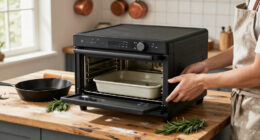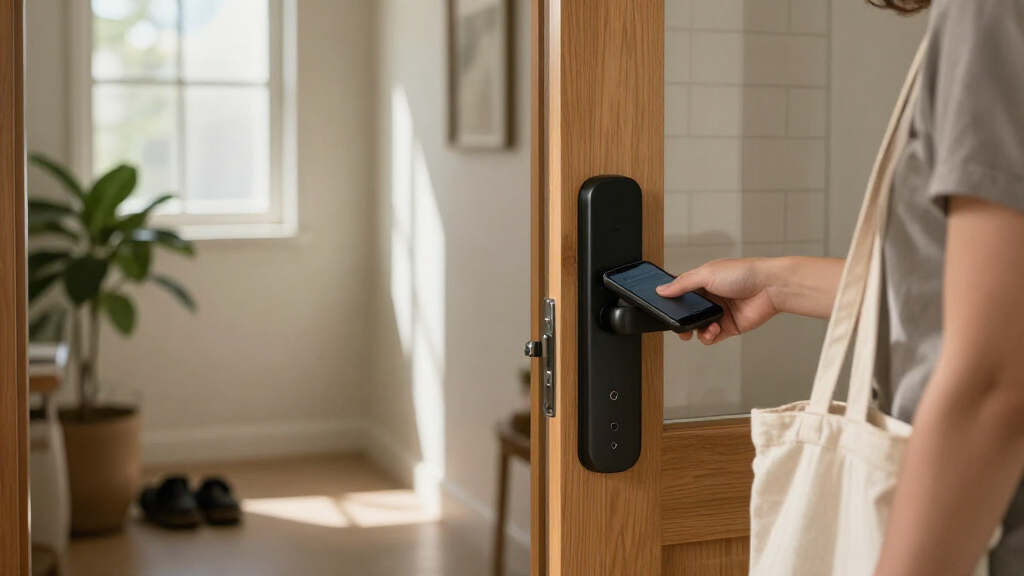
The best smart locks balance dependable access, easy installation, and the features you will actually use. My best overall pick is the Schlage Encode Smart Wi-Fi Deadbolt for its built-in Wi-Fi and familiar keypad entry; the Aqara U400 stands out for hands-free UWB access, while the eufy C220 pairs fingerprint entry with app control. The main tradeoffs are whether you want a deadbolt or a complete handle set, how much you rely on Wi-Fi or a smart-home hub, and whether fingerprint or keypad access matters most. A feature-rich lock can still be a poor fit if it does not match your door or preferred smart-home setup. Read on for the full comparison, buying advice, and recommendations by household.

Get the latest gadgets delivered free with Prime
- Fast, free delivery on millions of items
- Prime Video, Amazon Music and more included
- Member-only deals all year
Complete the kit



Key Takeaways
The Schlage Encode Smart Wi-Fi Deadbolt is the strongest all-around choice in this lineup for shoppers who want keypad access and built-in Wi-Fi without adding a separate gateway.
The Aqara U400 differentiates itself with UWB hands-free access, but that specialized convenience makes more sense for buyers whose phones and smart-home setup can use it.
Fingerprint entry is a recurring strength across the selection, appearing on the eufy C220, Wyze Bolt v2, Tapo DL110, and several Philips and eufy handle-set options.
Deadbolt-only and handle-set locks solve different problems: a deadbolt can replace an existing lock, while models such as the eufy C33 and Philips handle sets may suit doors where the lever also needs updating.
Built-in Wi-Fi reduces extra hardware, but Matter over Thread, gateway-based designs, and Wi-Fi-only models involve different compatibility and setup tradeoffs; check the full system before choosing.
| Schlage Arrive Smart WiFi Deadbolt with Camelot Trim, Satin Nickel |  | Best for Large Households | Model: BE459WBCAM619 | Finish and trim: Satin Nickel, Camelot | Connectivity: Wi-Fi and Bluetooth | VIEW LATEST PRICE | See Our Full Breakdown |
| Aqara U400 UWB Smart Lock, Keyless Deadbolt, Black |  | Best for Hands-Free Entry | Model: U400 (DL-D06E) | Lock type and color: Deadbolt; black | Connectivity: Matter over Thread | VIEW LATEST PRICE | See Our Full Breakdown |
| ULTRALOQ Bolt SE Wi-Fi Smart Deadbolt with Matter over Thread | 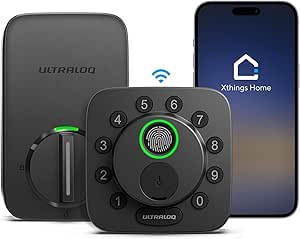 | Best for Flexible Remote Access | Connectivity: 2.4 GHz Wi-Fi and Matter over Thread | Access methods: Fingerprint, passcode, app, web portal, shared eKey or code, voice control, and mechanical keys | Fingerprint capacity: Up to 50 | VIEW LATEST PRICE | See Our Full Breakdown |
| eufy Security Smart Lock C220 with Fingerprint Keyless Entry |  | Best for Straightforward Fingerprint Access | Model: T8506 | Unlock methods: Fingerprint, app, keypad, physical key, Apple Watch, Alexa, or Google Assistant | Connectivity: Built-in Wi-Fi; no bridge required | VIEW LATEST PRICE | See Our Full Breakdown |
| Schlage Encode Smart Wi-Fi Deadbolt with Century Trim, Matte Black |  | Best for Security-Focused Keypad Entry | Model: BE489WBCEN622 | Finish and trim: Matte Black, Century | Connectivity: Wi-Fi | VIEW LATEST PRICE | See Our Full Breakdown |
| Wyze Lock Bolt v2 Wi-Fi Fingerprint Smart Deadbolt |  | Best for Flexible Entry | Model: WLCKB2 | Lock type: Biometric deadbolt with keypad | Connectivity: Wi-Fi | VIEW LATEST PRICE | See Our Full Breakdown |
| Philips Wi-Fi Smart Deadbolt Lock with Keyless Entry |  | Best for Shared Access | Model: DDL242X-1HW | Unlock methods: App, passcode, fingerprint, physical key, Alexa, Google Assistant | Wi-Fi: Built-in 2.4 GHz; no hub required | VIEW LATEST PRICE | See Our Full Breakdown |
| eufy Security Smart Lock C33 with Keypad, Fingerprint, Handle, and Built-In Wi-Fi |  | Best for Handle-and-Deadbolt Convenience | Model: T85L0 | Lock type: Deadbolt with handle | Unlock methods: Fingerprint, passcode, app | VIEW LATEST PRICE | See Our Full Breakdown |
| Schlage Encode Smart WiFi Lever Lock with Century Trim, Matte Black |  | Best for Lever-Style Entry | Model: FE789WBCEN622LAT | Lock format and trim: Smart Wi-Fi lever lock; Century trim | Finish: Matte black | VIEW LATEST PRICE | See Our Full Breakdown |
| Tapo DL110 Smart Wi-Fi Deadbolt Lock with Fingerprint Recognition |  | Best Rechargeable Fingerprint Pick | Model: DL110 | Lock type: Smart deadbolt | Access methods: Fingerprint, keypad passcode, Wi-Fi, Bluetooth, voice assistant, backup keys | VIEW LATEST PRICE | See Our Full Breakdown |
| Philips Wi-Fi Smart Deadbolt with Handles and Gateway |  | Best for Flexible Access | Model: DDL240X-1HBG-H | Unlocking methods: App, fingerprint, PIN code, key, voice command | Wi-Fi: 2.4 GHz only | VIEW LATEST PRICE | See Our Full Breakdown |
| eufy Security Smart Lock C30 Keypad Deadbolt with Built-In Wi-Fi, Black |  | Best for Straightforward DIY Installation | Model: C30 (T85D0111) | Lock type: Keypad deadbolt | Connectivity: Built-in Wi-Fi | VIEW LATEST PRICE | See Our Full Breakdown |
| Philips 4200 Series Wi-Fi Keypad Deadbolt with Handle and Fingerprint Access |  | Best Hub-Free Fingerprint Pick | Model: DDL242X-1HW-L | Connectivity: 2.4 GHz Wi-Fi; no hub required | Access methods: Fingerprint, keypad PIN, app, Alexa, Google Assistant | VIEW LATEST PRICE | See Our Full Breakdown |
| myQ Secure View 3-in-1 Smart Lock with Rechargeable Battery |  | Best for Doorstep Video and Entry in One | Model: MYQ-NE0BXAB1 | Access methods: Face recognition, fingerprint, PIN, app, traditional key | Camera resolution: 2K HDR | VIEW LATEST PRICE | See Our Full Breakdown |
| Kwikset Halo Wi-Fi Smart Lock with Touchscreen Keypad, Satin Nickel |  | Best for High-Capacity Code Sharing | Model: 99390-001 | Connectivity: Built-in Wi-Fi; no hub required | Entry methods: Touchscreen access code, app, geofencing | VIEW LATEST PRICE | See Our Full Breakdown |
| smart lock | Model | Connectivity |
|---|---|---|
| Schlage Arrive Smart WiFi Dead | BE459WBCAM619 | Wi-Fi and Bluetooth |
| Aqara U400 UWB Smart Lock | U400 (DL-D06E) | Matter over Thread |
| ULTRALOQ Bolt SE Wi-Fi Smart D | — | 2.4 GHz Wi-Fi and Matter over Thread |
| eufy Security Smart Lock C220 | T8506 | Built-in Wi-Fi; no bridge required |
| Schlage Encode Smart Wi-Fi Dea | BE489WBCEN622 | Wi-Fi |
| Wyze Lock Bolt v2 Wi-Fi Finger | WLCKB2 | Wi-Fi |
| Philips Wi-Fi Smart Deadbolt L | DDL242X-1HW | — |
| eufy Security Smart Lock C33 w | T85L0 | Wi-Fi |
| Schlage Encode Smart WiFi Leve | FE789WBCEN622LAT | Wi-Fi |
| Tapo DL110 Smart Wi-Fi Deadbol | DL110 | — |
| Philips Wi-Fi Smart Deadbolt w | DDL240X-1HBG-H | — |
| eufy Security Smart Lock C30 K | C30 (T85D0111) | Built-in Wi-Fi |
| Philips 4200 Series Wi-Fi Keyp | DDL242X-1HW-L | 2.4 GHz Wi-Fi; no hub required |
| myQ Secure View 3-in-1 Smart L | MYQ-NE0BXAB1 | — |
| Kwikset Halo Wi-Fi Smart Lock | 99390-001 | Built-in Wi-Fi; no hub required |
More Details on Our Top Picks
Schlage Arrive Smart WiFi Deadbolt with Camelot Trim, Satin Nickel
The Schlage Arrive suits households that need to issue and manage many entry codes: its 250-code capacity is higher than the Schlage Encode’s 100, which can help when family, guests, or service providers need separate access. The Schlage Home app adds remote locking, activity history, and notifications, while Alexa and Google Home support give it a straightforward place in a connected home. A backlit push-button keypad is practical for nighttime entry, and installation is designed for a screwdriver rather than wiring. The tradeoff is that remote app functions depend on Wi-Fi, and battery operation calls for occasional upkeep. Compared with the Aqara U400, the Arrive offers more codes but fewer ways to unlock: it has no fingerprint or hands-free UWB entry.
Pros:- Supports up to 250 access codes for households with many users
- Schlage Home app provides remote control, lock history, and notifications
- Backlit push-button keypad is easier to use in low light
- Works with Alexa and Google Home
Cons:- Remote app features depend on a working Wi-Fi connection
- Battery-powered design requires ongoing battery maintenance
- Lacks the fingerprint and hands-free access methods offered by the Aqara U400
Best for: Households, landlords, or caregivers who need many separate access codes and want remote lock management through a familiar app.
Not ideal for: Buyers who want fingerprint or hands-free unlocking, or who prefer a rechargeable battery instead of replacing batteries.
- Model:BE459WBCAM619
- Finish and trim:Satin Nickel, Camelot
- Connectivity:Wi-Fi and Bluetooth
- Keypad:Backlit push-button keypad
- Access codes:Up to 250
- Smart home compatibility:Alexa and Google Home
- Door fit:Door thickness 1-3/8 in to 1-3/4 in; backset 2-3/8 in or 2-3/4 in
- Power and installation:Battery-powered; DIY installation with a screwdriver
Our verdict“Choose the Arrive if managing a large number of access codes matters more than fingerprint or hands-free entry.”
Aqara U400 UWB Smart Lock, Keyless Deadbolt, Black
The Aqara U400 is the standout here for buyers who want a lock to recognize an approaching compatible device rather than reach for a keypad. Its UWB hands-free unlocking is paired with fingerprint, passcode, Apple home key, app, NFC card, voice assistant, and physical-key entry, giving it more access variety than the Schlage Arrive. Matter over Thread broadens smart-home options, but that flexibility depends on having a compatible Thread-enabled Matter controller; UWB specifically needs a compatible Apple device and Apple Home hub. The removable rechargeable battery can be charged over USB-C, avoiding the disposable-battery routine of the eufy C220. Still, the NFC card is sold separately, and buyers who want simple Wi-Fi app control without ecosystem requirements may find the U400 more demanding to set up.
Pros:- Offers UWB hands-free unlocking alongside fingerprint, passcode, app, and key access
- Matter over Thread supports multiple smart-home ecosystems with compatible controllers
- Removable rechargeable battery can be charged through USB-C
- IP65-rated exterior and rekeyable design support outdoor use and key changes
Cons:- UWB requires compatible Apple devices and a Thread-enabled Apple Home hub
- Smart-home platform features require a compatible Thread-enabled Matter controller
- NFC card is sold separately
Best for: Apple Home households with a compatible UWB device and Thread hub that want hands-free entry alongside fingerprint and key backup.
Not ideal for: Buyers seeking a simple, hub-free setup, or anyone without compatible Apple and Thread equipment who expects to use UWB unlocking.
- Model:U400 (DL-D06E)
- Lock type and color:Deadbolt; black
- Connectivity:Matter over Thread
- Unlock methods:UWB, Apple home key, fingerprint, touchscreen passcode, voice assistant, app, NFC card, and physical key
- Battery:Removable rechargeable lithium battery; up to 6 months per charge
- Certification:BHMA-certified design
- Included components:Outer and inner panels, deadbolt, strike plate kit, mounting hardware, adapter ring, and mechanical key
Our verdict“Pick the U400 if your Apple and Thread setup supports its hands-free features and you want several backup entry methods.”
ULTRALOQ Bolt SE Wi-Fi Smart Deadbolt with Matter over Thread
The ULTRALOQ Bolt SE balances built-in remote access with a broad set of ways to get through the door. Its 2.4 GHz Wi-Fi supports app and web-portal access without a hub, while fingerprint, passcodes, shared eKeys, voice control, and mechanical keys cover different users and situations. That makes it a more versatile access pick than the Schlage Arrive, which relies on keypad codes and app control. The claimed up-to-18-month battery life also reduces routine battery attention compared with the eufy C220’s stated eight-month maximum. Matter over Thread is available for compatible smart-home setups, but it does require a compatible hub; Wi-Fi itself is limited to 2.4 GHz. The door sensor is not included, so buyers wanting lock-state context beyond the listed access functions may need a separate solution.
Pros:- Built-in 2.4 GHz Wi-Fi enables remote access without a separate hub
- Offers fingerprint, passcode, app, web portal, shared eKey, voice, and key access
- Battery life is rated for up to 18 months
- IP65-rated zinc alloy construction is designed for outdoor use
Cons:- Matter over Thread features require a compatible hub
- Wi-Fi support is limited to 2.4 GHz
- Door sensor is not included
Best for: Households that want fingerprint entry and remote code sharing without a Wi-Fi bridge, plus the option to add Matter over Thread later.
Not ideal for: Buyers whose Wi-Fi is 5 GHz-only, who need a door sensor in the box, or who want Matter features without a compatible hub.
- Connectivity:2.4 GHz Wi-Fi and Matter over Thread
- Access methods:Fingerprint, passcode, app, web portal, shared eKey or code, voice control, and mechanical keys
- Fingerprint capacity:Up to 50
- Access code capacity:Up to 50
- Battery life:Up to 18 months
- Material and water resistance:Zinc alloy; IP65
- Installation:DIY; approximately 10 minutes
- Warranty:Lifetime mechanical coverage; 18-month electronic protection
Our verdict“Choose the Bolt SE if you want remote access plus fingerprint entry and can accept its 2.4 GHz Wi-Fi and separate Matter hub requirements.”
eufy Security Smart Lock C220 with Fingerprint Keyless Entry
The eufy C220 makes fingerprint entry and remote control accessible without adding a bridge or Thread hub. It offers six unlocking methods, including fingerprint, keypad, physical key, Apple Watch, app, and voice assistant, while built-in Wi-Fi allows remote app access. Compared with the ULTRALOQ Bolt SE, the C220 has fewer stated capacity details and a shorter rated battery interval, but its installation is designed to fit most standard deadbolts without drilling. Its BHMA Grade 3 certification and IP53 rating add useful context for buyers comparing basic durability and exterior protection. The compromises are the eight-AA battery pack and up-to-eight-month life, which varies with use; the ULTRALOQ’s stated battery life is longer. This is a practical choice when easy fingerprint access matters more than a rechargeable pack or extended battery interval.
Pros:- Six entry methods include fingerprint, keypad, physical key, and Apple Watch
- Built-in Wi-Fi enables remote app control without a bridge
- Designed to fit most standard deadbolts without drilling
- BHMA Grade 3 certification and IP53 water resistance
Cons:- Requires eight AA batteries, with life of up to eight months depending on use
- IP53 rating is lower than the IP65 rating listed for the Aqara U400 and ULTRALOQ Bolt SE
- Battery life and replacement timing depend on how often the lock is used
Best for: Homeowners replacing a compatible standard deadbolt who want fingerprint entry and built-in remote Wi-Fi control without drilling.
Not ideal for: Buyers who prefer rechargeable batteries, want a longer stated battery interval, or need an exterior rating higher than IP53.
- Model:T8506
- Unlock methods:Fingerprint, app, keypad, physical key, Apple Watch, Alexa, or Google Assistant
- Connectivity:Built-in Wi-Fi; no bridge required
- Battery:Eight AA batteries; up to 8 months
- Installation:Fits most standard deadbolts; no drilling
- Certification:BHMA Grade 3
- Water resistance:IP53
- Warranty:36 months for mechanical parts; 18 months for electronic parts
Our verdict“The C220 suits standard-deadbolt replacements that prioritize easy fingerprint entry and hub-free remote access over battery longevity.”
Schlage Encode Smart Wi-Fi Deadbolt with Century Trim, Matte Black
The Schlage Encode is a strong fit for buyers who want remote control and monitoring paired with a physical-key fallback and built-in alarm. Its touchscreen keypad, customizable notifications, lock history, and auto-lock give everyday access more structure than the basic keypad-and-app approach of the Schlage Arrive. The Encode supports up to 100 codes, fewer than the Arrive’s 250, so larger households or properties with many rotating users may prefer its sibling. In return, the Encode adds a built-in alarm and a fingerprint-resistant touchscreen. It connects directly over Wi-Fi, with no extra hub, and installs using a screwdriver. The tradeoff is battery upkeep: four AA batteries are rated for up to six months with typical use, and app or voice features depend on a secure Wi-Fi connection.
Pros:- Built-in Wi-Fi supports remote control and monitoring without an extra hub
- Stores up to 100 access codes with lock history and customizable notifications
- Touchscreen, built-in alarm, and auto-lock add useful access and monitoring features
- Includes a physical backup key and screwdriver-based installation
Cons:- Four AA batteries are rated for up to six months with typical use
- App and voice control require a secure Wi-Fi connection
- Supports fewer codes than the Schlage Arrive
Best for: Homeowners who want a touchscreen keypad, remote monitoring, auto-lock, and a built-in alarm on a standard door.
Not ideal for: Large households needing more than 100 codes, or buyers who want fingerprint unlocking or less frequent battery changes.
- Model:BE489WBCEN622
- Finish and trim:Matte Black, Century
- Connectivity:Wi-Fi
- Access codes:Up to 100
- Keypad and security features:Touchscreen keypad, built-in alarm, and auto-lock
- Smart home compatibility:Alexa and Google Home
- Door fit:Door thickness 1-3/8 in to 1-3/4 in; backset 2-3/8 in or 2-3/4 in
- Power and backup:Four AA batteries; up to 6 months with typical use; one physical key
Our verdict“Choose the Encode for its alarm, touchscreen, and remote monitoring; choose the Arrive instead if your priority is a higher code capacity.”
Wyze Lock Bolt v2 Wi-Fi Fingerprint Smart Deadbolt
The Wyze Lock Bolt v2 gives households several ways to get inside: fingerprint, keypad, app, or physical key. Its built-in Wi-Fi adds remote lock management without a separate hub, while support for up to 50 fingerprints or codes suits a household that needs more than a few guest entries. Compared with the Tapo DL110, Wyze uses replaceable AA batteries rather than a rechargeable pack, but Tapo offers greater fingerprint capacity and longer stated battery life under manufacturer test conditions. Wyze’s USB-C emergency power is a useful fallback if the batteries run down. The tradeoff is that eight AA batteries need periodic replacement, with stated life of up to eight months, and video-doorbell-based remote unlocking requires a compatible Wyze doorbell pairing.
Pros:- Four entry options: fingerprint, app, keypad code, and physical key.
- Built-in Wi-Fi enables remote lock management without an additional hub.
- Stores up to 50 codes or fingerprints.
- USB-C emergency power, tamper alarms, and IP53 weather resistance.
Cons:- Uses eight AA batteries, with stated battery life of up to eight months.
- Remote unlocking from a video doorbell feed requires pairing with a Wyze Video Doorbell.
Best for: Households that want fingerprint entry, remote app control, and physical-key backup in one deadbolt.
Not ideal for: Buyers who want a rechargeable battery or a high-capacity fingerprint database; the Tapo DL110 supports up to 100 fingerprints and has a rechargeable pack.
- Model:WLCKB2
- Lock type:Biometric deadbolt with keypad
- Connectivity:Wi-Fi
- Unlock methods:Fingerprint, app, keypad code, physical key
- Stored codes or fingerprints:Up to 50
- Stated battery life:Up to 8 months
- Battery and emergency power:8 AA batteries included; USB-C emergency power
- Weather resistance:IP53
Our verdict“Choose the Wyze if you want multiple everyday entry methods and remote control, and can live with replacing AA batteries.”
Philips Wi-Fi Smart Deadbolt Lock with Keyless Entry
The Philips Wi-Fi Smart Deadbolt is a strong match for homes that routinely share access with guests, cleaners, or family members. It supports up to 100 custom passcodes, including scheduled and one-time codes, and its access history and alerts give owners a clearer record of use. Built-in 2.4 GHz Wi-Fi means remote control does not require a hub. Unlike the Wyze Lock Bolt v2, it also lists Alexa and Google Assistant access, though both products pair fingerprint entry with a physical-key backup. Philips gives buyers useful control over auto-lock timing, but the package lacks a door sensor, so the lock cannot report whether the door itself is open. Its AA batteries are not included, and 2.4 GHz-only Wi-Fi may not suit a network setup centered on other bands.
Pros:- Supports up to 100 custom passcodes, including scheduled and one-time access.
- Built-in Wi-Fi provides remote control without a separate hub.
- Access alerts and history help owners track lock activity.
- Offers fingerprint, physical-key, app, passcode, and voice-assistant access.
Cons:- Works with 2.4 GHz Wi-Fi only.
- AA alkaline batteries are not included, and a door sensor is also absent.
Best for: Busy households, landlords, and hosts who need many scheduled or temporary codes and a record of lock activity.
Not ideal for: Buyers who need a door-open sensor in the package, use only non-2.4 GHz Wi-Fi, or expect batteries to be included.
- Model:DDL242X-1HW
- Unlock methods:App, passcode, fingerprint, physical key, Alexa, Google Assistant
- Wi-Fi:Built-in 2.4 GHz; no hub required
- Maximum custom passcodes:100
- Auto-lock delay:10–180 seconds
- Compatible door thickness:1⅜–2 inches (38–50 mm)
- Battery requirement:AA alkaline (LR6); not included
- Door sensor:Not included
Our verdict“Pick the Philips for high-capacity, time-managed guest access, but look elsewhere if a door sensor or broader Wi-Fi support is a priority.”
eufy Security Smart Lock C33 with Keypad, Fingerprint, Handle, and Built-In Wi-Fi
The eufy Security Smart Lock C33 combines a deadbolt, handle, fingerprint reader, and back-lit keypad, making it a practical choice for buyers replacing a door set rather than adding a deadbolt alone. Its fingerprint and passcode entry can simplify daily arrivals, while Wi-Fi app control adds notifications and event history when remote access is needed. The listing describes installation as no-drill and about 15 minutes, a contrast with feature-rich models such as the Philips Wi-Fi Smart Deadbolt, which focuses on access scheduling and a larger code limit. C33’s stated details emphasize straightforward entry rather than extensive code management. It fits left- or right-hand doors and carries an IP53 rating, but remote app access depends on Wi-Fi, and the eight AA batteries create an ongoing replacement task.
Pros:- Combines a handle and deadbolt with fingerprint and keypad entry.
- Built-in Wi-Fi supports app control, notifications, and event history.
- Back-lit keypad and anti-peeping password help with code entry.
- Designed for left- or right-hand doors and described as requiring no drilling.
Cons:- Requires eight AA batteries.
- Remote app access depends on Wi-Fi connectivity.
Best for: Homeowners replacing a handle-and-deadbolt setup who want fingerprint entry, a keypad, and app notifications in one unit.
Not ideal for: Buyers seeking a rechargeable battery, extensive scheduled-code controls, or app access that works without Wi-Fi.
- Model:T85L0
- Lock type:Deadbolt with handle
- Unlock methods:Fingerprint, passcode, app
- Connectivity:Wi-Fi
- Voice assistants:Amazon Alexa, Google Assistant
- Power:8 AA batteries
- Dimensions and weight:7.24 × 6.06 × 5.12 inches; 1.9 kg
Our verdict“Choose the C33 when you want a handle and smart deadbolt in one package, not a lock centered on advanced guest-code scheduling.”
Schlage Encode Smart WiFi Lever Lock with Century Trim, Matte Black
The Schlage Encode Smart WiFi Lever Lock stands apart from the deadbolts in this group: it uses a lever format, which can suit a door where a lever lock is the preferred fit. Its touchscreen stores up to 100 access codes, while the Schlage Home app adds remote monitoring, history, and notifications over Wi-Fi. Built-in alarms and configurable auto-lock options add security controls, and compatibility includes Alexa, Google Assistant, Ring, and Airbnb. Compared with the eufy C33, this Schlage is a more code-centered lever option, while eufy combines a handle and deadbolt with fingerprint entry. The Encode listing does not specify fingerprint access, so buyers wanting biometric entry should favor the C33 or Philips model. App-based remote control also depends on a working home Wi-Fi connection.
Pros:- Touchscreen keypad supports up to 100 access codes.
- Schlage Home app provides remote monitoring, history, and notifications over Wi-Fi.
- Built-in alarms and configurable auto-lock options.
- Compatible with Alexa, Google Assistant, Ring, and Airbnb.
Cons:- Remote app access requires a home Wi-Fi connection.
- Fingerprint unlocking is not listed, unlike the Philips and eufy options.
- Warranty validity is limited to purchases from Amazon or Build.com.
Best for: Buyers who need a touchscreen smart lever with many access codes, remote activity monitoring, and broad smart-home compatibility.
Not ideal for: Shoppers specifically seeking fingerprint unlocking or a deadbolt; this is a lever lock, and fingerprint entry is not listed.
- Model:FE789WBCEN622LAT
- Lock format and trim:Smart Wi-Fi lever lock; Century trim
- Finish:Matte black
- Connectivity:Wi-Fi
- Access:Touchscreen keypad; up to 100 access codes
- Smart-home compatibility:Amazon Alexa, Google Assistant, Ring, Airbnb
- Security features:Built-in alarms, lock history, notifications, auto-lock options
- Warranty:Limited lifetime mechanical and finish; limited three-year electronics
Our verdict“Choose this Schlage when a lever form and extensive code management matter more than fingerprint entry.”
Tapo DL110 Smart Wi-Fi Deadbolt Lock with Fingerprint Recognition
The Tapo DL110 is the clearest choice here for buyers who want a large fingerprint roster without routine AA replacement. It stores up to 100 fingerprints, supports permanent, one-time, and scheduled passcodes, and includes a removable rechargeable battery pack with USB-C charging. Its six listed access methods cover fingerprint, keypad, Wi-Fi, Bluetooth, compatible voice assistants, and backup keys, giving it more stated entry variety than the Philips Wi-Fi Smart Deadbolt. Tapo’s battery life is rated up to one year in Wi-Fi mode or two years in Bluetooth mode under manufacturer test conditions, but actual results vary with settings, use, router, and environment. Fingerprint performance can also vary with registration and use. That makes it a capable choice, though not the best fit for buyers who prioritize predictable biometric response above capacity.
Pros:- Stores up to 100 fingerprints and supports permanent, one-time, and scheduled passcodes.
- Six access methods include fingerprint, keypad, Wi-Fi, Bluetooth, voice assistant, and backup keys.
- Removable rechargeable battery pack with USB-C charging.
- Compatible with Amazon Alexa, Google Home, and Samsung SmartThings.
Cons:- Battery life varies with settings, usage, router specifications, and environmental conditions.
- Fingerprint speed and accuracy can vary with registration and usage conditions.
Best for: Households with many residents or frequent guests who want a rechargeable lock, broad access options, and high fingerprint capacity.
Not ideal for: Buyers who prefer replaceable AA batteries or want fingerprint performance to be consistent regardless of registration and use conditions.
- Model:DL110
- Lock type:Smart deadbolt
- Access methods:Fingerprint, keypad passcode, Wi-Fi, Bluetooth, voice assistant, backup keys
- Fingerprint capacity:Up to 100 fingerprints
- Passcode options:Permanent, one-time, and scheduled
- Battery:Removable rechargeable battery pack
- Stated battery life:Up to 1 year in Wi-Fi mode; up to 2 years in Bluetooth mode under manufacturer test conditions
- Charging and smart-home compatibility:USB-C; Amazon Alexa, Google Home, Samsung SmartThings
Our verdict“Pick the Tapo DL110 if rechargeable power and a large fingerprint database are your priorities, while allowing for variable battery and scanner performance.”
Philips Wi-Fi Smart Deadbolt with Handles and Gateway
The Philips Wi-Fi Smart Deadbolt with Handles and Gateway suits households that want several ways to get inside without relying on one entry method. Fingerprint, PIN, app, voice command, and physical-key access make it more flexible than the Kwikset Halo, which centers on touchscreen codes, app control, and geofencing. Its included gateway supports remote control, notifications, access history, and permissions, while capacity for up to 100 user codes is useful for a busy home or managed rental. Matching handles also give it a more complete replacement setup than a keypad-only deadbolt. The tradeoffs are its 2.4 GHz-only Wi-Fi and the need to check door measurements before buying; unlike the eufy C30, its fit depends on several specified bore and backset dimensions. Choose it for entry flexibility, not for the simplest installation.
Pros:- Five entry methods include fingerprint and a physical-key backup.
- Gateway enables remote control, activity history, notifications, and managed permissions.
- Supports up to 100 user codes plus unlimited one-time PIN codes.
- Matching handles and adjustable auto-lock timer are included.
Cons:- Wi-Fi connectivity is limited to 2.4 GHz.
- Door compatibility depends on matching the listed thickness, cross-bore, edge-bore, and backset dimensions.
Best for: Households or small rental hosts who want fingerprint, PIN, key, and remote access with individual user permissions.
Not ideal for: Buyers whose router relies on 5 GHz Wi-Fi or anyone unable to verify the door’s thickness, bore, and backset measurements.
- Model:DDL240X-1HBG-H
- Unlocking methods:App, fingerprint, PIN code, key, voice command
- Wi-Fi:2.4 GHz only
- Maximum user codes:100; unlimited one-time PIN codes
- Auto-lock timer:30–180 seconds
- Door thickness:1-3/8–2 in (35–50 mm)
- Backset:2-3/8 or 2-3/4 in (60 or 70 mm)
- Included components:Door lock, gateway, handle, 4 batteries
Our verdict“Pick this Philips set if your household needs varied entry methods and managed access, and your door matches its measurements.”
eufy Security Smart Lock C30 Keypad Deadbolt with Built-In Wi-Fi, Black
The eufy Security Smart Lock C30 is the uncomplicated pick for replacing many existing deadbolts: it is designed for DIY installation without drilling and connects to Wi-Fi directly, so there is no separate hub. That makes it a more straightforward retrofit than the Philips Wi-Fi Smart Deadbolt with Gateway, which includes a gateway and has several door measurements to check. The C30 still covers the everyday basics—keypad, app, voice assistant, and physical-key entry—with a customizable auto-lock timer for doors that should secure themselves after use. Its IP53 weather resistance and BHMA Grade 3 designation add useful context for buyers comparing entry-level options. The main compromise is battery upkeep: four AA cells are specified for up to five months. And “fits most” does not mean every existing deadbolt is compatible, so check the fit before ordering.
Pros:- Built-in Wi-Fi provides remote app control without a separate hub.
- Keypad, app, Alexa, Google Assistant, and physical-key access cover common entry needs.
- Designed for DIY installation on many standard deadbolts without drilling.
- Offers customizable auto-lock, IP53 weather resistance, and BHMA Grade 3 certification.
Cons:- Four AA batteries have a stated life of up to five months, requiring regular monitoring and replacement.
- Compatibility varies across existing deadbolts despite the no-drill retrofit design.
Best for: DIY homeowners replacing a compatible standard deadbolt who want app access without adding a hub.
Not ideal for: Buyers seeking fingerprint entry, longer stated battery life, or a lock guaranteed to fit without checking their existing hardware.
- Model:C30 (T85D0111)
- Lock type:Keypad deadbolt
- Connectivity:Built-in Wi-Fi
- Control methods:App, keypad, Alexa, Google Assistant, physical key
- Power:4 AA batteries
- Battery life:Up to 5 months
- Weather resistance:IP53; operates from -22°F to 158°F
- Security grade:BHMA Grade 3
Our verdict“Choose the C30 for a hub-free, no-drill keypad retrofit, but confirm compatibility and plan for battery changes.”
Philips 4200 Series Wi-Fi Keypad Deadbolt with Handle and Fingerprint Access
The Philips 4200 Series brings fingerprint entry and remote app control together without requiring a gateway, making it a cleaner fit for buyers who want biometric access but not the extra hardware included with the Philips Wi-Fi Smart Deadbolt with Gateway. Its keypad accepts permanent, one-time, periodic, and recurring PINs, which gives households more ways to arrange access than a basic keypad lock. The included handle set also makes it a practical choice when replacing both the lock and lever, while Alexa and Google Assistant support add voice control. The stated fingerprint unlock time is 0.3 seconds, but the practical setup has limits: the lock supports 2.4 GHz Wi-Fi, recommends staying within 33 feet of the router, and requires alkaline batteries that are not included. Auto-lock is also off by default, so buyers need to enable it in the app.
Pros:- Connects directly to 2.4 GHz Wi-Fi without a separate hub.
- Fingerprint access pairs with permanent, one-time, periodic, and recurring PIN types.
- App provides remote lock status and access history, with Alexa and Google Assistant support.
- Matching pair of door levers is included.
Cons:- Alkaline batteries are required but not included.
- Wi-Fi guidance recommends keeping the lock within 33 feet of the router.
- Auto-lock is off by default and must be enabled in the app.
Best for: Households replacing a deadbolt and handle who want fingerprint entry, flexible PIN schedules, and direct Wi-Fi control without a hub.
Not ideal for: Buyers who want batteries included, need a lock for a door thicker than 1-3/4 inches, or cannot place it near a 2.4 GHz router.
- Model:DDL242X-1HW-L
- Connectivity:2.4 GHz Wi-Fi; no hub required
- Access methods:Fingerprint, keypad PIN, app, Alexa, Google Assistant
- PIN code types:Permanent, one-time, periodic, recurring
- Auto-lock:Adjustable from 0 to 180 seconds; off by default
- Fingerprint unlock time:0.3 seconds
- Battery life:Up to 6 months
- Door thickness compatibility:1-3/8 to 1-3/4 inches (38 to 50 mm)
Our verdict“Choose the 4200 Series if you want hub-free fingerprint access and scheduled PIN options, and are comfortable supplying batteries and configuring auto-lock.”
myQ Secure View 3-in-1 Smart Lock with Rechargeable Battery
The myQ Secure View 3-in-1 is the standout for buyers who want a smart lock to handle visitor monitoring as well as entry: it combines a deadbolt, video doorbell, and 2K HDR camera with color night vision and two-way audio. That makes it a very different proposition from the Kwikset Halo, which offers remote locking and code access but no camera or visitor conversation. Face recognition, fingerprint, PIN, app, and traditional-key entry give it several access routes, while motion alerts and remote access keep doorstep activity in the app. The tradeoff is concentration: camera, lock, and app controls all depend on the myQ setup, and PIN capacity is limited to 16, well below the Kwikset’s 250 codes. Face and fingerprint access are unavailable in Illinois, Texas, and outside the U.S. and Canada, so geography can rule out its most distinctive entry methods.
Pros:- Combines a deadbolt, video doorbell, and camera in one device.
- 2K HDR video, color night vision, and two-way audio support doorstep monitoring.
- Offers face recognition, fingerprint, PIN, app, and traditional-key entry where available.
- Includes motion alerts, remote access, and auto-lock.
Cons:- Face and fingerprint access are unavailable in Illinois, Texas, and outside the U.S. and Canada.
- Capacity is limited to 16 PINs, fewer than the Kwikset Halo supports.
- Remote access and app-based controls require the myQ app.
Best for: Homeowners who want a single door device for keyless entry, visitor video, motion alerts, and two-way conversation.
Not ideal for: Buyers outside the supported face- and fingerprint-access regions, households needing more than 16 PINs, or anyone who prefers separate camera and lock systems.
- Model:MYQ-NE0BXAB1
- Access methods:Face recognition, fingerprint, PIN, app, traditional key
- Camera resolution:2K HDR
- PIN capacity:Up to 16 PINs
- Video and audio:Color night vision and two-way audio
- Smart features:Motion alerts, auto-lock, remote access
- Included components:Front panel, rear panel, battery, charging cable, hardware kit, door sensor, sensor covers, product manual
- Warranty:1 year limited
Our verdict“Pick the myQ Secure View if doorstep video and lock control in one device matter more than high PIN capacity or broad biometric availability.”
Kwikset Halo Wi-Fi Smart Lock with Touchscreen Keypad, Satin Nickel
The Kwikset Halo is the code-management choice in this group: its touchscreen supports up to 250 access codes, giving it far more room for household members, guests, or scheduled access than the myQ Secure View’s 16 PINs or the Philips 4200 Series’ varied PIN types. Built-in Wi-Fi lets owners lock or unlock remotely without a hub, and compatibility with Amazon Alexa and Google Home adds familiar voice control. Geofencing can automate unlocking based on location, a feature not listed for the eufy C30. That convenience also calls for care: buyers should be comfortable with location-based access rather than relying only on a keypad. The lock uses four AA batteries, and its one-year electronics warranty is shorter than its lifetime mechanical and finish coverage. Its fit is limited to doors 1-3/8 to 1-3/4 inches thick.
Pros:- Stores up to 250 access codes, including temporary and scheduled codes.
- Built-in Wi-Fi enables remote app control without a hub.
- Geofencing, Alexa, and Google Home support offer additional control options.
- Alerts can flag invalid codes and tampering; installation requires only a screwdriver.
Cons:- Uses four AA batteries, which owners must monitor and replace.
- Electronic components have a one-year warranty, shorter than the mechanical and finish warranty.
- Does not list fingerprint or physical-key entry among its access methods.
Best for: Families, property managers, or frequent hosts who need many access codes and remote control without a separate hub.
Not ideal for: Buyers who want fingerprint entry, a rechargeable power setup, or a door outside the specified thickness range.
- Model:99390-001
- Connectivity:Built-in Wi-Fi; no hub required
- Entry methods:Touchscreen access code, app, geofencing
- Maximum access codes:250
- Smart home compatibility:Amazon Alexa, Google Home
- Door thickness:1-3/8 to 1-3/4 inches
- Adjustable deadbolt backset:2-1/8 to 2-3/4 inches
- Power and warranty:4 AA batteries; lifetime mechanical and finish warranty; 1 year electronics warranty
Our verdict“Choose the Kwikset Halo if you need extensive code sharing and remote access, and do not need fingerprint or key entry.”

How We Picked
I compared these 15 smart locks by how well they address everyday access needs: entry methods, remote connectivity, smart-home compatibility, installation scope, and the practical value of their features. I gave extra weight to designs that combine useful access options with a straightforward setup, while distinguishing locks that need a gateway or compatible ecosystem from those with built-in Wi-Fi. I also treated deadbolts, lever locks, and handle sets as different installation choices rather than assuming one format fits every door.
The ranking favors versatile picks that serve a broad range of households, then highlights models with a more specialized advantage, such as UWB access, fingerprint entry, or an integrated handle. A premium feature does not automatically place a lock higher: compatibility, door fit, and added hardware can matter more than a longer feature list. Since the right choice depends on the existing door and smart-home setup, I also call out meaningful tradeoffs so readers can match the lock to their needs rather than chase specifications.
Factors to Consider When Choosing Best Smart Locks
Smart locks can look similar on a feature list but differ sharply in what they replace, how they connect, and how household members actually get inside. I recommend checking your door and smart-home setup before choosing an access method; those details often matter more than adding another app feature.
Match the Lock to Your Door Hardware
Start by identifying whether you need a deadbolt replacement, a lever lock, or a complete handle set. A deadbolt-only model is often the simpler route when your existing handle works and you want to change only the keyed lock. Handle-set designs can tidy up a full entry setup, but they involve more hardware and may require different measurements or installation steps. Check door thickness, backset, hole dimensions, handing, and clearance against the manufacturer’s compatibility information before ordering. A common mistake is choosing by appearance and discovering that the new lock does not suit the door’s existing holes. If your door has unusual hardware or a multipoint system, confirm compatibility rather than assuming a standard deadbolt will fit.
Choose Connectivity Around Your Home Setup
Built-in Wi-Fi can provide remote access without a separate bridge, but it adds another device to your home network and may affect battery demands. A lock that uses a gateway can keep its connection approach separate from the lock itself, though that means accounting for extra equipment and placement. Thread and Matter are not interchangeable with every phone or hub; check which controller and ecosystem features you need before buying. Think about what “remote access” means for your household: changing settings from the couch, letting someone in while away, or connecting the lock to routines. A lock may offer app control but still lack the exact integrations you expect. Verify compatibility for the specific features you plan to use, not just the platform name on the box.
Pick an Entry Method Your Household Will Use
Keypads suit families, guests, and anyone who wants a backup to phone access, while fingerprints can speed up entry for regular users. UWB hands-free unlocking offers a different kind of convenience, but it depends on compatible devices and may not be useful to every household member. Consider who needs access, how often codes should change, and whether you want temporary credentials for visitors or service providers. Biometric access can be convenient, but it should not be the only fallback if a finger is wet, injured, or not recognized. Keep a physical key or another supported entry method in the plan when the lock provides one. The right mix is the one that covers everyday use and predictable exceptions without making access harder for guests.
Treat Power and Backup Access as Part of the Decision
Smart locks depend on power, so check the battery type, replacement or charging routine, and any low-power alerts before settling on a model. Rechargeable batteries can reduce disposable-battery use, but they still require a schedule for charging. Built-in Wi-Fi and frequent remote communication can add to the lock’s power demands, so do not compare battery claims without considering how you will use the lock. Ask what happens when batteries run low: does the lock give advance warnings, support emergency power, or retain a mechanical-key option? A keypad or fingerprint sensor is useful only if the lock still has a clear fallback plan. Keep spare batteries or the recommended emergency method accessible rather than waiting for a warning at the door.
Pay for Useful Features, Not a Longer Feature List
Extra access methods, cameras, and smart-home links can be valuable when they solve a real household need, but they add setup and maintenance. A simple keypad deadbolt may be a better fit than a camera-integrated lock if you mainly want keyless entry. Conversely, households coordinating frequent visitors may get more value from flexible access controls than from a premium finish. Decide which single problem you want the lock to solve, then check that the chosen feature works with your devices and routines. Avoid paying for an ecosystem feature that requires a hub you do not own or do not plan to use. Spending more makes sense when it buys a capability you will use regularly, not simply a more elaborate spec sheet.
Check Security Habits and Household Access
A smart lock changes how you manage entry; it does not remove the need for good access habits. Use distinct codes where supported, remove access that is no longer needed, and protect the account used to manage the lock. If a household shares one code indefinitely, keypad convenience may create a weak point in access management. Consider whether you need notifications, remote control, or a record of entry, and check that the lock’s app supports the level of oversight you want. Also plan for people who do not use a smartphone or may need access during a network outage. The best setup balances convenient entry with a clear process for adding, changing, and removing users.
Frequently Asked Questions
Should I choose built-in Wi-Fi or a lock that uses a gateway?
Built-in Wi-Fi is a straightforward choice if you want remote app access without adding a separate bridge. A gateway-based setup may suit homes that prefer the lock to connect through dedicated hardware, but you need to include that device in your setup and check its placement requirements. Compare the remote features you need, not just the connection label: app control at home and access while away may depend on different configurations. Also check how each option fits your existing network and smart-home system. If you rarely manage the lock remotely, a simpler connection approach may be enough.
Do fingerprint smart locks work well as the only way to enter?
I would avoid relying on a fingerprint reader as the sole entry method. Recognition can be less convenient when a finger is wet, dirty, injured, or not registering reliably, and other household members may prefer different access methods. Look for a model that also provides a keypad, app access, or a mechanical-key backup that suits your needs. Before buying, check how the lock handles adding users and what options remain available if the sensor is unavailable. Fingerprint access is most useful as a fast option within a broader backup plan.
Can I install a smart deadbolt without replacing my handle?
Often, yes: a deadbolt-only model is designed to replace the deadbolt while leaving a separate handle in place. That can be a simpler fit if your existing lever or knob is in good condition. Still, measure the door and compare its layout with the lock’s installation requirements before ordering. Handle-set models, such as the eufy C33 and several Philips options in this roundup, address a different job by including handle hardware. Do not assume a handle-set lock is a direct substitute for a deadbolt-only design.
Will a smart lock keep working if my Wi-Fi goes down?
Network access and local unlocking are separate questions, so check the model’s supported entry methods and outage behavior. A keypad, fingerprint reader, or physical key may still provide a way in even when remote app features are unavailable, depending on the lock. Remote actions and smart-home routines may be limited until the connection returns. Read the manufacturer’s guidance for the exact model rather than assuming every lock behaves the same way. If outages are a concern, choose a lock with a local entry method your household can use without internet access.
How do I know whether Matter or Thread support will work with my smart-home setup?
Check the lock’s compatibility requirements alongside the devices and controllers you already own. Matter support does not mean every feature works with every platform, and Thread requires a compatible Thread network or border router. Confirm whether the functions you care about—such as remote control, automations, or user management—are supported through your chosen ecosystem. The ULTRALOQ Bolt SE’s Matter over Thread positioning and the Aqara U400’s specialized access features make compatibility checks especially relevant for these picks. If you do not want to add compatible home-network hardware, a lock with a simpler connection path may be easier to manage.
Conclusion
For most households, I would start with the Schlage Encode Smart Wi-Fi Deadbolt as the best overall balance of keypad access and built-in Wi-Fi. Buyers seeking a value-minded fingerprint option should compare the eufy C220 and Wyze Lock Bolt v2 against their preferred connectivity and backup methods. For a premium, specialized experience, the Aqara U400 is the pick for households prepared to use UWB and check device compatibility. Beginners who want a familiar keypad and remote connection can start with the Schlage Encode, then confirm that its deadbolt format fits their door. For specific needs, choose the eufy C33 or a Philips handle-set model when replacing the handle matters, the Schlage Encode Lever for a lever-lock application, or the ULTRALOQ Bolt SE if Matter over Thread fits your smart-home system. The right choice depends less on the longest feature list than on door fit, everyday entry habits, and the connection setup you are willing to maintain.