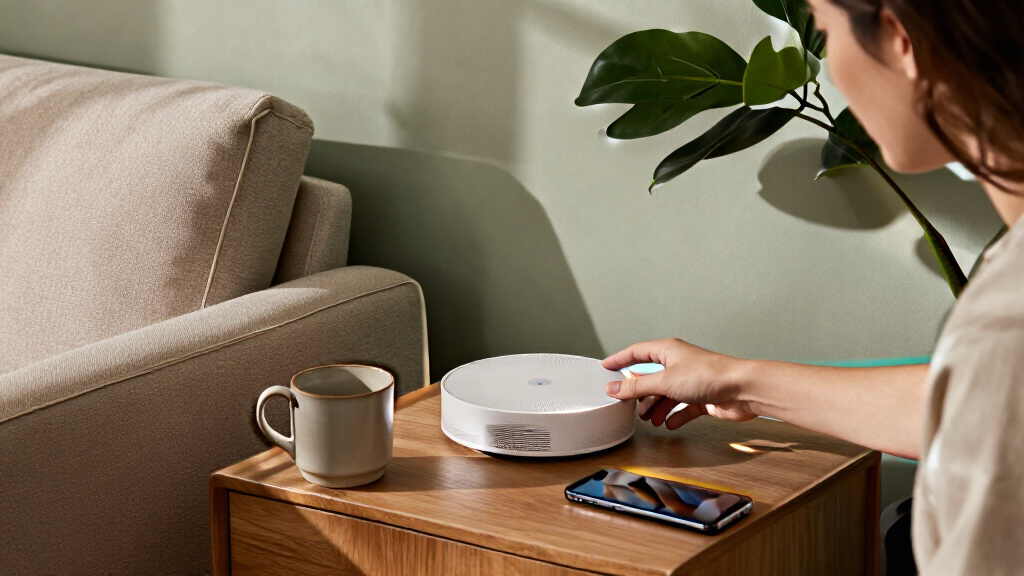

The best home automation hubs connect devices across protocols and give you reliable control without forcing every product into a separate app. My best overall pick is the Aeotec Smart Home Hub for its mix of SmartThings, Zigbee, Z-Wave, and Matter support; Hubitat Elevation C-8 Pro stands out for local automation, while Home Assistant Green suits readers who want deeper customization. The main tradeoff is between broad compatibility and simpler setup: a specialist lighting or sensor hub can be easier to manage, but it may not unify a whole home. Continue reading for the full breakdown of all 13 options and the buyer type each one suits.

Get the latest gadgets delivered free — and shop member deals
- Fast, free delivery on millions of items
- Access to Prime Big Deal Days deals on October 6–7
- Prime Video, Amazon Music and more included
Complete the kit



Key Takeaways
- Aeotec Smart Home Hub is the broad-compatibility pick, while Hubitat and Home Assistant Green suit buyers willing to handle more setup for greater control.
- Philips Hue Bridge Pro and the Lutron Caséta options focus on lighting reliability rather than serving as universal hubs for every smart-home device.
- Samsung SmartThings Hub 3rd Generation and Aeotec share a platform family, so buyers should check current device support and service requirements before treating them as interchangeable.
- Aqara M3 and SwitchBot Hub 3 add useful bridge or infrared control functions, but buyers should verify which devices and automations work across their chosen ecosystem.
- YoLink, Tapo H100, and SONOFF hubs make more sense for focused device families than for shoppers seeking one hub to unify every brand.
| Philips Hue Bridge Pro Smart Lighting Hub, 1-Pack |  | Best for Large Hue Lighting Systems | Processor: 1.7 GHz quad-core Cortex-A35 | Memory: 4 GB DDR4 SDRAM | Supported lights: 150+ | VIEW LATEST PRICE | See Our Full Breakdown |
| Aeotec Smart Home Hub with SmartThings, Z-Wave, Zigbee, and Matter |  | Best for SmartThings Multi-Protocol Setups | Brand: Aeotec | Model: V3 Smart Home Hub (2020) | Model number: GP-AEOHUBV3US | VIEW LATEST PRICE | See Our Full Breakdown |
| Hubitat Elevation C-8 Pro Smart Home Hub |  | Best for Local-First Automation | Protocols: Matter 1.5, Z-Wave 800 Series with Long Range, Zigbee 3.0, Bluetooth | Voice assistant compatibility: Amazon Alexa, Google Home, Apple HomeKit | Device compatibility: 1,000+ devices across 100+ brands | VIEW LATEST PRICE | See Our Full Breakdown |
| Lutron Caséta Smart Hub |  | Best for Caséta Lighting Control | Compatible services and devices: Amazon Alexa, Apple HomeKit, Google Assistant, Ring, Serena shades, Sonos | Maximum supported devices: 75 Caséta devices | Operation mode: On-off | VIEW LATEST PRICE | See Our Full Breakdown |
| SONOFF NSPanel Pro 120 Smart Home Control Panel with Zigbee Gateway, 4.7-Inch Touchscreen, and Home Security Features |  | Best Wall-Style Control Panel | Model: NSPanel120PW | Display: 4.7-inch touchscreen | Connectivity: Zigbee gateway | VIEW LATEST PRICE | See Our Full Breakdown |
| Samsung SmartThings Hub 3rd Generation, White |  | Best for Mixed-Brand Device Control | Model: GP-U999SJVLGDA | Wireless protocols: Zigbee, Z-Wave, cloud-to-cloud | Smart home compatibility: Alexa, Google Home | VIEW LATEST PRICE | See Our Full Breakdown |
| Lutron Caseta Deluxe Smart Dimmer Starter Kit with Hub and Pico Remotes |  | Best for Reliable Smart Lighting | Included components: 1 Smart Hub, 2 dimmer switches, 2 Pico 3-button remotes, 2 wall plates | LED dimming capacity: Up to 150W | Neutral wire: Not required | VIEW LATEST PRICE | See Our Full Breakdown |
| YoLink Smart Home Hub YS1603 |  | Best for Long-Range YoLink Devices | Model: YS1603 | Wireless technology: LoRa | Maximum range: Up to 0.25 miles (2,034 feet) | VIEW LATEST PRICE | See Our Full Breakdown |
| Aqara Smart Home Hub M3 with Matter Bridge and IR Blaster |  | Best for Matter and Local Automations | Model: HM-G01E | Protocols: Zigbee, Thread, Matter, Bluetooth, Wi-Fi | Device capacity: Up to 127 Aqara Zigbee devices and 127 Thread devices | VIEW LATEST PRICE | See Our Full Breakdown |
| Tapo H100 Smart Hub with Built-In Chime | 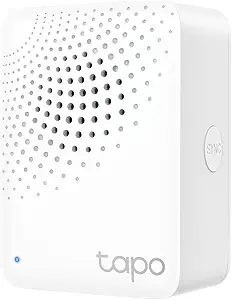 | Best for Tapo Sensor Setups | Model: H100 | Wi-Fi requirement: 2.4 GHz | Maximum connected devices: 64 | VIEW LATEST PRICE | See Our Full Breakdown |
| SwitchBot Hub 3 (3rd Gen) Smart Home Hub with 2.4″ IPS Screen & Knob Control |  | Best for Hands-On Control | Display: 2.4-inch IPS | Temperature accuracy: ±0.2°C | Wi-Fi requirement: 2.4 GHz | VIEW LATEST PRICE | See Our Full Breakdown |
| SONOFF Bridge Max Smart Home Hub (Bridge-M) |  | Best for Local, Multi-Protocol Bridging | Connectivity: Wi-Fi, Ethernet, and Zigbee | Wi-Fi standards: IEEE 802.11a/b/g/n/ac/ax | Zigbee standard: IEEE 802.15.4 | VIEW LATEST PRICE | See Our Full Breakdown |
| Home Assistant Green Smart Home Hub |  | Best for Home Assistant Beginners | Processor: Quad-core | Memory: 4 GB RAM | Storage: 32 GB | VIEW LATEST PRICE | See Our Full Breakdown |
More Details on Our Top Picks
Philips Hue Bridge Pro Smart Lighting Hub, 1-Pack
I’d choose the Hue Bridge Pro when lighting is the main job of the hub and the home has room to grow. Its capacity for more than 150 lights and 50 accessories, plus storage for up to 500 scenes, makes it a better fit for extensive Hue installations than the Lutron Caséta Smart Hub, which is designed around Caséta devices and supports up to 75. MotionAware can use three Hue devices to trigger lighting without separate motion sensors, though that requirement limits its usefulness in smaller setups. The quad-core processor and Zigbee Trust Center security add capacity and protection, but this remains a Hue-focused hub, not a general-purpose coordinator for mixed brands and protocols. I’d skip it if broad Z-Wave or Matter device coverage matters more than lighting control.
Pros:- Supports more than 150 lights and 50 accessories
- Stores up to 500 scenes for varied room and schedule settings
- MotionAware can use three Hue devices without separate motion sensors
- Zigbee Trust Center security controls
Cons:- MotionAware requires at least three Hue devices
- Focused on Hue lighting rather than broad multi-brand automation
Best for: Households building a large Philips Hue lighting system with many fixtures, accessories, and saved lighting scenes.
Not ideal for: Buyers who want one hub for a broad mix of Z-Wave, Zigbee, and other brands, or who have fewer than three Hue devices for MotionAware.
- Processor:1.7 GHz quad-core Cortex-A35
- Memory:4 GB DDR4 SDRAM
- Supported lights:150+
- Supported accessories:50+
- Scene capacity:Up to 500
- Motion sensing:MotionAware requires 3 Hue devices; no separate motion sensors required
- Security:Zigbee Trust Center
- Unit count:1
Our verdict“Choose the Hue Bridge Pro for a sizeable Hue-centered lighting system, but pick a broader hub if you need to coordinate devices across many protocols and brands.”
Aeotec Smart Home Hub with SmartThings, Z-Wave, Zigbee, and Matter
The Aeotec Smart Home Hub suits buyers who want a SmartThings-based bridge across several protocols without committing to a single device family. It supports Matter, Z-Wave Plus, and Zigbee, with Alexa and Google Assistant integration; Wi-Fi or Ethernet gives more flexibility for placing it near the router. Some automations can run locally, a useful advantage over setups that depend entirely on cloud access, although the listing doesn’t say that every routine or device will work offline. Compared with the Hubitat Elevation C-8 Pro, Aeotec offers a more SmartThings-centered route, while Hubitat emphasizes local control and advanced automation. I’d favor Aeotec for app-led, mixed-device households, but its North American design and model-specific Z-Wave Plus note make regional compatibility worth checking.
Pros:- Supports Matter, Z-Wave Plus, and Zigbee
- Connects over either Wi-Fi or Ethernet
- Works with Amazon Alexa and Google Assistant
- Some automations can run locally
Cons:- Designed for use in North America
- Z-Wave Plus support is specified for the V3 model only
- Local operation is limited to some automations, rather than stated for every function
Best for: North American households using SmartThings that want to bring compatible Matter, Z-Wave, and Zigbee devices into one app.
Not ideal for: Buyers outside North America or automation enthusiasts who want Hubitat-style local-first control and deeper routine configuration.
- Brand:Aeotec
- Model:V3 Smart Home Hub (2020)
- Model number:GP-AEOHUBV3US
- Connectivity:Ethernet, Wi-Fi, Z-Wave, Zigbee, Matter
- Frequency:908.42 MHz
- Control:App and voice
- Compatible assistants:Amazon Alexa, Google Assistant
- Weight:1.1 pounds
- Warranty:1 year
Our verdict“Pick Aeotec for a SmartThings-centered home with mixed compatible protocols; choose Hubitat if local-first automation is your main priority.”
Hubitat Elevation C-8 Pro Smart Home Hub
For routines that need to keep running when the internet is down, I’d put the Hubitat Elevation C-8 Pro ahead of more app- and cloud-oriented options. It processes automations locally and supports Matter, Z-Wave, Zigbee, and Bluetooth, giving it broader protocol coverage than the lighting-focused Philips Hue Bridge Pro. It also works with Alexa, Google Home, and Apple HomeKit, while requiring no subscription. That flexibility comes with a learning curve: Rule Machine and the AI-assisted routine builder offer room to customize, but buyers who want effortless setup may find the Aeotec Smart Home Hub more approachable through SmartThings. Hubitat’s stated compatibility across 1,000-plus devices is appealing for complex homes, yet advanced rules still call for configuration effort, and included accessories aren’t specified.
Pros:- Local processing lets connected automations keep working without internet access
- Supports Matter, Z-Wave 800 Series, Zigbee 3.0, and Bluetooth
- Works with Alexa, Google Home, and Apple HomeKit
- No subscription required
Cons:- Advanced automation features can require substantial setup and configuration
- Included accessories are not specified
Best for: Automation-minded homeowners with mixed-brand devices who want routines to run locally without a recurring subscription.
Not ideal for: Beginners seeking a highly guided setup or buyers who prefer a simple, lighting-only hub like the Philips Hue Bridge Pro.
- Protocols:Matter 1.5, Z-Wave 800 Series with Long Range, Zigbee 3.0, Bluetooth
- Voice assistant compatibility:Amazon Alexa, Google Home, Apple HomeKit
- Device compatibility:1,000+ devices across 100+ brands
- Antennas:2 dedicated external antennas
- Dimensions:3.23 x 2.95 x 0.67 inches
- Weight:0.16 pounds
- Subscription:None required
Our verdict“Choose the C-8 Pro if offline-capable, customizable automation matters more than a beginner-friendly setup.”
Lutron Caséta Smart Hub
The Lutron Caséta Smart Hub is a focused choice for households building around Caséta lighting, shades, and temperature devices, rather than a universal hub for every smart-home protocol. Clear Connect avoids competing with Wi-Fi devices, while app controls, voice integration, schedules, and scenes make everyday lighting easier to manage. It supports up to 75 Caséta devices and connects with Alexa, Apple HomeKit, Google Assistant, Ring, Serena shades, and Sonos. That narrower ecosystem is the key tradeoff: the Aeotec Smart Home Hub supports Zigbee, Z-Wave, and Matter for a wider mix of device types, while this Lutron hub is a better match for a dedicated Caséta installation. The hub also needs a router and the Lutron app for setup, and compatible switches and accessories are sold separately.
Pros:- Supports up to 75 Caséta devices
- Clear Connect technology avoids competing with Wi-Fi devices
- Integrates with Alexa, Apple HomeKit, Google Assistant, Ring, Serena shades, and Sonos
- Enables app, voice, schedule, and scene controls
Cons:- Compatible dimmers, switches, and other accessories are sold separately
- Setup requires a router and the Lutron app
- Designed around Caséta devices rather than broad multi-protocol device support
Best for: Homeowners adding compatible Caséta switches, dimmers, shades, or temperature devices who want reliable app, schedule, and voice control.
Not ideal for: Buyers who want a broad Matter, Zigbee, and Z-Wave hub or expect the hub alone to include Caséta switches and other accessories.
- Compatible services and devices:Amazon Alexa, Apple HomeKit, Google Assistant, Ring, Serena shades, Sonos
- Maximum supported devices:75 Caséta devices
- Operation mode:On-off
- Operating voltage:120 V
- Connectivity technology:Clear Connect
- Setup:Plugs into an outlet and connects to a router
- Dimensions:1.44 x 2.94 x 4.69 inches
- Included:1 smart hub
Our verdict“Choose the Caséta Smart Hub to coordinate a Caséta-centered home, but opt for Aeotec if you need wider protocol support across brands.”
SONOFF NSPanel Pro 120 Smart Home Control Panel with Zigbee Gateway, 4.7-Inch Touchscreen, and Home Security Features
The SONOFF NSPanel Pro stands apart from compact hubs such as the Aeotec Smart Home Hub by putting controls on a 4.7-inch touchscreen rather than centering the experience on an app. It combines a Zigbee gateway with access to lighting, thermostats, energy monitoring, compatible live cameras, and configurable security modes with alarm and phone notifications. That makes it a strong fit for a shared control point where household members can tap through key functions. The tradeoff is its narrower stated connectivity: the product data specifies a Zigbee gateway, not the broader Matter, Z-Wave, and multi-assistant support listed for Aeotec or Hubitat. Camera support is limited to four camera types, and the panel requires AC power at 120 volts, so it is not a flexible, battery-powered hub you can place anywhere.
Pros:- Combines a Zigbee gateway and touchscreen controls in one panel
- Provides access to energy monitoring and compatible live cameras
- Offers configurable security modes with alarms and phone notifications
- Quick access to saved webpages
Cons:- Camera support is limited to four camera types
- Product data specifies a Zigbee gateway, not broad Matter or Z-Wave support
- Requires AC power at 120 volts
Best for: Households that want a fixed touchscreen for shared access to Zigbee controls, energy information, compatible cameras, and security modes.
Not ideal for: Buyers seeking a broad multi-protocol hub, support for many camera brands, or a device that can be placed without AC power.
- Model:NSPanel120PW
- Display:4.7-inch touchscreen
- Connectivity:Zigbee gateway
- Power source:AC
- Voltage:120 volts
- Weight:7.8 ounces
- Dimensions:4.8 x 3 x 1.7 inches
- Material:PC
Our verdict“Choose the NSPanel Pro if you want a fixed, tap-access control point with Zigbee and security features, not a broad multi-protocol hub.”
Samsung SmartThings Hub 3rd Generation, White
I’d shortlist the SmartThings Hub 3rd Generation for a home that already has compatible devices from several brands. Its Zigbee and Z-Wave support gives it a broader device-radio mix than the Tapo H100, which is limited to compatible Tapo sensors, switches, and buttons. SmartThings can also trigger routines from events such as a door opening or someone arriving, bringing everyday devices into coordinated actions through one app.
The tradeoff is that compatibility depends on the devices you own, and some integrations rely on cloud-to-cloud connections. Unlike the Aqara Hub M3, the listed specs don’t include Thread, Matter bridging, or local storage, so buyers focused on newer standards or local automations may prefer that newer hub. I’d choose SmartThings for accessible cross-brand routines, not for the most self-contained setup.
Pros:- Supports both Zigbee and Z-Wave devices
- Automates actions based on events such as doors opening or people arriving
- Works with Alexa and Google Home
- Controls compatible devices through a single smartphone app
Cons:- Some functions depend on cloud-to-cloud connectivity
- Smart control requires compatible devices
- Listed specs do not include Matter or Thread support
Best for: Households with compatible Zigbee and Z-Wave devices from multiple brands that want app-based control and event-triggered routines.
Not ideal for: Buyers prioritizing Matter and Thread support, or routines that avoid cloud-dependent integrations.
- Model:GP-U999SJVLGDA
- Wireless protocols:Zigbee, Z-Wave, cloud-to-cloud
- Smart home compatibility:Alexa, Google Home
- Power:Battery powered; listed wattage: 3 watts
- Dimensions:5 x 5 x 1.2 inches
- Weight:8 ounces
- Mounting:Wall mount
- Warranty:1 year limited
Our verdict“Choose SmartThings if you want one approachable hub for compatible Zigbee and Z-Wave devices, but look to the Aqara Hub M3 if Matter and Thread matter more.”
Lutron Caseta Deluxe Smart Dimmer Starter Kit with Hub and Pico Remotes
I’d pick the Lutron Caseta Deluxe Starter Kit when lighting is the main automation job. Rather than trying to act as a general-purpose hub like the SmartThings 3rd Generation, this kit bundles two dimmers and Pico remotes for direct control at the wall, with app and voice options for schedules and remote access. The dimmers need no neutral wire, which can make them a fit for homes where that wiring is absent.
Its focused approach is also its limit: the dimmers support dimmable LEDs up to 150W, not every bulb or device in a broader smart home. The kit’s lighting control can work without Wi-Fi, but voice and connected features still depend on the relevant setup. Multi-location installations may call for separately sold accessories. Compared with the Tapo H100’s sensor-and-button focus, Caseta is the clearer choice for dependable dimming, not whole-home device coverage.
Pros:- Includes two dimmers, two Pico remotes, and two wall plates
- Dimmers do not require a neutral wire
- Lighting can be controlled with remotes, the app, or voice assistants
- Supports Alexa, Apple HomeKit, Google Home, and Ring
Cons:- Dimmers are limited to compatible dimmable LEDs up to 150W
- Multi-location setups may require separately sold accessories
- More specialized for lighting than a general-purpose hub such as SmartThings
Best for: Homeowners automating several light circuits who want included remotes and dimmers that do not require a neutral wire.
Not ideal for: Buyers seeking one hub for sensors, locks, and a broad mix of device types, or anyone whose lighting exceeds the dimmers’ LED capacity.
- Included components:1 Smart Hub, 2 dimmer switches, 2 Pico 3-button remotes, 2 wall plates
- LED dimming capacity:Up to 150W
- Neutral wire:Not required
- Pico remote battery life:Up to 10 years
- Control options:Lutron app, voice assistants, Pico remotes
- Smart home compatibility:Alexa, Apple HomeKit, Google Home, Ring, and more
Our verdict“Choose this kit when reliable dimming and convenient physical controls matter more than controlling a wide range of smart-home device types.”
YoLink Smart Home Hub YS1603
The YoLink YS1603 has a distinct advantage when compatible devices need to communicate across a large property: its LoRa range is listed up to 2,034 feet. That makes it a more specialized pick than the SmartThings 3rd Generation, whose listed radios are Zigbee and Z-Wave, and a better fit for extending YoLink devices beyond typical indoor hub coverage. Alexa, IFTTT, and Home Assistant support also give buyers several ways to connect it to a wider setup.
That reach comes with a firm ecosystem boundary: the hub works with devices supporting the YoLink LoRa protocol, rather than serving as a universal Zigbee or Z-Wave controller. It needs wired power and has no battery backup, so placement depends on a suitable outlet or connection point. I’d favor it for distance and YoLink-compatible devices, not for someone building a broad, mixed-radio system like the Aqara Hub M3.
Pros:- LoRa communication range listed up to 2,034 feet
- Integrates with Alexa, IFTTT, and Home Assistant
- Wired power provides a steady connection while power is available
- Supports voice control
Cons:- Limited to devices that support the YoLink LoRa protocol
- Requires wired power and has no battery backup
- Does not offer the listed Zigbee and Thread support of the Aqara Hub M3
Best for: Owners of YoLink-compatible devices spread across a large home, outbuilding, or property who want long-range communication and integrations with Alexa, IFTTT, or Home Assistant.
Not ideal for: Buyers who need Zigbee, Z-Wave, or broad mixed-brand device support, or who need a hub that can keep running through a power interruption.
- Model:YS1603
- Wireless technology:LoRa
- Maximum range:Up to 0.25 miles (2,034 feet)
- Power connection:Wired; 5 volts
- Control method:Voice
- Compatible platforms:Alexa, IFTTT, Home Assistant
- Dimensions:4.33 x 4.33 x 1.06 inches
- Weight:0.19 kg
Our verdict“Choose the YoLink YS1603 for long-range control of YoLink-compatible devices, but choose SmartThings or Aqara for a broader mix of device protocols.”
Aqara Smart Home Hub M3 with Matter Bridge and IR Blaster
I’d put the Aqara Hub M3 near the top for buyers building around newer standards and wanting more automation to run locally. It connects Aqara Zigbee and Thread devices, bridges supported devices to Matter, and offers local automations, giving it a more standards-forward feature set than the SmartThings 3rd Generation’s listed Zigbee and Z-Wave support. Its 360° IR blaster with status feedback also adds a way to control compatible traditional infrared appliances, a function the YoLink YS1603 does not provide.
This flexibility comes with boundaries: its Zigbee support is for Aqara devices, and some cloud notifications still need internet access. Capacity is generous on paper—up to 127 Aqara Zigbee and 127 Thread devices—but the USB power adapter is not included. I’d favor it over a focused hub like the Tapo H100 when cross-standard integration and local routines are priorities; Tapo may be simpler for a Tapo-only sensor setup.
Pros:- Supports Zigbee, Thread, and Matter bridging
- Local automations can reduce reliance on cloud services
- 360° IR blaster includes status feedback
- Offers PoE, dual-band Wi-Fi, and encrypted local storage
Cons:- Zigbee support is limited to Aqara devices
- USB power adapter is not included
- Some cloud notifications require an internet connection
Best for: Smart-home builders who use Aqara devices, want Matter bridging and local automations, and may also control infrared appliances.
Not ideal for: Buyers who want unrestricted Zigbee brand compatibility, included USB power hardware, or cloud-independent delivery of every notification.
- Model:HM-G01E
- Protocols:Zigbee, Thread, Matter, Bluetooth, Wi-Fi
- Device capacity:Up to 127 Aqara Zigbee devices and 127 Thread devices
- Wi-Fi:Dual-band 2.4 GHz and 5 GHz; WPA3
- Connectivity:PoE, USB-C
- Infrared blaster:360° with status feedback
- Local storage:8GB end-to-end encrypted
- Smart home compatibility:Apple HomeKit, Alexa, SmartThings, Home Assistant
- Warranty:12 months
Our verdict“Choose the Aqara Hub M3 for Aqara-based homes that want Matter bridging, Thread support, and local automations, provided its device limits and power setup suit you.”
Tapo H100 Smart Hub with Built-In Chime
The Tapo H100 makes the most sense as the center of a Tapo sensor setup, not as an all-purpose home automation hub. It connects up to 64 compatible Tapo sensors, switches, and buttons, and its low-power wireless protocol can help compatible devices use less battery. Pairing it with sensors also enables smart actions and a built-in siren rated up to 90 dB. Compared with the YoLink YS1603, it has a defined Tapo-device capacity but not the same listed long-distance reach.
The ecosystem restriction is the main decision point: the H100 does not connect directly to Tapo smart plugs or lights, so buyers hoping to control the entire Tapo range from this hub may be disappointed. It also needs 2.4 GHz Wi-Fi, and actual wireless distance depends on the surroundings. I’d choose it over SmartThings for a simple, sensor-led Tapo installation, but not for a mixed-brand home or broader lighting control.
Pros:- Connects up to 64 compatible Tapo devices
- Low-power protocol can extend compatible device battery life
- Supports sensor-triggered smart actions
- Built-in siren reaches up to 90 dB
Cons:- Requires 2.4 GHz Wi-Fi
- Does not connect directly to Tapo smart plugs or lights
- Actual connection range varies by environment
Best for: Tapo users setting up compatible sensors, switches, and buttons for alerts, smart actions, and a local audible siren.
Not ideal for: Buyers looking for a general hub for mixed brands, direct Tapo plug and light connections, or long-distance coverage across a large property.
- Model:H100
- Wi-Fi requirement:2.4 GHz
- Maximum connected devices:64
- Maximum connection distance:Up to 30 m
- Siren volume:Up to 90 dB
- Compatible devices:Tapo sensors, switches, and buttons
Our verdict“Choose the Tapo H100 for a Tapo sensor-and-button setup with an onboard siren, but skip it if you need a broad, mixed-device hub.”
SwitchBot Hub 3 (3rd Gen) Smart Home Hub with 2.4″ IPS Screen & Knob Control
The SwitchBot Hub 3 suits homes where quick, local adjustments matter as much as app control. Its screen, temperature and humidity sensors, rotary knob, and four scene buttons put common controls and room conditions on the hub itself, rather than requiring a phone for every change. It also bridges supported SwitchBot and infrared appliances into Matter, with compatibility for Alexa, Google Assistant, and Apple Home. Compared with the Aqara Smart Home Hub M3, this is a stronger fit for visible controls and broad IR appliance operation; its listed Matter capacity is up to 30 devices. The tradeoff is that infrared is line-of-sight and does not cover RF devices such as some ceiling fans. It also requires 2.4 GHz Wi-Fi, and the listed Bluetooth range may not suit larger homes.
Pros:- Combines a temperature and humidity display with tactile controls and programmable scene buttons
- Matter bridge supports integration with major smart-home platforms
- Infrared compatibility covers more than 100,000 listed appliance types
- Can control supported SwitchBot devices alongside infrared equipment
Cons:- Infrared control does not support RF devices and may require line of sight
- Requires a 2.4 GHz Wi-Fi network
- Bluetooth coverage may be insufficient in larger homes
Best for: Households that want an at-a-glance room display, physical scene controls, and Matter integration for supported SwitchBot and infrared devices
Not ideal for: Buyers with RF-controlled appliances, large homes where Bluetooth coverage is a concern, or setups that cannot use 2.4 GHz Wi-Fi
- Display:2.4-inch IPS
- Temperature accuracy:±0.2°C
- Wi-Fi requirement:2.4 GHz
- Bluetooth range:Up to 200 m (listed)
- Matter device support:Up to 30 devices
- Infrared compatibility:More than 100,000 appliances
- Included sensors:Temperature and humidity; CO₂ meter sold separately
- Controls:Rotary knob and four programmable scene buttons
Our verdict“Choose the SwitchBot Hub 3 if you want physical controls, room readings, and broad infrared support in one hub, but skip it if RF control or whole-home range is your priority.”
SONOFF Bridge Max Smart Home Hub (Bridge-M)
The SONOFF Bridge Max is a distinctive pick for buyers who want to bring Zigbee, BTHome, and eWeLink devices into Matter-compatible platforms while keeping management local. Its local web console can support cloud-free control, a useful contrast with hubs that depend more heavily on app or cloud services. Ethernet is available alongside Wi-Fi, and a built-in 90 dB alarm adds a local security option. Compared with the Home Assistant Green, the Bridge Max is the more focused bridge for supported device protocols and includes its own alarm; Green is the better starting point for someone seeking the broader Home Assistant system. The SONOFF’s flexibility comes with setup work: the web interface and Home Assistant integration may challenge less technical owners, and third-party Zigbee device compatibility can vary.
Pros:- Bridges supported Zigbee, BTHome, and eWeLink devices to Matter platforms
- Local web console enables management without relying on cloud services
- Built-in 90 dB alarm can support local security setups
- Offers both Wi-Fi and Ethernet connectivity
Cons:- Local configuration and Home Assistant integration can require technical knowledge
- Third-party Zigbee compatibility may vary by device
- Its feature set may be more involved than needed for a simple, app-led setup
Best for: Technically confident smart-home owners who want local management and a bridge for supported Zigbee, BTHome, and eWeLink devices
Not ideal for: Beginners seeking a guided, plug-and-play setup or buyers who need guaranteed compatibility with a particular third-party Zigbee device
- Connectivity:Wi-Fi, Ethernet, and Zigbee
- Wi-Fi standards:IEEE 802.11a/b/g/n/ac/ax
- Zigbee standard:IEEE 802.15.4
- Supported device protocols:Zigbee, BTHome, and eWeLink
- Compatible platforms:Alexa, Google Home, Apple Home, and Home Assistant
- Local alert:Built-in 90 dB alarm
- Voltage:5 V
- Weight:2.88 oz
Our verdict“Pick the SONOFF Bridge Max if local control and protocol bridging matter more than beginner-friendly setup.”
Home Assistant Green Smart Home Hub
Home Assistant Green makes sense for buyers who want the flexibility of Home Assistant without assembling the computer and installing the software themselves. Home Assistant comes preinstalled, and the compact, fanless hub stores home data locally while using only a couple of watts, according to the product details. Its quad-core processor, 4 GB of RAM, and 32 GB of storage provide the hub’s stated hardware foundation. Unlike the SONOFF Bridge Max, Green is a general Home Assistant base rather than a multi-protocol bridge with a built-in alarm. That distinction also means its connectivity needs extra planning: Z-Wave, Zigbee, and Thread require separate USB devices, and initial setup needs Ethernet. It is a better fit for someone willing to add radios and build automations than for a buyer who expects every protocol to work straight out of the box.
Pros:- Home Assistant is preinstalled, avoiding a separate installation step
- Stores home data locally on the device
- Compact, fanless design runs silently
- Low power consumption is listed as a couple of watts
Cons:- Requires Ethernet to get started
- Separate USB devices are needed for Z-Wave, Zigbee, or Thread
- Adding radios and configuring automations takes more effort than a simple dedicated hub
Best for: People starting a locally managed Home Assistant setup who are comfortable using Ethernet and adding protocol-specific USB devices as needed
Not ideal for: Buyers who need built-in Z-Wave, Zigbee, or Thread radios, want a Wi-Fi-only setup, or prefer a narrowly guided hub experience
- Processor:Quad-core
- Memory:4 GB RAM
- Storage:32 GB
- Design:Compact, fanless, and silent
- Power consumption:A couple of watts
- Initial network connection:Ethernet
- Connectivity expansion:USB devices for Z-Wave, Zigbee, and Thread
- Included accessories:Power supply and Ethernet cable
Our verdict“Choose Home Assistant Green if you want a quiet, local Home Assistant foundation and are prepared to add the radios your devices need.”

How We Picked
I ranked these hubs by how well they solve the central buyer problem: bringing smart-home devices together without adding more complexity than the household can manage. The main criteria were protocol and platform compatibility, the practical scope of automation, setup and day-to-day usability, and whether the hub appears suited to local control or depends on connected services. I also weighed specialized hardware—such as lighting controls, an IR blaster, a touchscreen, or a built-in chime—against how useful those extras are beyond their intended device family.
The order favors hubs with a credible role across a broader home, then distinguishes them by setup demands and specialization. That puts Aeotec first for its broad protocol mix, while Hubitat and Home Assistant Green rank highly for buyers who value control more than simplicity. Focused hubs remain worthwhile when their narrower job is the priority, but I rank them below general-purpose options for a roundup about home automation hubs. Before buying, verify current device compatibility and app or service requirements, since support can vary by device and may change over time.
Factors to Consider When Choosing Best Home Automation Hubs
Before choosing a hub, I’d start with the devices and routines you want it to connect—not with the longest feature list. A useful hub is one that fits your existing ecosystem and gives you dependable control without creating a second system to maintain.
Match the Hub to Your Existing Devices
Write down the brands, connection types, and important devices already in your home before shopping. A hub can advertise several protocols and still lack support for a particular device or feature, so check compatibility at the device level rather than assuming a logo means full integration. Pay special attention to whether the function you need is supported, such as dimming, sensor status, or a button press. A bridge designed for one product family may be the simplest answer if most of your devices come from that family. If you are starting from scratch, choose a hub that leaves room for the device types you are likely to add. This small inventory can prevent buying a hub that adds yet another disconnected app.
Decide How Much Local Control You Need
Local automation can keep routines running when an internet connection or outside service is unavailable, but it is not the same as having every remote feature work offline. Some hubs offer local rules for supported devices while relying on cloud services for account access, voice assistants, or integrations. Think through what should still work during a network outage: a light switch routine may matter more than remote access to a status screen. Buyers who want to tune rules closely may accept a more involved setup for greater control. Those who mainly want app-based convenience may prefer a managed ecosystem with fewer settings to maintain. Check which functions are local, which need internet access, and whether that distinction applies to your specific devices.
Choose Your Setup and Maintenance Tolerance
A device called a hub may be built mainly to connect one family of lights, sensors, or remote-controlled appliances. That focused role can deliver a cleaner experience than asking a general-purpose system to manage every detail. The tradeoff is that adding several specialist bridges may mean multiple apps, accounts, and troubleshooting paths. Decide whether you want one central place for scenes and routines or whether separate systems for lighting, climate, and sensors are acceptable. If you choose specialist hardware, check whether it can share useful states or automations with your main platform. A focused bridge is not a poor choice; it is a poor fit only when you expect it to coordinate devices outside its supported scope.
Treat Protocol Support as a Starting Point, Not a Guarantee
Extra screens, sensors, remotes, and radio support are valuable only when they solve a real problem in your home. A built-in chime may help with compatible alerts, while an IR blaster can bring older appliances into a routine; neither feature replaces broad compatibility on its own. Compare the cost of a complete setup, including any required accessories, rather than judging the hub alone. A simpler specialist hub may be the sensible choice for a focused lighting or sensor project, while a flexible hub can be worthwhile when it replaces several separate controllers. Paying more makes sense when it reduces the number of systems you manage or supports routines you will use often. Skip extras that add another interface without improving daily control.
Frequently Asked Questions
Can one home automation hub control devices from different brands?
Often, but brand diversity alone does not guarantee compatibility. The hub needs to support the device’s connection method and the functions you want to use, and the manufacturer may limit which features are exposed to outside platforms. Check exact model numbers against the hub’s current compatibility information before purchasing. For devices already tied to a specialist bridge, confirm whether that bridge can pass them to your chosen central platform. If broad integration is your goal, favor a hub with relevant protocol support and verify the specific pairings you depend on.
Should I choose a hub that supports Matter?
Matter support can make it easier for compatible devices to work across participating ecosystems, but it does not make every older product compatible or guarantee every advanced feature will carry over. Check whether the hub acts as a controller, a bridge, or both, since those roles affect what it can connect and share. Also confirm that the devices you plan to use support Matter in the way you need. Buyers with a stable, single-brand setup may gain little from switching solely for the label. Treat Matter as useful flexibility, not a substitute for checking device-specific support.
Will my automations keep working if the internet goes out?
That depends on the hub, the devices involved, and whether the routine is processed locally or through an online service. Some basic device-to-device rules may continue while remote access, voice control, or cloud-linked integrations stop working. Check the hub’s documentation for offline behavior and test the functions that matter most before relying on them. A local-control-oriented system may suit households that prioritize outage resilience, though it can require more setup. Do not assume that a hub’s local feature means every connected device or automation works offline.
Do I need to replace my current bridge when I add a general-purpose hub?
Not always: a specialist bridge may remain necessary to connect its devices, while the new hub coordinates them with other products if the platforms support that arrangement. Keeping both can preserve features that a direct connection would lose, but it may also leave you with more than one app or account. Check whether the general-purpose hub can connect directly to those devices and whether doing so changes access to scenes, firmware updates, or advanced settings. Avoid removing a working bridge until you have confirmed the replacement path. The cleanest setup is not always the one with the fewest boxes; it is the one that retains the features you use.
Is a more customizable hub a good choice for a first smart-home setup?
It can be, if you enjoy configuring routines and are prepared to learn how devices and integrations fit together. A highly flexible system may offer more control than a guided, app-centered hub, but flexibility can bring more decisions and troubleshooting. For a first setup, start with the routines you want and count how many device types need to participate. If you mainly want straightforward lighting, sensors, or a few voice-controlled devices, a more focused option may be easier to maintain. Choose a customizable hub for the control you expect to use, not just for the possibility of adding complexity later.
Conclusion
For most buyers seeking one central system, I recommend the Aeotec Smart Home Hub as the best overall because its combination of SmartThings, Zigbee, Z-Wave, and Matter support gives it a broad starting point. For best value, I’d match the purchase to the task: the Philips Hue Bridge Pro or Tapo H100 can be a more sensible focused choice than a general-purpose hub if your setup centers on their supported devices. Home Assistant Green is my best premium pick for buyers who want extensive customization, while Aeotec is my best pick for beginners who want broader coverage without starting with a hands-on platform. For local automation, choose Hubitat; for Lutron lighting, the Caséta hub or starter kit; for compatible infrared appliances, SwitchBot Hub 3 or Aqara M3; and for a dedicated sensor family, compare YoLink and Tapo. Before you decide, confirm that your specific devices and must-have routines are supported.
Halloween Picks
halloween
As an affiliate, we earn on qualifying purchases.