The best smart home products make daily routines simpler without adding setup headaches. I’d name the TP-Link Tapo P125M my best overall pick for its Matter support, compact design, and practical plug-in control; the Amazon Echo Hub stands out for managing a broader smart home, while the GHome Smart Plug 4-Pack offers an easy way to automate several basic devices. The main tradeoffs are ecosystem compatibility, how much control you need, and whether a specialized device is worth the added complexity. A smart plug is a straightforward first step, while a lock, ceiling fan, or bathroom mirror calls for closer attention to installation and fit. Read on for the full breakdown and help choosing the right product for your home.

Get the latest gadgets delivered free with Prime
- Fast, free delivery on millions of items
- Prime Video, Amazon Music and more included
- Member-only deals all year
Complete the kit



Key Takeaways
- The Tapo P125M is the strongest general-purpose pick: Matter support makes it a flexible starting point, while its three-plug pack suits buyers who want to automate more than one device.
- Smart plugs offer the clearest low-effort entry point: GHome’s four-pack favors quantity, Linkind also provides four plugs with Matter, and Amazon’s single plug is a simpler choice for Alexa-centered homes.
- Control panels and smart displays solve different problems: Echo Hub focuses on home-device control, while Echo Show 5 and Echo Show 11 add a screen for household information and interactive use.
- The two Sonos speakers serve different audio priorities: Era 100 is the more restrained everyday speaker choice; Era 300 is the premium option for buyers who want Dolby Atmos support.
- Specialized upgrades demand more planning: Lockin’s camera-equipped lock, WAC’s large ceiling fan, and ENZE’s app-controlled mirror may add convenience, but compatibility, installation, and physical fit matter more than they do for plug-in devices.
| ENZE 24-Inch Round Smart LED Bathroom Mirror with Anti-Fog and App Control |  | Best Smart Bathroom Upgrade | Size: 24 × 24 inches | Shape: Round | Lighting: Front-lit and backlit LED | VIEW LATEST PRICE | See Our Full Breakdown |
| WAC Rotary 65-Inch Smart Ceiling Fan with LED Light, Matte Black and Soft Brass |  | Best Smart Fan for Large Rooms | Blade span: 65 inches | Blade count: 5 | Motor: DC motor | VIEW LATEST PRICE | See Our Full Breakdown |
| GHome Smart Plug, 4-Pack | 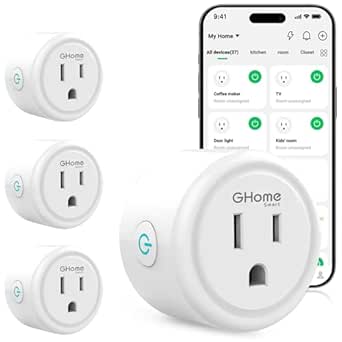 | Best Value for Basic Automation | Pack quantity: 4 | Model: WP3 | Connectivity: 2.4GHz Wi-Fi; Bluetooth or Wi-Fi setup | VIEW LATEST PRICE | See Our Full Breakdown |
| Linkind Matter Smart Plug, 4-Pack | 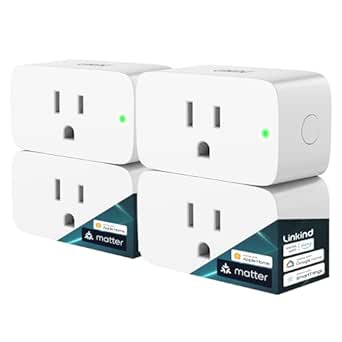 | Best Smart Plug for Matter Homes | Pack quantity: 4 | Model: LC09003256 | Plug type: Type A | VIEW LATEST PRICE | See Our Full Breakdown |
| Lockin Veno Plus Smart Lock with Camera, Palm Vein Entry and 2K 180° Video |  | Best Premium Smart Entry System | Model: Veno Plus (LKMSD551) | Lock type: Biometric deadbolt | Access methods: Palm vein, fingerprint, keypad, app, remote, touch, and voice | VIEW LATEST PRICE | See Our Full Breakdown |
| Sonos Era 100 Wireless Smart Speaker, Black |  | Best Smart Speaker for Flexible Listening | Audio architecture: Dual tweeters and midwoofer | Connectivity: Wi-Fi, Bluetooth, and 3.5 mm line-in with Sonos Line-In Adapter | Voice control: Amazon Alexa | VIEW LATEST PRICE | See Our Full Breakdown |
| Amazon Echo Show 5 Smart Display, Cloud Blue |  | Best Smart Display for Small Spaces | Display: 5.5-inch touchscreen | Camera: 2 MP with built-in shutter | Speaker: 1.75-inch full-range speaker | VIEW LATEST PRICE | See Our Full Breakdown |
| Amazon Smart Plug with Alexa |  | Best Simple Plug for Alexa Homes | Dimensions: 3.2 × 1.5 × 2.2 in | Maximum output: 15 A | Input: 120 VAC, 60 Hz, 15 A max | VIEW LATEST PRICE | See Our Full Breakdown |
| TP-Link Tapo P125M Matter Smart Plug Mini, 15A/1800W, 3-Pack |  | Best Smart Plug for Mixed-Platform Homes | Pack size: 3 plugs | Maximum current: 15 A | Maximum power: 1800 W | VIEW LATEST PRICE | See Our Full Breakdown |
| Amazon Echo Show 11 Smart Display with Full HD Touchscreen and Spatial Audio, Graphite |  | Best Smart Display for Hub-Ready Homes | Display: 10.95-inch Full HD touchscreen, 1920 × 1200 | Camera: 13 MP with auto framing and 3.3× zoom | Audio: 1 × 2.8-inch woofer, 2 full-range drivers, and spatial audio | VIEW LATEST PRICE | See Our Full Breakdown |
| Amazon Echo Hub 8-Inch Smart Home Control Panel |  | Best Dedicated Smart Home Control Panel | Display: 8-inch touchscreen, 1280 × 800 resolution | Connectivity: Dual-band Wi-Fi, Bluetooth, Zigbee, Matter, Thread, Amazon Sidewalk | Audio: Two top-ported full-range speakers with stereo playback | VIEW LATEST PRICE | See Our Full Breakdown |
| Sonos Era 300 Wireless Smart Speaker with Dolby Atmos, Black |  | Best Premium Spatial-Audio Smart Speaker | Audio output mode: Dolby Atmos | Speaker type: Multi-room | Driver configuration: Six drivers with custom waveguides | VIEW LATEST PRICE | See Our Full Breakdown |
| smart home product | Connectivity |
|---|---|
| ENZE 24-Inch Round Smart LED B | — |
| WAC Rotary 65-Inch Smart Ceili | — |
| GHome Smart Plug | 2.4GHz Wi-Fi; Bluetooth or Wi-Fi setup |
| Linkind Matter Smart Plug | — |
| Lockin Veno Plus Smart Lock wi | Bluetooth, Matter, Thread, and Wi-Fi |
| Sonos Era 100 Wireless Smart S | Wi-Fi, Bluetooth, and 3.5 mm line-in with Sonos Line-In Adapter |
| Amazon Echo Show 5 Smart Displ | — |
| Amazon Smart Plug with Alexa | — |
| TP-Link Tapo P125M Matter Smar | 2.4 GHz Wi-Fi, Bluetooth, and Matter |
| Amazon Echo Show 11 Smart Disp | — |
| Amazon Echo Hub 8-Inch Smart H | Dual-band Wi-Fi, Bluetooth, Zigbee, Matter, Thread, Amazon Sidewalk |
| Sonos Era 300 Wireless Smart S | Wi-Fi, Bluetooth, AirPlay, NFC |
More Details on Our Top Picks
ENZE 24-Inch Round Smart LED Bathroom Mirror with Anti-Fog and App Control
The ENZE gives smart-home control a practical bathroom job: adjusting mirror light and managing the defogger. Its front-and-back LEDs, variable color temperature, and stepless dimming let you tune the light for grooming rather than settling for a single brightness. App and voice controls add schedules and timers, while the memory function brings back your last lighting setting. Compared with a GHome Smart Plug, this is a dedicated fixture rather than an inexpensive way to automate an existing appliance, so it requires more planning and installation. The tradeoff is the 2.4GHz Wi-Fi requirement for app control and a fixed wall-mounted format. I’d choose it for a bathroom renovation or a mirror replacement, not for someone seeking a small, portable smart-home add-on.
Pros:- Front and back lighting with adjustable color temperature and stepless dimming
- App and voice control cover both lighting and defogger settings
- Defogger timers and a lighting memory setting support daily routines
- Tempered glass and plug-in or hardwired installation offer useful flexibility
Cons:- App control requires a 2.4GHz Wi-Fi network
- Wall mounting makes it a poor fit for temporary or frequently changing setups
Best for: Homeowners replacing a bathroom mirror who want adjustable lighting, scheduled defogging, and app or voice control in one fixture.
Not ideal for: Renters or anyone unwilling to mount and wire a fixed bathroom fixture, or buyers whose Wi-Fi network lacks 2.4GHz support.
- Size:24 × 24 inches
- Shape:Round
- Lighting:Front-lit and backlit LED
- Color temperature:3000K–6000K
- Dimming:Stepless, 1%–100%
- Controls:Touch, Wi-Fi app, and voice
- Smart features:Anti-fog, memory, timers, and scheduling
- Installation:Wall mount; plug-in or hardwired
- Warranty:5 years
Our verdict“Choose the ENZE if you want a permanently installed bathroom mirror that combines adaptable lighting with smart defogger controls.”
WAC Rotary 65-Inch Smart Ceiling Fan with LED Light, Matte Black and Soft Brass
The WAC Rotary is the room-scale pick here: its 65-inch span and DC motor are aimed at moving air efficiently across a larger space, while the dimmable LED provides useful room lighting. A Bluetooth remote works without relying on app control, and compatibility with Alexa, Google Assistant, and SmartThings gives it a wider smart-home role than a standalone fan. Compared with the Linkind Matter Smart Plug, this is a substantial installed appliance, not a quick way to add automation to something you already own. Its wet-location rating also opens up covered outdoor placements, and it can suit sloped ceilings. The tradeoff is installation planning: the included downrod is 6 inches, longer options cost extra, and a hardwired wall control is sold separately.
Pros:- 65-inch blade span and DC motor suit larger rooms
- App, Bluetooth remote, and voice-assistant controls provide several operating options
- Wet-location listing supports indoor and outdoor use
- Dimmable replaceable LED offers four selectable color temperatures
Cons:- Hardwired wall control is sold separately
- Longer downrod lengths are sold separately
- Large installed fixture requires more planning than a smart plug or portable device
Best for: People furnishing a large living area, bedroom, or covered outdoor space who want app and voice control alongside a physical remote.
Not ideal for: Small-room buyers, anyone seeking a simple plug-in smart device, or installers who need a longer downrod or hardwired wall control included.
- Blade span:65 inches
- Blade count:5
- Motor:DC motor
- Light:Replaceable dimmable LED, up to 1600 lumens, 90 CRI
- Color temperatures:2700K, 3000K, 4000K, and 5000K
- Controls:WAC app and included Bluetooth remote
- Smart home compatibility:Google Assistant, Amazon Alexa, and Samsung SmartThings
- Installation:Indoor or outdoor; sloped-ceiling compatible; includes 6-inch downrod
- Certifications:UL and cUL wet-location listed; Energy Star certified
Our verdict“Pick the WAC Rotary for a large room or covered outdoor area where smart fan control and integrated lighting justify a more involved installation.”
GHome Smart Plug, 4-Pack
For adding schedules and remote switching to several existing devices, the GHome four-pack is the straightforward, low-commitment choice in this lineup. It works with Alexa and Google Assistant, supports timers and grouped control, and needs no hub. The 10A, 1200W limit makes it a fit for many lamps and smaller household devices, but buyers should check appliance requirements rather than assume it can handle every load. Compared with the Linkind Matter Smart Plug, GHome supports a narrower set of named ecosystems and depends on its own app for initial setup; Linkind adds Matter compatibility and local communication with compatible devices during internet outages. GHome’s appeal is simpler basic automation across four outlets, not broader interoperability. It also requires a 2.4GHz network.
Pros:- Four plugs allow automation in several locations
- Supports Alexa and Google Assistant voice control
- Schedules, timers, remote control, and group operation are supported
- No separate hub is required
Cons:- Requires a 2.4GHz Wi-Fi network
- Initial setup must go through the GHome app
- 1200W maximum limits the appliances it can control
Best for: Alexa or Google Assistant households that want to schedule lamps and other compatible, lower-wattage devices across several outlets without adding a hub.
Not ideal for: Buyers who need Matter or Apple Home compatibility, outage-resistant local control, or a plug rated for loads above 1200W.
- Pack quantity:4
- Model:WP3
- Connectivity:2.4GHz Wi-Fi; Bluetooth or Wi-Fi setup
- Voice assistants:Alexa and Google Assistant
- Compatible apps:GHome, Smart Life, and Tuya
- Maximum current:10A
- Maximum wattage:1200W
- Dimensions:2.1 × 2.1 × 1.1 inches
- Hub required:No
Our verdict“Choose GHome for basic Alexa or Google control of several compatible devices, but pick the Linkind plugs for Matter support or a higher power rating.”
Linkind Matter Smart Plug, 4-Pack
The Linkind plugs make the most sense when your smart home spans platforms: Matter support brings compatibility with Apple Home, Alexa, Google Home, and SmartThings, while local communication can keep compatible-device control working when the internet is down. That gives them a wider integration role than the GHome Smart Plug, which focuses on Alexa and Google and requires its own app for initial setup. Linkind also has a higher 15A, 1800W capacity than GHome’s 10A, 1200W rating, giving buyers more headroom within the plug’s intended use. The catch is setup: most supported platforms require a compatible Matter hub, and this plug still needs 2.4GHz Wi-Fi and IPv6. I’d favor it for a household already equipped for Matter, not for someone seeking the least involved setup.
Pros:- Matter compatibility covers several major smart-home platforms
- Local communication with compatible devices can continue during internet outages
- 15A and 1800W capacity exceed the GHome Smart Plug’s stated limits
- Four plugs support schedules, timers, and remote control
Cons:- Most supported platforms require a compatible Matter hub
- Requires 2.4GHz Wi-Fi and IPv6
Best for: Households using Apple Home, SmartThings, Alexa, or Google Home that have a compatible Matter hub and want four smart outlets with broader platform support.
Not ideal for: Buyers without a compatible Matter hub, networks without 2.4GHz Wi-Fi and IPv6, or anyone prioritizing the simplest setup.
- Pack quantity:4
- Model:LC09003256
- Plug type:Type A
- Wireless connectivity:2.4GHz Wi-Fi and IPv6
- Amperage:15A
- Power capacity:1800W
- Compatible platforms:Apple Home, Alexa, Google Home, SmartThings, and AiDot
- Hub requirement:Compatible Matter hub required for most platforms
- Certifications:FCC and ETL
Our verdict“Pick Linkind over GHome when multi-platform Matter support and higher rated capacity matter more than hub-free setup.”
Lockin Veno Plus Smart Lock with Camera, Palm Vein Entry and 2K 180° Video
The Lockin Veno Plus combines access control and front-door monitoring in one substantial device: it pairs a deadbolt with a 2K, 180-degree camera, doorbell, night vision, and motion alerts. Entry options range from palm vein and fingerprint to keypad, app, remote, touch, and voice, so it offers more ways to get inside than a basic connected lock. Its 8GB local storage avoids a monthly subscription for video storage, a useful distinction from systems that depend on recurring cloud service. Compared with the Amazon Smart Plug or the Linkind Matter Smart Plug, this is a security-focused installation rather than a simple home-automation add-on; it also takes up more space and weighs 3.7 pounds. Buyers should check their door and smart-home setup before choosing it, since connected controls rely on an app or compatible devices.
Pros:- Palm vein and fingerprint access add options beyond keypad entry
- Combines a lock, doorbell, and 2K 180-degree camera
- Night vision and motion alerts extend monitoring beyond daylight
- 8GB local video storage is included without a monthly subscription
Cons:- At 3.7 pounds, it is heavier than a basic deadbolt
- Connected control features depend on an app or compatible smart-home devices
- The combined lock and camera system calls for more installation and compatibility checks than a simple smart lock
Best for: Homeowners who want biometric entry, a doorbell, and wide-angle video in one connected front-door system, with local video storage.
Not ideal for: Renters or buyers seeking a lightweight, simple deadbolt, or anyone who does not want to check compatibility with their door and smart-home devices.
- Model:Veno Plus (LKMSD551)
- Lock type:Biometric deadbolt
- Access methods:Palm vein, fingerprint, keypad, app, remote, touch, and voice
- Camera:2K, 180-degree ultra-wide
- Night vision:Yes
- Storage:8GB local video storage
- Connectivity:Bluetooth, Matter, Thread, and Wi-Fi
- Compatible controllers:Amazon Alexa, Apple HomeKit, Google Assistant, and SmartThings
- Dimensions and weight:11 × 4.4 × 3.5 inches; 3.7 pounds
Our verdict“Choose the Veno Plus if you want biometric entry and front-door video in one system and are prepared for a heavier, more involved installation.”
Sonos Era 100 Wireless Smart Speaker, Black
The Sonos Era 100 is a strong fit for a room where music matters as much as smart-home convenience. Its dual tweeters create stereo separation from a compact shelf speaker, while the midwoofer adds bass; compared with the larger-screen Amazon Echo Show 11, it devotes more of its design to sound rather than camera calls and home controls. Wi-Fi streaming and Bluetooth pairing give it more listening options than a voice-assistant-only speaker, and Trueplay room tuning adjusts the sound to the space. The tradeoff is that connecting a wired source requires a separate Sonos Line-In Adapter, and the speaker needs corded power. Choose it for music in a dry room, not as a portable or outdoor speaker.
Pros:- Dual tweeters provide stereo separation in a compact speaker
- Midwoofer supports rich bass for room listening
- Wi-Fi streaming, Bluetooth, and optional line-in offer multiple audio sources
- Trueplay adjusts the EQ to room acoustics
Cons:- Wired audio input requires a separately purchased Sonos Line-In Adapter
- Requires corded power and is not water resistant
Best for: Music listeners who want a compact stereo Wi-Fi speaker with Bluetooth and voice control for a shelf, desk, or nightstand.
Not ideal for: Buyers who need a battery-powered or water-resistant speaker, or who want wired audio input without buying an adapter.
- Audio architecture:Dual tweeters and midwoofer
- Connectivity:Wi-Fi, Bluetooth, and 3.5 mm line-in with Sonos Line-In Adapter
- Voice control:Amazon Alexa
- Room tuning:Trueplay
- Dimensions:7 × 5.1 × 7.22 in
- Power:Corded electric
- Weight:2020 g
Our verdict“Choose the Era 100 for flexible, room-filling music in a compact smart speaker, but skip it if portability or water resistance matters.”
Amazon Echo Show 5 Smart Display, Cloud Blue
The Echo Show 5 earns its place as a small, accessible screen for bedside routines, quick smart-home controls, and video calls. Its 5.5-inch touchscreen makes information and compatible camera feeds visible without relying on voice alone, while the built-in shutter and camera/microphone off button give privacy-conscious households physical controls. Compared with the larger Echo Show 11, it takes up less space but gives up the larger Full HD display, stronger audio setup, and built-in Zigbee, Matter, and Thread hub. The 2 MP camera and 1.75-inch speaker suit casual calls and everyday audio, not a room’s main entertainment system. It is a sensible pick for a nightstand or compact counter, provided Alexa is already the smart-home platform you want.
Pros:- Small touchscreen offers at-a-glance information and touch-based Alexa controls
- Built-in camera supports video calls and viewing compatible cameras
- Physical camera shutter and microphone/camera off button add privacy controls
- Uses recycled materials and recyclable packaging
Cons:- Small display and 1.75-inch speaker are limited for shared viewing and room-filling audio
- Does not support ad-hoc or peer-to-peer Wi-Fi networks
Best for: Alexa households looking for a compact bedside or kitchen display for routines, basic device controls, and occasional video calls.
Not ideal for: Buyers who want a large screen, a built-in multi-protocol smart-home hub, or a display for substantial video and music playback.
- Display:5.5-inch touchscreen
- Camera:2 MP with built-in shutter
- Speaker:1.75-inch full-range speaker
- Wi-Fi:Dual-band 802.11a/b/g/n/ac
- Bluetooth:A2DP and AVRCP support
- Dimensions:5.8 × 3.6 × 3.2 in
- Weight:16.1 oz (456 g)
Our verdict“Pick the Echo Show 5 for compact Alexa access and occasional calls; choose the Echo Show 11 if screen size and built-in smart-home hub features matter more.”
Amazon Smart Plug with Alexa
The Amazon Smart Plug makes an ordinary compatible device controllable by Alexa, with schedules and routines handling predictable on-and-off tasks. It needs no separate hub, and its compact body is designed to leave the neighboring outlet available. That straightforward setup is its advantage over the TP-Link Tapo P125M Matter Smart Plug Mini: the Tapo works across several major smart-home platforms, while this plug is a better match for someone already committed to Alexa and wanting a single, uncomplicated outlet. The cost of that simplicity is limited compatibility: it does not work with other voice assistants or smart hubs, and it only connects to 2.4 GHz Wi-Fi. It is indoor-only, so I would not use it for outdoor lighting or equipment exposed to moisture.
Pros:- Works with Alexa without a separate smart-home hub
- Supports schedules, routines, and voice control
- Compact shape is designed to leave the second outlet free
- Automatically reconnects to Alexa after power or Wi-Fi outages
Cons:- Works only with Alexa and does not support other voice assistants or smart hubs
- Connects only to 2.4 GHz Wi-Fi
- Indoor use only
Best for: Alexa users who want to schedule or voice-control an indoor lamp or other compatible plug-in device without adding a hub.
Not ideal for: Households using Apple Home, Google Home, or SmartThings, and anyone needing an outdoor-rated plug or 5 GHz Wi-Fi support.
- Dimensions:3.2 × 1.5 × 2.2 in
- Maximum output:15 A
- Input:120 VAC, 60 Hz, 15 A max
- Wi-Fi:2.4 GHz, 802.11 b/g/n
- Compatibility:Alexa app and compatible Alexa devices
- Use:Indoor only
- Warranty:1-year limited warranty
Our verdict“Choose this plug for simple Alexa control of indoor devices, but opt for the Tapo P125M if you need Matter platform flexibility.”
TP-Link Tapo P125M Matter Smart Plug Mini, 15A/1800W, 3-Pack
The Tapo P125M Matter Smart Plug Mini is the more adaptable plug for households that do not want every device tied to one assistant. Matter support spans Apple Home, Alexa, Google Home, and Samsung SmartThings, giving it a clear compatibility advantage over the Alexa-only Amazon Smart Plug. Local Matter control can also keep supported control working over the home network when internet access is unavailable, while Bluetooth onboarding helps simplify setup. The three-pack suits buyers adding several lamps or small appliances at once, and the compact design helps preserve access to adjacent outlets. Its limits are practical rather than unusual: it needs 2.4 GHz Wi-Fi and its 15 A, 1800 W rating rules out loads above that ceiling. Check the connected device’s requirements before using it.
Pros:- Matter support works with Apple Home, Alexa, Google Home, and Samsung SmartThings
- Local Matter control can continue over the home network without internet access
- Compact design helps avoid blocking adjacent outlets
- Three plugs support automating multiple devices, with Bluetooth-assisted onboarding
Cons:- Wi-Fi connectivity is limited to 2.4 GHz
- Maximum rating is 15 A and 1800 W, so it is unsuitable for higher-load devices
Best for: Households using, or planning to use, more than one major smart-home platform and wanting to automate several indoor devices.
Not ideal for: Buyers with 5 GHz-only Wi-Fi or devices that exceed the plug’s 15 A and 1800 W maximum rating.
- Pack size:3 plugs
- Maximum current:15 A
- Maximum power:1800 W
- Connectivity:2.4 GHz Wi-Fi, Bluetooth, and Matter
- Compatible platforms:Apple Home, Amazon Alexa, Google Home, and Samsung SmartThings
- Control methods:App, voice, scheduling, and timers
- Certification:UL certified
- Warranty:2-year limited warranty
Our verdict“Choose the Tapo three-pack for cross-platform flexibility and multi-device setup; the Amazon Smart Plug is simpler if your home uses Alexa alone.”
Amazon Echo Show 11 Smart Display with Full HD Touchscreen and Spatial Audio, Graphite
The Echo Show 11 is the most capable smart-home command center in this group: its 10.95-inch Full HD touchscreen gives controls and camera views more room, while its built-in hub supports Zigbee, Matter, and Thread. That gives it a broader device-connection role than the compact Echo Show 5, which is better suited to a bedside routine than managing a larger setup. Presence and temperature sensing can also support routines, and the 13 MP auto-framing camera is designed to keep callers in view. Spatial audio adds a stronger entertainment angle than a basic control panel. The tradeoffs are its larger footprint and a set of platform-specific limits, including unsupported Bluetooth speakers that require PIN codes; Amazon Sidewalk is enabled by default unless previously turned off.
Pros:- Built-in hub supports Zigbee, Matter, and Thread devices
- Large Full HD touchscreen makes home controls and compatible camera views easier to see
- 13 MP auto-framing camera supports video calls and live view
- Presence and temperature sensing can inform routines
Cons:- Larger body takes more counter or shelf space than the Echo Show 5
- Bluetooth speakers that require PIN codes are not supported
- Amazon Sidewalk is enabled by default unless previously turned off
Best for: Alexa households building a connected home who want a large display, built-in Zigbee/Matter/Thread support, and video calling in one device.
Not ideal for: Buyers who need a compact bedside display, prefer a dedicated home-control panel without entertainment features, or want to avoid Amazon Sidewalk unless they change its setting.
- Display:10.95-inch Full HD touchscreen, 1920 × 1200
- Camera:13 MP with auto framing and 3.3× zoom
- Audio:1 × 2.8-inch woofer, 2 full-range drivers, and spatial audio
- Wi-Fi:Wi-Fi 6E (IEEE 802.11ax)
- Smart-home hub:Zigbee, Matter, and Thread Border Router
- Sensors:Ambient temperature, ambient light, presence detection, and camera
- Dimensions:10 × 5 × 7.2 in
- Weight:45.92 oz (1302 g)
Our verdict“Choose the Echo Show 11 when you want a large Alexa display that can also connect several smart-home protocols; pick the Echo Show 5 for a smaller, simpler screen.”
Amazon Echo Hub 8-Inch Smart Home Control Panel
The Echo Hub is built for households that want a fixed place to manage compatible devices, rather than another screen mainly for watching video. Its customizable 8-inch dashboard can group controls for lights, cameras, routines, and media, while Zigbee, Matter, and Thread support lets it connect directly with a broad range of smart home gear. Compared with the Echo Show 11, this is the more focused control surface; the Show is better suited to buyers who also want a general-purpose display. The tradeoff is installation: wall mounting calls for a drill, and portable use is not its aim. A tabletop stand and PoE converter are separate purchases, and setup needs internet access. I’d choose it for a central, always-ready home control point, not for a flexible display that moves from room to room.
Pros:- Customizable dashboard makes frequently used device controls easier to group and reach
- Built-in Zigbee, Matter, and Thread support reduces the need for separate protocol hubs
- Can manage compatible cameras, security systems, routines, and media from one panel
- Includes a microphone-off button and uses 27% recycled materials
Cons:- Wall mounting requires drilling, and the panel is not designed for portable use
- Tabletop stand and PoE converter are sold separately
- Internet connection is required for setup
Best for: Smart home households with compatible devices that want a fixed, customizable dashboard near an entryway or central living space
Not ideal for: Renters avoiding wall installation and buyers who want a portable display or a tabletop setup without buying a separate stand
- Display:8-inch touchscreen, 1280 × 800 resolution
- Connectivity:Dual-band Wi-Fi, Bluetooth, Zigbee, Matter, Thread, Amazon Sidewalk
- Audio:Two top-ported full-range speakers with stereo playback
- Sensors:Passive infrared proximity sensor and ambient light sensor
- Power:12.5 W adapter included; compatible with USB-C PD power accessories
- Power over Ethernet:Supported with compatible USB-C converter; requires IEEE 802.3at or IEEE 802.3bt
- Installation:Wall mount included; tabletop stand sold separately; internet connection required
- Included accessories:Power adapter, 6 ft cord, wall mount, anchors, screws, mounting template, quick start guide
- Recycled materials:27% recycled materials in device
Our verdict“Choose the Echo Hub if you want a permanent, protocol-flexible control panel; pick the Echo Show 11 if a general-purpose smart display matters more.”
Sonos Era 300 Wireless Smart Speaker with Dolby Atmos, Black
The Sonos Era 300 is the sound-focused choice here: its six-driver layout and custom waveguides send audio around and above the room for Dolby Atmos playback. That makes it a better fit for listeners building a dedicated music setup than the Amazon Echo Hub, whose speakers are secondary to its role as a control panel. Wi-Fi, Bluetooth, and AirPlay give it several ways to stream, and it can join another Era 300 or a compatible Sonos soundbar for a larger surround system. The tradeoff is a narrower smart-home role: this is primarily a speaker, not a device-control hub, and voice control is Sonos Voice Control. It also lacks water resistance, while its 3.5 mm line-in requires a separate adapter. I’d pick it for immersive listening, not as a one-device solution for controlling a smart home.
Pros:- Six-driver design supports Dolby Atmos Music playback
- Custom waveguides direct sound around and above the room
- Supports Wi-Fi, Bluetooth, and AirPlay streaming
- Can pair with another Era 300 or a compatible Sonos soundbar
Cons:- Not water resistant, limiting placement in damp or outdoor areas
- 3.5 mm line-in requires a separate Sonos Line-In Adapter
- Its speaker-first design does not replace a dedicated control panel such as the Amazon Echo Hub
Best for: Music listeners who want Dolby Atmos playback, multi-room streaming, and the option to expand into a compatible Sonos surround setup
Not ideal for: Buyers seeking a smart home control hub, a water-resistant speaker for bathrooms or outdoors, or wired line-in without an extra adapter
- Audio output mode:Dolby Atmos
- Speaker type:Multi-room
- Driver configuration:Six drivers with custom waveguides
- Connectivity:Wi-Fi, Bluetooth, AirPlay, NFC
- Line-in:3.5 mm; requires Sonos Line-In Adapter
- Control method:App
- Voice control:Sonos Voice Control
- Mounting and size:Tabletop; 7.44 inches
- Water resistance:Not water resistant
Our verdict“Choose the Era 300 for immersive music and a Sonos-based audio setup, but skip it if your priority is smart home device control.”
How We Picked
I ranked these 12 smart home products by how well they address a clear household need, how approachable they are to set up and use, and how much flexibility they offer. I also weighed the practical costs of ownership beyond purchase: installation demands, ecosystem dependence, maintenance, and whether a product’s specialized features are likely to matter to its intended buyer. Compatibility received particular attention because a device that cannot work smoothly with a household’s existing setup can create more friction than convenience.
The ranking favors products with broad usefulness and a clear role, which is why the Tapo P125M leads as a compact Matter plug with multi-device usefulness. Products aimed at one ecosystem or one specific room rank lower for general buyers, even when they may be a better fit for that audience. Premium speakers and the larger display offer more specialized capabilities, while the lock, fan, and mirror carry more installation or fit considerations. I treated each item as a distinct kind of home upgrade rather than assuming that every buyer needs the same combination of devices.
Factors to Consider When Choosing Best Smart Home Products
Smart home purchases work best when they fit the routines and devices already in your home. I’d start with the task you want to simplify, then check compatibility, setup effort, and whether the product adds something you will actually use. These decisions matter more than building the biggest collection of connected devices.
Start With One Repeated Household Task
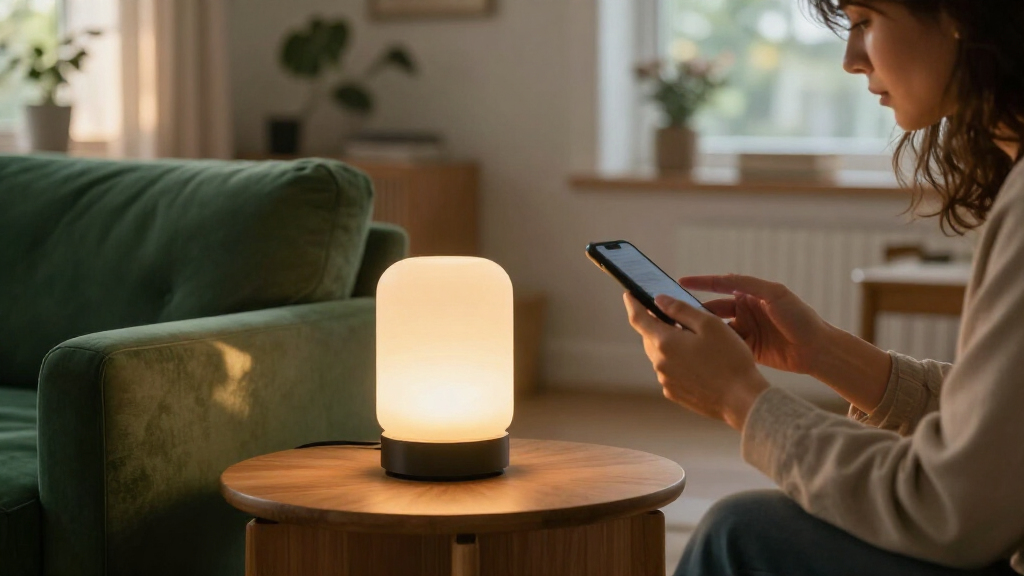
Pick a routine that happens often, such as switching a lamp on, checking the front door, or controlling music in a shared room. Matching one product to one recurring task makes it easier to judge whether automation is helping. A smart plug can schedule a compatible lamp, but it cannot make every appliance smart or safely control every high-power device. For a built-in fixture or a door lock, think about who will use it and what happens if the network or app is unavailable. Avoid buying several device types at once before you know which controls your household prefers. A small, useful first step often reveals what to add next.
Check Ecosystem and Matter Compatibility Before You Buy
Compatibility is more than whether a box lists a familiar voice assistant. Check the exact platform support you need, whether a hub or controller is required, and which functions remain available through each app. Matter can make supported devices easier to use across compatible platforms, but it does not mean every advanced feature works identically everywhere. Households with mixed phones, speakers, and smart displays should favor devices that fit more than one control path. A device tied closely to one ecosystem may still be the right choice if that is already the household standard. Confirm the setup requirements before buying several plugs or other devices together.
Choose the Right Level of Control
A smart plug, smart display, and dedicated control panel may all operate connected devices, but they suit different habits. Voice control can be convenient for quick commands, while an on-screen interface helps when several people need to see or change settings. A dedicated panel may work better as a central household control point than as a general-purpose screen. Consider who will use the device, where it will sit, and whether they are comfortable relying on a phone app. More controls do not automatically make a setup easier; they can create duplicate routines and confusing choices. Decide which interface should be the default before adding another one.
Account for Installation, Fit, and Maintenance
Plug-in products usually ask less of a home than a ceiling fan, lock, or bathroom mirror. For installed devices, check dimensions, mounting requirements, wiring or door compatibility, and whether professional help may be needed. The fit of a product can determine whether its features are useful: a large display needs a suitable location, and a specialty mirror needs to match the bathroom’s space and installation plan. Also think about ongoing care, such as keeping software current or maintaining a device that includes a camera or other sensors. Do not treat smart features as a substitute for checking the product’s physical requirements. A useful checklist includes the space, power source, network coverage, and fallback controls.
Pay More Only for Features You Will Use
Premium equipment can be worthwhile when its added functions match a regular use, such as spatial audio for listening or a larger screen for a shared space. If a feature will rarely be used, a simpler option may be a better fit even when the higher-end model offers more capability. Compare what changes in everyday operation, not just the number of features listed. With smart home devices, extra complexity can also mean more setup and more settings to maintain. Think about the room, listening or viewing habits, and who shares the device before choosing a premium model. The best upgrade is the one that improves a routine rather than merely adding another connected product.
Plan for Shared Access and Network Reliability
Smart devices often become part of shared routines, so consider whether other household members can use them without your phone. Check how access is managed, what controls remain available if the internet drops, and whether the device relies on an app for everyday operation. A connected lock deserves particular thought because entry needs to remain practical when a phone, network, or service is unavailable. Camera-equipped products also raise questions about who can view footage and how access is managed. Place network-dependent devices where the home’s wireless signal is reliable, especially if they control something used daily. Planning for these situations helps prevent convenience from turning into a new point of failure.
Frequently Asked Questions
Which smart plug makes the most sense if my home uses more than one smart home platform?
I’d start by checking the exact platform and controller requirements for each plug, rather than relying on the word “Matter” alone. The Tapo P125M and Linkind options are the most relevant in this lineup for shoppers seeking Matter support. Matter can help compatible devices work across supported systems, but platform features and setup steps can still differ. If your household is firmly centered on Alexa and wants a single plug, Amazon’s option may be a simpler match. Confirm that your controller supports the plug before ordering several.
Should I buy a smart display or a dedicated smart home control panel?
Choose based on whether you want a general household screen or a place focused on device control. The Echo Show models combine a display with interactive features, while the Echo Hub is positioned as a control panel for managing a connected home. A display may suit a room where people also want on-screen information; a panel makes more sense when device controls are the main purpose. Check which devices and routines you need to access before deciding. Buying both can be redundant if your household only needs one shared interface.
Is a smart lock with a camera a good choice if I only want keyless entry?
It may be more capability than you need if your only goal is getting into the home without a traditional key. The Lockin Veno Plus combines entry features with a camera, so it makes more sense when video visibility and its entry methods are useful to your household. Before buying, check door compatibility, installation needs, how access is shared, and what happens if the device or network is unavailable. Also decide whether you are comfortable managing a camera as part of a door lock. A simpler lock may be a better fit when video features would go unused.
How should I choose between the Sonos Era 100 and Era 300?
I’d base the choice on listening priorities rather than assuming the larger feature set is automatically a better fit. The Era 100 is the more straightforward option for everyday wireless listening, while the Era 300 is the premium pick for buyers interested in Dolby Atmos support. Think about the room, the kind of audio you play, and whether the additional spatial-audio capability matters in your routine. If you mainly want a smart speaker for casual listening, the Era 100 may be the more practical match. Choose the Era 300 when its audio focus is a reason to upgrade, not simply because it sits higher in the lineup.
What should I check before choosing a smart ceiling fan or bathroom mirror?
Start with physical fit and installation requirements, since these products affect a fixed part of the home. Measure the available space and verify mounting, wiring, and any other product-specific requirements before purchase. Then check how the smart controls work and whether they fit the platform your household already uses. Consider ongoing use as well: a fan is a room fixture, while an app-controlled mirror adds a specialized function to a bathroom. These are better choices when their core purpose already fits your plans, not as impulse additions to a general smart home setup.
Conclusion
For the best overall balance of flexibility and everyday usefulness, I’d choose the TP-Link Tapo P125M. The GHome Smart Plug 4-Pack is my value-oriented pick for buyers who want several basic plug-in automations, while the Echo Hub is a stronger fit for someone building a more centralized control setup. For beginners, I’d start with a smart plug that matches the home’s existing platform rather than jumping straight to installed equipment. The Sonos Era 300 is the best premium choice for audio-focused households; the Era 100 is the more restrained speaker pick. For specific needs, choose the Lockin lock for combined entry and camera features, the WAC fan or ENZE mirror when their room-specific upgrade suits your home, and an Echo Show when a household screen is more useful than a dedicated control panel. My final filter is simple: buy for a routine you want to improve, then check compatibility and installation before adding the device.