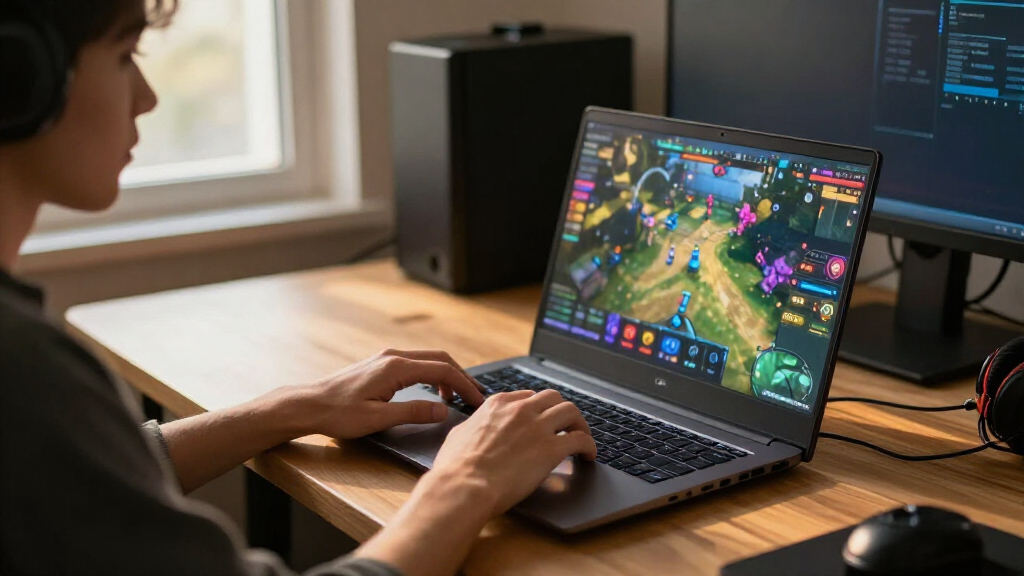
For most players, I’d start with the MSI Crosshair A16 HX: its RTX 5070, 32GB of memory, and QHD+ 240Hz display make a strong balance for demanding games. The MSI Raider A16 HX is the performance pick, pairing an RTX 5080 with a high-refresh QHD+ screen, while the Acer Nitro V 16 is a simpler entry point with an RTX 5050. Choosing among gaming laptops means weighing graphics power against screen resolution, memory, portability, and upgrade needs. A faster GPU may deliver more headroom, but a sharper or larger screen can demand more from it. Read on for my full breakdown of all 12 options and guidance on which tradeoffs suit different players.

Get the latest gadgets delivered free with Prime
- Fast, free delivery on millions of items
- Prime Video, Amazon Music and more included
- Member-only deals all year
Complete the kit



Key Takeaways
- The RTX 5070 models form the clearest middle ground: the Crosshair A16 pairs that GPU with a 16-inch QHD+ 240Hz screen, 32GB RAM, and a 1TB SSD.
- The Raider A16 and Stealth A18 lead on listed graphics hardware: both have RTX 5080 graphics and 32GB RAM, while the Raider has a 16-inch display and the Stealth A18 has an 18-inch display.
- Memory separates entry configurations from more ready-to-play setups: the Acer Nitro V 16 lists 8GB RAM, versus 16GB in several other lower-tier configurations and 32GB in many of the higher-spec picks.
- Screen size and panel type change the use case: the 18-inch Crosshair and Stealth A18 suit desk-focused play, while the 16-inch OLED Stealth 16 adds a distinct display option in a more compact size.
- Several closely named models are not interchangeable: the Alienware 16 Aurora appears with both RTX 5050 and RTX 5060 graphics, so buyers should confirm the exact configuration before choosing.
| ASUS ROG Strix G16 (2025) Gaming Laptop, 16-inch FHD+ 165Hz, Intel Core i7-14650HX, NVIDIA GeForce RTX 5060, 16GB DDR5, 1TB SSD |  | Best for Cooling and Easy Upgrades | Processor: Intel Core i7-14650HX | Graphics: NVIDIA GeForce RTX 5060 Laptop GPU, 8GB graphics memory | Memory: 16GB DDR5-5600 | VIEW LATEST PRICE | See Our Full Breakdown |
| MSI Raider A16 HX 16-Inch QHD+ 240Hz Gaming Laptop, AMD Ryzen 9 8940HX, NVIDIA GeForce RTX 5080, 32GB DDR5, 2TB NVMe SSD, Wi-Fi 7, Windows 11 Home, Core Black (B8WI-023US) |  | Best for High-End Gaming | Processor: AMD Ryzen 9 8940HX | Graphics: NVIDIA GeForce RTX 5080 Laptop GPU, 16GB GDDR7 | Memory: 32GB DDR5 | VIEW LATEST PRICE | See Our Full Breakdown |
| MSI Stealth A18 AI+ 18-Inch 240Hz QHD+ Gaming Laptop, Ryzen AI 9 365, GeForce RTX 5080, 32GB DDR5, 2TB SSD, Wi-Fi 7, Windows 11 Pro |  | Best Large-Screen Gaming and Productivity Pick | Processor: AMD Ryzen AI 9 365 | Graphics: NVIDIA GeForce RTX 5080 Laptop GPU, 16GB GDDR7 | Memory: 32GB DDR5 | VIEW LATEST PRICE | See Our Full Breakdown |
| ASUS ROG Strix G16 16-Inch Gaming Laptop with Ryzen 9 9955HX and RTX 5060 |  | Best for CPU-Heavy Gaming and Multitasking | Processor: AMD Ryzen 9 9955HX, 16 cores, 32 threads, up to 5.4GHz | Graphics: NVIDIA GeForce RTX 5060 Laptop GPU, 8GB GDDR7 | Memory: DDR5-5600; configurations of 16GB, 32GB, or 64GB | VIEW LATEST PRICE | See Our Full Breakdown |
| MSI Crosshair A16 HX 16-Inch QHD+ 240Hz Gaming Laptop, Ryzen 9 8940HX, RTX 5070, 32GB DDR5, 1TB NVMe SSD, Windows 11 Home |  | Best Balanced QHD+ Gaming Pick | Processor: AMD Ryzen 9 8940HX | Graphics: NVIDIA GeForce RTX 5070, 8GB GDDR7 | Memory: 32GB DDR5 | VIEW LATEST PRICE | See Our Full Breakdown |
| Acer Nitro V 16 Gaming Laptop, Intel Core 5 210H, NVIDIA GeForce RTX 5050, 16-inch WUXGA 165Hz Display, 8GB DDR5, 512GB SSD |  | Best Entry-Level High-Refresh Pick | Processor: Intel Core 5 210H | Graphics: NVIDIA GeForce RTX 5050 Laptop GPU | Display: 16-inch WUXGA IPS, 1920 × 1200 | VIEW LATEST PRICE | See Our Full Breakdown |
| Alienware 16 Aurora Gaming Laptop with NVIDIA GeForce RTX 5060 | 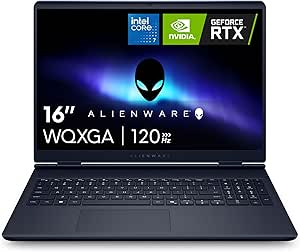 | Best for High-Resolution Gaming | Processor: Intel Core 7 240H | Graphics: NVIDIA GeForce RTX 5060 | Display: 16-inch WQXGA LED, 2560 × 1600, 16:10 | VIEW LATEST PRICE | See Our Full Breakdown |
| Alienware 15 Gaming Laptop, RTX 4050, Intel Core 7 240H, 16GB DDR5 RAM, 1TB SSD |  | Best Balanced Everyday Gaming Pick | Processor: Intel Core 7 240H, 10 cores, 1.8GHz base, up to 5.2GHz | Graphics: NVIDIA GeForce RTX 4050 | Display: 15.3-inch WUXGA, 1920 × 1200, 16:10 | VIEW LATEST PRICE | See Our Full Breakdown |
| MSI Stealth 16 AI+ 16-Inch OLED Gaming Laptop, Core Ultra 9, RTX 5070 Ti, 32GB RAM, 1TB SSD |  | Best Premium Portable | Processor: Intel Core Ultra 9 386H | Graphics: NVIDIA GeForce RTX 5070 Ti with 16GB GDDR7 | Display: 16-inch QHD+ OLED, 2560 × 1600 | VIEW LATEST PRICE | See Our Full Breakdown |
| MSI Crosshair 18 HX AI Gaming Laptop, 18-inch QHD+ 240Hz, Intel Core Ultra 9 275HX, RTX 5070, 32GB RAM, 2TB SSD |  | Best Large-Screen Desktop Replacement | Processor: Intel Core Ultra 9 275HX, 24 cores, 2.1–5.4GHz | Graphics: NVIDIA GeForce RTX 5070 with 8GB GDDR7 | Display: 18-inch IPS, 2560 × 1600, 100% DCI-P3 | VIEW LATEST PRICE | See Our Full Breakdown |
| Thunderobot Radiant S 16 Gaming Laptop, Ryzen 9 9850HX, RTX 5070, 32GB RAM, 1TB SSD |  | Best for High-Refresh QHD+ Gaming | Processor: AMD Ryzen 9 9850HX, 12 cores, up to 5.2GHz | Graphics: NVIDIA GeForce RTX 5070 Laptop GPU, 8GB GDDR7 | Memory: 32GB DDR5; supports up to 64GB | VIEW LATEST PRICE | See Our Full Breakdown |
| Alienware 16 Aurora Gaming Laptop, RTX 5050, Intel Core 7 240H |  | Best for Entry-Level QHD+ Gaming | Processor: Intel Core 7 240H | Graphics: NVIDIA GeForce RTX 5050 Laptop GPU | Display: 16-inch WQXGA LED, 2560 × 1600, 120Hz, 300 nits | VIEW LATEST PRICE | See Our Full Breakdown |
| gaming laptop | Processor | Graphics | Memory | Storage |
|---|---|---|---|---|
| ASUS ROG Strix G16 | Intel Core i7-14650HX | NVIDIA GeForce RTX 5060 Laptop GPU, 8GB graphics memory | 16GB DDR5-5600 | 1TB PCIe Gen 4 SSD |
| MSI Raider A16 HX 16-Inch QHD+ | AMD Ryzen 9 8940HX | NVIDIA GeForce RTX 5080 Laptop GPU, 16GB GDDR7 | 32GB DDR5 | 2TB NVMe SSD |
| MSI Stealth A18 AI+ 18-Inch 24 | AMD Ryzen AI 9 365 | NVIDIA GeForce RTX 5080 Laptop GPU, 16GB GDDR7 | 32GB DDR5 | 2TB NVMe SSD |
| ASUS ROG Strix G16 16-Inch Gam | AMD Ryzen 9 9955HX, 16 cores, 32 threads, up to 5.4GHz | NVIDIA GeForce RTX 5060 Laptop GPU, 8GB GDDR7 | DDR5-5600; configurations of 16GB, 32GB, or 64GB | PCIe Gen 4 NVMe SSD; configurations of 1TB or 2TB |
| MSI Crosshair A16 HX 16-Inch Q | AMD Ryzen 9 8940HX | NVIDIA GeForce RTX 5070, 8GB GDDR7 | 32GB DDR5 | 1TB NVMe SSD |
| Acer Nitro V 16 Gaming Laptop | Intel Core 5 210H | NVIDIA GeForce RTX 5050 Laptop GPU | 8GB DDR5 | 512GB Gen 4 SSD |
| Alienware 16 Aurora Gaming Lap | Intel Core 7 240H | NVIDIA GeForce RTX 5060 | 16GB DDR5-5600; maximum 32GB | 1TB SSD |
| Alienware 15 Gaming Laptop | Intel Core 7 240H, 10 cores, 1.8GHz base, up to 5.2GHz | NVIDIA GeForce RTX 4050 | 16GB DDR5-5600; maximum 32GB | 1TB SSD |
| MSI Stealth 16 AI+ 16-Inch OLE | Intel Core Ultra 9 386H | NVIDIA GeForce RTX 5070 Ti with 16GB GDDR7 | 32GB DDR5 | 1TB NVMe SSD |
| MSI Crosshair 18 HX AI Gaming | Intel Core Ultra 9 275HX, 24 cores, 2.1–5.4GHz | NVIDIA GeForce RTX 5070 with 8GB GDDR7 | 32GB DDR5-5600, 2 × 16GB | 2TB NVMe SSD |
| Thunderobot Radiant S 16 Gamin | AMD Ryzen 9 9850HX, 12 cores, up to 5.2GHz | NVIDIA GeForce RTX 5070 Laptop GPU, 8GB GDDR7 | 32GB DDR5; supports up to 64GB | 1TB PCIe M.2 SSD; supports up to 4TB |
| Alienware 16 Aurora Gaming Lap | Intel Core 7 240H | NVIDIA GeForce RTX 5050 Laptop GPU | 16GB DDR5, 5600MHz; maximum 32GB | 1TB SSD |
More Details on Our Top Picks
ASUS ROG Strix G16 (2025) Gaming Laptop, 16-inch FHD+ 165Hz, Intel Core i7-14650HX, NVIDIA GeForce RTX 5060, 16GB DDR5, 1TB SSD
The ASUS ROG Strix G16 is a sensible gaming pick for buyers who value sustained play and upgrade access over a higher-resolution screen. Its RTX 5060 and 165Hz, 1920 × 1200 display suit fast-paced games, while the vapor chamber, three fans, and liquid metal cooling are designed to manage heat during demanding sessions. Tool-free access to memory and storage makes future upgrades less of a hassle than on a less accessible chassis. Compared with the MSI Crosshair A16 HX, this model offers a lower-resolution display and less memory, but adds Wi-Fi 7 and easier stated access to its components. Its 2.65 kg weight and listed two-hour battery life make it a poor travel companion, and the source gives inconsistent display-resolution details. I’d choose it for a desk-based setup, not long unplugged sessions.
Pros:- Vapor chamber, three fans, and liquid metal cooling are designed for sustained gaming loads.
- 165Hz anti-glare display supports responsive play in brightly lit rooms.
- Tool-free RAM and SSD access simplifies future upgrades.
- Wi-Fi 7 and a 1TB PCIe Gen 4 SSD are included.
Cons:- The listed battery life is only two hours.
- The 1920 × 1200 panel is less detailed than the QHD+ screens on the MSI Crosshair A16 HX and MSI Raider A16 HX.
- The source gives inconsistent display-resolution details.
Best for: Players who want an RTX 5060 system with robust cooling and straightforward access for RAM or SSD upgrades.
Not ideal for: Frequent travelers or players who prioritize high-resolution visuals and long unplugged gaming sessions.
- Processor:Intel Core i7-14650HX
- Graphics:NVIDIA GeForce RTX 5060 Laptop GPU, 8GB graphics memory
- Memory:16GB DDR5-5600
- Storage:1TB PCIe Gen 4 SSD
- Display:16-inch, 1920 × 1200, 165Hz, 3ms
- Wireless:Wi-Fi 7 (802.11be)
- Battery:90Wh; listed battery life is 2 hours
- Weight:2.65kg
Our verdict“Choose this Strix G16 for cooling and accessible upgrades; skip it if you need a sharper screen or dependable gaming away from an outlet.”
MSI Raider A16 HX 16-Inch QHD+ 240Hz Gaming Laptop, AMD Ryzen 9 8940HX, NVIDIA GeForce RTX 5080, 32GB DDR5, 2TB NVMe SSD, Wi-Fi 7, Windows 11 Home, Core Black (B8WI-023US)
For buyers seeking the strongest listed graphics configuration in this group, the MSI Raider A16 HX pairs an RTX 5080 with 16GB of GDDR7 and a Ryzen 9 8940HX. Its 32GB of memory and 2TB SSD also leave more room for demanding games and larger libraries than the ASUS ROG Strix G16, which has an RTX 5060, 16GB RAM, and 1TB storage. The QHD+ panel’s stated 240Hz refresh rate and full DCI-P3 gamut suit both high-frame-rate gaming and color-rich content, though the listing says 240Hz is optional, so buyers should verify the exact configuration. Five-exhaust cooling and a Quick Access Panel are useful for sustained workloads and upgrades. I’d favor this over the MSI Crosshair A16 HX for its higher-tier GPU, but the missing port details make connectivity harder to judge.
Pros:- RTX 5080 Laptop GPU with 16GB GDDR7 graphics memory.
- QHD+ display is listed with a 240Hz refresh rate and 100% DCI-P3 gamut.
- 32GB DDR5 memory and a 2TB NVMe SSD provide room for demanding games and multitasking.
- Five-exhaust cooling and a Quick Access Panel support extended loads and component upgrades.
Cons:- The 240Hz display is described as optional, so the exact configuration needs verification.
- The listing does not specify the number or types of I/O ports.
- Its high-end hardware may be more than casual or entry-level players need.
Best for: Enthusiasts who want RTX 5080-class graphics, a large game library, and a high-refresh QHD+ screen in a 16-inch laptop.
Not ideal for: Buyers who need confirmed display specifications or detailed port information before choosing a gaming laptop.
- Processor:AMD Ryzen 9 8940HX
- Graphics:NVIDIA GeForce RTX 5080 Laptop GPU, 16GB GDDR7
- Memory:32GB DDR5
- Storage:2TB NVMe SSD
- Display:16-inch QHD+, listed as 240Hz, 100% DCI-P3
- Wireless:Wi-Fi 7
- Cooling:Five-exhaust design
- Operating system:Windows 11 Home
Our verdict“Pick the Raider A16 HX for the lineup’s most powerful listed GPU and generous memory and storage, after confirming the screen configuration you’ll receive.”
MSI Stealth A18 AI+ 18-Inch 240Hz QHD+ Gaming Laptop, Ryzen AI 9 365, GeForce RTX 5080, 32GB DDR5, 2TB SSD, Wi-Fi 7, Windows 11 Pro
The MSI Stealth A18 AI+ makes the most sense for players who want a big screen and a laptop that can also serve as a workstation. Its 18-inch, 2560 × 1600 display at 240Hz gives games and productivity work more room than the 16-inch MSI Raider A16 HX, while both models list RTX 5080 graphics, 32GB of memory, and 2TB of storage. The Stealth adds Windows 11 Pro, two Thunderbolt ports, 2.5 Gigabit Ethernet, and a fingerprint reader, making its connectivity and login options unusually clear in this lineup. That larger format comes at a real portability cost: it weighs 6.4 pounds, and its glossy screen can reflect nearby light. I’d pick it over the Raider for screen space and listed ports, but the Raider’s five-exhaust cooling is the more explicit thermal design.
Pros:- 18-inch QHD+ display combines 2560 × 1600 resolution with a 240Hz refresh rate.
- RTX 5080 graphics, 32GB DDR5, and a 2TB NVMe SSD support demanding games and workloads.
- Two Thunderbolt ports, 2.5 Gigabit Ethernet, and Wi-Fi 7 provide varied connectivity.
- Windows 11 Pro, fingerprint reader, and face recognition add work-oriented features.
Cons:- At 6.4 pounds, it is heavier and less convenient to carry than the 16-inch models.
- The glossy display can reflect ambient light.
- Unlike the Raider A16 HX listing, the provided description does not detail a dedicated multi-exhaust cooling design.
Best for: Players and creators who want a large high-refresh screen, RTX 5080 graphics, and workstation-friendly connectivity.
Not ideal for: Commuters who carry their laptop often or players gaming near windows and bright reflective lighting.
- Processor:AMD Ryzen AI 9 365
- Graphics:NVIDIA GeForce RTX 5080 Laptop GPU, 16GB GDDR7
- Memory:32GB DDR5
- Storage:2TB NVMe SSD
- Display:18-inch, 2560 × 1600, 240Hz, glossy
- Wireless and networking:Wi-Fi 7, Bluetooth 5.4, 2.5 Gigabit Ethernet
- Ports:4 USB ports, 2 Thunderbolt ports, 1 HDMI port, 1 Ethernet port
- Weight and operating system:6.4 pounds; Windows 11 Pro
Our verdict“Choose the Stealth A18 AI+ when screen size and workstation connectivity matter more than carrying weight and glare control.”
ASUS ROG Strix G16 16-Inch Gaming Laptop with Ryzen 9 9955HX and RTX 5060
This ROG Strix G16 stands apart from the Intel-based ASUS ROG Strix G16 in this roundup by pairing its RTX 5060 with a 16-core, 32-thread Ryzen 9 9955HX. That processor headroom can suit CPU-heavy games and multitasking, while configurable memory and SSD capacities let buyers match the machine to their workload. The tradeoff is that the supplied options range from 16GB to 64GB RAM and 1TB to 2TB storage, so the exact configuration matters. Its 16-inch 1920 × 1200, 165Hz screen favors responsiveness over detail; the MSI Crosshair A16 HX offers a sharper QHD+ 240Hz panel and an RTX 5070. At 7.5 pounds, this ASUS is also notably heavy for a 16-inch laptop. I’d choose it for its listed processor and Windows 11 Pro, not for portability or maximum graphics performance.
Pros:- Ryzen 9 9955HX has 16 cores and 32 threads for CPU-heavy tasks and multitasking.
- Memory configurations range from 16GB to 64GB, with 1TB or 2TB SSD options.
- 165Hz, 3ms display and ROG Intelligent Cooling are tailored to gaming.
- Windows 11 Pro, Wi-Fi 7, five USB ports, and Thunderbolt are listed.
Cons:- The 7.5-pound weight makes it cumbersome to carry.
- Its 1920 × 1200 screen is less detailed than the QHD+ panel on the MSI Crosshair A16 HX.
- The RTX 5060 sits below the RTX 5070 in the Crosshair A16 HX and RTX 5080 in the MSI Raider A16 HX.
Best for: Players who run CPU-intensive games or workloads alongside gaming and want configurable memory and storage.
Not ideal for: Buyers prioritizing a lighter 16-inch laptop, QHD+ visuals, or stronger listed graphics than an RTX 5060.
- Processor:AMD Ryzen 9 9955HX, 16 cores, 32 threads, up to 5.4GHz
- Graphics:NVIDIA GeForce RTX 5060 Laptop GPU, 8GB GDDR7
- Memory:DDR5-5600; configurations of 16GB, 32GB, or 64GB
- Storage:PCIe Gen 4 NVMe SSD; configurations of 1TB or 2TB
- Display:16-inch WUXGA, 1920 × 1200, 165Hz, 3ms
- Operating system:Windows 11 Pro
- Connectivity:Wi-Fi 802.11be, Bluetooth, HDMI, USB, Thunderbolt; 5 USB ports
- Weight:7.5 pounds
Our verdict“Pick this Strix G16 for its high-core-count processor and configurable build, but favor the Crosshair A16 HX for sharper visuals and stronger listed graphics.”
MSI Crosshair A16 HX 16-Inch QHD+ 240Hz Gaming Laptop, Ryzen 9 8940HX, RTX 5070, 32GB DDR5, 1TB NVMe SSD, Windows 11 Home
The MSI Crosshair A16 HX is the middle-ground choice for players who want a sharper, faster screen than the ASUS ROG Strix G16 models without stepping up to the RTX 5080 MSI Raider A16 HX. Its RTX 5070, Ryzen 9 8940HX, and 32GB DDR5 pair with a matte 2560 × 1600 panel rated at 240Hz, giving it a well-rounded gaming setup on paper. The matte finish is a practical advantage over the glossy MSI Stealth A18 AI+, especially in rooms with light sources nearby, while its 5.5-pound weight is easier to manage than that 18-inch machine. The compromises are a 1TB SSD rather than the Raider’s 2TB, Wi-Fi 6E rather than Wi-Fi 7, and a relatively heavy chassis for a 16-inch laptop. I’d choose it for QHD+ gaming without an RTX 5080 requirement.
Pros:- Matte 2560 × 1600 display combines QHD+ detail with a 240Hz refresh rate.
- RTX 5070 graphics and Ryzen 9 8940HX make a strong gaming-focused pairing.
- 32GB DDR5 memory and a 1TB NVMe SSD are included.
- Dual-fan Cooler Boost 5 design uses multi-directional airflow.
Cons:- Its 5.5-pound weight is substantial for a 16-inch laptop.
- The 1TB SSD is half the listed capacity of the MSI Raider A16 HX.
- Wi-Fi 6E is listed instead of the Wi-Fi 7 found on the Raider and Stealth.
Best for: Players who want a matte QHD+ 240Hz screen and RTX 5070 performance in a 16-inch gaming laptop.
Not ideal for: Buyers who need Wi-Fi 7, a 2TB drive out of the box, or the higher-tier RTX 5080 listed in the MSI Raider A16 HX.
- Processor:AMD Ryzen 9 8940HX
- Graphics:NVIDIA GeForce RTX 5070, 8GB GDDR7
- Memory:32GB DDR5
- Storage:1TB NVMe SSD
- Display:16-inch LCD, 2560 × 1600, 240Hz, matte, non-touch
- Wireless:Wi-Fi 6E (802.11ax), Bluetooth 5.3
- Ports:5 USB ports, 1 HDMI port; 8 total ports
- Weight and operating system:5.5 pounds; Windows 11 Home
Our verdict“Choose the Crosshair A16 HX for a matte QHD+ 240Hz screen and RTX 5070 balance, or step up to the Raider for RTX 5080 graphics and 2TB storage.”
Acer Nitro V 16 Gaming Laptop, Intel Core 5 210H, NVIDIA GeForce RTX 5050, 16-inch WUXGA 165Hz Display, 8GB DDR5, 512GB SSD
The Acer Nitro V 16 pairs an RTX 5050 with a 165Hz, 16:10 WUXGA screen, a useful combination for players who value smooth motion without needing a high-resolution panel. Its Thunderbolt 4 connection, HDMI 2.1, and Ethernet also make it easier to connect peripherals or a larger display than a stripped-down starter laptop might. Compared with the Alienware 15, it offers a faster stated refresh rate but only half the memory and storage, so the Alienware is the more ready-to-go choice for multitasking and a larger game library. The Nitro’s main caveat is its 8GB of RAM, which may constrain demanding games and background apps; buyers should plan for a memory upgrade if supported. Battery runtime is not specified, and this is best treated as a gaming-first machine rather than a dependable all-day portable.
Pros:- 165Hz WUXGA IPS display supports smooth gameplay and a roomy 16:10 workspace.
- RTX 5050 supports ray tracing and DLSS features.
- Thunderbolt 4, HDMI 2.1, Ethernet, and multiple USB ports offer flexible connections.
- NitroSense provides fan-speed and lighting controls.
Cons:- 8GB DDR5 is a tight starting point for demanding games and multitasking.
- 512GB SSD leaves less room for a large installed game library than the 1TB Alienware options.
- Battery capacity and runtime are not specified.
Best for: First-time gaming-laptop buyers who prioritize a high-refresh display, modern graphics features, and broad wired connectivity, and are willing to address the 8GB memory limit.
Not ideal for: Players who want to run demanding games while streaming or keeping many apps open without upgrading memory, or who need stated battery-life expectations.
- Processor:Intel Core 5 210H
- Graphics:NVIDIA GeForce RTX 5050 Laptop GPU
- Display:16-inch WUXGA IPS, 1920 × 1200
- Refresh rate:165Hz
- Memory:8GB DDR5
- Storage:512GB Gen 4 SSD
- Wireless:Intel Killer Wi-Fi 6 AX1650
- USB-C:Thunderbolt 4, USB 3.2 Gen 2, DisplayPort, up to 100W USB charging
Our verdict“Choose the Nitro V 16 for a high-refresh entry point with current graphics features, provided you can live with or upgrade its limited memory.”
Alienware 16 Aurora Gaming Laptop with NVIDIA GeForce RTX 5060
The Alienware 16 Aurora makes a stronger case for detailed visuals than the Nitro V 16: its 2560 × 1600, 16:10 screen gives games and desktop work more pixel space, while the RTX 5060 and Core 7 240H provide a higher-spec graphics and processor pairing. Its 16GB of RAM and 1TB SSD also make it a more complete out-of-box setup than the Nitro, whose 8GB memory is a notable constraint. The tradeoff is a 120Hz refresh rate, well below the Nitro’s 165Hz and the Alienware 15’s 165Hz, so competitive players focused on very high frame rates may prefer those alternatives. At 5.5 pounds, it is also a substantial carry; the aluminum lid and Cryo-Chamber cooling design suit a desk-centered setup better than frequent travel.
Pros:- 2560 × 1600 resolution and a 16:10 aspect ratio provide more detail and vertical workspace than the Nitro V 16.
- RTX 5060 graphics and Intel Core 7 240H make for a higher-tier configuration than the Nitro’s RTX 5050 and Core 5.
- 16GB DDR5 memory and a 1TB SSD offer more room for games and multitasking than the Nitro’s 8GB and 512GB.
- Cryo-Chamber airflow design directs cooling toward core components.
Cons:- 120Hz refresh rate is lower than the 165Hz panels on the Nitro V 16 and Alienware 15.
- At 5.5 pounds, it is a weighty choice for regular travel.
- The stated 300-nit brightness may be limiting in bright environments.
Best for: Players who want a sharper 16-inch gaming display, an RTX 5060, and 1TB of storage in a laptop that will mostly stay at a desk.
Not ideal for: Competitive players who prioritize the highest refresh rate in this group, or commuters seeking a lighter machine than the 5.5-pound chassis.
- Processor:Intel Core 7 240H
- Graphics:NVIDIA GeForce RTX 5060
- Display:16-inch WQXGA LED, 2560 × 1600, 16:10
- Refresh rate:120Hz
- Brightness:300 nits
- Memory:16GB DDR5-5600; maximum 32GB
- Storage:1TB SSD
- Weight:5.5 pounds
Our verdict“Pick the Alienware 16 Aurora if sharper QHD+ visuals and a fuller memory-and-storage setup matter more than a faster refresh rate or lighter carry.”
Alienware 15 Gaming Laptop, RTX 4050, Intel Core 7 240H, 16GB DDR5 RAM, 1TB SSD
The Alienware 15 is a balanced choice for someone splitting time between games and everyday computing: it combines 16GB of RAM and a 1TB SSD with a 15.3-inch, 165Hz WUXGA display. That makes it a more ready-to-use configuration than the Acer Nitro V 16, which has the same stated screen refresh rate but only 8GB of memory and 512GB of storage. The compromise is graphics headroom: its RTX 4050 sits below the RTX 5050 in the Nitro and the RTX 5060 in the Alienware 16 Aurora, so buyers chasing higher settings or more demanding games should look up the lineup. At 4.9 pounds it is still a substantial laptop to carry, and its 32GB memory ceiling is less flexible than a system with greater upgrade capacity.
Pros:- 165Hz WUXGA display combines smooth motion with a 16:10 layout.
- 16GB DDR5 and 1TB SSD provide a more spacious starting setup than the Acer Nitro V 16.
- Intel Core 7 240H offers a 10-core processor with boost speeds up to 5.2GHz.
- Cryo-tech cooling includes a one-click low-noise Stealth mode.
Cons:- RTX 4050 is a lower graphics tier than the RTX 5050 Nitro V 16 and RTX 5060 Alienware 16 Aurora.
- Memory tops out at 32GB.
- At 4.9 pounds, it is not a particularly light option for carrying every day.
Best for: Everyday users who want a 165Hz gaming screen, 16GB of memory, and 1TB of storage for a mix of mainstream gaming, school, or work.
Not ideal for: Players prioritizing stronger graphics headroom than the RTX 4050 offers, or buyers who want more than 32GB of memory capacity.
- Processor:Intel Core 7 240H, 10 cores, 1.8GHz base, up to 5.2GHz
- Graphics:NVIDIA GeForce RTX 4050
- Display:15.3-inch WUXGA, 1920 × 1200, 16:10
- Refresh rate:165Hz
- Memory:16GB DDR5-5600; maximum 32GB
- Storage:1TB SSD
- Wireless:Wi-Fi 6
- Weight:4.9 pounds
Our verdict“Choose the Alienware 15 for a balanced everyday setup with a fast display and generous storage, not for the strongest graphics performance in this group.”
MSI Stealth 16 AI+ 16-Inch OLED Gaming Laptop, Core Ultra 9, RTX 5070 Ti, 32GB RAM, 1TB SSD
The MSI Stealth 16 AI+ is the premium portable in this group: its RTX 5070 Ti with 16GB GDDR7, 32GB of system memory, and 240Hz OLED panel bring together fast gaming hardware and a screen suited to vivid, detailed visuals. Compared with the MSI Crosshair 18 HX AI, it gives up screen size and half the listed SSD capacity, but is much lighter at 4.4 pounds versus the Crosshair’s stated 6.83 pounds. Its 16-inch QHD+ display also reaches a higher refresh rate than the 120Hz Alienware 16 Aurora. The tradeoffs are practical: the OLED surface is glossy, which can reflect room lighting, and the 1TB drive may fill sooner than the Crosshair’s 2TB SSD. This is the choice for buyers who want high-end graphics without an 18-inch chassis.
Pros:- RTX 5070 Ti with 16GB GDDR7 provides the strongest listed graphics configuration among these five products.
- 16-inch QHD+ OLED panel runs at 240Hz for detailed visuals and fluid motion.
- 32GB DDR5 memory is well suited to demanding games and heavier multitasking.
- At 4.4 pounds, it is lighter than the MSI Crosshair 18 HX AI.
Cons:- Glossy OLED finish can reflect nearby lights.
- 1TB storage is half the capacity of the MSI Crosshair 18 HX AI’s 2TB SSD.
- The 16-inch screen is smaller than the Crosshair’s 18-inch display.
Best for: Frequent travelers and performance-focused players who want RTX 5070 Ti graphics, a high-refresh OLED screen, and a lighter 16-inch chassis.
Not ideal for: Buyers who need a matte display for bright rooms, the largest possible built-in screen, or more than 1TB of storage without adding a drive.
- Processor:Intel Core Ultra 9 386H
- Graphics:NVIDIA GeForce RTX 5070 Ti with 16GB GDDR7
- Display:16-inch QHD+ OLED, 2560 × 1600
- Refresh rate:240Hz
- Memory:32GB DDR5
- Storage:1TB NVMe SSD
- Wireless:Wi-Fi 7, Bluetooth 6
- Weight:4.4 pounds
Our verdict“Choose the Stealth 16 AI+ if you want premium graphics and a 240Hz OLED display in a more portable package than the Crosshair 18.”
MSI Crosshair 18 HX AI Gaming Laptop, 18-inch QHD+ 240Hz, Intel Core Ultra 9 275HX, RTX 5070, 32GB RAM, 2TB SSD
The MSI Crosshair 18 HX AI is the lineup’s desk-first option: its 18-inch QHD+ IPS panel gives games more room than the 16-inch MSI Stealth, while the 240Hz refresh rate, 32GB of RAM, and 2TB SSD support a demanding gaming setup with space for a larger library. Its RTX 5070 is a step below the Stealth’s RTX 5070 Ti, but the Crosshair counters with twice the storage and a larger screen. The listing also includes a configuration history caveat: it describes an upgraded unit that may have been opened for inspection and upgrades. Weight data conflicts, reporting both 6.83 and 13.1 pounds, so portability is hard to judge. A 720p webcam is another modest fit for a machine intended to anchor a full desk setup.
Pros:- 18-inch QHD+ IPS display combines 2560 × 1600 resolution, 240Hz refresh, and 100% DCI-P3 coverage.
- 32GB DDR5 and a 2TB NVMe SSD provide ample memory and game-library capacity.
- Thunderbolt 4 USB-C, HDMI 2.1, and RJ45 Ethernet suit a connected desk setup.
- SteelSeries 24-zone RGB keyboard includes anti-ghosting.
Cons:- Listing conflicts on weight, giving both 6.83 pounds and 13.1 pounds.
- The 720p webcam is modest for calls and streaming.
- The listing says the upgraded configuration may have been opened for inspection and upgrades.
Best for: Players who mostly game at a desk and want an expansive 18-inch high-refresh display, 32GB of memory, and 2TB of storage.
Not ideal for: Frequent travelers, buyers who need clear and consistent weight information, or those who want an unambiguous new-product configuration history.
- Processor:Intel Core Ultra 9 275HX, 24 cores, 2.1–5.4GHz
- Graphics:NVIDIA GeForce RTX 5070 with 8GB GDDR7
- Display:18-inch IPS, 2560 × 1600, 100% DCI-P3
- Refresh rate:240Hz
- Memory:32GB DDR5-5600, 2 × 16GB
- Storage:2TB NVMe SSD
- Wireless:Wi-Fi 6E, Bluetooth 5.3
- Weight:Conflicting listing figures: 6.83 pounds and 13.1 pounds
Our verdict“Pick the Crosshair 18 HX AI for a large, fast screen and roomy storage at a desk, after confirming the configuration and weight details with the seller.”
Thunderobot Radiant S 16 Gaming Laptop, Ryzen 9 9850HX, RTX 5070, 32GB RAM, 1TB SSD
The Thunderobot Radiant S 16 pairs a Ryzen 9 9850HX and RTX 5070 Laptop GPU with a 2560 × 1600, 240Hz screen, making it a stronger fit for fast, detailed gaming than the Alienware 16 Aurora with its RTX 5050 and 120Hz display. Its 32GB of RAM and 1TB SSD also give it room for demanding games and creative workloads, with upgrades available if your library or projects grow. The display’s 100% DCI-P3 coverage adds appeal for color-sensitive editing, while the wide port selection makes connecting a monitor and wired network straightforward. The tradeoff is portability: the listed 250W power adapter is a less convenient travel companion, and the 16-inch panel offers less workspace than the MSI Crosshair 18 HX AI’s larger screen. I’d choose this for a powerful, upgradeable 16-inch setup, not maximum screen area or a light carry.
Pros:- 2560 × 1600 IPS display with a 240Hz refresh rate and 100% DCI-P3 coverage
- 32GB DDR5 memory, upgradeable to 64GB
- 1TB PCIe SSD with support for up to 4TB
- Broad port selection, including USB-C with DisplayPort and PD charging, HDMI 2.1, and 2.5G Ethernet
Cons:- The 250W power adapter adds bulk for travel, despite USB-C charging support
- The 16-inch screen provides less viewing area than larger 18-inch gaming laptops
Best for: Gamers who want a high-refresh QHD+ 16-inch screen, 32GB of memory, and upgrade options for gaming alongside creative work.
Not ideal for: Frequent travelers prioritizing a light charging setup, or players who want a larger built-in screen than 16 inches.
- Processor:AMD Ryzen 9 9850HX, 12 cores, up to 5.2GHz
- Graphics:NVIDIA GeForce RTX 5070 Laptop GPU, 8GB GDDR7
- Memory:32GB DDR5; supports up to 64GB
- Storage:1TB PCIe M.2 SSD; supports up to 4TB
- Display:16-inch IPS, 2560 × 1600, 240Hz, 100% DCI-P3, up to 500 nits
- Ports:3 USB-A, 2 USB-C with DisplayPort and PD charging, HDMI 2.1, Mini DisplayPort, 2.5G Ethernet, 3.5mm audio
- Battery:80Wh
- Cooling:Dual fans and four heat pipes
- Operating system:Windows 11 Home
Our verdict“Choose the Radiant S 16 if you want a powerful, upgradeable 16-inch gaming laptop with a 240Hz QHD+ display and can accept a bulky power adapter.”
Alienware 16 Aurora Gaming Laptop, RTX 5050, Intel Core 7 240H
The Alienware 16 Aurora is the more restrained gaming pick here: its RTX 5050 and 120Hz display suit players who want a sharp QHD+ image without prioritizing the higher refresh rates or graphics tier of the Thunderobot Radiant S 16. The 16GB of DDR5 memory and 1TB SSD provide a practical starting configuration, and the memory can be expanded to 32GB. Cryo-Chamber cooling directs airflow around core components, while Wi-Fi 7 and a year of onsite service add useful everyday support. There are limits: the screen tops out at 300 nits and 120Hz, and the maximum 32GB memory capacity leaves less headroom than the Thunderobot’s 64GB ceiling. At 5.5 pounds, it is also a substantial machine to carry. I’d pick it for moderate gaming and Alienware’s service offering, not for the strongest graphics performance in this group.
Pros:- 2560 × 1600 anti-glare display for detailed gaming
- Cryo-Chamber cooling design focuses airflow on core components
- Wi-Fi 7 connectivity
- One year of onsite service
Cons:- RTX 5050 and 120Hz refresh rate are a step below the Thunderobot Radiant S 16’s RTX 5070 and 240Hz panel
- Memory is limited to a maximum of 32GB
- Listed weight of 5.5 pounds makes it burdensome for frequent travel
Best for: Players seeking an Alienware-branded 16-inch laptop for moderate QHD+ gaming, with Wi-Fi 7 and included onsite service.
Not ideal for: Competitive gamers seeking a 240Hz screen or buyers who need high graphics performance and memory capacity for demanding games or creative workloads.
- Processor:Intel Core 7 240H
- Graphics:NVIDIA GeForce RTX 5050 Laptop GPU
- Display:16-inch WQXGA LED, 2560 × 1600, 120Hz, 300 nits
- Memory:16GB DDR5, 5600MHz; maximum 32GB
- Storage:1TB SSD
- Wireless:Wi-Fi 7 and Bluetooth
- Ports:HDMI, USB Type-C, USB 3.2 Gen 1, USB 3.2 Gen 2, Ethernet
- Weight:5.5 pounds
- Operating system:Windows 11 Home
Our verdict“Pick the Alienware 16 Aurora if you want a QHD+ Alienware laptop for moderate gaming and value its service coverage more than a faster GPU or higher-refresh display.”
How We Picked
I compared the listed configurations through a gaming-focused lens: graphics hardware, processor class, display resolution and refresh rate, memory, storage, and screen size. I gave more weight to combinations that appear balanced for the screen they need to drive, rather than treating the highest component specification as an automatic win. Memory and storage also matter beyond launch-day performance: they shape how comfortably a laptop can handle current games, background applications, and a growing library.
The order reflects the use case each configuration appears best suited to, along with the tradeoffs visible in its specs. The RTX 5080 Raider and Stealth A18 rank as premium performance choices, but their larger investment in graphics hardware will not suit every player. RTX 5070 systems offer a more moderate performance tier, while RTX 5060 and RTX 5050 options can make sense for less demanding play or tighter budgets; models with 8GB or 16GB RAM receive less flexibility than 32GB configurations. I also treated missing display, memory, or storage details as unknown rather than assuming features that were not supplied.
Factors to Consider When Choosing Gaming Laptops
Specs only help when they match your games, screen, and habits. I’d use these broader checks to avoid paying for performance you cannot use—or choosing a configuration that feels cramped once your game library grows.
Match the GPU to Your Resolution and Frame-Rate Goal
Graphics performance is usually the most influential gaming specification, but the right tier depends on what you want the laptop to render. A QHD+ panel places more demand on the GPU than a lower-resolution screen, particularly when you aim for high frame rates in visually demanding games. A 240Hz display is most useful when a system can feed it frames in the games you play; the refresh-rate figure alone does not guarantee that result. Competitive titles may benefit more from high frame rates than cinematic single-player games do. If you play a mix of new releases and esports, compare expected game performance for the exact GPU and laptop configuration rather than relying on the GPU name alone. Also check whether the laptop lets you tune graphics settings to balance image detail and smoothness. Spending up on graphics makes less sense if you mostly play lighter titles or use an external lower-resolution display.
Treat RAM as Part of the Full Configuration
Do not judge a gaming laptop by its graphics card while overlooking memory. The 8GB configuration listed for the Acer Nitro V 16 is a much tighter starting point than the 32GB found in several other options, especially if you keep a browser, voice chat, or creative apps open alongside a game. Before buying, check whether RAM is upgradeable, how many memory slots are accessible, and whether the installed memory is one module or a matched pair. Those details can affect both future upgrades and memory performance, but they are not provided for every model here. If upgrades are difficult or void coverage, choosing more memory upfront may be the cleaner route. Buyers who mainly play lighter games and keep few apps open may be comfortable with less. The key is to compare the exact configuration, not assume every version of a model has the same memory.
Choose a Screen for How You Play
Display size, resolution, refresh rate, and panel technology affect the experience in different ways, so a single headline specification cannot settle the choice. A 16-inch laptop is easier to fit into a bag and setup, while an 18-inch screen can make a fixed gaming station feel more immersive without an external monitor. QHD+ offers more image detail than a lower-resolution panel, but that added detail can increase GPU load. High refresh rates suit players who prioritize responsive motion, though they can be less valuable in games that run below the panel’s refresh range. The Stealth 16’s OLED panel is a distinct option, but buyers should check its exact brightness, finish, and warranty terms rather than assuming all OLED displays behave alike. If you often connect an external monitor, the built-in screen may deserve less of your budget. Check panel specifications beyond refresh rate, including brightness and color coverage, where available.
Decide How Much Portability You Actually Need
Gaming laptops trade some mobility for cooling capacity and performance, and larger models can be awkward companions even if they fit in a backpack. An 18-inch machine is better suited to a desk or occasional moves between rooms than daily commuting. A 16-inch system can be easier to carry, but weight, thickness, charger size, and battery life still matter. Those details are not listed for every laptop in this roundup, so check the manufacturer’s full specifications before treating screen size as a stand-in for portability. If you travel often, also verify the power adapter’s size and whether the laptop can handle light tasks away from an outlet. For a mostly stationary setup, it may be sensible to prioritize cooling, screen area, and ports instead. Think about the whole kit—laptop, charger, headset, and mouse—not just the computer’s diagonal measurement.
Check Storage, Ports, and Upgrade Access Before You Buy
Modern game installs can fill a drive faster than buyers expect, so 512GB may call for more frequent library management than 1TB or 2TB. More storage is convenient, but it is worth checking whether a second SSD slot is available before paying for capacity you may not need immediately. Port selection also affects a gaming setup: confirm that the laptop has the connections your monitor, wired network, headset, and peripherals require. Do not infer ports or upgrade options from a product family name, since configurations can differ. Look up the service manual or official specification sheet to learn whether memory and storage can be replaced without specialized work. Warranty terms and access panels matter if you plan to upgrade later. This homework can prevent a capable gaming laptop from becoming inconvenient in everyday use.
Account for Cooling, Noise, and Long Sessions
A powerful GPU needs room to dissipate heat, and the laptop’s cooling design affects sustained gaming as much as short bursts. Performance can vary with fan profiles, room temperature, and whether the machine is on a hard surface with clear air intakes. Larger chassis often have more room for cooling hardware, but size alone does not prove a laptop will run cooler or quieter. Search for independent measurements of sustained performance, fan noise, and surface temperatures for the exact configuration you intend to buy. A headset can make fan noise easier to ignore, but it will not solve heat around the keyboard or a distracting fan profile. If you play for long sessions, prioritize sustained results over a brief peak-performance claim. Regularly cleaning vents and avoiding soft surfaces can also help keep cooling paths clear.
Frequently Asked Questions
Is the RTX 5070 tier a better fit than an RTX 5080 gaming laptop?
It depends on your screen, games, and appetite for paying for additional graphics headroom. The RTX 5080 models in this roundup pair that GPU with 32GB RAM and QHD+ displays, making them the strongest listed graphics configurations. The RTX 5070 options still bring 32GB RAM and QHD+ 240Hz screens in several cases, a combination that may better match players who want a capable system without choosing the highest listed GPU tier. Real performance also depends on power limits and cooling, details not supplied for every model here. Compare independent benchmarks for the exact laptop and games you play before deciding that the higher GPU tier is worth it.
Should I avoid a gaming laptop with only 8GB of RAM?
Not automatically, but it is the most restrictive memory configuration in this roundup. It may suit lighter gaming or a buyer who has confirmed that the RAM can be upgraded easily and affordably. For newer games, multitasking, and longer ownership, more memory can reduce the need to close other applications or plan an early upgrade. Check the laptop’s maximum supported RAM, slot layout, and warranty conditions before counting on an upgrade. If those details are unclear, a configuration that already includes more memory offers a simpler path.
Does a 240Hz screen make sense if I mostly play single-player games?
It can still provide smoother motion, but its value depends on whether your games and graphics settings produce frame rates that use the extra refresh headroom. Story-focused games often emphasize image detail and visual effects over maximum frame rate, so GPU capability and resolution may matter more to you. A high-refresh panel is more compelling for competitive games where quick motion and responsiveness are priorities. Keep in mind that a QHD+ screen can be more demanding to drive than a lower-resolution one. Compare the panel’s resolution, brightness, and image quality along with its refresh rate instead of buying on hertz alone.
How do I choose between a 16-inch and an 18-inch gaming laptop?
Choose based on where the laptop will live and how often you carry it. An 18-inch screen gives you more viewing area and can be a good substitute for a separate monitor in a stationary setup, but the larger chassis can be less convenient to transport. A 16-inch model is a more balanced size for mixed home and travel use, though its screen may feel smaller for split-screen work or immersive play. Screen size does not tell you the laptop’s actual weight, thickness, battery life, or cooling quality, so check those specifications too. If possible, compare the physical footprint with your desk space and bag before making the call.
What should I verify when the same laptop name appears with different graphics cards?
Confirm the exact GPU, processor, memory, storage, display, and model number on the retailer listing and manufacturer specification sheet. This matters in this roundup because the Alienware 16 Aurora appears in both RTX 5050 and RTX 5060 configurations, which are not equivalent choices. Product titles can omit details or combine information from multiple versions, so do not rely on the family name alone. Check the return policy and the configuration shown at checkout, especially if the listing has selectable options. Matching the full model number across sources is the best way to avoid buying a lower or different configuration than expected.
Conclusion
For the best overall balance, I’d choose the MSI Crosshair A16 HX: its RTX 5070, 32GB RAM, 1TB SSD, and QHD+ 240Hz panel make a persuasive combination for varied gaming. The MSI Raider A16 HX is my best premium performance pick for buyers who want an RTX 5080 and a 16-inch QHD+ display; choose the MSI Stealth A18 AI+ instead if a larger screen matters more than a compact setup. For a more measured graphics tier, the ASUS ROG Strix G16 with RTX 5060 is a sensible middle-ground candidate, though I’d confirm its full memory, storage, and display configuration before buying. The Acer Nitro V 16 is the best starting point for beginners who want a straightforward entry-level option, but its listed 8GB RAM and 512GB SSD make upgradeability worth checking. If you want an OLED screen in a 16-inch format, the MSI Stealth 16 AI+ stands apart; if you want a large QHD+ gaming canvas with an RTX 5070, look at the MSI Crosshair 18 HX AI. Match the exact configuration to your games and setup, especially where model names cover different GPUs.
Black Friday Picks

Kindle Paperwhite Signature Edition (2024), 32 GB, Metallic Black
As an affiliate, we earn on qualifying purchases.