
An NVR system lets you manage multiple cameras, store footage securely, and access your surveillance remotely. It supports higher resolutions for clearer images and can handle many channels for larger setups. You can keep your footage safe with strong passwords, encryption, and regular updates. Remote access allows you to monitor your property anytime on your phone or computer. To learn more about how these features work together, keep exploring the details of NVR systems.
Key Takeaways
- NVR systems manage multiple cameras, storing high-resolution footage for easy remote access and review.
- Storage capacity depends on hard drive size or RAID setups, supporting weeks or months of footage.
- Channel support varies; choose systems matching the number of cameras needed for your setup.
- Remote access allows real-time monitoring via apps or web interfaces, with secure login methods.
- Security measures like encryption, strong passwords, and firmware updates protect NVR systems from cyber threats.
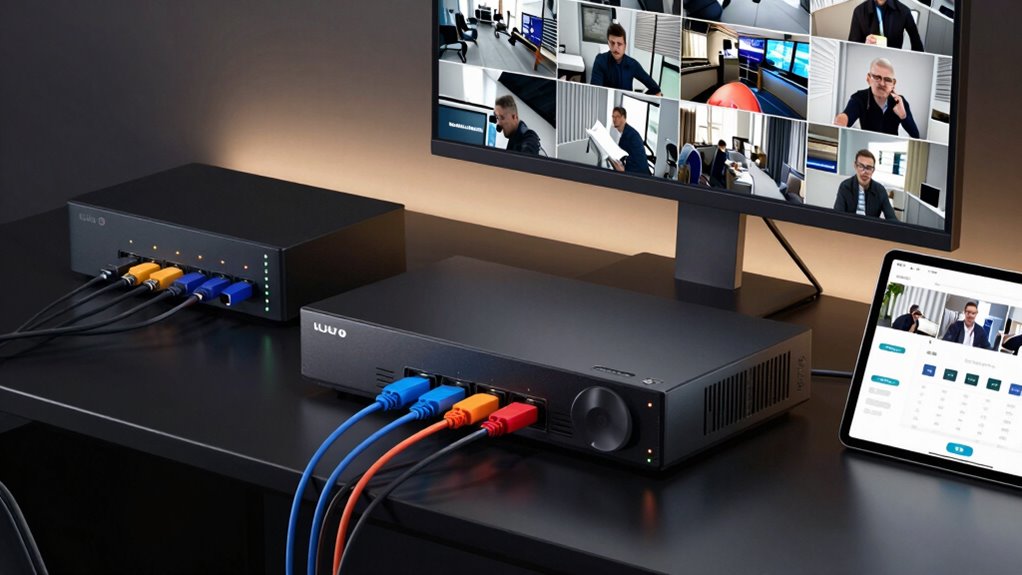
Ever wondered how modern surveillance systems keep your property secure? It all starts with the core technology behind them: NVR systems. These network video recorders are designed to manage multiple cameras, storing footage and providing easy access from anywhere. When considering an NVR, one of the first things you’ll notice is the camera resolution it can support. Higher resolution cameras deliver sharper, more detailed images, which can be vital for identifying faces or license plates. Choosing an NVR with the right resolution support ensures you get clear footage that can be useful in investigations or peace of mind.
NVR systems manage multiple cameras, providing clear, detailed footage essential for security and peace of mind.
But it’s not just about the cameras; network security plays a pivotal role in safeguarding your surveillance system. Since NVRs operate over your network, they can be vulnerable to cyber threats if not properly secured. You need to set strong passwords, enable encryption, and keep firmware updated to prevent unauthorized access. A well-secured network ensures your footage remains private and your system isn’t compromised by malicious actors. This aspect is especially important if you plan to access your footage remotely or integrate your NVR with other smart security devices. Incorporating network security best practices can help protect your system from potential breaches. Additionally, understanding how cybersecurity measures apply to NVR setups enhances overall protection. Regularly reviewing your security settings can further strengthen your defenses against vulnerabilities. Being aware of the potential cyber threats associated with networked security devices underscores the importance of these protective measures.
Storage capacity is another essential factor in an NVR system. Depending on your needs, you might opt for models with larger hard drives or multiple drives configured in RAID for redundancy. This way, you can store weeks or even months of footage without constantly deleting old videos. The number of channels your NVR supports also matters; if you have multiple cameras, you’ll want a system that can handle all of them simultaneously without sacrificing performance. Some NVRs support dozens of channels, making them suitable for larger properties or commercial setups.
Remote access is a major advantage of modern NVR systems. With the right setup, you can monitor your property in real-time from your phone or computer, whether you’re at home or away. Many NVRs come with dedicated apps or web interfaces that allow you to view live feeds, play back recordings, and even adjust camera angles if your cameras support pan-tilt-zoom functions. Just remember, for remote access to be safe, you need to verify your network security measures are robust. Using VPNs or secure login credentials helps keep your surveillance data protected from prying eyes. Additionally, understanding NVR system features can help you tailor your setup for optimal performance and security.
In essence, understanding the interplay between camera resolution, network security, storage, channels, and remote access helps you choose the right NVR system for your needs. It’s about creating a secure, reliable, and efficient surveillance setup that gives you peace of mind, whether you’re on-site or away.

ZOSI 8CH 4K PoE Home Security Camera System, 8 Ports 16CH 8MP NVR with 2TB HDD, 4pcs 5MP Outdoor PoE IP Cameras, 100ft Night Vision, Person Vehicle Detection, Remote Access, for 24/7 Recording
- Plug and Play PoE Setup: Easy installation with PoE connection
- AI Person and Vehicle Detection: Accurate motion detection with alerts
- Customizable Detection Zones: Define specific monitoring areas
As an affiliate, we earn on qualifying purchases.
As an affiliate, we earn on qualifying purchases.
Frequently Asked Questions
How Do NVR Systems Compare to DVR Systems?
You’ll find NVR systems generally outperform DVRs in video resolution and system scalability. NVRs handle higher-definition cameras like IP cameras more effectively, offering clearer images. They also allow you to easily expand your system with additional cameras without much hassle. Conversely, DVRs are more limited in resolution and scalability, making NVRs a better choice if you want advanced features and future growth potential for your surveillance setup.
Can NVRS Support Wireless Cameras?
Ever wonder if NVRs can support wireless cameras? Yes, many NVR systems now support wireless connectivity, allowing you to add wireless cameras seamlessly. Just make certain your NVR is compatible with the specific wireless cameras you’re considering, as camera compatibility varies. This flexibility helps you create a versatile security setup without the clutter of wires, making remote access and monitoring more convenient than ever.
What Is the Typical Lifespan of an NVR?
An NVR typically lasts around 5 to 10 years, depending on usage and maintenance. You should regularly perform firmware updates to improve performance and security. Keep an eye on power consumption, as excessive energy use can indicate aging components. Properly maintaining your NVR guarantees it stays functional longer, and replacing it when it becomes inefficient or unsupported helps you stay protected with the latest technology.
Are NVR Systems Suitable for Outdoor Installation?
Yes, NVR systems can be your steadfast guardians outdoors. Their outdoor durability and weather resistance let them brave rain, snow, and sun, much like an unyielding fortress. Designed with rugged casings and sealed ports, they stand strong against the elements. So, when you’re thinking about monitoring your property outside, rest assured—these systems are built to endure nature’s whims while keeping your surveillance secure and reliable.
How Secure Is Remote Access to NVR Footage?
Remote access to your NVR footage can be quite secure if you use strong encryption protocols and robust cybersecurity measures. When you enable secure connections, like VPNs or HTTPS, it protects your data from unauthorized access. Always keep your firmware up to date, use complex passwords, and enable two-factor authentication. These steps help guarantee your remote access remains private and safe, reducing the risk of cyber threats.
Conclusion
So there you have it—your trusty NVR system is like a secret agent, secretly storing all your footage in its underground lair, with channels acting as its loyal sidekicks. Remote access? Think of it as your personal spyglass, letting you peek in from anywhere. Just remember, while it’s all fun and games until someone forgets the password, at least with NVRs, you’re always one click away from being the ultimate surveillance mastermind.