Mini PCs are compact, customizable computers that often outperform laptops in processing power, upgradeability, and space-saving capabilities. They’re ideal if you want a powerful, versatile setup without taking up much room. However, they’re less portable, relying on external peripherals and power sources. If you want to learn when Mini PCs excel over laptops—or when they fall short—you’ll find useful insights ahead.
Key Takeaways
- Mini PCs excel in space-saving setups and customization, offering better upgradeability than most laptops.
- They provide higher performance potential for gaming and demanding tasks due to superior cooling and hardware options.
- Mini PCs are less portable, making laptops more suitable for travel and remote work.
- Cost-wise, mini PCs generally have lower initial prices and easier maintenance, offering long-term savings.
- Laptops are preferable for mobility, built-in batteries, and quick setup, where mini PCs require external peripherals and power sources.
As an affiliate, we earn on qualifying purchases.
What Are Mini PCs, and How Do They Compare to Laptops?
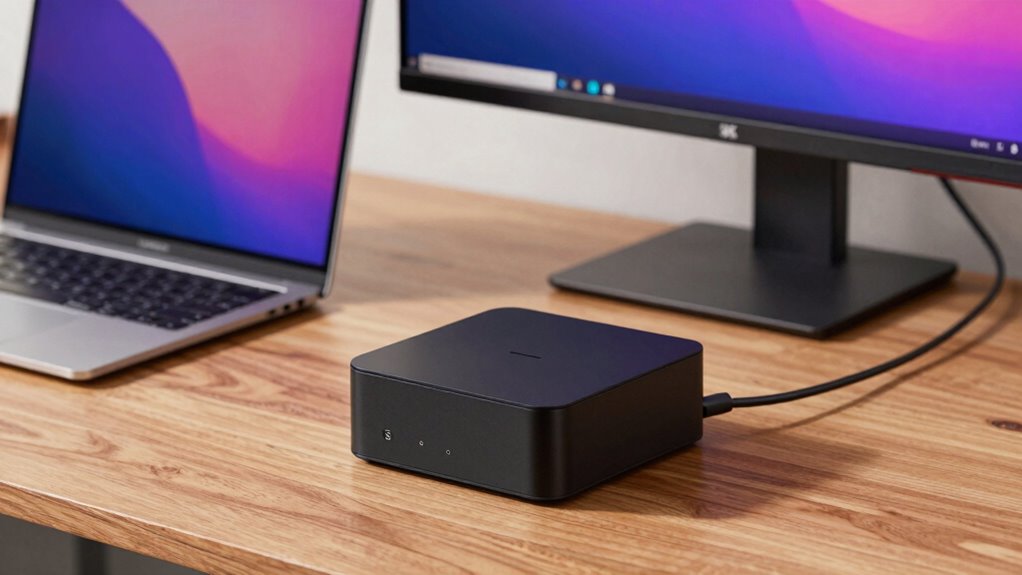
Mini PCs are compact computers designed to deliver desktop-level performance within a much smaller form factor. This makes them a great choice for portable gaming, as you can enjoy high-quality gaming experiences without lugging around a bulky setup. Unlike laptops, mini PCs often offer better heat management and upgrade options, giving you more flexibility. They’re ideal for compact travel since they are lightweight and easy to pack, fitting easily into backpacks or carry-on luggage. While laptops combine portability with built-in screens and batteries, mini PCs require external peripherals but often provide more power and customization. If you want a powerful, space-efficient device that can handle gaming and travel needs, mini PCs stand out as a versatile option. Additionally, high refresh rates in mini PCs can significantly enhance gaming performance by providing smoother visuals. Furthermore, performance capabilities of mini PCs can often rival those of larger desktops, making them a practical choice for demanding tasks. For those seeking a balance between portability and power, mini PCs are increasingly becoming a popular choice in various user scenarios, especially as advancements in heat management continue to improve their efficiency and reliability. In particular, cooling solutions play a critical role in maintaining optimal performance during intensive use.
Are Mini PCs Better for Saving Space and Customization?

Because of their small size, mini PCs excel at saving space compared to traditional desktops and even some laptops. Their space-saving design allows you to fit them into tight spots, such as behind monitors or in small offices, without sacrificing functionality. This makes them ideal for environments where space is limited. Additionally, mini PCs often offer customization flexibility, enabling you to upgrade components like RAM, storage, or graphics, depending on the model. Unlike laptops, which typically have limited upgrade options, mini PCs give you more control over hardware choices. This flexibility helps you tailor the system to your specific needs, whether for gaming, media editing, or business use, all while maintaining a minimal footprint. Compact form factors also contribute to their portability and ease of transportation, making them suitable for mobile setups or frequent relocations. Their modular design often makes upgrades simpler and more accessible compared to traditional desktops.
When Do Mini PCs Outperform Laptops in Performance?
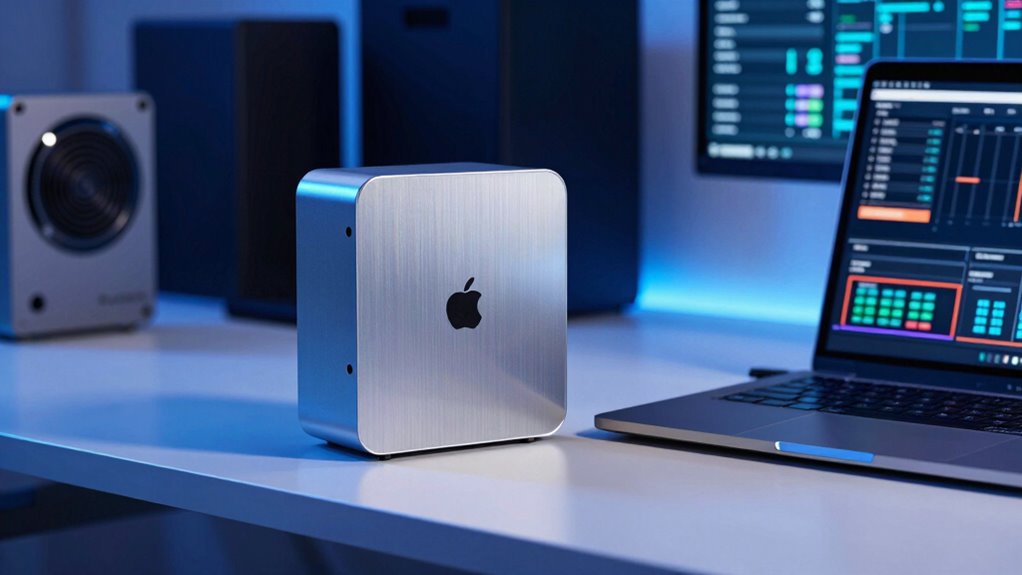
You might find mini PCs outperform laptops when it comes to processing power, especially with high-performance CPUs and dedicated graphics options. Hardware customization also gives you the ability to upgrade components, unlike most laptops. This means mini PCs can be better suited for demanding tasks that require more robust hardware.
Processing Power Capabilities
While laptops are known for their portability and integrated design, mini PCs can sometimes deliver superior processing power, especially in specific scenarios. Mini PCs often feature high-performance CPUs designed for power efficiency, allowing them to handle demanding tasks more effectively without excessive heat or power consumption. This means you can get better processing capabilities for intensive workloads like video editing, 3D rendering, or software development. Additionally, mini PCs tend to operate at lower noise levels because their cooling systems are optimized for their size and power draw. When you need a compact device with processing power that rivals or exceeds that of laptops, mini PCs are a strong choice, particularly for tasks requiring sustained performance and quieter operation. Effective cooling solutions help mini PCs maintain optimal performance during prolonged use. Moreover, advances in thermal management enable mini PCs to sustain high performance without overheating, which is crucial for demanding applications.
Hardware Customization Options
When it comes to hardware customization, mini PCs often outperform laptops by offering greater flexibility for upgrades and modifications. You can easily add expandable storage, which is limited in most laptops, allowing you to boost capacity as needed. This adaptability makes mini PCs ideal for users who want to tailor their system over time. Additionally, mini PCs often feature aesthetic designs that can be customized or optimized to match your workspace, unlike the fixed design of laptops. You can upgrade components such as RAM or storage without replacing the entire device, ensuring longer usability and better performance. Overall, mini PCs give you more control over hardware enhancements, making them a smarter choice if customization and performance upgrades are priorities.
What Are the Limitations of Mini PCs Compared to Laptops?
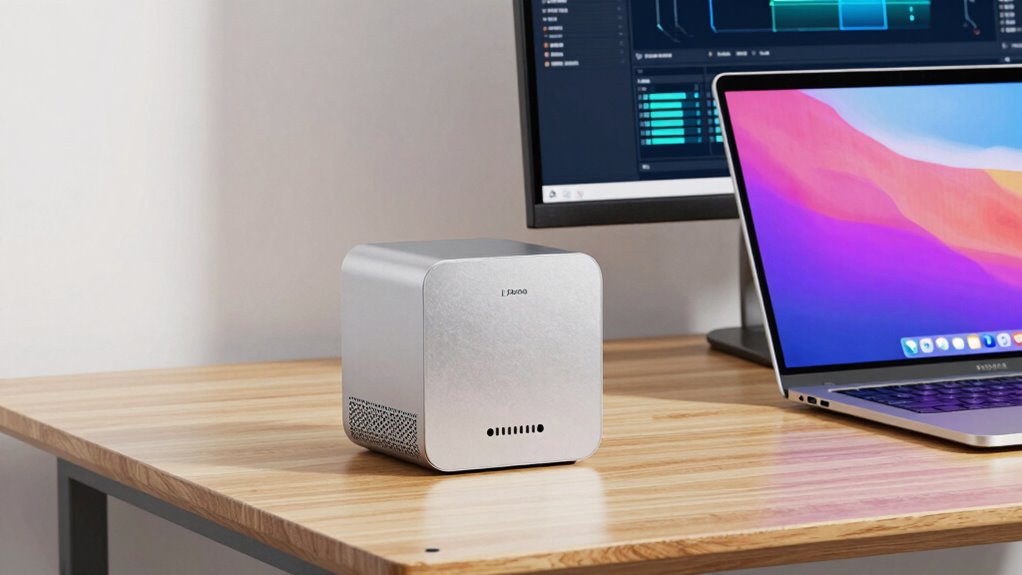
Mini PCs often fall short of laptops regarding portability, built-in features, and user convenience. Unlike laptops, which are designed for on-the-go use, mini PCs typically lack a portable design, making them less ideal for travel or mobile work. If you’re into budget gaming or need a device you can easily carry around, a mini PC might not meet your needs. Laptops often include integrated keyboards, touchscreens, and batteries, reducing the need for external accessories. Mini PCs usually require additional peripherals, which can be cumbersome when moving between locations. While mini PCs excel in space-saving setups and customization, their limited portability and user-friendly features mean they’re less suited for users who prioritize mobility and all-in-one convenience. Additionally, the compact size of mini PCs can sometimes limit the hardware options available compared to laptops, especially when considering expandability and upgrades. They also tend to have fewer built-in options for connectivity, which can be a disadvantage for users needing multiple ports or wireless features. Moreover, the hardware constraints of mini PCs can restrict their ability to handle demanding tasks that high-end laptops manage with ease.
Is a Mini PC the Right Choice for Your Needs? Key Use Cases

Mini PCs can be a smart choice if your main focus is space-saving hardware with customizable options. They work well for use cases where you want a compact system that doesn’t compromise on performance. If gaming performance is important, many mini PCs now include powerful processors and dedicated graphics, making them suitable for casual or even some demanding games. However, portability considerations vary; mini PCs are smaller than desktops but not as portable as laptops. If you need a device you can easily move between locations, a mini PC might be less convenient. These systems excel in home offices, media centers, and small workspaces where space is limited. Assess your priorities carefully—mini PCs can deliver impressive performance in tight spaces but may fall short for on-the-go use. Additionally, understanding the space-saving hardware benefits can help you choose the right device for your needs. For example, local automation features can enhance functionality in a compact setup, making mini PCs even more versatile.
What Factors Should You Consider When Choosing Between a Mini PC and a Laptop?

Choosing between a mini PC and a laptop depends on your specific needs and priorities. Consider your portability concerns—if you need to move your device frequently, a laptop’s built-in battery and compact design make it more convenient. Mini PCs, on the other hand, often lack a battery, requiring a constant power source, which limits portability. Think about battery life: laptops typically have long-lasting batteries suitable for on-the-go use, while mini PCs depend on external power, making them less flexible outside a fixed location. Also, assess your workspace: if you prefer a stationary setup with better expandability, a mini PC could be advantageous. Ultimately, your decision hinges on how much you value mobility versus performance and expandability in your daily tasks. Additionally, consider how indoor air quality might impact your environment, especially if you spend extended periods working indoors.
How Much Can You Save With a Mini PC Compared to a High-End Laptop?

When comparing costs, your initial purchase price is usually much lower for a mini PC than a high-end laptop. Over time, maintenance expenses and upgrades can also save you money with a mini PC since they tend to be more affordable and easier to upgrade. Considering performance needs, you’ll want to weigh these savings against the mini PC’s capabilities to determine the best value for your budget. Additionally, understanding tights for different styles can help you make more informed choices about your tech gear based on your specific needs. Proper solar system safety measures are also essential when considering any tech upgrade to ensure your setup remains secure and efficient.
Initial Purchase Cost
Have you ever wondered how much money you can save by opting for a mini PC instead of a high-end laptop? If budget constraints are a concern, a mini PC offers a considerably lower initial investment. Here’s how the savings stack up:
- Mini PCs typically cost 30-50% less upfront than high-end laptops.
- You avoid paying extra for premium features like high-resolution displays or advanced graphics.
- You can allocate funds to accessories or upgrades later.
- The lower initial cost makes mini PCs accessible for those who need basic computing without overspending.
- Additionally, mini PCs often have lower power consumption, which can lead to savings on energy costs over time.
- This affordability makes mini PCs a practical choice for budget-conscious users seeking reliable performance.
Long-Term Maintenance Expenses
Long-term maintenance costs can substantially impact your overall savings, especially when comparing mini PCs to high-end laptops. A thorough cost analysis reveals that mini PCs generally incur lower repair frequency due to their simplified design and fewer moving parts. This means fewer visits to the repair shop and less money spent on repairs over time. High-end laptops often have integrated components that are harder and more expensive to replace, escalating maintenance costs. Additionally, mini PCs usually feature modular parts, making upgrades and repairs more straightforward and affordable. Ultimately, if you prioritize low maintenance expenses, mini PCs offer a compelling advantage by reducing long-term costs, allowing you to save considerably compared to the ongoing expenses associated with maintaining a high-end laptop.
Performance and Upgradeability
Mini PCs often deliver impressive performance for their size, and many models now feature powerful processors and ample RAM that can handle everyday tasks with ease. When comparing cost savings to high-end laptops, consider these points:
- Gaming Performance: Mini PCs with dedicated GPUs can match or surpass laptops, often at a lower price point. They can also be customized for specific gaming needs, making them a flexible option for gamers.
- Upgradeability: You can usually upgrade RAM and storage easily, extending the device’s lifespan and saving money long-term. This flexibility allows users to adapt their systems as their needs evolve.
- Battery Longevity: Since mini PCs are typically plugged in, you avoid the battery replacement costs and enjoy consistent performance. This can significantly reduce ongoing expenses associated with portable devices.
- Initial Investment: High-end laptops often come with a premium price for portability, whereas mini PCs offer similar or better specs at a reduced cost. Additionally, mini PCs typically have lower maintenance costs, which can contribute to overall savings over time.
- Cookies for Performance Tracking: Many mini PCs incorporate performance cookies, which help manufacturers improve device efficiency and user experience over time. These tools can also provide insights for optimizing system performance and longevity.
Can Mini PCs Connect to All Your Devices? Compatibility and Connectivity

Many mini PCs are designed to seamlessly connect with a wide range of devices, but compatibility isn’t guaranteed across all models. Your device compatibility depends on the available connectivity options, such as USB ports, HDMI, DisplayPort, Ethernet, and audio jacks. Before choosing a mini PC, check whether it supports your essential peripherals like printers, external drives, or monitors. Some models include multiple USB ports and versatile video outputs, enhancing compatibility. Others may lack certain connections, limiting what you can connect directly. Keep in mind that adapters or dongles can bridge some gaps, but they may introduce additional clutter or reduce performance. Ultimately, reviewing the connectivity options ensures your mini PC can integrate smoothly with your existing devices, making your setup more efficient and hassle-free.
How Do You Set Up a Mini PC for Optimal Performance? Tips and Tricks

To get the most out of your mini PC, start by optimizing the hardware configuration to match your specific needs. Improving cooling solutions helps prevent overheating and maintains consistent performance. Implementing these tips guarantees your mini PC runs smoothly and efficiently.
Optimize Hardware Configuration
Achieving peak performance from your mini PC starts with carefully configuring its hardware. Proper setup ensures efficient thermal management and controls power consumption. Here are key tips:
- Upgrade to a solid-state drive (SSD) for faster data access and reduced heat output.
- Optimize RAM allocation, ensuring enough memory for multitasking without overloading the system.
- Adjust power settings to balance performance and energy efficiency, reducing unnecessary power drain.
- Use quality thermal paste and ensure good airflow to prevent overheating, maintaining ideal thermal management.
Implementing these steps helps your mini PC run smoothly, with better performance and longevity. Proper hardware configuration minimizes thermal issues and manages power consumption effectively, making your mini PC a reliable powerhouse.
Enhance Cooling Solutions
After optimizing your hardware setup, focusing on effective cooling solutions is the next step to guarantee your mini PC runs at peak performance. Proper thermal management prevents overheating, which can throttle your CPU and GPU, reducing speed. Start by ensuring unobstructed airflow; position your mini PC in a well-ventilated area and avoid placing it near heat sources. Use quality cooling solutions like aftermarket fans or heatsinks designed for mini PCs, and consider adding ventilation holes or fans if your case allows. Keep internal components clean from dust, which impairs airflow. Regularly monitor system temperatures with software tools, adjusting fan speeds as needed. These steps enhance airflow refinement, helping your mini PC stay cool under load and maintain optimal performance.
Final Thoughts: Should You Choose a Mini PC or a Laptop?

Deciding between a mini PC and a laptop depends on your specific needs and how you plan to use the device. If gaming performance is a priority, a mini PC often offers better power and upgrade options. However, if portability considerations matter most, a laptop provides the convenience of mobility. Consider these points:
- For gaming, mini PCs usually deliver superior performance due to better cooling and hardware flexibility.
- If you travel frequently, a laptop’s portability makes it easier to carry around.
- For space-saving setups, mini PCs fit neatly into small desks or entertainment centers.
- If you need quick setup on the go, a laptop’s all-in-one design wins out.
Think about your primary use, and choose the device that best aligns with your needs.
Frequently Asked Questions
How Do Mini PCS Handle Gaming Compared to Laptops?
Mini PCs generally offer better gaming performance and graphics capabilities than laptops, especially if you choose models with dedicated GPUs. They handle high-demand games smoothly and produce sharper visuals. However, their performance depends on the hardware you select, and some mini PCs might struggle with the latest titles if they lack powerful graphics cards. Overall, if you want a compact gaming setup with strong graphics, mini PCs can be a great choice.
Are Mini PCS Suitable for Professional Creative Work?
Think of mini PCs as the Swiss Army knives of tech—they can be perfect for professional creative work if you choose the right one. If it’s equipped with powerful hardware and supports professional software like Adobe Creative Suite or CAD programs, it can handle demanding tasks with ease. However, for ultra-intensive projects, you might still prefer a high-end laptop or workstation. Know your needs, select accordingly, and your mini PC can become a creative powerhouse.
What Are the Energy Consumption Differences Between Mini PCS and Laptops?
You’ll find that mini PCs generally have better energy efficiency and lower power consumption than laptops. They use less power because they lack the battery systems and display components that laptops need, resulting in more consistent power use. If you’re aiming to reduce energy costs and minimize environmental impact, mini PCs are a smart choice. However, keep in mind that actual consumption varies depending on hardware and workload.
Can Mini PCS Be Upgraded Easily Like Desktops?
Mini PCs generally offer limited upgrade options compared to desktops, making hardware flexibility more restricted. While some models allow you to upgrade RAM or storage, many have soldered components that prevent extensive upgrades. If you value easy upgrade options, choose a mini PC designed with accessible parts. Otherwise, if hardware flexibility is vital, a traditional desktop might be a better fit, as it provides more extensive upgrade options.
Do Mini PCS Support Multiple Monitors and Advanced Peripherals?
You’ll find that many mini PCs do support multiple monitors and advanced peripherals, making them surprisingly versatile. With the right ports and graphics capabilities, they often handle multi monitor setups seamlessly. Plus, peripheral compatibility isn’t an issue — whether you’re connecting high-end keyboards, external drives, or other gadgets, most mini PCs are designed to keep up with your productivity needs. So, they can be a powerful, space-saving solution for multi-tasking.
Conclusion
Choosing between a mini PC and a laptop is like picking the right tool for a job. If space, customization, and cost matter most, a mini PC could be your perfect match. But if portability and all-in-one convenience are top priorities, a laptop might suit you better. Assess your needs carefully—like a chef selecting the best utensil—and you’ll find the device that fits your lifestyle perfectly.