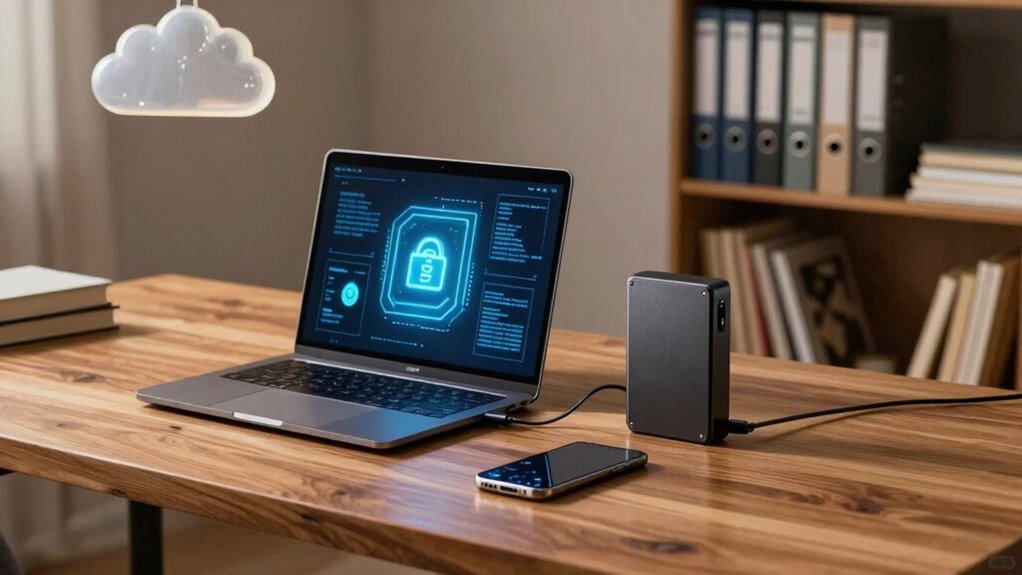

When choosing between local and cloud storage for your data privacy at home, consider your security needs. Local storage gives you direct control, making it ideal for highly sensitive information, especially if you encrypt backups and secure devices physically. Cloud storage offers easier access and convenience, but relies on trusted providers with strong security measures. To guarantee your data stays protected, it’s important to understand the benefits and risks of each option—continue to explore more tips and strategies.

Get the latest gadgets delivered free with Prime
- Fast, free delivery on millions of items
- Prime Video, Amazon Music and more included
- Member-only deals all year
Key Takeaways
- Local storage offers direct control over data privacy, minimizing third-party access risks.
- Cloud storage relies on provider security measures, requiring trust in their data protection policies.
- Encrypting data before storing locally enhances privacy, while cloud services often include built-in encryption.
- Regularly reviewing security settings and policies helps maintain privacy regardless of storage choice.
- Combining local storage with encryption and strong access controls maximizes data privacy at home.

In today’s connected world, safeguarding your personal information at home has become more important than ever. Whether you’re storing family photos, sensitive documents, or financial records, understanding how to protect this data is crucial. You face a choice: keep your files on local storage devices or rely on cloud storage services. Each option has its advantages and risks, and your decision should prioritize security and privacy.
When you opt for local storage, you maintain physical control over your data. Using external hard drives, USB drives, or network-attached storage (NAS), you can access your files directly without involving third-party servers. To enhance security, it’s essential to implement device access controls. Setting up strong passwords and user permissions helps prevent unauthorized access. Additionally, creating encrypted backups ensures your data remains secure even if your device is lost or stolen. Encryption transforms your files into unreadable formats, safeguarding sensitive information from potential breaches. Understanding your data privacy options can help you make more informed decisions about storage solutions. Employing encryption techniques is a fundamental step in protecting your data, especially when handling sensitive information. Regularly reviewing your storage devices and their security features can help maintain a consistent level of protection.
On the other hand, cloud storage offers convenience and accessibility. With cloud services, your data is stored on remote servers managed by providers like Dropbox, Google Drive, or OneDrive. This setup allows you to access your files from any device, anywhere, often with automatic synchronization. However, relying on cloud storage introduces concerns about data privacy. It’s vital to choose a reputable provider that employs robust security measures, including end-to-end encryption. When uploading sensitive information, verify that your data is encrypted during transmission and at rest. Many providers also offer options for creating encrypted backups within their platforms, adding an extra layer of protection.
Regardless of whether you choose local or cloud storage, establishing clear security practices helps safeguard your data. Regularly updating your device software closes vulnerabilities that hackers might exploit. Using strong, unique passwords for your storage systems and accounts is essential. Consider enabling multi-factor authentication when available to add another layer of security. For local storage, physically securing your devices in locked cabinets or safes further reduces the risk of theft. If you’re using cloud services, review their privacy policies and understand how your data is stored and shared. Being aware of data privacy policies can help you make informed choices about your storage options.
Ultimately, the best approach combines thoughtful security measures with your specific needs. You might prefer local storage for highly sensitive data, ensuring you control every aspect of security. For convenience and flexible access, cloud storage can be suitable, provided you choose providers with strong encryption and security policies. Whichever path you take, remember that safeguarding your data isn’t a one-time effort. Regularly reviewing your security settings, updating passwords, and maintaining encrypted backups are ongoing steps that protect your privacy at home.
external hard drive with encryption
As an affiliate, we earn on qualifying purchases.
As an affiliate, we earn on qualifying purchases.
Frequently Asked Questions
How Secure Is Local Storage Against Physical Theft?
Local storage can be quite secure against physical theft if you take proper precautions. You should enhance physical security by locking your devices in secure locations. Additionally, using strong encryption, like high encryption strength, makes data much harder for thieves to access even if they physically steal your storage device. Combining physical security measures with robust encryption considerably reduces the risk of data theft from physical access.
Can Cloud Storage Providers Access My Private Data?
Ever wonder if cloud providers peek into your private data? They technically can, but strong encryption protocols protect your information during transfer and storage, making unauthorized access difficult. Your user access controls, like passwords and multi-factor authentication, limit who can view your data. While providers can access your data if legally compelled, robust encryption and access management considerably reduce privacy risks, helping you feel more secure in the cloud.
What Legal Protections Exist for Stored Home Data?
Legal protections for your stored home data include privacy legislation that mandates data handling standards and encryption protocols to safeguard your information. These laws, like GDPR or CCPA, give you rights to access, correct, or delete your data. When you choose cloud storage, providers must comply with these regulations, but it’s essential to review their privacy policies to verify your data’s protected and that encryption is properly implemented.
How Do Data Breaches Typically Occur in Cloud Storage?
Did you know that 60% of data breaches involve cloud storage? Breaches often happen when hackers exploit weak encryption protocols or bypass inadequate access controls. You might unknowingly expose your data if the cloud provider’s security measures are insufficient. To protect yourself, make certain your cloud service uses strong encryption protocols and strict access controls. Regularly update credentials and review permissions to minimize the risk of unauthorized access.
Is It Possible to Completely Erase Data From Cloud Servers?
Yes, you can delete data from cloud servers, but complete erasure isn’t always guaranteed due to factors like data backup and replication. When you perform data deletion, make sure you review the provider’s privacy policies, which should outline their data handling and deletion processes. Remember, some residual data might remain in backups or archived systems, so understanding these policies helps you gauge how thoroughly your data is erased.
Conclusion
Ultimately, whether you choose local or cloud storage, your data’s privacy depends on your actions. Think of local storage as your private vault—secure, but only if you lock it tight. Cloud storage offers convenience but relies on providers’ security measures. The truth? No method is foolproof, so stay vigilant. By understanding the risks and taking proper precautions, you can keep your home data safe, no matter where you store it.
Halloween Picks
halloween
As an affiliate, we earn on qualifying purchases.