
Among these smart display devices for home, I’d make the Amazon Echo Show 11 (2025) my best overall pick for its larger screen and adjustable stand, while the Echo Show 5 suits compact bedside use and the Echo Show 15 offers a more substantial wall-mounted entertainment and household hub. The main tradeoff is between screen size and placement: compact models take little space, while larger screens make calendars, video, and controls easier to see but need a more deliberate location. Platform matters too, since Alexa, Google Assistant, and dedicated family-planning software serve different routines. Refurbished and like-new listings add another choice, but condition and seller terms deserve a closer check. Read on for the full breakdown and guidance on choosing the right display for your home.

Get the latest gadgets delivered free with Prime
- Fast, free delivery on millions of items
- Prime Video, Amazon Music and more included
- Member-only deals all year
Complete the kit



Key Takeaways
- The Echo Show 11 (2025) with adjustable stand is the most balanced large-screen choice in this lineup; the standard Echo Show 11 is a closer fit when a fixed setup works better.
- Echo Show 5 models prioritize compact placement over viewing space, and their refurbished or like-new condition labels make listing details part of the buying decision.
- Echo Show 15 is the clearest fit for a shared wall display and Fire TV use, but it takes more space and planning than a bedside screen.
- Echo Hub is aimed at smart-home control rather than general-purpose viewing, so it makes more sense when device management is the main job.
- Google Nest Hub and eufy E10 offer alternatives to an Alexa-centered setup, while the LQN planner prioritizes family scheduling over voice-assistant versatility.
| Amazon Echo Spot Smart Alarm Clock with Alexa, Black |  | Best Compact Bedside Display | Display: 2.83-inch touchscreen, 240 x 320 pixels | Dimensions: 4.5 x 4.1 x 4.4 inches | Weight: 14.3 oz (405 g) | VIEW LATEST PRICE | See Our Full Breakdown |
| Google Nest Hub 7-Inch Smart Display with Google Assistant, 1st Gen, Chalk |  | Best for Google Assistant Households | Manufacturer: Google | Model: H1A | Generation: 1st Gen | VIEW LATEST PRICE | See Our Full Breakdown |
| Echo Hub 8″ Smart Home Control Panel with Alexa+ |  | Best Dedicated Smart-Home Controller | Display: 8-inch touchscreen, 1280 x 800 resolution | Power Requirements: USB-C PD (5V/2.4A or 9V/3A); optional PoE with compatible PoE+ or PoE++ converter | Audio: Pair of top-ported full-range stereo speakers | VIEW LATEST PRICE | See Our Full Breakdown |
| Amazon Echo Show 5 (3rd Gen) – Refurbished, Cloud Blue |  | Best Refurbished Compact Alexa Display | Condition: Refurbished (Like-New) | Display: 5.5-inch touchscreen | Dimensions: 5.8 x 3.6 x 3.2 inches | VIEW LATEST PRICE | See Our Full Breakdown |
| Echo Show 5 (newest model) – Smart display, Cloud Blue | | Best New Compact Alexa Display | Display: 5.5-inch touchscreen | Dimensions: 5.8 x 3.6 x 3.2 inches | Weight: 16.1 oz (456 g) | VIEW LATEST PRICE | See Our Full Breakdown |
| Amazon Echo Show 15 (2nd Gen) 15.6-inch Full HD Smart Display with Fire TV and Alexa |  | Best for Family Organization and Entertainment | Display: 15.6-inch Full HD, 1920 × 1080 | Dimensions: 16.1 × 10.1 × 1.4 inches | Weight: 4.96 lb | VIEW LATEST PRICE | See Our Full Breakdown |
| Amazon Echo Show 11 Smart Display with Full HD Touchscreen and Spatial Audio, Graphite |  | Best Balanced Smart Display | Display: 10.95-inch Full HD touchscreen, 1920 × 1200 | Dimensions: 10 × 5 × 7.2 inches | Weight: 45.92 oz (1302 g) | VIEW LATEST PRICE | See Our Full Breakdown |
| Google Nest Hub (1st Gen) – 7″ Smart Display with Google Assistant, Charcoal |  | Best Compact Google Assistant Pick | Display: 7-inch touchscreen | Resolution: 1024 × 600 | Dimensions: 7 × 2.65 × 4.65 inches | VIEW LATEST PRICE | See Our Full Breakdown |
| Amazon Echo Show 11 (2025) with Adjustable Stand – Graphite |  | Best for Flexible Viewing Angles | Display: 10.95-inch Full HD touchscreen, 1920 × 1200 | Processor: AZ3 Pro with AI Accelerator | Dimensions: 10 × 5 × 7.2 inches | VIEW LATEST PRICE | See Our Full Breakdown |
| eufy Smart Display E10 – 8″ Smart Home Hub with Four-View Screen, Door Alerts & Daily Reports (Renewed) |  | Best for Home Security Monitoring | Display: 8-inch touchscreen | Video capture resolution: 1080p | Power source: Battery powered | VIEW LATEST PRICE | See Our Full Breakdown |
| Amazon Echo Show 5 (3rd Gen, Like-New), Charcoal |  | Best Compact Alexa Display | Display: 5.5-inch touchscreen | Camera: 2 MP with built-in shutter | Speaker: 1.75-inch full-range speaker | VIEW LATEST PRICE | See Our Full Breakdown |
| Amazon Echo Show 5 (3rd Gen) – Refurbished, Glacier White |  | Best Refurbished Pick for Recycled Materials | Model: Echo Show 5 (3rd Gen) | Display: 5.5-inch touchscreen | Camera: 2 MP with built-in shutter | VIEW LATEST PRICE | See Our Full Breakdown |
| LQN WiFi Digital Calendar Smart Family Planner with Touchscreen, Chore Charts, AI Meal Planning, and Cloud Photo Frame (10.1″, Black) |  | Best for Family Scheduling | Display: 10.1-inch touchscreen | Color: Black | Material: Plastic | VIEW LATEST PRICE | See Our Full Breakdown |
| smart display devices for home | Display | Dimensions | Weight | Camera |
|---|---|---|---|---|
| Amazon Echo Spot Smart Alarm C | 2.83-inch touchscreen, 240 x 320 pixels | 4.5 x 4.1 x 4.4 inches | 14.3 oz (405 g) | None |
| Google Nest Hub 7-Inch Smart D | — | — | — | — |
| Echo Hub 8" Smart Home Control | 8-inch touchscreen, 1280 x 800 resolution | — | — | — |
| Amazon Echo Show 5 | 5.5-inch touchscreen | 5.8 x 3.6 x 3.2 inches | 16.1 oz (456 g) | 2 MP with built-in shutter |
| Echo Show 5 | 5.5-inch touchscreen | 5.8 x 3.6 x 3.2 inches | 16.1 oz (456 g) | 2 MP with built-in shutter |
| Amazon Echo Show 15 | 15.6-inch Full HD, 1920 × 1080 | 16.1 × 10.1 × 1.4 inches | 4.96 lb | 13 MP with shutter |
| Amazon Echo Show 11 Smart Disp | 10.95-inch Full HD touchscreen, 1920 × 1200 | 10 × 5 × 7.2 inches | 45.92 oz (1302 g) | 13 MP with auto-framing and 3.3× zoom |
| Google Nest Hub | 7-inch touchscreen | 7 × 2.65 × 4.65 inches | — | — |
| Amazon Echo Show 11 | 10.95-inch Full HD touchscreen, 1920 × 1200 | 10 × 5 × 7.2 inches | 45.92 oz (1302 g) | 13 MP with auto-framing |
| eufy Smart Display E10 | 8-inch touchscreen | 7.91 × 5.47 × 0.65 inches | — | — |
| Amazon Echo Show 5 | 5.5-inch touchscreen | 5.8 × 3.6 × 3.2 in (147 × 91 × 82 mm) | 16.1 oz (456 g) | 2 MP with built-in shutter |
| Amazon Echo Show 5 | 5.5-inch touchscreen | 5.8 × 3.6 × 3.2 in | 16.1 oz (456 g) | 2 MP with built-in shutter |
| LQN WiFi Digital Calendar Smar | 10.1-inch touchscreen | — | — | — |
More Details on Our Top Picks
Amazon Echo Spot Smart Alarm Clock with Alexa, Black
I’d choose the Echo Spot when the display’s main job is to make a bedside routine easier, not to act as a shared home screen. Its 2.83-inch touchscreen puts the time, weather, and song information within view, while Alexa can handle alarms, reminders, routines, and compatible smart-home controls. The built-in speaker adds a useful way to play music or podcasts without adding another device to a nightstand.
Compared with the Echo Show 5, the Spot takes up less space but gives up the larger screen and camera, so it’s a weaker choice for video calls or viewing content. It can also extend a compatible eero network, though that feature depends on having the right eero setup. I’d skip it if you want a room-wide visual dashboard; its strength is compact, voice-led bedside use.
Pros:- Small touchscreen shows the clock and quick information at a glance
- Alexa supports alarms, reminders, routines, and compatible smart-home controls
- Built-in speaker plays music, podcasts, and audiobooks
- Can extend coverage on a compatible eero network
Cons:- No camera for video calls or camera-based features
- The 2.83-inch screen is less suited to viewing media than the Echo Show 5
- Network extension requires a compatible eero router and account linking
Best for: People who want a small bedside Alexa display for alarms, routines, weather, and audio without a camera.
Not ideal for: Buyers who want video calls, a larger screen for media, or a central display for managing a busy smart home.
- Display:2.83-inch touchscreen, 240 x 320 pixels
- Dimensions:4.5 x 4.1 x 4.4 inches
- Weight:14.3 oz (405 g)
- Camera:None
- Wi-Fi:Dual-band 802.11a/b/g/n/ac, 2.4 and 5 GHz
- Bluetooth:A2DP and AVRCP support
- Speaker:1.73-inch full-range built-in speaker
- eero Built-in:Up to 1,000 sq. ft. additional coverage on a compatible eero network
Our verdict“Pick the Echo Spot for a compact, camera-free Alexa alarm clock, but choose the Echo Show 5 if you need a larger screen or video calling.”
Google Nest Hub 7-Inch Smart Display with Google Assistant, 1st Gen, Chalk
The Google Nest Hub is the Google Assistant option in this group, pairing a 7-inch display with voice and touch controls for compatible devices, timers, reminders, weather, photos, and media. That larger screen makes it more practical than the Echo Spot for checking photos or watching short videos, while its compact footprint still suits a kitchen counter, desk, or bedside table.
The main catch is the listing’s Korean-spec configuration: English use requires changing the language through the Google Home app or device settings. That adds setup friction compared with the Echo devices, which are a more direct fit for Alexa households. The product data also doesn’t specify a camera, so I wouldn’t choose it for video calls. It makes the most sense for buyers already invested in Google Assistant who are comfortable handling the language setting.
Pros:- Seven-inch screen offers more room for photos and video than the Echo Spot
- Voice and touchscreen controls support compatible smart-home devices
- Handles music, video, weather, timers, reminders, and photo viewing
- Compact dimensions suit counters, desks, and bedrooms
Cons:- Korean-spec model needs a language change for English use
- The listing does not specify a camera for video calling
- Less suitable for Alexa households than the Echo Show 5 or Echo Hub
Best for: Google Assistant users who want a compact kitchen or desk display for timers, photos, media, and compatible smart-home controls.
Not ideal for: Shoppers who want an out-of-box English setup, a video-calling camera, or an Alexa-focused smart-home interface.
- Manufacturer:Google
- Model:H1A
- Generation:1st Gen
- Display Size:7 inches
- Color:Chalk
- Item Weight:1.8 pounds
- Product Dimensions:7 x 2.65 x 4.65 inches
- Version:Korean spec; language can be changed to English
Our verdict“Choose this Nest Hub if your home already relies on Google Assistant and you’re willing to change its language during setup.”
Echo Hub 8″ Smart Home Control Panel with Alexa+
I’d rank the Echo Hub highest for buyers whose priority is controlling a large mix of smart-home devices, rather than using a display mainly for entertainment. Its customizable 8-inch dashboard is built around lights, cameras, routines, and device controls, and support for Zigbee, Thread, Matter, Bluetooth, Wi-Fi, and other listed protocols gives it broader connectivity than the Echo Show 5. That range can reduce the need for separate bridges, depending on the devices in your home.
This is a fixed control panel, not a compact all-purpose screen: it can be wall-mounted or used on a stand, but PoE needs a compatible converter and wall mounting may require tools. Its speakers support audio, yet the product’s central advantage is home control, not a portable media experience like the Google Nest Hub. I’d choose it for a planned smart-home setup and skip it if you want a simple bedside display.
Pros:- Customizable dashboard organizes devices and routines for quick control
- Supports Wi-Fi, Bluetooth, Zigbee, Thread, Matter, and Amazon Sidewalk
- Wall-mount or stand options suit a dedicated control location
- Includes a mic-off button and uses recycled materials
Cons:- PoE requires a compatible converter, while wall mounting may require a drill
- Bluetooth does not support HFP
- Fixed-installation design is less flexible than the Echo Show 5
Best for: Smart-home owners with a varied mix of compatible devices who want a fixed, glanceable Alexa control panel.
Not ideal for: People seeking a portable display for casual media, or buyers who want wall or PoE installation without extra hardware or setup.
- Display:8-inch touchscreen, 1280 x 800 resolution
- Power Requirements:USB-C PD (5V/2.4A or 9V/3A); optional PoE with compatible PoE+ or PoE++ converter
- Audio:Pair of top-ported full-range stereo speakers
- Sensors:Passive infrared (PIR) sensor and ambient light sensor (ALS)
- Wi-Fi:Dual-band 802.11a/b/g/n/ac
- Bluetooth:A2DP and AVRCP support; no HFP
- Smart Home Compatibility:Wi-Fi, BLE Mesh, Zigbee, Thread, Matter, Amazon Sidewalk
- In the Box:Echo Hub, 12.5W power adapter and 6 ft cord, wall-mount hardware, quick start guide
Our verdict“Pick the Echo Hub for broad, centralized smart-home control; choose an Echo Show 5 instead if you want a smaller screen for calls and everyday media.”
Amazon Echo Show 5 (3rd Gen) – Refurbished, Cloud Blue
The refurbished Echo Show 5 brings together the features that make a compact smart display useful beyond the bedside: a 5.5-inch touchscreen, Alexa controls, video calling, and a 2 MP camera with a physical shutter. Its mic/camera-off button adds a direct way to disable those functions, while the 1.75-inch speaker is a more substantial audio option than the Echo Spot’s smaller speaker. For a bedroom or kitchen, this balance of visual controls and calls is more versatile than an alarm-first device.
Compared with the new Echo Show 5 in this lineup, its listed core hardware and features are similar, but this unit is refurbished, so packaging may be generic. The display remains small for watching longer videos or managing a large dashboard, where the Echo Hub is better suited to control duties. I’d favor this listing if refurbished condition is acceptable; buyers wanting a new unit should choose the other Echo Show 5.
Pros:- 5.5-inch touchscreen supports glanceable information and video calls
- Physical camera shutter and mic/camera-off button offer direct privacy controls
- 1.75-inch full-range speaker provides audio for everyday listening
- Recycled polyester yarn and aluminum are used in its construction
Cons:- Refurbished unit may arrive in generic Amazon-branded packaging
- Small screen is less suited to extended video viewing than larger displays
- Bluetooth lacks hands-free voice control for Mac OS X devices
Best for: Alexa users who want a compact screen for video calls, quick media, and smart-home controls and are comfortable buying refurbished.
Not ideal for: Buyers who require a new device, want a larger screen for media, or need a dedicated multi-device control panel.
- Condition:Refurbished (Like-New)
- Display:5.5-inch touchscreen
- Dimensions:5.8 x 3.6 x 3.2 inches
- Weight:16.1 oz (456 g)
- Camera:2 MP with built-in shutter
- Audio:1.75-inch full-range built-in speaker
- Connectivity:Dual-band Wi-Fi 802.11a/b/g/n/ac and Bluetooth A2DP/AVRCP
- Processor:MediaTek MT8169B
Our verdict“Choose this refurbished Echo Show 5 if you want compact Alexa video calling and accept refurbished condition; otherwise, select the new Echo Show 5 listing.”
Echo Show 5 (newest model) – Smart display, Cloud Blue
For buyers who want a small Alexa screen with no refurbished-condition caveat, the Echo Show 5 is the straightforward pick. Its 5.5-inch touchscreen handles quick checks of weather, news, photos, and video calls, while the 2 MP camera has a physical shutter and the device includes a mic-off button. The 1.75-inch speaker makes it more useful for casual listening than the Echo Spot, and its camera gives it a role that the Spot can’t fill.
It shares its core form and features with the refurbished Echo Show 5 in this roundup, so the key distinction is new versus refurbished rather than a different display experience. Neither is as suited to broad, fixed smart-home control as the Echo Hub, and this screen is still compact for viewing longer videos. Bluetooth also lacks some hands-free and speaker compatibility. I’d pick this listing when new condition and everyday versatility matter more than a larger display.
Pros:- 5.5-inch touchscreen shows quick information and supports video calls
- Camera shutter and mic-off button provide physical privacy controls
- Full-range speaker supports everyday music and spoken audio
- Made with recycled polyester yarn and aluminum
Cons:- Small screen is less practical for longer viewing than larger displays
- Bluetooth does not support PIN-code speakers or Mac OS X hands-free use
- Amazon Sidewalk is enabled by default, which may not suit privacy-conscious buyers
Best for: Alexa households wanting a new, compact display for video calls, quick visual updates, and basic smart-home control.
Not ideal for: People who need a large shared screen, broad dedicated device dashboard, or Bluetooth hands-free support for macOS.
- Display:5.5-inch touchscreen
- Dimensions:5.8 x 3.6 x 3.2 inches
- Weight:16.1 oz (456 g)
- Camera:2 MP with built-in shutter
- Wi-Fi:Dual-band 802.11a/b/g/n/ac
- Bluetooth:A2DP and AVRCP; no PIN-code speakers or Mac OS X hands-free
- Speaker:1.75-inch full-range built-in speaker
- Processor:MediaTek MT8169B
Our verdict“Choose the new Echo Show 5 for compact Alexa features and video calls, but move up to a larger display if media viewing or centralized control is the priority.”
Amazon Echo Show 15 (2nd Gen) 15.6-inch Full HD Smart Display with Fire TV and Alexa
The Echo Show 15 earns its place for households that want a shared family dashboard and a screen big enough for streaming. Its 15.6-inch Full HD display, customizable widgets, and built-in Fire TV combine calendar-style coordination with video entertainment, while the Zigbee, Matter, and Thread hub adds broad smart-home control. Compared with the Echo Show 11, it gives schedules and shows more room, and its camera has a physical shutter; the tradeoff is a much larger footprint that needs a deliberate wall or counter location. The 13 MP camera with auto-framing suits calls, but this is not the compact choice for a bedside table. Some services or features may also involve extra fees, so its appeal depends on using both its household tools and entertainment features.
Pros:- Large Full HD screen leaves room for family widgets and video.
- Built-in Fire TV supports streaming apps.
- Smart-home hub supports Zigbee, Matter, and Thread.
- 13 MP camera offers auto-framing and a physical shutter.
Cons:- Its large dimensions require more placement space than the Echo Show 11.
- Some streaming services, skills, or features may involve additional fees.
Best for: Families who want a prominent shared screen for schedules, streaming, video calls, and smart-home controls.
Not ideal for: People with limited wall or counter space, or buyers seeking a small display mainly for quick voice commands.
- Display:15.6-inch Full HD, 1920 × 1080
- Dimensions:16.1 × 10.1 × 1.4 inches
- Weight:4.96 lb
- Camera:13 MP with shutter
- Audio:Two 2-inch woofers and two 0.6-inch tweeters
- Wi-Fi:Wi-Fi 6E; tri-band, dual-antenna MIMO
- Smart-home hub:Zigbee, Matter, and Thread Border Router
- Orientation:Landscape or portrait
Our verdict“Choose the Echo Show 15 if you want a large shared family screen that combines household organization with Fire TV.”
Amazon Echo Show 11 Smart Display with Full HD Touchscreen and Spatial Audio, Graphite
The Echo Show 11 is a strong middle ground for a home that needs more screen and smart-home capability than a compact display, without the wall-filling scale of the Echo Show 15. Its 10.95-inch Full HD touchscreen supports calls, photo slideshows, and everyday control, while the built-in hub covers Zigbee, Matter, and Thread devices. Compared with the Echo Show 15, it gives up Fire TV and a much larger canvas, but takes up less space; compared with the first-generation Google Nest Hub, it adds a camera and a newer display format. Spatial audio and a 13 MP auto-framing camera make it a versatile shared-room device. Its limits are more specific: it does not support Bluetooth speakers that require PIN codes, and hands-free control of connected mobile devices is not supported for Mac OS X.
Pros:- Full HD touchscreen provides a larger viewing area than compact smart displays.
- Built-in hub supports Zigbee, Matter, and Thread.
- 13 MP camera includes auto-framing and 3.3× zoom.
- Spatial audio supports room-filling listening.
Cons:- Bluetooth speakers that require PIN codes are not supported.
- Hands-free voice control of connected mobile devices is not supported for Mac OS X.
Best for: Households wanting a mid-size Alexa screen for smart-home control, video calls, and photo viewing without mounting a large display.
Not ideal for: Mac users who want hands-free control of connected devices, or anyone who needs compatibility with PIN-code Bluetooth speakers.
- Display:10.95-inch Full HD touchscreen, 1920 × 1200
- Dimensions:10 × 5 × 7.2 inches
- Weight:45.92 oz (1302 g)
- Camera:13 MP with auto-framing and 3.3× zoom
- Audio:One 2.8-inch woofer, two full-range drivers, and spatial audio
- Connectivity:Wi-Fi 6E and Bluetooth 5.4
- Smart-home hub:Zigbee, Matter, and Thread Border Router
- Sensors:Ambient temperature, ambient light, presence detection, and camera
Our verdict“Pick the Echo Show 11 if you want a capable, mid-size Alexa display with a camera and broad smart-home support.”
Google Nest Hub (1st Gen) – 7″ Smart Display with Google Assistant, Charcoal
The first-generation Google Nest Hub suits homes that want a small Google Assistant screen for routines, music, video, and photo viewing rather than a camera-equipped calling device. Its 7-inch display and compact footprint are easier to place than the Echo Show 11 or the much larger Echo Show 15, while Google Photos, YouTube, and Spotify give it useful everyday roles. Voice Match routines can personalize responses and household actions. The compromises are substantial beside newer options: there is no built-in camera for video calls, and first-generation hardware may feel slower than more recent displays. Its listed connectivity is Wi-Fi, without the expanded smart-home hub protocols specified for the newer Echo models. I’d choose it for a Google-centered home that values a modest screen, not for buyers seeking the broadest device support or a faster, call-ready hub.
Pros:- Compact 7-inch design fits smaller counters and shelves.
- Google Assistant supports hands-free queries and personalized routines.
- Supports viewing Google Photos and streaming music and video.
- Voice-controlled smart-home integration is described as supporting over 200 compatible devices.
Cons:- No built-in camera, so it cannot handle video calls.
- First-generation hardware may feel slower than newer smart displays.
- Listed connectivity is Wi-Fi, without the newer Echo models’ specified Zigbee, Matter, and Thread hub.
Best for: Google Assistant households seeking a compact screen for routines, music, YouTube, and Google Photos.
Not ideal for: Buyers who need video calls, newer hardware performance, or a smart-home hub with Zigbee, Matter, and Thread support.
- Display:7-inch touchscreen
- Resolution:1024 × 600
- Dimensions:7 × 2.65 × 4.65 inches
- Connectivity:Wi-Fi
- Voice assistant:Google Assistant
- Video codecs:H.264 and H.265/HEVC
- Color:Charcoal
Our verdict“Choose this Nest Hub for a compact Google Assistant screen, but skip it if calls or newer smart-home hub features matter.”
Amazon Echo Show 11 (2025) with Adjustable Stand – Graphite
This Echo Show 11 is the better fit for a shared counter or desk where viewers approach from different positions. Its adjustable stand tilts up to 40 degrees and swivels 360 degrees, making it easier to angle the screen toward a meal prep area or across a room than the standard Echo Show 11. The display, AZ3 Pro chip, camera, audio, and smart-home hub specs otherwise closely match that model, including support for Zigbee, Matter, and Thread. Compared with the Echo Show 15, it occupies less space but cannot provide the same large-format family dashboard. The key reason to choose this listing is its positioning flexibility, not a different screen size or hub. Alexa+ features may require opt-in or a subscription, and Amazon Sidewalk is enabled by default, which may not suit privacy-focused buyers.
Pros:- Stand tilts up to 40 degrees and swivels 360 degrees for flexible viewing.
- Full HD touchscreen is suited to shared-room use.
- Smart-home hub supports Zigbee, Matter, and Thread.
- 13 MP camera includes auto-framing.
Cons:- Alexa+ features may require opt-in or a subscription.
- Amazon Sidewalk is enabled by default, which may concern privacy-conscious buyers.
- Bluetooth speakers requiring PIN codes are not supported.
Best for: Households placing a shared Alexa display on a counter or desk where the screen needs frequent repositioning.
Not ideal for: Privacy-focused buyers uncomfortable with Amazon Sidewalk enabled by default, or anyone who wants a large wall-mounted family dashboard.
- Display:10.95-inch Full HD touchscreen, 1920 × 1200
- Processor:AZ3 Pro with AI Accelerator
- Dimensions:10 × 5 × 7.2 inches
- Weight:45.92 oz (1302 g)
- Camera:13 MP with auto-framing
- Audio:One 2.8-inch woofer and two full-range drivers
- Connectivity:Wi-Fi 6E and Bluetooth 5.4
- Stand:40° tilt and 360° swivel
Our verdict“Choose this Echo Show 11 if its adjustable stand will help you share the screen across a counter or room.”
eufy Smart Display E10 – 8″ Smart Home Hub with Four-View Screen, Door Alerts & Daily Reports (Renewed)
The eufy Smart Display E10 is the specialist in this group: its four-view screen and entry alerts make it more focused on camera monitoring than general-purpose Alexa or Google displays. It can show four live feeds at once, provide hands-free door notifications, and play back locally stored events, so checking multiple areas does not depend on switching between separate views. Daily summaries use facial and package recognition, and the battery-powered design can be moved around more easily than the Echo Show 15. Compared with the Echo Show 11, it is much more security-oriented but offers less detail about general assistant, streaming, and smart-home hub functions. The up-to-seven-day battery life means recharging is part of ownership, and this unit is renewed, so minor cosmetic wear is possible.
Pros:- Displays four live video feeds simultaneously.
- Provides hands-free entry alerts and voice notifications.
- Local event storage supports instant playback.
- Battery-powered design allows flexible placement.
Cons:- Battery life is listed as up to seven days, so regular recharging may be needed.
- Renewed condition may include minor cosmetic wear.
- Its listed functions focus on security monitoring rather than broad streaming or assistant features.
Best for: eufy camera owners who want a movable household monitor for door alerts and multiple simultaneous video feeds.
Not ideal for: Buyers seeking a general-purpose assistant display, long periods between charges, or a new-condition device.
- Display:8-inch touchscreen
- Video capture resolution:1080p
- Power source:Battery powered
- Battery life:Up to seven days
- Connectivity:Wireless
- Control method:Touch
- Dimensions:7.91 × 5.47 × 0.65 inches
- Warranty:90-day limited
Our verdict“Choose the E10 if your priority is viewing multiple eufy security feeds and receiving door alerts from a movable screen.”
Amazon Echo Show 5 (3rd Gen, Like-New), Charcoal
I’d choose this refurbished Echo Show 5 when a home display needs to fit on a nightstand or a crowded counter. Its 5.5-inch screen is suited to quick checks of weather, news, photos, and compatible cameras, while the built-in camera supports video calls. Compared with the larger Echo Show 15, this takes up far less space but is less suited to shared viewing, recipes, or detailed video. Alexa voice control and smart-home controls make it useful beyond its screen size, and the camera shutter and microphone-off button give privacy-minded buyers physical controls. The tradeoff is the small display and a refurbished condition; some skills or services may also involve fees, and it does not support ad-hoc Wi-Fi networks.
Pros:- Compact 5.5-inch touchscreen fits small bedside tables and counters.
- Built-in camera supports video calls and viewing compatible cameras.
- Physical camera shutter and microphone-off button provide direct privacy controls.
- Alexa can control compatible smart-home devices.
Cons:- Small screen is limiting for detailed video and shared viewing.
- Refurbished condition may not suit buyers who only want a new device.
- Some skills and services may require subscriptions or fees; ad-hoc Wi-Fi networks are unsupported.
Best for: Alexa households wanting a compact bedside or kitchen display for quick updates, video calls, and compatible smart-home controls.
Not ideal for: Households that want a large screen for shared video, detailed recipes, or a broad smart-home dashboard, or buyers who require ad-hoc Wi-Fi support.
- Display:5.5-inch touchscreen
- Camera:2 MP with built-in shutter
- Speaker:1.75-inch full-range speaker
- Connectivity:Dual-band 802.11a/b/g/n/ac Wi-Fi; Bluetooth with A2DP and AVRCP
- Dimensions:5.8 × 3.6 × 3.2 in (147 × 91 × 82 mm)
- Weight:16.1 oz (456 g)
- Color:Charcoal
- Condition:Refurbished, tested, and certified to look and work like new
Our verdict“Choose this refurbished Echo Show 5 for compact Alexa access and privacy controls, but pick the Echo Show 15 if screen space matters more.”
Amazon Echo Show 5 (3rd Gen) – Refurbished, Glacier White
This Glacier White model suits buyers who want the Echo Show 5’s compact Alexa setup and value its stated recycled-material construction. Its 5.5-inch touchscreen, camera, and voice control cover everyday jobs such as calls, compatible smart-home controls, and quick content checks. The 1.75-inch speaker is a useful fit for casual listening, but the small screen cannot match the shared-viewing space of the Echo Show 15. Compared with the Charcoal Echo Show 5 in this roundup, the core screen, camera, and compact dimensions are alike; the more distinctive case here is the listed recycled materials and warranty parity with a new device. The compromise remains the refurbished condition, and generic packaging may arrive. Its screen can feel cramped for video, and full functionality relies on Wi-Fi rather than ad-hoc networks.
Pros:- Compact touchscreen supports quick Alexa tasks without taking up much space.
- Camera shutter and microphone mute button offer physical privacy controls.
- Product data lists recycled polyester yarn and recycled aluminum.
- Refurbished unit comes with the same limited warranty as a new device.
Cons:- The 5.5-inch display may feel too small for detailed video content.
- Refurbished units may arrive in generic Amazon-branded packaging.
- Does not support ad-hoc Wi-Fi networks.
Best for: Alexa users seeking a compact refurbished display with stated recycled materials and a limited warranty matching a new device.
Not ideal for: Buyers who need a larger screen for detailed video, want new-device packaging, or rely on peer-to-peer Wi-Fi.
- Model:Echo Show 5 (3rd Gen)
- Display:5.5-inch touchscreen
- Camera:2 MP with built-in shutter
- Audio:1.75-inch full-range built-in speaker
- Connectivity:Dual-band Wi-Fi and Bluetooth
- Dimensions:5.8 × 3.6 × 3.2 in
- Weight:16.1 oz (456 g)
- Materials:100% post-consumer recycled polyester yarn and 100% recycled aluminum
- Condition and color:Refurbished (Like-New), Glacier White
Our verdict“Pick the Glacier White Echo Show 5 if recycled materials and its listed warranty matter to you, while the Echo Show 15 is better for larger-screen use.”
LQN WiFi Digital Calendar Smart Family Planner with Touchscreen, Chore Charts, AI Meal Planning, and Cloud Photo Frame (10.1″, Black)
The LQN takes a different approach to a home smart display: its 10.1-inch screen is built around family schedules, chore tracking, and meal planning rather than Alexa-style voice assistance. Two-way mobile-app syncing can help keep shared calendars current, while the chore reward system gives families a structured way to assign tasks. Its AI meal-planning feature and cloud photo-frame mode add household uses beyond calendar viewing. Compared with the Echo Show 5, the LQN provides more screen area and purpose-built planning tools, but the supplied product details do not list a built-in camera, speaker, or voice assistant. That makes it a less direct choice for calls or general smart-home control. The plastic body is less premium, and its full feature set depends on Wi-Fi and cloud connectivity.
Pros:- Two-way mobile-app synchronization keeps family schedules aligned.
- Chore reward system is designed to motivate children and track responsibilities.
- AI meal planning uses stated health goals to personalize plans.
- Can switch from planning to displaying cloud-stored photos.
Cons:- Plastic construction may feel less premium than glass or metal devices.
- Full functionality relies on Wi-Fi and cloud connectivity.
- Product details do not specify a camera, speaker, or voice assistant.
Best for: Families who want a shared wall or counter planner with synced schedules, children’s chore tracking, and meal-planning tools.
Not ideal for: Buyers seeking an Alexa or Google voice assistant, video calling, or a general-purpose media display with documented speaker and camera hardware.
- Display:10.1-inch touchscreen
- Color:Black
- Material:Plastic
- Connectivity:Wi-Fi
- Calendar syncing:Two-way synchronization with mobile apps
- Planning features:AI meal planning and chore reward system
- Photo frame:Displays cloud-stored photos
Our verdict“Choose the LQN for a family-first calendar and chore hub; choose the Echo Show 5 instead if Alexa, video calls, and compatible smart-home controls are the priority.”
How We Picked
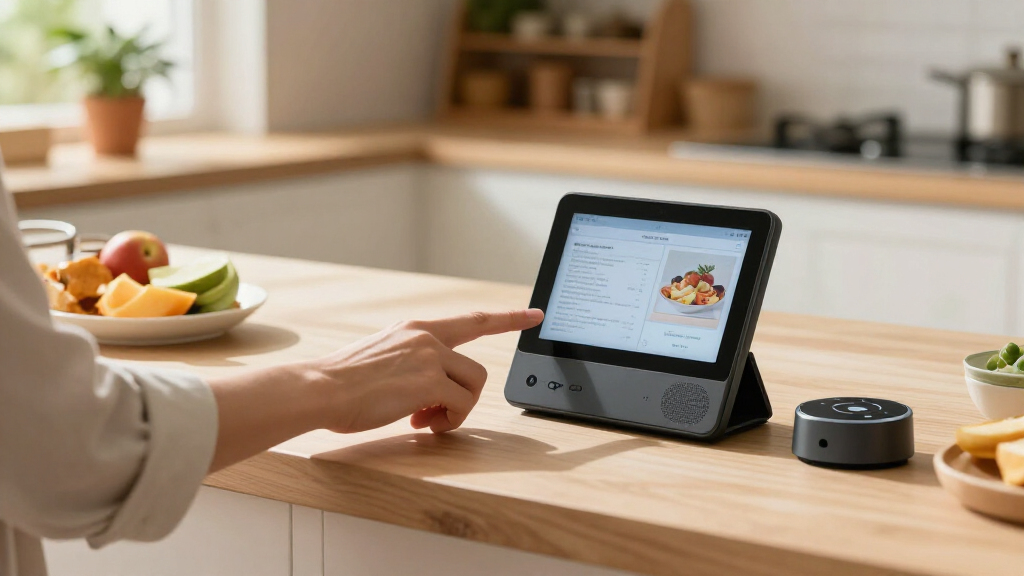
I ranked these displays by how well their screen size, placement, interface, and stated purpose match common home jobs: checking routines, managing connected devices, viewing household information, and watching video. A versatile pick earns a higher place when it can serve more than one room or routine without demanding a specialized setup. I also weighed whether the product is positioned as a general smart display, a control panel, a family planner, or a compact clock, since those categories solve different problems rather than competing directly.
Tradeoffs and listing condition shaped the order as well. Larger screens can make shared information easier to see but require more room; small screens are easier to place yet less suited to group viewing. I treated the Echo Show 11 with its adjustable stand as more flexible than the standard version, and kept the Echo Show 15 distinct for its larger wall-display and Fire TV focus. Refurbished, renewed, and like-new products are evaluated with extra caution because their condition labels and included accessories may vary by listing. The older Nest Hub models and specialized planner remain useful for particular needs, but their narrower fit keeps them below the most versatile choices.
| smart display devices for home | Connectivity |
|---|---|
| Amazon Echo Spot Smart Alarm C | — |
| Google Nest Hub 7-Inch Smart D | — |
| Echo Hub 8" Smart Home Control | — |
| Amazon Echo Show 5 | Dual-band Wi-Fi 802.11a/b/g/n/ac and Bluetooth A2DP/AVRCP |
| Echo Show 5 | — |
| Amazon Echo Show 15 | — |
| Amazon Echo Show 11 Smart Disp | Wi-Fi 6E and Bluetooth 5.4 |
| Google Nest Hub | Wi-Fi |
| Amazon Echo Show 11 | Wi-Fi 6E and Bluetooth 5.4 |
| eufy Smart Display E10 | Wireless |
| Amazon Echo Show 5 | Dual-band 802.11a/b/g/n/ac Wi-Fi; Bluetooth with A2DP and AVRCP |
| Amazon Echo Show 5 | Dual-band Wi-Fi and Bluetooth |
| LQN WiFi Digital Calendar Smar | Wi-Fi |
Factors to Consider When Choosing Smart Display Devices For Home
Before choosing a screen, I’d start with the job it needs to do and the place it will live. These models span bedside clocks, voice-assistant displays, smart-home controllers, wall screens, and family planners, so a feature that matters for one role may add little to another.
Choose the Screen Around Its Viewing Distance
Screen size should follow where people will stand or sit, not simply the largest number on a spec sheet. A bedside display is usually checked at close range and benefits from a small footprint, while a kitchen or shared-room screen may need larger text that can be read from several steps away. Wall-mounted screens can show more information at once, but their location is less flexible than a device on a counter. A common mistake is buying a large screen for a narrow nightstand or choosing a tiny one for a shared calendar. Measure the surface or wall area and consider whether people need to read it while moving through the room. If the main task is voice control, a compact screen may be enough; if people will watch video or check schedules together, more display area can matter.
Match the Platform to Your Existing Devices
A smart display is most useful when it works naturally with the services and connected devices already in the home. Before buying, check which voice assistant handles your preferred music, calendar, video, and smart-home products. Mixing platforms can be workable, but it may split routines and controls between apps or voice commands. The mistake to avoid is assuming that every display offers the same access to services just because each has a touchscreen and voice control. If several household members use different phones or calendars, verify shared access and account support rather than choosing by assistant name alone. A specialized planner may suit a family schedule better than a general assistant, but it can be less adaptable for other tasks.
Decide Whether You Need a Display or a Control Panel
Some devices are built to make voice requests and glanceable information easy; others put connected-home controls first. Think about how often you adjust lights, view device status, or respond to door alerts compared with watching videos or checking recipes. A dedicated control panel can reduce friction for frequent home-management tasks, but it may feel limited if you expect a general entertainment screen. Conversely, a versatile display may not provide the focused layout you want for controlling many devices. Map your most frequent actions before buying, then check whether they are supported on-screen rather than only by voice or phone app. This distinction helps avoid paying for a screen whose main role does not match your daily routine.
Plan for Placement, Power, and Mounting
Placement changes how useful a display feels: a kitchen counter favors quick glances, a bedside table favors alarms and routines, and a wall location can make a shared calendar visible to everyone. Check whether the device needs a nearby outlet and whether its stand, viewing angle, and mounting options suit the chosen spot. An adjustable stand can help with glare and viewing position, while a wall-focused design may require installation planning. Buyers often choose the screen first and only then discover that the cable, base, or mounting arrangement conflicts with the room. Consider privacy as well, especially in bedrooms and shared spaces, and check available camera or microphone controls if those features are present. A good location can matter more than a small difference in screen features.
Treat Refurbished and Renewed Listings as a Separate Decision
Refurbished, renewed, and like-new labels describe listing condition, not a different product role. Read the specific seller’s condition notes, return window, warranty coverage, and included accessories before comparing these listings with new units. A lower-cost used-condition option may be reasonable when the display is for a secondary room, but uncertainty about wear or packaging may not suit a device intended as a household centerpiece. Check that the listing identifies the exact generation and color, since similar names can refer to distinct versions. Do not assume that a stand, power adapter, or other accessory is included unless the listing says so. For a primary display, clearer condition and support terms can be worth prioritizing over a small saving.
Pay More Only for a Job You Will Use
A larger display or added entertainment capability makes sense when people will use the screen for shared viewing, schedules, or frequent on-screen controls. It adds less value when the device will mostly answer voice questions or serve as a bedside clock. Before choosing a premium form factor, list the tasks that need the screen rather than the speaker alone. Family planners can be useful when calendars and chores are central, but their specialized tools may not replace a general smart display. Likewise, a compact device may be the better choice if counter space is limited and video is occasional. The strongest purchase is the one whose extra capability solves a recurring household need, not simply the one with the longest feature list.
Frequently Asked Questions
Should I choose an Echo Show 11 or an Echo Show 15 for a shared family screen?
I’d choose based on placement and the way the household will use the screen. The Echo Show 15 is the more dedicated large wall-display option and includes Fire TV, which can suit a shared room where schedules and video both matter. The Echo Show 11 takes less wall space and its adjustable-stand version gives more flexibility if the screen will sit on a counter or move between viewing angles. Check the room layout, power access, and whether a fixed mount is practical before deciding. If the screen needs to serve as a flexible counter display, the 11 may be easier to live with; if it will anchor a wall, the 15 is the more purpose-built choice.
Are refurbished or like-new Echo Show 5 listings a sensible choice for a first smart display?
They can be a reasonable way to try a compact display, particularly for a secondary room, but the condition terms vary by listing. I’d verify the exact generation, return period, warranty details, and included power adapter before placing an order. A new Echo Show 5 avoids some uncertainty and may be the simpler route for a first-time buyer who wants clearer support terms. The refurbished and like-new options do not change the compact device’s basic role, so choose them for the listing conditions rather than expecting a different experience. If it will be a primary household screen, I’d put more weight on support and condition clarity.
Is the Echo Hub a better choice than an Echo Show if I mainly want to control smart-home devices?
The Echo Hub is the more focused option when on-screen smart-home management is the main reason for buying a display. A general Echo Show is a better match if the same device also needs to handle video, routines, or everyday voice-assistant tasks. Before choosing the Hub, check that your connected devices and preferred controls are supported in its ecosystem. Also think about who will use it: a dedicated control point is most useful when household members can reach it easily and use it regularly. If your needs are mixed, a general-purpose display may offer more flexibility even if home control is not its only focus.
Would a Google Nest Hub or the eufy Smart Display E10 fit better in a home that does not use Alexa?
Either may be worth comparing, but they serve different needs and should not be treated as interchangeable. The Nest Hub is a Google Assistant display, so its fit depends on the services and connected devices already used at home; the listings here are first-generation models, making exact capabilities worth checking. The eufy E10 is presented around a four-view screen, door alerts, and daily reports, which points to a more specific home-monitoring role. Check compatibility with your devices and the functions you actually want before choosing either one. If you expect a broad general-purpose assistant, confirm current software and service support rather than relying only on the product name.
When does a family planner make more sense than a smart display?
A dedicated family planner makes more sense when shared schedules, chores, meal planning, and a photo display are the central jobs. Its focused layout can make household organization more visible than a general assistant screen, especially in a busy kitchen or common area. A standard smart display is usually the more flexible pick if you also want voice requests, video, or broader smart-home controls. Check how the planner handles shared accounts, calendar connections, and updates before relying on it as the household’s main schedule. If family planning is only one occasional task, a general display may be a better fit; if it is the daily priority, specialization can be useful.
Conclusion
For the best overall balance of screen area and placement flexibility, I’d choose the Amazon Echo Show 11 (2025) with adjustable stand. The best value depends on the listing: the Echo Show 5 is the compact fit, while refurbished or like-new versions call for careful checks of condition, support, and accessories. For a best premium, shared-screen role, the Echo Show 15 is the standout when a wall display and Fire TV suit the room. The best choice for beginners is a standard Echo Show 5 if a small, straightforward first display is the goal. For specific needs, choose Echo Hub for focused smart-home control, the eufy E10 for its stated monitoring features, or the LQN planner when family organization matters more than a general assistant. Match the screen to its location and main task, and the right choice becomes much clearer.