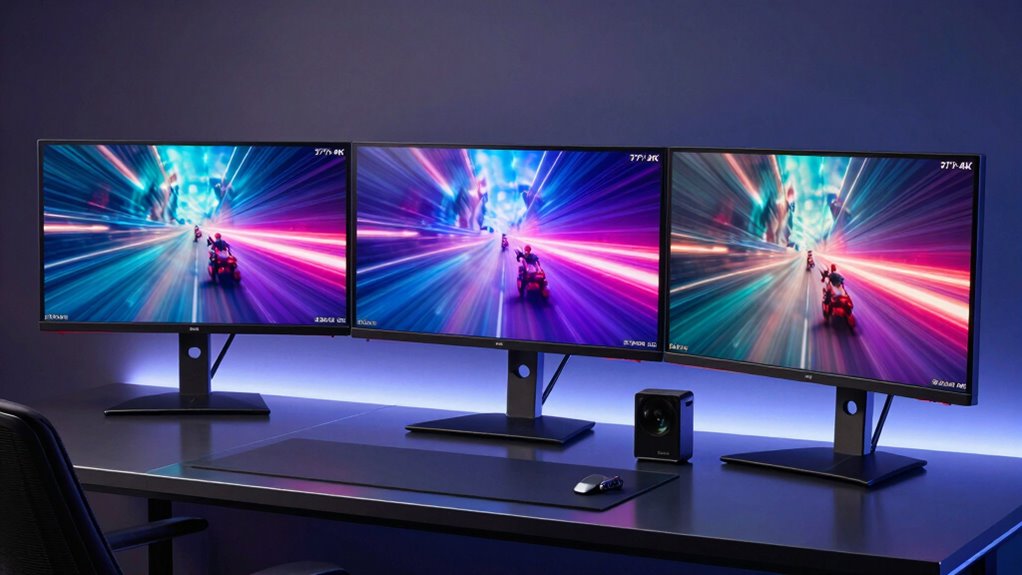

If you are searching for a 27-inch 4K gaming monitor with 240Hz, the key distinction in this lineup is that two models are actually QHD, not 4K. I rank the ASUS ROG Swift PG27UCDM first for its 4K QD-OLED panel and broad connections, while the Samsung Odyssey QD-OLED G8 is a strong alternative for glare control and an adjustable stand. The ASUS ROG XG27UCDMG makes more sense if you want a matte 4K QD-OLED screen with burn-in coverage.

Get the latest gadgets delivered free with Prime
- Fast, free delivery on millions of items
- Prime Video, Amazon Music and more included
- Member-only deals all year
The tradeoff is clear: the 4K choices pair fine detail with demanding graphics requirements, while the ASUS XG27AQDMGR and LG UltraGear deliver QHD at 240Hz instead. Those QHD picks can better suit buyers who prioritize fast play and OLED contrast over 4K sharpness. I compare resolution first, then panel and glare characteristics, burn-in protections, connectivity, and practical fit.
Complete the kit



Key Takeaways
- Only the ASUS ROG Swift PG27UCDM, Samsung Odyssey QD-OLED G8, and ASUS ROG XG27UCDMG in this list are specified as 4K; the other two are QHD.
- The PG27UCDM pairs 4K, 240Hz, QD-OLED, DisplayPort 2.1a, and USB-C with 90W power delivery for the broadest listed connectivity.
- The Samsung G8 is the standout for its stated Glare Free treatment and ergonomic adjustable stand, though its listed input details are less complete.
- The XG27UCDMG is the matte-screen 4K option and includes a three-year warranty with burn-in coverage.
- The LG UltraGear and ASUS XG27AQDMGR keep the 240Hz OLED experience but give up 4K resolution, making them better fits for QHD-focused setups.
| ASUS ROG Swift PG27UCDM 26.5-Inch 4K 240Hz QD-OLED Gaming Monitor |  | Best Overall 4K 240Hz Pick | Screen size: 26.5 inches | Resolution: 3840 × 2160 (4K UHD) | Panel: QD-OLED | VIEW ON AMAZON | See Our Full Breakdown |
| Samsung 27-inch Odyssey QD-OLED G8 4K 240Hz Gaming Monitor |  | Best for Glare Control and Ergonomics | Screen size: 27 inches | Resolution: 4K | Pixel density: 166 PPI | VIEW ON AMAZON | See Our Full Breakdown |
| ASUS ROG XG27UCDMG 27-Inch 4K 240Hz QD-OLED Gaming Monitor |  | Best Matte-Screen 4K Option | Screen size: 26.5 inches | Resolution: 3840 × 2160 (4K UHD) | Panel: QD-OLED | VIEW ON AMAZON | See Our Full Breakdown |
| LG UltraGear 27GX704A-B 27-inch QHD OLED Gaming Monitor |  | Best QHD OLED Alternative | Screen size: 27 inches | Resolution: 2560 × 1440 (QHD) | Display type: OLED | VIEW ON AMAZON | See Our Full Breakdown |
| ASUS ROG Strix XG27AQDMGR 27-inch QHD 240Hz Glossy OLED Gaming Monitor |  | Best Glossy QHD Pick | Screen size: 27 inches | Resolution: 2560 × 1440 (QHD) | Display type: OLED | VIEW ON AMAZON | See Our Full Breakdown |
| inch 4k gaming monitor 240hz | Screen size | Resolution | Refresh rate | Panel |
|---|---|---|---|---|
| ASUS ROG Swift PG27UCDM 26.5-I | 26.5 inches | 3840 × 2160 (4K UHD) | 240Hz | QD-OLED |
| Samsung 27-inch Odyssey QD-OLE | 27 inches | 4K | 240Hz | QD-OLED |
| ASUS ROG XG27UCDMG 27-Inch 4K | 26.5 inches | 3840 × 2160 (4K UHD) | 240Hz | QD-OLED |
| LG UltraGear 27GX704A-B 27-inc | 27 inches | 2560 × 1440 (QHD) | Up to 240Hz | — |
| ASUS ROG Strix XG27AQDMGR 27-i | 27 inches | 2560 × 1440 (QHD) | 240Hz | — |
More Details on Our Top Picks
ASUS ROG Swift PG27UCDM 26.5-Inch 4K 240Hz QD-OLED Gaming Monitor
The ROG Swift PG27UCDM is my leading choice because it meets the central request directly: 4K resolution, 240Hz, and QD-OLED in a 26.5-inch class screen. Its 0.03ms listed response time points toward fast pixel transitions, while the high-resolution panel gives desktop work and detailed game scenes more definition than the two QHD monitors in this roundup. At this size, that added pixel density is a meaningful part of the case for choosing it.
Its most distinctive advantage over the Samsung G8 and ASUS XG27UCDMG is connectivity. DisplayPort 2.1a UHBR20, HDMI 2.1, and USB-C with 90W power delivery make it the most flexible listed option for a gaming PC plus a compatible laptop. OLED Care Pro and a proximity sensor provide burn-in mitigation features, and the supplied warranty includes burn-in coverage. Those safeguards help, but OLED still calls for sensible care around static elements.
The tradeoff is that the listing does not specify a screen finish or stand adjustments, so I would not choose it over the Samsung for stated glare treatment or over the matte ASUS for a known matte surface. It is also 26.5 inches rather than a full 27. Compared with the QHD ASUS and LG, this model prioritizes sharper output over an easier-to-drive resolution. Buyers should pair it with hardware suited to high-frame-rate 4K play.
Pros:- 4K QD-OLED resolution with a 240Hz refresh rate
- 0.03ms listed response time
- DisplayPort 2.1a, HDMI 2.1, and USB-C with 90W power delivery
- OLED Care Pro, proximity sensing, and a warranty that includes burn-in coverage
Cons:- 26.5-inch listed screen size is slightly below a full 27 inches
- OLED remains susceptible to image retention despite the care features
- The supplied details do not specify screen finish or stand adjustment range
Best for: Gamers who want the sharpest listed resolution at 240Hz and need versatile PC and laptop connections.
Not ideal for: Buyers prioritizing a clearly stated matte finish, integrated speakers, or a less demanding resolution for their graphics card.
- Screen size:26.5 inches
- Resolution:3840 × 2160 (4K UHD)
- Panel:QD-OLED
- Refresh rate:240Hz
- Response time:0.03ms
- Connections:DisplayPort 2.1a UHBR20, HDMI 2.1, USB-C with 90W power delivery
- Warranty:3 years, including accidental damage and burn-in coverage
Our verdict“I recommend the PG27UCDM as the most complete fit for buyers who want 4K, 240Hz, QD-OLED, and modern connectivity in one display.”
Samsung 27-inch Odyssey QD-OLED G8 4K 240Hz Gaming Monitor
The Samsung Odyssey QD-OLED G8 is a compelling alternative to the first-place ASUS when the viewing environment and desk setup matter as much as ports. It combines 4K, 240Hz, and QD-OLED with stated Glare Free technology, which gives it a distinct role among these glossy or unspecified-finish rivals. Its 27-inch screen and 166 PPI listing also make the fine-detail appeal explicit.
Compared with the PG27UCDM, Samsung emphasizes visibility and comfort rather than publishing a detailed connection list. The description calls out an ergonomic adjustable stand, DisplayHDR True Black 400, and adaptive sync support for compatible systems. Its cooling and brightness controls are intended to help reduce burn-in risk. That makes it a sensible choice for someone who wants a clearly described stand and glare treatment, but those features do not remove the normal care considerations associated with OLED.
The drawback is specification uncertainty: the supplied information does not list ports, warranty terms, or a detailed connection configuration. It also notes that refresh rate and response time may vary by input source, so I would check the intended connection and device compatibility before buying. Against the matte ASUS XG27UCDMG, Samsung offers the explicit Glare Free claim and stated stand adjustability; against the PG27UCDM, it gives up the published USB-C 90W and DisplayPort 2.1a details.
Pros:- 4K QD-OLED image with 240Hz refresh rate
- Glare Free technology and DisplayHDR True Black 400
- Ergonomic adjustable stand
- Cooling and brightness controls designed to help reduce burn-in risk
Cons:- The supplied product details do not list ports or warranty terms
- Refresh rate and response time may vary with input source
- Adaptive sync features require a compatible graphics card
Best for: Players who want 4K QD-OLED with stated glare reduction and an adjustable stand for a flexible desk setup.
Not ideal for: Buyers who need a fully specified port list, USB-C laptop charging, or clearly stated warranty coverage before choosing.
- Screen size:27 inches
- Resolution:4K
- Pixel density:166 PPI
- Panel:QD-OLED
- Refresh rate:240Hz
- HDR:VESA DisplayHDR True Black 400
- Adaptive sync:G-Sync compatible, AMD FreeSync Premium Pro
- Stand:Ergonomic and adjustable
Our verdict“I would choose the Samsung G8 over the first-place ASUS when its stated glare control and adjustable stand matter more than a fully documented connection setup.”
ASUS ROG XG27UCDMG 27-Inch 4K 240Hz QD-OLED Gaming Monitor
The ASUS ROG XG27UCDMG keeps the core 4K gaming target intact but takes a different approach to the screen surface: it is listed as matte. That makes it the most straightforward pick here for someone who wants to reduce reflections from room lighting without relying on Samsung’s branded Glare Free description. It pairs that finish with 4K QD-OLED, 240Hz, true 10-bit color, and a listed 0.03ms response time.
Compared with the PG27UCDM, this model supplies more detail about finish and color depth, along with a three-year warranty with burn-in coverage. It also includes a proximity sensor and OLED care features. The supplied list names two HDMI ports and two USB ports, though it does not provide the same specific high-bandwidth DisplayPort and USB-C information as the PG27UCDM. If those connections are important, the first-place ASUS is the safer paper match.
Its biggest practical compromise is size: the screen is specified as 26.5 inches even though the product title says 27-inch. That is typical of this class but may disappoint anyone expecting a full 27-inch active panel. The matte finish can also be less appealing to buyers who prefer the glossy appearance listed for the QHD ASUS and LG. I place it behind the Samsung because Samsung names Glare Free technology and an adjustable stand, but ahead of the QHD models because this one preserves 4K.
Pros:- 4K QD-OLED with 240Hz refresh rate
- Matte finish for buyers managing screen reflections
- True 10-bit color and DisplayHDR 400 True Black
- Three-year warranty includes burn-in coverage
Cons:- Listed active screen size is 26.5 inches
- Port details are less extensive than the PG27UCDM listing
- Matte presentation may not suit buyers who prefer glossy OLED
Best for: 4K OLED buyers who prefer a matte screen surface and want stated burn-in coverage in the warranty.
Not ideal for: Shoppers who want a glossy finish, a confirmed full 27-inch panel, or the PG27UCDM’s listed USB-C 90W and DisplayPort 2.1a.
- Screen size:26.5 inches
- Resolution:3840 × 2160 (4K UHD)
- Panel:QD-OLED
- Screen finish:Matte
- Refresh rate:240Hz
- Color depth:True 10-bit
- Connections listed:2 HDMI ports, 2 USB ports
- Warranty:3 years with burn-in coverage
Our verdict“I would pick the XG27UCDMG when a matte finish and explicit burn-in warranty coverage outweigh the PG27UCDM’s broader listed connectivity.”
LG UltraGear 27GX704A-B 27-inch QHD OLED Gaming Monitor
The LG UltraGear 27GX704A-B is not a 4K monitor, and that distinction matters for this search. Its QHD resolution gives up the fine detail of the three 4K models above, but it retains a 240Hz refresh rate and 0.03ms response time. I include it for buyers whose priority is high-refresh OLED gaming and whose setup is better suited to QHD than 4K at high frame rates.
Compared with the ASUS XG27AQDMGR, the LG provides a fuller list of ports and stand adjustments: two HDMI 2.1 ports, DisplayPort 1.4, USB connectivity, and height, tilt, swivel, and pivot adjustment. It also lists both NVIDIA G-SYNC Compatible and AMD FreeSync Premium Pro. The adjustable stand makes it easier to fit a desk without adding a separate arm, while the HDR True Black 400 rating and OLED contrast support vivid dark scenes.
Its glossy finish can reflect room lights, and OLED image retention remains a concern despite pixel-care features. The 275-nit standard brightness figure also differs from its stated peak figure, so buyers should not assume peak brightness is sustained across the screen. Compared with the 4K ASUS and Samsung models, the LG is the more practical QHD choice, not a substitute for UHD detail. I rank it above the other QHD pick because its supplied connectivity and ergonomic adjustments are more fully specified.
Pros:- QHD OLED panel with up to 240Hz and 0.03ms response time
- G-SYNC Compatible and FreeSync Premium Pro support
- Height, tilt, swivel, and pivot stand adjustments
- Two HDMI 2.1 ports plus DisplayPort and USB connectivity
Cons:- QHD resolution does not meet a strict 4K requirement
- Glossy finish may reflect ambient light
- OLED image retention remains a consideration
Best for: Gamers who want 27-inch QHD OLED at 240Hz with broad stand adjustment and both major adaptive-sync options.
Not ideal for: Buyers who specifically require 4K resolution or prefer a matte finish to manage reflections.
- Screen size:27 inches
- Resolution:2560 × 1440 (QHD)
- Display type:OLED
- Refresh rate:Up to 240Hz
- Response time:0.03ms
- HDR:VESA DisplayHDR True Black 400
- Connections:2 × HDMI 2.1, DisplayPort 1.4, USB 3.2, headphone jack
- Stand adjustments:Height, tilt, swivel, and pivot
Our verdict“I recommend the LG as the better-equipped QHD alternative for buyers who value stand flexibility and connectivity more than 4K detail.”
ASUS ROG Strix XG27AQDMGR 27-inch QHD 240Hz Glossy OLED Gaming Monitor
The ASUS ROG Strix XG27AQDMGR offers the same central compromise as the LG: it is a 27-inch-class OLED at 240Hz, but its resolution is QHD rather than 4K. Its role is narrower and clear. Choose it when you want a glossy OLED image, rapid listed response time, and wide color coverage, and do not need UHD pixel detail. That makes it a poor match for a strict 4K shopping brief, even though its refresh rate aligns with the request.
Against the LG UltraGear, this ASUS lists 99% DCI-P3 coverage and OLED Care Pro with a Neo Proximity Sensor. Its three-year warranty includes accidental replacement and burn-in coverage, which is more explicitly described than the LG’s supplied warranty information. The tradeoff is that the LG has a more complete port list and a stand with stated height, tilt, swivel, and pivot adjustment. The ASUS details only name DisplayPort, HDMI, and USB.
The glossy surface is a matter of preference: it can suit a controlled-light room, but reflections may be more apparent than on the matte 4K ASUS or the Samsung’s stated Glare Free screen. It also lacks built-in speakers in the listed details, and no speaker feature is specified. I place it last because it misses the most important resolution requirement and offers less documented ergonomic and connectivity detail than the LG, not because its OLED refresh performance is weak.
Pros:- 240Hz refresh rate and 0.03ms response time
- Glossy OLED with 99% DCI-P3 color coverage
- OLED Care Pro and proximity sensing help reduce burn-in risk
- Three-year warranty includes accidental replacement and burn-in coverage
Cons:- QHD resolution falls short of the requested 4K
- Glossy finish can show reflections in bright rooms
- No built-in speakers are listed
Best for: Buyers who want glossy QHD OLED, broad color coverage, and stated burn-in protection at 240Hz.
Not ideal for: Anyone who requires 4K, plays in a brightly lit reflective room, or needs a clearly documented stand adjustment range.
- Screen size:27 inches
- Resolution:2560 × 1440 (QHD)
- Display type:OLED
- Screen finish:Glossy
- Refresh rate:240Hz
- Response time:0.03ms
- Color gamut:99% DCI-P3
- Connections:DisplayPort, HDMI, USB
- Warranty:3 years with accidental replacement and burn-in coverage
Our verdict“I would choose this ASUS only when glossy QHD OLED and its stated burn-in coverage matter more than 4K resolution or the LG’s better-documented ergonomics.”

How We Picked
I ranked these monitors against the exact search intent: a 27-inch-class 4K display running at 240Hz. Resolution is the first filter, not a footnote. That places the three listed 4K QD-OLED models ahead of the two QHD OLED models for readers who specifically want UHD detail. I still include the QHD screens because they offer the requested size class and refresh rate, but mark their resolution plainly so the distinction is easy to spot.
Within the 4K group, I compared the information supplied about panel type, response time, glare handling, burn-in mitigation, warranty, and ports. I gave the PG27UCDM the lead for its unusually complete connection list, including DisplayPort 2.1a UHBR20 and USB-C with 90W power delivery. Samsung earns a separate role for Glare Free technology and an adjustable stand; the matte ASUS XG27UCDMG is the better match for buyers who prefer a non-glossy finish and want stated burn-in coverage.
I also treated missing or limited details as a real decision factor. The Samsung description does not list its ports, and its notes warn that performance can vary by input source. The QHD options are not substitutes for 4K if fine text and image detail are the priority. Since the product information does not establish comparative independent test results, I do not present response-time claims or burn-in protections as guarantees. My ordering reflects the supplied specifications and the fit for this specific request.
Factors to Consider When Choosing 27 Inch 4k Gaming Monitor 240hz
I would start by separating the three actual 4K choices from the two QHD models. After that, compare the graphics workload, finish, ports, ergonomics, and OLED care provisions.Check the resolution before the refresh rate
All five listings advertise a 240Hz-class experience, but only the PG27UCDM, Odyssey G8, and XG27UCDMG are 4K. The ASUS XG27AQDMGR and LG UltraGear are 2560 × 1440 QHD. QHD can be a sensible match for a system targeting high frame rates, but it will not provide the same fine detail as 3840 × 2160. I would not treat a 240Hz label as a substitute for checking resolution.
Match the panel to your graphics hardware
A high-resolution screen running at a high refresh rate asks more of the graphics card than a QHD display. The 4K models are best suited to a gaming PC capable of producing high frame rates at UHD settings, or to buyers comfortable adjusting settings to balance image detail and smoothness. If you expect to reach high frame rates more readily at QHD, the LG and ASUS QHD models may fit your use better. Confirm that your source and chosen port support the refresh rate you want.
Choose glossy, matte, or glare-treated deliberately
The ASUS XG27UCDMG is specified as matte, while the XG27AQDMGR and LG are glossy. Samsung lists Glare Free technology without describing its finish in the supplied details. Room lighting and personal preference can change which presentation feels comfortable, so I would think about windows, lamps, and screen placement before choosing. Glare treatment may help with reflections, but does not make lighting conditions irrelevant.
Compare connections and stand details
For a gaming PC plus laptop, the PG27UCDM has the clearest broad-connection case: DisplayPort 2.1a UHBR20, HDMI 2.1, and USB-C with 90W power delivery. The LG lists two HDMI 2.1 ports, DisplayPort, USB, and a fully adjustable stand. Samsung’s listing calls out an adjustable stand but does not supply a port list here; the matte ASUS names HDMI and USB but provides fewer connection specifics. Check the exact ports and stand range against your devices and desk.
Treat OLED protection as mitigation, not a guarantee
OLED Care Pro, proximity sensing, cooling controls, brightness management, and pixel-care tools are intended to help reduce image-retention risk. The ASUS options list burn-in coverage in their warranties, and the PG27UCDM listing also specifies accidental damage coverage. These features are useful differences, but OLED buyers should still review warranty conditions and use available care functions. Static interface elements and long sessions make care behavior worth understanding.
Use response-time claims as one part of the decision
Several models list 0.03ms, but that figure alone does not tell me whether the whole experience will feel faster. Source compatibility, adaptive sync support, frame rate, and connection choice also matter. Samsung explicitly notes that response time and refresh rate can vary by input source. I would verify the monitor’s supported modes for the PC or console I plan to connect rather than choosing only by the headline number.
Frequently Asked Questions
Are all five monitors in this roundup 4K?
No. The ASUS ROG Swift PG27UCDM, Samsung Odyssey QD-OLED G8, and ASUS ROG XG27UCDMG are listed as 4K. The ASUS ROG Strix XG27AQDMGR and LG UltraGear 27GX704A-B are QHD at 2560 × 1440. If 4K is a firm requirement, I would focus on the first three.
Which option has the most flexible listed connectivity?
The ASUS ROG Swift PG27UCDM has the most detailed connection list: DisplayPort 2.1a UHBR20, HDMI 2.1, and USB-C with 90W power delivery. That combination is especially useful if I want to connect a gaming PC and a compatible laptop. The LG also lists a useful mix of HDMI, DisplayPort, and USB, but it does not list USB-C power delivery.
Which monitor is the best fit for a bright room?
The Samsung Odyssey G8 is the only listing that specifically names Glare Free technology, while the ASUS XG27UCDMG is explicitly matte. Those details make them the clearest candidates for buyers managing reflections. Actual room lighting, screen placement, and personal preference still matter, and the other models’ glossy or unspecified finishes may be less suitable when reflections are difficult to control.
Do OLED care features remove burn-in risk?
No. OLED Care Pro, proximity sensors, cooling, brightness controls, and pixel-care features are described as ways to help reduce risk, not as guarantees against image retention. The ASUS listings include burn-in coverage in their stated warranty details, which is a useful distinction, but I would read the warranty conditions before relying on that coverage. OLED care habits remain relevant whichever model I choose.
Should I choose 4K 240Hz or QHD 240Hz?
I would choose 4K if sharper detail is a priority and my graphics hardware can support the games and settings I want. QHD can make more sense if I place greater value on high frame rates or have a system better matched to 2560 × 1440. In this lineup, the three 4K models preserve UHD detail, while the LG and ASUS QHD models trade that detail for a resolution that may be easier to drive at high refresh rates.
Conclusion
For a buyer who wants the closest fit to 27-inch 4K at 240Hz and values connection flexibility, I would start with the ASUS ROG Swift PG27UCDM. Choose the Samsung Odyssey G8 if Glare Free treatment and an adjustable stand are higher priorities, or the ASUS XG27UCDMG if you want a matte finish and explicit burn-in coverage. If you are willing to trade 4K for QHD, the LG UltraGear is my pick for stand flexibility and documented ports; the ASUS XG27AQDMGR suits glossy OLED fans who value its stated care and warranty features. I would rule out the two QHD options if 4K is non-negotiable.
Evergreen bestsellers Picks

Samsung 55-Inch S90H OLED 4K UHD Smart TV Bundle with Full-Motion Mount and Surge Protector

Sony BRAVIA XR8B 65-Inch OLED 4K HDR Smart Google TV (K-65XR8B)

Samsung 65-Inch Q8F QLED 4K UHD Smart TV (2025)
As an affiliate, we earn on qualifying purchases.