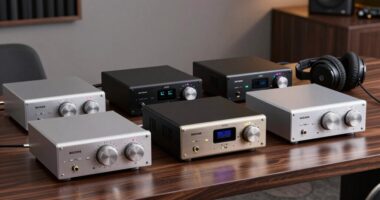
Choosing a 4K capture card for PS5 and Xbox starts with one distinction: a card can accept or pass through a 4K signal without actually recording in 4K. For straightforward 1080p60 streams, the FIFINE AmpliGame adds useful headset and line-in connections, while the XIIXMASK offers 4K60 passthrough and capture options up to 1440p30. If recording in 4K60 is the priority, the Elgato 4K S is the strongest match here, though its connection and operating-system requirements deserve a closer check.

Get the latest gadgets delivered free with Prime
- Fast, free delivery on millions of items
- Prime Video, Amazon Music and more included
- Member-only deals all year
I’ve ranked these five around what console players are most likely to need: the resolution actually recorded, whether gameplay can pass to a display at 4K, audio and setup options, and system compatibility. The main tradeoff is clear: four cards capture at up to 1080p60, while the Elgato supports higher capture modes. That makes it important to pick for your recording target, not just a product name that says “4K.”
Complete the kit



Key Takeaways
- Elgato 4K S is the only listed pick with stated 4K60 capture modes, plus 1440p120 and 1080p240 options.
- FIFINE AmpliGame combines 1080p60 capture and 4K30 passthrough with dedicated line-in and headset ports.
- XIIXMASK offers the widest stated capture-resolution range among the 1080p-class cards: 1080p60 or 1440p30, with 4K60 passthrough.
- The basic 4K HDMI USB 3.0 card and Rybozen both target simple 1080p60 capture, but neither records a 4K stream.
- Check your console, display, computer ports, and chat-audio needs before buying; passthrough resolution does not set recording resolution.
| Elgato 4K S Capture Card |  | Best Overall for 4K Capture | Capture modes: 4K60, 1440p120, 1080p240 listed | Interface: USB 3.0 Type-C | HDR: HDR10 capture on Windows | VIEW ON AMAZON | See Our Full Breakdown |
| XIIXMASK USB 3.0 HDMI Capture Card with 4K Pass-Through |  | Best for 4K60 Passthrough and Flexible Capture | Capture resolution: 1080p60 or 1440p30 | HDMI passthrough: Up to 4K at 60 Hz | Interface: USB 3.0; USB-A/USB-C cable included | VIEW ON AMAZON | See Our Full Breakdown |
| FIFINE AmpliGame 1080p 60fps Video Capture Card with 4K HDMI Pass-Through |  | Best for Beginners and Audio Connections | Capture resolution: 1080p at 60 fps | HDMI passthrough: 4K at 30 fps | Hardware interface: HDMI, USB 3.0 Type A | VIEW ON AMAZON | See Our Full Breakdown |
| Rybozen 4K HDMI Video Capture Card, 1080p 60 FPS |  | Best for Simple 4K60 Display Passthrough | Capture resolution: Up to 1080p | HDMI input: Up to 4K at 60 Hz; not 4K120 or 4K144 | Output support: Up to 2K at 30 Hz | VIEW ON AMAZON | See Our Full Breakdown |
| 4K HDMI Video Capture Card, USB 3.0, 1080p 60fps |  | Best Basic Plug-and-Play Pick | Capture resolution: 1080p at 60 fps | HDMI support: 4K input with passthrough | Interface: USB 3.0 | VIEW ON AMAZON | See Our Full Breakdown |
| 4k capture card for ps5 and xbox | Operating systems | Weight | Capture resolution | Interface |
|---|---|---|---|---|
| Elgato 4K S Capture Card | Windows 11, macOS 13 or later, iPadOS with USB-C | 0.09 kg | — | USB 3.0 Type-C |
| XIIXMASK USB 3.0 HDMI Capture | Windows 7/8/8.1/10, macOS, Linux, Android, iPadOS 17+ | 0.15 kg | 1080p60 or 1440p30 | USB 3.0; USB-A/USB-C cable included |
| FIFINE AmpliGame 1080p 60fps V | Windows, Mac OS | 3.36 ounces | 1080p at 60 fps | — |
| Rybozen 4K HDMI Video Capture | Windows, Mac OS, Linux | — | Up to 1080p | — |
| 4K HDMI Video Capture Card | Windows, macOS | 0.21 kg | 1080p at 60 fps | USB 3.0 |
More Details on Our Top Picks
Elgato 4K S Capture Card
The Elgato 4K S takes the top spot because it is the only card in this group with stated 4K60 capture. It also lists 1440p120 and 1080p240 capture modes, giving players room to choose high resolution or high frame rate rather than settling for the 1080p60 ceiling shared by most of this lineup. For a PS5 or Xbox creator who wants the recording itself to retain 4K detail, that distinction matters more than a passthrough label.
It is also a more flexible fit than the simpler USB-A options: the description lists VRR passthrough, near-zero latency, a 3.5 mm analog audio input, and support for Windows, newer macOS versions, and compatible iPads. The tradeoff is a USB 3.0 Type-C requirement, and HDR10 capture is stated for Windows only. Its supplied spec field says “Capture resolution: 1080p” alongside 4K60 and other supported modes, so buyers should verify the exact capture mode and setup requirements for their system before purchase. Compared with the FIFINE or Rybozen, this is the higher-capability choice, not the simplest low-resolution streaming pick.
Pros:- Lists capture modes up to 4K60, plus 1440p120 and 1080p240
- Supports VRR passthrough and near-zero-latency gameplay monitoring
- Includes a 3.5 mm analog audio input
- Works with listed Windows, macOS, and iPadOS systems
Cons:- Requires a compatible USB 3.0 Type-C connection
- HDR10 capture is limited to Windows
- The supplied capture-resolution field also says 1080p, so confirm mode support for your setup
Best for: Console creators who specifically want stated 4K60 capture, higher-frame-rate options, and have a compatible USB-C system.
Not ideal for: Buyers who only need 1080p60, lack a suitable USB-C port, or need HDR10 capture on macOS.
- Capture modes:4K60, 1440p120, 1080p240 listed
- Interface:USB 3.0 Type-C
- HDR:HDR10 capture on Windows
- Passthrough:VRR passthrough supported
- Audio input:3.5 mm analog
- Operating systems:Windows 11, macOS 13 or later, iPadOS with USB-C
- Weight:0.09 kg
- Warranty:2 years
Our verdict“I’d choose the Elgato 4K S for a 4K recording target, after confirming the desired capture mode and USB-C compatibility.”
XIIXMASK USB 3.0 HDMI Capture Card with 4K Pass-Through
The XIIXMASK is the most interesting middle ground for a player who wants a 4K60 display signal but does not need a 4K recording file. It lists 4K at 60 Hz passthrough and two capture options: 1080p60 or 1440p30. That gives it an advantage over the FIFINE, whose stated passthrough is 4K30, if keeping a 4K60 display path is part of the setup. It also offers a higher capture resolution than the 1080p-only models, though at a lower 30-fps capture rate.
Its USB-A/USB-C cable, 3.5 mm microphone input, and broad listed operating-system support give it practical flexibility for commentary and varied devices. Those features do not remove every console-audio complication: the supplied information says it does not record console party chat, and OBS may need a restart after audio setup. Compared with the Elgato, it is not the pick for high-frame-rate or 4K recording; compared with the basic USB card, it offers a clearer 4K60 passthrough specification and an alternate 1440p capture mode.
Pros:- Supports passthrough up to 4K at 60 Hz
- Captures at 1080p60 or 1440p30
- Includes a 3.5 mm microphone or headset input
- Lists compatibility with Windows, macOS, Linux, Android, and iPadOS 17+
Cons:- Does not record console party chat
- OBS may need restarting after audio configuration
- 1440p capture is limited to 30 fps
Best for: Players who want 4K60 passthrough, a microphone input, and a choice between 1080p60 and 1440p30 capture.
Not ideal for: Creators who need 4K capture, 1440p at 60 fps, or console party chat captured directly.
- Capture resolution:1080p60 or 1440p30
- HDMI passthrough:Up to 4K at 60 Hz
- Interface:USB 3.0; USB-A/USB-C cable included
- Audio input:3.5 mm microphone or headset input
- Operating systems:Windows 7/8/8.1/10, macOS, Linux, Android, iPadOS 17+
- Compatible devices:PS4/PS5, Xbox, Switch, computers, and cameras
- Weight:0.15 kg
Our verdict“I’d pick XIIXMASK when 4K60 passthrough and a 1440p30 capture option matter more than recording at 4K.”
FIFINE AmpliGame 1080p 60fps Video Capture Card with 4K HDMI Pass-Through
The FIFINE AmpliGame is the straightforward choice for a new console streamer who wants 1080p60 capture and useful physical audio ports without stepping up to a more advanced capture workflow. Its headset and line-in connections distinguish it from the basic USB card, while plug-and-play USB 3.0 setup and compatibility with Windows, Mac, PS5, Xbox, and Switch keep the core arrangement familiar.
The key compromise is its 4K30 passthrough. It can keep a 4K signal on the display path, but the stated 30-fps passthrough may not suit someone aiming to preserve a higher-refresh 4K gaming experience. The XIIXMASK lists 4K60 passthrough and a 1440p30 capture option, making it more flexible for those specific needs. FIFINE instead makes a stronger case for beginners who value its audio connections and simple 1080p60 target. Its RGB modes are cosmetic rather than a reason to choose it, and the product information flags that troubleshooting may be needed if no display appears.
Pros:- Captures at 1080p60
- Provides 4K30 HDMI passthrough
- Has dedicated line-in and headset ports
- Plug-and-play USB 3.0 setup with listed console and computer support
Cons:- Passthrough is specified at 4K30, below the XIIXMASK and Rybozen 4K60 figures
- Requires a USB 3.0 port
- Display troubleshooting may be needed if no output appears
Best for: New streamers who want simple 1080p60 capture with dedicated headset and line-in ports.
Not ideal for: Players who need 4K60 passthrough, 4K recording, or a capture mode above 1080p60.
- Capture resolution:1080p at 60 fps
- HDMI passthrough:4K at 30 fps
- Hardware interface:HDMI, USB 3.0 Type A
- Ports:HDMI output, line-in, headset
- Operating systems:Windows, Mac OS
- Compatible devices:PS4, PS5, PC, Switch, Xbox
- Lighting:9 RGB modes
- Weight:3.36 ounces
Our verdict“I’d recommend FIFINE to beginners who value accessible audio connections more than 4K60 passthrough.”
Rybozen 4K HDMI Video Capture Card, 1080p 60 FPS
The Rybozen suits a familiar console setup: send gameplay to a display, capture a 1080p60 feed over USB 3.0, and add commentary through a 3.5 mm microphone input. Its clearest advantage over the basic USB capture card is a stated 4K60 input limit, alongside HDMI passthrough. That figure gives buyers a more specific signal target than a description that only says 4K input and passthrough.
It remains a 1080p capture product, so it should not be mistaken for a 4K recorder. The listed output support tops out at 2K30, and the card does not support 4K input at 120 or 144 Hz. Compared with XIIXMASK, it lacks the stated 1440p30 capture option and broader list of operating systems; compared with FIFINE, its supplied specs do not list separate headset and line-in ports. Its appeal is the uncomplicated combination of 4K60 passthrough and 1080p60 capture, not advanced capture modes.
Pros:- Supports HDMI input up to 4K at 60 Hz
- Captures up to 1080p
- Plug-and-play setup without external power listed
- Includes HDMI passthrough and a 3.5 mm TRS microphone input
Cons:- Maximum capture resolution is 1080p
- Does not support 4K input at 120 or 144 Hz
- Microphone input accepts only 3.5 mm TRS
Best for: Console streamers who need stated 4K60 input and passthrough while recording at 1080p60.
Not ideal for: Buyers seeking 4K recording, high-refresh 4K input, or a 1440p capture mode.
- Capture resolution:Up to 1080p
- HDMI input:Up to 4K at 60 Hz; not 4K120 or 4K144
- Output support:Up to 2K at 30 Hz
- Interfaces:HDMI, USB 3.0 Type A, USB 3.0 Type C, 3.5 mm audio
- Video format:MJPEG
- Operating systems:Windows, Mac OS, Linux
- Microphone input:3.5 mm TRS
- Dimensions:3 × 2 × 1 inches
Our verdict“I’d choose Rybozen for a basic 1080p60 stream that needs a clearly specified 4K60 display signal.”
4K HDMI Video Capture Card, USB 3.0, 1080p 60fps
This compact USB 3.0 capture card is the simplest fit for someone who wants to record PS5 or Xbox gameplay at 1080p60 and does not need extra audio controls. It supports 4K HDMI input with passthrough, works with common software such as OBS Studio, Streamlabs, and XSplit, and lists Windows and macOS compatibility. Its plug-and-play approach is appealing if the goal is to connect a console, computer, and display without a more involved setup.
The central limitation is also easy to miss in the product title: capture tops out at 1080p60. Its 4K support describes input and passthrough, not a 4K recording file. The Rybozen makes a similar 1080p60 tradeoff but states support for 4K60 input; the basic card does not provide a refresh-rate figure for its 4K passthrough. It also lacks the dedicated headset and line-in connections listed for FIFINE and the 1440p30 option listed for XIIXMASK. I’d keep it on the shortlist for uncomplicated 1080p capture, not for a future 4K recording workflow.
Pros:- Captures at 1080p60
- Supports 4K HDMI input with passthrough
- Works with Windows, macOS, and common streaming software
- Compact design and plug-and-play setup
Cons:- Does not capture video in 4K
- Requires a USB 3.0 port
- The supplied information does not specify a refresh rate for 4K passthrough
Best for: Players who want a compact, plug-and-play 1080p60 capture setup for common consoles and streaming apps.
Not ideal for: Anyone who needs 4K recording, a specified 4K60 passthrough rate, or dedicated audio ports.
- Capture resolution:1080p at 60 fps
- HDMI support:4K input with passthrough
- Interface:USB 3.0
- Operating systems:Windows, macOS
- Compatible devices:PS5, PS4, Xbox, Switch, PC, camera
- Supported software:OBS Studio, Streamlabs, XSplit
- Dimensions:1 × 1 × 2.7 inches
- Weight:0.21 kg
Our verdict“I’d pick this card for straightforward 1080p60 capture, but not when a 4K recording or specified 4K60 path is required.”

How We Picked
I ranked these cards for PS5 and Xbox capture, not for a general-purpose HDMI setup. The first question was what each device can record: a 4K input or passthrough claim does not mean the captured file is 4K. That distinction separates the Elgato 4K S, which lists 4K60 capture modes, from the four models whose stated capture ceiling is 1080p60 or, for XIIXMASK, 1440p30.
Next I compared passthrough and display support. Console players often want to record while viewing gameplay on a television or monitor, so 4K passthrough can matter even when the stream is recorded at 1080p. The listed figures are not interchangeable: FIFINE specifies 4K30 passthrough, while XIIXMASK and Rybozen list 4K60 support. The basic USB 3.0 card supports 4K input and passthrough, but its description does not state a refresh-rate figure.
I also considered the practical details that affect a console setup: audio connections, operating-system support, and USB requirements. Dedicated headset, line-in, or microphone inputs can help with commentary, but they do not automatically solve console party-chat routing. Finally, I assigned each product a distinct role based on its stated strengths and limitations. Where the supplied information leaves a point unclear, I avoid filling that gap with a guess. I do not treat 4K passthrough as 4K recording or claim compatibility beyond the listed systems.
| 4k capture card for ps5 and xbox | Interface | Operating systems | Compatible devices |
|---|---|---|---|
| Elgato 4K S Capture Card | USB 3.0 Type-C | Windows 11, macOS 13 or later, iPadOS with USB-C | — |
| XIIXMASK USB 3.0 HDMI Capture | USB 3.0; USB-A/USB-C cable included | Windows 7/8/8.1/10, macOS, Linux, Android, iPadOS 17+ | PS4/PS5, Xbox, Switch, computers, and cameras |
| FIFINE AmpliGame 1080p 60fps V | — | Windows, Mac OS | PS4, PS5, PC, Switch, Xbox |
| Rybozen 4K HDMI Video Capture | — | Windows, Mac OS, Linux | — |
| 4K HDMI Video Capture Card | USB 3.0 | Windows, macOS | PS5, PS4, Xbox, Switch, PC, camera |
Factors to Consider When Choosing 4k Capture Card For Ps5 And Xbox
I’d start with the output you want to publish, then check the signal your screen needs. Capture resolution, passthrough resolution, frame rate, audio, and computer connections answer different questions.Separate capture from passthrough
Capture resolution is the video recorded or sent into streaming software. Passthrough resolution is the signal sent onward to your display while the card is connected. A card can pass a 4K signal through and still record only 1080p. In this lineup, Elgato lists 4K60 capture modes; the other four are primarily 1080p capture choices, with XIIXMASK also specifying 1440p30. Match the capture figure to your saved videos or livestream, not just the HDMI input headline.
Match frame rate to your gaming and recording goals
Resolution and frame rate work together: 4K60 capture is a different target from 4K30 passthrough or 1440p30 capture. The Elgato 4K S lists 4K60, 1440p120, and 1080p240 modes, while XIIXMASK’s 1440p option is 30 fps. FIFINE lists 4K30 passthrough, whereas XIIXMASK and Rybozen list 4K60. If your display path depends on 4K at a higher refresh rate, confirm the card’s full signal support rather than assuming every 4K label means the same thing.
Plan audio before choosing a card
For commentary, check whether you need a microphone input, headset connection, or line-in. FIFINE lists both headset and line-in ports; XIIXMASK and Rybozen list a 3.5 mm audio input, and Elgato lists analog audio input. A port alone does not promise that console party chat will be captured. XIIXMASK specifically states that it does not record console party chat, so players who need game chat in a recording should verify the complete console and software audio route before buying.
Check the computer connection and software
Most models here call for USB 3.0, but the connection style differs. The basic card and FIFINE specify USB 3.0, Rybozen lists Type-A and Type-C interfaces, and Elgato requires USB 3.0 Type-C. Confirm that the computer has a compatible port and can run your chosen capture software. The supplied compatibility lists also vary: XIIXMASK names Linux, Android, and iPadOS 17+, while Elgato lists newer Windows and macOS versions plus compatible iPads. A broad device list is useful, but your exact computer and software still need to match.
Choose based on the feature you will actually use
If 4K recording is the goal, start with Elgato 4K S and verify its listed capture mode against your system. For 4K60 passthrough with a microphone input, compare XIIXMASK with Rybozen; XIIXMASK adds a 1440p30 capture option, while Rybozen keeps the setup simpler. Choose FIFINE if headset and line-in connections are more useful than 4K60 passthrough. The basic card is a fit for uncomplicated 1080p60 capture. This ranking rewards capabilities relevant to PS5 and Xbox capture, not decorative features or a 4K label by itself.
Frequently Asked Questions
Does a 4K passthrough capture card record PS5 or Xbox gameplay in 4K?
Not automatically. Passthrough describes the video signal sent to a connected display, while capture resolution describes the recording or stream feed. The basic USB card, FIFINE, XIIXMASK, and Rybozen list capture ceilings of 1080p60 or 1440p30 even though they accept or pass through 4K signals. The Elgato 4K S is the model in this group that lists 4K60 capture modes.
Which option is best if I want to record PS5 or Xbox gameplay in 4K?
The Elgato 4K S is the strongest match based on the supplied specifications because it lists 4K60 capture, as well as 1440p120 and 1080p240 modes. Its specifications also include a 1080p capture-resolution field, so I’d confirm the exact supported mode for your computer, software, and console setup before buying. The other four products do not list 4K recording.
Which capture card offers 4K60 passthrough?
XIIXMASK and Rybozen both state support for 4K at 60 Hz passthrough or input. XIIXMASK additionally lists capture at 1440p30, while Rybozen’s capture ceiling is 1080p. The basic USB card supports 4K input and passthrough but gives no passthrough refresh rate in the supplied specifications; FIFINE lists 4K30 passthrough.
Can I capture PS5 or Xbox party chat through the card’s audio input?
A microphone or headset port does not by itself confirm party-chat capture. Audio routing depends on the console settings, headset arrangement, capture card, and software. XIIXMASK explicitly says it does not record console party chat. For the other models, the supplied details do not settle party-chat support, so check the complete audio setup you plan to use before relying on it for commentary or chat recording.
What should I check before connecting a capture card to my console?
Confirm the capture card’s recording resolution and frame rate, its passthrough mode, and the computer’s required USB port. Then check operating-system and software compatibility, plus whether the card has the audio connections your setup needs. For console capture, also verify your intended video and chat-audio routing. A 4K input claim is not enough if you need 4K recording or a particular high-refresh display path.
Conclusion
For 4K recording, I’d start with the Elgato 4K S and confirm its capture modes and USB-C requirements against your system. If you want 4K60 passthrough while recording at a lower resolution, XIIXMASK is the more flexible pick, particularly if 1440p30 capture is useful; Rybozen is the simpler 1080p option. Choose FIFINE for its headset and line-in connections, or the basic USB card for uncomplicated plug-and-play 1080p60 capture. I would skip all four 1080p-class choices if your non-negotiable requirement is a 4K recording file.