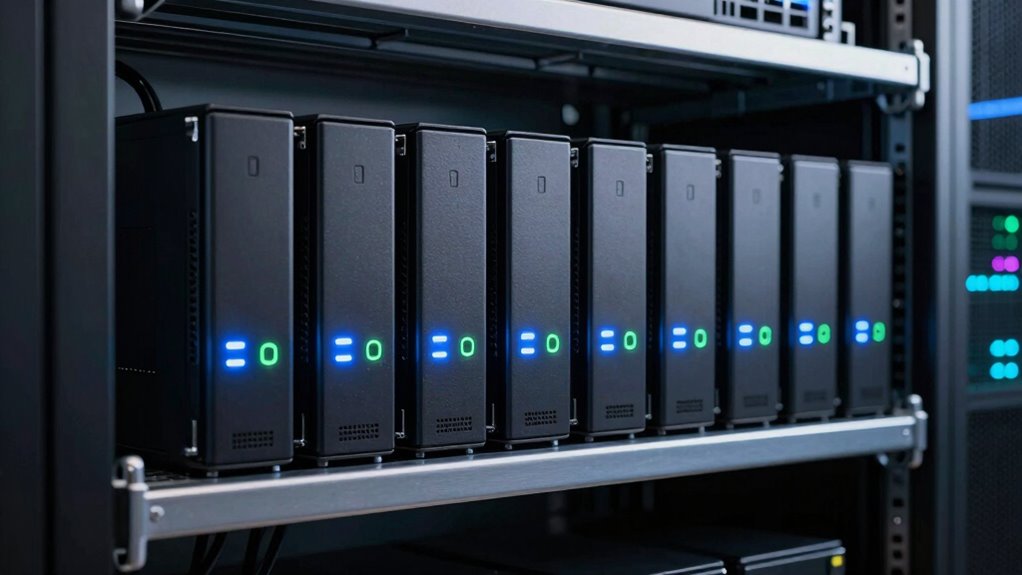

A 10GbE NAS can speed up shared file access, backups, and media workflows, but the right choice depends on more than the network port: drive capacity, software, and setup costs matter too. My best overall pick is the Synology DS1823xs+, which pairs an eight-bay chassis with ECC memory and a mature NAS platform. The UGREEN NASync DXP8800 Plus stands out for buyers who want an eight-bay alternative, while the QNAP TS-855X offers another business-oriented route. Preconfigured Synology bundles save drive-planning work, but they limit flexibility compared with selecting storage yourself. Read on for the full breakdown of where each option fits and what to check before buying.

Get the latest gadgets delivered free with Prime
- Fast, free delivery on millions of items
- Prime Video, Amazon Music and more included
- Member-only deals all year
Complete the kit



Key Takeaways
- The DS1823xs+ leads on platform balance: its eight bays, Ryzen processor, and ECC memory make it the most adaptable pick here, while the different drive bundles change capacity rather than the core NAS platform.
- Preconfigured bundles trade choice for convenience: the DS1823xs+ listings with 64TB, 80TB, 128TB, or 160TB of HDD storage suit buyers who want a ready storage pool, but buyers should verify included drive models and warranty terms.
- UGREEN covers several capacity tiers: the DXP8800 Plus, DXP6800 models, DXP4800 GT, and DXP2800 GT span eight to two bays, so the lineup lets buyers match chassis size to their growth plans.
- Small chassis can still bring 10GbE: the LincStation N2 and UGREEN DXP2800 GT offer compact alternatives, but fewer bays can constrain redundancy choices and future expansion.
- 10GbE only helps when the whole path supports it: a compatible switch or direct connection, suitable client networking, and storage fast enough for the workload matter as much as the NAS port.
| Synology DiskStation DS1823xs+ NAS Server with Ryzen V1780B CPU, 32GB ECC Memory, and 2TB NVMe SSD |  | Best for Synology-Centered 10GbE Workflows | Processor: Ryzen V1780B, 4 cores, 3.35GHz base and up to 3.6GHz | Memory: 32GB DDR4 ECC SODIMM | Storage: 2TB across two 1TB M.2 2280 NVMe SSDs | VIEW ON AMAZON | See Our Full Breakdown |
| Synology DiskStation DS1823xs+ NAS Server, Ryzen V1780B, 32GB RAM, 64TB HDD, 1TB NVMe SSD | | Best Ready-to-Configure High-Capacity Bundle | Processor: Ryzen V1780B, 4 cores, 3.35GHz base and up to 3.6GHz | Memory: 32GB DDR4 ECC SODIMM | HDD storage: 64TB across eight 8TB SATA HDDs | VIEW ON AMAZON | See Our Full Breakdown |
| UGREEN NASync DXP8800 Plus 8-Bay NAS |  | Best for Dual-10GbE Throughput | Processor: 12th Gen Intel Core i5, 10 cores and 12 threads | Memory: 8GB DDR5 RAM | Drive bays: 8 SATA bays and 2 M.2 NVMe bays | VIEW ON AMAZON | See Our Full Breakdown |
| UGREEN NASync DXP6800 Plus 6-Bay Desktop NAS, Intel Core i3-1215U |  | Best Value 10GbE Entry for a Six-Bay Build | Processor: 12th-generation Intel Core i3-1215U, 6 cores and 8 threads | Memory: 8GB DDR5 RAM | Drive bays: 6 SATA bays and 2 M.2 NVMe slots | VIEW ON AMAZON | See Our Full Breakdown |
| UGREEN NASync DXP6800 Pro 6-Bay NAS for Businesses |  | Best Six-Bay 10GbE System for Virtualization | Processor: 12th Gen Intel Core i5, 10 cores and 12 threads | Drive bays: 6 SATA bays and 2 M.2 NVMe bays | Maximum stated capacity: 208TB | VIEW ON AMAZON | See Our Full Breakdown |
| Synology DiskStation DS1823xs+ NAS Server with Ryzen V1780B CPU, 32GB ECC Memory, 160TB HDDs, and 1TB NVMe SSD | | Best for Maximum Included HDD Capacity | Processor: AMD Ryzen V1780B, 4 cores, 3.35GHz up to 3.6GHz | Memory: 32GB DDR4 ECC SODIMM | HDD storage: 160TB, 8 x 20TB SATA HDDs | VIEW ON AMAZON | See Our Full Breakdown |
| Synology DiskStation DS1823xs+ NAS Server, 32GB RAM, 80TB HDD, 1TB NVMe SSD | | Best Balanced Synology Capacity | Processor: AMD Ryzen V1780B, 4 cores, 3.35GHz up to 3.6GHz | Memory: 32GB DDR4 ECC SODIMM | HDD storage: 80TB, 8 x 10TB SATA HDDs | VIEW ON AMAZON | See Our Full Breakdown |
| LincStation N2 6-Bay NAS Server with Intel N100, 16GB LPDDR5, 10GbE, and Unraid Starter License |  | Best Compact, Flexible 10GbE NAS | Processor: Intel N100, 4 cores, up to 3.4GHz | Memory: 16GB LPDDR5 | Drive bays: 2 x 2.5-inch SATA bays and 4 x M.2 2280 NVMe slots | VIEW ON AMAZON | See Our Full Breakdown |
| UGREEN DXP2800 GT 2-Bay NAS |  | Best Expandable Two-Bay 10GbE NAS | Processor: AMD Ryzen Embedded R2514, 4 cores, 8 threads, up to 3.70GHz | Memory: 8GB DDR4, expandable to 64GB | Drive bays: 2 | VIEW ON AMAZON | See Our Full Breakdown |
| Synology DiskStation DS1823xs+ NAS Tower Server with Ryzen V1780B, 32GB RAM, 128TB HDDs, and 1TB NVMe SSD | | Best for Large Business File Libraries | Processor: AMD Ryzen V1780B, 4 cores, 3.35GHz up to 3.6GHz | Memory: 32GB DDR4 ECC SODIMM | HDD storage: 128TB, 8 x 16TB SATA HDDs | VIEW ON AMAZON | See Our Full Breakdown |
| QNAP TS-855X-8G-US 8-Bay NAS |  | Best for Expandable Business Storage | Processor: Intel Atom C5125, 8 cores, 2.8 GHz | Memory: 8GB DDR4 U-DIMM; expandable to 128GB with ECC support | Drive bays: 6 x 3.5-inch SATA HDD and 2 x 2.5-inch SATA SSD | VIEW ON AMAZON | See Our Full Breakdown |
| UGREEN NAS DXP4800 GT 4-Bay Network Attached Storage |  | Best for Dual-10GbE Workflows | Processor: AMD Ryzen Embedded R2514, 4 cores, 8 threads, up to 3.70 GHz | Memory: 8GB DDR4, expandable to 64GB | Network: 2 x 10GbE | VIEW ON AMAZON | See Our Full Breakdown |
| 10gbe na | Processor | Memory | Network | Operating system |
|---|---|---|---|---|
| Synology DiskStation DS1823xs+ | Ryzen V1780B, 4 cores, 3.35GHz base and up to 3.6GHz | 32GB DDR4 ECC SODIMM | 1 x 10GbE RJ-45 and 2 x 1GbE RJ-45 | Synology DSM |
| Synology DiskStation DS1823xs+ | Ryzen V1780B, 4 cores, 3.35GHz base and up to 3.6GHz | 32GB DDR4 ECC SODIMM | 1 x 10GbE RJ-45, 2 x 1GbE RJ-45, and 1 out-of-band management LAN | Synology DSM |
| UGREEN NASync DXP8800 Plus 8-B | 12th Gen Intel Core i5, 10 cores and 12 threads | 8GB DDR5 RAM | 2 x 10GbE Ethernet | — |
| UGREEN NASync DXP6800 Plus 6-B | 12th-generation Intel Core i3-1215U, 6 cores and 8 threads | 8GB DDR5 RAM | 1 x 10GbE and 1 x 2.5GbE | — |
| UGREEN NASync DXP6800 Pro 6-Ba | 12th Gen Intel Core i5, 10 cores and 12 threads | — | 2 x 10GbE | — |
| Synology DiskStation DS1823xs+ | AMD Ryzen V1780B, 4 cores, 3.35GHz up to 3.6GHz | 32GB DDR4 ECC SODIMM | — | Synology DSM |
| Synology DiskStation DS1823xs+ | AMD Ryzen V1780B, 4 cores, 3.35GHz up to 3.6GHz | 32GB DDR4 ECC SODIMM | — | Synology DSM |
| LincStation N2 6-Bay NAS Serve | Intel N100, 4 cores, up to 3.4GHz | 16GB LPDDR5 | — | — |
| UGREEN DXP2800 GT 2-Bay NAS | AMD Ryzen Embedded R2514, 4 cores, 8 threads, up to 3.70GHz | 8GB DDR4, expandable to 64GB | — | UGOS Pro |
| Synology DiskStation DS1823xs+ | AMD Ryzen V1780B, 4 cores, 3.35GHz up to 3.6GHz | 32GB DDR4 ECC SODIMM | — | Synology DSM |
| QNAP TS-855X-8G-US 8-Bay NAS | Intel Atom C5125, 8 cores, 2.8 GHz | 8GB DDR4 U-DIMM; expandable to 128GB with ECC support | 1 x 10GbE and 2 x 2.5GbE | — |
| UGREEN NAS DXP4800 GT 4-Bay Ne | AMD Ryzen Embedded R2514, 4 cores, 8 threads, up to 3.70 GHz | 8GB DDR4, expandable to 64GB | 2 x 10GbE | UGOS Pro |
More Details on Our Top Picks
Synology DiskStation DS1823xs+ NAS Server with Ryzen V1780B CPU, 32GB ECC Memory, and 2TB NVMe SSD
I rank this DS1823xs+ first for buyers who want built-in 10GbE paired with Synology DSM’s backup, file-sync, virtualization, and surveillance tools. Its 32GB ECC memory and Btrfs support suit shared business data and services that benefit from data-integrity features; expansion to 18 bays also leaves room to grow beyond the eight internal bays. Compared with the UGREEN NASync DXP8800 Plus, this model offers one 10GbE port rather than two, but its preconfigured NVMe capacity and Synology software make it a more cohesive choice for a DSM-based environment. The tradeoff is that the stated 2TB NVMe cache is not bulk storage, and the listing gives conflicting capacity descriptions. Drives and memory upgrades may also require separate installation, so verify exactly what is included before buying.
Pros:- Built-in 10GbE RJ-45 avoids a separate network card.
- 32GB ECC memory and Btrfs suit business data and server workloads.
- DSM includes backup, synchronization, virtualization, and surveillance tools.
- Expansion units can extend the system to 18 bays.
Cons:- Only one 10GbE port, unlike the dual-port UGREEN DXP8800 Plus.
- The listing gives conflicting storage descriptions, so included capacity needs verification.
- Drive and memory installation may be required; the NVMe drives do not replace HDD capacity.
Best for: Small businesses already using Synology DSM that need an eight-bay 10GbE server for shared files, backup, or surveillance.
Not ideal for: Buyers who need two 10GbE ports, fully populated drive bays, or an unambiguous included-storage configuration.
- Processor:Ryzen V1780B, 4 cores, 3.35GHz base and up to 3.6GHz
- Memory:32GB DDR4 ECC SODIMM
- Storage:2TB across two 1TB M.2 2280 NVMe SSDs
- Maximum stated SATA storage:132TB
- Network:1 x 10GbE RJ-45 and 2 x 1GbE RJ-45
- File systems:EXT4 and Btrfs
- Operating system:Synology DSM
- Expansion:Up to 18 bays with DX517 expansion units
Our verdict“Choose this DS1823xs+ for a Synology-based 10GbE setup that values ECC memory, DSM tools, and future bay expansion over dual 10GbE.”
Synology DiskStation DS1823xs+ NAS Server, Ryzen V1780B, 32GB RAM, 64TB HDD, 1TB NVMe SSD
This DS1823xs+ bundle is the more direct route to substantial local capacity: it lists eight 8TB HDDs alongside two NVMe SSDs, 32GB ECC memory, and 10GbE connectivity. That makes it a stronger fit than the 2TB-NVMe DS1823xs+ configuration for buyers whose immediate priority is a large HDD pool rather than cache capacity. Synology DSM, Btrfs, and the Ryzen processor also support a broader file, backup, and virtualization role. The network setup includes an out-of-band management LAN in addition to 10GbE and two 1GbE ports. The catch is that the drives and memory ship separately and require installation, so this is not a ready-to-use appliance. Compared with the UGREEN DXP8800 Plus, it offers one 10GbE port instead of two, while its listed HDD capacity and Synology software may better suit established DSM users.
Pros:- Lists 64TB of HDD capacity across eight 8TB SATA drives.
- Includes two NVMe SSDs totaling 1TB for an additional fast-storage option.
- 10GbE, two 1GbE ports, and a separate management LAN support varied network duties.
- 32GB ECC memory, Btrfs, and DSM suit business storage and services.
Cons:- Drives and memory ship separately and require installation.
- One 10GbE port offers less network flexibility than the dual-10GbE UGREEN DXP8800 Plus.
- Drive installation and RAID configuration still need to be completed before use.
Best for: Synology users who want an eight-drive HDD pool for shared business files and backup, and are comfortable installing components.
Not ideal for: Buyers seeking a plug-in-ready system, dual 10GbE, or a clearly stated installed-drive configuration.
- Processor:Ryzen V1780B, 4 cores, 3.35GHz base and up to 3.6GHz
- Memory:32GB DDR4 ECC SODIMM
- HDD storage:64TB across eight 8TB SATA HDDs
- NVMe storage:1TB across two 500GB M.2 2280 NVMe SSDs
- Network:1 x 10GbE RJ-45, 2 x 1GbE RJ-45, and 1 out-of-band management LAN
- File systems:EXT4 and Btrfs
- Operating system:Synology DSM
- Other ports:3 x USB 3.2 and 2 x eSATA
Our verdict“Pick this bundle if you want a high-capacity Synology HDD pool with 10GbE and can handle component installation.”
UGREEN NASync DXP8800 Plus 8-Bay NAS
The DXP8800 Plus stands out for buyers building a fast network around two 10GbE ports. That gives it more scope for link aggregation or separate high-speed network connections than either Synology DS1823xs+ configuration here, though actual throughput still depends on the network, drives, and workload. Its eight SATA bays and two M.2 slots provide room for a large array and NVMe storage, while the 10-core Intel Core i5 and Thunderbolt 4 connections add flexibility for multimedia and workstation workflows. UGREEN states a maximum capacity of 272TB and transfer speed of 2500MB/s; those are ceiling figures, not a guarantee for every setup. Unlike the Synology bundles, this model supplies no storage drives, and its 8GB of DDR5 memory is less than the Synology systems’ 32GB ECC. Pick it for network bandwidth and connectivity, not a turnkey storage pool.
Pros:- Two 10GbE ports offer more connection options than the single-port DS1823xs+ models.
- Eight SATA bays and two M.2 NVMe bays support a flexible storage layout.
- 10-core, 12-thread Intel Core i5 suits mixed storage and multimedia tasks.
- Thunderbolt 4, HDMI, and SD 4.0 provide useful local connections.
Cons:- Storage drives are not included, so the array must be equipped separately.
- 8GB DDR5 memory is below the 32GB ECC supplied with the Synology options.
- Transfer performance depends on the network, drives, processor load, and file sizes.
Best for: Media teams and small offices with a dual-10GbE network that want an eight-bay NAS for large files and mixed workstation connections.
Not ideal for: Buyers who want included HDDs, ECC memory, or Synology DSM’s established software environment.
- Processor:12th Gen Intel Core i5, 10 cores and 12 threads
- Memory:8GB DDR5 RAM
- Drive bays:8 SATA bays and 2 M.2 NVMe bays
- Maximum stated capacity:272TB
- Network:2 x 10GbE Ethernet
- RAID:JBOD, Basic, RAID 0, RAID 1, RAID 5, RAID 6, and RAID 10
- Connectivity:2 x Thunderbolt 4, HDMI, SATA, USB, and SD 4.0
- Included storage:128GB SSD; storage drives not included
Our verdict“Choose the DXP8800 Plus if two 10GbE ports and broad workstation connectivity matter more than included drives or ECC memory.”
UGREEN NASync DXP6800 Plus 6-Bay Desktop NAS, Intel Core i3-1215U
The DXP6800 Plus makes the most sense for buyers who want a six-bay 10GbE NAS without stepping up to the larger DXP8800 Plus. Its single 10GbE port is paired with a 2.5GbE port, giving a home office or small team a practical second connection while keeping the layout simpler than a dual-10GbE system. The six SATA bays and two M.2 slots can support up to 208TB according to the listing, and the Core i3-1215U with 8GB DDR5 is aimed at everyday storage and backup rather than the more demanding workloads of the DXP6800 Pro’s Core i5. This model includes a 128GB SSD but no HDDs, so that built-in storage does not create a usable bulk-storage pool. Choose it over the Pro when one 10GbE connection is enough; skip it if you need dual 10GbE or more CPU headroom.
Pros:- Combines one 10GbE port with one 2.5GbE port.
- Six SATA bays and two M.2 slots allow HDD and NVMe storage configurations.
- Core i3-1215U and 8GB DDR5 provide a capable base for file storage and backup duties.
- 128GB SSD is included for system storage.
Cons:- No HDDs are included, so bulk storage must be added separately.
- One 10GbE port has less bandwidth flexibility than the DXP6800 Pro’s dual ports.
- Core i3 hardware is less suited to heavier concurrent workloads than the DXP6800 Pro’s Core i5.
Best for: Home-office owners and small teams assembling a six-drive NAS who need one 10GbE link plus a separate 2.5GbE connection.
Not ideal for: Businesses needing dual 10GbE, a more powerful Core i5, or included HDDs for immediate bulk storage.
- Processor:12th-generation Intel Core i3-1215U, 6 cores and 8 threads
- Memory:8GB DDR5 RAM
- Drive bays:6 SATA bays and 2 M.2 NVMe slots
- Maximum stated capacity:208TB
- Network:1 x 10GbE and 1 x 2.5GbE
- Built-in storage:128GB SSD
- RAID:JBOD, Basic, RAID 0, RAID 1, RAID 5, RAID 6, and RAID 10
- Warranty:2 years
Our verdict“Choose this model for a six-bay build with one 10GbE connection and a 2.5GbE secondary port, not for dual-link performance.”
UGREEN NASync DXP6800 Pro 6-Bay NAS for Businesses
For a six-bay NAS expected to run more than file shares, the DXP6800 Pro pairs a 10-core Intel Core i5 with dual 10GbE ports, Docker, and virtual-machine support. That combination gives it a clearer business and lab focus than the DXP6800 Plus, whose Core i3 and single 10GbE port fit lighter storage duties. It also has two M.2 NVMe bays alongside six SATA bays, with a listed maximum capacity of 208TB. Dual 10GbE can support link aggregation or separate network roles, but neither guarantees faster file transfers without suitable clients, switches, and drives. Unlike the Synology DS1823xs+ options, this model does not list ECC memory or DSM, and it ships without storage drives. It is the more capable UGREEN six-bay choice for compute-heavy use, but requires a compatible network and a separately planned drive array.
Pros:- Dual 10GbE ports support link aggregation or separate network connections.
- 10-core, 12-thread Core i5 is better suited to concurrent services than the DXP6800 Plus’s Core i3.
- Six SATA bays and two M.2 NVMe bays provide several storage-layout options.
- Supports Docker, virtual machines, and multiple RAID levels.
Cons:- Drives are sold separately, so the system needs a separate storage build.
- The supplied data does not specify ECC memory.
- Real transfer rates vary with network setup, drive performance, workload, and file size.
Best for: Small businesses and homelab operators who want a six-bay 10GbE NAS for shared storage alongside Docker containers or virtual machines.
Not ideal for: Buyers who need included drives, ECC memory, or Synology DSM’s backup and file-management ecosystem.
- Processor:12th Gen Intel Core i5, 10 cores and 12 threads
- Drive bays:6 SATA bays and 2 M.2 NVMe bays
- Maximum stated capacity:208TB
- Network:2 x 10GbE
- Maximum stated transfer rate:2500MB/s
- RAID:JBOD, Basic, RAID 0, RAID 1, RAID 5, RAID 6, and RAID 10
- Drive interface:SATA 6.0Gb/s
- Drive inclusion:Drives not included
Our verdict“Pick the DXP6800 Pro over the DXP6800 Plus when dual 10GbE and CPU capacity for containers or virtual machines justify a more business-focused build.”
Synology DiskStation DS1823xs+ NAS Server with Ryzen V1780B CPU, 32GB ECC Memory, 160TB HDDs, and 1TB NVMe SSD
For buyers who want a ready-to-populate eight-bay foundation with substantial capacity on hand, this DS1823xs+ configuration pairs 160TB across eight 20TB drives with a dedicated 10GbE port. That link can make large shared files and backups feel far less constrained than gigabit networking, provided the client and network can also handle 10GbE. Its Ryzen V1780B, 32GB ECC memory, and Btrfs support suit business storage and data-protection tasks, while DSM adds backup, syncing, and surveillance tools. Compared with the 80TB DS1823xs+ configuration in this roundup, this version favors capacity over a smaller drive package; the core platform and networking remain similar. The tradeoff is the work before use: drives and memory upgrades ship separately for installation, and a single power supply offers less hardware redundancy than a dual-supply design.
Pros:- 160TB of HDD capacity from eight 20TB SATA drives
- 10GbE RJ-45 plus two 1GbE ports for flexible network connections
- 32GB ECC memory and Btrfs support for data-focused workloads
- Synology DSM includes backup, syncing, surveillance, and security features
Cons:- Drives and memory upgrades require separate installation
- Single power supply provides no power-supply redundancy
- High capacity may be unnecessary for smaller home or office libraries
Best for: Small-business teams or media groups that need a high-capacity eight-bay Synology with 10GbE for shared files and backups.
Not ideal for: First-time NAS buyers who want a simple out-of-box setup, or anyone without 10GbE-capable clients and network equipment to benefit from the faster port.
- Processor:AMD Ryzen V1780B, 4 cores, 3.35GHz up to 3.6GHz
- Memory:32GB DDR4 ECC SODIMM
- HDD storage:160TB, 8 x 20TB SATA HDDs
- NVMe storage:1TB, 2 x 500GB M.2 2280 NVMe SSDs
- Network ports:1 x 10GbE RJ-45, 2 x 1GbE RJ-45, 1 x out-of-band management LAN
- File systems:EXT4, Btrfs
- Operating system:Synology DSM
- Form factor:Tower NAS server
Our verdict“Choose this DS1823xs+ configuration if maximum included HDD capacity matters more than minimizing setup work or buying for a smaller storage need.”
Synology DiskStation DS1823xs+ NAS Server, 32GB RAM, 80TB HDD, 1TB NVMe SSD
This DS1823xs+ keeps the same 10GbE Synology platform as the 160TB configuration but uses eight 10TB drives for 80TB of supplied HDD capacity. That makes it a more restrained fit for offices that want eight bays, DSM management, and room to grow without starting with the roundup’s largest drive set. The 32GB ECC memory, Btrfs support, and 1TB of NVMe storage suit backup, synchronization, surveillance, and virtualization duties. Compared with the 128TB and 160TB DS1823xs+ bundles here, this option gives up raw capacity rather than network capability or the listed core processor. It still asks buyers to install the separately shipped drives and memory upgrades, so it is not the simplest route into a NAS. The single power supply also makes it a less suitable choice where redundant power is a requirement.
Pros:- 80TB across eight SATA HDDs provides substantial starting capacity
- 10GbE port supports faster transfers on a compatible network
- 32GB ECC memory and Btrfs suit business storage and data-management tasks
- DSM includes backup, synchronization, surveillance, and virtualization features
Cons:- Drives and memory upgrades ship separately and require installation
- Less supplied HDD capacity than the 128TB and 160TB DS1823xs+ bundles
- Single power supply lacks power-supply redundancy
Best for: Small-business administrators who want an eight-bay Synology with 10GbE and a sizable, but not maximum, supplied HDD set.
Not ideal for: Organizations with immediate needs beyond 80TB of raw supplied HDD capacity, or buyers seeking a NAS with redundant power supplies.
- Processor:AMD Ryzen V1780B, 4 cores, 3.35GHz up to 3.6GHz
- Memory:32GB DDR4 ECC SODIMM
- HDD storage:80TB, 8 x 10TB SATA HDDs
- NVMe storage:1TB, 2 x 500GB M.2 2280 NVMe SSDs
- Ethernet ports:1 x 10GbE RJ-45, 2 x 1GbE RJ-45, 1 x out-of-band management LAN
- File systems:EXT4, Btrfs
- Operating system:Synology DSM
- Form factor:NAS tower server
Our verdict“Pick this version when you want the DS1823xs+ feature set and 10GbE without opting for the larger 128TB or 160TB drive bundles.”
LincStation N2 6-Bay NAS Server with Intel N100, 16GB LPDDR5, 10GbE, and Unraid Starter License
The LincStation N2 takes a different route from the large Synology towers: its compact chassis combines 10GbE with two 2.5-inch SATA bays and four M.2 NVMe slots. That mix suits a personal cloud, Docker projects, or a media setup where SSD flexibility matters more than a large bank of 3.5-inch HDDs. The included Unraid starter license gives buyers a software starting point, while HDMI 2.0 and USB-C add options for a nearby display and peripherals. Against the eight-bay DS1823xs+ models, the N2 is much smaller and lighter, but it has fewer conventional HDD bays and an Intel N100 rather than the Synology’s Ryzen V1780B. It arrives diskless, so capacity and final drive cost depend on what you add; its compact format also limits its appeal for high-capacity business archives.
Pros:- 10GbE networking in a compact 800g chassis
- Four M.2 NVMe slots alongside two 2.5-inch SATA bays
- Unraid starter license is included
- HDMI 2.0 and USB-C add local display and peripheral options
Cons:- Diskless configuration requires buyers to supply all storage
- Two SATA bays are a poor fit for large HDD-based capacity builds
- Intel N100 platform is less suited to heavier server workloads than the Ryzen DS1823xs+ models
Best for: Home-lab builders and media enthusiasts who want 10GbE, multiple NVMe slots, and an Unraid starter license in a compact system.
Not ideal for: Businesses needing many large-capacity 3.5-inch HDDs, or buyers who want included storage and a turnkey managed NAS platform.
- Processor:Intel N100, 4 cores, up to 3.4GHz
- Memory:16GB LPDDR5
- Drive bays:2 x 2.5-inch SATA bays and 4 x M.2 2280 NVMe slots
- Networking:10GbE
- Ports:USB-C 10G, USB 3.2 Gen 2, HDMI 2.0, 3.5mm audio
- Operating system license:Unraid starter license included
- Included storage:Diskless
- Dimensions:5.9 x 8.2 x 1.5 inches
Our verdict“Choose the LincStation N2 for a compact, SSD-friendly 10GbE home lab, not for a high-capacity HDD archive.”
UGREEN DXP2800 GT 2-Bay NAS
The DXP2800 GT is the two-bay pick for buyers who want 10GbE and a more expandable software platform without moving to an eight-bay tower. Its Ryzen Embedded R2514, 8GB of upgradeable memory, and support for Docker, virtual machines, and self-hosted apps make it more than a basic file box. Support for SATA, U.2 NVMe, and up to two M.2 SSDs also gives owners several storage approaches, while RAID 1 can keep a mirrored pair of drives. Compared with the LincStation N2, it offers a two-bay setup and UGOS Pro rather than four dedicated M.2 slots and an Unraid starter license. Its two main drive bays still limit straightforward HDD expansion, and it ships without drives. Plex also needs manual Docker setup, so buyers wanting a plug-and-play media server may prefer a simpler platform.
Pros:- 10GbE networking supports fast transfers with compatible clients
- Ryzen Embedded processor supports Docker, virtual machines, and self-hosted apps
- Memory is expandable from 8GB to 64GB
- Supports SATA, U.2 NVMe, and up to two M.2 SSDs
Cons:- Only two drive bays limit conventional HDD expansion
- No drives are included
- Plex requires manual setup through Docker
Best for: Home-lab users and small-office owners who need a two-bay 10GbE NAS for mirrored storage, Docker, or virtual machines.
Not ideal for: Buyers planning a large multi-HDD array or anyone who expects an included drive set and effortless Plex setup.
- Processor:AMD Ryzen Embedded R2514, 4 cores, 8 threads, up to 3.70GHz
- Memory:8GB DDR4, expandable to 64GB
- Drive bays:2
- Networking:10GbE
- Maximum capacity:Up to 80TB
- Storage support:SATA drives, U.2 NVMe SSDs, and up to 2 M.2 SSDs
- RAID:RAID 1
- Operating system:UGOS Pro
Our verdict“Choose the DXP2800 GT for a flexible two-bay 10GbE home lab, but look to an eight-bay system if your storage array will grow substantially.”
Synology DiskStation DS1823xs+ NAS Tower Server with Ryzen V1780B, 32GB RAM, 128TB HDDs, and 1TB NVMe SSD
This DS1823xs+ bundle lands between the 80TB and 160TB configurations, pairing eight 16TB HDDs for 128TB of supplied storage with the same 10GbE-capable Synology platform. That middle position can suit a business file library or backup target that has outgrown smaller NAS builds but does not need the largest drive set in this group. The Ryzen V1780B, 32GB ECC memory, Btrfs, and DSM support snapshots, encryption, syncing, and virtualization-related tasks. Compared with the 160TB DS1823xs+, this version trades some raw capacity for smaller drives; compared with the 80TB model, it provides more starting room without changing the listed network setup. The practical drawbacks are shared across these bundles: drives and memory upgrades require installation, and the single power supply is not redundant.
Pros:- 128TB across eight SATA HDDs offers substantial starting capacity
- 10GbE plus two 1GbE ports supports flexible network deployment
- 32GB ECC memory and Btrfs support business-oriented storage tasks
- DSM provides snapshots, encryption, backup, and file-sync features
Cons:- Included drives and memory upgrades require installation
- Supplied HDD capacity is below the 160TB DS1823xs+ configuration
- Single power supply does not provide power redundancy
Best for: Small businesses and production teams building a large shared-file or backup repository around Synology DSM and 10GbE.
Not ideal for: Buyers who need the maximum supplied capacity in this roundup, want redundant power, or prefer a NAS that arrives ready to use without drive installation.
- Processor:AMD Ryzen V1780B, 4 cores, 3.35GHz up to 3.6GHz
- Memory:32GB DDR4 ECC SODIMM
- HDD storage:128TB, 8 x 16TB SATA HDDs
- NVMe storage:1TB, 2 x 500GB M.2 2280 NVMe SSDs
- Network ports:1 x 10GbE RJ-45, 2 x 1GbE RJ-45, 1 x out-of-band management LAN
- File systems:EXT4, Btrfs
- Operating system:Synology DSM
- Power supply:Single
Our verdict“Pick this bundle when 128TB of supplied HDD storage and Synology’s 10GbE platform fit your business better than the 80TB or 160TB versions.”
QNAP TS-855X-8G-US 8-Bay NAS
The QNAP TS-855X suits small businesses that want a 10GbE foundation alongside room to grow. Its eight drive bays pair with one 10GbE port and two 2.5GbE ports, so fast workstation access does not prevent using the extra links for other network tasks. Two NVMe slots can serve as cache or storage, while dual PCIe slots leave options for later expansion. Compared with the UGREEN DXP4800 GT, this QNAP offers more bays and a choice of QTS or QuTS hero, but only one 10GbE port; UGREEN supplies two. The eight-core Atom and memory expansion support business workloads and virtualization, though the included 8GB may need upgrading for heavier use. It ships without drives, so capacity adds to the setup work and component list.
Pros:- Eight drive bays offer more room for storage growth than the four-bay UGREEN DXP4800 GT.
- One 10GbE and two 2.5GbE ports provide flexible high-speed network connections.
- Two NVMe slots and two PCIe slots support storage and connectivity expansion.
- Runs either QTS or QuTS hero, giving buyers a choice of operating system.
Cons:- Only one 10GbE port, while the UGREEN DXP4800 GT has two.
- Diskless configuration requires buyers to source and install drives.
- The included 8GB of memory may be limiting for demanding virtualization workloads.
Best for: Small businesses and IT teams that need an eight-bay 10GbE NAS with room for NVMe, PCIe, and memory expansion.
Not ideal for: Buyers who need two built-in 10GbE ports, a ready-to-use unit with drives, or a compact four-bay system.
- Processor:Intel Atom C5125, 8 cores, 2.8 GHz
- Memory:8GB DDR4 U-DIMM; expandable to 128GB with ECC support
- Drive bays:6 x 3.5-inch SATA HDD and 2 x 2.5-inch SATA SSD
- Network:1 x 10GbE and 2 x 2.5GbE
- M.2 slots:2 x PCIe Gen 3 x4 NVMe
- PCIe slots:2 x PCIe Gen 3 x4
- Operating systems:QTS or QuTS hero
- Included storage:Diskless
Our verdict“Choose the TS-855X if you want eight-bay capacity and substantial expansion options more than dual 10GbE ports out of the box.”
UGREEN NAS DXP4800 GT 4-Bay Network Attached Storage
For buyers whose network setup needs two fast links, the UGREEN NAS DXP4800 GT puts dual 10GbE at the center of a compact four-bay design. That can suit fast workstation transfers or link aggregation without relying on a later PCIe upgrade. Its Ryzen Embedded processor, expandable memory, two M.2 slots, and support for U.2 NVMe in up to two bays give it flexibility for mixed storage and self-hosted applications. Compared with the QNAP TS-855X, it trades four drive bays and PCIe expansion for a second built-in 10GbE port and useful front-facing connections such as an SD card slot. The tradeoff is a smaller drive count and a less turnkey media setup: drives are absent, RAM is non-ECC as supplied, and Plex requires manual Docker setup.
Pros:- Two built-in 10GbE ports support fast network workflows without an added network card.
- Up to two bays support U.2 NVMe drives, alongside two M.2 slots.
- UGOS Pro supports Docker, virtual machines, and self-hosted applications.
- SD card backup and local surveillance recording add practical uses beyond file storage.
Cons:- Four drive bays provide less expansion capacity than the eight-bay QNAP TS-855X.
- Drives are not included, and the supplied memory is non-ECC.
- Plex requires manual setup through Docker rather than a simple preinstalled configuration.
Best for: Creators and home-lab owners with dual-10GbE networking who want a four-bay NAS for fast file transfers, containers, or virtual machines.
Not ideal for: Businesses needing eight or more drive bays, PCIe card expansion, or a preconfigured Plex experience.
- Processor:AMD Ryzen Embedded R2514, 4 cores, 8 threads, up to 3.70 GHz
- Memory:8GB DDR4, expandable to 64GB
- Network:2 x 10GbE
- Drive bays:4; up to 2 bays compatible with U.2 NVMe SSDs
- SATA drive support:Up to 32TB per drive
- M.2 slots:2; up to 16TB total M.2 storage
- Operating system:UGOS Pro
- Ports and connections:USB-A 10Gbps, USB-C 10Gbps, USB 2.0, 4K HDMI, SD card slot
- Included drives:None
Our verdict“Pick the DXP4800 GT if dual 10GbE matters more than maximum bay count or PCIe expansion.”

How We Picked
I compared the 12 listings around the questions that shape a 10GbE NAS purchase: how much storage the chassis can hold, whether the configuration suits a growing shared-storage workload, what hardware and memory are specified, and how much work the buyer must do before the system is usable. I also considered the role of each option, from compact two-bay storage to eight-bay systems and preconfigured bundles. A 10GbE label alone does not make two NAS devices equivalent, so bay count, configuration, and platform flexibility carry real weight.
The Synology DS1823xs+ takes the lead because its eight-bay platform and ECC memory offer a strong balance of capacity and business-ready features across the listed bundles. The UGREEN DXP8800 Plus and QNAP TS-855X follow as larger-format alternatives, while six- and four-bay models rank for buyers who favor a smaller footprint or a narrower storage plan. The two-bay DXP2800 GT and LincStation N2 sit lower for buyers prioritizing compactness or a specific software approach over maximum drive-bay flexibility. I treat bundled capacity as a convenience, not proof of better value, and recommend confirming port details and included hardware on the exact listing.
| 10gbe na | Operating system |
|---|---|
| Synology DiskStation DS1823xs+ | Synology DSM |
| Synology DiskStation DS1823xs+ | Synology DSM |
| UGREEN NASync DXP8800 Plus 8-B | — |
| UGREEN NASync DXP6800 Plus 6-B | — |
| UGREEN NASync DXP6800 Pro 6-Ba | — |
| Synology DiskStation DS1823xs+ | Synology DSM |
| Synology DiskStation DS1823xs+ | Synology DSM |
| LincStation N2 6-Bay NAS Serve | — |
| UGREEN DXP2800 GT 2-Bay NAS | UGOS Pro |
| Synology DiskStation DS1823xs+ | Synology DSM |
| QNAP TS-855X-8G-US 8-Bay NAS | — |
| UGREEN NAS DXP4800 GT 4-Bay Ne | UGOS Pro |
Factors to Consider When Choosing 10gbe Nas
Picking a 10GbE NAS starts with the workload and the network around it, not the headline speed. I would settle the drive plan, client setup, and expansion needs before choosing a chassis; otherwise a fast port can become an expensive feature that the rest of the system cannot use.
Match Bay Count to Your Storage Plan
Bay count affects more than maximum capacity: it also shapes how many drives can contribute to a storage pool and how easily you can expand later. A two- or four-bay NAS can suit a small household or a focused work archive, while six- and eight-bay designs leave more room for growth. Do not fill every bay just because a bundle arrives with a large amount of storage; leave capacity for future replacement or expansion if the platform supports it. Think about usable capacity after redundancy, not just the sum printed on the drive labels. A larger chassis also uses more space and may need more cooling and power. Choose the smallest bay count that can support your planned growth without forcing an early replacement.
Check the Entire 10GbE Connection
A NAS with 10GbE cannot deliver a faster file workflow to a client that connects only over ordinary gigabit Ethernet or Wi-Fi. Check whether your computer has a compatible 10GbE adapter and whether your switch supports the connection type used by the NAS. A direct cable between a NAS and one workstation can avoid a switch purchase, but it may complicate access for other devices. Cabling, port compatibility, and network configuration can create more friction than the NAS setup itself. Also distinguish link speed from real file-transfer speed, which depends on the client, protocol, drives, and workload. Map the full route from storage to workstation before paying for network capacity you cannot use.
Choose Drives for the Workload, Not the Bundle Number
Bundled HDD capacity can simplify setup, but a large total does not tell you whether the drives suit constant NAS use, how they are arranged, or what replacement support applies. Compare the included drive models and the seller’s warranty terms with the cost and effort of sourcing drives separately. HDDs can handle broad storage and backup needs, while SSDs may help workloads with many small, concurrent file requests; neither guarantees 10GbE throughput on its own. NVMe storage may serve as a cache or a separate pool depending on the NAS software and configuration. Verify how the system uses its NVMe drives before treating them as added usable capacity. Plan for backups outside the NAS, since drive redundancy does not protect against every kind of data loss.
Compare Software and Maintenance Needs
NAS software determines how you manage shares, users, backups, apps, and drive alerts, so it can matter as much as the processor. A managed appliance platform may reduce routine setup work, while a system tied to a more configurable software approach can appeal to people who want control over services and storage layout. Greater flexibility can also mean more decisions and more responsibility for updates and recovery planning. Check how the platform handles drive replacement, notifications, and restoring files before committing important data. Confirm that the apps and backup tools you rely on are available for the exact model. Buyers who want a quiet, low-maintenance appliance should value predictable administration over features they may never use.
Decide When Paying for More Hardware Makes Sense
A faster processor, more memory, or a larger chassis is useful only when your workload can make use of it. Multiple users, virtual machines, demanding apps, and concurrent transfers can benefit from stronger hardware, while a simple backup target may not. ECC memory can be appealing for a system expected to store important data and run continuously, but it does not replace backups or a recovery plan. Avoid paying for a high-capacity bundle before estimating the space your data will need over its service life. If growth is uncertain, an expandable chassis with drives added over time can offer more flexibility than buying a fully populated configuration at once. Compare the cost of the complete setup, including drives, networking, and backup storage, rather than judging the NAS alone.
Account for Noise, Space, and Redundancy
More drive bays create storage options, but they also mean a larger device, more spinning drives, and potentially more noise. A NAS kept near a workstation or in a living space may call for a compact model even when a larger chassis offers more expansion. Place a multi-bay system where airflow is clear and drive noise is acceptable. Redundancy choices affect usable capacity and how much headroom remains after a drive failure, so decide how much risk and downtime your use case can tolerate. RAID or similar redundancy can help a pool stay available after certain drive failures, but it is not a backup against accidental deletion, theft, or damage. Keep at least one independent copy of important files in a separate location or system.
Frequently Asked Questions
Will a 10GbE NAS make every file transfer ten times faster?
No. The 10GbE link sets a higher potential network ceiling, but the drives, client computer, file sizes, protocol, and other network equipment all affect actual transfer speed. Small files can remain limited by file-system and processing overhead, while large sequential transfers are more likely to benefit. A single HDD may not saturate a 10GbE connection, though multiple drives working together can change the result. Check the slowest part of your setup before expecting a dramatic improvement.
Should I buy a preconfigured DS1823xs+ bundle or supply my own drives?
A preconfigured bundle is appealing if you want a large storage pool without selecting and installing several drives yourself. The listings here vary from 64TB to 160TB of HDD storage, so compare the exact included drives, usable capacity after redundancy, and warranty coverage rather than relying on the total alone. Supplying your own drives gives you more control over models and how quickly you expand, but requires more planning. Either way, keep a separate backup for files you cannot replace.
Is a two-bay 10GbE NAS enough for a small office?
It can be enough when the office has a limited data set, modest growth, and a clear backup plan. The UGREEN DXP2800 GT’s smaller bay count makes it a different proposition from the six- and eight-bay choices, where there is more room for drive capacity and future changes. Two bays can also restrict your storage and redundancy choices compared with a larger chassis. Estimate the space needed over several years, including backups and working files, before deciding that a compact unit will remain adequate.
Do I need a 10GbE switch to use a 10GbE NAS?
No, not if you plan to connect one compatible workstation directly to the NAS and the devices support the same connection type. A switch becomes useful when several wired clients need access, or when you want the NAS integrated into a shared office network. Check the NAS port, client adapter, and switch specifications together; matching link speeds alone do not guarantee compatibility. Include the switch and cabling in the setup plan if multiple users are part of the workload.
How much usable capacity should I plan for in a multi-bay NAS?
Start with the space occupied by current data, then add room for growth, snapshots, and temporary working files. Raw drive capacity is not the same as usable capacity once redundancy and file-system overhead are accounted for. The exact result depends on the drive sizes and storage layout, so use the NAS vendor’s capacity tools before choosing a bundle. Leave room to recover from a drive failure and maintain an independent backup; filling a pool to its limit can make routine management harder.
Conclusion
For the broadest mix of bay capacity, platform features, and room to grow, I recommend the Synology DS1823xs+ as the best overall choice; select the bundle based on verified drive details and your storage plan. The UGREEN DXP8800 Plus is my best alternative for buyers who want an eight-bay option outside the Synology lineup, while the QNAP TS-855X suits shoppers comparing business-focused eight-bay systems. For best value, I would look first at a smaller UGREEN configuration that matches actual capacity needs rather than paying for empty bays or unused storage. Beginners who want an established NAS platform and a ready-to-use storage bundle should start with a DS1823xs+ package and confirm its included components. For a compact setup, compare the DXP2800 GT; for a six-bay system with Unraid included, consider the LincStation N2. Before deciding, check the exact 10GbE connection, drive configuration, warranty, and the network equipment needed to put that speed to work.