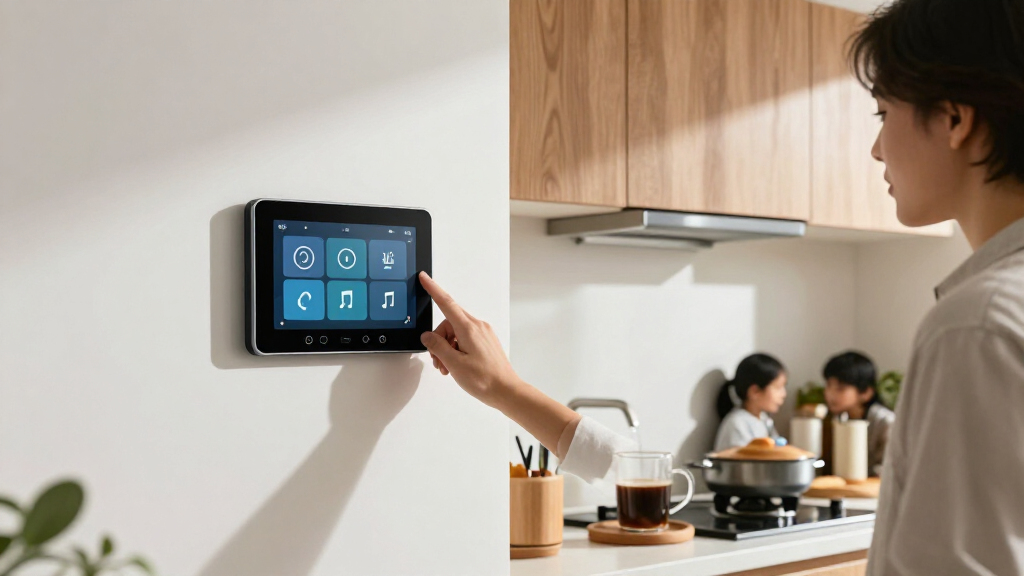

The best smart home wall displays make household information or device controls easy to see and use from a central spot. My best overall pick is the Amazon Echo Show 15 (2nd Gen), thanks to its large screen, Alexa controls, and built-in Fire TV; the Amazon Echo Hub is a stronger fit if smart-home control matters more than video, while the 10.1-inch Android panel with PoE and MQTT suits buyers who want more integration flexibility. The main tradeoffs are calendar-first convenience versus broad smart-home control, and simple setup versus mounting and integration work. Screen size, power options, platform compatibility, and whether the display can serve your whole household all shape the choice. Read on for the full breakdown and a guide to matching a wall display to your home.

Get the latest gadgets delivered free with Prime
- Fast, free delivery on millions of items
- Prime Video, Amazon Music and more included
- Member-only deals all year
Complete the kit



Key Takeaways
- The Echo Show 15 (2nd Gen) leads as the all-rounder because it combines a large wall-friendly screen with Alexa and Fire TV, while the Echo Hub focuses more directly on controlling compatible smart-home devices.
- Calendar displays form the largest group in this lineup. Their shared schedules, chores, and lists are useful for family coordination, but they should not be mistaken for general-purpose smart-home hubs.
- Screen size changes the job a display can do. The 15.6-inch options suit shared kitchen or family areas; the amazon.com/dp/B0C5DPSW5Y?tag=t3chbillion-20&ascsubtag=dc-1200353″ target=”_blank” rel=”nofollow sponsored noopener”>amazon.com/dp/B0GSWXPB9K?tag=t3chbillion-20&ascsubtag=dc-1200353″ target=”_blank” rel=”nofollow sponsored noopener”>10.1-inch panels take less wall space, and Mazera’s 21.5-inch model prioritizes visibility.
- Power and integration requirements separate specialist panels from easier household displays. PoE and MQTT can appeal to technically confident buyers, while Wi-Fi calendar products aim for a more direct setup.
- The Shelly Wall Display and XL are control-oriented picks, not calendar substitutes. Choose between them based on whether a compact panel or a larger touchscreen better fits the room and control tasks.
| 10.1-Inch Wall-Mounted Android Smart Home Panel with PoE and MQTT |  | Best for DIY Home Automation | Display: 10.1 inches | Operating system: Android 14 | Processor: RK3576, 8-core | VIEW LATEST PRICE | See Our Full Breakdown |
| Amazon Echo Show 15 (2nd Gen) 15.6-Inch Full HD Smart Display with Fire TV and Alexa |  | Best Overall Smart Home Wall Display | Display: 15.6-inch Full HD, 1920 x 1080 | Dimensions: 16.1 x 10.1 x 1.4 inches | Weight: 4.96 lb | VIEW LATEST PRICE | See Our Full Breakdown |
| 10.1” Smart Digital Calendar – Touch Screen Wall Organizer with Shared Calendar, Chore Chart, To-Do Lists & App Sync |  | Best for Multi-User Family Scheduling | Display: 10.1-inch HD touch screen | Material: ABS | Connectivity: Wi-Fi | VIEW LATEST PRICE | See Our Full Breakdown |
| Yemsd 15.6-Inch Digital Wall Calendar and Touchscreen |  | Best for Meal Planning and Chore Rewards | Screen size: 15.6 inches | Storage: 32GB, expandable | Calendar sync: Google, Outlook, iCloud, and other platforms | VIEW LATEST PRICE | See Our Full Breakdown |
| TIKVITO 10.1-Inch Wi-Fi Digital Wall Calendar and Photo Frame |  | Best Compact Family Organizer | Model: S101 | Screen size: 10.1 inches | Connectivity: Wi-Fi | VIEW LATEST PRICE | See Our Full Breakdown |
| Shelly Wall Display with BLU H&T Sensor, Black |  | Best for Shelly-Based Smart Home Control | Display: 4-inch touchscreen | Connectivity: Wi-Fi and Bluetooth | Dimensions: 85 × 85 × 30 mm | VIEW LATEST PRICE | See Our Full Breakdown |
| Westsee 15.6-Inch Digital Family Calendar and Planner |  | Best for Family Planning with Media Storage | Screen size: 15.6 inches | Model: X200 | Storage: 32GB | VIEW LATEST PRICE | See Our Full Breakdown |
| Mazera 21.5-Inch Smart Hub Digital Calendar Touchscreen |  | Best Large, Customizable Wall Dashboard | Screen size: 21.5 inches | Display: Full HD anti-glare touchscreen | Operating system: Android | VIEW LATEST PRICE | See Our Full Breakdown |
| Amazon Echo Hub Smart Home Control Panel |  | Best for Multi-Protocol Smart Home Control | Display size: 8 inches | Connectivity: Wi-Fi, Bluetooth, Zigbee, Matter, Sidewalk, and Thread | Installation: Wall mounted; compatible with separately sold tabletop stands | VIEW LATEST PRICE | See Our Full Breakdown |
| Nexrary 15.6-Inch Smart Digital Calendar and Family Organizer |  | Best Subscription-Free Family Organizer | Screen size: 15.6 inches | Display: HD touchscreen | Connectivity: Wi-Fi | VIEW LATEST PRICE | See Our Full Breakdown |
| Linkdaze 15.6-Inch Smart Digital Calendar and Chore Chart |  | Best for Multi-Calendar Families | Screen size: 15.6 inches | Resolution: 1080p | Storage: 64GB | VIEW LATEST PRICE | See Our Full Breakdown |
| Dragon Touch 15.6-Inch Smart Family Calendar and Chore Chart |  | Best for Everyday Family Planning | Model: TM15 | Display size: 15.6 inches | Resolution: 1080p Full HD | VIEW LATEST PRICE | See Our Full Breakdown |
| Shelly Wall Display XL Black 10.1-Inch Touchscreen Smart Home Control Panel |  | Best for Hands-On Smart Home Control | Display: 10.1-inch touchscreen | Connectivity: Wi-Fi and Bluetooth | Built-in relay: 5 A | VIEW LATEST PRICE | See Our Full Breakdown |
| smart home wall display | Connectivity | Display | Mounting |
|---|---|---|---|
| 10.1-Inch Wall-Mounted Android | Ethernet, USB, Bluetooth, Wi-Fi 802.11ax | 10.1 inches | — |
| Amazon Echo Show 15 | — | 15.6-inch Full HD, 1920 x 1080 | — |
| 10.1” Smart Digital Calendar | Wi-Fi | 10.1-inch HD touch screen | Wall mountable or desktop stand |
| Yemsd 15.6-Inch Digital Wall C | — | — | Wall or desk |
| TIKVITO 10.1-Inch Wi-Fi Digita | Wi-Fi | — | Wall-mountable |
| Shelly Wall Display with BLU H | Wi-Fi and Bluetooth | 4-inch touchscreen | — |
| Westsee 15.6-Inch Digital Fami | — | — | — |
| Mazera 21.5-Inch Smart Hub Dig | — | Full HD anti-glare touchscreen | Wall mount or included metal stand |
| Amazon Echo Hub Smart Home Con | Wi-Fi, Bluetooth, Zigbee, Matter, Sidewalk, and Thread | — | — |
| Nexrary 15.6-Inch Smart Digita | Wi-Fi | HD touchscreen | — |
| Linkdaze 15.6-Inch Smart Digit | Wi-Fi | — | Desktop stand and wall-mount kit |
| Dragon Touch 15.6-Inch Smart F | Wi-Fi | — | Wall or desk mountable |
| Shelly Wall Display XL Black 1 | Wi-Fi and Bluetooth | 10.1-inch touchscreen | Wall mount; standard electrical wall box |
More Details on Our Top Picks
10.1-Inch Wall-Mounted Android Smart Home Panel with PoE and MQTT
This panel is the most automation-focused pick here: MQTT support, Android 14, and kiosk mode make it suited to running a dedicated smart-home dashboard rather than a family calendar. Its temperature and humidity sensors and ambient LED lighting add useful room-level information that the calendar displays, including the Yemsd 15.6-Inch Digital Wall Calendar, do not emphasize. Ethernet is a welcome option for a fixed installation where dependable network access matters, alongside Wi-Fi and Bluetooth.
The tradeoff is that setup depends more on the buyer’s chosen apps and automation system than on a ready-made household organizer. At 10.1 inches, it also offers less viewing area than the Echo Show 15’s 15.6-inch screen. There is no built-in battery, and the camera details conflict: the description says no camera, while the product information lists a 5MP front camera. Buyers should confirm the camera configuration before installation.
Pros:- MQTT support suits custom home-automation dashboards.
- Built-in temperature and humidity sensors provide room readings at the panel.
- Android 14, Google Play, and kiosk mode support dedicated app setups.
- Ethernet, Wi-Fi, and Bluetooth offer several connection options.
Cons:- No built-in battery means the installation needs a continuous power source.
- Camera information conflicts between the description and listed specifications.
- Its 10.1-inch screen is smaller than the Echo Show 15 for shared, across-room viewing.
Best for: Smart-home hobbyists who want an Android-based wall dashboard with MQTT, environmental readings, and wired Ethernet.
Not ideal for: Families seeking a ready-to-use shared calendar or buyers who need a battery-powered panel or confirmed camera specifications.
- Display:10.1 inches
- Operating system:Android 14
- Processor:RK3576, 8-core
- Memory and storage:4 GB RAM; 64 GB storage
- Connectivity:Ethernet, USB, Bluetooth, Wi-Fi 802.11ax
- Smart-home features:MQTT support, temperature and humidity sensors, integrated LED lights
- Modes:Kiosk mode
- Power and camera:No built-in battery; camera information is inconsistent, with a 5MP front camera listed
Our verdict“Choose this panel for a configurable MQTT-based smart-home dashboard, not for a plug-and-play family calendar.”
Amazon Echo Show 15 (2nd Gen) 15.6-Inch Full HD Smart Display with Fire TV and Alexa
The Echo Show 15 earns the broadest role in this group by combining large-screen household organization, smart-home controls, and entertainment in one wall-friendly display. Its 15.6-inch Full HD screen gives widgets and controls more room than the 10.1-inch TIKVITO calendar, while Fire TV adds video apps for downtime. Zigbee, Matter, and Thread support also make it more than a calendar screen: it can serve as a central point for compatible smart-home devices.
That flexibility comes with a different emphasis from the Yemsd 15.6-Inch Digital Wall Calendar, which focuses on meal planning and chore rewards. The Echo Show offers Alexa features and a 13MP auto-framing camera with a shutter, but some skills and streaming services may involve subscriptions or fees. It is also a relatively substantial display, and the intended wall setup may require mounting. I’d pick it for households that want one shared screen for schedules, controls, and media—not a dedicated chore-chart appliance.
Pros:- 15.6-inch Full HD display leaves room for household widgets and controls.
- Fire TV supports a range of streaming apps.
- Zigbee, Matter, and Thread support a broad smart-home role.
- 13MP auto-framing camera has a shutter and mic/camera-off control.
Cons:- Some skills and streaming services may require subscriptions or fees.
- Its 4.96-pound body and wall-oriented setup call for a deliberate mounting location.
- The camera may not suit households seeking a display without video-call hardware.
Best for: Households wanting a large shared display for Alexa smart-home controls, family widgets, and streaming video.
Not ideal for: Buyers focused mainly on chore rewards and meal planning, or those who want a compact screen with no camera.
- Display:15.6-inch Full HD, 1920 x 1080
- Dimensions:16.1 x 10.1 x 1.4 inches
- Weight:4.96 lb
- Camera:13 MP with shutter
- Audio:Two 2-inch woofers and two 0.6-inch tweeters
- Wi-Fi:Wi-Fi 6E; tri-band, dual-antenna MIMO
- Smart-home connectivity:Zigbee, Matter, and Thread Border Router
- Orientation:Landscape or portrait
Our verdict“Pick the Echo Show 15 if you want a large wall display that combines smart-home control, household widgets, and entertainment.”
10.1” Smart Digital Calendar – Touch Screen Wall Organizer with Shared Calendar, Chore Chart, To-Do Lists & App Sync
This 10.1-inch organizer is built around a shared household calendar, not the broader device control offered by the Echo Show 15 or the DIY automation focus of the Android Smart Home Panel. It syncs with services including Google Calendar, iCloud, Cozi, and Outlook, and supports up to 20 users. That combination makes it a practical fit for families coordinating activities across several calendars without asking everyone to use the same service.
It also doubles as a photo frame and digital art display, and can sit on a desktop or mount on a wall. Compared with the larger Yemsd 15.6-Inch Digital Wall Calendar, though, its 10.1-inch screen gives a group less space to read schedules at a glance. Full functionality depends on Wi-Fi, and the product information notes that some users report setup issues. I’d favor it when broad calendar syncing matters more than a large viewing area or deep smart-home controls.
Pros:- Syncs with Google Calendar, iCloud, Cozi, Yahoo, Outlook, and TeamSnap.
- Supports up to 20 users for shared household scheduling.
- Combines calendar use with photo and digital art display modes.
- Can be wall-mounted or used with a desktop stand.
Cons:- The 10.1-inch display offers less shared viewing space than the 15.6-inch Yemsd calendar.
- Full functionality requires Wi-Fi.
- Some users report setup issues.
Best for: Families using several calendar services who want one shared schedule for many household members.
Not ideal for: Households needing a large, easily read wall screen or a smart-home control hub rather than a calendar organizer.
- Display:10.1-inch HD touch screen
- Material:ABS
- Connectivity:Wi-Fi
- Supported apps:Google Calendar, iCloud, Cozi, Yahoo, Outlook, TeamSnap
- Multi-user support:Up to 20 users
- Mounting:Wall mountable or desktop stand
- Additional display modes:Photo frame and digital art display
Our verdict“Choose this organizer for a multi-person household that needs to combine calendars from several services on one screen.”
Yemsd 15.6-Inch Digital Wall Calendar and Touchscreen
The Yemsd stands out among these wall displays for putting meal planning and chore rewards alongside the family calendar. Its 15.6-inch touchscreen gives schedules more room than the 10.1-inch Smart Digital Calendar, while reward points offer a simple way to make chores visible to children. Calendar syncing covers Google, Outlook, iCloud, and other platforms, and the display can also show photos from its 32GB of expandable storage.
Compared with the Echo Show 15, this is more directly organized around family routines than entertainment or smart-home device control. It can be wall-mounted or placed on a desk, and a two-year warranty is specified. The available product information does not list full technical details such as resolution or connectivity beyond calendar syncing, so buyers looking for a general-purpose smart-home hub should look at the Echo Show 15 or Android panel instead. The battery-not-included note also deserves checking against the intended setup.
Pros:- 15.6-inch touchscreen provides more schedule space than 10.1-inch calendar displays.
- Combines calendar, meal planning, chores, and reward points.
- Syncs with Google, Outlook, iCloud, and other platforms without subscription fees.
- 32GB expandable storage supports photo display, and the product includes a two-year warranty.
Cons:- The supplied information does not specify display resolution or detailed connectivity.
- Batteries are not included, so buyers should check what the intended setup requires.
- Its family-planning focus is less suited to smart-home device control than the Echo Show 15.
Best for: Families who want a large shared calendar with meal planning, chore tracking, and reward points.
Not ideal for: Smart-home enthusiasts seeking device-control standards or buyers who want detailed screen and power specifications before choosing.
- Screen size:15.6 inches
- Storage:32GB, expandable
- Calendar sync:Google, Outlook, iCloud, and other platforms
- Family features:Family calendar, meal planning, chore chart, reward points
- Photo display:Digital photo frame
- Mounting:Wall or desk
- Warranty:2 years
Our verdict“Choose the Yemsd if family routines, meal planning, and chore rewards matter more than media or smart-home hub features.”
TIKVITO 10.1-Inch Wi-Fi Digital Wall Calendar and Photo Frame
The TIKVITO is the compact calendar pick for households that want shared lists and schedules without giving a wall over to a large display. It syncs Google, iCloud, and Outlook calendars, then adds chores, meal planning, grocery lists, reminders, and local weather. Photo slideshows make it less single-purpose than a basic calendar screen. Its 1.4-pound weight also gives buyers a lighter wall-mountable option than the 4.96-pound Echo Show 15.
That small footprint is also the main compromise: the screen is 10.1 inches, so it cannot match the Yemsd 15.6-Inch Digital Wall Calendar for viewing a family schedule from across a room. The product information does not specify resolution or power details, making it harder to judge visibility and installation needs ahead of time. Its listed warranty is one year, and the warranty description reportedly contains a typo. I’d choose it for a modest household command center, not as a media display or advanced smart-home controller.
Pros:- Syncs Google, iCloud, and Outlook calendars.
- Combines chores, meal planning, grocery lists, and reminders.
- Adds photo slideshows and local weather to the calendar display.
- Lightweight, wall-mountable design weighs 1.4 pounds.
Cons:- The 10.1-inch screen is smaller than the Yemsd 15.6-inch display for shared viewing.
- Screen resolution and battery or power details are not specified.
- The one-year warranty description contains a typo and may be unclear.
Best for: Households with limited wall space that want calendar syncing, shared lists, and photo slideshows in one compact display.
Not ideal for: Buyers who need a large screen for group viewing, detailed display specifications, or a smart-home control hub.
- Model:S101
- Screen size:10.1 inches
- Connectivity:Wi-Fi
- Calendar sync:Google, iCloud, and Outlook
- Features:Shared tasks, chore tracking, meal planning, grocery lists, reminders, local weather, photo slideshows
- Mounting:Wall-mountable
- Weight:1.4 pounds
- Warranty:1 year
Our verdict“Pick the TIKVITO for a lightweight, space-conscious family calendar with shared lists and photo display, rather than a large smart-home hub.”
Shelly Wall Display with BLU H&T Sensor, Black
The Shelly Wall Display is the most focused smart-home controller in this group: its 4-inch touchscreen brings Shelly devices, scenes, and automations to a fixed spot, while the included BLU H&T sensor adds temperature and humidity readings for thermostat functions. Its built-in 5 A relay also lets it switch a light or appliance directly, rather than acting only as a dashboard. Compared with the Amazon Echo Hub, this is a smaller, more Shelly-centered panel, not a broad multi-protocol hub. Home Assistant support gives it extra appeal for people who already build around that platform. The tradeoff is screen space: it suits quick controls better than browsing cameras or managing a large dashboard, and the supplied information does not clarify bundle contents beyond the display and sensor.
Pros:- Combines touch controls for Shelly devices, scenes, and automations
- Included temperature and humidity sensor supports thermostat functions
- Home Assistant compatibility suits more customized smart homes
- Built-in 5 A relay can switch lighting or appliances
Cons:- The 4-inch screen leaves limited room for dense controls or information
- The product details do not clarify any bundle contents beyond the display and sensor
- The stated switching limits may not suit every appliance or installation
Best for: Shelly users and Home Assistant households who want a compact wall control point with room-temperature sensing and a built-in relay.
Not ideal for: Buyers who want a large family calendar, a spacious camera dashboard, or a hub centered on multiple smart-home protocols.
- Display:4-inch touchscreen
- Connectivity:Wi-Fi and Bluetooth
- Dimensions:85 × 85 × 30 mm
- Maximum switching voltage:230 V AC
- Wattage:1150 W
- Weight:180 g
- Compatibility:Shelly Smart Control app and Home Assistant
- Included components:Shelly Wall Display Black and BLU H&T Black
Our verdict“Choose this compact panel if your home already relies on Shelly or Home Assistant and you value direct controls and sensor-based thermostat functions over a large screen.”
Westsee 15.6-Inch Digital Family Calendar and Planner
The Westsee X200 gives a household a large, shared place for schedules, chores, meal plans, and grocery lists, with calendar syncing for Google, iCloud, and Outlook. Its 32GB of storage also supports photo and video display, making it more of a family organizer than a dedicated smart-home controller. Compared with the Amazon Echo Hub, Westsee gives more space to household planning but does not list the Echo Hub’s built-in support for protocols such as Zigbee, Matter, and Thread. A table stand and wall-mount kit let you place it where family members are most likely to check it. Core functions do not require a subscription, though some advanced tools may. Choose it for visible family coordination; skip it if smart-device control is your main reason for adding a wall display.
Pros:- Syncs calendars from Google, iCloud, and Outlook
- Combines schedules, chores, meal planning, and grocery lists
- 32GB of storage supports photo and video display
- Includes both a table stand and wall-mount kit
Cons:- Some advanced tools may require a future subscription
- The listed features focus on family organization rather than smart-home device control
- Plastic construction may feel less substantial than a metal-framed display
Best for: Families who want a shared wall calendar for multiple schedules, chores, meals, and lists, plus space for personal photos and videos.
Not ideal for: Smart-home-focused buyers who need a dedicated device hub or broad compatibility with connected lights, sensors, and security devices.
- Screen size:15.6 inches
- Model:X200
- Storage:32GB
- Weight:3.2 pounds
- Material:Plastic
- Calendar integrations:Google, iCloud, and Outlook
- Mounting options:Table stand and wall mount
- Color:White
Our verdict“Pick the Westsee if your priority is an always-visible family planner with built-in media storage, not a hub for controlling connected home devices.”
Mazera 21.5-Inch Smart Hub Digital Calendar Touchscreen
The Mazera V1 is the biggest, most app-flexible screen here, pairing a 21.5-inch Full HD anti-glare touchscreen with Android and Google Play. That size gives calendars, widgets, smart-home controls, and photos more breathing room than the Westsee 15.6-Inch Digital Family Calendar, while the broader app approach can suit homes that want to tailor their own dashboard. Calendar support spans Google, Apple, Outlook, and Cozi, and the included metal stand gives it a counter or desk option as well as wall mounting. Auto brightness helps the screen adjust to changing room light. Its size and continuous-use power adapter make placement less discreet than the compact Shelly Wall Display, and hands-free or smart-home functions depend on supported services and devices. This is a flexible display, not a guarantee of universal device control.
Pros:- Large Full HD anti-glare touchscreen provides room for multiple dashboard elements
- Android and Google Play allow app and widget customization
- Syncs with several calendar services, including Google, Apple, Outlook, and Cozi
- Supports wall mounting or use with the included metal stand
Cons:- Requires a power adapter for continuous use
- Large screen needs more wall or counter space than smaller control panels
- Hands-free and smart-home functions depend on supported services and devices
Best for: Households that want a large, customizable wall dashboard for calendars, apps, widgets, photos, and supported smart-home controls.
Not ideal for: Buyers with limited wall space, a preference for a small purpose-built control panel, or smart-home devices that rely on unsupported services.
- Screen size:21.5 inches
- Display:Full HD anti-glare touchscreen
- Operating system:Android
- App store:Google Play
- Calendar services:Google Calendar, Apple Calendar, Outlook, Cozi, and others
- Mounting:Wall mount or included metal stand
- Power:Included power adapter; designed for continuous use
- Additional features:Auto brightness, built-in microphones, supported Google Gemini features, and photo frame
Our verdict“Choose the Mazera if you want a large Android-based dashboard you can customize, and have the space and power access for a permanent display.”
Amazon Echo Hub Smart Home Control Panel
The Amazon Echo Hub earns its place as the most directly smart-home-oriented option here. Its 8-inch customizable dashboard can bring compatible device controls, cameras, routines, security devices, and media together, while built-in Zigbee, Matter, and Thread support can reduce the need for separate hubs in a compatible setup. Compared with the Shelly Wall Display, it offers a broader listed set of connection protocols and a larger screen, but it does not include the Shelly panel’s temperature and humidity sensor or relay. Wall mounting suits a fixed control point; a tabletop stand is sold separately for freestanding use. Power and cable-hiding accessories are also separate purchases, and Ring camera summaries require Alexa+ and a compatible Ring subscription. This makes the most sense for Alexa households, not buyers seeking a self-contained family calendar.
Pros:- Customizable dashboard brings compatible devices, cameras, routines, and media together
- Built-in hub supports Wi-Fi, Bluetooth, Zigbee, Matter, Sidewalk, and Thread
- Wall-mounted format keeps smart-home controls in a fixed location
- Microphone off button offers a direct privacy control
Cons:- Wall power and cable-hiding accessories are sold separately
- Tabletop use requires a separately sold compatible stand
- Ring camera summaries require Alexa+ and a compatible Ring subscription
Best for: Alexa households that want a wall-mounted control point for compatible smart devices, cameras, routines, and media across multiple protocols.
Not ideal for: Buyers who want a large family calendar, included tabletop placement, or a wall installation with power and cable-concealment accessories in the box.
- Display size:8 inches
- Connectivity:Wi-Fi, Bluetooth, Zigbee, Matter, Sidewalk, and Thread
- Installation:Wall mounted; compatible with separately sold tabletop stands
- Privacy feature:Microphone off button
- Recycled materials:27%
- Dashboard:Customizable controls for compatible devices, cameras, routines, security devices, and media
Our verdict“Choose the Echo Hub if you want a fixed Alexa control panel with broad protocol support, and are prepared to source the power and mounting accessories you need.”
Nexrary 15.6-Inch Smart Digital Calendar and Family Organizer
The Nexrary YSW156 is a family organizer first: its 15.6-inch HD touchscreen combines a calendar, chore chart, meal planner, custom lists, weather, and photo display. Syncing with Google, iCloud, Outlook, Cozi, and Yahoo gives it broader listed calendar coverage than the Westsee X200, which names Google, iCloud, and Outlook. Nexrary also states that no monthly subscription is required for its described functions, which may suit families who want a shared planning screen without recurring service costs. It can sit on a desk or mount on a wall. Unlike the Amazon Echo Hub, its feature set is centered on household scheduling rather than multi-protocol device control. Calendar syncing depends on Wi-Fi, and the listing does not specify display resolution or storage capacity, so buyers have less detail about image sharpness and local media space.
Pros:- Combines calendars, chores, meal planning, custom lists, weather, and photo display
- Syncs with Google, iCloud, Outlook, Cozi, and Yahoo calendars
- Can be wall-mounted or placed on a desk
- No monthly subscription is required for the described functions
Cons:- Calendar syncing requires Wi-Fi
- The listed information does not specify display resolution
- Storage capacity is not specified
Best for: Families who want a wall- or desk-mounted shared planner with several calendar integrations and no monthly subscription for the listed functions.
Not ideal for: Buyers seeking a smart-home protocol hub, or shoppers who need confirmed display resolution and storage details before choosing.
- Screen size:15.6 inches
- Display:HD touchscreen
- Connectivity:Wi-Fi
- Calendar sync:Google, iCloud, Outlook, Cozi, and Yahoo
- Functions:Calendar, chore chart, meal planning, photo frame, weather display, and custom lists
- Placement:Wall-mounted or desktop
- Power plug:US-style plug included
- Subscription:No monthly subscription required
Our verdict“Pick the Nexrary if you want a subscription-free shared family planner with broad calendar syncing, rather than a dedicated smart-home control hub.”
Linkdaze 15.6-Inch Smart Digital Calendar and Chore Chart
The Linkdaze is a strong fit for households that need several calendar services gathered on one screen: it syncs with Google, iCloud, Outlook, Cozi, and Yahoo through the AiMOR app. Its 15.6-inch 1080p touchscreen combines color-coded schedules with chores, meal planning, task lists, and reminders, giving it more family-planning tools than a general-purpose panel such as the Amazon Echo Show 15. The 64GB photo-frame function also gives the display something to do when the schedule is quiet, and you can place it on a desk or mount it on a wall. The tradeoff is that photo sharing in the free app is restricted to nine photos or one short video at a time. Choose this over a simpler calendar if your household needs broad service compatibility; skip it if unrestricted photo sharing matters more than planning tools.
Pros:- Syncs with five popular calendar services, including Google, iCloud, and Outlook
- Combines schedules with chores, meal planning, task lists, and reminders
- 64GB storage supports photo and video display
- Includes both a desktop stand and wall-mount hardware
Cons:- Free app sharing is limited to nine photos or one video of up to 15 seconds at a time
- Requires Wi-Fi and the AiMOR app for its calendar features
Best for: Families who split schedules across Google, iCloud, Outlook, Cozi, or Yahoo and want chores and meal planning alongside the calendar.
Not ideal for: Buyers who want to share a large photo collection or long videos through the free app, given its stated sharing limits.
- Screen size:15.6 inches
- Resolution:1080p
- Storage:64GB
- Connectivity:Wi-Fi
- App:AiMOR
- Calendar integrations:Google, iCloud, Outlook, Cozi, and Yahoo
- Mounting:Desktop stand and wall-mount kit
- Weight:2.8 pounds
- Warranty:1-year replacement warranty
Our verdict“Choose the Linkdaze if your family needs one wall or desk display for calendars from several services plus chores and meal planning.”
Dragon Touch 15.6-Inch Smart Family Calendar and Chore Chart
The Dragon Touch TM15 focuses on the family-planner basics: it brings multiple personal calendars into one view and adds chores, dinner planning, and grocery lists. That makes it a practical choice for households whose main goal is coordinating the week, rather than using a wall display as a broader smart-home controller. Like the Linkdaze 15.6-Inch Smart Digital Calendar and Chore Chart, it can show family photos when idle and supports wall or desk placement. The Linkdaze lists more named calendar services and specifies 64GB of storage; Dragon Touch instead describes support for iOS, Google, and other personal calendars without specifying storage capacity. Its drawback is that Magic Import and some other features require payment, while setup and operation also depend on Wi-Fi and a mobile app. Buyers who want a straightforward planner may prefer it; those seeking clearly specified integrations or photo storage should compare the Linkdaze closely.
Pros:- Combines multiple personal calendars in one family view
- Includes chore, dinner-planning, and grocery-list tools
- Can display family photos when idle
- Supports wall or desk placement and mobile-app management
Cons:- Magic Import and some other features require payment
- Requires Wi-Fi and app setup
- The supplied product details do not specify storage capacity or a full list of calendar services
Best for: Families who primarily want a shared calendar, chore chart, dinner planner, and grocery list on a wall or desk screen.
Not ideal for: Buyers who want every feature included without paid add-ons, or who need a clearly stated list of calendar services and storage capacity.
- Model:TM15
- Display size:15.6 inches
- Resolution:1080p Full HD
- Connectivity:Wi-Fi
- Calendar integration:iOS, Google, and other personal calendars
- Included planning features:Chore chart, dinner planner, and grocery list
- Mounting:Wall or desk mountable
- Photo display:Family photos shown when idle
- Management:Mobile app
Our verdict“Pick the Dragon Touch for a family-focused planner with chores and meal tools, but compare the Linkdaze if named calendar integrations and photo storage are priorities.”
Shelly Wall Display XL Black 10.1-Inch Touchscreen Smart Home Control Panel
Unlike the Linkdaze and Dragon Touch, which are built around family calendars, the Shelly Wall Display XL is designed to keep smart-home controls on the wall. Its 10.1-inch touchscreen, four customizable buttons, and built-in 5A relay let it control compatible Shelly devices and directly switch an appliance, while support for Home Assistant, Alexa, Google, HomeKit, and Sonos offers broader control options. Bluetooth and Sonos speaker support add a music-control role that neither family calendar provides. This makes the Shelly the more purpose-built pick for someone setting up a fixed control point, not a family schedule board. That flexibility comes with a real installation hurdle: it needs a neutral wire and fits a standard electrical wall box, so it is not a plug-in alternative to the desk- or wall-mountable calendar displays. Check wiring and compatibility before choosing it.
Pros:- Built-in 5A relay can control an appliance directly
- Four customizable buttons provide quick access to chosen controls
- Supports Shelly, Home Assistant, Alexa, Google, HomeKit, and Sonos
- Bluetooth and Sonos support add speaker and music controls
Cons:- Requires a neutral wire and installation in a standard electrical wall box
- At 10.1 inches, its display is smaller than the 15.6-inch Linkdaze and Dragon Touch calendar screens
- Its smart-home control focus does not provide the listed family-planning tools of the calendar alternatives
Best for: Smart-home owners who want a fixed wall control panel with customizable buttons, direct relay control, and integration with platforms such as Home Assistant.
Not ideal for: Renters or households without a neutral wire at the intended location, and buyers who mainly want a large shared family calendar.
- Display:10.1-inch touchscreen
- Connectivity:Wi-Fi and Bluetooth
- Built-in relay:5 A
- Customizable buttons:4
- Wattage:1150 W
- Mounting:Wall mount; standard electrical wall box
- Power requirement:Neutral wire required
- Compatibility:Shelly Smart Control app, Home Assistant, Alexa, Google, HomeKit, and Sonos
- Item weight:920 g
Our verdict“Choose the Shelly if you want an installed smart-home control point with a relay and platform support, not a large-screen family calendar.”
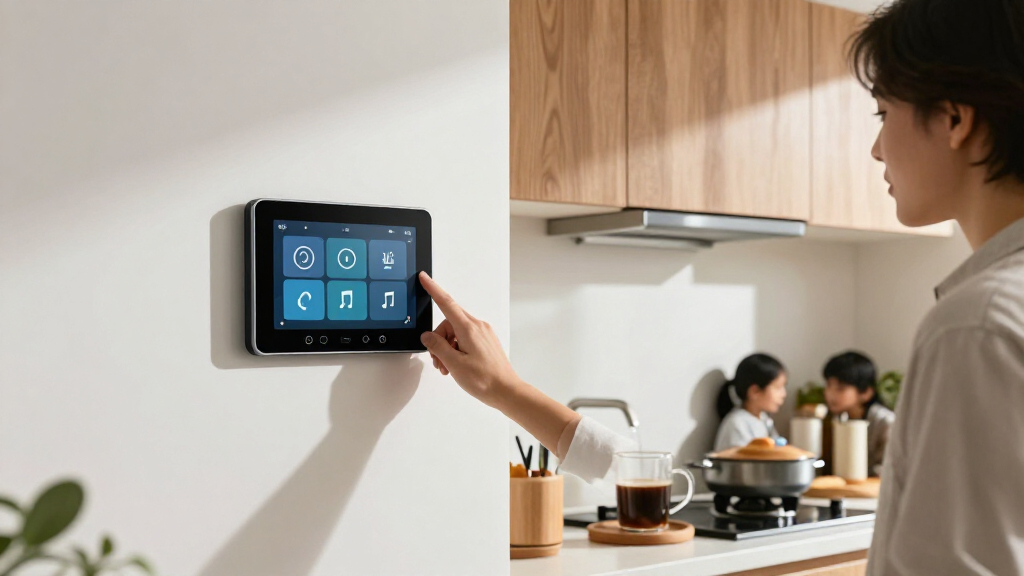
How We Picked
I ranked these displays by how well they serve the main reasons people put a screen on a wall: controlling smart-home devices, coordinating a household, or making shared information visible. I weighed screen size and placement, the usefulness of the core software, interaction and setup demands, power and connectivity options, and how much versatility each device offers. A display with a clear role and a plausible fit for a common home setup ranks ahead of one that depends on a narrower technical workflow.
The ranking reflects meaningful differences rather than treating all touchscreens as interchangeable. The Echo Show 15 earns the leading position for its mix of household utility and entertainment; the Echo Hub ranks well for buyers focused on device control. Calendar models are judged on shared planning features and their fit as household organizers, while Shelly and the Android PoE/MQTT panel are assessed as more specialized control options. I also account for tradeoffs: larger screens need more wall space, app-led calendars are not the same as open smart-home platforms, and specialist integration can demand more setup knowledge.
| smart home wall display | Connectivity |
|---|---|
| 10.1-Inch Wall-Mounted Android | Ethernet, USB, Bluetooth, Wi-Fi 802.11ax |
| Amazon Echo Show 15 | — |
| 10.1” Smart Digital Calendar | Wi-Fi |
| Yemsd 15.6-Inch Digital Wall C | — |
| TIKVITO 10.1-Inch Wi-Fi Digita | Wi-Fi |
| Shelly Wall Display with BLU H | Wi-Fi and Bluetooth |
| Westsee 15.6-Inch Digital Fami | — |
| Mazera 21.5-Inch Smart Hub Dig | — |
| Amazon Echo Hub Smart Home Con | Wi-Fi, Bluetooth, Zigbee, Matter, Sidewalk, and Thread |
| Nexrary 15.6-Inch Smart Digita | Wi-Fi |
| Linkdaze 15.6-Inch Smart Digit | Wi-Fi |
| Dragon Touch 15.6-Inch Smart F | Wi-Fi |
| Shelly Wall Display XL Black 1 | Wi-Fi and Bluetooth |
Factors to Consider When Choosing Best Smart Home Wall Displays
Before choosing a wall display, decide what you want people in the room to do with it. A household calendar, a smart-home controller, and an entertainment screen solve different problems, even when each has a touchscreen. These factors can help prevent a mismatch between the display’s software, its location, and the routines you want it to support.
Choose the Primary Job Before Comparing Screens
Write down the one task the display must handle well: showing family schedules, controlling lights and other devices, or providing a screen for media and shared information. A calendar-centered product may be excellent for chores and appointments but still lack the integrations you expect from a control panel. The reverse can happen too: a smart-home screen may manage devices without offering the household planning tools your family needs. Avoid choosing by the word “smart” alone, since it says little about the software’s main purpose. If you have several needs, favor a display that handles the most frequent one reliably and treat extra features as a bonus.
Check Platform Compatibility and Account Requirements
List the phones, calendars, voice assistants, and smart-home platforms already used in your home before buying. A display’s value depends on whether it can access the services and devices your household actually uses, not on the number of features advertised. Check whether everyone can contribute to shared schedules, whether separate accounts are supported, and what happens if a preferred service is not compatible. A device built around one ecosystem may feel simpler when your home already uses that ecosystem, but restrictive if your setup is mixed. Verify compatibility for specific devices and routines rather than assuming that a touchscreen control panel supports every connected product.
Match Screen Size to Viewing Distance and Wall Space
Measure the intended wall and view the proposed screen size at the distance people will usually stand. A larger display can make calendars and controls easier to read in a busy shared room, but it takes up more visual space and may be awkward in a narrow hallway. Compact screens fit tighter spots, though they can make dense schedules or multiple controls harder to scan. Check whether the interface can show useful information at a glance instead of forcing frequent scrolling or tapping. Also account for glare, viewing angle, nearby lighting, and whether the screen will be reachable by the people expected to use it.
Plan Power, Mounting, and Network Access
A wall display needs a sensible power route, a secure mounting location, and dependable network access. Decide whether visible cabling is acceptable or whether you are prepared to arrange a cleaner installation; do this before choosing a permanent spot. Power over Ethernet can combine power and network connectivity, but it may require suitable cabling and more setup than a Wi-Fi device. A plug-in display is easier to reposition, yet the cord can limit placement or look untidy. Check mounting hardware, wall type, outlet location, and wireless signal where the screen will sit instead of planning around the room’s strongest signal or most convenient outlet alone.
Decide How Much Setup and Maintenance You Will Accept
Some displays are aimed at households that want to connect accounts and start using a ready-made interface; others leave more room for customization and integration. Greater flexibility can help a technically confident buyer build a tailored control panel, but it can also mean more configuration and troubleshooting. Ask who will maintain the display when an app changes, a device disconnects, or a family member needs help. For a shared family screen, simple access and readable information may matter more than advanced customization. Before purchase, check how software updates, account changes, and recovery from network outages affect the everyday experience.
Evaluate the Whole Household, Not Just the Main User
A wall display is most useful when the people who pass it can understand and act on the information quickly. Consider whether children need chore lists, whether guests should be able to control devices, and whether household members use different phones or calendars. Shared screens can expose personal appointments or notifications, so review privacy settings and what appears when the display is idle. A calendar that one person must constantly update may create more work rather than reducing it. Choose a location and interface that support the household’s routines, and confirm that everyone can use the features that matter without needing the same technical knowledge.
Frequently Asked Questions
Should I choose the Echo Show 15 or the Echo Hub for a wall-mounted smart home display?
Choose the Echo Show 15 (2nd Gen) if you want a large screen that combines Alexa features, shared household information, and Fire TV. The Echo Hub makes more sense when controlling compatible smart-home devices is the main task and entertainment is secondary. Before deciding, check that the devices and routines you want to control work with the Amazon ecosystem. Also compare the screen’s intended location: a shared living area may benefit from the Show’s broader role, while a dedicated control point may suit the Hub. Neither choice automatically replaces a family calendar designed around shared chores and schedules.
Are digital wall calendars a good replacement for a smart-home control panel?
Not necessarily: a digital family calendar is built around shared schedules, lists, and household coordination, while a control panel is meant to interact with connected devices. Some products may offer features beyond their main purpose, but buyers should verify specific integrations instead of assuming that calendar syncing means smart-home control. If your main frustration is missed appointments or unclear chores, a calendar-first display is likely the better match. If you mainly want to adjust devices from a central screen, compare dedicated control options such as the Echo Hub or Shelly displays. A single screen can serve both roles only if its software supports the tasks your household actually needs.
Is a 15.6-inch display worth choosing over a 10.1-inch model?
A 15.6-inch screen is easier to read from across a shared room and can give a family calendar more space to show information at once. A 10.1-inch model is a better fit for a smaller wall or a more focused control station where people stand close to the screen. Larger size does not guarantee a better interface, so check how the display arranges calendars, lists, and controls. Measure the wall and consider sightlines before buying; a screen that dominates a narrow area may be less useful than a compact one placed well. The right size depends on viewing distance and the amount of information you want visible at once.
What should I check before buying a wall display that uses PoE or MQTT?
Confirm that you have compatible network cabling and understand how the display will receive power before choosing a PoE model. For MQTT, check whether the devices and software in your setup can communicate through the integrations you plan to use. These options can offer useful flexibility for buyers who want a tailored control interface, but they may require more configuration than a Wi-Fi calendar or mainstream smart display. Think about who will set up and maintain the system if a connection or integration stops working. If you want a ready-to-use family screen, a more straightforward product may be a better fit.
Can one wall display handle family calendars, chores, and smart-home controls?
It can, but the answer depends on the product’s software and the services your household already uses. A large general-purpose display may cover more varied tasks, while calendar-focused models often put more emphasis on shared planning and chores. Dedicated smart-home panels may give device controls priority without offering the same organizer tools. Check whether the interface makes both jobs easy to reach; technically available features are less useful if they are buried or awkward to use. If both needs matter equally, compare the exact calendar services and device integrations before buying rather than relying on a broad feature label.
Conclusion
For most buyers seeking one screen with broad household and entertainment utility, I recommend the Amazon Echo Show 15 (2nd Gen) as best overall. The best value depends on what you need the screen to do: a focused calendar display makes more sense for family planning, while the Echo Hub is a more direct fit for device control. For a premium, large-format display, the Mazera 21.5-inch model is the standout choice when visibility and wall space take priority. The best option for beginners is a calendar or Echo display whose central job matches the household’s existing routines and platform, rather than a configurable panel that needs more setup. For specific needs, choose the Android PoE/MQTT panel for integration flexibility, or a Shelly Wall Display when you want a dedicated smart-home control point; pick the Echo Hub if Amazon-compatible device control is your main goal. Match the screen to its primary job, confirm compatibility, and plan the installation before settling on a model.
Columbus Day / Indigenous Peoples' Day Picks
long weekend sales
As an affiliate, we earn on qualifying purchases.