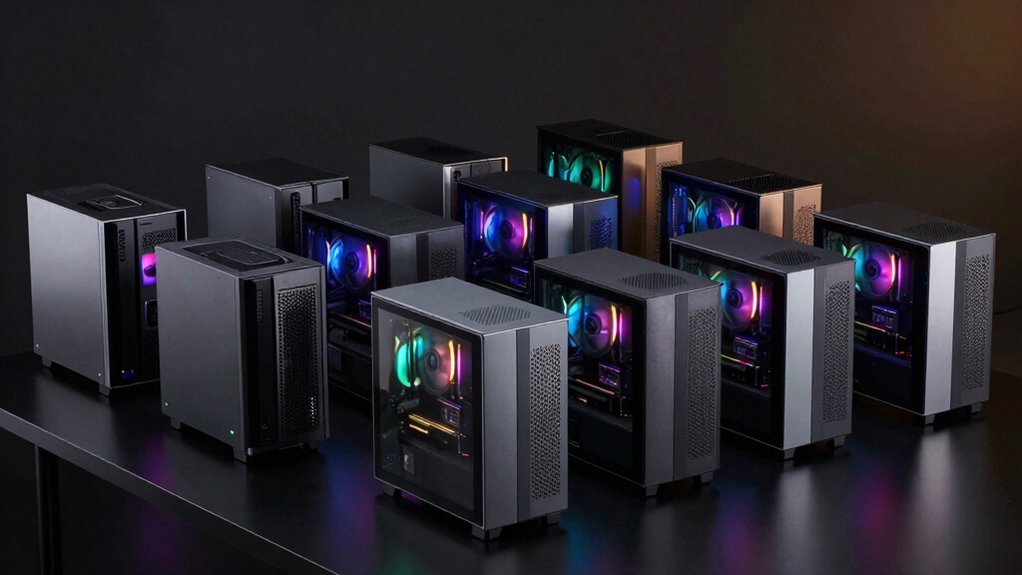

A small form factor gaming PC can save desk space, but compact designs vary widely in gaming power and upgrade flexibility. I rank the ASUS ROG NUC (2025) as the best overall pick for its Core Ultra 9 processor and RTX 5070 pairing, while the Cooler Master NR2 Pro stands out for buyers seeking a desktop-class Ryzen 7 9800X3D and RTX 5070 Ti. For a less demanding gaming setup, the TOPGRO T1-Pro offers an RTX 4060 configuration with 32GB of memory. The main tradeoff is between compact convenience and the cooling, noise control, and parts access that larger systems can provide. Read on for the full breakdown and guidance on which compromises matter for your setup.

Get the latest gadgets delivered free with Prime
- Fast, free delivery on millions of items
- Prime Video, Amazon Music and more included
- Member-only deals all year
Complete the kit



Key Takeaways
The ROG NUC is the strongest all-round mini-PC pick in this lineup: its RTX 5070 and Core Ultra 9 275HX make it a more capable gaming choice than the integrated-graphics models.
The Cooler Master NR2 Pro takes a different route to compact gaming: it pairs a desktop-oriented Ryzen 7 9800X3D with an RTX 5070 Ti, but its Mini-ITX format is less like a tiny, self-contained mini PC.
Graphics hardware separates gaming-first picks from general-use minis: the RTX 5070, 5070 Ti, 5060, 4070, and 4060 systems are better suited to demanding games than Radeon 780M and other integrated-graphics options.
Several listings share Ryzen 7 H 255 or Ryzen 9 9955HX platforms, but graphics configuration, memory, storage, and chassis design determine whether each one fits gaming or lighter everyday use.
The older GTX 1050 Sinbun and integrated-graphics PCs have narrower gaming roles: they may suit modest workloads or lighter games, but buyers should not treat them as peers to the RTX-equipped systems.
| ASUS ROG NUC (2025) Gaming Mini PC, Intel Core Ultra 9 275HX, GeForce RTX 5070, 32GB DDR5, 1TB NVMe SSD |  | Best Overall | Processor: Intel Core Ultra 9 275HX (Series 2) | Graphics: NVIDIA GeForce RTX 5070 Mobile GPU | Memory: 32GB DDR5-6400; maximum 48GB | VIEW ON AMAZON | See Our Full Breakdown |
| ASUS ROG GR70 Gaming Mini PC with Ryzen 9 9955HX and RTX 5070 |  | Best for Built-In Storage | Processor: AMD Ryzen 9 9955HX | Graphics: NVIDIA GeForce RTX 5070 Mobile GPU | Memory: 32GB DDR5-5600; maximum 48GB | VIEW ON AMAZON | See Our Full Breakdown |
| TOPGRO T1-MAX Mini Gaming PC with Intel Core i9-13900HX, GeForce RTX 4070, 32GB DDR5, and 1TB SSD |  | Best for Expandability | Processor: Intel Core i9-13900HX, 24 cores and 32 threads, up to 5.4GHz | Graphics: NVIDIA GeForce RTX 4070 with 8GB GDDR6 | Memory: 32GB DDR5; expandable up to 96GB | VIEW ON AMAZON | See Our Full Breakdown |
| ACEMAGICIAN S3A Mini PC with Ryzen 7 H 255, 16GB RAM and 512GB SSD |  | Best for Casual Gaming | Processor: AMD Ryzen 7 H 255, 8 cores and 16 threads, up to 4.9GHz | Graphics: AMD Radeon 780M, 12 cores at 2600MHz | Memory: 16GB LPDDR5 at 6400MT/s | VIEW ON AMAZON | See Our Full Breakdown |
| Sinbun Mini Gaming PC with Intel Core i9-13900HX and GeForce RTX 4070 |  | Best for Quieter Gaming Setups | Processor: Intel Core i9-13900HX, 24 cores, up to 5.4GHz | Graphics: NVIDIA GeForce RTX 4070 with 8GB GDDR6 | Memory: 32GB DDR4; expandable to 64GB | VIEW ON AMAZON | See Our Full Breakdown |
| Sinbun Mini Gaming PC with Intel Core i7-8750H, GTX 1050, 16GB RAM, and 512GB SSD |  | Best for Light Gaming on a Tight Footprint | Processor: Intel Core i7-8750H, 6 cores and 12 threads, up to 4.1GHz | Graphics: NVIDIA GeForce GTX 1050, 3GB GDDR5 | Memory: 16GB DDR4 2666MHz, upgradeable to 64GB | VIEW ON AMAZON | See Our Full Breakdown |
| TOPGRO T1-Pro Mini Gaming PC, Intel Core i9-13900HX, RTX 4060, 32GB DDR5 RAM, 1TB PCIe 4.0 SSD | | Best Compact Gaming and Creation Balance | Processor: Intel Core i9-13900HX, 24 cores and 32 threads, up to 5.4GHz | Graphics: NVIDIA GeForce RTX 4060 mobile, 8GB GDDR6 | Memory: 32GB dual-channel DDR5-5200, expandable to 64GB | VIEW ON AMAZON | See Our Full Breakdown |
| Rmatamini SFF Gaming PC i5-14400F RTX 5060 |  | Best Small-Tower Gaming Value | Processor: Intel Core i5-14400F, 10 cores, 2.5GHz base and up to 4.7GHz | Graphics: NVIDIA RTX 5060, 8GB | Memory: 16GB DDR4 3200MHz, expandable to 64GB | VIEW ON AMAZON | See Our Full Breakdown |
| Cooler Master NR2 Pro Mini ITX Gaming PC with AMD Ryzen 7 9800X3D and GeForce RTX 5070 Ti |  | Best Premium Mini-ITX Gaming Build | Form factor and volume: Mini-ITX; 18.25 liters | Processor: AMD Ryzen 7 9800X3D, 8 cores and 16 threads, 4.7GHz base and up to 5.2GHz | Graphics: NVIDIA GeForce RTX 5070 Ti, 16GB | VIEW ON AMAZON | See Our Full Breakdown |
| MINISFORUM G1 Pro Mini PC with Ryzen 9 8945HX and GeForce RTX 5060 |  | Best Ultra-Compact Performance | Chassis: 3.8L vertical mini PC | Processor: AMD Ryzen 9 8945HX, 16 cores and 32 threads, up to 5.4GHz | Graphics: NVIDIA GeForce RTX 5060, 8GB GDDR7, 145W | VIEW ON AMAZON | See Our Full Breakdown |
| ACEMAGIC X3 Mini Gaming PC, Ryzen 7 H 255, Radeon 780M, 16GB RAM, 1TB SSD, Windows 11 Pro |  | Best Compact Everyday Gaming Pick | Processor: AMD Ryzen 7 H 255, 8 cores/16 threads, up to 4.9GHz | Graphics: AMD Radeon 780M integrated graphics, 12 compute units | Memory: 16GB LPDDR5 6400MT/s, soldered and not upgradeable | VIEW ON AMAZON | See Our Full Breakdown |
| KAMRUI AM21 Mini PC with AMD Ryzen 7 8745HS, 16GB DDR5 RAM, and 1TB NVMe SSD |  | Best Upgradeable Integrated-Graphics Pick | Processor: AMD Ryzen 7 8745HS, 8 cores/16 threads, up to 4.9GHz | Graphics: AMD Radeon 780M integrated graphics | Memory: 16GB DDR5-4800; two SO-DIMM slots, expandable up to 96GB | VIEW ON AMAZON | See Our Full Breakdown |
| small form factor gaming pc | Processor | Graphics | Memory | Storage |
|---|---|---|---|---|
| ASUS ROG NUC | Intel Core Ultra 9 275HX (Series 2) | NVIDIA GeForce RTX 5070 Mobile GPU | 32GB DDR5-6400; maximum 48GB | 1TB NVMe SSD |
| ASUS ROG GR70 Gaming Mini PC w | AMD Ryzen 9 9955HX | NVIDIA GeForce RTX 5070 Mobile GPU | 32GB DDR5-5600; maximum 48GB | 2TB SSD |
| TOPGRO T1-MAX Mini Gaming PC w | Intel Core i9-13900HX, 24 cores and 32 threads, up to 5.4GHz | NVIDIA GeForce RTX 4070 with 8GB GDDR6 | 32GB DDR5; expandable up to 96GB | 1TB PCIe 4.0 NVMe SSD; supports up to 8TB |
| ACEMAGICIAN S3A Mini PC with R | AMD Ryzen 7 H 255, 8 cores and 16 threads, up to 4.9GHz | AMD Radeon 780M, 12 cores at 2600MHz | 16GB LPDDR5 at 6400MT/s | 512GB PCIe 4.0 NVMe SSD; expansion up to 4TB |
| Sinbun Mini Gaming PC with Int | Intel Core i9-13900HX, 24 cores, up to 5.4GHz | NVIDIA GeForce RTX 4070 with 8GB GDDR6 | 32GB DDR4; expandable to 64GB | 1TB M.2 NVMe SSD |
| Sinbun Mini Gaming PC with Int | Intel Core i7-8750H, 6 cores and 12 threads, up to 4.1GHz | NVIDIA GeForce GTX 1050, 3GB GDDR5 | 16GB DDR4 2666MHz, upgradeable to 64GB | 512GB M.2 NVMe SSD; 2.5-inch SATA slot supports up to 4TB (drive not included) |
| TOPGRO T1-Pro Mini Gaming PC | Intel Core i9-13900HX, 24 cores and 32 threads, up to 5.4GHz | NVIDIA GeForce RTX 4060 mobile, 8GB GDDR6 | 32GB dual-channel DDR5-5200, expandable to 64GB | 1TB M.2 NVMe PCIe 4.0 SSD; additional M.2 slot, expandable up to 8TB |
| Rmatamini SFF Gaming PC i5-144 | Intel Core i5-14400F, 10 cores, 2.5GHz base and up to 4.7GHz | NVIDIA RTX 5060, 8GB | 16GB DDR4 3200MHz, expandable to 64GB | 512GB M.2 NVMe SSD, PCIe x4 |
| Cooler Master NR2 Pro Mini ITX | AMD Ryzen 7 9800X3D, 8 cores and 16 threads, 4.7GHz base and up to 5.2GHz | NVIDIA GeForce RTX 5070 Ti, 16GB | 32GB DDR5-6000, 2 x 16GB | 2TB Gen 4 NVMe SSD |
| MINISFORUM G1 Pro Mini PC with | AMD Ryzen 9 8945HX, 16 cores and 32 threads, up to 5.4GHz | NVIDIA GeForce RTX 5060, 8GB GDDR7, 145W | 32GB DDR5, expandable to 96GB | 1TB SSD; dual M.2 slots support up to 8TB |
| ACEMAGIC X3 Mini Gaming PC | AMD Ryzen 7 H 255, 8 cores/16 threads, up to 4.9GHz | AMD Radeon 780M integrated graphics, 12 compute units | 16GB LPDDR5 6400MT/s, soldered and not upgradeable | 1TB PCIe 4.0 NVMe SSD; expandable up to 4TB |
| KAMRUI AM21 Mini PC with AMD R | AMD Ryzen 7 8745HS, 8 cores/16 threads, up to 4.9GHz | AMD Radeon 780M integrated graphics | 16GB DDR5-4800; two SO-DIMM slots, expandable up to 96GB | 1TB M.2 2280 NVMe PCIe 4.0 SSD; expandable up to 4TB |
More Details on Our Top Picks
ASUS ROG NUC (2025) Gaming Mini PC, Intel Core Ultra 9 275HX, GeForce RTX 5070, 32GB DDR5, 1TB NVMe SSD
I rank the ROG NUC (2025) first for buyers who want dedicated gaming graphics in a compact system without giving up fast memory or broad display support. Its RTX 5070 mobile GPU puts it in the same graphics class as the ASUS ROG GR70, while its Core Ultra 9 processor and DDR5-6400 memory make it a strong fit for gaming alongside demanding desktop tasks. The GR70 pulls ahead on included storage with 2TB, but this NUC offers Thunderbolt 4 and an accessible upgrade path for memory and storage. Its 3-liter footprint and five-display support suit a crowded desk or multi-screen setup. The tradeoffs are a 48GB memory ceiling and a substantial 330W power draw, so it is compact in size, not especially modest in power use.
Pros:- Dedicated RTX 5070 mobile graphics in a compact 3-liter chassis
- 32GB DDR5-6400 memory and an Intel Core Ultra 9 275HX
- Thunderbolt 4 and support for up to five 4K displays
- Accessible memory and storage upgrades
Cons:- Memory tops out at 48GB
- 330W power consumption is high for a compact desktop
- Includes 1TB storage, less than the ASUS ROG GR70’s 2TB
Best for: Desk-space-conscious PC gamers who want an RTX 5070 system, fast DDR5 memory, and room for several displays.
Not ideal for: Buyers who need more than 48GB of memory, prioritize low power consumption, or want 2TB of storage included.
- Processor:Intel Core Ultra 9 275HX (Series 2)
- Graphics:NVIDIA GeForce RTX 5070 Mobile GPU
- Memory:32GB DDR5-6400; maximum 48GB
- Storage:1TB NVMe SSD
- Operating system:Windows 11 Home
- Display support:Up to five 4K displays
- Connectivity:Thunderbolt 4, HDMI, DisplayPort, Ethernet, Wi-Fi, Bluetooth
- Dimensions and weight:7.39 x 2.22 x 11.12 inches; 6.9 pounds
- Power consumption:330W
Our verdict“Choose the ROG NUC if you want a small, display-flexible RTX 5070 gaming PC and can accept its 48GB memory limit and high power draw.”
ASUS ROG GR70 Gaming Mini PC with Ryzen 9 9955HX and RTX 5070
The ASUS ROG GR70 is my pick for gamers who want a compact RTX 5070 system with more room for games from the start. It pairs that mobile GPU with a 2TB SSD, double the capacity listed for the ROG NUC (2025), so a large library is less likely to push an early storage upgrade. Its Ryzen 9 9955HX, 32GB of DDR5, and triple-fan QuietFlow cooling make it a capable gaming and multimedia desktop, while Wi-Fi 7 and support for five 4K displays add flexibility beyond the gaming screen. The tradeoff against the ROG NUC is memory speed: the GR70 lists DDR5-5600 rather than DDR5-6400. Like that rival, it also caps memory at 48GB and draws 330W, making this a space-saving choice rather than a low-power one.
Pros:- RTX 5070 mobile graphics paired with a Ryzen 9 9955HX
- 2TB SSD provides more included space than the ROG NUC (2025)
- Wi-Fi 7 and Bluetooth 5.4
- Supports up to five 4K displays and includes eight USB ports
Cons:- Maximum listed memory is 48GB
- 330W power consumption is high for a mini PC
- DDR5-5600 memory is slower on paper than the ROG NUC’s DDR5-6400
Best for: PC gamers and media users who want an RTX 5070 mini PC with 2TB of included storage and Wi-Fi 7.
Not ideal for: Buyers who need memory beyond 48GB, want the faster DDR5-6400 specification of the ROG NUC, or seek a low-power computer.
- Processor:AMD Ryzen 9 9955HX
- Graphics:NVIDIA GeForce RTX 5070 Mobile GPU
- Memory:32GB DDR5-5600; maximum 48GB
- Storage:2TB SSD
- Operating system:Windows 11 Home
- Wireless:Wi-Fi 7 and Bluetooth 5.4
- Display support:Up to five 4K displays
- Ports:Eight USB ports, two HDMI ports, and DisplayPort
- Power consumption:330W
Our verdict“Pick the ROG GR70 over the ROG NUC if 2TB of included storage and Wi-Fi 7 matter more to you than faster listed memory.”
TOPGRO T1-MAX Mini Gaming PC with Intel Core i9-13900HX, GeForce RTX 4070, 32GB DDR5, and 1TB SSD
The TOPGRO T1-MAX earns its place for buyers who want a discrete gaming GPU now and unusually generous upgrade headroom for a compact PC. Its RTX 4070 and 32GB of DDR5 put it below the RTX 5070-equipped ASUS ROG NUC and GR70 in graphics tier, but the T1-MAX lists support for up to 96GB of memory and 8TB of storage. That makes it a better fit for users whose game collection, creative projects, or multitasking needs may grow. The Core i9-13900HX is paired with Windows 11 Pro, 2.5Gb Ethernet, and dual 4K display outputs. Compared with the Sinbun i9-13900HX model, this TOPGRO specifies DDR5 and wider upgrade ceilings; the Sinbun lists quieter operation but only three displays. Expect active cooling under heavy loads, and note that its listed 230W consumption is still significant for a small desktop.
Pros:- Memory expansion listed up to 96GB
- Storage support listed up to 8TB
- RTX 4070 graphics with 32GB DDR5 and a 1TB PCIe 4.0 SSD
- Windows 11 Pro, 2.5Gb Ethernet, and dual 4K output support
Cons:- RTX 4070 is a lower listed graphics tier than the RTX 5070 in both ASUS ROG models
- Compact cooling may require active fan operation during demanding workloads
- 230W listed power consumption is substantial for a mini PC
Best for: Gamers and creators who want dedicated RTX graphics in a compact PC they can expand with more memory and storage.
Not ideal for: Buyers seeking the newer RTX 5070 graphics tier, passive or silent cooling, or a system with the lowest possible power draw.
- Processor:Intel Core i9-13900HX, 24 cores and 32 threads, up to 5.4GHz
- Graphics:NVIDIA GeForce RTX 4070 with 8GB GDDR6
- Memory:32GB DDR5; expandable up to 96GB
- Storage:1TB PCIe 4.0 NVMe SSD; supports up to 8TB
- Operating system:Windows 11 Pro
- Display outputs:HDMI 2.0 and DisplayPort 1.4; dual 4K at 60Hz
- Connectivity:Wi-Fi 6E, Bluetooth 5.3, and 2.5Gb Ethernet
- Dimensions and weight:10.24 x 1.57 x 11.81 inches; 1.4kg
- Power consumption:230W
Our verdict“Choose the T1-MAX if upgrade capacity matters more than matching the RTX 5070 graphics tier of the ASUS ROG NUC and GR70.”
ACEMAGICIAN S3A Mini PC with Ryzen 7 H 255, 16GB RAM and 512GB SSD
The ACEMAGICIAN S3A is the compact, lower-demand option in this group, not a direct substitute for the dedicated-GPU systems. Its Ryzen 7 H 255 uses Radeon 780M integrated graphics, while the ASUS ROG NUC, ASUS ROG GR70, TOPGRO T1-MAX, and Sinbun pair their processors with discrete RTX graphics. That difference makes the S3A more appropriate for casual gaming alongside office work, programming, or light content creation than for buyers specifically seeking a high-end gaming rig. Its smaller listed dimensions and three performance modes help it fit varied desks and workloads, and it can drive three 4K displays. But it comes with just 16GB of LPDDR5 memory and 512GB of storage. Compared with the larger-drive ACEMAGIC X3 in the wider roundup, the S3A also starts with less storage, and its listed memory limit leaves little room to grow.
Pros:- Small listed footprint at 5.31 x 2.83 x 6.41 inches
- Ryzen 7 H 255 with Radeon 780M integrated graphics
- Three adjustable performance modes and dual-fan cooling
- Supports up to three 4K displays and storage expansion up to 4TB
Cons:- Integrated graphics are a step below the dedicated RTX GPUs in the other gaming-focused picks
- 16GB LPDDR5 memory is listed with no higher maximum
- 512GB SSD provides less included storage than the other four products
Best for: Students, home-office users, and casual gamers who need a very small PC for everyday work and lighter gaming.
Not ideal for: Buyers targeting demanding modern games or expecting discrete RTX-class graphics, expandable memory, or a larger included SSD.
- Processor:AMD Ryzen 7 H 255, 8 cores and 16 threads, up to 4.9GHz
- Graphics:AMD Radeon 780M, 12 cores at 2600MHz
- Memory:16GB LPDDR5 at 6400MT/s
- Storage:512GB PCIe 4.0 NVMe SSD; expansion up to 4TB
- Operating system:Windows 11 Pro
- Display support:Up to three 4K displays
- Video outputs:HDMI 2.0, DP 2.0, and USB4 Type-C
- Performance modes:Silent 20–35W, Auto 30–45W, Performance 40–54W
- Dimensions:5.31 x 2.83 x 6.41 inches
Our verdict“Choose the S3A for everyday computing and casual gaming in a small footprint, but pick a discrete-RTX model for more demanding games.”
Sinbun Mini Gaming PC with Intel Core i9-13900HX and GeForce RTX 4070
The Sinbun Mini Gaming PC suits buyers who want a discrete RTX 4070 system with a stated noise target, rather than the newer RTX 5070 tier found in the ASUS ROG NUC and GR70. Its Core i9-13900HX, 32GB of memory, and 1TB NVMe SSD give it a capable foundation for gaming and desktop multitasking, while the manufacturer lists cooling noise below 38 dB. That may appeal in a shared room or near-field desk setup, though the figure is a specification, not a guarantee of quiet operation under every workload. Compared with the TOPGRO T1-MAX, the Sinbun lists DDR4 rather than DDR5 and less maximum memory—64GB versus 96GB—but supports up to three displays and includes Wi-Fi 6E. The 230W power draw and need to add any extra SATA drive make it less compelling for buyers seeking low running power or abundant included storage.
Pros:- Dedicated RTX 4070 graphics and Intel Core i9-13900HX
- 32GB RAM and a 1TB M.2 NVMe SSD
- Cooling system rated below 38 dB
- Wi-Fi 6E and support for up to three displays
Cons:- Uses DDR4, while the TOPGRO T1-MAX lists DDR5
- RTX 4070 is a lower listed graphics tier than the ASUS ROG models’ RTX 5070
- 230W power consumption is high for a compact PC, and an additional SATA drive is not included
Best for: Gamers sharing a room or working close to their PC who want a compact RTX 4070 system with a stated sub-38 dB cooling rating.
Not ideal for: Buyers prioritizing the newer RTX 5070 tier, DDR5 memory, extensive display support, or low power consumption.
- Processor:Intel Core i9-13900HX, 24 cores, up to 5.4GHz
- Graphics:NVIDIA GeForce RTX 4070 with 8GB GDDR6
- Memory:32GB DDR4; expandable to 64GB
- Storage:1TB M.2 NVMe SSD
- Operating system:Windows 11 Pro
- Display support:Up to three displays
- Wireless:Wi-Fi 6E and Bluetooth 5.2
- Dimensions and weight:10 x 1.5 x 11 inches; 6.3 pounds
- Power and cooling noise:230W power consumption; cooling rated below 38 dB
Our verdict“Pick the Sinbun if its stated cooling-noise rating matters more than DDR5, a higher memory ceiling, or the RTX 5070 graphics in the ASUS ROG models.”
Sinbun Mini Gaming PC with Intel Core i7-8750H, GTX 1050, 16GB RAM, and 512GB SSD
I’d choose this Sinbun for a desk that needs a compact Windows PC with dedicated graphics, not for a high-end gaming setup. Its GTX 1050 and older six-core i7 are suited to lighter games and everyday work, while the 16GB of upgradeable memory gives multitaskers room to grow. Compared with the Rmatamini i5-14400F RTX 5060, this model is far less capable for modern games; its advantage is a stated 11 x 10 x 1.5-inch profile and a useful spread of display and USB connections. The triple-display support and extra 2.5-inch drive bay also help it serve as a small work-and-play desktop. The tradeoff is clear: 3GB of graphics memory limits demanding games, and the extra storage bay needs a separate drive.
Pros:- Dedicated GTX 1050 graphics handle light gaming better than integrated graphics.
- 16GB RAM is upgradeable to 64GB.
- 2.5-inch SATA bay adds a path to more storage.
- Supports three displays and offers a broad selection of ports.
Cons:- GTX 1050 with 3GB of graphics memory is not suited to demanding AAA games.
- The extra SATA drive must be purchased separately.
- The i7-8750H is an older processor compared with the newer CPUs in this roundup.
Best for: Desk-limited buyers who mainly play lighter 1080p games and want a compact PC for office work, multitasking, and several monitors.
Not ideal for: Players targeting demanding modern games or high graphics settings; the GTX 1050 is a major step down from the RTX 5060 systems in this roundup.
- Processor:Intel Core i7-8750H, 6 cores and 12 threads, up to 4.1GHz
- Graphics:NVIDIA GeForce GTX 1050, 3GB GDDR5
- Memory:16GB DDR4 2666MHz, upgradeable to 64GB
- Storage:512GB M.2 NVMe SSD; 2.5-inch SATA slot supports up to 4TB (drive not included)
- Display support:Up to three displays via two HDMI 2.0 ports and one Type-C port
- Wireless:Wi-Fi 6E and Bluetooth 5.2
- Dimensions and weight:11 x 10 x 1.5 inches; 6.3 pounds
- Operating system:Windows 11 Pro
Our verdict“I’d pick this Sinbun for light gaming and everyday work in a low-profile desktop, but not as a main machine for demanding games.”
TOPGRO T1-Pro Mini Gaming PC, Intel Core i9-13900HX, RTX 4060, 32GB DDR5 RAM, 1TB PCIe 4.0 SSD
The TOPGRO T1-Pro makes sense for buyers who want a capable gaming mini PC without moving to a larger Mini-ITX tower. Its mobile RTX 4060, 32GB of DDR5, and 1TB PCIe 4.0 SSD give it a more rounded starting configuration than the Sinbun GTX 1050, especially for newer games and creative applications. It is also lighter than the Cooler Master NR2 Pro, at a stated 3.1 pounds, though the product details don’t give chassis dimensions for a direct size comparison. Expandable memory and a second M.2 slot offer room to add capacity later. The tradeoffs are that this is a mobile RTX 4060 rather than a desktop card, and the available specifications provide no independent performance results; buyers should avoid assuming it matches larger gaming systems.
Pros:- RTX 4060 mobile graphics are a substantial step up from the Sinbun GTX 1050.
- 32GB of DDR5 memory supports gaming and heavier multitasking out of the box.
- 1TB PCIe 4.0 SSD and an additional M.2 slot provide useful storage capacity and expansion.
- Supports up to three monitors and includes 2.5Gb Ethernet.
Cons:- Mobile RTX 4060 graphics should not be treated as equivalent to a desktop RTX 4060.
- The supplied product details do not include independent performance results.
- No chassis dimensions are provided, making physical desk-fit comparisons harder.
Best for: PC gamers and creators seeking a small, ready-to-use system with dedicated RTX graphics, 32GB RAM, and upgrade options.
Not ideal for: Buyers who need proven benchmark data or desktop-class GPU performance; the graphics are mobile and no performance results are provided.
- Processor:Intel Core i9-13900HX, 24 cores and 32 threads, up to 5.4GHz
- Graphics:NVIDIA GeForce RTX 4060 mobile, 8GB GDDR6
- Memory:32GB dual-channel DDR5-5200, expandable to 64GB
- Storage:1TB M.2 NVMe PCIe 4.0 SSD; additional M.2 slot, expandable up to 8TB
- Networking:Wi-Fi 6E, Bluetooth 5.3, and 2.5Gb Ethernet
- Monitor support:Up to three monitors; HDMI 2.0 and DisplayPort 1.4, up to 4K at 60Hz
- Operating system:Windows 11 Pro
- Weight:3.1 pounds
Our verdict“I’d shortlist the T1-Pro for a compact gaming and creation PC with a strong included memory and storage setup, provided mobile-GPU performance fits your expectations.”
Rmatamini SFF Gaming PC i5-14400F RTX 5060
For buyers who want a small desktop with a current dedicated gaming GPU, the Rmatamini pairs an RTX 5060 8GB with a 10-core Core i5-14400F in a Mini-ITX chassis. That makes it a more gaming-focused choice than the older Sinbun GTX 1050, while its stated 3.88kg weight keeps the system easier to move than the Cooler Master NR2 Pro. The listed combination is aimed at 1080p-to-1440p play, and DLSS and ray tracing support give buyers graphics features absent from the Sinbun. Its compactness does come at a cost: internal expansion is limited, and the 512GB SSD may fill quickly with a large game library. I’d also check network requirements before buying, since built-in Wi-Fi is not mentioned in the provided specifications.
Pros:- RTX 5060 8GB provides a much stronger gaming foundation than the Sinbun GTX 1050.
- 10-core Core i5-14400F supports gaming, streaming, and multitasking.
- Mini-ITX chassis saves desk space compared with larger gaming desktops.
- Memory is expandable to 64GB.
Cons:- The 512GB SSD can be restrictive for a sizable modern game library.
- Small chassis limits internal drive and graphics-card expansion.
- Built-in Wi-Fi is not listed in the supplied specifications.
Best for: Gamers who want a compact Mini-ITX desktop with RTX graphics for 1080p or 1440p play and do not need extensive internal expansion.
Not ideal for: Wireless-only setups or buyers who need room for multiple internal drives and large future GPU upgrades; Wi-Fi is not specified and expansion is limited.
- Processor:Intel Core i5-14400F, 10 cores, 2.5GHz base and up to 4.7GHz
- Graphics:NVIDIA RTX 5060, 8GB
- Memory:16GB DDR4 3200MHz, expandable to 64GB
- Storage:512GB M.2 NVMe SSD, PCIe x4
- Form factor:Mini-ITX small form factor
- Operating system:Windows 11
- Weight:3.88kg
- Warranty:1 year
Our verdict“I’d choose the Rmatamini for compact desktop gaming with RTX features, as long as its limited storage and unspecified Wi-Fi suit your setup.”
Cooler Master NR2 Pro Mini ITX Gaming PC with AMD Ryzen 7 9800X3D and GeForce RTX 5070 Ti
This is the premium pick for buyers who want high-end desktop gaming components in a Mini-ITX system, rather than the smallest possible enclosure. The Ryzen 7 9800X3D and RTX 5070 Ti with 16GB put it well above the TOPGRO T1-Pro’s mobile RTX 4060 on paper, while 32GB of DDR5 and a 2TB Gen 4 SSD make the starting configuration better suited to demanding games and creative workloads. Its 18.25-liter case is compact beside a conventional tower, but it is not as space-saving as the 3.8L MINISFORUM G1 Pro. The 280mm liquid cooler and 850W power supply support the high-powered parts, though the 28-pound listed weight and Mini-ITX layout make portability and future upgrades less straightforward.
Pros:- Ryzen 7 9800X3D and RTX 5070 Ti 16GB target demanding gaming and creative workloads.
- 32GB DDR5 and a 2TB Gen 4 NVMe SSD provide generous included capacity.
- 280mm liquid cooler and 850W 80+ Gold power supply complement the high-end components.
- Mini-ITX design takes less space than a conventional full-size gaming tower.
Cons:- At 18.25 liters and 28 pounds, it is much larger and heavier than the MINISFORUM G1 Pro.
- Mini-ITX dimensions can limit component access and future upgrade choices.
- Windows 11 Home is included rather than the Pro edition found on some alternatives.
Best for: Enthusiasts who want high-end desktop gaming and creative performance in a Mini-ITX case and are comfortable with a heavier, less portable system.
Not ideal for: Buyers prioritizing the smallest chassis, light travel, or frequent component changes; this 18.25-liter, 28-pound build is compact only relative to a full tower.
- Form factor and volume:Mini-ITX; 18.25 liters
- Processor:AMD Ryzen 7 9800X3D, 8 cores and 16 threads, 4.7GHz base and up to 5.2GHz
- Graphics:NVIDIA GeForce RTX 5070 Ti, 16GB
- Memory:32GB DDR5-6000, 2 x 16GB
- Storage:2TB Gen 4 NVMe SSD
- Cooling:280mm AIO liquid cooler
- Power supply:850W, 80+ Gold
- Dimensions and weight:15 x 12 x 8 inches; 28 pounds
Our verdict“I’d pick the NR2 Pro for high-end desktop gaming in a smaller-than-tower build, not for maximum portability or the tiniest footprint.”
MINISFORUM G1 Pro Mini PC with Ryzen 9 8945HX and GeForce RTX 5060
The MINISFORUM G1 Pro is the most space-efficient performance option here: its 3.8L vertical chassis houses a Ryzen 9 8945HX and a 145W RTX 5060. Compared with the Cooler Master NR2 Pro, it takes up far less volume and supports more display connections, including up to four 4K screens. Its 32GB of DDR5, dual M.2 slots, and unusually high stated memory ceiling of 96GB also give it flexibility beyond gaming. That combination makes it a strong fit for a crowded desk or a compact multi-display workstation. The tradeoff is cooling: concentrated CPU and GPU power in a small enclosure can make sustained heavy workloads demanding. The extra memory and storage capacity are upgrade limits, not included equipment, so the base configuration should be checked against your needs.
Pros:- 3.8L chassis is dramatically smaller than the Cooler Master NR2 Pro’s 18.25L case.
- 145W RTX 5060 and 16-core Ryzen 9 8945HX provide dedicated graphics and substantial processing capacity.
- Memory can be expanded to 96GB and dual M.2 slots support up to 8TB of storage.
- Wi-Fi 7, 5Gb Ethernet, and support for up to four 4K displays suit fast networks and multi-screen setups.
Cons:- Small chassis may need to manage substantial heat during sustained heavy workloads.
- 96GB memory and up to 8TB storage require upgrades beyond the included configuration.
- The supplied specifications do not state chassis dimensions or weight beyond the 3.8L volume.
Best for: Desk-constrained gamers and creators who need dedicated RTX graphics, multi-display support, and future memory or SSD expansion in a very small chassis.
Not ideal for: Buyers running long, sustained CPU-and-GPU workloads who favor a roomier system for cooling, or those expecting the maximum memory and storage to be included.
- Chassis:3.8L vertical mini PC
- Processor:AMD Ryzen 9 8945HX, 16 cores and 32 threads, up to 5.4GHz
- Graphics:NVIDIA GeForce RTX 5060, 8GB GDDR7, 145W
- Memory:32GB DDR5, expandable to 96GB
- Storage:1TB SSD; dual M.2 slots support up to 8TB
- Networking:Wi-Fi 7 and 5Gb Ethernet
- Display support:Up to four 4K displays
- Power:350W built-in PSU; up to 245W combined CPU and GPU power
Our verdict“I’d choose the G1 Pro when minimizing desk footprint matters as much as dedicated RTX gaming, while planning around its cooling limits and upgrade costs.”
ACEMAGIC X3 Mini Gaming PC, Ryzen 7 H 255, Radeon 780M, 16GB RAM, 1TB SSD, Windows 11 Pro
The ACEMAGIC X3 suits buyers who want a small desktop for everyday work and lighter gaming, rather than a dedicated gaming GPU in a compact case. Its Ryzen 7 H 255 and Radeon 780M can handle casual 1080p play, while the 1TB PCIe 4.0 SSD gives game and media libraries useful room from the start. Compared with the KAMRUI AM21, the X3 offers Wi-Fi 6E and a stated 2.5Gbps Ethernet connection, but its 16GB memory is soldered, so it cannot grow alongside heavier games or creative workloads. Triple-display support and a broad port selection make it a flexible desk hub; dual-fan cooling helps manage its 54-watt design. Its central limitation is graphics: demanding games call for a model with a discrete GPU.
Pros:- Radeon 780M supports casual 1080p gaming without a separate graphics card
- 1TB PCIe 4.0 SSD with expansion support up to 4TB
- Supports up to three displays and includes USB4 plus six USB-A ports
- Wi-Fi 6E, 2.5Gbps Ethernet, and dual-fan copper cooling
Cons:- 16GB LPDDR5 memory is soldered and cannot be upgraded
- Integrated graphics are a poor fit for demanding games and high graphics settings
- Its 54-watt power draw is higher than the KAMRUI AM21’s stated 45 watts
Best for: Desk-space-conscious players who want a compact Windows PC for everyday tasks, casual 1080p gaming, and up to three displays.
Not ideal for: Gamers targeting demanding modern titles or buyers who want to upgrade RAM later; its integrated graphics limit gaming headroom and its memory is soldered.
- Processor:AMD Ryzen 7 H 255, 8 cores/16 threads, up to 4.9GHz
- Graphics:AMD Radeon 780M integrated graphics, 12 compute units
- Memory:16GB LPDDR5 6400MT/s, soldered and not upgradeable
- Storage:1TB PCIe 4.0 NVMe SSD; expandable up to 4TB
- Display support:Up to three displays via DP 2.0, HDMI 2.1, and USB4 Type-C
- Connectivity:Wi-Fi 6E, Bluetooth 5.2, 2.5Gbps Ethernet, USB4, six USB-A ports, and 3.5mm audio
- Cooling and power:Dual fans, dual heat pipes, copper fin modules; 54 watts
- Operating system:Windows 11 Pro
Our verdict“Choose the X3 for a compact, well-connected everyday PC with casual gaming ability, but skip it if you need upgradeable memory or stronger gaming graphics.”
KAMRUI AM21 Mini PC with AMD Ryzen 7 8745HS, 16GB DDR5 RAM, and 1TB NVMe SSD
The KAMRUI AM21 stands out among integrated-graphics mini PCs for buyers who want room to upgrade after purchase. Its two SO-DIMM slots support memory expansion up to 96GB, and two M.2 slots allow storage expansion up to 4TB. That flexibility gives it an advantage over the ACEMAGIC X3, whose 16GB memory is soldered, even though both pair a Ryzen 7 processor with Radeon 780M graphics and a 1TB SSD. The AM21’s 45-watt power draw is also lower than the X3’s stated 54 watts. USB4, dual HDMI 2.1, and dual Gigabit Ethernet make it useful in a multi-display or networked workspace. The tradeoff is still gaming performance: integrated graphics are suited to casual play, not the demanding titles a discrete-GPU mini PC can handle.
Pros:- Two SO-DIMM slots support memory expansion up to 96GB
- Two M.2 slots provide NVMe storage expansion up to 4TB
- USB4 and dual HDMI 2.1 support several display setups
- Dual Gigabit Ethernet, Wi-Fi 6, and Bluetooth 5.2
Cons:- Radeon 780M integrated graphics cannot match a mini PC with a discrete GPU
- No SATA SSD expansion support
- Wi-Fi 6 rather than the ACEMAGIC X3’s Wi-Fi 6E
Best for: Compact-PC owners who want casual gaming today and the option to add RAM and NVMe storage for growing multitasking or media workloads.
Not ideal for: Players seeking high settings in demanding games, or buyers who need faster-than-Gigabit wired networking or SATA SSD expansion.
- Processor:AMD Ryzen 7 8745HS, 8 cores/16 threads, up to 4.9GHz
- Graphics:AMD Radeon 780M integrated graphics
- Memory:16GB DDR5-4800; two SO-DIMM slots, expandable up to 96GB
- Storage:1TB M.2 2280 NVMe PCIe 4.0 SSD; expandable up to 4TB
- M.2 slots:Two
- Video outputs:Dual HDMI 2.1 and USB4
- Connectivity:Dual Gigabit Ethernet, Wi-Fi 6, Bluetooth 5.2
- USB4:40Gbps; up to 8K video and 100W power delivery
- Operating system and power:Windows 11 Pro; 45 watts
Our verdict“Pick the AM21 if upgradeable memory and storage matter more than discrete-GPU gaming performance.”

How We Picked
I compared the 12 systems through the needs that shape a small form factor gaming purchase: the graphics hardware’s likely gaming tier, processor capability, included memory and storage, and how clearly the configuration supports demanding games. Discrete GPUs such as the RTX 5070, RTX 5060, RTX 4070, and RTX 4060 carry more weight for gaming than a strong CPU paired with integrated graphics. I also distinguished compact mini PCs from a Mini-ITX desktop, since the latter can offer a different balance of cooling and component access.
The order favors systems with a clearly defined gaming configuration and a balanced mix of components, then places models with lower-tier graphics or less gaming-focused configurations further down. That does not make the lower-ranked choices poor fits for every buyer: they may suit lighter games, general computing, or a tighter space requirement. Product details provided here do not establish dimensions, noise levels, cooling results, upgrade limits, or real-world frame rates, so I avoid treating those as confirmed advantages. Buyers should verify chassis measurements, ports, power requirements, and memory or storage expandability for the exact configuration before ordering.
| small form factor gaming pc | Operating system | Display support |
|---|---|---|
| ASUS ROG NUC | Windows 11 Home | Up to five 4K displays |
| ASUS ROG GR70 Gaming Mini PC w | Windows 11 Home | Up to five 4K displays |
| TOPGRO T1-MAX Mini Gaming PC w | Windows 11 Pro | — |
| ACEMAGICIAN S3A Mini PC with R | Windows 11 Pro | Up to three 4K displays |
| Sinbun Mini Gaming PC with Int | Windows 11 Pro | Up to three displays |
| Sinbun Mini Gaming PC with Int | Windows 11 Pro | Up to three displays via two HDMI 2.0 ports and one Type-C port |
| TOPGRO T1-Pro Mini Gaming PC | Windows 11 Pro | — |
| Rmatamini SFF Gaming PC i5-144 | Windows 11 | — |
| Cooler Master NR2 Pro Mini ITX | — | — |
| MINISFORUM G1 Pro Mini PC with | — | Up to four 4K displays |
| ACEMAGIC X3 Mini Gaming PC | Windows 11 Pro | Up to three displays via DP 2.0, HDMI 2.1, and USB4 Type-C |
| KAMRUI AM21 Mini PC with AMD R | — | — |
Factors to Consider When Choosing Small Form Factor Gaming Pc
Choosing a compact gaming PC is less about finding the smallest box and more about matching the whole system to your games, desk, and tolerance for upgrades. These broader checks can help you avoid paying for CPU capability you will not use or buying a tiny system that cannot handle your preferred setup.
Match the GPU to the games you actually play
For gaming, the graphics processor usually matters more than a high-end CPU once a system has a capable modern processor. Start with the games and resolution you care about, then compare GPU tiers rather than relying on labels such as “gaming mini PC.” An RTX 5070 Ti or RTX 5070 configuration is a different proposition from integrated Radeon 780M graphics or a GTX 1050. A common mistake is buying a premium processor paired with graphics that cannot meet the intended gaming workload. If you mostly play lighter or older games, integrated graphics may be sufficient; for demanding releases, prioritize a discrete GPU and check independent performance data for the exact system.
Treat chassis size and cooling as a pair
A compact case limits the room available for airflow, fans, and heat dissipation, so a smaller footprint does not automatically make a better gaming setup. Before choosing a mini PC, check its published dimensions and the clearance needed around its vents; a system squeezed behind a monitor or into a closed shelf may have less breathing room. Gaming loads can keep a CPU and GPU working hard for long stretches, making cooling design relevant to noise and sustained performance. Do not assume that two systems with similar processors or graphics cards will behave alike in differently sized enclosures. If quiet operation matters, look for credible noise and sustained-load testing of the exact model rather than relying on component names alone.
Decide whether you want a mini PC or a Mini-ITX desktop
“Small form factor” covers more than one kind of computer. Mini PCs typically arrive as compact, self-contained units, while Mini-ITX desktops use desktop components inside a small case and may provide a different route to upgrades or repairs. That distinction can matter more over time than a small difference in initial footprint. Check whether the CPU and GPU are replaceable, whether memory is soldered or socketed, and what storage slots are available. If you expect to change graphics hardware later, favor a system whose case, power supply, and motherboard support that plan; if you want a simple all-in-one box, a mini PC may be the more suitable format.
Choose memory and storage for your real workload
Memory and SSD capacity affect how comfortably a PC handles games, multitasking, and a growing library. A 16GB configuration may suit lighter use, but buyers who keep several applications open or play memory-hungry titles should compare it with 32GB options. A 512GB drive can fill quickly when games are large, while a 1TB SSD leaves more room before you need to manage installations. Capacity alone does not reveal upgrade access, so check how many memory slots and M.2 positions are available. Avoid assuming an advertised configuration can be expanded easily; verify the exact model’s service information and whether opening the chassis affects support coverage.
Check connections and desk setup before buying
A compact PC can still require space for a power adapter, cables, and external devices. Make a list of the monitors, controllers, headset, network connection, and storage you plan to use, then confirm the exact system has the ports and display outputs you need. Check support for your monitor’s resolution and refresh rate rather than assuming any HDMI or DisplayPort connection will meet the target. Wireless standards, wired networking, and front-access ports can also change how convenient a small setup feels day to day. A simple desk measurement can prevent the common error of checking only the computer’s width while ignoring cable clearance and ventilation.
Pay more for performance you can actually use
A higher-tier GPU can make sense if you play demanding games, use a high-resolution display, or want more headroom for future releases. It is less compelling when your games are modest, your monitor is limited, or the compact system’s cooling cannot sustain the hardware well. Compare the complete configuration rather than paying extra for a CPU name alone: graphics, memory, storage, cooling, and upgrade options all shape the experience. Also account for what may be absent from a bare PC, such as a display or peripherals, and confirm the operating system and connectivity included in the specific listing. The best fit is the system whose usable capability matches your setup, not the one with the longest specification line.
Frequently Asked Questions
Is integrated graphics enough for a small form factor gaming PC?
It can be enough for lighter games, older releases, and casual play, but it is not a direct substitute for the discrete GPUs in the RTX-equipped systems here. Integrated graphics share system resources, so game performance depends on the specific processor, memory configuration, and settings. If you mainly play competitive or graphically modest titles, a Radeon 780M-based option may fit your needs. For demanding games or higher resolutions, choose a discrete-GPU system and check performance results for the exact model. Decide by naming the games you plan to play, rather than by the “gaming” label alone.
Should I choose a mini PC or the Cooler Master Mini-ITX system?
Choose a mini PC if a compact, self-contained unit and a simple desk setup are your main priorities. The Cooler Master NR2 Pro is a Mini-ITX desktop, so it belongs to a different compact-PC approach and pairs desktop-oriented parts with an RTX 5070 Ti. That may appeal if you value a desktop-class component mix, but case dimensions, cooling, and upgrade access still need checking. Do not assume Mini-ITX automatically means easy upgrades or a smaller footprint than every mini PC. Compare the actual chassis measurements and parts layout against your available space and future plans.
Is an RTX 4060 or RTX 5060 configuration a better fit?
The right choice depends on the exact model, its cooling, and the games and display you intend to use; the GPU name alone does not settle the comparison. In this lineup, the TOPGRO T1-Pro pairs an RTX 4060 with a Core i9-13900HX and 32GB of memory, while the Rmatamini SFF listing pairs an RTX 5060 with an i5-14400F. Those configurations differ in more than graphics, and the listed information does not establish real-world frame rates. Look for independent tests of each complete system at your target resolution. Also compare dimensions, noise, ports, and upgrade access before treating either GPU tier as the deciding factor.
Can I upgrade a small form factor gaming PC later?
Some compact desktops allow storage or memory changes, while many mini PCs have limited access or use components that cannot be replaced like standard desktop parts. Check the manufacturer’s specifications and service documentation for the exact configuration; do not infer upgradeability from a product’s appearance. Confirm whether the graphics card, memory, and SSD are socketed, and whether the case and power supply can support replacements. If you expect to upgrade the GPU later, a Mini-ITX desktop may be a more relevant format to investigate than a tiny mini PC. If you want a fixed, ready-to-use setup, prioritize the included configuration instead.
What should I verify before buying a compact gaming PC for a small desk?
Check the full chassis dimensions, power-adapter size, and the room needed around intake and exhaust vents—not just the PC’s advertised footprint. Confirm that its video outputs support your monitor’s resolution and refresh rate, and that it has enough USB and network connections for your accessories. Look at where the ports sit, since rear-facing cables can need extra clearance behind the desk. Check whether the system includes the operating system and wireless features you expect, and verify the exact memory and storage configuration. These details help prevent a compact purchase from creating a crowded or poorly connected setup.
Conclusion
For the broadest gaming-focused balance among these mini PCs, I would start with the ASUS ROG NUC (2025), the best overall pick for its RTX 5070 and Core Ultra 9 275HX pairing. The Cooler Master NR2 Pro is my best premium choice for buyers who want its Ryzen 7 9800X3D and RTX 5070 Ti configuration and accept a Mini-ITX desktop rather than a tiny mini PC. For a more modest discrete-GPU setup, the TOPGRO T1-Pro is the value-oriented choice to compare, while the ACEMAGIC X3 or ACEMAGICIAN S3A may suit beginners whose gaming needs are light and who also want a general-purpose mini computer. For specific needs, choose the TOPGRO T1-MAX or RTX 4070 Sinbun when their listed hardware and exact configuration fit your requirements; consider the integrated-graphics and GTX 1050 models only for less demanding play. Before deciding, verify the system’s dimensions, cooling information, ports, and upgrade limits so the PC fits your games as well as your desk.