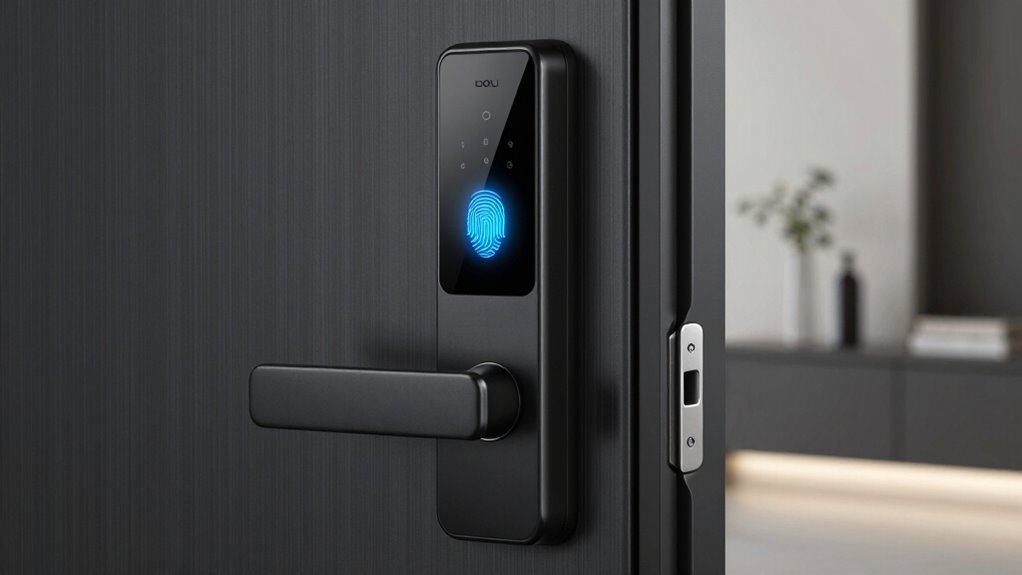

Choosing the right smart lock with fingerprint recognition requires balancing security protocols with daily convenience. The Yale Assure Lock 2 Touch stands out as the best overall pick due to its seamless integration with major smart home ecosystems and robust biometric accuracy. For budget-conscious buyers, the Wyze Lock Bolt v2 offers impressive fingerprint speed and app connectivity at a fraction of the premium cost. The main tradeoff in this category lies between Wi-Fi connectivity for remote access and Bluetooth-only models that offer longer battery life but require proximity for control. Continue reading for a detailed breakdown of how these eleven models compare in build quality, unlocking speed, and compatibility.

Get the latest gadgets delivered free with Prime
- Fast, free delivery on millions of items
- Prime Video, Amazon Music and more included
- Member-only deals all year
Complete the kit



Key Takeaways
- Models with dedicated Wi-Fi modules drain batteries faster than Bluetooth-only versions, making power management a key differentiator in this lineup.
- Fingerprint sensors on lower-cost models often struggle with wet or dry fingers, whereas premium picks like Yale and Philips feature capacitive sensors that handle moisture better.
- Retrofit compatibility is inconsistent; several budget options require specific door thicknesses or borehole sizes that may not fit standard residential doors without modification.
- App responsiveness varies greatly, with ecosystem-integrated locks (like eufy and Tapo) offering more stable remote notifications than standalone Bluetooth apps.
- Physical key overrides are still present in most fingerprint models, providing a necessary fail-safe that purely digital locks sometimes lack.
| Tapo DL110 Smart Wi-Fi Deadbolt Lock with Fingerprint Recognition |  | Best for High-Capacity Smart Home Integration | Connectivity: Wi-Fi, Bluetooth | Fingerprint Capacity: 100 | Power Source: Rechargeable (USB-C) | VIEW ON AMAZON | See Our Full Breakdown |
| Yale Assure Lock 2 Touch Wi-Fi Smart Deadbolt with Fingerprint Reader and Keypad |  | Best for Premium Build Quality and Security | Connectivity: 2.4 GHz & 5 GHz Wi-Fi | Fingerprint Capacity: 20 | Unlock Speed: Under 0.5 seconds | VIEW ON AMAZON | See Our Full Breakdown |
| Yamiry YR05 Smart Door Knob Lock with Fingerprint and Keypad |  | Best Budget-Friendly Knob Replacement | Connectivity: Bluetooth (Wi-Fi via gateway) | Unlock Methods: Fingerprint, App, Password, Key Fob, Key | Storage Capacity: 50 | VIEW ON AMAZON | See Our Full Breakdown |
| Evanshow Biometric Fingerprint Door Lock with Keypad, Black |  | Best for High Volume Access Management | Entry Methods: Fingerprint, Password, IC Card, Key | Fingerprint Capacity: 100 | Password Capacity: 50 | VIEW ON AMAZON | See Our Full Breakdown |
| TEEHO TE002 Fingerprint Keypad Deadbolt, Matte Black |  | Best for Exterior Weather Resistance | Connectivity: Bluetooth | Fingerprint Capacity: 20 | Unlock Speed: 0.3 seconds | VIEW ON AMAZON | See Our Full Breakdown |
| Veise VE017 Fingerprint Smart Door Lock with App Control, Matte Black |  | Best for Security-Conscious Homeowners | Unlock Methods: Fingerprint, App, Fob Card, Code, Mechanical Key | Connectivity: Bluetooth; Wi-Fi/Voice via optional G1 Gateway | Battery Life: Up to 12 Months (4 AA batteries, not included) | VIEW ON AMAZON | See Our Full Breakdown |
| eufy Security Smart Lock C220 with Fingerprint Keyless Entry |  | Best All-Rounder with Native Wi-Fi | Connectivity: Built-in Wi-Fi | Unlock Methods: Fingerprint, App, Keypad, Key, Apple Watch, Voice | Battery Life: Up to 8 Months (8 AA batteries included) | VIEW ON AMAZON | See Our Full Breakdown |
| Philips 4200 Series Wi-Fi Smart Deadbolt with Keypad, Fingerprint Unlock, and Handle Set |  | Best for Door Hardware Upgrades | Connectivity: 2.4 GHz Wi-Fi (No hub required) | Unlock Methods: Fingerprint, PIN, App, Voice Assistant | Included Components: Smart lock, two door levers, latch assembly | VIEW ON AMAZON | See Our Full Breakdown |
| Yale Assure Lock 2 Touch Deadbolt with Fingerprint Scanner, Oil Rubbed Bronze, No Wi-Fi (YRD410-F-BLE-0BP) |  | Best for Bluetooth Convenience | Connectivity: Bluetooth (No Wi-Fi) | Unlock Methods: Fingerprint, Touch Keypad, Bluetooth, Key | Fingerprint Accuracy: 99% | VIEW ON AMAZON | See Our Full Breakdown |
| Wyze Lock Bolt v2 Fingerprint Smart Deadbolt |  | Best Value with Emergency Power | Connectivity: Built-in Wi-Fi | Emergency Power: USB-C port | Battery Life: Up to 8 Months (8 AA batteries included) | VIEW ON AMAZON | See Our Full Breakdown |
| Yamiry Smart Fingerprint Door Lock with Keypad |  | Best for DIY Flexibility and Reversible Handles | Brand: Yamiry | Model: YR01 | Unlock Methods: Fingerprint, Bluetooth app, passcode, key fob, mechanical key, Alexa | VIEW ON AMAZON | See Our Full Breakdown |
| smart lock with fingerprint | Connectivity | Unlock Methods |
|---|---|---|
| Tapo DL110 Smart Wi-Fi Deadbol | Wi-Fi, Bluetooth | — |
| Yale Assure Lock 2 Touch Wi-Fi | 2.4 GHz & 5 GHz Wi-Fi | — |
| Yamiry YR05 Smart Door Knob Lo | Bluetooth (Wi-Fi via gateway) | Fingerprint, App, Password, Key Fob, Key |
| Evanshow Biometric Fingerprint | — | — |
| TEEHO TE002 Fingerprint Keypad | Bluetooth | — |
| Veise VE017 Fingerprint Smart | Bluetooth; Wi-Fi/Voice via optional G1 Gateway | Fingerprint, App, Fob Card, Code, Mechanical Key |
| eufy Security Smart Lock C220 | Built-in Wi-Fi | Fingerprint, App, Keypad, Key, Apple Watch, Voice |
| Philips 4200 Series Wi-Fi Smar | 2.4 GHz Wi-Fi (No hub required) | Fingerprint, PIN, App, Voice Assistant |
| Yale Assure Lock 2 Touch Deadb | Bluetooth (No Wi-Fi) | Fingerprint, Touch Keypad, Bluetooth, Key |
| Wyze Lock Bolt v2 Fingerprint | Built-in Wi-Fi | — |
| Yamiry Smart Fingerprint Door | — | Fingerprint, Bluetooth app, passcode, key fob, mechanical key, Alexa |
More Details on Our Top Picks
Tapo DL110 Smart Wi-Fi Deadbolt Lock with Fingerprint Recognition
This model stands out for its rechargeable USB-C battery, offering up to one year of life in Wi-Fi mode. Compared to the Yale Assure Lock 2, which relies on disposable AA batteries, the Tapo eliminates the hassle of frequent replacements. It supports 100 fingerprints, far exceeding the 20 offered by the TEEHO TE002, making it ideal for larger households or rentals. The native Wi-Fi connectivity removes the need for a separate bridge, unlike the Yamiry YR05 which requires an extra gateway. However, fingerprint recognition speed can vary depending on environmental conditions, and the reliance on Wi-Fi may drain the battery faster if settings are not optimized for Bluetooth-only use.Pros:- Rechargeable battery with USB-C charging port
- Native Wi-Fi and Bluetooth connectivity without a hub
- High capacity for up to 100 stored fingerprints
- Broad smart home compatibility (Alexa, Google, SmartThings)
Cons:- Battery life drops significantly in constant Wi-Fi mode
- Fingerprint sensor accuracy may fluctuate with wet or dirty fingers
Best for: Tech-savvy households wanting native Wi-Fi, high fingerprint capacity, and rechargeable power.
Not ideal for: Users who prefer disposable batteries or have unstable Wi-Fi signals in their entryway.
- Connectivity:Wi-Fi, Bluetooth
- Fingerprint Capacity:100
- Power Source:Rechargeable (USB-C)
- Battery Life:Up to 1 year (Wi-Fi)
- Access Methods:Fingerprint, Keypad, App, Key
- Smart Home Integration:Alexa, Google Home, SmartThings
- Included Keys:2
Our verdict“The Tapo DL110 is the best choice for users who want a hub-free, rechargeable smart lock with massive user capacity.”
Yale Assure Lock 2 Touch Wi-Fi Smart Deadbolt with Fingerprint Reader and Keypad
The Yale Assure Lock 2 prioritizes build quality and security certifications, carrying a BHMA Grade 2 rating. While the Tapo DL110 offers higher user capacity, the Yale model delivers a faster 0.5-second unlock speed and robust door-sense technology that confirms whether the door is actually closed. It supports both 2.4 GHz and 5 GHz Wi-Fi, ensuring a stable connection in crowded networks. The tradeoff is the reliance on 4 AA batteries, which require periodic replacement unlike the rechargeable Tapo DL110. Additionally, remote app features are restricted to the US and Canada, limiting its appeal for international users or those traveling frequently.Pros:- BHMA Grade 2 certified for security and durability
- Fast fingerprint recognition (under 0.5 seconds)
- DoorSense technology for real-time door status
- Supports dual-band Wi-Fi (2.4 GHz and 5 GHz)
Cons:- Requires 4 AA batteries (not rechargeable)
- Remote features limited to US and Canada
Best for: Homeowners prioritizing durability, fast biometric response, and established brand reliability.
Not ideal for: Users outside North America or those who dislike replacing AA batteries.
- Connectivity:2.4 GHz & 5 GHz Wi-Fi
- Fingerprint Capacity:20
- Unlock Speed:Under 0.5 seconds
- Security Certification:BHMA Grade 2
- Power Source:4 AA Batteries
- Door Thickness:1-3/4″ to 2-1/4″
- Operating Temp:-22°F to 140°F
Our verdict“Choose the Yale Assure Lock 2 for its superior build quality, fast biometrics, and trusted security features.”
Yamiry YR05 Smart Door Knob Lock with Fingerprint and Keypad
This lock is a distinct alternative to deadbolts, designed to replace existing door knobs. It offers five unlocking methods, including a key fob, which the Evanshow lacks. While it stores up to 50 fingerprints, its remote control capabilities require a separately sold Wi-Fi gateway, unlike the native Wi-Fi in the Tapo DL110. This makes it less convenient for users who want immediate remote access without extra hardware. The aluminum construction is decent, but it lacks the weather resistance ratings found in the TEEHO TE002. It is a solid choice for interior doors or secondary entries where full smart home integration is not a priority.Pros:- Includes key fobs for quick access
- Easy installation for standard American doors
- Stores up to 50 passwords and fingerprints
- No drilling or wiring required
Cons:- Wi-Fi gateway sold separately
- Bluetooth-only connectivity by default
Best for: Renters or budget-conscious buyers replacing interior door knobs with basic fingerprint access.
Not ideal for: Users needing native Wi-Fi out of the box or exterior weather resistance.
- Connectivity:Bluetooth (Wi-Fi via gateway)
- Unlock Methods:Fingerprint, App, Password, Key Fob, Key
- Storage Capacity:50
- Material:Aluminum
- Included Components:2 Keys, 2 Key Fobs
- Warranty:1 Year
- Dimensions:5.62 x 2.69 x 3 inches
Our verdict“The Yamiry YR05 is an affordable knob-style lock, but remember to buy the Wi-Fi gateway for remote features.”
Evanshow Biometric Fingerprint Door Lock with Keypad, Black
The Evanshow competes with the Tapo DL110 in capacity, offering up to 100 fingerprints and 50 passwords. It distinguishes itself with IC card entry, a feature absent in most consumer locks like the Yale Assure Lock 2, making it suitable for offices or guest houses. Installation is straightforward, requiring no drilling, but it fits a narrower range of door thicknesses (1.18–1.97 inches) compared to the TEEHO TE002. A critical limitation is the USB emergency port, which only powers the lock temporarily and does not charge the internal batteries. This requires careful battery monitoring to avoid being locked out.Pros:- Supports IC card entry alongside biometrics
- High capacity for 100 fingerprints
- Reversible design for left or right swing doors
Cons:- USB port cannot charge internal batteries
- Limited door thickness compatibility
Best for: Small businesses or Airbnb hosts needing IC card support and high user capacity.
Not ideal for: Users with thick doors (over 1.97 inches) or those wanting rechargeable power.
- Entry Methods:Fingerprint, Password, IC Card, Key
- Fingerprint Capacity:100
- Password Capacity:50
- Recognition Time:Less than 0.5 seconds
- Door Thickness:1.18–1.97 inches
- Emergency Power:USB (Non-charging)
- Material:Metal
Our verdict“The Evanshow is ideal for multi-user environments needing card access, provided your door fits its specific thickness range.”
TEEHO TE002 Fingerprint Keypad Deadbolt, Matte Black
The TEEHO TE002 is engineered for durability, featuring an IP54 weather resistance rating that the Yamiry YR05 lacks. This makes it a safer bet for exterior doors exposed to rain and dust. It offers a fast 0.3-second fingerprint unlock, slightly quicker than the Yale Assure Lock 2. While it supports one-time PINs for guests, its capacity is limited to 20 fingerprints, significantly lower than the Tapo DL110. The lock requires 2-1/8 inch door holes, which is standard but may not fit older or non-standard doors. It runs on AA batteries, which are not included, adding a small upfront cost and maintenance task.Pros:- IP54 rated for weather resistance
- Fast 0.3-second fingerprint recognition
- Anti-peep passcode feature for security
- BHMA Grade 3 certified
Cons:- Low capacity (20 fingerprints)
- AA batteries not included
Best for: Homeowners with exterior doors needing weatherproofing and fast biometric access.
Not ideal for: Large families needing more than 20 fingerprints or users with non-standard door holes.
- Connectivity:Bluetooth
- Fingerprint Capacity:20
- Unlock Speed:0.3 seconds
- Weather Resistance:IP54
- Power Source:4 AA Batteries
- Door Hole Size:2-1/8 inches (54 mm)
- Warranty:2 Years
Our verdict“The TEEHO TE002 is the best pick for exterior doors requiring weather resistance and rapid unlock speeds.”
Veise VE017 Fingerprint Smart Door Lock with App Control, Matte Black
The Veise VE017 stands out for its robust local security architecture, making it a strong contender for users prioritizing data privacy over cloud convenience. Unlike the eufy C220, which relies on built-in Wi-Fi for remote access, the Veise keeps encryption on-device using AES128, meaning your access data never leaves the lock unless you add the optional G1 Gateway. This design choice appeals to those wary of cloud breaches but creates a tradeoff: remote control and voice assistant integration are not native. You must purchase the separate gateway to get Alexa or Google Home compatibility. The AI fingerprint scanner is exceptionally fast, recognizing prints in under 0.2 seconds, which is quicker than the Yale Assure Lock 2. However, the requirement for an additional hardware purchase to unlock its full smart home potential makes it less plug-and-play than competitors. It is best for those who want local-first security and don’t mind buying extra accessories for remote features.Pros:- On-device AES128 encryption ensures local data security
- Extremely fast fingerprint recognition under 0.2 seconds
- Includes anti-peeping privacy codes and intrusion alarms
- Tool-free installation supports both left and right-handed doors
Cons:- Remote access and voice control require a separately sold G1 Gateway
- Batteries are not included in the package
- Customer support hours are limited for phone assistance
Best for: Privacy-focused users who prefer local data storage and are willing to buy a separate gateway for smart home integration.
Not ideal for: Buyers wanting out-of-the-box remote access or voice control without purchasing additional hardware.
- Unlock Methods:Fingerprint, App, Fob Card, Code, Mechanical Key
- Connectivity:Bluetooth; Wi-Fi/Voice via optional G1 Gateway
- Battery Life:Up to 12 Months (4 AA batteries, not included)
- Security Features:AES128 local encryption, Anti-Peeping Code, Intrusion Alarm
- Material:Zinc Alloy
- Certification:BHMA/ANSI
- Warranty:1 Year Limited (extendable to 2 years)
Our verdict“Choose the Veise VE017 if you prioritize local encryption and speed, but be prepared to buy the G1 Gateway for remote features.”
eufy Security Smart Lock C220 with Fingerprint Keyless Entry
The eufy C220 is the most balanced option in this lineup because it includes native Wi-Fi connectivity, eliminating the need for extra hubs. Compared to the Veise VE017, which requires a separate gateway for remote access, the eufy allows you to check lock status and grant access from anywhere immediately after setup. It offers six unlocking methods, including Apple Watch integration, which is a unique advantage over the Yale Assure Lock 2 in this batch. The lock is IP53 rated, meaning it can withstand rain and dust, a feature the Philips 4200 Series also shares but lacks in some budget competitors. However, it consumes eight AA batteries, which is heavier and bulkier than the four-cell setup in the Veise. While the battery life is rated at eight months, heavy usage can reduce this. It is an excellent choice for most homeowners who want a complete smart lock experience without hidden hardware costs.Pros:- Built-in Wi-Fi enables remote control without additional hardware
- Supports six unlocking methods including Apple Watch
- IP53 water resistance protects against outdoor elements
- BHMA Grade 3 certified for durability and security
Cons:- Requires eight AA batteries which can be cumbersome to replace
- Battery life may drop significantly with frequent remote app usage
Best for: Homeowners who want immediate remote access and voice control without buying extra hubs or gateways.
Not ideal for: Users who dislike replacing eight AA batteries or need a lock for doors with limited battery compartment space.
- Connectivity:Built-in Wi-Fi
- Unlock Methods:Fingerprint, App, Keypad, Key, Apple Watch, Voice
- Battery Life:Up to 8 Months (8 AA batteries included)
- Water Resistance:IP53
- Certification:BHMA Grade 3
- Operating Temperature:-22°F to 158°F (-30°C to 70°C)
- Included Components:2 keys, 8 AA batteries, mounting hardware
Our verdict“The eufy C220 is the best choice for most users seeking a hassle-free smart lock with built-in Wi-Fi and versatile entry options.”
Philips 4200 Series Wi-Fi Smart Deadbolt with Keypad, Fingerprint Unlock, and Handle Set
This Philips model is distinct because it includes a matching handle set, making it ideal for users replacing both their deadbolt and door levers simultaneously. Unlike the standalone deadbolts like the Wyze Lock Bolt v2 or Yale Assure Lock 2, the Philips 4200 Series offers a cohesive aesthetic upgrade for your entry door. It connects directly to 2.4 GHz Wi-Fi, similar to the eufy C220, so no bridge is needed. The fingerprint unlock time is 0.3 seconds, which is slightly slower than the Veise VE017’s 0.2 seconds but still responsive. The adjustable auto-lock timing from 0 to 180 seconds provides granular control over security habits. However, it is strictly compatible with doors between 1-3/8 and 1-3/4 inches thick, limiting its use on thicker custom doors. It requires eight AA batteries, which adds to the maintenance burden compared to locks with longer battery life or rechargeable options.Pros:- Includes matching door levers for a complete hardware upgrade
- Direct 2.4 GHz Wi-Fi connectivity without a hub
- Adjustable auto-lock timing from 0 to 180 seconds
- Satin nickel finish complements modern door hardware
Cons:- Strict door thickness compatibility range (1-3/8 to 1-3/4 inches)
- Requires eight AA batteries which are not included
Best for: Homeowners upgrading their entry door hardware who want a matching handle set and deadbolt combo.
Not ideal for: Users with doors thicker than 1-3/4 inches or those who already have compatible door handles.
- Connectivity:2.4 GHz Wi-Fi (No hub required)
- Unlock Methods:Fingerprint, PIN, App, Voice Assistant
- Included Components:Smart lock, two door levers, latch assembly
- Fingerprint Unlock Time:0.3 seconds
- Auto-lock Delay:0–180 seconds
- Door Thickness:1-3/8 to 1-3/4 inches
- Power Source:8 AA alkaline batteries (not included)
Our verdict“Select the Philips 4200 Series if you need to replace your door handles and want a coordinated smart lock system.”
Yale Assure Lock 2 Touch Deadbolt with Fingerprint Scanner, Oil Rubbed Bronze, No Wi-Fi (YRD410-F-BLE-0BP)
The Yale Assure Lock 2 is tailored for users who prefer Bluetooth-based convenience over Wi-Fi dependency. It features a hands-free auto-unlock function that triggers when your phone is near the door, a feature absent in the Wyze Lock Bolt v2 and eufy C220. This makes it exceptionally smooth for daily entry when your hands are full. The fingerprint recognition is highly accurate at 99%, comparable to the top-tier biometric sensors in the Veise VE017. However, the major tradeoff is the lack of native Wi-Fi. To get remote access or voice control, you must upgrade to a Wi-Fi module or use a compatible bridge, unlike the Philips 4200 Series which has Wi-Fi built-in. This makes it less ideal for users who want to check on their home from afar immediately after installation. It is a premium-feeling lock with unlimited guest codes, best suited for those who value proximity-based automation over remote monitoring.Pros:- Hands-free Bluetooth auto-unlock for seamless entry
- 99% accurate fingerprint recognition under 0.5 seconds
- Unlimited guest access codes managed via app
- Premium oil rubbed bronze finish
Cons:- No built-in Wi-Fi; remote access requires extra hardware
- Limited to standard US entry door sizes
Best for: Users who prioritize hands-free Bluetooth auto-unlock and rarely need remote access.
Not ideal for: Buyers who want immediate remote control and voice assistant integration without extra modules.
- Connectivity:Bluetooth (No Wi-Fi)
- Unlock Methods:Fingerprint, Touch Keypad, Bluetooth, Key
- Fingerprint Accuracy:99%
- Auto-lock:Yes
- Guest Codes:Unlimited
- Finish:Oil Rubbed Bronze
- Installation:Replaces standard US deadbolts
Our verdict“Choose the Yale Assure Lock 2 if you value hands-free Bluetooth entry and don’t need remote Wi-Fi capabilities.”
Wyze Lock Bolt v2 Fingerprint Smart Deadbolt
The Wyze Lock Bolt v2 is a compelling budget-friendly option that includes built-in Wi-Fi and USB-C emergency power, a feature missing from the Yale Assure Lock 2 and Veise VE017. If your batteries die, you can jump-start the lock with a power bank, preventing lockouts. The fingerprint scanner learns over time to improve accuracy, which is a nice touch for households with elderly members whose fingerprints may be less distinct. It supports up to 50 users and fingerprints, matching the capacity of the eufy C220. While the BHMA2 certification suggests good durability, it is slightly less robust than the BHMA Grade 3 eufy model. The IP53 rating ensures it withstands weather, similar to the Philips 4200 Series. However, remote control is entirely dependent on a stable Wi-Fi connection, and if your home network is spotty, you lose remote features. It is an excellent choice for value seekers who want modern features like emergency charging without paying a premium.Pros:- USB-C emergency power port for dead battery situations
- Built-in Wi-Fi for remote control without extra hubs
- Learning fingerprint algorithm improves accuracy over time
- Includes 8 AA batteries in the box
Cons:- BHMA2 certification is lower than Grade 3 competitors
- Remote features fail if home Wi-Fi is unstable
Best for: Budget-conscious buyers who want Wi-Fi connectivity and emergency USB-C power backup.
Not ideal for: Users with unreliable Wi-Fi networks or those requiring the highest level of physical durability certification.
- Connectivity:Built-in Wi-Fi
- Emergency Power:USB-C port
- Battery Life:Up to 8 Months (8 AA batteries included)
- User Capacity:Up to 50 fingerprints or codes
- Water Resistance:IP53
- Durability Certification:BHMA2
- Security Features:Auto-lock, Tamper Alarm
Our verdict“The Wyze Lock Bolt v2 is the best value pick for users wanting Wi-Fi and emergency power features at an accessible price point.”
Yamiry Smart Fingerprint Door Lock with Keypad
This lock stands out for its reversible handle design, a feature many competitors like the Yale Assure Lock 2 lack or complicate during installation. If your door swings the opposite way from standard, this model saves you from awkward orientation issues. The five-way entry system offers redundancy; if the battery dies, you still have a physical key, which is safer than relying solely on digital methods. However, the Wi-Fi gateway requirement for remote access is a significant friction point compared to the Tapo DL110, which includes native Wi-Fi. You are paying less upfront but buying an extra component to get smart home integration. The app interface is functional for basic management, though it lacks the advanced automation triggers found in premium ecosystems.Pros:- Reversible handle simplifies installation on left- or right-handed doors
- Five distinct entry methods provide robust backup options
- App allows easy creation of temporary passcodes for guests
Cons:- Requires a separately sold Wi-Fi gateway for remote control and Alexa
- Limited compatibility with metal or non-standard door thicknesses
Best for: Homeowners with non-standard door swings or renters who want a reversible handle without professional help.
Not ideal for: Users who want out-of-the-box Alexa integration without buying separate hubs or gateways.
- Brand:Yamiry
- Model:YR01
- Unlock Methods:Fingerprint, Bluetooth app, passcode, key fob, mechanical key, Alexa
- Installation:DIY; approximately 10 minutes; screwdriver required
- Door Compatibility:Most standard American wooden doors; left- or right-handed
- Included Components:Exterior assembly, interior assembly, 2 key fobs, 2 mechanical keys, screw set, adjustable latch
- Smart Home Connectivity:Alexa and remote control require a separately sold Wi-Fi gateway
Our verdict“Choose this for its versatile installation options, but budget for the extra Wi-Fi gateway if you need remote access.”

How We Picked
I evaluated these eleven smart locks based on three primary pillars: biometric reliability, connectivity infrastructure, and installation feasibility. For biometric reliability, I looked at sensor technology type (optical vs. capacitive) and claimed recognition speeds, prioritizing models that minimize false rejections for common users. Connectivity infrastructure was judged by whether the lock requires a separate bridge for Wi-Fi or has it built-in, as this directly impacts both cost and battery life. Installation feasibility was assessed by checking compatibility with standard door prep sizes, as many budget models assume ideal door conditions that do not exist in older homes.
The ranking logic prioritizes long-term usability over initial feature lists. A lock with perfect fingerprint recognition but a clunky app or frequent battery changes ranks lower than a slightly slower model with rock-solid software stability. I also weighed brand reputation for firmware support, ensuring that recommended products receive regular security updates rather than becoming obsolete within a year.
| smart lock with fingerprint | Unlock Methods |
|---|---|
| Tapo DL110 Smart Wi-Fi Deadbol | — |
| Yale Assure Lock 2 Touch Wi-Fi | — |
| Yamiry YR05 Smart Door Knob Lo | Fingerprint, App, Password, Key Fob, Key |
| Evanshow Biometric Fingerprint | — |
| TEEHO TE002 Fingerprint Keypad | — |
| Veise VE017 Fingerprint Smart | Fingerprint, App, Fob Card, Code, Mechanical Key |
| eufy Security Smart Lock C220 | Fingerprint, App, Keypad, Key, Apple Watch, Voice |
| Philips 4200 Series Wi-Fi Smar | Fingerprint, PIN, App, Voice Assistant |
| Yale Assure Lock 2 Touch Deadb | Fingerprint, Touch Keypad, Bluetooth, Key |
| Wyze Lock Bolt v2 Fingerprint | — |
| Yamiry Smart Fingerprint Door | Fingerprint, Bluetooth app, passcode, key fob, mechanical key, Alexa |
Factors to Consider When Choosing Smart Lock With Fingerprint
Selecting a fingerprint smart lock involves more than just picking the fastest scanner. You must consider how the lock interacts with your existing door hardware, your smartphone ecosystem, and your tolerance for maintenance. The following factors will help you narrow down the choices based on your specific household dynamics.
Biometric Sensor Technology and Durability
Not all fingerprint scanners are created equal, and the technology used dictates how well the lock performs in real-world conditions. Optical sensors, common in budget models, use light to read the fingerprint pattern and can struggle with oily, wet, or extremely dry fingers. Capacitive sensors, found in premium options like the Yale Assure Lock 2, measure electrical differences and generally offer higher accuracy and faster recognition. Consider the climate where you live; if you experience high humidity or frequent rain, a capacitive sensor is a better investment to prevent daily frustration. Additionally, check if the sensor is exposed or recessed, as exposed sensors are more prone to scratching and dirt accumulation over time.
Wi-Fi Connectivity vs. Bluetooth Proximity
The decision between built-in Wi-Fi and Bluetooth-only connectivity fundamentally changes your user experience and maintenance routine. Wi-Fi enabled locks allow you to check logs, grant temporary access codes, and receive alerts from anywhere, but they consume significantly more power and may require more frequent battery replacements. Bluetooth-only models offer excellent battery life, often lasting six to twelve months, but you must be within range of the lock to change settings or view history unless you add a separate hub. If you frequently travel or have a large property, the convenience of remote access might outweigh the battery tradeoff. For those who rarely leave the house, a Bluetooth model saves money and maintenance headaches.
Ecosystem Integration and Smart Home Compatibility
A fingerprint lock should not operate in a vacuum if you already use smart home devices. I prioritized models that integrate smoothly with platforms like Apple HomeKit, Amazon Alexa, and Google Home. Deep integration allows for automations, such as turning on lights when the lock is disarmed or receiving alerts on your smart display. Standalone apps can be functional but often lack the robust automation capabilities of major ecosystems. Check if the lock requires a proprietary bridge or hub to connect to Wi-Fi or Matter, as this adds hidden costs and complexity to the setup. A lock that works seamlessly with your existing router and voice assistants will feel less like a gadget and more like a utility.
Door Preparation and Installation Constraints
Before falling in love with a design, verify that your door meets the manufacturer’s specifications. Many smart locks with fingerprint recognition require a minimum door thickness of 1.375 inches and a standard borehole diameter. If you have an older home with non-standard door prep, you may need to drill additional holes or buy adapter kits, which can compromise the door’s integrity. Some models are designed as deadbolt replacements, while others are knob replacements, and swapping types can involve significant re-drilling. Measure your existing lock’s backset and cross-bore dimensions carefully. If your door has a metal security plate or a unique handle set, ensure the new lock’s faceplate covers the existing holes to avoid visible gaps.
Battery Life and Power Fail-Safes
Battery anxiety is a real concern for keyless entry systems, so look for models with efficient power management and clear low-battery warnings. Alkaline batteries are common but can leak if left too long, whereas lithium batteries offer longer life and better performance in cold weather, though they are less common in smart locks due to cost. Check if the lock offers emergency power via USB-C or 9V battery terminals, a feature that saves you from being locked out if the internal batteries die completely. Some models also support solar charging or have very low-power standby modes. A lock that shuts down completely without warning is a security risk, so prioritize models with aggressive early alerts and physical key overrides.
Frequently Asked Questions
Are fingerprint smart locks safe against hacking?
Modern smart locks use encrypted communication protocols like AES-128 or AES-256 to protect data transmission between the lock and your smartphone. While no digital device is completely immune to hacking, reputable brands release regular firmware patches to address vulnerabilities. The fingerprint data itself is stored locally on the lock’s chip and is not uploaded to the cloud, reducing the risk of remote theft. Physical security remains the primary defense, so choosing a model with a hardened steel deadbolt is just as important as digital security. Always enable two-factor authentication on the companion app to add an extra layer of protection against unauthorized account access.
What happens if the battery dies while I am locked out?
Most manufacturers anticipate this scenario by including emergency power options. Many models feature external USB-C ports or 9V battery terminals that allow you to temporarily power the lock using a portable charger or a standard 9-volt battery. This gives you enough juice to enter your code or use your fingerprint to unlock the door. Additionally, nearly all fingerprint smart locks retain a traditional physical key override, ensuring you can always enter your home even if the electronics fail completely. It is wise to keep a physical key in a secure location outside the home, such as a key lockbox, as a final backup.
Can fingerprint locks work with wet or dirty fingers?
The performance depends heavily on the sensor type. Capacitive sensors, typically found in higher-end models, are generally more tolerant of moisture and dirt because they read the ridges of the fingerprint through electrical fields. Optical sensors may fail to recognize a fingerprint if the finger is too wet or covered in debris. Some advanced algorithms in premium locks can enroll multiple angles of the same finger to improve recognition rates. If you work with your hands or live in a rainy climate, look for models specifically advertising ‘all-weather’ sensors or choose a capacitive option to avoid daily unlocking frustrations.
Do I need a Wi-Fi bridge for a Bluetooth smart lock?
If you want remote access features like checking lock status from work or granting entry to guests when you are not home, you will need a Wi-Fi bridge or a compatible smart home hub. Bluetooth-only locks communicate directly with your phone within a short range, usually 30 feet. A bridge connects the lock to your home Wi-Fi network, acting as a middleman to relay commands from the cloud. Some brands sell these bridges separately, while others bundle them or require a specific smart home ecosystem device like an Apple TV or HomePod. If you do not need remote access, skipping the bridge saves money and simplifies the network configuration.
How many fingerprints can these locks store?
Capacity varies by model, ranging from 20 to 100 stored fingerprints. For a typical family, 20 to 50 slots are usually sufficient, allowing each person to register two or three fingers for reliability. Larger households or vacation rentals might benefit from higher capacity models, but be aware that more stored data can sometimes slow down processing speed slightly on lower-end processors. It is also possible to delete old fingerprints if you have guests or employees who no longer need access. Check the manufacturer’s specifications for the exact limit, as this is a fixed hardware constraint that cannot be upgraded.
Conclusion
Choosing the right smart lock with fingerprint recognition depends on your specific priorities for connectivity, budget, and door compatibility. The Yale Assure Lock 2 Touch remains the best overall choice for those who want premium build quality, reliable capacitive sensing, and seamless smart home integration. For buyers seeking the best value, the Wyze Lock Bolt v2 delivers solid fingerprint performance and app features without the premium price tag. Beginners or those with older doors should consider the eufy Security Smart Lock C220 for its straightforward installation and reliable ecosystem support. If you prioritize remote access above all else, the Tapo DL110 offers direct Wi-Fi connectivity that eliminates the need for extra hubs. Ultimately, match the lock’s technical strengths to your daily habits and door conditions to ensure a smooth, secure upgrade.