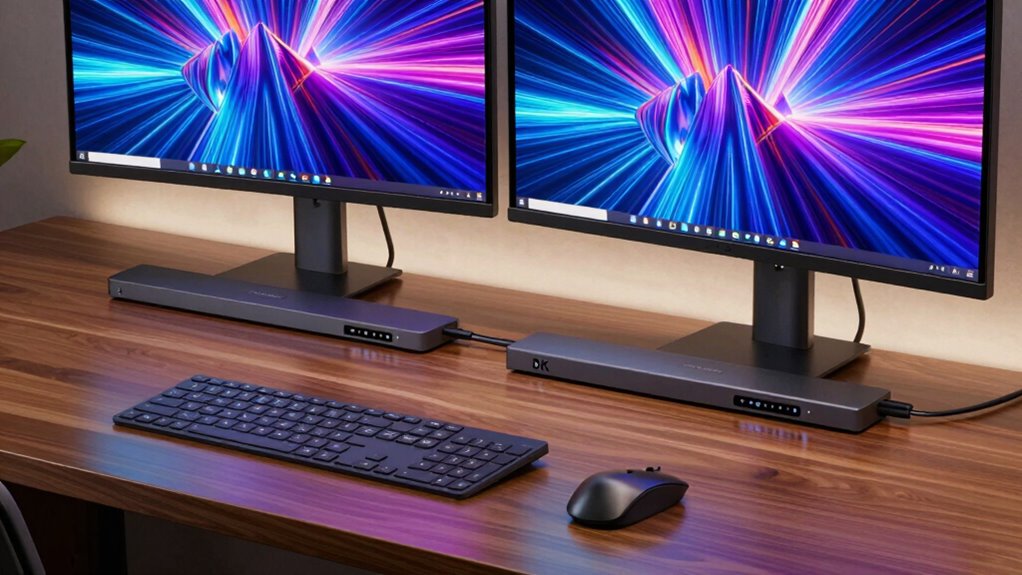

For a Thunderbolt dock with dual 8K support, my best overall pick is the StarTech Thunderbolt 5 and USB4 Docking Station, which pairs a newer connection standard with up to 140W charging. The Plugable TBT-UDH2 stands out for dual HDMI 2.1 connections, while the UGREEN Maxidok with 8TB M.2 NVMe support suits buyers who want storage built into the setup. The main tradeoffs are display compatibility, host-device limits, charging needs, and how many ports you actually use. A dock’s advertised display capacity does not guarantee two 8K screens on every computer. Read on for the full breakdown and a guide to matching a dock to your laptop and monitors.

Get the latest gadgets delivered free with Prime
- Fast, free delivery on millions of items
- Prime Video, Amazon Music and more included
- Member-only deals all year
Complete the kit



Key Takeaways
- Thunderbolt 5 models lead this lineup for bandwidth and newer-host flexibility, but their display capabilities still depend on the computer, monitor connections, and supported display modes.
- Dual 8K is not the same as dual 4K or single 8K. Several Thunderbolt 4 listings specify dual 4K or single 8K, so check the exact mode supported before buying.
- The StarTech Thunderbolt 5 dock is the strongest all-round fit for buyers who value 140W charging and broad USB4 compatibility alongside high-end display plans.
- Port specialization separates the alternatives: Plugable’s TBT-UDH2 emphasizes dual HDMI 2.1, while UGREEN’s storage-focused Maxidok adds M.2 NVMe capacity.
- Older-standard docks can still suit less demanding setups. The Yottamaster Thunderbolt 3 and Plugable Thunderbolt 4 options may be a better match when a host cannot benefit from Thunderbolt 5.
| Yottamaster 15-in-1 Thunderbolt 3 Docking Station with 8K Display Support |  | Best for Legacy Thunderbolt Setups | Ports: 15 | Thunderbolt: Dual Thunderbolt 3, up to 40Gbps | Display support: Dual 4K at 60Hz, or single 8K at 30Hz / 5K at 60Hz | VIEW ON AMAZON | See Our Full Breakdown |
| Smartlinx Thunderbolt 4 Docking Station, 21 Ports, Dual 4K or Single 8K |  | Best for Maximum Port Variety | Ports: 21 total, including 9 USB ports | Data transfer: Up to 40Gbps | Display support: Dual 4K at 60Hz on supported macOS devices; up to 8K at 60Hz plus 4K at 60Hz on Windows | VIEW ON AMAZON | See Our Full Breakdown |
| Smartlinx Thunderbolt 4 Docking Station 21-in-1 USB-C Hub |  | Best Smartlinx Pick for Apple Silicon Display Flexibility | Ports: 21 | USB ports: 7 | Data transfer: Up to 40Gbps | VIEW ON AMAZON | See Our Full Breakdown |
| UGREEN Maxidok Thunderbolt 5 Docking Station, 8TB M.2 NVMe SSD Support |  | Best Premium Pick for Fast Storage and Next-Gen Bandwidth | Ports: 17 | Thunderbolt: Thunderbolt 5, up to 120Gbps; two downstream Thunderbolt 5 ports listed | Display support: Dual or single 8K at 60Hz; Windows supports up to three independent displays, Mac supports two | VIEW ON AMAZON | See Our Full Breakdown |
| Plugable Thunderbolt 4 Dock with 100W Charging and Dual Monitor Support |  | Best for Straightforward Thunderbolt 4 Desk Setups | Interface: Thunderbolt 4, 40Gbps | Total ports: 13 | Display support: Dual 4K at 60Hz or single 8K on compatible systems | VIEW ON AMAZON | See Our Full Breakdown |
| StarTech Thunderbolt 5 and USB4 Docking Station with 140W Charging |  | Best for High-Power Dual-8K Setups | Host compatibility: Thunderbolt 5, Thunderbolt 4, and USB4 | Display support: Up to three 4K at 144Hz or dual 8K at 60Hz, depending on host | Laptop power delivery: Up to 140W | VIEW ON AMAZON | See Our Full Breakdown |
| UGREEN Maxidok Thunderbolt 5 Docking Station |  | Best for Quiet, DisplayPort-Based Desks | Compatibility: Thunderbolt 5, Thunderbolt 4, Thunderbolt 3, and USB4; Mac and Windows laptops | Display support: Triple 4K at 144Hz or dual/single 8K at 60Hz | Display output: DisplayPort 2.1 | VIEW ON AMAZON | See Our Full Breakdown |
| Lenovo ThinkPad Thunderbolt 5 Smart Dock 7500 |  | Best for Managed Multi-Display Fleets | Interface: Thunderbolt 5 | Maximum data transfer speed: Up to 120Gbps | Power delivery: Up to 180W, PD 3.1 | VIEW ON AMAZON | See Our Full Breakdown |
| WAVLINK Thunderbolt 5 Docking Station |  | Best for Flexible Thunderbolt Expansion | Upstream connection: Thunderbolt 5, up to 120Gbps and 140W power delivery | Downstream Thunderbolt: Three Thunderbolt 5 ports, up to 80Gbps | Display support: Single 8K at 144Hz, dual 8K at 60Hz, or triple 4K at 144Hz; varies by system | VIEW ON AMAZON | See Our Full Breakdown |
| Anker Prime 14-in-1 Thunderbolt 5 Docking Station |  | Best for a Full-Featured 14-Port Desk | Ports: 14 | Thunderbolt ports: One upstream and two downstream | Other connections: Two USB-C, three USB-A, SD and TF readers, 2.5Gbps Ethernet, audio, and HDMI 2.1 or DisplayPort 2.1 | VIEW ON AMAZON | See Our Full Breakdown |
| Plugable TBT-UDH2 Thunderbolt 5 Dock with Dual HDMI 2.1 |  | Best for Dual 8K HDMI Setups | Connectivity: Thunderbolt 5 | Video outputs: 2 x HDMI 2.1 | Maximum display support: Dual 8K at 60Hz or dual 4K at 144Hz with Thunderbolt 5 hosts | VIEW ON AMAZON | See Our Full Breakdown |
| thunderbolt dock dual 8k | Display support | Compatibility | Ports |
|---|---|---|---|
| Yottamaster 15-in-1 Thunderbol | Dual 4K at 60Hz, or single 8K at 30Hz / 5K at 60Hz | Thunderbolt 3 and 4 Windows laptops, MacBook Pro, and MacBook Air; base M1/M2/M3 MacBooks support one external display | 15 |
| Smartlinx Thunderbolt 4 Dockin | Dual 4K at 60Hz on supported macOS devices; up to 8K at 60Hz plus 4K at 60Hz on Windows | Most laptops with 8th Gen Intel processors or newer; Chrome OS, macOS, and Windows | 21 total, including 9 USB ports |
| Smartlinx Thunderbolt 4 Dockin | Dual 4K at 60Hz or single 8K at 60Hz | Mac M1–M4 and Intel, Windows, and Linux; host requires Thunderbolt or USB-C with DisplayPort Alt Mode | 21 |
| UGREEN Maxidok Thunderbolt 5 D | Dual or single 8K at 60Hz; Windows supports up to three independent displays, Mac supports two | Thunderbolt 5/4 Windows laptops and listed MacBooks; macOS 15 or later required for Mac | 17 |
| Plugable Thunderbolt 4 Dock wi | Dual 4K at 60Hz or single 8K on compatible systems | Windows 10 and later; Thunderbolt 4, Thunderbolt 5, and USB4 systems | — |
| StarTech Thunderbolt 5 and USB | Up to three 4K at 144Hz or dual 8K at 60Hz, depending on host | — | 14 total, including five USB ports and one HDMI port |
| UGREEN Maxidok Thunderbolt 5 D | Triple 4K at 144Hz or dual/single 8K at 60Hz | Thunderbolt 5, Thunderbolt 4, Thunderbolt 3, and USB4; Mac and Windows laptops | — |
| Lenovo ThinkPad Thunderbolt 5 | Up to three 8K at 60Hz, or multiple 4K configurations | — | — |
| WAVLINK Thunderbolt 5 Docking | Single 8K at 144Hz, dual 8K at 60Hz, or triple 4K at 144Hz; varies by system | Windows 11 or later and macOS 14.6 or later; host must support Thunderbolt 4 or 5 | 12 total |
| Anker Prime 14-in-1 Thunderbol | Up to 8K at 60Hz; dual 8K at 60Hz for Thunderbolt 5 Windows laptops | MacBook with M1, M2, M3, or M4 Pro/Max; Thunderbolt 5/4 Windows laptops | 14 |
| Plugable TBT-UDH2 Thunderbolt | — | — | — |
More Details on Our Top Picks
Yottamaster 15-in-1 Thunderbolt 3 Docking Station with 8K Display Support
I rank the Yottamaster as a sensible fit for Thunderbolt 3 users who want a single 8K display option without moving to a newer dock. Its 40Gbps Thunderbolt 3 connection and mix of display, network, card-reader, and audio connections cover common desk needs, while plug-and-play operation avoids driver setup. The main display tradeoff is clear: it supports one 8K screen at 30Hz, not 8K at 60Hz, and its dual-display mode is limited to 4K at 60Hz. Compared with the Plugable Thunderbolt 4 Dock, the Yottamaster offers a lower-generation connection and less laptop charging headroom, but may suit a Thunderbolt 3 system just fine. Its stated laptop charging is up to 60W, despite a separate 65W power-delivery figure, so demanding laptops may need their own charger. Standard M1, M2, and M3 MacBooks are limited to one external display.
Pros:- Supports one 8K display at 30Hz or dual 4K displays at 60Hz
- Provides dual Thunderbolt 3 ports with data transfer up to 40Gbps
- Includes Gigabit Ethernet, SD and TF readers, S/PDIF, and audio
- Driverless plug-and-play setup
Cons:- 8K output is limited to 30Hz
- Laptop charging is stated as up to 60W, below the 90W Smartlinx and 100W Plugable figures
- Standard M1, M2, and M3 MacBooks support only one external display
Best for: Thunderbolt 3 laptop owners who need a broad port selection and one 8K display at 30Hz.
Not ideal for: Users seeking 8K at 60Hz, higher laptop charging capacity, or dual external displays from a base M1, M2, or M3 MacBook.
- Ports:15
- Thunderbolt:Dual Thunderbolt 3, up to 40Gbps
- Display support:Dual 4K at 60Hz, or single 8K at 30Hz / 5K at 60Hz
- Laptop charging:Up to 60W stated for laptop charging
- Ethernet:Gigabit
- Card readers:SD and TF
- Dimensions:5.7 x 4.05 x 1.18 in
- Compatibility:Thunderbolt 3 and 4 Windows laptops, MacBook Pro, and MacBook Air; base M1/M2/M3 MacBooks support one external display
Our verdict“Choose the Yottamaster if your Thunderbolt 3 laptop needs varied desk connections and a single 8K-at-30Hz output, but skip it for higher-refresh 8K or stronger charging.”
Smartlinx Thunderbolt 4 Docking Station, 21 Ports, Dual 4K or Single 8K
The Smartlinx earns its place for buyers who need many connections alongside high-resolution display options. Its 21 ports, including nine USB ports, make it a more expansive hub than the 13-port Plugable Thunderbolt 4 Dock, while 90W laptop charging and 20W device charging reduce the need for separate adapters. Display claims depend on the host: supported macOS systems can run dual 4K at 60Hz, while the listed Windows configuration supports up to 8K at 60Hz plus 4K at 60Hz. That flexibility is useful, but the product data does not make one universal dual-8K promise; check the laptop and operating system’s display limits before buying. The plastic enclosure is less premium than an aluminum dock, and older laptops may not expose all functions. Base M1 Macs are excluded from dual 4K support.
Pros:- 21 ports, including nine USB ports
- Up to 90W laptop charging and 20W device charging
- 40Gbps data transfer and support for high-resolution displays on compatible systems
- Lists Chrome OS, macOS, and Windows compatibility
Cons:- Display capabilities vary by operating system and host device
- Dual 4K support excludes base M1 Macs
- Plastic enclosure and older laptops may limit appeal or functionality
Best for: Desk-based users with a compatible newer laptop who need numerous USB connections, wired networking, and up to 90W charging.
Not ideal for: Base M1 Mac owners or buyers who need guaranteed dual-display behavior across different computers and operating systems.
- Ports:21 total, including 9 USB ports
- Data transfer:Up to 40Gbps
- Display support:Dual 4K at 60Hz on supported macOS devices; up to 8K at 60Hz plus 4K at 60Hz on Windows
- Charging:Up to 90W for laptops; 20W for phones, tablets, or power banks
- Hardware interfaces:Ethernet, HDMI, Thunderbolt, USB 3.0, and USB Type-C
- Compatibility:Most laptops with 8th Gen Intel processors or newer; Chrome OS, macOS, and Windows
- Enclosure:Plastic
- Warranty:12 months
Our verdict“Pick this Smartlinx when port count and 90W charging matter more than a uniform display guarantee, and verify your computer’s supported screen configuration first.”
Smartlinx Thunderbolt 4 Docking Station 21-in-1 USB-C Hub
This Smartlinx is the more specific choice for Mac users: its listing names dual 4K at 60Hz support on M2 and M3 Macs, while the other Smartlinx 21-port model leaves macOS display support less specific. It also supports a single 8K-at-60Hz display or dual 4K on Intel and Windows systems, giving compatible users a clear path to a sharper single-screen setup. The 21-port layout and 40Gbps bandwidth suit busy workstations with storage and peripherals attached, and the included 150W adapter supports up to 90W passthrough. This does not make it a dual-8K dock: its stated display modes are single 8K or dual 4K. Base M1 Macs remain limited to one external display, and 16-inch M Pro laptops cannot use their full 140W charging rate. Compared with the Plugable, it offers more ports but a less broadly defined host-display picture.
Pros:- Lists dual 4K at 60Hz support for M2 and M3 Macs
- 21 ports and 40Gbps data transfer for a heavily equipped workstation
- Supports single 8K at 60Hz on listed Intel and Windows setups
- Includes a 150W power adapter with up to 90W laptop passthrough
Cons:- Base M1 Macs support only one external display
- 16-inch M Pro laptops cannot charge at their full 140W rate
- Requires Thunderbolt or USB-C with DisplayPort Alt Mode; standard USB-C ports will not work
Best for: M2 or M3 Mac users who want dual 4K monitors, many attached peripherals, and up to 90W laptop charging.
Not ideal for: Base M1 Mac users seeking two external screens, 16-inch M Pro owners who need full 140W charging, or buyers requiring dual 8K output.
- Ports:21
- USB ports:7
- Data transfer:Up to 40Gbps
- Display support:Dual 4K at 60Hz or single 8K at 60Hz
- Charging:Up to 90W passthrough; 150W power adapter
- Interfaces:Thunderbolt 4, USB-C, HDMI, DisplayPort, Ethernet, SD/microSD, and audio
- Compatibility:Mac M1–M4 and Intel, Windows, and Linux; host requires Thunderbolt or USB-C with DisplayPort Alt Mode
- Weight:12.8 oz
Our verdict“Choose this Smartlinx for a compatible M2 or M3 Mac workstation with dual 4K displays, not for dual 8K or full-speed charging on a 16-inch M Pro.”
UGREEN Maxidok Thunderbolt 5 Docking Station, 8TB M.2 NVMe SSD Support
The UGREEN Maxidok is the most forward-looking option here for users whose priority is more than attaching two 8K screens. Its Thunderbolt 5 bandwidth up to 120Gbps, built-in M.2 NVMe slot, and stated support for single or dual 8K at 60Hz put it ahead of the Thunderbolt 4 Smartlinx and Plugable models on bandwidth and storage integration. That can make a difference for demanding multi-display workflows and fast local project storage. The dock also adds 2.5GbE and 17 ports. Those capabilities bring setup constraints: the SSD must fit the slot’s size and heatsink limits, and HDMI monitors need an active DisplayPort adapter. Mac support is limited to dual displays, unlike the listed Windows triple-display mode. The fan may also be audible while cooling under load.
Pros:- Thunderbolt 5 bandwidth up to 120Gbps
- Built-in M.2 PCIe Gen4x4 slot supports compatible NVMe SSDs up to 8TB
- Lists dual or single 8K at 60Hz display support
- Adds 2.5GbE, 17 ports, and up to 240W total system power
Cons:- M.2 slot has specific drive width and heatsink-height limits
- HDMI monitors require an active DisplayPort-to-HDMI adapter or cable
- The cooling fan can make noise, and Mac display support is limited to two displays
Best for: Thunderbolt 5 workstation owners who want high-refresh 8K display options, built-in NVMe storage, and 2.5GbE in one dock.
Not ideal for: Users with Thunderbolt 4-only priorities, SSDs that exceed the stated M.2 fit limits, or HDMI displays they plan to connect through a passive adapter.
- Ports:17
- Thunderbolt:Thunderbolt 5, up to 120Gbps; two downstream Thunderbolt 5 ports listed
- Display support:Dual or single 8K at 60Hz; Windows supports up to three independent displays, Mac supports two
- M.2 storage:PCIe Gen4x4 NVMe slot, supports compatible 2230–2280 SSDs up to 8TB
- Networking:2.5GbE
- USB:3 USB-A and 3 USB-C ports at 10Gbps
- Power:Up to 240W total system power
- Compatibility:Thunderbolt 5/4 Windows laptops and listed MacBooks; macOS 15 or later required for Mac
Our verdict“Choose the Maxidok if you have a compatible Thunderbolt 5 system and want integrated fast storage with 8K-at-60Hz display options; its fit and adapter requirements rule it out for simpler setups.”
Plugable Thunderbolt 4 Dock with 100W Charging and Dual Monitor Support
The Plugable is my straightforward pick for a Thunderbolt 4 desk where dependable 4K monitor support matters more than a maximal port count. Its 13-port layout includes two HDMI outputs, six USB ports, Gigabit Ethernet, SD and microSD readers, and audio, while up to 100W charging gives it more laptop power headroom than either Smartlinx dock’s 90W ceiling. It supports dual 4K at 60Hz or a single 8K display on compatible systems, but that is not a blanket dual-8K capability; the computer’s own display limits still apply. Compared with the UGREEN Maxidok, it gives up Thunderbolt 5 bandwidth, integrated NVMe storage, and 2.5GbE in exchange for a simpler Thunderbolt 4 feature set. Base M3 Mac users need clamshell mode for dual displays, and some computers support only one external screen.
Pros:- Two HDMI outputs support dual 4K at 60Hz on compatible systems
- Up to 100W power delivery, with 96W certified charging
- 13 ports include six USB ports, card readers, Ethernet, and audio
- Compatible with Thunderbolt 4, Thunderbolt 5, and USB4 systems
Cons:- Display support depends on the laptop and operating system
- Base M3 Macs require clamshell mode for dual-display use
- Thunderbolt 4 lacks the bandwidth and integrated SSD slot of the UGREEN Maxidok
Best for: Thunderbolt 4 laptop owners who want two HDMI outputs, broad everyday connectivity, and up to 100W laptop charging.
Not ideal for: Buyers seeking dual 8K output, Thunderbolt 5 bandwidth, or dual external displays from a computer whose hardware supports only one.
- Interface:Thunderbolt 4, 40Gbps
- Total ports:13
- Display support:Dual 4K at 60Hz or single 8K on compatible systems
- HDMI:2 ports
- USB:6 ports
- Power delivery:Up to 100W; 96W certified
- Other connections:SD and microSD readers, audio combo jack, Gigabit Ethernet, and K-lock slot
- Compatibility:Windows 10 and later; Thunderbolt 4, Thunderbolt 5, and USB4 systems
Our verdict“Pick the Plugable for a practical Thunderbolt 4 desk with dual 4K HDMI and strong laptop charging, but look elsewhere for dual 8K or Thunderbolt 5 features.”
StarTech Thunderbolt 5 and USB4 Docking Station with 140W Charging
The StarTech is a strong fit for a demanding desk where dual 8K at 60Hz and substantial laptop charging matter more than having a DisplayPort output. It supports Thunderbolt 5, Thunderbolt 4, and USB4 hosts, and its 140W laptop power delivery can suit systems that draw more power than the UGREEN Maxidok’s 100W host-charge limit. A separate 30W USB-C charging port, 2.5GbE, and UHS-II SD and microSD readers add practical value for connected drives, wired networks, and media workflows.
The tradeoff is that the dual-8K claim depends on the host computer’s display capabilities; the dock cannot overcome a laptop’s limits. It also offers only one HDMI port, so buyers should check how their monitors connect. Compared with the Anker Prime, StarTech is more explicit about Thunderbolt and USB4 compatibility, but neither should be chosen on the display headline alone without checking the host configuration.
Pros:- Supports dual 8K at 60Hz on compatible host systems
- Supplies up to 140W to the laptop and 30W through a separate USB-C charging port
- Includes 2.5GbE and UHS-II SD and microSD readers
- Driverless support for Thunderbolt 5, Thunderbolt 4, and USB4 hosts
Cons:- Actual display support depends on the laptop and its configuration
- Only one HDMI port is listed, so monitor connections may require other port types or adapters
Best for: Thunderbolt or USB4 laptop owners building a dual-8K workstation who need up to 140W host charging, 2.5GbE, and fast SD-card access.
Not ideal for: Buyers whose laptops cannot drive dual 8K displays, or anyone who needs multiple built-in HDMI outputs rather than checking adapter and monitor connections.
- Host compatibility:Thunderbolt 5, Thunderbolt 4, and USB4
- Display support:Up to three 4K at 144Hz or dual 8K at 60Hz, depending on host
- Laptop power delivery:Up to 140W
- Additional USB-C charging:Up to 30W
- Ethernet:2.5GbE RJ45
- Card readers:SD 4.0 and microSD 4.0 with UHS-II support
- Ports:14 total, including five USB ports and one HDMI port
- Power adapter:180W
Our verdict“Choose the StarTech if your compatible host can drive dual 8K and you want unusually strong charging plus 2.5GbE and card readers.”
UGREEN Maxidok Thunderbolt 5 Docking Station
The UGREEN Maxidok makes the most sense for a Thunderbolt 5 desk built around DisplayPort monitors. Its DP 2.1 output and support for dual or single 8K at 60Hz put high-resolution displays at the center of the setup, while two downstream Thunderbolt ports leave room for fast peripherals. The fanless aluminum design is a meaningful distinction from the actively cooled Anker Prime: it suits quiet offices where fan noise is unwelcome.
There are limits to that tidy setup. Laptop charging tops out at 100W, below the StarTech and WAVLINK’s 140W, and the dock’s Gigabit Ethernet is slower than their 2.5GbE connections. It has three USB-A ports and SD/TF readers, but HDMI displays need an active DisplayPort-to-HDMI adapter or cable. Mac users also need macOS 15 or later. I’d favor this over the Lenovo ThinkPad Smart Dock 7500 for a silent DisplayPort-centric workstation, but not for faster wired networking or higher host charging.
Pros:- Supports dual or single 8K at 60Hz on compatible systems
- Fanless aluminum construction avoids dock fan noise
- Includes DP 2.1, two downstream Thunderbolt ports, and three 10Gbps USB-A ports
- Supports triple 4K at 144Hz on compatible setups
Cons:- Laptop charging is limited to 100W
- Gigabit Ethernet is slower than the 2.5GbE ports on the StarTech and WAVLINK
- HDMI monitors require an active DisplayPort-to-HDMI adapter or cable
Best for: Thunderbolt 5 laptop owners using DisplayPort monitors who want silent operation, dual-8K capability, and a compact set of everyday ports.
Not ideal for: Mac users on macOS versions earlier than 15, or buyers who need built-in HDMI, 2.5GbE, or more than 100W laptop charging.
- Compatibility:Thunderbolt 5, Thunderbolt 4, Thunderbolt 3, and USB4; Mac and Windows laptops
- Display support:Triple 4K at 144Hz or dual/single 8K at 60Hz
- Display output:DisplayPort 2.1
- Laptop charging:Up to 100W
- Total power capacity:140W
- Thunderbolt downstream ports:Two
- USB-A ports:Three, rated up to 10Gbps
- Networking and card readers:Gigabit Ethernet; SD and TF 3.0
- Weight:1.6 kg
Our verdict“Pick the Maxidok for a quiet DisplayPort-based workstation, but look elsewhere if you need built-in HDMI, 2.5GbE, or higher laptop charging.”
Lenovo ThinkPad Thunderbolt 5 Smart Dock 7500
The Lenovo ThinkPad Thunderbolt 5 Smart Dock 7500 is the lineup’s clearest choice for business IT teams, with cloud-based fleet management setting it apart from the more workstation-focused StarTech and WAVLINK docks. Its listed support for up to three 8K displays at 60Hz also gives it the most ambitious multi-display claim here. Add up to 180W Power Delivery, 2.5GbE, and 11 ports, and it is aimed at managed desks that need substantial power and network connectivity alongside high-resolution screens.
That capability is most relevant when an organization can use Lenovo’s management tools and has compatible host systems and monitors. The provided details do not specify which host configurations enable three 8K displays, so I would verify that point before building a deployment around it. Compared with StarTech, Lenovo lists a higher power-delivery ceiling and more ambitious display support, but does not list card readers or a separate USB-C charging output. Its recycled-material construction is a useful design detail, not a substitute for checking port needs.
Pros:- Lists support for up to three 8K displays at 60Hz
- Provides up to 180W Power Delivery
- Includes 2.5Gbps Ethernet and 11 total ports
- Cloud-based fleet management supports IT administration
Cons:- The supplied product details do not clarify host requirements for three 8K displays
- No SD or microSD reader is listed, unlike the StarTech, UGREEN, and WAVLINK
- Fleet-management features may add little value for a single-user desk
Best for: IT administrators deploying compatible Thunderbolt 5 laptops who value remote fleet management, high power delivery, and demanding multi-display workstations.
Not ideal for: Individual buyers who do not need cloud-based dock management, or anyone whose laptop and displays have not been confirmed to support the listed three-8K configuration.
- Interface:Thunderbolt 5
- Maximum data transfer speed:Up to 120Gbps
- Power delivery:Up to 180W, PD 3.1
- Display support:Up to three 8K at 60Hz, or multiple 4K configurations
- Ethernet:2.5Gbps
- Total ports:11
- USB and HDMI ports:Four USB ports and one HDMI port
- Fleet management:Cloud-based remote management
- Materials:90% recycled materials
Our verdict“Choose the Lenovo for a managed business deployment that can make use of its fleet tools and verify its high-end display support.”
WAVLINK Thunderbolt 5 Docking Station
WAVLINK stands out for buyers who want a dock to act as a high-bandwidth hub, not just a way to connect two 8K screens. It offers three downstream Thunderbolt 5 ports, up to 140W to the host, and 2.5GbE; the listed display modes include dual 8K at 60Hz as well as single 8K at 144Hz. That port mix gives it more room for fast external storage and other Thunderbolt gear than the UGREEN Maxidok, which lists two downstream Thunderbolt ports.
Display claims still depend on the computer. WAVLINK specifies that triple-display use requires a compatible Windows 11 Thunderbolt 5 system, while macOS supports up to two external displays. This makes the Anker Prime a sensible alternative for buyers seeking a 14-port layout with HDMI 2.1 or DisplayPort 2.1 listed, though the Anker’s dual-8K support is also limited to Thunderbolt 5 Windows laptops. WAVLINK’s compact choice should be based on its host ports and display plan, not its headline resolution alone.
Pros:- Three downstream Thunderbolt 5 ports for fast peripherals and storage
- Supports dual 8K at 60Hz on compatible systems
- Delivers up to 140W to the host and includes 2.5GbE
- Includes SD 4.0, four USB-A ports, and a two-year warranty
Cons:- Triple external displays require a compatible Windows 11 Thunderbolt 5 computer
- Display modes and refresh rates vary by host system
- USB-C-to-display cables and a security lock are not included
Best for: Thunderbolt 5 users who need several downstream Thunderbolt connections, 2.5GbE, and dual-8K support, especially Windows users with a verified display configuration.
Not ideal for: Buyers who need guaranteed triple-display operation on macOS, or who expect HDMI and DisplayPort cables or a security lock to come in the box.
- Upstream connection:Thunderbolt 5, up to 120Gbps and 140W power delivery
- Downstream Thunderbolt:Three Thunderbolt 5 ports, up to 80Gbps
- Display support:Single 8K at 144Hz, dual 8K at 60Hz, or triple 4K at 144Hz; varies by system
- Ports:12 total
- Other connections:2.5G RJ45, four USB-A 3.2, SD 4.0, and 3.5mm audio/mic
- SD reader speed:Up to 312 MB/s
- Compatibility:Windows 11 or later and macOS 14.6 or later; host must support Thunderbolt 4 or 5
- Material:Aluminum
- Warranty:Two years
Our verdict“Choose WAVLINK if downstream Thunderbolt expansion and dual-8K support matter more than a clearly specified built-in HDMI or DisplayPort output.”
Anker Prime 14-in-1 Thunderbolt 5 Docking Station
The Anker Prime is for buyers who want a broad set of desk connections in one 14-in-1 dock. It combines Thunderbolt 5, USB-C and USB-A, card readers, 2.5Gbps Ethernet, audio, and a choice of HDMI 2.1 or DisplayPort 2.1. Its dual 8K at 60Hz support is specifically listed for Thunderbolt 5 Windows laptops, and it can supply up to 140W to the connected laptop. For a Windows desk built around two high-resolution monitors, that makes it a more explicitly specified HDMI/DisplayPort choice than WAVLINK, whose supplied port details do not list either output.
The main limit is platform specificity: the dual-8K claim should not be treated as universal across MacBooks or older Thunderbolt hosts. Active cooling may also be less appealing to buyers who prefer the UGREEN Maxidok’s fanless design. At 2.4 pounds, it is not the lightest option, though its 4.56-inch-square footprint keeps the base compact. Check the exact Mac chip and monitor arrangement against the compatibility details before choosing it.
Pros:- Supports dual 8K at 60Hz with Thunderbolt 5 Windows laptops
- Includes 14 ports with HDMI 2.1 or DisplayPort 2.1, USB, audio, and card readers
- Provides up to 140W laptop charging and 2.5Gbps Ethernet
- Includes a 3.3-foot Thunderbolt 5 cable
Cons:- Dual-8K support is specified only for Thunderbolt 5 Windows laptops
- Active cooling may not suit buyers seeking fanless operation
- The dock weighs 2.4 pounds, more than the StarTech and Lenovo models
Best for: Thunderbolt 5 Windows laptop owners who want dual 8K at 60Hz alongside a broad selection of USB, networking, audio, and card-reader connections.
Not ideal for: Mac users or owners of older Thunderbolt systems seeking confirmed dual-8K support, and buyers who prefer a fanless dock.
- Ports:14
- Thunderbolt ports:One upstream and two downstream
- Other connections:Two USB-C, three USB-A, SD and TF readers, 2.5Gbps Ethernet, audio, and HDMI 2.1 or DisplayPort 2.1
- Maximum charging power:Up to 140W
- Display support:Up to 8K at 60Hz; dual 8K at 60Hz for Thunderbolt 5 Windows laptops
- Maximum data transfer rate:Up to 120Gbps
- Compatibility:MacBook with M1, M2, M3, or M4 Pro/Max; Thunderbolt 5/4 Windows laptops
- Cooling:Active cooling
- Included cables:3.3-foot Thunderbolt 5 cable and 6-foot AC power cable
Our verdict“Pick the Anker Prime for a connection-rich Windows Thunderbolt 5 desk, after confirming that your laptop supports its dual-8K display mode.”
Plugable TBT-UDH2 Thunderbolt 5 Dock with Dual HDMI 2.1
The Plugable TBT-UDH2 is a focused pick for a Thunderbolt 5 workstation that needs two high-resolution displays without separate video adapters. With a compatible host, its dual HDMI 2.1 outputs support up to 8K at 60Hz, while 140W charging can power demanding laptops through the same dock. Six USB-C connections, 2.5Gb Ethernet, and UHS-II card readers make it better suited to a desk with varied peripherals than a minimal display-only setup.
Compared with the Plugable Thunderbolt 4 Dock, this model offers a higher display ceiling and more charging power, but it is far less flexible with older computers: Thunderbolt 3, USB-C-only, and Windows ARM hosts are unsupported. Display capability also depends on the computer, and some Macs support only one external display. I’d choose it for a verified Thunderbolt 5 dual-screen setup, not as a universal dock.
Pros:- Two HDMI 2.1 outputs connect displays without video adapters
- Supports dual 8K at 60Hz or dual 4K at 144Hz with Thunderbolt 5 hosts
- 140W laptop charging suits high-power systems
- Six USB-C ports, 2.5Gb Ethernet, and UHS-II readers support a broad desk setup
Cons:- Does not support Thunderbolt 3, USB-C-only, or Windows ARM hosts
- Actual display support varies by computer, and some Mac models allow only one external display
- The Thunderbolt 5 display features offer little benefit with an incompatible or older host
Best for: Thunderbolt 5 laptop owners building a dual-8K HDMI workstation who also need high-wattage charging, fast networking, and card readers.
Not ideal for: People with Thunderbolt 3 or USB-C-only computers, Windows ARM systems, or Macs limited to one external display; the dock’s display claims depend on host support.
- Connectivity:Thunderbolt 5
- Video outputs:2 x HDMI 2.1
- Maximum display support:Dual 8K at 60Hz or dual 4K at 144Hz with Thunderbolt 5 hosts
- Laptop charging:140W
- USB-C ports:6
- Ethernet:2.5Gbps
- Card readers:UHS-II
- Compatible operating systems:Windows 11 or newer; macOS 13 or newer
Our verdict“Choose this dock for a compatible Thunderbolt 5 computer and two HDMI displays; skip it if you need broad backward compatibility.”

How We Picked
I ranked these docks by how clearly their advertised capabilities serve a dual-8K desk, not by port count alone. The main criteria were the connection standard, stated display modes, host compatibility, charging output, useful port selection, and any distinctive feature that changes how a buyer might build a workstation. A dock listing dual 4K or single 8K is not treated as equivalent to confirmed dual 8K support; buyers should verify the exact supported display configuration for their computer.
Thunderbolt 5 models rank ahead when their described features offer a more suitable foundation for demanding displays, but specialization affects placement. The StarTech model leads for its 140W charging and Thunderbolt 5/USB4 positioning; Plugable’s dual-HDMI approach and UGREEN’s integrated storage target narrower needs. Thunderbolt 4 and Thunderbolt 3 options remain relevant for compatible systems and more modest display plans, but they rank lower for this specific search because their listed display modes do not establish dual 8K. Where product names provide limited detail, I avoid assuming unlisted capabilities.
Factors to Consider When Choosing Thunderbolt Dock Dual 8k
Choosing a dual-8K dock starts with the whole display chain, not the dock label. These checks can prevent buying a high-bandwidth dock that your laptop, cables, or screens cannot use as intended.
Confirm Your Computer Can Drive Two 8K Displays
Start with the laptop or desktop’s specifications for external-display count, resolution, refresh rate, and supported connection modes. A dock can pass a signal only when the host’s graphics hardware and ports support the requested setup. Some systems share display resources between built-in and external screens, while others limit external displays by operating system or processor. Check whether the computer supports two external 8K displays at your chosen refresh rate, rather than relying on a dock’s maximum-resolution headline. Also check whether the quoted capability assumes display stream compression or a particular Thunderbolt generation. If the host cannot produce the signal, replacing the dock alone will not fix the limitation.
Read Display Modes as a Complete Configuration
Product descriptions can use “dual monitor” to mean two screens at lower resolutions, so look for the exact resolution and refresh rate for each output. Dual 4K or single 8K does not mean dual 8K, and a maximum resolution may apply to only one port. Check which ports can operate simultaneously and whether using USB, Ethernet, or other connections affects display bandwidth. Monitor specifications matter too: an 8K display may accept different refresh rates or input standards depending on the port. If a manufacturer does not state the dual-8K mode, treat it as unconfirmed and ask for documentation before purchase. This is a safer approach than inferring capacity from Thunderbolt branding alone.
Match the Dock’s Ports to Your Monitor Inputs
Choose a dock based on the connections your screens actually have, such as HDMI or DisplayPort, and check whether adapters are needed. The Plugable TBT-UDH2’s dual HDMI 2.1 positioning may appeal to a desk already built around HDMI displays, while another layout may work better with DisplayPort monitors. Each adapter or cable adds another compatibility point, especially when resolution and refresh rate are high. Verify cable certification, length, and the dock’s supported output mode rather than assuming any cable with the right connector will work. A direct connection is often easier to troubleshoot than a chain of adapters. If you plan to change monitors soon, favor a port mix that will still suit the next screens.
Size Charging for Your Laptop, Not the Dock Headline
Compare the dock’s host-charging output with the power requirement of your computer under sustained workloads. A high-wattage option such as the StarTech model’s stated 140W can suit systems that draw substantial power, but it may be more than a lightweight laptop needs. Check whether the listed output is delivered to the host through the correct upstream connection and whether the dock’s total power budget changes when accessories are attached. If the dock supplies less power than the laptop requires, you may need to keep the original charger connected. That can reduce the one-cable convenience people often expect from a dock. Avoid paying for more charging capacity unless your computer can use it or you expect to upgrade to a higher-draw system.
Decide Whether Extra Features Earn Their Space
Count the devices you connect every day: external drives, wired networking, audio equipment, card readers, and peripherals can make a larger dock worthwhile. A high port count is useful only when the ports match your workflow and are placed where you can reach them. UGREEN’s M.2 NVMe support is relevant if you want fast storage integrated into the workstation, but it adds a feature you can skip if you already use external drives. Check supported drive size, thermals, and installation details before treating a storage bay as a substitute for a separate enclosure. Extra features can also mean a larger footprint and more cables on the desk. Prioritize the connections you rely on before counting ports you may rarely use.
Check Backward Compatibility and the Upgrade Path
A Thunderbolt 5 dock may connect to an older compatible host, but its newest features may not be available at the same performance level. Confirm the host port standard and the dock maker’s compatibility notes before planning around maximum display capacity or charging. Thunderbolt 4 models can be sensible for existing systems that do not support Thunderbolt 5, especially when their stated display modes meet current needs. Think about how long you expect to keep the laptop: paying for a newer standard may make sense if a computer upgrade is already planned, but not if the dock will stay attached to an older machine. Also check operating-system support and any required firmware or software. The right choice is the dock that fits both your present host and a realistic next setup.
Frequently Asked Questions
Will any Thunderbolt 5 dock run two 8K monitors?
No. The dock, computer, graphics hardware, monitor inputs, cables, and selected refresh rates all affect the result. A Thunderbolt 5 label alone does not confirm that a particular host can output two 8K displays at the same time. Check the dock maker’s simultaneous-display specifications and the computer maker’s external-display limits. If either source omits dual-8K support, ask for confirmation rather than assuming the configuration will work.
Is a dock advertised for dual 4K or single 8K suitable for dual 8K?
That wording does not confirm dual 8K capability. It describes other display configurations, and the bandwidth or host limits may prevent two 8K screens from running together. For example, a Thunderbolt 4 dock listing dual 4K or single 8K should not be treated as a dual-8K dock without further documentation. Look for the exact simultaneous output mode, including refresh rates and any host requirements. If dual 8K is a firm requirement, prioritize products with explicit support for that configuration.
Should I choose HDMI or DisplayPort outputs for an 8K setup?
Choose based on the inputs on both monitors and the output modes supported by the dock. HDMI 2.1 can be a convenient match for screens with compatible HDMI inputs, while DisplayPort may fit monitors already connected through that standard. Connector shape alone does not confirm support for your intended 8K resolution and refresh rate. Adapters can introduce further limits, so check the dock, adapter, cable, and monitor specifications as a chain. When possible, use a direct cable that is rated for the required mode.
Can a Thunderbolt 5 dock work with a Thunderbolt 4 laptop?
It may connect, but backward compatibility does not mean the older laptop gains Thunderbolt 5 performance or display capabilities. The host’s connection standard and graphics limits remain key factors, and the dock may operate at the capabilities shared by both devices. Check the specific dock’s compatibility notes, including charging and supported monitor configurations. A Thunderbolt 4 dock may be a more practical fit if your current computer will remain in use for years and its display needs are already met. Paying for newer features makes more sense when you expect to use them with a compatible host.
How much charging power should I look for in a dock?
Match the dock’s host-charging output to your computer’s power requirement, especially if you run demanding workloads or charge while using several peripherals. A higher output can reduce the need for a separate laptop charger, but it does not improve display performance by itself. Check the computer’s supplied adapter wattage and the dock’s actual host-power specification rather than relying on a broad “high-power” description. Some docks have a total power budget shared across the host and connected devices. If the dock supplies too little power, keeping the original charger connected may be necessary.
Conclusion
Best overall: I’d start with the StarTech Thunderbolt 5 and USB4 Docking Station for buyers who want a newer-standard dock with 140W charging, while confirming its exact dual-8K mode with the host and displays. Best for specific needs: choose the Plugable TBT-UDH2 if dual HDMI 2.1 connections suit your monitor setup, or the UGREEN Maxidok with 8TB M.2 NVMe support if built-in storage matters more. Best premium direction: consider a Thunderbolt 5 model such as the Lenovo ThinkPad Thunderbolt 5 Smart Dock 7500, Anker Prime 14-in-1, WAVLINK, or UGREEN Maxidok when its documented ports and host compatibility fit your workstation. Best value: a Thunderbolt 4 option such as Plugable’s 100W dock or a Smartlinx model may be the more sensible match when dual 4K or single 8K is enough; neither should be assumed to provide dual 8K. Best for beginners: choose the dock with clearly documented compatibility and the fewest adapters needed for your current screens, rather than the one with the longest feature list. The Yottamaster Thunderbolt 3 dock can suit an older compatible setup, but it is a weaker fit when dual 8K is the defining requirement.