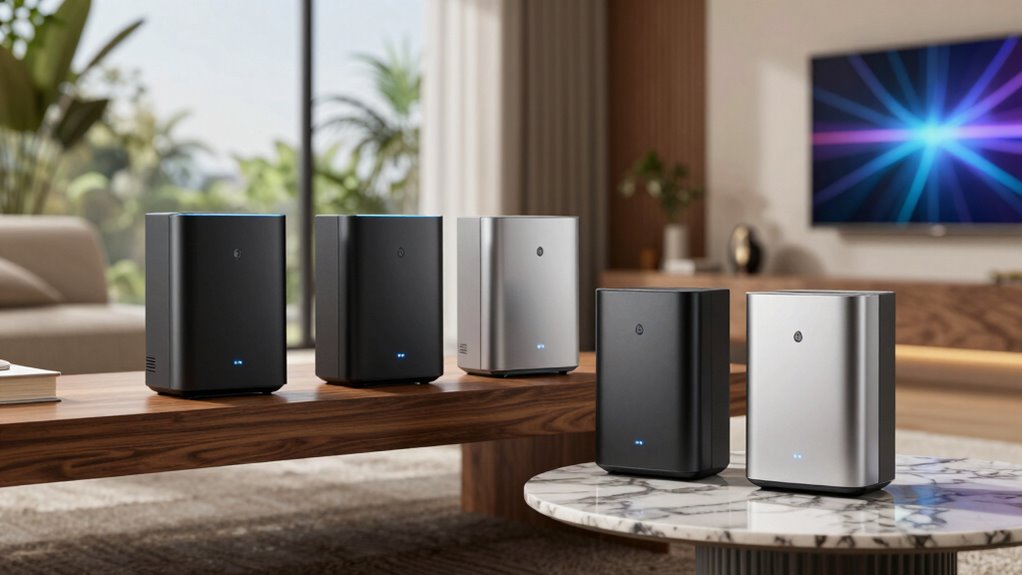
A Wi-Fi 6E mesh system adds access to the 6 GHz band and uses multiple nodes to extend wireless coverage around a home. My best overall pick is the TP-Link Deco XE70 Pro, which pairs tri-band mesh with a multi-gig port; the eero Pro 6E is a simpler choice for households that value streamlined setup, while the NETGEAR Orbi RBKE963 is aimed at larger homes and demanding networks. The main tradeoffs are how many nodes you need, whether wired ports matter, and how much you value extra features over simpler management. Wi-Fi 6E devices must support 6 GHz to use that band, and its range can be shorter than 5 GHz. Read on for the full breakdown and guidance on choosing the right configuration.

Get the latest gadgets delivered free with Prime
- Fast, free delivery on millions of items
- Prime Video, Amazon Music and more included
- Member-only deals all year
Complete the kit



Key Takeaways
- The Deco XE70 Pro is the most balanced pick: it combines tri-band Wi-Fi 6E mesh with a multi-gig port, a useful distinction for households with fast internet service or wired equipment.
- Mesh coverage depends on configuration, not just the model name: the Deco XE75 appears as a one-, two-, and three-pack, so buyers can match node count to the home rather than assume one bundle suits every layout.
- The XE75 Pro adds a wired-network advantage: its Pro designation and multi-gig connectivity can matter more than a small change in wireless class for users connecting high-bandwidth devices by Ethernet.
- Orbi RBKE963 targets capacity and scale: its quad-band design and router-plus-two-satellite kit stand apart from the more compact tri-band Deco and eero options, but may be more system than a modest home needs.
- A single Archer AXE75 is not a mesh kit: it can suit a smaller space or a planned wired access-point setup, but buyers seeking seamless multi-node coverage should choose one of the mesh systems instead.
| Amazon eero Pro 6E Mesh Wi-Fi System, 3-Pack |  | Best for Simple Whole-Home Coverage | Wi-Fi standard: Wi-Fi 6E | Pack size: 3 units | Coverage: Up to 6,000 sq. ft. | VIEW ON AMAZON | See Our Full Breakdown |
| TP-Link Deco XE70 Pro Tri-Band Wi-Fi 6E Mesh System, 3-Pack |  | Best for High-Capacity Homes | System type: Tri-band Wi-Fi 6E mesh | Pack size: 3 units | Maximum Wi-Fi speed: 4.9 Gbps | VIEW ON AMAZON | See Our Full Breakdown |
| TP-Link Deco XE75 AXE5400 Tri-Band Wi-Fi 6E Mesh System, 2-Pack |  | Best Two-Node Value | Model: Deco XE75 | Pack size: 2 units | Frequency bands: Tri-band: 6 GHz, 5 GHz, and 2.4 GHz | VIEW ON AMAZON | See Our Full Breakdown |
| TP-Link Deco XE75 AXE5400 Tri-Band WiFi 6E Mesh System, 3-Pack |  | Best for Expansive Homes | Wi-Fi standard: Wi-Fi 6E (802.11ax) | Pack size: 3 units | Wi-Fi bands: Tri-band: 2.4 GHz, 5 GHz, and 6 GHz | VIEW ON AMAZON | See Our Full Breakdown |
| TP-Link Archer AXE75 AXE5400 Tri-Band WiFi 6E Router |  | Best Standalone Router | Wi-Fi generation: Wi-Fi 6E | Frequency bands: 6 GHz, 5 GHz, and 2.4 GHz | Maximum data transfer rate: 5,400 Mbps | VIEW ON AMAZON | See Our Full Breakdown |
| NETGEAR Orbi RBKE963 Quad-Band WiFi 6E Mesh System with Router and 2 Satellite Extenders |  | Best for Maximum Coverage and Capacity | Model: RBKE963 | WiFi generation: WiFi 6E | Frequency bands: Quad-band | VIEW ON AMAZON | See Our Full Breakdown |
| TP-Link Deco XE75 Pro AXE5400 Tri-Band Wi-Fi 6E Mesh System, 2-Pack |  | Best Two-Unit Value | Wi-Fi generation: Wi-Fi 6E | Bands: Tri-band: 6 GHz, 5 GHz, and 2.4 GHz | Combined data rate: Up to 5,400 Mbps | VIEW ON AMAZON | See Our Full Breakdown |
| TP-Link Deco XE75 AXE5400 Tri-Band Wi-Fi 6E Mesh System, 1-Pack | 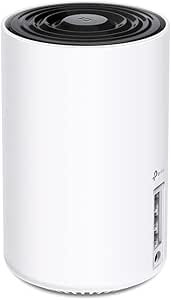 | Best for Adding a Node or Starting Small | Model: Deco XE75 | Wi-Fi standard: Wi-Fi 6E | Wi-Fi bands: 6 GHz, 5 GHz, and 2.4 GHz | VIEW ON AMAZON | See Our Full Breakdown |
| TP-Link Deco XE75 Pro AXE5400 Tri-Band Wi-Fi 6E Mesh System, 3-Pack | 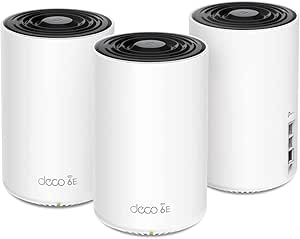 | Best for Broad Deco Mesh Coverage | Model: Deco XE75 Pro | Pack size: 3 units | Wi-Fi generation: Wi-Fi 6E (802.11ax) | VIEW ON AMAZON | See Our Full Breakdown |
| wifi 6e mesh system | Pack size | Coverage |
|---|---|---|
| Amazon eero Pro 6E Mesh Wi-Fi | 3 units | Up to 6,000 sq. ft. |
| TP-Link Deco XE70 Pro Tri-Band | 3 units | — |
| TP-Link Deco XE75 AXE5400 Tri- | 2 units | Up to 5,500 sq. ft. |
| TP-Link Deco XE75 AXE5400 Tri- | 3 units | Up to 7,200 sq. ft. |
| TP-Link Archer AXE75 AXE5400 T | — | — |
| NETGEAR Orbi RBKE963 Quad-Band | — | Up to 9,000 sq. ft. |
| TP-Link Deco XE75 Pro AXE5400 | 2 units | Up to 5,500 sq. ft. (2-pack) |
| TP-Link Deco XE75 AXE5400 Tri- | — | — |
| TP-Link Deco XE75 Pro AXE5400 | 3 units | Up to 7,200 sq. ft. |
More Details on Our Top Picks
Amazon eero Pro 6E Mesh Wi-Fi System, 3-Pack
The eero Pro 6E 3-pack suits buyers who want broad coverage and straightforward mesh management, with a stated reach of up to 6,000 sq. ft. and support for more than 100 devices. Its 2.5 Gb Ethernet port gives a wired connection room to exceed gigabit speeds, while TrueMesh is designed to help limit dead spots and drop-offs. Compared with the TP-Link Deco XE70 Pro, eero has lower stated speed and device-capacity ceilings, but its listed coverage and mesh focus make it a sensible fit for a large, busy home. The tradeoff is that some security and network-management tools require a subscription. Setup also depends on a supported iOS or Android device and an active internet service, so it is not the pick for buyers seeking a standalone, subscription-free setup.
Pros:- Three units are rated to cover up to 6,000 sq. ft.
- Supports more than 100 connected devices
- Includes a 2.5 Gb Ethernet port alongside a 1 Gb port on each unit
- TrueMesh technology is designed to reduce dead spots and connection drops
Cons:- Some security and network-management features require a separate subscription
- Initial setup requires a supported iOS or Android device and internet service
Best for: Households with a large floor plan, many connected devices, and a preference for app-guided mesh setup
Not ideal for: Buyers who want advanced security and network controls without a subscription, or who do not have a supported smartphone or tablet for setup
- Wi-Fi standard:Wi-Fi 6E
- Pack size:3 units
- Coverage:Up to 6,000 sq. ft.
- Connected devices:100+
- Maximum network speed:Up to 2.3 Gbps
- Ethernet ports per unit:One 2.5 Gb and one 1 Gb auto-sensing port
- Maximum wireless speed:Up to 1.6 Gbps
Our verdict“Choose the eero Pro 6E if you want a three-node system for broad home coverage and value a guided setup more than the higher speed and device limits of the Deco XE70 Pro.”
TP-Link Deco XE70 Pro Tri-Band Wi-Fi 6E Mesh System, 3-Pack
Among these three-unit Wi-Fi 6E systems, the Deco XE70 Pro leads on stated throughput and device capacity: up to 4.9 Gbps, coverage up to 7,200 sq. ft., and support for as many as 200 devices. That combination fits homes with heavy simultaneous use, while wired or wireless backhaul lets owners choose between flexible placement and Ethernet-linked nodes. Each unit also has a 2.5 Gbps port plus two Gigabit ports, giving wired devices more connection options than the Amazon eero Pro 6E. The tradeoff is that the product’s headline capacity does not itself guarantee stronger performance in every layout, and HomeShield premium security features require a paid service. Buyers with a smaller home or modest device count may find its capacity less useful than the two-node Deco XE75.
Pros:- Three-unit system is rated for coverage up to 7,200 sq. ft.
- Supports up to 200 connected devices
- Offers wireless and wired backhaul
- Each unit includes one 2.5 Gbps port and two Gigabit ports
Cons:- HomeShield premium security features require a paid service
- Its higher stated capacity may be unnecessary for smaller homes or lighter network use
Best for: Large, device-dense households that want flexible node backhaul and multiple wired connections around the home
Not ideal for: Buyers with a compact home or few connected devices who would not make use of the three-node coverage and higher stated capacity
- System type:Tri-band Wi-Fi 6E mesh
- Pack size:3 units
- Maximum Wi-Fi speed:4.9 Gbps
- Maximum coverage:Up to 7,200 sq. ft.
- Maximum connected devices:200
- Backhaul:Wireless and wired
- Ports per unit:One 2.5 Gbps port and two Gigabit ports
Our verdict“Pick the Deco XE70 Pro for a large, busy home where its device capacity, flexible backhaul, and per-unit port selection matter more than keeping the mesh system simple.”
TP-Link Deco XE75 AXE5400 Tri-Band Wi-Fi 6E Mesh System, 2-Pack
The Deco XE75 2-pack is the compact route into Wi-Fi 6E mesh: its two units are rated to cover up to 5,500 sq. ft. and support as many as 200 devices. Its tri-band design can use 6 GHz for device connections or node backhaul, so compatible devices can access that band while it also offers another path between nodes. Compared with the three-pack Deco XE75, this version makes more sense when two well-placed units can cover the home; the larger pack is the better fit when the extra node is needed for a wider or more obstructed layout. The main limitation is its Gigabit LAN ports, which do not match the 2.5 Gbps ports on the Deco XE70 Pro. A modem is also required for most internet providers, and some HomeShield features sit behind premium services.
Pros:- Two units are rated to cover up to 5,500 sq. ft.
- Tri-band Wi-Fi 6E includes a 6 GHz band
- The 6 GHz band can serve device connections or node backhaul
- Supports up to 200 devices and app-based management
Cons:- LAN ports are limited to Gigabit bandwidth
- A modem is required for most internet providers
- Some HomeShield security features require a premium service
Best for: People with a medium-to-large home who want two Wi-Fi 6E mesh nodes and do not need a third access point
Not ideal for: Owners of sprawling or heavily divided homes who need three nodes, or buyers who want multi-gigabit Ethernet ports
- Model:Deco XE75
- Pack size:2 units
- Frequency bands:Tri-band: 6 GHz, 5 GHz, and 2.4 GHz
- Maximum combined data rate:5,400 Mbps
- Coverage:Up to 5,500 sq. ft.
- Supported devices:Up to 200
- LAN port bandwidth:10/100/1000 Mbps
Our verdict“Choose this two-pack if you need Wi-Fi 6E mesh across a substantial home but can cover it with two nodes and do not need the Deco XE70 Pro’s 2.5 Gbps ports.”
TP-Link Deco XE75 AXE5400 Tri-Band WiFi 6E Mesh System, 3-Pack
The Deco XE75 3-pack pairs three nodes with stated coverage up to 7,200 sq. ft., making it a better match than the two-pack Deco XE75 for large layouts where an additional placement point can help extend the mesh. It keeps the same 5,400 Mbps combined rate and support for up to 200 devices, while the 6 GHz band can serve compatible clients or wireless backhaul. That makes it a straightforward choice for buyers who want a three-node Wi-Fi 6E system without stepping up to the Deco XE70 Pro’s 2.5 Gbps ports. The tradeoff is that this XE75 lists Gigabit LAN bandwidth, so multi-gig wired links are not its strength. Its 6 GHz benefits also depend on compatible devices and suitable node placement, and most internet providers require a separate modem.
Pros:- Three units are rated to cover up to 7,200 sq. ft.
- Tri-band Wi-Fi 6E includes 2.4 GHz, 5 GHz, and 6 GHz
- Supports up to 200 devices
- Deco app provides setup and network management, with Alexa compatibility
Cons:- LAN ports are limited to Gigabit bandwidth
- A modem is required for most internet providers
- The 6 GHz band requires compatible devices to benefit directly
Best for: Households with a wide or multi-level floor plan that need three nodes and want 6 GHz mesh without multi-gig Ethernet requirements
Not ideal for: Buyers whose priority is 2.5 Gbps wired connectivity, or people with a smaller home that can be covered by two nodes
- Wi-Fi standard:Wi-Fi 6E (802.11ax)
- Pack size:3 units
- Wi-Fi bands:Tri-band: 2.4 GHz, 5 GHz, and 6 GHz
- Combined data rate:Up to 5,400 Mbps
- Coverage:Up to 7,200 sq. ft.
- Device capacity:Up to 200 devices
- LAN port bandwidth:10/100/1000 Mbps
Our verdict“Choose the Deco XE75 3-pack over its two-pack counterpart when your floor plan needs a third node, but choose the Deco XE70 Pro if 2.5 Gbps ports are a priority.”
TP-Link Archer AXE75 AXE5400 Tri-Band WiFi 6E Router
The Archer AXE75 is the outlier here: it is a Wi-Fi 6E router, not a mesh kit with multiple units. Its tri-band connection reaches a stated combined rate of up to 5,400 Mbps, and EasyMesh compatibility gives buyers a route to expand coverage with compatible equipment later. It also supports VPN client and server connections, a useful distinction from the mesh-first Deco XE75 systems for people who want those network features in a single-router setup. The tradeoff is physical coverage: one router cannot place additional nodes around a home out of the box, so it is less suited to dead zones or wide floor plans. A modem is required for most providers, and some HomeShield tools require a paid service. Choose it for a central router location, not as a complete multi-node mesh system.
Pros:- Tri-band Wi-Fi 6E with a stated combined rate up to 5,400 Mbps
- EasyMesh compatibility allows compatible network expansion
- Supports OpenVPN, PPTP, and L2TP client and server connections
- Includes WPA3 security support
Cons:- Sold as a single router rather than a multi-node mesh system
- A modem is required for most internet providers
- Some HomeShield features require a paid premium service
Best for: Buyers who need one Wi-Fi 6E router for a home with a central placement point and value VPN support or possible EasyMesh expansion
Not ideal for: People seeking a ready-to-use multi-node mesh kit for a large, multi-level home or persistent dead zones
- Wi-Fi generation:Wi-Fi 6E
- Frequency bands:6 GHz, 5 GHz, and 2.4 GHz
- Maximum data transfer rate:5,400 Mbps
- Processor:1.0 GHz dual-core CPU
- Antennas:8 fixed antennas
- Ports:5
- Mesh compatibility:EasyMesh
Our verdict“Choose the Archer AXE75 if a single Wi-Fi 6E router suits your floor plan and VPN support matters; choose the Deco XE75 if you need multiple mesh nodes from the start.”
NETGEAR Orbi RBKE963 Quad-Band WiFi 6E Mesh System with Router and 2 Satellite Extenders
The Orbi RBKE963 is the high-capacity choice here: its router and two satellites are rated to cover up to 9,000 sq. ft. and support as many as 200 devices. Its quad-band design includes dedicated backhaul, which gives mesh traffic a separate lane rather than asking it to share the same wireless capacity as client devices. That makes it a stronger fit for a large, busy home than the two-unit Deco XE75 Pro, though the Deco is a less elaborate alternative for homes that do not need this much reach. A 10 Gigabit internet port also gives the Orbi room for a very fast incoming connection. The tradeoff is scale: buyers with compatible 6 GHz devices benefit most, while smaller homes may not make practical use of its coverage and capacity.
Pros:- Rated for coverage up to 9,000 sq. ft. with the included router and two satellites
- Quad-band WiFi 6E with dedicated backhaul
- Supports up to 200 connected devices
- 10 Gigabit internet port and automatic firmware updates
Cons:- Its WiFi 6E benefits depend on having compatible client devices
- The extensive coverage and quad-band design may be more than smaller homes need
Best for: Owners of large homes with many connected devices, compatible WiFi 6E clients, and a multi-gig internet connection.
Not ideal for: Residents of smaller homes or buyers with few 6 GHz devices who would not use its extensive coverage and high-capacity design.
- Model:RBKE963
- WiFi generation:WiFi 6E
- Frequency bands:Quad-band
- Included components:Router and 2 satellite extenders
- Maximum data transfer rate:Up to 10.8 Gbps
- Coverage:Up to 9,000 sq. ft.
- Maximum connected devices:200
- Internet port:10 Gigabit Ethernet
Our verdict“Choose the Orbi RBKE963 when a large home and a heavy device load justify its quad-band design and broad rated coverage.”
TP-Link Deco XE75 Pro AXE5400 Tri-Band Wi-Fi 6E Mesh System, 2-Pack
The two-pack Deco XE75 Pro is a practical middle ground for buyers who want WiFi 6E mesh without the Orbi RBKE963’s quad-band, large-home scale. Its two units are rated for up to 5,500 sq. ft., and each has a 2.5 Gbps WAN/LAN port for a multi-gig connection or wired device. The tri-band layout adds 6 GHz alongside 5 GHz and 2.4 GHz, while app-based setup keeps network management straightforward. Compared with the single-unit Deco XE75, this pack supplies a second mesh node for wider coverage; compared with the three-unit XE75 Pro, it is a more focused choice for homes that need fewer nodes. It supports up to 200 devices, but a separate modem is required for most providers, and its combined speed is shared across bands.
Pros:- Two-unit system rated for coverage up to 5,500 sq. ft.
- One 2.5 Gbps WAN/LAN port and two 1 Gbps LAN ports per unit
- Tri-band WiFi 6E includes a dedicated 6 GHz band
- Deco app supports setup and network management
Cons:- A separate modem is required for most internet providers
- The two-pack offers less rated coverage than the three-unit Deco XE75 Pro
- The combined data rate is shared across the three bands
Best for: Households seeking two WiFi 6E mesh nodes, broad mid-sized-home coverage, and a 2.5 Gbps wired connection.
Not ideal for: Buyers who need a modem included, a third node for a larger layout, or quad-band dedicated backhaul.
- Wi-Fi generation:Wi-Fi 6E
- Bands:Tri-band: 6 GHz, 5 GHz, and 2.4 GHz
- Combined data rate:Up to 5,400 Mbps
- Coverage:Up to 5,500 sq. ft. (2-pack)
- Device capacity:Up to 200 devices
- Pack size:2 units
- Ports per unit:1 x 2.5 Gbps WAN/LAN; 2 x 1 Gbps LAN
- Control method:Deco app
Our verdict“Pick this two-pack for mid-sized homes that need two WiFi 6E nodes and multi-gig Ethernet without stepping up to a three-unit system.”
TP-Link Deco XE75 AXE5400 Tri-Band Wi-Fi 6E Mesh System, 1-Pack
The single-unit Deco XE75 suits buyers who need a WiFi 6E router now but do not need a multi-node kit yet. It can operate on its own or join a compatible TP-Link Deco mesh system, so a buyer can add coverage later rather than committing to multiple units at the outset. Its tri-band radios include 6 GHz, with combined speeds listed up to 5,400 Mbps and capacity for up to 200 devices. Compared with the two-pack Deco XE75 Pro, this is the simpler starting point, but it does not provide a second node or the Pro model’s specified 2.5 Gbps WAN/LAN port. The Deco app and basic HomeShield features offer convenient management; advanced HomeShield functions may require a premium service. Most providers also require a separate modem.
Pros:- Can operate as a standalone router or join a compatible Deco mesh system
- Tri-band WiFi 6E includes 6 GHz, 5 GHz, and 2.4 GHz
- Supports up to 200 devices
- Deco app includes setup, management, and basic HomeShield features
Cons:- One unit does not provide the multi-node coverage of the Deco XE75 Pro two- or three-pack
- A separate modem is required for most internet providers
- Advanced HomeShield features may require a premium service
Best for: People with a smaller space who want one WiFi 6E router now and the option to expand later using compatible Deco units.
Not ideal for: Households that already need multi-node whole-home coverage or buyers who need a specified 2.5 Gbps WAN/LAN port.
- Model:Deco XE75
- Wi-Fi standard:Wi-Fi 6E
- Wi-Fi bands:6 GHz, 5 GHz, and 2.4 GHz
- Combined speed:Up to 5,400 Mbps
- 6 GHz speed:2,402 Mbps (HE160)
- 2.4 GHz speed:574 Mbps
- Device capacity:Up to 200 devices
- Package quantity:1 unit
Our verdict“Choose the single Deco XE75 if you want a WiFi 6E router that can expand into a Deco mesh later, rather than a complete multi-node kit today.”
TP-Link Deco XE75 Pro AXE5400 Tri-Band Wi-Fi 6E Mesh System, 3-Pack
For buyers who want several mesh nodes without moving to a quad-band system, the three-unit Deco XE75 Pro is the broader-coverage pick. TP-Link rates it for up to 7,200 sq. ft., with tri-band WiFi 6E across 6 GHz, 5 GHz, and 2.4 GHz. Each unit includes a 2.5 Gbps WAN/LAN port plus two 1 Gbps LAN ports, giving wired devices and multi-gig service a useful connection option. Compared with the two-pack XE75 Pro, the extra unit is suited to a larger or more spread-out home; the Orbi RBKE963, by contrast, adds quad-band operation and dedicated backhaul, but is rated for greater coverage. The Deco remains an app-managed, tri-band system, and its stated 5,400 Mbps is shared across all three bands. A separate modem is required.
Pros:- Three units are rated for coverage up to 7,200 sq. ft.
- Tri-band WiFi 6E provides 6 GHz, 5 GHz, and 2.4 GHz bands
- Each unit has a 2.5 Gbps WAN/LAN port and two 1 Gbps LAN ports
- Deco app provides setup and network management
Cons:- A separate modem is required
- The maximum combined data rate is shared across the three bands
- Tri-band design does not provide the Orbi RBKE963’s quad-band dedicated backhaul
Best for: Owners of larger or spread-out homes who want three WiFi 6E mesh units and multi-gig Ethernet on each node.
Not ideal for: Buyers in smaller homes who need only one or two nodes, or those seeking quad-band dedicated backhaul like the Orbi RBKE963.
- Model:Deco XE75 Pro
- Pack size:3 units
- Wi-Fi generation:Wi-Fi 6E (802.11ax)
- Frequency bands:Tri-band: 6 GHz, 5 GHz, and 2.4 GHz
- Maximum combined data rate:5,400 Mbps
- Coverage:Up to 7,200 sq. ft.
- Ethernet ports per unit:1 x 2.5 Gbps WAN/LAN; 2 x 1 Gbps LAN
- Control:Deco app
Our verdict“Choose this three-pack when a larger home needs three WiFi 6E nodes and multi-gig wired ports, but not the Orbi’s quad-band design.”

How We Picked
I ranked these options by how well their design matches common Wi-Fi 6E buying needs: reliable whole-home coverage, useful 6 GHz access, backhaul capacity, Ethernet connectivity, configuration flexibility, and ease of setup and management. I also distinguished true multi-node mesh kits from a single router, since a strong standalone router does not provide the same coverage strategy as a coordinated mesh system. Pack size matters: a one-pack may be a sensible starting point for a small space, while larger homes generally need carefully placed additional nodes.
The ranking favors systems with a useful balance of coverage, features, and flexibility over choices that specialize in only one area. The Deco XE70 Pro leads for its combination of mesh and multi-gig connectivity; eero earns a place for a straightforward setup approach, while Orbi ranks as a premium option for users who can make use of its quad-band design and satellite kit. The Deco XE75 and XE75 Pro variants offer practical configuration choices, but buyers should compare pack size and wired-port needs before choosing between closely related models. The Archer AXE75 is included as a useful single-router alternative, not treated as a direct substitute for a mesh kit.
| wifi 6e mesh system | Coverage |
|---|---|
| Amazon eero Pro 6E Mesh Wi-Fi | Up to 6,000 sq. ft. |
| TP-Link Deco XE70 Pro Tri-Band | — |
| TP-Link Deco XE75 AXE5400 Tri- | Up to 5,500 sq. ft. |
| TP-Link Deco XE75 AXE5400 Tri- | Up to 7,200 sq. ft. |
| TP-Link Archer AXE75 AXE5400 T | — |
| NETGEAR Orbi RBKE963 Quad-Band | Up to 9,000 sq. ft. |
| TP-Link Deco XE75 Pro AXE5400 | Up to 5,500 sq. ft. (2-pack) |
| TP-Link Deco XE75 AXE5400 Tri- | — |
| TP-Link Deco XE75 Pro AXE5400 | Up to 7,200 sq. ft. |
Factors to Consider When Choosing Wifi 6e Mesh System
The right system depends on the shape of your home, your wired equipment, and whether your devices can use the 6 GHz band. I would settle those questions before comparing wireless class labels: a well-placed two-node system can serve a home better than a higher-spec kit with poorly positioned hardware.
Choose node count around the floor plan
Start with the barriers and distances between your router location and the rooms that need better service, rather than choosing a pack solely by home size. Dense walls, multiple floors, and awkward layouts can weaken a mesh link even when a kit claims broad coverage. A two-pack is often a reasonable starting point for a typical home, while a three-pack can help when you need to reach a distant wing or another floor. More nodes are not automatically better: nodes placed too close together can add complexity without fixing a dead zone. Check whether the system lets you add compatible units later, and plan placement where each node can still receive a strong signal from the next one.
Treat 6 GHz as a nearby fast lane
The 6 GHz band gives compatible devices access to additional spectrum, which can help in busy wireless environments. It is not a universal speed boost: a device needs Wi-Fi 6E support, and older phones, laptops, and smart-home gear continue to use other bands. The 6 GHz signal also tends to have less reach through walls than 5 GHz, so its benefits are greatest when a client is relatively close to a node. Avoid buying a system on the assumption that every device will connect to 6 GHz or that it will fix weak coverage at the far end of a house. For many homes, good node placement and a strong backhaul matter more than the newest band alone.
Check wired ports and backhaul plans
Ethernet ports can change how a mesh system fits a home. A wired backhaul connects nodes through Ethernet instead of relying on a wireless link, which can preserve wireless capacity for household devices and help when nodes sit far apart. Multi-gig ports are useful only when the internet plan, modem, switch, or attached device can use speeds above one gigabit. Count the ports you need for a desktop, television, console, or network storage before deciding that a system has enough connectivity. If you cannot run cable, prioritize a system designed to handle wireless backhaul well and place its nodes with a clear, stable link between them.
Match system complexity to your household
Mesh apps differ in how much control they offer over device management, network settings, and parental or security tools. A household that wants quick setup and basic controls may prefer a more guided experience; users who adjust network settings or manage many connected devices may want more control. Check which features are included and whether any require an account or ongoing service before choosing. Also think about who will troubleshoot the network: a simple interface can be more valuable than advanced options that no one in the home will use. The best fit is the system whose maintenance demands match your comfort level.
Pay for capacity you can use
Premium quad-band hardware can make sense in a large home with many active devices, demanding local traffic, or a need for a dedicated wireless backhaul path. In a smaller home with a modest internet connection, that extra capacity may not translate into a noticeable improvement. Compare the full kit configuration, including the number of satellites and the ports on each unit, rather than relying on a model’s headline wireless class. A less elaborate tri-band system may be the more sensible choice if it covers the home and meets your wired needs. Spend more when the system solves a specific limitation, not just because its specifications are larger.
Decide whether you need mesh at all
A single router can be a better fit for an apartment or a compact home where one well-placed unit reaches every room. Mesh is most useful when the floor plan creates separate coverage zones that one router cannot handle reliably. Do not assume that adding a second unit will improve every network: placement, backhaul quality, and compatibility all affect results. If you already have Ethernet runs, a wired access point or wired mesh node may be a better way to extend coverage than a wireless hop. Treat a standalone router in this roundup as a different solution, not a lower-cost version of a multi-node mesh kit.
Frequently Asked Questions
Should I buy a two-pack or three-pack for my home?
Choose based on the number of separate areas the signal must reach and whether walls or floors sit between them. A two-pack can be enough when the nodes can maintain a strong link and the home has a straightforward layout. A three-pack is more appropriate when a distant room, extra floor, or long wing needs its own access point. Adding a node will not help much if it is placed where the existing signal is already weak; position nodes where they can relay a stable connection. If possible, check the system’s expansion options so you can start with fewer units and add one only if coverage remains inadequate.
Will a Wi-Fi 6E mesh system make my older devices faster?
Older devices that do not support Wi-Fi 6E cannot connect to the 6 GHz band. They can still use the system’s compatible 2.4 GHz or 5 GHz bands, and they may benefit from improved coverage if a mesh node brings a stronger connection nearby. The largest direct benefit from 6 GHz goes to Wi-Fi 6E-capable phones, laptops, and other clients within useful range of a node. Before upgrading, check which devices you use for bandwidth-heavy tasks and whether they support 6E. If most of your equipment is older, coverage and wired connectivity may be stronger reasons to buy than 6 GHz access.
Is the Archer AXE75 a suitable substitute for a mesh system?
It can be a good fit if one router covers your home or if you plan to extend coverage with a compatible wired access point setup. It is not equivalent to a multi-node mesh kit out of the box: a single router does not provide coordinated satellite coverage across distant rooms. For an apartment or compact layout, one unit may avoid extra hardware and setup. For a multi-floor home with persistent dead zones, a mesh kit is the more direct match. Decide based on the coverage gaps you need to solve, not just the fact that both options support Wi-Fi 6E.
When is a quad-band system worth choosing over a tri-band one?
A quad-band system may be a better fit for a larger home or a busy network where many devices use the mesh at once and wireless links between nodes need more capacity. Its extra radio capacity can help the system manage traffic, but it does not guarantee a faster connection for every individual device. A tri-band kit can be a better match for a smaller home, fewer active clients, or a setup with Ethernet backhaul. Compare the whole package: node count, wired ports, placement options, and the bandwidth your internet service provides. If you cannot identify a capacity or coverage need that calls for the extra hardware, a simpler kit may be enough.
Should I choose a Pro Deco model or a standard XE75?
Start by checking the exact ports and pack size on the listings you are comparing, since those details can shape the choice more than the shared Wi-Fi 6E branding. The Pro versions are most relevant when you need multi-gig wired connectivity for a fast internet plan, network storage, or another capable device. A standard XE75 can be a sensible fit when gigabit Ethernet meets your needs and you want to choose among one-, two-, or three-node configurations. Do not assume that a Pro model will improve wireless coverage by itself; coverage also depends on node count and placement. Pick the version that solves a clear wired or capacity requirement, rather than paying for a feature your network cannot use.
Conclusion
For most buyers, I would start with the TP-Link Deco XE70 Pro as the best overall because it balances mesh coverage with useful multi-gig connectivity. The standard Deco XE75 is my best value direction for shoppers who want tri-band 6E mesh and need to choose a pack size that fits their layout; compare the one-, two-, and three-pack configurations before deciding. For a best premium pick, the NETGEAR Orbi RBKE963 suits larger, busier homes that can use quad-band capacity and its satellite kit. If ease of setup matters most, the eero Pro 6E is my beginner-friendly choice. Choose the Deco XE75 Pro when multi-gig Ethernet is a priority, and the Archer AXE75 when you need a capable single router rather than mesh. The right pick is the one whose node count, backhaul, and wired ports match your home—not simply the system with the biggest specification label.