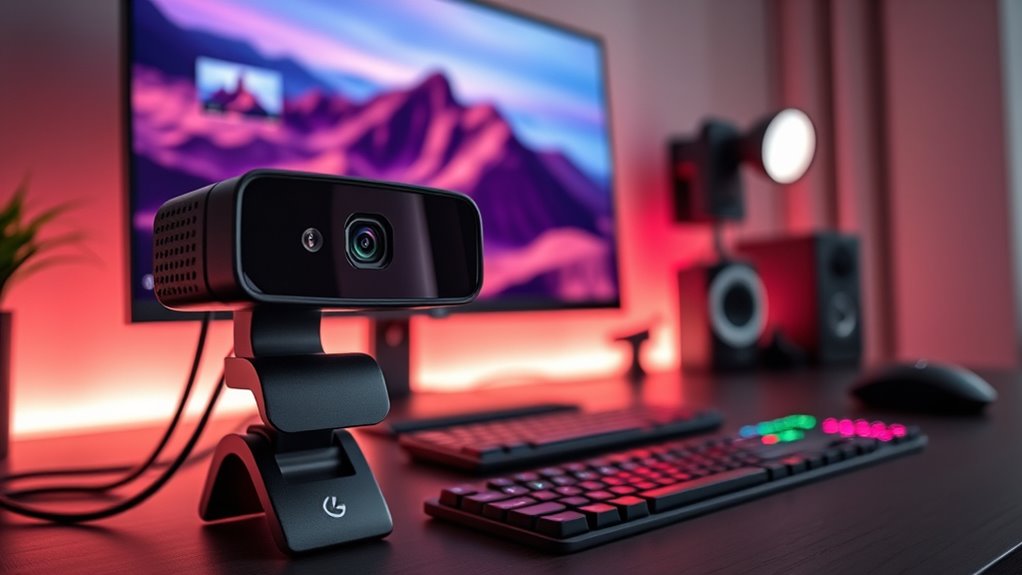

Webcams for streaming have become essential tools for content creators, gamers, and remote workers alike. The best models offer crisp video quality, reliable autofocus, and features tailored for live broadcasting. The Logitech MX Brios stands out as the overall top choice thanks to its 4K resolution and versatile features, while the OBSBOT Tiny 2 Lite offers excellent AI tracking at a more affordable price. However, choosing the right webcam involves tradeoffs like resolution, autofocus, and price. Continue reading for a detailed breakdown to help you find the perfect fit for your streaming setup.

Get the latest gadgets delivered free with Prime
- Fast, free delivery on millions of items
- Prime Video, Amazon Music and more included
- Member-only deals all year
Complete the kit



Key Takeaways
- Resolution matters: 4K webcams deliver sharper images, but may require more processing power and bandwidth.
- AI features like auto-tracking and framing can significantly enhance stream quality, especially for mobile or dynamic use cases.
- Built-in microphones vary widely in quality; choose a model with noise-canceling features if audio clarity is essential.
- Price does not always correlate with quality: some mid-range webcams offer excellent performance for streamers on a budget.
- Design and compatibility are key: look for plug-and-play models compatible with your preferred streaming platform and setup.
| Logitech MX Brio Ultra HD 4K Webcam – Graphite |  | Best Overall for Professional-Grade Streaming | Resolution: 4K at 30fps, 1080p at 60fps | Sensor Size: 70% larger pixels | Microphones: Dual beamforming noise-reducing | VIEW ON AMAZON | See Our Full Breakdown |
| EMEET S600 4K Webcam for Streaming, Sony 1/2.55” Sensor, PDAF Autofocus |  | Best for Crisp, Reliable 4K Streaming with Autofocus | Sensor: Sony 1/2.55” | Resolution: 4K at 30fps, 1080p at 60fps | Autofocus: PDAF | VIEW ON AMAZON | See Our Full Breakdown |
| AOC 4K Webcam for PC with Noise-Canceling Microphone |  | Best for Versatile Wide-Angle Streaming and Easy Setup | Resolution: 4K Ultra HD | Field of View: 80° | Rotation: 360° | VIEW ON AMAZON | See Our Full Breakdown |
| OBSBOT Meet SE 1080P 100FPS Webcam for PC with AI Framing and Gesture Control |  | Best for High-Performance Streaming with AI Features | Video Resolution: 1080P@100 FPS | Frame Rates: 100FPS, 60FPS, 150FPS | Sensor: 1/2.8” CMOS | VIEW ON AMAZON | See Our Full Breakdown |
| EMEET PIXY Dual-Camera AI-Powered PTZ 4K Webcam |  | Best for Dynamic Multi-Angle Streaming with AI Tracking | Sensor Type: SONY 1/2.55” | Resolution: 4K | Focus: PDAF & AI Autofocus | VIEW ON AMAZON | See Our Full Breakdown |
| OBSBOT Meet 2-4K Webcam for PC with AI Framing & Autofocus |  | Best for Professional-Quality 4K Streaming with Intelligent Features | Resolution: 4K UHD | Sensor: 1/2″ CMOS | Weight: 40.5 grams | VIEW ON AMAZON | See Our Full Breakdown |
| NIVEOLI Webcam 1080P with Microphone & Privacy Cover for PC/Laptop |  | Best for Budget-Friendly HD Streaming with Automatic Light Correction | Sensor Type: CMOS | Resolution: Full HD 1080p | Focus Type: Fixed Focus | VIEW ON AMAZON | See Our Full Breakdown |
| OBSBOT Tiny 2 Lite 4K Webcam for PC, AI Tracking PTZ Streaming Camera |  | Best for Dynamic Streaming with AI Tracking and PTZ Capabilities | Video Resolution: 4K@30 FPS, 1080P@60 FPS | Sensor Type: CMOS | Sensor Resolution: 48 mp | VIEW ON AMAZON | See Our Full Breakdown |
| 1080P HD Webcam with Microphone, Privacy Cover, Wide-Angle Lens, Auto Light Correction, Plug & Play USB for Laptop, Desktop, PC, Mac, Streaming |  | Best for Versatile, Wide-Angle HD Streaming with Easy Setup | Resolution: 1080P Full HD | Lens: Wide-angle | Light Correction: Automatic | VIEW ON AMAZON | See Our Full Breakdown |
| NexiGo N60 1080P Webcam with Microphone, Privacy Cover, and Plug and Play Compatibility |  | Best for Easy, Reliable HD Streaming with Compatibility Focus | Resolution: 1920 x 1080 at 30fps | Lens: 3.6mm glass lens | Focus Type: Fixed Focus | VIEW ON AMAZON | See Our Full Breakdown |
| EMEET NOVA 4K Webcam for PC, Ultra HD, PDAF Autofocus, Dual Microphones |  | Best Overall for 4K Streaming and Versatility | Resolution: 4K (defaults to 1080P, switchable via software) | Frame Rate: 30FPS | Sensor: CMOS | VIEW ON AMAZON | See Our Full Breakdown |
| Logitech Brio 101 Full HD 1080p Webcam for Streaming and Meetings – Black |  | Best for Budget-Friendly HD Streaming and Video Calls | Resolution: 1080p Full HD | Brightness Boost: RightLight up to 50% | Privacy: Sliding webcam cover | VIEW ON AMAZON | See Our Full Breakdown |
| EMEET C60E Dual-Camera 4K Webcam for Streaming, Wide-Angle & Telephoto |  | Best for Versatile Streaming with Dual Lenses | Resolution: 4K | Zoom: up to 11X hybrid zoom | Autofocus: PDAF | VIEW ON AMAZON | See Our Full Breakdown |
| Acer A640 4K Webcam with AI Noise Canceling Microphone for Streaming and Meetings |  | Best for Clear Audio and High-Quality 4K Video | Resolution: 4K at 30fps, 2K/1080p at 60fps | Sensor: Sony 1/2.8-inch | Microphone: AI Noise Canceling | VIEW ON AMAZON | See Our Full Breakdown |
| 4K Webcam with Ring Light & Built-in Microphone for PC Streaming |  | Best for All-in-One Professional Streaming Setup | Resolution: 4K@30FPS, 1080P@60FPS | Lighting: Adjustable ring light with 3 color temps | Microphones: Dual noise-canceling microphones | VIEW ON AMAZON | See Our Full Breakdown |
| webcams for streaming | Resolution |
|---|---|
| Logitech MX Brio Ultra HD 4K W | 4K at 30fps, 1080p at 60fps |
| EMEET S600 4K Webcam for Strea | 4K at 30fps, 1080p at 60fps |
| AOC 4K Webcam for PC with Nois | 4K Ultra HD |
| OBSBOT Meet SE 1080P 100FPS We | — |
| EMEET PIXY Dual-Camera AI-Powe | 4K |
| OBSBOT Meet 2-4K Webcam for PC | 4K UHD |
| NIVEOLI Webcam 1080P with Micr | Full HD 1080p |
| OBSBOT Tiny 2 Lite 4K Webcam f | — |
| 1080P HD Webcam with Microphon | 1080P Full HD |
| NexiGo N60 1080P Webcam with M | 1920 x 1080 at 30fps |
| EMEET NOVA 4K Webcam for PC | 4K (defaults to 1080P, switchable via software) |
| Logitech Brio 101 Full HD 1080 | 1080p Full HD |
| EMEET C60E Dual-Camera 4K Webc | 4K |
| Acer A640 4K Webcam with AI No | 4K at 30fps, 2K/1080p at 60fps |
| 4K Webcam with Ring Light & Bu | 4K@30FPS, 1080P@60FPS |
More Details on Our Top Picks
Logitech MX Brio Ultra HD 4K Webcam – Graphite
The Logitech MX Brio stands out for delivering exceptional 4K video quality with AI enhancements that optimize image clarity, making it ideal for professional streamers who need top-tier visuals. Compared with the EMEET S600, it offers more advanced controls and better compatibility with conferencing platforms, but this comes with a higher price and more complex setup. The adjustable controls allow fine-tuning for different lighting conditions, and the dual noise-reducing microphones ensure clear audio, crucial for engaging streams. However, it relies exclusively on USB-C, which could limit compatibility for users with older ports, and its premium features might overwhelm casual users seeking simplicity. Best for streamers who prioritize high-quality visuals and professional features. It is less suitable for casual or budget-conscious users who prefer straightforward plug-and-play options.
Pros:- Outstanding 4K video clarity with AI enhancements
- Highly adjustable image controls for optimal quality
- Dual noise-reducing microphones for clear audio
- Built-in privacy shutter for security
Cons:- Requires USB-C port, limiting compatibility for some users
- More expensive than basic webcams with fewer features
Best for: Professional streamers and content creators wanting high-resolution output and extensive control
Not ideal for: Casual gamers or beginners seeking a simple, budget-friendly webcam
- Resolution:4K at 30fps, 1080p at 60fps
- Sensor Size:70% larger pixels
- Microphones:Dual beamforming noise-reducing
- Compatibility:Windows, macOS, Chrome OS, Linux
- Connectivity:USB-C
- Adjustable Controls:Lighting, white balance, ISO, Shutter Speed, Tint, Vibrance
Our verdict“This webcam is perfect for professionals who need premium quality and advanced customization, but may be overkill for casual users.”
EMEET S600 4K Webcam for Streaming, Sony 1/2.55” Sensor, PDAF Autofocus
The EMEET S600 makes a compelling case for streamers who need sharp, consistent 4K visuals with minimal fuss. Its Sony 1/2.55” sensor provides crisp detail, and the PDAF autofocus ensures subjects stay sharp even with movement, setting it apart from the AOC 4K Webcam which lacks autofocus. Auto light adjustment helps maintain good image quality across lighting conditions, but the fixed FOV at 4K can limit framing flexibility compared to models like the EMEET PIXY. Its plug-and-play nature suits users who prefer straightforward setup, yet video quality can depend on software settings, which might be confusing for some. Ideal for streamers who want reliable 4K clarity and autofocus without complex customization. It’s less suited for those needing broad field-of-view options or advanced controls.
Pros:- High-quality 4K video with crisp detail
- Advanced PDAF autofocus for sharp focus on moving subjects
- Auto light adjustment maintains consistent image quality
- Plug-and-play setup with broad OS compatibility
Cons:- Video resolution can depend on software settings
- Fixed field of view at 4K limits framing options
Best for: Streamers and content creators seeking crisp 4K video with autofocus and easy setup
Not ideal for: Users requiring adjustable FOV or more advanced manual controls
- Sensor:Sony 1/2.55”
- Resolution:4K at 30fps, 1080p at 60fps
- Autofocus:PDAF
- Field of View:73° at 4K
- Light Adjustment:Auto
- Compatibility:Windows, Mac, Linux
Our verdict“This webcam is a strong choice for those prioritizing reliable 4K clarity and autofocus, but less ideal for users wanting flexible framing.”
AOC 4K Webcam for PC with Noise-Canceling Microphone
The AOC 4K Webcam offers a broad 80° field of view and full 360° rotation, making it a versatile choice for streamers needing flexible framing. Its wide-angle lens captures more of the scene, ideal for group calls or immersive streams, but this can also introduce distortion if not carefully framed—something the Logitech MX Brio handles better with adjustable controls. Automatic light correction and a privacy sliding cover enhance usability and security. The lack of adjustable focus and no dedicated mute button might be drawbacks for users seeking more manual control or quick audio management. Its universal USB compatibility makes it straightforward for most setups, but compatibility issues could arise with older devices. Best for streamers who want wide coverage and easy plug-and-play setup, though not ideal for those needing precise framing or focus control.
Pros:- High-quality 4K video with wide-angle view
- Full 360° rotation for flexible framing
- Privacy sliding cover for security
- Automatic light correction improves image in varying conditions
Cons:- No mention of adjustable focus, which can limit control
- Potential compatibility issues with older systems
Best for: Streamers and professionals who need broad field coverage with simple operation
Not ideal for: Those requiring precise framing or manual focus adjustments
- Resolution:4K Ultra HD
- Field of View:80°
- Rotation:360°
- Privacy Feature:Sliding lens cover
- Lighting Correction:Automatic
- Compatibility:USB-C & USB-A
Our verdict“This webcam suits users who need wide-angle coverage and straightforward setup, but may fall short for those wanting detailed manual adjustments.”
OBSBOT Meet SE 1080P 100FPS Webcam for PC with AI Framing and Gesture Control
The OBSBOT Meet SE is designed for streamers who demand high-speed, smooth visuals and intelligent framing. Its 1080P resolution at 100FPS ensures ultra-smooth motion, ideal for gaming and fast-paced content. AI-powered framing and gesture control add a layer of convenience, allowing hands-free operation that outperforms simpler webcams like the NexiGo N60. While it excels in low-light conditions and offers customizable settings via OBSBOT Center software, it lacks a built-in microphone, requiring an external mic—something users should consider. Its focus on performance and AI features makes it less suitable for casual users or those seeking basic plug-and-play functionality. The limited water resistance and learning curve for software may also be factors for some buyers. Best for streamers and gamers who prioritize ultra-smooth motion and AI automation, but not ideal for users wanting integrated audio or outdoor use.
Pros:- 1080P at 100FPS for ultra-smooth motion
- AI framing and gesture control for hands-free operation
- Excellent low-light performance with CMOS sensor
- Customizable via dedicated software
Cons:- No built-in microphone, requiring external audio solution
- Limited water resistance and outdoor suitability
Best for: Streamers and gamers needing ultra-smooth video and AI-driven features
Not ideal for: Users seeking integrated audio or simple, no-fuss webcams
- Video Resolution:1080P@100 FPS
- Frame Rates:100FPS, 60FPS, 150FPS
- Sensor:1/2.8” CMOS
- Focus:Autofocus, Manual
- Connectivity:USB-C
- Features:AI Framing, Gesture Control
Our verdict“This webcam is ideal for high-performance streaming with AI automation, but less suited for those needing integrated audio or outdoor flexibility.”
EMEET PIXY Dual-Camera AI-Powered PTZ 4K Webcam
The EMEET PIXY offers a dual-camera setup with AI tracking and PTZ capabilities, making it an excellent choice for streamers who want dynamic, multi-angle shots without manual camera switching. Its 4K resolution provides detailed video quality, and the AI auto-focus and gesture control add to its versatility, outperforming single-camera models like the Logitech MX Brio in flexibility. The dual-camera system, however, adds complexity and requires compatible software, which might be a hurdle for users expecting straightforward plug-and-play. Its limited water resistance and specific OS requirements mean it’s best for indoor use on newer systems. This webcam excels in producing professional, engaging streams but demands a bit more setup time. Ideal for streamers and content creators needing multi-angle views and AI features. It may be less suitable for casual or budget-conscious users.
Pros:- High-resolution 4K with AI tracking and auto-focus
- Supports smooth PTZ movement for dynamic shots
- Gesture control enables hands-free operation
- Compact and easy to mount
Cons:- Requires compatible software and setup complexity
- Limited water resistance, not suitable for outdoor use
Best for: Streamers and professionals who want multi-angle, AI-powered dynamic content
Not ideal for: Users who prefer simple, single-camera setups or have older systems
- Sensor Type:SONY 1/2.55”
- Resolution:4K
- Focus:PDAF & AI Autofocus
- Viewing Angle:73°
- Special Features:AI tracking, gesture control
- Compatibility:Windows 10+, macOS 10.14+
Our verdict“This dual-camera AI webcam is perfect for dynamic, multi-angle streaming, though it involves more setup than single-camera models.”
OBSBOT Meet 2-4K Webcam for PC with AI Framing & Autofocus
This webcam stands out for delivering crisp 4K video with a bright, detailed image that surpasses the typical 1080p options like the NIVEOLI Webcam. Its AI-powered framing and auto-focus create a more polished, professional appearance without manual adjustments, making it ideal for content creators and streamers who prioritize image quality. The gesture control adds convenience, but it requires software for full functionality, and the device can heat up during extended use, which might affect stability. Compared to the OBSBOT Tiny 2 Lite, it offers higher resolution but lacks AI tracking, making it better suited for static setups rather than dynamic movement. Its lightweight and portable design make it perfect for on-the-go streaming or remote work, though limited compatibility details could be a concern for some users.
Pros:- Exceptional 4K UHD resolution for sharp, detailed images
- AI framing and auto-focus for professional video quality
- Gesture control simplifies operation without manual fiddling
- Compact, lightweight design for portability
Cons:- Can overheat during long sessions, affecting stability
- Requires additional software for full AI features
- Limited info on compatibility with non-PC devices
Best for: Streamers and content creators who need high-resolution, professional-looking video with AI features for static or semi-dynamic scenes
Not ideal for: Users seeking a versatile webcam for outdoor use or with extensive compatibility needs, due to potential overheating and software requirements
- Resolution:4K UHD
- Sensor:1/2″ CMOS
- Weight:40.5 grams
- Connectivity:USB-C
- Microphone:Dual omni-directional noise-canceling mics
Our verdict“This webcam is ideal for streamers who prioritize ultra-high-resolution video and smart features in a mostly static setup.”
NIVEOLI Webcam 1080P with Microphone & Privacy Cover for PC/Laptop
Compared with higher-end options like the OBSBOT Tiny 2 Lite, the NIVEOLI Webcam offers a solid 1080p image with auto light correction that ensures decent quality even in variable lighting conditions. It’s a straightforward choice for users who want reliable video for casual streaming or regular video calls, thanks to its plug-and-play USB connection and wide OS compatibility. The fixed focus lens simplifies setup but might limit sharpness for users needing close-up detail or variable focal lengths. Unlike the OBSBOT Meet 2, which excels in static high-res scenarios, the NIVEOLI is more suited for everyday use, especially where cost is a concern. Its privacy cover adds peace of mind, but the absence of advanced features like AI tracking makes it less ideal for dynamic or professional broadcast environments.
Pros:- Decent 1080p video with auto light correction
- Built-in noise-canceling microphone for clearer audio
- Privacy cover for added security
- Simple plug-and-play setup compatible with multiple OS
Cons:- Fixed focus may not suit all scenarios
- Limited to USB 2.0, which could affect data transfer speeds
- No water resistance for outdoor or rugged use
Best for: Casual streamers or remote workers who want a reliable, easy-to-use webcam without complex features
Not ideal for: Power users or professional streamers seeking AI tracking or 4K resolution, as this model offers only 1080p and fixed focus
- Sensor Type:CMOS
- Resolution:Full HD 1080p
- Focus Type:Fixed Focus
- Connectivity:USB
- Microphone:Noise-Canceling Microphone
Our verdict“This webcam is best suited for budget-conscious users needing dependable 1080p video for everyday streaming or meetings.”
OBSBOT Tiny 2 Lite 4K Webcam for PC, AI Tracking PTZ Streaming Camera
The OBSBOT Tiny 2 Lite makes a compelling case for streamers and educators who need hands-free operation through AI tracking and multiple shooting modes. Its 4K resolution surpasses many standard webcams, and the AI-powered PTZ (pan, tilt, zoom) features allow for a cinematic quality that’s difficult to match in basic models like the NexiGo N60. The gesture control and customizable preset modes enable flexible, dynamic shots without manual adjustments, ideal for live tutorials or lively streams. However, the lack of wireless connectivity means you’re tethered to a USB-C port, and its water resistance is limited, making outdoor use impractical. Compared with the OBSBOT Meet 2, it offers more movement and flexibility but at the expense of requiring a compatible port and being less suitable for static, high-res recording.
Pros:- High-quality 4K video with multiple shooting modes
- AI tracking and gesture control for hands-free operation
- Supports customizable presets and SDK integration
- Plug-and-play setup with Windows and Mac compatibility
Cons:- No wireless or Wi-Fi connectivity options
- Limited water resistance, unsuitable for outdoor use
- Requires USB-C port, possibly needing adapters
Best for: Content creators and streamers who need dynamic camera movement, AI tracking, and professional PTZ features
Not ideal for: Streamers or users with older devices lacking USB-C ports or those who prefer simple, fixed webcams for static scenes
- Video Resolution:4K@30 FPS, 1080P@60 FPS
- Sensor Type:CMOS
- Sensor Resolution:48 mp
- Focus Type:Autofocus
- Connectivity:USB-C
Our verdict“This webcam excels for dynamic, professional streams where AI tracking and PTZ control are priorities, especially in studio setups.”
1080P HD Webcam with Microphone, Privacy Cover, Wide-Angle Lens, Auto Light Correction, Plug & Play USB for Laptop, Desktop, PC, Mac, Streaming
Compared to specialized models like the OBSBOT Meet 2 or Tiny 2 Lite, this webcam offers a broad 1080p image with a wide-angle lens that captures more of the scene, making it suitable for group calls or crowded streams. Its automatic light correction ensures decent video quality across different lighting conditions, and the built-in noise-canceling microphone enhances audio clarity. The plug-and-play USB connection makes it accessible for most users, but the fixed focus might limit sharpness when zooming in or for close-up shots. While it’s not as feature-rich as the OBSBOT Tiny 2 Lite’s AI tracking, it provides a reliable, straightforward streaming solution ideal for casual to semi-professional use, especially where wide framing is needed.
Pros:- Wide-angle lens for capturing larger scenes
- Automatic light correction improves image quality
- Built-in noise-canceling microphone for clearer sound
- Plug-and-play USB connection for easy setup
Cons:- Fixed focus limits zooming or close-up clarity
- No advanced features like AI tracking or 4K resolution
- Limited water resistance, unsuitable for outdoor use
Best for: Users who need a versatile, easy-to-use webcam for group calls, casual streaming, or online meetings
Not ideal for: Professional broadcasters or those requiring AI tracking or 4K resolution, as this model is primarily focused on wide-angle 1080p video
- Resolution:1080P Full HD
- Lens:Wide-angle
- Light Correction:Automatic
- Microphone:Noise-canceling
- Connectivity:USB
Our verdict“This webcam is well-suited for users who need a broad view and simple setup for group calls or casual streaming sessions.”
NexiGo N60 1080P Webcam with Microphone, Privacy Cover, and Plug and Play Compatibility
Compared to the OBSBOT models with AI features, the NexiGo N60 emphasizes simplicity and broad compatibility, offering reliable 1080p video with a built-in noise-canceling microphone. Its straightforward plug-and-play design ensures quick setup across Windows, Mac, and even some Linux systems, making it suitable for users who want minimal fuss. The privacy cover adds security, but the fixed focus and lack of advanced AI or PTZ features mean it’s less suited for dynamic or cinematic streaming. If you’re seeking a dependable, no-frills camera for regular meetings or casual content, this model provides adequate quality without the complexity of higher-end options like the OBSBOT Tiny 2 Lite.
Pros:- High-definition 1080p video with reliable performance
- Built-in noise-canceling microphone for clear communication
- Privacy cover for added security
- Plug-and-play setup with broad OS compatibility
Cons:- Limited to fixed focus, restricting close-up clarity
- Lacks advanced features like AI tracking or zoom
- Requires USB port, no wireless options
Best for: Remote workers or casual streamers who prioritize compatibility and simplicity over high-end features
Not ideal for: Professional or creative streamers needing AI tracking, 4K resolution, or advanced control features
- Resolution:1920 x 1080 at 30fps
- Lens:3.6mm glass lens
- Focus Type:Fixed Focus
- Microphone:Built-in noise-canceling
- Compatibility:USB 2.0/3.0, Mac OS X, Windows, Linux
Our verdict“This webcam offers dependable HD video for users who want easy setup and broad device compatibility for everyday streaming or meetings.”
EMEET NOVA 4K Webcam for PC, Ultra HD, PDAF Autofocus, Dual Microphones
This webcam stands out for delivering true 4K resolution with a smooth 30FPS, making it an excellent choice for high-quality streaming, especially when compared to the Logitech Brio 101’s 1080p. Its precise PDAF autofocus ensures sharp images during movement, while dual microphones provide clear sound for engaging streams. The flexibility in mounting, with 360° horizontal rotation and tripod compatibility, makes it suitable for various setups. However, it defaults to 1080P, requiring software to switch to 4K, and lacks facial tracking or an adjustable FOV. This pick makes the most sense for streamers or educators who need detailed visuals and versatile audio, accepting the need for some setup adjustments.
Pros:- True 4K resolution with 30FPS for detailed video quality
- Precise PDAF autofocus for stable, sharp images
- Dual microphones deliver clear, wide-range audio
- Flexible mounting with 360° rotation and tripod support
Cons:- Video defaults to 1080P, requiring software to switch to 4K
- Lacks facial tracking and adjustable FOV
Best for: Content creators or educators prioritizing high-resolution video and flexible mounting options.
Not ideal for: Streamers seeking plug-and-play simplicity or those requiring built-in facial tracking features.
- Resolution:4K (defaults to 1080P, switchable via software)
- Frame Rate:30FPS
- Sensor:CMOS
- Autofocus:PDAF
- Field of View:73°
- Microphones:Dual omni-directional
Our verdict“This webcam is ideal for professionals needing high-detail 4K video with flexible setup options, accepting some manual adjustments.”
Logitech Brio 101 Full HD 1080p Webcam for Streaming and Meetings – Black
The Logitech Brio 101 offers reliable 1080p video with enhanced brightness and shadow reduction, making it well-suited for everyday streaming and meetings. Its RightLight technology improves image quality in varied lighting conditions, and the privacy shutter adds security. Compared to the more feature-rich EMEET NOVA, it provides straightforward HD quality without 4K, which might be limiting for users demanding ultra-high resolution. Its simple plug-and-play design and broad platform compatibility make it a solid choice for those seeking dependable video without complex adjustments. However, it’s limited to USB A, lacks advanced controls, and doesn’t include built-in lighting beyond the basic enhancement.
Pros:- Clear 1080p video for professional streaming and calls
- Built-in privacy shutter for security
- Eco-friendly with recycled plastic materials
- Broad compatibility across platforms
Cons:- Limited to USB A connection, no USB-C option
- Basic feature set without advanced adjustments
- No built-in lighting beyond RightLight enhancements
Best for: Individuals looking for a reliable, easy-to-use webcam for professional meetings and casual streaming.
Not ideal for: Power users who need high-resolution video or advanced customization options, as it remains purely 1080p.
- Resolution:1080p Full HD
- Brightness Boost:RightLight up to 50%
- Privacy:Sliding webcam cover
- Microphone:Built-in microphone
- Compatibility:Windows, Mac
- Connection:USB A
Our verdict“This webcam offers consistent HD quality with security features, best suited for users seeking simplicity and reliability.”
EMEET C60E Dual-Camera 4K Webcam for Streaming, Wide-Angle & Telephoto
The EMEET C60E combines two cameras—wide-angle and telephoto—for a flexible streaming experience that surpasses single-lens options like the Acer A640. The smart control via remote and software allows for quick adjustments, and RGB lighting adds visual flair, making it ideal for engaging classroom or live streams. Its dual-camera setup provides unique perspectives, but zoom capabilities are limited to 11X hybrid zoom without support in 4K or 60FPS modes, and it relies on USB 2.0, which could bottleneck higher data rates. Overall, it’s a strong pick for those wanting multiple views without complex hardware, though it’s less suited for fast-paced action due to zoom limitations.
Pros:- Dual-camera setup with wide-angle and telephoto lenses
- Smart remote and software control for easy adjustments
- Vibrant RGB lighting enhances aesthetic appeal
- Compatible with major streaming platforms and OS
Cons:- Zoom not supported in 4K or 60FPS modes
- Limited bandwidth due to USB 2.0 connection
- No mention of price or additional features
Best for: Educators or streamers needing multiple angles and easy control for engaging content.
Not ideal for: Streamers demanding high frame rates or those working with bandwidth-heavy setups, given USB 2.0 limitations.
- Resolution:4K
- Zoom:up to 11X hybrid zoom
- Autofocus:PDAF
- Lighting:RGB lighting
- Microphones:2 omnidirectional
- Connection:USB 2.0 Type-A
Our verdict“This webcam excels for multi-angle streaming and educational use, accepting some restrictions in zoom and bandwidth.”
Acer A640 4K Webcam with AI Noise Canceling Microphone for Streaming and Meetings
The Acer A640 delivers crisp 4K video with a Sony sensor, making it suitable for professional-grade streaming and meetings. Its AI noise-canceling microphone helps maintain clear audio, which is a step up from standard built-in mics, especially in noisy environments. The privacy shutter adds a layer of security, and its plug-and-play setup simplifies configuration. Compared with other 4K webcams like the EMEET NOVA, this model emphasizes audio clarity, which is critical for engaging streams. Still, it lacks built-in speakers, and users must manually select it as the default microphone. This webcam is ideal for users who value both high-quality video and professional audio.
Pros:- Sharp 4K video with professional clarity
- AI noise-canceling microphone for clear audio
- Privacy shutter for data security
- Plug-and-play with broad compatibility
Cons:- No built-in speakers, requiring external audio solutions
- Must manually set as default microphone in system settings
- Limited info on advanced features or platform integration
Best for: Remote professionals or streamers who need high-resolution video paired with top-tier noise cancellation.
Not ideal for: Casual users or gamers who prefer integrated speakers or simpler setups without needing advanced audio features.
- Resolution:4K at 30fps, 2K/1080p at 60fps
- Sensor:Sony 1/2.8-inch
- Microphone:AI Noise Canceling
- Connectivity:USB-A to C adapter
- Privacy Shutter:Yes
- Compatibility:Windows, Mac, Switch, Zoom
Our verdict“Best suited for professionals needing high-resolution video combined with superior audio clarity, accepting extra setup steps.”
4K Webcam with Ring Light & Built-in Microphone for PC Streaming
This webcam combines 4K resolution with an adjustable ring light, making it ideal for streamers who want control over lighting conditions. Its autofocus and dual noise-canceling microphones provide crisp visuals and sound, comparable to the Acer A640 but with added lighting for better clarity in low-light situations. Its built-in privacy cover enhances security, and the plug-and-play USB connection simplifies setup. However, it doesn’t specify the quality of its built-in microphone or detailed platform compatibility, which could be a concern for some users. It’s a versatile choice for those seeking a single device that handles both video and lighting, though it may lack some advanced features found in higher-end models.
Pros:- High-resolution 4K video for sharp streaming
- Adjustable ring light with three color temperatures
- Built-in privacy cover for security
- Plug-and-play USB setup
Cons:- No specific information on built-in microphone quality
- Limited details on platform compatibility
- May lack advanced streaming features
Best for: Streamers and online presenters who need high-quality video combined with adjustable lighting in a single device.
Not ideal for: Users requiring advanced audio controls or those with complex multi-device setups, as details on microphone quality are limited.
- Resolution:4K@30FPS, 1080P@60FPS
- Lighting:Adjustable ring light with 3 color temps
- Microphones:Dual noise-canceling microphones
- Privacy:Built-in cover
- Connection:USB
- Image Stabilization:Digital
Our verdict“This all-in-one webcam suits streamers needing high-quality video and flexible lighting in a simple setup, with some uncertainty around audio specifics.”

How We Picked
The webcams included in this roundup were selected based on a combination of performance, usability, build quality, and feature set. Priority was given to models that offer high-resolution video, reliable autofocus, and low latency, as these directly impact streaming quality. We also considered the value each provides relative to its price, ensuring options suit a range of budgets. Additionally, ease of setup, microphone quality, and special features like AI tracking or dual cameras played a role in the rankings. Products were ordered to highlight the best overall options first, followed by those excelling in specific categories or price points.Factors to Consider When Choosing Webcams For Streaming
Choosing the right webcam for streaming involves balancing several key factors. Not all webcams are created equal, and understanding what features matter most can help you avoid common pitfalls like poor image quality or complicated setups. Whether you’re a beginner or a seasoned streamer, knowing your priorities will lead to a more satisfying purchase. Here are the main aspects to consider when selecting a webcam for streaming.Resolution and Frame Rate
The resolution determines how clear and sharp your video appears, with 1080p being standard and 4K offering exceptional detail. Higher resolutions require better hardware and faster internet connections, which can impact streaming smoothness. Frame rate is equally important; 60fps provides smoother motion for fast-paced content like gaming, while 30fps may suffice for casual streaming. Striking the right balance depends on your content type and available system resources.
Autofocus and Exposure
Reliable autofocus ensures your image stays sharp as you move or change distance from the camera. Many webcams include automatic exposure adjustments, but some struggle in mixed lighting conditions, leading to washed-out or too-dark images. Consider models with PDAF (phase detection autofocus) or AI-driven focus for more consistent results. Poor autofocus can be distracting and undermine the professional look of your stream.
Microphone Quality
Built-in microphones vary significantly in quality. While some webcams come with noise-canceling features that improve audio clarity, others may produce muffled or static-filled sound. If audio quality is critical, investing in an external microphone remains a wise choice. However, for convenience, choose a webcam with a high-quality mic that can handle your environment and streaming style.
Ease of Setup and Compatibility
Simplicity matters, especially for newcomers. USB plug-and-play webcams minimize setup time, while some higher-end models may require additional software or drivers. Compatibility with your operating system and streaming platform should be verified to prevent connection issues. A straightforward setup ensures you spend more time creating content and less troubleshooting technical problems.
Additional Features and Design
Extras like built-in ring lights, dual cameras, AI-based framing, and adjustable mounts can enhance your streaming experience. These features may add convenience but can also increase the price or complexity. Consider your specific needs: if you stream in varied lighting, a webcam with a ring light can make a noticeable difference. Conversely, a simple, reliable model might be best if you prefer minimal setup.
Frequently Asked Questions
Do I need a 4K webcam for streaming?
Not necessarily. While 4K webcams provide sharper images, they also demand more from your computer and internet connection. For most streamers, 1080p at 60fps offers excellent quality without the hardware strain. If you plan to record high-resolution content or want future-proofing, a 4K model could be beneficial; otherwise, a high-quality 1080p webcam is often sufficient.
Is external microphone necessary if my webcam has a built-in mic?
It depends on your quality expectations. Many webcams with built-in microphones produce acceptable audio for casual streaming, but they often lack clarity and noise reduction. If you aim for professional sound, investing in an external microphone—like a cardioid condenser—can make a significant difference. Combining a good external mic with a decent webcam usually yields the best overall audio-visual quality.
Should I prioritize autofocus or resolution?
Both are important, but autofocus often has a more immediate impact on stream quality, especially if you move around frequently. Sharp resolution ensures detailed image quality, but if the autofocus is unreliable, your video can look blurry or inconsistent. Ideally, choose a webcam with both high resolution and reliable autofocus, but if you must pick, prioritize autofocus for a more professional appearance during live movements.
Are premium webcams worth the extra cost?
Premium webcams typically offer better build quality, higher resolutions, advanced autofocus, and features like AI framing, which can improve your streaming professionalism. For dedicated streamers or those seeking a more polished look, the investment often pays off. However, for casual use or beginners, mid-range options frequently provide excellent results without the higher price tag.
What is the benefit of AI tracking in webcams?
AI tracking automatically keeps you centered in the frame as you move, reducing the need for manual camera adjustments. This feature is especially useful for mobile streamers, presenters, or those who frequently change positions. It can create a more engaging viewing experience and make your streams look more dynamic. However, AI tracking can add to the cost and sometimes introduce slight latency or awkward framing if not well-implemented.
Conclusion
For most streamers, the Logitech MX Brios offers a compelling combination of 4K quality, reliable autofocus, and versatile features, making it the best overall pick. Budget-conscious creators will find the NexiGo N60 or NIVEOLI Webcam provide excellent value without sacrificing too much quality. Beginners or those with simple setups should prioritize models that are easy to install and use, like the 1080P HD Webcam with Microphone. For professionals or serious content creators, investing in premium options such as the EMEET NOVA 4K or Acer A640 can deliver top-tier performance. Ultimately, your choice depends on your budget, technical needs, and intended use, but this guide should help you find the perfect match for your streaming ambitions.
Columbus Day / Indigenous Peoples' Day Picks
long weekend sales
As an affiliate, we earn on qualifying purchases.