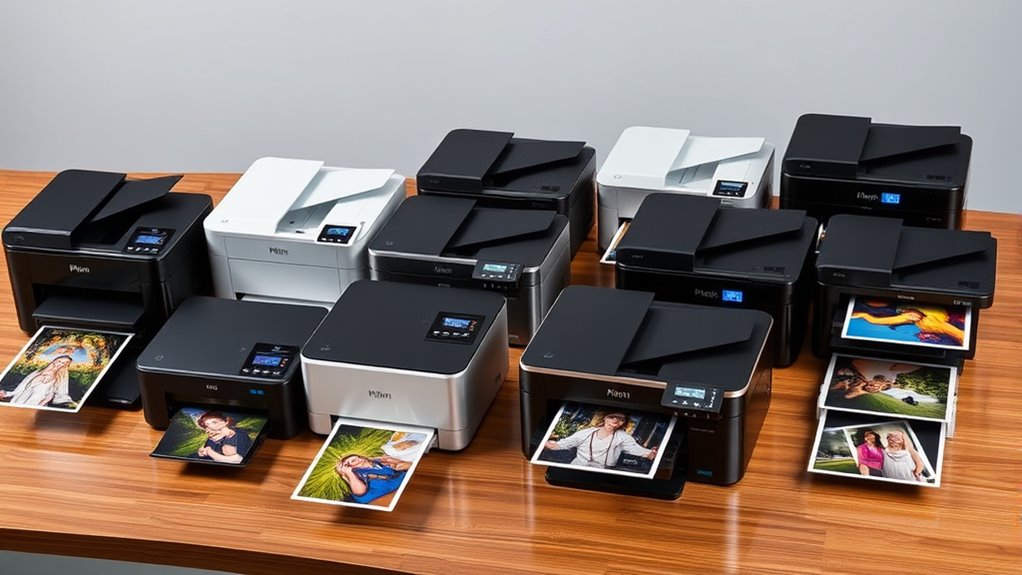

If you’re after the best photo printers of 2025 that deliver stunning, professional-quality images every time, I’ve got you covered. From versatile all-in-one models like the Epson EcoTank ET-8550 to compact options like the PictureMate PM-400, these printers feature advanced ink systems, wide-format capabilities, and wireless convenience. Whether you’re a hobbyist or a pro, you’ll find options tailored to your needs. Keep exploring to discover which printer could be your perfect creative partner.
Key Takeaways
- Choose printers with high-resolution capabilities (up to 5760 x 1440 dpi) for sharp, vibrant photo prints.
- Prioritize models with dye-based or pigment-based ink systems for color accuracy and durability.
- Select printers supporting borderless printing and wide media sizes (up to 13×19 inches) for versatile creative projects.
- Look for devices with automatic document feeders, multiple connectivity options, and user-friendly touchscreen interfaces.
- Consider models with refillable ink tanks and high page yields to ensure cost-effective, consistent quality over time.
Epson EcoTank Photo ET-8550 Wireless All-in-One Supertank Printer
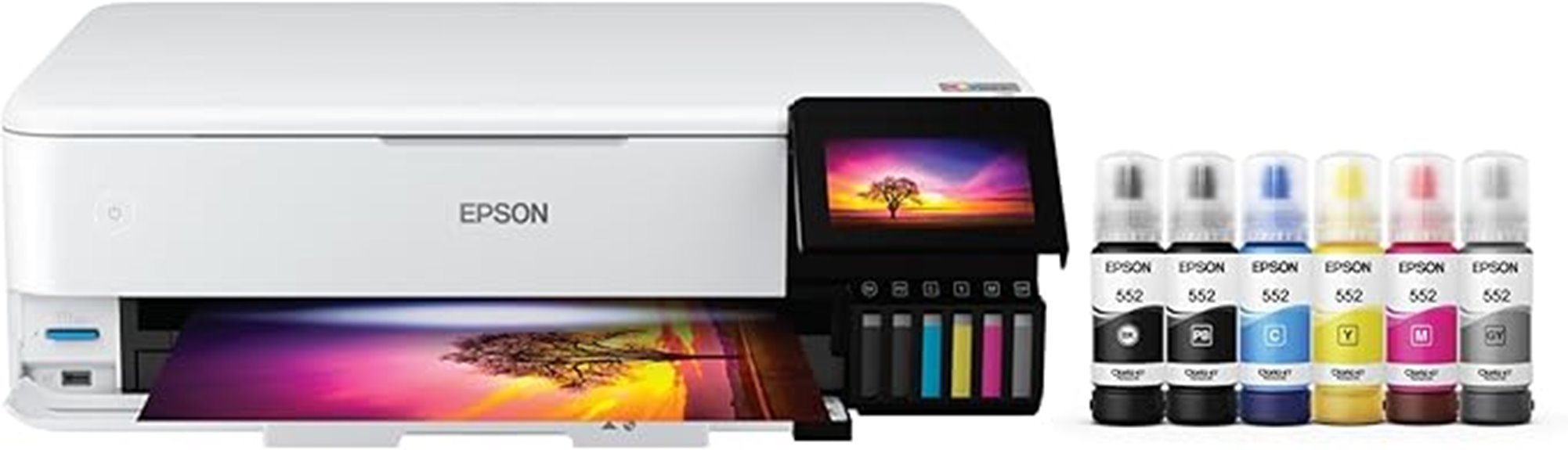
If you’re looking for a versatile photo printer that combines high-quality output with cost-effective operation, the Epson EcoTank Photo ET-8550 is an excellent choice. This all-in-one wide-format printer handles photos, flyers, and brochures with ease, thanks to its vibrant ink bottles that produce highly visible colors. With a 4.3-inch touchscreen and wireless connectivity options—including Wi-Fi, Ethernet, and USB—you can print from almost anywhere. Plus, mobile and voice-activated printing make it convenient for busy lifestyles. Its fast print speeds and large ink capacity guarantee you get professional-quality results without frequent refilling or high costs, making it perfect for both creative projects and everyday printing needs.
Best For: creative professionals, small businesses, and home users seeking high-quality, versatile printing with cost-effective and wireless connectivity options.
Pros:
- Supports vibrant, high-quality photo and document printing with ink bottles for cost savings
- Offers multiple connectivity options including Wi-Fi, Ethernet, USB, and mobile/voice-activated printing
- Features a large 4.3-inch touchscreen for easy navigation and operation
Cons:
- Larger footprint may require significant space for setup
- Ink bottle refilling can be messy or require careful handling
- High initial cost compared to basic printers
Canon PIXMA G620 Wireless All-in-One Printer

The Canon PIXMA G620 Wireless All-in-One Printer stands out as an excellent choice for photo enthusiasts who need high-volume, cost-effective printing without sacrificing quality. It supports media sizes up to 8.5 x 14 inches and features a 6-color dye-based ink system, including Red and Gray inks, for vibrant, detailed photos at up to 4800 x 1200 dpi. With a MegaTank design, it can produce around 3,800 4×6-inch photos per refill, costing roughly 2.5 cents each. The printer offers wireless and USB connectivity, plus copying and scanning, though it requires manual sheet handling. Overall, it’s a reliable, economical option for stunning, high-volume photo printing at home.
Best For: photo enthusiasts and high-volume home users seeking cost-effective, high-quality photo printing with versatile media support.
Pros:
- Excellent photo print quality with vibrant colors and high resolution up to 4800 x 1200 dpi
- Large refillable ink tanks offer high page yields at a low cost per photo (~2.5 cents)
- Wireless connectivity and all-in-one functions (copy, scan) for added convenience
Cons:
- Slow printing speed, especially when producing multiple photos
- Manual sheet handling required for scanning and copying, as there is no automatic feeder
- Limited tray capacity and absence of advanced features like OCR software
Epson Expression Premium XP-7100 Wireless Color Photo Printer
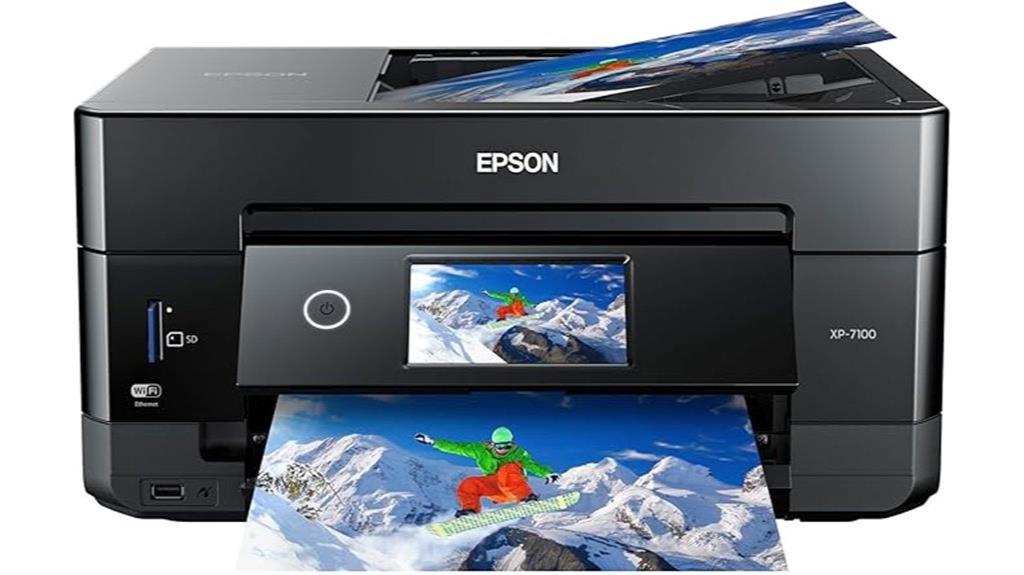
For creative families and home users who want high-quality photo printing without sacrificing space, the Epson Expression Premium XP-7100 stands out as a versatile choice. Its compact design fits easily into any home setup, measuring 17.2″ D x 23.5″ W x 8.1″ H and weighing just 21.5 pounds. The intuitive 4.3-inch touchscreen makes navigation simple, while a single paper tray holds up to 30 sheets. Supporting media up to 8.5 x 11 inches and specialty papers, it handles borderless photos up to 8 x 10 inches with vibrant, water-resistant prints. Connectivity options include Wi-Fi, Ethernet, USB, and SD card slots, offering flexible printing from multiple devices.
Best For: creative families and home users seeking a compact, versatile wireless photo printer with high-quality output.
Pros:
- Compact and stylish design fits easily into home spaces
- Supports borderless photo printing up to 8 x 10 inches with vibrant, water-resistant images
- Multiple connectivity options including Wi-Fi, Ethernet, USB, and SD card slots for flexible media input
Cons:
- Limited paper capacity with only 30 sheets in the tray, requiring frequent refills
- Uses only genuine Epson cartridges, which may be more expensive than third-party alternatives
- Slightly larger than some compact models, which might be a concern for very tight spaces
Epson PictureMate PM-400 Wireless Compact Color Photo Printer, white

Anyone seeking a compact, easy-to-use photo printer that delivers professional-quality prints at home will find the Epson PictureMate PM-400 an excellent choice. Its lightweight, space-saving design measures just under 10 inches deep and weighs only 6 pounds, making it highly portable. The printer supports 4×6 and 5×7-inch media, producing vibrant, sharp images with resolutions up to 5760 x 1440 dpi. It prints borderless photos in as little as 36 seconds and can produce up to 50 copies per run. With Wi-Fi connectivity and a mobile app, printing from smartphones or tablets is seamless, making it perfect for everyday photo printing needs.
Best For: home users and photography enthusiasts seeking a compact, high-quality, wireless photo printer for everyday printing needs.
Pros:
- Compact, lightweight design makes it highly portable and space-efficient
- Fast printing speeds with vibrant, sharp images up to 5760 x 1440 dpi
- Wireless connectivity via Wi-Fi and mobile app for easy printing from smartphones and tablets
Cons:
- Limited media size support to 4×6 and 5×7 inches, restricting larger prints
- Exclusively compatible with Epson ink cartridges, which may be more costly or harder to find
- Some users report difficulty sourcing compatible ink for specific media types like matte paper
KODAK Dock Plus 4PASS Instant Photo Printer, 4×6 inches, 90 Sheets Bundle
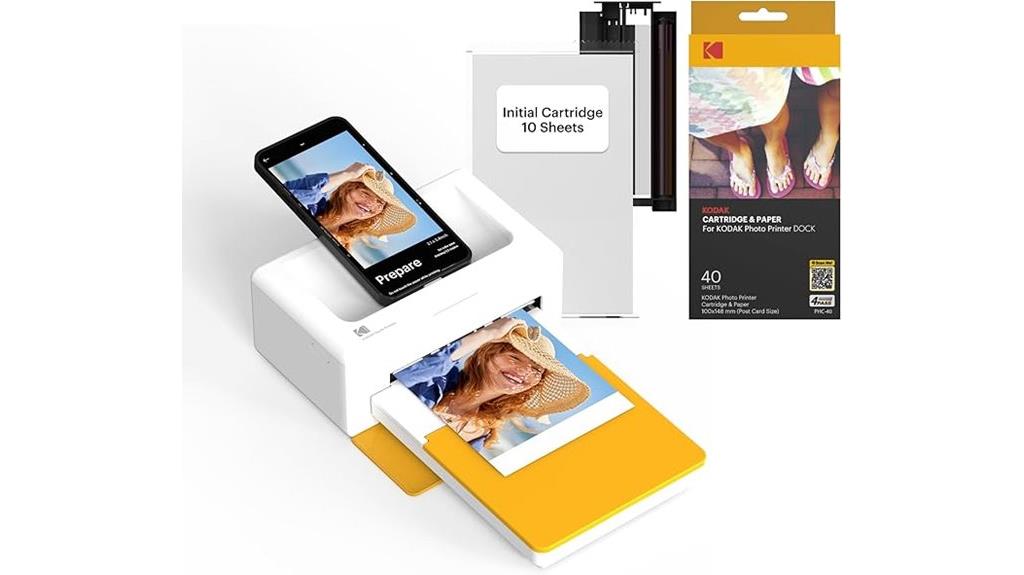
If you want a versatile, user-friendly printer that effortlessly combines smartphone charging with high-quality photo printing, the KODAK Dock Plus 4PASS Instant Photo Printer is an excellent choice. It easily connects via Bluetooth to your iPhone, iPad, or Android device, making printing straightforward. It produces sharp 4×6 inch photos with vibrant colors using Kodak’s layered 4PASS technology, which guarantees flawless results. The laminating process makes photos water-resistant and fingerprint-proof, so they last for generations. Plus, it docks and charges your phone simultaneously. With a 90-sheet bundle, this printer offers great value for home or on-the-go use, making memories easy to print and share.
Best For: those seeking an easy-to-use, portable photo printer that can also charge and dock their smartphones, perfect for home, school, or on-the-go memories.
Pros:
- Produces vibrant, high-quality 4×6 inch photos with water-resistant and fingerprint-proof durability.
- Supports wireless Bluetooth connection for quick and easy printing from compatible devices.
- Comes with a generous 90-sheet bundle, offering excellent value for frequent printing needs.
Cons:
- Limited to 4×6 inch photo size, which may not suit those wanting larger prints.
- Requires compatibility with Bluetooth-enabled devices; not suitable for wired-only users.
- The laminating process, while beneficial, may add extra time to the printing process compared to simpler printers.
Liene M100 4×6 Photo Printer
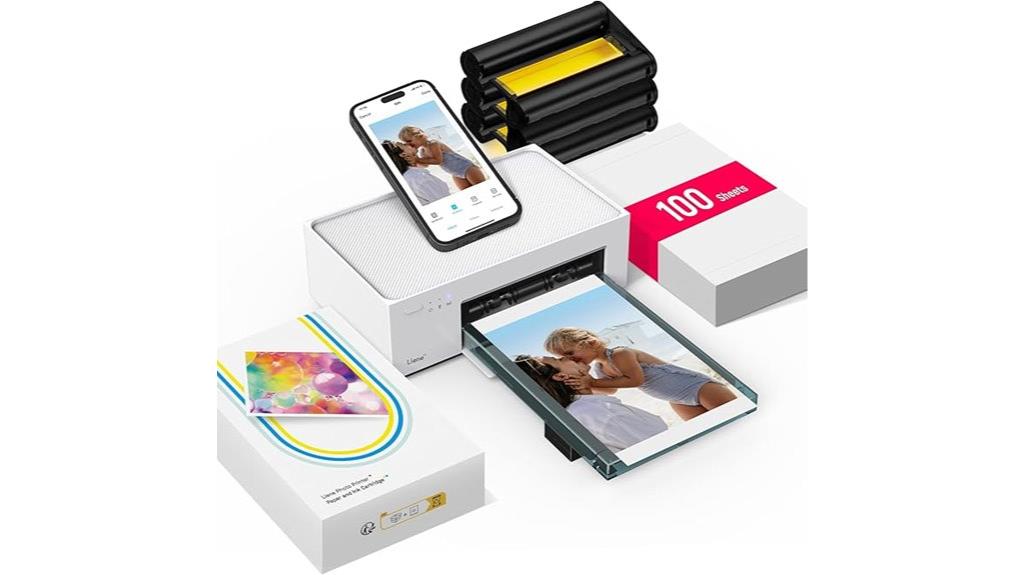
The Liene M100 4×6 Photo Printer stands out as an ideal choice for casual photographers and hobbyists who want high-quality, instant prints without complicated setup. Its portable, minimalist design makes it easy to store and carry, while the thermal dye sublimation technology guarantees vibrant, water-resistant photos with crisp details. Supporting up to five devices via Wi-Fi, the printer pairs seamlessly with smartphones and tablets through the dedicated app, allowing for quick edits and customization. With a 20-sheet capacity, a quick 59-second print time, and a lightweight build, the M100 offers convenience and professional-looking results for personal use or small projects.
Best For: casual photographers, hobbyists, and small-scale users seeking high-quality, portable photo printing with easy connectivity and customization options.
Pros:
- Compact, lightweight design for portability and easy storage
- Vibrant, water-resistant prints with high resolution using thermal dye sublimation technology
- Supports multiple devices simultaneously via Wi-Fi with user-friendly app for editing and customization
Cons:
- Limited input capacity of 20 sheets may require frequent reloading
- Some connectivity issues reported, such as IP configuration failures
- Cartridges tend to run out quickly, requiring frequent replacements for larger print volumes
Epson Expression Photo XP-8700 Wireless All-in-One Printer
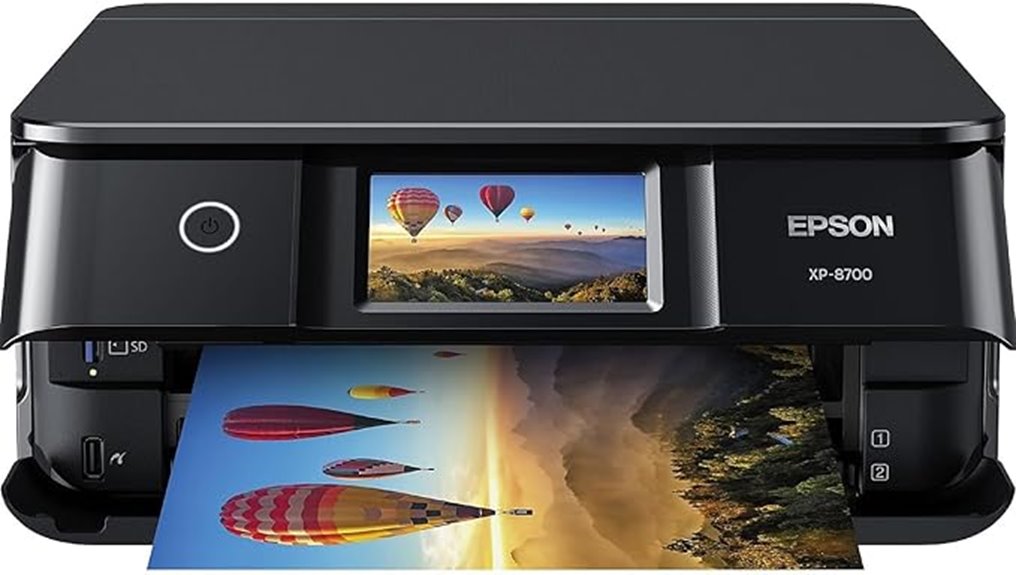
For those seeking a versatile and user-friendly photo printer, the Epson Expression Photo XP-8700 stands out with its 4.3-inch color touchscreen and wireless connectivity. It’s an all-in-one device with built-in scanner and copier, supporting various media types and sizes, including specialty papers and legal formats. It produces stunning, borderless photos up to 8.5 x 11 inches with vibrant colors thanks to 6-color Claria Photo HD inks and MicroPiezo technology. The printer handles duplex printing, high sheet capacity, and offers multiple connection options like Wi-Fi, Wi-Fi Direct, and USB. Its intuitive interface and fast operation make it ideal for home photography and creative projects.
Best For: home photography enthusiasts and creative users seeking high-quality borderless photo printing with easy-to-use features.
Pros:
- Vibrant, professional-quality borderless photos up to 8.5 x 11 inches with 6-color Claria Photo HD inks
- User-friendly 4.3-inch color touchscreen and versatile media handling options
- Wireless connectivity including Wi-Fi, Wi-Fi Direct, and USB for flexible printing options
Cons:
- High ongoing ink costs due to small, expensive cartridges and quick depletion
- Firmware updates that restrict third-party ink use, potentially disabling the printer after ink runs out
- Occasional paper jams and software interface issues affecting long-term usability
Canon PIXMA PRO-200S Wireless Photo Printer
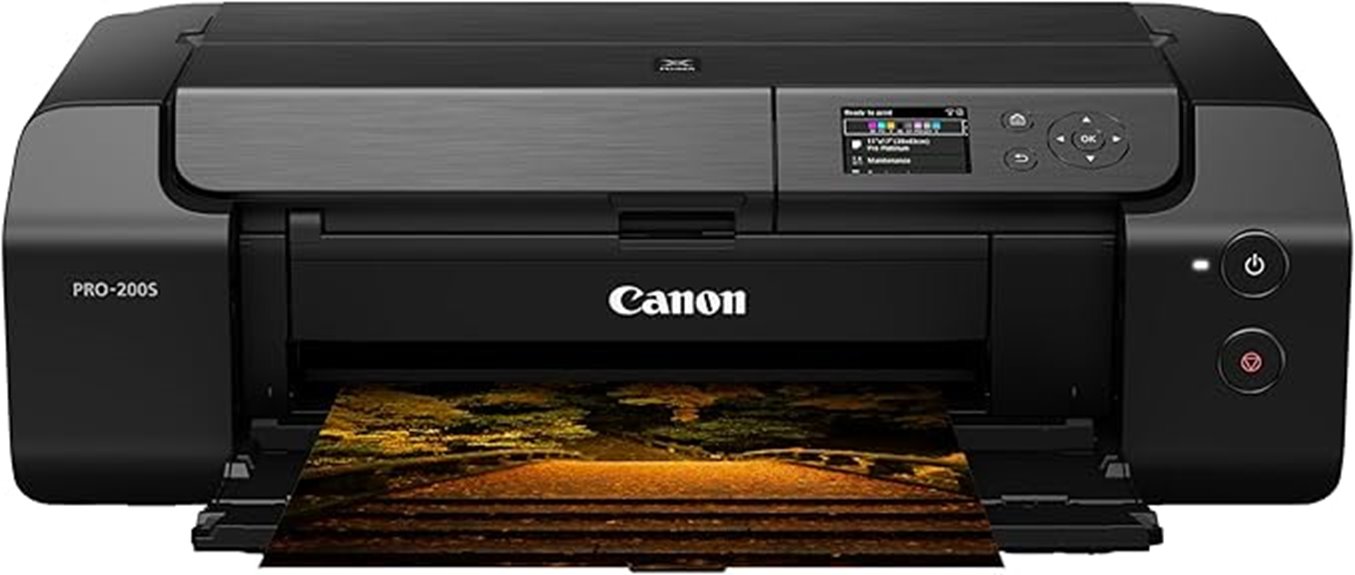
Photographers and graphic artists seeking professional-quality prints will find the Canon PIXMA PRO-200S an excellent choice. This 13-inch wireless inkjet printer delivers vibrant, high-resolution images with up to 4800 x 2400 dpi and an 8-color dye-based ink system. It supports borderless printing on various media sizes, including up to 13” x 19”, and handles a range of paper types like glossy, matte, and specialty papers. Compact for its class, it offers fast print speeds—just 90 seconds for A3+ borderless prints. Easy to set up and operate, it’s perfect for those demanding consistent, stunning photo outputs, though occasional maintenance and extra ink cartridges are recommended.
Best For: professional photographers and graphic artists seeking high-quality, borderless photo prints up to 13 inches wide with vibrant color reproduction.
Pros:
- Excellent 8-color dye-based ink system producing vivid, seamless images at resolutions up to 4800 x 2400 dpi.
- Supports a wide range of media sizes and types, including glossy, matte, luster, and specialty papers.
- Fast print speeds for professional-quality borderless photos, such as 90 seconds for A3+ prints.
Cons:
- Limited to printing functions; no scanning or copying capabilities.
- No SD card or flash drive slots; requires connection via Wi-Fi, Ethernet, or USB.
- Potential hardware issues like jams or error codes, with limited support options and higher repair costs.
Canon imagePROGRAF PRO-310 Wireless Inkjet Photo Printer
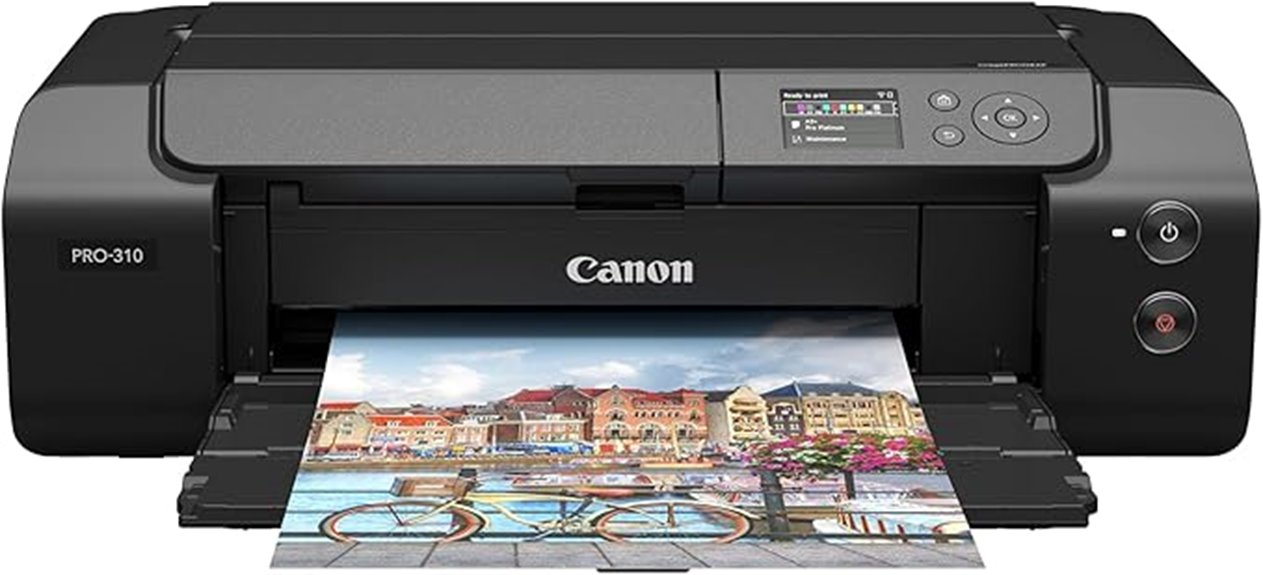
If you’re seeking a professional-grade photo printer that delivers gallery-quality results, the Canon imagePROGRAF PRO-310 Wireless Inkjet Photo Printer is an excellent choice. It features a 3.0-inch color LCD monitor, making operation straightforward. Its 9-color pigment ink system, with Chroma Optimizer, ensures stunning, durable prints with exceptional gloss and black density. The matte black ink enhances dark areas, while the LUCIA PRO II inks improve gloss uniformity and scratch resistance. Wireless connectivity adds flexibility, and smart features like anti-clogging and skew correction simplify maintenance. Designed for professionals, it consistently produces high-quality, vibrant photographs with ease and reliability.
Best For: professional photographers and artists seeking high-quality, durable, gallery-style prints with reliable wireless connectivity.
Pros:
- Produces vibrant, professional-grade photographs with excellent gloss and durability
- User-friendly 3.0-inch color LCD monitor simplifies operation and maintenance
- Advanced ink system with Chroma Optimizer and LUCIA PRO II inks ensures superior print quality and longevity
Cons:
- Higher initial cost may be a barrier for casual users
- Large size and weight could require dedicated space for setup
- Ink replacement and maintenance might be more involved compared to standard home printers
Canon Selphy CP1500 Wireless Compact Photo Printer (Black)
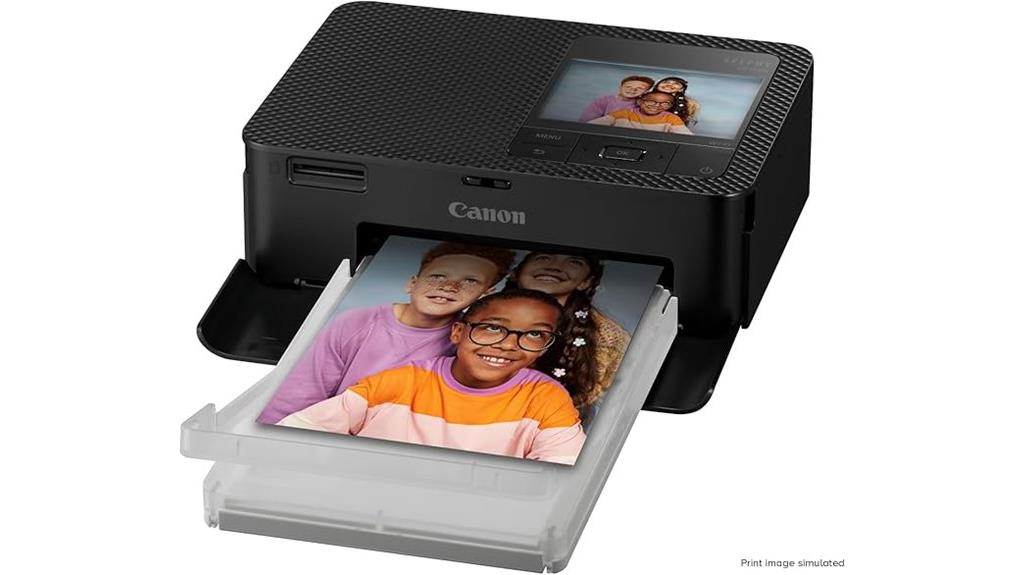
The Canon Selphy CP1500 Wireless Compact Photo Printer (Black) stands out as an ideal choice for those who need a portable, high-quality printer that offers both convenience and durability. Its sleek, modern design and compact size make it easy to carry anywhere, especially with the optional battery back for on-the-go printing. It produces instant-dry, water-resistant photos that can last up to 100 years. With Wi-Fi, USB, and memory card support, you can print directly from smartphones, cameras, or drives. The large 3.5-inch display allows for easy viewing and editing, making it simple to customize prints before printing.
Best For: those seeking a portable, high-quality photo printer with versatile connectivity and durable output suitable for both personal and professional use.
Pros:
- Compact, sleek design enhances portability and ease of use
- Produces high-quality, water-resistant photos that last up to 100 years
- Supports multiple connectivity options including Wi-Fi, USB, and memory cards for flexible printing
Cons:
- Requires an optional battery back for true portability, adding extra cost
- Limited to photo printing; not suitable for document or text printing
- The small 3.5-inch display may be less convenient for detailed editing
HP ENVY Inspire 7955e Wireless Color Inkjet Printer
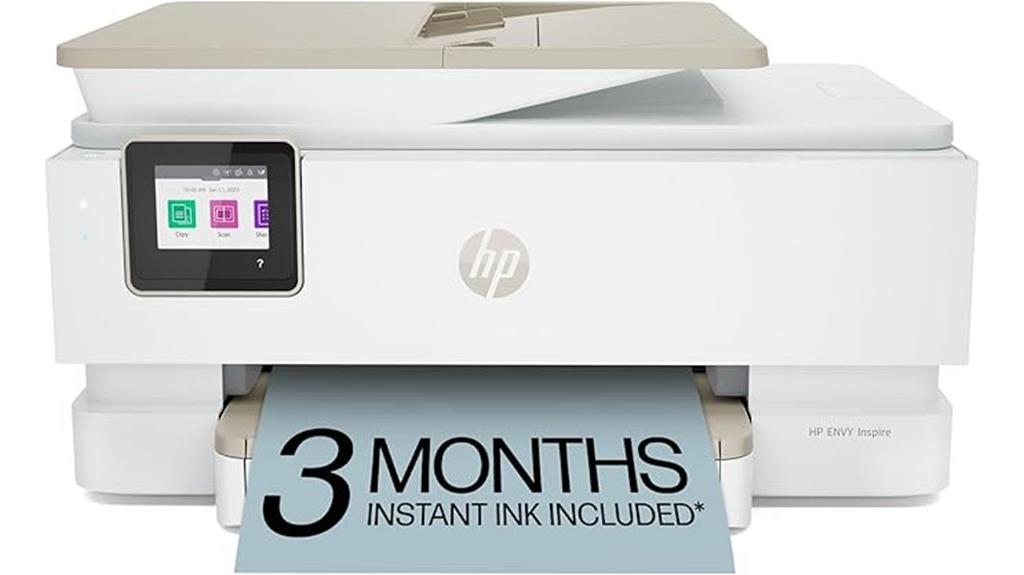
Looking for a versatile home printer that combines quality with convenience? The HP ENVY Inspire 7955e is a reliable choice, trusted by many in the Americas. It handles documents, borderless photos, and creative projects easily. With print speeds up to 10 ppm color and 15 ppm black, it’s efficient for busy households. Its features include automatic 2-sided printing, a dedicated photo tray, and mobile, wireless connectivity. The printer produces vibrant, true-to-screen photos, especially with custom options via the HP Smart app. Plus, it includes three months of ink and supports scheduled delivery through HP Instant Ink, making ongoing printing effortless.
Best For: Home users seeking a versatile, reliable printer that offers high-quality photo printing, wireless connectivity, and convenient features for everyday document and creative project needs.
Pros:
- Supports automatic 2-sided printing, saving time and paper
- Includes 3 months of ink and supports HP Instant Ink subscription for hassle-free ink management
- Features a dedicated photo tray and advanced photo options via HP Smart app for vibrant, true-to-screen images
Cons:
- Monthly ink subscription fee applies after the free trial period
- Requires HP account and internet connection for HP+ smart features
- Print speeds of up to 10 ppm color may be slower than some high-end office printers
Epson Expression Photo XP-970 Wireless Color Photo Printer

For photographers and creative professionals seeking wide-format, high-quality prints, the Epson Expression Photo XP-970 Wireless Color Photo Printer stands out as an excellent choice. It offers professional-grade color output up to 11×17 inches with borderless printing, thanks to 6-Color Claria Photo HD inks that produce vibrant, smooth gradations and accurate skin tones. The compact design includes a rear paper feed for specialty media and support for printing directly onto CDs and DVDs. Its 4.3-inch touchscreen makes PC-free operation easy, while wireless connectivity allows seamless printing from smartphones, tablets, and computers. Ideal for creative projects, it’s perfect for those prioritizing stunning photo quality.
Best For: creative professionals and photographers who need wide-format, high-quality photo printing up to 11×17 inches with vibrant color accuracy.
Pros:
- Produces professional-grade, vivid photos with smooth gradations and accurate skin tones using 6-Color Claria Photo HD inks
- Supports borderless printing up to 11×17 inches and printing directly onto CDs and DVDs for versatile creative projects
- Easy PC-free operation with a 4.3-inch touchscreen and wireless connectivity for convenient printing from multiple devices
Cons:
- Ink cartridges are expensive and may need frequent replacement, increasing ongoing costs
- High-quality photo printing can be costly for users with high-volume document printing needs
- Some users experience initial setup challenges, ink clogging, and maintenance issues requiring troubleshooting
Epson Expression Photo HD XP-15000 Wireless Color Wide-Format Printer
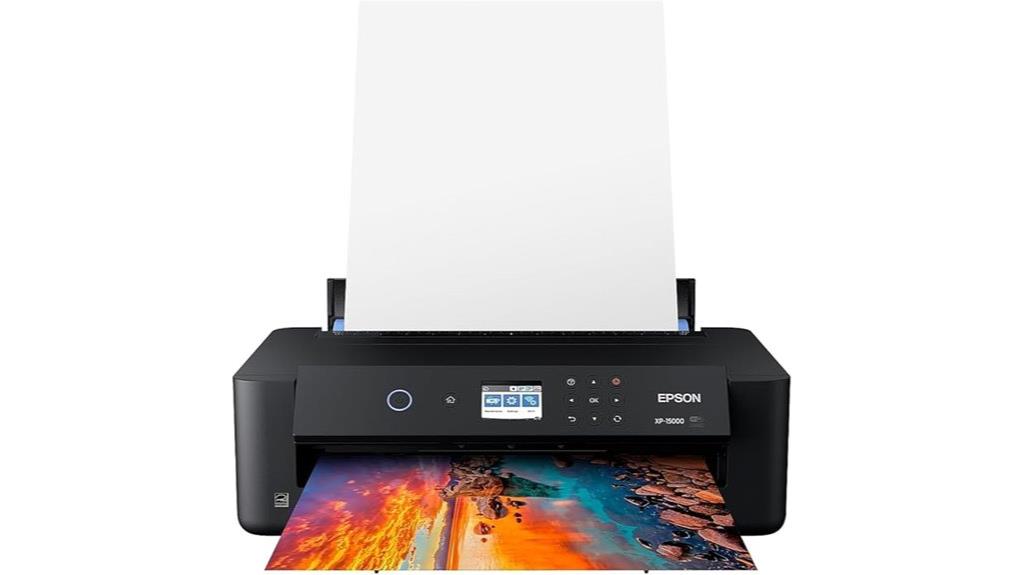
If you’re a photographer or creative professional seeking high-quality, wide-format prints, the Epson Expression Photo HD XP-15000 is an excellent choice. This ultra-compact, A3+ printer is 30% smaller than its predecessor, fitting easily on a desktop. It delivers professional ultra HD, borderless prints up to 13″ x 19″ with an ultra-wide color gamut and enhanced black-and-white quality. Its individual 6-color Claria Photo HD ink system ensures stunning detail and color accuracy. With support for specialty media, automatic two-sided printing, and a 200-sheet front tray, it’s designed for ease of use and reliable, high-quality output every time.
Best For: Creative professionals and photographers seeking high-quality, wide-format, borderless prints with vibrant color accuracy.
Pros:
- Compact design 30% smaller than previous models, ideal for desktop use
- Professional ultra HD photo quality with borderless printing up to 13″ x 19″
- Supports specialty media and automatic two-sided printing for versatile projects
Cons:
- Requires exclusive use of Epson Genuine Cartridges to prevent damage
- May have a learning curve for setup and media handling
- Higher initial cost compared to standard printers with fewer features
Canon PIXMA TR8620a All-in-One Printer
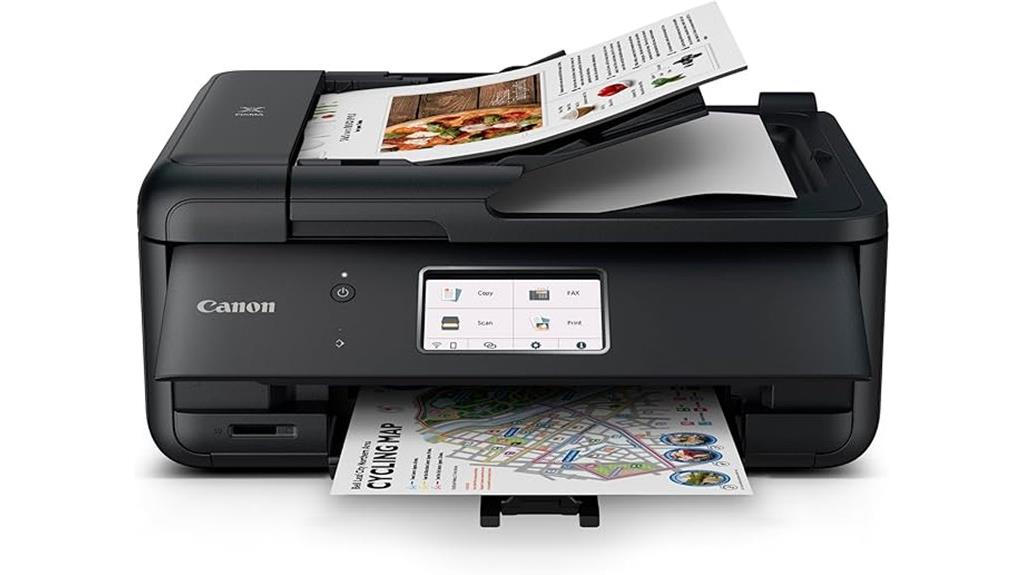
The Canon PIXMA TR8620a All-in-One Printer stands out as an excellent choice for home offices and creative enthusiasts who need versatile printing options without sacrificing quality. It offers wireless connectivity, supporting print, copy, scan, and fax functions, with impressive speeds of up to 15 ppm black and 10 ppm color. The 4800 x 1200 dpi resolution guarantees crisp photos and documents. Its refillable ink system reduces costs, while the 200-sheet capacity and media handling support a variety of formats, including glossy photo paper and larger sizes. Easy to connect via Wi-Fi, it integrates smoothly with smartphones and voice assistants, making it a reliable, cost-effective solution for high-quality printing at home.
Best For: home users and small offices seeking versatile, high-quality, and cost-efficient printing solutions with easy connectivity and media handling.
Pros:
- Supports wireless, USB, and voice assistant connectivity for flexible printing options.
- Refillable ink system reduces ongoing costs and simplifies maintenance.
- High-resolution printing and scanning produce crisp photos and detailed documents.
Cons:
- Initial setup can be complex due to multiple features and connections.
- Plastic materials may feel less durable compared to more solidly built models.
- Slightly larger footprint may be less suitable for very tight spaces.
Epson Expression Photo XP-8800 Wireless Printer
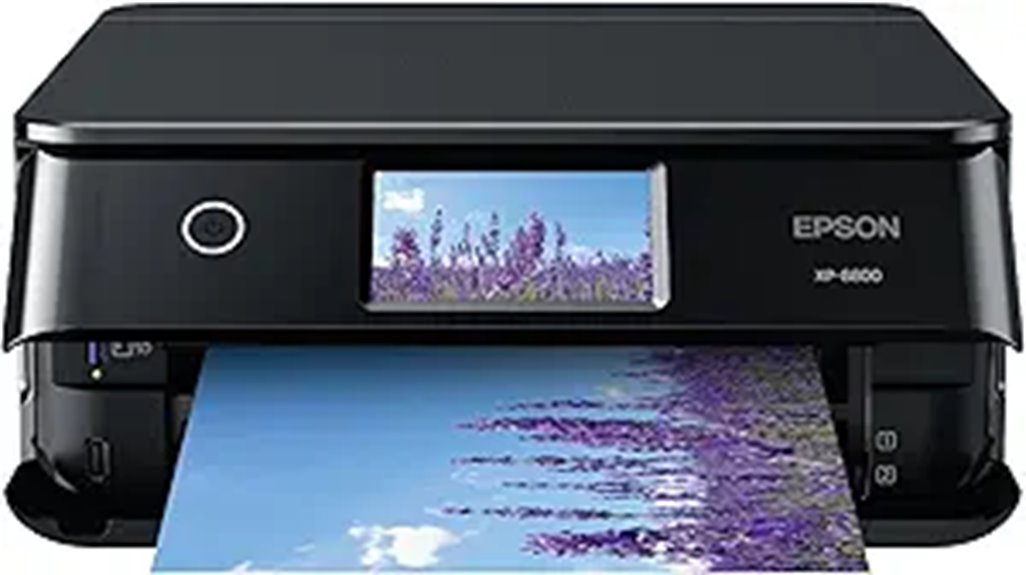
Looking for a compact, all-in-one photo printer that delivers professional-quality results without taking up too much space? The Epson Expression Photo XP-8800 is exactly that. It features a 6-color Claria Photo HD ink system, producing vibrant, detailed prints up to 8.5 x 11 inches with stunning resolution of 5760 x 1440 dpi. It handles various media types, including glossy and matte papers, with quick, borderless 4 x 6 photos in just 10 seconds. The device also functions as a scanner and copier, with a 4.3-inch touchscreen for easy control. Its wireless connectivity and compact design make it perfect for home use, especially if you prioritize high-quality photo printing.
Best For: home users and photography enthusiasts seeking high-quality, versatile photo printing in a compact, easy-to-use device.
Pros:
- Exceptional 6-color Claria Photo HD ink system delivers vibrant, professional-quality photos up to 8.5 x 11 inches.
- Fast borderless 4 x 6 inch photo printing in just 10 seconds, ideal for quick snapshots.
- Wireless connectivity via Wi-Fi and Wi-Fi Direct allows easy printing from multiple devices and smart control through the Epson Smart Panel app.
Cons:
- Initial setup and installation can be challenging for some users.
- Small capacity ink cartridges require frequent replacements, increasing ongoing costs.
- Bright 4.3-inch touchscreen may be uncomfortable for extended use.
Factors to Consider When Choosing Photo Printers

When selecting a photo printer, I consider factors like ink technology, print size options, and connectivity to guarantee it fits my needs. I also look at the cost of supplies and features that affect photo quality, so I get the best results for my budget. Understanding these points helps me choose a printer that delivers professional-looking photos consistently.
Ink Technology Choices
Choosing the right ink technology for your photo printer depends on what qualities matter most to you, such as color vibrancy, durability, and cost. Dye-based inks produce bright, vivid images perfect for eye-catching photos, but they tend to fade faster and are less water-resistant. Pigment-based inks offer long-lasting prints that resist water and UV damage, making them ideal for archival quality, though their colors may be slightly less vibrant. Thermal dye sublimation uses heat to transfer dye onto media, resulting in durable, glossy photos with smooth color progressions and excellent fade resistance. Each technology impacts print longevity, color accuracy, media compatibility, and operational costs. Understanding these differences helps you choose a printer that aligns with your needs and guarantees stunning results every time.
Print Size Capabilities
Selecting the right photo printer involves ensuring it supports the print sizes you need most, whether that’s standard 4×6 inches or larger formats like 13×19 inches. I recommend checking the maximum print size to match your project needs. Borderless printing is a must for a professional look, especially on larger media. Also, look at media handling capabilities, including tray capacity and compatibility with specialty papers or thicker cardstock. Confirm the printer can handle media thicknesses you plan to use, particularly for larger or textured media. If you print frequently, consider models with automatic duplex printing for larger sizes—it boosts productivity and reduces manual effort. Ensuring these features align with your needs helps you choose a printer capable of delivering the sizes and quality you desire.
Connectivity Options
Connectivity options play a crucial role in ensuring your photo printer fits seamlessly into your workflow. I look for models that support wireless connectivity like Wi-Fi, Wi-Fi Direct, or Bluetooth, so I can print effortlessly from multiple devices without cluttering my space with cables. Compatibility with mobile printing solutions such as Apple AirPrint, Google Cloud Print, or manufacturer-specific apps is essential for quick, on-the-go prints. I also value printers with multiple connection ports like USB, Ethernet, or SD card slots, providing versatility for wired or media-based printing. Additionally, I check the range and stability of the wireless connection to avoid disruptions, especially when printing from multiple devices or in larger spaces. Ensuring compatibility with my devices and operating systems makes setup and use smooth and hassle-free.
Cost of Supplies
The ongoing cost of ink and supplies can greatly influence the overall expense of owning a photo printer, especially if you plan to print frequently. Refillable ink tanks or bottles typically have a lower cost per print than traditional cartridges, making high-volume printing more affordable over time. However, some printers require proprietary cartridges that can be pricey, often costing $10 to over $50 per set or individual cartridge. The longevity of ink supplies varies; high-capacity bottles or cartridges can produce hundreds or even thousands of photos, affecting long-term costs. Don’t forget about specialty media like high-quality photo paper, which adds to the overall expense but is essential for professional-looking prints. Considering these costs helps you choose a printer that fits your budget and printing needs.
Photo Quality Features
When choosing a photo printer, focusing on its ability to produce sharp, vibrant images is vital. Look for a high maximum resolution, ideally at least 4800 x 1200 dpi, to guarantee detailed, crisp prints. A wide color gamut is also essential; printers with multiple ink colors or dye-based systems can deliver accurate, vivid colors that pop. Check if the printer supports borderless printing, so you can create professional-looking photos without white margins. Specialized ink systems, like 6- or 8-color dye inks, enhance color depth and smooth gradients. Additionally, the printer should handle various media types and sizes, including glossy and specialty papers, to optimize print quality across different projects. These features collectively guarantee stunning, true-to-life photo prints every time.
Speed and Efficiency
Speed and efficiency are crucial factors because they directly impact how quickly you can complete your printing tasks. Faster photo printers can produce a 4×6 inch borderless print in as little as 10 to 36 seconds, which is great for quick projects. High-efficiency models often include automatic duplex printing and large input trays, reducing the need for frequent refills and manual adjustments. Print speeds, measured in pages per minute (PPM), vary; high-quality photo prints generally take longer than standard documents. Some printers use advanced processing technology to optimize job handling, minimizing wait times and improving workflow. Connectivity options like Wi-Fi, USB, or Ethernet also influence speed by affecting data transmission. Overall, choosing a printer with the right balance of speed and efficiency can save you time and streamline your printing process.
Frequently Asked Questions
What Is the Typical Print Speed for High-Resolution Photo Prints?
High-resolution photo prints typically take between 30 seconds to 2 minutes, depending on the printer model and print size. I’ve found that high-end photo printers tend to be faster without sacrificing quality, often completing a 4×6 inch print in under a minute. For larger formats like 13×19 inches, it might take around 2 minutes. Overall, advancements in technology continue to improve speed while maintaining stunning detail and color accuracy.
How Do Ink Costs Vary Among Different Photo Printer Models?
Ink costs vary quite a bit among photo printers. I’ve noticed that some models use more expensive, high-yield cartridges, which drive up expenses, especially if you print a lot. Others have affordable ink options or refillable tanks that save money over time. It’s essential to compare the cost per print and consider your printing volume before choosing a model to avoid surprises on ink expenses.
Are There Compatibility Issues With Certain Operating Systems or Devices?
Yes, compatibility issues can arise with certain operating systems or devices. I’ve found that some printers work seamlessly with Windows but face challenges with macOS or mobile devices. To avoid problems, I always check the printer’s specifications for suitability before purchasing. Updating firmware or drivers often helps too. If you’re unsure, opt for models known for broad compatibility to ensure smooth printing across all your devices.
What Are the Maintenance Requirements for Each Printer Type?
Think of each printer as a garden needing regular tending. Inkjet printers require frequent ink cartridge refills and occasional nozzle cleaning to keep colors vivid. Laser printers need toner replacements and drum maintenance for crisp prints. Photo printers, especially high-end models, demand careful paper handling and occasional calibration. Staying on top of these tasks guarantees your printer stays healthy, producing stunning photos every time, without unexpected breakdowns.
How Do Print Quality and Color Accuracy Compare Across Brands?
Print quality and color accuracy vary across brands, but I’ve found that high-end models like Epson and Canon consistently deliver vibrant, sharp images with true-to-life colors. They use advanced ink technologies and high-resolution printing, which makes a noticeable difference. Cheaper brands often fall short in color consistency and detail. So, if you want stunning, professional-looking photos, investing in a reputable brand really pays off for quality and accuracy.
Conclusion
Choosing the right photo printer is like finding a trusted artist—you want quality, reliability, and a touch of magic in every print. With options spanning from compact models to wide-format wonders, there’s something for everyone. So, which one will bring your memories to life? Jump into these top picks and turn your photos into timeless masterpieces—because your moments deserve nothing less than perfection. Let your images speak louder than words!