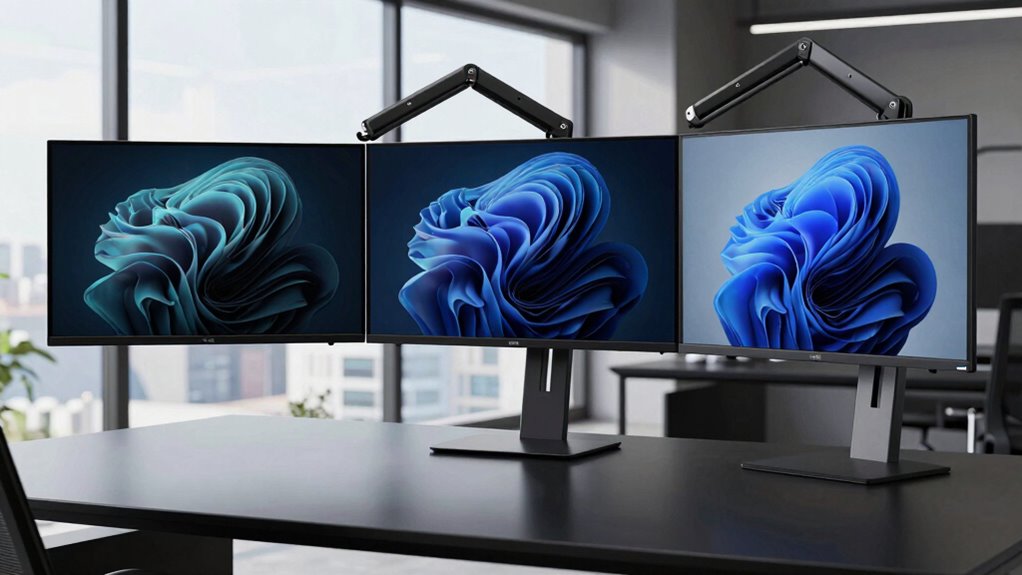

For most buyers seeking a heavy-duty monitor arm for an ultrawide, I’d start with the HUANUO TitanLift for screens up to 49 inches, then compare the ULTRARM and VIVO Single Ultrawide Desk Mount if your display reaches 57 inches. The main choice is between a broad screen-size range and a better match for your monitor’s actual weight, curvature, and desk setup. Large-screen compatibility alone does not confirm that an arm can safely support your particular display. I compare all 15 options by fit, support, adjustment, mounting, and practical tradeoffs below so you can choose with confidence.

Get the latest gadgets delivered free with Prime
- Fast, free delivery on millions of items
- Prime Video, Amazon Music and more included
- Member-only deals all year
Complete the kit



Key Takeaways
- Screen-size claims split the lineup: several arms target displays up to 49 inches, while the ULTRARM, VIVO, ONKRON, MOUNT PRO, monTEK, and Putilsen models are listed for screens up to 57 inches.
- 57-inch compatibility is not a weight guarantee: the monitor’s weight without its stand must still fall within the arm’s stated capacity, and screen size alone cannot confirm a fit.
- 49-inch-focused models offer a different fit profile: the HUANUO TitanLift, ErGear, ARES WING, and VIVO aluminum options suit buyers whose screens fit their listed range and who do not need a 57-inch claim.
- Mounting and desk construction can decide the purchase: clamp clearance, desk thickness, edge shape, and available space matter as much as the arm’s advertised reach.
- The lineup spans distinct priorities: options range from broad-size heavy-duty arms to models specified for 34–49-inch curved screens, giving buyers a reason to match the arm to their particular display rather than choose by name alone.
| HUANUO TitanLift Heavy-Duty Monitor Arm for Screens up to 49 Inches |  | Best Overall for 49-Inch Displays | Screen compatibility: 17–49 inches | Supported weight: 6.6–44 lbs | VESA: 75 x 75 mm or 100 x 100 mm | VIEW ON AMAZON | See Our Full Breakdown |
| Ultrawide Monitor Arm – Fits 17‑49 in, Heavy‑Duty Flat/Curved Monitor |  | Best for Full-Motion Adjustability | Screen compatibility: 17–49 inches | Weight capacity: 35.2 lbs | VESA: 75 x 75 mm or 100 x 100 mm | VIEW ON AMAZON | See Our Full Breakdown |
| ULTRARM Heavy-Duty Monitor Arm for Ultrawide Monitors up to 57 Inches, Black |  | Best for 57-Inch Displays on a Modular Arm | Screen compatibility: 17–57 inches | Maximum monitor weight: 44 lbs | VESA: 75 x 75 mm and 100 x 100 mm | VIEW ON AMAZON | See Our Full Breakdown |
| VIVO Single Ultrawide Desk Mount for Screens up to 57 Inches |  | Best for Heavy Curved Ultrawides | Screen compatibility: 24–57 inches | Weight capacity: 48.4 lbs curved; 59.4 lbs flat | VESA: 75 x 75, 100 x 100, 100 x 200, 200 x 100, 200 x 200 mm | VIEW ON AMAZON | See Our Full Breakdown |
| ErGear Heavy-Duty Monitor Arm for 13–49-Inch Screens |  | Best Long-Term Pick for a 49-Inch Setup | Screen compatibility: 13–49 inches | Weight capacity: 37.4 lbs | VESA: 75 x 75 mm or 100 x 100 mm | VIEW ON AMAZON | See Our Full Breakdown |
| MSI MAG MT201 Heavy-Duty Single Monitor Arm |  | Best for Straightforward Setup | Screen size: 17–49 inches | Weight capacity: 4.4–44 lb (2–20 kg) | VESA compatibility: 75 × 75 mm and 100 × 100 mm | VIEW ON AMAZON | See Our Full Breakdown |
| ARES WING Ultrawide Monitor Desk Arm for 17–49-Inch Screens |  | Best for Long Reach and Positioning | Screen size: 17–49 inches | Supported weight: 4.4–44 lb | VESA compatibility: 75 × 75 mm and 100 × 100 mm | VIEW ON AMAZON | See Our Full Breakdown |
| ONKRON G130-B Heavy-Duty Monitor Arm for 17–57-Inch Screens |  | Best for Heavy, Larger-than-49-Inch Displays | Screen size: 17–57 inches | Supported weight: 4.4–59.4 lb | VESA compatibility: 75 × 75 mm to 200 × 200 mm | VIEW ON AMAZON | See Our Full Breakdown |
| Modernsolid Heavy-Duty Monitor Arm for 34–49-Inch Ultrawide Curved Screens |  | Best for Midweight 34–49-Inch Ultrawides | Compatible screen size: 34–49 inches | Weight capacity: 14–38 lb | VESA compatibility: 75 × 75 mm and 100 × 100 mm | VIEW ON AMAZON | See Our Full Breakdown |
| MOUNT PRO Heavy-Duty Monitor Arm for Screens up to 57 Inches |  | Best for Maximum Listed Load Capacity | Screen size: 21–57 inches | Weight capacity: Flat: 4.4–66 lb; curved: 4.4–56 lb | VESA compatibility: 75 × 75 mm or 100 × 100 mm | VIEW ON AMAZON | See Our Full Breakdown |
| VIVO Premium Aluminum Single Monitor Arm for Screens up to 49 Inches |  | Best for Frequent Repositioning | Supported screen size: 17–49 inches | Maximum monitor weight: 33 lbs | Material: Aluminum | VIEW ON AMAZON | See Our Full Breakdown |
| WALI Heavy-Duty Single Monitor Arm for 13–49-Inch Screens |  | Best for Greater Reach and Height Range | Screen size compatibility: 13–49 inches | Maximum load: 44 lbs | Extension: Up to 21.57 inches | VIEW ON AMAZON | See Our Full Breakdown |
| VIVO Heavy-Duty Aluminum Ultrawide Monitor Tension Arm, up to 49 Inches, Black (STAND-V101V) |  | Best 49-Inch Pick for Heavier Monitors | Supported screen size: 17–49 inches | Maximum supported weight: 44 lbs | Material: Alloy steel and aluminum | VIEW ON AMAZON | See Our Full Breakdown |
| monTEK Heavy-Duty Gas Spring Monitor Arm for 17–57-Inch Screens |  | Best Overall for Large, Heavy Ultrawides | Screen size compatibility: 17–57 inches | Maximum load: 59.4 lbs | VESA compatibility: 75 x 75 mm and 100 x 100 mm | VIEW ON AMAZON | See Our Full Breakdown |
| Putilsen Heavy-Duty Monitor Arm for 24–57-Inch Ultrawide Monitors |  | Best for 57-Inch Screens with a Known Weight Limit | Screen size: 24–57 inches | Maximum weight: 59.4 lbs flat; 48.4 lbs curved | VESA compatibility: 75 x 75 mm and 100 x 100 mm | VIEW ON AMAZON | See Our Full Breakdown |
| monitor arm heavy duty for ultrawide | VESA compatibility | Tilt | Warranty |
|---|---|---|---|
| HUANUO TitanLift Heavy-Duty Mo | — | +50° to -50° | 5 years |
| Ultrawide Monitor Arm | — | — | 2 years |
| ULTRARM Heavy-Duty Monitor Arm | — | +25° to -25° | 3 years |
| VIVO Single Ultrawide Desk Mou | — | +55° to -30° | — |
| ErGear Heavy-Duty Monitor Arm | — | +30°/-40° | 10 years |
| MSI MAG MT201 Heavy-Duty Singl | 75 × 75 mm and 100 × 100 mm | +50°/−20° | 3 years |
| ARES WING Ultrawide Monitor De | 75 × 75 mm and 100 × 100 mm | — | 3 years |
| ONKRON G130-B Heavy-Duty Monit | 75 × 75 mm to 200 × 200 mm | −20° to +60° | 5 years |
| Modernsolid Heavy-Duty Monitor | 75 × 75 mm and 100 × 100 mm | +55° to −25° | 1 year |
| MOUNT PRO Heavy-Duty Monitor A | 75 × 75 mm or 100 × 100 mm | +45° to −10° | 2 years |
| VIVO Premium Aluminum Single M | 75 x 75 mm and 100 x 100 mm | -30° to +45° | — |
| WALI Heavy-Duty Single Monitor | 75 x 75 mm and 100 x 100 mm | — | — |
| VIVO Heavy-Duty Aluminum Ultra | 75 x 75 mm and 100 x 100 mm | — | — |
| monTEK Heavy-Duty Gas Spring M | 75 x 75 mm and 100 x 100 mm | — | — |
| Putilsen Heavy-Duty Monitor Ar | 75 x 75 mm and 100 x 100 mm | — | — |
More Details on Our Top Picks
HUANUO TitanLift Heavy-Duty Monitor Arm for Screens up to 49 Inches
The HUANUO TitanLift balances ultrawide capacity with an unusually broad range of positioning: it supports screens up to 49 inches and 44 pounds, extends 22.5 inches, and raises the VESA center as high as 19.6 inches above the desk. That reach suits a large display that needs to sit well back or move aside when the desk changes use. Compared with the STANDOPIA SPMA-19-12B, it carries more weight and lists a longer warranty, while STANDOPIA offers clamp-and-grommet mounting and broader rotation claims. The key limitation is desk fit: HUANUO specifies qualifying wooden desks 0.8–3.5 inches thick without obstructing crossbeams or panels. Also, its 360-degree rotation applies only to screens up to 35 inches, so don’t assume a 49-inch ultrawide can rotate freely.
Pros:- Supports compatible displays up to 49 inches and 44 pounds.
- 22.5-inch maximum extension and 19.6-inch height adjustment provide substantial positioning range.
- Quick-install VESA head and cable management simplify setup and desk tidying.
- Five-year warranty is longer than the two-year coverage listed for the STANDOPIA arm.
Cons:- Desk requirements exclude surfaces that are not qualifying wood or have obstructing panels or crossbeams.
- 360-degree rotation is limited to screens up to 35 inches.
- VESA compatibility is limited to 75 x 75 mm and 100 x 100 mm patterns.
Best for: Owners of VESA-compatible 49-inch ultrawides weighing up to 44 pounds who have a qualifying wooden desk and want generous extension and height adjustment.
Not ideal for: Buyers with glass, metal, unusually constructed, or crossbeam-obstructed desks, and anyone who needs to rotate a 49-inch screen into portrait orientation.
- Screen compatibility:17–49 inches
- Supported weight:6.6–44 lbs
- VESA:75 x 75 mm or 100 x 100 mm
- Maximum extension:22.5 inches
- Maximum height adjustment:19.6 inches from desk to VESA mount center
- Tilt:+50° to -50°
- Swivel:180° left or right
- Desk fit:Wooden desks 0.8–3.5 inches thick; no obstructing crossbeams or panels
- Warranty:5 years
Our verdict“Choose the TitanLift for a heavy 49-inch ultrawide and extensive reach, provided your wooden desk meets its mounting conditions.”
Ultrawide Monitor Arm – Fits 17‑49 in, Heavy‑Duty Flat/Curved Monitor
The STANDOPIA SPMA-19-12B is a fit for buyers who prioritize moving a large flat or curved display through a wide range of angles. Its gas spring is specified to resist sag, and the arm provides tilt, swivel, and 360-degree rotation, alongside integrated cable management. The HUANUO TitanLift supports more weight at 44 pounds and offers greater stated extension, so it is the stronger match for a particularly heavy screen or a setup that needs extra reach. STANDOPIA’s 35.2-pound limit still covers many ultrawides, but buyers should verify their monitor’s actual weight. The alloy-steel build is described as robust, though the product data notes it may feel heavy to adjust frequently. Clamp or grommet mounting adds desk-install flexibility, and the two-year warranty is shorter than HUANUO’s five-year coverage.
Pros:- Fits flat and curved screens from 17 to 49 inches.
- Gas-spring design is specified to resist sag.
- Tilt, swivel, and 360-degree rotation offer varied viewing positions.
- Clamp and grommet mounting options and integrated cable management support a tidy setup.
Cons:- 35.2-pound capacity is lower than the HUANUO TitanLift and several other heavy-duty picks here.
- Robust construction may make frequent adjustments feel heavy.
- Two-year warranty is shorter than the HUANUO TitanLift’s five-year coverage.
Best for: Owners of 17–49-inch flat or curved ultrawides weighing no more than 35.2 pounds who want full-motion positioning and clamp or grommet installation.
Not ideal for: People with ultrawides heavier than 35.2 pounds, or users who reposition their monitor repeatedly and want the lightest-feeling adjustment.
- Screen compatibility:17–49 inches
- Weight capacity:35.2 lbs
- VESA:75 x 75 mm or 100 x 100 mm
- Mounting:Clamp and grommet desk mount
- Motion:Tilt, swivel, and 360° rotation
- Material:Alloy steel
- Cable management:Integrated
- Desk thickness:10–50 mm
- Warranty:2 years
Our verdict“Pick STANDOPIA when broad movement and flexible mounting matter more than maximum weight capacity or a longer warranty.”
ULTRARM Heavy-Duty Monitor Arm for Ultrawide Monitors up to 57 Inches, Black
For a screen beyond the usual 49-inch ceiling, the ULTRARM MA20P-S supports monitors up to 57 inches and 44 pounds, with a pneumatic spring for height changes and a quick-release VESA plate for easier attachment. Its 13-inch height range is clearly specified, making it easier to judge whether the arm can place a very wide display at a suitable viewing level. Compared with the VIVO STAND-GT57, ULTRARM lists a lower maximum load, especially for flat screens, but offers modular extension arms for potential multi-monitor setups. The included configuration still holds just one screen, so expansion is a future possibility rather than an out-of-box dual-monitor solution. Clamp and grommet options are useful, though each has its own desk-thickness range; check that fit before choosing it.
Pros:- Supports monitors up to 57 inches and 44 pounds.
- Pneumatic height adjustment provides a 13-inch range.
- Includes both C-clamp and grommet mounting options.
- Modular extension arms allow potential future multi-monitor expansion.
Cons:- Included configuration supports only one monitor.
- Desk thickness limits vary by mount: 0.6–3.3 inches for the clamp and 0.6–1.9 inches for the grommet.
- Maximum weight is lower than the VIVO STAND-GT57’s stated capacity for both flat and curved screens.
Best for: Buyers with a VESA-compatible monitor up to 57 inches and 44 pounds who want a pneumatic height adjustment and may value a modular expansion path.
Not ideal for: Owners of displays heavier than 44 pounds, buyers who need a multi-monitor setup immediately, or anyone whose desk falls outside the mount-specific thickness limits.
- Screen compatibility:17–57 inches
- Maximum monitor weight:44 lbs
- VESA:75 x 75 mm and 100 x 100 mm
- Height adjustment:13 inches
- Tilt:+25° to -25°
- Swivel:180°
- Rotation:180°
- Mounting:C-clamp or grommet
- Warranty:3 years
Our verdict“Choose ULTRARM for a 57-inch display when its 44-pound limit fits and modular expansion is more useful than VIVO’s higher load capacity.”
VIVO Single Ultrawide Desk Mount for Screens up to 57 Inches
The VIVO STAND-GT57 stands apart for its unusually high stated load limits: up to 48.4 pounds for curved screens and 59.4 pounds for flat screens. That gives it more headroom than the ULTRARM MA20P-S, which tops out at 44 pounds, for buyers whose large display is close to the weight limit. A spring-assisted arm, 11.8 inches of height adjustment, broad tilt and swivel, and a detachable VESA plate make positioning and installation more practical. The tradeoff is desk fit: VIVO specifies desks up to only 1.5 inches thick, a narrower limit than the ULTRARM clamp range. Its rotation is 90 degrees, so this is better for repositioning than routinely turning a huge ultrawide upright. Curved screens also have a lower capacity than flat ones, so use the correct figure when checking compatibility.
Pros:- Supports curved displays up to 48.4 pounds and flat displays up to 59.4 pounds.
- Fits screens up to 57 inches and lists several VESA patterns, including 100 x 200 mm and 200 x 200 mm.
- Spring-assisted height adjustment, tilt, swivel, and rotation enable flexible positioning.
- Detachable VESA plate and cable management simplify mounting and cable routing.
Cons:- Desk thickness is limited to 1.5 inches, narrower than the ULTRARM clamp’s listed range.
- Curved-screen capacity is lower than the flat-screen limit.
- 90-degree rotation offers less rotational range than the 180-degree rotation listed for ULTRARM.
Best for: Owners of a particularly heavy curved ultrawide up to 57 inches who have a desk no thicker than 1.5 inches and need high load capacity.
Not ideal for: Buyers with desks thicker than 1.5 inches, or anyone expecting the same weight limit for curved screens as for flat screens.
- Screen compatibility:24–57 inches
- Weight capacity:48.4 lbs curved; 59.4 lbs flat
- VESA:75 x 75, 100 x 100, 100 x 200, 200 x 100, 200 x 200 mm
- Height adjustment:11.8 inches
- Tilt:+55° to -30°
- Swivel:360°
- Rotation:90°
- Mounting:Tabletop clamp or optional grommet
- Desk thickness:Up to 1.5 inches
Our verdict“Choose the VIVO STAND-GT57 for a heavy 57-inch curved display if its 48.4-pound limit and 1.5-inch desk restriction both fit your setup.”
ErGear Heavy-Duty Monitor Arm for 13–49-Inch Screens
The ErGear Heavy-Duty Monitor Arm pairs a 37.4-pound capacity with a 10-year warranty, making it a sensible choice for buyers who want long coverage without stepping up to a 57-inch-focused mount. It supports screens up to 49 inches and offers 21.2 inches of extension plus 22.2 inches of maximum height, giving it strong reach for a single ultrawide. The HUANUO TitanLift carries more weight at 44 pounds and extends farther, while ErGear offers both C-clamp and grommet mounting and its warranty runs longer. Its steel construction is aimed at stability, but the 37.4-pound limit leaves less headroom for a heavy 49-inch display than HUANUO or the VIVO STAND-GT57. Check the monitor’s VESA pattern and desk thickness before buying; neither is a detail to assume from screen size alone.
Pros:- Supports displays up to 49 inches and 37.4 pounds.
- 21.2-inch extension and 22.2-inch maximum height offer substantial placement range.
- C-clamp and grommet mounting cover two common desk-install approaches.
- Ten-year warranty is longer than the coverage listed for the other arms in this batch.
Cons:- Weight capacity is lower than the HUANUO TitanLift’s 44-pound limit.
- Requires a 75 x 75 mm or 100 x 100 mm VESA pattern.
- Desk thickness must stay within 0.39–3.15 inches for the clamp or 0.39–2 inches for the grommet.
Best for: Buyers with a VESA-compatible 13–49-inch monitor weighing up to 37.4 pounds who want both mounting methods, generous height reach, and long warranty coverage.
Not ideal for: Owners of ultrawides heavier than 37.4 pounds, or shoppers whose desk is outside the listed clamp or grommet thickness range.
- Screen compatibility:13–49 inches
- Weight capacity:37.4 lbs
- VESA:75 x 75 mm or 100 x 100 mm
- Maximum extension:21.2 inches
- Maximum height:22.2 inches
- Tilt:+30°/-40°
- Swivel:±90°
- Mounting desk thickness:C-clamp: 0.39–3.15 inches; grommet: 0.39–2 inches
- Warranty:10 years
Our verdict“Choose ErGear for a moderate-weight ultrawide when long warranty coverage and flexible mounting matter more than the highest load limit.”
MSI MAG MT201 Heavy-Duty Single Monitor Arm
The MSI MAG MT201 covers the common 17–49-inch ultrawide range and supports screens up to 44 lb, making it a flexible fit when your monitor falls within those limits. Its quick-release VESA plate can make attaching or removing a display less awkward, while clamp and grommet mounting let you choose between two desk-installation styles. Compared with the ARES WING Ultrawide Monitor Desk Arm, MSI specifies a similar screen and weight range but does not list arm extension or a height range, so buyers get less detail about how far the screen can be repositioned across the desk. The MSI’s broad tilt, swivel, and rotation adjustments aid alignment, but its 44 lb ceiling rules it out for heavier ultrawides. Check your desk thickness and monitor weight before choosing it.
Pros:- Supports screens from 17 to 49 inches and weights from 4.4 to 44 lb.
- Offers both clamp and grommet mounting.
- Quick-release VESA plate simplifies monitor attachment and removal.
- Adjustable tilt, swivel, and rotation support flexible positioning.
Cons:- The 44 lb weight limit excludes some of the heaviest ultrawides.
- No arm extension or height range is specified in the supplied product data.
Best for: Ultrawide owners with a VESA-compatible monitor under 44 lb who want clamp or grommet installation and a quick-release plate.
Not ideal for: Owners of monitors heavier than 44 lb or buyers who need a specified long reach or height range.
- Screen size:17–49 inches
- Weight capacity:4.4–44 lb (2–20 kg)
- VESA compatibility:75 × 75 mm and 100 × 100 mm
- Mounting options:Clamp or grommet
- Clamp desk thickness:10–85 mm
- Grommet desk thickness:10–35 mm
- Tilt:+50°/−20°
- Warranty:3 years
Our verdict“Choose the MSI MAG MT201 for a sub-44 lb ultrawide when mounting flexibility and a quick-release plate matter more than a stated reach range.”
ARES WING Ultrawide Monitor Desk Arm for 17–49-Inch Screens
The ARES WING suits buyers who need to move a 17–49-inch ultrawide around the desk, not just raise it. Its stated 22.4-inch extension and 8.7–18.7-inch height adjustment make reach and screen placement easier to judge before buying. It supports up to 44 lb, matching the MSI MAG MT201’s capacity, while adding listed height and extension figures that MSI does not provide. ARES WING also includes cable management and accepts either a C-clamp or grommet mount. The tradeoff is that this is still a 44 lb class arm: the ONKRON G130-B and MOUNT PRO XPR3231B offer higher stated weight ceilings for especially heavy displays. Desk thickness must also fall within the selected mount’s limits, and monitors without VESA holes need a separate adapter.
Pros:- Supports flat and curved monitors from 17 to 49 inches and up to 44 lb.
- Provides up to 22.4 inches of extension and an 8.7–18.7-inch height range.
- Includes C-clamp and grommet mounting options.
- Built-in cable management helps keep connected wires organized.
Cons:- Its 44 lb limit is lower than the ONKRON G130-B and MOUNT PRO XPR3231B limits.
- A separate adapter is needed for monitors without VESA holes.
- Desk thickness must fit the selected clamp or grommet range.
Best for: Owners of 17–49-inch flat or curved ultrawides up to 44 lb who need substantial arm extension and clearly specified height adjustment.
Not ideal for: Buyers with monitors over 44 lb, non-VESA displays without an adapter, or desks outside the listed mounting thickness ranges.
- Screen size:17–49 inches
- Supported weight:4.4–44 lb
- VESA compatibility:75 × 75 mm and 100 × 100 mm
- Height adjustment:8.7–18.7 inches
- Maximum arm extension:22.4 inches
- Mounting options:C-clamp for 0.5–1.8-inch desks; grommet for 0.5–2-inch desks
- Material:Steel
- Warranty:3 years
Our verdict“Pick the ARES WING when a 44 lb ultrawide needs generous reach and height adjustment rather than the higher load capacity offered by heavier-duty alternatives.”
ONKRON G130-B Heavy-Duty Monitor Arm for 17–57-Inch Screens
The ONKRON G130-B is the standout in this group for buyers whose display exceeds the common 49-inch ceiling or weighs more than 44 lb. Its 17–57-inch fit and 59.4 lb capacity give it a broader stated envelope than the MSI MAG MT201 and ARES WING, while VESA support up to 200 × 200 mm accommodates larger mounting patterns than those arms list. Up to 23 inches of extension adds useful placement range, and the five-year warranty is longer than the warranties specified for the other products here. The tradeoff is that its rotation is listed at 90°, not a full 360°, and the monitor still needs a compatible VESA mount. Installation also depends on a suitable C-clamp or grommet setup, so check the desk before selecting it.
Pros:- Supports screens from 17 to 57 inches and up to 59.4 lb.
- VESA compatibility spans 75 × 75 mm through 200 × 200 mm.
- Extends up to 23 inches and offers tilt and swivel adjustment.
- Includes cable management and a five-year warranty.
Cons:- Listed rotation is 90°, less than the 360° rotation specified for the ARES WING.
- Requires a compatible VESA mount.
- Installation requires a suitable C-clamp or grommet desk setup.
Best for: Owners of heavy 49–57-inch ultrawides or other compatible displays up to 59.4 lb who need a wider VESA range.
Not ideal for: Buyers who need full 360° screen rotation, lack a compatible VESA mounting pattern, or cannot use a clamp or grommet mount.
- Screen size:17–57 inches
- Supported weight:4.4–59.4 lb
- VESA compatibility:75 × 75 mm to 200 × 200 mm
- Extension:Up to 23 inches
- Tilt:−20° to +60°
- Swivel:180°
- Mounting:C-clamp or grommet
- Warranty:5 years
Our verdict“Choose the ONKRON G130-B when your ultrawide is too large or heavy for 44 lb arms and its VESA mount and desk setup are compatible.”
Modernsolid Heavy-Duty Monitor Arm for 34–49-Inch Ultrawide Curved Screens
The Modernsolid takes a narrower approach than the broad-range arms here: it is specified for 34–49-inch screens weighing 14–38 lb, a range aimed directly at midweight ultrawides rather than smaller monitors or unusually heavy displays. Its aluminum construction and stated testing over 10,000 motion cycles may appeal to buyers who want a purpose-built arm with motion durability figures. Unlike the MSI MAG MT201 and ARES WING, however, it offers only a C-clamp mount, and its 38 lb ceiling sits below their 44 lb limits. The listed one-year warranty is also shorter than the three years supplied for those alternatives. A quick-release VESA plate is convenient, but the narrower load range makes checking your monitor’s actual weight especially important.
Pros:- Designed for 34–49-inch ultrawides weighing 14–38 lb.
- Aluminum construction is specified as tested for over 10,000 motion cycles.
- Quick-release VESA plate supports easier monitor attachment and removal.
- Provides tilt, swivel, and rotation adjustments.
Cons:- The 14–38 lb range is narrower than the MSI MAG MT201 and ARES WING ranges.
- Uses C-clamp mounting only; no grommet option is listed.
- The one-year warranty is shorter than the three-year coverage specified for several alternatives.
Best for: Owners of 34–49-inch ultrawides weighing 14–38 lb who have a compatible desk edge and want an aluminum clamp-mounted arm.
Not ideal for: Buyers with monitors under 14 lb or over 38 lb, desks unsuitable for C-clamp mounting, or anyone seeking a grommet option.
- Compatible screen size:34–49 inches
- Weight capacity:14–38 lb
- VESA compatibility:75 × 75 mm and 100 × 100 mm
- Tilt:+55° to −25°
- Swivel:180°
- Rotation:90°
- Mounting type:C-clamp tabletop mount
- Warranty:1 year
Our verdict“Select the Modernsolid for a 34–49-inch ultrawide within its 14–38 lb range if clamp-only mounting and a shorter warranty suit your setup.”
MOUNT PRO Heavy-Duty Monitor Arm for Screens up to 57 Inches
The MOUNT PRO XPR3231B is the capacity-first option here: its stated limit reaches 66 lb for flat monitors and 56 lb for curved monitors, exceeding the ONKRON G130-B’s 59.4 lb ceiling for flat displays. It also supports screens up to 57 inches, offers up to 24 inches of extension, and provides a listed height range of 12.4–24.3 inches. Those figures suit buyers who need a large display moved well clear of the desk, though the lower tilt limit of −10° offers less downward adjustment than the ONKRON or ARES WING. The arm accepts clamp or grommet mounting and includes cable management. Its VESA fit is limited to 75 × 75 mm and 100 × 100 mm, and Samsung displays needing a special adapter require a separate purchase.
Pros:- Supports flat monitors up to 66 lb and curved monitors up to 56 lb.
- Fits screens from 21 to 57 inches and extends up to 24 inches.
- Offers a 12.4–24.3-inch height range.
- Includes C-clamp and grommet mounting plus cable management.
Cons:- Samsung VESA adapter is not included.
- VESA compatibility is limited to 75 × 75 mm and 100 × 100 mm.
- The −10° downward tilt limit is less than the ONKRON G130-B’s −20°.
Best for: Owners of large, heavy ultrawides who need high stated load capacity, long extension, and a broad height range.
Not ideal for: Buyers whose monitor needs a Samsung VESA adapter, uses a VESA pattern outside 75 × 75 mm or 100 × 100 mm, or needs more downward tilt.
- Screen size:21–57 inches
- Weight capacity:Flat: 4.4–66 lb; curved: 4.4–56 lb
- VESA compatibility:75 × 75 mm or 100 × 100 mm
- Tilt:+45° to −10°
- Swivel:±90°
- Height range:12.4–24.3 inches
- Arm extension:Up to 24 inches
- Mounting options:C-clamp or grommet
- Warranty:2 years
Our verdict“Choose the MOUNT PRO XPR3231B for a large, heavy display when its VESA pattern fits and load capacity matters more than extra downward tilt.”
VIVO Premium Aluminum Single Monitor Arm for Screens up to 49 Inches
The VIVO STAND-V101G1 suits buyers who want a 49-inch ultrawide mount with flexible movement and a polished aluminum build. Its 33-pound capacity is lower than the WALI GSM001XL and the newer VIVO STAND-V101V, so check your monitor’s weight rather than relying on screen size alone. The 13-inch height adjustment and pneumatic lift make it easier to shift the display for seated work or a standing desk, while tilt, swivel, and rotation offer more placement options than a basic fixed mount. I’d choose it over the WALI when aluminum construction and the specified height range are priorities, but not for a particularly heavy panel. Clamp and grommet mounting add flexibility; the grommet option fits a narrower range of desk thicknesses, and monitors without VESA holes need a separate adapter.
Pros:- Supports screens up to 49 inches and 33 pounds.
- Pneumatic height adjustment provides 13 inches of travel.
- Tilt, swivel, and rotation support varied viewing positions.
- Includes clamp and grommet mounting options, plus a quick-release VESA plate and cable management.
Cons:- Its 33-pound limit is lower than the WALI GSM001XL and VIVO STAND-V101V.
- Grommet mounting supports a narrower desk-thickness range than clamp mounting.
- A separate adapter is needed for monitors without VESA holes.
Best for: Ultrawide owners with a VESA-compatible screen under 33 pounds who want pneumatic adjustment and a choice of clamp or grommet installation.
Not ideal for: Owners of heavier 49-inch monitors or desks that exceed the stated grommet thickness range; the WALI GSM001XL and VIVO STAND-V101V each support more weight.
- Supported screen size:17–49 inches
- Maximum monitor weight:33 lbs
- Material:Aluminum
- VESA compatibility:75 x 75 mm and 100 x 100 mm
- Height adjustment:13 inches
- Tilt:-30° to +45°
- Swivel and rotation:180° swivel; 180° rotation
- Mounting:Desk clamp or grommet
Our verdict“Choose this VIVO for a lighter ultrawide and frequent height changes, but pick a higher-capacity arm for a heavier display.”
WALI Heavy-Duty Single Monitor Arm for 13–49-Inch Screens
The WALI GSM001XL is a strong fit when your ultrawide needs more positioning range than the VIVO STAND-V101G1 provides. It supports screens up to 44 pounds and extends up to 21.57 inches, useful when the monitor needs to sit farther back or move aside to free desk space. Its 20.35-inch height adjustment also gives it a broader stated vertical range than the two VIVO 49-inch arms here. Full rotation, tilt, and swivel support ergonomic adjustments, while clamp and grommet bases accommodate different desk setups. The tradeoff is a desk-material caveat: WALI recommends wooden desks, so buyers with glass, stone, or other surfaces should not treat compatibility as a given. At 49 inches, screen size alone is not enough; verify the panel’s weight and VESA pattern before choosing it over a larger-screen arm such as the monTEK US-DS-MA1001BK.
Pros:- Supports screens up to 49 inches and 44 pounds.
- Offers up to 21.57 inches of extension and 20.35 inches of height adjustment.
- Provides tilt, swivel, and full rotation.
- Includes C-clamp and grommet mounting options and built-in cable management.
Cons:- Recommended for wooden desks, limiting confidence for other desktop materials.
- The monitor’s weight and VESA pattern must be checked against the arm’s limits.
- Does not accommodate screens larger than 49 inches.
Best for: Owners of a VESA-compatible ultrawide under 44 pounds who need long extension and substantial height adjustment on a wooden desk.
Not ideal for: Buyers using glass, stone, or other non-wood desks, or anyone whose monitor exceeds 44 pounds; the monTEK supports heavier screens.
- Screen size compatibility:13–49 inches
- Maximum load:44 lbs
- Extension:Up to 21.57 inches
- Height adjustment:Up to 20.35 inches above desktop
- VESA compatibility:75 x 75 mm and 100 x 100 mm
- Tilt and swivel:±45° tilt; ±90° swivel
- Rotation:360°
- Mounting and desk thickness:C-clamp or grommet; 0.39–3.15 inches
Our verdict“Pick the WALI when reach and height range matter more than a 57-inch screen limit, provided your desk is wooden and the monitor weighs no more than 44 pounds.”
VIVO Heavy-Duty Aluminum Ultrawide Monitor Tension Arm, up to 49 Inches, Black (STAND-V101V)
For a 49-inch ultrawide that exceeds the capacity of the other 49-inch VIVO in this group, the STAND-V101V offers a meaningful step up: it supports 44 pounds, compared with 33 pounds for the VIVO STAND-V101G1. Its spring-assisted arm provides 11 inches of height adjustment, with tilt, swivel, and full rotation for dialing in the screen position. That capacity makes it a better fit for heavier panels, though it still falls short of the monTEK and Putilsen arms’ stated 59.4-pound flat-monitor limits. Construction combines alloy steel and aluminum; cable management and a detachable VESA plate help with setup and desk tidiness. The mounting details deserve attention: the clamp fits desks up to 3.2 inches thick, while the grommet mount is optional and supports desks only up to 1.4 inches. It is a focused 49-inch choice, not a larger-screen alternative.
Pros:- Supports ultrawide screens up to 49 inches and 44 pounds.
- Spring-assisted adjustment provides 11 inches of height travel.
- Offers tilt, swivel, and 360° rotation.
- Includes cable management and a detachable VESA plate.
Cons:- Grommet mounting requires an optional mount.
- The grommet setup supports desks only up to 1.4 inches thick.
- Its screen-size and weight limits are below those of the monTEK and Putilsen arms.
Best for: Owners of a VESA-compatible 17–49-inch ultrawide weighing up to 44 pounds who prefer a spring-assisted arm and use a compatible clamp desk.
Not ideal for: Buyers with a monitor over 49 inches or above 44 pounds, or those who require included grommet hardware; the monTEK supports larger and heavier screens.
- Supported screen size:17–49 inches
- Maximum supported weight:44 lbs
- Material:Alloy steel and aluminum
- VESA compatibility:75 x 75 mm and 100 x 100 mm
- Height adjustment:11 inches
- Tilt and swivel:+50° to -20° tilt; 180° swivel
- Rotation:360°
- Mounting:C-clamp up to 3.2-inch desk thickness; optional grommet mount up to 1.4 inches
Our verdict“Choose this VIVO over the STAND-V101G1 for a heavier 49-inch screen, but look to the monTEK or Putilsen if your display exceeds its limits.”
monTEK Heavy-Duty Gas Spring Monitor Arm for 17–57-Inch Screens
The monTEK US-DS-MA1001BK leads this group for buyers whose ultrawide is both large and heavy: it supports screens up to 57 inches and 59.4 pounds, exceeding the 49-inch, 44-pound limits of the WALI and VIVO STAND-V101V. Its 11.3–22-inch height range and 19.7-inch maximum extension give room to place a large panel without crowding the desk, while broad tilt and swivel ranges help refine the viewing angle. Steel-and-aluminum construction and C-clamp or grommet installation make it a versatile heavy-duty option on paper. Compared with the Putilsen, it also lists a 59.4-pound maximum without a separate lower curved-screen limit in the supplied specifications. That distinction should not replace checking the specific monitor’s fit and VESA pattern; screens without compatible mounting holes need an adapter that is not included.
Pros:- Supports screens up to 57 inches and 59.4 pounds.
- Offers an 11.3–22-inch height range and up to 19.7 inches of extension.
- Provides wide tilt adjustment, 180° swivel, and ±90° screen rotation.
- Includes C-clamp or grommet installation, a quick-release VESA plate, and cable management.
Cons:- A separate VESA adapter is required for monitors without compatible mounting holes.
- Its large-screen capacity may be unnecessary for lighter, smaller ultrawides that fit the VIVO or WALI.
- The supplied specifications do not state a desk-thickness range for either mounting option.
Best for: Buyers mounting a VESA-compatible flat or curved ultrawide up to 57 inches and 59.4 pounds who want broad adjustment and clamp or grommet installation.
Not ideal for: Owners of monitors without 75 x 75 mm or 100 x 100 mm mounting holes who do not want to source an adapter, or buyers whose screen exceeds the listed size or weight limits.
- Screen size compatibility:17–57 inches
- Maximum load:59.4 lbs
- VESA compatibility:75 x 75 mm and 100 x 100 mm
- Height range:11.3–22 inches
- Maximum extension:19.7 inches
- Tilt and swivel:+75° to -75° tilt; 180° swivel
- Screen rotation:±90°
- Material and mounting:Steel and aluminum; C-clamp or grommet
Our verdict“For a large, heavy ultrawide, choose the monTEK for its 57-inch and 59.4-pound capacity, after confirming VESA and desk fit.”
Putilsen Heavy-Duty Monitor Arm for 24–57-Inch Ultrawide Monitors
The Putilsen FPM80-C01X reaches the same 57-inch screen class as the monTEK, but its weight limits make the fit more specific: up to 59.4 pounds for flat monitors and 48.4 pounds for curved ones. That curved-screen ceiling is lower than the monTEK’s general listed maximum, so curved-panel owners should compare actual monitor weight carefully rather than choosing by diagonal size. The aluminum arm has swivel, tilt, and rotation, plus a quick-release VESA plate and clamp or grommet installation. Its topside installation can suit buyers who prefer access from above the desk, but the stated desk-thickness ranges are narrower than the WALI’s clamp range. Some ultrawides also need a separate steel adapter. Compared with the monTEK, this is the more explicitly qualified pick for curved-screen capacity, not the safer choice for every heavy curved display.
Pros:- Fits screens from 24 to 57 inches.
- Supports flat monitors up to 59.4 pounds, with a clearly stated 48.4-pound curved-screen limit.
- Offers swivel, tilt, rotation, and a quick-release VESA plate.
- Provides clamp or grommet mounting and topside installation.
Cons:- Curved monitors have a lower 48.4-pound maximum than flat monitors.
- Some ultrawide monitors require a separate steel adapter.
- Desk-thickness compatibility is narrower than the WALI’s stated clamp range.
Best for: Owners of 24–57-inch flat ultrawides up to 59.4 pounds, or curved screens no heavier than 48.4 pounds, who want topside installation and a quick-release VESA plate.
Not ideal for: Owners of curved monitors above 48.4 pounds, desks thicker than the listed clamp or grommet limits, or screens needing an adapter they do not want to source; the monTEK lists a higher general capacity.
- Screen size:24–57 inches
- Maximum weight:59.4 lbs flat; 48.4 lbs curved
- VESA compatibility:75 x 75 mm and 100 x 100 mm
- Material:Aluminum
- Maximum tilt:50°
- Movement:Swivel, tilt, and rotation
- Mounting:Tabletop clamp or grommet
- Desk thickness:0.39–1.97 inches clamp; 0.39–1.77 inches grommet
Our verdict“Pick the Putilsen for a flat 57-inch ultrawide or a lighter curved model when its explicit weight limits and desk fit match your setup.”

How We Picked
I compared the 15 listed arms around the questions that matter for a large ultrawide: whether the stated screen range fits, whether the published load limit covers the monitor’s weight, how the mounting method suits a real desk, and whether the arm’s adjustment is likely to serve the intended setup. I treated screen-size labels as a starting point, not proof of compatibility; a curved or unusually deep monitor can place different demands on the mount than a lighter flat screen of the same width.
The ranking favors clear fit for common ultrawide sizes, credible heavy-duty positioning, and useful flexibility without asking buyers to pay for capacity they do not need. Models listed for screens up to 57 inches stand out for larger displays, while 49-inch-focused picks remain compelling when their documented limits match the monitor. Because the provided product information does not establish detailed load ratings, desk-thickness ranges, or motion performance for every model, I do not assume those specifications; buyers should verify them before ordering.
Factors to Consider When Choosing Monitor Arm Heavy Duty For Ultrawide
Before choosing an arm, match the mount to the whole setup: monitor weight, VESA pattern, desk structure, and the position you want the screen to hold. These checks can prevent the common mismatch of buying for a screen’s diagonal measurement alone.
Match Weight and VESA Fit, Not Just Screen Size
A stated 49- or 57-inch screen limit tells you about intended display size, but it does not tell you whether the arm can carry your specific monitor. Check the monitor’s weight without its factory stand and compare it with the arm’s published load range, including any stated minimum. Confirm the VESA pattern and screw requirements too; a compatible screen size cannot make an incompatible mounting plate fit. Curved displays may have mounting points set farther back, which can affect balance and clearance. If the manufacturer’s capacity is unclear, I would favor a model with explicit weight and VESA specifications rather than infer support from the word heavy-duty.
Check Desk Strength and Clamp Clearance
A powerful arm still depends on a desk that can take its force. Measure the desktop thickness and inspect the edge where the clamp would sit, especially if the desk has a beveled lip, cable tray, crossbar, or raised rear edge. Particleboard and hollow-core tops may need more caution than solid, reinforced surfaces because a concentrated clamp load can damage them. A grommet mount can be a useful alternative when the desk has a suitable hole, but its fit and access should be confirmed first. Leave room for the clamp hardware and the arm’s base before deciding that the screen-size range makes a model suitable.
Plan Reach Around Screen Width and Curvature
Ultrawides need more than vertical lift: they can sit close to a wall while still needing enough lateral reach to center the screen in front of the chair. Measure from the proposed mounting point to the desired screen center, then account for how the monitor’s width and curve affect its distance from the desk edge. A long arm can improve positioning but may take up more workspace and exert greater leverage on the desk when extended. If you rarely move the screen, a shorter or simpler setup may be a better fit than maximum reach. Check that the arm can also position the display without hitting a wall, shelf, or neighboring equipment.
Decide How Much Adjustment You Actually Need
Frequent changes between seated and standing positions call for an arm that can move smoothly through the heights and angles you use, while a fixed workstation may need less movement. Look for clearly stated tilt, swivel, rotation, and height adjustment rather than treating gas-spring construction as proof of effortless motion. Very wide screens can make small changes feel more pronounced, and rotating a large ultrawide into portrait orientation is rarely a practical goal. Think about whether you will reposition the display daily or set it once and leave it there. Paying for extensive movement makes sense only when the arm can hold your monitor securely across that range.
Choose Capacity With a Sensible Margin
An arm that barely meets a monitor’s weight may be more prone to sagging or require frequent tension adjustment, so avoid shopping at the edge of a stated range when another suitable option offers headroom. At the same time, a much higher maximum capacity does not automatically mean better control for a lighter screen; minimum load limits can matter with spring-assisted arms. Include the monitor’s actual configuration in your calculation, such as a VESA adapter or other hardware attached to the display. Keep cables from pulling against the arm, since tight routing can interfere with movement or cause the screen to drift. Verify the exact capacity and adjustment instructions for the model variant you intend to buy.
Weigh Build, Installation, and Cable Routing Together
Metal construction and a heavy-duty label are useful signals, but the mount’s joints, fasteners, base, and desk attachment all contribute to stability. Check whether the arm arrives assembled in stages, whether a second person may help hold a large screen during mounting, and whether the instructions explain tension adjustment. Cable channels can make a clean setup easier, but they should not pinch cords or restrict the arm’s travel. Buyers who change equipment often may value accessible adjustments more than a highly concealed cable path. Read the installation and maintenance details before purchase, particularly if you have limited clearance behind the desk.
Frequently Asked Questions
Can a monitor arm listed for a 57-inch screen hold any 57-inch ultrawide?
No. The screen-size claim is only one part of compatibility; the monitor’s weight without its stand must fit the arm’s stated load range, and its VESA pattern must match. Curvature and mounting-point position can also affect balance and clearance. Check the specific model’s weight limits rather than assuming every 57-inch screen is supported. If the manufacturer does not publish enough detail, contact the seller or choose an arm with clearer specifications.
Should I choose a 57-inch-rated arm for a 49-inch monitor?
Only if its weight range, VESA fit, and mounting arrangement suit your display and desk. A larger screen rating can offer flexibility for a future upgrade, but it does not guarantee better movement or a better fit for a lighter monitor. Check any minimum load requirement on spring-assisted arms, since an arm designed for heavier screens may not hold a much lighter display as intended. If you have no plans to upgrade, a 49-inch-focused option with well-matched specifications may be the simpler choice.
How can I tell whether my desk can support a heavy-duty ultrawide arm?
Start by checking the desk material, thickness, edge shape, and the space available for the clamp. A large display extended away from the base creates leverage, so a thin or hollow desktop may be at greater risk than a reinforced or solid one. Look for the arm maker’s clamp limits and compare them with your desk measurements. If the desktop flexes, has damage, or cannot accept the clamp securely, a grommet mount may work only if the desk has a suitable opening and solid support around it.
Do I need a gas-spring arm if I rarely move my monitor?
Not necessarily. Gas-spring adjustment can help when you often change screen height or position, but it is not a requirement for a monitor that stays in one place. What matters most is that the arm supports the monitor’s weight and holds the chosen position without sagging. Check whether the product’s adjustment system has a minimum load and how tension is set. A simpler arm may suit a fixed setup, provided its reach and mounting method work for your desk.
What should I verify before buying an arm for a curved ultrawide?
Confirm the monitor’s weight, VESA pattern, and the clearance needed behind its curved housing. A curve can place the screen’s edges closer to the desk or wall even when the mounting plate fits, so compare the arm’s reach with your intended position. Check that the product listing explicitly covers the monitor’s size and load, rather than relying on a general heavy-duty label. Also account for the space needed to move the display without striking a wall or nearby equipment.
Conclusion
For the broadest everyday fit among the listed 49-inch options, I’d choose the HUANUO TitanLift as the best overall starting point, subject to confirming its load limit and desk fit for your monitor. The best value depends on which model provides the required capacity and mounting details without features you will not use; compare the ErGear, WALI, and other 49-inch options on those specifics rather than their size labels alone. For a large display approaching 57 inches, shortlist the ULTRARM, VIVO Single Ultrawide Desk Mount, ONKRON G130-B, MOUNT PRO, monTEK, and Putilsen, then choose by verified weight range, VESA compatibility, and clamp fit. Beginners should favor the option with the clearest installation and adjustment instructions, while buyers with a 34–49-inch curved screen can look closely at the Modernsolid model’s stated focus. The right pick is the one that fits your screen and desk with room to spare—not simply the arm with the largest screen number.
Evergreen bestsellers Picks

Hisense 43-Inch E6SR Series Hi-QLED 4K UHD Smart Roku TV (2026 Model)

TCL 43-Inch 4K UHD Smart LED Roku TV (43S435, 2021 Model)

Dyson V8 Cyclone Cordless Vacuum
As an affiliate, we earn on qualifying purchases.