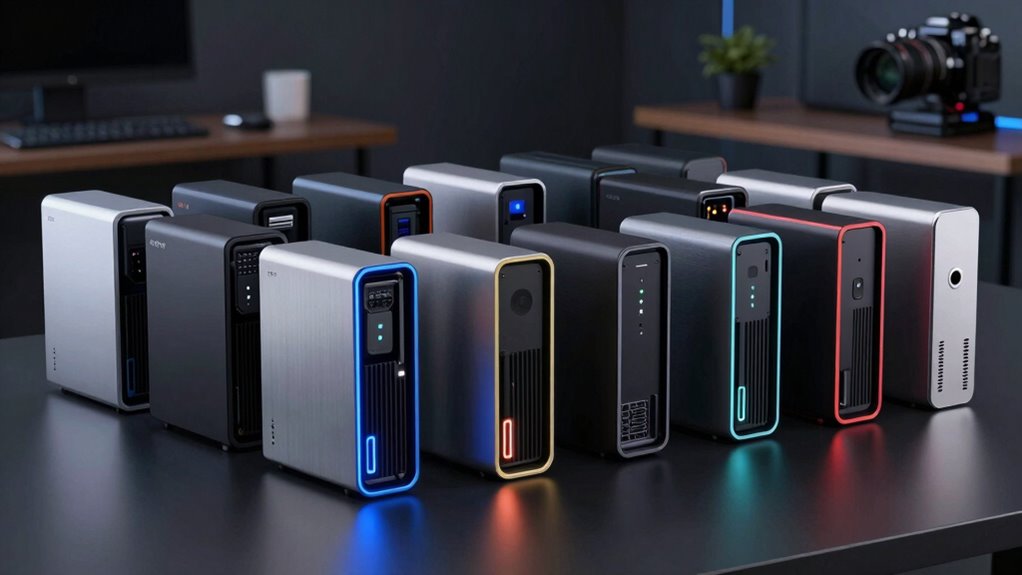

For a high-performance mini PC, I’d start with the GEEKOM GT15 Max: its Core Ultra 9 285H, 32GB of DDR5, and 1TB SSD make it the strongest all-around balance in this group. The GMKtec EVO-T1 stands out for buyers who want 64GB of memory alongside the same processor, while the Ryzen 7 8745HS models offer a capable alternative for demanding everyday work. The main tradeoffs are processor and graphics capability, memory and storage configuration, and whether a compact system can meet your workload without limiting upgrades. A powerful chip alone does not make every mini PC a good fit for sustained work, gaming, or future expansion. Read on for my full comparison and guidance on choosing the right configuration.

Get the latest gadgets delivered free with Prime
- Fast, free delivery on millions of items
- Prime Video, Amazon Music and more included
- Member-only deals all year
Complete the kit



Key Takeaways
- The GEEKOM GT15 Max is my best overall pick because its Core Ultra 9 285H pairs high-end processing with 32GB of DDR5 and a 1TB SSD.
- The GMKtec EVO-T1 leads on included memory, with 64GB alongside the Core Ultra 9 285H; that extra capacity matters for memory-heavy workloads, though it may be unnecessary for routine office use.
- Several Ryzen 7 8745HS options share a similar core platform, so their 16GB memory and 1TB storage configurations, rather than the processor name alone, help distinguish them.
- Configuration differences matter even within the same model line: the two GMKtec M6 Ultra listings pair the same Ryzen 5 7640HS and 32GB RAM with different SSD capacities.
- Older Ryzen 7 6800H systems remain useful alternatives, but their Radeon 680M graphics and listed memory configurations make them a different choice from the newer Core Ultra 9 and Ryzen 7 8745HS options.
| GEEKOM GT15 Max Mini PC, Intel Core Ultra 9 285H, 32GB DDR5, 1TB SSD |  | Best Overall | Processor: Intel Core Ultra 9 285H, 16 cores, up to 5.4 GHz | Graphics: Intel Arc 140T integrated GPU, 8 Xe-cores | Memory: 32GB DDR5, expandable to 128GB | VIEW ON AMAZON | See Our Full Breakdown |
| GMKtec EVO-T1 Mini PC with Intel Core Ultra 9 285H, 64GB DDR5 RAM, 1TB SSD, and Intel Arc 140T Graphics |  | Best for Memory-Heavy Workloads | Processor: Intel Core Ultra 9 285H, 16 cores and 16 threads, up to 5.4 GHz | Graphics: Intel Arc 140T, 8 Xe-cores | Memory: 64GB DDR5 5600MHz SO-DIMM | VIEW ON AMAZON | See Our Full Breakdown |
| GMKtec M6 Ultra Mini PC with AMD Ryzen 5 7640HS, 32GB DDR5 RAM, and 512GB SSD |  | Best for Multi-Display Networking on a Tighter Spec | Processor: AMD Ryzen 5 7640HS, 6 cores and 12 threads, up to 5.0 GHz | Graphics: AMD Radeon 760M integrated graphics | Memory: 32GB DDR5 SO-DIMM, 2 x 16GB; expandable to 128GB | VIEW ON AMAZON | See Our Full Breakdown |
| GEEKOM A8 Mini PC with AMD Ryzen 7 8745HS, 16GB DDR5 RAM, and 1TB SSD |  | Best Compact Workstation | Processor: AMD Ryzen 7 8745HS, 8 cores and 16 threads, up to 4.9 GHz | Graphics: AMD Radeon 780M integrated graphics | Memory: 16GB DDR5, upgradeable to 128GB | VIEW ON AMAZON | See Our Full Breakdown |
| GMKtec M6 Ultra Mini PC with Ryzen 5 7640HS, 32GB DDR5 RAM, and 1TB SSD |  | Best Ready-to-Use Value Configuration | Processor: AMD Ryzen 5 7640HS, 6 cores and 12 threads, 4.3 GHz base, up to 5.0 GHz boost | Graphics: AMD Radeon 760M integrated graphics | Memory: 32GB DDR5, 4800 MT/s; listing states up to 128GB in description | VIEW ON AMAZON | See Our Full Breakdown |
| ACEMAGICIAN S3A Mini PC with AMD Ryzen 7 H 255, 16GB RAM, 512GB SSD |  | Best for Multi-Display Workstations | Processor: AMD Ryzen 7 H 255, 8 cores/16 threads, up to 4.9GHz | Graphics: AMD Radeon 780M, 12 cores, 2600MHz | Memory: 16GB LPDDR5, 6400MT/s; maximum 16GB | VIEW ON AMAZON | See Our Full Breakdown |
| ACEMAGIC K1 Gaming Mini PC Ryzen 7 7735HS 24GB 512GB SSD Windows 11 Pro |  | Best for Memory-Heavy Multitasking | Processor: AMD Ryzen 7 7735HS, 8 cores/16 threads, up to 4.75GHz | Graphics: Integrated AMD Radeon Graphics 680M, 2200MHz | Memory: 24GB LPDDR5, 5500MT/s | VIEW ON AMAZON | See Our Full Breakdown |
| Reatan A8 Mini PC, AMD Ryzen 7 8745HS, 16GB DDR5 RAM, 1TB SSD |  | Best for Expandable Performance | Processor: AMD Ryzen 7 8745HS, 8 cores, up to 4.9GHz | Graphics: AMD Radeon 780M | Memory: 16GB DDR5, 4800MHz; maximum 64GB | VIEW ON AMAZON | See Our Full Breakdown |
| GEEKOM IT13 Max Mini PC with Intel Core Ultra 9 185H, 24GB LPDDR5 RAM, 500GB SSD |  | Best for Linux and Multi-Display Setups | Processor: Intel Core Ultra 9 185H | Memory: 24GB LPDDR5, 5600MT/s | Storage: 500GB SSD | VIEW ON AMAZON | See Our Full Breakdown |
| Glorlin Mini PC with AMD Ryzen 7 6800H, 16GB LPDDR5 RAM, 512GB NVMe SSD, and Radeon 680M |  | Best for Wired Networking | Processor: AMD Ryzen 7 6800H, 8 cores/16 threads, up to 4.7GHz | Graphics: Integrated AMD Radeon 680M | Memory: 16GB dual-channel LPDDR5, 6400MT/s | VIEW ON AMAZON | See Our Full Breakdown |
| GEEKOM IT13 MAX Mini PC, Intel Core Ultra 9 185H, 24GB RAM, 500GB SSD |  | Best for Intel-Heavy Multitasking | Processor: Intel Core Ultra 9 185H | Graphics: Intel Arc Graphics | Memory: 24GB LPDDR5, 5600 MT/s | VIEW ON AMAZON | See Our Full Breakdown |
| GMKtec Nucbox M7 Ultra Mini PC, Ryzen 7 PRO 6850U, 16GB DDR5 RAM, 512GB SSD |  | Best for External GPU Expansion | Processor: AMD Ryzen 7 PRO 6850U, 8 cores/16 threads, up to 4.7GHz | Graphics: Integrated AMD Radeon 680M, 12 cores | Memory: 16GB DDR5-4800, 1 × 16GB; expandable up to 128GB | VIEW ON AMAZON | See Our Full Breakdown |
| ACEMAGICIAN K1 Mini PC with AMD Ryzen 7 7730U, 16GB RAM, 512GB SSD |  | Best for Multi-Monitor Office Work | Processor: AMD Ryzen 7 7730U, 8 cores/16 threads, up to 4.5GHz | Graphics: Integrated AMD Radeon Graphics, 8 cores at 2000MHz | Memory: 16GB DDR4 | VIEW ON AMAZON | See Our Full Breakdown |
| KAMRUI AM21 Mini PC with Ryzen 7 8745HS, 16GB DDR5 RAM, and 1TB NVMe SSD |  | Best for Strong Integrated Graphics | Processor: AMD Ryzen 7 8745HS, 8 cores/16 threads, up to 4.9GHz | Graphics: AMD Radeon 780M integrated graphics | Memory: 16GB DDR5-4800; expandable up to 96GB | VIEW ON AMAZON | See Our Full Breakdown |
| BOSGAME P3 Lite Mini PC with AMD Ryzen 7 6800H, 32GB DDR5 RAM, and 1TB NVMe SSD |  | Best for High-Memory Multitasking | Processor: AMD Ryzen 7 6800H, 8 cores/16 threads, up to 4.75GHz | Graphics: Integrated AMD Radeon 680M | Memory: 32GB DDR5; expandable up to 64GB | VIEW ON AMAZON | See Our Full Breakdown |
| mini pc high performance | Processor | Memory | Storage | Graphics |
|---|---|---|---|---|
| GEEKOM GT15 Max Mini PC | Intel Core Ultra 9 285H, 16 cores, up to 5.4 GHz | 32GB DDR5, expandable to 128GB | 1TB SSD; dual NVMe PCIe slots, up to 6TB total | Intel Arc 140T integrated GPU, 8 Xe-cores |
| GMKtec EVO-T1 Mini PC with Int | Intel Core Ultra 9 285H, 16 cores and 16 threads, up to 5.4 GHz | 64GB DDR5 5600MHz SO-DIMM | Listing states both 1TB and 2TB SSD | Intel Arc 140T, 8 Xe-cores |
| GMKtec M6 Ultra Mini PC with A | AMD Ryzen 5 7640HS, 6 cores and 12 threads, up to 5.0 GHz | 32GB DDR5 SO-DIMM, 2 x 16GB; expandable to 128GB | 512GB M.2 2280 PCIe 3.0 SSD | AMD Radeon 760M integrated graphics |
| GEEKOM A8 Mini PC with AMD Ryz | AMD Ryzen 7 8745HS, 8 cores and 16 threads, up to 4.9 GHz | 16GB DDR5, upgradeable to 128GB | 1TB PCIe 4.0 NVMe SSD, upgradeable to 4TB | AMD Radeon 780M integrated graphics |
| GMKtec M6 Ultra Mini PC with R | AMD Ryzen 5 7640HS, 6 cores and 12 threads, 4.3 GHz base, up to 5.0 GHz boost | 32GB DDR5, 4800 MT/s; listing states up to 128GB in description | 1TB M.2 2280 PCIe SSD | AMD Radeon 760M integrated graphics |
| ACEMAGICIAN S3A Mini PC with A | AMD Ryzen 7 H 255, 8 cores/16 threads, up to 4.9GHz | 16GB LPDDR5, 6400MT/s; maximum 16GB | 512GB PCIe 4.0 NVMe SSD; expansion up to 4TB | AMD Radeon 780M, 12 cores, 2600MHz |
| ACEMAGIC K1 Gaming Mini PC Ryz | AMD Ryzen 7 7735HS, 8 cores/16 threads, up to 4.75GHz | 24GB LPDDR5, 5500MT/s | 512GB M.2 NVMe SSD; expandable up to 4TB via second slot | Integrated AMD Radeon Graphics 680M, 2200MHz |
| Reatan A8 Mini PC | AMD Ryzen 7 8745HS, 8 cores, up to 4.9GHz | 16GB DDR5, 4800MHz; maximum 64GB | 1TB NVMe SSD; additional M.2 SSD support up to 8TB | AMD Radeon 780M |
| GEEKOM IT13 Max Mini PC with I | Intel Core Ultra 9 185H | 24GB LPDDR5, 5600MT/s | 500GB SSD | — |
| Glorlin Mini PC with AMD Ryzen | AMD Ryzen 7 6800H, 8 cores/16 threads, up to 4.7GHz | 16GB dual-channel LPDDR5, 6400MT/s | 512GB NVMe SSD; dual M.2 expansion supported | Integrated AMD Radeon 680M |
| GEEKOM IT13 MAX Mini PC | Intel Core Ultra 9 185H | 24GB LPDDR5, 5600 MT/s | 500GB PCIe 4.0 SSD | Intel Arc Graphics |
| GMKtec Nucbox M7 Ultra Mini PC | AMD Ryzen 7 PRO 6850U, 8 cores/16 threads, up to 4.7GHz | 16GB DDR5-4800, 1 × 16GB; expandable up to 128GB | 512GB M.2 2280 PCIe 3.0 SSD; dual-slot expansion up to 4TB total | Integrated AMD Radeon 680M, 12 cores |
| ACEMAGICIAN K1 Mini PC with AM | AMD Ryzen 7 7730U, 8 cores/16 threads, up to 4.5GHz | 16GB DDR4 | 512GB PCIe SSD; expandable up to 4TB | Integrated AMD Radeon Graphics, 8 cores at 2000MHz |
| KAMRUI AM21 Mini PC with Ryzen | AMD Ryzen 7 8745HS, 8 cores/16 threads, up to 4.9GHz | 16GB DDR5-4800; expandable up to 96GB | 1TB M.2 2280 PCIe 4.0 ×4 NVMe SSD; expandable up to 4TB | AMD Radeon 780M integrated graphics |
| BOSGAME P3 Lite Mini PC with A | AMD Ryzen 7 6800H, 8 cores/16 threads, up to 4.75GHz | 32GB DDR5; expandable up to 64GB | 1TB NVMe PCIe 4.0 SSD | Integrated AMD Radeon 680M |
More Details on Our Top Picks
GEEKOM GT15 Max Mini PC, Intel Core Ultra 9 285H, 32GB DDR5, 1TB SSD
The GEEKOM GT15 Max earns my Best Overall spot by pairing the lineup’s high-end Core Ultra 9 285H with expandable memory, two NVMe slots, and unusually broad display and networking support. Its Arc 140T graphics can handle more demanding integrated-graphics work than a basic office mini PC, while dual USB4 and support for four displays make it a flexible workstation hub. Compared with the GMKtec EVO-T1, it starts with half the listed memory but has clearer storage details and a lower stated power draw. That makes the configuration easier to judge, not necessarily faster in every task. The tradeoff is shared by both: integrated graphics are not a substitute for a dedicated GPU, and reaching the maximum storage capacity means buying additional drives.
Pros:- 16-core processor with boost speeds up to 5.4 GHz
- Expandable DDR5 memory and two NVMe SSD slots
- Supports up to four displays and has dual 2.5Gbps LAN
- Three-year limited warranty
Cons:- Integrated Arc graphics remain behind a dedicated GPU for demanding games and rendering
- The maximum stated storage capacity requires separately purchased drives
Best for: Power users building a compact Windows workstation for CPU-heavy work, multiple displays, and expandable local storage.
Not ideal for: Buyers focused on demanding 3D gaming or GPU rendering, since its graphics are integrated rather than dedicated.
- Processor:Intel Core Ultra 9 285H, 16 cores, up to 5.4 GHz
- Graphics:Intel Arc 140T integrated GPU, 8 Xe-cores
- Memory:32GB DDR5, expandable to 128GB
- Storage:1TB SSD; dual NVMe PCIe slots, up to 6TB total
- Operating system:Windows 11 Pro
- Display support:Up to four displays
- Networking:Dual 2.5Gbps LAN
- Ports:Dual USB4, dual HDMI 2.0, Mini DisplayPort 1.4
- Warranty:3-year limited warranty
Our verdict“Choose the GT15 Max for a well-connected, upgradeable mini workstation with strong CPU performance, but not as a replacement for a desktop with dedicated graphics.”
GMKtec EVO-T1 Mini PC with Intel Core Ultra 9 285H, 64GB DDR5 RAM, 1TB SSD, and Intel Arc 140T Graphics
The GMKtec EVO-T1 is the memory-first choice here: its 64GB of DDR5 gives large projects, heavy multitasking, and virtual machines more room than the 32GB GEEKOM GT15 Max or either GMKtec M6 Ultra configuration. It shares the GT15 Max’s Core Ultra 9 285H and Arc 140T graphics, so its appeal is not a different processor class but a more generous starting memory configuration. Oculink and three M.2 slots also give technically minded owners more ways to expand than the GT15 Max’s two listed NVMe slots. I would verify the drive configuration before buying: the listing conflicts between 1TB and 2TB. Its 90-watt power figure is also higher than the GT15 Max’s, while integrated graphics still limit serious gaming and GPU work.
Pros:- 64GB DDR5 included for memory-intensive multitasking
- Core Ultra 9 285H processor and Arc 140T integrated graphics
- Three M.2 2280 slots and Oculink connectivity
- Supports up to four displays, including HDMI 2.1 8K output
Cons:- Listing conflicts on whether the included SSD is 1TB or 2TB
- 90-watt stated power consumption is higher than the GEEKOM GT15 Max’s 65 watts
- Integrated graphics are not suited to the heaviest gaming or rendering workloads
Best for: Developers, creators, and virtual-machine users who want 64GB of memory and multiple internal expansion options in a compact system.
Not ideal for: Buyers who need a clearly specified storage configuration or a mini PC for sustained GPU-heavy gaming.
- Processor:Intel Core Ultra 9 285H, 16 cores and 16 threads, up to 5.4 GHz
- Graphics:Intel Arc 140T, 8 Xe-cores
- Memory:64GB DDR5 5600MHz SO-DIMM
- Storage:Listing states both 1TB and 2TB SSD
- Storage expansion:Three M.2 2280 slots
- Display support:Up to four displays; HDMI 2.1 supports 8K at 60Hz
- Connectivity:Oculink, 2.5GbE, Wi-Fi 6, Bluetooth 5.2
- Power consumption:90 watts
Our verdict“Pick the EVO-T1 over the GT15 Max when 64GB of included memory and expansion flexibility matter more than a clearly stated SSD capacity.”
GMKtec M6 Ultra Mini PC with AMD Ryzen 5 7640HS, 32GB DDR5 RAM, and 512GB SSD
This GMKtec M6 Ultra is the more modestly equipped of the two M6 listings, but it still pairs a Ryzen 5 7640HS with 32GB of DDR5, giving everyday creative work and multitasking a solid base. Its distinctive strengths are dual 2.5GbE LAN, three-display support, and memory and storage expansion. Compared with the 1TB M6 Ultra, this version has half the listed SSD capacity, so it suits buyers who can add storage or keep larger files elsewhere. It also has a six-core processor rather than the eight-core Ryzen 7 8745HS in the GEEKOM A8, making the A8 a stronger fit for heavier CPU workloads. The M6 counters with 32GB included memory and a 512GB SSD, but Radeon 760M graphics and a one-year warranty set limits.
Pros:- 32GB DDR5 memory included
- Dual 2.5GbE LAN plus Wi-Fi 6
- Supports up to three displays, including 8K at 60Hz over USB4
- Memory and storage can be expanded
Cons:- 512GB SSD offers less included capacity than the 1TB GMKtec M6 Ultra
- Six-core CPU and integrated Radeon 760M are less suited to heavy workloads and demanding games
- One-year limited warranty
Best for: Home-lab users and multitaskers who need dual wired networking, three displays, and 32GB of memory in a compact system.
Not ideal for: People running sustained CPU-heavy production work or demanding games, or anyone who needs a larger SSD without upgrades.
- Processor:AMD Ryzen 5 7640HS, 6 cores and 12 threads, up to 5.0 GHz
- Graphics:AMD Radeon 760M integrated graphics
- Memory:32GB DDR5 SO-DIMM, 2 x 16GB; expandable to 128GB
- Storage:512GB M.2 2280 PCIe 3.0 SSD
- Storage expansion:Dual-slot expansion, up to 8TB PCIe 4.0
- Display support:Up to three displays; USB4 up to 8K at 60Hz
- Networking:Dual 2.5GbE RJ45 and Wi-Fi 6
- Warranty:1-year limited warranty
Our verdict“Choose this M6 Ultra for dual-LAN connectivity and 32GB of memory, but favor the 1TB M6 version if you want more space ready out of the box.”
GEEKOM A8 Mini PC with AMD Ryzen 7 8745HS, 16GB DDR5 RAM, and 1TB SSD
The GEEKOM A8 stands apart through its 0.5-liter chassis and eight-core Ryzen 7 8745HS, a combination that makes it the compact-workstation pick rather than the most fully provisioned option. Its Radeon 780M graphics are integrated, but the A8’s eight-core CPU and upgradeable memory give it more headroom for demanding multitasking than the six-core GMKtec M6 Ultra. The tradeoff is that it arrives with 16GB of RAM, half the memory in either M6 configuration and a quarter of the EVO-T1’s. Upgrading can close that gap, though it adds a step. A 1TB PCIe 4.0 SSD, Wi-Fi 6E, 2.5GbE, and included VESA bracket round out a system designed to tuck behind a display or fit into a space-conscious workstation, not replace a dedicated-GPU desktop.
Pros:- Very compact 0.5-liter chassis with VESA mounting bracket
- Eight-core, 16-thread Ryzen 7 8745HS processor
- Upgradeable DDR5 memory and 1TB PCIe 4.0 SSD
- Wi-Fi 6E and 2.5GbE networking
Cons:- 16GB of included memory is less than the 32GB in either GMKtec M6 Ultra
- Radeon 780M is integrated graphics, not a dedicated GPU
- Maximum memory and storage capacity require upgrades
Best for: Space-constrained professionals who want an eight-core mini PC for productivity and multitasking, with the option to upgrade memory later.
Not ideal for: Buyers who need 32GB or more of memory from the start, or who expect dedicated-GPU performance for games and rendering.
- Processor:AMD Ryzen 7 8745HS, 8 cores and 16 threads, up to 4.9 GHz
- Graphics:AMD Radeon 780M integrated graphics
- Memory:16GB DDR5, upgradeable to 128GB
- Storage:1TB PCIe 4.0 NVMe SSD, upgradeable to 4TB
- Chassis volume:0.5 liters
- Networking:2.5GbE LAN and Wi-Fi 6E
- OS compatibility:Windows 11 and Linux/Ubuntu
- Warranty:3-year limited warranty
Our verdict“Choose the A8 when a tiny footprint and eight-core CPU matter more than having 32GB of memory preinstalled.”
GMKtec M6 Ultra Mini PC with Ryzen 5 7640HS, 32GB DDR5 RAM, and 1TB SSD
Among these five, this GMKtec M6 Ultra is the ready-to-use pick for buyers who want a balanced memory and storage setup without paying for the more specialized Core Ultra systems. Its 32GB DDR5 and 1TB SSD give it more room for apps and active projects than the 512GB M6 version, while the Ryzen 5 7640HS and Radeon 760M provide capable everyday performance. It also shares the other M6’s useful dual 2.5GbE networking, three-display support, and expansion options. Compared with the GEEKOM A8, it has twice the included memory but a six-core CPU instead of an eight-core Ryzen 7. The listing also conflicts on maximum memory capacity, and its one-year warranty is shorter than the A8’s three years.
Pros:- 32GB DDR5 memory and 1TB PCIe SSD included
- Ryzen 5 7640HS with Radeon 760M integrated graphics
- Dual 2.5GbE LAN, Wi-Fi 6, and Bluetooth 5.2
- Supports up to three displays and has two M.2 slots
Cons:- Six-core processor is a step below the eight-core GEEKOM A8 for heavier CPU workloads
- Integrated graphics are intended for moderate rather than demanding gaming
- Memory maximum is inconsistent in the listing, and the warranty is one year
Best for: Buyers who want 32GB memory, a 1TB SSD, dual wired networking, and multi-display support in one compact desktop.
Not ideal for: Users prioritizing an eight-core CPU, longer warranty coverage, or strong performance in demanding games and GPU workloads.
- Processor:AMD Ryzen 5 7640HS, 6 cores and 12 threads, 4.3 GHz base, up to 5.0 GHz boost
- Graphics:AMD Radeon 760M integrated graphics
- Memory:32GB DDR5, 4800 MT/s; listing states up to 128GB in description
- Storage:1TB M.2 2280 PCIe SSD
- Storage expansion:Dual M.2 slots; listing states up to 8TB PCIe 4.0
- Display support:Up to three displays; USB4 up to 8K at 60Hz
- Networking:Dual 2.5GbE LAN, Wi-Fi 6, Bluetooth 5.2
- Operating system:Windows 11 Pro
- Warranty:1-year limited warranty
Our verdict“Pick this M6 Ultra for a useful 32GB-and-1TB starting configuration, but choose the A8 for a stronger CPU and longer stated warranty.”
ACEMAGICIAN S3A Mini PC with AMD Ryzen 7 H 255, 16GB RAM, 512GB SSD
The S3A earns this role by pairing an 8-core, 16-thread Ryzen 7 H 255 with Radeon 780M graphics and outputs for three 4K displays. Its three power modes let buyers favor quieter, lower-power operation or give the processor more room under heavier workloads. Compared with the ACEMAGIC K1, the S3A offers a newer listed processor and 780M graphics, while the K1 provides 24GB of memory instead of 16GB.
That memory ceiling is the S3A’s main limit: it cannot be expanded beyond 16GB, so large creative projects or heavy multitasking may outgrow it. The 512GB PCIe 4.0 SSD can be expanded, and dual-fan cooling is a useful match for its higher performance mode. I’d choose it for a compact display-focused workstation, not for workloads that need abundant RAM.
Pros:- Ryzen 7 H 255 has 8 cores and 16 threads for demanding productivity workloads.
- Radeon 780M graphics and support for up to three 4K displays suit multi-screen desks.
- Three performance modes let buyers trade power and fan activity for added performance.
- 512GB PCIe 4.0 storage can be expanded up to 4TB.
Cons:- Maximum memory is 16GB, with no stated upgrade path.
- Its included 512GB SSD may be tight for large media or project libraries.
- The higher performance mode draws up to 54W, so sustained workloads rely on active dual-fan cooling.
Best for: Desk-based professionals who want a compact Windows 11 Pro system for several 4K monitors, everyday productivity, and moderate CPU-heavy work.
Not ideal for: Users running memory-intensive creative applications or many demanding workloads at once, because RAM is capped at 16GB.
- Processor:AMD Ryzen 7 H 255, 8 cores/16 threads, up to 4.9GHz
- Graphics:AMD Radeon 780M, 12 cores, 2600MHz
- Memory:16GB LPDDR5, 6400MT/s; maximum 16GB
- Storage:512GB PCIe 4.0 NVMe SSD; expansion up to 4TB
- Display support:Up to three 4K displays
- Video outputs:HDMI 2.0, DisplayPort 2.0, USB4 Type-C
- Cooling and power modes:Dual-fan cooling; Silent 20–35W, Auto 30–45W, Performance 40–54W
- Operating system:Windows 11 Pro
Our verdict“Choose the S3A for a compact, multi-display workstation with flexible power modes, but skip it if your workload needs more than 16GB of RAM.”
ACEMAGIC K1 Gaming Mini PC Ryzen 7 7735HS 24GB 512GB SSD Windows 11 Pro
The K1 is a strong fit for buyers who want a fast general-purpose mini PC with more breathing room for multitasking than a 16GB system. Its Ryzen 7 7735HS brings 8 cores and 16 threads, while 24GB of LPDDR5 gives it an advantage over the ACEMAGICIAN S3A when several applications or browser tabs are open. Radeon 680M graphics can handle lighter games and graphics work, but this is not a substitute for a discrete GPU.
The compact chassis supports three 4K displays, and the second M.2 slot gives storage a clear upgrade route. Compared with the Reatan A8, the K1 starts with more memory but has older, less capable integrated graphics on paper and lacks the Reatan’s OCuLink connection. Its memory is listed as LPDDR5, with no upgrade capacity specified, so buyers should plan around the included 24GB.
Pros:- Eight-core, 16-thread Ryzen 7 7735HS supports busy productivity workloads.
- 24GB LPDDR5 provides more multitasking headroom than the 16GB ACEMAGICIAN S3A.
- Triple 4K display support and a compact 5.19-inch-square chassis suit space-limited desks.
- Second M.2 slot allows storage expansion up to 4TB.
Cons:- Integrated Radeon 680M graphics are not suited to demanding modern games or GPU-heavy creative work.
- Memory is listed as LPDDR5, with no upgrade path specified.
- Accessing the second storage slot requires opening the case.
Best for: Multitaskers who want a compact Windows 11 Pro desktop with 24GB of memory, triple-display support, and enough graphics capability for light gaming.
Not ideal for: Gamers seeking demanding titles at high settings or buyers who need a dedicated graphics card; integrated Radeon graphics are the limit.
- Processor:AMD Ryzen 7 7735HS, 8 cores/16 threads, up to 4.75GHz
- Graphics:Integrated AMD Radeon Graphics 680M, 2200MHz
- Memory:24GB LPDDR5, 5500MT/s
- Storage:512GB M.2 NVMe SSD; expandable up to 4TB via second slot
- Display support:Up to three 4K displays
- Ports:6 USB ports, HDMI, DisplayPort, Type-C
- Wireless:Wi-Fi 6, Bluetooth 5.2
- Operating system:Windows 11 Pro
Our verdict“Pick the K1 for compact multitasking and light gaming with 24GB of memory, not for graphics-intensive gaming or upgradeable RAM.”
Reatan A8 Mini PC, AMD Ryzen 7 8745HS, 16GB DDR5 RAM, 1TB SSD
The Reatan A8’s appeal is its combination of a Ryzen 7 8745HS, Radeon 780M graphics, and unusually flexible expansion. Buyers can raise memory from its included 16GB to 64GB, add an M.2 SSD, connect external graphics through OCuLink, and run up to four displays. That makes it a more adaptable platform than the ACEMAGICIAN S3A, whose memory is capped at 16GB and display support tops out at three screens.
Its 1TB SSD also gives it more out-of-box capacity than the S3A or GEEKOM IT13 Max. The tradeoff is that its memory and additional storage upgrades are not included, and the listed warranty is one year for hardware. OCuLink and dual 2.5G Ethernet will matter most to specialized setups; buyers who only need a basic desktop may be better served by a simpler configuration.
Pros:- Ryzen 7 8745HS and Radeon 780M provide a capable CPU-and-integrated-graphics foundation.
- Memory can be expanded to 64GB, unlike the fixed 16GB ACEMAGICIAN S3A.
- OCuLink supports an external graphics setup, and storage can be expanded with an additional M.2 SSD.
- Four-display support and dual 2.5G Ethernet suit complex desk or network setups.
Cons:- The included 16GB of RAM may need upgrading for demanding multitasking.
- Additional SSD capacity must be purchased separately.
- Hardware warranty is one year, shorter than the three-year warranty listed for the GEEKOM IT13 Max.
Best for: Technical users and small-workstation builders who want a compact Ryzen system they can expand with more RAM, extra SSD storage, or an OCuLink-connected graphics device.
Not ideal for: Buyers who need more than 16GB of memory immediately without upgrading, or those who do not need its expansion and networking features.
- Processor:AMD Ryzen 7 8745HS, 8 cores, up to 4.9GHz
- Graphics:AMD Radeon 780M
- Memory:16GB DDR5, 4800MHz; maximum 64GB
- Storage:1TB NVMe SSD; additional M.2 SSD support up to 8TB
- Expansion and connectivity:OCuLink, USB4, HDMI 2.0, DisplayPort, dual 2.5G Ethernet
- Display support:Up to four monitors
- Dimensions and weight:130 × 128 × 45 mm; 550 g
- Operating system and support:Windows 11 Pro; 1-year hardware warranty and 3-year technical support
Our verdict“Choose the Reatan A8 if you want a high-performance mini PC with meaningful memory, storage, and external-graphics expansion, and are willing to upgrade it.”
GEEKOM IT13 Max Mini PC with Intel Core Ultra 9 185H, 24GB LPDDR5 RAM, 500GB SSD
The IT13 Max stands out for buyers who want an Intel-based compact system with broad display and operating-system flexibility. Its Core Ultra 9 185H is paired with 24GB of LPDDR5, and the system supports Windows 11 as well as major Linux distributions. Up to four simultaneous displays, dual Ethernet, and a three-year warranty give it a workstation-minded profile that differs from the gaming-leaning ACEMAGIC K1.
The small 1.4-pound chassis and IceBlast 3.0 cooling suit a crowded desk, but the listing does not specify upgrade options or a full port inventory. Its 500GB SSD is also less included storage than the Reatan A8’s 1TB, while onboard memory leaves no stated path to expand RAM. I’d favor this GEEKOM for Linux compatibility and multi-screen productivity, not for buyers who prioritize easy hardware upgrades.
Pros:- Core Ultra 9 185H and 24GB LPDDR5 target demanding multitasking and productivity.
- Supports Windows 11 and major Linux distributions.
- Can drive up to four displays and includes dual Ethernet.
- Three-year warranty is longer than the one-year hardware warranty listed for the Reatan A8.
Cons:- Onboard LPDDR5 memory is not listed as upgradeable.
- The 500GB SSD provides less included capacity than the Reatan A8’s 1TB drive.
- The product information does not give complete port details or specify upgrade options.
Best for: Linux users and productivity-focused professionals who need a compact Intel mini PC with four-display support, dual Ethernet, and a longer stated warranty.
Not ideal for: Buyers who want upgradeable RAM, clearly documented port selection, or more than 500GB of included storage.
- Processor:Intel Core Ultra 9 185H
- Memory:24GB LPDDR5, 5600MT/s
- Storage:500GB SSD
- Operating system:Windows 11; supports major Linux distributions
- Display support:Up to four simultaneous displays; up to 8K via USB-C and 4K via HDMI
- Networking:Dual Ethernet
- Cooling and power:IceBlast 3.0 cooling; 65W power consumption
- Size, weight, and warranty:4.6 × 4.4 × 1.9 inches; 1.4 pounds; 3-year warranty
Our verdict“Choose the IT13 Max for compact Linux-friendly productivity across up to four displays, but look elsewhere if upgradeability or larger included storage matters more.”
Glorlin Mini PC with AMD Ryzen 7 6800H, 16GB LPDDR5 RAM, 512GB NVMe SSD, and Radeon 680M
The Glorlin is the practical pick for buyers whose high-performance mini PC needs include wired network flexibility as well as everyday computing. Its Ryzen 7 6800H has 8 cores and 16 threads, while Radeon 680M graphics and support for three 4K displays make it suitable for productivity, media, and lighter gaming. The standout is dual LAN, a feature that can help users building a compact home-office or networked setup.
Compared with the Reatan A8, the Glorlin has an older listed processor, less included storage, and no stated RAM upgrade ceiling beyond its 16GB configuration. The Reatan is a better fit for expansion and external graphics, while the Glorlin’s dual LAN and dual M.2 support make its appeal more focused. Its 512GB SSD is expandable, but buyers should not assume the soldered or listed LPDDR5 memory can be upgraded.
Pros:- Eight-core, 16-thread Ryzen 7 6800H supports multitasking and CPU-heavy everyday work.
- Dual LAN offers more wired-network flexibility than the single-network details listed for the ACEMAGIC K1.
- Three 4K display support suits multi-monitor productivity.
- Dual M.2 expansion provides a route to add storage.
Cons:- Radeon 680M is intended for media and lighter gaming, not demanding graphics workloads.
- The included 16GB LPDDR5 memory is not listed as upgradeable.
- The one-year warranty is shorter than the three-year warranty listed for the GEEKOM IT13 Max.
Best for: Home-office and small-network users who want an 8-core mini PC with dual wired LAN, Wi-Fi 6, and support for three 4K screens.
Not ideal for: Users seeking demanding gaming performance, substantial RAM capacity, or the newest processor generation in this group.
- Processor:AMD Ryzen 7 6800H, 8 cores/16 threads, up to 4.7GHz
- Graphics:Integrated AMD Radeon 680M
- Memory:16GB dual-channel LPDDR5, 6400MT/s
- Storage:512GB NVMe SSD; dual M.2 expansion supported
- Display support:Up to three 4K displays
- Video outputs:HDMI, DisplayPort, USB Type-C
- Networking:Dual LAN, Wi-Fi 6, Bluetooth 5.3
- Operating system and warranty:Windows 11 Pro; 1-year warranty
Our verdict“Pick the Glorlin for a compact productivity system where dual wired networking and storage expansion matter more than gaming or memory upgrades.”
GEEKOM IT13 MAX Mini PC, Intel Core Ultra 9 185H, 24GB RAM, 500GB SSD
The Core Ultra 9 185H gives this compact Windows PC a strong fit for demanding office workloads, frequent multitasking, and creative applications that benefit from its processor and Intel Arc graphics. Its 24GB of LPDDR5 memory is more generous than the 16GB in the KAMRUI AM21, though the listing does not say the memory is upgradeable. The IT13 MAX also sets itself apart with dual 2.5GbE LAN, four-display support, and a three-year coverage period, making it attractive for a desk with several monitors or a wired network setup. Its main compromises are the 500GB SSD and less flexible memory; buyers needing room to grow may prefer the BOSGAME P3 Lite’s larger drive and upgradeable RAM. Display configurations for all four screens are not specified.
Pros:- Core Ultra 9 185H and 24GB LPDDR5 memory suit demanding multitasking.
- Intel Arc graphics and support for up to four displays broaden its workstation use.
- Dual 2.5GbE LAN supports fast wired networking or separate network connections.
- Storage expansion options and three-year coverage add flexibility.
Cons:- LPDDR5 memory is not listed as upgradeable.
- The included 500GB SSD is smaller than the drives in several alternatives.
- The listing does not detail the output configuration required for four displays.
Best for: Windows professionals running demanding multitasking workloads across several displays who value dual 2.5GbE networking and longer stated coverage.
Not ideal for: Buyers who need upgradeable memory, a larger included SSD, or clearly specified connections for a four-display setup.
- Processor:Intel Core Ultra 9 185H
- Graphics:Intel Arc Graphics
- Memory:24GB LPDDR5, 5600 MT/s
- Storage:500GB PCIe 4.0 SSD
- Networking:Dual 2.5GbE LAN
- Display support:Up to four displays; HDMI listed
- Operating system:Windows 11
- Dimensions and weight:7.87 × 4.72 × 7.48 inches; 1.4 pounds
Our verdict“Choose the IT13 MAX for a high-end Intel mini PC with strong wired networking and multi-display support, but skip it if memory upgrades or a larger stock SSD matter most.”
GMKtec Nucbox M7 Ultra Mini PC, Ryzen 7 PRO 6850U, 16GB DDR5 RAM, 512GB SSD
The Nucbox M7 Ultra is the most upgrade-minded choice here: its standout OCuLink connection gives buyers a path to an external GPU setup, while two SSD slots and expandable memory leave room for future changes. That makes it a different proposition from the KAMRUI AM21, which has a newer Ryzen 7 8745HS and Radeon 780M but no listed OCuLink port. Inside, the M7 Ultra pairs an 8-core Ryzen 7 PRO 6850U with integrated Radeon 680M graphics, enough for everyday work and lighter gaming, but not a substitute for a dedicated GPU on its own. The included 16GB single-module memory is a practical starting point, though adding a second module or upgrading may be appealing. Buyers seeking maximum out-of-box graphics power should look elsewhere.
Pros:- OCuLink supports an external GPU setup.
- Expandable memory and two SSD slots provide room for upgrades.
- Dual 2.5GbE LAN and Wi-Fi 6E cover flexible network setups.
- Up to four-display support with HDMI 2.1, USB4, and DisplayPort outputs.
Cons:- Integrated Radeon 680M graphics are less suited to demanding games than a dedicated GPU.
- The included 16GB is supplied as a single module.
- Its Ryzen 7 PRO 6850U is an older processor platform than the KAMRUI AM21’s Ryzen 7 8745HS.
Best for: PC enthusiasts who want a compact everyday system with OCuLink for a possible external GPU and accessible memory and storage expansion.
Not ideal for: Gamers who expect strong demanding-game performance without adding an external GPU, or buyers who want dual-channel memory included from the start.
- Processor:AMD Ryzen 7 PRO 6850U, 8 cores/16 threads, up to 4.7GHz
- Graphics:Integrated AMD Radeon 680M, 12 cores
- Memory:16GB DDR5-4800, 1 × 16GB; expandable up to 128GB
- Storage:512GB M.2 2280 PCIe 3.0 SSD; dual-slot expansion up to 4TB total
- Operating system:Windows 11 Pro
- Display outputs:HDMI 2.1, USB4, and DisplayPort; supports up to four displays
- Networking:Dual 2.5GbE LAN, Wi-Fi 6E, Bluetooth 5.2
- Expansion and power modes:OCuLink; Quiet 35W, Balance 50W, Performance 65W–70W
Our verdict“Pick the Nucbox M7 Ultra if OCuLink and internal upgrade options matter more than having the newest processor or stronger graphics out of the box.”
ACEMAGICIAN K1 Mini PC with AMD Ryzen 7 7730U, 16GB RAM, 512GB SSD
The K1 is the practical office pick in this group, with an 8-core Ryzen 7 7730U, Windows 11 Pro, and straightforward support for three 4K displays. Its USB-C port adds DisplayPort output, while five USB 3.2 ports give desk peripherals room to connect without relying on a hub. Compared with the KAMRUI AM21, the K1 has an older Ryzen platform and DDR4 memory rather than DDR5, so it is less compelling for buyers chasing the strongest performance in this roundup. Its case for inclusion is the useful port and display setup for office workflows, plus storage expansion up to 4TB. Integrated graphics are suited to general productivity, not demanding gaming or GPU-heavy creative work, and the additional storage drive is not included.
Pros:- Supports three 4K displays through HDMI, DisplayPort, and USB-C.
- Five USB 3.2 ports simplify connecting multiple peripherals.
- Storage can be expanded up to 4TB.
- Includes Wi-Fi 6, Bluetooth 5.2, and Windows 11 Pro.
Cons:- Ryzen 7 7730U and DDR4 memory are less performance-oriented than the KAMRUI AM21’s newer Ryzen 7 8745HS and DDR5.
- Integrated graphics are a limitation for demanding games and GPU-intensive creative tasks.
- The storage expansion drive is not included.
Best for: Office users who want a compact Windows 11 Pro desktop for multiple 4K screens, lots of USB peripherals, and general productivity.
Not ideal for: Buyers prioritizing the newest CPU platform, demanding graphics performance, or high-speed wired networking beyond 1Gbps.
- Processor:AMD Ryzen 7 7730U, 8 cores/16 threads, up to 4.5GHz
- Graphics:Integrated AMD Radeon Graphics, 8 cores at 2000MHz
- Memory:16GB DDR4
- Storage:512GB PCIe SSD; expandable up to 4TB
- Operating system:Windows 11 Pro
- Display support:Three 4K displays via HDMI, DisplayPort, and USB-C
- Connectivity:Wi-Fi 6, Bluetooth 5.2, 1Gbps Ethernet
- Ports:Five USB 3.2 ports; USB-C with up to 10Gbps transfer and DisplayPort 1.4
Our verdict“Choose the K1 for a multi-monitor productivity desk with plentiful USB ports, not for gaming or maximum processing performance.”
KAMRUI AM21 Mini PC with Ryzen 7 8745HS, 16GB DDR5 RAM, and 1TB NVMe SSD
The AM21 stands out for buyers who want a potent modern processor without a separate graphics card. Its Ryzen 7 8745HS and Radeon 780M give it a stronger performance-oriented profile than the ACEMAGICIAN K1’s Ryzen 7 7730U and older integrated graphics, while the 1TB PCIe 4.0 SSD doubles the K1’s listed capacity. Two SO-DIMM slots and two M.2 slots let owners expand memory and storage, making this a more adaptable base for demanding everyday work. USB4 adds fast connectivity and high-resolution display support. The tradeoff is that the Radeon 780M remains integrated graphics, so it cannot match a discrete GPU for demanding games or heavy 3D workloads. It also lacks the dual 2.5GbE networking and OCuLink found on the GMKtec Nucbox M7 Ultra.
Pros:- Ryzen 7 8745HS and Radeon 780M offer a strong integrated-graphics combination.
- 1TB PCIe 4.0 SSD provides more included storage than the K1’s 512GB drive.
- Two SO-DIMM slots and two M.2 slots support future upgrades.
- USB4 and multiple video outputs suit flexible, high-resolution display setups.
Cons:- Radeon 780M is integrated and cannot match a dedicated GPU for demanding gaming.
- Networking is dual Gigabit Ethernet rather than the dual 2.5GbE offered by the GMKtec Nucbox M7 Ultra.
- No SATA SSD expansion is listed.
Best for: Power users and light gamers who want a modern Ryzen mini PC, a capable integrated GPU, and room to expand memory and SSD storage.
Not ideal for: Buyers who need a dedicated graphics card, OCuLink for external GPU expansion, or faster-than-Gigabit Ethernet.
- Processor:AMD Ryzen 7 8745HS, 8 cores/16 threads, up to 4.9GHz
- Graphics:AMD Radeon 780M integrated graphics
- Memory:16GB DDR5-4800; expandable up to 96GB
- Storage:1TB M.2 2280 PCIe 4.0 ×4 NVMe SSD; expandable up to 4TB
- Memory and M.2 slots:Two SO-DIMM slots; two M.2 2280 slots
- Operating system:Windows 11 Pro
- Video outputs:Dual HDMI 2.1, USB4, and USB-C; maximum resolution 5120 × 2880
- Networking:Dual Gigabit Ethernet, Wi-Fi 6, Bluetooth 5.2
Our verdict“The AM21 is the stronger fit for buyers who want modern CPU and integrated-graphics performance with straightforward internal upgrades, but not a discrete-GPU replacement.”
BOSGAME P3 Lite Mini PC with AMD Ryzen 7 6800H, 32GB DDR5 RAM, and 1TB NVMe SSD
The P3 Lite’s main advantage is how much it brings ready to use: 32GB DDR5 memory and a 1TB PCIe 4.0 SSD make it better equipped for heavy browser sessions, multiple work applications, and large local files than the 16GB/512GB ACEMAGICIAN K1. Its Ryzen 7 6800H and Radeon 680M provide capable general performance, while support for three 4K displays or one 8K display gives it a flexible workstation role. Dual 2.5Gb Ethernet and Wi-Fi 6E also make it the stronger networking choice over the K1. The processor generation is older than the KAMRUI AM21’s Ryzen 7 8745HS, and integrated graphics limit demanding gaming. Its one-year warranty is also shorter than the three-year coverage listed for the GEEKOM IT13 MAX.
Pros:- 32GB DDR5 memory is well suited to heavy multitasking.
- 1TB NVMe PCIe 4.0 SSD provides substantial included storage.
- Dual 2.5Gb Ethernet and Wi-Fi 6E offer flexible, fast networking.
- Supports up to three 4K displays or one 8K display.
Cons:- Integrated Radeon 680M graphics are limited for demanding games.
- Ryzen 7 6800H is an older platform than the KAMRUI AM21’s Ryzen 7 8745HS.
- The listed one-year warranty is shorter than the three-year coverage on the GEEKOM IT13 MAX.
Best for: Multitaskers who want 32GB memory and 1TB storage ready for work, several displays, and a fast wired network.
Not ideal for: Buyers who need a newer CPU platform, dedicated graphics for demanding games, or longer stated warranty coverage.
- Processor:AMD Ryzen 7 6800H, 8 cores/16 threads, up to 4.75GHz
- Graphics:Integrated AMD Radeon 680M
- Memory:32GB DDR5; expandable up to 64GB
- Storage:1TB NVMe PCIe 4.0 SSD
- Storage expansion:Two M.2 2280 slots; supports up to 8TB expansion
- Display support:Up to three 4K displays at 60Hz or one 8K display
- Connectivity:USB4, HDMI, DisplayPort, dual 2.5Gb Ethernet, Wi-Fi 6E, Bluetooth 5.2
- Operating system and compatibility:Windows 11 Pro; compatible with Ubuntu and Linux
Our verdict“Choose the P3 Lite when high memory capacity, a large SSD, and fast networking matter more than having the newest processor or a dedicated GPU.”

How We Picked
I ranked these mini PCs by how well their listed configurations fit the promise of high performance in a compact system. Processor class came first, followed by included memory and SSD capacity, since those determine how much demanding work a system can handle before a buyer needs an upgrade. I also weighed the listed integrated graphics when comparing options for light gaming or graphics-heavy tasks. The ranking reflects the specifications supplied for each product; it does not assume unlisted cooling capacity, port selection, upgrade access, or sustained performance.
The GT15 Max ranks first for its combination of a Core Ultra 9 285H, 32GB DDR5, and 1TB SSD. The EVO-T1 follows for buyers whose work can use its 64GB of RAM, while the Ryzen 7 8745HS models offer another strong processor tier with more modest 16GB configurations. Systems with Ryzen 5, Ryzen 7 6800H, or Ryzen 7 7730U processors rank lower for this performance-focused brief, though some can be a better match for lighter workloads. Where listings share a processor but differ in RAM or storage, I treat those configurations as distinct buying choices rather than assuming they perform identically.
| mini pc high performance | Operating system |
|---|---|
| GEEKOM GT15 Max Mini PC | Windows 11 Pro |
| GMKtec EVO-T1 Mini PC with Int | — |
| GMKtec M6 Ultra Mini PC with A | — |
| GEEKOM A8 Mini PC with AMD Ryz | — |
| GMKtec M6 Ultra Mini PC with R | Windows 11 Pro |
| ACEMAGICIAN S3A Mini PC with A | Windows 11 Pro |
| ACEMAGIC K1 Gaming Mini PC Ryz | Windows 11 Pro |
| Reatan A8 Mini PC | — |
| GEEKOM IT13 Max Mini PC with I | Windows 11; supports major Linux distributions |
| Glorlin Mini PC with AMD Ryzen | — |
| GEEKOM IT13 MAX Mini PC | Windows 11 |
| GMKtec Nucbox M7 Ultra Mini PC | Windows 11 Pro |
| ACEMAGICIAN K1 Mini PC with AM | Windows 11 Pro |
| KAMRUI AM21 Mini PC with Ryzen | Windows 11 Pro |
| BOSGAME P3 Lite Mini PC with A | — |
Factors to Consider When Choosing Mini Pc High Performance
Choosing a high-performance mini PC takes more than picking the processor with the biggest name. I’d match the system to the work you actually do, then check whether its memory, storage, graphics, and upgrade options support that work over time. These factors can prevent paying for unused capacity—or buying a compact computer that reaches a limit sooner than expected.
Match Processor Class to Your Workload
Start with the tasks that keep your computer busy for more than a few seconds at a time. Compiling code, running virtual machines, editing media, and handling large batches of data can benefit from a higher-tier processor such as the Core Ultra 9 285H in the GT15 Max and EVO-T1. Everyday office work and browsing may not make meaningful use of that headroom, so a lower-tier option can still feel responsive while leaving more room in the budget for memory or storage. Avoid treating model numbers as a direct performance guarantee across different processor generations or power limits. Since the listings do not specify sustained power behavior, check independent technical details if long-running workloads are central to your decision.
Choose Enough Memory for Your Apps
Memory capacity affects how comfortably a mini PC can keep multiple demanding applications open. The EVO-T1’s listed 64GB makes it the clearest fit here for heavy multitasking, while 16GB configurations may be sufficient for general work but can feel restrictive with large projects or several virtual machines. The right amount depends on your software, not simply on choosing the largest number in the lineup. Check whether memory is upgradeable and whether the listed capacity is installed as one module or more; the product details provided here do not answer those questions. If memory cannot be expanded, buying closer to your expected needs can extend the system’s useful life.
Treat Integrated Graphics as a Workload Limit
These listings emphasize compact PCs with integrated graphics, so buyers should distinguish light gaming and display work from demanding modern games or professional GPU rendering. The EVO-T1 lists Intel Arc 140T Graphics, while the Glorlin specifies Radeon 680M; other entries identify processors but do not give a separate graphics configuration in the supplied details. Graphics performance can vary with cooling, power settings, and system memory, so a GPU name alone does not settle the comparison. If a dedicated graphics card is essential, verify that the mini PC can support one or consider a larger desktop instead. For casual play or GPU-assisted tasks, check benchmarks for the exact configuration and software you plan to use.
Buy Storage for Your Files, Not Just the Day You Set It Up
A 1TB SSD gives more working room for applications, games, and media libraries than a 500GB or 512GB drive, but capacity does not tell you the SSD’s speed or expansion options. The two M6 Ultra configurations show why checking the exact listing matters: both specify a Ryzen 5 7640HS and 32GB of RAM, while one lists 512GB and the other 1TB. Estimate how much space your active projects need, then account for backups and large files that may stay on the device. Before buying, confirm whether the storage can be replaced or expanded and what drive formats the system accepts. External storage can solve a capacity shortage, but it may add clutter and may not suit every workflow.
Check Cooling and Sustained Performance Before Long Sessions
Compact size puts limits on how much heat a mini PC can move away from its processor. That matters most for extended rendering, code builds, or other work that keeps the processor busy for long periods; short bursts of speed do not tell the whole story. The supplied listings do not provide comparable thermal or noise measurements, so I would look for independent tests of the exact model before relying on one for continuous heavy workloads. Also check where the device will sit, since blocked vents can hinder cooling in a tight shelf or behind a monitor. A somewhat less powerful model with well-documented sustained behavior may suit a long-session workload better than a faster chip with unknown thermal limits.
Verify Ports, Networking, and Upgrade Access
A fast processor cannot make up for missing connections in a workstation setup. Before choosing, confirm the exact number and type of display outputs, USB ports, network connections, and any features your peripherals require; the product details in this roundup do not list comparable port inventories. Check whether memory and storage are accessible, and whether the included power supply and mounting options fit your desk. Buyers who connect multiple high-resolution displays or fast external drives should verify those capabilities rather than infer them from the processor. A small chassis can save desk space, but only if its connectivity and maintenance options support the way you work.
Frequently Asked Questions
Is 64GB of RAM worth choosing over 32GB in these mini PCs?
I’d choose the EVO-T1’s listed 64GB if your workload includes several virtual machines, large creative projects, or heavy multitasking that regularly fills memory. For browsing, office apps, and lighter creative work, 32GB may be a more sensible fit, with storage or other needs taking priority. The capacity listed is not the only factor: check whether the RAM can be upgraded and whether a specific configuration has free expansion slots. If the memory is fixed, base the decision on your likely workload over the years you plan to keep the PC. Extra RAM has little benefit when your everyday applications do not use it.
Should I choose a Ryzen 7 8745HS mini PC or a Core Ultra 9 285H model?
The Core Ultra 9 285H options in this roundup sit at the higher processor tier, while the Ryzen 7 8745HS models offer a different platform and are listed with 16GB of RAM and 1TB SSD. I’d favor the Core Ultra 9 for demanding CPU-heavy work, especially when paired with enough memory for the applications involved. The Ryzen 7 8745HS systems may suit buyers who want a capable everyday workstation without selecting a top-tier processor. Compare independent benchmarks for your specific software, since the supplied specifications do not establish performance under sustained load. Also verify the exact memory configuration before choosing.
Can any of these mini PCs replace a gaming desktop?
These systems may suit casual gaming, older games, or lighter titles, but the listed configurations center on integrated graphics rather than a dedicated gaming GPU. The EVO-T1 specifies Intel Arc 140T Graphics, and the Glorlin lists Radeon 680M; neither detail alone guarantees a particular game’s frame rate. Check benchmarks at the resolution and quality settings you want, and confirm that the exact model’s cooling supports extended play. If you expect demanding new games or high graphics settings, a desktop with a dedicated graphics card is usually a safer choice. Pick a mini PC for gaming only when its measured performance matches your actual games.
How do I choose between the two GMKtec M6 Ultra configurations?
Both listed M6 Ultra versions have a Ryzen 5 7640HS and 32GB of DDR5, so the clearest stated difference is SSD capacity: 512GB versus 1TB. The larger drive makes more sense if you keep games, media, or active project files on the PC and prefer fewer storage additions. The 512GB configuration can work for a smaller application library or a setup that relies on network or external storage. Check the exact seller listing before ordering, since similarly named configurations can be easy to confuse. Also confirm whether the SSD can be upgraded and whether either listing includes other hardware differences not shown in its title.
What should I verify before using a mini PC for daily professional work?
Check the connection options for your displays, storage, wired network, and specialist peripherals before buying; the listed product details here do not provide a full, comparable port breakdown. For regular long workloads, look for independent tests that report sustained performance and fan noise rather than relying only on the processor name. Confirm whether memory and storage can be replaced or expanded, especially if your software needs may grow. Consider how the unit will be mounted and whether its vents will have clear airflow at your workspace. If your work depends on a particular operating system, display setup, or security feature, verify that support for the exact configuration.
Conclusion
For most buyers seeking a high-performance mini PC, I’d pick the GEEKOM GT15 Max as the best overall: its Core Ultra 9 285H, 32GB DDR5, and 1TB SSD make a balanced high-spec setup. The GMKtec EVO-T1 is my best premium choice for workloads that can use 64GB of RAM, while the GMKtec M6 Ultra with 32GB and 1TB is my best value-oriented pick for buyers who want a capable processor and more storage without stepping up to the Core Ultra 9 tier. For beginners, I’d favor a straightforward 16GB/1TB Ryzen 7 8745HS configuration, such as the GEEKOM A8, after confirming the connections and upgrade options suit their setup. For light gaming or graphics-focused integrated workloads, compare the EVO-T1’s listed Arc 140T and the Glorlin’s Radeon 680M against benchmarks for your games and apps. If your specific needs include sustained GPU-heavy work, none should be chosen on processor names alone; verify tested performance or look at a system with dedicated graphics.
Halloween Picks
halloween
As an affiliate, we earn on qualifying purchases.