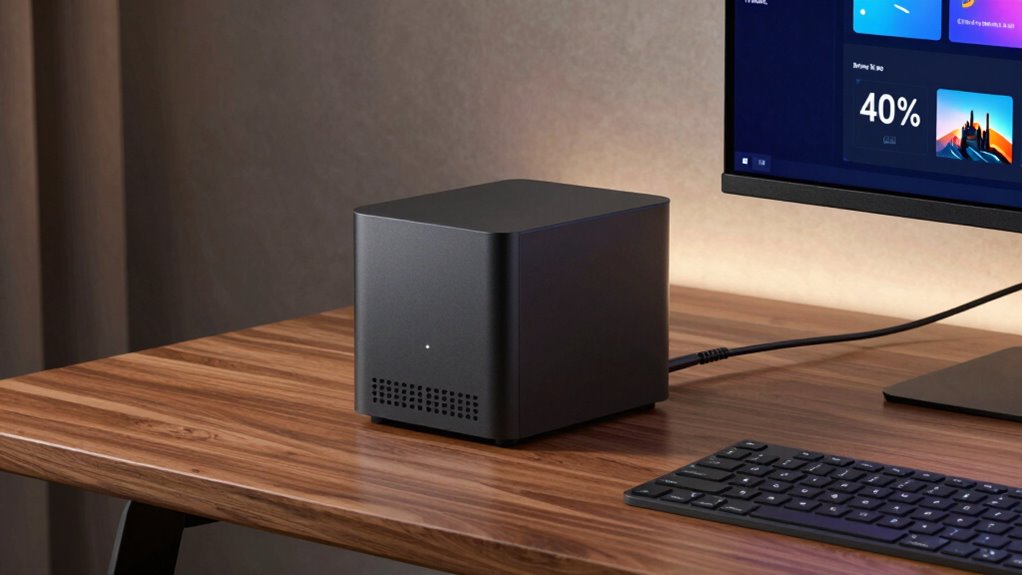

For a home server that combines storage capacity with everyday computing, I rank the AOOSTAR WTR PRO with Ryzen 7 5825U as the best overall pick among these options. The Beelink ME Pro N150 is a more approachable choice with memory and storage included, while the BOSGAME P4 Ultra suits buyers who want stronger general-purpose performance. The main tradeoff is between drive bays and expandability, which favor NAS-focused systems, and a smaller, simpler setup that may use less space and need less configuration. Barebone models can offer more control, but you must budget for compatible memory, storage, and an operating system. Continue reading for the full breakdown and help matching a mini PC to your server workload.

Get the latest gadgets delivered free with Prime
- Fast, free delivery on millions of items
- Prime Video, Amazon Music and more included
- Member-only deals all year
Complete the kit



Key Takeaways
- The AOOSTAR WTR PRO family leads on storage flexibility: its 4+2-bay designs stand apart from the conventional mini PCs, but the barebone listings require buyers to add memory and storage.
- The Beelink ME Pro N150 balances a ready-to-use setup with NAS features: its included 16GB LPDDR5 RAM and 1TB SSD reduce setup work, while the N150 platform is better suited to lighter server duties than demanding compute workloads.
- The BOSGAME P4 Ultra favors compute over drive capacity: its Ryzen 7 7730U, 16GB RAM, and 1TB SSD make it a stronger fit for mixed applications than a basic file server, but it lacks the WTR PRO’s multi-bay focus.
- Several low-cost-style configurations have clear ceilings: systems with older entry-level processors and 8GB or 12GB of RAM may work for simple services, but leave less room for multiple containers or heavier multitasking.
- Barebone and complete systems solve different problems: the WTR PRO barebones let buyers choose components, while preconfigured options such as the Beelink ME Pro make setup more direct but offer less control over the initial hardware mix.
| AOOSTAR WTR PRO 4+2-Bay NAS Mini PC with AMD Ryzen 7 5825U, Barebone |  | Best Overall for a Storage-Heavy Home Server | Processor: AMD Ryzen 7 5825U, 8 cores / 16 threads, up to 4.5GHz | Memory: Two DDR4 slots, supports up to 64GB; not included | Storage: Four SATA bays and two M.2 NVMe slots; drives not included | VIEW ON AMAZON | See Our Full Breakdown |
| AOOSTAR WTR PRO AMD R7 5825U 4+2 Bays Desktop NAS Without RAM/SSD/OS |  | Best for a Custom Virtualization Lab | Processor: AMD Ryzen 7 5825U, 8 cores / 16 threads, up to 4.5GHz | Memory: Two DDR4 slots, supports up to 64GB; not included | Storage bays: Four SATA bays and two M.2 slots | VIEW ON AMAZON | See Our Full Breakdown |
| GMKtec G3 Ultra Mini PC with Intel Pentium Gold 7505, 16GB RAM, 512GB SSD |  | Best Compact Starter Server | Processor: Intel Pentium Gold 7505 | Memory: 16GB LPDDR4, listed maximum 16GB | Included storage: 512GB M.2 SSD | VIEW ON AMAZON | See Our Full Breakdown |
| Beelink ME Pro N150 Mini PC NAS, 16GB LPDDR5 RAM, 1TB SSD, Dual Ethernet |  | Best Ready-to-Configure NAS | Processor: Intel N150, 4 cores / 4 threads, up to 3.6GHz | Memory: 16GB LPDDR5, 3200 MT/s | Included storage: 1TB SSD | VIEW ON AMAZON | See Our Full Breakdown |
| KAMRUI AK1PLUS Mini PC Computer, Intel N5030, 12GB RAM, 256GB SSD |  | Best for a Basic Home-Service Box | Processor: Intel Pentium Silver N5030, 4 cores / 4 threads, up to 3.1GHz | Memory: Title lists 12GB LPDDR4; product details also list 16GB maximum | Included storage: 256GB M.2 SSD | VIEW ON AMAZON | See Our Full Breakdown |
| BOSGAME P4 Ultra Mini PC, Ryzen 7 7730U, 16GB RAM, 1TB SSD |  | Best Overall for a Mixed-Use Home Server | VIEW ON AMAZON | See Our Full Breakdown | |||
| AOOSTAR WTR PRO Mini PC with AMD Ryzen 7 5825U, 4-Bay NAS, No RAM or SSD |  | Best for a Multi-Drive NAS Build | VIEW ON AMAZON | See Our Full Breakdown | |||
| KAMRUI Essenx E2 Mini PC, AMD Ryzen 5 3500U, 16GB DDR4, 256GB SSD |  | Best Compact Starter Server | VIEW ON AMAZON | See Our Full Breakdown | |||
| Beelink ME Pro Mini PC with Intel N150, 16GB LPDDR5 RAM, 1TB SSD, and 2-Bay NAS |  | Best Low-Power NAS and Network Hub | VIEW ON AMAZON | See Our Full Breakdown | |||
| Beelink ME Mini PC with Intel N95, 12GB LPDDR5 RAM, and 1TB SSD |  | Best Ready-to-Use Entry-Level Pick | VIEW ON AMAZON | See Our Full Breakdown | |||
| Beelink SER3 Mini PC, AMD Ryzen 3 3200U, 8GB DDR4 RAM, 256GB SSD, Radeon Vega 3 Graphics |  | Best Compact Starter Server | Processor: AMD Ryzen 3 3200U, 2 cores / 4 threads, up to 3.5GHz | Memory: 8GB DDR4, 2400MT/s | Storage: 256GB M.2 PCIe 3.0 SSD | VIEW ON AMAZON | See Our Full Breakdown |
| BOSGAME E5 Mini PC with AMD Ryzen 3 5300U, 16GB DDR4 RAM, 512GB NVMe SSD |  | Best Overall for Flexible Networking | Processor: AMD Ryzen 3 5300U, 4 cores / 8 threads, up to 3.8GHz | Memory: 16GB DDR4, 3200MT/s; expandable up to 64GB | Storage: 512GB M.2 2280 NVMe PCIe 3.0 SSD; two M.2 slots | VIEW ON AMAZON | See Our Full Breakdown |
| GMKtec G11 Mini PC with AMD Ryzen Embedded R2514 |  | Best for Router and Home-Lab Builds | Processor: AMD Ryzen Embedded R2514 | Memory: 16GB dual-channel DDR4 (2 x 8GB) | Storage: Two M.2 2280 PCIe 3.0 SSD slots; included drive not specified | VIEW ON AMAZON | See Our Full Breakdown |
| C3 Mini PC with Intel Core i3-5005U, 8GB RAM, 512GB SSD |  | Best for Proxmox and Older-System Setups | Processor: Intel Core i3-5005U | Memory: 8GB DDR RAM, expandable up to 32GB | Storage: 512GB M.2 2280 SSD | VIEW ON AMAZON | See Our Full Breakdown |
| mini pc for home server | Processor | Memory | Networking |
|---|---|---|---|
| AOOSTAR WTR PRO 4+2-Bay NAS Mi | AMD Ryzen 7 5825U, 8 cores / 16 threads, up to 4.5GHz | Two DDR4 slots, supports up to 64GB; not included | Dual Intel I226-V 2.5GbE LAN |
| AOOSTAR WTR PRO AMD R7 5825U 4 | AMD Ryzen 7 5825U, 8 cores / 16 threads, up to 4.5GHz | Two DDR4 slots, supports up to 64GB; not included | Two Intel I226-V 2.5GbE ports |
| GMKtec G3 Ultra Mini PC with I | Intel Pentium Gold 7505 | 16GB LPDDR4, listed maximum 16GB | — |
| Beelink ME Pro N150 Mini PC NA | Intel N150, 4 cores / 4 threads, up to 3.6GHz | 16GB LPDDR5, 3200 MT/s | Dual Ethernet listed as 2.5GbE and 5GbE; Wi-Fi 6 |
| KAMRUI AK1PLUS Mini PC Compute | Intel Pentium Silver N5030, 4 cores / 4 threads, up to 3.1GHz | Title lists 12GB LPDDR4; product details also list 16GB maximum | Gigabit Ethernet and Wi-Fi |
| BOSGAME P4 Ultra Mini PC | — | — | — |
| AOOSTAR WTR PRO Mini PC with A | — | — | — |
| KAMRUI Essenx E2 Mini PC | — | — | — |
| Beelink ME Pro Mini PC with In | — | — | — |
| Beelink ME Mini PC with Intel | — | — | — |
| Beelink SER3 Mini PC | AMD Ryzen 3 3200U, 2 cores / 4 threads, up to 3.5GHz | 8GB DDR4, 2400MT/s | Wi-Fi 5, Bluetooth 5.0, Gigabit Ethernet |
| BOSGAME E5 Mini PC with AMD Ry | AMD Ryzen 3 5300U, 4 cores / 8 threads, up to 3.8GHz | 16GB DDR4, 3200MT/s; expandable up to 64GB | Dual 2.5GbE LAN, Wi-Fi 5, Bluetooth |
| GMKtec G11 Mini PC with AMD Ry | AMD Ryzen Embedded R2514 | 16GB dual-channel DDR4 (2 x 8GB) | — |
| C3 Mini PC with Intel Core i3- | Intel Core i3-5005U | 8GB DDR RAM, expandable up to 32GB | Wi-Fi 5, Bluetooth 5.0, Gigabit Ethernet |
More Details on Our Top Picks
AOOSTAR WTR PRO 4+2-Bay NAS Mini PC with AMD Ryzen 7 5825U, Barebone
I rank this WTR PRO first for buyers who want a home server that can grow beyond a couple of drives. Its four SATA bays and two M.2 slots give it more room for a file archive, media library, and fast application storage than compact options such as the GMKtec G3 Ultra. The eight-core Ryzen 7 5825U and dual 2.5GbE ports also suit virtualization or several network services running together. The tradeoff is that this is a barebone system: you supply memory and drives, then install and configure an operating system. Linux users running sustained heavy workloads may also need to adjust SATA power management to avoid speed or CRC issues. I’d choose it over a simpler desktop mini PC when storage capacity and server flexibility matter more than setup convenience.
Pros:- Four SATA bays plus two M.2 NVMe slots provide substantial storage flexibility.
- Ryzen 7 5825U with 8 cores and 16 threads can handle concurrent server tasks and virtualization.
- Dual 2.5GbE ports support fast wired networking and flexible network setups.
- Supports up to 64GB DDR4 memory and several operating system options.
Cons:- RAM and storage drives are not included, adding setup work and component choices.
- Sustained heavy Linux workloads may require SATA power-management adjustments.
- Its larger multi-bay design is less suited to buyers prioritizing the smallest footprint.
Best for: Home-lab builders who want multiple SATA drives, NVMe storage, dual 2.5GbE networking, and room to run virtual machines or several services.
Not ideal for: Buyers who want a ready-to-run server with memory and storage included, or Linux users unwilling to troubleshoot SATA power management under sustained load.
- Processor:AMD Ryzen 7 5825U, 8 cores / 16 threads, up to 4.5GHz
- Memory:Two DDR4 slots, supports up to 64GB; not included
- Storage:Four SATA bays and two M.2 NVMe slots; drives not included
- Maximum stated storage:Up to 96TB
- Networking:Dual Intel I226-V 2.5GbE LAN
- Operating systems:Windows 10/11, Ubuntu, OpenWrt, and OPNsense
- Power consumption:15W–25W
- Power adapter:120W DC
Our verdict“Choose this barebone WTR PRO if you want a high-capacity, expandable home server and are comfortable supplying and configuring its components.”
AOOSTAR WTR PRO AMD R7 5825U 4+2 Bays Desktop NAS Without RAM/SSD/OS
This WTR PRO is a strong match for builders who want to choose their own memory, drives, and software stack. Like the other Ryzen 7 5825U WTR PRO in this roundup, it combines four SATA bays, two M.2 slots, and dual 2.5GbE ports, but this listing specifically emphasizes use with RAID setups and hypervisors such as Proxmox or ESXi. That makes it more compelling as a configurable lab platform than the Beelink ME Pro N150, whose included memory and SSD favor a simpler starting point but whose listed processor has fewer cores. Here, the cost of flexibility is a more involved build: no RAM, SSD, or operating system is included. The listing also has mixed display-output claims, so I would treat its screen-count details cautiously and focus on its storage and networking hardware.
Pros:- Four SATA bays and two M.2 slots allow a mix of bulk storage and faster system or application drives.
- Ryzen 7 5825U offers 8 cores and 16 threads for simultaneous services and virtual machines.
- Dual Intel I226-V 2.5GbE ports suit faster wired networks and lab configurations.
- Supports up to 64GB DDR4 and lists compatibility with Linux-based systems and virtualization.
Cons:- RAM, SSDs, and operating system are not included.
- The product description gives inconsistent display-output and screen-count details.
- Building a RAID or virtualization setup requires more configuration than an included-storage mini PC.
Best for: Experienced home-lab builders planning a self-configured NAS or virtualization host who already know which drives, memory, and operating system they want.
Not ideal for: First-time server owners seeking a complete system out of the box, or buyers choosing primarily for a clearly verified multi-display setup.
- Processor:AMD Ryzen 7 5825U, 8 cores / 16 threads, up to 4.5GHz
- Memory:Two DDR4 slots, supports up to 64GB; not included
- Storage bays:Four SATA bays and two M.2 slots
- Maximum stated storage:Up to 96TB
- Networking:Two Intel I226-V 2.5GbE ports
- Virtualization:VT-x and VT-d support
- Operating systems:Lists OPNsense, OpenWrt, Ubuntu, Windows 10/11, and other software
- Included components:Mini PC and 120W DC power adapter; RAM, SSD, and OS not included
Our verdict“Pick this WTR PRO listing if you want to build a tailored NAS or virtualization host from components you select yourself.”
GMKtec G3 Ultra Mini PC with Intel Pentium Gold 7505, 16GB RAM, 512GB SSD
The GMKtec G3 Ultra makes more sense as a compact, low-complexity server for light duties than as a storage-focused NAS. It arrives with 16GB RAM and a 512GB SSD, so a buyer can start with file sharing, a small home automation service, or a few modest containers without first sourcing components. Its 2.5GbE port is a useful advantage over basic gigabit mini PCs, while two M.2 slots offer more internal storage flexibility than the KAMRUI AK1PLUS’s listed 2.5-inch expansion route. The limitation is processing headroom: the Pentium Gold 7505 and stated 16GB memory ceiling make it a weaker fit for several virtual machines or a growing multi-drive library than either AOOSTAR WTR PRO. It’s the tidier choice for a small always-on utility box, not a substitute for a proper multi-bay NAS.
Pros:- Includes 16GB LPDDR4 memory and a 512GB M.2 SSD for a ready-to-configure starting point.
- 2.5GbE Ethernet offers faster wired networking than standard gigabit connections.
- Two M.2 2280 slots provide options for additional internal storage.
- Compact system with Wi-Fi 6 and Bluetooth 5.2 for flexible placement and connectivity.
Cons:- Pentium Gold 7505 has less processing headroom than the Ryzen 7 5825U AOOSTAR systems.
- Memory is listed as capped at 16GB, limiting growth for virtualization.
- The included SSD’s SATA versus PCIe description is inconsistent.
Best for: A home user setting up a small file, DNS, or home-automation server who wants included RAM and SSD storage in a compact system.
Not ideal for: Home-lab users running multiple virtual machines or buyers who need several internal SATA drives and high storage capacity.
- Processor:Intel Pentium Gold 7505
- Memory:16GB LPDDR4, listed maximum 16GB
- Included storage:512GB M.2 SSD
- Storage expansion:M.2 2280 PCIe and M.2 2280 SATA slots
- Wired networking:2.5GbE Ethernet
- Wireless connectivity:Wi-Fi 6 and Bluetooth 5.2
- Video outputs:Two HDMI 2.0 ports, up to 4K at 60Hz
- Operating system:Windows 11 Pro
Our verdict“Choose the G3 Ultra for a compact, already-equipped server handling a few light services, rather than a large storage pool or heavy virtualization.”
Beelink ME Pro N150 Mini PC NAS, 16GB LPDDR5 RAM, 1TB SSD, Dual Ethernet
Unlike the barebone AOOSTAR WTR PRO models, the Beelink ME Pro arrives with 16GB LPDDR5 memory and a 1TB SSD, which makes it the easier starting point for someone setting up a home server without first shopping for core components. Its listed drive support is also unusually varied: two SATA drives and three M.2 drives can turn it into a flexible compact storage hub. Dual Ethernet, including 2.5GbE and 5GbE as specified, gives it a networking advantage for fast local transfers. The tradeoff is compute: the four-core Intel N150 is a more modest choice than the eight-core Ryzen 7 in the AOOSTAR units, so I would favor Beelink for storage and straightforward services over a dense virtualization workload. Added drives are still separate, and its Bluetooth version is inconsistently listed.
Pros:- Includes 16GB LPDDR5 memory and a 1TB SSD, unlike the barebone AOOSTAR WTR PRO options.
- Listed support for two SATA drives and three M.2 drives offers flexible expansion.
- Dual Ethernet is listed as 2.5GbE and 5GbE for fast wired connections.
- Drawer-style modular design is intended to simplify maintenance and upgrades.
Cons:- Intel N150 has fewer cores and less compute headroom than the Ryzen 7 5825U AOOSTAR systems.
- Additional SATA and M.2 drives are not included.
- Bluetooth version is inconsistent across the product information.
Best for: A home user who wants an included-memory-and-SSD starting point, multiple drive options, and fast wired networking for backups or media storage.
Not ideal for: Users planning CPU-heavy virtual machines or buyers who need a fully populated NAS with all additional drives included.
- Processor:Intel N150, 4 cores / 4 threads, up to 3.6GHz
- Memory:16GB LPDDR5, 3200 MT/s
- Included storage:1TB SSD
- Drive support:Two SATA drives up to 30TB each and three M.2 drives up to 4TB each
- Networking:Dual Ethernet listed as 2.5GbE and 5GbE; Wi-Fi 6
- Bluetooth:Version listed as 5.4 in specs and 5.2 in description
- Video output:HDMI, up to 4K at 60Hz
- Design:Drawer-style modular design
Our verdict“Choose the ME Pro if you want a more approachable NAS-style mini PC with included memory and SSD, and your server workload is storage-led rather than CPU-heavy.”
KAMRUI AK1PLUS Mini PC Computer, Intel N5030, 12GB RAM, 256GB SSD
The KAMRUI AK1PLUS is the entry-level pick here for buyers who need a small machine for a limited set of light services, not a NAS replacement. It includes a 256GB SSD and 12GB of memory in the supplied title, with room to add an M.2 drive and a 2.5-inch SATA drive. That gives it a simple path to modest local storage, although it falls well short of the multi-bay capacity and dual 2.5GbE networking on the AOOSTAR WTR PRO. Its Gigabit Ethernet and Intel N5030 are better suited to basic file sharing, a lightweight utility server, or a small media task than several busy containers or virtual machines. The listing also conflicts on memory capacity, so I would verify the exact configuration before buying.
Pros:- Compact chassis can fit easily on a desk or in a small home network setup.
- Supports adding an M.2 drive and a 2.5-inch SATA drive for more local storage.
- Four USB 3.2 ports provide connections for peripherals or external storage.
- Dual HDMI outputs support two displays for setup and local administration.
Cons:- Intel N5030 is a modest processor for concurrent server workloads and virtualization.
- Gigabit Ethernet is slower than the 2.5GbE networking on the GMKtec G3 Ultra and AOOSTAR systems.
- The product information conflicts on memory capacity and configuration.
Best for: A budget-conscious home user repurposing a compact Windows mini PC for light file sharing, a simple utility service, or a small always-on task.
Not ideal for: Buyers building a multi-drive NAS, running several virtual machines, or needing faster-than-gigabit wired networking.
- Processor:Intel Pentium Silver N5030, 4 cores / 4 threads, up to 3.1GHz
- Memory:Title lists 12GB LPDDR4; product details also list 16GB maximum
- Included storage:256GB M.2 SSD
- Storage expansion:M.2 SSD and 2.5-inch SATA drive support; up to 4TB stated total
- Networking:Gigabit Ethernet and Wi-Fi
- Ports:Four USB 3.2 ports and two HDMI 2.0 outputs
- Operating system:Windows 10 Pro listed in product information
- Dimensions:5.04 x 5.04 x 2.05 inches
Our verdict“Pick the AK1PLUS for a light-duty server role when compact size matters more than processing, network, or multi-drive capacity.”
BOSGAME P4 Ultra Mini PC, Ryzen 7 7730U, 16GB RAM, 1TB SSD
The BOSGAME P4 Ultra balances server capacity with a usable everyday desktop: its 8-core, 16-thread Ryzen 7 7730U has more processing headroom than the Beelink ME Pro with Intel N150, which is better suited to lighter, low-power services. That extra CPU capacity can help when hosting several applications while also handling media or desktop tasks. For networking, dual 2.5GbE ports give you room to separate a server connection from your home network or build a faster link, and the upgradeable memory is useful as workloads grow. It arrives with Windows 11 Pro and a 1TB SSD, so initial setup is less barebones than the AOOSTAR WTR PRO. The tradeoff is a fan-cooled design and higher stated 25W consumption than the N150 option; its 16GB RAM may also need expansion for heavier virtual machines.
Pros:- Eight-core Ryzen processor offers headroom for multiple services and desktop tasks.
- Dual 2.5GbE ports support faster networking or separate network roles.
- Upgradeable DDR4 memory and storage accommodate changing workloads.
- Windows 11 Pro and a 1TB SSD are included.
Cons:- The fan and stated 25W consumption are less suited to a quiet, always-on low-power setup than the N150-based Beelink ME Pro.
- The included 16GB RAM may constrain virtual machines or memory-heavy services until upgraded.
- Integrated Radeon graphics are not intended for demanding gaming.
Best for: Home-lab owners who want a ready-to-run Windows server with strong CPU capacity, dual 2.5GbE, and room to expand memory.
Not ideal for: Buyers prioritizing the lowest stated power draw, silent operation, or built-in multi-drive NAS capacity.
Our verdict“Choose the BOSGAME P4 Ultra if you want a capable, ready-to-use server that can also handle desktop duties and accept a higher power draw.”
AOOSTAR WTR PRO Mini PC with AMD Ryzen 7 5825U, 4-Bay NAS, No RAM or SSD
If your home server plan centers on local storage, the AOOSTAR WTR PRO is the clearest fit here: four SATA bays and two M.2 NVMe slots allow a mix of larger data drives and faster storage for system or application use. That makes it a more purpose-built NAS choice than the BOSGAME P4 Ultra, which has stronger listed CPU specs but no equivalent four-bay layout. Its Ryzen 7 5825U and dual 2.5GbE also suit a home lab that needs several services and faster network access. The catch is that this is a barebones build: you must supply memory and drives, and the listed 5 kg weight makes it less nimble than compact desktop-style options. Choose it for flexible storage, not for the simplest setup out of the box.
Pros:- Four SATA bays support up to four 22TB drives.
- Two M.2 NVMe slots add fast storage alongside the SATA drives.
- Dual 2.5GbE ports suit faster or segmented home networks.
- Ryzen 7 5825U provides eight cores and 16 threads for server workloads.
Cons:- RAM, storage drives, and an operating system setup are not included.
- At a listed 5 kg, it is much heavier than compact options such as the BOSGAME P4 Ultra.
- The four-bay design takes more space than a simple mini PC with internal SSD storage.
Best for: DIY NAS builders who want four SATA bays, M.2 expansion, and dual 2.5GbE in one system and already plan to source their own RAM and drives.
Not ideal for: First-time buyers seeking a ready-to-run server, or anyone who needs a light, especially compact mini PC.
Our verdict“Pick the AOOSTAR WTR PRO if drive capacity and NAS flexibility matter more than a ready-made configuration or a small footprint.”
KAMRUI Essenx E2 Mini PC, AMD Ryzen 5 3500U, 16GB DDR4, 256GB SSD
The KAMRUI Essenx E2 is a small, straightforward starting point for light home-server tasks, especially if the machine will also act as a basic desktop. Its four-core Ryzen 5 3500U and 16GB of memory are a modest foundation for a few services, while Gigabit Ethernet provides a wired connection without requiring a separate adapter. At 270 g and under four inches across, it is easier to tuck away than the AOOSTAR WTR PRO, but it gives up that model’s multi-drive NAS capacity and dual 2.5GbE. The included 256GB SSD is the main constraint for file-heavy uses; expansion is possible, but requires separately purchased components. This is a compact, lower-complexity choice, not the one I’d pick for a growing media library or a demanding virtualized lab.
Pros:- Very compact 270 g design is easy to place in a home office or media area.
- Includes 16GB DDR4 memory and supports expansion to 32GB.
- Gigabit Ethernet provides a wired network connection.
- Dual 4K display support allows desktop use alongside server duties.
Cons:- The included 256GB SSD can fill quickly with media, backups, or other server data.
- Gigabit Ethernet is slower than the dual 2.5GbE ports on the BOSGAME P4 Ultra and AOOSTAR WTR PRO.
- Storage expansion requires separately purchased components.
Best for: Beginners setting up a few lightweight services who want a very small wired mini PC that can double as a basic desktop.
Not ideal for: Users building a large file server, running many virtual machines, or needing dual high-speed Ethernet.
Our verdict“Choose the KAMRUI Essenx E2 for a small, entry-level server handling light services, but look elsewhere for extensive storage or faster networking.”
Beelink ME Pro Mini PC with Intel N150, 16GB LPDDR5 RAM, 1TB SSD, and 2-Bay NAS
The Beelink ME Pro makes a strong case for an always-on home server by pairing a stated 6W Intel N150 with support for up to three M.2 SSDs and two SATA drives. Its storage layout is more versatile than the single included 1TB SSD suggests, while the two Ethernet ports—a 5Gbps port and a 2.5Gbps port—give it unusual networking flexibility among these picks. Compared with the BOSGAME P4 Ultra, it trades Ryzen 7 processing capacity for lower stated power consumption and a more storage-focused design. That makes it better suited to file serving and lighter continuous workloads than CPU-heavy virtual machines. The included 16GB LPDDR5 memory is listed as the maximum, so unlike the BOSGAME’s upgradeable RAM, it leaves little room to grow on the memory side.
Pros:- Stated 6W TDP suits low-power continuous operation.
- Supports up to three M.2 SSDs and two SATA drives.
- Includes one 5Gbps and one 2.5Gbps Ethernet port.
- Comes with 16GB LPDDR5 memory and a 1TB PCIe SSD.
Cons:- The four-core, four-thread N150 has less processing headroom than the Ryzen 7 BOSGAME P4 Ultra.
- Memory is listed as capped at 16GB and is not a flexible upgrade path.
- Additional drives are needed to use the full storage expansion capacity.
Best for: Home users who want a low-power, always-on NAS or network hub with several drive options and fast wired connections.
Not ideal for: People running CPU-heavy virtual machines or buyers who want to upgrade memory beyond 16GB.
Our verdict“Choose the Beelink ME Pro for a low-power storage and networking server, not for workloads that depend on high CPU or expandable memory.”
Beelink ME Mini PC with Intel N95, 12GB LPDDR5 RAM, and 1TB SSD
The Beelink ME is a simple route into a home server: it includes Windows 11 Home, 12GB of LPDDR5 memory, and a 1TB SSD, so a buyer can start without first sourcing core components. Its dual 2.5GbE ports are a notable advantage over the KAMRUI Essenx E2’s single Gigabit Ethernet connection, particularly for users planning fast local file transfers or separate network roles. The N95 is a more modest processor than the Ryzen 7 in the BOSGAME P4 Ultra, so I’d reserve it for lighter services, storage, and media duties rather than demanding virtual machines. Storage can expand to 4TB, but memory is listed at a maximum of 12GB. That fixed ceiling makes it less adaptable than the BOSGAME, even though the included 1TB drive gives it a more useful starting capacity than the KAMRUI.
Pros:- Windows 11 Home, 12GB LPDDR5, and a 1TB SSD are included.
- Dual 2.5GbE LAN ports offer faster networking than the KAMRUI Essenx E2’s Gigabit Ethernet.
- Storage supports expansion up to 4TB.
- Wi-Fi 6 and Bluetooth 5.2 are included.
Cons:- The N95 is less suited to demanding multi-service workloads than the Ryzen 7 BOSGAME P4 Ultra.
- The listed maximum of 12GB RAM limits future workload growth.
- The HDMI output supports 4K playback, but the supplied information does not specify multiple display outputs.
Best for: First-time home-server owners who want Windows, a 1TB SSD, and dual 2.5GbE without assembling a barebones system.
Not ideal for: Home-lab users who need substantial multitasking capacity, expandable memory, or high-performance compute.
Our verdict“Pick the Beelink ME for a ready-to-use, light-duty server with dual 2.5GbE, provided its fixed 12GB memory ceiling fits your plans.”
Beelink SER3 Mini PC, AMD Ryzen 3 3200U, 8GB DDR4 RAM, 256GB SSD, Radeon Vega 3 Graphics
The Beelink SER3 suits a first home server for light file sharing, basic services, or a small Linux setup where minimal space matters more than headroom. Its Gigabit Ethernet connection and wall-mount bracket make it easy to place near a router, while the two HDMI outputs are useful if you also want a local display setup. Compared with the BOSGAME E5, it has half the listed memory and a less capable dual-core processor, so it is a weaker fit for several simultaneous services or virtual machines. Its 8GB RAM and 256GB SSD can be expanded, but the stated maximum RAM capacity conflicts across the product information. I’d choose it for a modest, compact workload, not as the foundation for a growing home lab.
Pros:- Compact body includes a wall-mount bracket for out-of-the-way placement.
- Gigabit Ethernet provides a wired connection for basic server duties.
- Memory and M.2 storage are listed as upgradeable.
- Dual HDMI outputs support two displays when local access is useful.
Cons:- Two-core processor and 8GB RAM limit multitasking and virtual-machine capacity.
- Product information gives conflicting maximum RAM capacities.
- The included 256GB SSD leaves limited room for local files and services.
Best for: First-time home-server owners running a few lightweight services who want a small, wall-mountable computer with wired Gigabit networking.
Not ideal for: Home-lab users planning multiple virtual machines, heavier containers, or substantial storage, since the processor, included memory, and SSD are modest.
- Processor:AMD Ryzen 3 3200U, 2 cores / 4 threads, up to 3.5GHz
- Memory:8GB DDR4, 2400MT/s
- Storage:256GB M.2 PCIe 3.0 SSD
- Networking:Wi-Fi 5, Bluetooth 5.0, Gigabit Ethernet
- Display support:Two HDMI displays, up to 4K at 60Hz
- Ports:4 USB 3.2 Gen 2, 2 HDMI, RJ45 Ethernet, 3.5mm audio
- Dimensions:4.88 x 4.45 x 1.65 inches
- Cooling:Air cooling with large fan and copper heat sink
Our verdict“Choose the SER3 for a small, light-duty home server where compact placement matters more than performance headroom.”
BOSGAME E5 Mini PC with AMD Ryzen 3 5300U, 16GB DDR4 RAM, 512GB NVMe SSD
The BOSGAME E5 is the strongest all-rounder in this group for a home server that may also handle office tasks or a small lab. Its four-core, eight-thread Ryzen 3 5300U, 16GB of memory, and 512GB NVMe drive provide a more capable starting point than the Beelink SER3, especially for running several services at once. The standout server feature is dual 2.5GbE, which gives a suitable network setup more throughput options than the Gigabit-only C3 Mini PC. Two M.2 slots and memory expansion up to 64GB leave room to grow, though this compact system is not a multi-bay NAS replacement. It supports three 4K displays, but that matters less for headless use; buyers focused on routing or a home lab should prioritize its networking and upgrade paths instead.
Pros:- Dual 2.5GbE ports offer more network flexibility than the Gigabit-only options here.
- 16GB RAM and a 512GB NVMe SSD make a stronger out-of-box server setup than the Beelink SER3.
- Two M.2 slots and support for up to 64GB RAM provide meaningful upgrade options.
- Windows 11 Pro is included, and the system supports up to three 4K displays.
Cons:- Not designed for demanding 3D rendering or intensive gaming.
- Two M.2 slots do not provide the drive-bay capacity of a dedicated NAS system.
- Keyboard and mouse are not included.
Best for: Home-server buyers who want a ready-to-use Windows 11 Pro mini PC with dual 2.5GbE, room for two NVMe drives, and enough memory for several services.
Not ideal for: Users building a multi-drive NAS or expecting demanding 3D workloads, since it has two M.2 slots and is not designed for intensive rendering or gaming.
- Processor:AMD Ryzen 3 5300U, 4 cores / 8 threads, up to 3.8GHz
- Memory:16GB DDR4, 3200MT/s; expandable up to 64GB
- Storage:512GB M.2 2280 NVMe PCIe 3.0 SSD; two M.2 slots
- Networking:Dual 2.5GbE LAN, Wi-Fi 5, Bluetooth
- Display support:Up to three 4K displays at 60Hz via HDMI 2.0, DisplayPort, and USB-C
- USB-C:Full-function port with data, video, and PD 3.0 support
- Operating system:Windows 11 Pro
- Dimensions:6.42 x 6.42 x 4.02 inches
Our verdict“Pick the BOSGAME E5 if you want the most versatile starting point here for a small server, networking projects, and everyday desktop use.”
GMKtec G11 Mini PC with AMD Ryzen Embedded R2514
The GMKtec G11 is the specialist pick for a home server that also needs to handle network tasks. Its dual 2.5GbE ports, Linux compatibility, and stated 15-watt power consumption make it a natural match for firewall, router, or home-lab roles. The BOSGAME E5 also offers dual 2.5GbE and includes a specified NVMe drive, while the G11’s product data lists two M.2 slots but does not confirm an included SSD. That distinction matters: budget for storage and confirm the configuration before relying on it as a ready-to-run server. Wi-Fi 6E and three-display support add flexibility, though they are secondary benefits for a headless setup. Its small footprint is appealing, but internal storage remains limited to two M.2 drives rather than NAS-style drive bays.
Pros:- Dual 2.5GbE ports suit routing, firewall, and faster wired-network projects.
- Linux compatibility and 15-watt stated power consumption fit always-on home-lab use.
- Two M.2 slots offer internal storage expansion.
- Wi-Fi 6E, Bluetooth 5.2, and support for three 4K displays add connection options.
Cons:- Product information does not specify that an SSD is included.
- Two M.2 slots offer less capacity for multiple drives than a dedicated NAS chassis.
- The stated warranty is limited to one year.
Best for: Linux users building a compact router, firewall, or home-lab node who can choose and install their own M.2 storage.
Not ideal for: Buyers seeking a ready-to-run server with confirmed included storage or a large multi-drive NAS enclosure.
- Processor:AMD Ryzen Embedded R2514
- Memory:16GB dual-channel DDR4 (2 x 8GB)
- Storage:Two M.2 2280 PCIe 3.0 SSD slots; included drive not specified
- Ethernet:Dual 2.5GbE ports
- Wireless:Wi-Fi 6E, Bluetooth 5.2
- Display support:Up to three 4K displays at 60Hz
- Operating system compatibility:Ubuntu and Linux
- Power consumption:15 watts
- Dimensions and weight:3.42 x 3.42 x 1.55 inches; 1.7 pounds
Our verdict“Choose the G11 for a compact Linux networking node if you are comfortable sourcing storage separately.”
C3 Mini PC with Intel Core i3-5005U, 8GB RAM, 512GB SSD
The C3 Mini PC stands out for buyers who want broad virtualization-system compatibility and generous storage flexibility in a small machine. Its stated support for Ubuntu, VMware ESXi, and Proxmox VE makes it a candidate for a basic server or learning lab, while the 2.5-inch SATA expansion option provides a different storage path from the dual-M.2 BOSGAME E5 and GMKtec G11. The tradeoff is age and capacity: the Core i3-5005U and 8GB RAM are modest, and Windows 11 is not supported. It also has only Gigabit Ethernet, unlike the two dual-2.5GbE models. I’d rank it for compatibility and storage flexibility, not performance; buyers should confirm their chosen system software and workload suit its older processor.
Pros:- Product information lists compatibility with Ubuntu, VMware ESXi, and Proxmox VE.
- Supports both M.2 storage and a 2.5-inch SATA SSD or HDD.
- Memory can be expanded up to 32GB.
- Compact, under-1kg design and stated 15-watt power consumption suit a small setup.
Cons:- Windows 11 is not supported.
- Older Core i3 processor and included 8GB RAM limit demanding multitasking.
- Gigabit Ethernet lacks the 2.5GbE capacity offered by the BOSGAME E5 and GMKtec G11.
Best for: Home-server learners who want to run a supported Linux or virtualization system and value adding a 2.5-inch SATA drive.
Not ideal for: Users who need Windows 11, higher network throughput, or substantial capacity for simultaneous virtual machines.
- Processor:Intel Core i3-5005U
- Memory:8GB DDR RAM, expandable up to 32GB
- Storage:512GB M.2 2280 SSD
- Storage expansion:M.2 SATA/NVMe SSD up to 2TB and 2.5-inch SATA SSD/HDD up to 2TB
- Graphics:Intel HD Graphics 5500
- Networking:Wi-Fi 5, Bluetooth 5.0, Gigabit Ethernet
- Display support:Two HDMI ports, up to 2560 x 1600 at 60Hz
- Operating systems:Windows 10, Ubuntu, VMware ESXi, Proxmox VE; Windows 11 not supported
- Power and weight:15W; under 1kg
Our verdict“Pick the C3 for a modest Linux or Proxmox learning server with flexible SATA storage, but skip it if you need newer Windows support or faster networking.”

How We Picked
I ranked these 14 systems for home-server usefulness, not general desktop speed. The main criteria were drive capacity and expansion, processor capability for common server tasks, included memory and storage, networking, and how much work a buyer must do before installation. I gave extra weight to NAS-focused designs because storage layout is hard to add later, while also accounting for the convenience of systems that arrive with RAM and an SSD.
The AOOSTAR WTR PRO models rank highest for buyers who want a purpose-built multi-drive base and are willing to configure a barebone system. The Beelink ME Pro N150 follows as a more complete, lower-effort NAS-oriented option, while the BOSGAME P4 Ultra ranks strongly for compute-heavy mixed use rather than drive expansion. Compact and older-platform mini PCs appear lower because they may suit simple services, but offer less headroom or storage flexibility. The two similarly named WTR PRO barebone listings are treated as separate options because their stated configurations differ; buyers should verify the exact bay and port details for the listing they select.
| mini pc for home server | Networking |
|---|---|
| AOOSTAR WTR PRO 4+2-Bay NAS Mi | Dual Intel I226-V 2.5GbE LAN |
| AOOSTAR WTR PRO AMD R7 5825U 4 | Two Intel I226-V 2.5GbE ports |
| GMKtec G3 Ultra Mini PC with I | — |
| Beelink ME Pro N150 Mini PC NA | Dual Ethernet listed as 2.5GbE and 5GbE; Wi-Fi 6 |
| KAMRUI AK1PLUS Mini PC Compute | Gigabit Ethernet and Wi-Fi |
| BOSGAME P4 Ultra Mini PC | — |
| AOOSTAR WTR PRO Mini PC with A | — |
| KAMRUI Essenx E2 Mini PC | — |
| Beelink ME Pro Mini PC with In | — |
| Beelink ME Mini PC with Intel | — |
| Beelink SER3 Mini PC | Wi-Fi 5, Bluetooth 5.0, Gigabit Ethernet |
| BOSGAME E5 Mini PC with AMD Ry | Dual 2.5GbE LAN, Wi-Fi 5, Bluetooth |
| GMKtec G11 Mini PC with AMD Ry | — |
| C3 Mini PC with Intel Core i3- | Wi-Fi 5, Bluetooth 5.0, Gigabit Ethernet |
Factors to Consider When Choosing Mini Pc For Home Server
Choosing a home server starts with the jobs it will run and the storage it needs, not a processor name alone. I would map out the server’s expected services, data growth, and tolerance for maintenance before deciding between a NAS-style enclosure and a standard mini PC.
Match the processor to the services you plan to run
A file share, lightweight backup service, or small home-automation setup often needs less compute than several containers, a database, or a media server handling live transcoding. Think about peak simultaneous use rather than only what you plan to install on day one. An entry-level processor can be a sensible fit for a few modest services, but multiple workloads can compete for its limited headroom. A stronger chip may keep a mixed-use server responsive, though it does not automatically add drive bays or improve storage reliability. If media transcoding matters, check the exact processor’s media capabilities and the software’s hardware-acceleration support before purchase. Leave room for growth if the machine will become a central service for several household members.
Choose storage layout before buying capacity
Count the number of drives you expect to install and decide whether you want room to expand without replacing the whole system. A multi-bay NAS-style enclosure can make that path easier, while a typical mini PC may depend on a single internal SSD or an external drive enclosure. More bays do not by themselves provide a backup; drive failure protection and a separate copy of important files are different needs. Check which drive sizes and connection types the enclosure supports, and confirm whether all advertised bays are available in the exact configuration. Avoid buying storage based only on the included SSD capacity if your server will hold growing media or backups. Planning for a separate backup destination can prevent an upgrade from turning into a data-recovery problem.
Compare barebone setup costs and compatibility
A barebone mini PC gives you control over memory, drives, and often the operating system, but it shifts compatibility checks to you. Confirm the supported memory type and capacity, available M.2 slots, drive interfaces, and whether the system includes the cables or trays needed for the planned build. Add the cost and effort of each missing part to your comparison, rather than comparing barebone and preconfigured listings as if they were equivalent. A complete system is usually easier to start with, although its included RAM and SSD may limit later choices. Check whether memory is replaceable or soldered before assuming an upgrade will be straightforward. If you value a quick setup, a ready-configured unit may be worth more than the freedom to pick every component.
Treat networking as a workload requirement
Network speed affects how quickly devices can move large files to and from the server, but the whole network path sets the practical limit. A faster Ethernet port is useful only when the router, switch, cabling, and client devices can also support that speed. Multiple Ethernet ports may help with network separation or particular routing setups, but they add little for a basic server connected to one home network. Check whether the operating system you intend to use supports the system’s network hardware without extra configuration. For backups and media libraries, wired Ethernet is usually a more predictable link than Wi-Fi. Match networking features to the jobs you actually run instead of paying attention to port count alone.
Account for power, noise, and placement
A server can run for long stretches, so cooling and placement affect daily comfort as much as peak performance. A more powerful processor may provide useful headroom but can also need more active cooling when it is under sustained load. Small cases save desk or shelf space, yet tight airflow and limited access can make maintenance less convenient. Think about where the unit will sit, whether its fans would be distracting, and how easy it will be to reach ports and drives. Low-power operation can matter if the machine will stay on around the clock, but workload and configuration influence actual energy use. Look for power measurements from a comparable configuration if energy use is a deciding factor; processor labels alone do not give a reliable estimate.
Plan software support, updates, and recovery
The best hardware choice can still frustrate you if your intended server software has poor driver support or a difficult installation path. Check compatibility with the operating system, storage controller, network adapter, and any virtualization or container platform you plan to use. Decide how you will apply updates, monitor drive health, and restore services if the boot drive fails. A server that stores important files needs a backup plan outside the machine, even if its drives are configured for redundancy. Keep installation media and recovery credentials somewhere accessible rather than relying on the server itself. Buyers new to home servers may benefit more from a simpler, documented setup than from hardware with features they are not ready to maintain.
Frequently Asked Questions
Is the AOOSTAR WTR PRO a better choice than the Beelink ME Pro for a home NAS?
I would favor the AOOSTAR WTR PRO when several internal drives and future storage expansion matter more than a quick setup. Its multi-bay format is the clearest distinction, but the listed barebone versions require you to supply memory and storage. The Beelink ME Pro N150 includes 16GB of RAM and a 1TB SSD, making it a more direct starting point for a lighter NAS or home server. Its stated two-bay design offers less storage expansion than the WTR PRO’s 4+2-bay layout. Check the exact listing’s bay details and included components before choosing, since similar product names can refer to different configurations.
Can an N150 or N95 mini PC run several home-server services?
It can handle several lightweight services, but the right answer depends on how much they do at once and how much memory they consume. File sharing, basic automation, and small utility containers are more realistic than many demanding workloads running concurrently. The Beelink ME Pro N150’s 16GB of memory gives it more room than the Beelink ME N95 listing’s 12GB, though neither specification guarantees a particular workload will run smoothly. Media transcoding, virtual machines, and busy databases can raise the demands quickly. I would list your planned services and check their memory and processor needs before selecting an entry-level system.
Should I buy a barebone mini PC or one that includes RAM and an SSD?
A barebone system makes sense when you want to choose components yourself or need a storage layout that a preconfigured option does not provide. It also means you must verify compatibility and account for the extra parts and setup time. A preconfigured unit is easier to get running and makes the starting hardware clearer, but its memory may be harder to replace or expand. Compare the full build you intend to use, not just the mini PC listing. For a first server, I would lean toward a complete configuration unless a barebone model solves a specific bay or component requirement.
Do I need a multi-bay mini PC if I already own external drives?
Not necessarily: a standard mini PC can work with external storage if the connection, enclosure, and software fit your needs. External drives can simplify a small setup, but they add cables and another device that may need its own power and cooling. Internal multi-bay systems are tidier for several drives and can make maintenance more centralized, though they do not replace a separate backup. Consider how often you expect to add capacity and whether you want to manage an additional enclosure. If your server will hold only a modest amount of data, starting with external storage may be practical; for a growing library, internal bays can reduce later rearranging.
Which of these mini PCs is the best choice for a beginner setting up a first server?
I would start with a preconfigured model such as the Beelink ME Pro N150 if your services are light and you want RAM and an SSD included. It avoids some component-selection work while offering a NAS-oriented design, although you should still check its bay layout against your storage plans. A barebone AOOSTAR WTR PRO can be a better long-term base for multi-drive storage, but it asks more of the buyer before the first boot. If your main goal is to run compute-heavy applications rather than store files, the BOSGAME P4 Ultra’s stronger processor is a different fit. Pick the simplest system that meets your actual workload, then add complexity only when a service calls for it.
Conclusion
For a storage-centered home server, I recommend the AOOSTAR WTR PRO Ryzen 7 5825U as the best overall choice because its multi-bay format gives a growing library more room, provided you are comfortable supplying parts for the barebone configuration. The Beelink ME Pro N150 is my best value-style pick for buyers who want a more complete, NAS-oriented starting point with memory and an SSD included. For stronger general-purpose compute, the BOSGAME P4 Ultra is the best premium-style fit in this lineup, while the Beelink ME Pro is also my pick for beginners who want less component planning. For specific needs, choose an AOOSTAR WTR PRO when internal drive expansion leads, or a standard compact model such as the GMKtec G3 Ultra for a modest server that does not need a multi-bay chassis. Before ordering, match the exact listing’s included parts, bay count, and networking to your planned setup.