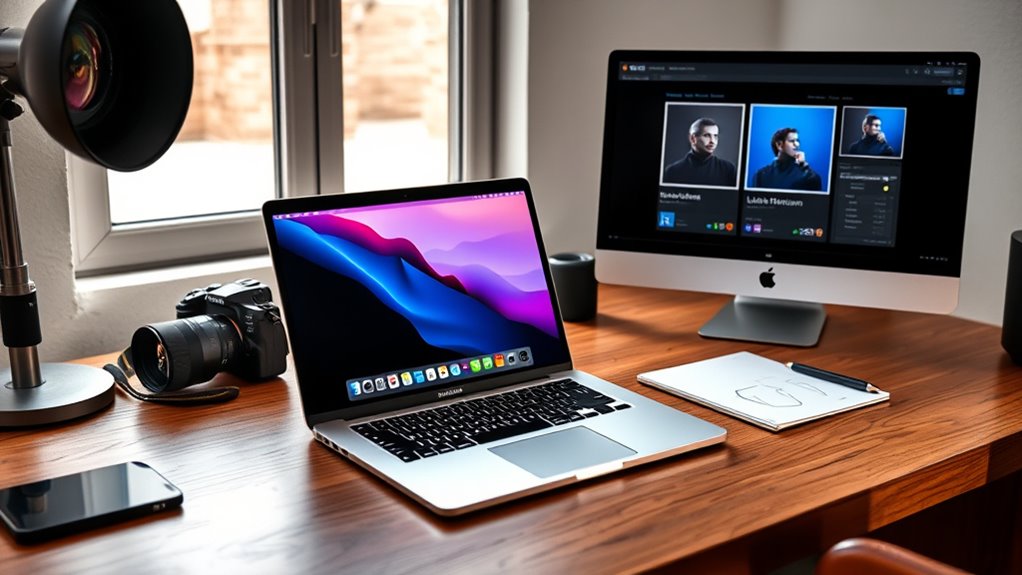

For photographers and Lightroom users, choosing the right MacBook Pro hinges on performance, display quality, and memory capacity. The 2026 MacBook Pro with M5 Pro Chip stands out as the best overall thanks to its powerful processor and expansive RAM, ideal for demanding editing workflows. The 2024 MacBook Pro with M4 Pro offers a more portable option with excellent display quality and ample power for most editing tasks. Meanwhile, the 2021 MacBook Pro with M1 Pro remains a compelling choice for those seeking reliability at a lower price. Each model involves tradeoffs—higher performance versus portability, newer chips versus cost savings—and selecting the right one depends on your specific needs. Keep reading for a detailed breakdown to help you make an informed choice.

Get the latest gadgets delivered free — and shop member deals
- Fast, free delivery on millions of items
- Access to Prime Big Deal Days deals on October 6–7
- Prime Video, Amazon Music and more included
Complete the kit



Key Takeaways
- The latest M5 Pro models deliver the best performance for handling large RAW files and multi-layered Lightroom edits.
- Display quality and size significantly impact editing accuracy; the 16-inch models offer more workspace but come at a higher price and weight.
- Memory (RAM) is critical for multitasking and managing large catalogs; 16GB is a baseline, but 24-32GB is preferable for heavy workflows.
- Price varies markedly based on chip generation and build year; newer models provide faster processors but at a premium.
- Renewed or previous-generation models can offer substantial savings while still supporting intensive photography editing.
| Apple 2026 MacBook Pro Laptop with M5 Pro Chip, 16.2-inch Liquid Retina XDR Display, 24GB RAM, 1TB SSD, Space Black |  | Best Overall for Power and Future-Proofing | Processor: Apple M5 Pro chip with 18-core CPU and 20-core GPU | Display: 16.2-inch Liquid Retina XDR | Memory: 24GB Unified Memory | VIEW ON AMAZON | See Our Full Breakdown |
| Apple 2023 MacBook Pro Laptop with M3 Pro Chip, 16.2-inch Liquid Retina XDR Display, 18GB RAM, 512GB SSD, Space Black |  | Best Performance for Demanding Workflows at a Slightly Lower Cost | Processor: M3 Pro 12-core CPU, 18-core GPU | Display: 16.2-inch Liquid Retina XDR | Memory: 18GB Unified Memory | VIEW ON AMAZON | See Our Full Breakdown |
| Apple 2021 MacBook Pro 16-inch with M1 Pro Chip, 32GB RAM, 512GB SSD, Space Gray (Renewed) |  | Best for Power Users on a Budget | Processor: Apple M1 Pro 10-core CPU | Graphics: 16-core GPU | Display: 16.2-inch Liquid Retina XDR | VIEW ON AMAZON | See Our Full Breakdown |
| Apple 2024 MacBook Pro Laptop with M4 Pro, 14-inch Liquid Retina XDR Display, 48GB Memory, 512GB SSD, Space Black |  | Best for Demanding Photo Editing and Versatile Connectivity | Processor: M4 Pro | Display: 14-inch Liquid Retina XDR | Memory: 48GB Unified Memory | VIEW ON AMAZON | See Our Full Breakdown |
| Apple 2021 MacBook Pro with M1 Pro Chip (16-inch, 32GB RAM, 1TB SSD) – Space Gray (Renewed) |  | Best for Heavy Workloads with Excellent Screen and Battery Life | Processor: Apple M1 Pro 10-core CPU | Graphics: 16-core GPU | Display: 16.2-inch Liquid Retina XDR | VIEW ON AMAZON | See Our Full Breakdown |
| Apple MacBook Pro 14-inch 2021 with M1 Pro chip, 16GB RAM, 512GB SSD – Space Gray (Renewed) |  | Best Value for Creatives on a Budget | Display: 14-inch Liquid Retina XDR | Processor: Apple M1 Pro chip | RAM: 16GB | VIEW ON AMAZON | See Our Full Breakdown |
| Apple 2023 MacBook Pro Laptop with M2 Pro Chip, 14.2-inch Liquid Retina XDR Display, 16GB RAM, 1TB SSD, Space Gray |  | Best for Future-Proof Performance and Battery Life | Processor: M2 Pro with up to 12 CPU cores and 19 GPU cores | Display: 14.2-inch Liquid Retina XDR | Memory: 16GB unified memory | VIEW ON AMAZON | See Our Full Breakdown |
| Apple 2021 MacBook Pro with M1 Max Chip, 16-inch, 32GB RAM, 1TB SSD, Space Gray (Renewed) |  | Best for Heavy-Duty Professional Work | Processor: Apple M1 Max chip | Display: 16-inch | RAM: 32GB | VIEW ON AMAZON | See Our Full Breakdown |
| Apple 16-inch MacBook Pro (Late 2021) with M1 Pro Chip, 16GB RAM, 512GB SSD, Space Gray (Renewed Premium) |  | Best for Balance of Power and Portability | Processor: Apple M1 Pro 10-core CPU | Display: 16-inch | RAM: 16GB | VIEW ON AMAZON | See Our Full Breakdown |
| Apple 2025 MacBook Pro Laptop with M5 Chip, 14.2-inch Liquid Retina XDR Display, 16GB RAM, 1TB SSD, Space Black |  | Best for Cutting-Edge Technology and AI Features | Processor: Apple M5 chip with 10-core CPU and GPU | Display: 14.2-inch Liquid Retina XDR | Memory: 16GB Unified Memory | VIEW ON AMAZON | See Our Full Breakdown |
| macbook pro for photographers and lightroom | Processor | Display | Storage | Battery Life |
|---|---|---|---|---|
| Apple 2026 MacBook Pro Laptop | Apple M5 Pro chip with 18-core CPU and 20-core GPU | 16.2-inch Liquid Retina XDR | 1TB SSD | All-day |
| Apple 2023 MacBook Pro Laptop | M3 Pro 12-core CPU, 18-core GPU | 16.2-inch Liquid Retina XDR | 512GB SSD | Up to 22 hours |
| Apple 2021 MacBook Pro 16-inch | Apple M1 Pro 10-core CPU | 16.2-inch Liquid Retina XDR | 512GB SSD | Up to 21 hours |
| Apple 2024 MacBook Pro Laptop | M4 Pro | 14-inch Liquid Retina XDR | 512GB SSD | All-day |
| Apple 2021 MacBook Pro with M1 | Apple M1 Pro 10-core CPU | 16.2-inch Liquid Retina XDR | 1TB SSD | Up to 21 hours |
| Apple MacBook Pro 14-inch 2021 | Apple M1 Pro chip | 14-inch Liquid Retina XDR | 512GB SSD | — |
| Apple 2023 MacBook Pro Laptop | M2 Pro with up to 12 CPU cores and 19 GPU cores | 14.2-inch Liquid Retina XDR | 1TB SSD | Up to 18 hours |
| Apple 2021 MacBook Pro with M1 | Apple M1 Max chip | 16-inch | 1TB SSD | Up to 17 hours |
| Apple 16-inch MacBook Pro | Apple M1 Pro 10-core CPU | 16-inch | 512GB SSD | — |
| Apple 2025 MacBook Pro Laptop | Apple M5 chip with 10-core CPU and GPU | 14.2-inch Liquid Retina XDR | 1TB SSD | All-day |
More Details on Our Top Picks
Apple 2026 MacBook Pro Laptop with M5 Pro Chip, 16.2-inch Liquid Retina XDR Display, 24GB RAM, 1TB SSD, Space Black
This MacBook Pro stands out for its next-generation M5 Pro chip, offering unparalleled AI and multimedia performance that surpasses the M3 Pro in the 2023 model. Its Liquid Retina XDR display delivers stunning clarity and high brightness, making it ideal for detailed photo editing. The 24GB RAM and 1TB SSD provide ample headroom for large Lightroom catalogs and multitasking, with impressive battery life supporting full-day workflows. Compared to the 2021 M1 Pro models, this pick offers faster processing and expanded connectivity options like Thunderbolt 5 and SDXC ports. The main tradeoff is its premium price and weight, which could hinder portability for some photographers on the go. This model is best suited for professional photographers needing top-tier performance and future readiness, willing to invest in a machine that can handle demanding workflows for years to come.
Pros:- Next-gen M5 Pro chip with exceptional AI and multimedia performance
- Stunning Liquid Retina XDR display with high brightness and contrast
- Long battery life supporting full-day editing sessions
- Multiple high-speed ports including SDXC and Thunderbolt 5
Cons:- High price point may be prohibitive for some users
- Heavy and less portable compared to smaller laptops
Best for: Professional photographers who prioritize cutting-edge performance and long-term investment
Not ideal for: Travel photographers seeking the lightest, most portable option or budget-conscious users
- Processor:Apple M5 Pro chip with 18-core CPU and 20-core GPU
- Display:16.2-inch Liquid Retina XDR
- Memory:24GB Unified Memory
- Storage:1TB SSD
- Battery Life:All-day
- Ports:Three Thunderbolt 5, MagSafe 3, SDXC, HDMI, headphone jack
Our verdict“This is the best choice for professionals demanding top performance and future-proofing, despite its premium cost and weight.”
Apple 2023 MacBook Pro Laptop with M3 Pro Chip, 16.2-inch Liquid Retina XDR Display, 18GB RAM, 512GB SSD, Space Black
This 2023 MacBook Pro offers a powerful M3 Pro chip that delivers excellent performance for Lightroom editing and photo management, making it a strong alternative to the M5 Pro. Its Liquid Retina XDR display ensures vibrant colors and HDR accuracy crucial for editing photos, while the 18GB RAM supports large files and multitasking. The impressive 22-hour battery life outperforms even some older models, providing flexibility during long shoots or editing marathons. Compared with the 2021 M1 Pro models, it benefits from newer architecture and better efficiency, although its 512GB storage might require external drives for extensive photo libraries. It’s ideal for high-performance workflows with a slightly more affordable price tag, but heavier users might find the storage a limiting factor. This makes it suitable for enthusiasts and semi-professionals who need robust power without the premium price of the latest M5 chips.
Pros:- Powerful M3 Pro chip optimized for demanding workflows
- Vivid 16.2-inch Liquid Retina XDR display with HDR
- Exceptional battery life up to 22 hours
- Good balance of performance and price for advanced users
Cons:- Limited storage at 512GB may require external solutions
- Heavy and sizeable, less ideal for frequent travelers
Best for: Enthusiast photographers seeking high performance and battery longevity without the latest flagship chip
Not ideal for: Photographers who need extensive local storage or lighter portability
- Processor:M3 Pro 12-core CPU, 18-core GPU
- Display:16.2-inch Liquid Retina XDR
- Memory:18GB Unified Memory
- Storage:512GB SSD
- Battery Life:Up to 22 hours
- Camera:1080p FaceTime HD
Our verdict“This model offers excellent performance and battery life for demanding Lightroom work, with a reasonable price for its capabilities.”
Apple 2021 MacBook Pro 16-inch with M1 Pro Chip, 32GB RAM, 512GB SSD, Space Gray (Renewed)
This 2021 MacBook Pro with the M1 Pro chip remains a compelling choice for Lightroom users who need serious power without the latest hardware. Its 32GB RAM facilitates smooth handling of large photo catalogs and multitasking, while the 16.2-inch Liquid Retina XDR display provides excellent color accuracy and detail. Its battery life of up to 21 hours supports long editing sessions, and the sturdy aluminum build offers durability. Compared with newer models like the 2023 M3 Pro, it lacks some efficiency gains, but for many users, the performance remains more than sufficient. The main tradeoff is its renewed status, which might mean limited warranty or cosmetic imperfections. It’s best suited for budget-conscious power users who want high performance without paying the latest premium prices.
Pros:- High 32GB RAM for smooth multitasking and large Lightroom catalogs
- Large, color-accurate Liquid Retina XDR display
- Long battery life up to 21 hours
- Solid build quality and performance
Cons:- Renewed product may have limited warranty or cosmetic issues
- Lacks the latest chip enhancements and efficiency improvements
Best for: Power users needing high specs on a budget and willing to accept a renewed product
Not ideal for: Travel photographers or those seeking the newest hardware with longer future-proofing
- Processor:Apple M1 Pro 10-core CPU
- Graphics:16-core GPU
- Display:16.2-inch Liquid Retina XDR
- Memory:32GB
- Storage:512GB SSD
- Battery Life:Up to 21 hours
Our verdict“This MacBook Pro offers substantial power at a lower price point, ideal for budget-conscious professionals or students.”
Apple 2024 MacBook Pro Laptop with M4 Pro, 14-inch Liquid Retina XDR Display, 48GB Memory, 512GB SSD, Space Black
This 2024 MacBook Pro with the M4 Pro chip and 48GB RAM is tailored for photographers who handle large files and multitask across demanding applications like Lightroom. Its 14-inch Liquid Retina XDR display delivers excellent color precision and high contrast, essential for editing fine details. Compared to the 2021 16-inch models, this smaller form factor offers similar performance with enhanced portability. The 48GB of unified memory supports extensive multitasking and large photo libraries, while the multiple ports, including Thunderbolt 5 and SDXC, boost connectivity options. The main drawback is its higher price point, which may deter casual users or those on a strict budget. This pick makes the most sense for photographers who need power, portability, and multiple external connections for complex workflows.
Pros:- Powerful M4 Pro chip with high efficiency and speed
- Compact 14-inch design with high-quality XDR display
- Massive 48GB RAM for multitasking and large file handling
- Multiple ports including SDXC and HDMI for external devices
Cons:- Higher cost relative to smaller or less powerful models
- Limited external display support compared to M4 Max options
Best for: Photographers working on complex projects requiring high performance and flexibility in connectivity
Not ideal for: Photographers who prioritize ultra-lightweight gear or have minimal external device needs
- Processor:M4 Pro
- Display:14-inch Liquid Retina XDR
- Memory:48GB Unified Memory
- Storage:512GB SSD
- Battery Life:All-day
- Ports:Three Thunderbolt 5, MagSafe 3, SDXC, HDMI, headphone jack
Our verdict“This is an excellent choice for demanding photographers who need power in a portable form with extensive connectivity options.”
Apple 2021 MacBook Pro with M1 Pro Chip (16-inch, 32GB RAM, 1TB SSD) – Space Gray (Renewed)
This 2021 MacBook Pro with the M1 Pro chip remains a solid choice for Lightroom enthusiasts who need robust performance and excellent display quality. Its 32GB RAM handles large image libraries effortlessly, and the 16.2-inch Liquid Retina XDR display provides vibrant, color-accurate visuals ideal for editing. The long battery life of up to 21 hours offers flexibility for editing sessions away from power sources. Compared to newer M3 or M4 models, it lacks some efficiency and newer ports, but its proven performance continues to satisfy demanding workflows. The main consideration is its renewed status, which could impact warranty or cosmetics. It’s best for professionals who want high performance at a slightly reduced cost, accepting some age-related limitations.
Pros:- Excellent 32GB RAM for multitasking and large files
- Vivid, color-accurate Liquid Retina XDR display
- Exceptional battery life supports extended editing sessions
- Durable, premium aluminum build
Cons:- Renewed product may have limited warranty or cosmetic imperfections
- Older ports and hardware features compared to latest models
Best for: Power users seeking high performance and large memory at a lower price with a proven design
Not ideal for: Travelers who need the lightest possible machine or users requiring the latest ports
- Processor:Apple M1 Pro 10-core CPU
- Graphics:16-core GPU
- Display:16.2-inch Liquid Retina XDR
- Memory:32GB
- Storage:1TB SSD
- Battery Life:Up to 21 hours
Our verdict“This MacBook Pro offers powerful performance and excellent display quality for demanding Lightroom workflows at a compelling price point.”
Apple MacBook Pro 14-inch 2021 with M1 Pro chip, 16GB RAM, 512GB SSD – Space Gray (Renewed)
This 14-inch MacBook Pro with the M1 Pro chip offers exceptional performance for Lightroom and photo editing, especially compared to older Intel-based models. Its Liquid Retina XDR display provides accurate colors crucial for editing, while the six-speaker system enhances media playback. However, being a renewed product, it might come with limited warranty, and the 512GB storage could fill quickly with large RAW files. Compared to the newer M2 Pro models, it lacks the latest processing improvements, but it still delivers robust performance at a lower price point. The extensive port selection makes it easier to connect external drives and accessories without dongles.
Pros:- Strong performance with M1 Pro chip, handling Lightroom workflows smoothly
- Vivid Liquid Retina XDR display with excellent color accuracy
- Rich port options for external drives and accessories
- Good audio quality for media editing
Cons:- Renewed status may limit warranty coverage
- 512GB storage can be restrictive for large photo libraries
- Older M1 Pro chip less future-proof compared to M2 options
Best for: Photographers who want a powerful, reliable machine but are mindful of budget constraints and are comfortable with renewed products.
Not ideal for: Those needing maximum storage capacity or the latest hardware with the longest future-proofing, or who prefer brand-new devices with full warranty.
- Display:14-inch Liquid Retina XDR
- Processor:Apple M1 Pro chip
- RAM:16GB
- Storage:512GB SSD
- Color:Space Gray
- Ports:Wide range of ports for connectivity
- Camera:1080p FaceTime HD
- Audio:Six-speaker system with spatial audio
- Thermal Design:Advanced thermal system for sustained performance
Our verdict“This MacBook Pro is best suited for photographers seeking a capable, cost-effective machine for Lightroom but willing to accept some storage limitations and a renewed product.”
Apple 2023 MacBook Pro Laptop with M2 Pro Chip, 14.2-inch Liquid Retina XDR Display, 16GB RAM, 1TB SSD, Space Gray
This 14.2-inch MacBook Pro with the latest M2 Pro chip offers impressive power suitable for demanding Lightroom edits, outperforming older M1 models like the 2021 version. Its 14.2-inch Liquid Retina XDR display provides stunning HDR capabilities, making color grading easier. With up to 18 hours of battery life, it enables long editing sessions without interruption. Although its high price might deter casual users, professionals who need seamless performance and longevity will find it worth the investment. The 1TB SSD caters well to large photo libraries, unlike the more limited storage in the 2021 models. Its advanced wireless and connectivity options improve workflow efficiency.
Pros:- Powerful M2 Pro chip with up to 12 CPU and 19 GPU cores
- Stunning HDR display with true-to-life colors
- Extended battery life up to 18 hours
- Robust 1TB SSD for large photo libraries
Cons:- High price point may be prohibitive for some users
- Heavier and less portable than smaller models
- Limited upgradeability after purchase
Best for: Professional photographers needing a future-proof, high-performance device with excellent battery life for intense editing sessions.
Not ideal for: Travelers or hobbyists on a tight budget who don’t require the latest hardware or extensive connectivity options.
- Processor:M2 Pro with up to 12 CPU cores and 19 GPU cores
- Display:14.2-inch Liquid Retina XDR
- Memory:16GB unified memory
- Storage:1TB SSD
- Battery Life:Up to 18 hours
- Ports:MagSafe, 3 Thunderbolt 4, SDXC, HDMI, headphone jack
Our verdict“This MacBook Pro is ideal for demanding photographers seeking cutting-edge performance and long battery life, with a willingness to invest in the latest hardware.”
Apple 2021 MacBook Pro with M1 Max Chip, 16-inch, 32GB RAM, 1TB SSD, Space Gray (Renewed)
This 16-inch MacBook Pro powered by the M1 Max chip delivers exceptional raw power, surpassing the M1 Pro models in both CPU and GPU performance, making it ideal for large RAW files and intensive Lightroom edits. Its expansive 16-inch display offers more screen real estate, which benefits detailed editing and multitasking. The 32GB RAM and 1TB SSD ensure smooth handling of large projects, though the heavier weight and renewed condition could be drawbacks for those needing portability. Compared to the newer M2 Pro models, it excels in raw performance, but at a higher price and with potentially limited warranty. Its robust thermal design supports sustained heavy workloads without throttling.
Pros:- Outstanding M1 Max chip with superior performance
- Large 16-inch display ideal for editing and multitasking
- Generous 32GB RAM and 1TB SSD for large workflows
- Long battery life of up to 17 hours
Cons:- Renewed condition may limit warranty coverage
- Heavy and less portable for traveling
- Premium price point
Best for: High-end professionals working on complex edits and large photo libraries who prioritize performance over portability.
Not ideal for: Travel photographers or casual users seeking a lightweight, budget-friendly machine.
- Processor:Apple M1 Max chip
- Display:16-inch
- RAM:32GB
- Storage:1TB SSD
- Battery Life:Up to 17 hours
- Camera:1080p FaceTime HD
Our verdict“This MacBook Pro suits professionals needing maximum power and screen size for demanding Lightroom workflows, accepting reduced portability and higher cost.”
Apple 16-inch MacBook Pro (Late 2021) with M1 Pro Chip, 16GB RAM, 512GB SSD, Space Gray (Renewed Premium)
This 16-inch MacBook Pro with M1 Pro offers a larger display while maintaining a portable profile, making it a strong choice for Lightroom users who need screen real estate without sacrificing too much mobility. Its 10-core CPU and 16GB RAM handle editing tasks efficiently, and the 512GB SSD is adequate for many workflows, though larger libraries may require external storage. Compared to the newer M2 models, it lacks the latest chip improvements but remains highly capable. The renewed premium condition provides confidence in quality, but the price remains premium for a refurbished unit. Its thermal design supports sustained performance during intensive editing sessions.
Pros:- Powerful M1 Pro processor with 10-core CPU
- Large 16-inch display ideal for detailed editing
- Reliable thermal system for sustained workload
- Renewed premium condition with confidence
Cons:- Premium price for a renewed product
- Limited onboard storage of 512GB may require external drives
- Older chip architecture compared to M2 models
Best for: Photographers seeking a larger display for editing that balances performance and portability in a renewed package.
Not ideal for: Users who prefer the latest hardware or need extensive onboard storage for very large libraries.
- Processor:Apple M1 Pro 10-core CPU
- Display:16-inch
- RAM:16GB
- Storage:512GB SSD
- Thermal Design:Reliable thermal management
Our verdict“This MacBook Pro strikes a good balance for photographers who want a sizable screen and solid performance in a renewed model, with some storage and hardware limitations.”
Apple 2025 MacBook Pro Laptop with M5 Chip, 14.2-inch Liquid Retina XDR Display, 16GB RAM, 1TB SSD, Space Black
The 2025 MacBook Pro with the M5 chip introduces significant speed and AI enhancements, making it ideal for photographers who want the latest hardware. Its 14.2-inch Liquid Retina XDR display ensures vibrant, detailed visuals perfect for editing. The 16GB RAM and 1TB SSD support large Lightroom libraries with ease, while the all-day battery life allows extended editing sessions away from power sources. Compared to previous models like the M2 Pro, the M5 offers better AI acceleration and processing power, but the premium price and limited ports could be drawbacks for some users. Its sleek, space black design appeals to those seeking a stylish, yet powerful device.
Pros:- Powerful M5 chip with advanced AI capabilities
- Vivid, high-brightness Liquid Retina XDR display
- All-day battery life for extended editing
- Large 1TB SSD for sizable photo libraries
Cons:- High cost may limit accessibility
- Limited port options compared to some competitors
- Premium design may be less rugged for rough travel
Best for: Tech-forward photographers and creatives eager to leverage the latest AI and processing advancements in their workflow.
Not ideal for: Budget-conscious users or those preferring maximum port options over cutting-edge AI features.
- Processor:Apple M5 chip with 10-core CPU and GPU
- Display:14.2-inch Liquid Retina XDR
- Memory:16GB Unified Memory
- Storage:1TB SSD
- Battery Life:All-day
- Ports:Three Thunderbolt 4, MagSafe 3, SDXC, HDMI, headphone jack
Our verdict“This MacBook Pro is best for early adopters and power users seeking the latest in performance and AI features for Lightroom, accepting a premium price and limited ports.”

How We Picked
Our evaluation focused on key criteria that matter most to photographers using Lightroom: processing power, display quality, RAM capacity, storage options, and overall build quality. We prioritized models with recent chips to ensure smooth handling of high-resolution images and complex edits. Portability and battery life also played a role, especially for on-location shooting or editing on the go. We balanced performance with value, including renewed and previous-generation options that offer compelling performance at lower prices. The ranking reflects a blend of raw power, usability, and cost-effectiveness, aiming to match different user needs—from casual shooters to professional retouchers.
| macbook pro for photographers and lightroom | Battery Life | Ports |
|---|---|---|
| Apple 2026 MacBook Pro Laptop | All-day | Three Thunderbolt 5, MagSafe 3, SDXC, HDMI, headphone jack |
| Apple 2023 MacBook Pro Laptop | Up to 22 hours | — |
| Apple 2021 MacBook Pro 16-inch | Up to 21 hours | — |
| Apple 2024 MacBook Pro Laptop | All-day | Three Thunderbolt 5, MagSafe 3, SDXC, HDMI, headphone jack |
| Apple 2021 MacBook Pro with M1 | Up to 21 hours | — |
| Apple MacBook Pro 14-inch 2021 | — | Wide range of ports for connectivity |
| Apple 2023 MacBook Pro Laptop | Up to 18 hours | MagSafe, 3 Thunderbolt 4, SDXC, HDMI, headphone jack |
| Apple 2021 MacBook Pro with M1 | Up to 17 hours | — |
| Apple 16-inch MacBook Pro | — | — |
| Apple 2025 MacBook Pro Laptop | All-day | Three Thunderbolt 4, MagSafe 3, SDXC, HDMI, headphone jack |
Factors to Consider When Choosing Macbook Pro For Photographers And Lightroom
When selecting a MacBook Pro for Lightroom and photography, consider several factors that influence your editing experience and long-term satisfaction. Understanding these can help prevent common pitfalls, like overpaying for features you won’t use or choosing a model that can’t handle your workflow. The right balance of power, display, and portability is critical, especially for demanding tasks like RAW editing and catalog management. Here are the key factors to keep in mind:Processor and Performance
The processor determines how quickly your Mac can handle large files and complex edits. For Lightroom, especially with high-resolution images, a recent M5 Pro or M4 Pro chip will significantly reduce rendering and export times. Avoid older chips like M1 or M2 if your workflow involves frequent multitasking or batch processing—these can bottleneck your productivity. Investing in the latest generation ensures future-proofing, but it also comes with a higher price tag, so weigh your actual needs against your budget.
Display Quality and Size
The display impacts color accuracy and editing precision. Models with Liquid Retina XDR screens provide better contrast and color fidelity, essential for professional retouching. Larger screens, like 16-inch variants, offer more workspace but add weight and reduce portability. Consider your typical working environment—if you travel often, a 14-inch model might be more practical, but if you primarily work at a desk, the larger display can boost productivity and comfort.
Memory (RAM)
RAM influences how many images you can work on simultaneously without slowdown. Lightroom’s catalog and editing processes benefit from 16GB as a baseline, but 24GB or more becomes advantageous when working with high-resolution files or multiple layers. Skimping on RAM can lead to frustration, with frequent slowdowns and longer wait times. Prioritize models with at least 16GB, and opt for more if your budget allows—especially if you handle large projects regularly.
Storage Options
Fast SSD storage reduces load times and speeds up your workflow. While 512GB may suffice for casual use, professional photographers should aim for 1TB or more, considering the size of RAW files and catalogs. External drives can supplement internal storage, but internal SSDs provide faster access and better reliability. Balance your storage needs against your budget, and consider cloud backups for extra security.
Portability and Battery Life
If you often edit on location or travel frequently, a lighter, more portable model like the 14-inch MacBook Pro makes sense. However, smaller models might sacrifice some screen real estate and processing power. Battery life varies across models; newer chips tend to offer longer endurance, which is essential during long editing sessions away from power outlets. Think about your typical working environment and how much mobility you require.
Frequently Asked Questions
Is a more powerful MacBook Pro necessary for Lightroom editing?
While Lightroom can run on older MacBook Pro models, a more powerful machine like one with an M5 Pro chip significantly accelerates workflows involving large RAW files and complex edits. For casual users, a recent M2 or M3 chip may suffice, but professionals handling high-resolution images regularly will benefit from the speed and efficiency of newer, more capable models. Investing in a higher-spec machine reduces waiting times and enhances productivity, especially during batch processing or exporting.
Should I prioritize display quality over portability?
It depends on your workflow. If you primarily work at a dedicated desk, a larger, high-quality display like Liquid Retina XDR offers better color accuracy and workspace. However, if you frequently shoot on location and need to edit on the go, a lighter, smaller MacBook Pro may be more practical, even if it means sacrificing some screen size. Balancing display quality with portability ensures you don’t compromise on essential editing features while maintaining mobility.
Is it worth buying a renewed or older-generation MacBook Pro?
Renewed or previous-generation models often provide excellent value, offering much of the performance needed for Lightroom at a lower price point. They typically include most features of newer models, albeit with slightly older chips or display technology. For budget-conscious photographers or those just starting out, these options reduce upfront costs while still delivering reliable performance. However, consider the longevity and warranty support when opting for renewed units.
How much RAM do I really need for professional Lightroom work?
For most professional photography workflows, 16GB of RAM is the minimum, enabling smooth multitasking and handling large catalogs. If you frequently work with high-resolution images or use multiple editing applications simultaneously, 24GB or more can prevent slowdowns and improve overall efficiency. Underestimating RAM often results in frustration during intensive editing sessions, so it’s wise to invest in higher memory if your budget allows, especially for heavy-duty tasks.
Are external drives necessary if I buy a MacBook Pro for Lightroom?
External drives can help expand storage capacity and improve workflow efficiency, especially when working with very large files. While internal SSDs are fast and reliable, external drives offer flexibility and backup options. Using a high-speed external SSD connected via Thunderbolt can almost match internal speeds, making it a practical choice for managing extensive photo libraries. However, pairing a MacBook with ample internal storage reduces the need for external devices, simplifying your setup.
Conclusion
The best overall choice for most photographers remains the 2026 MacBook Pro with M5 Pro Chip, offering top-tier performance and future-proofing. Budget-conscious users or those with moderate editing needs might prefer the 2023 MacBook Pro with M3 Pro or even a renewed older model like the 2021 M1 Pro. Creative professionals requiring maximum performance should consider the 2021 MacBook Pro with M1 Max or the latest 2025 MacBook Pro for the best balance of power and longevity. Beginners or casual shooters will find the mid-range models sufficient, while those frequently editing on location should prioritize portability and battery life. Ultimately, your choice depends on your workflow demands and budget constraints.
Fall Picks
fall essentials
As an affiliate, we earn on qualifying purchases.