
Shopping for iPad keyboards in 2026 means choosing between three very different approaches: premium laptop-style keyboard cases like Apple’s Magic Keyboard line, versatile mid-range options such as the Logitech Combo Touch, and budget keyboard cases that cover the basics for far less. The best overall pick is the Apple Magic Keyboard Case for iPad Pro 11-inch, which pairs a superb typing feel with a trackpad and floating cantilever design — but it only fits specific Pro models and costs the most here. The ESR Rebound 360 stands out for iPad Air 13-inch owners who want similar multi-mode flexibility at a lower price, while the OMOTON Ultra-Slim Bluetooth Keyboard is the smart pick if you want one keyboard that works across multiple devices. The main tradeoff you’ll face is between integrated protection and flexibility: folio cases turn your iPad into a laptop but lock you into one tablet, while standalone keyboards travel lighter and cost less. Read on for the full breakdown of all 15 options.

Get the latest gadgets delivered free — and shop member deals
- Fast, free delivery on millions of items
- Access to Prime Big Deal Days deals on October 6–7
- Prime Video, Amazon Music and more included
Complete the kit



Key Takeaways
- Apple‘s Magic Keyboard family dominates the top spots for typing feel and trackpad integration, but every model is locked to a single iPad size and generation — a real problem if you upgrade tablets often.
- Budget keyboard cases under $50 (Hamile, Harvopu, Typecase) are genuinely usable for occasional typing, but their shallower key travel and flimsier hinges explain most of the price gap, not just brand markup.
- Logitech and ESR occupy the smart middle ground: detachable or multi-mode designs that give you laptop-style typing without permanently committing your tablet to keyboard-case duty.
- Compatibility is the single biggest mistake risk in this category — iPad A16, 10th Gen, and Pro M4/M5 models all use different cases, and several products in this lineup look nearly identical but fit different iPads.
- Standalone keyboards like the OMOTON and Apple‘s Magic Keyboard with Numeric Keypad are the only picks here that survive an iPad upgrade, making them the better long-term value for multi-device households.
| ESR iPad Air 13-Inch Case Keyboard with Multi-Mode Magnetic Stand (Rebound 360 Series) |  | Best Overall | Brand: ESR | Compatibility: iPad Air 13″ (M4/M3/M2, 2024-2026) | Connectivity: Bluetooth | VIEW ON AMAZON | See Our Full Breakdown |
| Apple Magic Keyboard – US English, Bluetooth |  | Best Standalone Pick | Connectivity: Bluetooth, USB-C | Layout: US English | Battery Life: About 1 month or more per charge | VIEW ON AMAZON | See Our Full Breakdown |
| Typecase Touch Keyboard Case for iPad A16 11-inch and iPad 10th Generation |  | Best Value Feature-Packed Case | Compatibility: iPad A16 11″ (2025, A3354/A3355/A3356); iPad 10th Gen 10.9″ (A2696/A2757/A2777) | Hinge: 360° rotation, 7 use modes | Keyboard: Backlit, 11-color RGB, iPadOS shortcut row | VIEW ON AMAZON | See Our Full Breakdown |
| Logitech Combo Touch Detachable iPad Keyboard Case (10th Gen & A16) – Oxford Gray |  | Best Charging-Free Pick | Compatibility: iPad 10th gen & iPad A16 (A2696, A2757, A2777, A3162, A3354, A3355, A3356) | Color: Oxford Gray | Trackpad: Precision multi-gesture | VIEW ON AMAZON | See Our Full Breakdown |
| Hamile iPad A16 / 10th Generation 10.9-Inch Keyboard Case with Detachable Wireless Keyboard |  | Best Battery Life | Compatibility: iPad A16 11″ (A3354/A3355/A3356); iPad 10th Gen 10.9″ (A2696/A2757/A2777/A3162) | Battery: 420mAh, up to 230 hours | Charging: Type-C, 2 hours full | VIEW ON AMAZON | See Our Full Breakdown |
| OMOTON Ultra-Slim Bluetooth Keyboard for iPad, iPad Pro/Air/Mini, and iPhone |  | Best Budget Standalone Keyboard | Connectivity: Bluetooth wireless | Layout: 78-key QWERTY | Thickness: 0.2 inches | VIEW ON AMAZON | See Our Full Breakdown |
| Harvopu Keyboard Case for iPad (A16) 11th and 10th Generation |  | Best Value Folio with Trackpad | Compatibility: iPad (A16) 11th Gen 11-inch; iPad 10th Gen 10.9-inch | Keyboard: Detachable Bluetooth with multi-touch trackpad | Backlighting: 7 RGB colors, 3 brightness levels | VIEW ON AMAZON | See Our Full Breakdown |
| typecase Edge Keyboard Case with Floating Magnetic Stand for iPad A16 (11th Gen) and iPad 10th Gen |  | Best Floating Stand Design | Compatible Models: iPad A16 11-inch 2025; iPad 10th Gen 10.9-inch 2022 | Connectivity: Bluetooth | Backlight Colors: 11 colors, 3 brightness levels | VIEW ON AMAZON | See Our Full Breakdown |
| Harvopu Keyboard Case for iPad (A16) 11th and 10th Generation |  | Best Budget Pick for First-Time Buyers | Compatibility: iPad (A16) 11th Gen 11-inch (2025); iPad 10th Gen 10.9-inch (2022) | Keyboard: Detachable Bluetooth with trackpad and iPadOS shortcut row | Backlighting: 7 RGB colors, 3 brightness levels | VIEW ON AMAZON | See Our Full Breakdown |
| Apple Magic Keyboard Case for iPad Pro 11-inch (M4/M5) – Black, US English |  | Best Premium Overall | Compatibility: iPad Pro 11-inch (M4 and M5) | Trackpad: Glass with haptic feedback and Multi-Touch gestures | Keys: Backlit, scissor mechanism | VIEW ON AMAZON | See Our Full Breakdown |
| ZAGG Rugged Book Keyboard Case for iPad 10.9-inch (10th Gen) and 11-inch (A16) |  | Best for Rugged Protection | Compatible devices: iPad 10.9-inch (10th Gen) and iPad 11-inch (A16) | Connectivity: Bluetooth | Drop protection: Up to 6.6 feet | VIEW ON AMAZON | See Our Full Breakdown |
| Apple Magic Keyboard Case for iPad Pro 13-inch (M4/M5) – Black, US English | 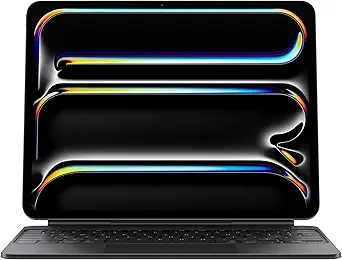 | Best Premium Pick | Compatibility: iPad Pro 13-inch (M4 and M5) | Trackpad: Glass with haptic feedback and Multi-Touch | Keys: Backlit scissor mechanism with 10-key function row | VIEW ON AMAZON | See Our Full Breakdown |
| Apple Magic Keyboard Folio for iPad (A16 and 10th Generation), US English, White |  | Best Apple Value | Compatibility: iPad (A16) and iPad (10th generation) | Design: Detachable two-piece with magnetic attachment | Trackpad: Click-anywhere trackpad with Multi-Touch | VIEW ON AMAZON | See Our Full Breakdown |
| Apple Magic Keyboard for iPad Air — White |  | Best for iPad Air | Compatibility: iPad Air 11-inch (M2, M3, M4); iPad Air 4th and 5th generation | Function row: 14 keys | Trackpad: Built-in | VIEW ON AMAZON | See Our Full Breakdown |
| Apple Magic Keyboard with Numeric Keypad, White |  | Best Standalone Keyboard | Connectivity: Bluetooth | Power: Rechargeable internal battery | Battery life: About a month or more between charges; varies by use | VIEW ON AMAZON | See Our Full Breakdown |
| ipad keyboard | Compatibility | Trackpad |
|---|---|---|
| ESR iPad Air 13-Inch Case Keyb | iPad Air 13" (M4/M3/M2, 2024-2026) | Multi-touch |
| Apple Magic Keyboard | — | — |
| Typecase Touch Keyboard Case f | iPad A16 11" (2025, A3354/A3355/A3356); iPad 10th Gen 10.9" (A2696/A2757/A2777) | Multi-touch |
| Logitech Combo Touch Detachabl | iPad 10th gen & iPad A16 (A2696, A2757, A2777, A3162, A3354, A3355, A3356) | Precision multi-gesture |
| Hamile iPad A16 / 10th Generat | iPad A16 11" (A3354/A3355/A3356); iPad 10th Gen 10.9" (A2696/A2757/A2777/A3162) | — |
| OMOTON Ultra-Slim Bluetooth Ke | — | — |
| Harvopu Keyboard Case for iPad | iPad (A16) 11th Gen 11-inch; iPad 10th Gen 10.9-inch | — |
| typecase Edge Keyboard Case wi | — | Multi-touch with gestures and palm rejection |
| Harvopu Keyboard Case for iPad | iPad (A16) 11th Gen 11-inch (2025); iPad 10th Gen 10.9-inch (2022) | — |
| Apple Magic Keyboard Case for | iPad Pro 11-inch (M4 and M5) | Glass with haptic feedback and Multi-Touch gestures |
| ZAGG Rugged Book Keyboard Case | — | — |
| Apple Magic Keyboard Case for | iPad Pro 13-inch (M4 and M5) | Glass with haptic feedback and Multi-Touch |
| Apple Magic Keyboard Folio for | iPad (A16) and iPad (10th generation) | Click-anywhere trackpad with Multi-Touch |
| Apple Magic Keyboard for iPad | iPad Air 11-inch (M2, M3, M4); iPad Air 4th and 5th generation | Built-in |
| Apple Magic Keyboard with Nume | macOS 10.12.4+, iPadOS 13.4+, iOS 10.3+ | — |
More Details on Our Top Picks
ESR iPad Air 13-Inch Case Keyboard with Multi-Mode Magnetic Stand (Rebound 360 Series)
For owners of the 13-inch iPad Air, this pick makes the most sense as an all-around productivity hub. The magnetic floating cantilever stand sets it apart from simpler folio options like the Hamile case, because it holds the tablet at eye level in both landscape and portrait — a genuine advantage for reading sheet music, marking up documents, or video calls. The large multi-touch trackpad and RGB backlighting put it closer to a laptop-replacement experience than anything else in this batch.
The tradeoff: none of that flexibility comes with water resistance, and the design is locked to a narrow band of iPad Air models. Compared with the Logitech Combo Touch, which needs no charging at all, the ESR asks you to manage a battery in exchange for its more versatile stand.
Pros:- Ultra-strong magnetic attachment with an adjustable floating cantilever stand
- Detachable back case supports portrait and raised-screen viewing modes
- Large, precise multi-touch trackpad rivals dedicated laptop touchpads
- RGB backlit keys for comfortable low-light typing
Cons:- Not water resistant, so spills are a real risk
- Strictly limited to the iPad Air 13-inch M2/M3/M4 generation
Best for: iPad Air 13-inch owners who want a laptop-style setup with portrait mode and a large trackpad
Not ideal for: Anyone with an iPad Pro or older Air — the magnetic fit only works with the 2024-2026 Air 13″ models
- Brand:ESR
- Compatibility:iPad Air 13″ (M4/M3/M2, 2024-2026)
- Connectivity:Bluetooth
- Keys:78-key QWERTY layout
- Backlighting:RGB color support
- Trackpad:Multi-touch
- Material:Synthetic leather
- Power:Battery powered
Our verdict“If you own a 13-inch iPad Air and want the closest thing to a MacBook experience, this is the case to buy.”
Apple Magic Keyboard – US English, Bluetooth
Not everyone wants their keyboard glued to their iPad. The Apple Magic Keyboard stands out as the only standalone option in this roundup — it works at a desk distance, travels flat in any bag, and isn’t tied to a single tablet generation like the ESR Rebound 360 or Logitech Combo Touch. Its scissor-switch typing feel is the benchmark everything else here is chasing, and the month-plus battery means charging is a monthly afterthought rather than a nightly habit.
The obvious compromise: there’s no case, no trackpad, and no stand. It also leans Mac-first — iPad users lose some pairing niceties, and Windows shortcuts don’t map cleanly. Compared with the OMOTON ultra-slim keyboard elsewhere in this guide, Apple’s version costs more but types noticeably better.
Pros:- Best-in-class comfortable and precise typing feel
- Rechargeable battery lasts roughly a month per charge
- Automatic pairing with Mac for instant setup
- Slim, flat design slips into any bag and works across devices
Cons:- Primarily designed for Mac, with limited functionality on other systems
- No case, trackpad, or built-in stand — it’s a keyboard and nothing more
Best for: Desk-based users who want one excellent keyboard shared between an iPad and a Mac
Not ideal for: Frequent travelers who need a case, stand, and trackpad in a single accessory
- Connectivity:Bluetooth, USB-C
- Layout:US English
- Battery Life:About 1 month or more per charge
- Charging Port:USB-C
- Included:Woven USB-C charge cable
- Primary Compatibility:Mac
Our verdict“Buy this if you type at a desk and value feel over all-in-one convenience; skip it if you need your keyboard to double as a case.”
Typecase Touch Keyboard Case for iPad A16 11-inch and iPad 10th Generation
This option stands out for squeezing premium features into a budget package. A 360° rotating hinge with seven use modes gives it more flexibility than the Logitech Combo Touch’s four modes, and the 11-color backlit keyboard with an iPadOS shortcut row means late-night typists aren’t paying extra for lighting the way they would with Apple’s own Magic Keyboard Folio.
The hard-shell construction and Apple Pencil holder round out a spec sheet that reads like a flagship case at a fraction of the ambition. Where it gives ground: the Bluetooth design needs USB-C recharging, unlike the Logitech’s always-powered Smart Connector, and the rotating hinge adds moving parts that a fixed folio like the Hamile simply doesn’t have to worry about.
Pros:- Seven use modes via a 360° rotating hinge
- Multi-touch trackpad supports gesture controls
- Adjustable 11-color RGB backlighting with iPadOS shortcut keys
- All-sided hard-shell protection plus Apple Pencil holder
Cons:- Only fits the specific iPad A16 11-inch and 10th-gen models
- Requires separate USB-C charging for the keyboard
- Rotating hinge is a potential long-term wear point
Best for: Students and budget-conscious buyers who want backlighting, a trackpad, and maximum flexibility without paying flagship prices
Not ideal for: Buyers who never want to charge a keyboard case — the Smart Connector options on this list handle power better
- Compatibility:iPad A16 11″ (2025, A3354/A3355/A3356); iPad 10th Gen 10.9″ (A2696/A2757/A2777)
- Hinge:360° rotation, 7 use modes
- Keyboard:Backlit, 11-color RGB, iPadOS shortcut row
- Trackpad:Multi-touch
- Protection:All-sided hard-shell case
- Features:Auto sleep/wake, Apple Pencil holder
- Charging:USB-C rechargeable battery
- Support:12-month Typecase support
Our verdict“The most feature-dense budget case in this lineup — ideal if flexibility matters more than premium build.”
Logitech Combo Touch Detachable iPad Keyboard Case (10th Gen & A16) – Oxford Gray
The Combo Touch’s killer feature is what it doesn’t have: a battery. Drawing power through the iPad’s Smart Connector means there’s nothing to charge, ever — a convenience neither the Typecase Touch nor the Hamile can match, since both require regular USB-C top-ups. Add a full iPadOS shortcut row with dedicated Screenshot and Dictation keys and a 50°-tilt kickstand, and this is the most frictionless option for everyday writers.
Compared with the ESR Rebound 360, the stand is less ambitious — no floating cantilever or portrait mode — and the hard kickstand adds noticeable thickness to a tablet that’s already slim. Still, for reliability-minded buyers, skipping battery management altogether is hard to beat.
Pros:- Powers via Smart Connector — no charging or batteries ever
- Backlit, well-spaced keys with dedicated Screenshot and Dictation shortcuts
- Four use modes (Type, Read, Sketch, View) with a fully detachable keyboard
- Materials protect against scuffs, scratches, and spills
Cons:- Only compatible with iPad 10th gen and A16 models
- Adds noticeable bulk compared with a bare iPad
Best for: Writers and note-takers who want a set-and-forset-and-forget keyboard with zero charging routine
Not ideal for: Minimalists bothered by added thickness — the kickstand design makes the iPad noticeably chunkier
- Compatibility:iPad 10th gen & iPad A16 (A2696, A2757, A2777, A3162, A3354, A3355, A3356)
- Color:Oxford Gray
- Trackpad:Precision multi-gesture
- Keyboard:Backlit with iPadOS shortcut row incl. Screenshot and Dictation
- Power:Smart Connector (iPad-powered)
- Use Modes:Type, Read, Sketch, View
- Kickstand Tilt:50 degrees
Our verdict“The most low-maintenance case in this roundup for 10th-gen and A16 iPad owners who just want to type and go.”
Hamile iPad A16 / 10th Generation 10.9-Inch Keyboard Case with Detachable Wireless Keyboard
Where the Logitech Combo Touch eliminates charging and the Typecase Touch demands it weekly, the Hamile splits the difference with sheer endurance: a 420mAh battery rated for up to 230 hours of use, refilled in two hours over Type-C. The keyboard detaches magnetically, so the iPad sheds the typing hardware when you want tablet-only weight — something Apple’s own Magic Keyboard Folio doesn’t allow.
The 7-color backlighting and three viewing-angle grooves cover the basics well, and the honeycomb-pattern TPU interior adds real drop cushioning. But the three fixed angle positions feel restrictive next to the ESR Rebound 360’s continuously adjustable cantilever, and the keyboard’s Bluetooth-only connection means another device to keep charged alongside the tablet itself.
Pros:- Up to 230 hours of battery life with a quick 2-hour Type-C charge
- Magnetically detachable keyboard with responsive, low-noise keys
- 7-color backlit keys and three adjustable viewing angles
- Shock-absorbing PU/TPU build with pencil holder
Cons:- Only fits the specific iPad A16 and 10th-gen models
- Keyboard must be recharged separately from the tablet
- Fixed groove angles are less flexible than a cantilever stand
Best for: Long-haul users — commuters, travelers, and students — who can’t stand recharging accessories
Not ideal for: Buyers who want fine-grained angle control — three fixed grooves limit ergonomic positioning
- Compatibility:iPad A16 11″ (A3354/A3355/A3356); iPad 10th Gen 10.9″ (A2696/A2757/A2777/A3162)
- Battery:420mAh, up to 230 hours
- Charging:Type-C, 2 hours full
- Connection:Wireless Bluetooth, magnetically detachable
- Backlight:7 colors
- Viewing Angles:3 adjustable grooves
- Material:PU exterior, TPU interior with honeycomb pattern
- OS Compatibility:iOS, Windows, Android
Our verdict“The pick for anyone whose top complaint about keyboard cases is constant charging — just don’t expect stand flexibility.”
OMOTON Ultra-Slim Bluetooth Keyboard for iPad, iPad Pro/Air/Mini, and iPhone
Not everyone wants their iPad wrapped in a case, and this is where the OMOTON ultra-slim keyboard earns its spot. At just 0.2 inches thick, it slips into any bag alongside the tablet, and the 400-hour battery life on two AAA batteries means months of typing between swaps. Compared with folio options like the Harvopu Keyboard Case, you give up the integrated stand and trackpad, but you gain flexibility: it works across iPads, iPhones, and even multiple generations without model-number anxiety. The 12 dedicated iOS shortcut keys handle volume, playback, and brightness without touching the screen. The tradeoff is a genuinely disposable-feeling ABS build, and you’ll need to supply your own batteries before the first use. It’s a typing tool, not a laptop replacement — but for the price of admission, that’s a fair deal.
Pros:- Ultra-slim 0.2-inch profile travels anywhere
- Up to 400 hours of battery life with auto-sleep
- 12 dedicated iOS multimedia shortcut keys
- Broad compatibility across iPad, iPad Pro, Air, mini, and iPhone models
Cons:- AAA batteries not included
- Function keys not fully compatible with non-iOS systems
Best for: Students and casual typists who want a cheap, portable keyboard that pairs with any iPad or iPhone and doesn’t add bulk to the tablet
Not ideal for: Productivity users who need a trackpad and integrated stand — a folio case like the typecase Edge makes more sense
- Connectivity:Bluetooth wireless
- Layout:78-key QWERTY
- Thickness:0.2 inches
- Dimensions:11.2″L x 4.7″W
- Battery Life:Up to 400 hours
- Power Source:2 AAA batteries (not included)
- Hotkeys:12 dedicated multimedia shortcut keys
- Auto Sleep:After 10 minutes inactive
Our verdict“If you want occasional iPad typing without the cost or bulk of a case, this is the simplest way to get there.”
Harvopu Keyboard Case for iPad (A16) 11th and 10th Generation
For shoppers who want the full laptop-style experience without paying Apple Magic Keyboard money, this Harvopu folio covers the essentials: a detachable keyboard with multi-touch trackpad, RGB backlighting, and three viewing angles. The detachable design is the real differentiator — unlike the typecase Edge, whose magnetic floating stand keeps the keyboard tethered to the case, this one lets you type from your lap or a separate surface. The stain-resistant PU exterior and shock-absorbing TPU interior give it more protective credibility than a bare standalone keyboard like the OMOTON. Realistically, the 420 mAh battery is small and the 2–3 hour charge time is slower than premium rivals, and the RGB glow is more novelty than necessity. But for a student or hybrid worker on a budget, the feature-to-price ratio here is hard to argue with.
Pros:- Detachable keyboard with multi-touch trackpad
- RGB backlighting with three brightness levels and iPadOS shortcut keys
- Three adjustable viewing angles
- Stain-resistant exterior with shock-protective TPU interior
Cons:- Compatible only with specific iPad 11th and 10th generation models
- Apple Pencil not included
- Modest 420 mAh battery with a slow 2–3 hour full charge
Best for: Budget-conscious students and home-office users with an iPad 10th Gen or A16 11th Gen who want a trackpad and backlighting without a premium price
Not ideal for: Owners of other iPad models — the fit is strictly limited to the listed 10.9-inch and 11-inch generations
- Compatibility:iPad (A16) 11th Gen 11-inch; iPad 10th Gen 10.9-inch
- Keyboard:Detachable Bluetooth with multi-touch trackpad
- Backlighting:7 RGB colors, 3 brightness levels
- Battery Capacity:420 mAh
- Charging:USB-C, 2–3 hours full charge
- Viewing Angles:3 positions
- Case Materials:PU exterior, TPU interior
- Auto Sleep:After 15 minutes of inactivity
Our verdict“The most complete feature set at the budget end of this roundup, provided your iPad matches the compatibility list.”
typecase Edge Keyboard Case with Floating Magnetic Stand for iPad A16 (11th Gen) and iPad 10th Gen
The typecase Edge imitates the design language of Apple’s premium Magic Keyboard at a fraction of the commitment: a floating magnetic stand holds the iPad hovering above the keyboard for a genuinely laptop-like posture. Compared with the Harvopu folio, you get a more refined setup — an 11-color backlit keyboard versus Harvopu’s seven, a trackpad with gesture controls and palm rejection, plus thoughtful touches like an Apple Pencil holder and magnetic closure. The tradeoff for that floating aesthetic is less flexibility: because the keyboard and stand are designed to work as a unit, lap typing is less natural than with a detachable folio. The vegan leather exterior looks sharp out of the box but won’t age the way genuine leather does. Still, for desk-centric users who want the Magic Keyboard silhouette without the Magic Keyboard invoice, this is the pick.
Pros:- Floating magnetic stand delivers a laptop-like typing setup
- 11-color backlit keyboard with 3 brightness levels
- Multi-touch trackpad with gesture controls and palm rejection
- Apple Pencil holder and magnetic closure protect accessories
Cons:- Compatibility limited to iPad A16 11-inch and 10th Gen models
- Synthetic vegan leather may not match the durability of genuine leather
- Floating design is less comfortable for lap use than detachable folios
Best for: Desk-based iPad users who want a floating laptop-style stand, trackpad, and backlighting while skipping Apple’s premium pricing
Not ideal for: Anyone with a different iPad model — buyers must verify their model number against the compatibility list before ordering
- Compatible Models:iPad A16 11-inch 2025; iPad 10th Gen 10.9-inch 2022
- Connectivity:Bluetooth
- Backlight Colors:11 colors, 3 brightness levels
- Trackpad:Multi-touch with gestures and palm rejection
- Material:Synthetic vegan leather
- Features:Floating magnetic stand, Apple Pencil holder, iPadOS shortcut keys
- Keyboard Power:Rechargeable battery
- Warranty:12-month Typecase support
Our verdict“The closest thing to Apple’s floating Magic Keyboard design at a budget-friendly price, as long as you mostly work at a desk.”
Harvopu Keyboard Case for iPad (A16) 11th and 10th Generation
Structurally, this Harvopu folio is a close sibling of the Harvopu B0D54CMYPP — same detachable keyboard, same trackpad, same RGB backlighting and three viewing angles — so the real question is which listing and finish suits you, since pricing between the two can shift. For a first-time keyboard-case buyer, this model earns its place as the low-commitment entry point: it delivers the trackpad-and-backlight formula that the bare OMOTON standalone keyboard can’t, wrapped in a soft PU shell that shrugs off stains. Measured against the typecase Edge, the compromises are clear — no floating stand, fewer backlight colors, and a smaller battery — but none of those matter much if you’re typing essays at a desk rather than presenting to clients. Check the model number on your iPad before ordering, because the fit is strict and unforgiving.
Pros:- Detachable keyboard with built-in trackpad and iPadOS shortcut row
- RGB backlighting with adjustable brightness
- Three adjustable viewing positions
- Stain-resistant protective exterior
Cons:- Compatible only with the listed iPad 11th and 10th Gen models
- Apple Pencil not included
- Smaller battery and fewer features than the typecase Edge at a similar tier
Best for: First-time keyboard-case buyers with a compatible iPad A16 or 10th Gen who want to try the laptop-style setup with minimal financial commitment
Not ideal for: Upgraders who already own a trackpad case — this offers little over what they have and less polish than the typecase Edge
- Compatibility:iPad (A16) 11th Gen 11-inch (2025); iPad 10th Gen 10.9-inch (2022)
- Keyboard:Detachable Bluetooth with trackpad and iPadOS shortcut row
- Backlighting:7 RGB colors, 3 brightness levels
- Battery Capacity:420 mAh
- Charging:USB-C, 2–3 hours full charge
- Viewing Angles:3 adjustable positions
- Case Materials:Soft PU exterior, TPU interior
- Includes:Case, keyboard, USB-C cable, manual
Our verdict“A sensible, no-frills first keyboard case for a compatible iPad — just confirm your model number first.”
Apple Magic Keyboard Case for iPad Pro 11-inch (M4/M5) – Black, US English
This is the benchmark the rest of this roundup is measured against, and it earns that status through refinement rather than spec-sheet padding. The glass trackpad with haptic feedback is in a different league from the plastic trackpads on the typecase Edge or either Harvopu folio, and the backlit scissor-mechanism keys deliver a typing feel third-party cases consistently approach but rarely match. The two-cantilever hinge glides through viewing angles where budget folios lock into fixed notches, and magnetic attachment means no pairing and no charging — the keyboard draws power through the iPad’s USB-C pass-through. The honest tradeoffs: it fits only the iPad Pro 11-inch (M4/M5), it adds real weight and real cost, and it lacks extras like a Pencil holder that cheaper cases include. For a professional treating an iPad Pro as a primary machine, those tradeoffs are easy to accept.
Pros:- Excellent backlit scissor-mechanism keys
- Glass trackpad with haptic feedback and Multi-Touch gestures
- USB-C pass-through charging and front/back protection
- No pairing or charging required — attaches magnetically
Cons:- Only compatible with iPad Pro 11-inch (M4 and M5)
- Premium price far above every third-party option here
- Accessories like the Apple Pencil sold separately
Best for: Professionals using an iPad Pro 11-inch (M4/M5) as a primary work device who want the best available typing and trackpad experience
Not ideal for: Casual or budget-minded users — the price premium is wasted on light typing tasks, and it fits no other iPad model
- Compatibility:iPad Pro 11-inch (M4 and M5)
- Trackpad:Glass with haptic feedback and Multi-Touch gestures
- Keys:Backlit, scissor mechanism
- Function Row:Yes, 10-key function row
- Charging:USB-C pass-through
- Hinge:Two-cantilever design, adjustable viewing angles
- Connectivity:Magnetic attachment, Smart Connector
- Color:Black
Our verdict“If your iPad Pro 11-inch is your main computer, this is the keyboard case that makes it feel like a laptop — everyone else should buy cheaper.”
ZAGG Rugged Book Keyboard Case for iPad 10.9-inch (10th Gen) and 11-inch (A16)
Most keyboard cases in this roundup treat protection as an afterthought, but the ZAGG Rugged Book flips that priority. With a polycarbonate and silicone shell rated for drops up to 6.6 feet, this option makes the most sense for anyone whose iPad travels to job sites, classrooms, or kids’ backpacks. Compared with the Apple Magic Keyboard Folio, which offers only basic front and back coverage, the Rugged Book trades slimness for genuine durability. The detachable keyboard also gives it flexibility the Logitech Combo Touch can’t match on its own terms, since it pairs with other devices over Bluetooth. The seven-color backlighting is genuinely useful for dim environments, though it’s a perk rather than a necessity. The tradeoff is bulk and weight — this is one of the chunkier cases here — and it lacks any water resistance, so it won’t suit marine or kitchen use.
Pros:- Drop protection rated up to 6.6 feet for real-world mishaps
- Detachable keyboard can pair with multiple devices over Bluetooth
- Seven-color backlighting supports typing in low light
- Magnetic hinge provides adjustable viewing angles
Cons:- No water resistance despite rugged positioning
- Bulkier and heavier than premium folio-style cases
- Compatible only with the iPad 10.9-inch (10th Gen) and 11-inch (A16)
Best for: Trade workers, students, and parents who need drop protection first and a keyboard second
Not ideal for: Buyers wanting a slim, laptop-like setup — this case is noticeably bulkier than the Apple Magic Keyboard options
- Compatible devices:iPad 10.9-inch (10th Gen) and iPad 11-inch (A16)
- Connectivity:Bluetooth
- Drop protection:Up to 6.6 feet
- Keyboard:Detachable, backlit QWERTY, 84 keys
- Backlighting:Seven colors
- Materials:Polycarbonate and soft silicone
- Power source:Battery powered
- OS compatibility:iPadOS 13.4 or later
Our verdict“Choose this if your iPad leads a rough life and you need a keyboard case that survives drops, not just one that types well.”
Apple Magic Keyboard Case for iPad Pro 13-inch (M4/M5) – Black, US English
This is the ceiling of what an iPad keyboard experience can be, and it’s priced accordingly. The glass trackpad with haptic feedback is the standout differentiator — no third-party option here, including the well-regarded Logitech Combo Touch, matches the precision and feel of Apple’s trackpad. Combined with a 10-key function row and backlit scissor keys, this model effectively turns the iPad Pro into a laptop substitute. The magnetic attachment with no pairing or charging also removes the recurring friction of Bluetooth keyboard cases like the ZAGG Rugged Book — snap it on and start typing. The USB-C pass-through port frees up the iPad’s own port for accessories. The tradeoffs are real, though: it only fits the 13-inch iPad Pro (M4/M5), it adds meaningful weight, and the cantilever hinge offers a limited angle range compared with kickstand-style cases.
Pros:- Best-in-class glass trackpad with haptic feedback and Multi-Touch gestures
- Full 10-key function row with backlit scissor keys
- USB-C pass-through charging keeps the iPad’s port free
- No pairing or charging required — instant magnetic attachment
Cons:- Compatible only with the iPad Pro 13-inch (M4 and M5)
- Limited viewing-angle range compared with kickstand-style cases
- Premium pricing that dwarfs third-party alternatives like the Hamile keyboard case
Best for: iPad Pro 13-inch (M4/M5) owners who want a true laptop replacement with the best available trackpad and typing feel
Not ideal for: Budget-conscious buyers or anyone with an older or smaller iPad — the model-specific fit and premium price demand commitment
- Compatibility:iPad Pro 13-inch (M4 and M5)
- Trackpad:Glass with haptic feedback and Multi-Touch
- Keys:Backlit scissor mechanism with 10-key function row
- Charging:USB-C pass-through
- Connection:Magnetic attach, no pairing or charging
- Hinge:Two-cantilever design, adjustable angles
- Color:Black
Our verdict“If you own the 13-inch iPad Pro and treat it as your primary computer, this is the accessory that completes the transformation.”
Apple Magic Keyboard Folio for iPad (A16 and 10th Generation), US English, White
For entry-level iPad owners, this folio is the most sensible way into Apple’s keyboard ecosystem without paying for the premium cantilever line. Unlike the Apple Magic Keyboard for iPad Pro, the Keyboard Folio skips pass-through charging and haptic trackpads, but it keeps the essentials: a 14-key function row, a built-in Multi-Touch trackpad, and the same no-pairing, no-charging magnetic convenience. Compared with budget third-party options like the Hamile keyboard case, the advantage is fit and finish — keys sit where your fingers expect them, and the trackpad gestures work flawlessly because Apple built both the hardware and iPadOS. The detachable two-piece design means you can drop the keyboard half and travel light with just the protective back panel. The compromises are the non-backlit keys and a lighter-duty hinge than the cantilever models, so it feels less laptop-like overall.
Pros:- No pairing or charging required via magnetic attachment
- Built-in click-anywhere trackpad with Multi-Touch support
- Detachable two-piece design with protective back panel
- Adjustable stand for flexible viewing angles
Cons:- No keyboard backlighting
- Compatible only with iPad (A16) and 10th-generation iPad
- Lighter hinge and stand mechanism than the premium cantilever models
Best for: iPad (A16 or 10th Gen) owners who want genuine Apple integration and a trackpad at a mid-range price
Not ideal for: Heavy typists who work in dim lighting — the keys aren’t backlit, unlike the ZAGG Rugged Book or Apple’s premium models
- Compatibility:iPad (A16) and iPad (10th generation)
- Design:Detachable two-piece with magnetic attachment
- Trackpad:Click-anywhere trackpad with Multi-Touch
- Function row:14 keys
- Protection:Front and back
- Stand:Adjustable
- Charging and pairing:Not required
Our verdict“The smartest Apple-branded entry point for base-model iPad owners who want a trackpad and function keys without the premium price tag.”
Apple Magic Keyboard for iPad Air — White
This model brings the full premium Magic Keyboard experience to the iPad Air lineup, which is meaningful because Air owners were long stuck choosing between folio cases and third-party keyboards. Compared with the Apple Magic Keyboard Folio, the upgrade here is the floating cantilever design, USB-C pass-through charging, and backlit keys — a genuine step toward laptop replacement. Against third-party options like the typecase Edge, the advantage is refinement: the two-cantilever hinge feels smooth and stable, and the 14-key function row integrates cleanly with iPadOS shortcuts. Broad compatibility across iPad Air 11-inch (M2, M3, M4) and Air 4th/5th gen also means it can outlive a single tablet, softening the investment. The main tradeoff is weight — at 2.27 pounds, it’s heavier than many third-party keyboard cases and rivals the iPad itself, which undercuts the Air’s portability-first appeal.
Pros:- Full 14-key function row with backlit scissor-mechanism keys
- Built-in trackpad and USB-C pass-through charging
- Floating cantilever design with smooth, adjustable angles
- Broad compatibility across five iPad Air generations
Cons:- Heavy at 2.27 pounds for a tablet built around portability
- Limited to specific iPad Air models only
- Premium pricing compared with third-party keyboard cases
Best for: iPad Air owners who want backlit keys, a trackpad, and pass-through charging for serious productivity work
Not ideal for: Buyers who chose the Air for its light weight — at 2.27 pounds this case more than doubles the travel weight of some configurations
- Compatibility:iPad Air 11-inch (M2, M3, M4); iPad Air 4th and 5th generation
- Function row:14 keys
- Trackpad:Built-in
- Charging:USB-C pass-through
- Connection:Magnetic attachment, no pairing or charging
- Weight:2.27 pounds
- Color:White
Our verdict“The definitive keyboard for iPad Air owners ready to turn their tablet into a daily driver — as long as the added weight doesn’t bother them.”
Apple Magic Keyboard with Numeric Keypad, White
Every other pick in this roundup is a case-based keyboard, but this one takes the opposite approach: a standalone wireless keyboard that leaves your iPad free of any enclosure. That makes it a better fit for desk-centric workflows than any case option, including the Apple Magic Keyboard Case for iPad Pro, because the tablet can sit in any stand or mount you like while you type at a comfortable distance. The numeric keypad and document navigation controls are the real draw for spreadsheet and finance work — no folio or case keyboard here offers a dedicated number pad. Compared with budget standalone options like the OMOTON Ultra-Slim, this model delivers Apple’s superior scissor-key feel and a rechargeable battery that lasts roughly a month. The tradeoffs: there’s no protection, no trackpad, and no built-in stand, so it’s useless on a train tray table and pairs over Bluetooth rather than snapping on magnetically.
Pros:- Extended layout with numeric keypad for spreadsheets and data entry
- Works across Mac, iPad, and iPhone over Bluetooth
- Rechargeable battery lasts about a month or more between charges
- Full-size arrow keys and document navigation controls
Cons:- No case, stand, or trackpad — requires a separate iPad mount
- Bluetooth pairing and charging are needed, unlike Apple’s magnetic case keyboards
- Far less portable than folio-style options
Best for: Desk-based iPad users, accountants, and anyone juggling a Mac and iPad who needs a numeric keypad
Not ideal for: Mobile users — with no case, stand, or trackpad, this keyboard offers nothing when you’re working away from a desk
- Connectivity:Bluetooth
- Power:Rechargeable internal battery
- Battery life:About a month or more between charges; varies by use
- Layout:Extended with numeric keypad, document navigation, full-size arrow keys
- Compatibility:macOS 10.12.4+, iPadOS 13.4+, iOS 10.3+
- Included:Lightning to USB Cable
Our verdict“Skip the cases entirely — this is the pick for a stationary iPad setup where a number pad and desktop typing comfort matter most.”

How We Picked
I ranked these keyboards around four buyer-relevant factors. Typing experience came first: key travel, spacing, wobble, and whether the layout includes a trackpad, since that determines whether the iPad can genuinely replace a laptop for writing sessions. Fit and compatibility came second — a beautiful keyboard that fits the wrong iPad generation is worthless, so I matched every case to its exact supported models. Third, I weighed versatility: keyboard cases that double as adjustable stands or detach into a plain tablet earn extra credit over fixed folios. Finally, I considered build quality and value, judging whether each option justifies its price tier rather than simply rewarding the cheapest or most expensive pick.
The ranking logic follows those weights. Apple’s Magic Keyboard cases lead on typing and trackpad quality but are held back by single-model lock-in and steep pricing. Logitech, ESR, and ZAGG fill the middle tier because they trade a little key feel for flexibility and protection. The budget cases rank lower on refinement, not usefulness — they’re ranked as honest value picks rather than failures, and I’ve noted exactly who each one suits.
Factors to Consider When Choosing Ipad Keyboards
Before you pick a specific model, it helps to understand what actually separates a satisfying iPad keyboard from a frustrating one. These are the factors that shaped my rankings — and the mistakes I see buyers make most often.Confirm Your Exact iPad Model First
The most common mistake in this category isn’t picking a bad keyboard — it’s picking the wrong fit. Apple reuses screen sizes across generations, so an 11-inch iPad Pro (M4) case will not fit an 11-inch iPad A16, even though listings often look nearly identical. Check your model number in Settings under General, About before buying anything, and match it against the manufacturer’s compatibility list rather than trusting the screen size alone. This matters most with keyboard cases, which are molded to exact camera placements and port positions. Standalone Bluetooth keyboards avoid this problem entirely, which is partly why they hold their value across upgrades. Buyers who switch iPads every couple of years should weigh that longevity heavily against the convenience of an integrated case.
Case, Folio, or Standalone Keyboard?
The three form factors serve genuinely different users. A full keyboard case like Apple’s Magic Keyboard or the ZAGG Rugged Book turns your iPad into a laptop replacement, with protection on both faces and a trackpad — but it adds noticeable weight and bulk you carry everywhere. A detachable folio like the Logitech Combo Touch or ESR Rebound 360 splits the difference: keyboard when you need it, slim tablet when you don’t. A standalone keyboard like the OMOTON or Apple’s desk-style Magic Keyboard suits people who mostly use the iPad at a table and want to leave the tablet naked or in a slim case. If you type more than a few hundred words a day, the case-and-trackpad route usually wins. If your iPad is primarily a media and note-taking device, a standalone keyboard saves money and weight.
Trackpad or No Trackpad?
A trackpad changes how you use an iPad far more than most buyers expect. With a trackpad, cursor support, text selection, and multi-touch gestures feel laptop-like, and you stop reaching up to smudge the screen mid-sentence. Apple’s Magic Keyboard cases, the Logitech Combo Touch, and several ESR and Typecase models include one; most budget cases and all standalone keyboards don’t. The catch is cost — trackpad models typically cost considerably more, and cheaper trackpads can feel small or jittery compared with Apple’s. If your iPad work is mostly writing and email, you can skip the trackpad and save meaningfully. If you edit documents, manage spreadsheets, or multitask in Split View, the trackpad quickly stops feeling optional.
Key Feel and Layout Tradeoffs
Keyboard quality varies more within this category than almost any other spec. Apple’s scissor-switch keys offer short, crisp travel; Logitech’s laptop-style keys are close behind; and most sub-$50 cases use shallower membrane keys that are fine for email but fatiguing for long documents. Function-key rows also differ — some models include iPad-specific shortcuts for brightness, volume, and Spotlight, while cheaper cases require on-screen controls for basic tasks. If you can, type on a friend’s keyboard case before committing, because key preference is surprisingly personal. And check the layout photos carefully: a few budget cases compress arrow keys or right-shift to save space, which drives fast typists up the wall within a week.
Protection and Durability
If your iPad travels in a backpack, the keyboard’s role as a case matters as much as its keys. Rugged options like the ZAGG Rugged Book add reinforced corners and spill resistance, which explains their extra bulk and cost. Apple’s Magic Keyboard cases offer decent front-and-back coverage but their aluminum and fabric construction scuffs more easily than you’d expect at their price. Detachable folios protect less when the keyboard is off, so they suit careful owners rather than rough-and-tumble households. Standalone keyboards offer zero protection — pair one with a separate case if drop risk is real. Match the durability level to how and where you actually carry the tablet, not to worst-case fears that add weight you’ll regret daily.
Battery, Connectivity, and Charging
Most modern iPad keyboards connect over Bluetooth or Apple’s Smart Connector, and the difference shapes daily life more than it sounds. Smart Connector keyboards — like Apple’s own and the Logitech Combo Touch — draw power from the iPad, so there’s nothing to charge and no pairing to manage. Bluetooth keyboards need charging every few weeks to a few months, but they work with multiple devices, which is handy if you also type on an iPhone or Mac. Cheaper Bluetooth cases sometimes use proprietary charging cables instead of USB-C, a small annoyance that compounds over time. If you hate managing batteries, prioritize Smart Connector models. If you want one keyboard for several devices, Bluetooth is the only way to go.
Frequently Asked Questions
It depends on how much you type and whether you need a trackpad. Apple’s Magic Keyboard delivers the best key feel, the smoothest trackpad, and the floating cantilever design that no budget case matches, and it charges via Smart Connector so there’s nothing to pair or plug in. If your iPad replaces a laptop for daily writing, that difference justifies the cost. But if you type occasionally and already like your iPad’s on-screen keyboard, third-party options from Logitech, ESR, or even Hamile get you 80% of the experience for a fraction of the price. The honest middle path is the Logitech Combo Touch, which keeps the Smart Connector and trackpad while cutting the cost meaningfully.
Will a keyboard case for the iPad 10th Generation fit the iPad A16?
Usually yes, and most manufacturers list both models together because the iPad A16 (11th generation base iPad) shares its physical dimensions and port layout with the 10th Generation model. That’s why products like the Typecase Touch, Harvopu, and Logitech Combo Touch in this lineup advertise both. The exception is Apple’s own Magic Keyboard Folio, which is also compatible but worth double-checking by model number. What will not interchange are iPad Air and iPad Pro cases, even at the same 11-inch size, because their camera modules and thickness differ. Always confirm your exact model number in Settings before ordering rather than going by screen size alone.
Do I need a trackpad on an iPad keyboard, or is the touchscreen enough?
For casual use, the touchscreen is fine — but trackpads change the experience for productive work. With a trackpad you get cursor support, three-finger gestures, and precise text selection without lifting your arm to the screen, which matters during long writing or editing sessions. If you use your iPad with Split View, spreadsheets, or remote desktop apps, a trackpad becomes close to mandatory. If your iPad is mainly for reading, streaming, and quick replies, you can safely choose a keyboard-only model and save a meaningful amount. That’s the real dividing line in this roundup: Apple’s Magic Keyboard cases and the Logitech Combo Touch for trackpad users, and options like the Hamile or OMOTON for everyone else.
Are cheap iPad keyboard cases under $40 actually usable?
Yes, with realistic expectations. Budget cases like the Hamile and Harvopu models in this lineup provide real keyboards with proper layouts, Bluetooth connectivity, and basic protection, and they genuinely work for emails, notes, and occasional documents. Where they fall short is key travel, hinge stability in lap use, and long-term durability — the keys feel shallower, and the stands can wobble on soft surfaces. They also typically lack trackpads and Smart Connector charging, so you’ll charge them over USB and reach for the screen to navigate. For students or occasional typists, that tradeoff is perfectly reasonable. Heavy typists will notice the difference within a week and should step up to the Logitech or Apple tier.
Should I buy a keyboard case or a separate Bluetooth keyboard?
Think about where you actually use your iPad. A keyboard case makes sense if you type on the go — in class, on commutes, or around the house on your lap — because the keyboard and stand travel with the tablet everywhere. A separate keyboard like the OMOTON or Apple’s desk-style Magic Keyboard suits desk-based users who prop the iPad on a stand anyway and prefer keeping the tablet light and unprotected by a bulky folio. The standalone route also survives iPad upgrades, since Bluetooth keyboards work across generations and even other devices, while every case in this roundup fits exactly one family of iPads. Frequent upgraders and multi-device households get better long-term value from standalone keyboards; laptop-replacement users should stick with cases.
Conclusion
The right pick here depends less on which keyboard is objectively best and more on how you use your iPad. For most buyers, the Apple Magic Keyboard Case for iPad Pro 11-inch (M4/M5) is the best overall choice — the typing feel, trackpad, and Smart Connector convenience are unmatched in this lineup, and the 13-inch version covers the same ground for larger Pro owners. Best value goes to the Logitech Combo Touch, which keeps the trackpad and Smart Connector while undercutting Apple’s pricing and adding a detachable design. If you want the absolute best premium setup, the 13-inch Magic Keyboard for iPad Pro paired with Apple’s desk-friendly Magic Keyboard with Numeric Keypad covers both lap and desk scenarios.
For beginners and budget buyers, the Hamile and Harvopu cases deliver a genuine typing upgrade for entry-level iPads without a painful investment — just accept the shallower keys and skip them if you type all day. Specific needs round out the rest: the ESR Rebound 360 for iPad Air 13-inch owners wanting multi-mode flexibility, the ZAGG Rugged Book for drop-prone households and job sites, the Typecase Edge for those who want the floating-stand look at a mid-range price, and the OMOTON or standard Apple Magic Keyboard for anyone who wants one keyboard to outlive their next few iPads. Whatever you choose, verify your exact iPad model before ordering — it’s the one mistake this lineup can’t forgive.
Fall Picks
fall essentials
As an affiliate, we earn on qualifying purchases.