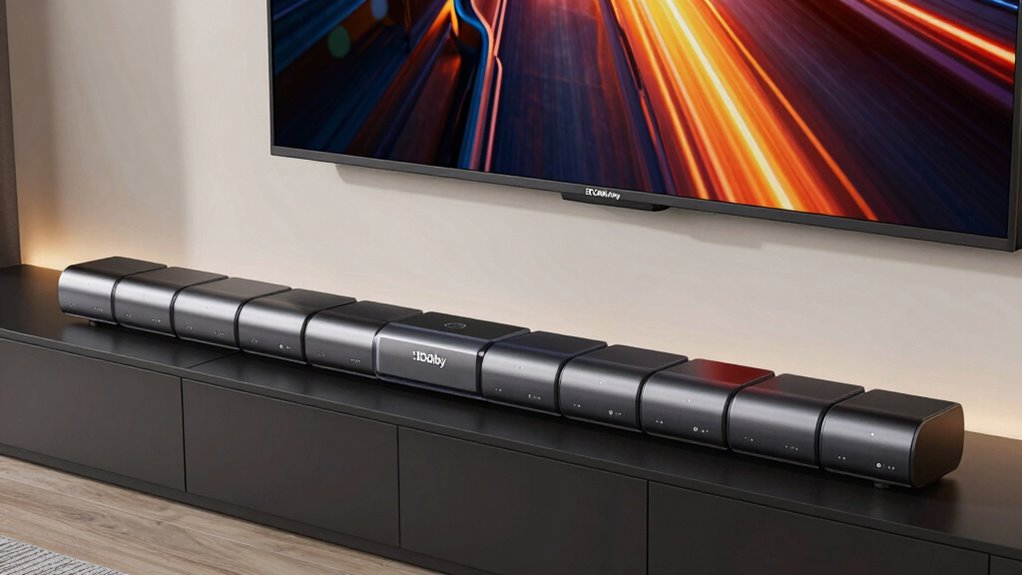

For a premium Dolby Atmos soundbar that balances immersive surround sound with practical setup, I’d make the JBL Bar 1000 MK2 my best overall pick, while the Sonos Arc Ultra stands out for a refined, streamlined system and the JBL Bar 1300XMK2 for detachable-speaker flexibility. The main choice is between a simpler all-in-one bar and a larger package with a subwoofer or separate surrounds that can create a more convincing room-filling effect. Room size, speaker placement, TV connections, and how much setup you want to manage all affect which premium option makes sense. Some models prioritize dialogue and compact design; others put more emphasis on bass and discrete surround channels. Read on for my full breakdown of where each soundbar fits and which tradeoffs matter most.

Get the latest gadgets delivered free with Prime
- Fast, free delivery on millions of items
- Prime Video, Amazon Music and more included
- Member-only deals all year
Complete the kit



Key Takeaways
- The JBL Bar 1000 MK2 is my best overall match for buyers who want a full 7.1.4-channel package with detachable speakers rather than relying only on simulated surround.
- The JBL Bar 1300XMK2 and Bar 800 make surround placement more flexible with detachable speakers, while the Bar 500MK2 and Bar 300MK2 suit buyers willing to rely more on virtual processing.
- Sonos and Bose offer distinct premium priorities: Sonos models suit buyers who value a cohesive connected-audio setup, while Bose options emphasize dialogue and smart features.
- Built-in subwoofers trade deep bass for a smaller footprint. The Yamaha SR-B30A is a simpler fit for compact rooms, but it does not offer the separate subwoofer and surround-speaker format found in several JBL and TCL bundles.
- Dolby Atmos branding alone does not predict the listening experience. Channel layout, included rear speakers, room shape, and placement have more bearing on immersion than the format name by itself.
| JBL Bar 1000 MK2 7.1.4-Channel Dolby Atmos Soundbar Bundle with 8 ft WireLogic Ruby HDMI Cable |  | Best for Detachable Surround Sound | Sound system: 7.1.4-channel | Audio formats: Dolby Atmos, DTS:X | Subwoofer: 10-inch wireless | VIEW ON AMAZON | See Our Full Breakdown |
| JBL Bar 500MK2 5.1-Channel Soundbar System with Dolby Atmos and 10-Inch Wireless Subwoofer |  | Best for Bass Without Rear Speakers | Audio channels: 5.1 | Maximum output power: 750 watts | Subwoofer: 10-inch wireless | VIEW ON AMAZON | See Our Full Breakdown |
| Yamaha SR-B30A Dolby Atmos Soundbar with Built-In Subwoofers |  | Best All-in-One Setup | Audio formats: Dolby Atmos, Dolby TrueHD 7.1, DD, DD 7.1 Plus | Connectivity: HDMI eARC/ARC, Bluetooth | Built-in subwoofers: 2 | VIEW ON AMAZON | See Our Full Breakdown |
| TCL S65K 5.1-Channel Soundbar System with Dolby Atmos, DTS:X, Wireless Subwoofer and Surround Speakers |  | Best for Included Surround Speakers | Audio channels: 5.1 | Maximum output power: 630 watts | Subwoofer driver: 6.5 inches | VIEW ON AMAZON | See Our Full Breakdown |
| Sonos Beam Gen 2 Dolby Atmos Soundbar, White |  | Best Compact Smart Soundbar | Model: BEAM2US1 | Audio channels: 2 | Maximum output power: 200 watts | VIEW ON AMAZON | See Our Full Breakdown |
| JBL Bar 1300XMK2 Dolby Atmos Soundbar with Detachable Speakers, Black |  | Best for a Full Surround-Sound Setup | Channels: 11.1.4 | Maximum output power: 1570 watts | Subwoofer: 12-inch wireless | VIEW ON AMAZON | See Our Full Breakdown |
| JBL Bar 300MK2 5.0-Channel All-in-One Soundbar with Dolby Atmos, MultiBeam 3.0 and PureVoice 2.0 |  | Best Premium All-in-One | Audio channels: 5.0 | Maximum output power: 450 watts | Speaker size: 37 inches | VIEW ON AMAZON | See Our Full Breakdown |
| TCL S55H 2.1 Soundbar with Wireless Subwoofer |  | Best Entry-Level Atmos System | Audio channels: 2.1 | Audio formats: Dolby Atmos, DTS Virtual:X | Power output: Up to 220 W | VIEW ON AMAZON | See Our Full Breakdown |
| Sonos Arc Ultra Soundbar with Dolby Atmos – Black |  | Best for Sonos Ecosystem Owners | Number of audio channels: 9.1.4 | Speaker size: 46.18 inches | Audio features: Dolby Atmos, AI-powered speech enhancement, Trueplay tuning | VIEW ON AMAZON | See Our Full Breakdown |
| Bose Lifestyle Ultra Wireless Soundbar with Dolby Atmos, Black |  | Best for Room-Adaptive Spatial Sound | Audio technologies: Dolby Atmos, TrueSpatial, PhaseGuide, CleanBass, CustomTune | Connectivity: HDMI ARC, eARC, Wi-Fi, Bluetooth | Compatible services and assistants: Alexa, Siri, AirPlay, Spotify, Google Cast | VIEW ON AMAZON | See Our Full Breakdown |
| JBL Bar 800 5.1.2-Channel Soundbar with Detachable Surround Speakers and Dolby Atmos |  | Best for Wire-Free Surround Sound | Channels: 5.1.2 | Audio: Dolby Atmos | Surround speakers: Two detachable, battery-powered speakers | VIEW ON AMAZON | See Our Full Breakdown |
| Sonos Beam Ultra Dolby Atmos Soundbar, Black |  | Best Compact Premium Atmos Bar | Audio channels: 7.1.2 | Drivers: 9 | Maximum output power: 50 watts | VIEW ON AMAZON | See Our Full Breakdown |
| Bose Smart Ultra Dolby Atmos Soundbar with Voice Control, Black |  | Best for Dialogue and Voice Control | Audio output mode: Dolby Atmos | Number of transducers: 6 | Upward-firing speakers: 2 | VIEW ON AMAZON | See Our Full Breakdown |
| Bose Smart Dolby Atmos Soundbar with Alexa, AI Dialogue Mode, Bluetooth, AirPlay 2, Spotify Connect, and Chromecast |  | Best Compact Streaming Pick | Audio technologies: Dolby Atmos, Bose TrueSpace | Streaming connectivity: Wi-Fi, Bluetooth, Apple AirPlay 2, Spotify Connect, Chromecast | Voice assistants: Amazon Alexa, Google Assistant capabilities | VIEW ON AMAZON | See Our Full Breakdown |
| dolby atmos soundbar premium | Connectivity | Mounting type |
|---|---|---|
| JBL Bar 1000 MK2 7.1.4-Channel | — | — |
| JBL Bar 500MK2 5.1-Channel Sou | — | Wall mount |
| Yamaha SR-B30A Dolby Atmos Sou | HDMI eARC/ARC, Bluetooth | — |
| TCL S65K 5.1-Channel Soundbar | Bluetooth, USB, Wi-Fi, HDMI, wireless | Wall mount |
| Sonos Beam Gen 2 Dolby Atmos S | HDMI eARC, Wi-Fi, Ethernet | Tabletop |
| JBL Bar 1300XMK2 Dolby Atmos S | Bluetooth, Ethernet, HDMI, Optical, USB, Wi-Fi | Tabletop |
| JBL Bar 300MK2 5.0-Channel All | Bluetooth, HDMI, optical, USB, Wi-Fi | Wall mount |
| TCL S55H 2.1 Soundbar with Wir | HDMI eARC/ARC, optical, Bluetooth 5.2, AUX | — |
| Sonos Arc Ultra Soundbar with | Bluetooth, HDMI, Wi-Fi | Tabletop |
| Bose Lifestyle Ultra Wireless | HDMI ARC, eARC, Wi-Fi, Bluetooth | — |
| JBL Bar 800 5.1.2-Channel Soun | Wi-Fi, AirPlay, Alexa Multi-Room Music, Chromecast built-in, HDMI eARC | — |
| Sonos Beam Ultra Dolby Atmos S | Bluetooth, HDMI, Wi-Fi | Tabletop |
| Bose Smart Ultra Dolby Atmos S | Bluetooth, Wi-Fi | Tabletop |
| Bose Smart Dolby Atmos Soundba | — | Shelf mount |
More Details on Our Top Picks
JBL Bar 1000 MK2 7.1.4-Channel Dolby Atmos Soundbar Bundle with 8 ft WireLogic Ruby HDMI Cable
I’d put the JBL Bar 1000 MK2 first for buyers who want a convincing Atmos setup without permanently placing rear speakers around the room. Its detachable surrounds can run for up to 10 hours before recharging, while the wireless 10-inch subwoofer supplies the low-end weight that compact all-in-one bars like the Yamaha SR-B30A cannot match. The 7.1.4-channel layout and support for DTS:X also make it the more expansive pick than the 5.1-channel JBL Bar 500MK2. Three HDMI inputs and 4K Dolby Vision and HDR10+ passthrough suit a multi-device system. The tradeoff is a more involved setup: the subwoofer still needs power, and the detachable speakers need charging and a place to sit when removed. I’d skip it if you want one simple bar with no separate components.
Pros:- 7.1.4-channel layout with Dolby Atmos and DTS:X support
- Detachable wireless rear speakers provide flexible surround placement and up to 10 hours of playback
- Wireless 10-inch subwoofer adds substantial bass
- Three HDMI inputs and passthrough for 4K Dolby Vision and HDR10+
Cons:- Detachable surrounds need charging and placement, unlike the simpler Yamaha SR-B30A
- The subwoofer requires an AC power connection
- The soundbar and multiple components take more setup and room space than an all-in-one option
Best for: Movie and gaming households seeking discrete rear effects, Atmos height channels, and several HDMI-connected devices without keeping rear speakers permanently wired.
Not ideal for: Buyers who want a single compact speaker or do not want to position, recharge, and store detachable surround speakers.
- Sound system:7.1.4-channel
- Audio formats:Dolby Atmos, DTS:X
- Subwoofer:10-inch wireless
- Detachable speaker playback:Up to 10 hours
- HDMI video inputs:3
- HDMI passthrough:4K Dolby Vision, HDR10+
- Bluetooth:Version 5.3
- Dimensions:5 x 47.4 x 2 inches
- Included cable:8 ft WireLogic Ruby Ultra High Speed HDMI cable
Our verdict“Choose the Bar 1000 MK2 if adaptable rear effects and a full Atmos layout matter more to you than a minimal setup.”
JBL Bar 500MK2 5.1-Channel Soundbar System with Dolby Atmos and 10-Inch Wireless Subwoofer
The JBL Bar 500MK2 is the more straightforward JBL choice if you want strong bass and a wider-than-TV soundstage but do not want detachable rear speakers. Its 10-inch wireless subwoofer gives action scenes and music more physical impact than the Sonos Beam Gen 2’s compact, subwoofer-free configuration, while MultiBeam 3.0 aims to spread sound around the listening area. Dolby Atmos and PureVoice 2.0 cover the two everyday priorities of cinematic presentation and dialogue clarity. Room calibration can help tailor its presentation to the space. Compared with the Bar 1000 MK2, though, this is a 5.1-channel system rather than a 7.1.4 setup with detachable surrounds, so it is the less convincing pick for listeners focused on discrete rear and height effects. Some streaming and voice-assistant features also depend on compatible devices.
Pros:- 10-inch wireless subwoofer brings weight to movie effects and music
- Dolby Atmos and MultiBeam 3.0 create a broader presentation than a basic TV speaker
- PureVoice 2.0 is designed to make dialogue clearer
- Room calibration helps tailor sound to the listening space
Cons:- 5.1-channel configuration lacks the Bar 1000 MK2’s 7.1.4 layout and detachable surrounds
- Streaming and voice-assistant functions may require compatible devices
- Separate subwoofer adds another component to place and connect
Best for: TV and movie viewers who want a large wireless subwoofer and Atmos processing but prefer not to manage separate rear speakers.
Not ideal for: Atmos enthusiasts seeking discrete detachable surround speakers or buyers who need streaming and voice features to work without compatible devices.
- Audio channels:5.1
- Maximum output power:750 watts
- Subwoofer:10-inch wireless
- Dolby Atmos:Supported
- HDMI:eARC with 4K Dolby Vision passthrough
- Frequency response:20 Hz
- Mounting type:Wall mount
- Waterproof:No
Our verdict“Choose the Bar 500MK2 for a bass-forward Atmos system with fewer surround components than the Bar 1000 MK2.”
Yamaha SR-B30A Dolby Atmos Soundbar with Built-In Subwoofers
I’d choose the Yamaha SR-B30A when a tidy setup matters more than deep, room-filling bass. Its two built-in subwoofers mean there is no separate bass unit to position, making it simpler to fit under a TV than the JBL Bar 500MK2 and its wireless 10-inch subwoofer. Dolby Atmos support, Clear Voice, and a choice of movie, game, stereo, and standard modes give it flexibility for everyday viewing. Bluetooth also allows music playback without turning on the TV. The compromise is physical: built-in 3-inch drivers cannot offer the same bass scale as the JBL’s dedicated subwoofer, and this bar does not provide the JBL Bar 1000 MK2’s detachable rear speakers. I’d treat Atmos here as a compact, convenient upgrade rather than a substitute for a multi-speaker home theater.
Pros:- Two built-in subwoofers avoid a separate subwoofer box
- Dolby Atmos support in a single soundbar
- Clear Voice targets dialogue intelligibility
- Bluetooth, HDMI eARC/ARC, and several sound modes support everyday use
Cons:- Built-in 3-inch subwoofers are a more compact bass solution than the JBL Bar 500MK2’s 10-inch unit
- No separate subwoofer or rear speakers for a more physical, room-filling surround setup
- A single bar offers fewer placement options for surround effects than systems with wireless speakers
Best for: Apartment dwellers and minimalist TV setups that need dialogue enhancement and Atmos support without a separate subwoofer.
Not ideal for: Viewers who want powerful low bass, discrete rear-channel effects, or the fuller surround configuration of the JBL Bar 1000 MK2.
- Audio formats:Dolby Atmos, Dolby TrueHD 7.1, DD, DD 7.1 Plus
- Connectivity:HDMI eARC/ARC, Bluetooth
- Built-in subwoofers:2
- Subwoofer diameter:3 inches
- Bluetooth range:10 meters
- Dimensions:5.25 x 35.88 x 2.63 inches
- Weight:8.6 pounds
- Sound modes:Movie, Stereo, Standard, Game
Our verdict“Pick the SR-B30A if easy placement and a built-in bass solution outweigh the impact of a separate subwoofer and rear speakers.”
TCL S65K 5.1-Channel Soundbar System with Dolby Atmos, DTS:X, Wireless Subwoofer and Surround Speakers
The TCL S65K stands out for buyers who want a 5.1 setup that includes both a wireless subwoofer and surround speakers, rather than relying on a soundbar to simulate the effect. Its center channel is aimed at clearer dialogue, while Dolby Atmos, DTS:X, and RAY DANZ acoustics give it broader format and soundstage ambitions than the all-in-one Yamaha SR-B30A. AI room calibration can adapt the system’s sound to its placement. Against the JBL Bar 1000 MK2, however, the S65K is a 5.1-channel system, not a 7.1.4 arrangement with detachable surrounds and extended height channels. Its 6.5-inch subwoofer also suggests a less substantial bass component than JBL’s 10-inch models. ChoruSound requires a compatible TCL TV, so I would not choose this specifically for that feature if your television is from another brand.
Pros:- Includes surround speakers and a wireless subwoofer for a multi-component 5.1 setup
- Dolby Atmos and DTS:X support
- Center channel is designed to improve dialogue clarity
- AI room calibration adjusts sound to the space
Cons:- 5.1-channel layout is less extensive than the JBL Bar 1000 MK2’s 7.1.4 system
- ChoruSound depends on a compatible TCL television
- Corded-electric power requirements limit where the system components can be placed
Best for: Buyers building a TCL-centered living-room setup who want included surround speakers, a wireless subwoofer, and dialogue-focused center-channel sound.
Not ideal for: Owners of non-TCL TVs counting on ChoruSound, or Atmos listeners seeking the more extensive 7.1.4 layout of the JBL Bar 1000 MK2.
- Audio channels:5.1
- Maximum output power:630 watts
- Subwoofer driver:6.5 inches
- Audio formats:Dolby Atmos, DTS:X
- Connectivity:Bluetooth, USB, Wi-Fi, HDMI, wireless
- Power source:Corded electric
- Mounting type:Wall mount
Our verdict“Choose the S65K if included surround speakers and a TCL-friendly setup matter more than the JBL Bar 1000 MK2’s larger channel layout.”
Sonos Beam Gen 2 Dolby Atmos Soundbar, White
The Sonos Beam Gen 2 is the compact, connected choice here: it pairs Dolby Atmos support with a small footprint and access to Sonos multiroom audio. That makes it a better fit than the JBL Bar 500MK2 for a room where a separate subwoofer would be awkward, and more appealing to music listeners who want to stream when the TV is off. HDMI eARC, Wi-Fi, Ethernet, AirPlay 2, app control, and voice options give it a flexible role beyond movie playback. Its limits are equally clear. The listed system is 2-channel, and there is no separate subwoofer or included rear speaker system, so it cannot match the Bar 1000 MK2’s discrete 7.1.4 presentation or the JBL’s dedicated bass unit. I’d pick it for convenience and ecosystem features, not maximum cinematic scale.
Pros:- Compact soundbar design avoids a separate subwoofer in the setup
- Dolby Atmos support and panoramic soundstage presentation
- Streams music and podcasts with the TV off and supports Sonos multiroom audio
- HDMI eARC, Wi-Fi, Ethernet, AirPlay 2, app, remote, and voice control options
Cons:- Listed as a 2-channel system, unlike the JBL Bar 500MK2’s 5.1-channel configuration
- No separate subwoofer or included rear speakers for stronger bass and discrete surround effects
- A single compact bar cannot reproduce the JBL Bar 1000 MK2’s 7.1.4 layout
Best for: Apartment residents and Sonos users seeking a compact Atmos-capable bar for TV, music streaming, and multiroom listening.
Not ideal for: Home theater buyers who prioritize discrete rear speakers and a dedicated subwoofer, such as those drawn to the JBL Bar 1000 MK2.
- Model:BEAM2US1
- Audio channels:2
- Maximum output power:200 watts
- Connectivity:HDMI eARC, Wi-Fi, Ethernet
- Wireless technologies:AirPlay, NFC, Wi-Fi
- Control methods:App, remote, voice
- Mounting type:Tabletop
- Color:White
- Warranty:1 year
Our verdict“Choose the Beam Gen 2 if compact size, streaming, and Sonos integration take priority over separate speakers and full-scale home theater impact.”
JBL Bar 1300XMK2 Dolby Atmos Soundbar with Detachable Speakers, Black
I’d choose the JBL Bar 1300XMK2 for a room where a broad, enveloping Atmos presentation matters more than keeping the setup simple. Its 11.1.4 channels, detachable wireless surround speakers and 12-inch subwoofer give it a more complete physical speaker arrangement than the all-in-one JBL Bar 300MK2, which has no separate subwoofer or rear speakers. The detachable units can also play Bluetooth audio on their own, adding flexibility beyond movie nights. Dolby Atmos and DTS:X support covers both major immersive formats, while PureVoice 2.0 is aimed at keeping dialogue distinct amid effects. The tradeoff is a larger collection of components to place and charge, and the listed 1570-watt output does not make it a natural fit for buyers who want one unobtrusive bar. I’d choose the Sonos Arc Ultra instead for a more streamlined single-bar setup.
Pros:- Detachable wireless speakers provide physical surround channels without permanent rear-speaker wiring.
- 11.1.4-channel layout supports an expansive Atmos presentation.
- 12-inch wireless subwoofer and up to 1570 watts of output suit action films and larger rooms.
- Supports both Dolby Atmos and DTS:X, with PureVoice 2.0 for dialogue enhancement.
Cons:- Multiple speakers and a subwoofer require more space and setup than the JBL Bar 300MK2.
- The system is a poor match for buyers who want a discreet, single-bar installation.
Best for: Home-theater buyers who want detachable rear surrounds, powerful bass and support for both Dolby Atmos and DTS:X.
Not ideal for: People seeking a compact, one-piece soundbar or a minimal setup without separate surround speakers and a subwoofer.
- Channels:11.1.4
- Maximum output power:1570 watts
- Subwoofer:12-inch wireless
- Audio formats:Dolby Atmos, DTS:X
- Connectivity:Bluetooth, Ethernet, HDMI, Optical, USB, Wi-Fi
- Frequency response:20 hertz
- Mounting type:Tabletop
- Color:Black
Our verdict“Choose the Bar 1300XMK2 if you want detachable surround speakers and substantial bass, and skip it if a simple all-in-one bar matters more.”
JBL Bar 300MK2 5.0-Channel All-in-One Soundbar with Dolby Atmos, MultiBeam 3.0 and PureVoice 2.0
The JBL Bar 300MK2 is my pick for buyers who want Atmos effects without making room for a subwoofer or rear speakers. Its 5.0-channel design uses MultiBeam 3.0 to widen the soundstage, while built-in bass ports keep the setup self-contained. That makes it simpler to place than the JBL Bar 1300XMK2, whose detachable surrounds and 12-inch subwoofer offer a more physical, room-filling system but demand more space. The Bar 300MK2 also brings HDMI eARC, 4K Dolby Vision passthrough and streaming support including AirPlay, Google Cast and Spotify Connect, so it can serve as a TV and music hub. The tradeoff is that its bass and surround immersion have limits compared with systems using a separate subwoofer and rear speakers. Voice control also depends on a compatible assistant-enabled speaker.
Pros:- All-in-one 5.0-channel design avoids a separate subwoofer and rear-speaker placement.
- MultiBeam 3.0 aims to create a wider soundstage from a single bar.
- AirPlay, Google Cast and Spotify Connect support varied music-streaming setups.
- HDMI eARC, 4K Dolby Vision passthrough and PureVoice 2.0 add useful TV and dialogue features.
Cons:- No separate subwoofer, so bass impact is more limited than on the JBL Bar 1300XMK2 or TCL S55H.
- No dedicated rear speakers for physical surround effects.
- Voice control requires a compatible voice assistant-enabled speaker.
Best for: Apartment dwellers and minimalist setups that want Dolby Atmos, streaming features and clearer dialogue from one soundbar.
Not ideal for: Buyers who prioritize deep movie bass or convincing rear surround effects; a system such as the JBL Bar 1300XMK2 is better equipped for that.
- Audio channels:5.0
- Maximum output power:450 watts
- Speaker size:37 inches
- Audio features:Dolby Atmos, MultiBeam 3.0, PureVoice 2.0
- Connectivity:Bluetooth, HDMI, optical, USB, Wi-Fi
- Wireless streaming:AirPlay, Google Cast, Spotify Connect
- Control methods:App, remote, voice
- Mounting type:Wall mount
Our verdict“Choose the Bar 300MK2 for an Atmos-capable, streaming-friendly single-bar setup, not for the deepest bass or strongest surround effect.”
TCL S55H 2.1 Soundbar with Wireless Subwoofer
The TCL S55H is the most approachable route in this group to pairing Dolby Atmos processing with a separate wireless subwoofer. Its 2.1-channel setup and up-to-220-watt output give films more dedicated bass support than the JBL Bar 300MK2’s built-in bass ports, though the JBL offers a wider set of streaming services and a 5.0-channel arrangement. AI Sonic room calibration adjusts sound for the listening space, and HDMI eARC/ARC, optical, Bluetooth 5.2 and AUX make it easy to connect a TV or other source. Dolby Atmos and DTS Virtual:X provide immersive processing, but this compact system is intended for small-to-medium rooms rather than a large home theater. Compared with the JBL Bar 1300XMK2, it has no detachable surround speakers and far less output, so it’s a practical starter system, not a full surround replacement.
Pros:- Wireless subwoofer adds dedicated bass without a wired connection to the soundbar.
- AI Sonic room calibration adapts audio to the listening space.
- Dolby Atmos and DTS Virtual:X provide immersive audio processing.
- HDMI eARC/ARC, optical, Bluetooth 5.2 and AUX offer flexible connections.
Cons:- 2.1 channels do not provide dedicated rear surround speakers.
- Up to 220 watts and its room-size guidance make it less suited to large spaces than the JBL Bar 1300XMK2.
- No listed support for music-streaming services such as AirPlay or Google Cast.
Best for: Buyers with a small-to-medium living room who want a separate wireless subwoofer and straightforward TV connections.
Not ideal for: Home-theater enthusiasts with large rooms who want discrete rear speakers, DTS:X, or the expansive channel layout of the JBL Bar 1300XMK2.
- Audio channels:2.1
- Audio formats:Dolby Atmos, DTS Virtual:X
- Power output:Up to 220 W
- Connectivity:HDMI eARC/ARC, optical, Bluetooth 5.2, AUX
- Bluetooth range:10 meters
- Soundbar dimensions:31.89 × 2.36 × 3.86 inches
- Subwoofer dimensions:7.68 × 12.60 × 7.68 inches
- Included accessories:HDMI cable, power cord, remote with batteries, wall-mount kit
Our verdict“Pick the S55H for a compact Atmos system with a wireless subwoofer, but choose a larger multichannel setup for true rear surround.”
Sonos Arc Ultra Soundbar with Dolby Atmos – Black
The Sonos Arc Ultra suits buyers who want a premium Dolby Atmos soundbar that can anchor a Sonos multi-room system. Its 9.1.4-channel spatial audio and AI-powered speech enhancement aim to balance enveloping effects with intelligible dialogue, while Trueplay tuning lets the soundbar adapt to its room. Compared with the JBL Bar 1300XMK2, the Arc Ultra keeps the setup focused on a single bar rather than adding detachable surrounds and a separate wireless subwoofer. That makes it a cleaner choice for buyers who value a streamlined installation and Sonos integration, but less compelling for anyone specifically seeking the JBL’s included 12-inch subwoofer and detachable rear speakers. Its 46.18-inch width also calls for a suitably broad stand, and full Dolby Atmos capability depends on a TV with HDMI eARC.
Pros:- 9.1.4-channel Dolby Atmos soundbar supports immersive spatial audio.
- AI-powered speech enhancement targets clearer dialogue.
- Trueplay tuning helps tailor sound to the room.
- Sonos app, voice control and multi-room audio suit existing Sonos setups.
Cons:- At 46.18 inches wide, it may not fit smaller TV stands.
- Full Dolby Atmos capabilities require an HDMI eARC-compatible TV.
- Unlike the JBL Bar 1300XMK2, it does not include detachable rear speakers or a separate wireless subwoofer.
Best for: Sonos households seeking a premium Atmos soundbar with speech enhancement, room tuning and multi-room audio integration.
Not ideal for: Buyers with narrow TV stands, TVs without HDMI eARC, or anyone seeking included detachable surround speakers and a separate subwoofer like the JBL Bar 1300XMK2.
- Number of audio channels:9.1.4
- Speaker size:46.18 inches
- Audio features:Dolby Atmos, AI-powered speech enhancement, Trueplay tuning
- Connectivity:Bluetooth, HDMI, Wi-Fi
- Mounting type:Tabletop
- Enclosure material:Metal
- Audio output mode:Surround
- Multi-room audio:Yes
Our verdict“Choose the Arc Ultra if Sonos integration and a streamlined premium Atmos setup are priorities; look elsewhere for included rear speakers and a separate subwoofer.”
Bose Lifestyle Ultra Wireless Soundbar with Dolby Atmos, Black
The Bose Lifestyle Ultra Wireless Soundbar is the pick here for buyers drawn to room-filling sound from a single bar and room-specific tuning. Dolby Atmos works alongside TrueSpatial and PhaseGuide to create an expansive presentation, while CustomTune adapts playback to the space. That contrasts with the JBL Bar 1300XMK2, which pursues immersion with a clearly specified 11.1.4 layout, detachable surrounds and a 12-inch wireless subwoofer. Bose instead emphasizes spatial processing and flexible control through its app, touch controls or voice, with HDMI ARC/eARC, Wi-Fi and Bluetooth connections. CleanBass is intended to keep bass crisp, but the supplied product information does not specify channel count, output power or a separate subwoofer, making direct system-scale comparisons difficult. Setup and software updates also require the Bose app, a dependency some buyers may prefer to avoid.
Pros:- Dolby Atmos, TrueSpatial and PhaseGuide are designed to create expansive sound from a soundbar.
- CustomTune adapts sound to the room.
- HDMI ARC/eARC, Wi-Fi and Bluetooth provide several connection options.
- Supports app, touch and voice control, along with Alexa, Siri, AirPlay, Spotify and Google Cast.
Cons:- The Bose app is required for setup and software updates.
- The supplied specifications do not state channel count or maximum output power.
- The product information does not specify a separate subwoofer or detachable rear speakers.
Best for: Buyers who want a room-tuned, single-soundbar Atmos setup with Bose streaming and voice-control options.
Not ideal for: Shoppers who need a clearly specified multichannel system, included rear speakers or a separate subwoofer; the JBL Bar 1300XMK2 spells out those components more directly.
- Audio technologies:Dolby Atmos, TrueSpatial, PhaseGuide, CleanBass, CustomTune
- Connectivity:HDMI ARC, eARC, Wi-Fi, Bluetooth
- Compatible services and assistants:Alexa, Siri, AirPlay, Spotify, Google Cast
- Control methods:Touch, Bose app, voice commands
- Color:Black
- Speaker type:Soundbar
Our verdict“Choose the Bose Lifestyle Ultra for room-tuned spatial sound and flexible control, but favor the JBL Bar 1300XMK2 for a specified multichannel system with dedicated surrounds and subwoofer.”
JBL Bar 800 5.1.2-Channel Soundbar with Detachable Surround Speakers and Dolby Atmos
The JBL Bar 800 is the clearest pick here for buyers who want physical rear speakers without routing speaker wire across the room. Its two detachable, battery-powered surrounds can sit behind the listener for movie playback, while the 10-inch wireless subwoofer adds the low-end presence a compact all-in-one bar cannot match. Compared with the Bose Smart Ultra, this JBL includes separate surround speakers and a subwoofer rather than relying on processing from the bar itself. It also offers Wi-Fi music streaming and HDMI eARC with 4K Dolby Vision pass-through. The tradeoff is upkeep: the detachable speakers need recharging, and its 5.1.2 layout is less expansive on paper than the Sonos Beam Ultra’s 7.1.2. Dolby Vision pass-through also depends on compatible source equipment.
Pros:- Detachable surrounds provide rear speaker placement without running speaker wires
- 10-inch wireless subwoofer adds dedicated bass impact
- Dolby Atmos with up-firing drivers supports height effects
- Wi-Fi streaming includes AirPlay, Chromecast, and Alexa Multi-Room Music
Cons:- Battery-powered surround speakers need periodic recharging
- 4K Dolby Vision pass-through requires compatible devices
- Its 5.1.2 channel layout is less extensive than the Sonos Beam Ultra’s stated 7.1.2
Best for: Movie fans who want rear surround speakers without permanent wiring and have space to place and recharge them
Not ideal for: Buyers seeking a simple, maintenance-free bar or a more extensive channel configuration; the detachable speakers need charging and the system is 5.1.2
- Channels:5.1.2
- Audio:Dolby Atmos
- Surround speakers:Two detachable, battery-powered speakers
- Subwoofer:10-inch wireless
- Total system power:720 W
- Connectivity:Wi-Fi, AirPlay, Alexa Multi-Room Music, Chromecast built-in, HDMI eARC
- Video pass-through:4K Dolby Vision
- Dimensions:4.7 x 34.8 x 2.2 in
Our verdict“Choose the JBL Bar 800 if you want a subwoofer and flexible, wire-free rear surrounds in one Atmos system.”
Sonos Beam Ultra Dolby Atmos Soundbar, Black
The Sonos Beam Ultra targets buyers who want an advanced Atmos presentation in a compact, single-bar setup. Its stated 7.1.2 audio layout, nine drivers, and upward-firing channels aim to create height and width without the separate surround speakers included with the JBL Bar 800. Trueplay room tuning adapts the sound to the space, while AI speech enhancement gives dialogue-focused listening a dedicated assist. App, TV remote, and voice control make it flexible day to day, and the bar can grow into a Sonos home theater system. That expansion is also the main caveat: a subwoofer and surround speakers are sold separately, so the compact starting setup does not provide the same discrete bass and rear-speaker hardware as the JBL. Buyers should also check the listed dimensions and tabletop fit before choosing it.
Pros:- Stated 7.1.2 Dolby Atmos layout with upward-firing channels
- Trueplay tunes playback to the room
- AI speech enhancement is designed to clarify dialogue
- Can expand with a Sonos subwoofer and surround speakers
Cons:- Subwoofer and surround speakers are sold separately
- A single-bar setup lacks the dedicated physical rear speakers included with the JBL Bar 800
- Listed maximum output power is 50 watts
Best for: Listeners who want a compact, premium Atmos bar with room tuning and a path to expand within the Sonos system
Not ideal for: Buyers who expect a subwoofer and physical rear speakers in the initial setup; those components are sold separately
- Audio channels:7.1.2
- Drivers:9
- Maximum output power:50 watts
- Connectivity:Bluetooth, HDMI, Wi-Fi
- Control methods:App, remote, voice
- Dimensions:2.56 in D x 4.13 in W x 29.53 in H
- Weight:6.4 lb
- Mounting type:Tabletop
Our verdict“Pick the Beam Ultra for a compact, expandable Sonos setup, but choose the JBL Bar 800 if included rear speakers and a subwoofer matter more.”
Bose Smart Ultra Dolby Atmos Soundbar with Voice Control, Black
The Bose Smart Ultra makes the most sense for buyers who value intelligible speech and hands-free control in a premium Atmos bar. A.I. Dialogue Mode is designed to lift voices, while Dolby Atmos and TrueSpace use six transducers—including two upward-firing speakers—to create a more spatial presentation from a single unit. That keeps setup simpler than the JBL Bar 800, which adds detachable surrounds and a separate subwoofer for a more component-based system. Bose also includes Alexa, Google device compatibility, and Voice4Video, plus HDMI eARC and optical connections. The tradeoff is that the supplied setup does not include the JBL’s discrete rear speakers or 10-inch subwoofer, so buyers prioritizing physical surround placement and dedicated bass may prefer that JBL configuration. Google voice control also requires a compatible Google device.
Pros:- A.I. Dialogue Mode is designed to improve vocal clarity
- Dolby Atmos and TrueSpace use two upward-firing speakers
- Built-in Alexa and Bose Voice4Video provide voice-control options
- HDMI eARC and optical connections support different TV setups
Cons:- Does not include the JBL Bar 800’s separate rear speakers or 10-inch wireless subwoofer
- Google voice control requires a compatible Google device
- No water resistance
Best for: TV viewers who prioritize clear dialogue, voice-operated controls, and a straightforward single-bar setup
Not ideal for: Home theater buyers who want included rear speakers and a separate subwoofer, or those expecting Google voice control without a compatible device
- Audio output mode:Dolby Atmos
- Number of transducers:6
- Upward-firing speakers:2
- TV connections:HDMI eARC, optical audio
- Connectivity:Bluetooth, Wi-Fi
- Voice control:Amazon Alexa, Google device compatibility, Bose Voice4Video
- Mounting type:Tabletop
- Color:Black
Our verdict“Choose the Bose Smart Ultra for dialogue-focused listening and voice control, rather than a package centered on separate surround speakers and a subwoofer.”
Bose Smart Dolby Atmos Soundbar with Alexa, AI Dialogue Mode, Bluetooth, AirPlay 2, Spotify Connect, and Chromecast
This compact Bose soundbar suits rooms where a smaller footprint and easy music streaming matter as much as Atmos playback. Dolby Atmos and Bose TrueSpace are designed to add spatial character to Atmos material and to stereo or 5.1 content, while AI Dialogue Mode helps keep speech easier to follow. Its streaming range—Wi-Fi, Bluetooth, AirPlay 2, Spotify Connect, and Chromecast—gives it broader listed wireless options than the Bose Smart Ultra, whose supplied details emphasize voice control and TV connections. Alexa and Voice4Video add hands-free commands. The tradeoff is scale: this compact bar may offer less output than a larger system, and the listing says rear surround sound requires separately sold Bose Ultra Open Earbuds. Buyers who want dedicated rear speakers and a subwoofer should look instead at the JBL Bar 800.
Pros:- Dolby Atmos and TrueSpace process Atmos, stereo, and 5.1 content
- AI Dialogue Mode is designed to clarify voices
- Supports Wi-Fi, Bluetooth, AirPlay 2, Spotify Connect, and Chromecast
- Built-in Alexa and Bose Voice4Video support voice control
Cons:- Compact design may offer less output than a larger soundbar system
- Rear surround sound requires separately sold Bose Ultra Open Earbuds
- Does not include a separate subwoofer or conventional rear speakers
Best for: Apartment and bedroom viewers who want a compact Atmos bar with several built-in music-streaming options
Not ideal for: Buyers seeking high-output room-filling playback or conventional included rear speakers; rear surround use requires separately sold Bose Ultra Open Earbuds
- Audio technologies:Dolby Atmos, Bose TrueSpace
- Streaming connectivity:Wi-Fi, Bluetooth, Apple AirPlay 2, Spotify Connect, Chromecast
- Voice assistants:Amazon Alexa, Google Assistant capabilities
- Voice feature:Bose Voice4Video
- Dimensions:4.09 in D x 27.34 in W x 2.21 in H
- Mounting type:Shelf mount
- Bluetooth range:30 feet
- Color:Black
Our verdict“Choose this Bose for a smaller room and flexible streaming, but opt for the JBL Bar 800 if discrete rear speakers and dedicated bass are priorities.”

How We Picked
I ranked these soundbars by how well their features address the main goals behind a premium Dolby Atmos purchase: a convincing sense of height and surround, clear dialogue, satisfying bass, and a setup that fits a real living room. I gave more weight to systems with dedicated surround speakers or detachable rear units when immersion was the priority, while recognizing that all-in-one bars can be a better match for smaller spaces and simpler installations.
I also compared connectivity and usability, including whether the package adds a subwoofer, how much room the system needs, and whether its design favors smart-audio features or straightforward TV playback. The ranking reflects those tradeoffs rather than treating every model with Dolby Atmos as equivalent. A higher placement indicates a stronger fit across more buyer needs; a lower placement can still make sense for a specific room, feature preference, or simpler setup.
| dolby atmos soundbar premium | Mounting type |
|---|---|
| JBL Bar 1000 MK2 7.1.4-Channel | — |
| JBL Bar 500MK2 5.1-Channel Sou | Wall mount |
| Yamaha SR-B30A Dolby Atmos Sou | — |
| TCL S65K 5.1-Channel Soundbar | Wall mount |
| Sonos Beam Gen 2 Dolby Atmos S | Tabletop |
| JBL Bar 1300XMK2 Dolby Atmos S | Tabletop |
| JBL Bar 300MK2 5.0-Channel All | Wall mount |
| TCL S55H 2.1 Soundbar with Wir | — |
| Sonos Arc Ultra Soundbar with | Tabletop |
| Bose Lifestyle Ultra Wireless | — |
| JBL Bar 800 5.1.2-Channel Soun | — |
| Sonos Beam Ultra Dolby Atmos S | Tabletop |
| Bose Smart Ultra Dolby Atmos S | Tabletop |
| Bose Smart Dolby Atmos Soundba | Shelf mount |
Factors to Consider When Choosing Dolby Atmos Soundbar Premium
Before choosing among these premium soundbars, I’d start with your room and listening habits, then decide how much equipment you want around the TV. The format name matters less than the full system: speaker layout, placement, bass handling, and everyday controls shape whether a soundbar feels like a real upgrade.
Choose between physical surround speakers and virtual effects
A soundbar can process audio to suggest sound from the sides or overhead, but that is not the same as having speakers behind the seating position. Detachable or separate surround speakers can give effects a clearer location, provided you have somewhere to place them and are willing to recharge, connect, or position them as needed. Virtual surround keeps the room tidier and avoids extra hardware, yet its effect can depend heavily on room shape and reflective surfaces. A common mistake is to buy by channel count alone without checking which speakers are actually included. If movie immersion is your priority, favor a system with physical rear channels; for casual viewing, virtual processing may be a better convenience tradeoff.
Match the soundbar and subwoofer to your room
A powerful subwoofer can add weight to action scenes and music, but bass that overwhelms a small room may be less enjoyable than a balanced, compact setup. Separate wireless subs also need a suitable location and a dependable power outlet, even when they avoid a cable running back to the bar. Built-in woofers save floor space and simplify placement, though they generally cannot provide the same physical flexibility as a separate subwoofer. Measure the TV stand and the space beneath the screen before choosing a long or tall bar. Also think about neighbors and shared walls: the strongest bass option may not be the most useful one for your home.
Check what your TV and sources can pass through
Soundbar connections can affect whether audio formats and video features from a streaming box or game console reach your system as intended. Check the TV’s HDMI ports and audio-return support, then compare them with the soundbar’s connection options before buying. If you use several external devices, work out whether they will connect to the television or directly to the soundbar and whether that arrangement suits your video setup. Do not assume that Dolby Atmos support on the bar means every app, TV, and source will deliver Atmos audio. Confirm support across the full chain, including the content service and the device playing it.
Prioritize dialogue if TV and films are hard to follow
Big effects and bass attract attention, but clear speech often matters more during everyday viewing. Dialogue enhancement or dedicated voice processing can help keep conversations audible without raising the overall volume, which is useful for late-night watching or programs with uneven mixes. These features cannot fix every source recording, so try to understand whether a model’s speech tools adjust voice levels, alter the sound profile, or rely on voice control. Buyers focused on dialogue may get more daily value from a well-tuned bar than from extra surround speakers they rarely notice. Keep the TV’s built-in sound settings in mind, too, since competing processing can change the result.
Decide how much smart-audio control you actually need
Wi-Fi, voice assistants, and app-based multiroom features are useful when the soundbar will also serve music throughout the day. They can add setup steps and account dependencies, though, and may matter little if the bar is mainly for TV. Check which streaming and control features match devices you already use instead of paying attention to a long feature list in isolation. Wireless connectivity also does not remove the need to plan power outlets and a stable home network. For a straightforward television system, simple remote and TV control may be more valuable than a broader smart platform.
Pay for the parts of the system you will use
Moving up to a more elaborate package can add rear speakers, stronger bass, or more flexible placement, but each addition brings space and setup demands. If you watch mostly dialogue-heavy programs in a smaller room, a large surround bundle may be unnecessary. On the other hand, buyers who watch films from a fixed seat and can place rear speakers may benefit more from dedicated channels than from extra connectivity features. Think about how often you use music, games, streaming apps, and voice controls, then rank those needs before comparing models. The right premium choice is the one whose added hardware and features solve a real problem in your room.
Frequently Asked Questions
Will a Dolby Atmos soundbar create overhead sound in every room?
No. Atmos playback depends on the soundbar’s speaker design and processing, the source material, and the room. Ceiling height, open-plan layouts, reflective surfaces, and where you sit can all change how convincing height effects seem. A system with physical surround speakers can improve side and rear placement, but it does not guarantee strong overhead effects. If the room is irregular or the seating is far off-center, prioritize dialogue and broad, consistent sound over expectations of a theater-like bubble.
Should I choose detachable rear speakers or a simpler all-in-one bar?
Choose detachable speakers if you have room to place them near your seating area and want more distinct surround effects for films and games. They add placement and charging or connection considerations that an all-in-one bar avoids. A single bar is easier to install and keeps the area around the TV uncluttered, making it a sensible fit for smaller rooms or flexible seating. The deciding question is whether you will regularly set up and use the rear speakers, not whether the feature sounds appealing on paper.
Can I get Dolby Atmos from my TV’s built-in apps?
Often, but support depends on the TV, app, subscription or content source, and the connection to the soundbar. Check the TV’s audio output specifications and the soundbar’s compatible connection before relying on built-in apps. If the TV cannot pass the audio format you want, a compatible streaming device connected through the soundbar may be another route. Also confirm that the movie or program itself has an Atmos mix; the soundbar cannot create the original format when the source does not supply it.
Is a separate subwoofer worth the extra space?
A separate subwoofer is useful if you want more low-frequency weight for films, games, or music and can place the unit where bass sounds balanced. It takes up floor space and can be too prominent in a compact room or shared-wall home. Built-in subwoofers make installation neater, though they offer less freedom to position the bass source. Choose based on your room and listening habits, rather than assuming that a separate subwoofer is always an upgrade you will notice.
Do I need a soundbar from the same brand as my other speakers?
No, but matching brands can simplify multiroom audio, app control, and adding compatible speakers later. If you only want better TV sound, cross-brand use is usually not a problem when the connections and audio formats line up. Before choosing a connected-audio ecosystem, check which services and devices you already use and whether the system supports them. Think of brand matching as a convenience decision, not a requirement for Dolby Atmos playback.
Conclusion
For the best overall balance, I’d choose the JBL Bar 1000 MK2, especially for buyers who want a substantial Atmos system with detachable surround speakers. For buyers who value a more streamlined connected-audio setup, the Sonos Arc Ultra is my premium pick; the JBL Bar 1300XMK2 is a stronger fit when flexible, detachable surround hardware is the priority. For a simpler start, I’d look at the Yamaha SR-B30A if space and easy placement matter more than separate rear speakers. Buyers seeking a compact all-in-one should compare the JBL Bar 300MK2 and Yamaha, while those focused on dialogue and smart features should weigh the Bose options. My final advice: choose the system that fits your room and listening habits, not simply the one with the most channels.